PC gaming has become a serious business in the last few years, with equipment costs mounting up, so why trust all of that to a £30 desk from IKEA? Here’s the feature-packed gaming desk from Cougar, the Mars.

Product on Review: Cougar Mars Gaming Desk
Manufacturer: Cougar Gaming
Street Price: USD $389 / AUS $599
Cougar have been producing “real gear for real gamers” since 2008, including mice, keyboards, headsets, computer cases, gaming chairs and now, as part of an emerging trend, gaming desks. Their first release in the gaming desk market is the Cougar Mars, a large, RGB-laden, height-adjustable desk that claims to offer advantages over your run-of-the-mill desk.
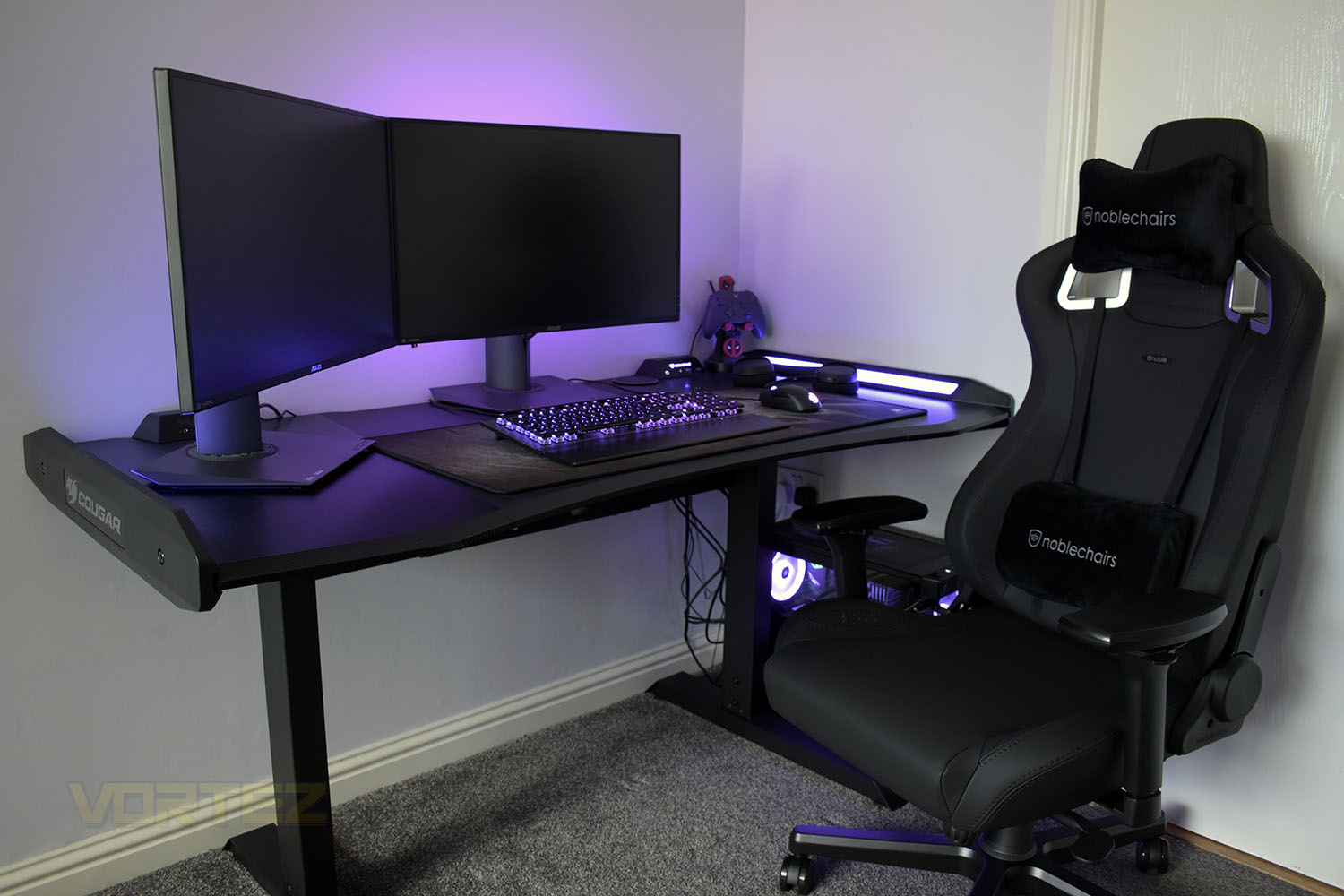
The Cougar Mars incorporates ergonomic design with modern styling, including some carbon-fibre effects and dark/black materials for a stealthy approach. The frame under the work surface is all-steel for extra stiffness and longevity, as well as providing stable height adjustment between 750mm, 800mm and 850mm.
Helping to illuminate things and add some real flare, Cougar have equipped the Mars with two lengthy RGB strips which can be synced with your motherboard for some excellent effects, including support for Asus Aura Sync, Gigabyte RGB Fusion, MSI Mystic Light and ASRock Polychrome.
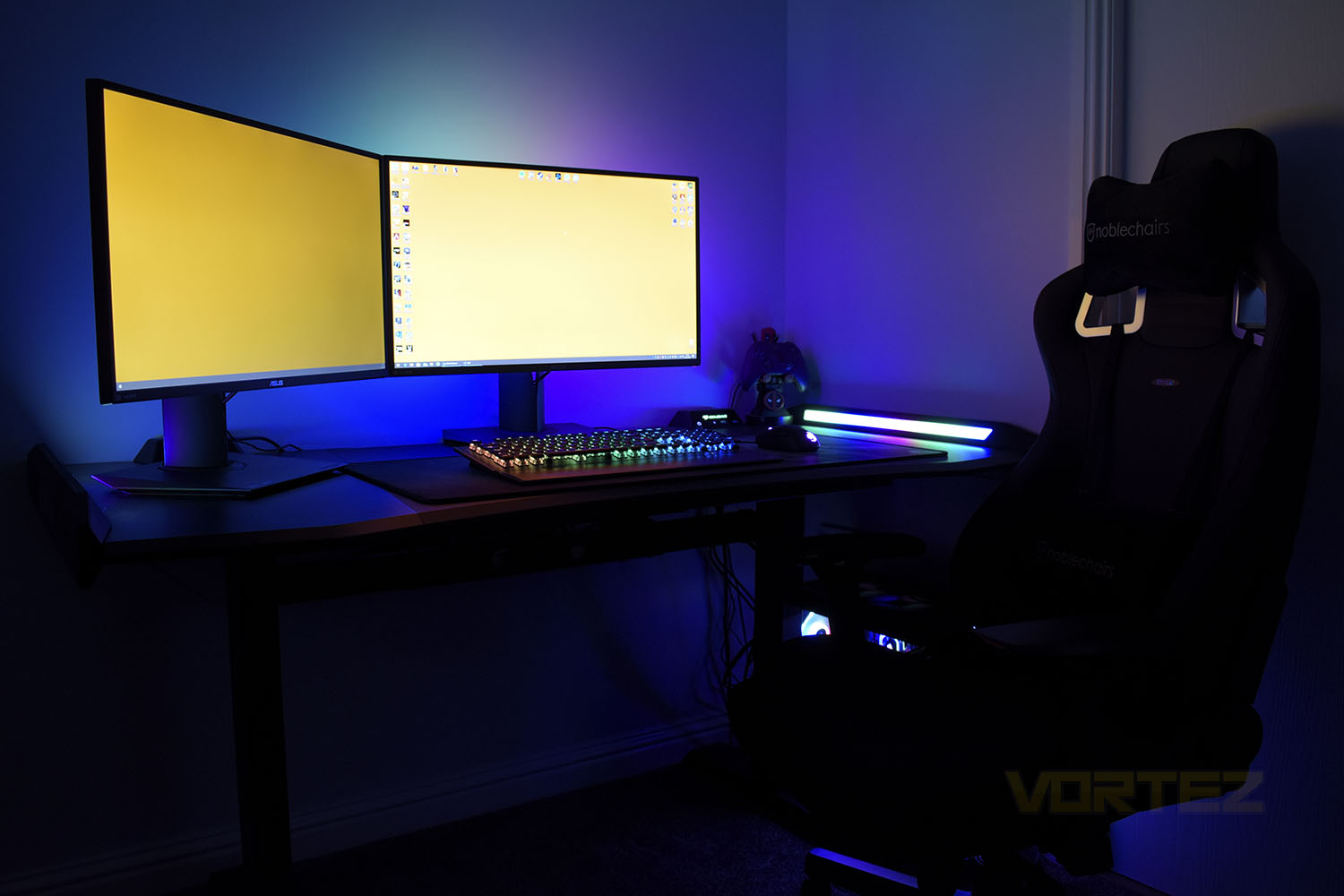
Connectivity is also boosted; on the desk’s rear are two control stands, one for audio input/output, the other for USB and lighting functions, as well as a power switch for the PC.
Priced at USD $389 and AUS $599 the Cougar Mars certainly isn’t cheap, but it does offer a number of features that you won’t get elsewhere. Now let’s set about constructing the desk and see if Cougar’s hype is justified.
Cougar on the Mars Gaming Desk:
The spacious gaming surface up to 150cm width with carbon fiber texture brings you plenty of space for your gaming monitors, gaming keyboards, and other gaming gears. Highly ergonomic designs like curved edges and rounded corners give you better and more comfort gaming experience
Technical Specifications
Series: COUGAR MARS Gaming Desk
I/O Panel
USB 3.0 x 2 / Audio Jacks x 2 /
Power button / Reset button / Backlight button
Desk Dimension (W x D):
1533 x 771 (mm)
60.4 x 30.4 (in)
Desk Height (H)
Three adjustment:
750 / 800 / 850 (mm)
29.5 / 31.5 / 33.5 (in)
Product Number: (P/N) NY7D0001-00
EAN CODE: 4715302444990
UPC CODE: 192554001593
JAN CODE: 4541995034213
Individual Size W/O Packaging Weight (N.Weight): 40.28 (kg)
Individual Packaging Weight (G.Weight): 45.1 (kg)
Individual Size W/O Packaging (WxHxD): 1533 X 750 (800 / 850) X 771 (mm)
Individual Packaging Size (WxHxD): 930 X 350 x 850 (mm)
I/O Panel
USB 3.0 x 2 / Audio Jacks x 2 /
Power button / Reset button / Backlight button
Desk Dimension (W x D):
1533 x 771 (mm)
60.4 x 30.4 (in)
Desk Height (H)
Three adjustment:
750 / 800 / 850 (mm)
29.5 / 31.5 / 33.5 (in)
Product Number: (P/N) NY7D0001-00
EAN CODE: 4715302444990
UPC CODE: 192554001593
JAN CODE: 4541995034213
Individual Size W/O Packaging Weight (N.Weight): 40.28 (kg)
Individual Packaging Weight (G.Weight): 45.1 (kg)
Individual Size W/O Packaging (WxHxD): 1533 X 750 (800 / 850) X 771 (mm)
Individual Packaging Size (WxHxD): 930 X 350 x 850 (mm)
Construction & Features
ConstructionDuring the construction process, which took one person around 45 minutes, we found the instructions easy to follow and the overall quality of the products to be excellent. Everything lined up as it should, bolted together nicely and felt well-manufactured. There were very few complaints apart from a couple of awkward bolts but that’s not a real issue. All things considered, we were perfectly happy with the entire process of building the desk, but you will want a relatively large space to build it in. Now onto the desk itself, and how it feels to work with after around a month of testing.
Features
Kicking off with the welded steel frame, this adds a lot of weight to the desk but is well-designed and sturdy. Towards the bottom of the uprights, just above the feet is a manual height adjustment system that gives the option of 750mm, 800mm and 850mm.
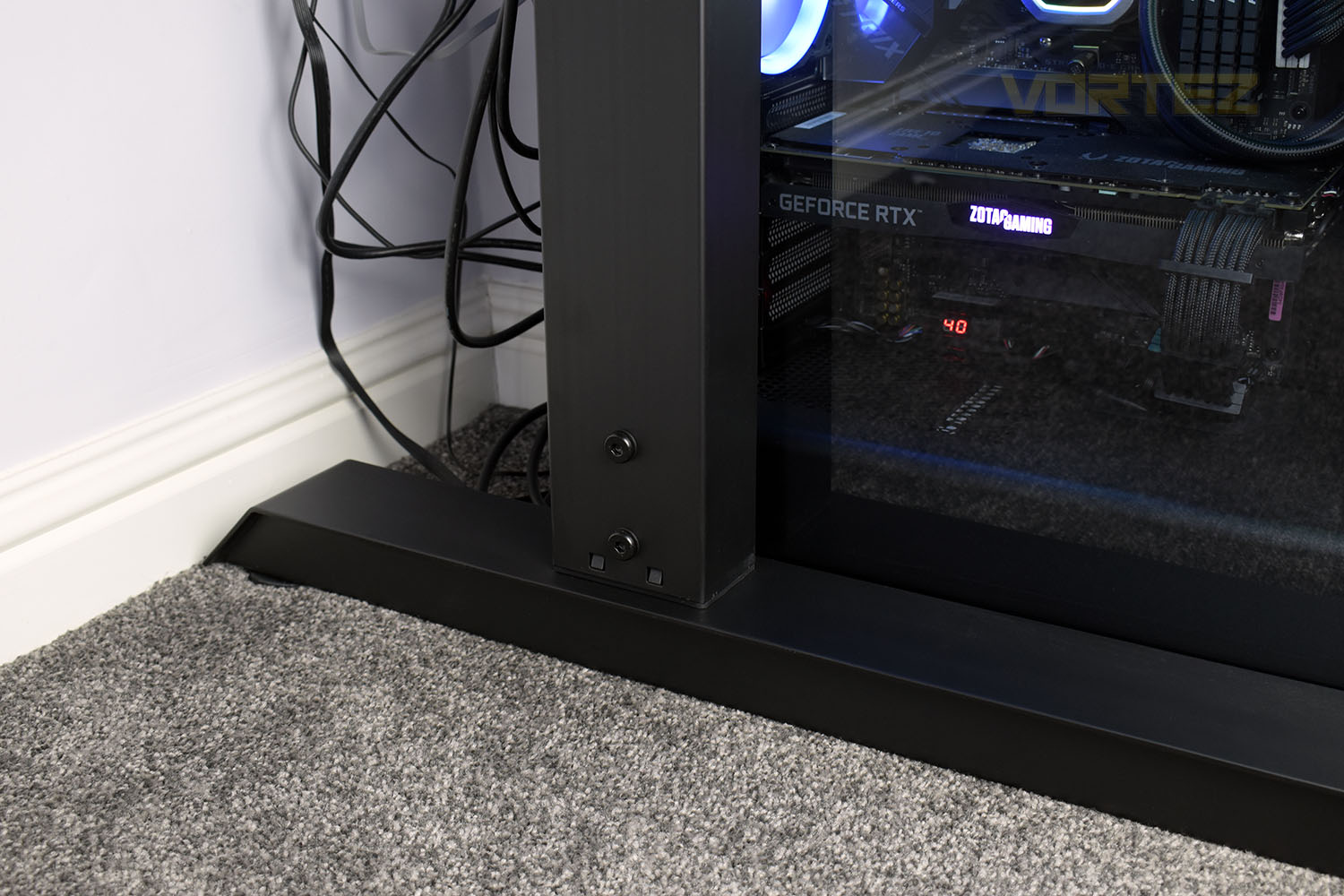
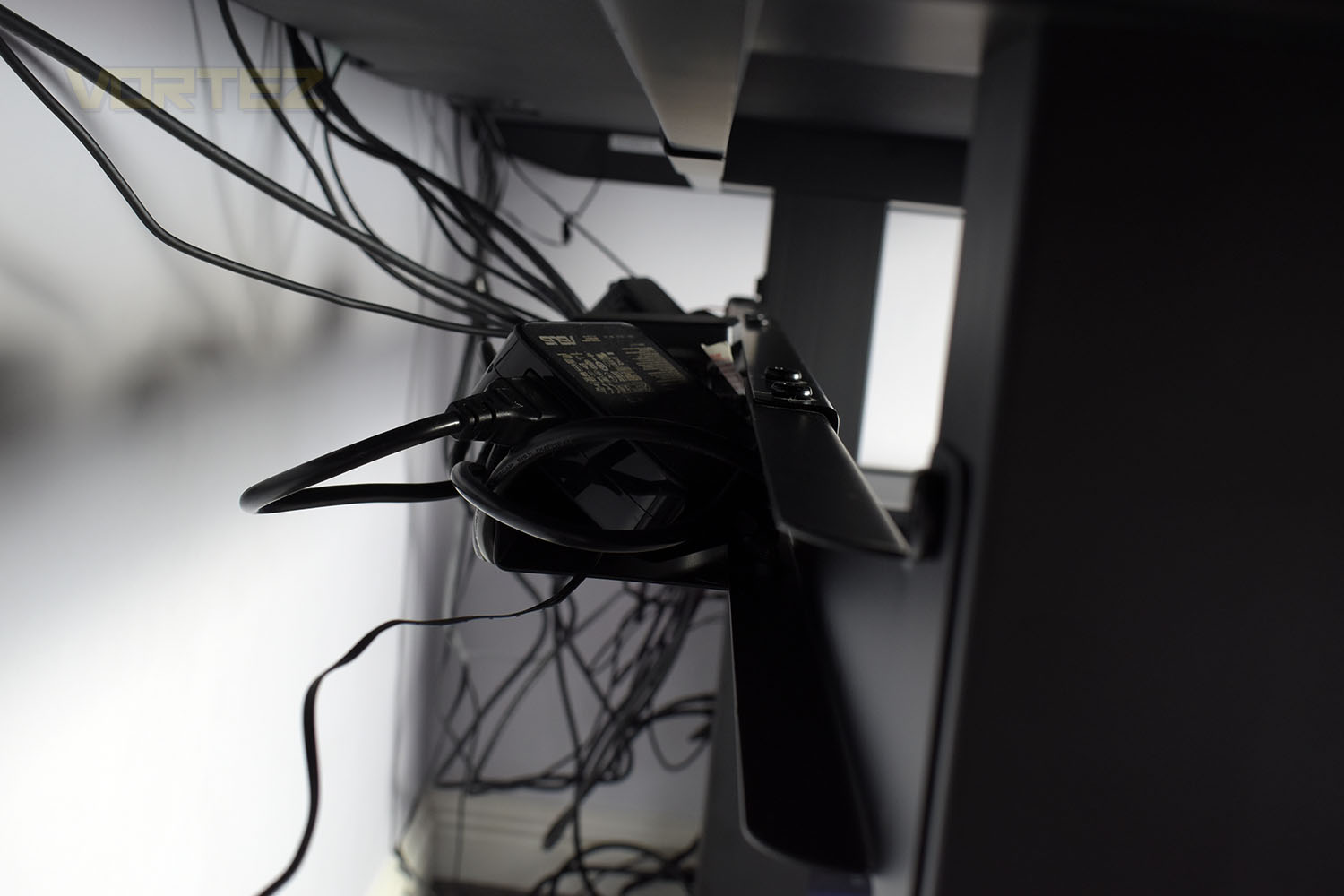
Under the work surface, mounted between the two legs, is a box-section that’s incredibly handy for tucking cables, power extensions and in-line power supplies into. This is a little bit lacking in size though, particularly if you need a 4 or 6-gang extension cord and a couple of power bricks for your monitors, it quickly becomes cramped.
While on the topic of cables, each of the Control Stands, that we’ll speak about soon, are wired into your PC case. However, those cables are loose with no fixing mechanism to keep them neat and tidy, with the 3.5mm cables on the left being a bit too short to be tidied up neatly. Some cable clips to stick to the desk and a bit more length on the cable would be nice.
Moving to the business end, the desk features a smooth plastic centre with carbon-fibre effects on either flank; the surface is easy to vacuum and wipe clean to maintain a fresh workspace, plus with it being plastic, it should be excellent at protecting against spills and stains into the future. Bookshelfing the desk’s surface are two fully-adjustable RGB light bars extending the full depth of the desk.
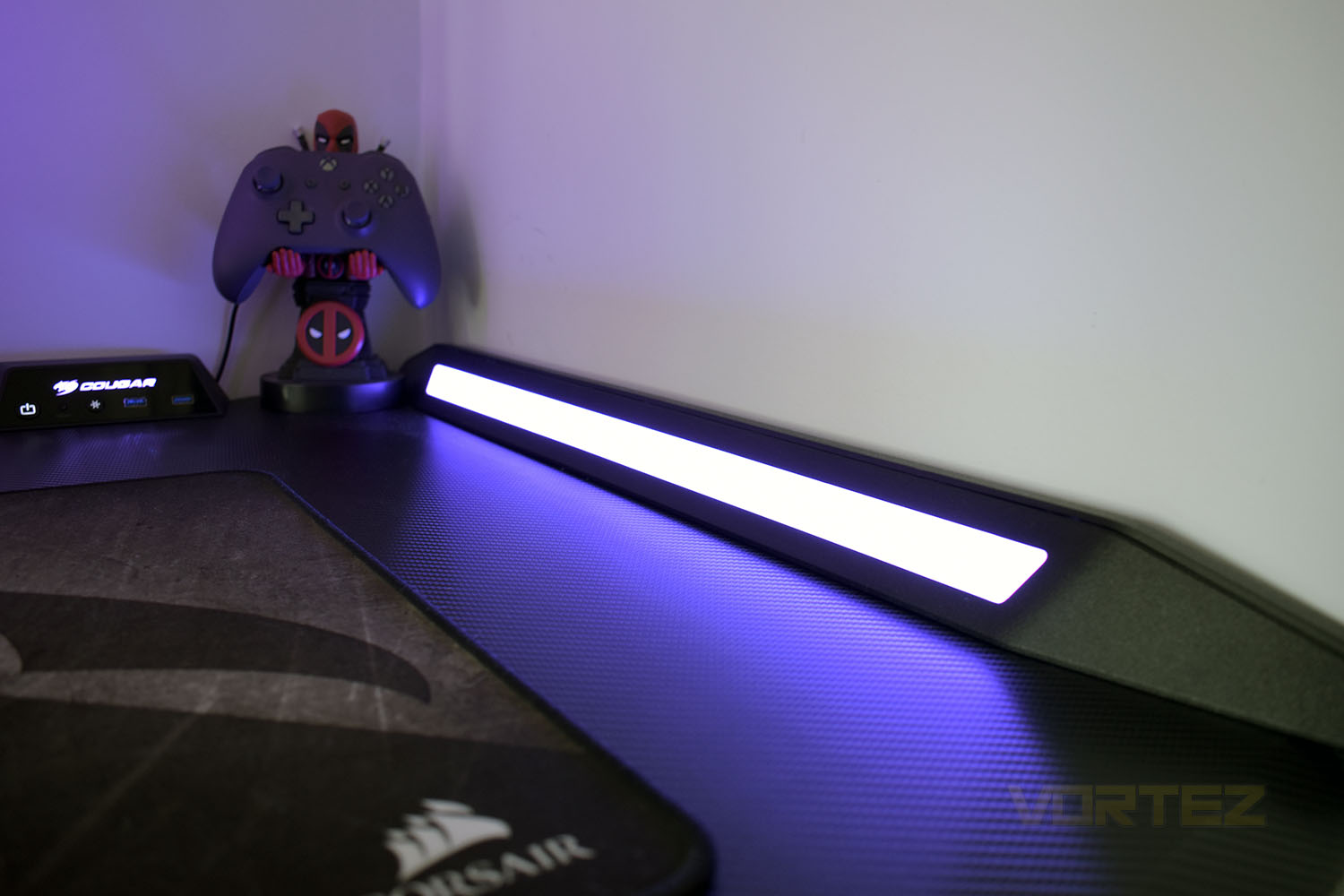
The front edge of the desk sports a gentle central curve, allowing you to pull yourself right in to the desk to get that competitive edge, but thanks to a shallow chamfer along the entire front face, there’s no harsh angles to hurt your forearms if you tend to sit a little further back. There are also cut-outs at the back of the desk, allowing you to push this all the way against your wall and still leaving room for cables or monitor stands to be clamped onto the desk.
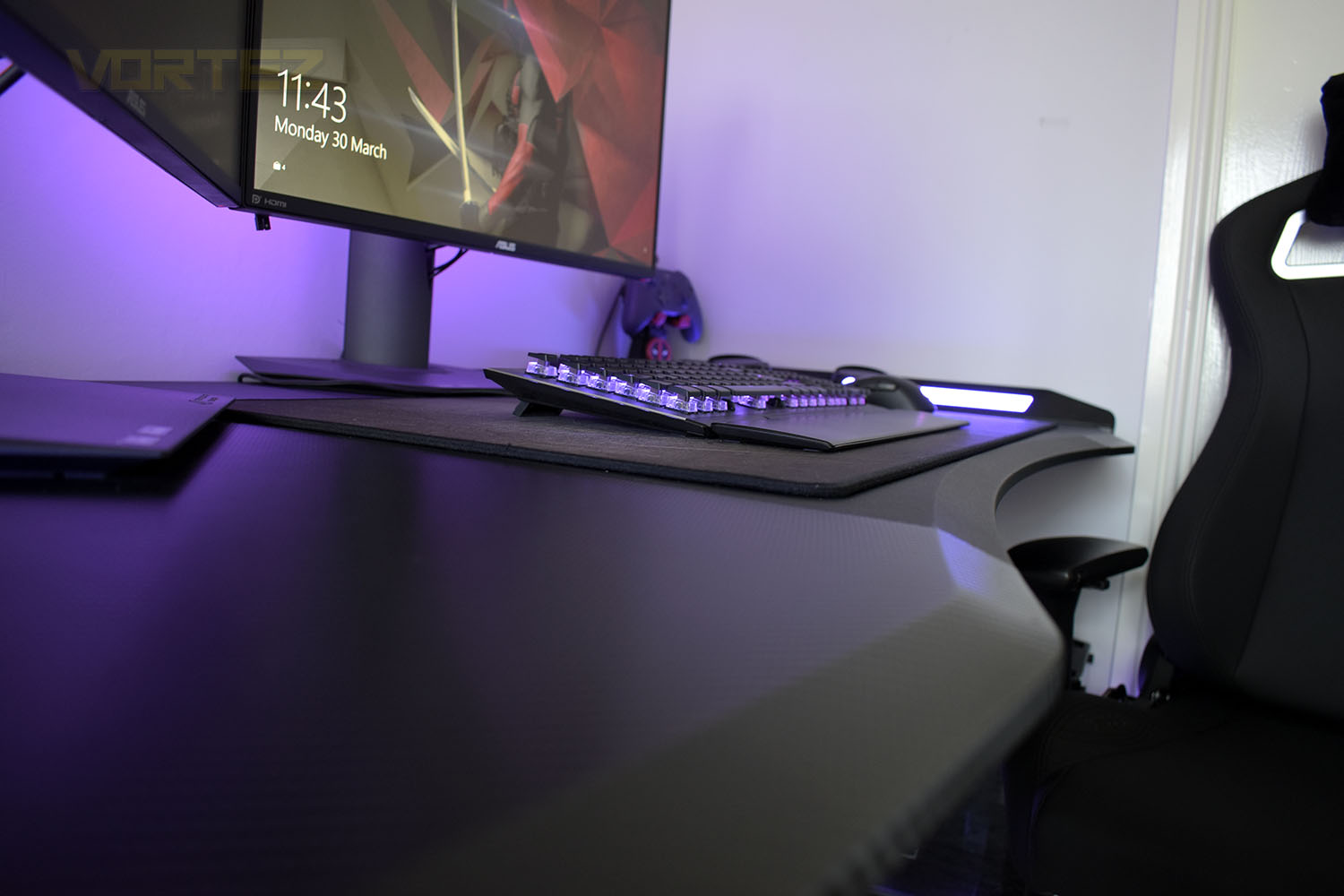
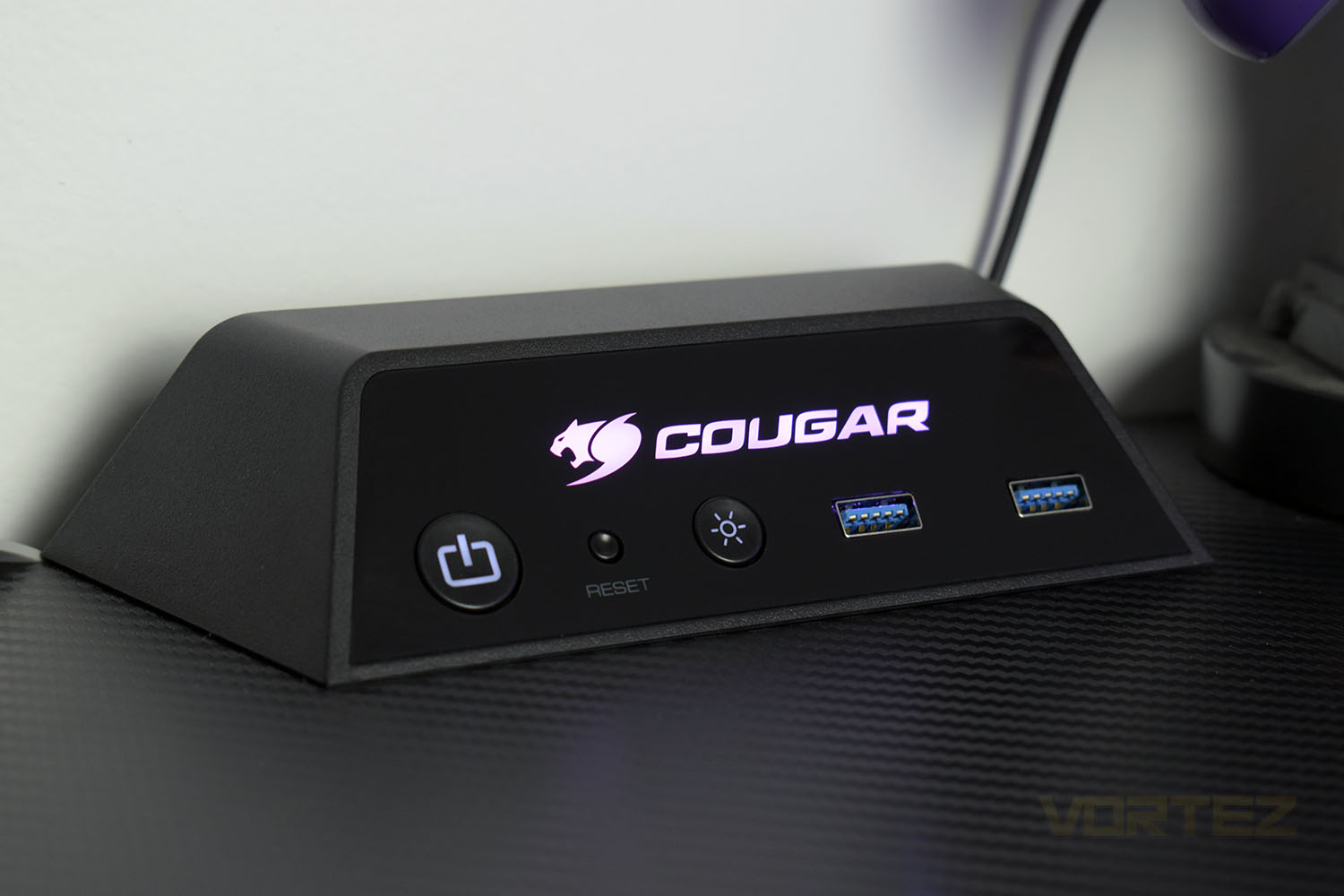
If the RGB lighting doesn’t make the desk special enough for you, Cougar have also mounted a pair of Control Stands on the rear edge.
On the right is the “main” control stand. Starting from the left there’s a PC power button, reset switch, RGB toggle and a pair of USB 3.0 passthroughs. This control stand connects up to the internal headers in your PC, through a rear IO slot, and is powered by an internal SATA power connection. Whereas for the USB passthroughs, there are two USB 3.0 connections to slot into the back of your motherboard.
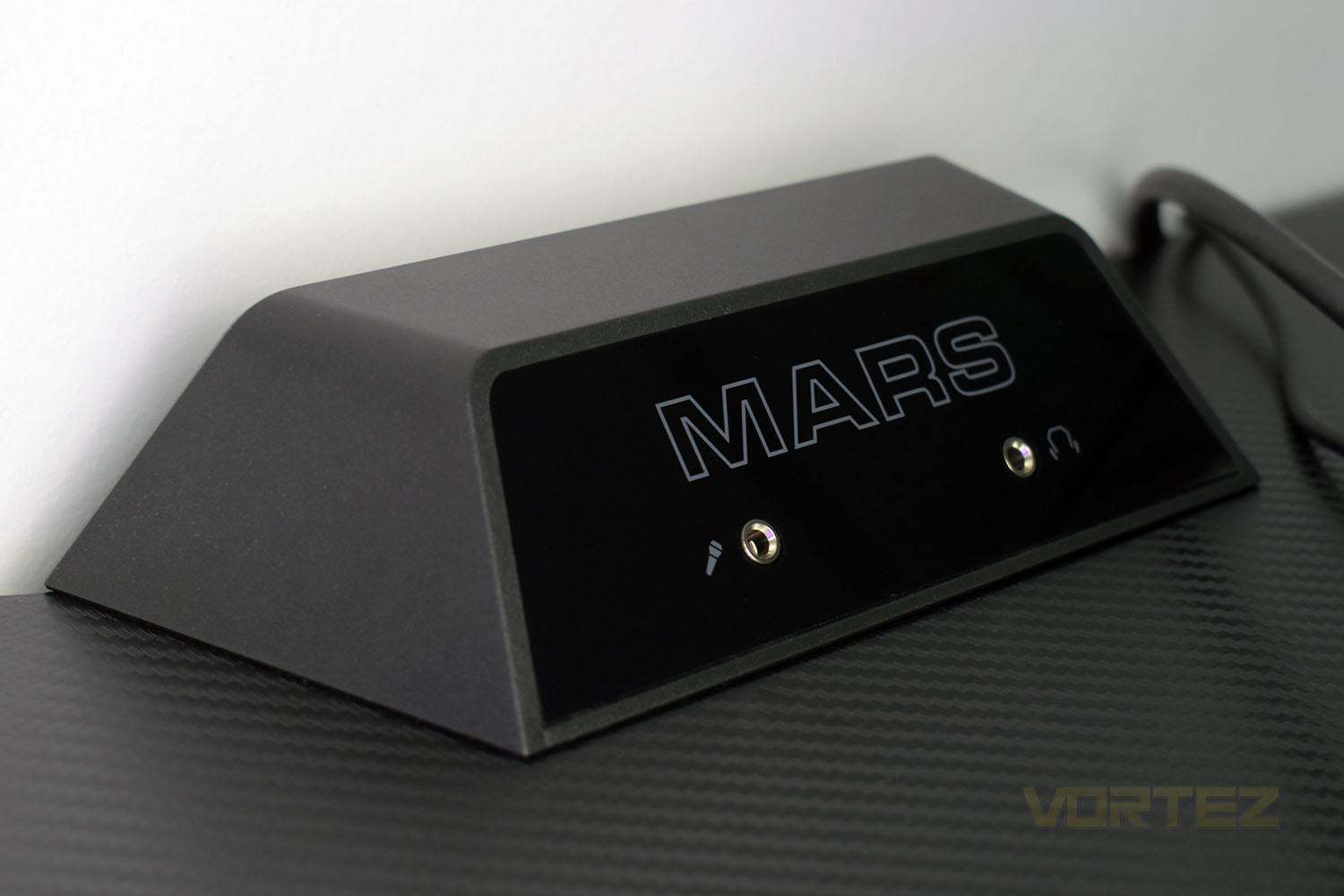
On the left is a much simpler setup, with a pair of 3.5mm jacks, one for a microphone input, the other for headphones.
Conclusion
Having used the desk for over a month, giving it a thorough going over, the experience is largely positive with only a few small niggly issues. Those issues could easily be solved by the buyer, but really Cougar should look to adjust their manufacturing slightly to accommodate, if possible.First up, the build quality and strength of the structure as a whole is solid. It’s more than strong enough to put two or three monitors on and lean your bodyweight onto while standing up. It doesn’t budge in the slightest, largely thanks to the welded-steel chassis underneath. It was also super easy to put together, providing you have ample space to move around in due to the large number of individual pieces. Clear instructions and properly engineered parts make all the difference here.
Living with the desk is lovely, it provides ample space for even the largest of set ups. A dual 27” monitor, full-size keyboard and an extra large mousemat setup leaves plenty more room for some nibbles and a drink to get you through the big gaming sessions, and thanks to the large RGB bookends, things are much less likely to fall off the sides.
Syncing up the RGB lighting with your motherboard’s software can deliver some excellent effects, but having said that, the default settings within the Control Stand are great too.
Overall, if you’re heavily into your gaming and spend a lot of time at your computer, as many of us do, it’s worth investing in a good quality desk and chair. The Cougar Mars is definitely good quality, it looks great, is rock-solid, illuminates the room nicely and adds even more RGB flair to what you currently possess.
Pricing is a bit of a hurdle, at $389 in the US and $599 in Australia. The desk isn’t currently available in the UK but we expect it to be available soon. Compared to most desks, it’s a nice step up and will suit in with the gamer-y feel that a lot of people will strive for, but you’ll really need to weigh up your options before jumping in.
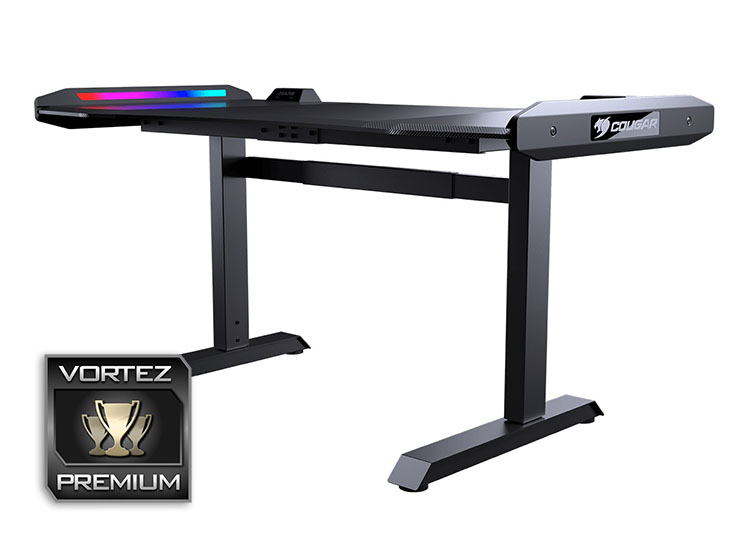
The Cougar Mars may well be expensive but ultimately worth it as an investment.
Pros
+ Built to last with a sturdy metal frame
+ Easy to keep clean
+ USB passthrough and power button on the desk is handy
+ Textured carbon fibre effect looks cool
+ Large surface area
+ Eye-catching design
+ Bright, well-diffused RGB lighting
Neutral
+- Design won’t suit everyone’s tastes
Cons
– Poor cable management overall
– Pricey
+ Built to last with a sturdy metal frame
+ Easy to keep clean
+ USB passthrough and power button on the desk is handy
+ Textured carbon fibre effect looks cool
+ Large surface area
+ Eye-catching design
+ Bright, well-diffused RGB lighting
Neutral
+- Design won’t suit everyone’s tastes
Cons
– Poor cable management overall
– Pricey
Click here for an explanation of our awards at Vortez.net.
Stay connected with the Vortez Social Media pages:
Join in with the discussions on Discord