Cleaning your CPU cooler must be done regularly and properly. Learn what CPU cooler brands recommend to use and not to use. Our simple and straightforward CPU cooler cleaning guide is a combination of popular brand’s recommendations and our experience in PC building and hardware reviews.
Cleaning your desktop PC is an important aspect of regular maintenance. The majority of the components of a computer heat up during operation and will require cooling. The most common methodology in cooling a component is with the use of airflow. This is why some of the PC’s components have a heatsink and a cooling fan like the CPU cooler, graphics card, and even the VRM heatsinks in certain motherboard models. For this cleaning guide, we will focus on the CPU air cooler or heatsink.
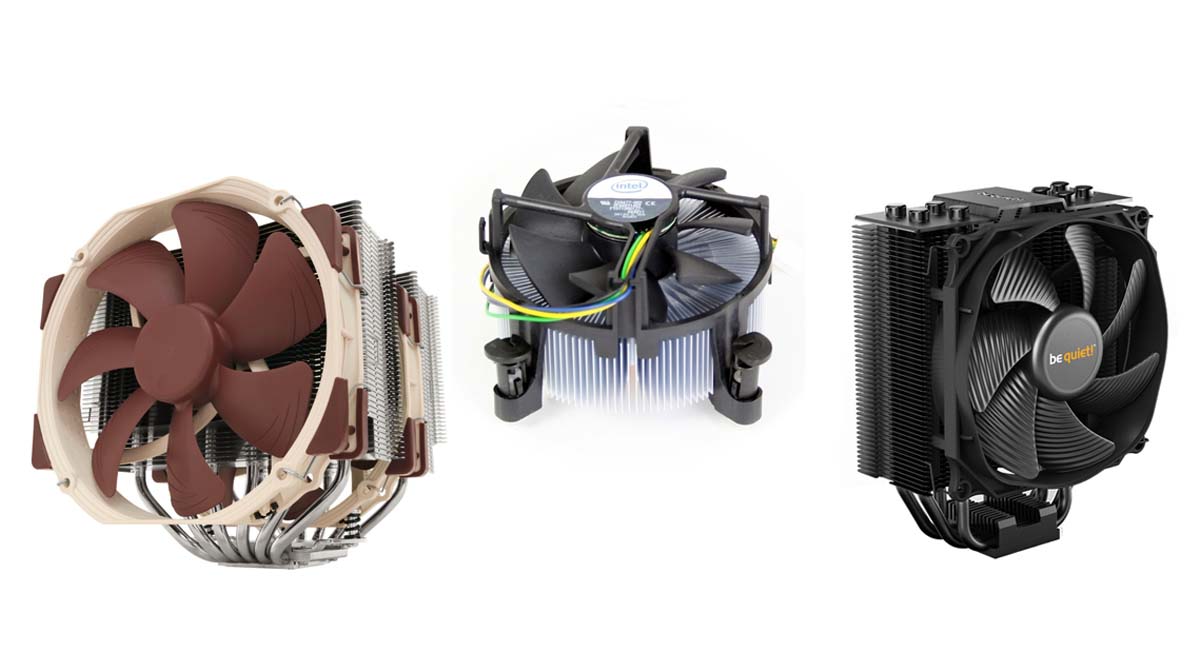
CPU coolers or CPU heatsinks require airflow to function efficiently. The airflow needs to pass through the fins to dissipate heat. After some period of use, dirty and other small substances can accumulate in your PC’s components particularly those that have fans blowing air through a heatsink like those of CPU coolers. Cleaning CPU coolers is crucial to maintain its function of effectively dissipating heat from your components.
When Should I Clean My CPU Cooler?
Cleaning your PC’s cooler heatsink depends on a few things. The frequency in cleaning may also vary depending on your setup and environment. For example, PCs that use performance cases with high-airflow tend to get dirty faster than PCs using silent cases. Having pets around your computer also make PCs get dirty faster. While these conditions vary per individual’s setup, there are several signs listed below that will help you determine if your CPU cooler needs cleaning.
1- Rise of operating temperature (relative to when your PC was newly assembled or purchased)
2- Overheating (causes sudden shutdowns)
3- Visible build-up of dust and dirt
Our Recommendation
As mentioned above, there are several things that will determine the frequency of cleaning your CPU heatsink. It is best that you do a visual inspection of your PC’s interior to determine if it needs cleaning or not. This is particularly important for PC cases with solid side panels since you can’t see the build-up unless opened. Nevertheless, we recommend users to inspect their PC at least once or twice a year for regularly used PCs. Users may need to do it more often or less often depending on their setup and environment. For example, having pets around your PC would mean doing inspections and cleaning more often.
Cleaning Guides from Manufacturers
We went around and look for CPU cooler guides from heatsink manufacturers themselves. Some brands have guides available on their website, some don’t. Hence, we made an inquiry to some of the popular PC cooling brands for their guide and recommendation. Read on to see their responses.
Noctua
Noctua is one of the popular brands when it comes to aftermarket CPU coolers and cooling fans. Deemed as one of the experts in premium PC cooling, Noctua does have a CPU cooler cleaning guide which you can find at the Noctua website. Read Noctua’s cleaning guide below.
Fans and heatsinks inside computer cases tend to accumulate dust over longer periods of usage. In order to maintain maximum performance, please clean your fan and heatsink regularly. For cleaning, please first remove the fan from the heatsink and clean it using a duster, slightly moist tissue or canned air. Please be careful not to use too much force in order to prevent any damage to the fan. Please do not use a vacuum cleaner as this may apply excessive force to the fan and do not put the fan under running water as water residues inside the motor may lead to short circuits. Please also note that the fan is not designed to be taken apart by the user. Removing the impeller from the frame will break the sealing of the bearing and results in a loss of warranty. Before reinstalling the fan, clean the heatsink itself with a duster or vacuum cleaner. Do not use water to clean the cooler. Finally, put the fan back on and connect it to your motherboard fan header or fan controller.
Thermal paste residues:
Whenever you take off the heatsink from the CPU, we recommend to clean the CPU as well as the base of the cooler before re-applying thermal paste and re-installing the cooler. You can either just wipe the base and the CPU clean with a dry, lint-free tissue or, for more thorough cleaning, use a lint-free tissue moistened with either a mild solution of washing-up liquid or isopropyl alcohol. Do not put the cooler or CPU under running water. Note that both the base of the heatsink and the CPU should be dry, free from residues of thermal compound and free from grease before re-applying thermal paste and re-installing the cooler.
Cooler Master

Cooler Master doesn’t have a CPU cooler cleaning guide available on their website. However, their social media manager(s) recommended a general PC cleaning guide from ifixit.com.
Arctic

Arctic’s reply was in German translated to English
Arctic did not give us a specific cleaning guide to follow but recommends using compressed air for cleaning CPU cooler heatsinks. We also asked if metal polish can be used to clean and shine CPU coolers which Arctic approves.
FAQs
Can you use metal polish in cleaning CPU heatsink coolers?
Aside from inquiring several brands regarding CPU heatsink cleaning, we also asked if they would recommend using metal polish. In general, a metal polish is used to remove oxidation, prevent corrosion, and create a shiny reflective surface. We acquired different answers from several brands which we will discuss below.
From Noctua:
No, we wouldn’t recommend this. There is an ultra-thin protective coating on our coolers, and if you polish the cooler, you would remove this and it may get dirty more quickly afterwards. So in short, polishing coolers with metal polish is generally not a good idea. – Daniel Carter of Noctua via email
From be quiet!:

From Arctic:
As mentioned earlier, Arctic approves the use of metal polish.
We got a mixture of approval and disapproval with regard to the use of metal polish on CPU coolers. Nevertheless, our guide will include the use of metal polish which will be discussed in the following pages.
Can you wash CPU coolers?
No. Based on Noctua’s Cleaning Guide, using water to clean heatsinks can cause corrosion.
I do not have compressed air; can I use a vacuum instead?
Noctua discourages the use of vacuum cleaners because it can generate strong air pressure that can damage the cooler. However, other cleaning guides such as that from MSI approves the use of vacuum cleaners. Hence, you could also use alternatives like a clean paintbrush with soft bristles.
Our CPU Cooler Cleaning Guide
This will be a simple and straightforward approach to cleaning a typical CPU cooler or heatsink. For this guide, we will be using Noctua’s NH-D15S CPU cooler.– Cloth or tissue paper
– Isopropyl alcohol or other approved cleaning liquid
– Compressed air, vacuum cleaner, or clean paintbrush
Step 1: Cleaning the Base and Disassembly
After uninstalling your CPU cooler from your computer, cleaning the base if the first step in order to avoid smearing the thermal compound everywhere.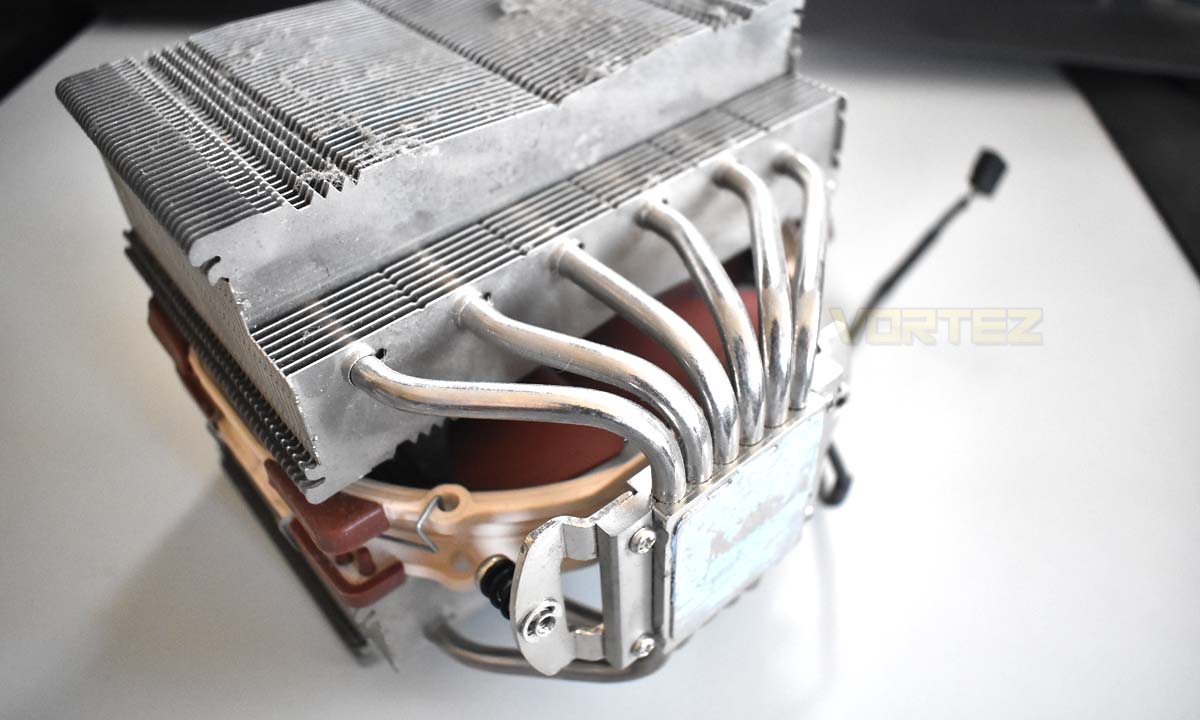
Dampen a piece of clean cloth or tissue paper with isopropyl alcohol or cleaning liquid.
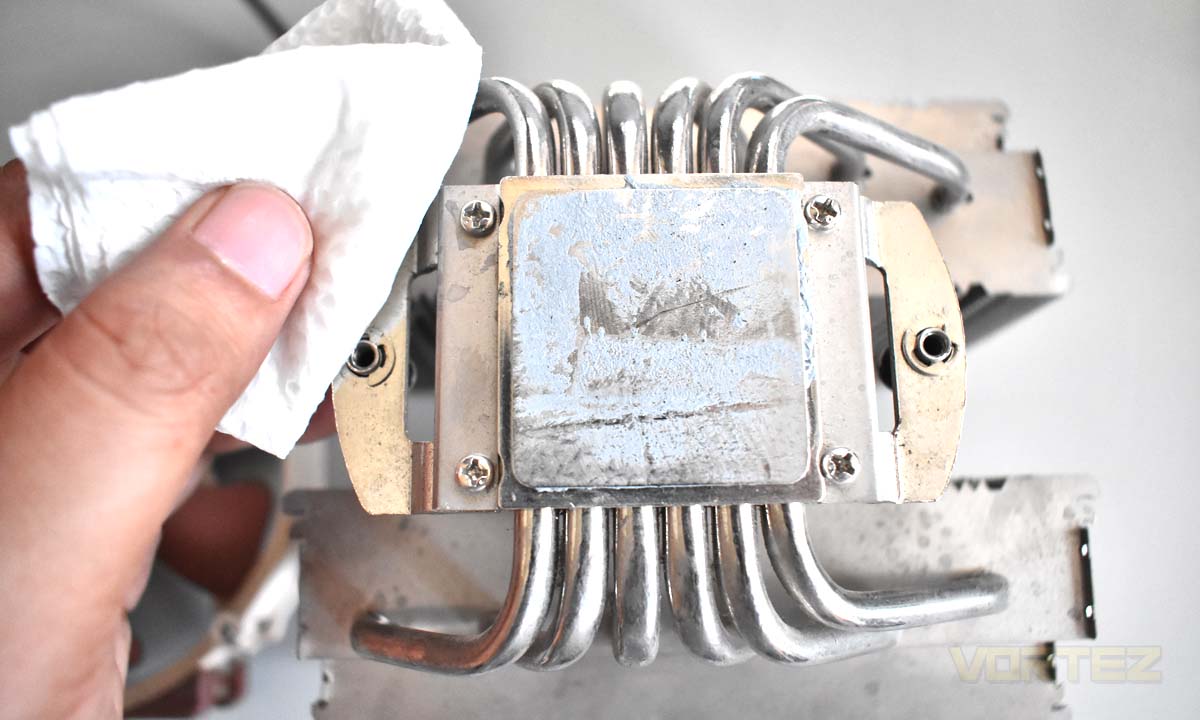
Wipe off the thermal compound until clean. May require several wipes to achieve the desired outcome.
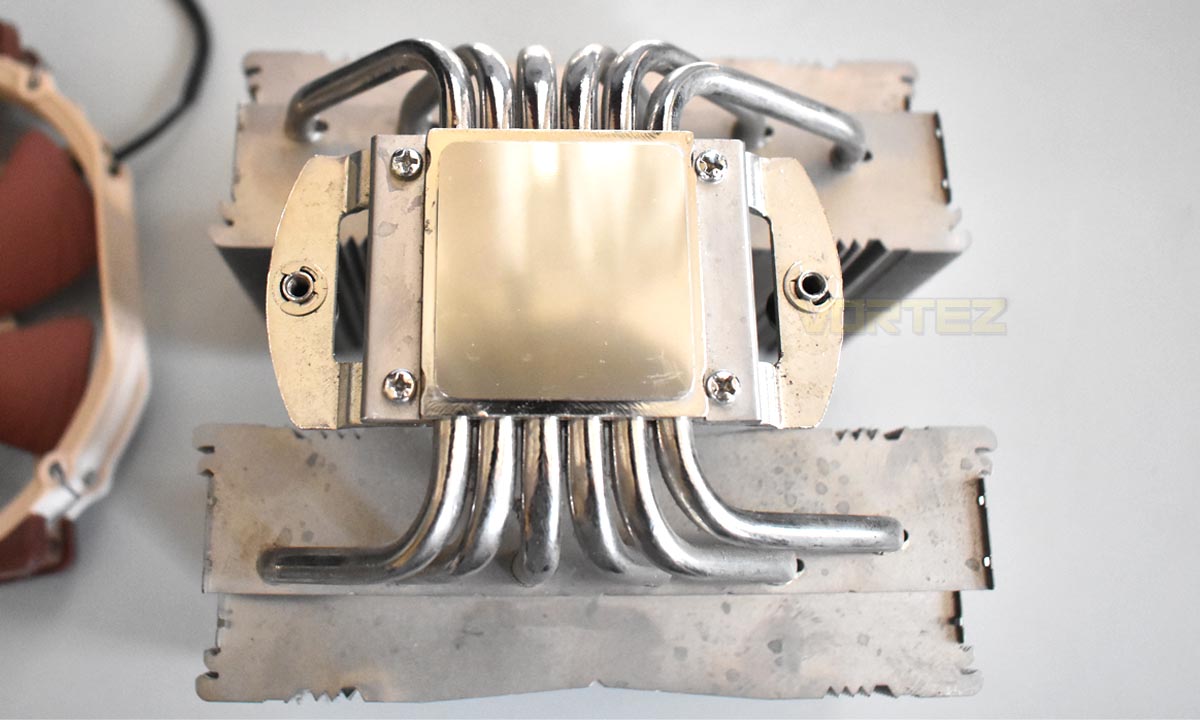
Next, simply remove the cooling fan(s) installed from the heatsink and shroud if any. Coolers like the Noctua NH-D15S uses fan mounting clips to fasten the fan(s) to the heatsink. However, some coolers have a shroud that needs to be removed first or a different fan mounting mechanism. Hence, it is best to check your cooler’s manual for disassembly.
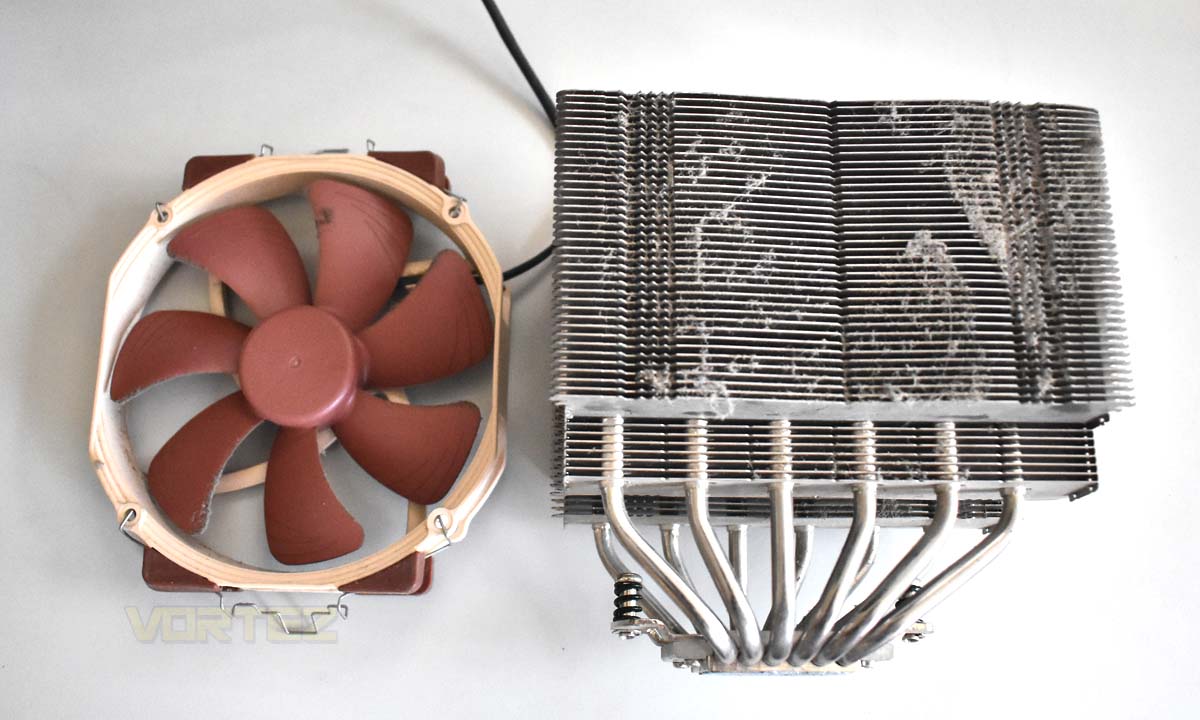
Step 2: Cleaning the Fan(s), Heatsink Fins and Heat Pipes
If you are using a can of compressed air or vacuum, simply push the dirt build-up trapped between the fins until clean. If you do not have a can of compressed air or a vacuum, a clean paintbrush will help you achieve the same outcome.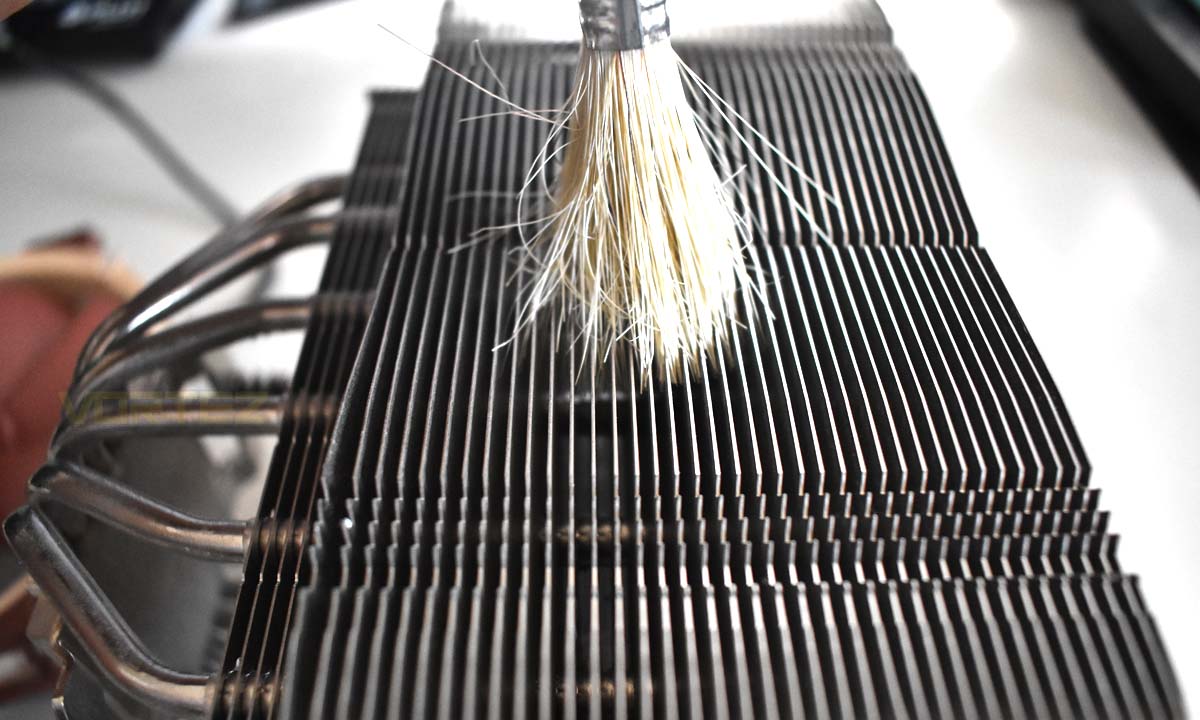
Using a paintbrush, gently brush the dirt build-up between fins. Do the same with the fans.
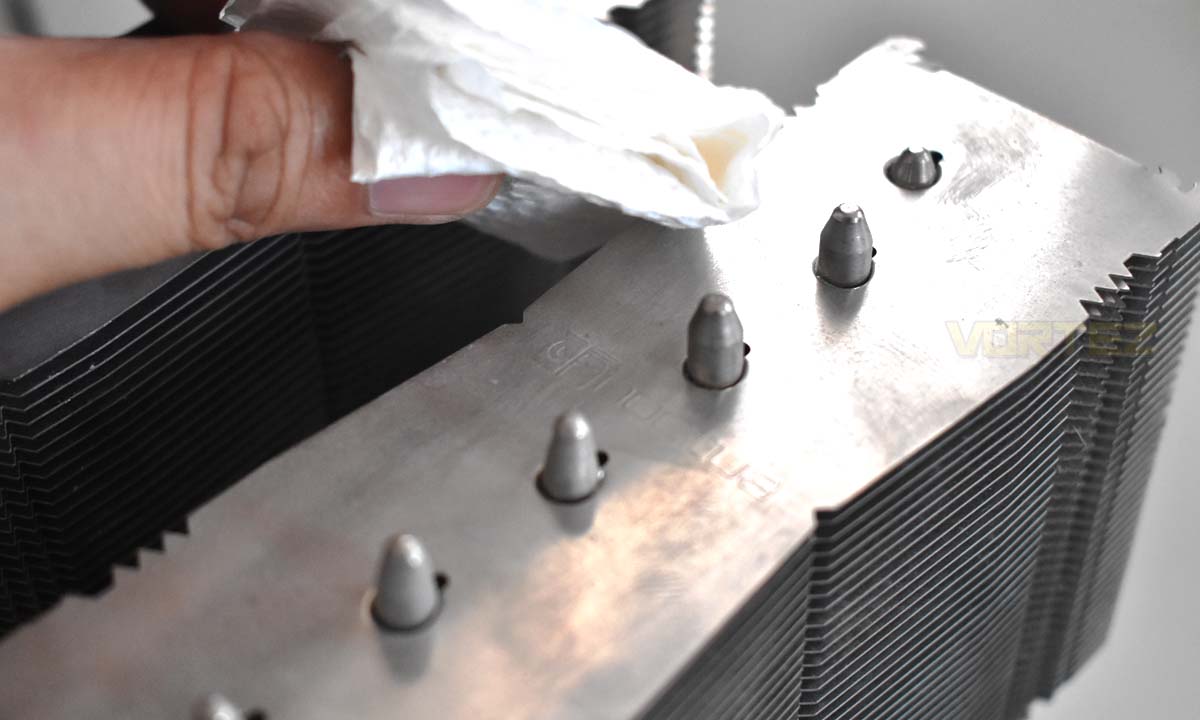
Like the base, dampen a piece of cloth of tissue paper with isopropyl alcohol and wipe the cooler’s top fin and heat pipes to remove dirt and fingerprints.
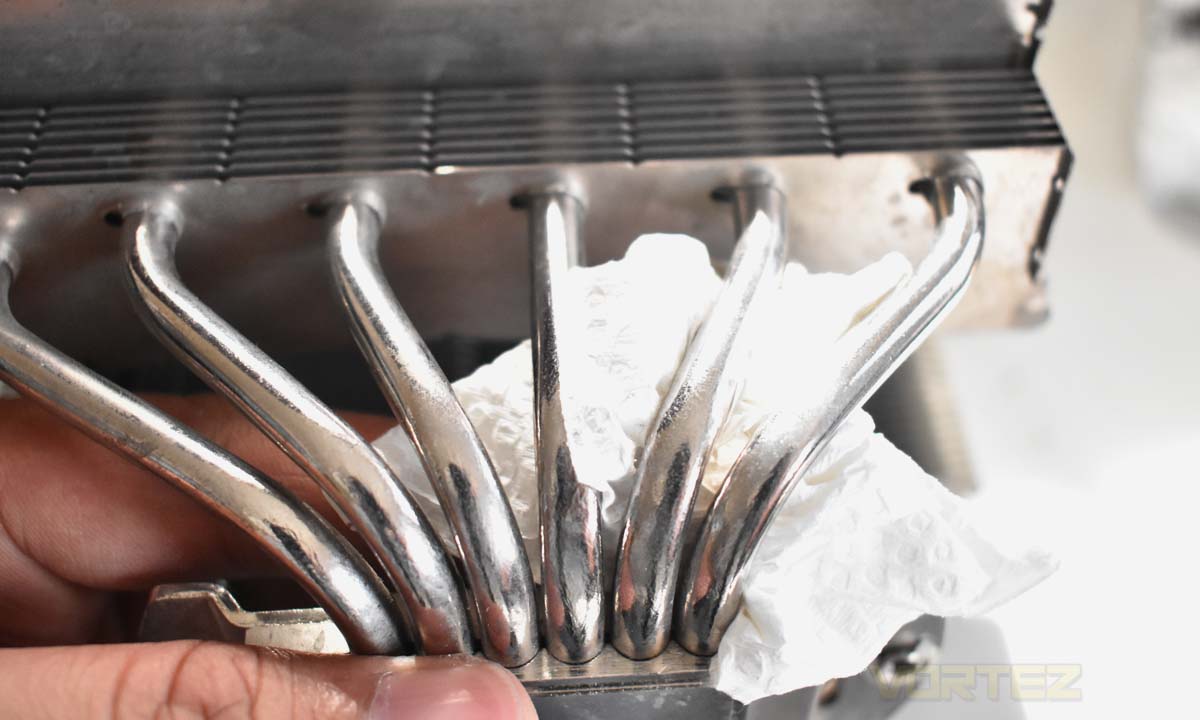
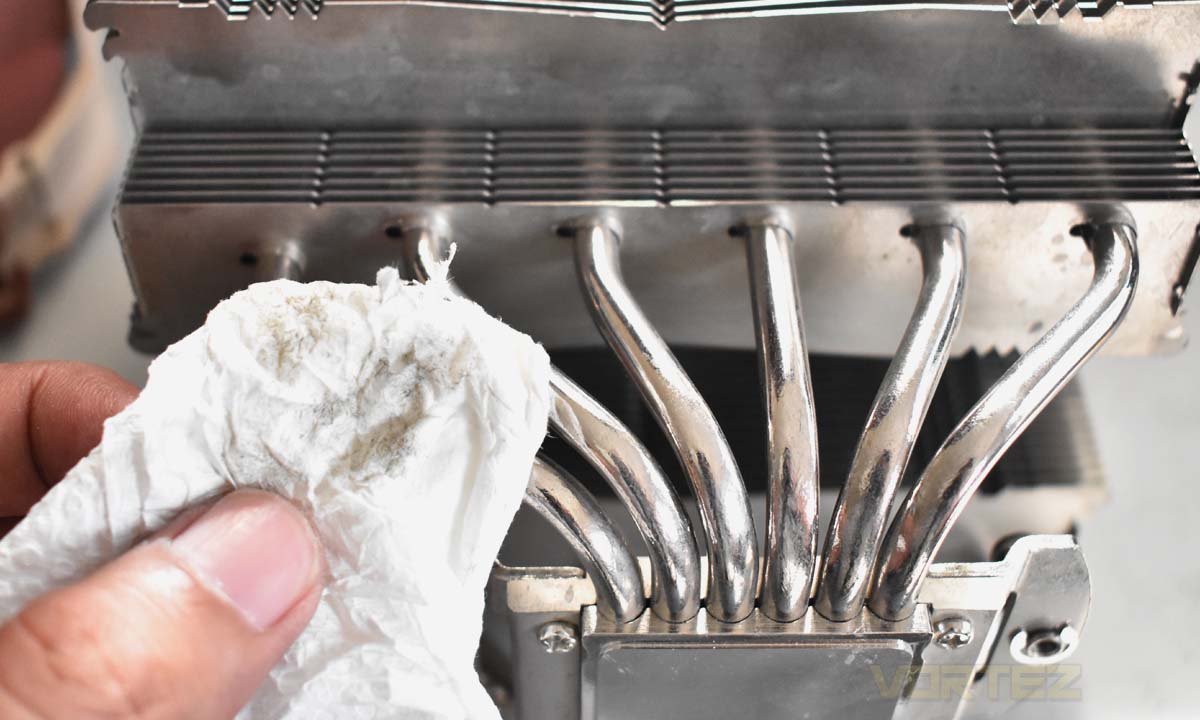
Step 3: Reassembly
After cleaning the fans, heatsink fins and heat pipes, simply assemble the CPU cooler by installing back the cooling fan(s) and it’s ready to be installed again to your system.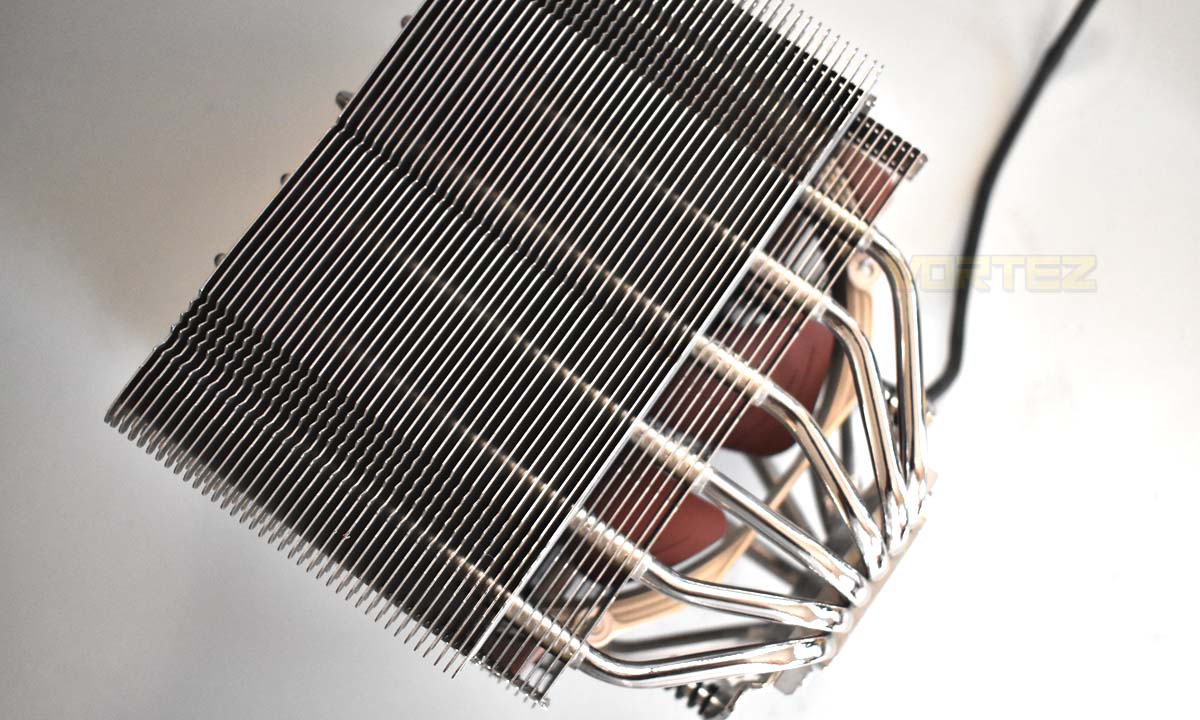
Polishing the CPU Cooler
If simply removing dirt and fingerprints from your CPU cooler is not enough, you can use metal polish to create a shiny finish which is ideal for nickel-plated CPU coolers. However, this may not apply to some CPU coolers like certain be quiet! cooler models and Noctua’s chromax.black edition CPU coolers that has a black coating.Some brands like Noctua and be quiet! does not recommend using metal polish in cleaning CPU coolers. Also, make sure you read the instructions provided with your metal polish of choice.
Materials Needed
– Clean cloth or tissue paper
– Metal polish
Step 1: Metal Polish Application
Put small amounts of metal polish to a clean piece of cloth or tissue paper and apply it to the CPU cooler’s accessible fins and heat pipes.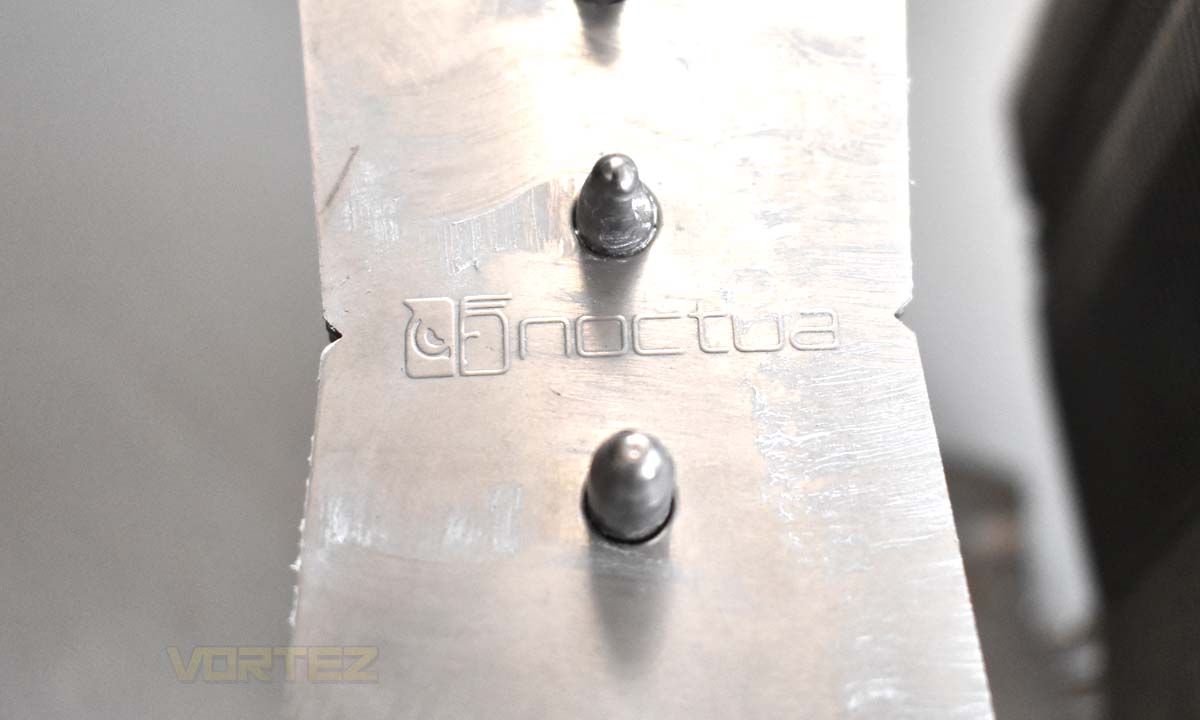
Step 2: Buffing
Using a clean piece of cloth or tissue paper, polish the surfaces until shiny. The black stuff that you’d get from the cooler is a layer of oxidized metal. The CPU cooler’s metal components naturally react to the natural elements like the oxygen present in the air thus resulting in oxidation which is a form of corrosion. This is why CPU coolers naturally lose its shine after some period of time.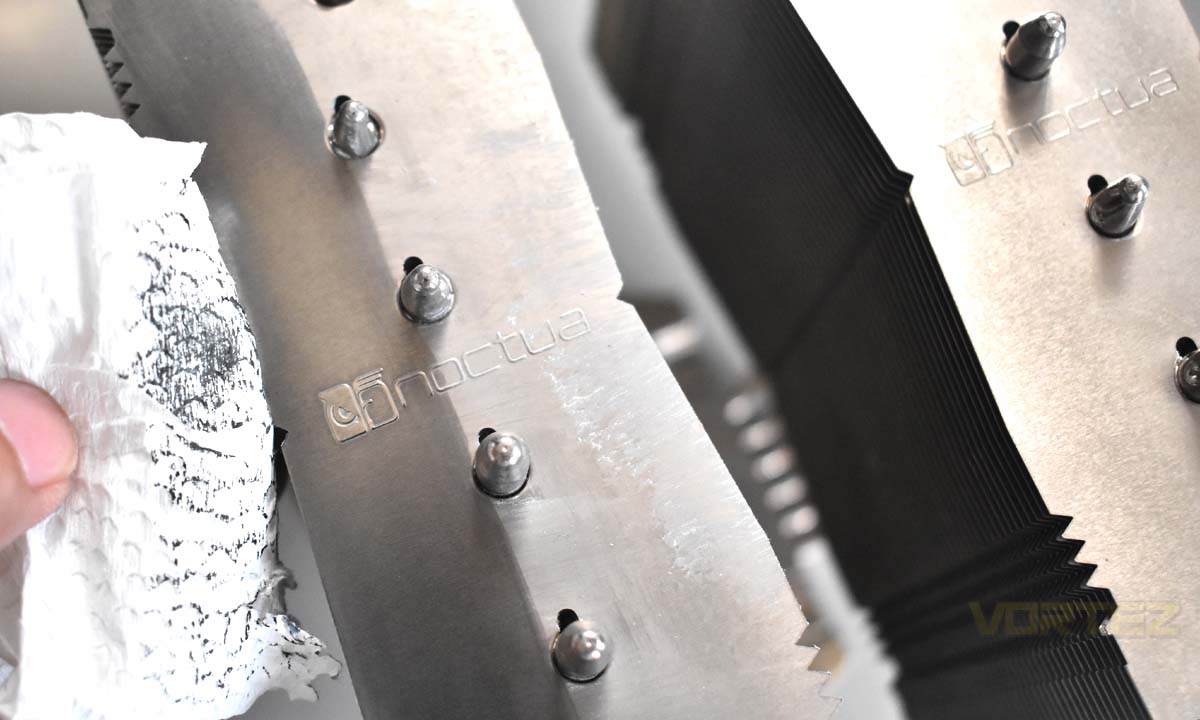
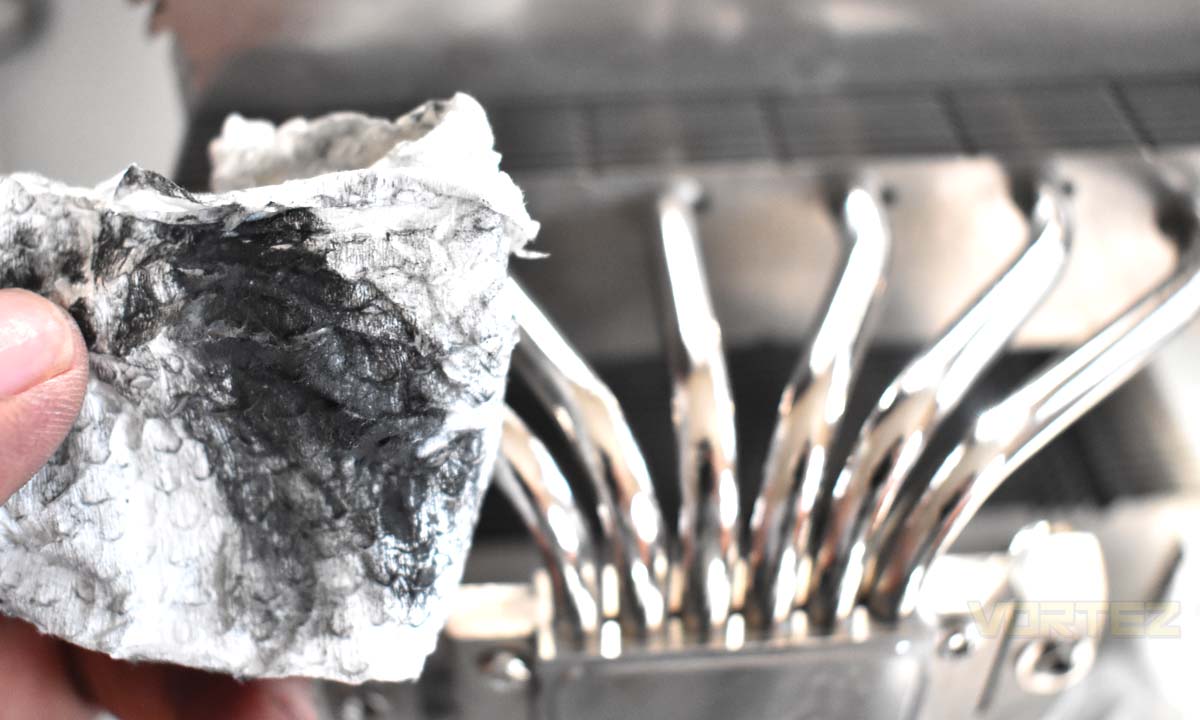
Compared to using isopropyl alcohol, the metal polish will help you remove that oxidized layer better and restore the shiny finish on your CPU cooler like it was new.
Comparison
The Noctua NH-D15S has two towers of fins and heat pipes. We cleaned one side with isopropyl alcohol, as recommended by Noctua, and the other side with metal polish. See the images below for comparison.Before Cleaning
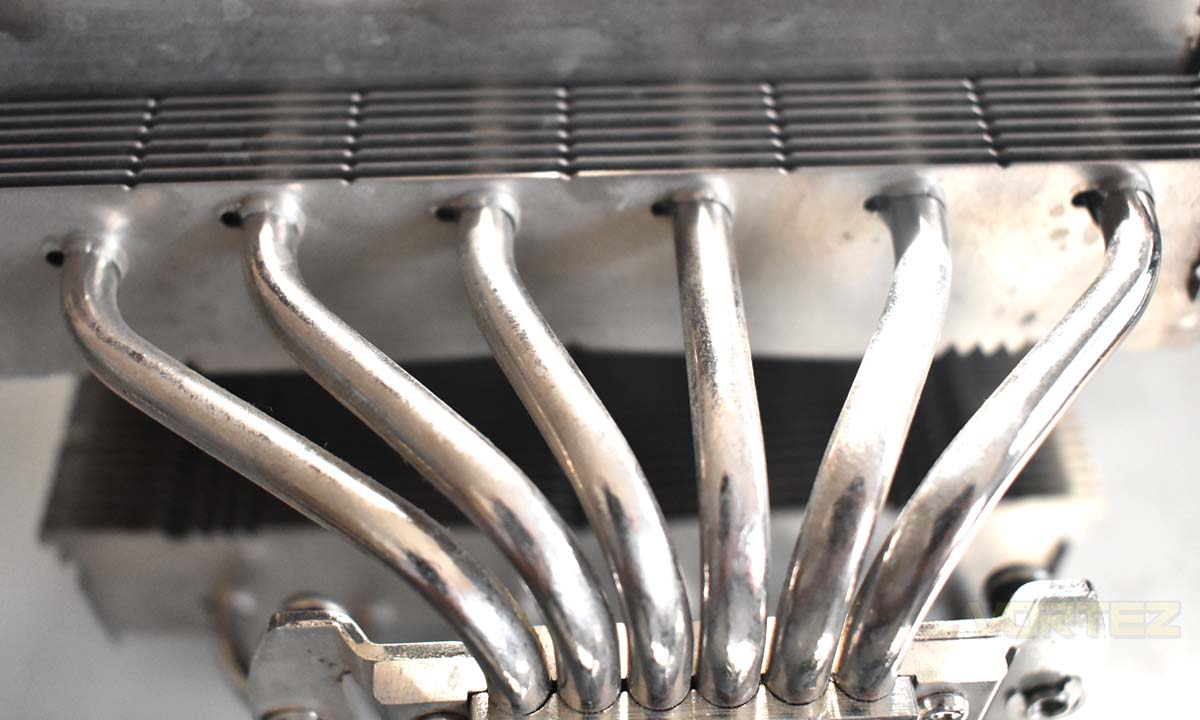
Side cleaned using isopropyl alcohol
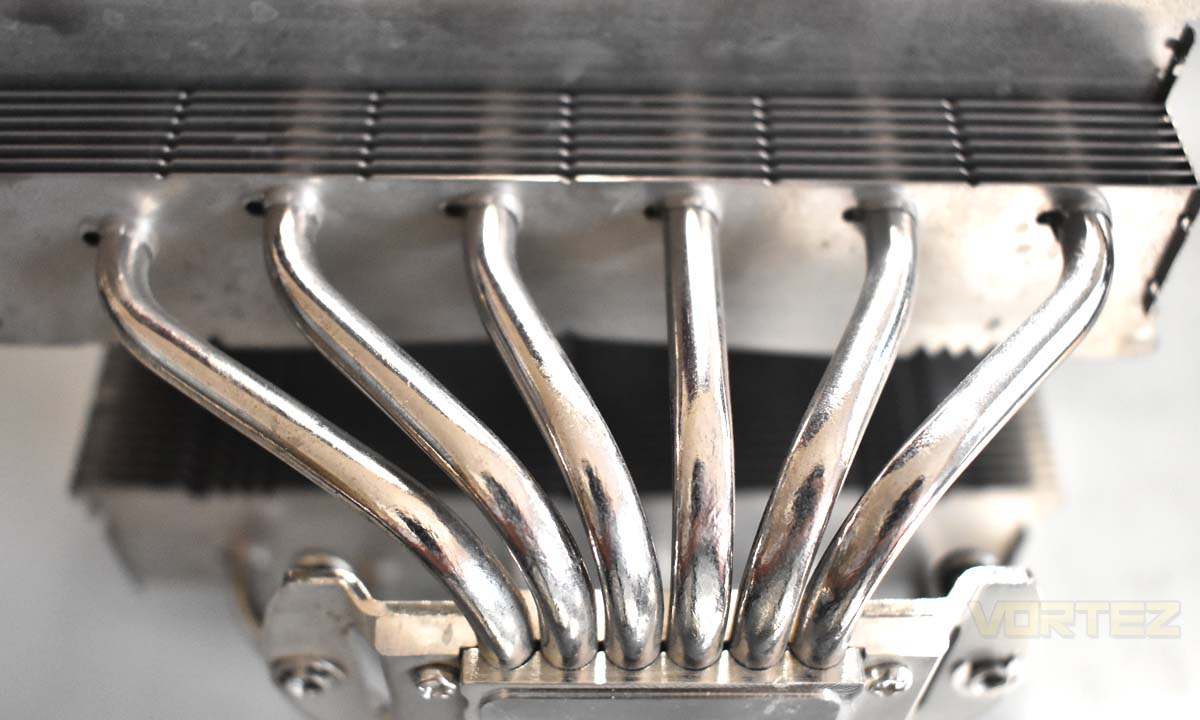
Side cleaned using metal polish
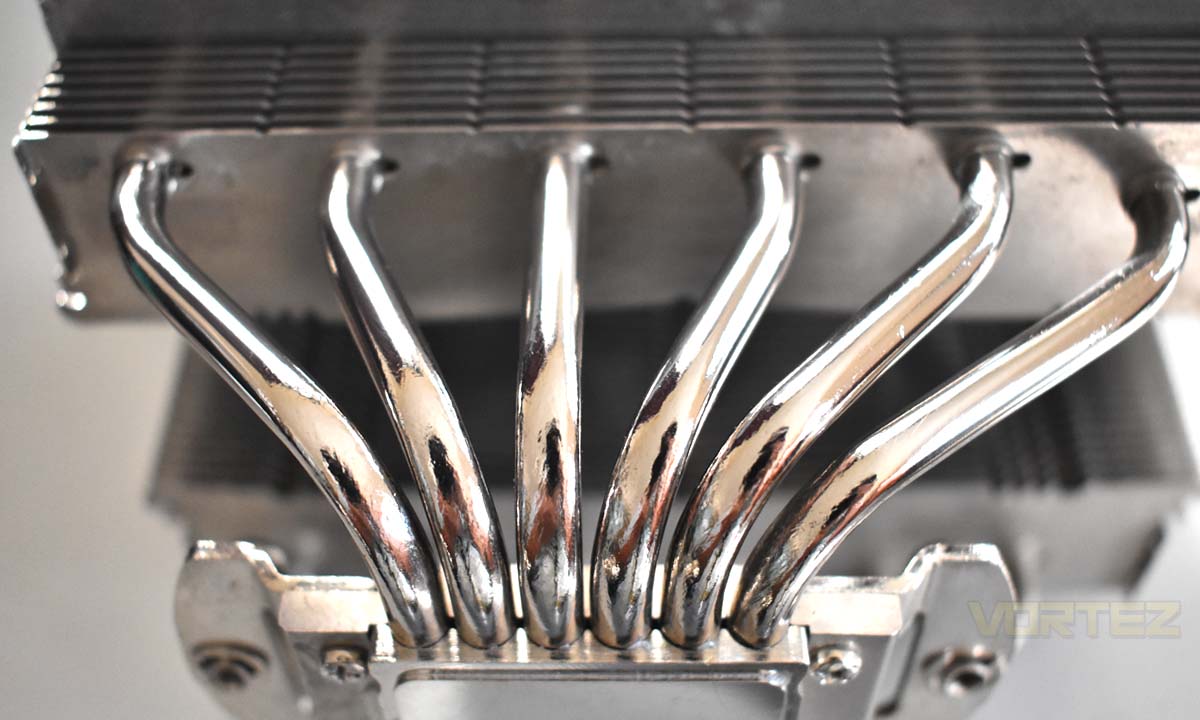
Side by Side Comparison
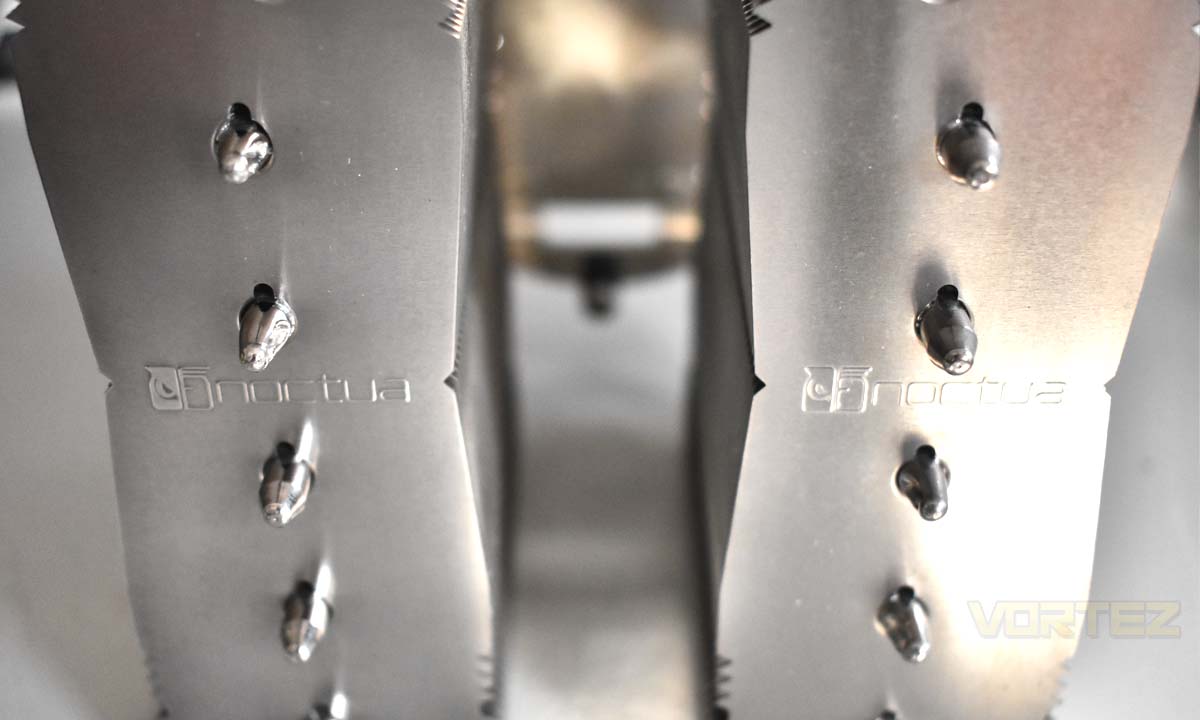
Left side using metal polish, right side using isopropyl alcohol
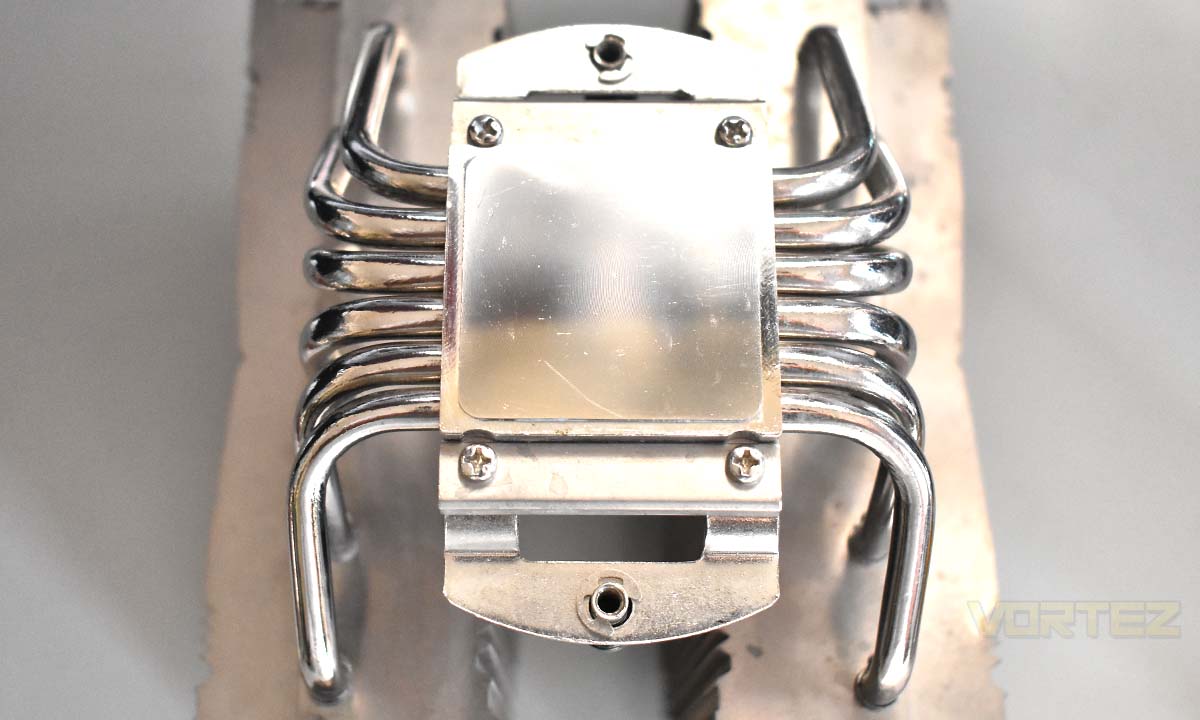
Left side using metal polish, right side using isopropyl alcohol
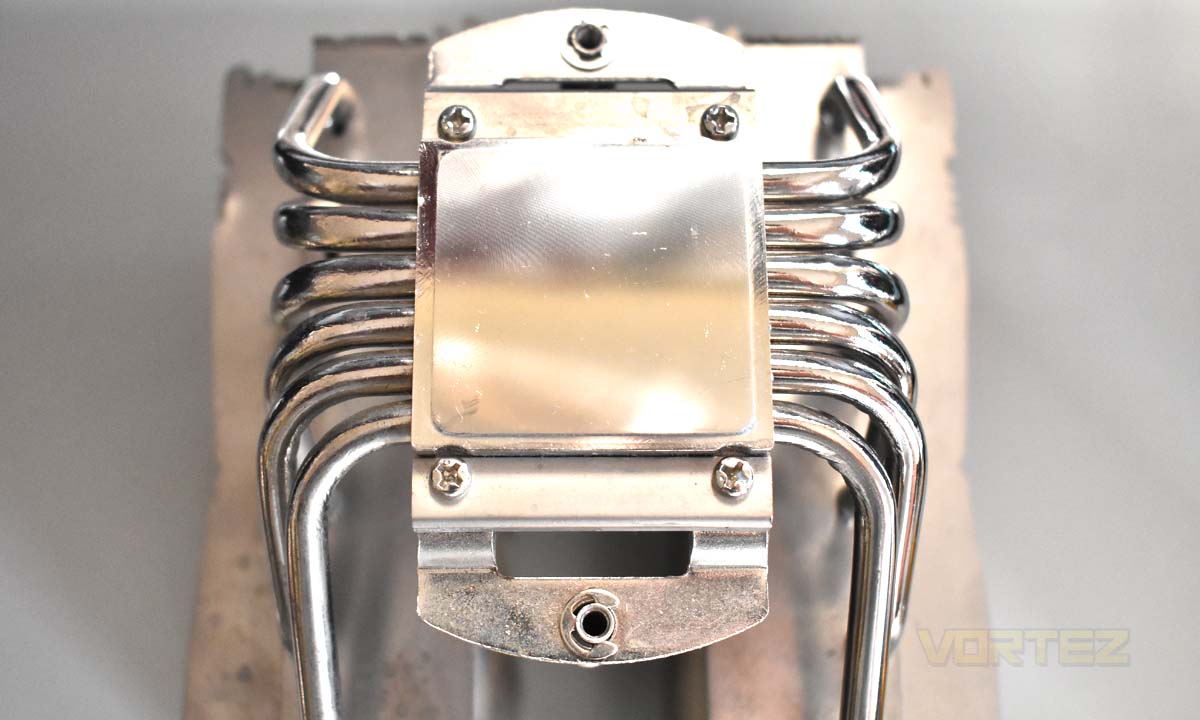
Left side using isopropyl alcohol, right side using metal polish
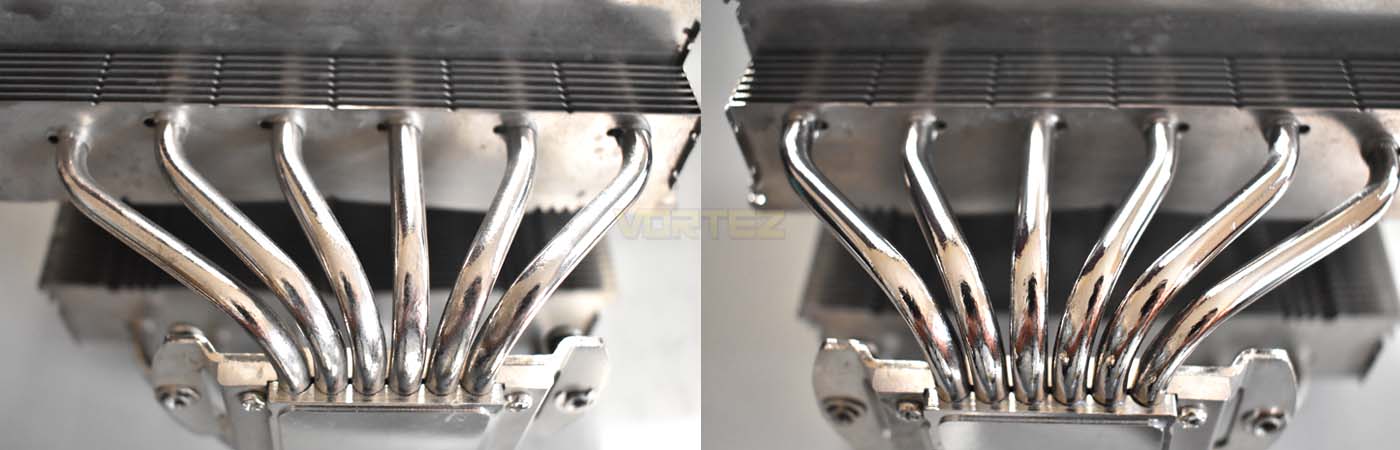
Left side using isopropyl alcohol, right side using metal polish
Metal polish can help you restore a shinier finish to your CPU cooler particularly the nickel-plated components.