The Playstation 4 and Nintento Switch are due for an audio upgrade, thanks to Creative and their new Sound Blaster G3, packed full of handy features to bring your soundscape to the next level.

Product on Review: Sound Blaster G3
Manufacturer: Creative
Street Price: GBP £54.99 / USD $59.99 / EUR €59.99
Perhaps most famous for its Sound Blaster add-in sound cards, bringing depth and clarity to PC audio for years, Creative also produce a whole plethora of audio-centric pieces, ranging from earphones and headsets through speakers and soundbars all the way to in-line soundcards for games consoles, which is what we’re looking at today.
Dubbed the Sound Blaster G3, this small device is designed to amp up your audio on the PS4 or Nintendo Switch. It’s easy to do so on a PC platform, with hundreds of add-in cards and even incredibly powerful on-board audio solutions from motherboard manufacturers, but the console market struggles to produce the same.
Using a USB Type-C interface (with a Type-A adaptor), the Sound Blaster G3 plugs directly into your PS4 or Nintendo Switch to provide a driverless, zero-fuss improvement to your audio experience.
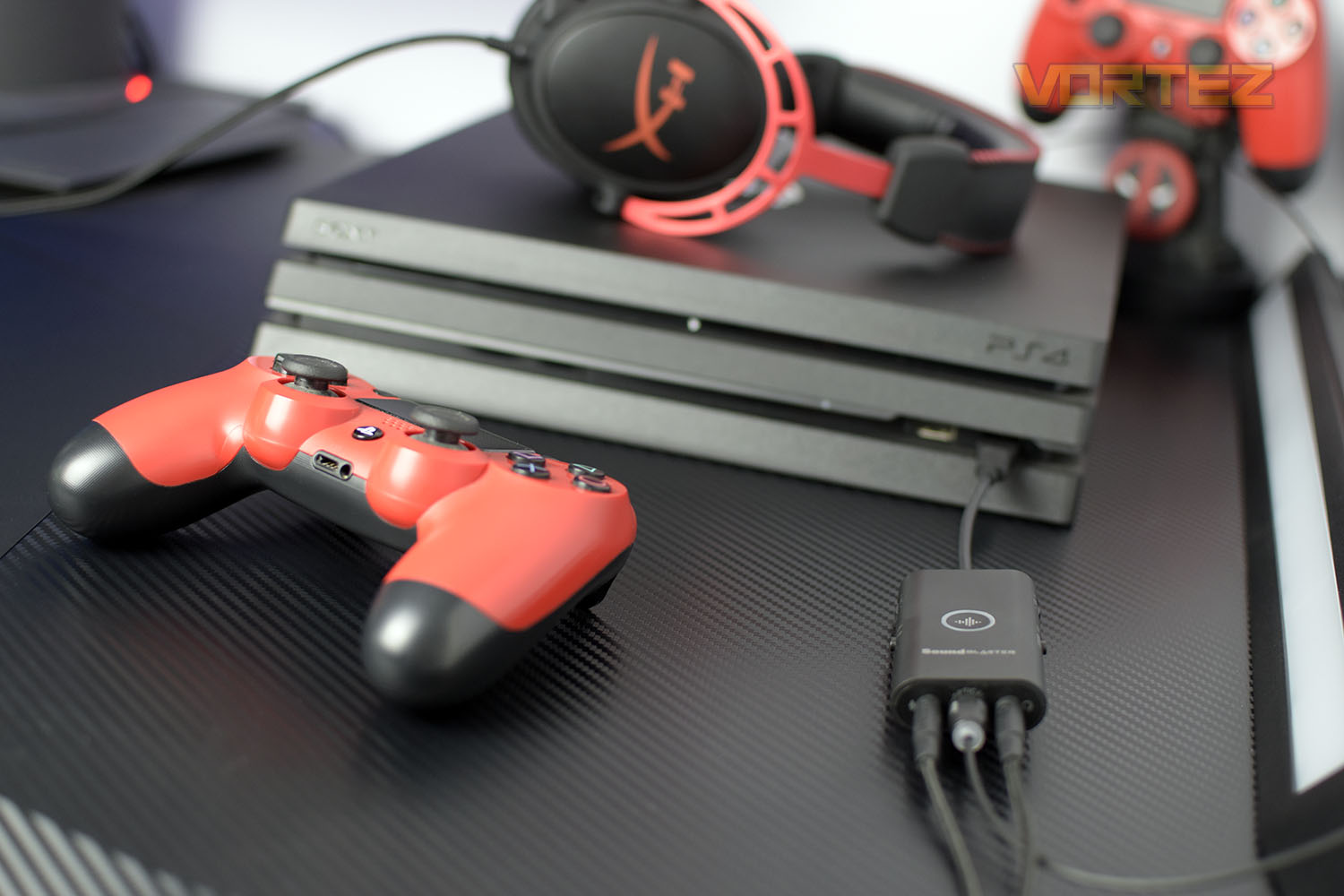
The G3 features a technology called GameVoice Mix which allows you to balance your friend’s speech and call-outs with the in-game audio, on the fly, along with CrystalVoice and Scout Mode. There’s also an iOS and Android application that can tweak things even further, if you wish to really dial in on those settings.
Priced at £54.99, $59.99, €59.99, it’s not expensive, especially when you consider many gaming headsets are well-in-excess of that, and hindered by the DualShock 4s woeful built-in soundcard. Creative also cover the device with a 2-year warranty in EU countries (1-year outside of that).
Creative claim that the device’s performance will speak for itself, so let’s waste no further time and check it out.
Creative on the Sound Blaster G3:
If you were a PC user, it would be easy getting a DAC, amp, or sound card to satisfy your audio needs. But why isn’t it the same for console users? With 30 years of legacy and technical expertise in PC audio, we are venturing beyond the PC and into gaming consoles, and the Sound Blaster G3 is our answer. Designed to be a fuss-free, driverless audio upgrade for your gaming consoles, the G3 is meant to provide users with premium gaming features without having to break the bank.
Technical Specifications
SPECIFICATIONSWeight
Main Unit: 32g / 1.1 oz, USB Type-C to Type-A Converter: 4g / 0.1 oz
Dimensions
210 x 39 x 15 mm
Headphone Amp
16–300Ω
Dynamic Range (DNR)
100 dB
Playback Resolution
PCM 16-bit, 48.0, 96.0 kHz, PCM 24-bit, 48.0, 96.0 kHz
Recording Resolution
Mic-in: 16-bit, 48.0, 96.0 kHz
Mic-in: 24-bit, 48.0, 96.0 kHz
Optical In: 16-bit, 48.0, 96.0 kHz
Optical In: 24-bit, 48.0, 96.0 kHz
Line-in: 24-bit, 48.0, 96.0 kHz
Line-in: 16-bit, 48.0, 96.0 kHz
Platform
USB 2.0, USB 3.0
Connectivity Options (Main)
1 x ⅛″ Headphone-out Jack, 1 x ⅛″ mini TOSLINK Optical / Line-in Combo Jack, 1 x ⅛″ Ext. Mic-in Jack
Audio Technologies
CrystalVoice
Scout Mode
Supported Operating Systems
Windows® 8.1, Windows® 10
DAC
Dynamic Range (Stereo): 100 dB
Power
USB Bus Powered, USB-C
Main Unit: 32g / 1.1 oz, USB Type-C to Type-A Converter: 4g / 0.1 oz
Dimensions
210 x 39 x 15 mm
Headphone Amp
16–300Ω
Dynamic Range (DNR)
100 dB
Playback Resolution
PCM 16-bit, 48.0, 96.0 kHz, PCM 24-bit, 48.0, 96.0 kHz
Recording Resolution
Mic-in: 16-bit, 48.0, 96.0 kHz
Mic-in: 24-bit, 48.0, 96.0 kHz
Optical In: 16-bit, 48.0, 96.0 kHz
Optical In: 24-bit, 48.0, 96.0 kHz
Line-in: 24-bit, 48.0, 96.0 kHz
Line-in: 16-bit, 48.0, 96.0 kHz
Platform
USB 2.0, USB 3.0
Connectivity Options (Main)
1 x ⅛″ Headphone-out Jack, 1 x ⅛″ mini TOSLINK Optical / Line-in Combo Jack, 1 x ⅛″ Ext. Mic-in Jack
Audio Technologies
CrystalVoice
Scout Mode
Supported Operating Systems
Windows® 8.1, Windows® 10
DAC
Dynamic Range (Stereo): 100 dB
Power
USB Bus Powered, USB-C
SYSTEM REQUIREMENTS
Windows® OS
Intel® Core™i3 or AMD® equivalent processor
Intel, AMD or 100% compatible motherboard
Microsoft® Windows 10 32 / 64-bit, Windows 8.1 / 8.0 32 / 64-bit 1 GB RAM
>600 MB of free hard disk space
USB 2.0 / USB 3.0 port
Mac® OS
Mac OS X® 10.12 or higher
1 GB RAM
USB 2.0 / USB 3.0 port
PS4
Firmware Version 5.0 or later
Available USB port (as Chat Audio Output)
Available Optical Out port (as Game Audio Output)
Nintendo Switch
Switch OS 5.0 or later
Available 3.5 mm headphone port
Available USB port (in docking mode)
Voice communications is title dependent
Android
Android OS Version 8.0 or later
Device must have built-in Bluetooth Low Energy (BLE) support
iOS
iOS Version 11.0 or later
Device must have built-in Bluetooth Low Energy (BLE) support
^ Use as a remote controller for Sound Blaster G3 on PS4 / Nintendo Switch only, does not support Bluetooth audio streaming
Intel® Core™i3 or AMD® equivalent processor
Intel, AMD or 100% compatible motherboard
Microsoft® Windows 10 32 / 64-bit, Windows 8.1 / 8.0 32 / 64-bit 1 GB RAM
>600 MB of free hard disk space
USB 2.0 / USB 3.0 port
Mac® OS
Mac OS X® 10.12 or higher
1 GB RAM
USB 2.0 / USB 3.0 port
PS4
Firmware Version 5.0 or later
Available USB port (as Chat Audio Output)
Available Optical Out port (as Game Audio Output)
Nintendo Switch
Switch OS 5.0 or later
Available 3.5 mm headphone port
Available USB port (in docking mode)
Voice communications is title dependent
Android
Android OS Version 8.0 or later
Device must have built-in Bluetooth Low Energy (BLE) support
iOS
iOS Version 11.0 or later
Device must have built-in Bluetooth Low Energy (BLE) support
^ Use as a remote controller for Sound Blaster G3 on PS4 / Nintendo Switch only, does not support Bluetooth audio streaming
PACKAGE CONTENTS
Sound Blaster G3
Optical Cable (1m / 3.28 ft)
USB Type-C to Type-A Converter
Quick Start Leaflet
Warranty Leaflet
Optical Cable (1m / 3.28 ft)
USB Type-C to Type-A Converter
Quick Start Leaflet
Warranty Leaflet
WARRANTY
2-year Limited Hardware Warranty (EU Countries)
1-year Limited Hardware Warranty (Non-EU Countries)
1-year Limited Hardware Warranty (Non-EU Countries)
Packaging & Bundle
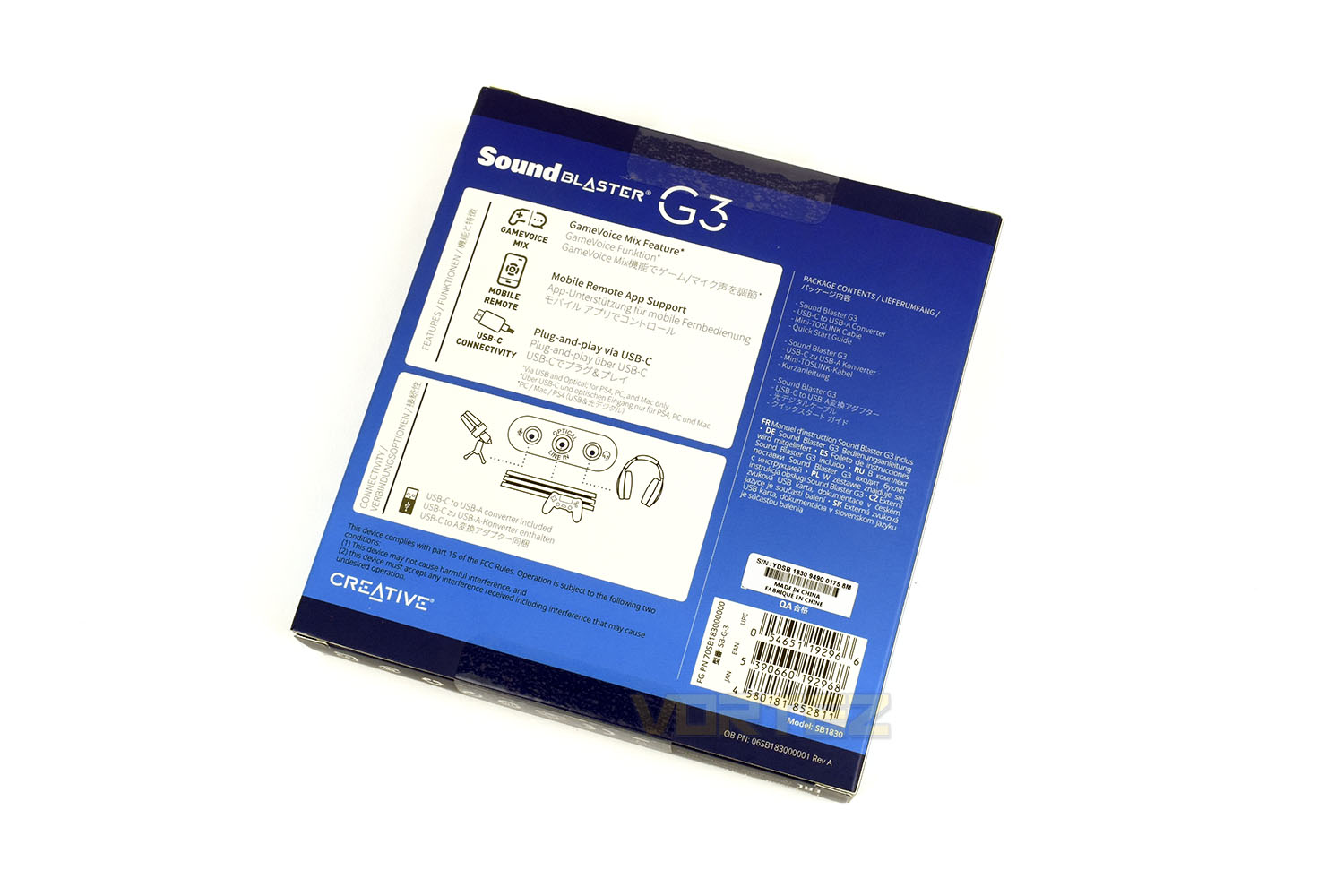
In a lovely, vibrant blue, the Creative packaging is clear and informative with a handy QR code that links you straight to their website.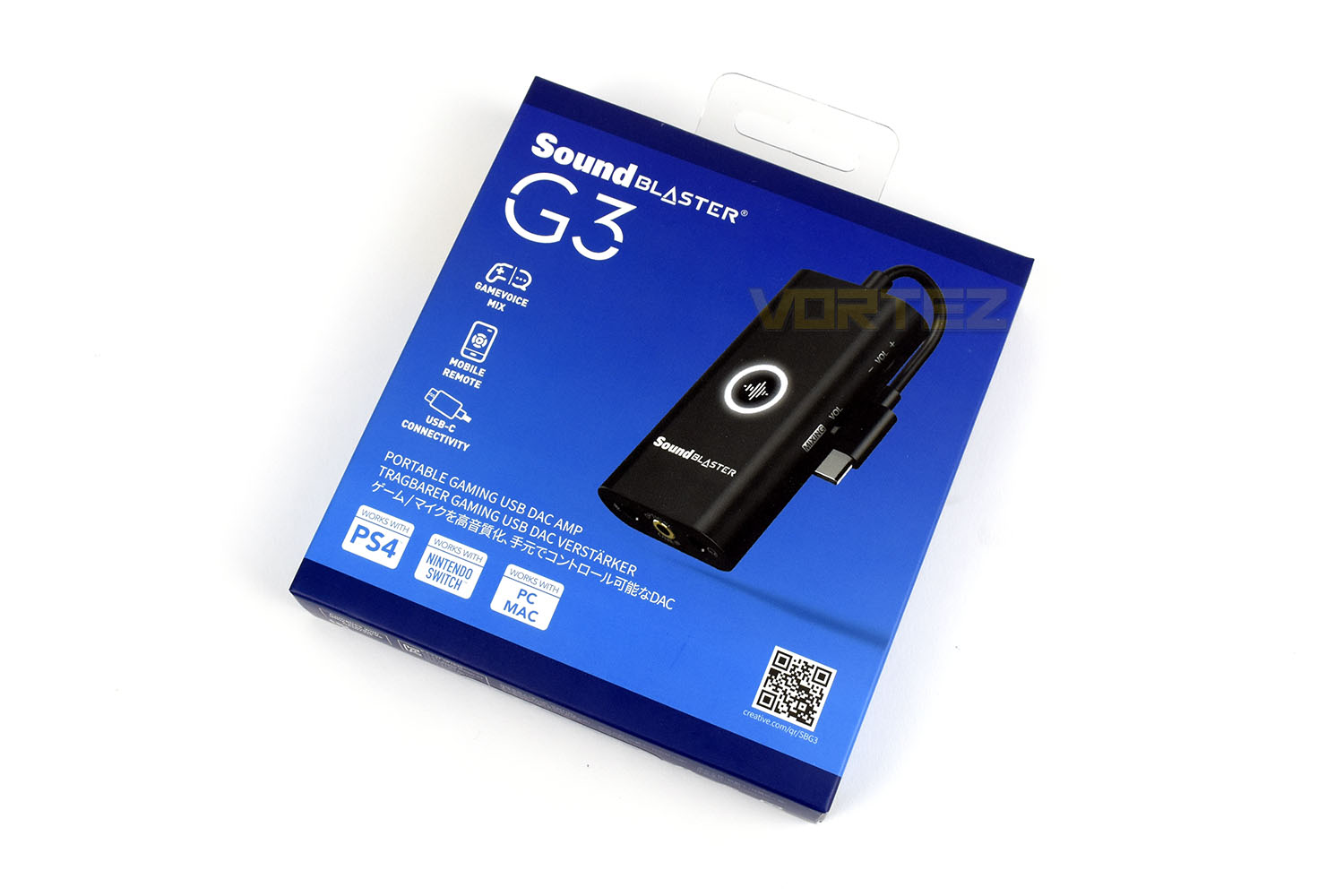
The reverse side gives some schematics and a little detail on the features and technology inside the device, demonstrating how you can have things set up with your PS4.
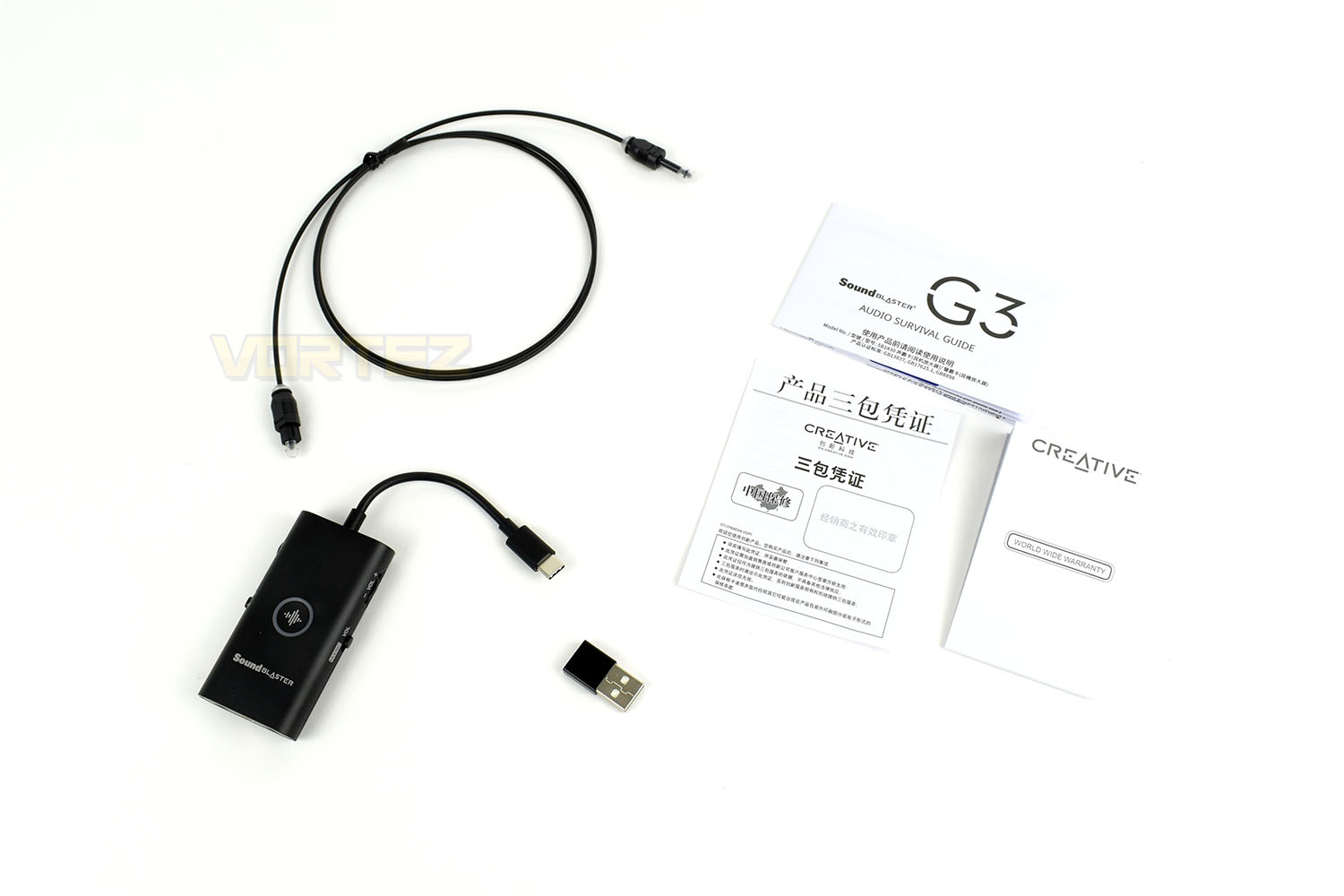
Included with the Sound Blaster G3 is a Type-C to Type-A adaptor, for using the soundcard with your PS4 or PC/Mac, a 1m S/PDIF cable and some instructions/warranty leaflets.
Closer Look
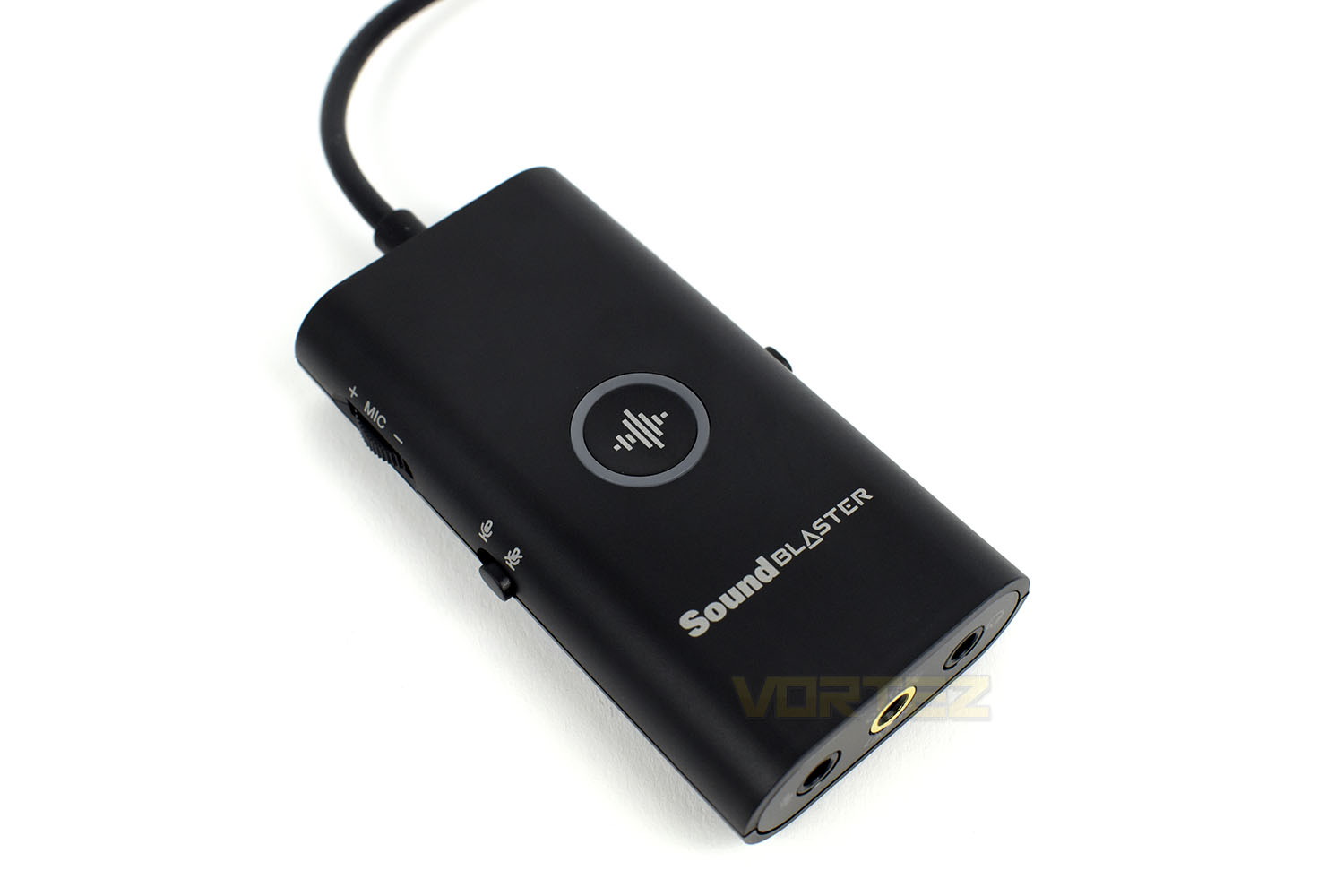
On the right side of the device is a volume wheel, which does the obvious, but there’s also a MIXING/VOL toggle switch. This allows you to mix your PS4 game audio against your friend’s speech to fine-tune for the perfect balance without the hassle of navigating the PS4s menu systems.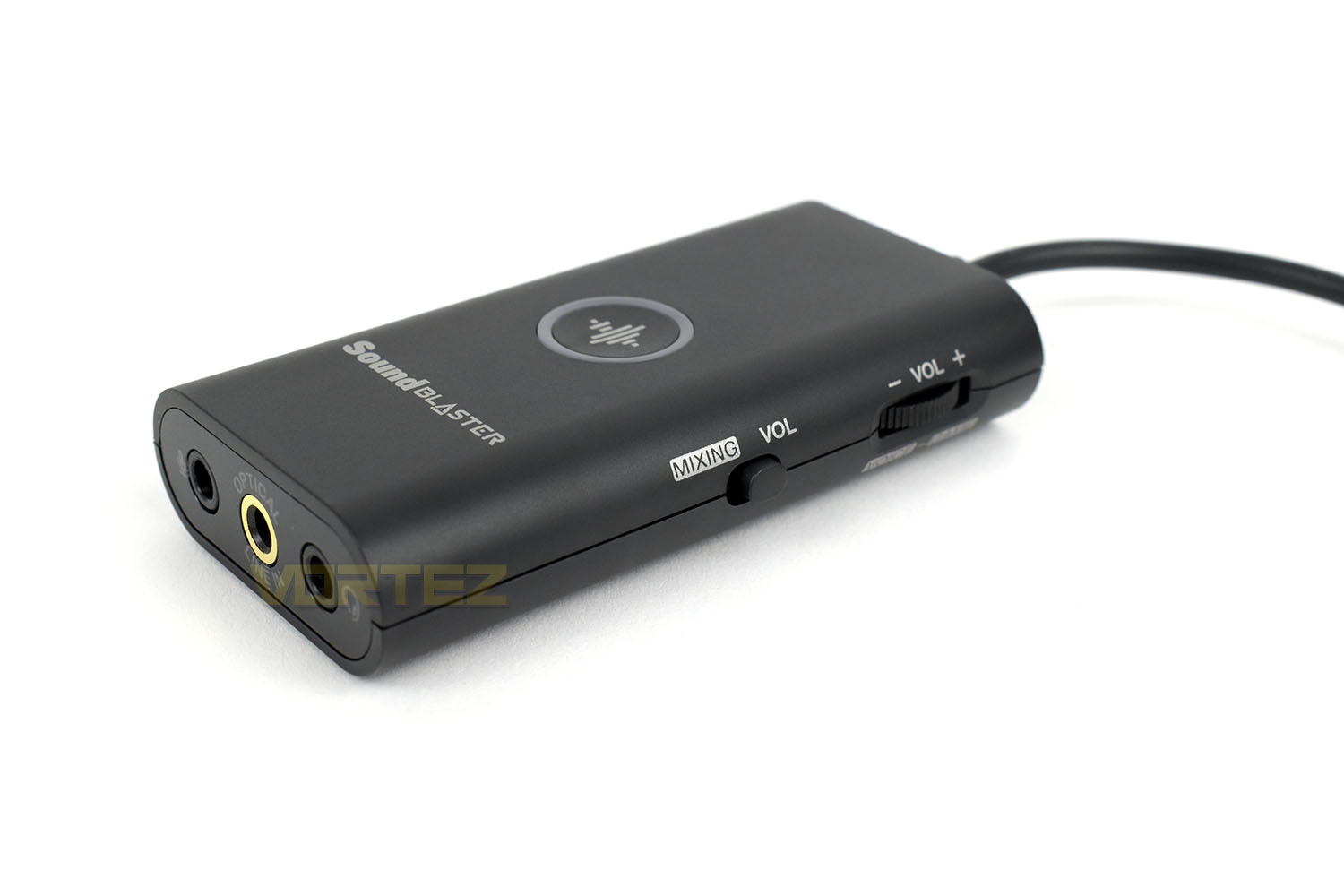
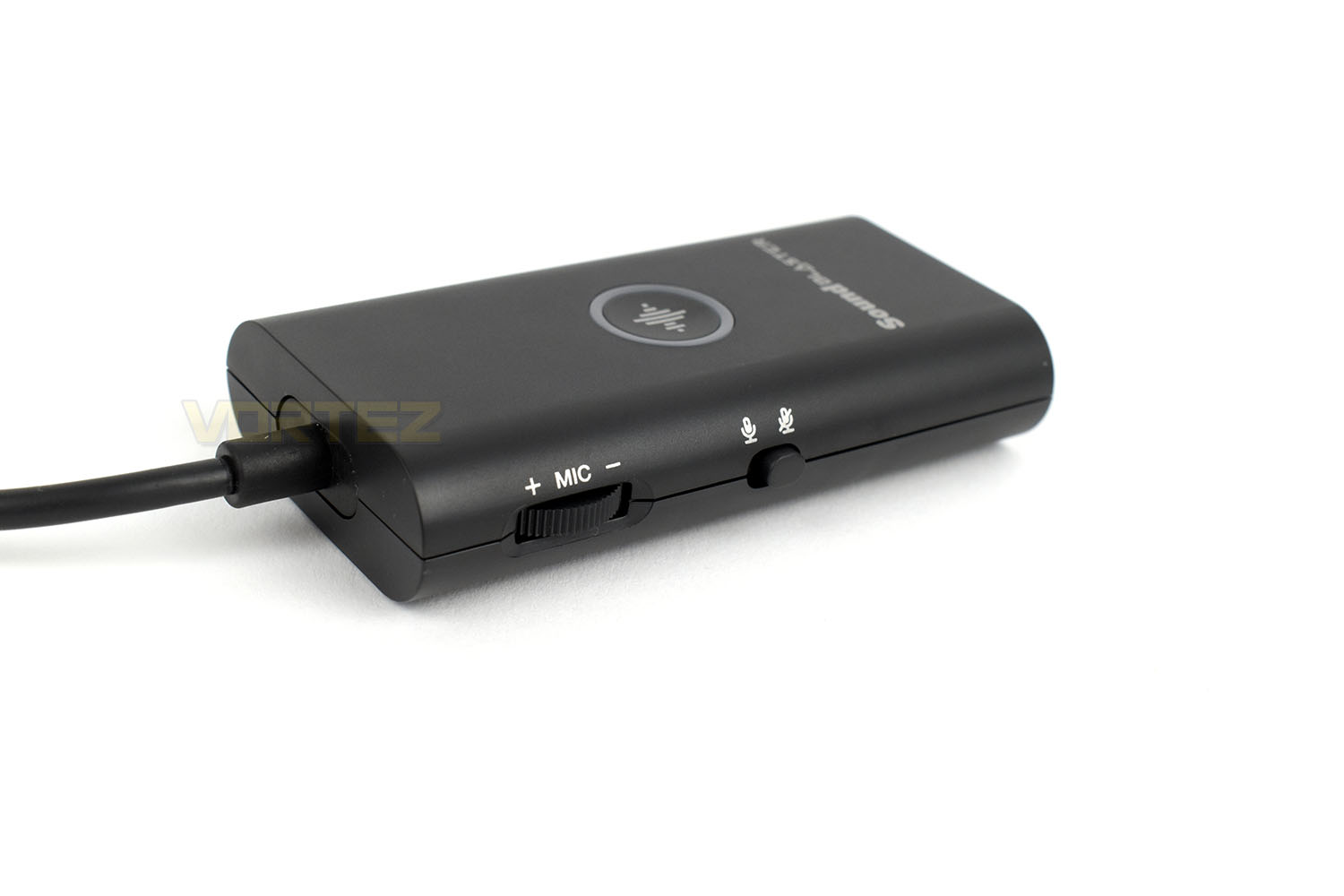
The left edge is identically laid out, but owes itself purely to microphone controls, giving you the ability to turn your voice levels up, or mute yourself entirely with the toggle.
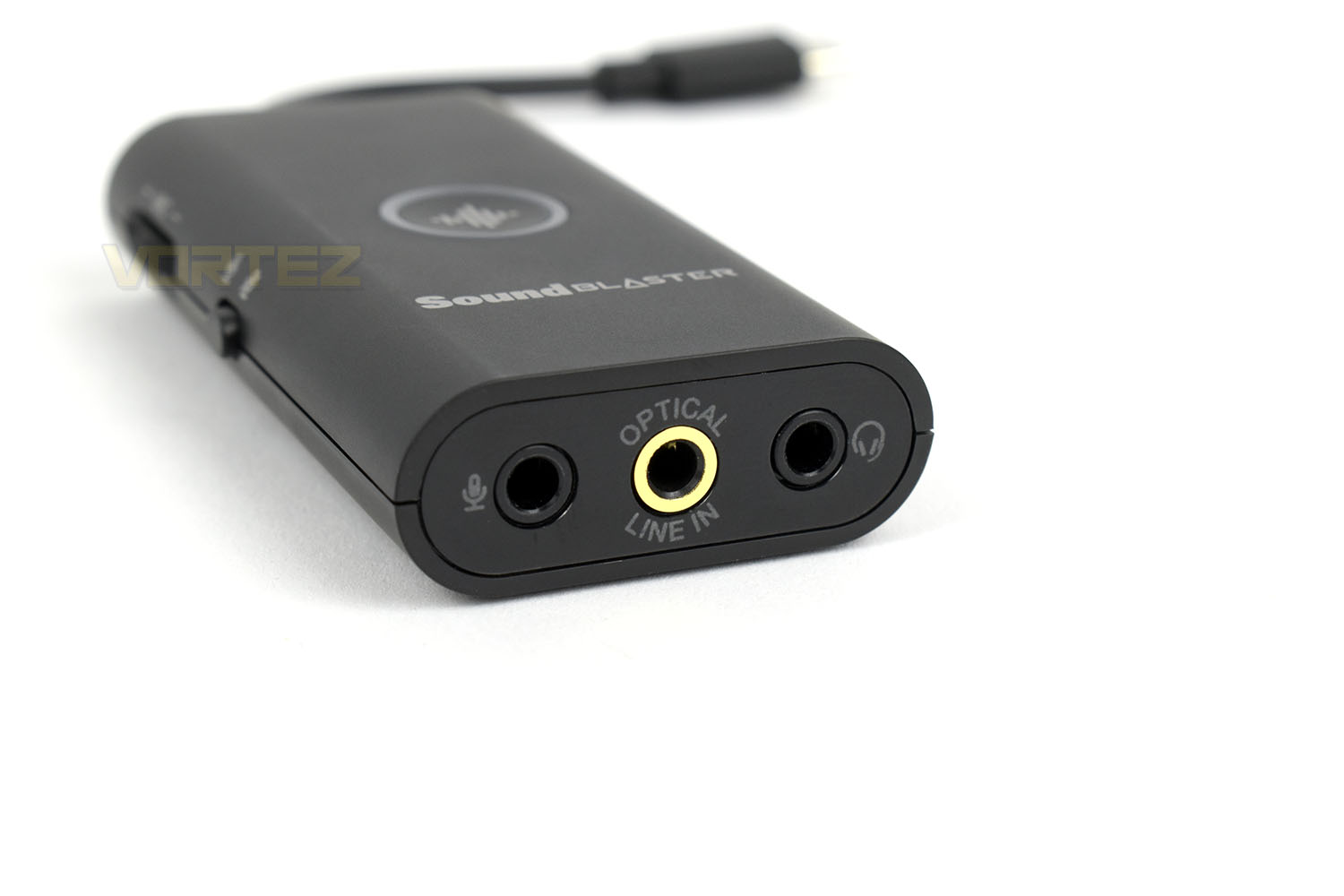
While the short USB Type-C cable comes out of the top of the device, you’ll connect up your headset, microphone and S/PDIF cables to the bottom end. This allows you, for example, to use high-quality equipment that could fire some real professionalism into your Twitch streams, or just take your gaming to the next level with an expensive set of headphones and microphone. The optical line in connects to the rear of your PS4 to allow the mixing of your game audio and voice comms.
The button on top of the G3 is encircled by an LED ring, this changes colour to signify the current mode, with a Footsteps Enhancer Mode, seemingly which will tweak the sound output to make the sound of footsteps more obvious, using equaliser tweaks and surround sound to help you hone in on enemies.
Software
Due to the PC usually already possessing a decent soundcard, even if it is onboard the motherboard, with the added bonus of loads of freeware software being available to tweak settings using keyboard macros and like. Because of that, we don’t feel it’s entirely necessary to demo the product on a PC system.Below is a concise demo of the iPhone application (Android is almost identical) showing off the key features and what can be adjusted in software.
The software is responsive, provides an impressive range of options as well as excellent granularity when adjusting settings. Overall, it’s great, really impressed.
Setting up the device to work with the PS4 took no more than a few minutes, following the included instruction booklet sorted that out without any hassle.
Conclusion
Creative, well-known for their expertise in this sector, have produced a very decent product here. But there’s a couple of niggly annoyances with it.Kicking off with build quality, the G3 is solid. It feels well made, with handy rubber feet on the bottom to prevent scratches, weighted scroll wheels for adjustment are high quality and overall, it does alright in helping to warrant the price tag.
The setup process was flawless, taking only a few minutes to plug the device in and get an audio output from the PS4 settings menu. The iOS application is also excellent, a really well finished piece of software that can do everything the physical buttons can.
Moving onto the important bit, audio quality. It probably goes without saying that you can plug your headset directly into your controller and have a great experience with your headset but the difference in sound quality once you plug into the Sound Blaster G3 is a whole new world of sound, particularly in games with impressive soundtracks or audio qualities. The difference was immediately noticeable and much clearer, not to mention the ability to tweak your EQ and voice and game audio levels to suit you perfectly. Microphone quality was something that didn’t change so much, if at all, but that’s probably more down to the microphone on our test headset (HyperX Cloud Alpha) rather than the unit itself.
One downside of the product is it considerably upsets the overall aesthetic of the PS4 console. Sony have spent millions in research and design to come up with a beautiful shape only to then have several wires hanging out of the front of it, all going in different directions, if that doesn’t bother you though, it’s ideal. However, providing your headset cables are long enough, and if you own a PS4 Pro with the USB port on the rear I/O, it’s entirely possible to hide the device behind your console and control everything from the application. Benefitting from the improved audio and settings without the ‘ugly’ tradeoff.
Something that dawned upon us while reviewing the G3 was future compatibility. It’s no secret that the PS5 is due to launch soon, within the next 6 months being heavily rumoured, so will this device still work on the next-gen console? Or will it even be required? Certainly, something to consider before you buy this.
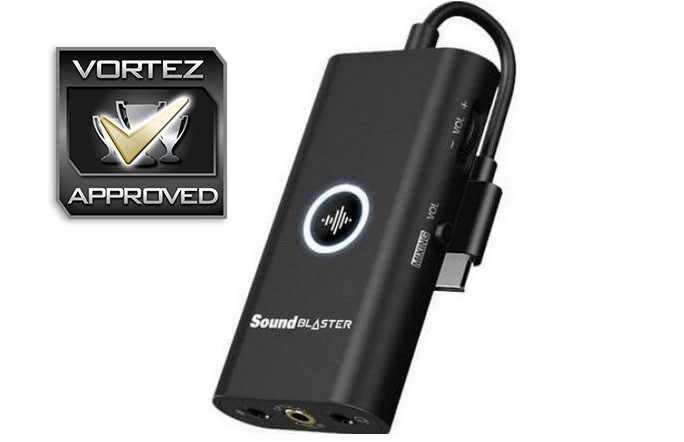
If you’re a PS4 user who’s looking to take their gaming to the next level, improving their audio output, the Sound Blaster G3 is definitely worth considering.
Pros
+ Improves audio quality
+ Super easy to set up and configure
+ Compatible with a wide range of devices
+ iOS and Android applications are fantastic
+ Good build quality
Neutral
+- Will it work with next-gen devices just around the corner?
Cons
– Costly
– Looks ugly when plugged into the front of a PS4 (not entirely Creative’s fault though)
+ Improves audio quality
+ Super easy to set up and configure
+ Compatible with a wide range of devices
+ iOS and Android applications are fantastic
+ Good build quality
Neutral
+- Will it work with next-gen devices just around the corner?
Cons
– Costly
– Looks ugly when plugged into the front of a PS4 (not entirely Creative’s fault though)
Click here for an explanation of our awards at Vortez.net.
Stay connected with the Vortez Social Media pages:
Join in with the discussions on Discord