Creative have fine tuned the Roar portable Bluetooth speaker then gave it a professional twist. When paired with the iRoar Mic, the Roar Pro becomes a convenient, highly portable, wireless PA system.

Product on Review: Creative Sound Blaster Roar Pro
Manufacturer: Creative
Street Price: UK: £169.99, US: $199.99
iRoar Mic UK: £64.99, US: $79.99
A year ago, Creative graced us with the Roar portable Bluetooth speaker. It’s sleek, compact design and fantastic audio quality only tells half the story. The long list of features and I/O options helped to make it a useful, functional tool more-so than just a speaker to pair your phone with.
The Roar Pro comes with familiar Roar features as it shares the same dimensions, weight and aesthetic to the original Roar. It has a similar driver ensemble (that being 1x 2.5″ sub, 2x 1.5″ tweeters and 2x passive side radiators) that is powered a bi-amplified design, giving a dedicated amplifer for the stereo and subwoofer channels. Looking at the changes, the circuitry has been improved by the Creative team to maximise the efficiency of that 6000mAh battery, giving a nice bump in its rated life span from 8 to 10hrs (T&Cs apply). You will also find that the Roar Pro also sports the latest aptX Low Latency wireless codec that is recommended for syncing video/audio.
The defining difference is the ability to pair it with the iRoar microphone, transforming the Roar Pro into a powerful yet compact, wireless PA system. The iRoar microphone is a lightweight, wireless microphone that features a 3.5mm line-in that can transmit high quality music playback along with your voice, as well as a mic-in port. This opens up possibilities beyond just a PA system, including use for karaoke and recording your singing session via the Roar’s recording to microSD card function.
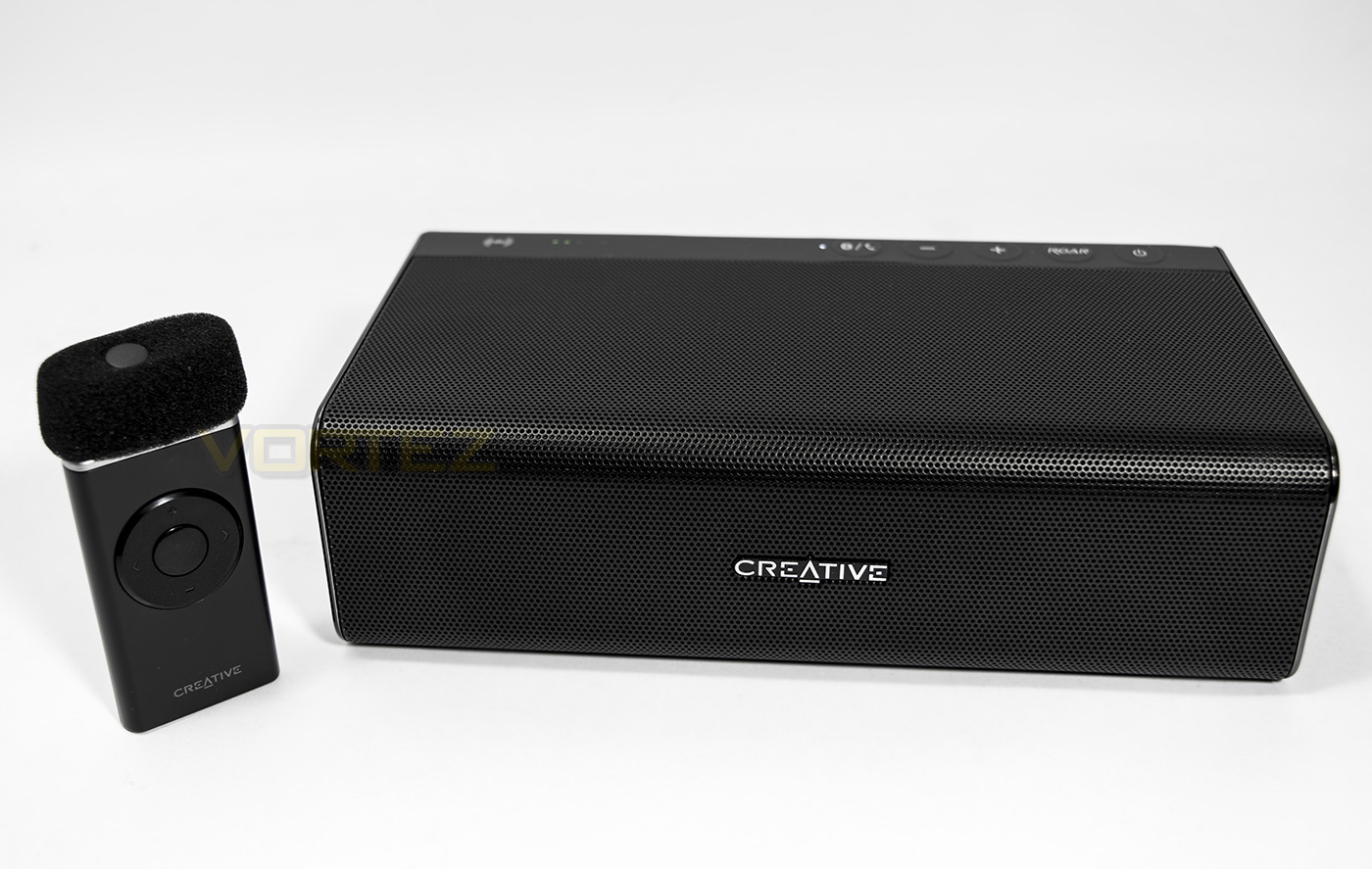
Overview by Creative
Riding the success of the critically acclaimed Sound Blaster Roar, the Sound Blaster Roar Pro raises the bar for portable Bluetooth speakers with its improved 5-driver system that is powered by two high-performance amplifiers. The Roar Pro is also made for professionals in their respective fields. Pair with Creative iRoar Mic (sold separately), and you’ll get a wireless personal PA system (Public Address system) for presentations, conferences or even karaoke sessions!
Technical Specifications
SPECIFICATIONS: Sound Blaster Roar Pro
Dimensions (H x W x D) Speaker: 57.0 x 202.0 x 115.0 mm (2.2 x 7.9 x 4.5 inches),
Power Adaptor Cord Length: Approx 1.7m, USB Cord Length: Approx 0.7m
Weight Speaker: 1.10kg (2.5lbs),
Power Adaptor: 153g,
USB Cable: 26g,
UK Interchangeable Adaptor Plug*: 19g, CE Interchangeable Adaptor Plug*: 17g
*Supplied interchangeable plugs may vary according to region and country.
Bluetooth Version Bluetooth 3.0
Bluetooth Profile
A2DP (Wireless Stereo Bluetooth), AVRCP (Bluetooth Remote Control), HFP (Hands-free Profile)
Supported Codecs AAC, aptX, SBC, aptX-LL
System Requirements
For wireless streaming: Compatible Bluetooth devices that support the Stereo Bluetooth Profile (A2DP)
For playback or recording via microSD slot: microSD or microSDHC cards up to 32GB formatted in FAT/FAT32.
Common audio formats such as MP3, WMA and WAV (MP3 and WMA up to 320kbps).
For one-touch pairing: NFC-enabled devices
For phone calls: Compatible Bluetooth smartphones that support the Hands-Free Profile (HFP)
For direct connection to Line-in jack: Analog audio devices with a 3.5mm output or RCA output
For Sound Blaster Control Panel:
For Windows® OS
Microsoft® Windows 10, Microsoft Windows 8.1 32-bit or 64-bit, Windows 8 32-bit or 64-bit, Windows 7 32-bit or 64-bit
Intel Core™2 Duo processor 2.2 GHz, AMD Athlon 64×2 Dual Core or equivalent processor
1GB RAM
600MB of free hard disk space
Available USB 1.1, 2.0 or 3.0 port
Internet connection (optional)
For Mac OS
Intel Core 2 Duo processor 2.8 GHz
Mac OS X 10.6 and above
1GB RAM
600MB of free hard disk space
Available USB 2.0 port
Internet connection (optional)
PACKAGE CONTENTS
Sound Blaster Roar Pro
Power adaptor
Interchangeable adapter plug(s)1
Micro USB Cable
User Guide / Starter Guide (s)
WARRANTY
2-year Limited Hardware Warranty
SPECIFICATIONS:iRoar Mic
Operating temperature: 0°C to 45°C
Battery capacity: 240mAh
Talk time: Up to 10 hours
Charging time: Two to three hours
Wireless operating range: Up to 10m/33ft
Polar pattern: Unidirectional
Supported external mic
Dynamic and electret condenser mic (with 2V mic bias)
Audio inputs:
One 3.50mm (1/8-inch) stereo jack for Line-in
One 3.50mm (1/8-inch) mono jack for Mic-in
Charging input: Micro USB
Dimensions (H x W x D): 70.5 x 34.8 x 20.3 mm
Weight: 30g
System Requirements For iRoar Megaphone App
PACKAGE CONTENTS
Creative iRoar Mic
USB Cable
Foam Windscreen
Lanyard
Quick Start Guide
WARRANTY
2-year Limited Hardware Warranty
Dimensions (H x W x D) Speaker: 57.0 x 202.0 x 115.0 mm (2.2 x 7.9 x 4.5 inches),
Power Adaptor Cord Length: Approx 1.7m, USB Cord Length: Approx 0.7m
Weight Speaker: 1.10kg (2.5lbs),
Power Adaptor: 153g,
USB Cable: 26g,
UK Interchangeable Adaptor Plug*: 19g, CE Interchangeable Adaptor Plug*: 17g
*Supplied interchangeable plugs may vary according to region and country.
Bluetooth Version Bluetooth 3.0
Bluetooth Profile
A2DP (Wireless Stereo Bluetooth), AVRCP (Bluetooth Remote Control), HFP (Hands-free Profile)
Supported Codecs AAC, aptX, SBC, aptX-LL
System Requirements
For wireless streaming: Compatible Bluetooth devices that support the Stereo Bluetooth Profile (A2DP)
For playback or recording via microSD slot: microSD or microSDHC cards up to 32GB formatted in FAT/FAT32.
Common audio formats such as MP3, WMA and WAV (MP3 and WMA up to 320kbps).
For one-touch pairing: NFC-enabled devices
For phone calls: Compatible Bluetooth smartphones that support the Hands-Free Profile (HFP)
For direct connection to Line-in jack: Analog audio devices with a 3.5mm output or RCA output
For Sound Blaster Control Panel:
For Windows® OS
Microsoft® Windows 10, Microsoft Windows 8.1 32-bit or 64-bit, Windows 8 32-bit or 64-bit, Windows 7 32-bit or 64-bit
Intel Core™2 Duo processor 2.2 GHz, AMD Athlon 64×2 Dual Core or equivalent processor
1GB RAM
600MB of free hard disk space
Available USB 1.1, 2.0 or 3.0 port
Internet connection (optional)
For Mac OS
Intel Core 2 Duo processor 2.8 GHz
Mac OS X 10.6 and above
1GB RAM
600MB of free hard disk space
Available USB 2.0 port
Internet connection (optional)
PACKAGE CONTENTS
Sound Blaster Roar Pro
Power adaptor
Interchangeable adapter plug(s)1
Micro USB Cable
User Guide / Starter Guide (s)
WARRANTY
2-year Limited Hardware Warranty
SPECIFICATIONS:iRoar Mic
Operating temperature: 0°C to 45°C
Battery capacity: 240mAh
Talk time: Up to 10 hours
Charging time: Two to three hours
Wireless operating range: Up to 10m/33ft
Polar pattern: Unidirectional
Supported external mic
Dynamic and electret condenser mic (with 2V mic bias)
Audio inputs:
One 3.50mm (1/8-inch) stereo jack for Line-in
One 3.50mm (1/8-inch) mono jack for Mic-in
Charging input: Micro USB
Dimensions (H x W x D): 70.5 x 34.8 x 20.3 mm
Weight: 30g
System Requirements For iRoar Megaphone App
PACKAGE CONTENTS
Creative iRoar Mic
USB Cable
Foam Windscreen
Lanyard
Quick Start Guide
WARRANTY
2-year Limited Hardware Warranty
Packaging & First Look
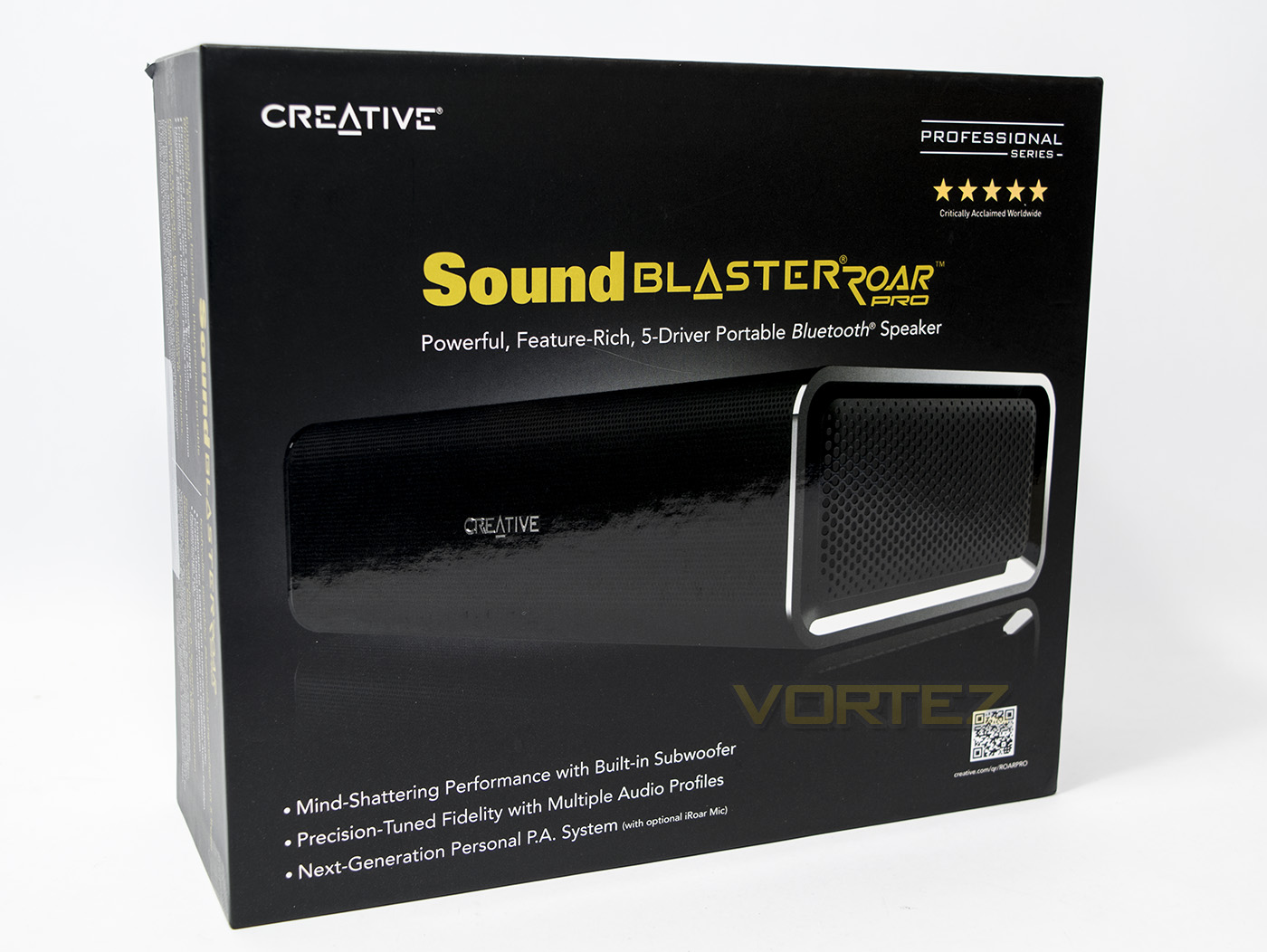
The box presentation for the Roar Pro is sleek, with the product pictured in the centre. The intent on the Roar Pro being used as a PA system is clearly stated on the front as well as with some imagery decorating the sides of a speaker in front of a group of people.
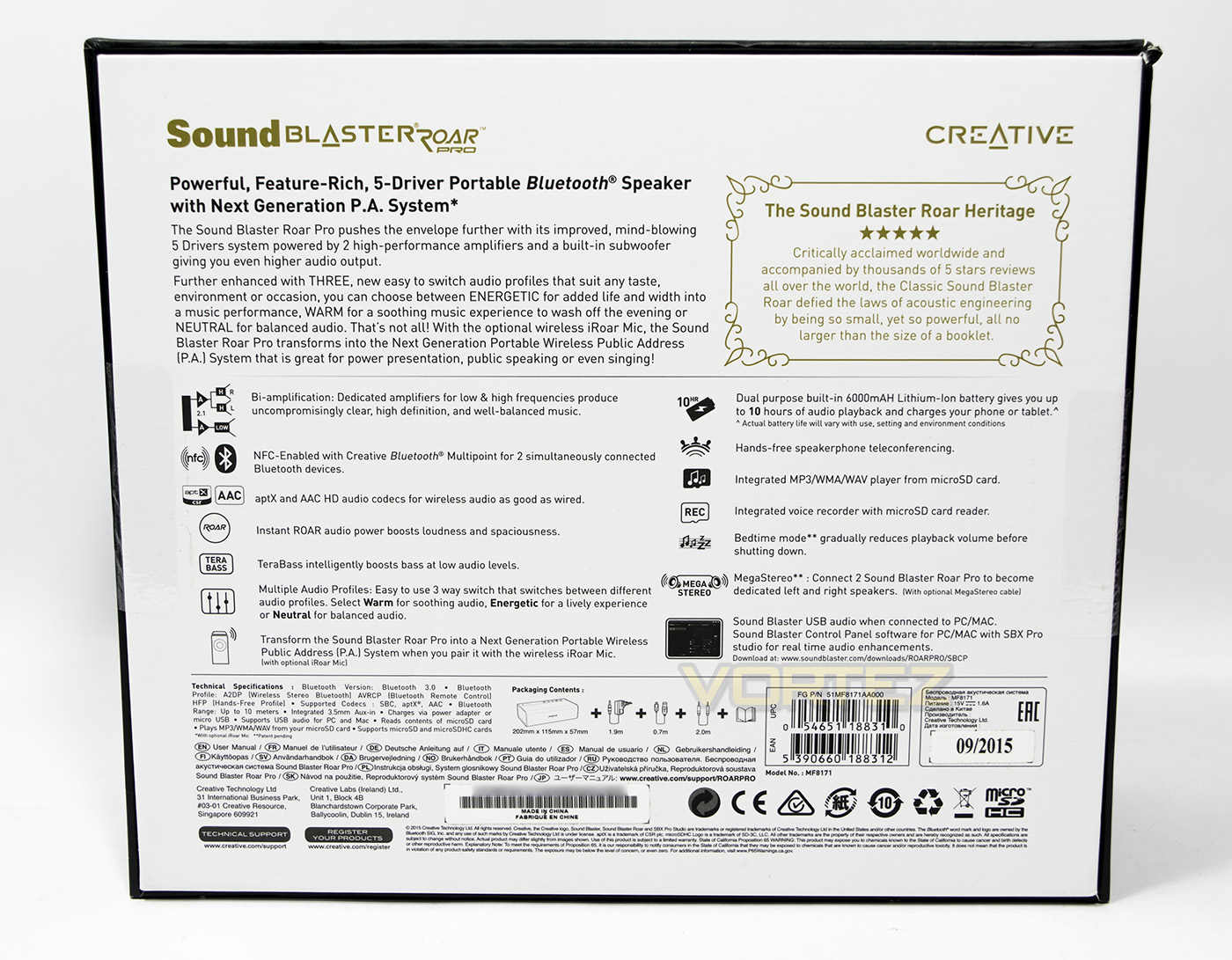
On the reverse side there is information about the features of the Roar Pro. We notice that the Roar Pro is compatible with the megastereo cable which allows it to pair up with another Roar, or other speaker, for dedicated stereo performance, something that was missing on the smaller Roar 2.
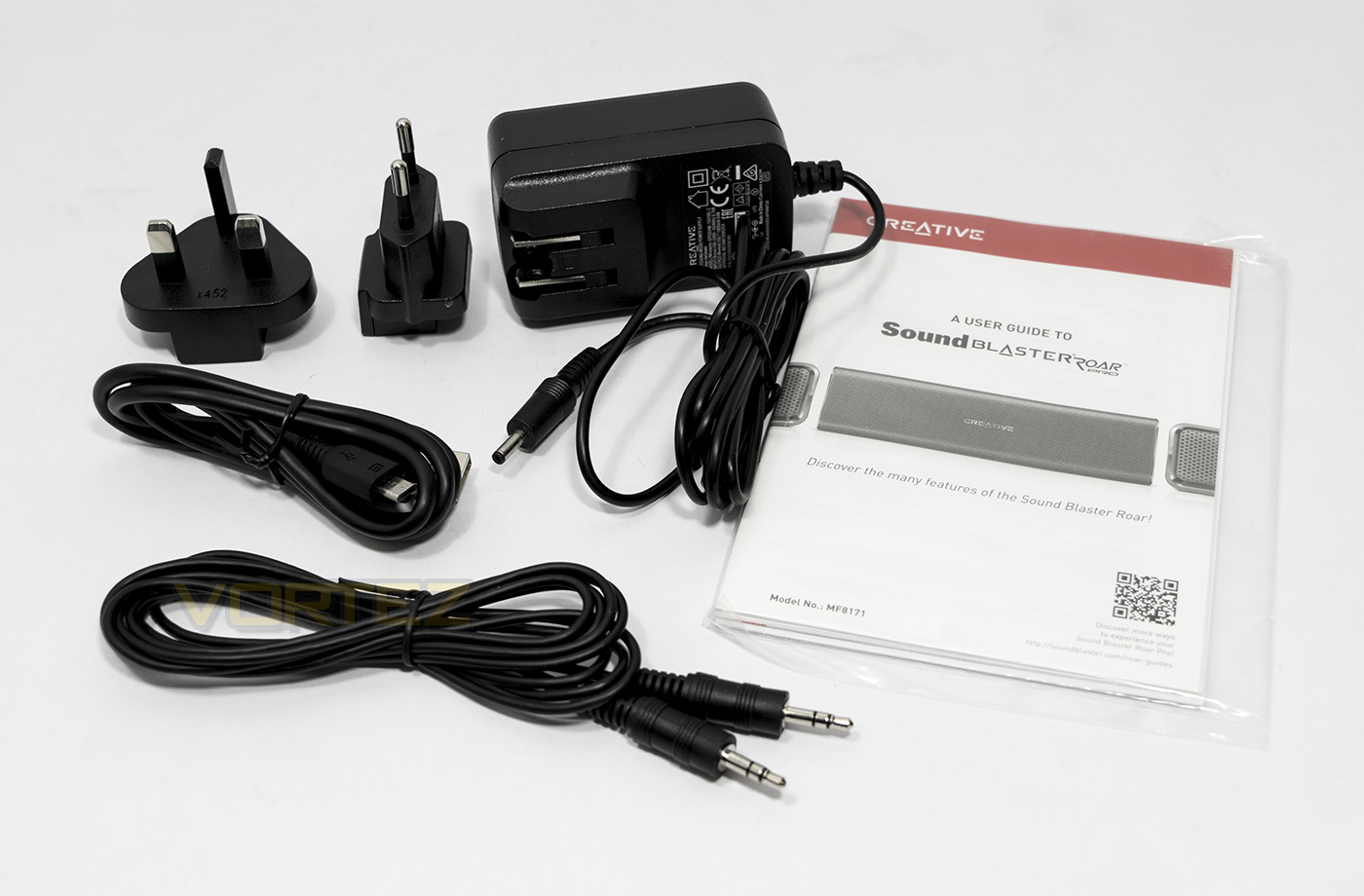
In the included accessories we find a mains power/charger with interchangeable UK/EU plugs, a USB – microUSB cable and 3.5mm male-male jack for line in. Still no included carry case inside the packaging, however, if you order from the Creative store they will include a free carry bag. (At time of writing)
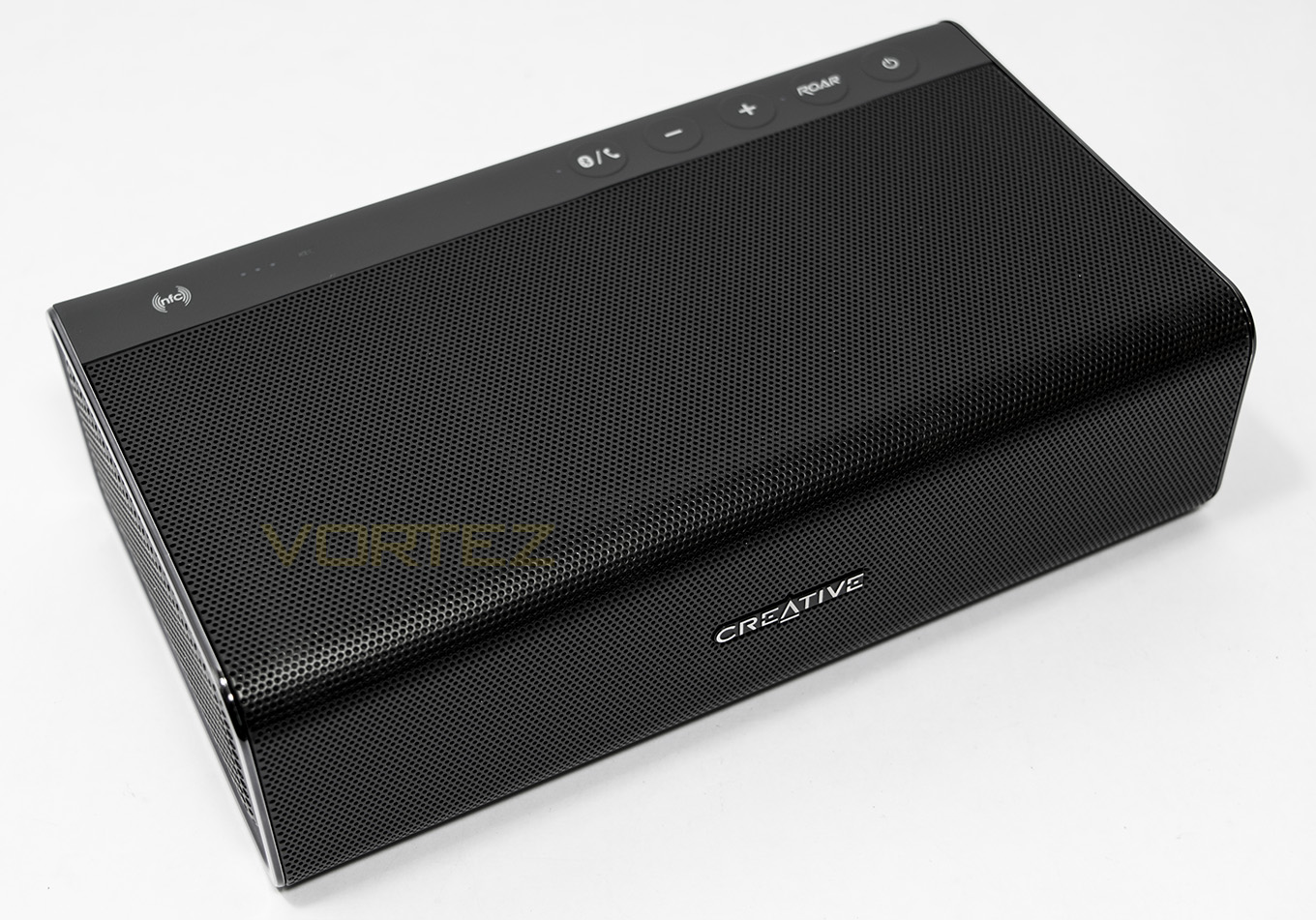
The Roar Pro looks identical to the original Roar in side and shape, with the only difference being that the Pro is finished in black. This offers a sleek, yet unobtrusive aesthetic.
Closer Look
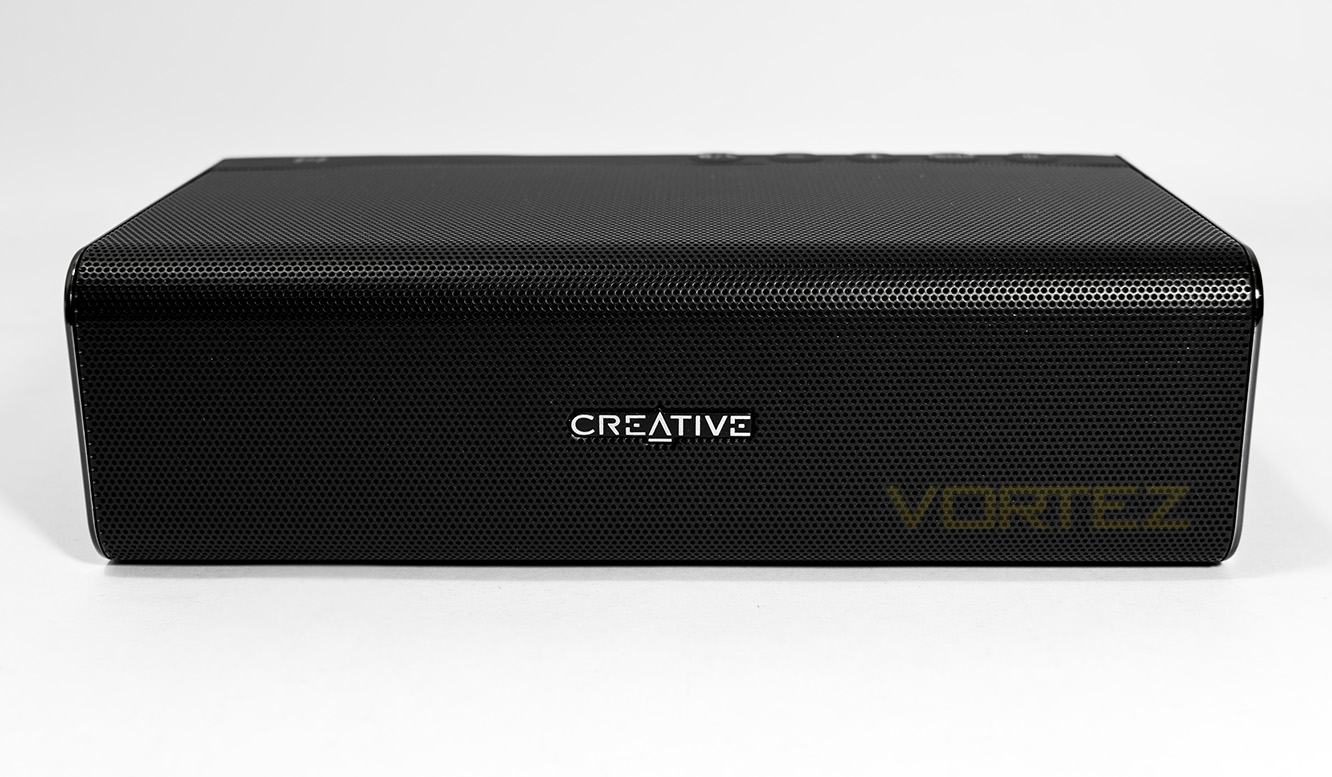
The front face of the Roar Pro is a wall of black mesh with the Creative badge in the middle.
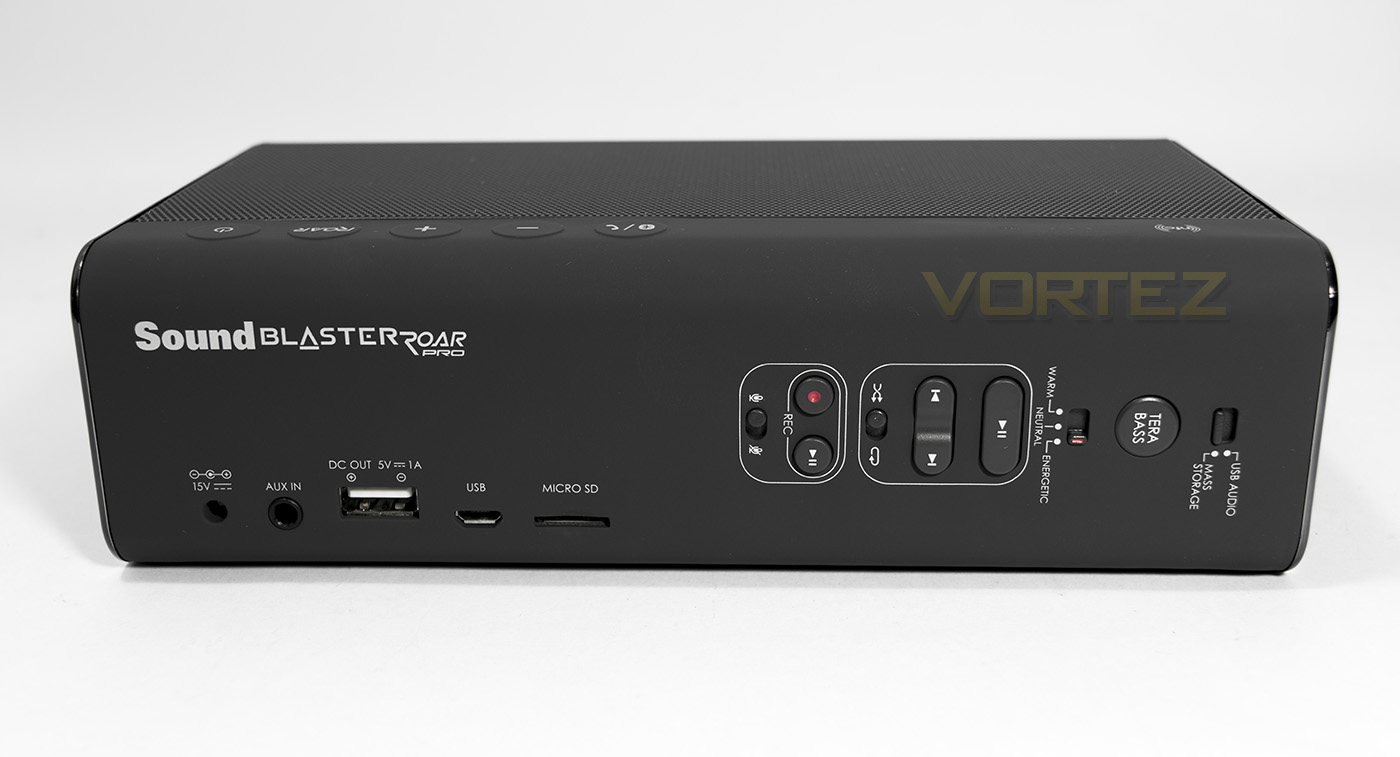
The input output ports include a mains power in, a 3.5mm AUX-in, USB power out (for charging your mobile device), a microUSB in that will connect to your PC/Mac/PS4, a slot for a microSD card of up to 32GB. On the right hand side we see some new features, including a switch to choose between USB/microSD. Then we see the Tera Bass button make a reappearance, a feature that will boost bass levels for a more balanced listening experience at low volumes. Another new feature is the audio profile switch, that instantly allows you to swap between 3 built in audio EQ profiles ‘warm, neutral and energetic’. There are then dedicated controls for the mass storage (microSD), being play/pause button, skip, shuffle/loop. Finally there is the recording controls where you will find a record button, play/pause button and a microphone on/mute switch.
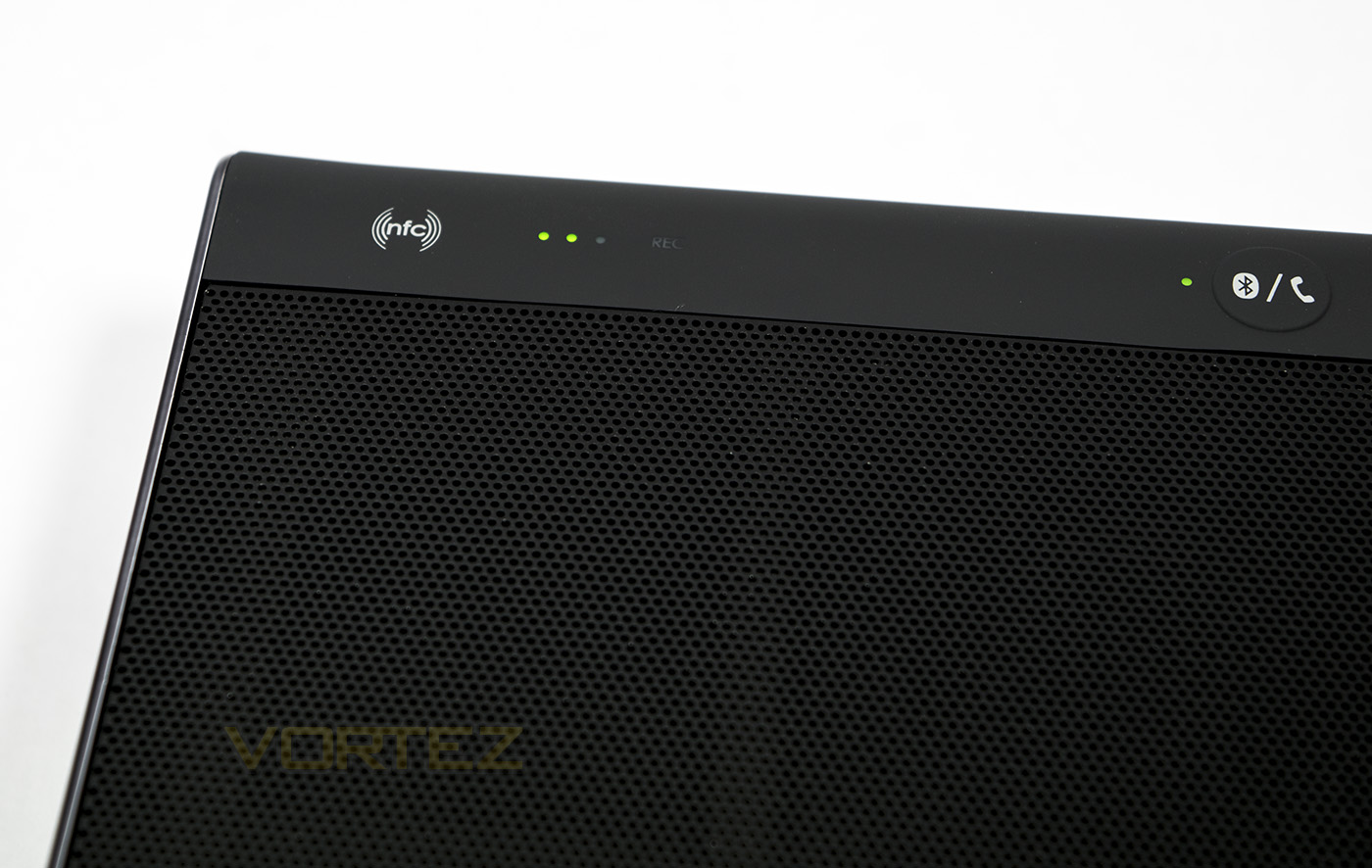
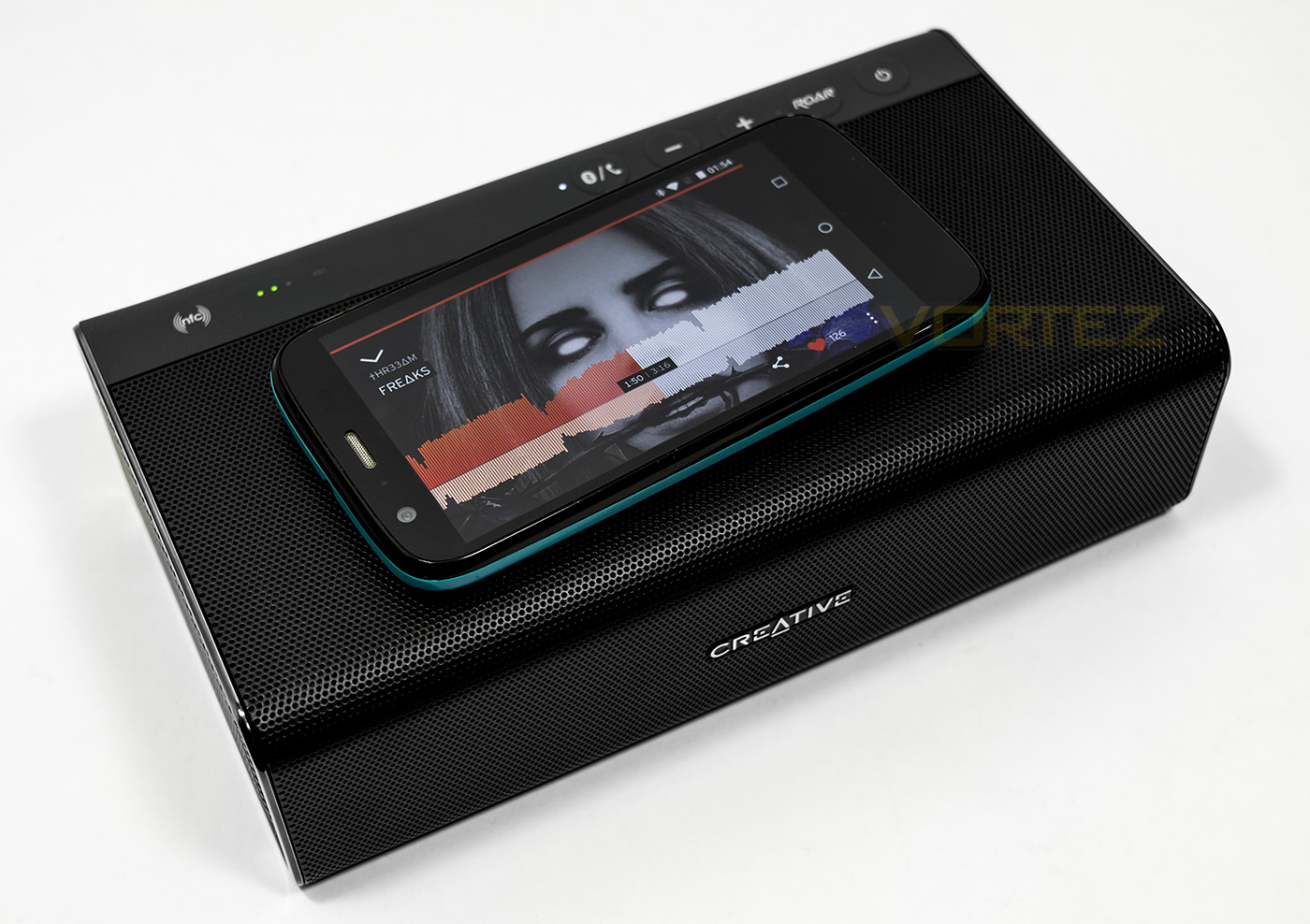
The top left area gives us battery information as well as the NFC spot.
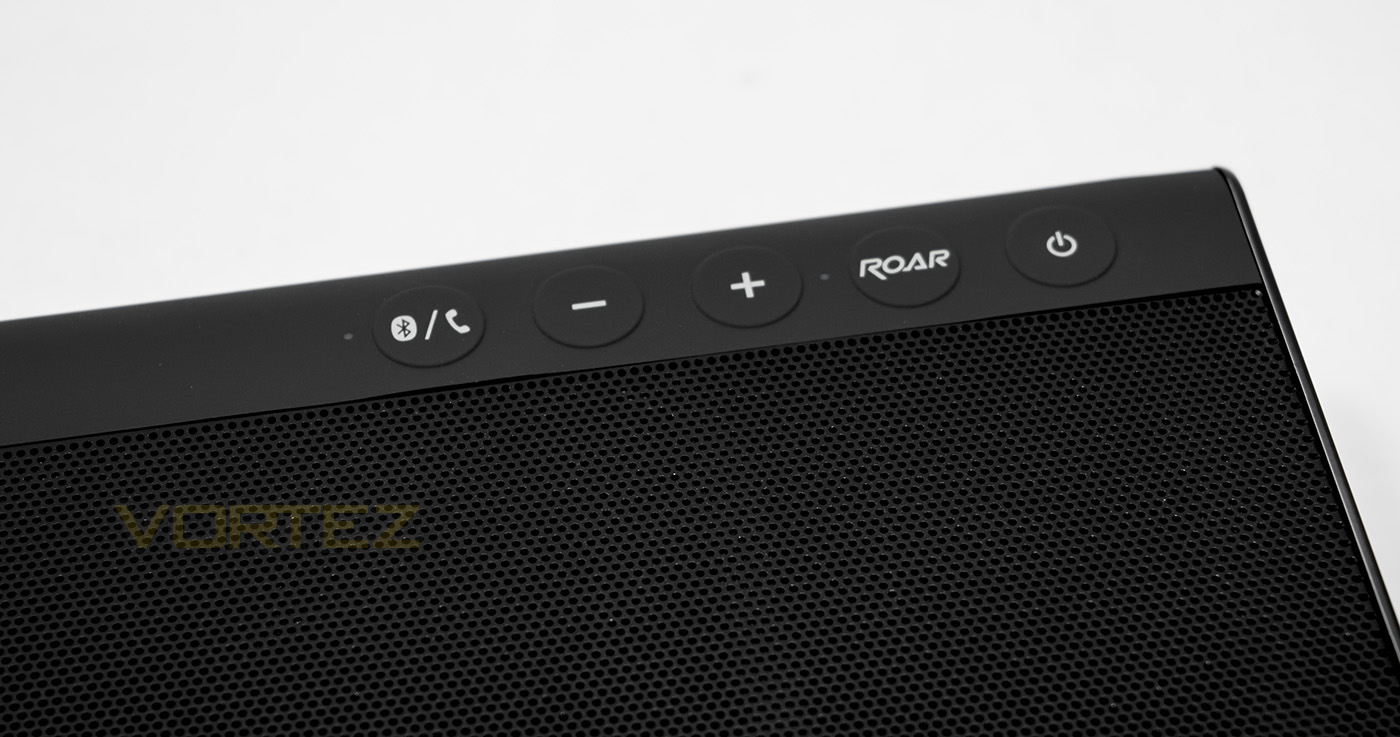
The top right section is home to some more buttons, including the power on, ROAR button, master volume controls and the pairing/answer call button.
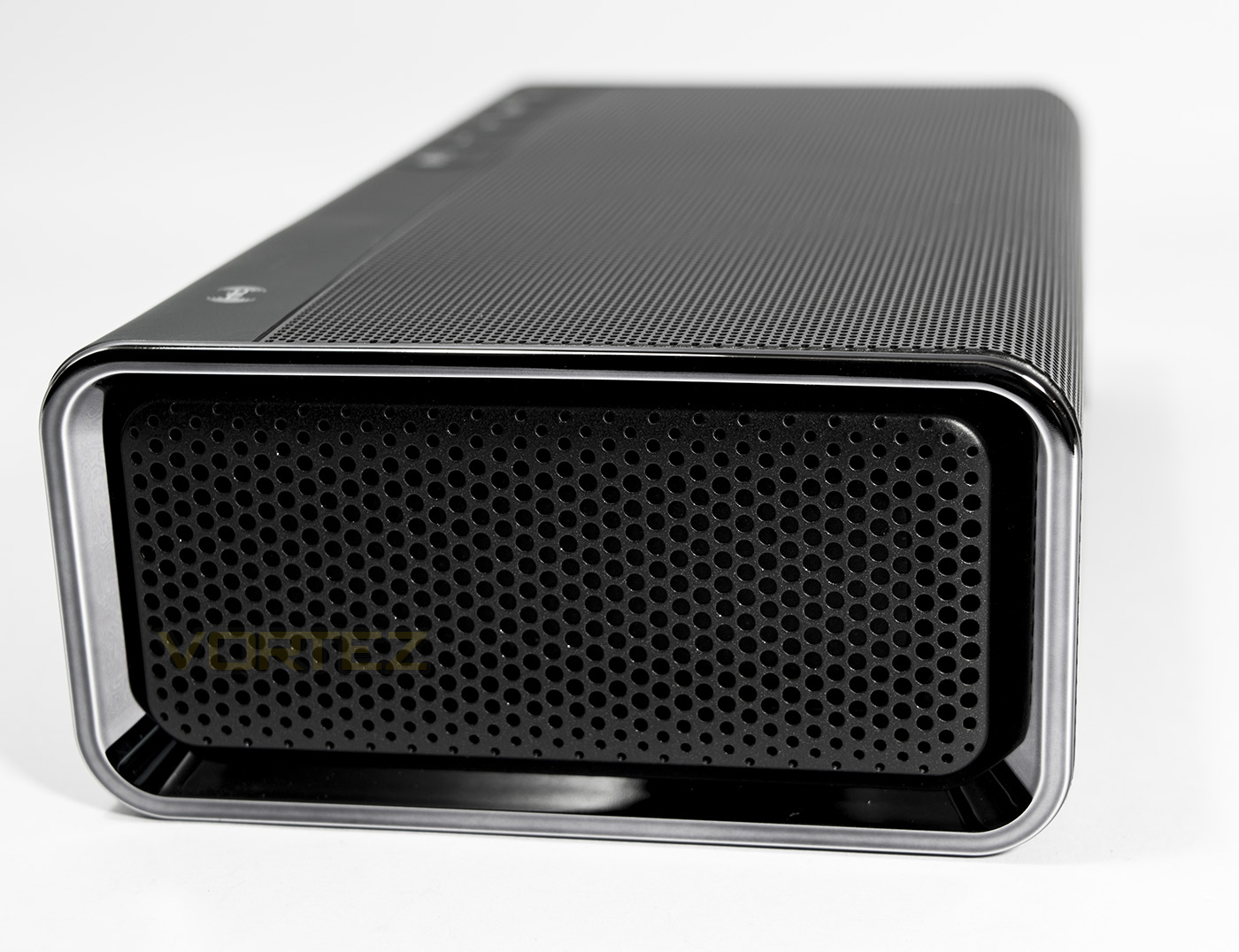
The side features a metal mesh protecting the side radiators and a reflective metal trim.
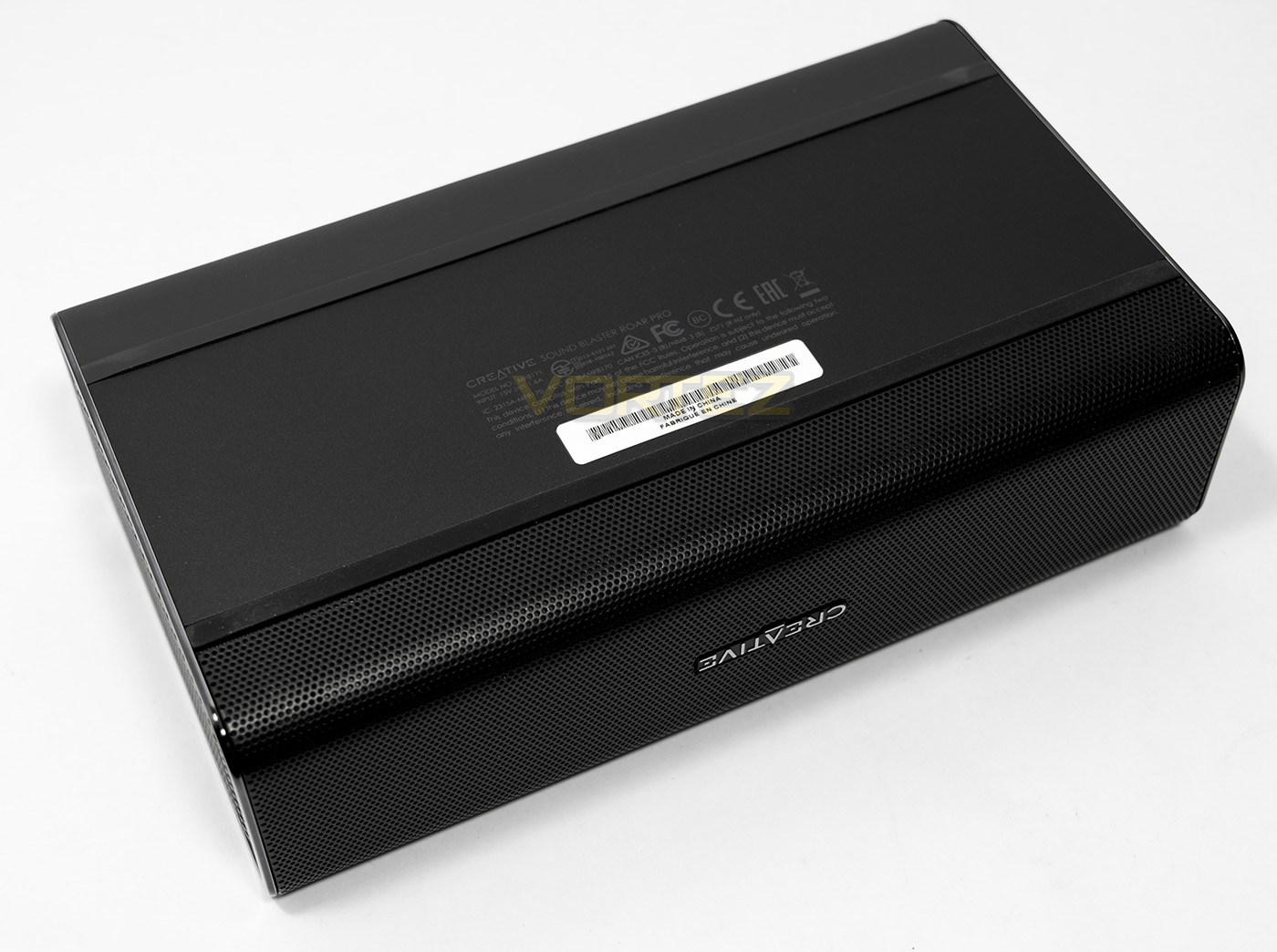
The underside is a solid metal plate with a strip of rubberised non-slip feet.
Packaging & Bundle: iRoar Mic
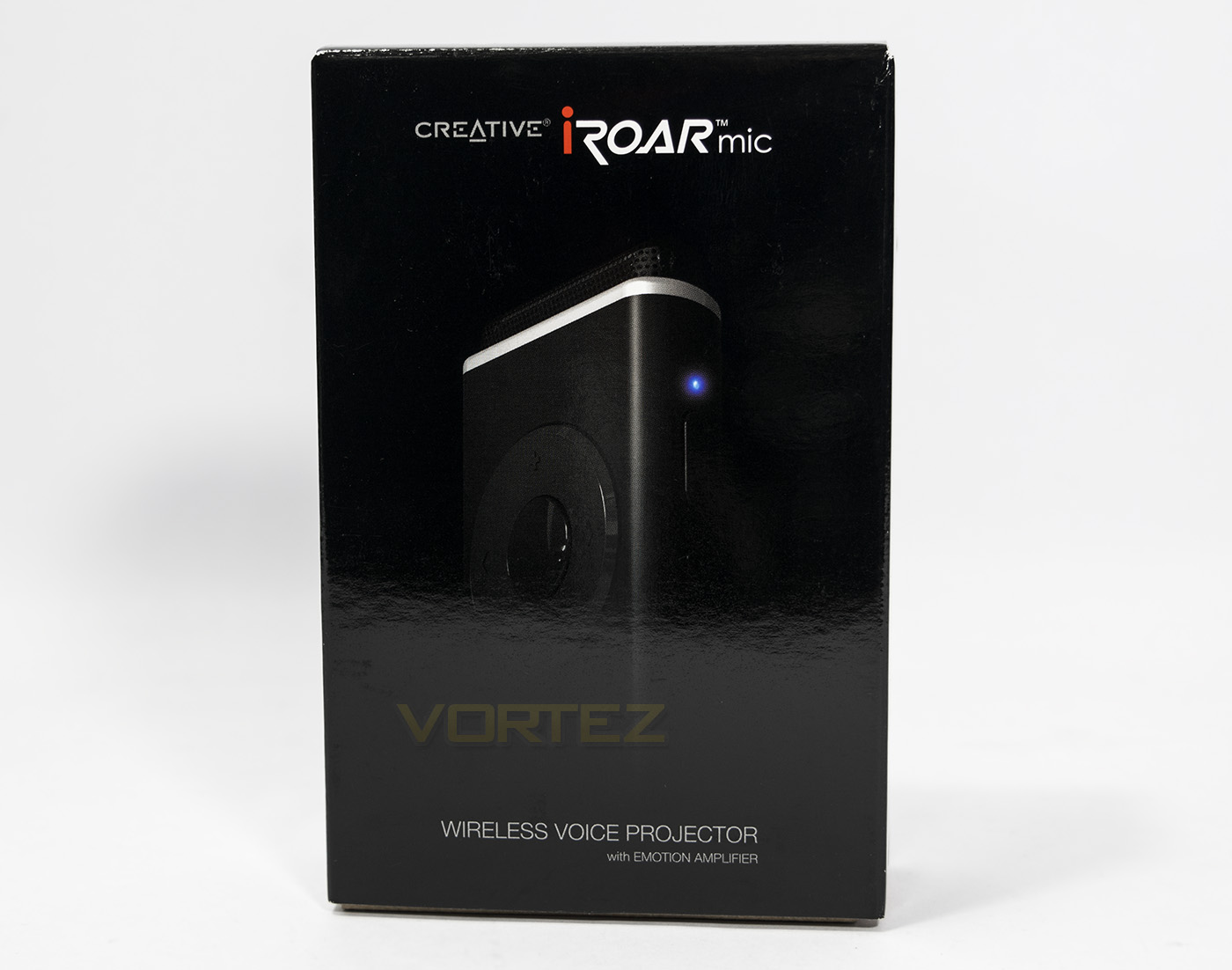
The iRoar Mic packaging looks sleek, showing off the microphone shape and design.
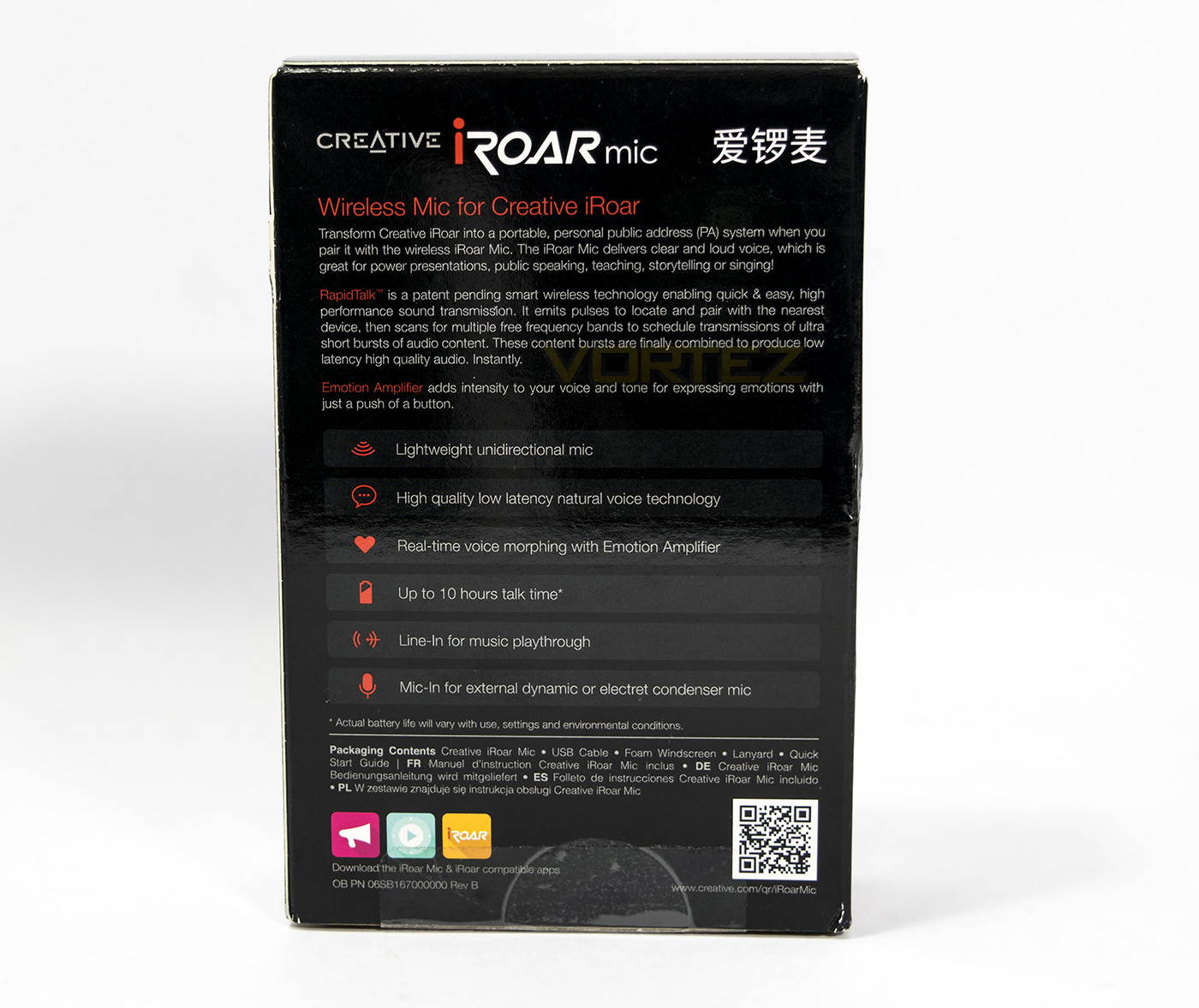
Flipping the box around we find out a little more about the mysterious iRoar Mic including is low latency and natural voice technology and 10hr talk time.
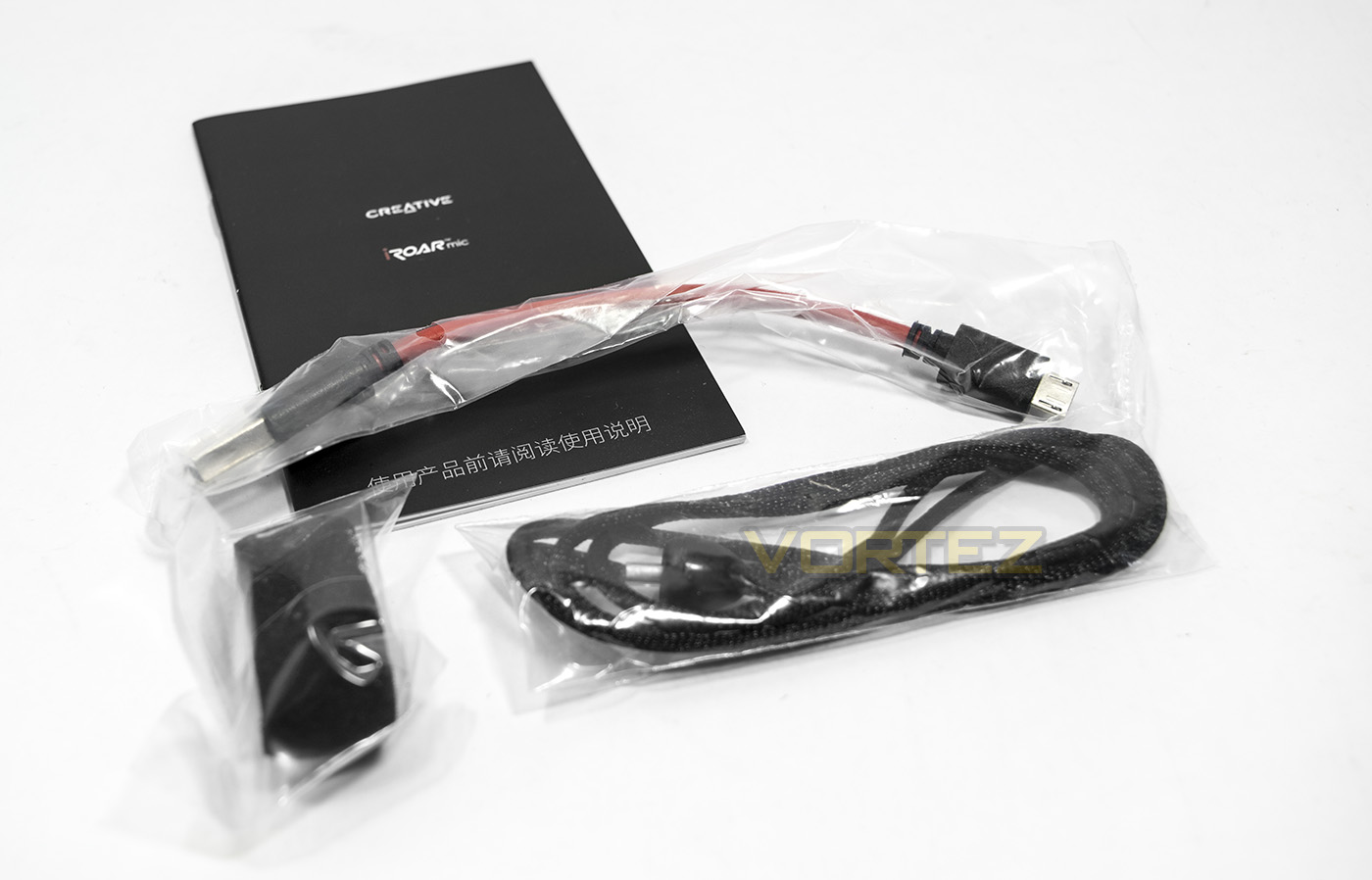
Included with the iRoar Mic and its guide you will find a USB – microUSB charging cable, a lanyard and a magnetic foam windbreak. On inspection of the manual, there Emote amp, and the smartphone apps dedicated to the iRoar microphone, aren’t compatible with the Roar Pro, which is a shame.
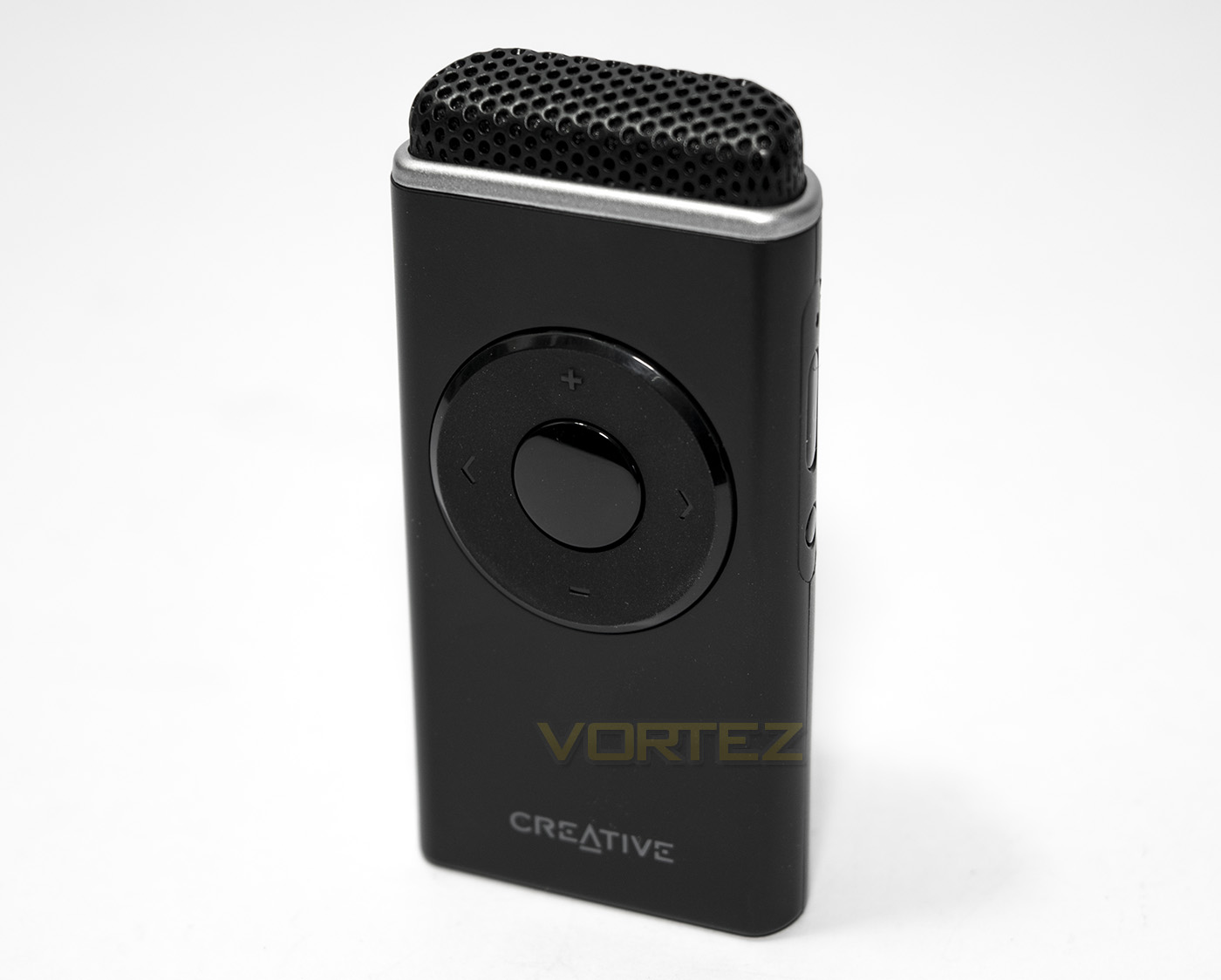
The iRoar Mic is 70.5mm tall, and weighs just 30g, making is nice and portable. The front controls include Roar volume up/down, microphone sensitivity up/down, and the central button is the emotion amplifier.
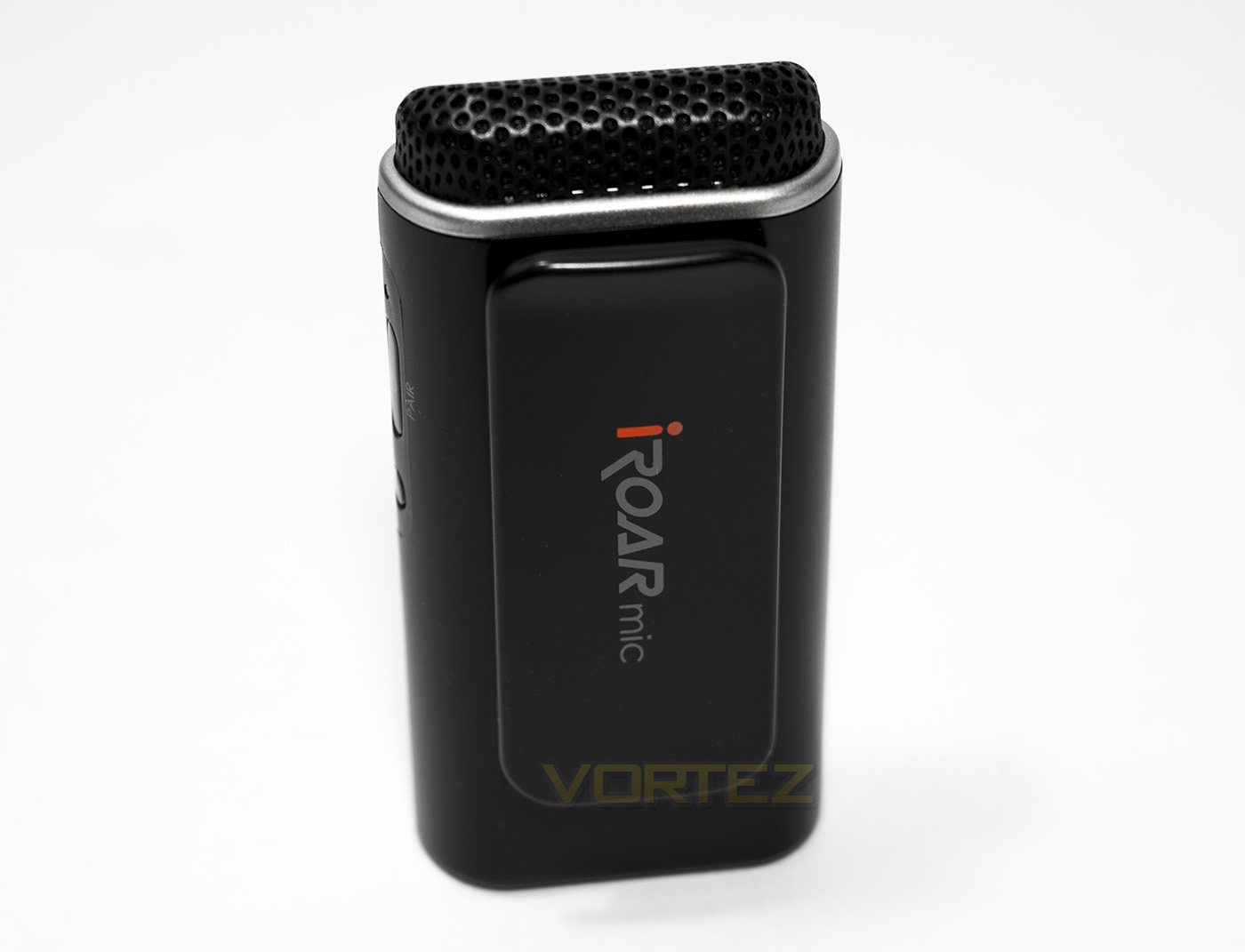
At the back is a large springy clip to attach it somewhere convenient.
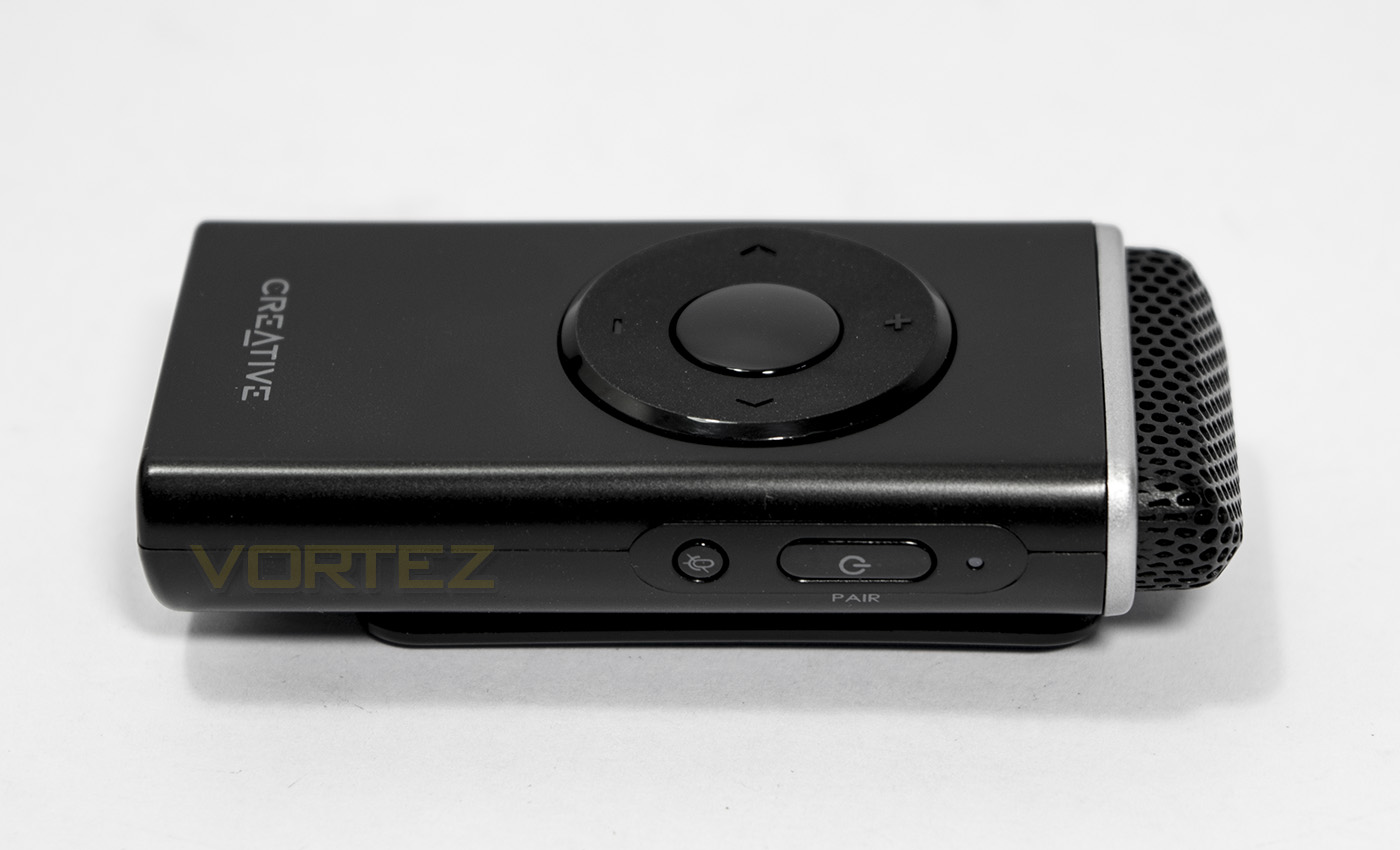
On its side features a power/pair button, mute button and an LED indicator that flashed blue while pairing, solid blue for connected, amber for low battery and then red.
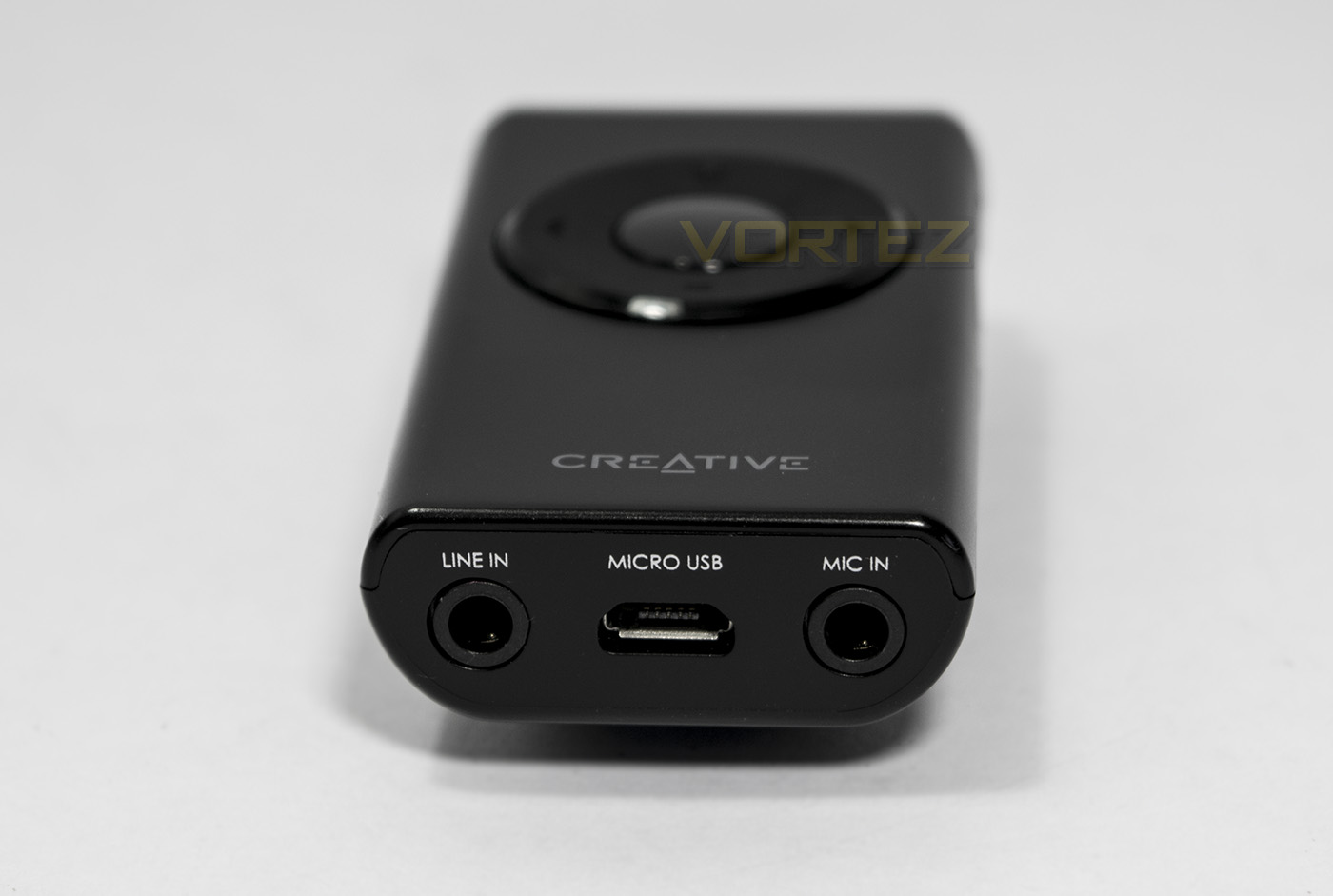
The I/O at the base includes a line-in, micro USB for charging, and a mic-in should you wish to connect a high quality microphone for singing/recording.
Software
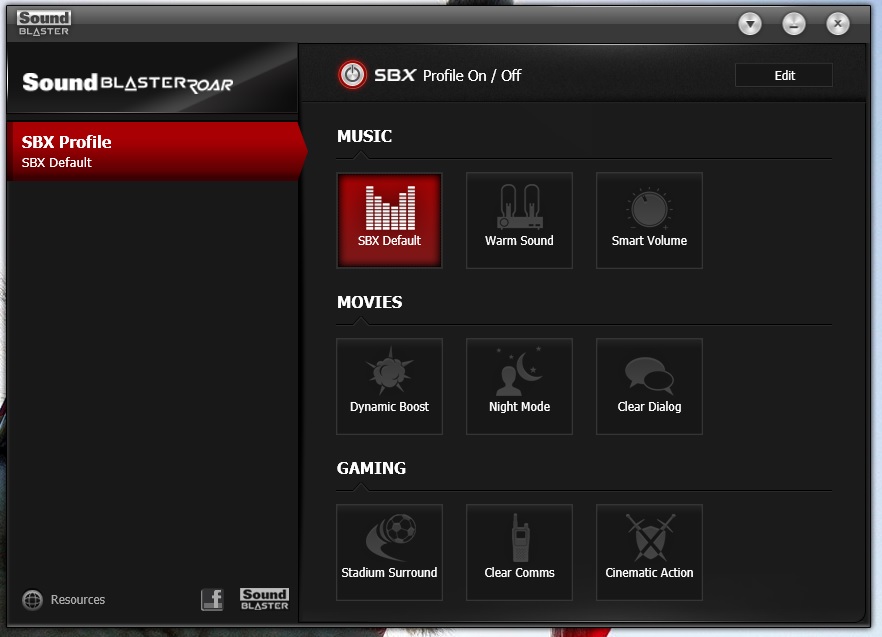
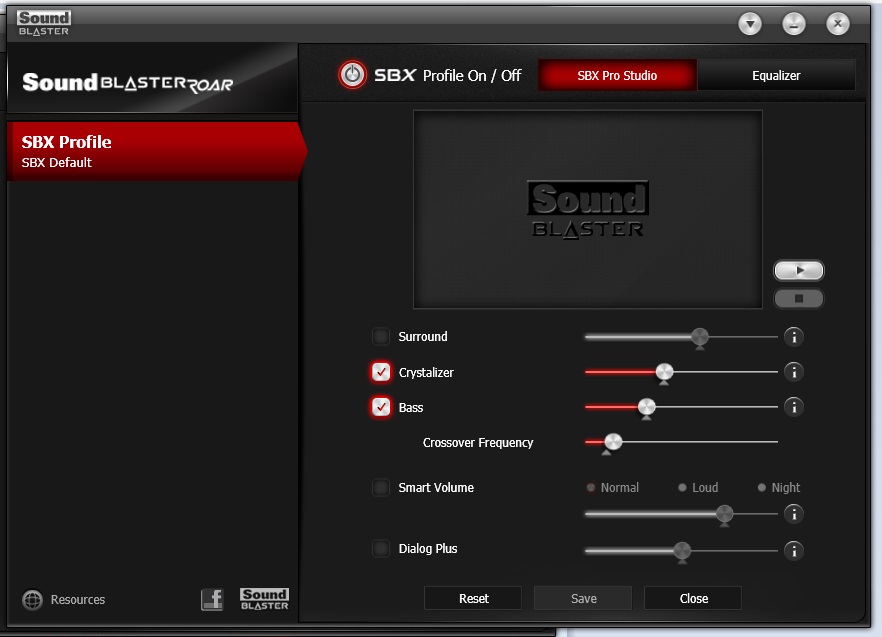
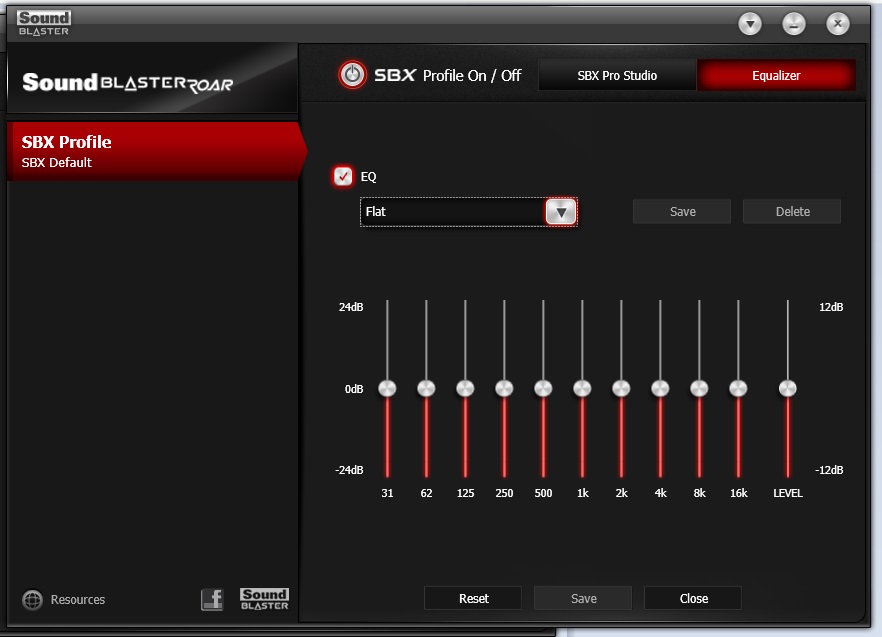
The Sound Blaster Control panel is compatible with the Roar Pro and offers up various preset tiles for convenient selection. Should you prefer, you can manually adjust the SBX technologies, or disable them, as well as access the audio equaliser. The layout is easy to understand and simple to follow. The various other software’s that can be used in conjunction with the iRoar Mic, can be downloaded via the App store, or the play store, depending on your mobile vendor. Though I was unable to test them out as they are not compatible with the Roar Pro.
Performance Testing
Setup, Design & Observations
There are many ways to ‘setup’ a Creative Roar, and it will entirely depend on your own preferred use. For Bluetooth connection, you can either connect via NFC if your smartphone supports it, or by holding the ‘multifunction’ button a few seconds and connecting manually. The Roar accepts two connected devices at one time, and to swap between the two, you simply pause any audio output, then play from the other. Alternatively, you can connect your MP3, Smartphone or any device with an audio out to the Aux-in port using the supplied cable. Then you have the option of using mass storage by means of a microSD card to which you can save WMA/MP3 and play stored music via the integrated controls on the Roar Pros back panel. Finally, you can also play music via the microUSB port which can connect to your PC/Mac or PS4.
Should you wish to make use of the voice recording feature, you can turn the microphone on and press the REC button, with the traditional red dot, then press again once finished and the Roar Pro will save it to the microSD card in a WAV format and can be played back using the play/pause button next to the record button. Another feature that returns with the Roar Pro is the sleep/bedtime mode, this is activated by holding the play/pause button in the Recording section, 1 beep for 15mins, 2 beeps for 30mins. After said time, the Roar will gently fade out and turn itself off.
The ROAR button and Tera Bass buttons return, the former gives a boost in audio loudness, the latter lifts the bass for a more balanced listening at low levels. This time, on the Pro, there is also a built in audio EQ profile switch. There are three to choose from, labelled ‘WARM, NEUTRAL, and ENERGETIC’. During some listening tests, I was unable to notice much of a difference, other than ‘Warm’ felt like it wants to melt into its bass a little, and ‘energetic’ sharpened the highs a bit. So its nice to have if you do have a set preference.
Something I noted during use with USB was that at max volume with ROAR enabled, I found that it kept disconnecting itself. This became rather tedious but then I found that the vibrations from the speaker were shaking the USB cable and that my front USB port was a little loose from years of insertion, so once I had addressed this, the problem was gone.
The maximum volume is a little higher when plugged into the mains, though the wireless volume level is rather deceptive because Creative have used far field drivers, this means that wherever you are positioned, you will hear the audio with a nice degree of focus and precision. Normally desktop stereo speakers tend to be what are called ‘near field’, meaning for optimised audio quality you need with be within a set distance, normally sat in front of them at your desk, as expected. I mention this because at first I felt like the Roar Pro wasn’t as loud as I remembered the Roar to be. This subsided when I moved away at a distance for a better perspective. The audio quality at a distance sounds great, travelling with an even balance that is capable of filling a Medium/large room.
Testing the microphone for phone usage, the Roar Pro’s own built in microphone sounds decent and does a great job of cancelling and interference from the speaker itself. Using it for hands free calls allows it to be the perfect speaker phone for conferencing without sounding too washed out or noisy. To answer a call, you press the multifunction button once, once again to end the call or you can hold the button down to reject a call.
After around 6 hours use, the battery indicator was still on its second/middle LED indicator, so there was plenty of gas in the engine, though it seem like the loudness suffered a touch while in wireless use. While using the battery, the Roar will automatically power down after an audio source is disconnected or after 15minutes to preserve the battery. If you leave plugged into the mains, it will automatically enter a power saving mode after 28hrs mode, if you want a permanent ON/Mains mode, you can do so by turning the Roar Pro on, disconnecting any devices, and press the ‘+’ and power button together, the LED indicators will blink once to tell you that the power saving mode has been turned off. To re-enable, you do the same thing but using the ‘-‘ and power button together.
The Roar Pro has a solid construction and feels high quality, each button and switch presses or clicks nicely. There are various other controls such as being able to disable/enable voice prompt by pressing ‘-‘ with the multifunction button (use + and MF button to re-enable), disable/enable advanced audio codec which is done in a similar fashion by pressing ‘-‘ and the ROAR button, using the ‘+’ and ROAR button to re-enable the advanced audio codec.
Multimedia
The Roar Pro keeps in with its family of portable wireless speakers by providing a well balanced, smooth high quality music playback. The audio quality overall still sounds a touch cramped but this is a limitation of portable, Bluetooth speakers generally so isn’t something to hold againast it. The bass level is decent, while the mids and treble are clear and precise without sounding sharp or unpleasant, you can choose an audio profile to your preference to alter the audio signature. You can control the master volume using the onboard volume buttons which means you can limit the max volume should you wish. The ROAR does exactly what it suggests by giving a bump to the overall loudness, though it is advised that ROAR mode is better used while plugged into mains for best volume, and it likely adds a drain to the battery life. Overall the Roar Pro sounds like a Roar, which is pretty damn good. Some may want a deeper, punchier bass from their speaker, though we feel that the balance is ideal.
iRoar Mic
When paired with the iRoar Mic, the Roar Pro becomes a compact, wireless PA system (Public Announcement or Address). Though relatively pricey, the iRoar Mic is wireless and has a relatively long battery life rated at 10hrs. On the controls you can adjust the volume of the Roar, as well as the sensitivity of the microphone to get the ideal settings to your situation. In testing, we found it difficult to discern if the Roar Pro has the volume/power needed for such activities as busking, but in the right hands, this setup could serve wonders. A small community bingo hall, presentations, classrooms, or even as suggested by Creative ‘Story telling’. each of these scenarios are wholly reasonable and believable situations where the Roar Pro and iRoar Mic would be usable, and its quick and easy setup makes for little hassle. The main concern regarding setup is distance from the Roar Pro itself, this is because if you plan on having the microphone more than a few centimetres away from your mouth, you risk causing a load of reverb. At a decent sensitivity level with the iRoar Mic clipped to your shirt, you will need to be 2-3m away from the Roar Pro unit. This however isn’t a huge problem as I could foresee that in a presentation/classroom situation, the speaker would be positioned in the most convenient manner so those farther away can clearly hear you and will entirely depend on the dynamics of the room and situation at hand.
The iRoar microphone has a super low latency to the extent that trying to hear yourself speak through the Roar Pro to see if it working can be confusing, and you may need a second opinion to reassure you. The microphone does a great job at blocking out noises, though it will pick up and noises, bumps, knocks and rustling if you are holding in your hand, so make good use of the mute button. Should you wish to speak directly into it, it would be best to use the included foam windscreen that attaches to the microphone with a magnet as this will block your puffy wind noises (plosives) coming out of your mouth.
Conclusion
The Roar Pro comes in seemingly like a refresh to the original Roar model, serving up some extra battery life along with the features of the Roar series that we know and love. It would seem, as its name suggest that its intended use is in a professional situation as a wireless PA system paired with the iRoar Mic, and considering that the Roar Pro is half the cost of the flagship iRoar, the Roar Pro serves as a much more cost effective setup. Though there are many PA systems available that are more powerful, maybe even cheaper, few may be sporting the versatility, portability and advanced wireless features of the Roar Pro.
The only consideration to suggest with the Roar Pro, is, that it is likely to be a rather niche product. If you don’t want to use it for a makeshift kakaoke system where you plug your smartphone into the iRoar Mic using a karaoke app of somekind, or have any use for it as a PA system at all, then you are likely better off with the cheaper Roar or Roar 2. This is because much of the cost increase seems to be in activating compatibility with the iRoar Mic. As a portable, wireless PA system, the Roar Pro + iRoar Mic, feels rather expensive and will not be as powerful/loud as many other PA systems. Though there are many circumstances where other PA systems are too loud, too much hassle, not portable enough, or indeed not even wireless. There are many small/mid sized occasions that may be perfect for the Roar Pro as a PA system, yet it remains versatile enough to serve a purpose outside of a PA system too. Should you need a boost in the presence you could even add a second Roar/Roar Pro or speaker of choice as a slave using the megastereo feature.
As with any Roar speaker, its versatility is its strong point as it covers all aspects of what you could want from a portable wireless speaker and then some. In the case of the Roar Pro, that extra some is the ability to be used as a wireless PA system. The extra cost just to be able to use the iRoar Mic + the £65 that the iRoar Mic costs, feels a little excessive, especially because the Roar Pro doesn’t even take full advantage of it. It isn’t compatible with the emotion amplifier or the iRoar megaphone app. Despite that, the Roar Pro is at a much more affordable price point for than iRoar speaker + iRoar Mic.
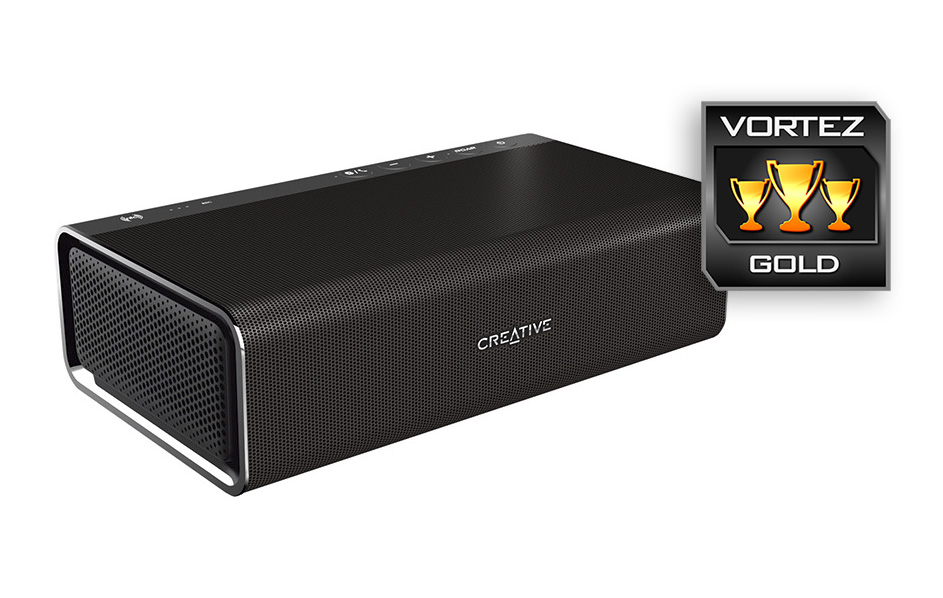
Of all its features, I would have liked it if the Roar Pro was a little louder with a punchier bass injection, but they are minor points and the Roar Pro easily walks away with our Gold.
Taking all that we love about the Roar to a professional level, alone it features various improvements over the original Roar, but when combined with the iRoar Mic, it makes for an excellent, compact, wireless PA system.
Pros.
+ Compact and portable
+ Attractive design
+ Great sounding audio quality
+ Reasonably loud/ uses far field drivers
+ Playback via Bluetooth, 3.5mm line-in, microSD, USB-PC/Mac/PS4
+ Features the latest Bluetooth streaming technology (aptX Low Latency)
+ Improved battery life
+ Compatible with iRoar Mic – Makes for a compact wireless PA system
Cons.
– Price
+ Compact and portable
+ Attractive design
+ Great sounding audio quality
+ Reasonably loud/ uses far field drivers
+ Playback via Bluetooth, 3.5mm line-in, microSD, USB-PC/Mac/PS4
+ Features the latest Bluetooth streaming technology (aptX Low Latency)
+ Improved battery life
+ Compatible with iRoar Mic – Makes for a compact wireless PA system
Cons.
– Price
Click here for an explanation of our awards at Vortez.net.