The AE-5 comes bundled with a RGB LED strip compatible with the Aurora Reactive Lighting System, ideal for gamers looking for a soundcard that can compliment your RGB gaming system.

Product on Review: Creative Sound BlasterX AE-5
Manufacturer: Creative
Street Price: UK: £129.99, US: $149.99 (Or for the AE-5 Pure Edition: UK: £159.99, US: $179.99)
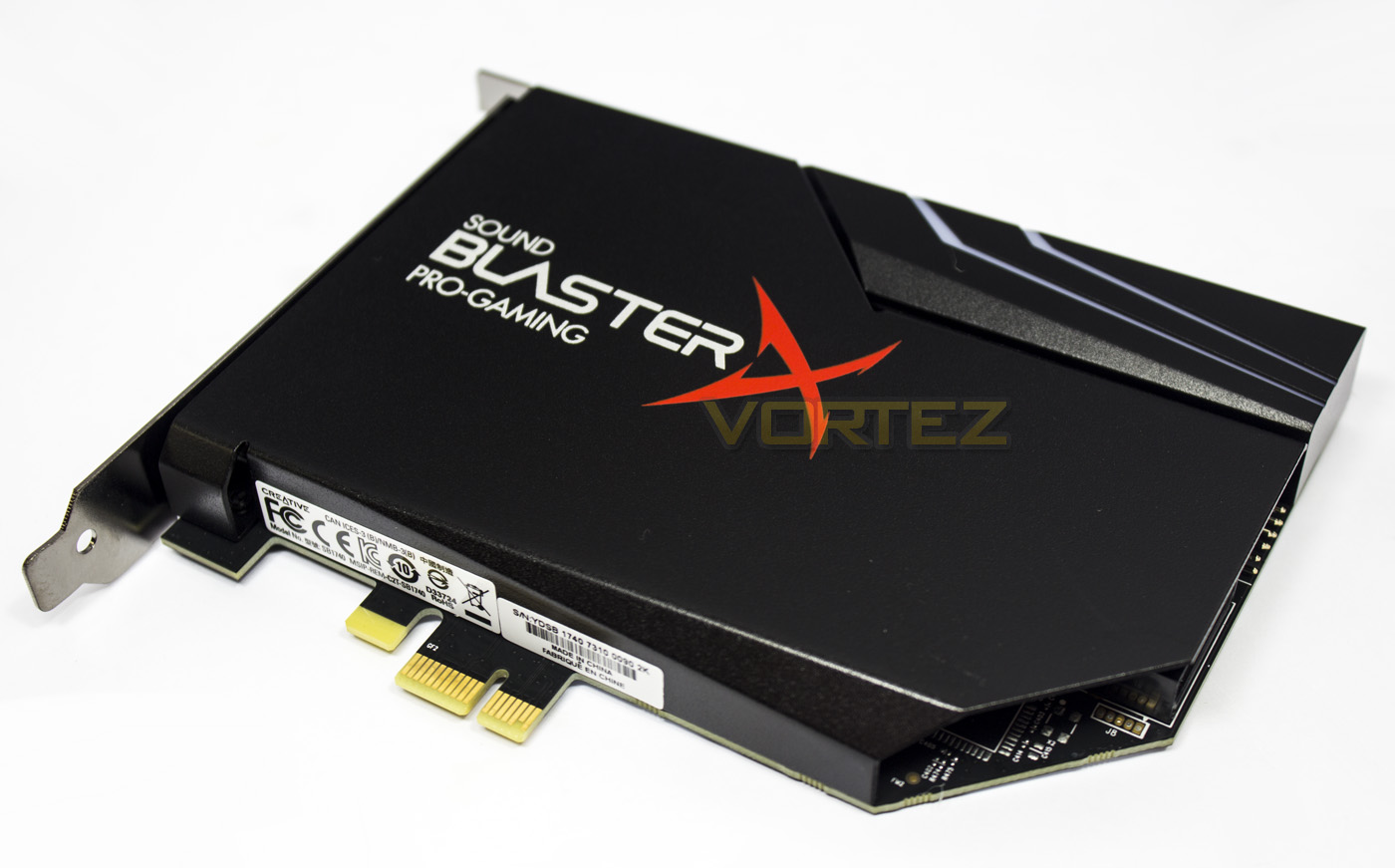
The AE-5 is Creative’s first discrete soundcard of the Sound BlasterX gaming series operates with a dynamic range of 122dB, and features the ESS SABRE32 DAC to deliver high quality 32-bit filtering for low noise and distortion. It can support up to 5.1 surround speaker systems, and features a custom bi-amplified headphone amp (Xamp) that supports up to 600ohm headsets; for added measure there is also a TOSLINK optical output. Also, for sake of convenience the AE-5 has a front panel audio connector.
RGB LEDs are all the rage right now and having that in a discrete soundcard is something that many people may not spring to mind for many, but with the Sound BlasterX AE-5 it is certainly available alongside Creatives Aurora Reactive lighting which can provide advanced lighting effects beyond that supplied by most motherboards, this is why the lighting effects are extended beyond just the soundcard itself with the included RGB LED strip which can be plugged into the soundcard, and features a series connector to add additional RGB LED strips in future. Should you LOVE RGB lighting that bit more, you may want to consider the PURE edition exclusively available from the Creative website. The PURE edition features a white shroud and is supplied with 4x RGB LED strips, enough to line your mid-tower case entirely.
Overview by Creative
Technical Specifications
Audio Technology: BlasterX Acoustic Engine
Dynamic Range (DNR): 122dB
Connectivity Options (Main): 1 x 1/8″ (3.5mm) Mic In/Line In, 1 x 1/8″ (3.5mm) Headphone/Headset Out, 1 x 1/8″ Front Out, 1 x 1/8″ Rear Out, 1 x 1/8″ Center/Sub Out, 1 x TOSLINK Optical Out
Connectivity Options (Accessory): 1 x Front Panel Header, 1 x RGB LED Header (support 5V RGB strips)
Headphone Amp
Supported Headphone Impedance: 16 – 600 Ω
Audio Technologies: CrystalVoice
Supported Operating Systems: Windows® 7, Windows® 8, Windows® 10, Windows® 8.1
Dimensions: 145 x 20 x 128 mm
Platform: PCIe
Package Contents
Sound BlasterX AE-5
1 x LED Strip (30cm/10 LEDs)
1 x Extension Cable
Quick Start Leaflet
Warranty Leaflets
(Pure Edition comes with 4x LED Strips)
Packaging & First Look
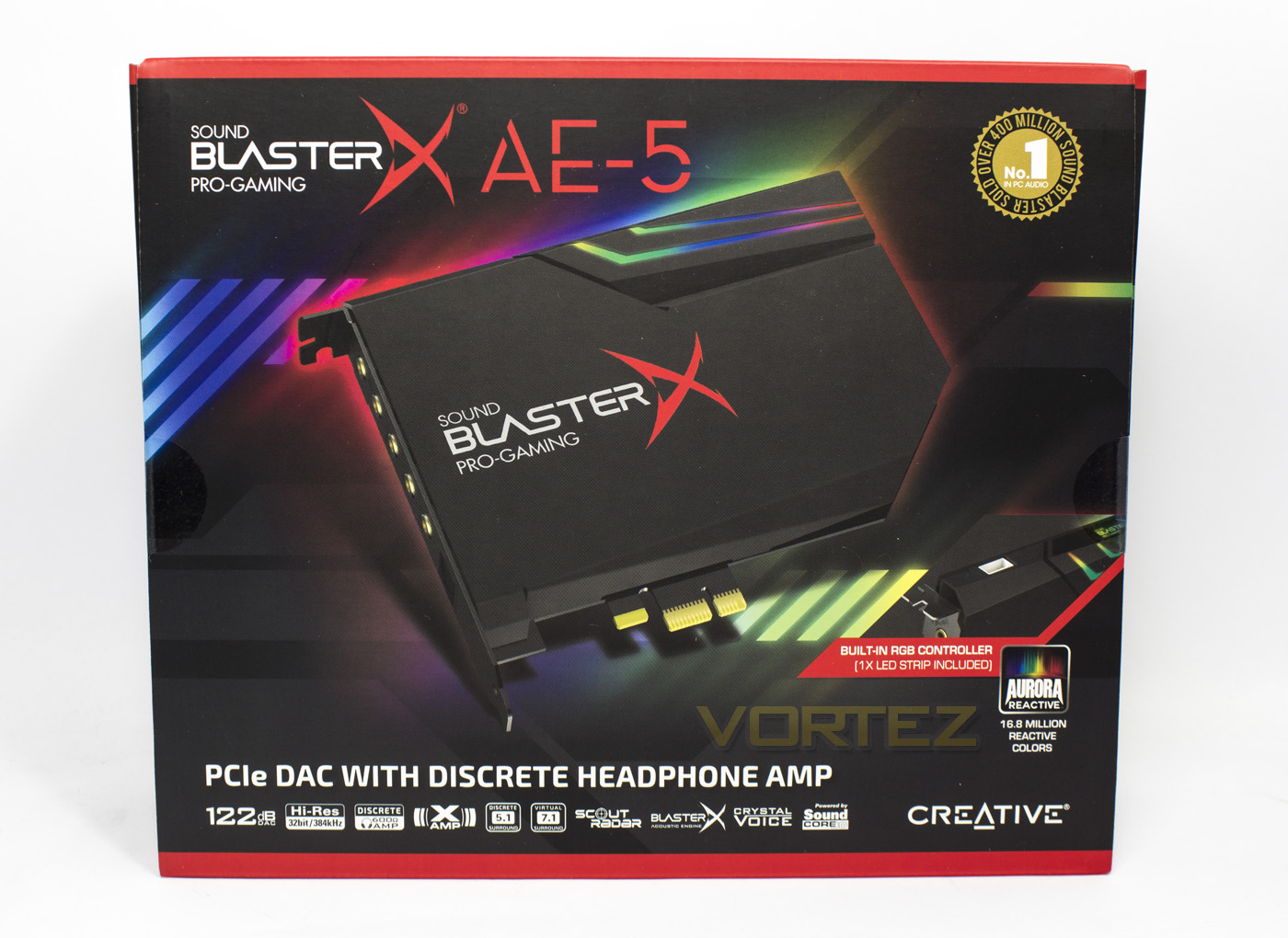
The packaging is reminicient of the Sound BlasterX line of products featuring red on black styling and a large image of the product itself. There is a lot of colour on the packaging, along with the Aurora Reactive icon indicating RGB LED lighting. Along the bottom you will find a row of icons indicating various features.
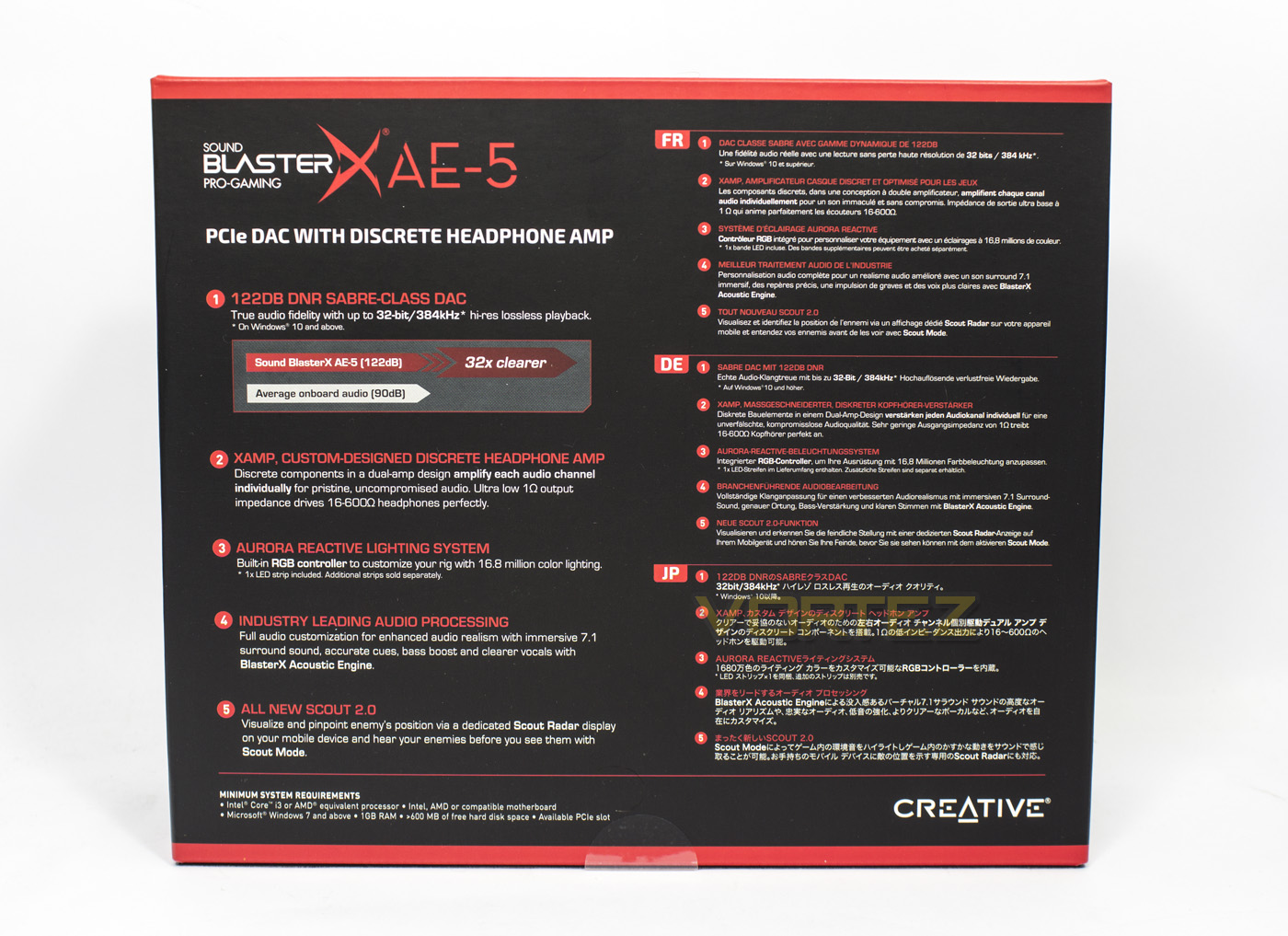
At the back we get an overview of various key features of the soundcard including the use of the ESS SABRE32 DAC, and the custom designed heaphone amp (Xamp).
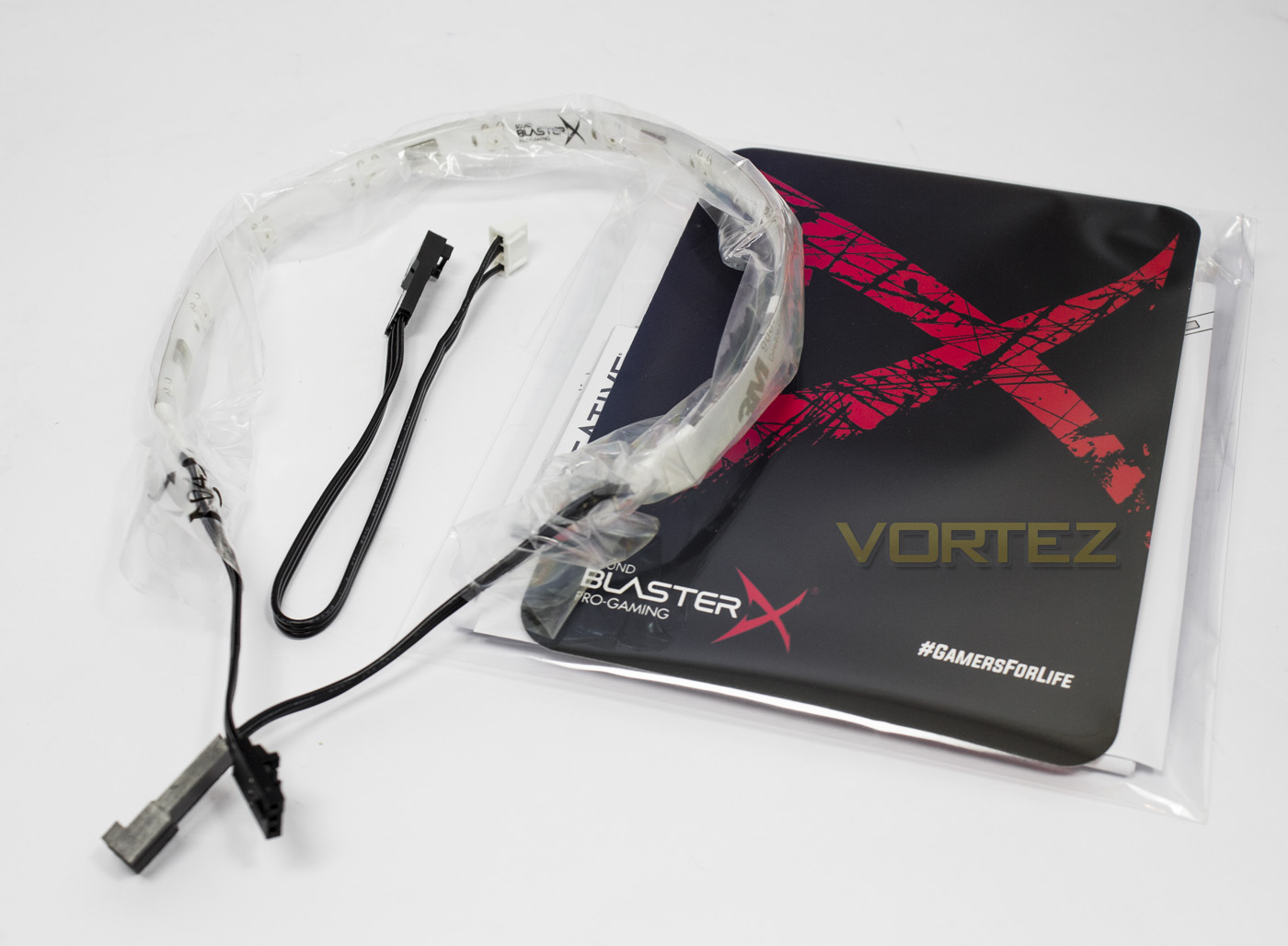
Inside you will find the various paperwork you would expect along with an LED extension cable and RGB LED strip complete with fittings.
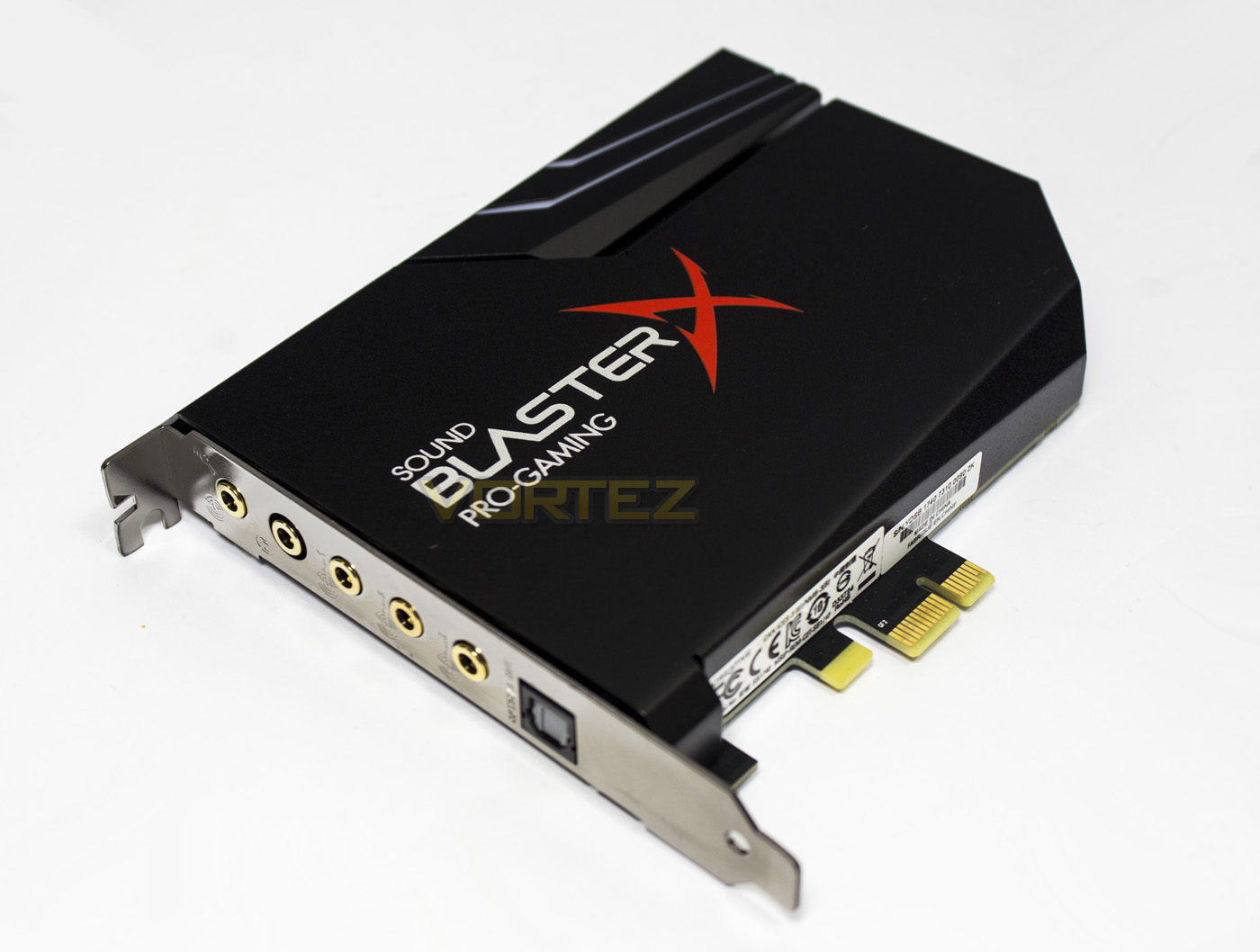
The Sound BlasterX AE-5 is moderate sized at 144 x 20 x 120mm (comparable to the Sound Blaster Z) and features a sleek EMI shield.
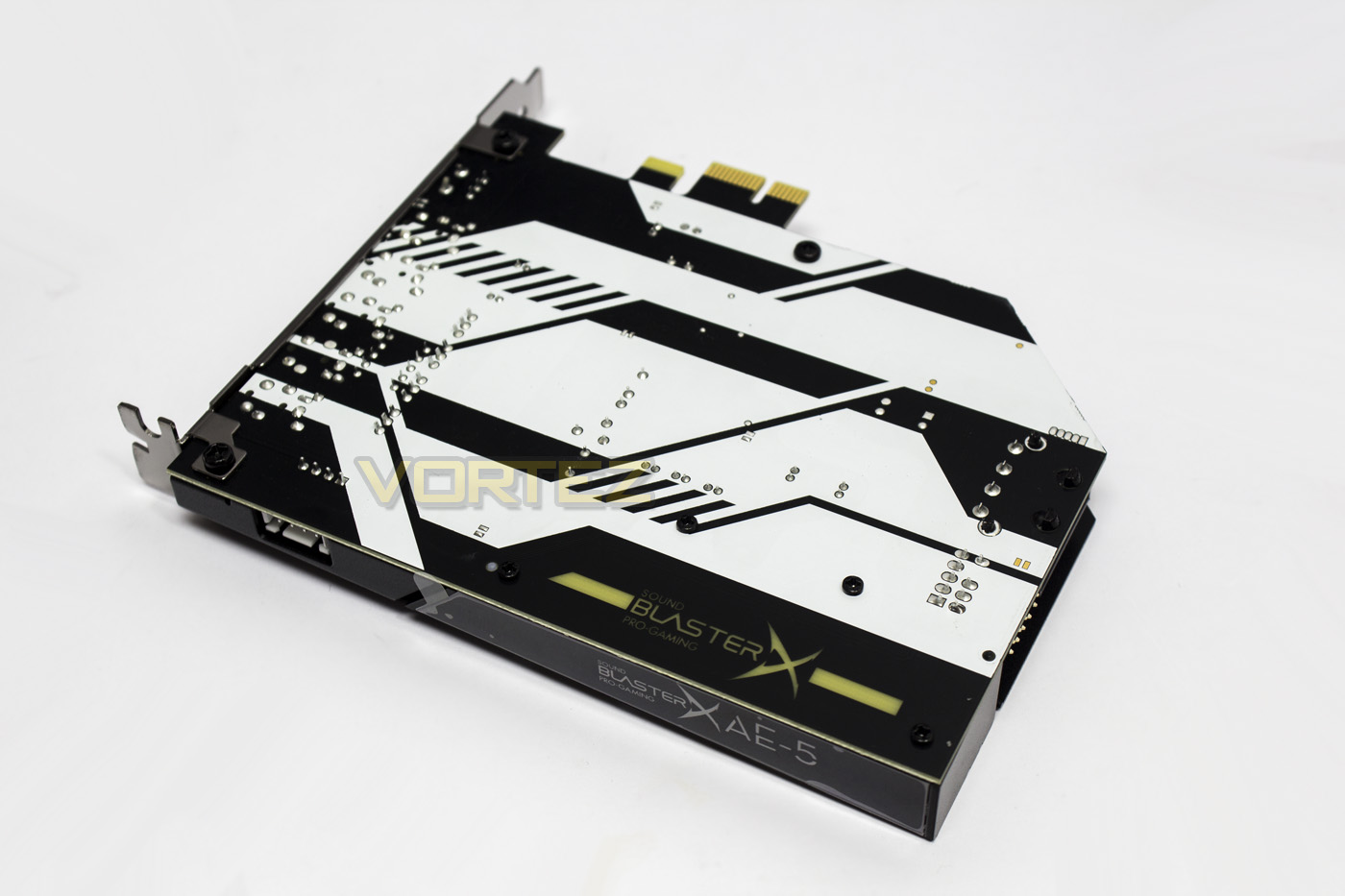
On the back of the AE-5, there is some white detailing on the PCB. Not entirely sure it was needed, but at least it doesnt introduce anymore colour outside of the BlasterX logo on the EMI shield.
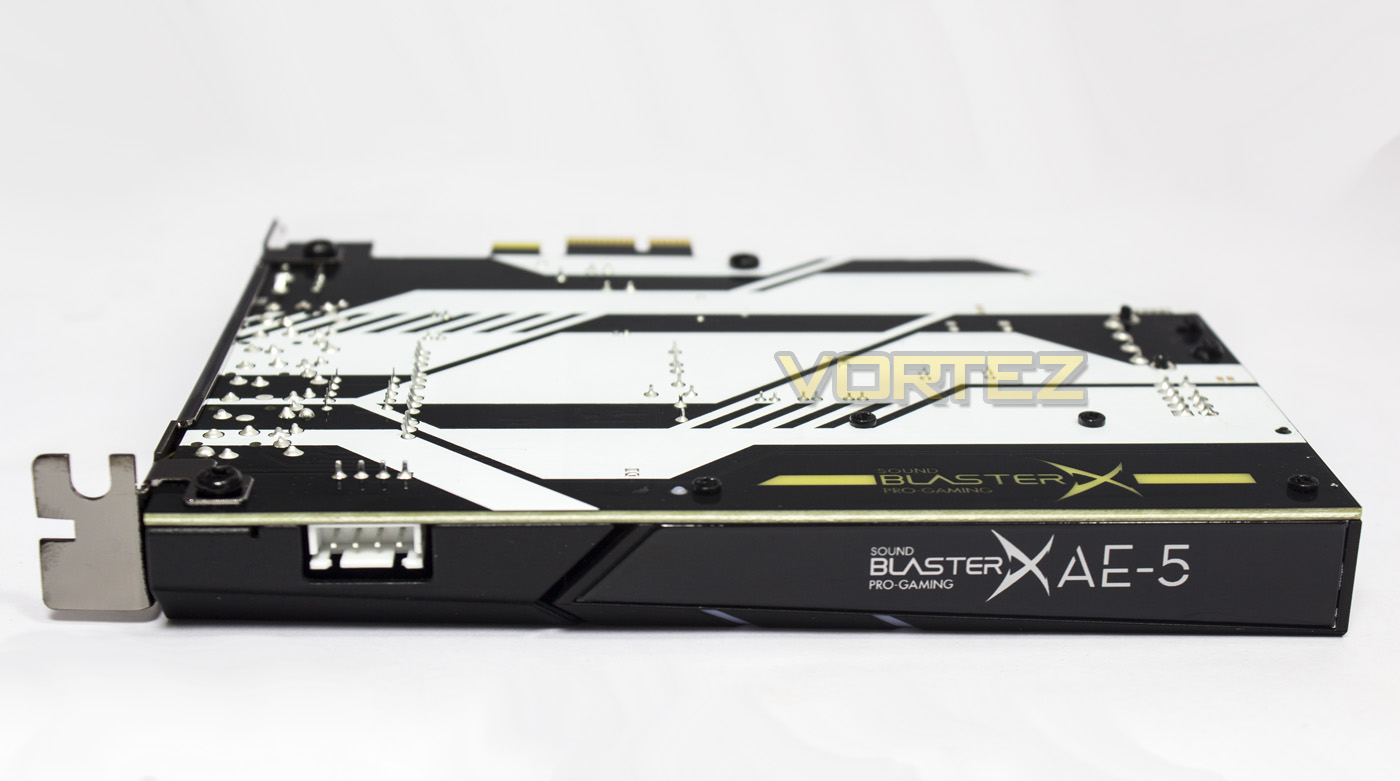
Here we see the side face, which will likely be that primarily viewed part of the soundcard. On the left is the LED strip socket, while on the right is the AE-5 logo which will be backlit by the LED lighting.
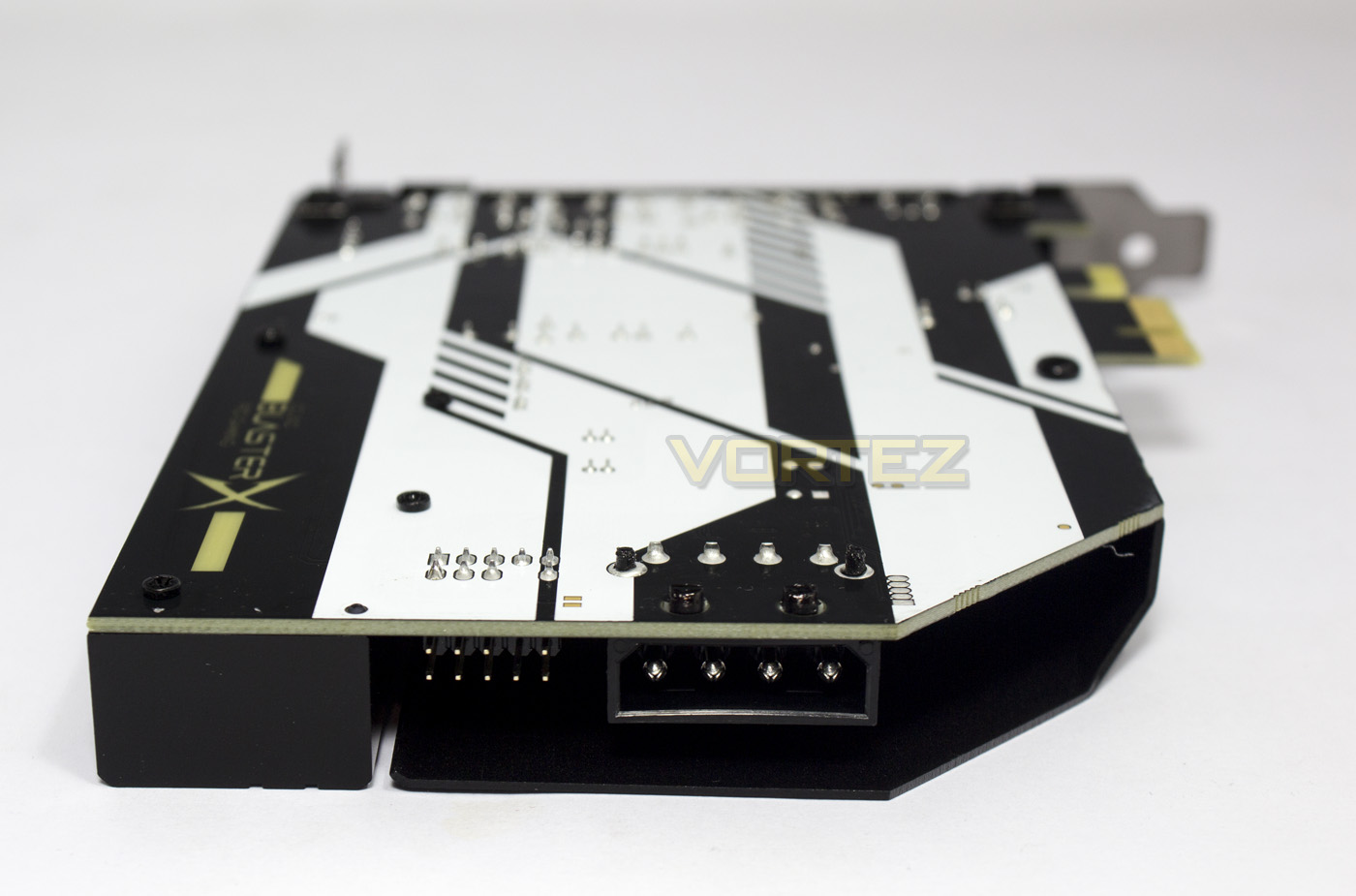
At the end of the soundcard you will find the molex power adaptor (only used for the LED lighting, so if you wanna run it without LED lighting it isn’t necessary to use). Alongside the molex power socket is the front panel connector.
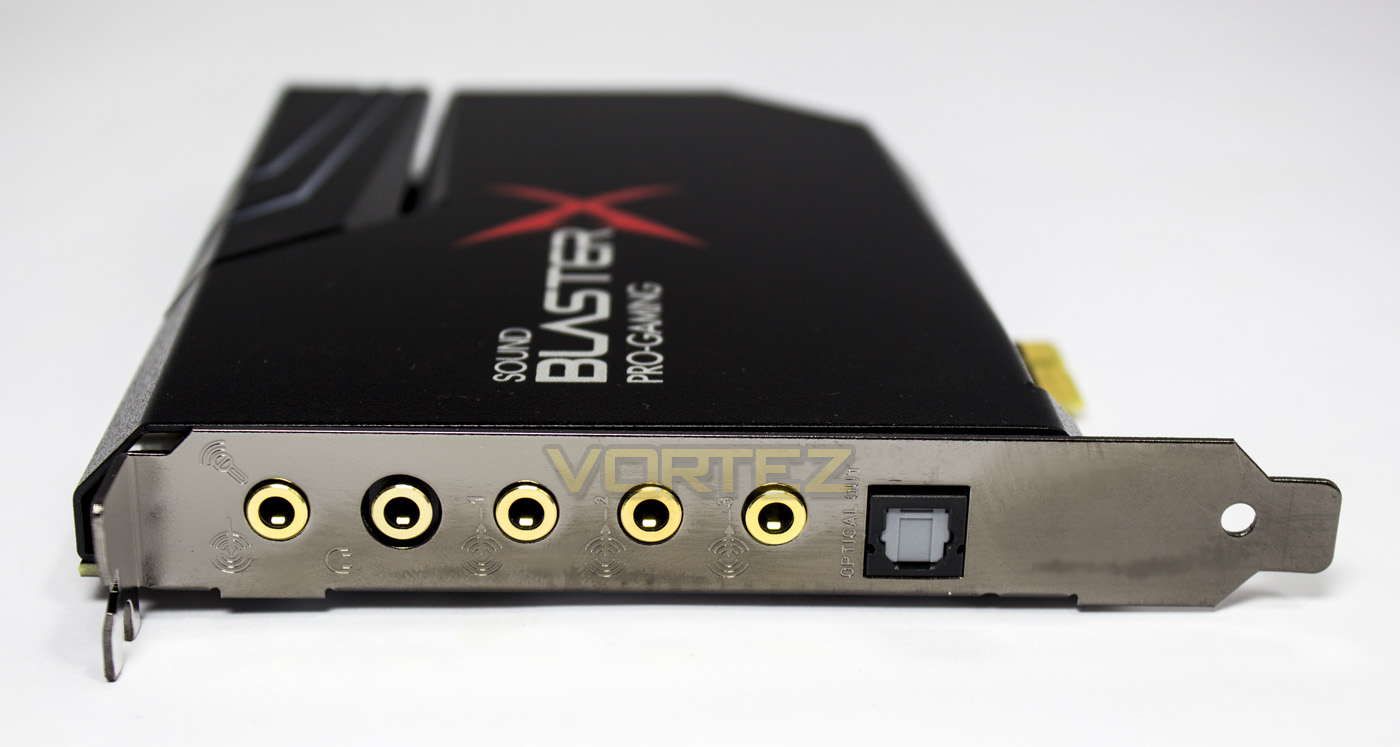
The IO ports at the back, from left to right: Microphone/line in, Headphone, front speakers, rear speakers, centre/sub, optical.
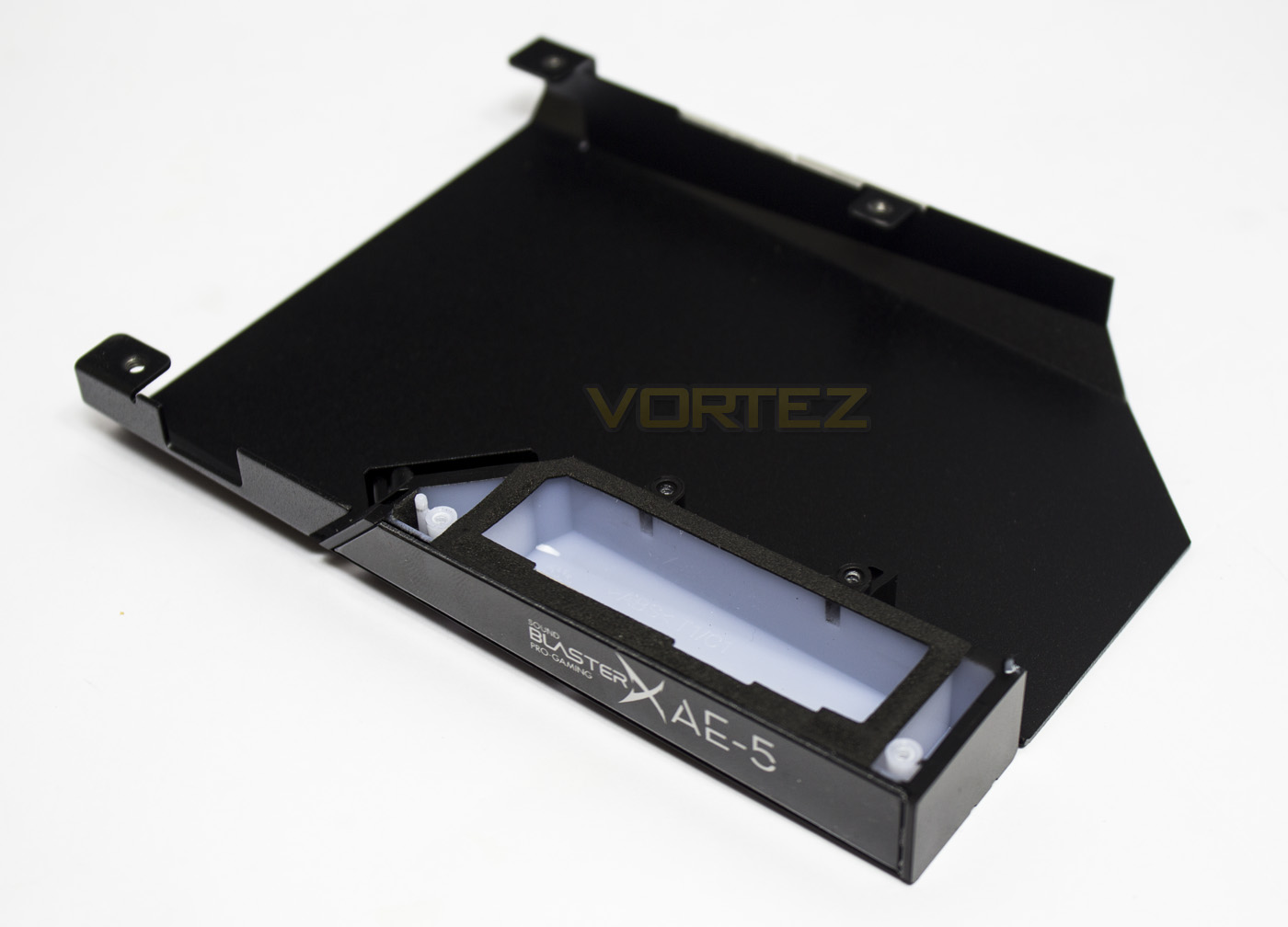
Then we removed the EMI shield to take a look underneath.
Closer Look
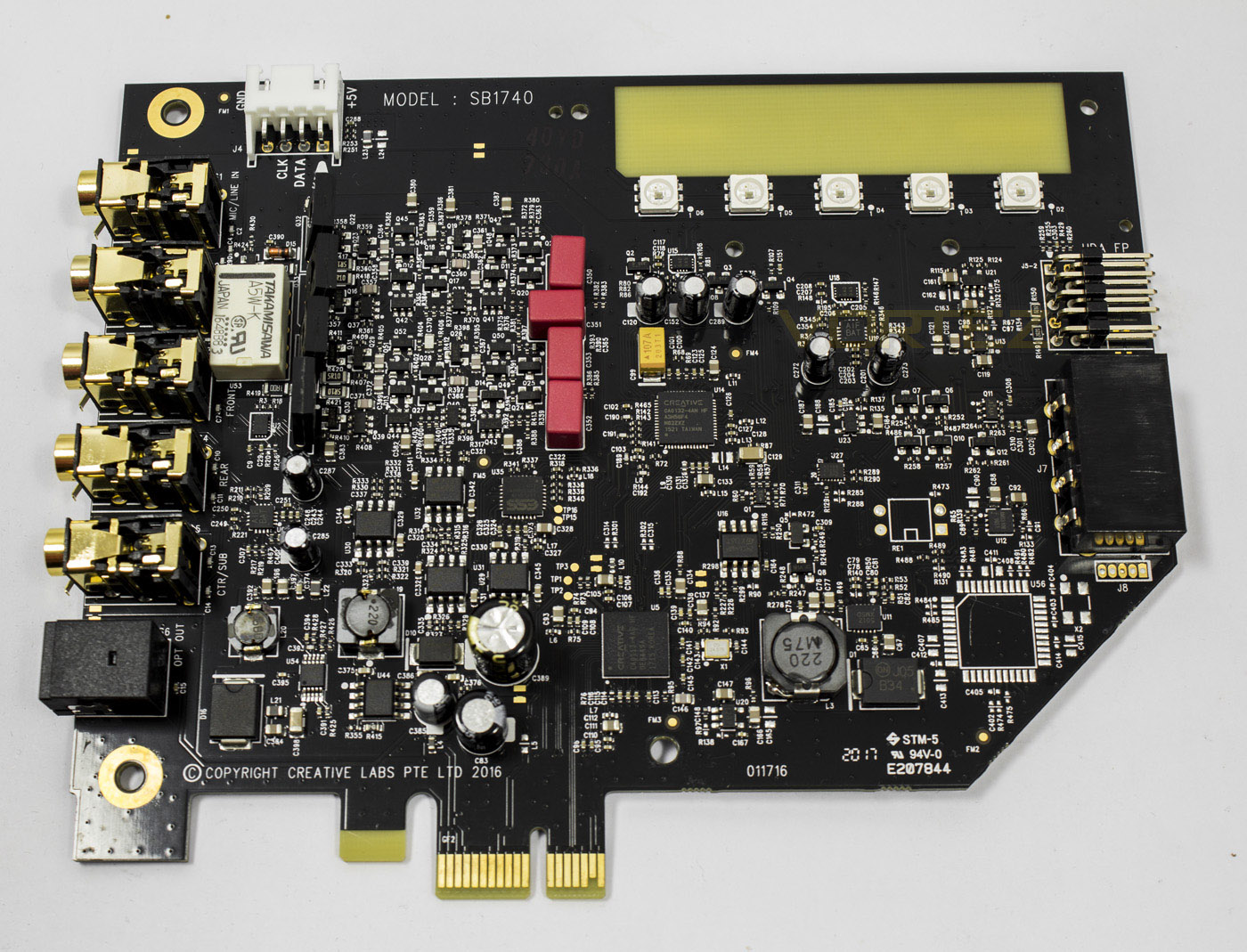
With the AE-5 laid bare, we see some high quality capacitors, but note that there are no sockets allowing you to replace any components directly, thus it is fairly safe to suggest that this soundcard is not targeting audiophiles.
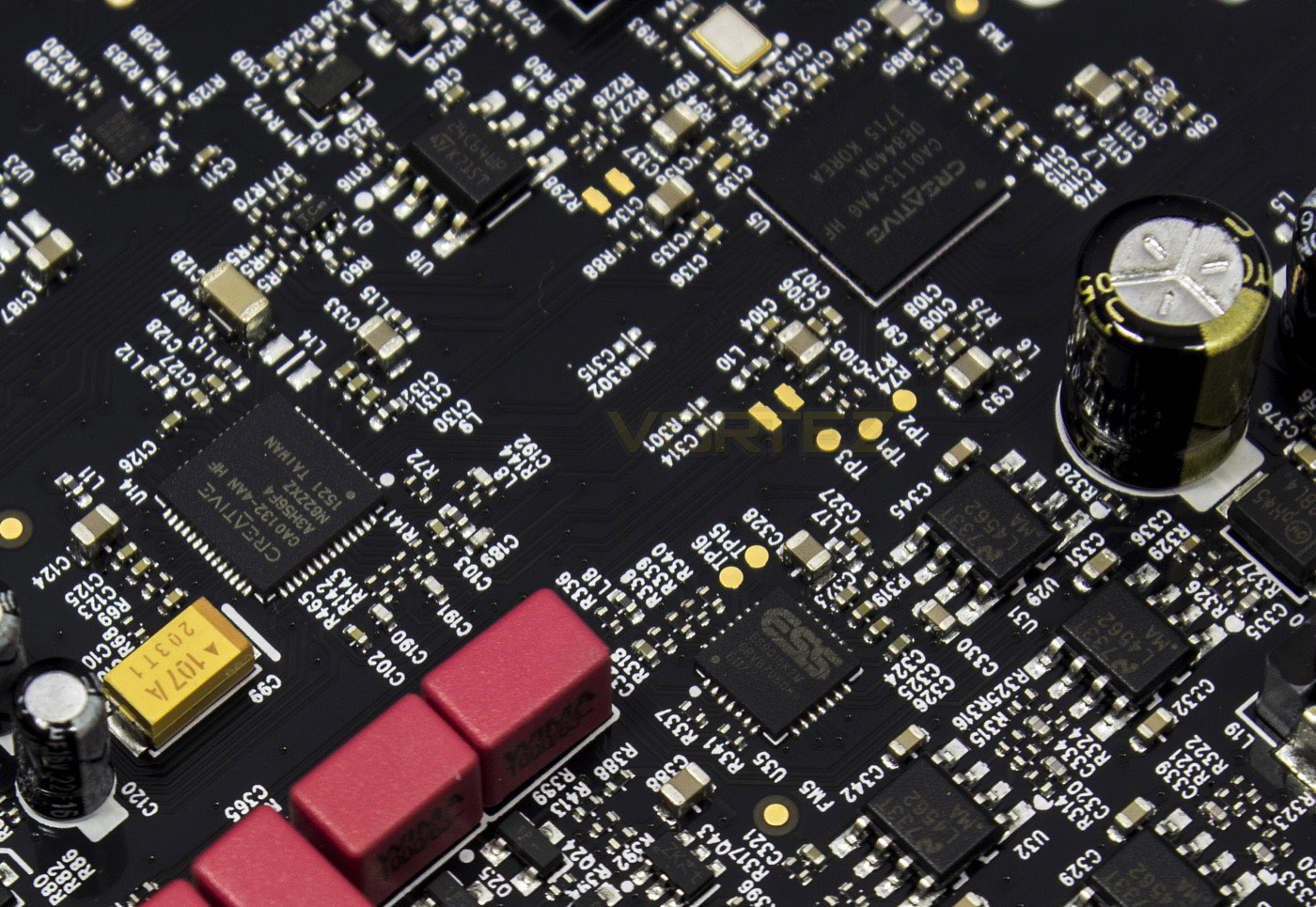
At the heart of the soundcard we find the ESS 9016, which is a 32bit DAC. It is fairly old now, but is a well renowned and good quality. Towards the left side you can see the Creative SoundCore chip, while towards the top right you will see the Creative controller as found on the Z Series soundcards.
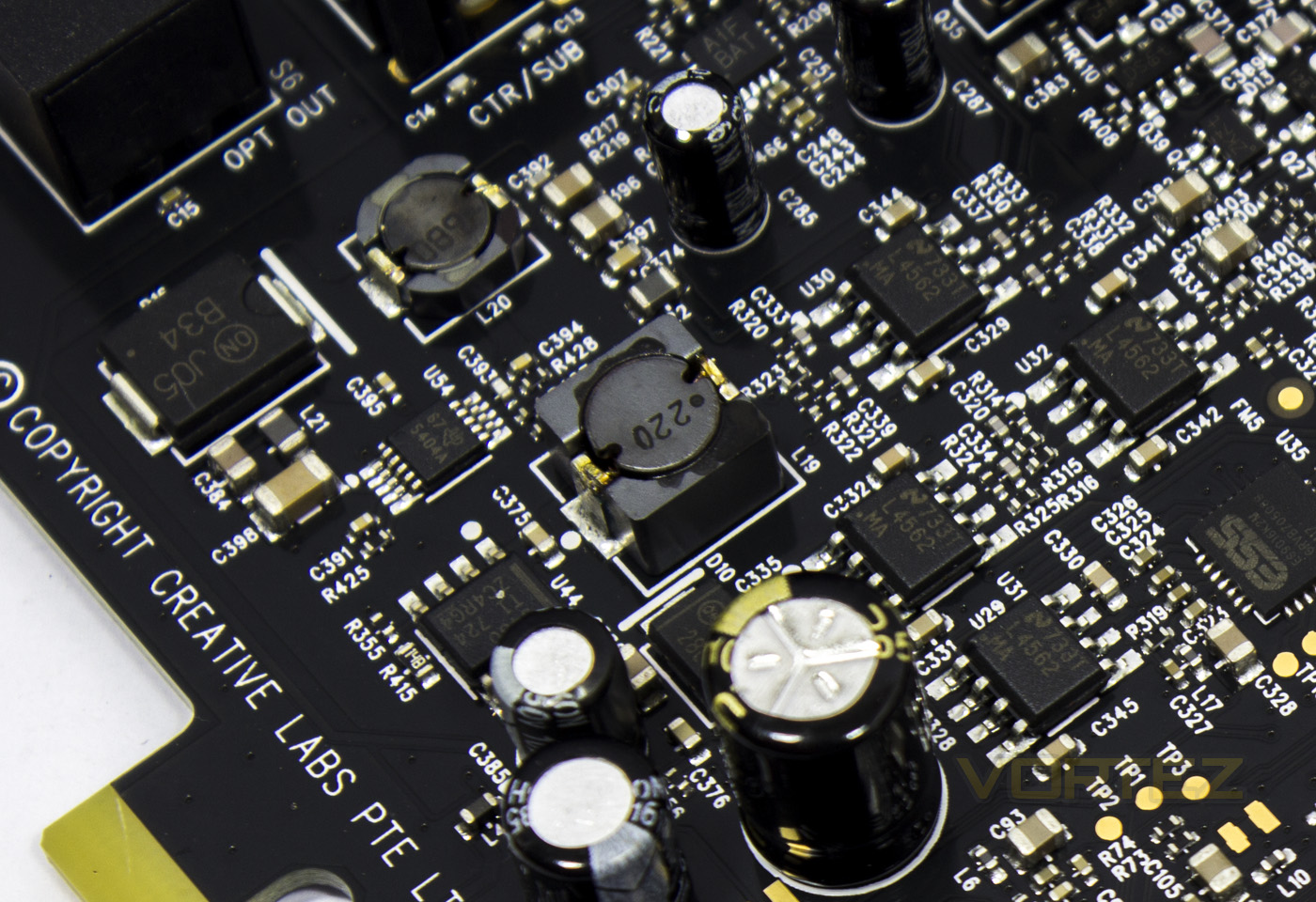
All the channels appear to be using the Texas Instruments L4265 opamps, which are a low profile version of the LM 4562.
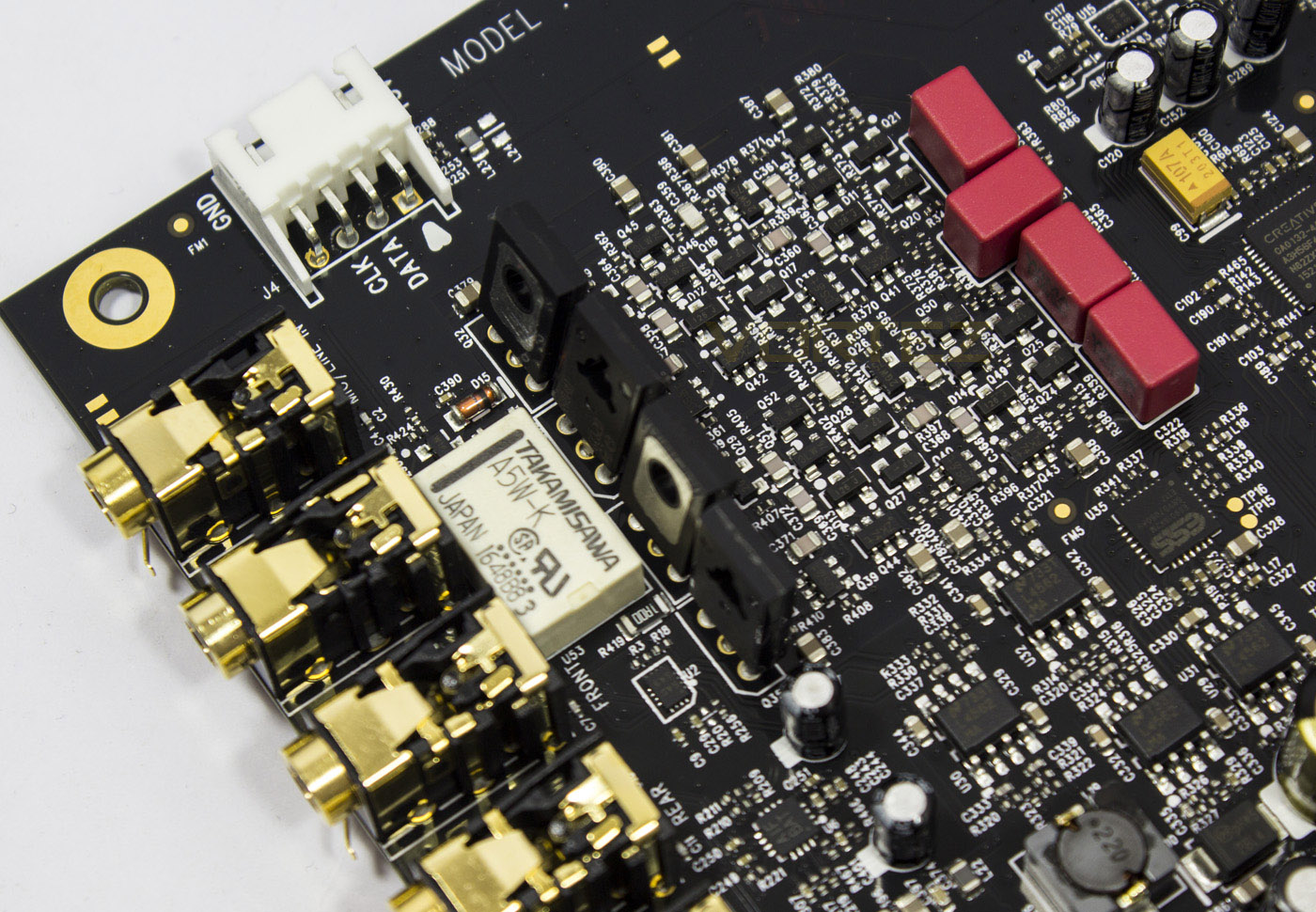
To swap outputs between the headphone and speakers there is an a5w-k Takamisawa signal relay.
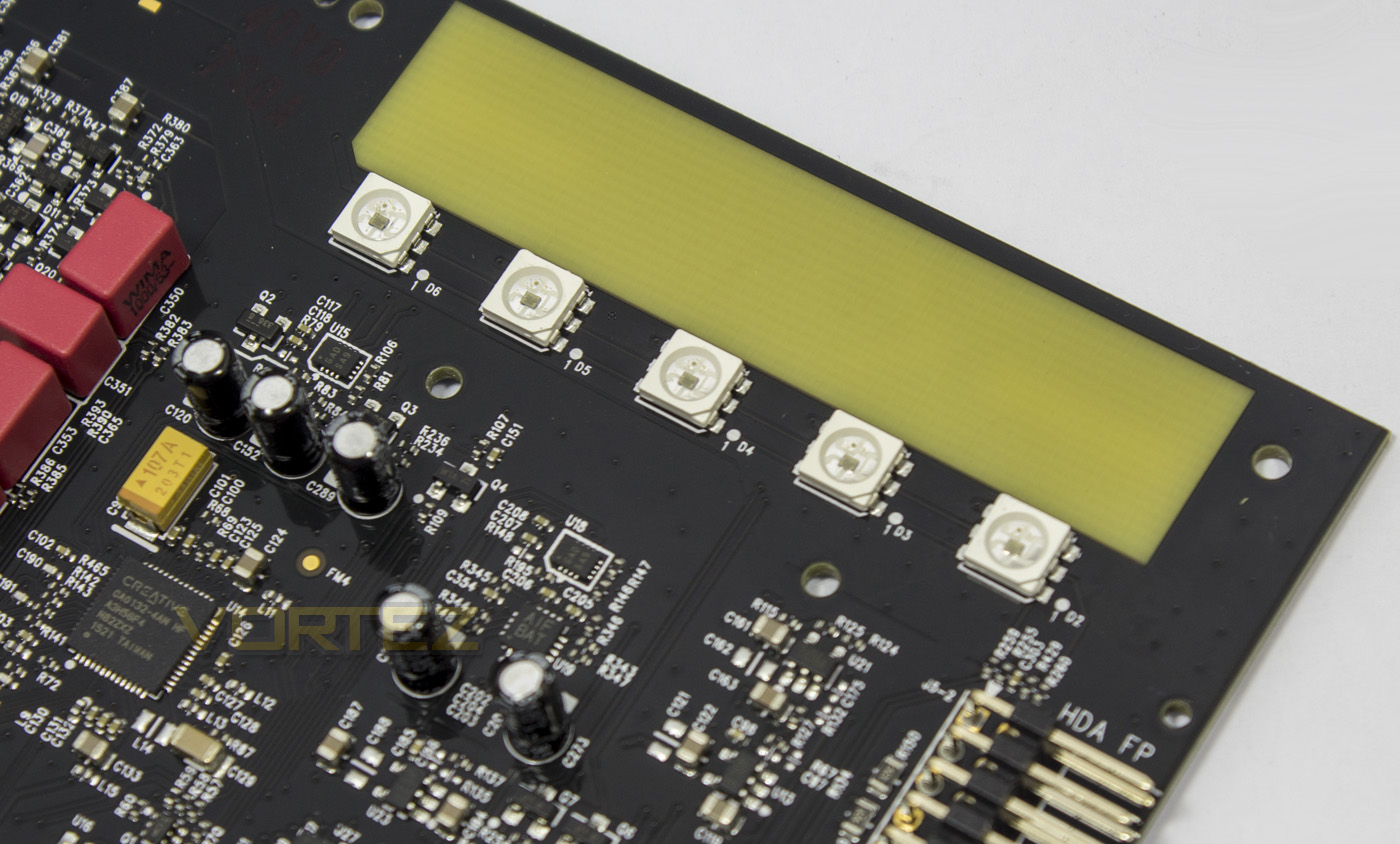
As lighting is a key part of the product, there is a bank of 5 RGB LEDs which sit alongside the logo embedded in the EMI shield.
Software & Lighting
We spent a fair while getting to grips with the AE-5 soundcard and we would be lying if the software side was completely smooth sailing. Sometimes, certain features seemed unavailable, othertimes the LED lighting didn’t work. The landing page feels fairly busy considering the vast amount of preset configurations, which seems slightly unnecessary, all the while you have the ability to ‘sign in’ and create an account that does little benefit to the actual product itself. To top it off, the controls are fairly advanced which can seem a little daunting, some of which aren’t entirely available depending on your usage.It took a little while to get used to it, but at time of writing, we have little to no problems with the software, and we have discovered a fix that is fairly simple should you encounter any issues. After installing the latest software driver, if you have any issues with functionality in Windows 10, open up Settings> Devices> Bluetooth & other devices> locate and select the ‘speakers AE-5’, click ‘remove device’, then restart your system. This will allow the system to reinstall the drivers to the device and has worked for all the issues we have encountered, and these issues seem to only surround installation/updating of drivers.
In the software, you have access to the SBX studio effects, as well as quick access to scount mode 2.0, and the easy to use equaliser. Note, via a ‘speaker’ setup, you only have access to an audio bitrate/resolution of up to 32bit/96KHz, though with your headset and HP Direct, you have access to 32bit/384KHz.
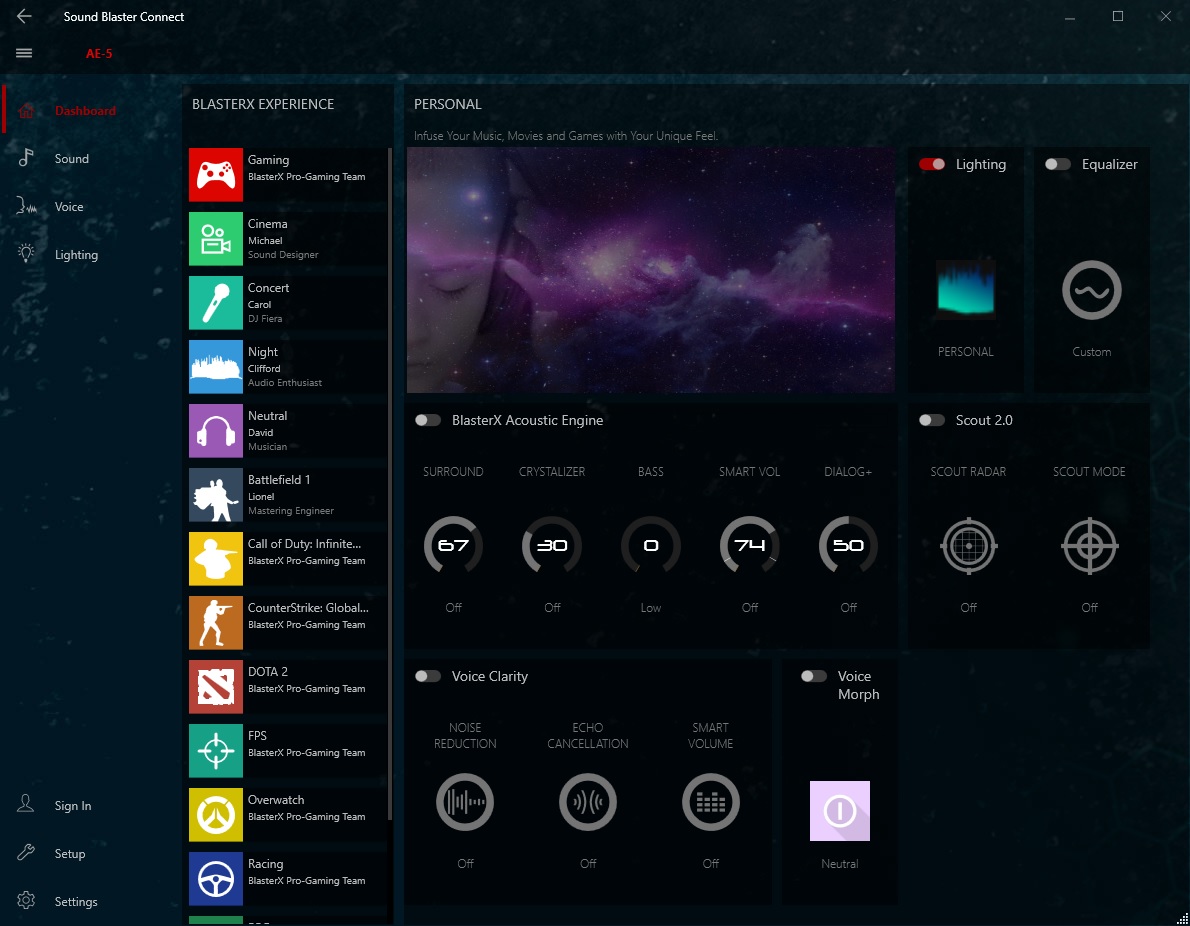
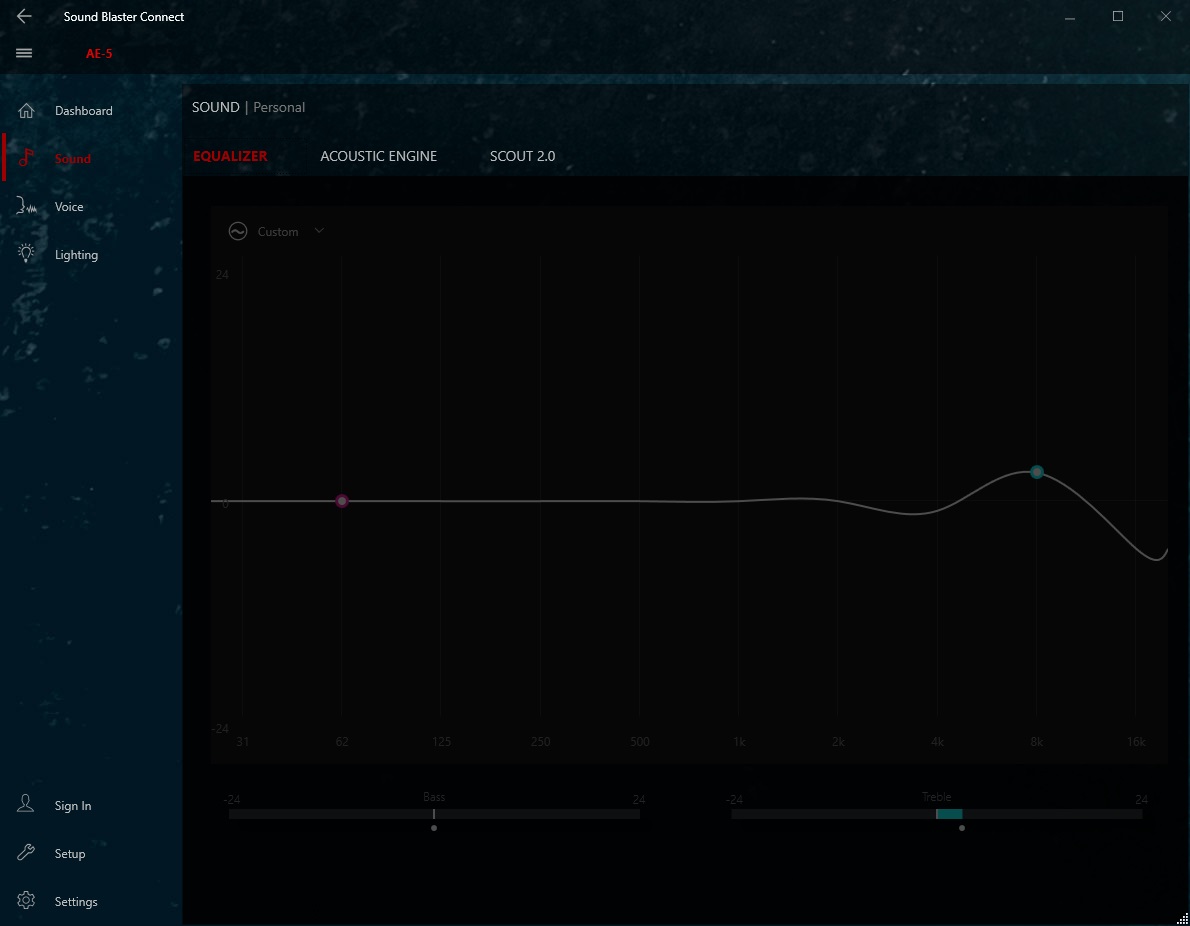
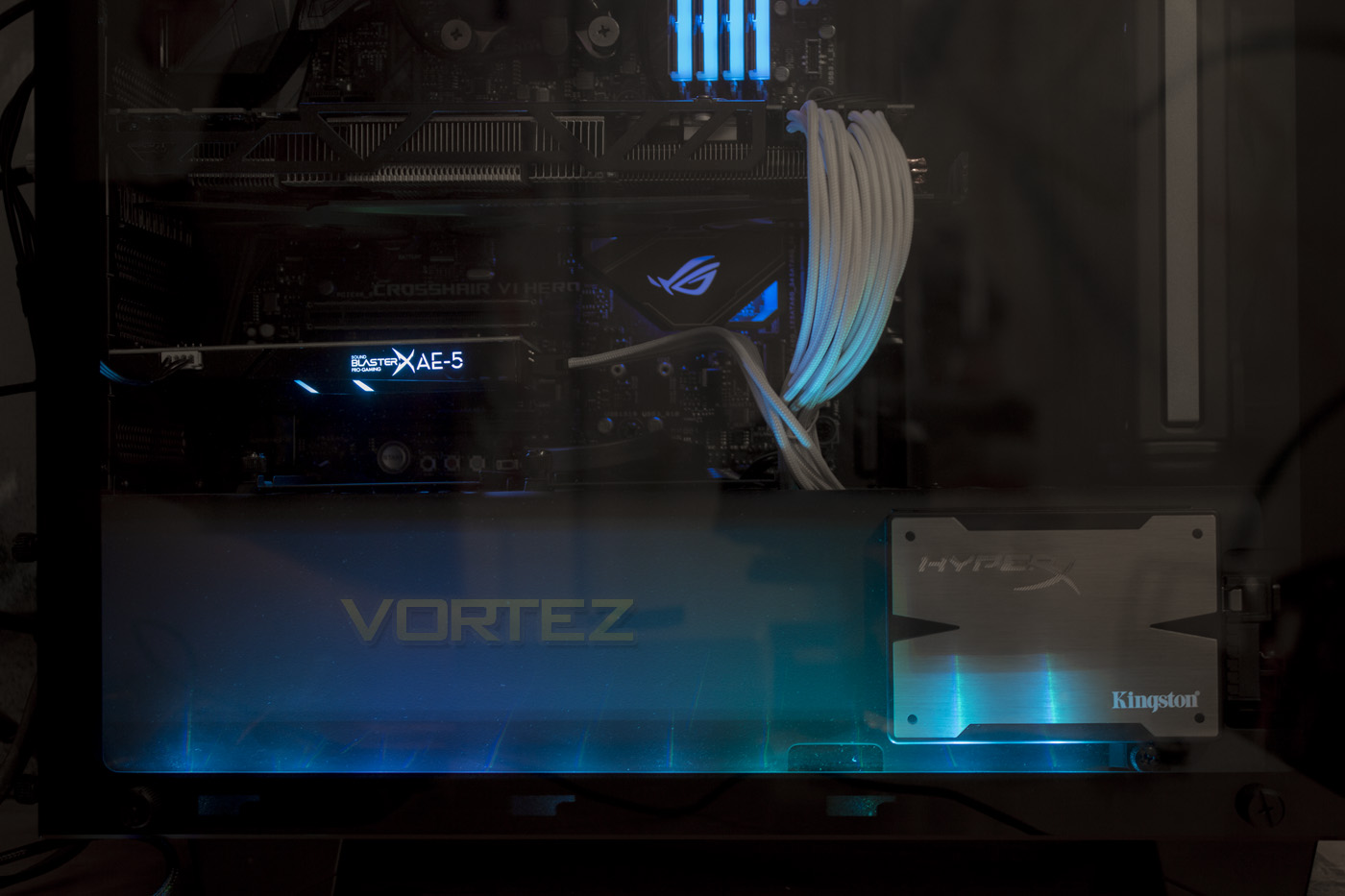
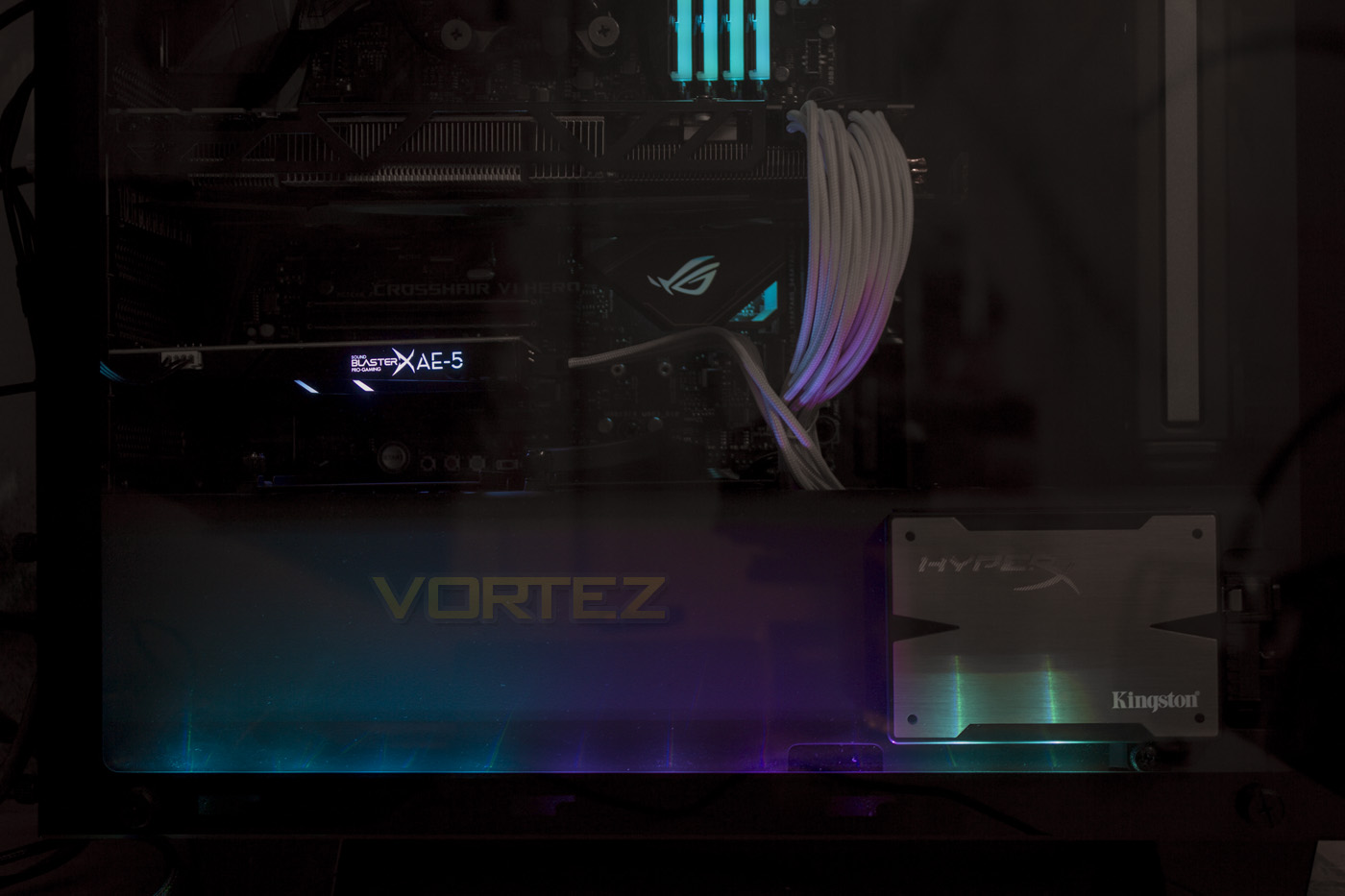
The LED lighting effects are fairly advanced but it takes a little while to get used to the arrangement to create custom dynamic and interesting effects similar to the awesome preset effects.
Performance Testing
Setup, Design & Observations
To add the AE-5 to your system, you will need a spare PCIe 1x slot (or greater) and a spare molex cable for powering the LED lighting. For some, the use of a molex socket will be a great inconvenience, especially if you are using a modular PSU. This will be because it is unlikely in a contemporary system that you will have use for the additional molex cable, which will ultimately take up more space, require more effort to cable, and introduce a string of molex connectors when you only need the one. This will especially impact those in SFF system where space is at a premium.
Once you have installed the soundcard, Windows will recognise and provide basic functionality for the soundcard, but for access to the full features you will need to go to the product page and download the software.
Multi-Media
Headphones
Running our Beyerdynamics DT770 Pro (250 ohm) through the headphone amp was no problem at all after setting the gain to high in the ‘setup’ tab in the Sound Blaster Connect software. Maximum volume is rather loud and the clarity is somewhat well balanced. Bass is smooth and deep, but lacks the punch and presence to what we would expect from these headphones in particular. The mid-range is very clear, while the highs are bright and unhindered. We also used the virtual 7.1 mode for the headphones which widened the audio a little but we did feel as though the audio balance sounded a little too flat. In game we didn’t feel like there was a huge benefit in regards to spatial awareness over Direct headphone mode, but we did find that environmental sounds, clarity, and immersion was certainly enjoyable, and somewhat superior to the motherboard audio.
Speakers
Unfortunately, Creative have been stuck on providing 5.1 surround for some while now and the Sound BlasterX AE-5 is no exception, so if you are planning on running a 7.1 surround system, that will simply not be possible here. However, 5.1 surround is enough for most people and this soundcard drives each speaker perfectly well, and will push practically all ‘PC’ speaker systems to the best they can be. What this will mean, especially to those not familiar with using a discrete soundcard, is that you will hear sounds you didn’t even realise were there before. You will hear greater depth, detail, and natural sounds as they were intended by the creator. If you are using a 5.1 surround system, by selecting the 5.1 speaker setting in the software, it enables the calibration feature, allowing you to adjust the distance/volume of each of the satellite speakers.
Microphone
We tested various headset microphones through the AE-5 and found that the various microphone filtering options do a great job of reducing noise, though inevitably the noise reduction does add a slight delay on your voice pickup, slightly curbing the low and high characteristics of your voice resulting in a slightly different sound to your natural voice. Despite this, the microphone processing is good enough to not require the use of the noise reduction unless you are in a particularly noisy environment. For a bit of fun, the software also includes various voice morphs should you wish to sound like an alien brute, or a fantasy character etc.
Performance Testing: Right Mark Audio Analyzer
Understanding the limitations of a test is something that should be addressed in regards to giving an accurate portrayal. RMAA is a useful tool but testing has many variables thus results are only comparable under similar set standards and parameters and shouldn’t be compared directly to other results that may have been obtained under different testing conditions. Remember that audio preference too is subjective and numbers do not tell the full story.
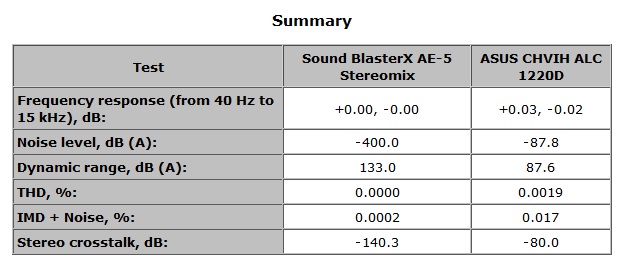
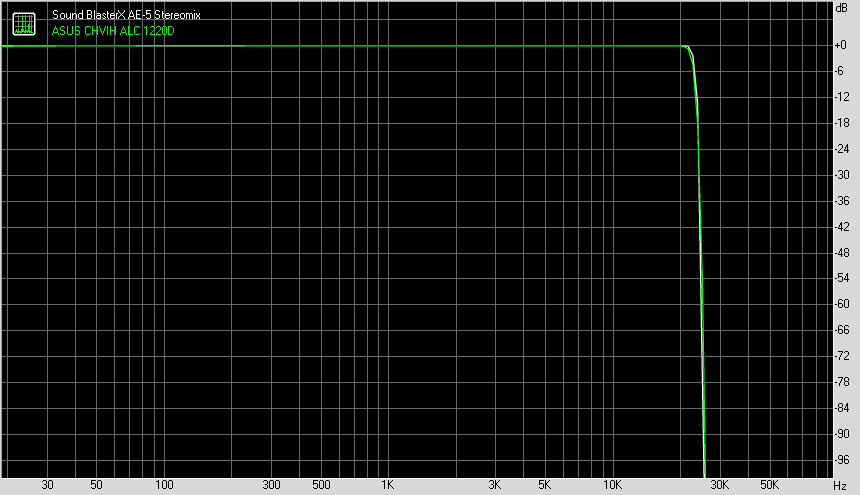
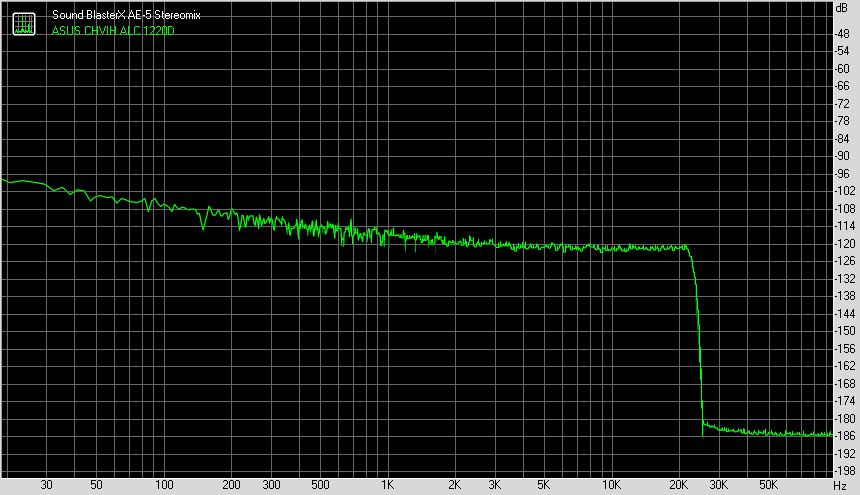
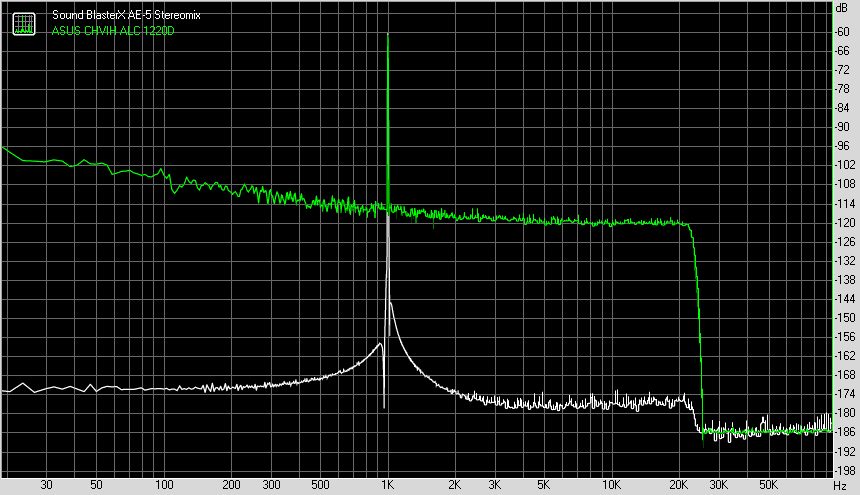
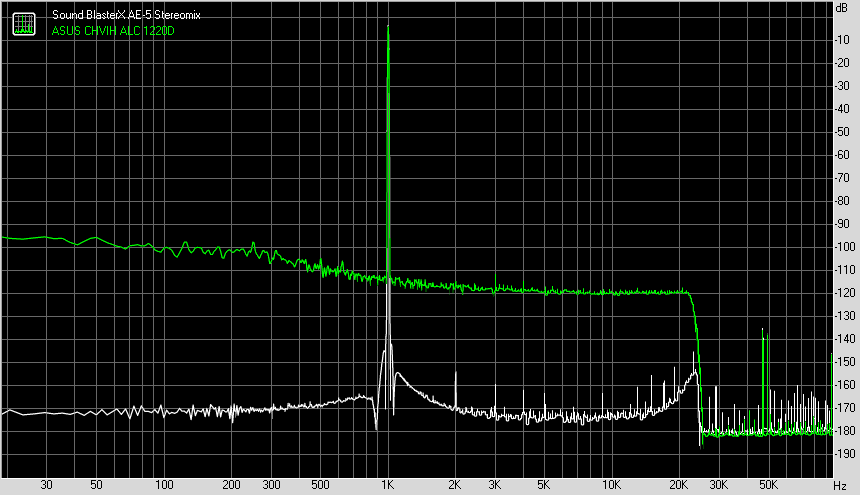
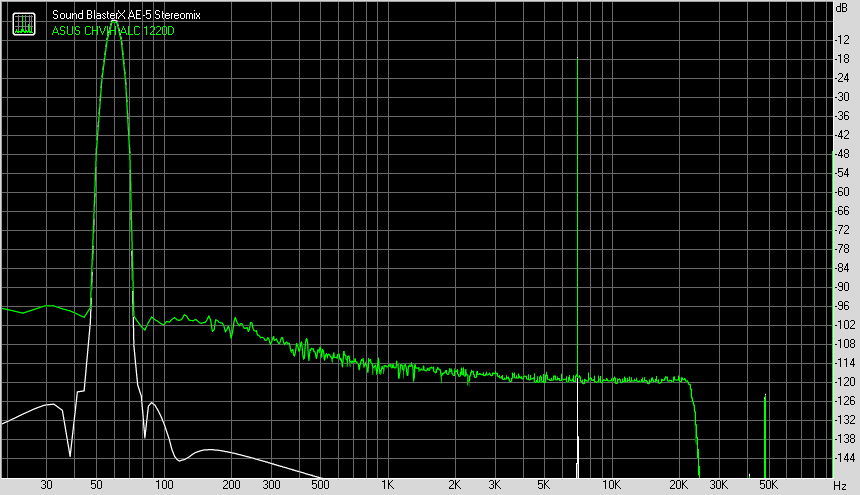
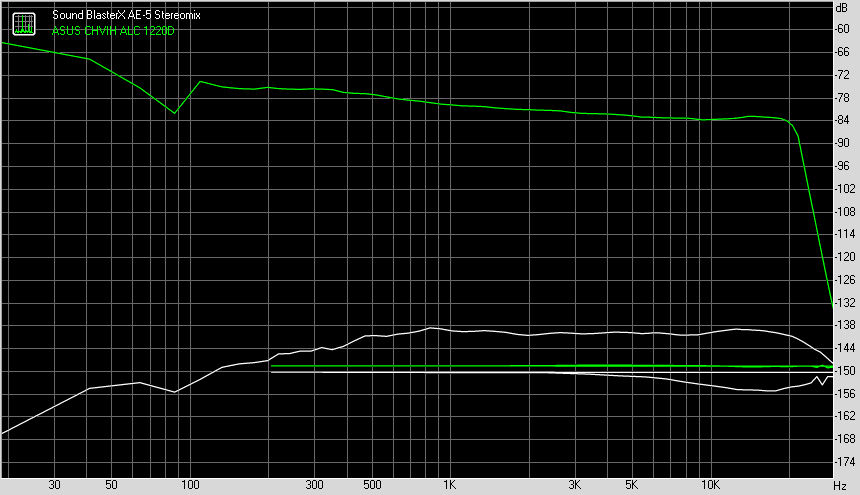
Here, we compare the AE-5 to the integrated solution on the ASUS Crosshair VI Hero, featuring the Realtek ALC 1220 audio codec, the current solution used in many premium motherboards. As we noticed that the AE-5 doesn’t actually natively support 32bit/384KHz (supported via headphones), so we limited the testing to 24bit/192KHz. You will note that comparatively, the AE-5 has such advanced noise filtering compared to the motherboard solution, it doesn’t even appear on the graphs.
Frequency response: Closer to 0 = Better
Noise: Lower = Better
Dynamic Range: Higher = Better
Total Harmonic Distortion (THD): lower = Better
Intermodular distortion (IMD): Lower = Better
Stereo Crosstalk: Lower = Better
Conclusion
We have spent a fair while with the AE-5, testing out each aspect in our every-day system to really get to grips with what it can do. Early on, we did encounter some hiccups regarding the functionality of the software, something not uncommon with older soundcards, and not something exclusive to other products utilising the Sound Blaster Connect software. However, as mentioned earlier, these problems seem to be gone now and it has firmly become not just the centre of sound in our system, but the centre of the visual aesthetic also. Between the G.Skill TridentZ RGB, and the ASUS Aura software, creating a custom RGB effect can be simultaneously subtle, yet stunning when shining through a pristine tempered glass window. This is what the Sound BlasterX is all about, looking, and sounding fantastic.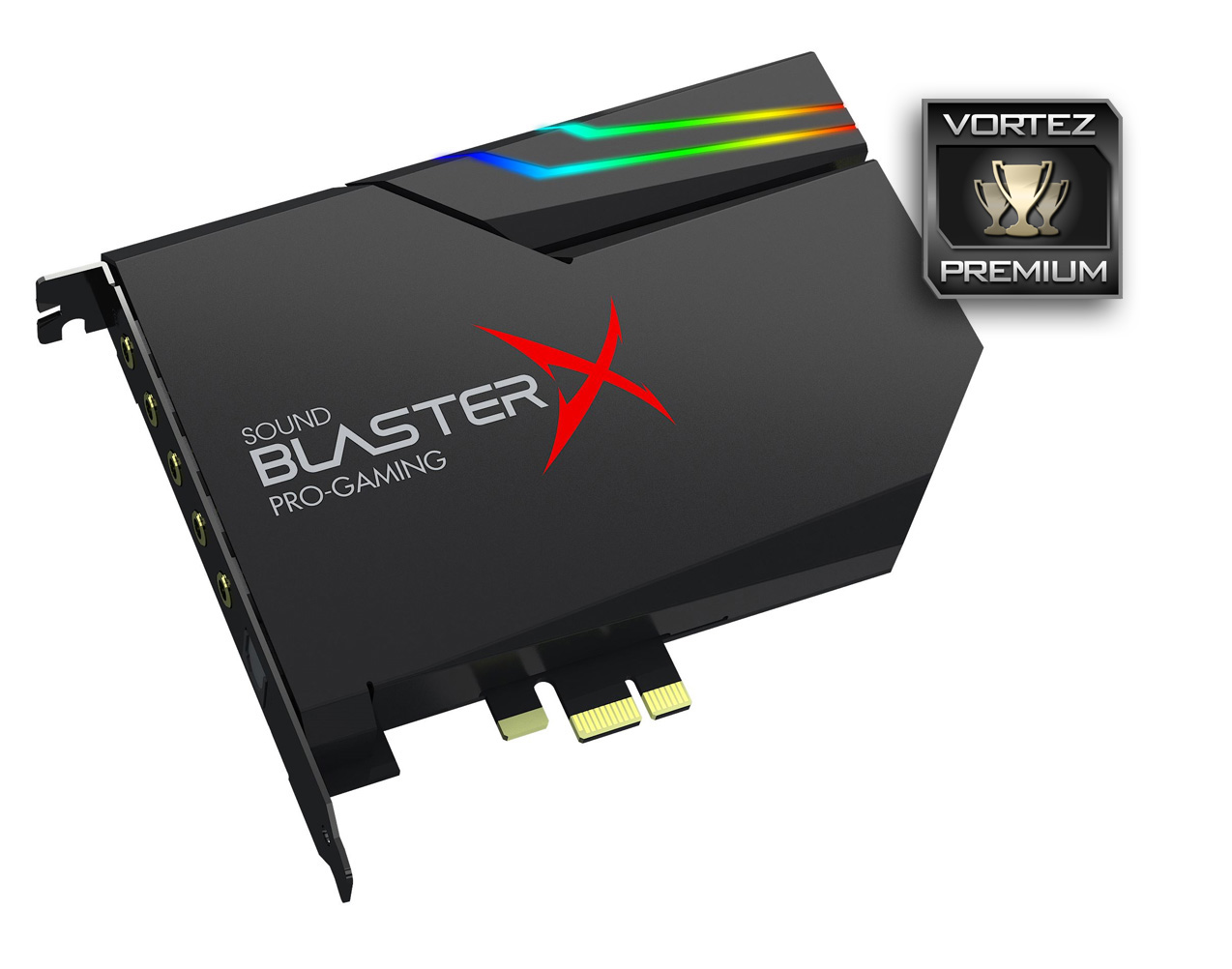
There are some conditions we need to discuss surrounding the Sound Blaster AE-5 however to help identify if this soundcard is for you. Firstly, this is not an audiophile grade soundcard by no means. There is no real space to modify the board, and should you want to try, it would likely become more effort than it is worth. There are no replaceable/socketed op-amps. And to give a true audiophile assessment of the audio quality, we found that the bass is a little soft, lacking a but of punch, and the overall separation doesn’t seem as distinguishable as it could be, and the precision is not quite as tight as it could be. This is in comparison to the likes of the Creative Sound Blaster ZXR and the ASUS STX Essence/ STX Essence II (or ASUS Phoebus). Our testing did find that the AE-5 does indeed have a staggering control over its noise/distortion levels, however there is a point where numbers no-longer tell the full tale especially when it comes to subjective listening. From what we can deduce in this instance, is that the ESS SABRE32 provides a cost effective, sure-fire way to deliver reliably good audio. Because of this, if you already own one of the above mentioned soundcards, you may very well discover that the AE-5 is not an upgrade, nor will the audio quality blow you away with its ’32bit/384KHz’ audio rendering. However, for those using an older soundcard, motherboard audio, or another midrange soundcard, you will certainly notice a significant jump in audio quality, and for everyone else, it is a perfect way of introducing an excellent audio-visual component to your contemporary RGB PC system.
Gamers will find all the features they need with the Sound BlasterX AE-5, and can trust that it will provide a high-grade audio experience. What is more surprising is that it is capable of becoming the central piece in the aesthetics of a contemporary gaming PC setup.
+ High quality, low noise audio
+ Supports 5.1 speaker systems
+ Xamp, Bi-Amplified headphone amplifier
+ RGB LED strip + Advanced Aurora Reactive lighting effects
+ Creative SBX Technologies
+ Front panel connector
+ Competitively priced
Neutral
+- Bass seems a little soft
+- Advanced software, not always so straight forward
+- May not be worth the upgrade for some
Cons.
– Requires Molex power cable
Click here for an explanation of our awards at Vortez.net.