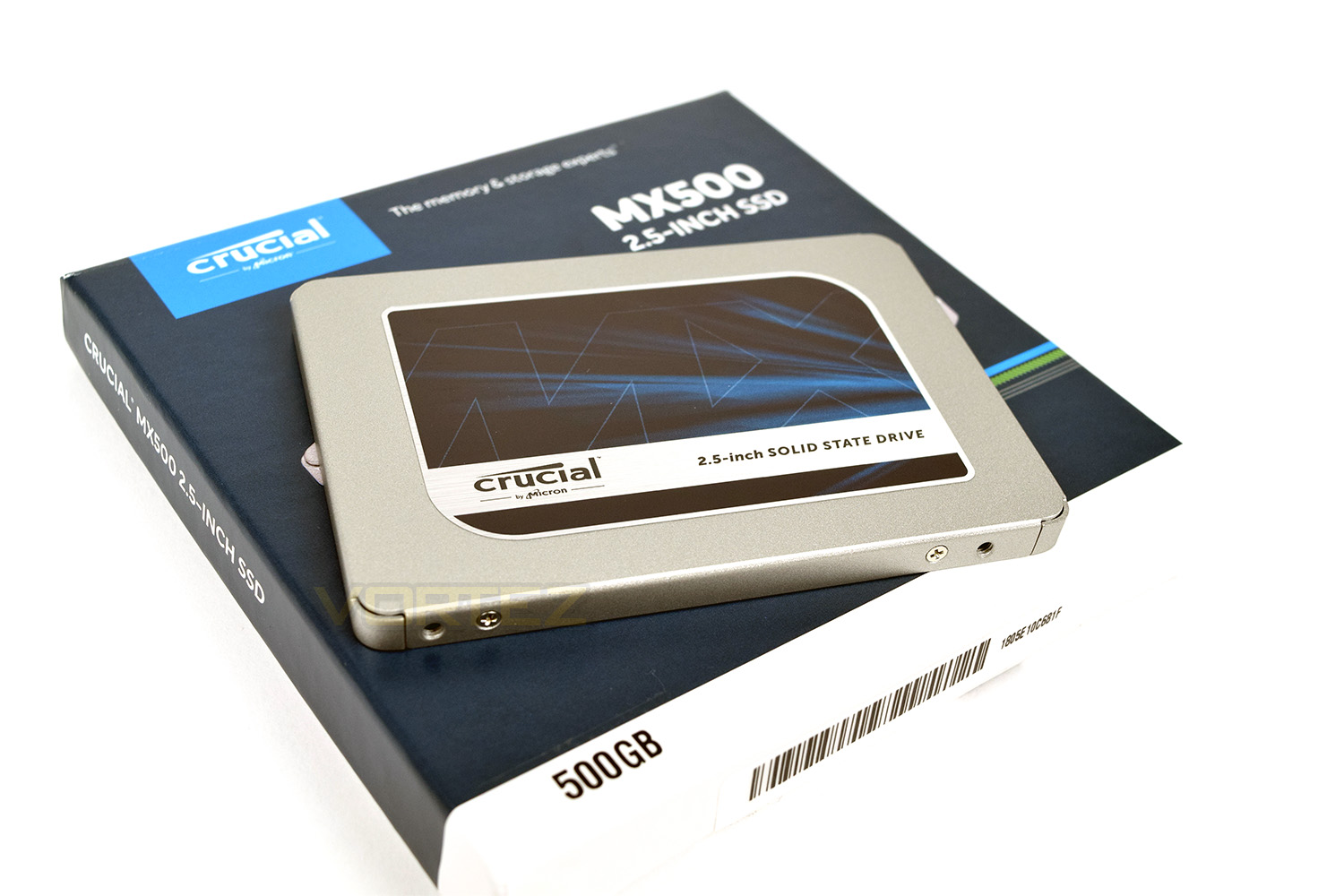
Crucial aim to push their way back into the forefront of price to performance with their latest MX500 SSD. Today we look at the 500GB variant.

Product on Review: Crucial MX500
Manufacturer: Crucial
Street Price: 250GB – £66.00 / $79.99 – 500GB – £114.98 / $134.95 – 1TB – £221.99 / $259.99 – 2TB – 428.39 / $499.99
Crucial are focused solely around the memory industry, no dilution, no distraction, just DRAM and Flash storage. This results in some excellent products leaving their doors. Today we look at the new Crucial MX500 SATA SSD; we’ve been provided with a 500GB 2.5” drive for testing, arriving at a £115 price point.
Featuring the latest Micron 64-layer 3D NAND for excellent power efficiency while maintaining exceptional read and write rates, makes this kind of drive ideal for mobile users as well as desktops. The 7mm 2.5” form factor and incredible lightweight properties are also important.
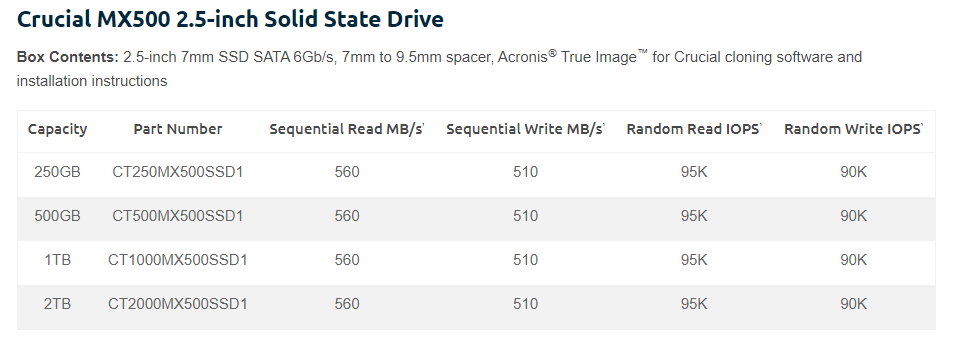
The Crucial MX500 also arrives with a 5-year limited warranty, 180TBW on the 500GB drive and quoted read and write figures of 560MB/s and 510MB/s respectively.
Stick around to find out how it fares in our testing.
Crucial on the MX500:
Every time you turn on your computer, you’re using your storage drive. It holds all your irreplaceable files and it loads and saves almost everything your system does. Join more and more people who are keeping their family videos, travel photos, music, and important documents on an SSD, and get the near-instant performance and lasting reliability that comes with solid state storage. Upgrade with the Crucial® MX500 SSD, a drive built on quality, speed, and security that’s all backed by helpful service and support.
Technical Specifications
Packaging, Bundle & Closer Look
Crucial haven’t changed their packaging much in a long time, though it serves a simple purpose of protecting the drive and showing some basic figures. The image on the front is clear.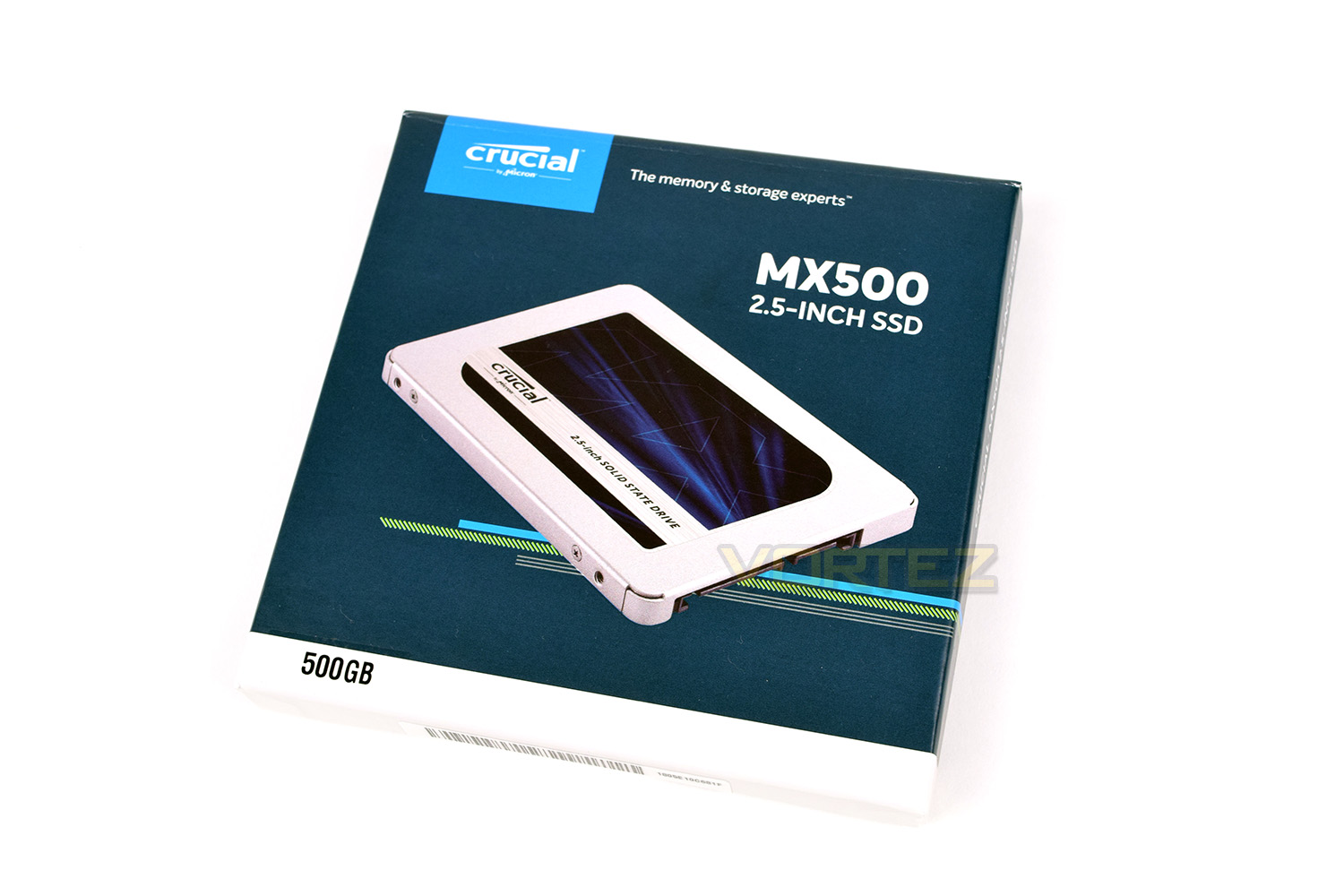
The reverse side looks equally as dated though it gives all the information you might need when deciding which SSD to purchase.
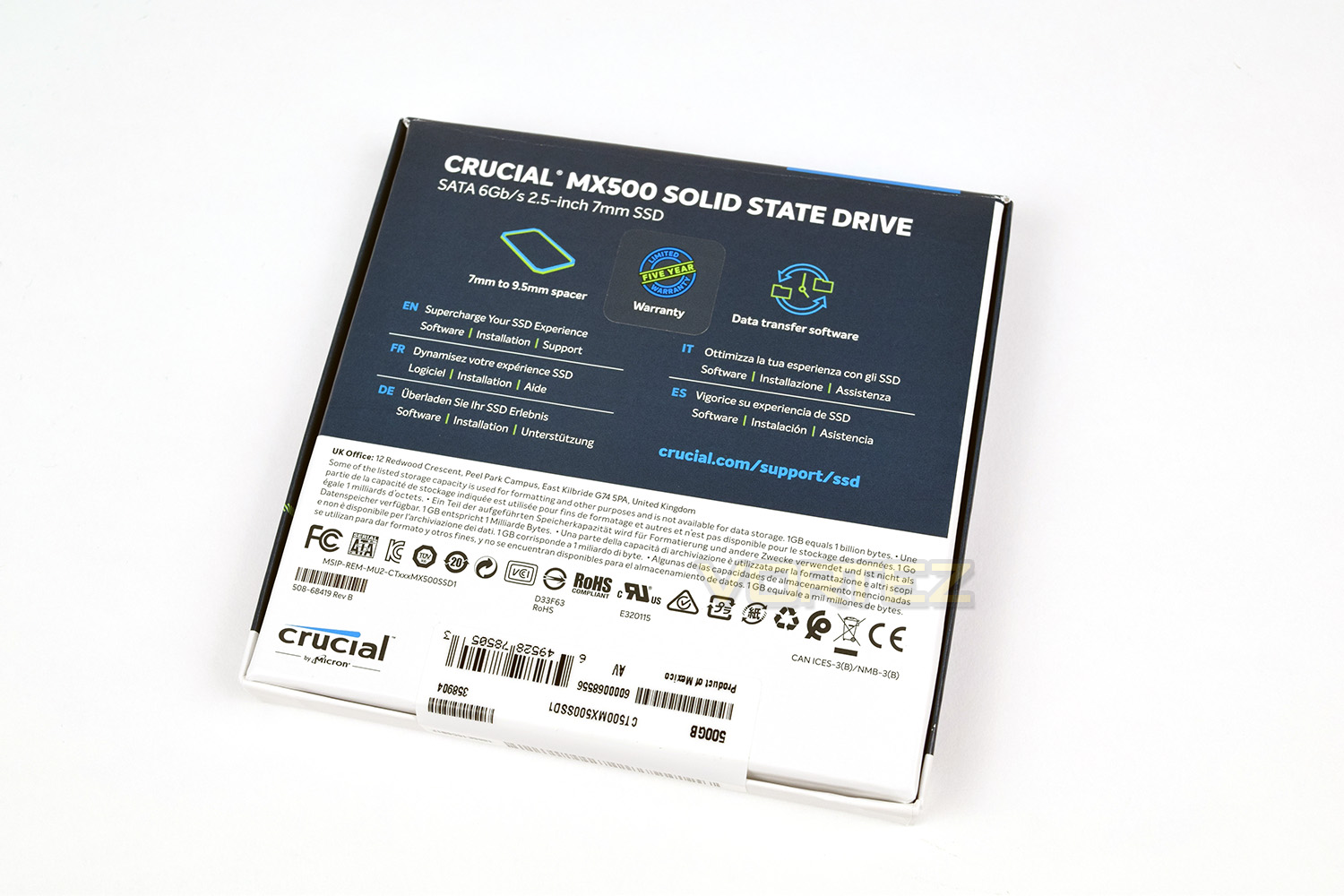
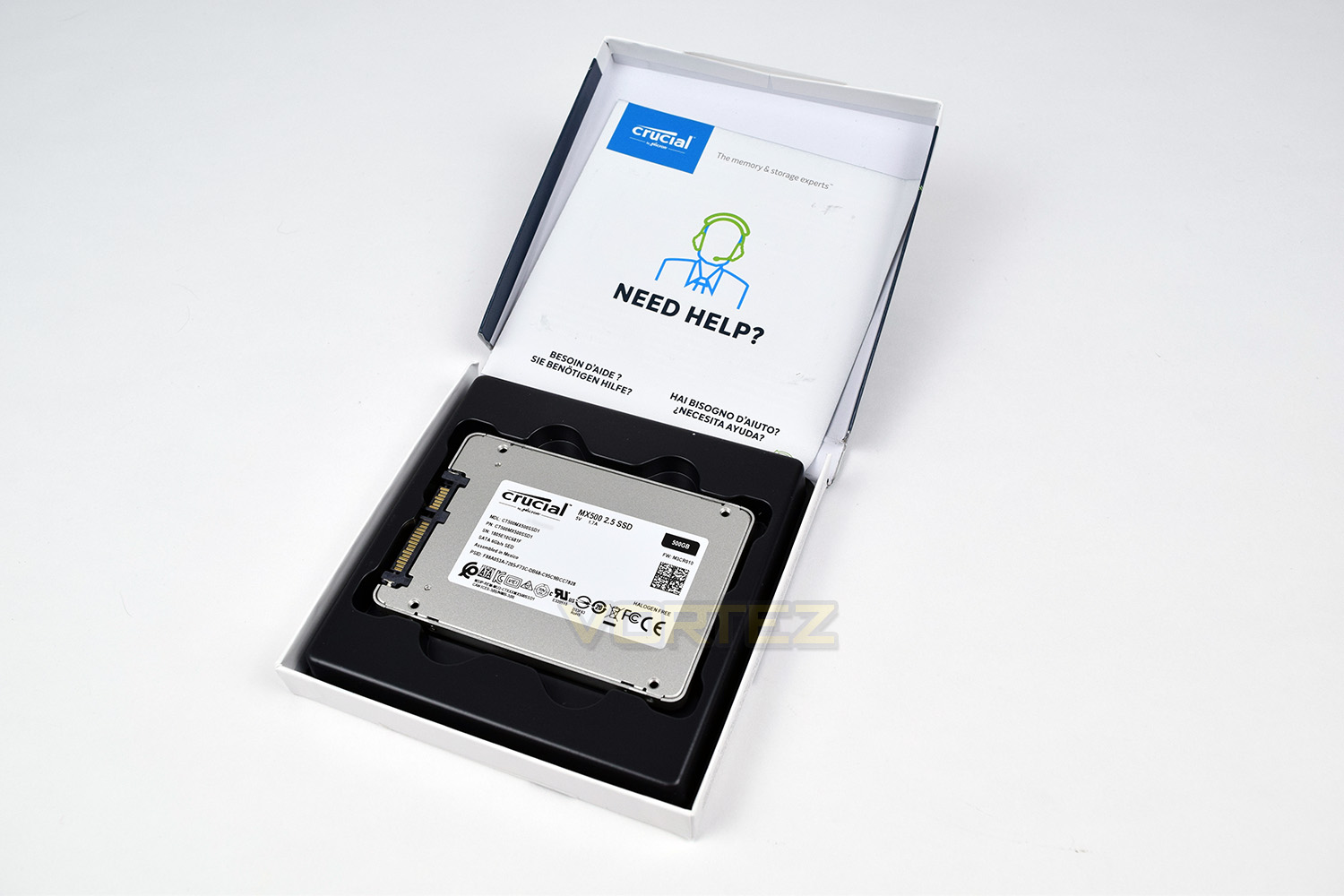
Opening up the packaging, the drive is held in place by some thin plastic. There’s little fear of any damage in transit, so it’s good to see Crucial being frugal with their packaging – helping the environment is never a bad thing.
The small leaflet included gives instructions on the included Acronis disk cloning software as well as useful customer support information.
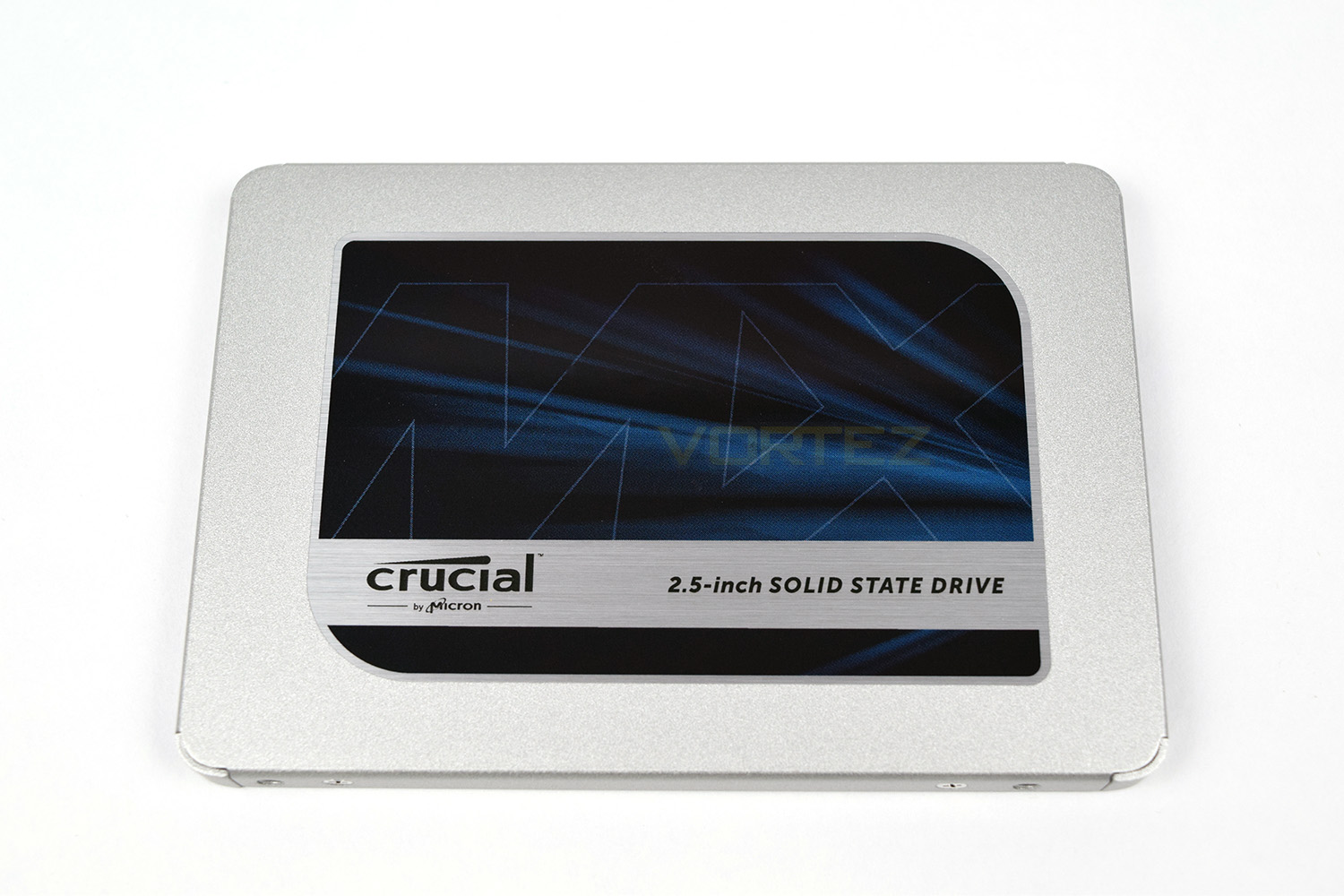
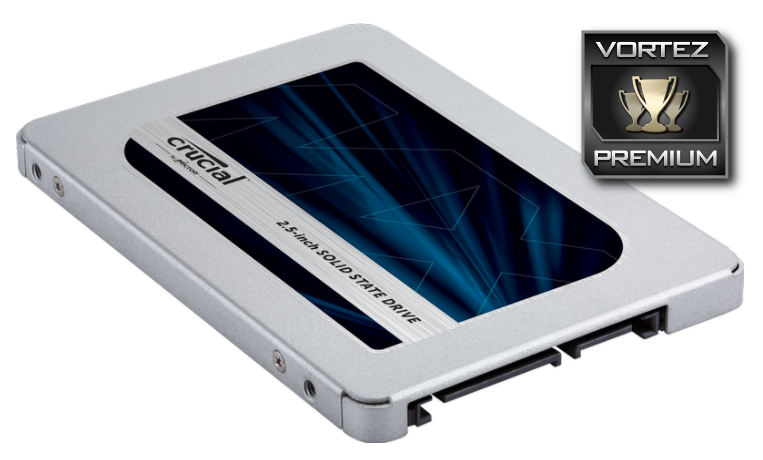
The silver and blue appearance on the front of the drive is beginning to look a little old and dated now. This won’t be an issue in many systems, but with some users focusing a lot of effort onto the internal appearance of their machines, this could easily ruin such a colour scheme.
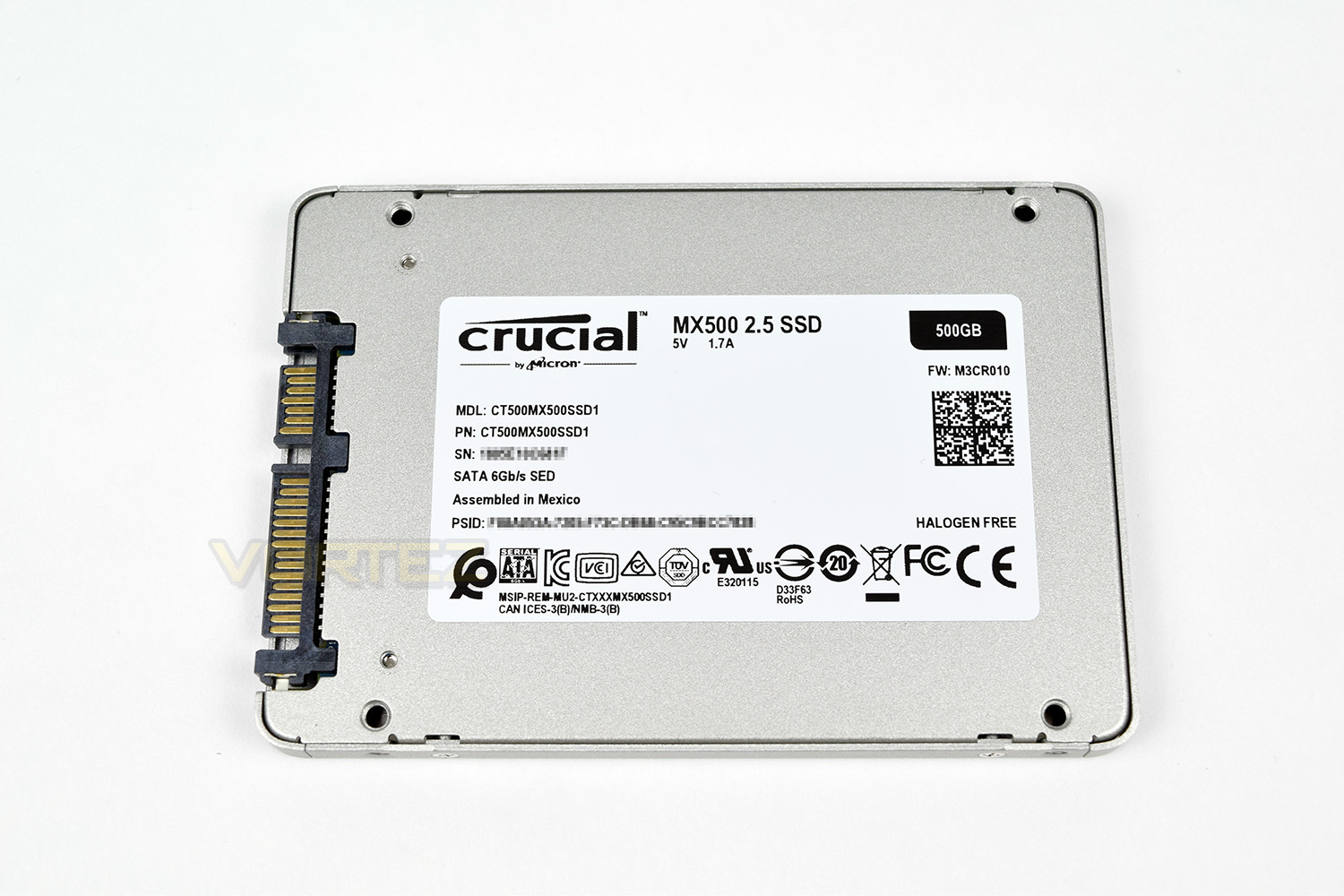
The reverse side gives all serial numbers and information on the construction and local regulations applicable.
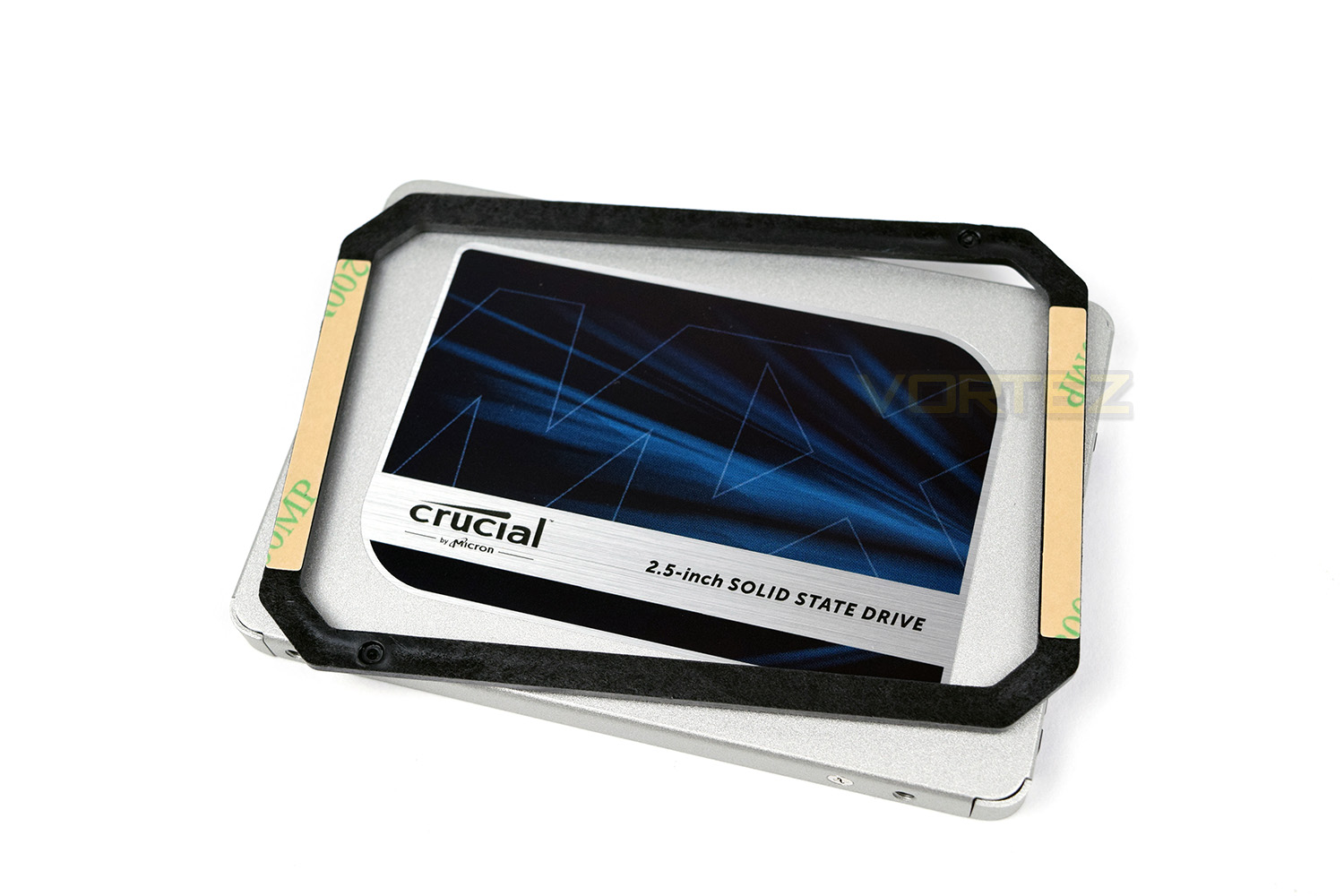
Due to the 7mm form factor, Crucial have bundled a small spacer for use in machines designed for the larger 9.5mm drives.
Test Setup & Methodology
Our test system is formatted and a fresh version of Windows is installed with just drives in place – no additional applications. Windows is then updated to the latest release and the drivers are installed.Included in the list of benchmarks are the following applications:
Benchmarks
Anvil Pro
AS SSD
ATTO Disk Benchmark v2.46
Futuremark PCMark 8
AIDA64
AS SSD
ATTO Disk Benchmark v2.46
Futuremark PCMark 8
AIDA64
Test system
CPU: Intel Core i7 7700K
Motherboard: MSI Z270 Gaming M7
Graphics: EVGA GTX 1070 SC
Memory: 16GB CORSAIR Vengeance LPX 3200MHz DDR4
SAMSUNG SM961 256GB NVMe
Crucial MX500 500GB SSD
PSU: BeQuiet Straight Power 11 650W
OS: Microsoft Windows 10 Pro 64-Bit
Monitor: ASUS ROG PG279Q
Motherboard: MSI Z270 Gaming M7
Graphics: EVGA GTX 1070 SC
Memory: 16GB CORSAIR Vengeance LPX 3200MHz DDR4
SAMSUNG SM961 256GB NVMe
Crucial MX500 500GB SSD
PSU: BeQuiet Straight Power 11 650W
OS: Microsoft Windows 10 Pro 64-Bit
Monitor: ASUS ROG PG279Q
Benchmarks: Anvil Pro
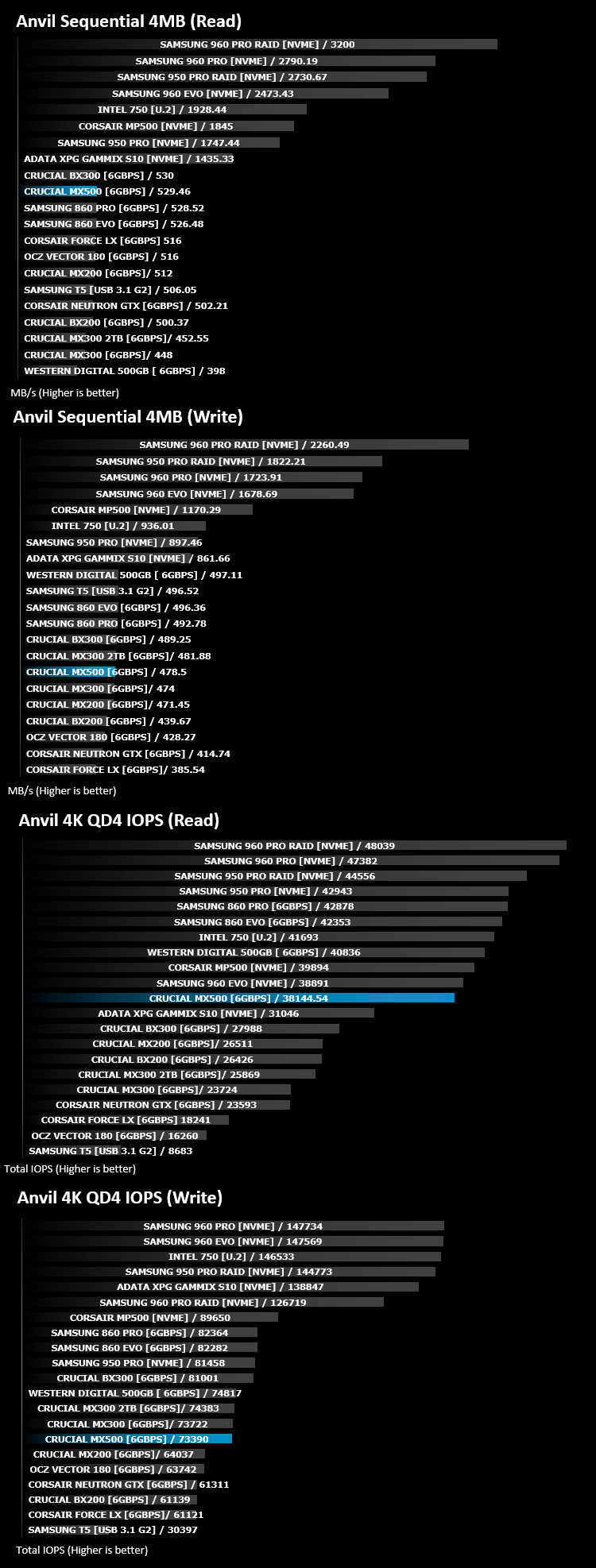
Anvil Pro from Anvil Storage utilities is one of the most popular storage benchmarking utilities today thanks to the large suit of tests available. You can test pretty much anything from Read/write Speed to IOPs with many variables to tweak allowing you to get either a single or host of results to compare with other likeminded enthusiasts. In our test we ran the standard suite 5 times, subtracting both the highest and lowest scores and determined the final result from the average of the remaining three results.
Benchmarks: AS SSD
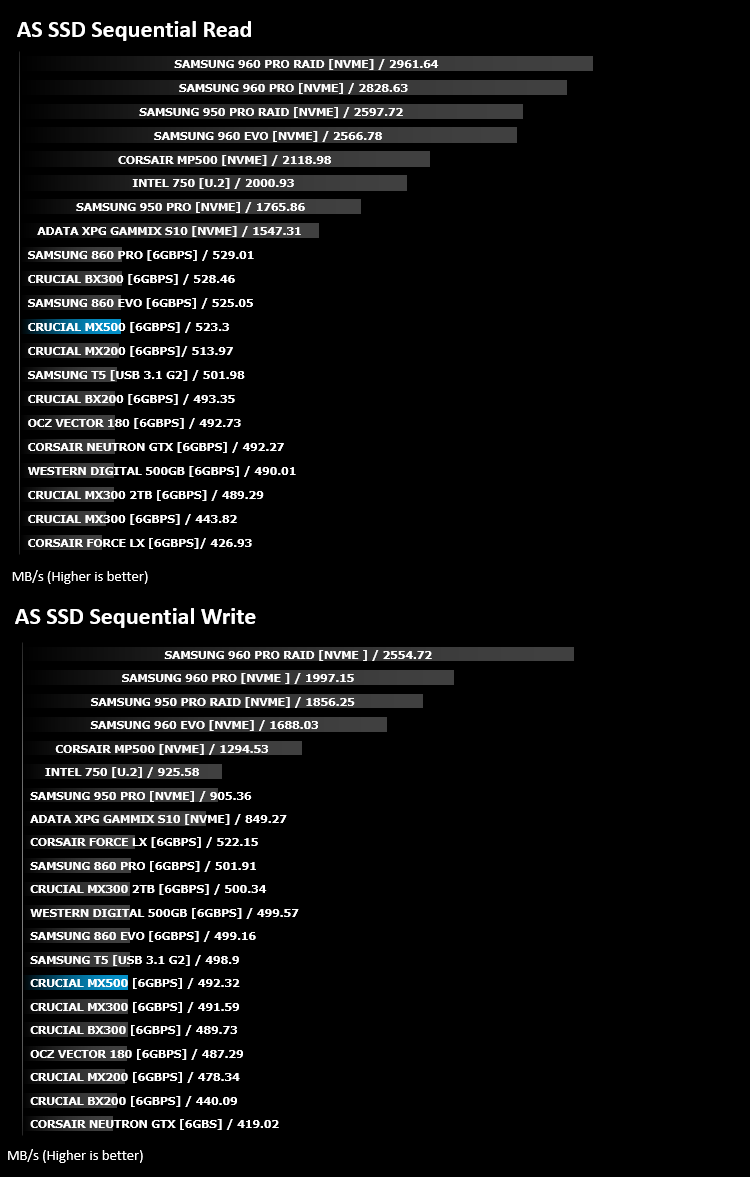
AS SSD Benchmark is a straightforward tool for measuring the speed of your SSD drive.
Simply launch the program, choose your drive, click Start, and it’ll test your SSD’s read and write speed in a variety of ways, delivering a score for each when it’s done. And if that’s not enough, there are also additional file copy and compression-related benchmarks available from the Tools menu. (The author’s support page is German only, but if you need further English explanations then there’s a thread on the program at the OCZ Technology forum.).
Simply launch the program, choose your drive, click Start, and it’ll test your SSD’s read and write speed in a variety of ways, delivering a score for each when it’s done. And if that’s not enough, there are also additional file copy and compression-related benchmarks available from the Tools menu. (The author’s support page is German only, but if you need further English explanations then there’s a thread on the program at the OCZ Technology forum.).
Benchmarks: ATTO
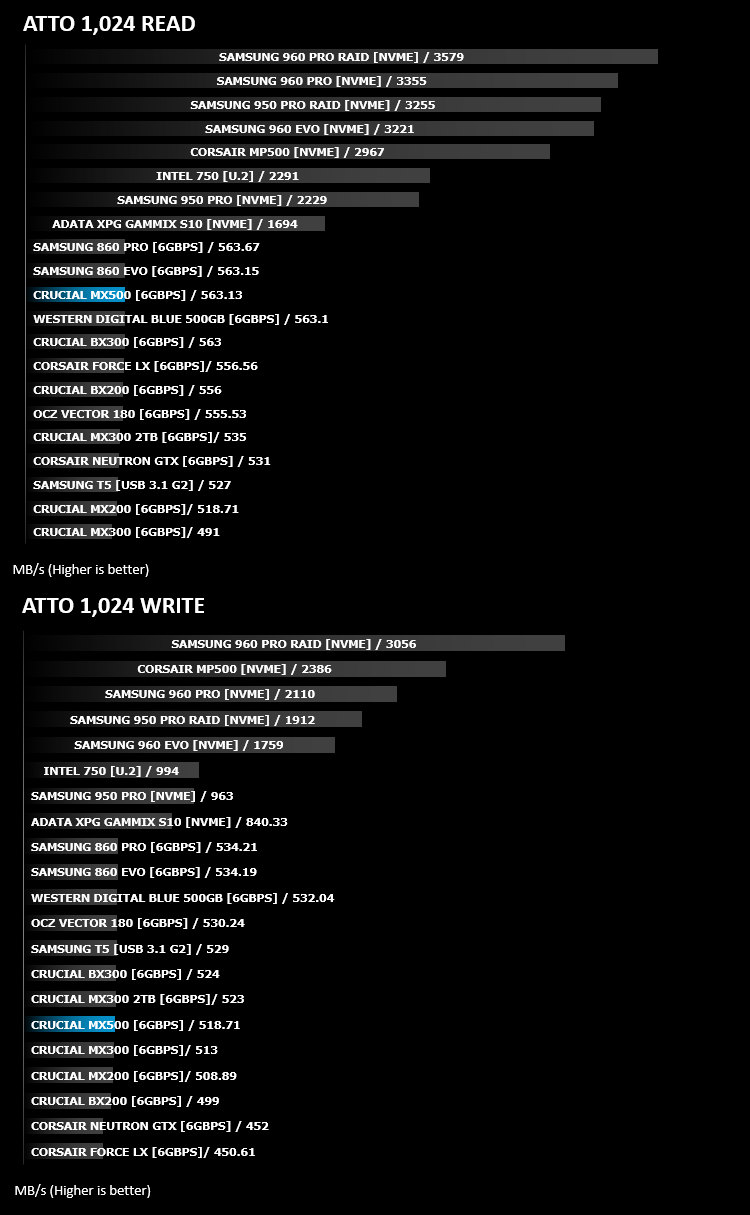
The ATTO Disk Benchmark performance measurement tool is compatible with Microsoft Windows. Measure your storage systems performance with various transfer sizes and test lengths for reads and writes. Several options are available to customize your performance measurement including queue depth, overlapped I/O and even a comparison mode with the option to run continuously. Use ATTO Disk Benchmark to test any manufacturers RAID controllers, storage controllers, host adapters, hard drives and SSD drives and notice that ATTO products will consistently provide the highest level of performance to your storage.
Benchmarks: AIDA64
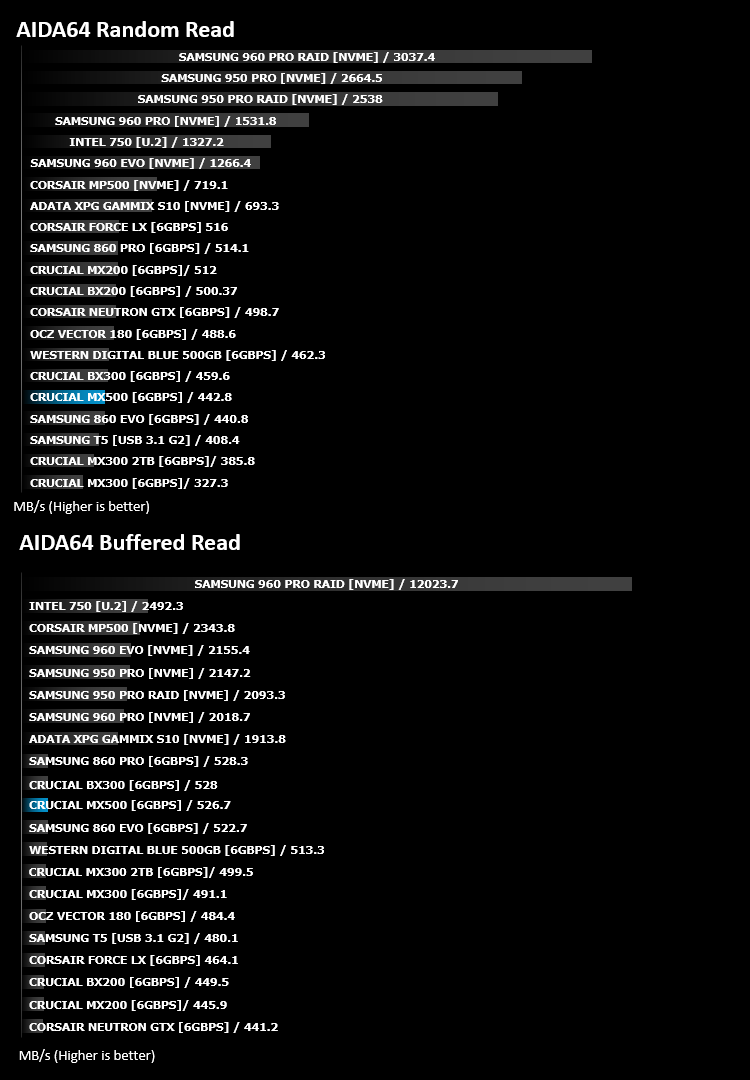
With this module, we can measure the performance of the PC’s storage devices, including (S)ATA or SCSI hard disk drives, RAID arrays, optical drives, solid-state drives (SSD), USB drives and memory cards. It also allows us to perform write tests, which helps us detect fake products and errors on the devices. In order to attain reliable benchmark results we have to make sure to close all background applications.
Benchmarks: PCMark 8
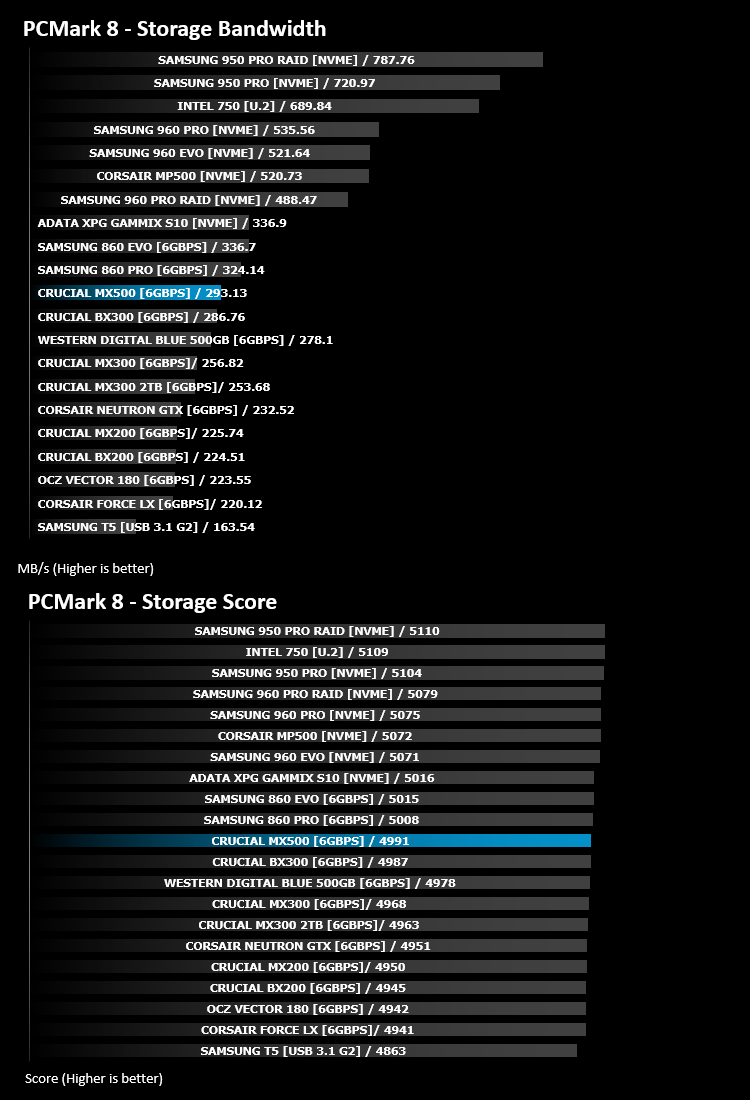
We use the Futuremark PCMark 8 utility to measure storage via Photoshop performance under both light and heavy loading conditions. Accelerated (open CL) is used to perform this test. The test is measured in seconds to complete.
Conclusion
Priced at £115, the Crucial MX500 hits a price:performance point that nothing else can match at the moment. This makes the MX500 absolutely ideal for rejuvenating an old laptop, adding some new, fast storage to a PC or even using this as your main PC drive within a new build.Aesthetically, we don’t really have many positive words to say about the drive. If you’re hiding it away inside a laptop or a PC that will be hidden from the human eye for months, if not years at a time, this will be absolutely fine. The silver and blue sticker looks too dated to be considering appealing anymore – perhaps Crucial can buck their current trend of styling and move to something a little more modern in their next iteration of drives. It’s also very difficult to tell the difference between their lineup, due to the persistent use of a blue sticker on a silver drive.
Due to the bandwidth limitations of SATA 3.0, we haven’t really seen any huge jumps in SSD performance for a few years now, with manufacturers instead focusing on other areas, such as endurance, random access speeds, input and output and most importantly, reducing cost. Our test results reflect this massively, with the drive performing roughly the same as the other Crucial SSDs we’ve tested recently; however, when the price is compared to the performance of the drive, the Crucial MX500 suddenly becomes a very attractive option.
Unless you need the absolute fastest drive out there, the MX500 offers a combination of price and performance that nothing can match.
Pros
+ Competitive pricing
+ Good performance
+ Included software is useful
+ Long lifespan with high TBW rating
Cons
– Drive looks dated
+ Competitive pricing
+ Good performance
+ Included software is useful
+ Long lifespan with high TBW rating
Cons
– Drive looks dated
Click here for an explanation of our awards at Vortez.net.
Stay connected with the Vortez Social Media pages:
Join in with the discussions on Discord