A powerful 802.11ac wireless AC router with Tri-Band functionality – offering speeds of up to 3200Mbps. Is this the perfect home network router?

Product on Review: AC3200 Ultra DIR-890L Router
Manufacturer & Sponsor: D-Link
Street Price: £215 GBP / $287 USD
D-Link are known the world-over for their strong and varying portfolio of networking products. They’ve been in the business for over 29 years, supplying the marketplace with routers, switches, hotspots, servers and adapters.
Wireless networking and functionality is at the very forefront of life as a consumer; our homes are filled with smartphones, tablets, TV entertainment systems, notebooks and desktop computers. Today we’ll be taking a look at a WiFi router which seeks to manage this demanding workspace by offering up some innovative features.
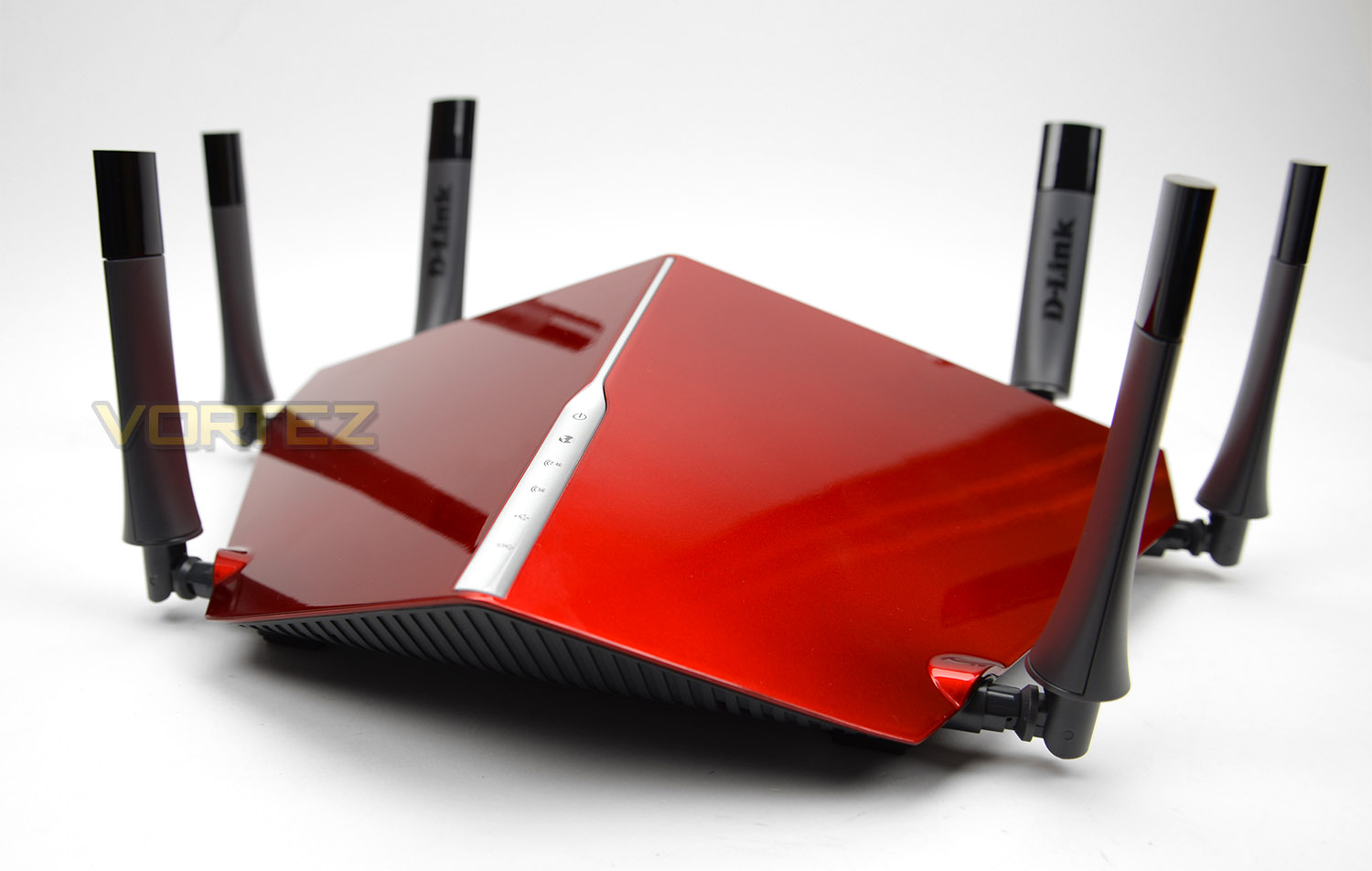
The D-Link AC3200 Ultra is a Tri-band WiFi router which supplies speeds of up to 3.2Gbps via 802.11ac. This router is backed by some thrilling features which are sure to comfortably manage the home network and allow users to get on with their technology driven lifestyles.
D-Link on their AC3200 Ultra
Smartphones, laptops, tablets, phones, Smart TVs, game consoles and more – all being connected at the same time. That’s why we created the new AC3200 Ultra Wi-Fi Router. With Tri-Band Technology and speeds up to 3.2Gbps, it delivers the necessary ultra-performance to power even the most demanding connected homes, making it the best wireless home router for gaming.
Technical Specifications
Device Interfaces
• 802.11a/g/n/ac wireless LAN
• Four 10/100/1000 Gigabit LAN ports
• 10/100/1000 Gigabit WAN por
• Two USB ports (one USB 3.0, one USB 2.0)
Standards
• IEEE 802.11ac
• IEEE 802.11n
• IEEE 802.11g
• IEEE 802.11a
• IEEE 802.3
• IEEE 802.3u
Minimum System Requirements
• Internet Explorer® 11, Mozilla® Firefox® v28, Google Chrome v33, or Safari v7
• Ethernet Network Interface
• Cable, DSL or Fiber Optics
• Internet access – for optimal performance, pair the DIR-890L with an AC adapter
Advanced Features
• SmartConnect
• Guest zone
• mydlink SharePort™ web access
• Multi-language web setup wizard
• Green Ethernet
• DLNA media server support
• Advanced AC SmartBeam
• Dual active firewall
• Network Address Translation (NAT)
• Stateful Packet Inspection (SPI)
• VPN Passthrough (PPTP/L2TP/IPsec)
• Advanced QoS
• QuickVPN – L2TP over IPsec
mydlink Lite Mobile App Features
• Remote Management
• View current upload/download bandwidth
• View currently connected clients
• View web browsing history per client
• Block/unblock client network access
• Manage wireless network details
• Accessible through a web browser or iOS or Android
• mobile app
Mobile App Support
• mydlink Lite
• mydlink SharePort
• QRS Mobile v1.5
Wireless Security
• WPA & WPA2 (Wi-Fi Protected Access)
• Wi-Fi Protected Setup (WPS) PIN/PBC
Dimensions
• 15.23 x 9.73 x 4.7 inches
Power
• Input: 100 to 240 V AC, 50/60 Hz
• Output: 12V DC, 5A
Temperature
• Operating: 32 to 104 F
• Storage: -4 to 149 F
Humidity
• Operating: 0% to 90% non-condensing
• Storage: 5% to 95% non-condensing
• 802.11a/g/n/ac wireless LAN
• Four 10/100/1000 Gigabit LAN ports
• 10/100/1000 Gigabit WAN por
• Two USB ports (one USB 3.0, one USB 2.0)
Standards
• IEEE 802.11ac
• IEEE 802.11n
• IEEE 802.11g
• IEEE 802.11a
• IEEE 802.3
• IEEE 802.3u
Minimum System Requirements
• Internet Explorer® 11, Mozilla® Firefox® v28, Google Chrome v33, or Safari v7
• Ethernet Network Interface
• Cable, DSL or Fiber Optics
• Internet access – for optimal performance, pair the DIR-890L with an AC adapter
Advanced Features
• SmartConnect
• Guest zone
• mydlink SharePort™ web access
• Multi-language web setup wizard
• Green Ethernet
• DLNA media server support
• Advanced AC SmartBeam
• Dual active firewall
• Network Address Translation (NAT)
• Stateful Packet Inspection (SPI)
• VPN Passthrough (PPTP/L2TP/IPsec)
• Advanced QoS
• QuickVPN – L2TP over IPsec
mydlink Lite Mobile App Features
• Remote Management
• View current upload/download bandwidth
• View currently connected clients
• View web browsing history per client
• Block/unblock client network access
• Manage wireless network details
• Accessible through a web browser or iOS or Android
• mobile app
Mobile App Support
• mydlink Lite
• mydlink SharePort
• QRS Mobile v1.5
Wireless Security
• WPA & WPA2 (Wi-Fi Protected Access)
• Wi-Fi Protected Setup (WPS) PIN/PBC
Dimensions
• 15.23 x 9.73 x 4.7 inches
Power
• Input: 100 to 240 V AC, 50/60 Hz
• Output: 12V DC, 5A
Temperature
• Operating: 32 to 104 F
• Storage: -4 to 149 F
Humidity
• Operating: 0% to 90% non-condensing
• Storage: 5% to 95% non-condensing
Packaging & Bundle
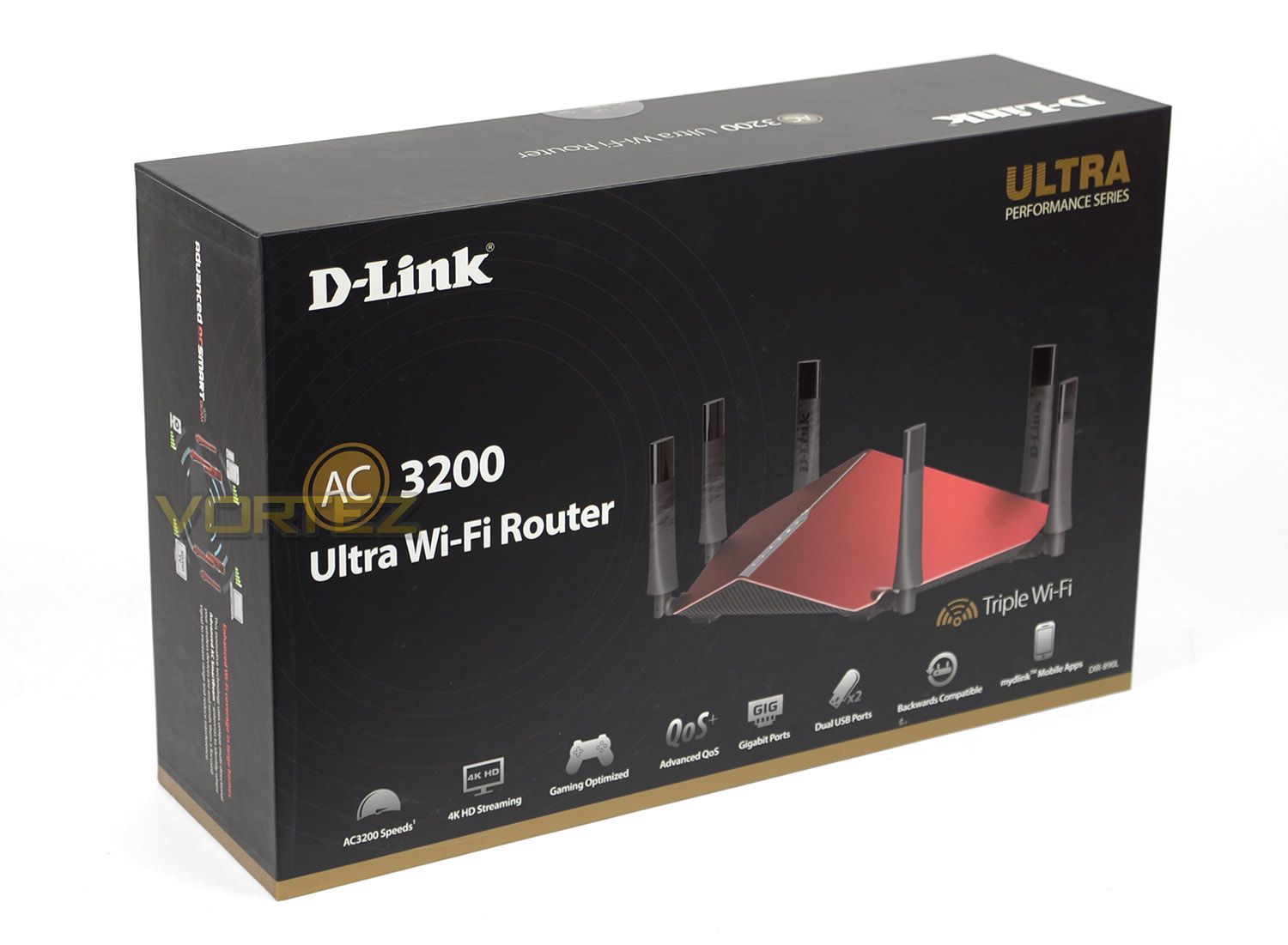
AC3200 Ultra arrives in a professionally designed box which is well-presented and shows a depiction of the router as well as the fundamental features. On the reverse of the box there is a more detailed look at specific features.
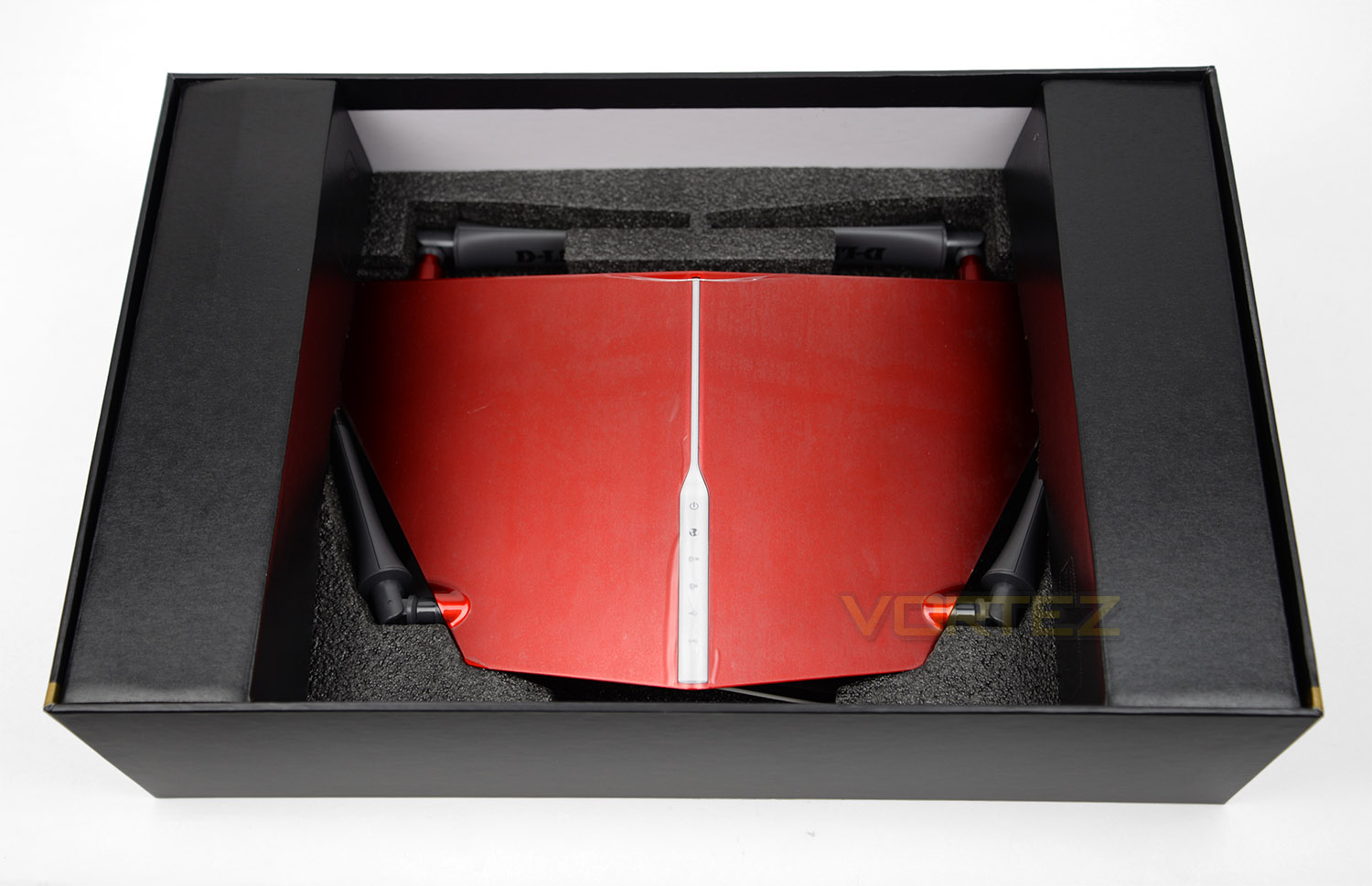
Delving inside the box we discover the router has been sufficiently protected with thick, foam padding. This will protect the unit while it’s in transit – there are also two boxes on either side of the router containing the power pack and included accessories.
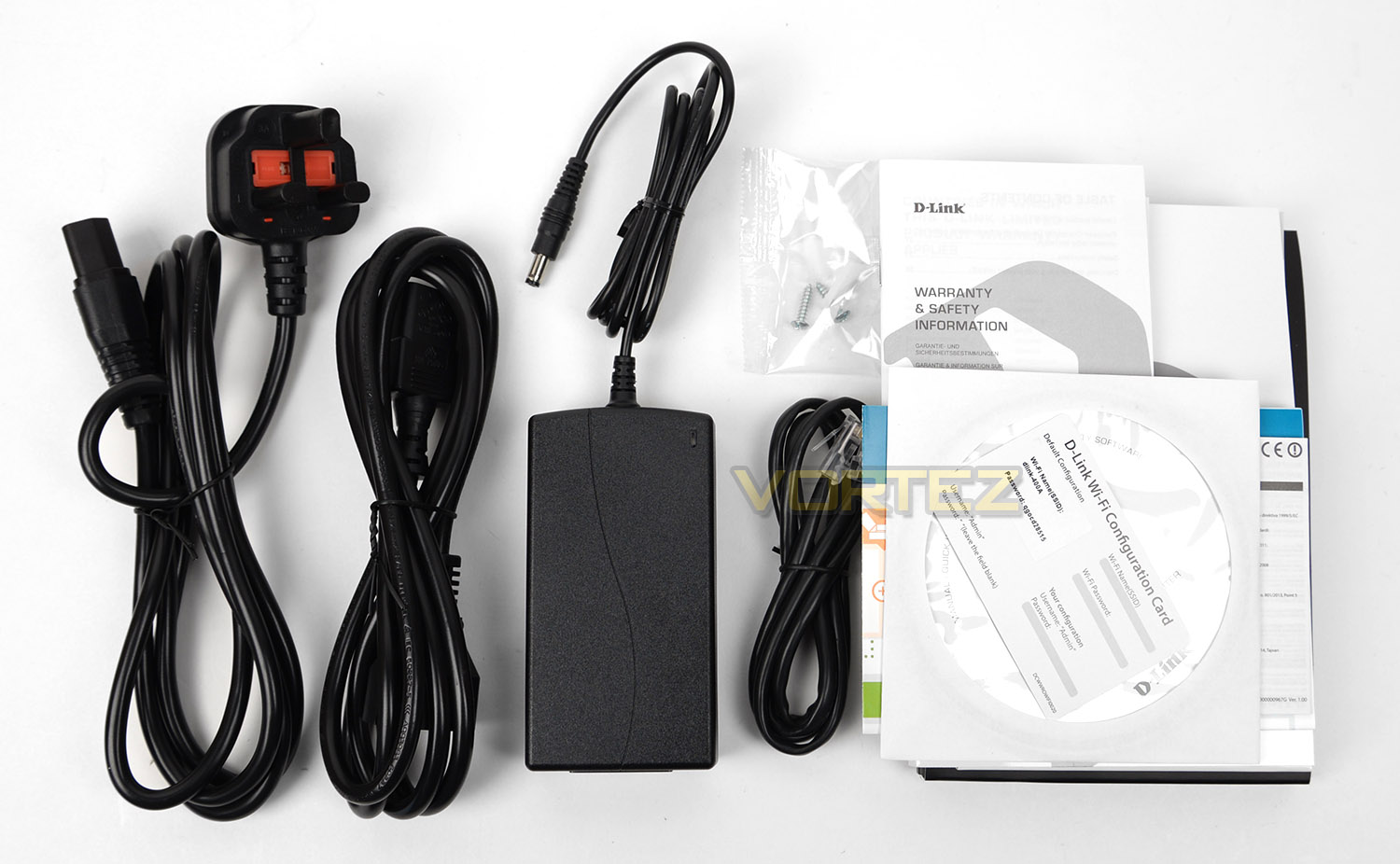
AC3200 Ultra features a series of bundled items, these include:
• DC Power Pack
• Power cable (UK/US)
• CATE 5e Ethernet Cable
• Mounting Screws
• Documentation (Quick Start Guide, Manual, Warranty)
• Driver/Application CD
Closer Look
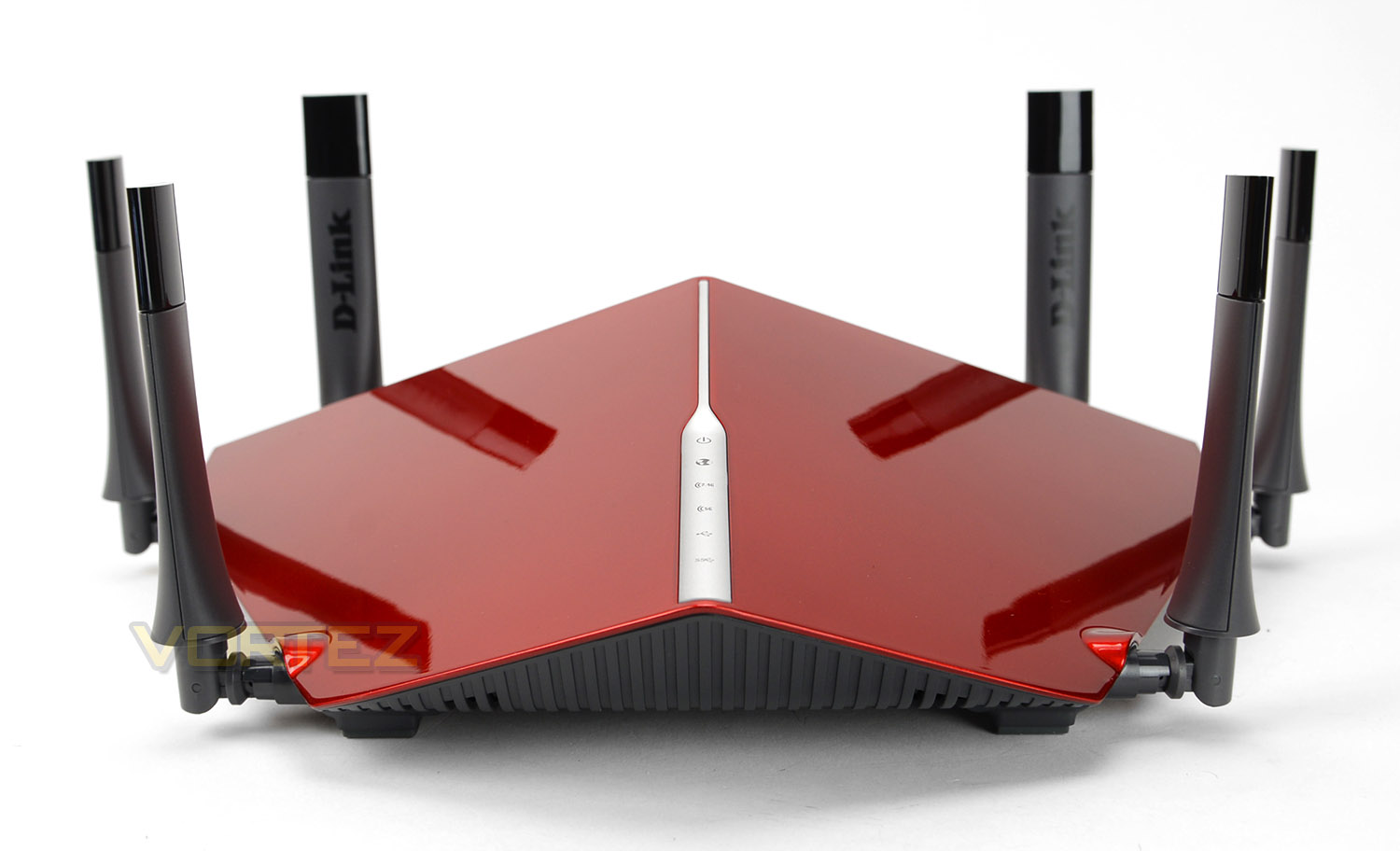
Taking an initial look at AC3200 Ultra we’re left with a rather unique looking router. D-Link has opted for a design which is unorthodox but extremely intriguing.
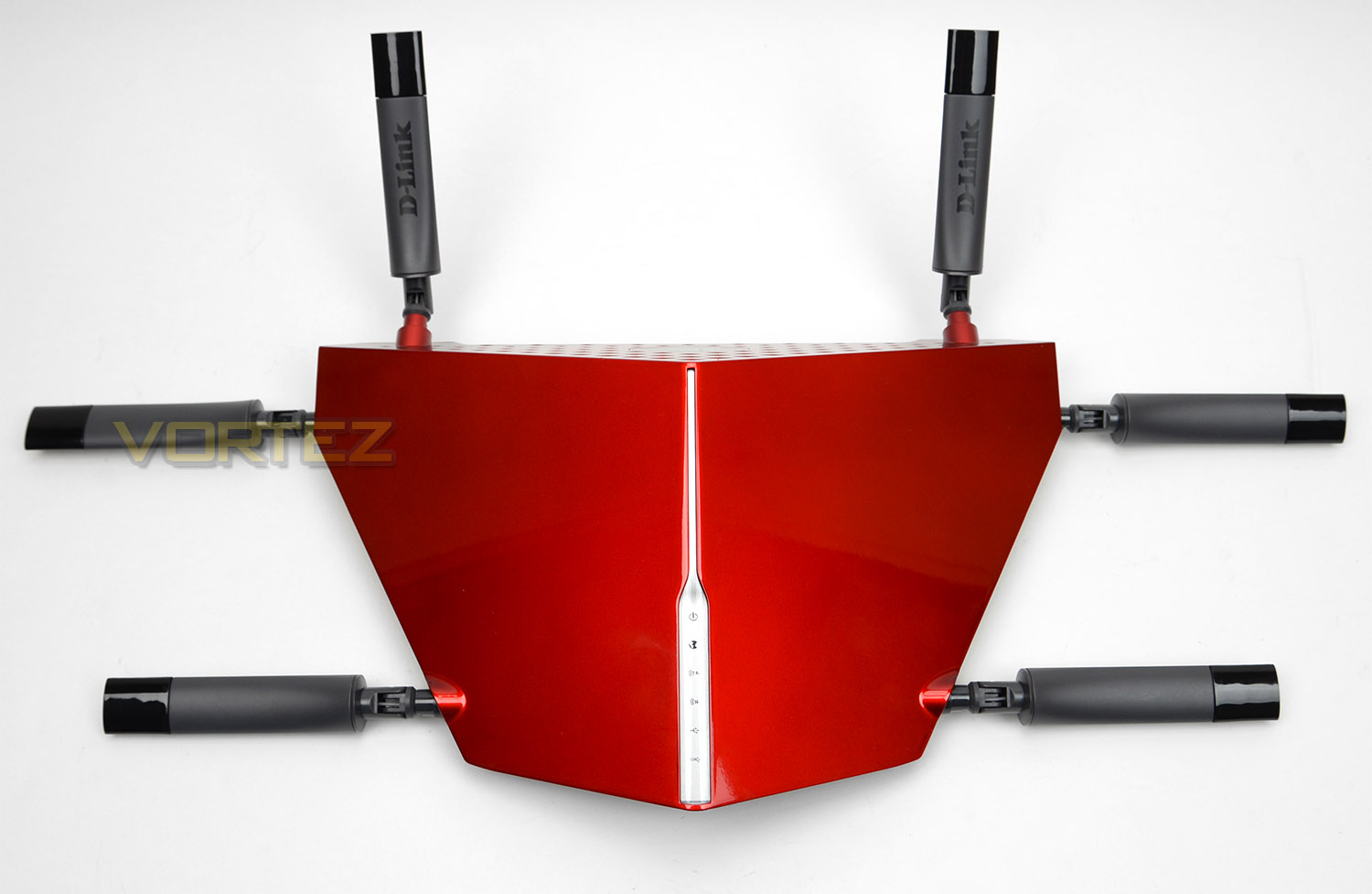
The top-side of the router utilises a glossy plastic finish which has been given a lick of anodized red paint. Running down the middle there is a status panel which has various indicators for power, WAN connection, WiFi 2.5GHz, WiFi 5GHz and USB connections.
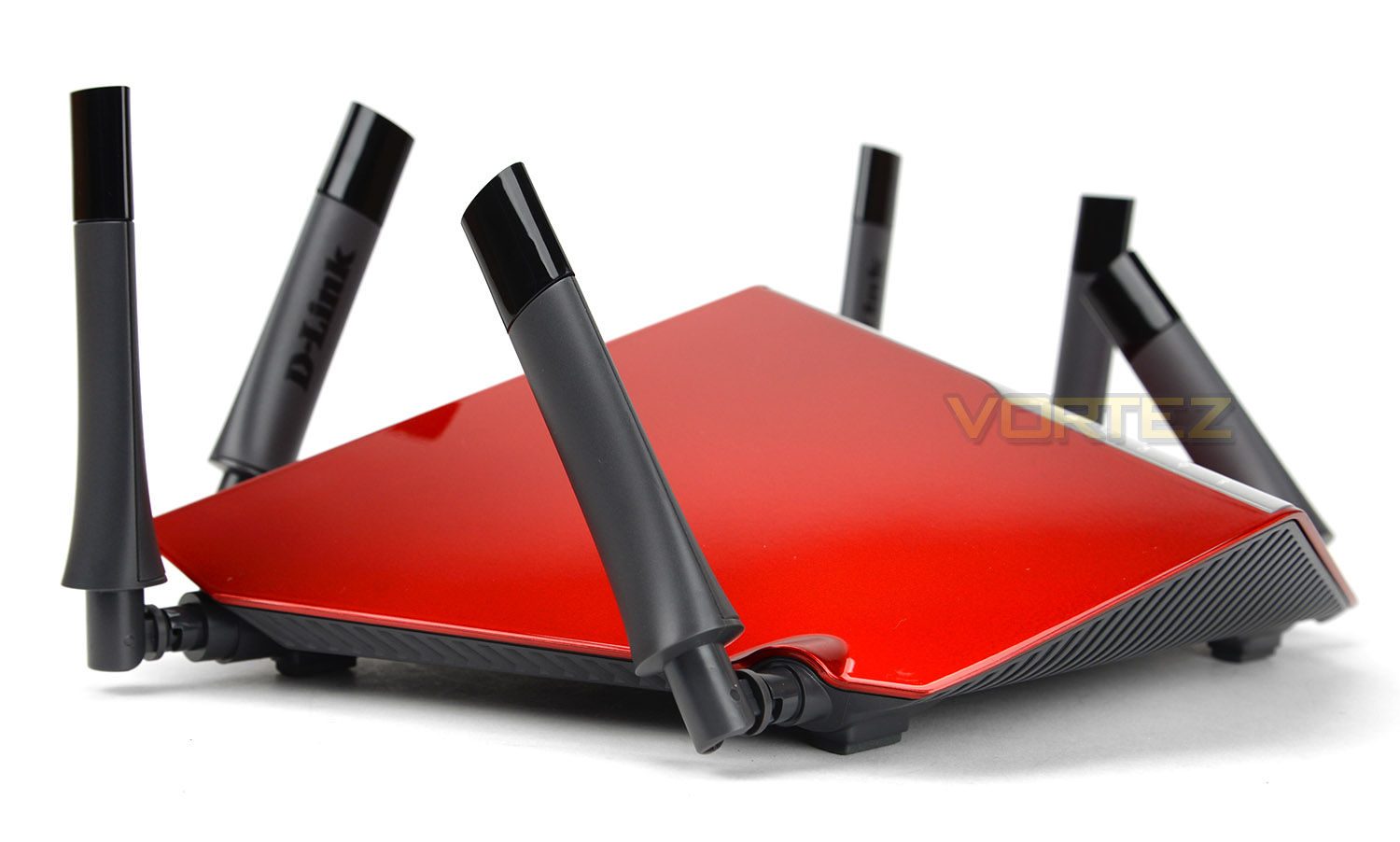
By now, it would be difficult to have missed the plethora of antennas AC3200 Ultra comes accompanied with. A total of six antennas are situated at the front, sides and rear of the unit – these antennas are cannot be detached but can be rotated to suit a desired direction.
As its name suggests AC3200 Ultra supplies Wireless AC with a combined speed of up to 3200mbps – 1300mbps across the two 5GHz bands and 600mbps over the 2.4GHz band.
By offering Wireless AC, our router extends beyond the signal coverage which inferior standards supply. Combine this with Ti-Band technology and there is less interference for network traffic. Furthermore to this, AC3200 Ultra also uses “Advanced AC SmartBeam”. In short this will enhance the wireless strength and will help to extend to those hard to reach areas of any home.
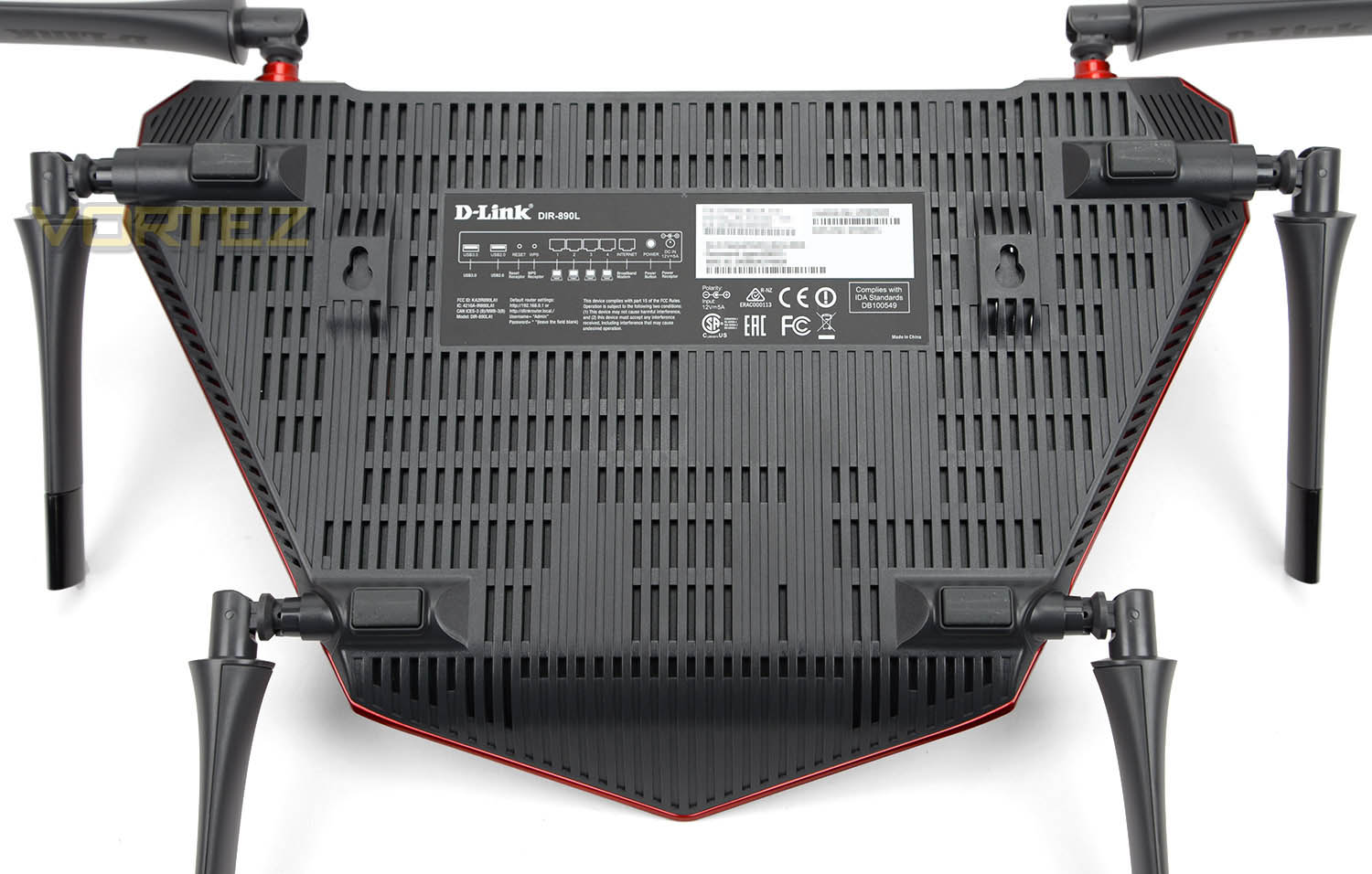
Flipping the router over, there are four rubber pads to prevent the unit from slipping on smooth surfaces and there are two mounting holes to work in conjunction with the provided screws to offer an alternative mounting solution.
In the centre there is a specifications label, highlighting the serial number, mac address and WiFi details – along with the all important mydlink no and WPS pin. Some of these details D-Link may require if you need technical assistance.
With no active cooling within AC3200 Ultra it’s good to see there is an abundance of ventilation to allow heat to dissipate – at the very heart of our router there is a 1GHz dual-core chip to assist with faster compute network performance and to alleviate any lag.
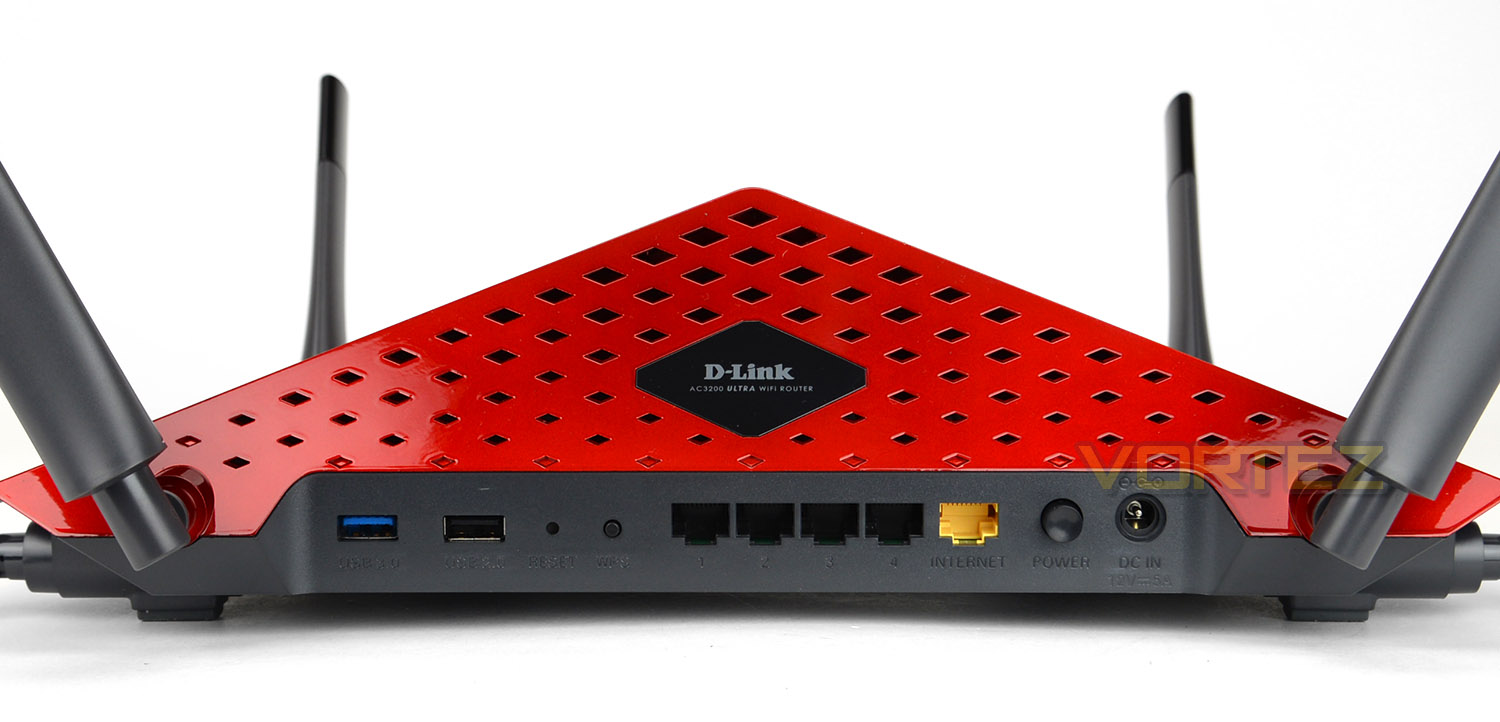
Around the back of the router there is a patterned ventilation area with the D-Link emblem. Again, since there are no cooling fans inside this unit its essential there are areas such as this to expel unwanted heat generated from the internal components.
We also have a generous selection of functionality available at the rear. Included here are the following:
• USB 3.0 port
• USB 2.0 port
• Hard reset button
• WPS Button
• 4x Gigabit LAN Ports
• 1x WAN Port
• Power Button
• DC-in Port
Having the USB 3.0 and USB 2.0 ports is very useful. We’re pleased to see that D-Link has decided to offer USB 3.0 since this allows users to pair the port up with a pen drive using this standard. As a result, content such as photos, music, videos or documents can be backed up or shared quickly. Those who have a printer on the network but want to free up one of the Gigabit LAN ports can use the USB 2.0 port instead.
So, overall the AC3200 Ultra has a strong feature-set. Visually, this router is impressive but this is only part of the story – on the next page we’ll be taking a look at the software and doing a network performance test to see how this router really performs.
Software GUI & Performance
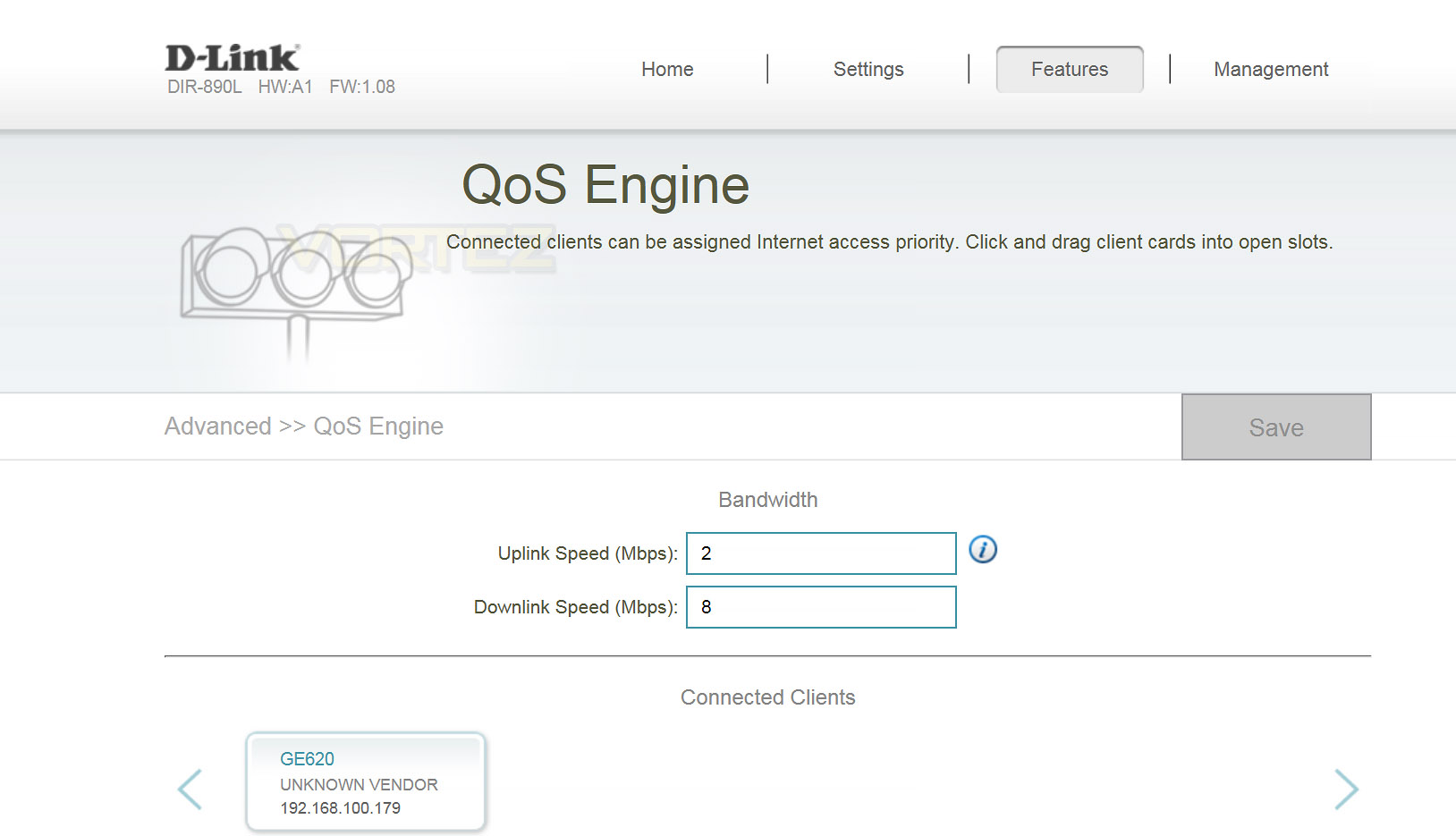
Getting up and running with D-Link’s AC3200 Ultra is pretty simple. Novice users can use the software CD to guide them through the process or, those who are fairly tech savvy can access the router by connecting up the power and using the network cable between a PC and the router to interface. Once connected, opening a web browser and typing in the internal IP address will bring up a login screen and provide access to the software GUI.
The software GUI is simple and very intuitive. Everything is set out in the areas you would expect and once inside, users can either manually configure settings or use the wizard for assistance.
NOTE: To configure internet access simply connect the cable from your modem into the AC3200 Ultra’s WAN port.
Below, we’ve produced a walkthrough video which provides a tour of the software GUI – highlighting significant features. This video should demonstrate the settings available and how intuitive the software is.
Performance
AC3200 Ultra features a dual-core 1GHz processor and supplies up to 3200mbps. Combining 1300mbps across the two 5GHz bands and 600mbps over the 2.4GHz band.
In this section we’ll be testing out both the Ethernet (wired) performance and the wireless performance. To accomplish this we use AIDA32’s network benchmark plugin (discontinued in the newer AIDA64). Below are the results:
Ethernet
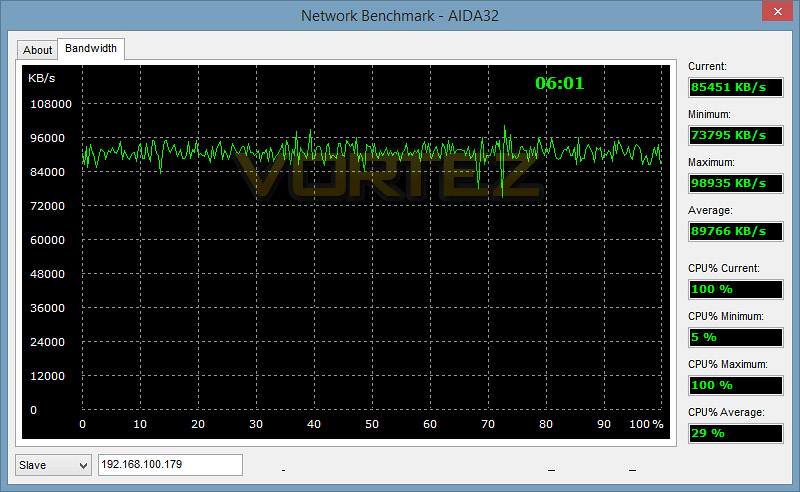
The wired performance is solid, as we expected. Throughout the testing process the figures maintained consistency and didn’t fluctuate sporadically.
Wireless
Bandwidth test coming soon – 802.11ac device in process of being fixed.
AC3200 Ultra offers wireless connectivity spanning up to approximately 47 feet / 14.3m. This is quite a large distance and it’s important to note this includes passing through two thick walls also.
Conclusion
D-Link are seasoned networking specialists so there were always going to be high expectations from their new AC3200 Ultra and we can whole heartedly say we’ve not been let down.
Like the spanner is to the mechanic or the knife to the butcher, the AC3200 Ultra is the ideal tool for the network technician. But this router isn’t restricted to just the advanced user or for business practise – indeed, D-Link has actually designed AC3200 Ultra to cater to the home user and the gamer. Its feature-set and capabilities stretch out and we’re presented with a rather versatile piece of kit.
Aesthetically, D-Link has done a great job. The styling fits in with a contemporary environment and it will add class to any room, though the size could present a few challenges. While this router is regarded as quite an advanced piece of hardware, we like how simple D-Link has kept things both as part of the external design and when navigating and using the software GUI. The inbuilt software is easy to use, fluid and intuitive.
One of AC3200 Ultra’s biggest selling point is undoubtedly the Tri-Band connectivity and bandwidth which allows up to 3200Mbps courtesy of 802.11ac. This specification works hand-in-hand with any home network nowadays with the advent of smartphones, tablets, notebooks, TV entertainment systems and desktop computers. Having multiple devices in the family home is now part of everyday life and as such the demands with the plethora of traffic require a networking product which can accommodate this criteria and the AC3200 Ultra bits the bill, down to the tee.
Current pricing for D-Link’s AC3200 Ultra sits at £215 GBP / $287 USD. Wireless AC routers are still relatively new to the market and rival options vary in price – some extending beyond this figure. Based on the strong feature-set and positive user-experience we believe D-Link’s solution is a good value for money option.
The D-Link AC3200 Ultra doesn’t fail to impress. A unique design with feature rich attributes and Tri-band connectivity sets this WiFi router apart.
Pros
+ Aesthetically stunning
+ Intuitive software GUI
+ USB 3.0 port
+ Tri-Band connectivity
+ Up to 3200Mbps
+ Strong signal
+ Mobile app friendly
+ Feature rich-network tools
Cons
– Large
– Permanently fixed antennas
+ Aesthetically stunning
+ Intuitive software GUI
+ USB 3.0 port
+ Tri-Band connectivity
+ Up to 3200Mbps
+ Strong signal
+ Mobile app friendly
+ Feature rich-network tools
Cons
– Large
– Permanently fixed antennas
Click here for an explanation of our awards at Vortez.net.