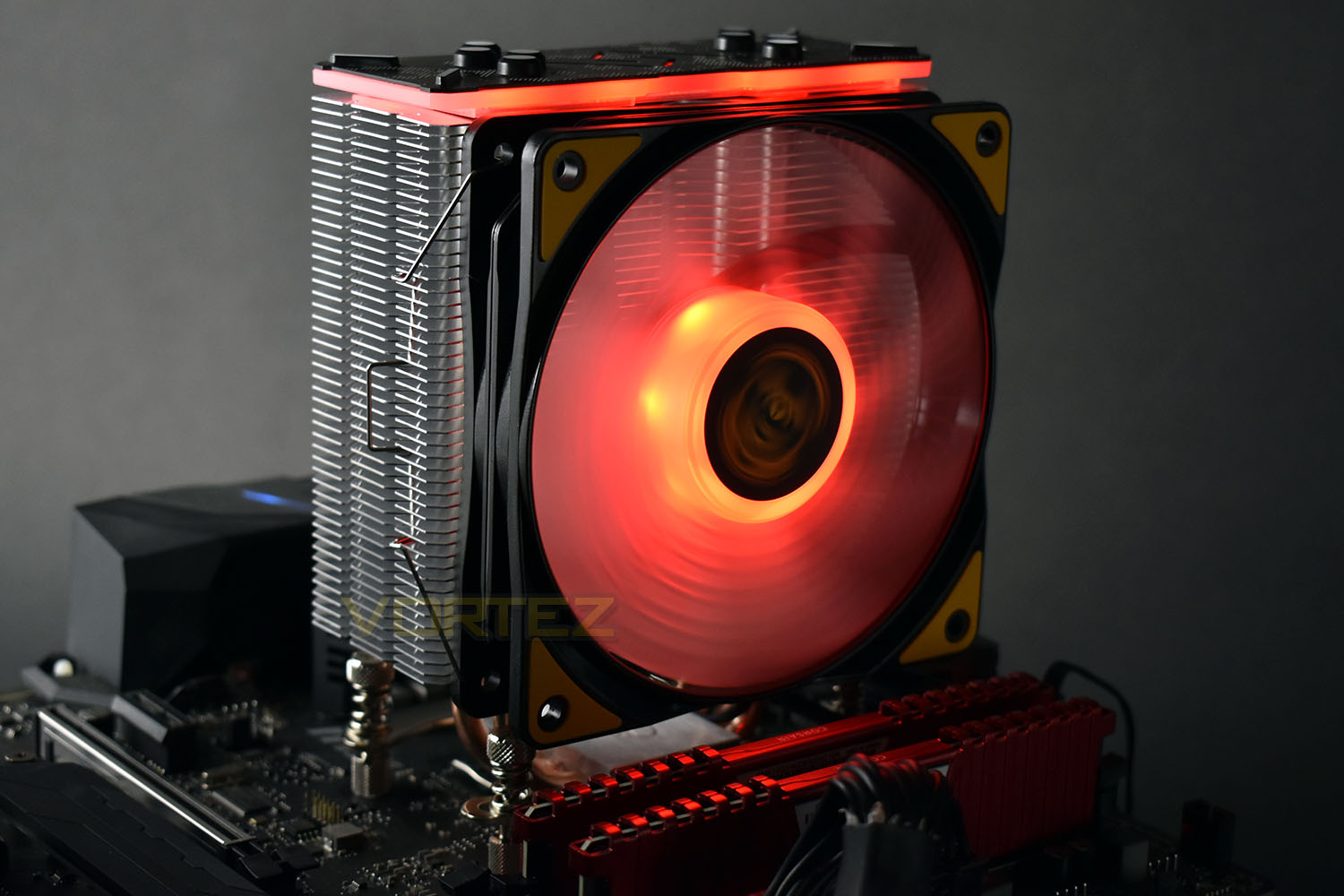
RGB lighting and the TUF Gaming Alliance come together to create the Deep Cool GAMMAXX GT TGA; how does it perform? Read on to find out.

Product on Review: Deepcool GAMMAXX GT TGA
Manufacturer: Deepcool
Street Price: GBP £39.98 / USD $44.99 / AUS $77.00
Whether you like it or not, RGB lighting is everywhere. We have it on RAM modules, cases, PSUs, mice, keyboards and headsets; the industry has gone crazy for these tiny colourful LEDs. Today we have a look at the Deepcool GAMMAXX GT TGA.
The GAMMAXX GT TGA is another product in the ASUS TUF Gaming Alliance, a product line that has been set up between many manufacturers to offer great value and excellent performance, durability and stability for PC gamers. There’s a range of motherboards and memory modules to help colour coordinate your system build, which the Deepcool should match perfectly.
Utilising four sintered metal powder heatpipes and the latest 0.5mm fins helps to remove heat from the CPU in the most efficient manner possible. Airflow is dealt with by a 120mm RGB PWM fan that syncs up the lighting with the aluminium enclosure on top of the cooling tower.
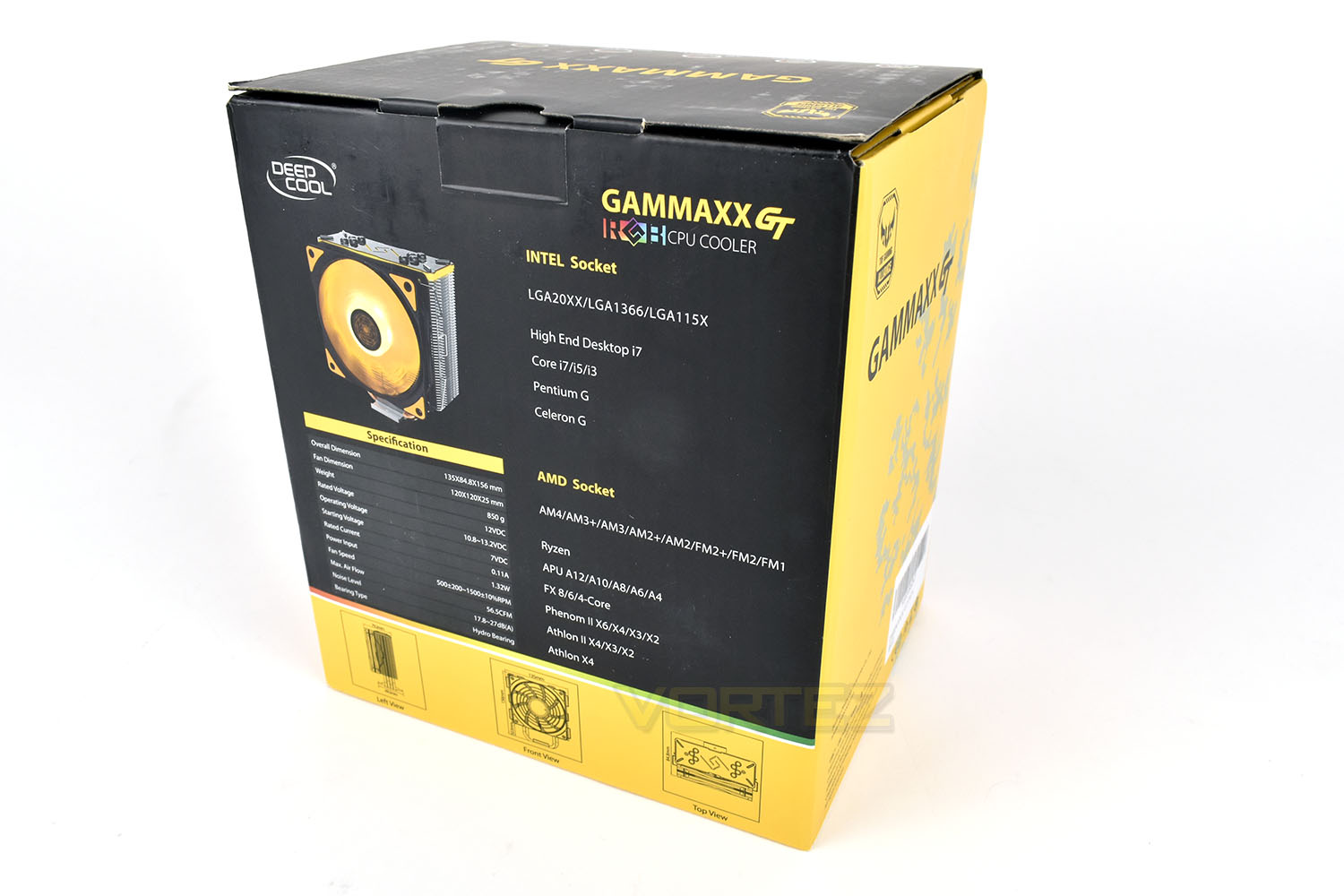
Ensuring the best possible compatibility, the GAMMAXX GT is suitable for all of Intel’s LGA 20xx, 1366 and 115x sockets and AMD’s AM4, AM3+, AM3, AM2+, AM2, FM2+, FM2 and FM1.
The cooler measures 156mm tall, 135mm wide and 80mm deep (excluding the base), and it also tips the scales at just over 850g, making this quite a large cooler. There’s no mention of the TDP capacity of the cooler on the Deepcool website but we’ll have a good look at the figures with this mounted on top of our overclocked Intel i7-3930K, pulling around 170W of power, and therefore heat.
Deepcool on the GAMMAXX GT TGA:
As a member of TUF GAMING ALLIANCE, GAMMAXX GT TGA featuring sleek RGB lighting and optimized cooling performance provides gamers with all-new air-cooling experiences. It’s not just cooling. It’s DEEP, high quality CPU-cooling for optimal heat dissipation while fulfilling your desires for that spectacular RGB gaming rig.
Technical Specifications
Overall Dimension: 135 x 84.8 x 156mm
Heatsink Dimension: 127 × 50 × 156mm
Fan Dimension: 120 x 120 x 25mm
Net Weight: 850g
Bearing Type: Hydro Bearing
Rated Voltage: 12VDC
Operating Voltage: 10.8~13.2V DC
Starting Voltage: 7V DC
Rated Current: 0.11A
Power Input: 1.32W
Fan Speed: 500±200 ~ 1500±10% RPM
Max. Air Flow: 56.5CFM
Noise: 17.8 ~ 27dB(A)
Heatsink Dimension: 127 × 50 × 156mm
Fan Dimension: 120 x 120 x 25mm
Net Weight: 850g
Bearing Type: Hydro Bearing
Rated Voltage: 12VDC
Operating Voltage: 10.8~13.2V DC
Starting Voltage: 7V DC
Rated Current: 0.11A
Power Input: 1.32W
Fan Speed: 500±200 ~ 1500±10% RPM
Max. Air Flow: 56.5CFM
Noise: 17.8 ~ 27dB(A)
Packaging & Bundle
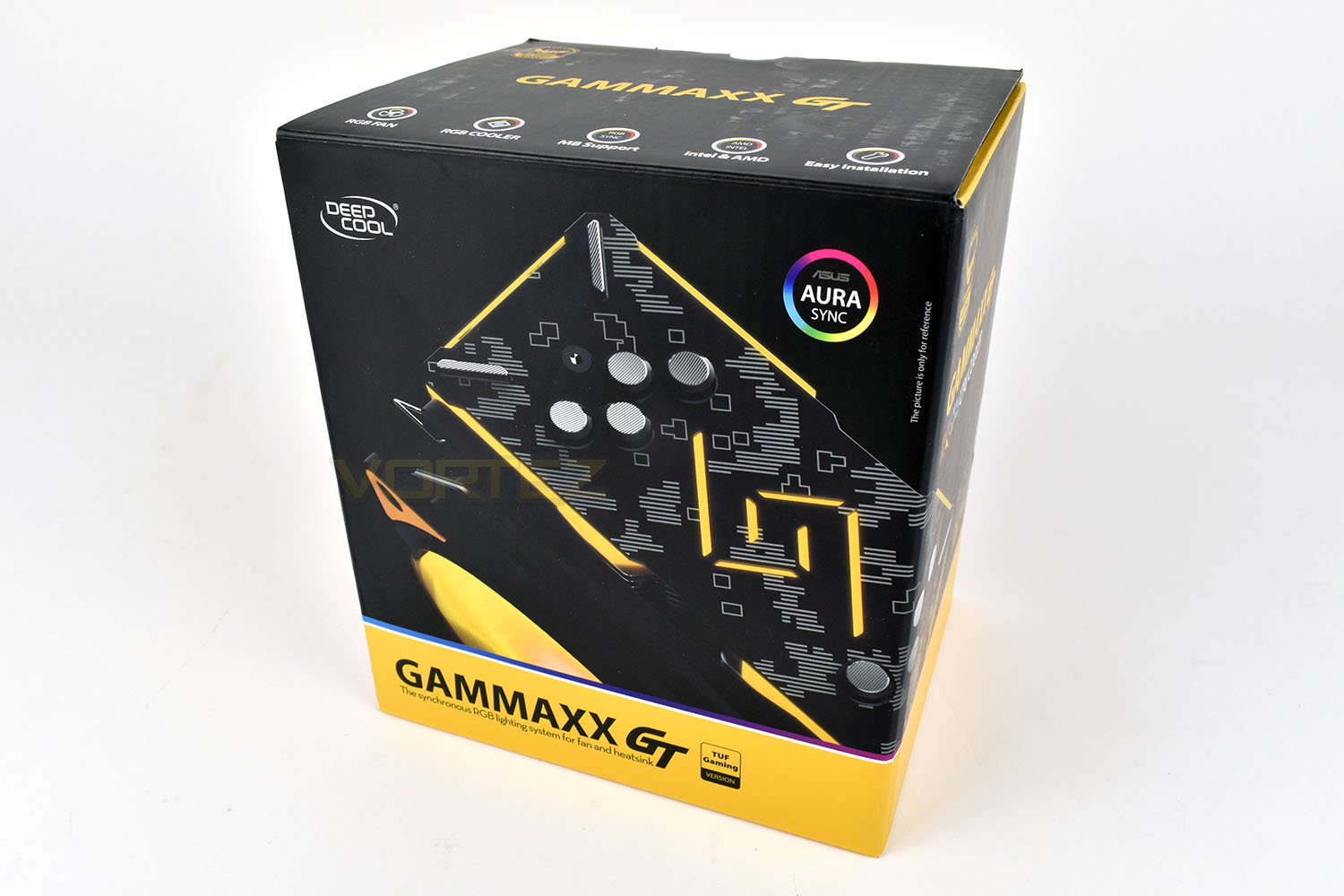
The TUF Gaming Alliance has had quite the influence on the packaging, with the yellow band and overall black and yellow theme. This is the general colour scheme of the TUF Gaming branding.The front of the box gives an arty glimpse at the cooler and some very brief information.
On the reverse we see a list of the specifications, a full socket compatibility list and some schematics of the exact dimensions. There’s also a small image of the cooler with the RGB fan installed.
Along with the 120mm RGB fan and the cooling tower itself, there’s a pair of attachment brackets, for AMD and Intel, a multi-purpose backplate, installation instructions and all required mounting hardware, including a second pair of fan clips which will allow you to install a second 120mm fan, if you so require.
One thing missing from this bundle is any kind of RGB controller or in-line switch that would allow older systems some access to RGB lighting, instead your motherboard must possess the latest 4-pin RGB header to function.
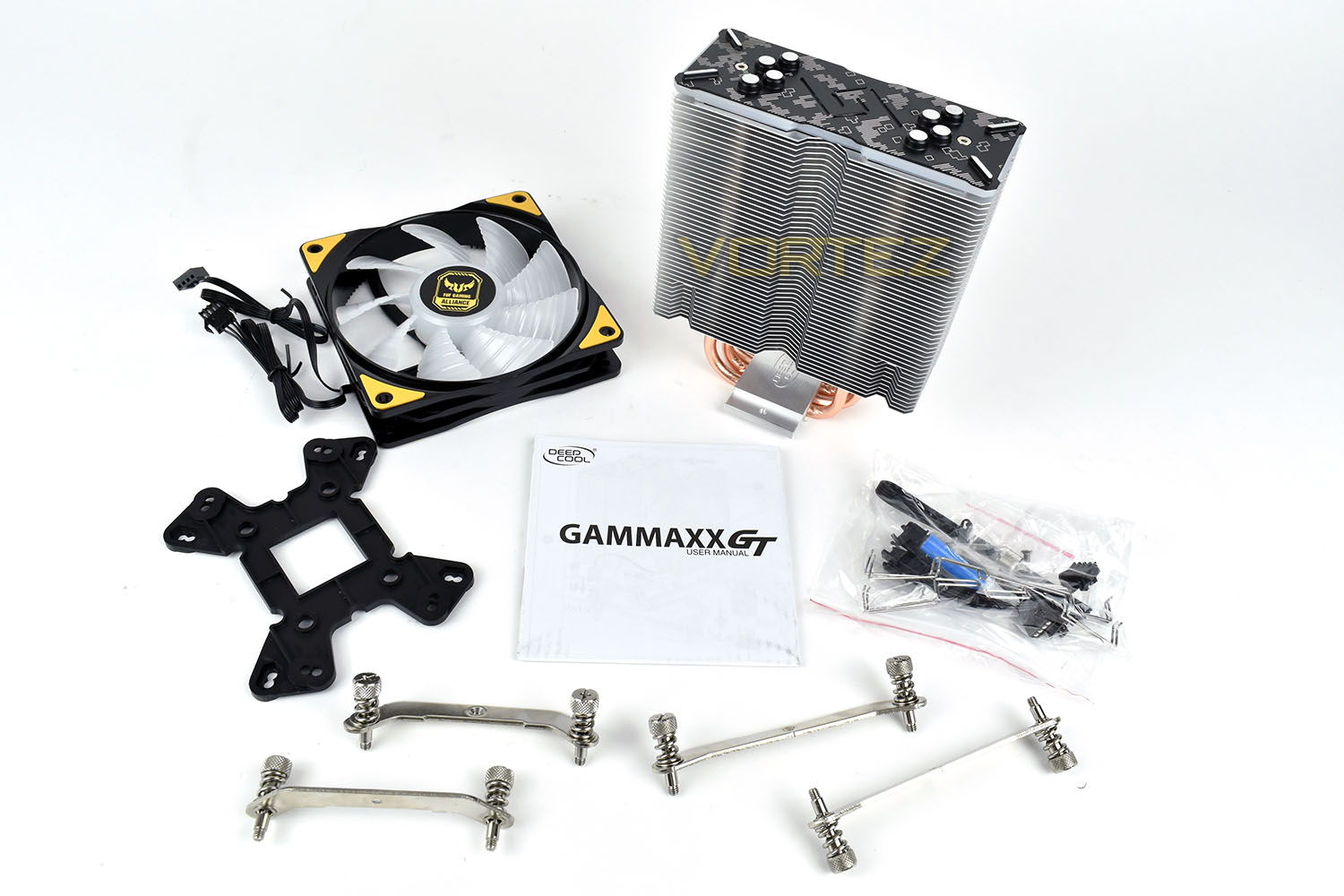
Closer Look
Looking at the GAMMAXX GT head on, it’s difficult to see what sets this apart from any other tower cooler. Deepcool have utilised their latest 0.5mm fins, of which there are 46 in total, to help dissipate any heat from the CPU.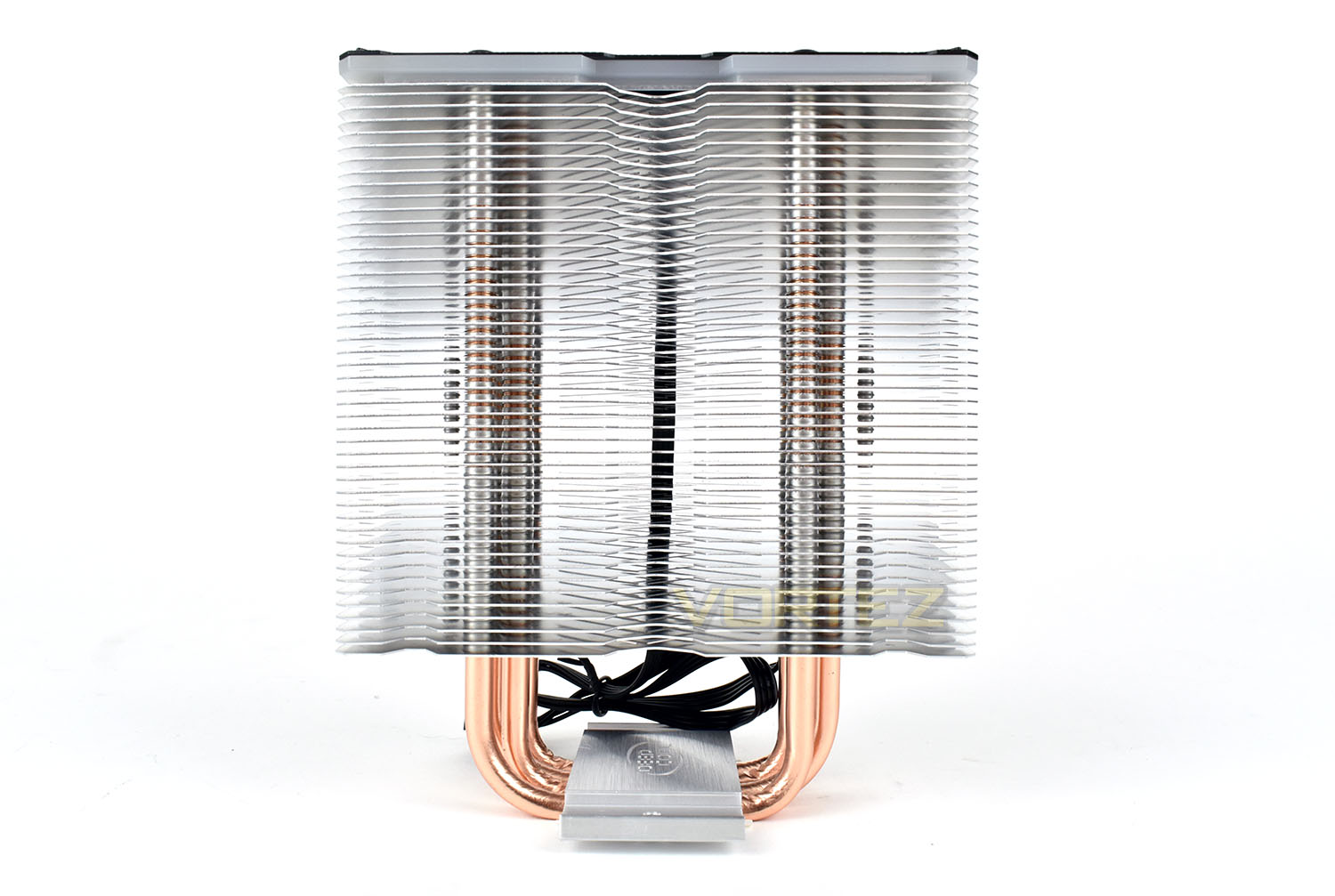
Side on, those four heatpipes can be seen rising up throughout the spine of the tower to the very top, transferring heat in an efficient manner from the CPU’s IHS to the fins.
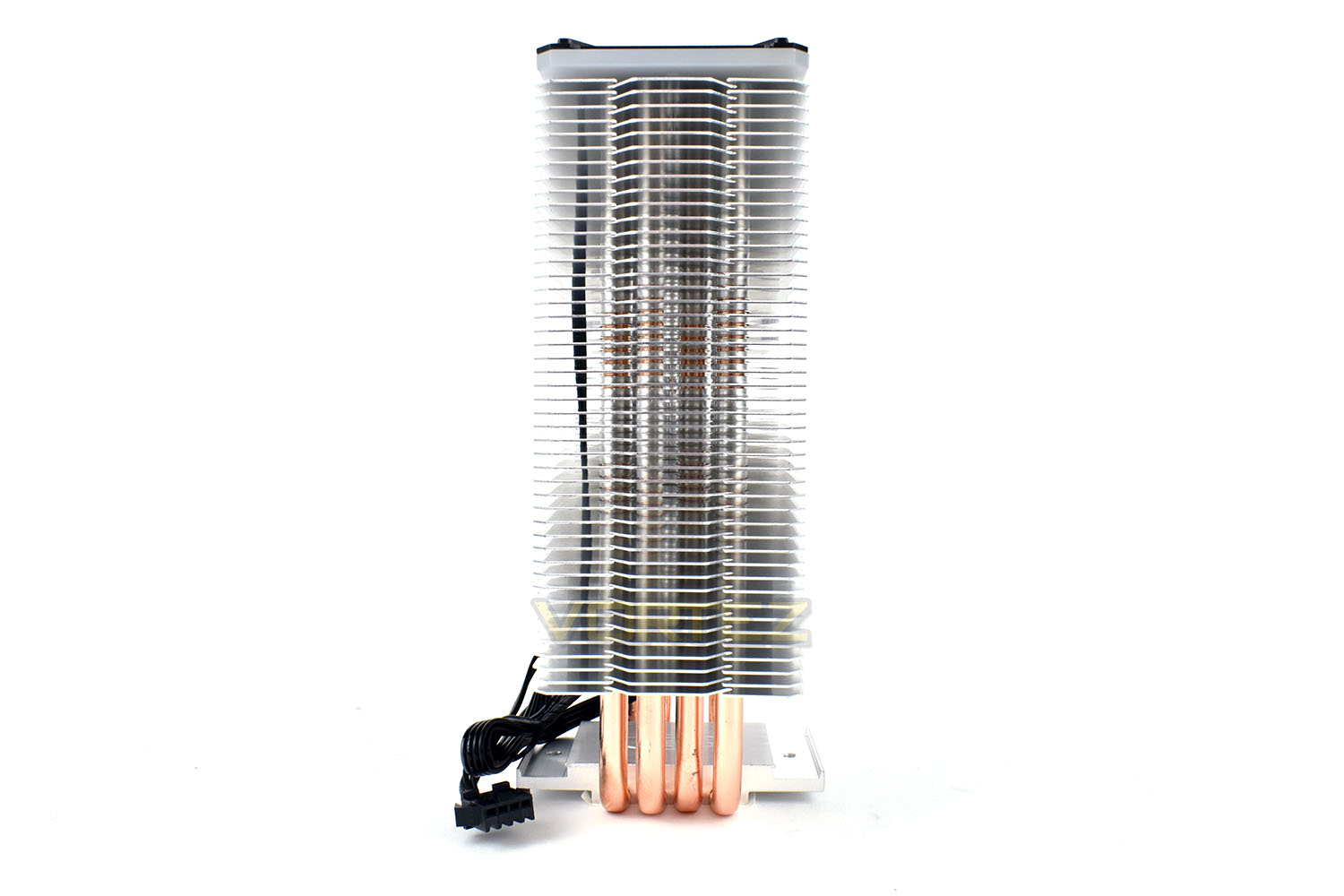
To enable the RGB lighting on top of the tower, Deepcool have been required to run a 4-pin RGB cable down the back of the cooler, with the table tucked into place by the last 10 fins.
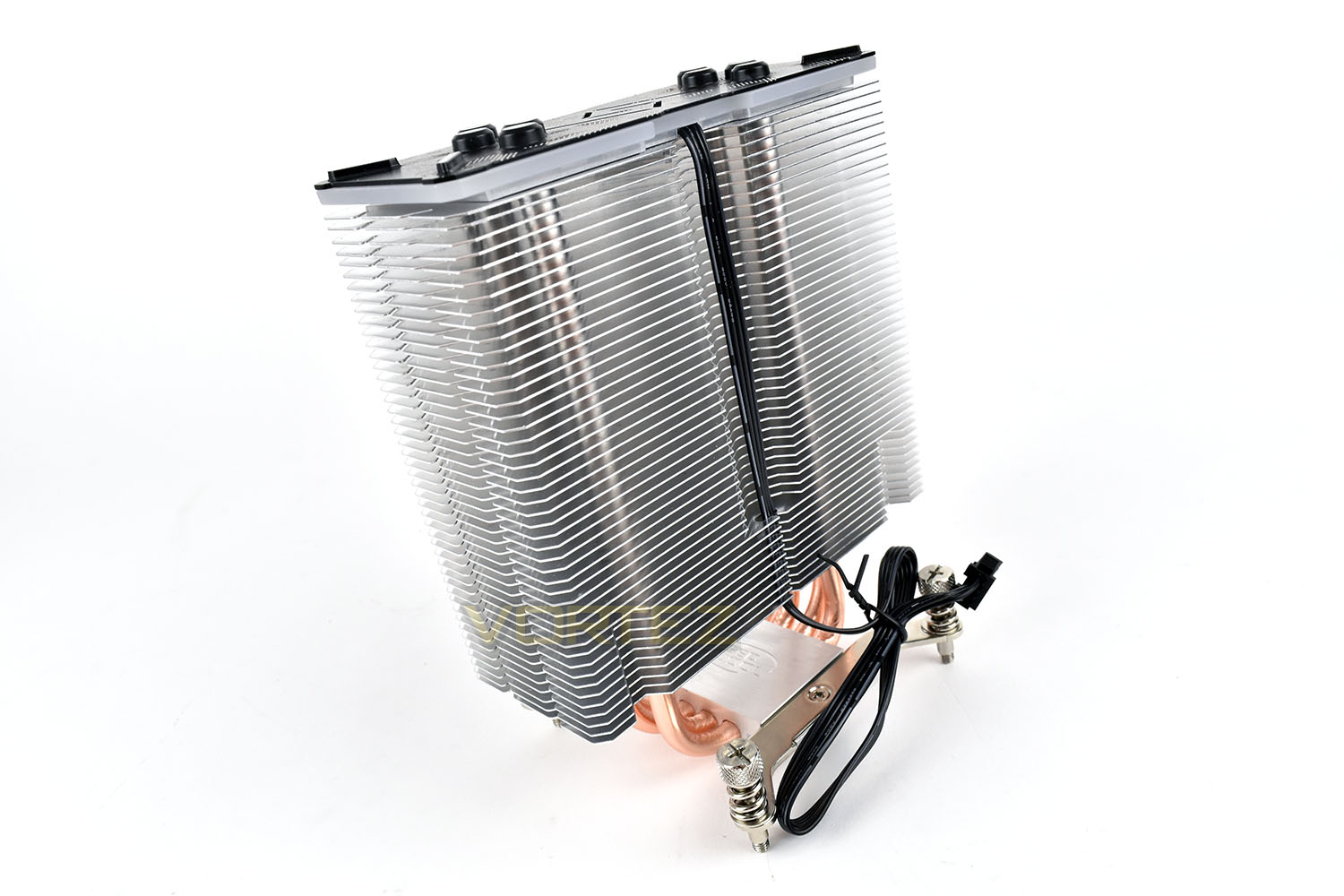
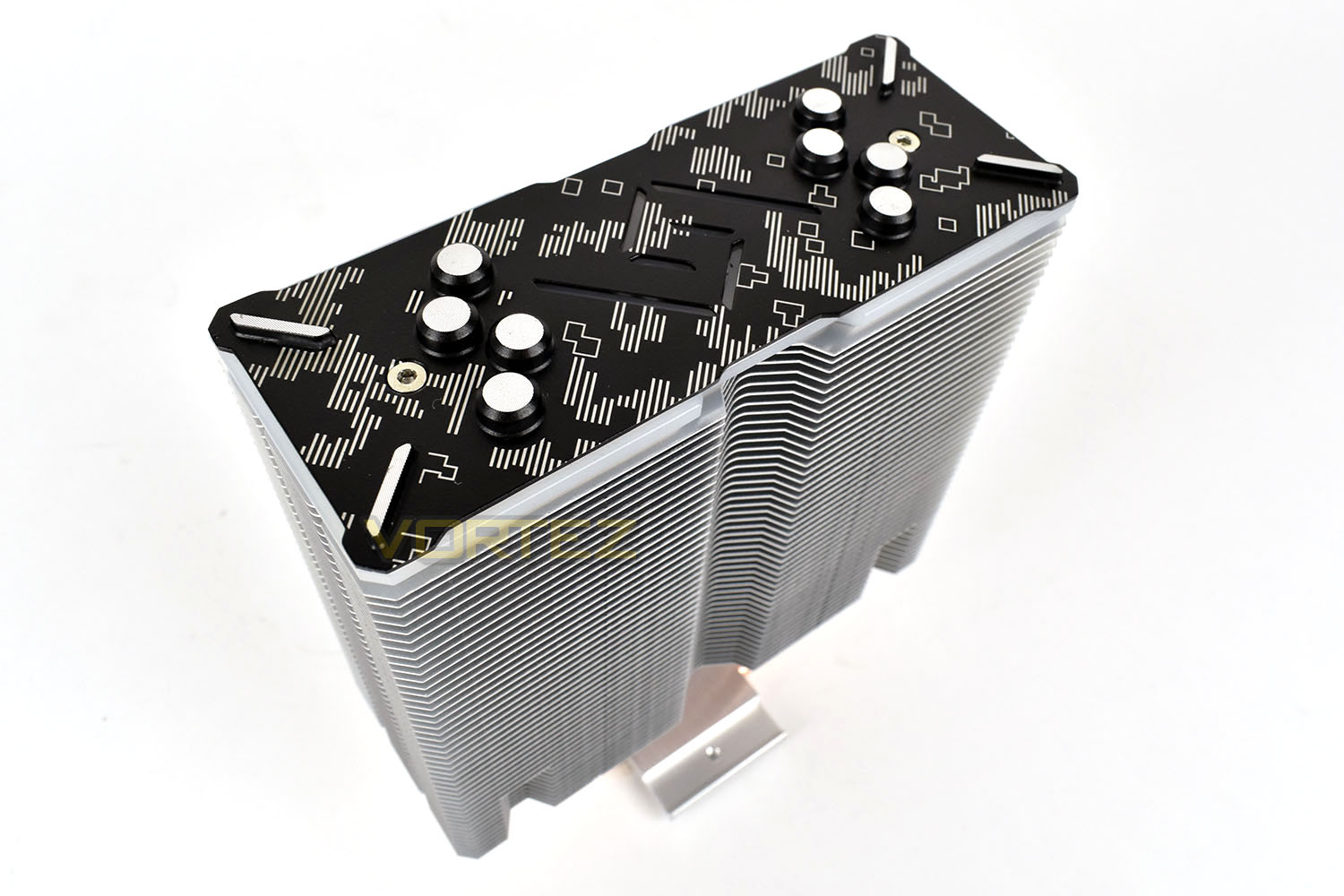
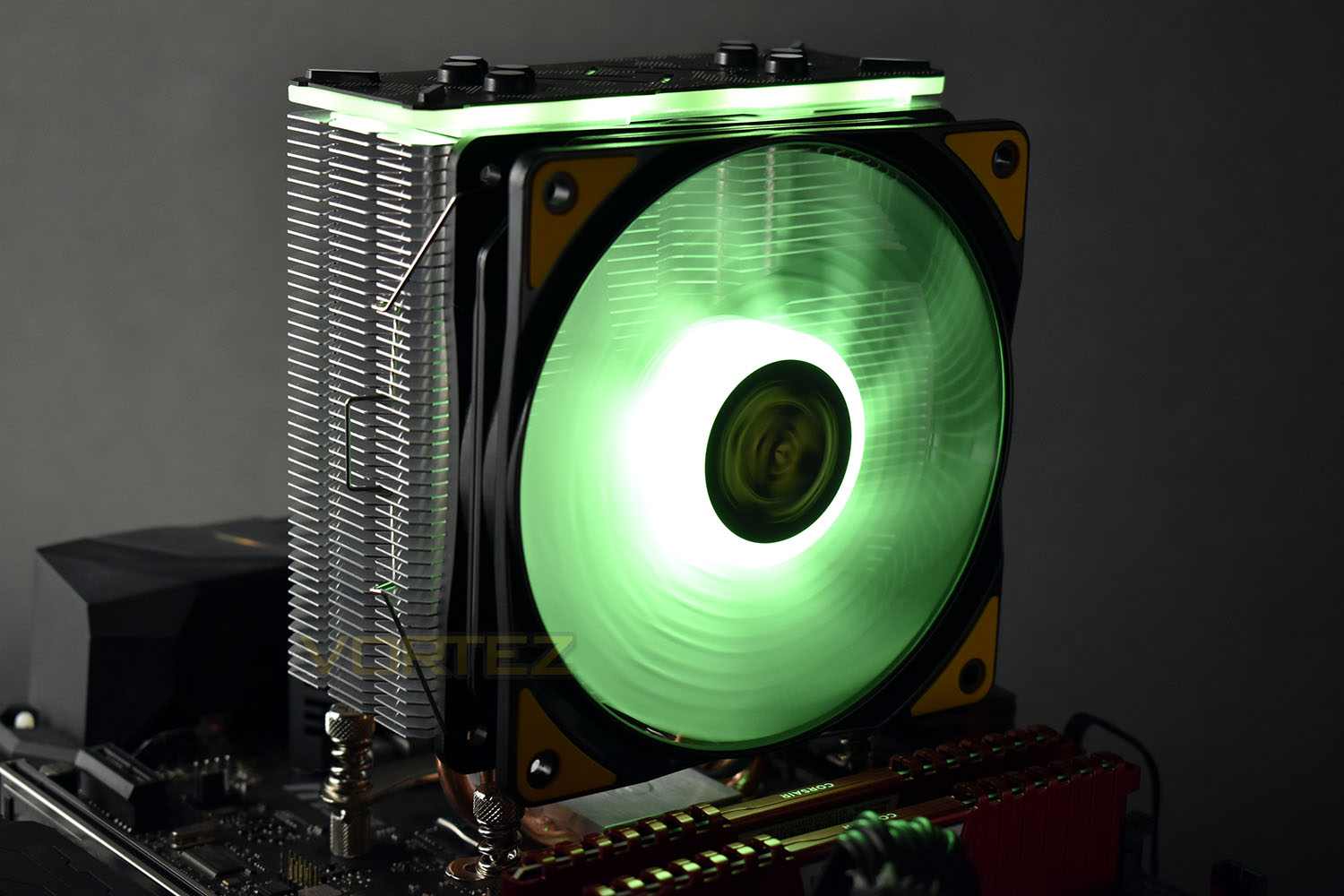
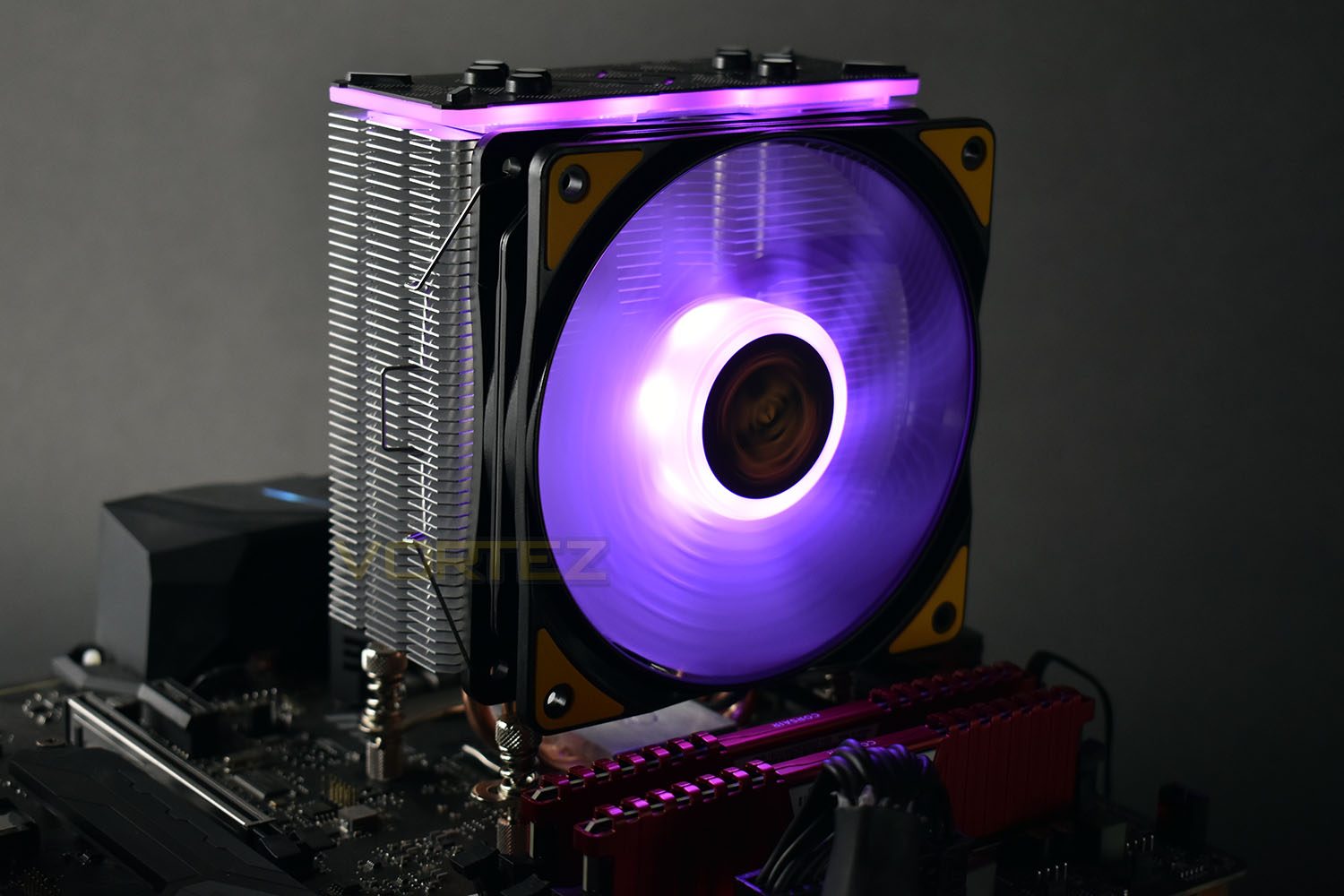
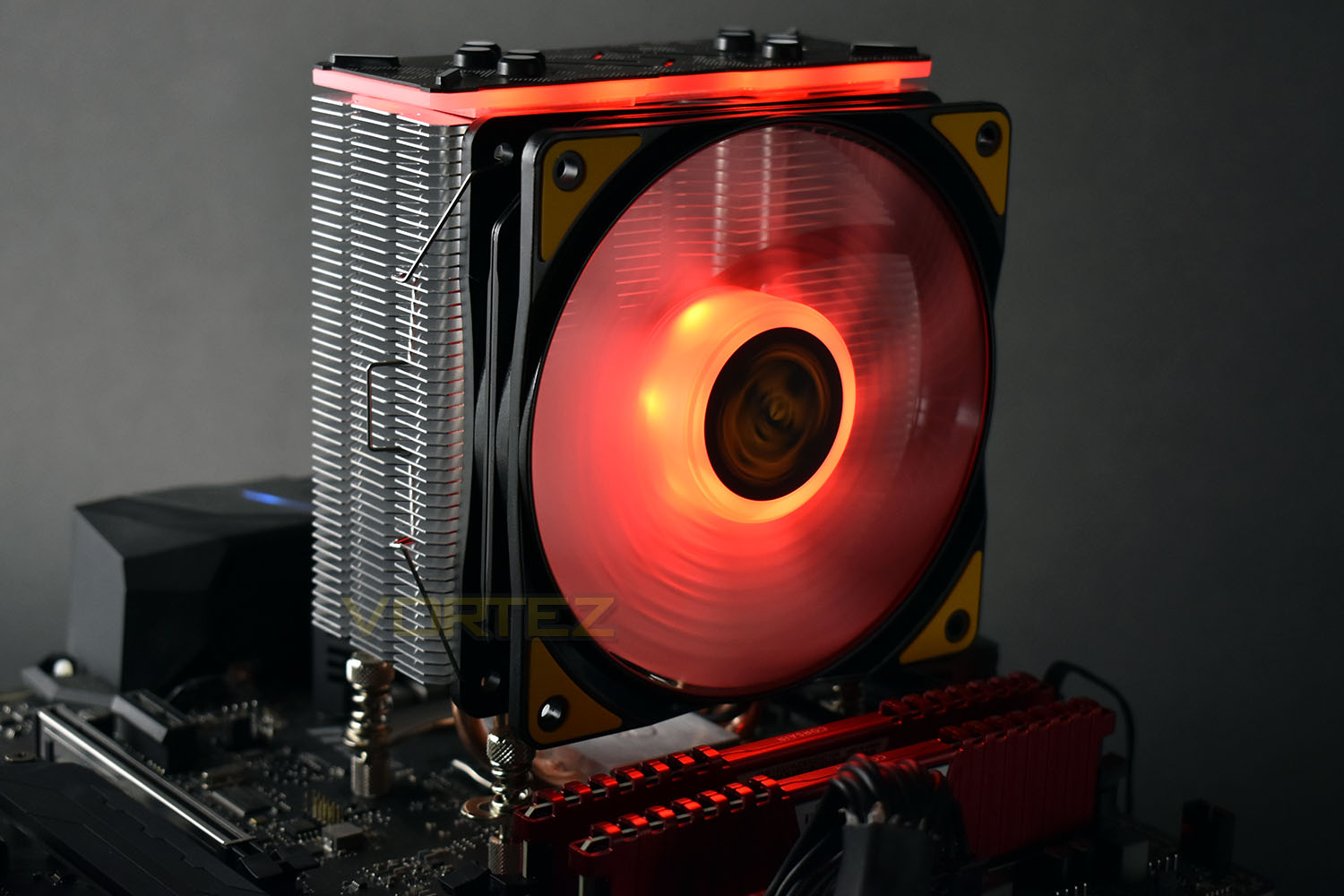
The top of the cooler is capped by a piece of aluminium, onto which the TUF Gaming style is painted. There’s some sections cut out to allow the RGB LEDs to “do their thang”. The outer edge is also illuminated. We’ll show some images of the lighting on a subsequent page.
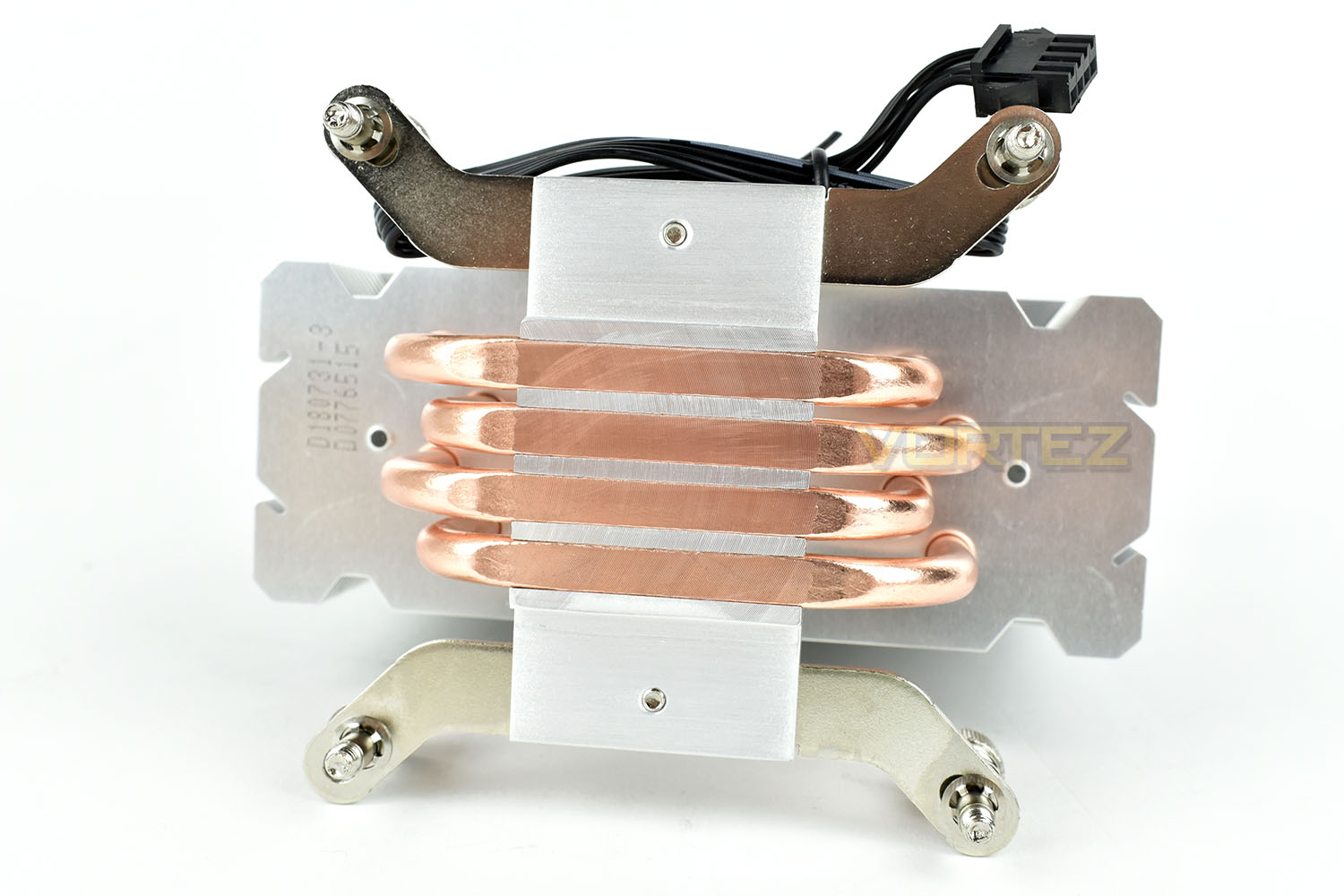
The base of the cooler comes into direct contact with the heatpipes for maximum thermal efficiency, though the milling process which flattens the bottom in unfortunately a little bit too rough and isn’t perfectly flat which may hinder performance somewhat. Thermal paste is good at transferring heat but metal-to-metal contact is much better.
Closer Look (Continued)
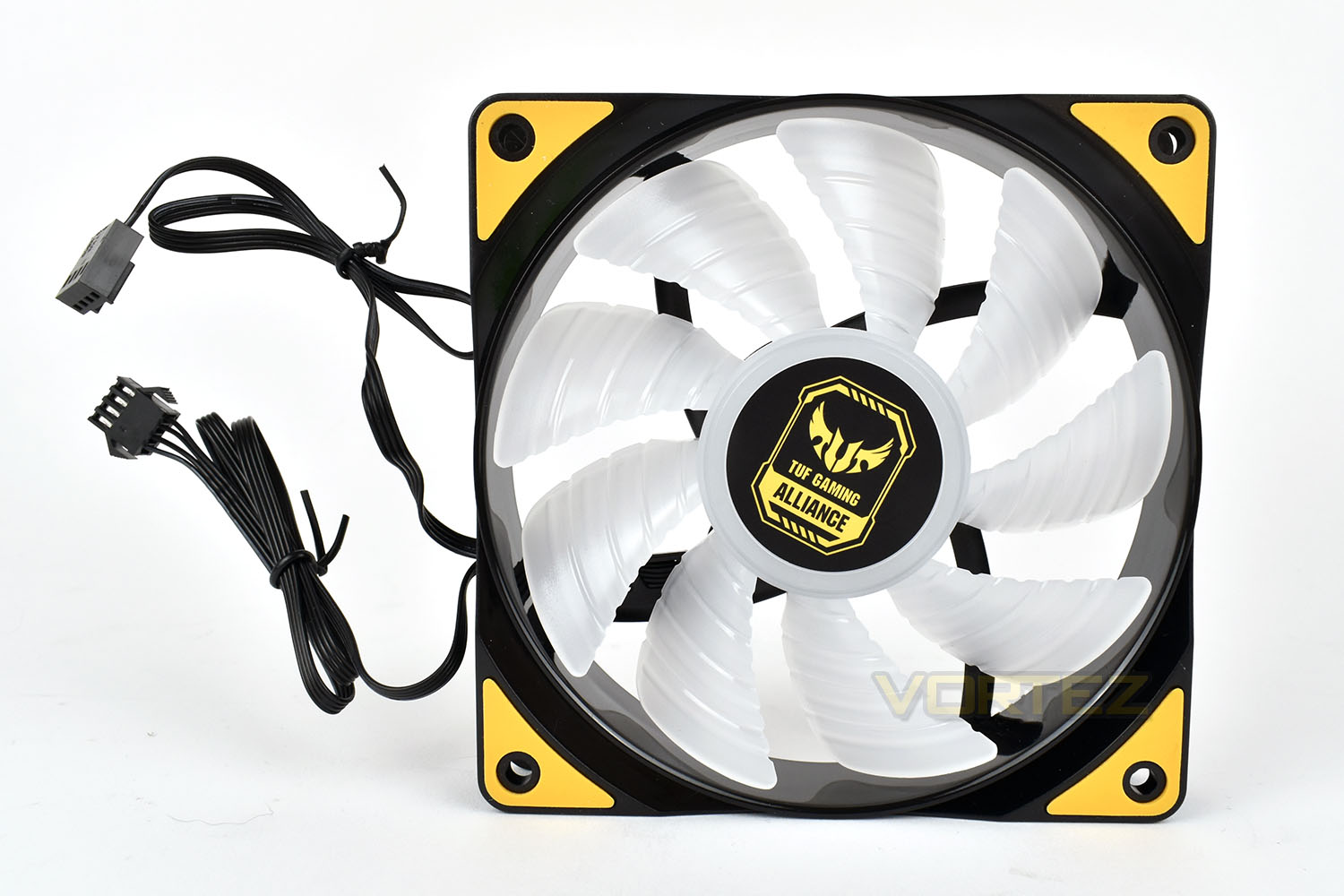
The included 120mm fan uses 9 ridged blades to push air through the tightly packed fins on the cooling tower. There’s also a small rubber pad on each corner which helps to reduce any sound transfer from the fan to the cooler.The fan uses a pair of connections. A 4-pin PWM connection for fan speed control and monitoring as well as a 4-pin RGB connection, with an included splitter to ensure the fan and cooler are sync’d.
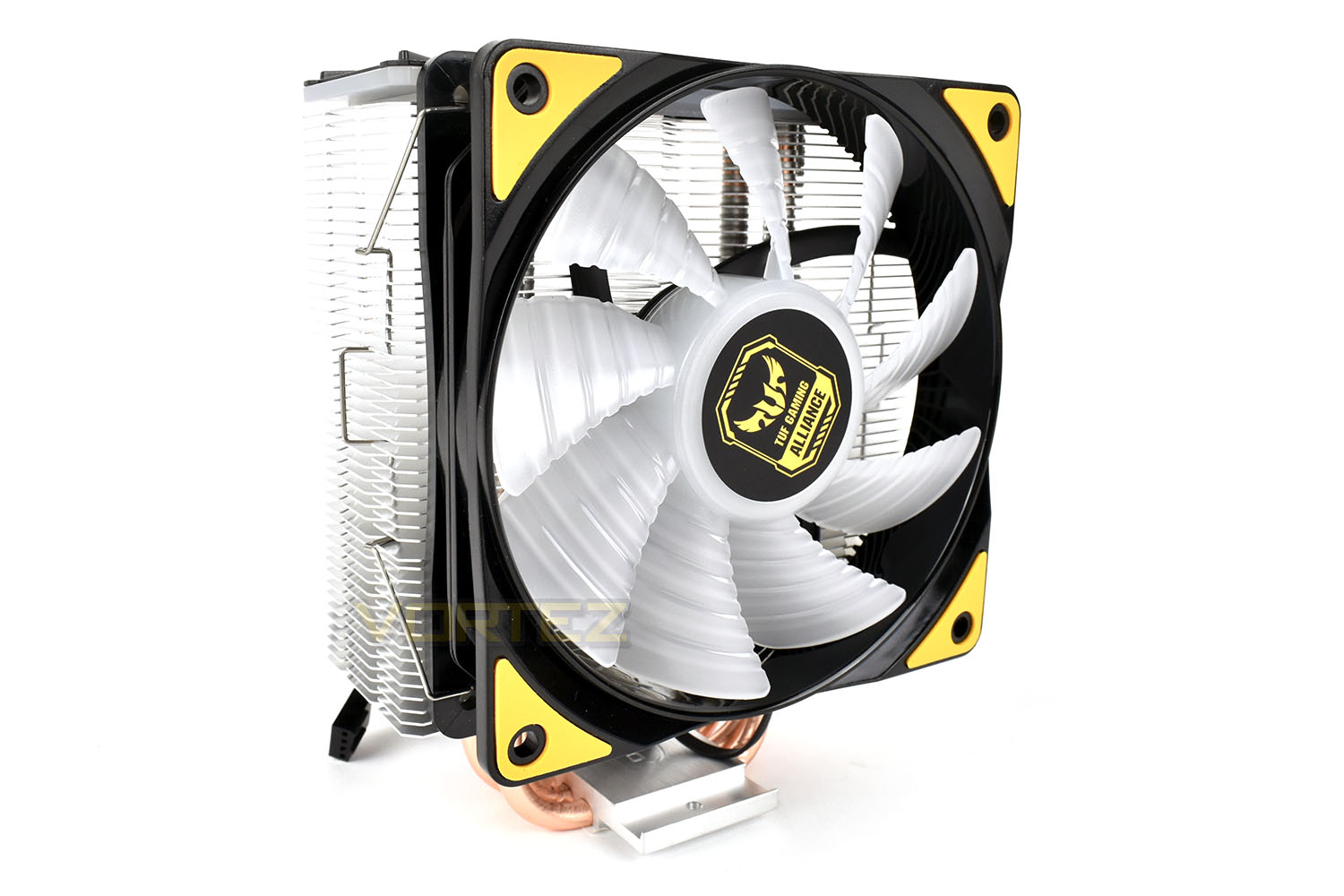
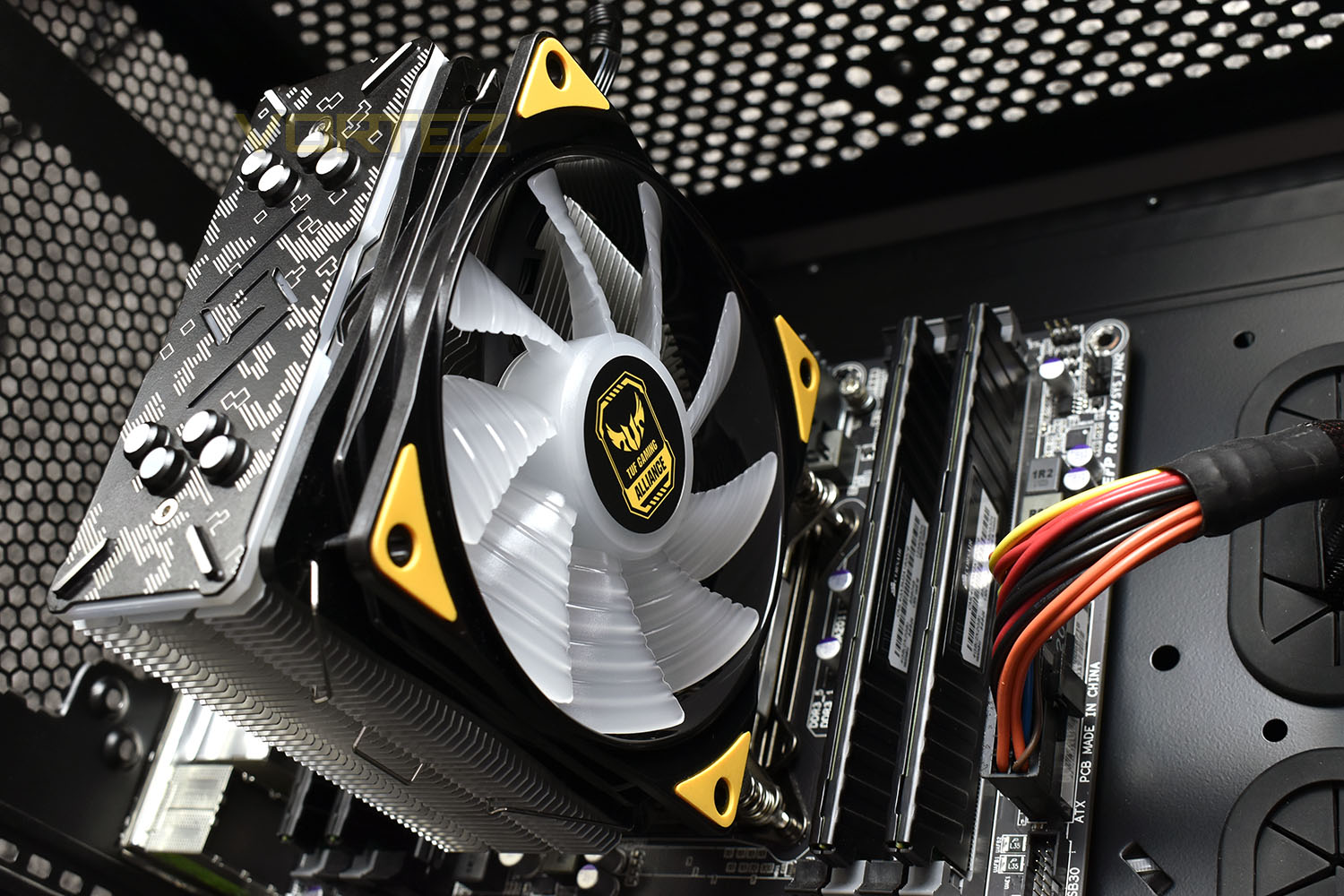
Finally, attaching the fan to the cooler is simple with the provided clips.
RGB Lighting
This page is dedicated to some photos and a short clip of the RGB lighting that this cooler offers.The keen eyed amongst you may notice that we aren’t using the same motherboard here; this is because of a lack of RGB connection on our board. We used the MSI X470 Gaming M7 AC for the RGB lighting only.
Installation
To begin the installation procedure, first you must install the relevant bracket for Intel or AMDs socket types. This is accomplished with a single small screw.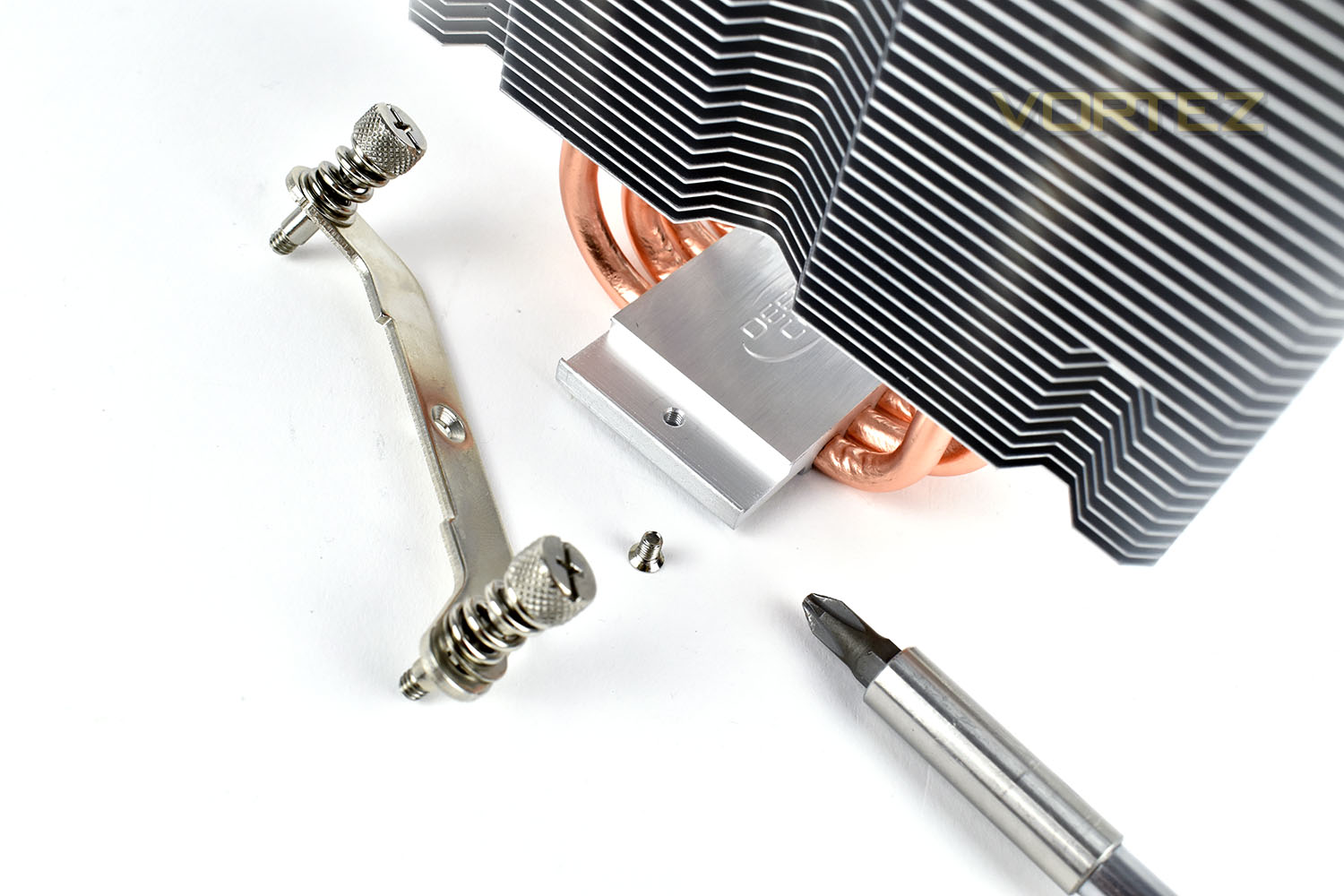
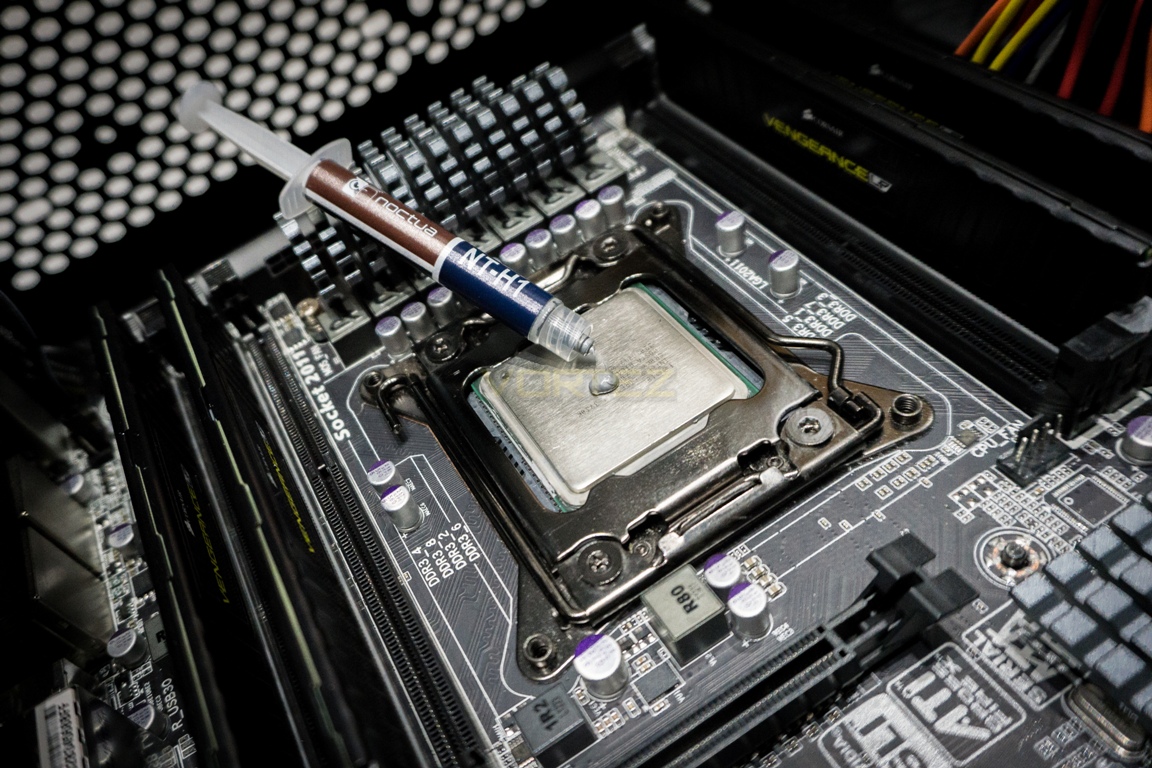
Next up is thermal paste. We use Noctua’s NT-H1 thermal paste to ensure consistency across our tests, removing the variance that difference compounds can introduce.
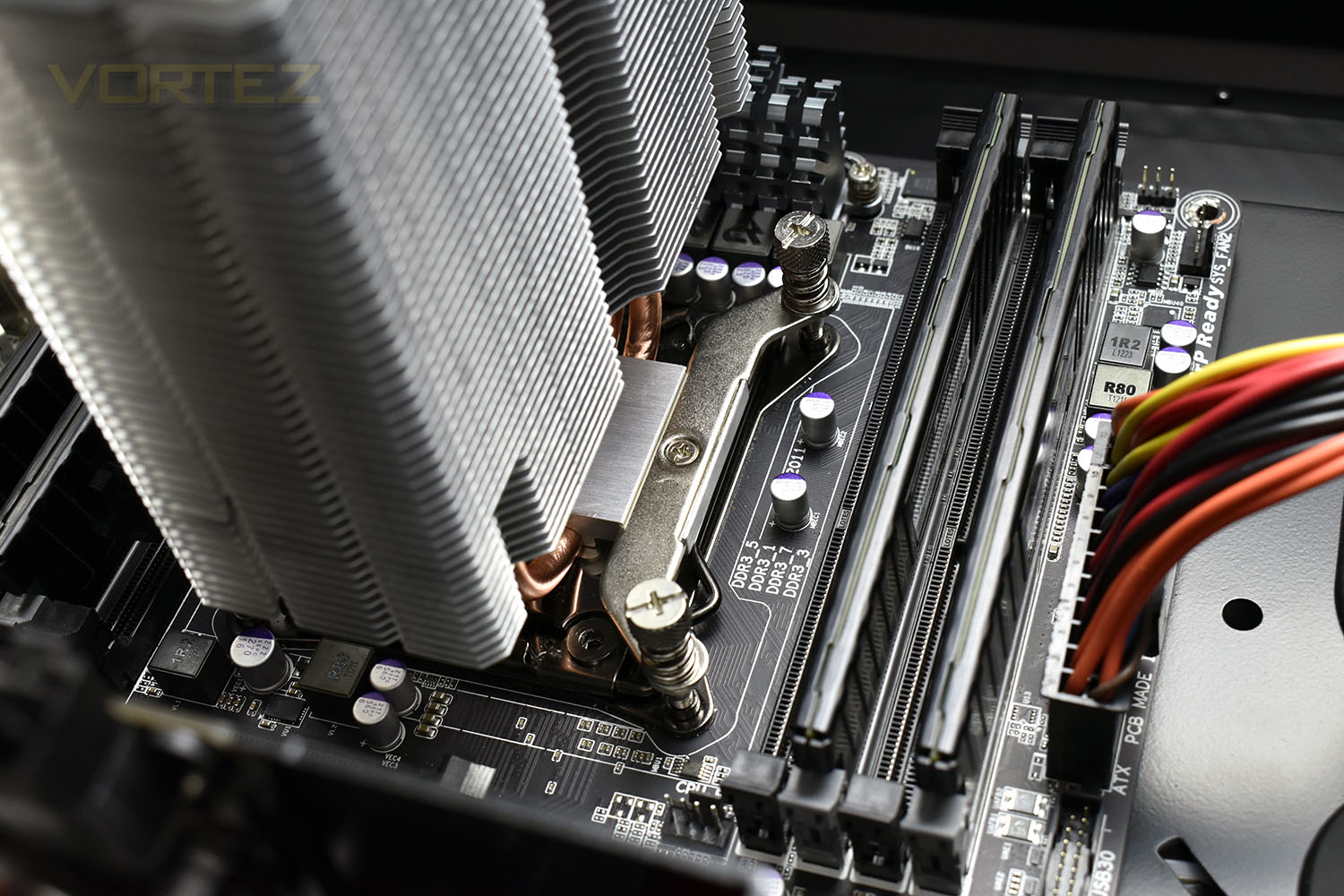
Thanks to the spring-mounted screws, mounting the cooler onto our socket 2011 motherboard was incredibly simple. The springs also help to distribute the pressure equally across all four corners which helps form an equal layer of thermal paste compared to other methods.
Finally, it’s a simple case of clipping the fan into place. We’re lucky to have plenty of room around the motherboard in our Corsair Carbibe 760T chassis, though you may be required to remove the motherboard from the case for this part.
Test Setup & Methodology
We have recently made changes to our cooling department and the associated testing methodology, so please note that the number of results shown will increase over time as we add additional products. We hope that these results will appear clearer to the majority of our readership and look forward to building upon the baselines that we currently have.We perform two individual testing routines with each CPU cooler that we receive – temperatures and acoustics. The system used is as follows and all tests are performed at stock 3.8 GHz and overclocked 4.4 GHz frequencies.
Processor – Intel Core i7-3930K
Motherboard – Gigabyte X79-UP4
Memory – 8GB Corsair Vengeance LP 1600MHz CL9
Video Card – Sapphire Radeon HD 6850 1GB
Power Supply – NZXT Hale90 650W
Storage Drive – Kingston HyperX 240GB SATA III SSD
Case – Corsair Carbide 760T
Monitor ASUS ROG SWIFT PG278Q
Motherboard – Gigabyte X79-UP4
Memory – 8GB Corsair Vengeance LP 1600MHz CL9
Video Card – Sapphire Radeon HD 6850 1GB
Power Supply – NZXT Hale90 650W
Storage Drive – Kingston HyperX 240GB SATA III SSD
Case – Corsair Carbide 760T
Monitor ASUS ROG SWIFT PG278Q
To keep our tests consistent, we always review CPU coolers as they come out of the box – with their factory cooling fans, as the manufacturer intended and as the consumer expects. It should, however, be noted that we do not use supplied thermal paste but instead, Noctua NT-H1 paste to, again, ensure consistency. The paste is applied and the CPU allowed to run for a couple of hours, at idle, to give the thermal compound some time to “bed in.”
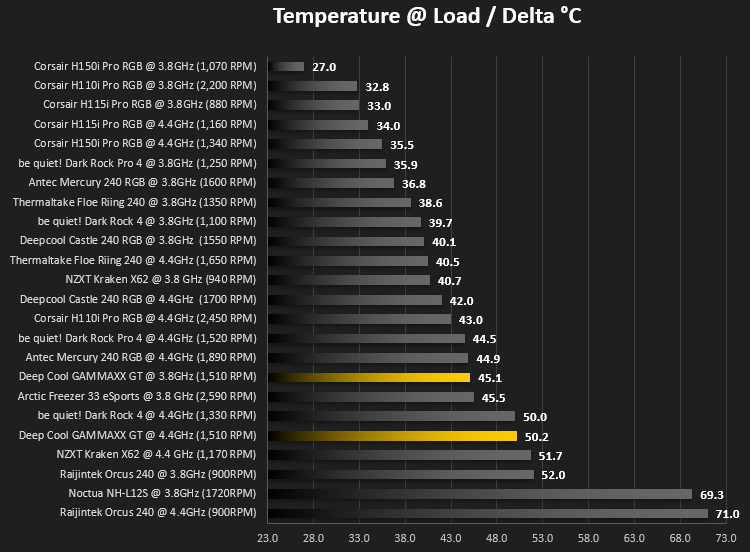
In the first test, we record idle and load temperatures as shown by the most current version of the Real Temp monitoring utility. The test system is booted to the Windows desktop and left to idle for 20 minutes to ensure temperatures have stabilised. The average core temperatures are then recorded over a 1 minute period and averaged across the six cores. We then perform a continuous 20 minute AIDA 64 stress test. The maximum absolute core temperatures are recorded immediately after the test has completed and averaged across the six cores. All results are displayed as delta temperatures – these are calculated by subtracting the ambient room temperature from the average core temperatures recorded. For temperature testing, the Corsair 760T chassis door is closed and has all three systems fans powered on to simulate real-world conditions.
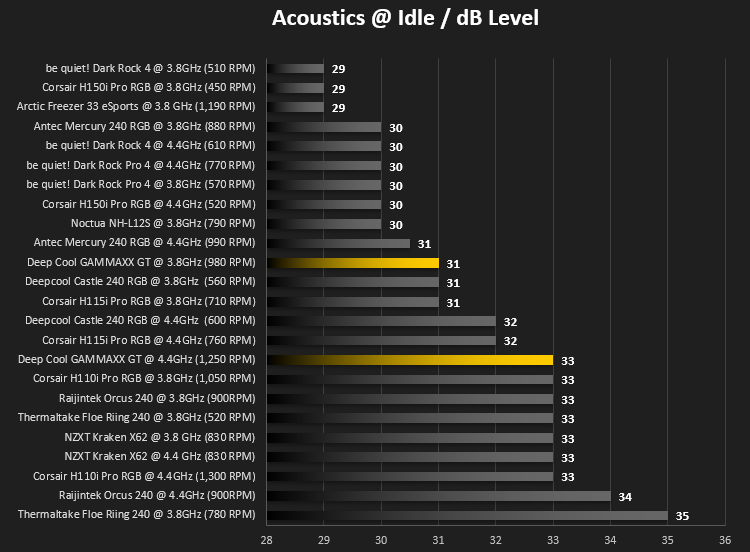
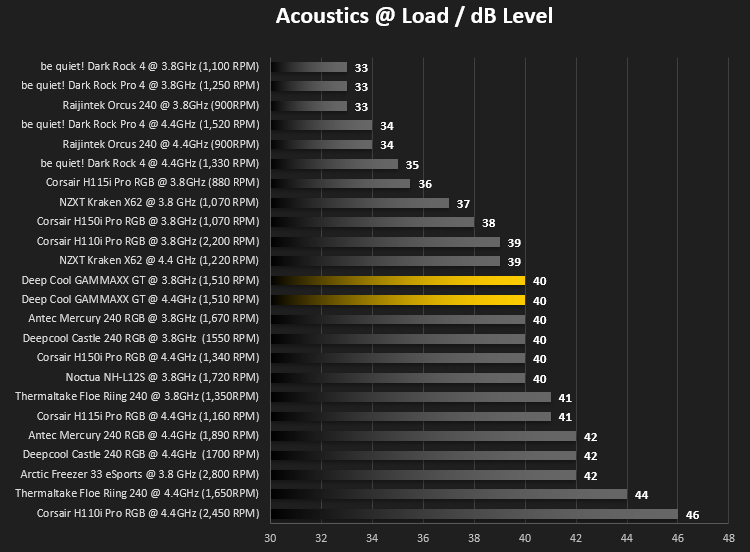
Our second test follows a similar methodology to the first, with the key difference being that the Corsair 760T chassis door is now left open and all three systems fans are disabled. This allows for the CPU cooler fans acoustic profiles to be captured in isolation. From cold, the system is again booted to the Windows desktop and left to idle for 20 minutes to ensure temperatures have stabilised. The acoustic level is then recorded at a distance of 20cm from the CPU cooler and where the individual result is an average level over a 1 minute period. We then perform our continuous 20 minutes AIDA 64 stress test. Acoustic levels are again recorded at a distance of 20cm from the CPU cooler and where the individual result is an average level over a 1 minute period.
Benchmarks – Thermal Results
We have recently made changes to our cooling department and the associated testing methodology, so please note that the number of results shown below will increase over time as we add additional products. We hope that these results will appear clearer to the majority of our readership and look forward to building upon the baselines that you see below.We start off by letting the CPU cooler “bed in” for a couple of hours, to ensure the paste has time to move around and form an even layer, after which an idle result is taken.
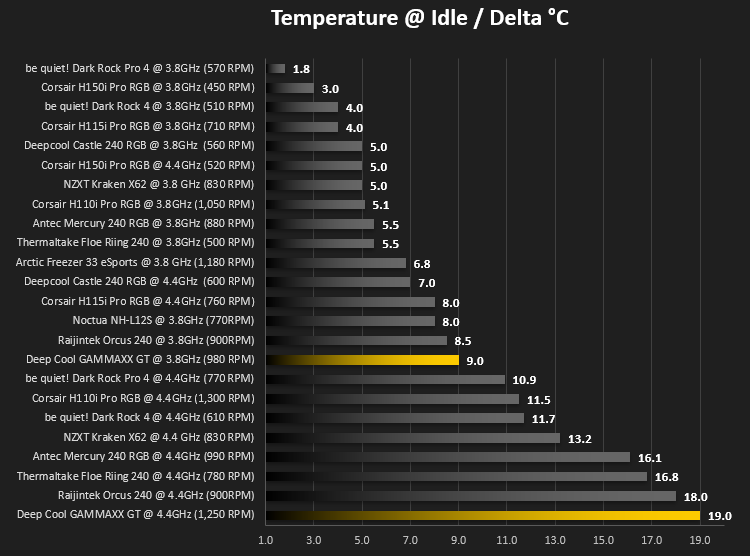
We then run AIDA64’s Stability Test for 20 minutes to give the Core i7 3930K CPU a good run in and then record the average core temperature.
Benchmarks – Acoustic Results
As mentioned on the previous page, we’ve made some recent changes to our cooling department and the testing methodology. Therefore our results graphs are starting from fresh – we’re working tirelessly to populate these graphs, but we hope you can appreciate that these results must be done fairly, and more importantly, correctly.We measure the noise levels by disconnecting all fans within the case to isolate the CPU cooler only. We then measure noise levels at idle.
20 minutes later, after hitting the heatsink with a heavy dose of AIDA64, we take another reading – again, with all case fans disconnected.
Conclusion
Once again, we find ourselves reasonably happy with a Deepcool product.Firstly, we love the RGB effects, which is the main appeal of such a product rather than outright performance. However, one major downfall of this particular model is a lack of RGB connectivity if your motherboard lacks the required 4-pin header. Our Gigabyte motherboard is a few years old now, but is still perfectly useable but isn’t compatible with the RGB lighting.
Moving onto temperature performance; you must remember that our test rig consists of an i7 3930K CPU, a 6 core, 12 thread beast from 2011. This thing has a TDP of 135w at its stock clocks, which rises to around 170w when overclocked to 4.4GHz. The coolers ability to dissipate that amount of heat bodes well for users with much more modest power requirements. Most common CPUs won’t go above 100w.
Acoustics are reasonable, with idle and load noise levels being there or there abouts with all-in-one watercooling loops promising quiet operation, while costing a fraction of those same counterparts.
Lastly, the overall aesthetic. With the RGB lighting turned off, this product will fit in with a TUF Gaming Alliance build perfectly well, with the black and yellow theme and futuristic etchings on top. But turn on the RGB lighting and this will look excellent in any case with a glass window.
Value for money is an absolute strong suit of this cooler, sitting on the shelves at GBP £39.98 / USD $44.99 / AUS $77.00. Not many other cooling solutions can compete with the RGB lighting and cooling ability at this price point.
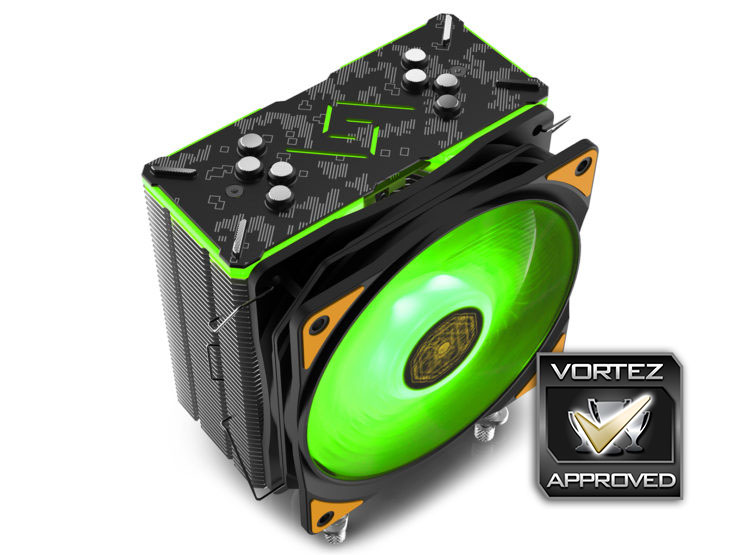
If a cheap and cheerful CPU cooler is what you seek, but you can’t give up the RGB lighting, this will certainly tick those boxes.
Pros
+ Excellent RGB lighting
+ Decent performance
+ Easy to install
+ Good socket compatibility
+ Adds to the ASUS TUF Gaming Alliance
+ Price
Neutral
+- Not the quietest cooler available
Cons
– Poorly machined heatsink base
– Requires RGB header
+ Excellent RGB lighting
+ Decent performance
+ Easy to install
+ Good socket compatibility
+ Adds to the ASUS TUF Gaming Alliance
+ Price
Neutral
+- Not the quietest cooler available
Cons
– Poorly machined heatsink base
– Requires RGB header
Click here for an explanation of our awards at Vortez.net.
Stay connected with the Vortez Social Media pages: