A budget CPU cooler which arrives with an RGB cooling fan for as little as $24.99. Will it be able to handle The Intel Core i9-12900K?

Product on Review: AG400 CPU Cooler
Manufacturer & Sponsor: Deepcool
Street Price: $24.99 USD
Deepcool has released a plethora of cooling products in the past 6 months and in the last week, has double downed on budget friendly options in both the air cooling and liquid cooling departments. Not everyone has the budget to splash out on a flagship cooler for their system, so, adding in a thermal solution which gets the job done at half the price is a worthwhile undertaking.
Today we’ll be checking out the single tower AG400 from Deepcool which is just 150mm in height, features an LED cooling fan and costs as little as $24.99 USD. Will it be able to handle the might of the Intel Core i9-12900K though?
About Deepcool
We founded Deepcool with the mission of providing the best and personalized thermal solutions for customers around the world. Deepcool was first established 1996 with its headquarters in Beijing and factory facilities in Shen Zhen that produced coolers and cooling accessories for desktops and servers. In response to rapid advancements in the PC sector Deepcool further expanded into AIO liquid cooling products, chassis, and power supplies.
Technical Specifications
Below are the technical specifications surrounding the AG400 LED:
Product Dimensions
125×92×150 mm
Heatsink Dimensions
120×92×150 mm
Net Weight
614 g
Heatpipe
Ø6 mm×4 pcs
Fan Dimensions
120×120×25 mm
Fan Speed
500~2000 RPM±10%
Fan Airflow
75.89 CFM
Fan Air Pressure
2.53 mmAq
Fan Noise
≤31.6 dB(A)
Fan Connector
4-pin PWM
Bearing Type
Hydro Bearing
Fan Rated Voltage
12 VDC
Fan Rated Current
0.28 A
Fan Power Consumption
3.36 W
LED Type
6-Color LED
125×92×150 mm
Heatsink Dimensions
120×92×150 mm
Net Weight
614 g
Heatpipe
Ø6 mm×4 pcs
Fan Dimensions
120×120×25 mm
Fan Speed
500~2000 RPM±10%
Fan Airflow
75.89 CFM
Fan Air Pressure
2.53 mmAq
Fan Noise
≤31.6 dB(A)
Fan Connector
4-pin PWM
Bearing Type
Hydro Bearing
Fan Rated Voltage
12 VDC
Fan Rated Current
0.28 A
Fan Power Consumption
3.36 W
LED Type
6-Color LED
Packaging & Bundle
Deepcool’s AK400 arrives in a small, nicely designed box with the depiction of the cooler on the front. The technical specifications can be found on the reverse.
Inside, the cooler is well-protected and the accessories are supplied in a small bag.
There are various parts for installing this cooler into a computer case since it is compatible with numerous socket types including the new LGA1700. The bundle consists of:
• Cooler + 120mm PWM LED fan
• Mounting kit for Intel/AMD platforms
• Installation guide
Closer Look
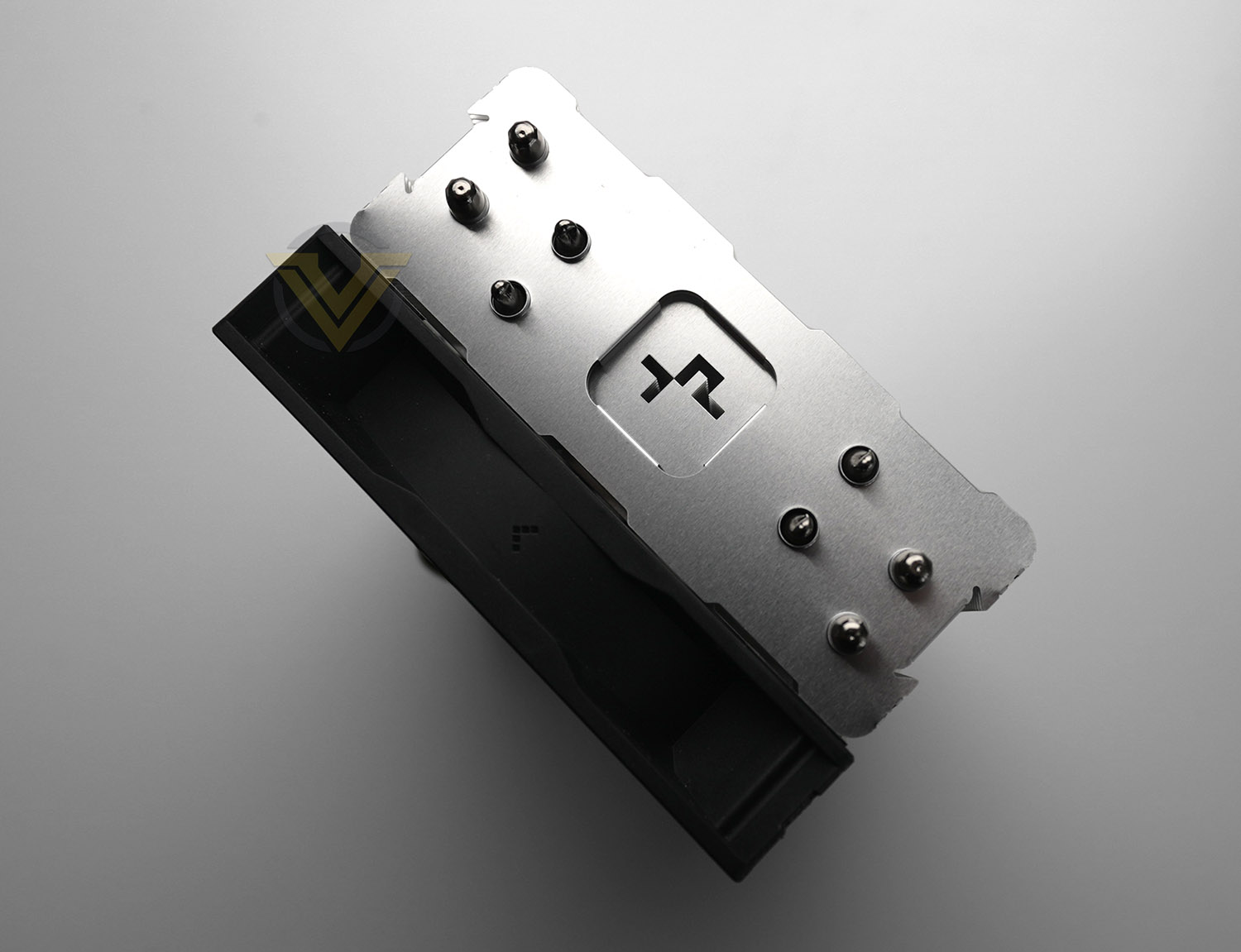
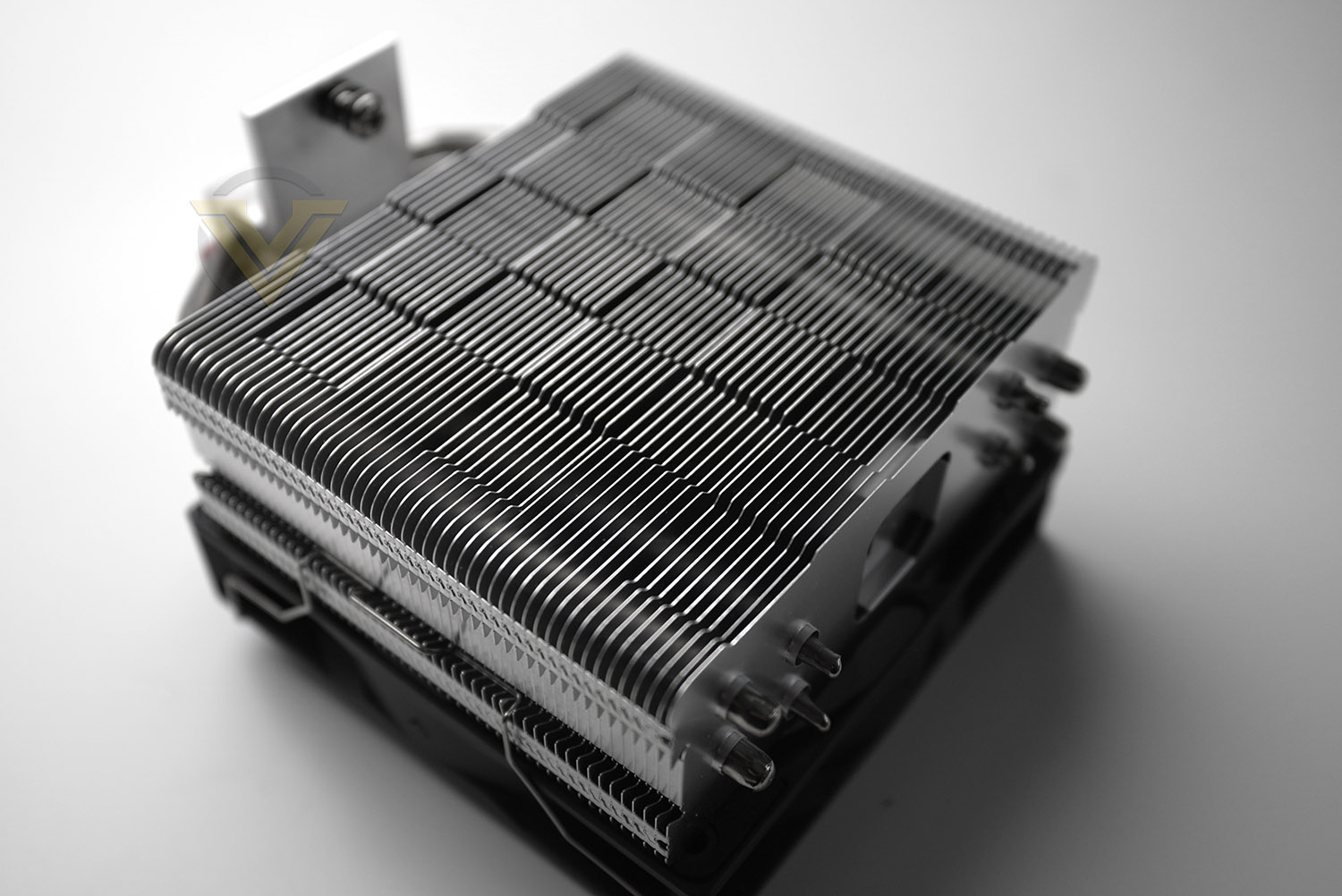
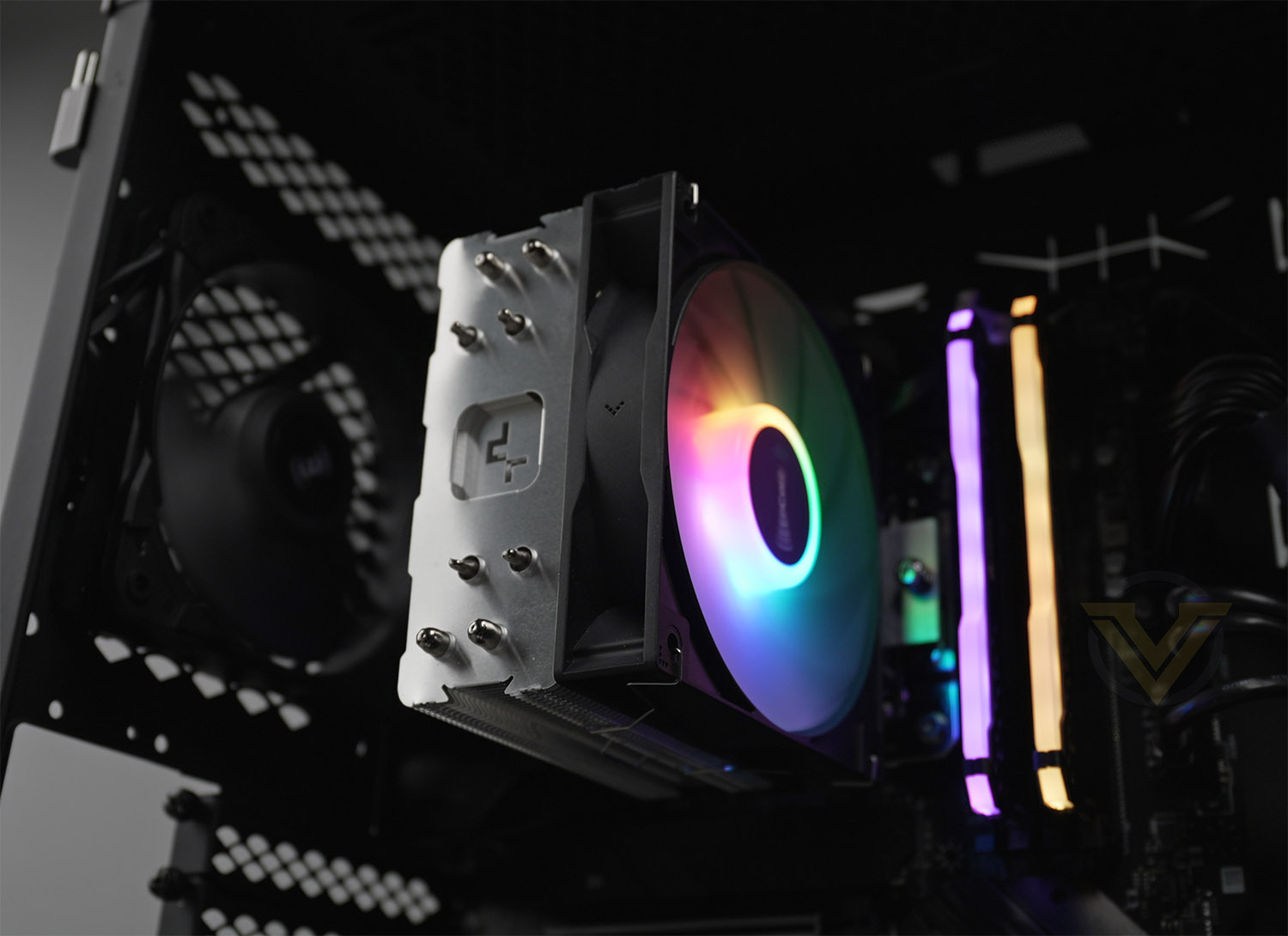
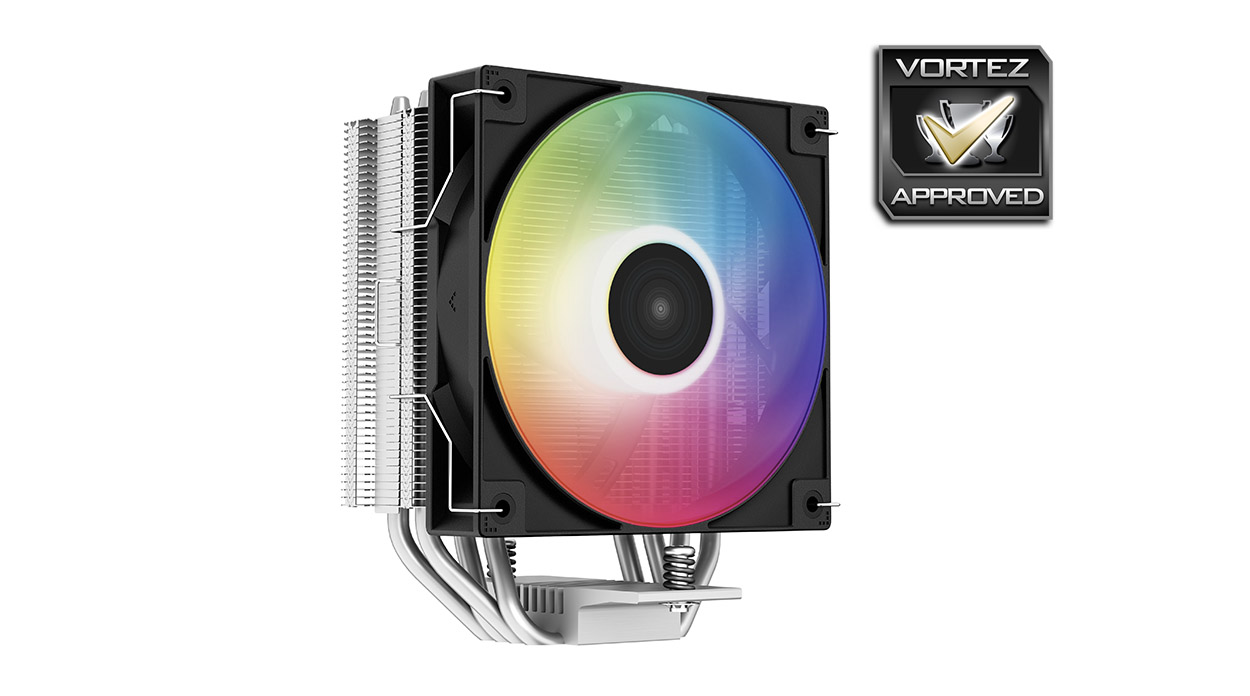
The top section of AG400 sports the Deepcool logo which has been carved out of the uppermost fin and the copper heatpipes can be seen. As this will be the most visible aspect of the cooler, it’s nice to see a clean and tidy aesthetic that will look appealing.
Deepcool is using a premium nickel-plated heatsink and a matrix- shaped fin-array for AG400.
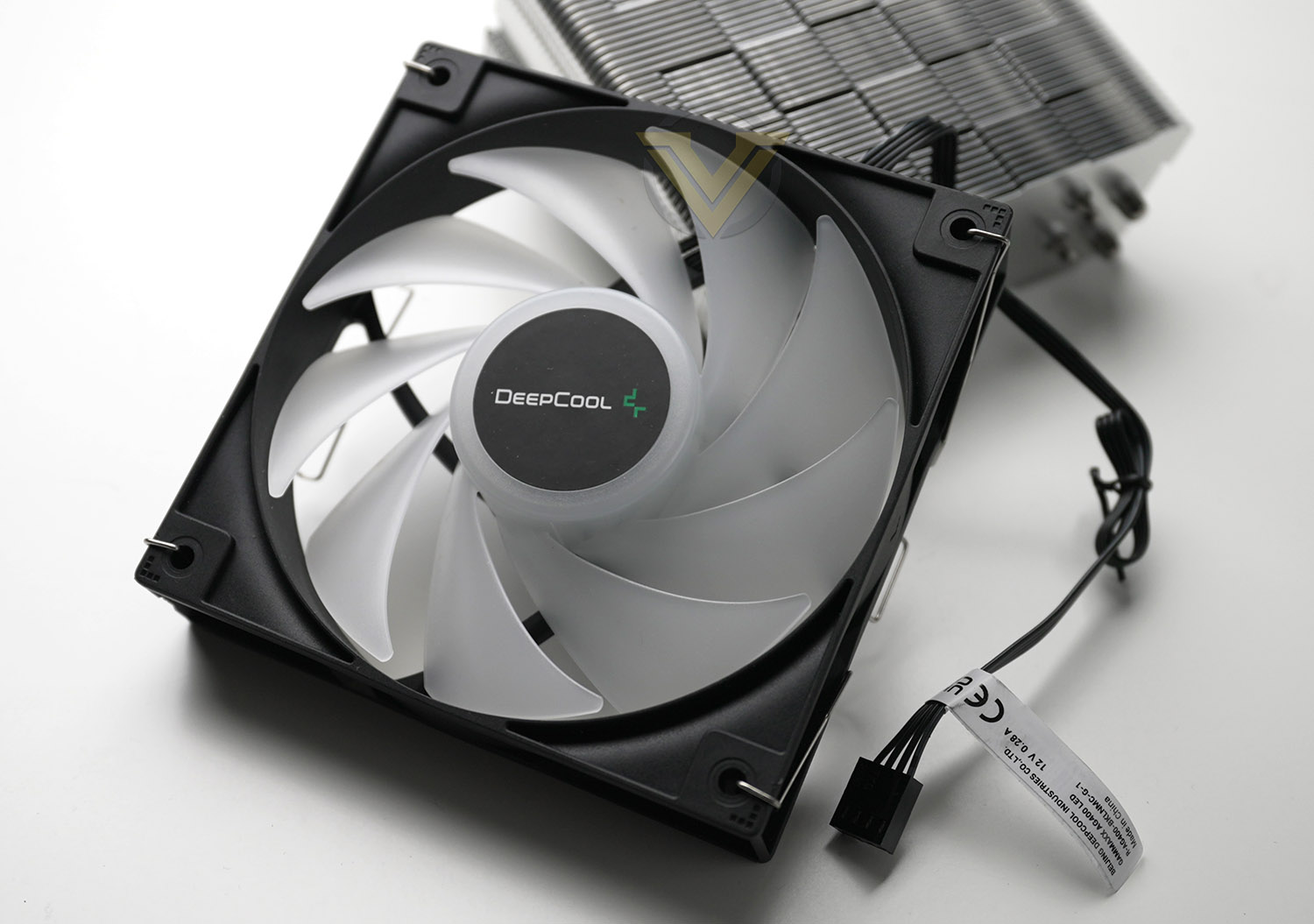
Included with this cooler is a single 120mm LED fan. This fan is capable of 500-2000 RPM and airflow of up to 75.89 CFM. Deepcool also provide another set of fan clips to attached a second fan onto the other side of the heatsink.
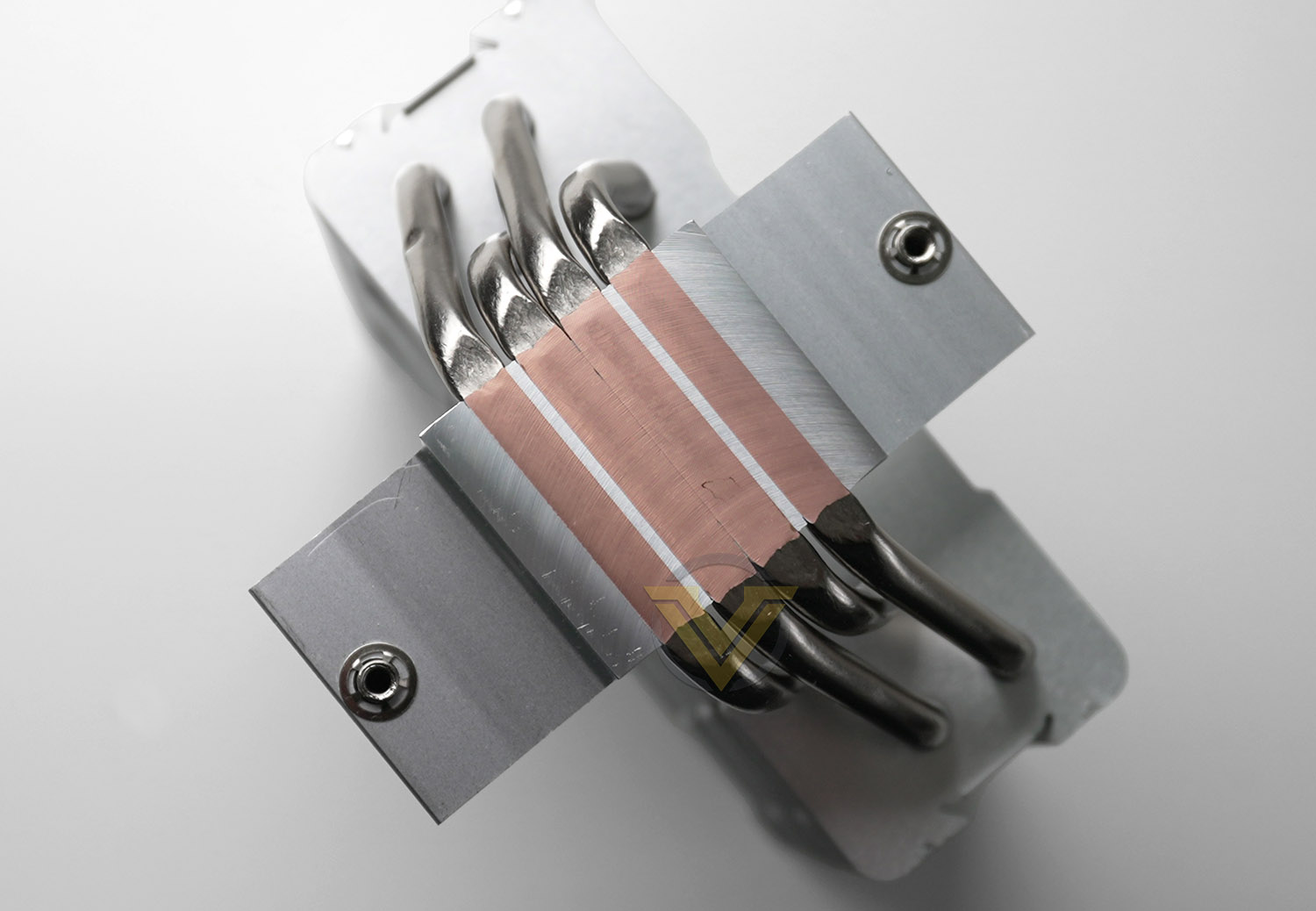
The baseplate is copper and features direct touch with the four copper heatpipes in a bid to transfer heat away from the processor, dissipating through the fin stack. Deepcool includes pre-applied thermal paste to the cooler (No additional tube of thermal paste is supplied in the accessories bundle).
Installation Process
For the installation we’ve chosen to use LGA 1700 since this is new and AG400 has compatibility for it.
So, for the first step, it’s necessary to attach the provided backplate and then install the plastic standoffs on the front-side. This is actually quite a tricky process because the backplate almost doesn’t poke through enough for the standoffs to stay in situ.
We then need to attach the large metal mounting plate over the top of the standoffs and fix into place via screws.
Next, we simply need to place the CPU cooler over the mounting plate, lining up the screws. It is always good practise to perform one turn of the screwdriver and then jump to the other screw so that pressure is applied evenly. Thankfully the cooling fan does not need to be removed to tighten up the screw on that side.
The last step is to then attach the PWM connector to the motherboard and we are ready to go. Here is the finished linked, we rather like the design of this cooler – it looks great!
Test Setup & Methodology
HARDWARE
Rather than analyse CPU coolers on a test bench, we prefer to simulate a real-world configuration where all of the components are housed within a computer case. By doing this, our readers are able to see the CPU cooler in a real-world scenario.Special thanks go to Intel, MSI, Corsair, Noctua and AverMedia for providing the hardware configuration for our CPU cooler reviews:
CPU – Intel Core i9-12900K
Board – MSI MAG B660 Tomahawk WiFi DDR4
RAM – Corsair Vengeance RGB PRO SL (16GB)
Power Supply – Corsair RMx850
Hard Drive – Intel S3500 128GB
Case – MSI SEKIRA 500G
Board – MSI MAG B660 Tomahawk WiFi DDR4
RAM – Corsair Vengeance RGB PRO SL (16GB)
Power Supply – Corsair RMx850
Hard Drive – Intel S3500 128GB
Case – MSI SEKIRA 500G
BENCHMARKS
In order to perform our thermal and acoustics tests we use AIDA64 Stability test. The 12900K CPU is left in its default stock state with EIST, Turbo enabled.For the moment, the comparison results highlight only a small number of CPU coolers, this is because we’ve updated our hardware configuration. The number of tested coolers will increase.
To reflect the most accurate user experience we always test our coolers in their out-of-the-box state, with the cooling fans/components they are sold with. However, we do not use the supplied thermal paste as this would skew results – for our thermal paste we use Noctua NT-H2 which provides us with that level playing field and consistency.
To record the idle temperatures result, our system is booted into Windows and left to idle for 20 minutes. The average core temperatures are recorded (Using Core Temp), and then we following this we apply the AIDA64 Stability test to apply an intensive load on the CPU. After 20 minutes have elapsed, we then record the average core temperatures.
All temperature results are delta, this is calculated by subtracting the ambient from the average core temperature. Ambient temperature is recorded using a digital thermometer placed near the front intake of the case.
In regards to acoustics we use the exact methodology above except all case system fans are disabled. This isolates the CPU cooler fans and allows us to accurately report on the decibel readings. We record acoustics using the NDI KC-330D Sound Level Meter at a distance of approximately 30cm.
Thermal Results
Below are the results for our thermal test. We record both the idle and load temperatures – stress is applied to the CPU using AIDA64’s stability test.
Acoustic Results
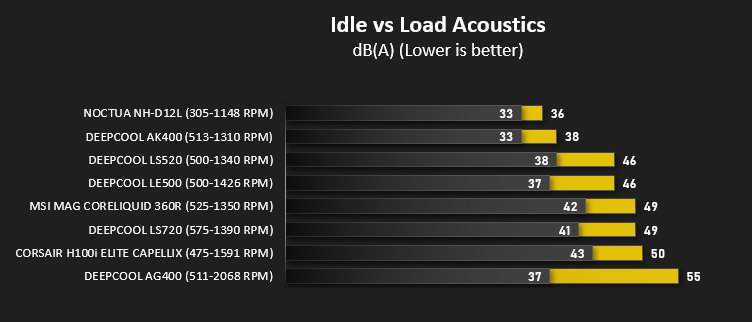
In terms of the acoustics test, we disable all case fans and place our sound level meter approximately 30cm away from the cooling fans and the result is then obtained.
Conclusion
Deepcool’s latest lineup of CPU coolers are designed to appeal to the system builder on a tight budget and the AG400 comes in at an astounding $24.99 USD, but does it get the job done?
In just a word, yes. While the performance figures for the thermal results aren’t mindblowing – this single tower CPU cooler (which could well be the cheapest component in any build) isn’t designed to ascend to the top of the cooling or acoustics leaderboard. AG400 did trail behind other coolers we have tested but it’s important to realise the category this cooler slots into and that it is really designed as an alternative to the stock AMD/Intel cooler, with the added bonus of an RGB cooling fan.
Installing the cooler into our system was a breeze, though we would have liked to see the initial stages of the process a bit easier. The backplate and standoffs which attach can be tricky to fix in place due to clearance, but apart from that, it does not take long to get up and running with this cooler.
Wanting a basic CPU cooler for your next build? AG400 costs a mere $24.99 and delivers reasonable performance!
Pros
+ Good build quality
+ Low-noise operation
+ Small, good for case compatibility
+ Easy to install
+ Very affordable
+ Includes an RGB LED cooling fan
Cons
– Basic bundle
– Requires high-RPM to effectively cool
– Thermal performance trails other options
+ Good build quality
+ Low-noise operation
+ Small, good for case compatibility
+ Easy to install
+ Very affordable
+ Includes an RGB LED cooling fan
Cons
– Basic bundle
– Requires high-RPM to effectively cool
– Thermal performance trails other options
Click here for an explanation of our awards at Vortez.net.
Stay connected with the Vortez Social Media pages:
Join in with the discussions on Discord