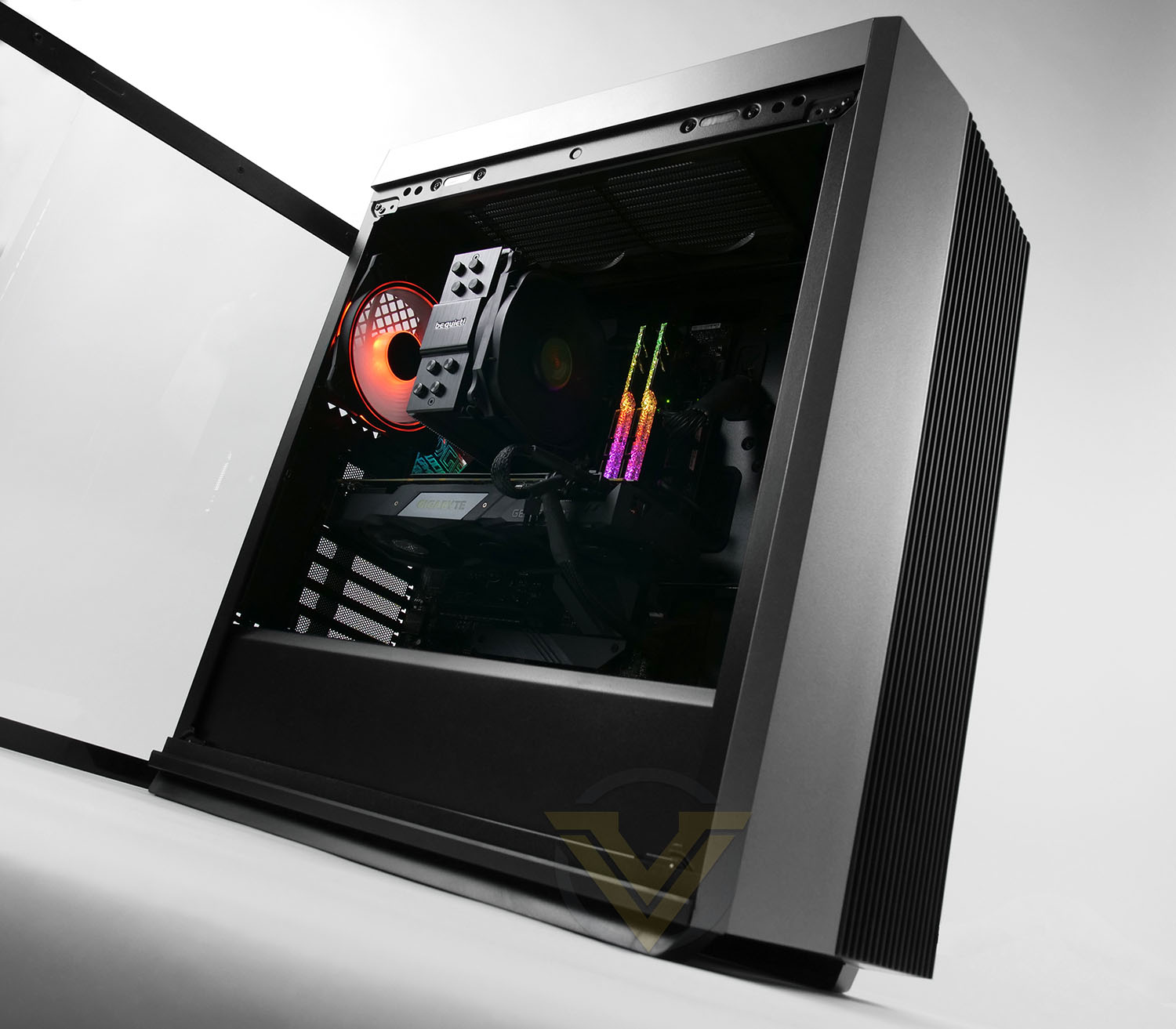
In the spotlight today is the new mid-tower from DeepCool named CL500, which doubles down on airflow and functionality with a pair of innovative magnetic side panels.

Product on Review: CL500
Manufacturer and Sponsor: Deepcool
MSRP: $79 USD | $129 AUD | £79 GBP
We’ve been reviewing Deepcool products for some time at Vortez, but it’s been a while since we’ve examined one of their computer chassis. Over the last few years, the company has unveiled a rather interesting selection of products and today marks another release, in the form of a new mid-tower chassis.
In the spotlight today is the CL500. The intention behind this new enclosure is that it will address airflow as a key attribute, while delivering other important features while keeping the price-tag within reach for many system builders.
Deepcool has equipped CL500 with just one cooling fan, but we’ve kitted the case out with a bunch of CF-120 Plus cooling fans for asthetics and to demonstrate what the enclosure is capable of.
Should you consider the CL500 for your next PC build? Let’s find out!
About Deepcool
We founded Deepcool with the mission of providing the best and personalized thermal solutions for customers around the world. Deepcool was first established 1996 with its headquarters in Beijing and factory facilities in Shen Zhen that produced coolers and cooling accessories for desktops and servers. In response to rapid advancements in the PC sector Deepcool further expanded into AIO liquid cooling products, chassis, and power supplies.
Technical Specifications
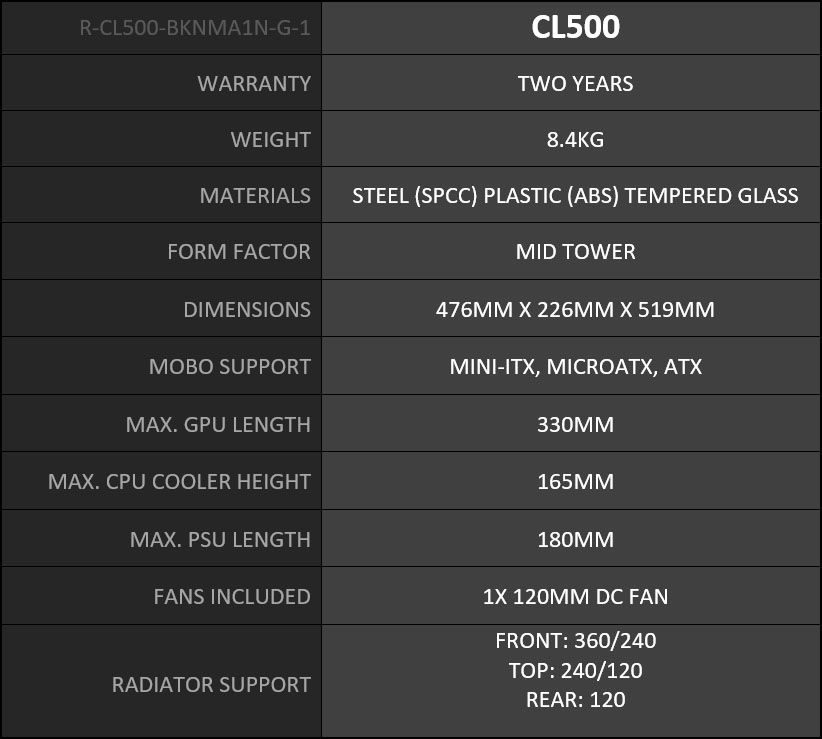
Below are the technical specifications surrounding the CL500 supplied by Deepcool.
Externals
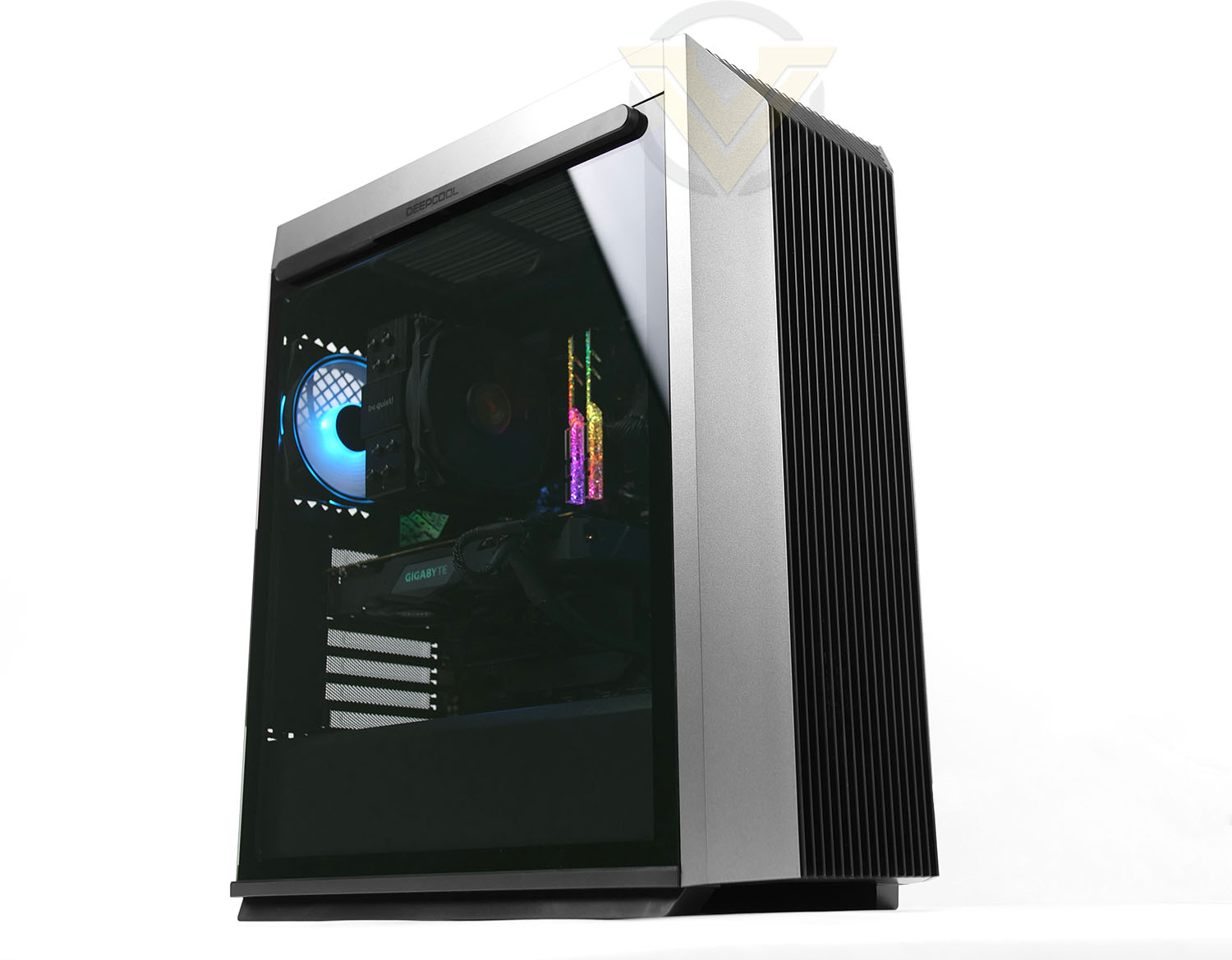
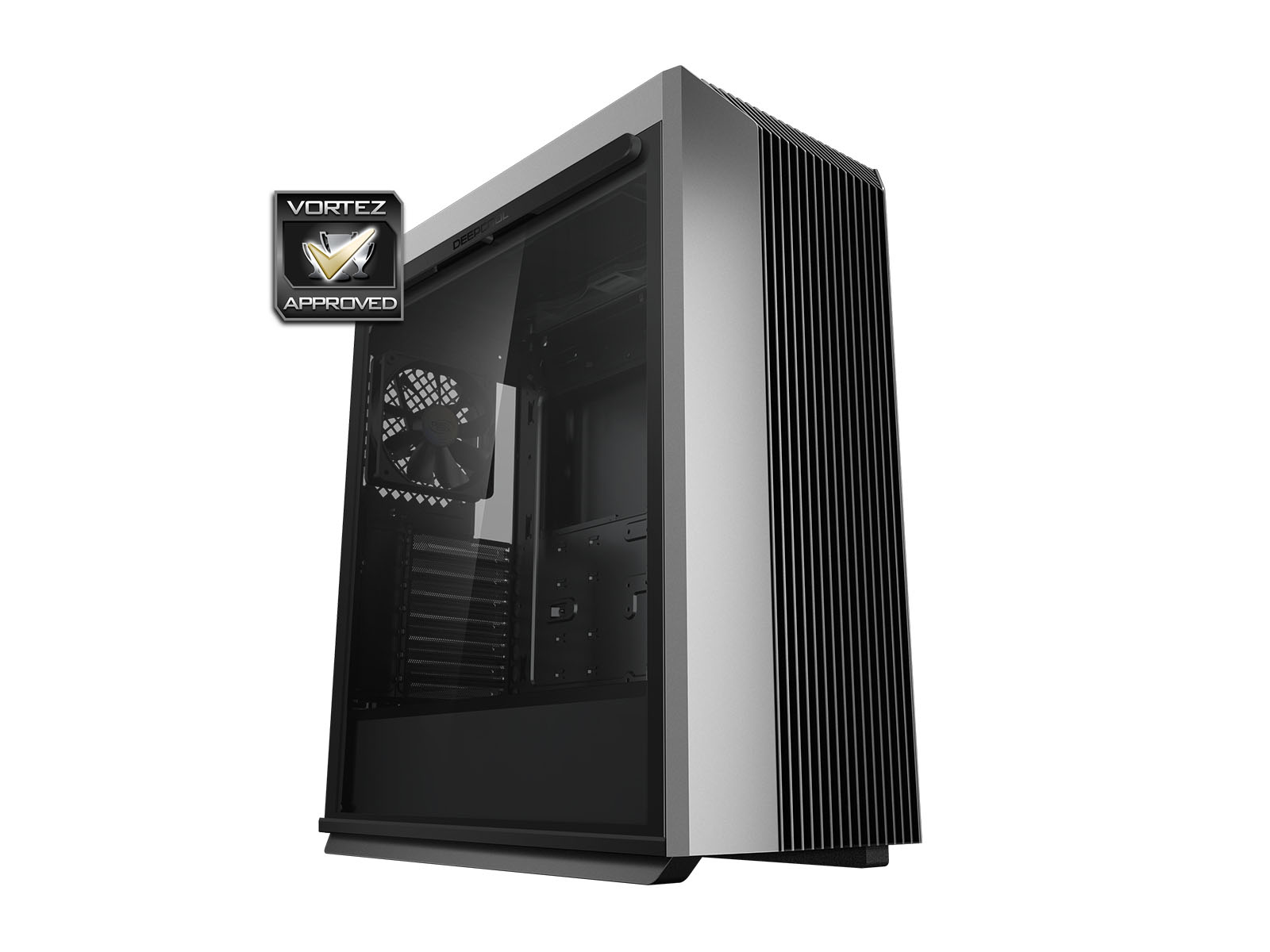
The CL500 is an attractive looking mid-tower which features a two-tone theme – black/grey. The front of the chassis features a plastic panel which is heavily ventilated to allow air to pass through, which is ideal for use with front mounted cooling fans – although there aren’t any pre-installed.
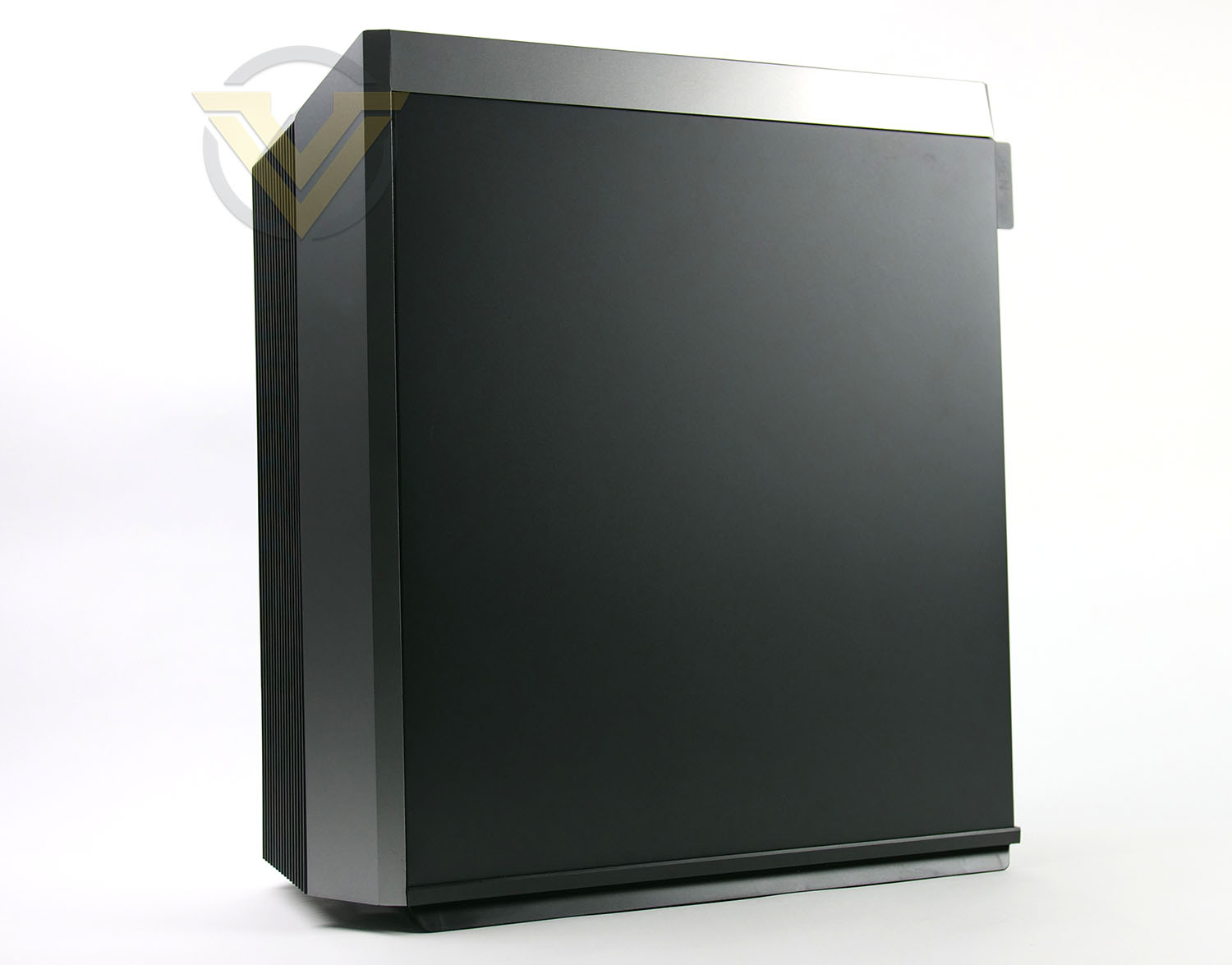
On the prominent side DeepCool has equipped the chassis to have a tempered glass panel which reveals a preview of the internal components; perfect if you have an RGB configuration. Over on the reverse, we just have a solid steel panel.
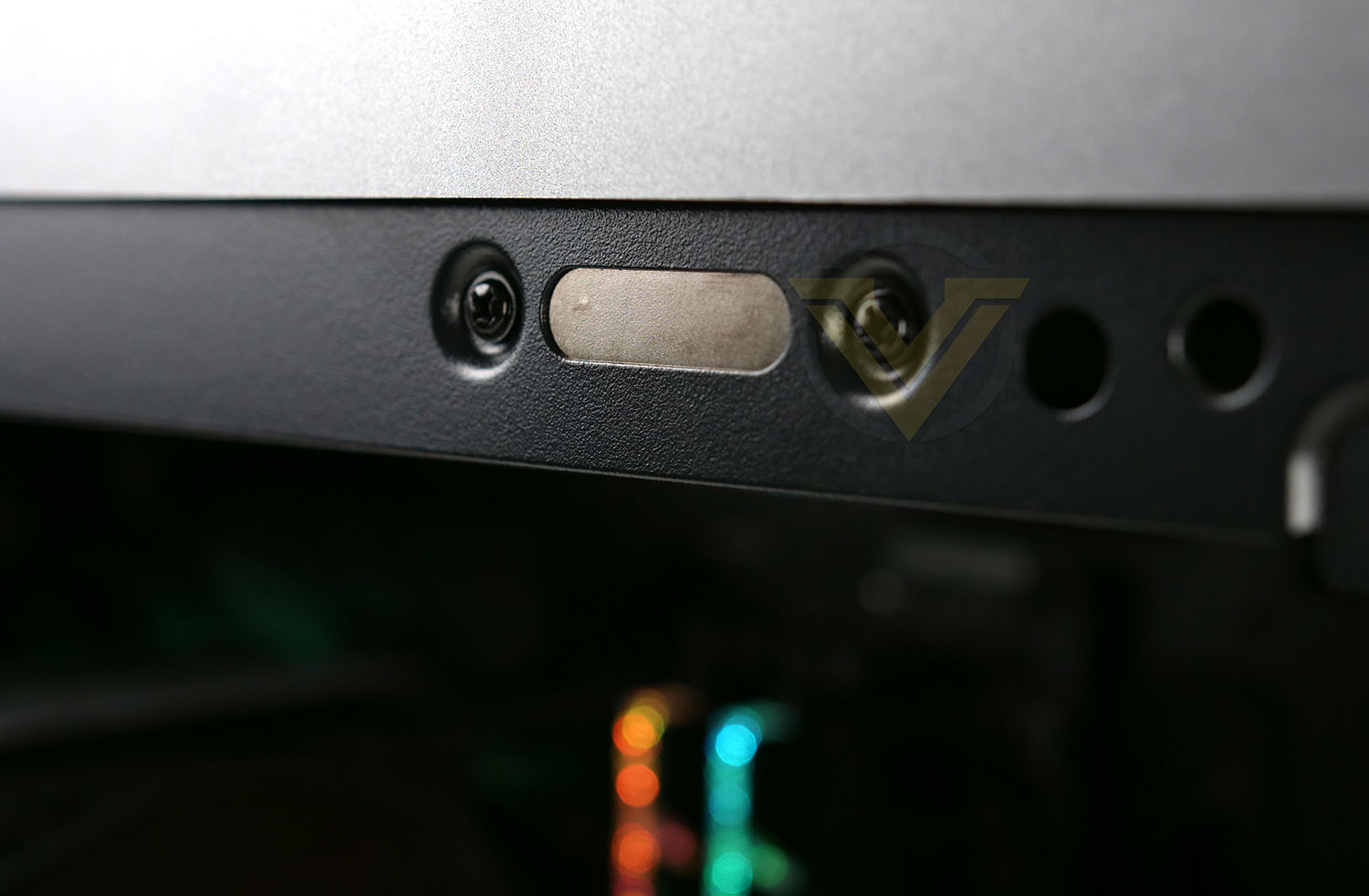
The innovative benefit with CL500 is that it arrives with a completely tool-free method of attaching the side panels to the chassis via magnets. Either side features a series of these strong magnets and this makes accessing the internals much quicker and is of course, hassle-free; so there are no screws involved, even thumbscrews. This is why Deepcool has designed the panels to have elevated handles – which are easy to grip and remove the panels with.
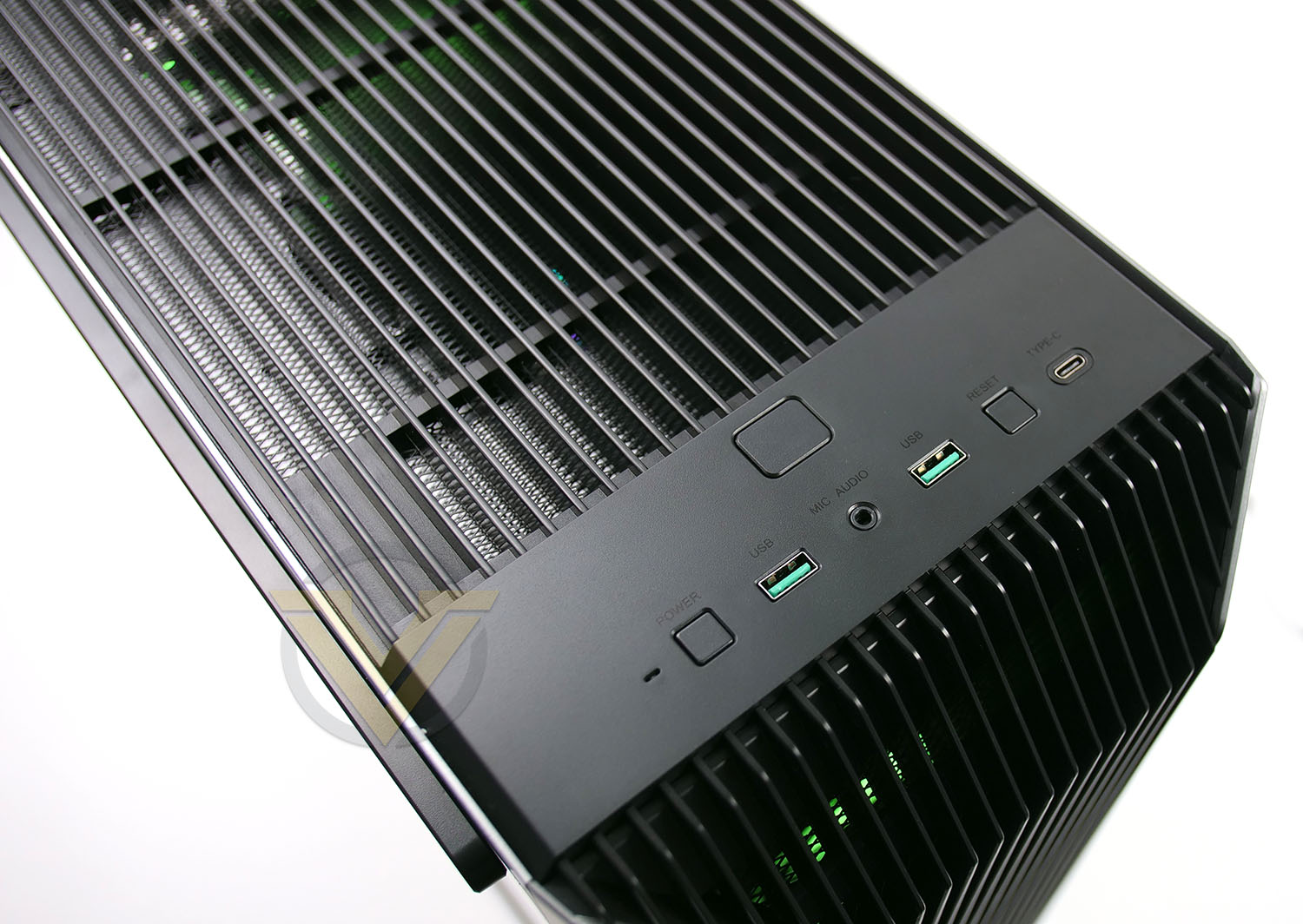
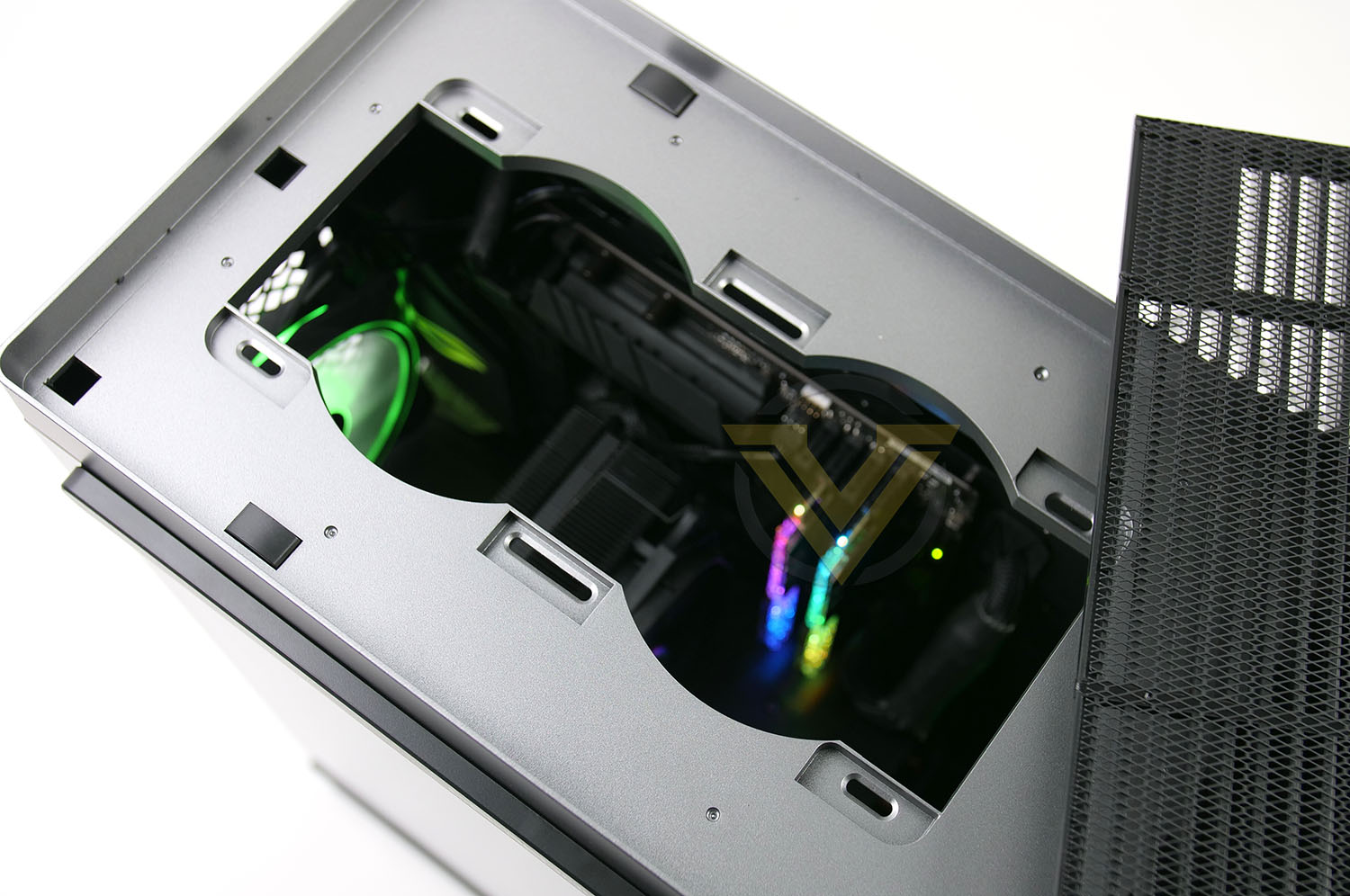
Up at the top of CL500 we have the front panel connectivity which involves 2x USB 3.0, 1x USB 3.2 Gen2 Type-C, Audio Jacks and power/reset buttons. You’ll notice there is a large button behind all of this functionality – this isn’t a power button, but a release switch for the top panel.
Pressing this switch allows the ventilated top fascia to be detached, revealing some mounting spots for 2x 120mm cooling fans. Again, we don’t get any pre-installed but this does also pave the way for top radiator support (240mm).
Note: There are dust filters under the PSU and at the front of this case.
Internals
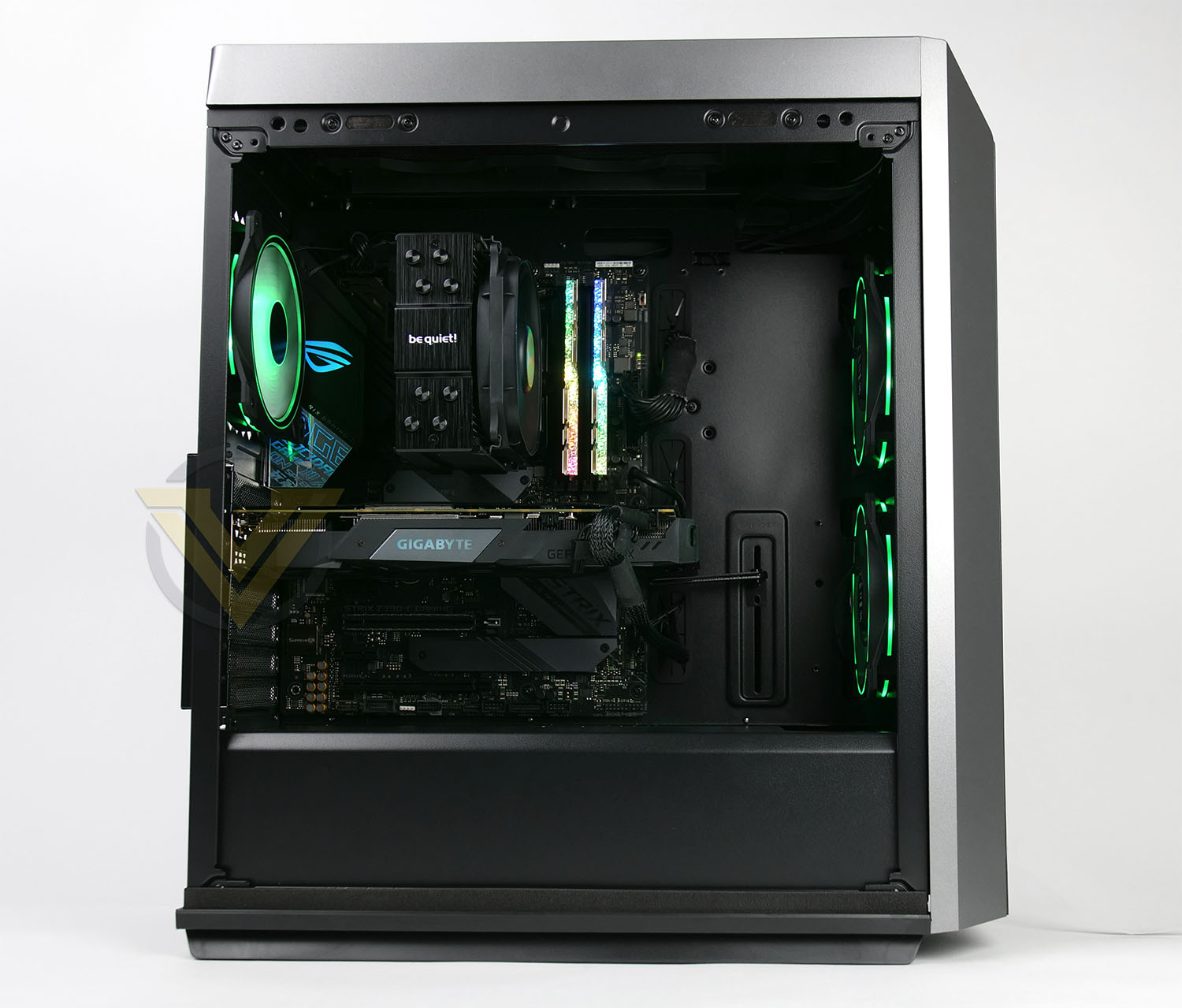
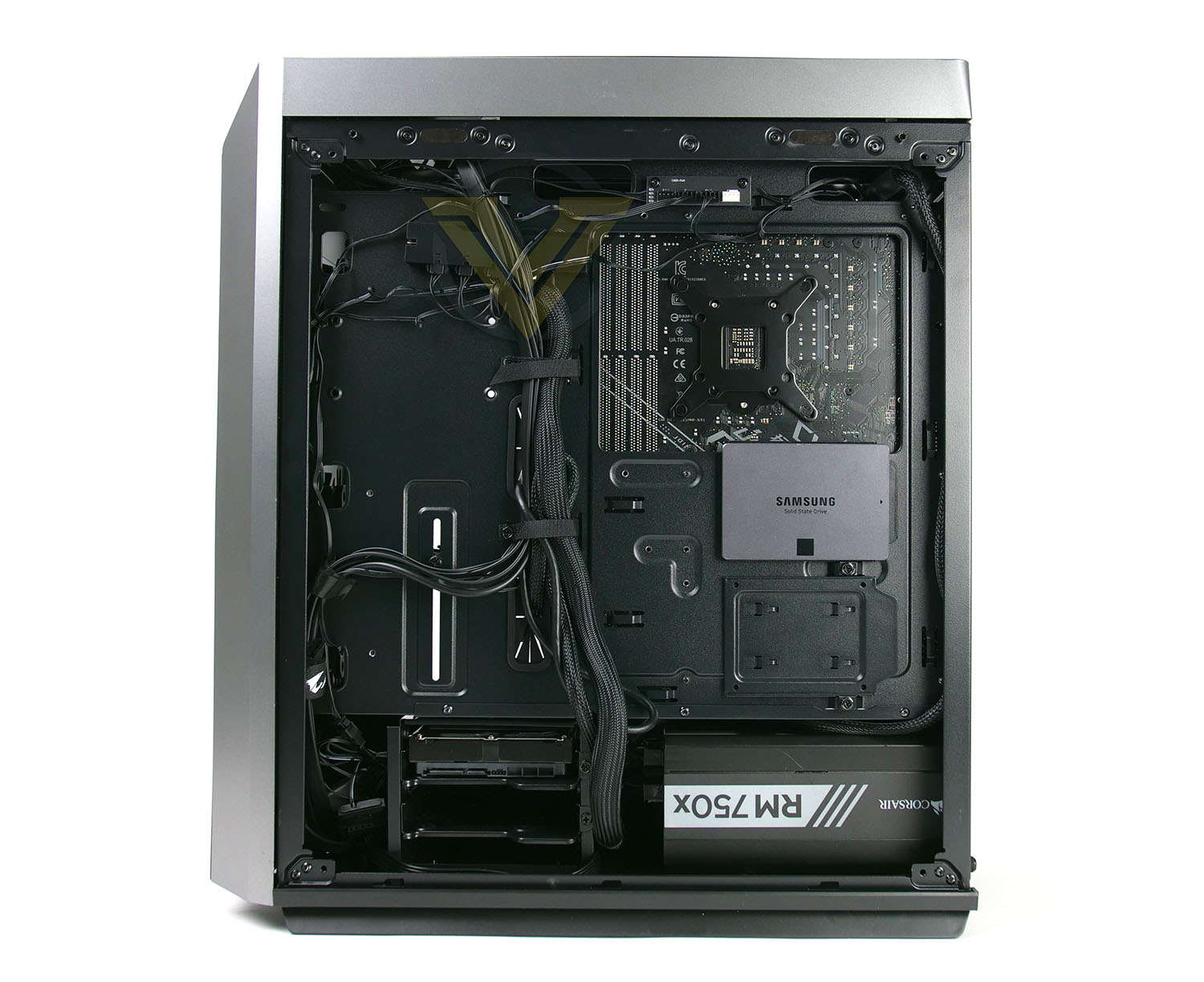
For the purpose of this review we’ve installed an ATX test system within CL500 and the entire process was without any problems. The only slight hinderance came when installing the PSU – ours is a 180mm unit and required us to unscrew the HDD cage at the bottom of the case (on the reverse side) and shift it over while we slotted the PSU into place.
Overall, we’re very happy with how our system installed into CL500. As mentioned in the introduction, this case comes pre-installed with just one cooling fan but for the purpose of demonstration we have installed three CF120 Plus fans which is why you are able to see RGB. We were only able to connect two of the three fans to the PWM fan hub on the reverse side due to the cable not reaching and so we’d recommend DeepCool reconsider moving such a component into a more centralised location or even closer to the front. More often than not, cooling fans are installed at the front of the chassis.
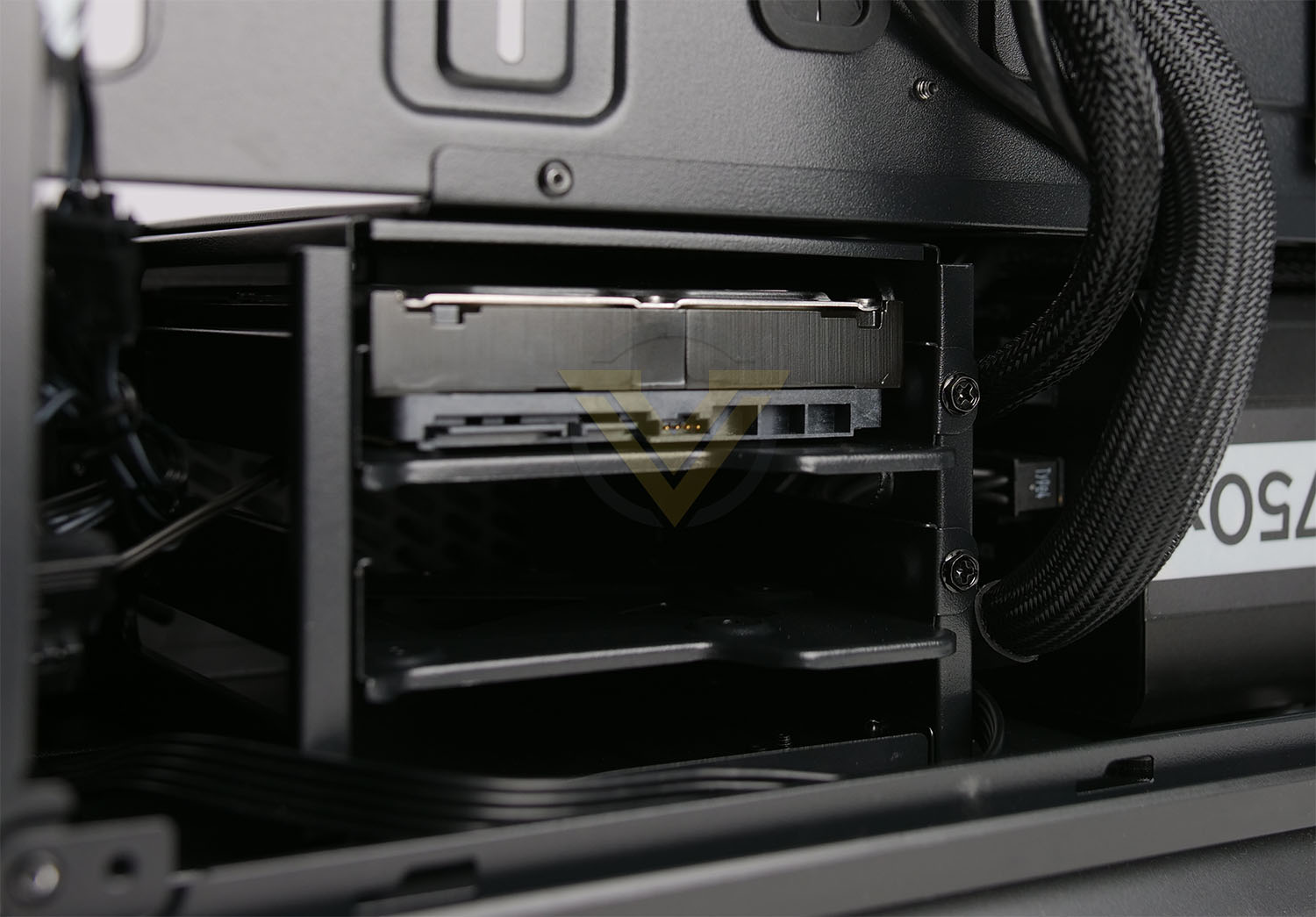
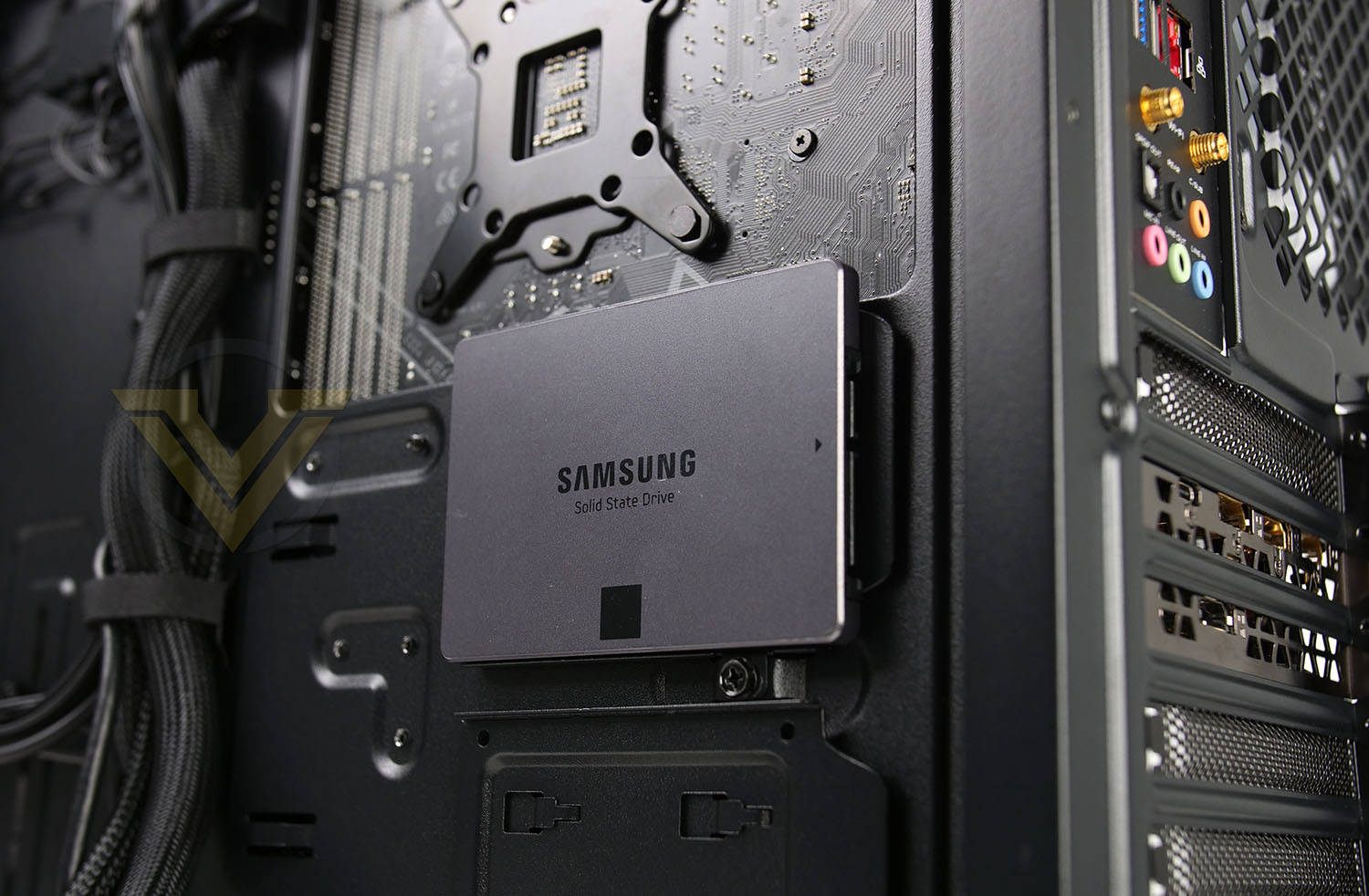
Storage is well catered for within CL500, whether that is larger 3.5” drives or smaller 2.5”. We were disappointed to see that while this case does adopt a hassle-free way of getting inside and detaching the side panels, the HDD and SSD trays both require a standard screw for installation. Even a thumbscrew would make the task much easier to fulfil.
For both trays, screws just need to be attached to the bottom of the drive in order to attach.
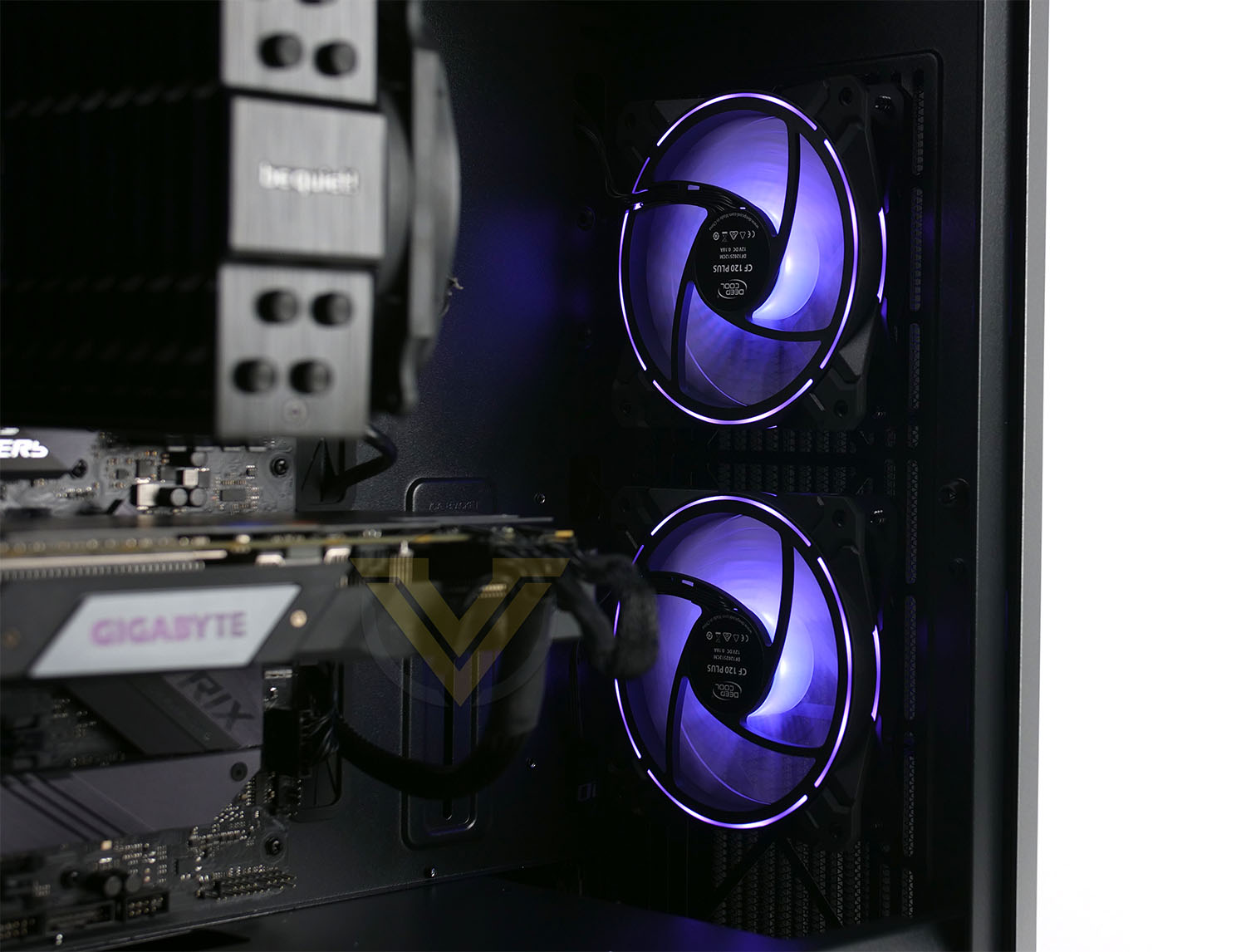
The RGB fans seen above are CF120 Plus which are not supplied with CL500 but this demonstrates what can be installed. It is possible to install 3x 120/140mm fans at the front and if liquid cooling is a route you’d like to take then 240/280 and 360mm radiators can be installed. Deepcool has provided a large cut-out in the PSU shroud to allow for enough space to achieve this.
CLEARANCE OPTIONS
CL500 can entertain CPU coolers up to 165mm – ours is 159mm and had no problems when attaching the side panel to the case.Graphics cards have around 330mm before touching the front of the case, but obviously if you choose to install fans or radiator/fan combos then this will be reduced accordingly.
On the reverse side there is approximately 2cm of clearance for cable management which is ample for creating a nice, tidy configuration on the backside of the motherboard tray.
Thermal Performance Testing
Inside CL500 there is just one 120mm cooling fan – placed as a rear exhaust. We would have liked to see a push-pull configuration out of the box as this would typically yield better results.
To discover the thermal performance of CL500 we will record idle temperatures after 20 minutes from a cold boot. We will then stress the system and temperatures will again be monitored after 30 minutes have elapsed.
For the purpose of accurate analysis, the idle and load temperatures for CPU will be recorded and the range between idle and load will be calculated to determine how efficient cooling is.
NOTE: Ambient temperature is 20C
The below system configuration is different to that which is displayed/installed within the pictures. We use this below configuration for historic comparison.
System Components
CPU Intel Pentium K G3258 @ 4GHz
Motherboard GIGABYTE Z87X-D3H
CPU Cooler Cooler Master Hyper 212 EVO (Different to cooler in pictures)
Graphics NVIDIA GTX 760
Memory 4GB Kingston HyperX DDR3
HDD Samsung Spinpoint 500GB SATA-II
PSU DeepCool DQ750
Motherboard GIGABYTE Z87X-D3H
CPU Cooler Cooler Master Hyper 212 EVO (Different to cooler in pictures)
Graphics NVIDIA GTX 760
Memory 4GB Kingston HyperX DDR3
HDD Samsung Spinpoint 500GB SATA-II
PSU DeepCool DQ750
Noise
The noise emitted from CL500 is barely noticeable due to the single cooling fan being employed. It is possible for sound to leak from the chassis with the highly ventilated panels but in its default configuration it definitely isn’t regarded as a noisy solution.
Conclusion
It can be a difficult task for case manufacturers to think up new and exciting ideas which improve the user experience but DeepCool has definitely achieved a degree of innovation with the CL500 and its magnetic side panels. We were impressed by how effective such a feature is and how it helps to streamline the installation process.
CL500 arrives with a handful of useful features which system builders will really appreciate. There is a PWM fan hub behind the motherboard tray which is very handy for keeping fan cables away from the visible side, CL500 is equipped with a GPU support bracket to alleviate strain on heavy graphics cards; this is something which is absent from many cases and DeepCool has proven how easy such a feature is to incorporate, and the provision of USB 3.2 Gen2 Type-C on the front panel connectivity is very much welcomed and now fully supported by current motherboard chipsets.
Loading a new system inside CL500 is very easy thanks to the space we’re presented with but we would like to see more tool-free techniques employed for storage installation; both the HDD and SSDs require standard screws which isn’t something we’ve come across for many years. Another aspect which left us with an element of disappointment was the inability to vertically mount the graphics card. There are slots available, but when the cover is removed the GPU back panel does not fit correctly – DeepCool informs us that the purchase of a separate adapter is necessary (PAB300). Rather than design the case to accommodate their proprietary vertical adapter, DeepCool should avoid alienating customers and engineer the case to allow the GPU to be vertically mounted in a standard fashion.
If we look at thermal performance out of the box, CL500 does suffer somewhat and that is primarily due to cooling configuration; including just one pre-installed fan. Obviously, adding in more fans like we have done for this review will improve airflow and cooling performance but this will come at a cost of at least $10-15 per fan – bumping that cost right up!
CL500 arrives with a price-tag of $79 USD | $129 AUD | £79 GBP – which certainly leans more towards the value segment. We get a nice blend of features for such a cost and this is all backed by a 2 year warranty.
CL500 is another reminder which showcases how DeepCool should not be underestimated in the computer case division!
Pros
+ Appealing design
+ Innovative magnetic side panels
+ Includes USB 3.2 Gen2 Type-C
+ Includes a GPU support bracket
+ Easy to install kit
+ Good build quality
+ Features PWM fan hub
+ Can host high-end kit
Cons
– Installing GPU vertically requires adapter to be purchased
– Some aspects (HDD/SSD) are not tool-free.
– Just one cooling fan pre-installed
– Mediocre cooling performance
+ Appealing design
+ Innovative magnetic side panels
+ Includes USB 3.2 Gen2 Type-C
+ Includes a GPU support bracket
+ Easy to install kit
+ Good build quality
+ Features PWM fan hub
+ Can host high-end kit
Cons
– Installing GPU vertically requires adapter to be purchased
– Some aspects (HDD/SSD) are not tool-free.
– Just one cooling fan pre-installed
– Mediocre cooling performance
Click here for an explanation of our awards at Vortez.net.
Stay connected with the Vortez Social Media pages: