With Deepcool’s patented anti-leak technology and several improvements made to the pump design, how does their Castle 240EX stack up?

Product on Review: Gamer Storm Castle 240EX
Manufacturer: Gamer Storm
Street Price: GBP £109.99 / USD $119.99
We looked at the Gamer Storm Castle 240 RGB a little over a year ago and since then some subtle but welcomed changes have been made, today we look at the Castle 240EX.
One of the biggest additions is their anti-leak system. Deepcool have been developing this anti-leak technology for three years now and are pushing it hard on their latest AIO cooling loops, hopefully taking away one of the biggest risk factors of putting, what is essentially, a quantity of conductive liquid into your system. The anti-leak mechanism works by incorporating a rubber ‘bung’ into the radiator where the elastic properties of the rubber can accommodate for pressure, and therefore volume, changes within the loop.
Other changes include Deepcool removing the RGB 120mm fans and replacing them with black TF120 S fans, as well as being able to change the orientation of the Gamer Storm logo within the pump enclosure.
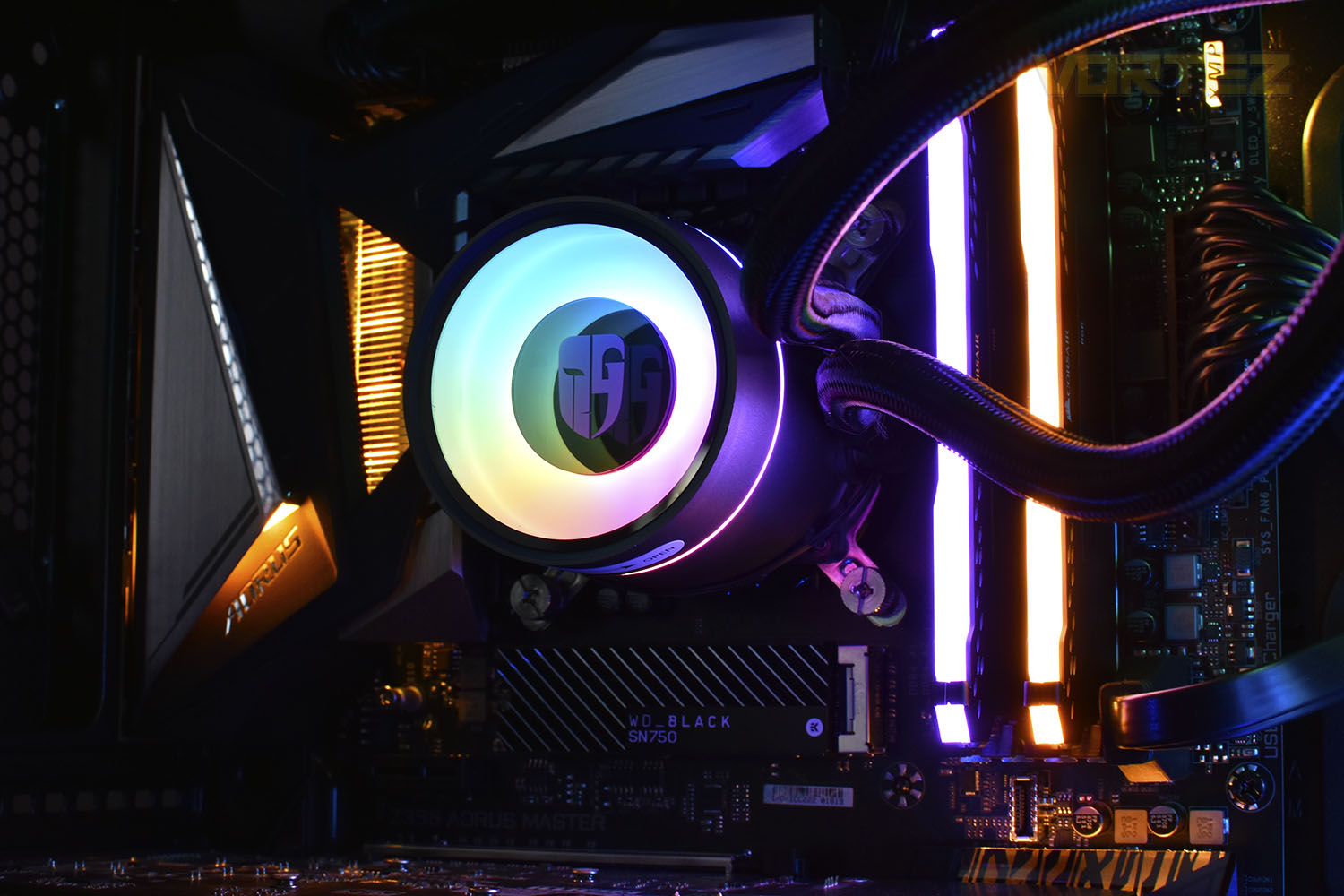
RGB lighting remains on the pump housing, with support for GIGABYTE’s RGB Fusion Sync, ASRock’s Polychrome Sync, MSI’s Mystic Light Sync and ASUS Aura Sync.
Within the pump enclosure is a stronger motor featuring a pressure charging impeller that’s driven by 3-phase power, along with rounded internal corners and a double chamber design for all-round improvements within the pump.
With the removal of the RGB fans, you’d typically expect the price to drop but it’s risen by £15 in the UK and a similar amount in other markets, so what do we get for the extra money? Let’s find out.
Deepcool on the Gamer Storm Castle 240EX:
CASTLE 240EX is equipped with Deepcool’s exclusive Anti-leak Technology. The technology helps the system achieve an automated pressure balance, which will significantly improve operation safety of AIO liquid cooling systems.
With this technology, Deepcool is setting a new standard for liquid cooling systems.
With this technology, Deepcool is setting a new standard for liquid cooling systems.
Technical Specifications
Intel
LGA20XX/1151/1150/1155/LGA1366
AMD
TR4/AM4/AM3+/AM3/AM2+/AM2/FM2+/FM2/FM1
Technical Spec:
Radiator Dimensions: 282×120×27 mm
Radiator Material: Aluminum
Net Weight: 1400 g
Tube length: 310 mm
Pump Dimensions: 86×75×71 mm
Pump Speed: 2550 RPM±10%
Pump Noise: 17.8 dB(A)
Pump Connector: 3-pin
Pump Rated Voltage: 12 VDC
Pump Rated Current: 0.2 A
Pump Power Consumption: 2.4 W
Fan Dimensions: 120×120×25 mm
Fan Speed: 500~1800 RPM±10%
Fan Airflow: 64.4 CFM
Fan Air Pressure: 2.33 mmAq
Fan Noise: ≤32.1 dB(A)
Fan Connector: 4-pin PWM
Bearing Type: Hydro Bearing
Fan Rated Voltage: 12 VDC
Fan Rated Current: 0.15 A
Fan Power Consumption: 1.8 W
LED Type: Addressable RGB LED
LED Connector: 3-pin(+5V-D-G)
LED Rated Voltage: 5 VDC
LED Power Consumption: 2.25w
LGA20XX/1151/1150/1155/LGA1366
AMD
TR4/AM4/AM3+/AM3/AM2+/AM2/FM2+/FM2/FM1
Technical Spec:
Radiator Dimensions: 282×120×27 mm
Radiator Material: Aluminum
Net Weight: 1400 g
Tube length: 310 mm
Pump Dimensions: 86×75×71 mm
Pump Speed: 2550 RPM±10%
Pump Noise: 17.8 dB(A)
Pump Connector: 3-pin
Pump Rated Voltage: 12 VDC
Pump Rated Current: 0.2 A
Pump Power Consumption: 2.4 W
Fan Dimensions: 120×120×25 mm
Fan Speed: 500~1800 RPM±10%
Fan Airflow: 64.4 CFM
Fan Air Pressure: 2.33 mmAq
Fan Noise: ≤32.1 dB(A)
Fan Connector: 4-pin PWM
Bearing Type: Hydro Bearing
Fan Rated Voltage: 12 VDC
Fan Rated Current: 0.15 A
Fan Power Consumption: 1.8 W
LED Type: Addressable RGB LED
LED Connector: 3-pin(+5V-D-G)
LED Rated Voltage: 5 VDC
LED Power Consumption: 2.25w
Packaging & Bundle
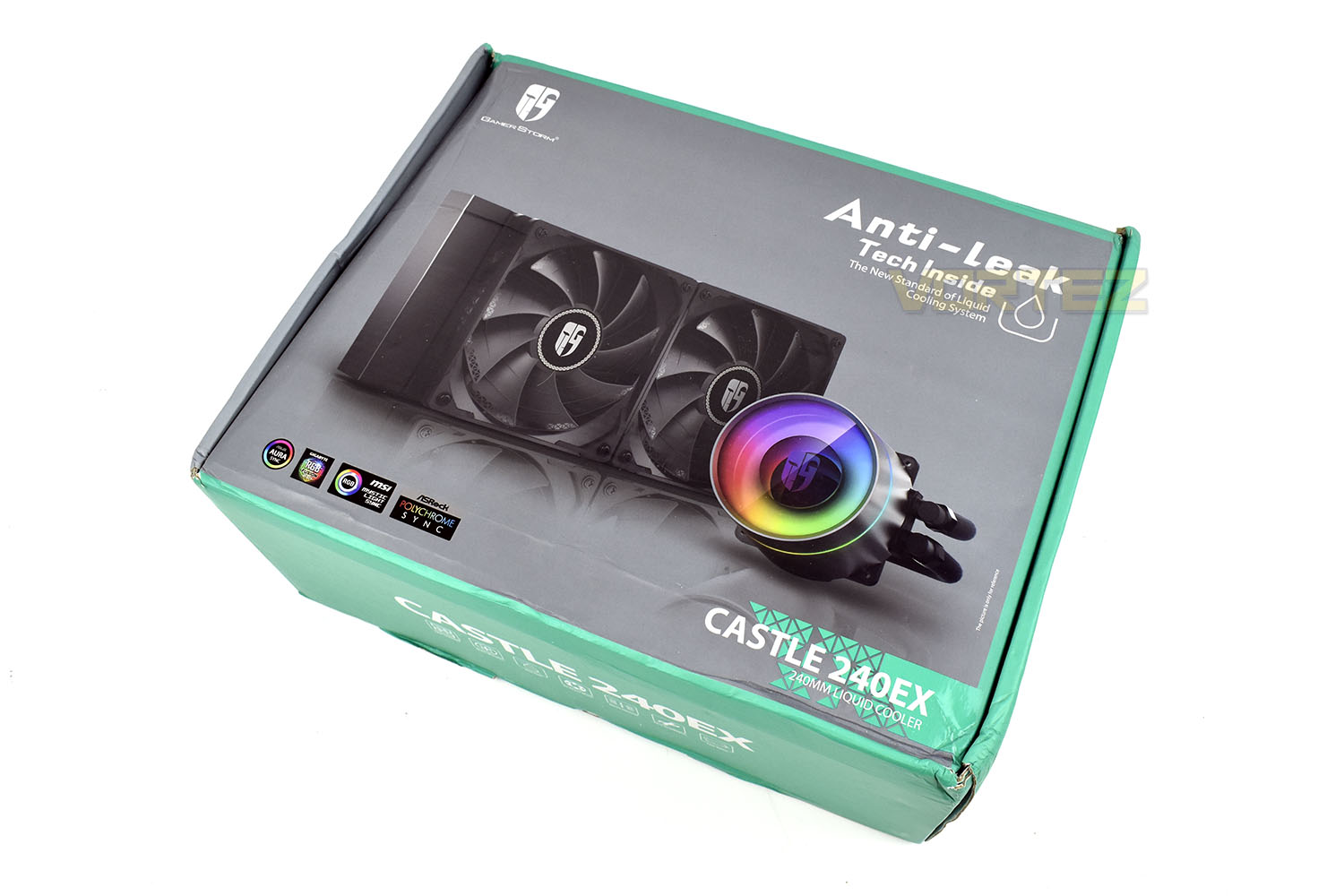
As is evident in the photograph, the packaging is battered and bruised from its trip from Taiwan, despite being in an outer box and surrounded by bubblewrap, but the internals have made it in tip-top shape so it’s done its job.The front shows a large picture of the cooling loop, a brief mention of the anti-leak tech inside and some manufacturer’s RGB logos in the bottom-left.
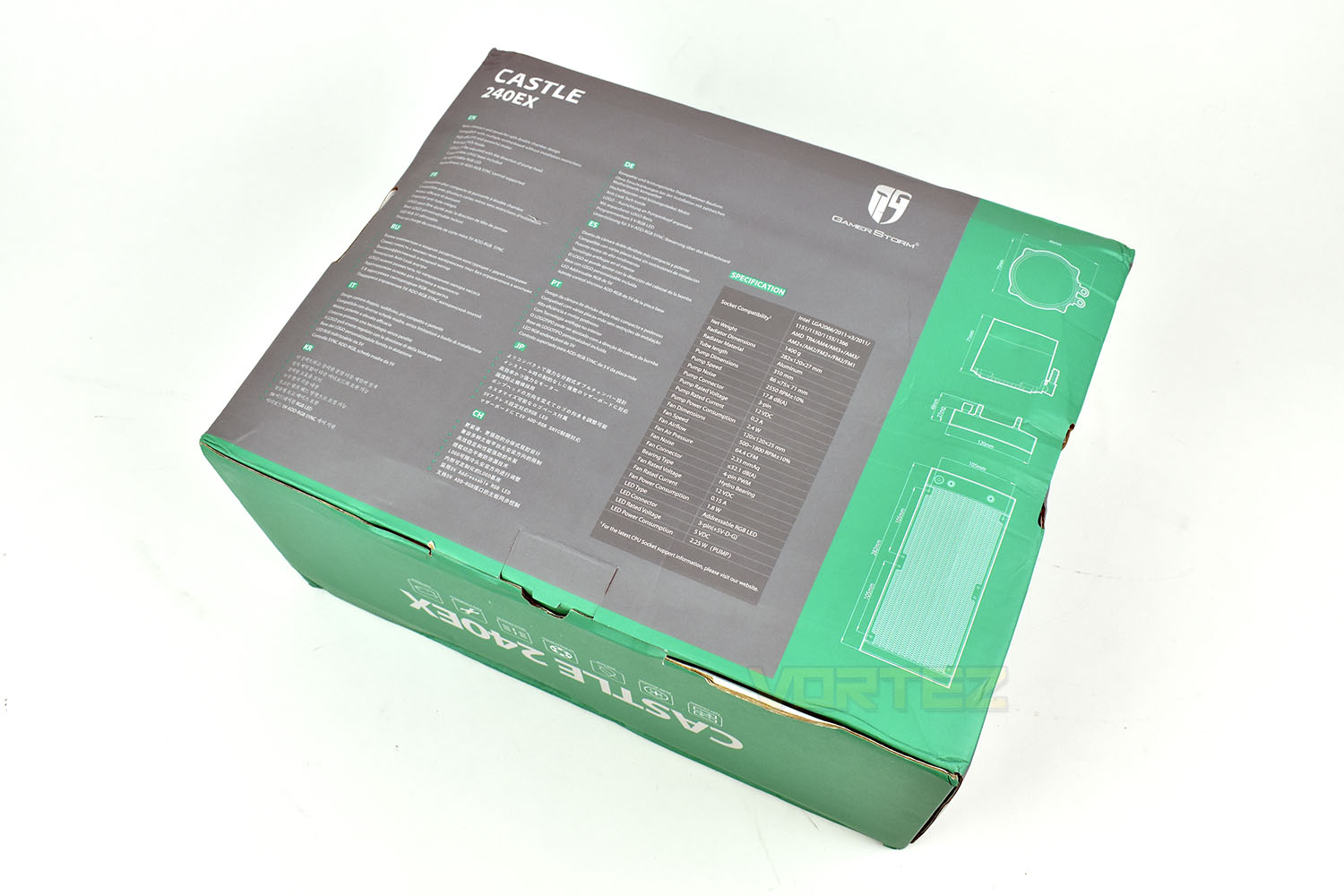
The reverse of the box gives a specifications table, neatly laid out, with some brief bullet point features. There are also some detailed diagrams of the exact dimensions of each component to help ensure the loop will fit into your chassis.
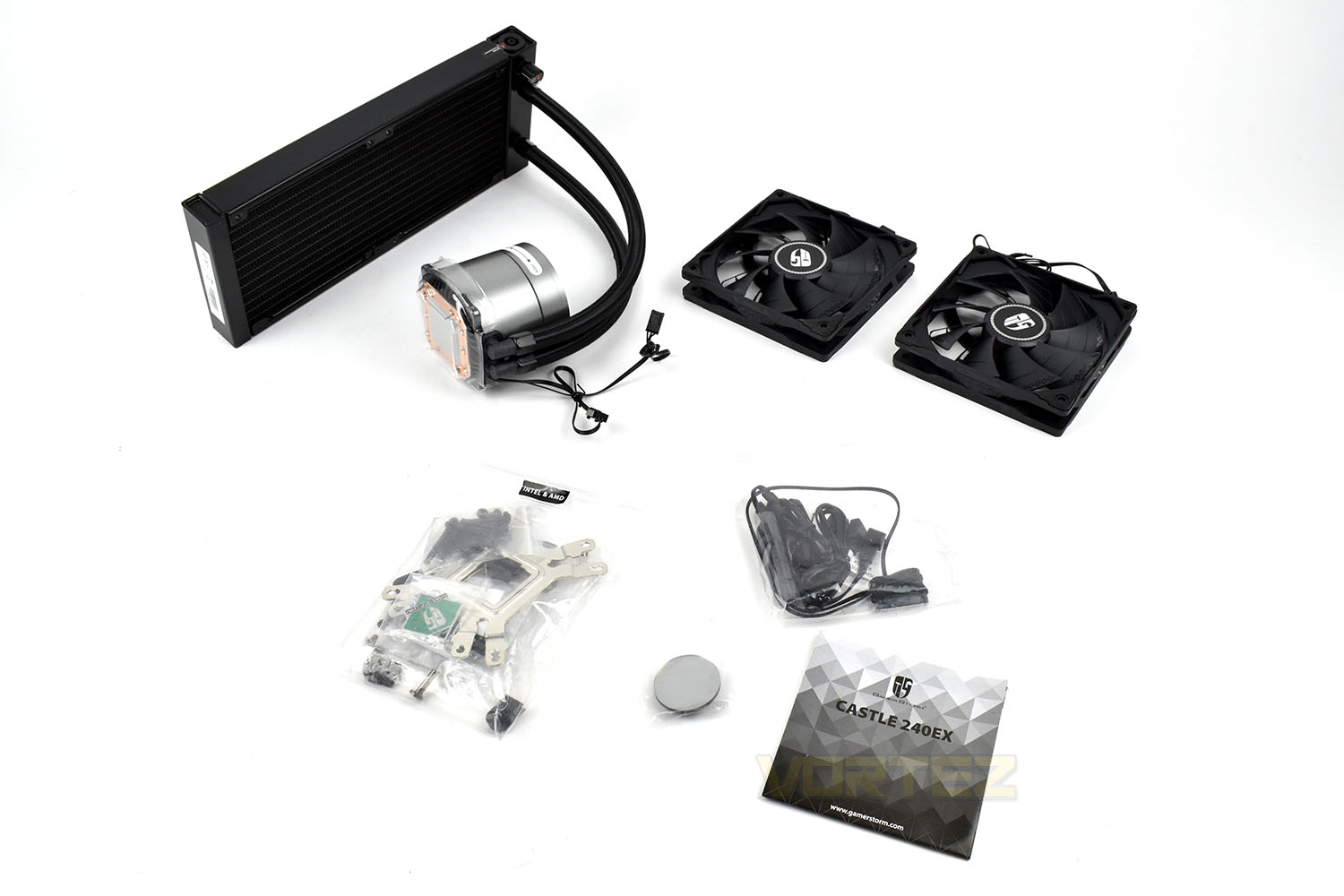
Alongside the cooling loop and radiator fans, there’s a detailed instruction leaflet for both AMD and Intel socket types, an in-line SATA to RGB controller, all the mounting hardware need and a replacement for the Gamer Storm logo that we’ll touch on in more detail later.
Closer Look
Starting with the pump enclosure, which stands around 70mm in diameter and 70mm tall, has been given a complete overhaul inside. Deepcool have rounded off internal corners to optimise the flow of water, upgraded their dual chamber design to increase heat exchange efficiency and reduce operating noise.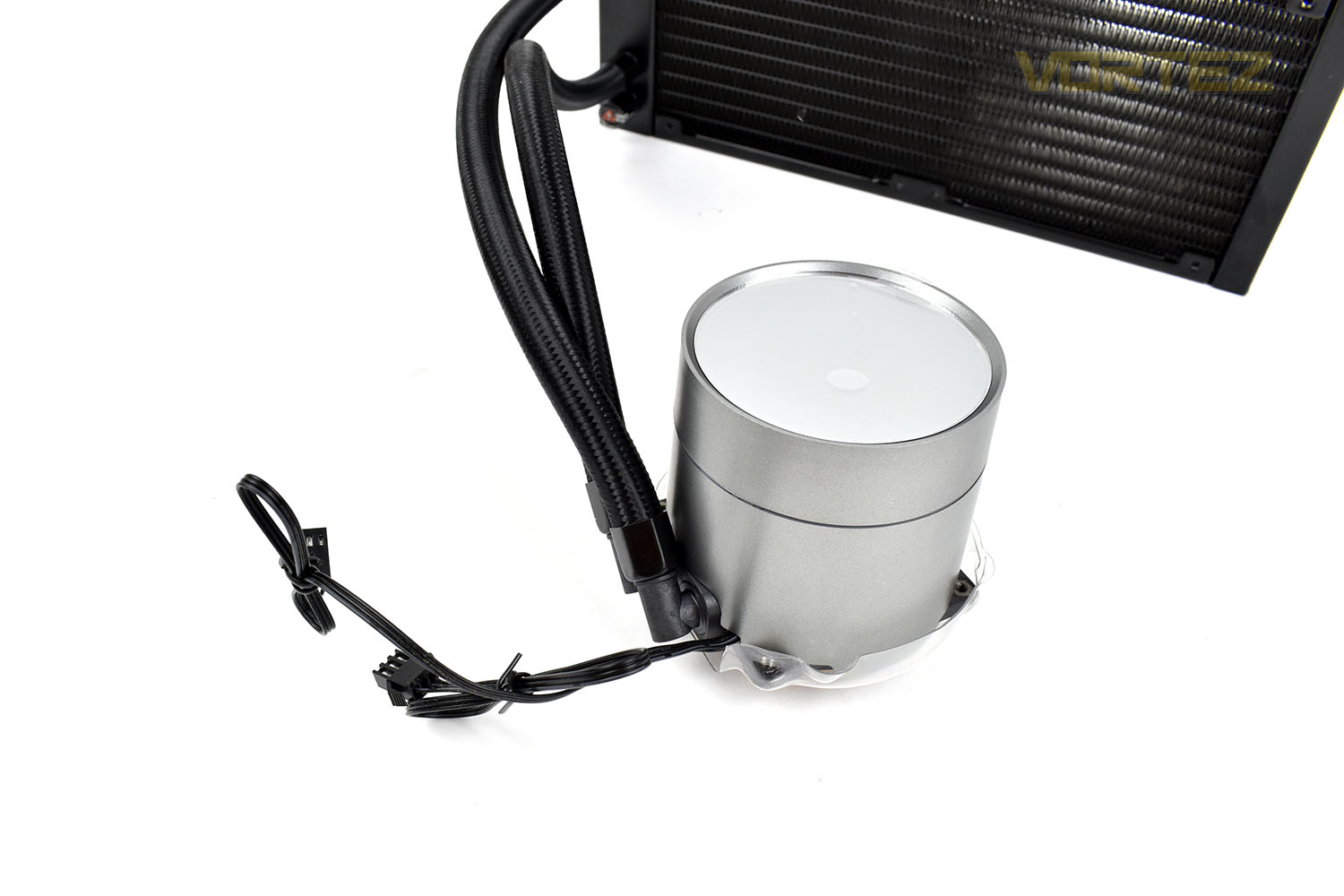
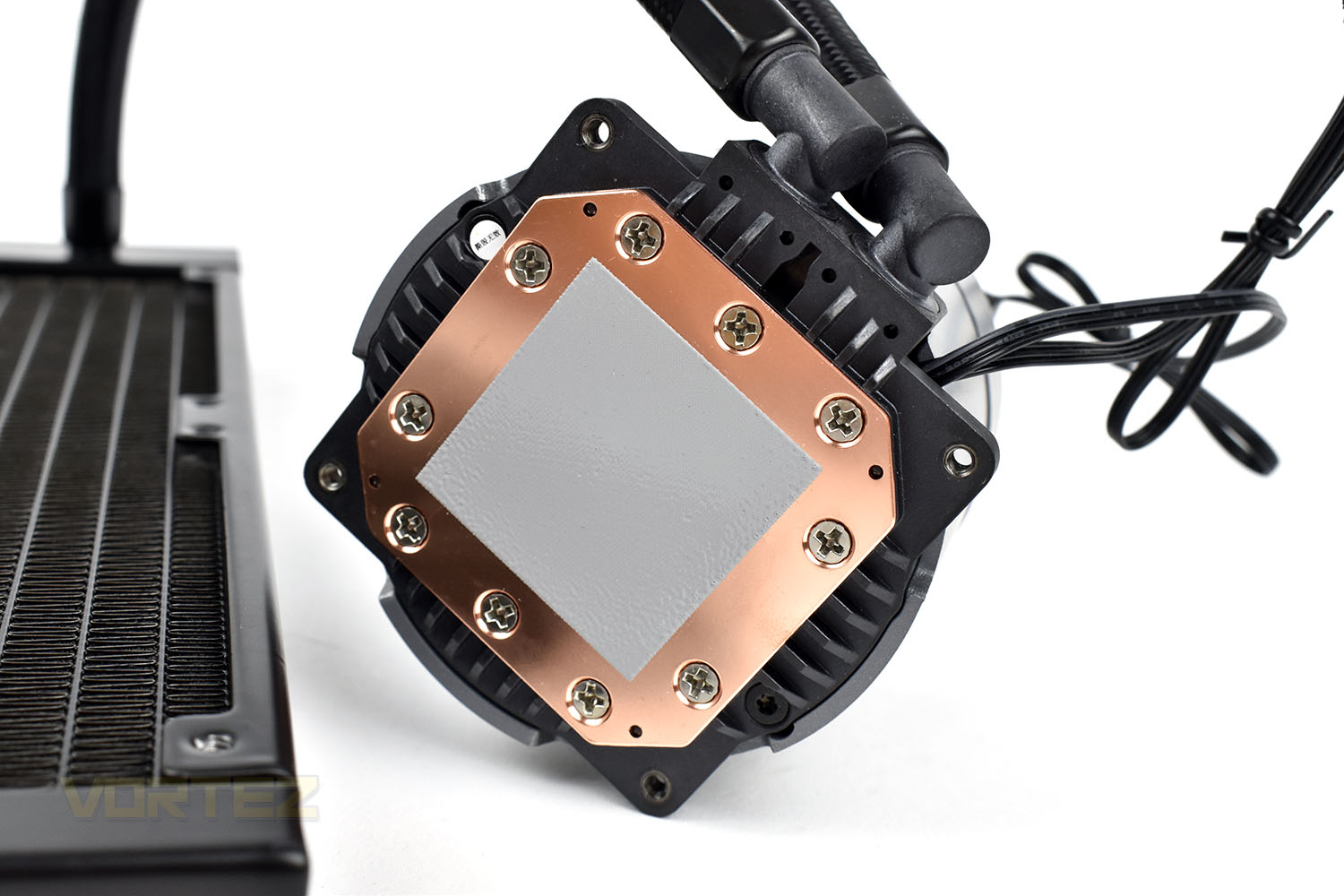
Bolstering their efficiency improvement efforts, they’ve also increased the number of fins on the backside of the copper cold plate by 25% to improve heat absorption into the coolant loop.
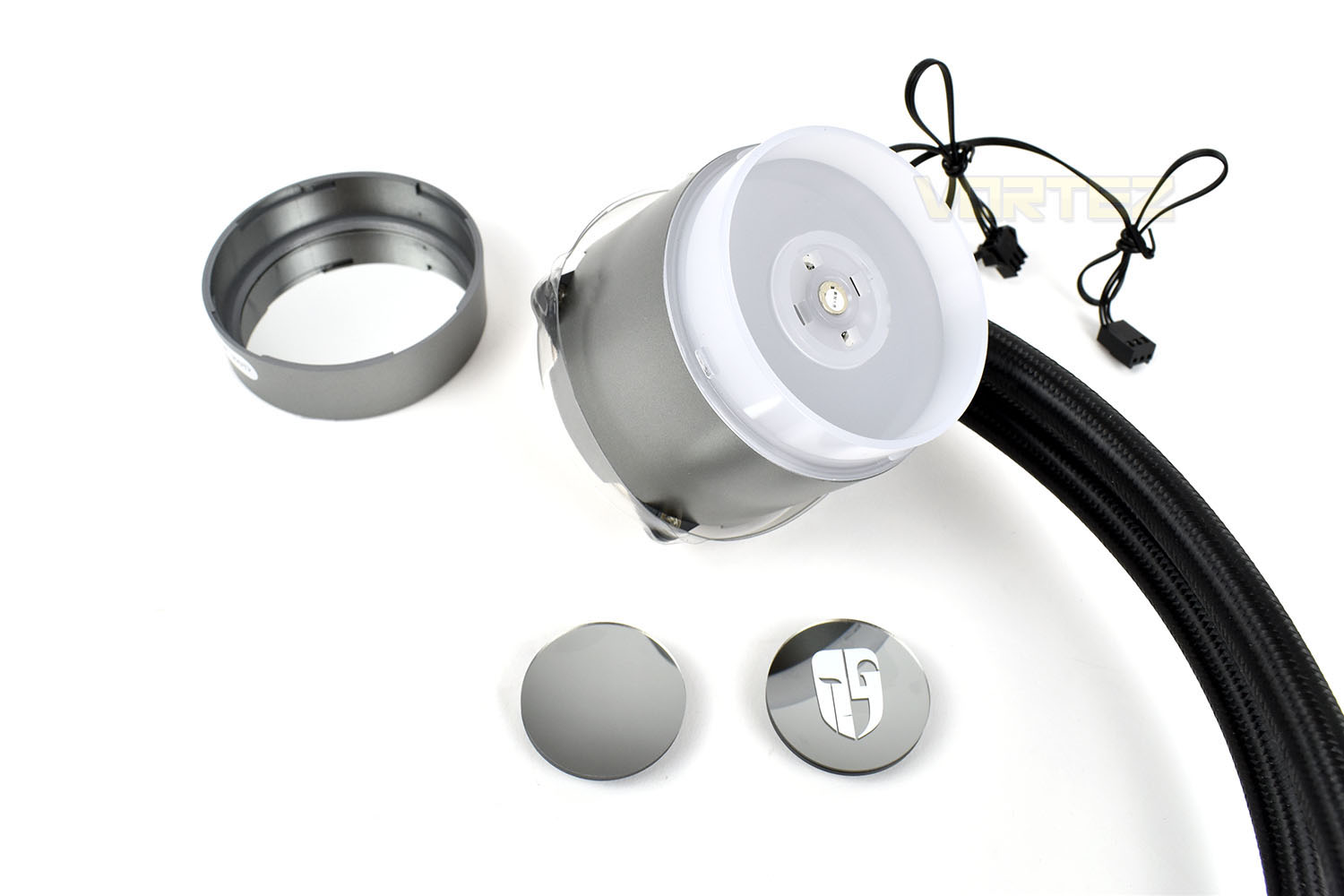
The lid on top of the pump is removable, allowing you to remove the Gamer Storm logo and replace it with a mirrored replacement, or to orientate it whichever way you like, if you need to have the pump mounted at 90° to vertical, for example. It’s finishing touches like this that really make a product great.
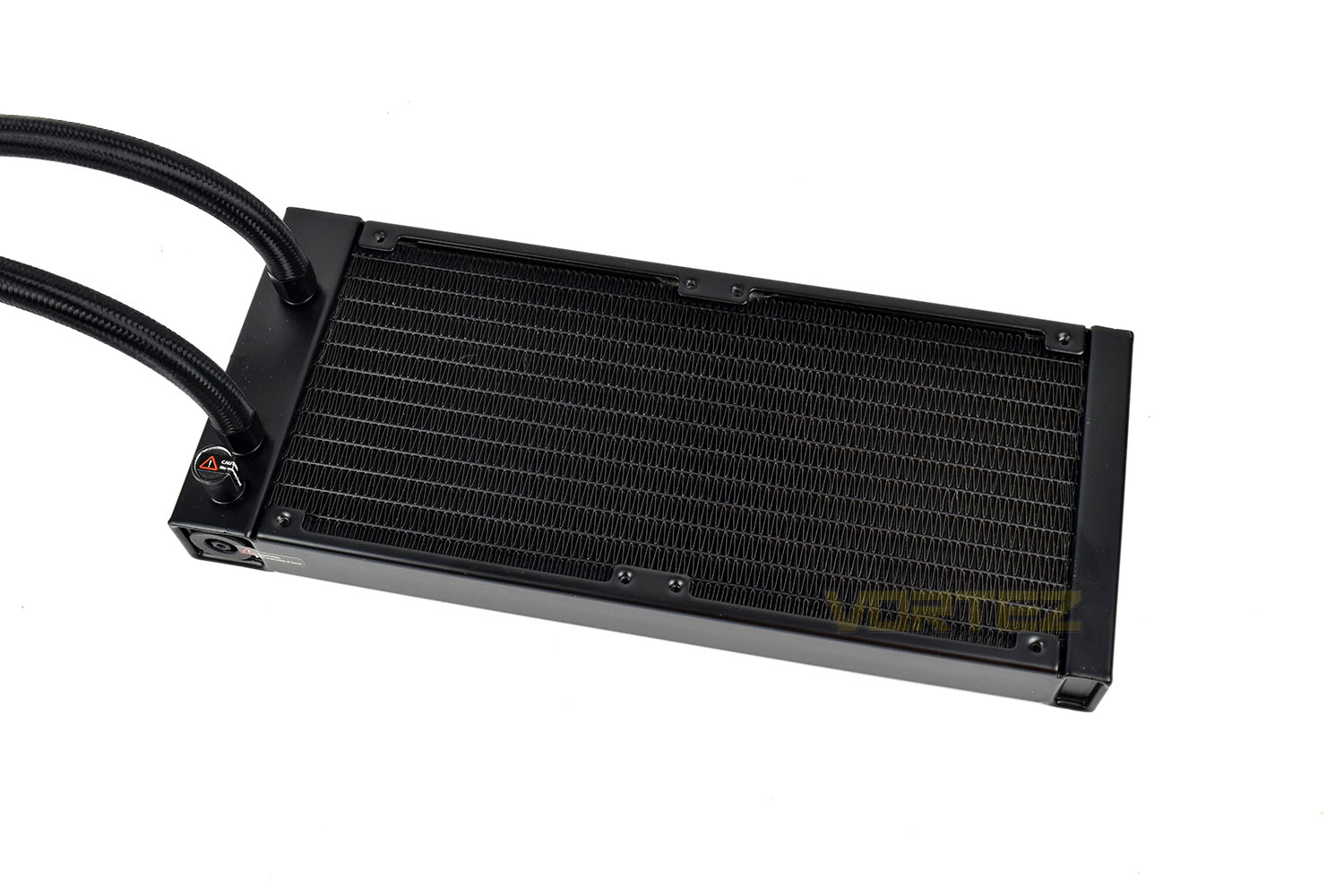
The radiator isn’t anything special, as they typically aren’t. The only notable feature is the rubber anti-leak measure in the bottom-left.
The included Gamer Storm TF 120S fans have been adapted for increased static pressure, a characteristic which is desirable for their intended use of being mounted onto a radiator. There’s no RGB lighting here but they look smart as-is.
Each corner is adorned with a rubber pad, helping to reduce vibration transmission from the fan into the radiator and then into the computer case.
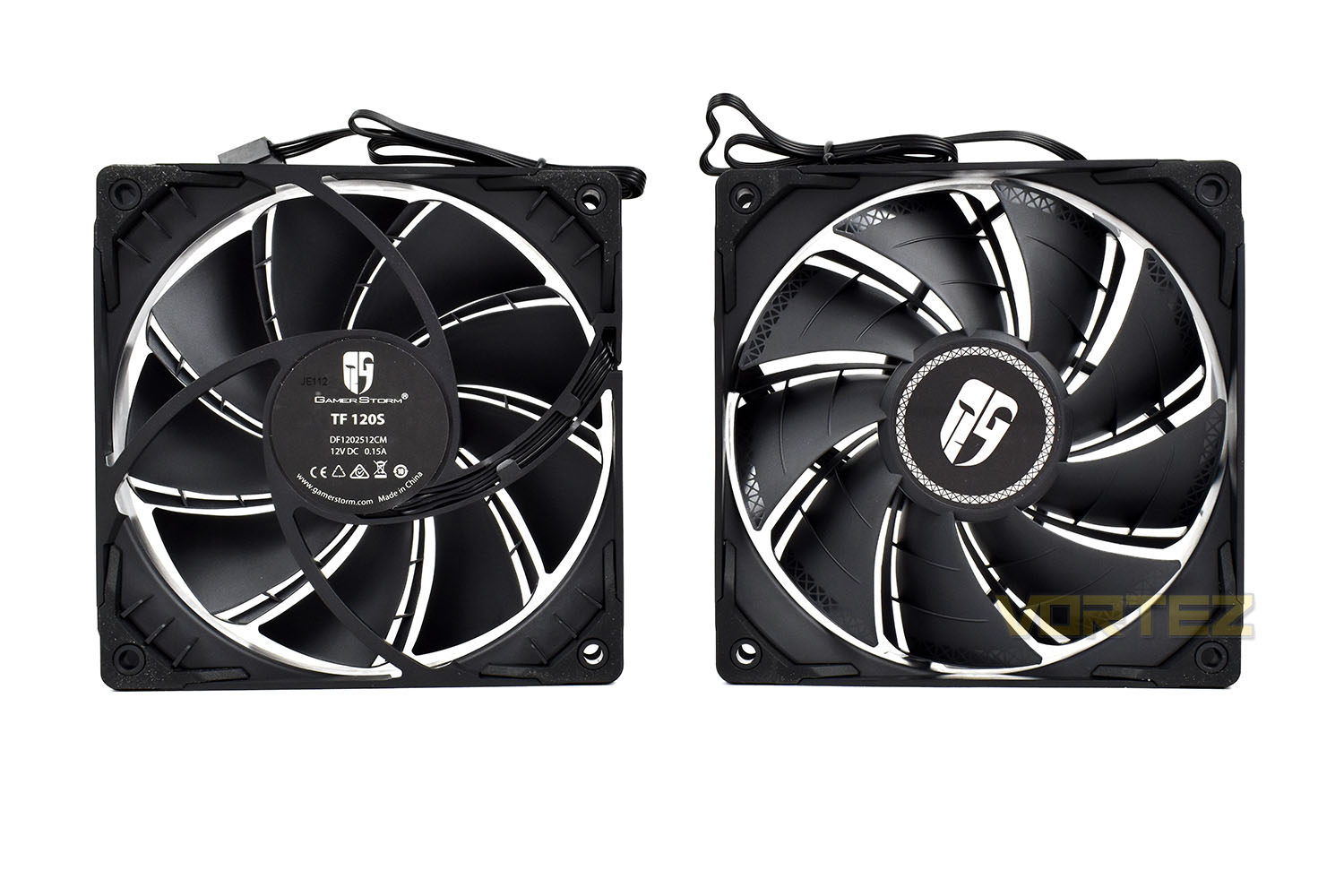
Bolting the fans up to the radiator is a simple task with the provided screws.

Installation
Starting the installation process, you first mount the pins into the corresponding slots on the backplate, with one side being designed for Intel and the other AMD. The manual tells you clearly which ones to use and the black plastic caps locks everything into place.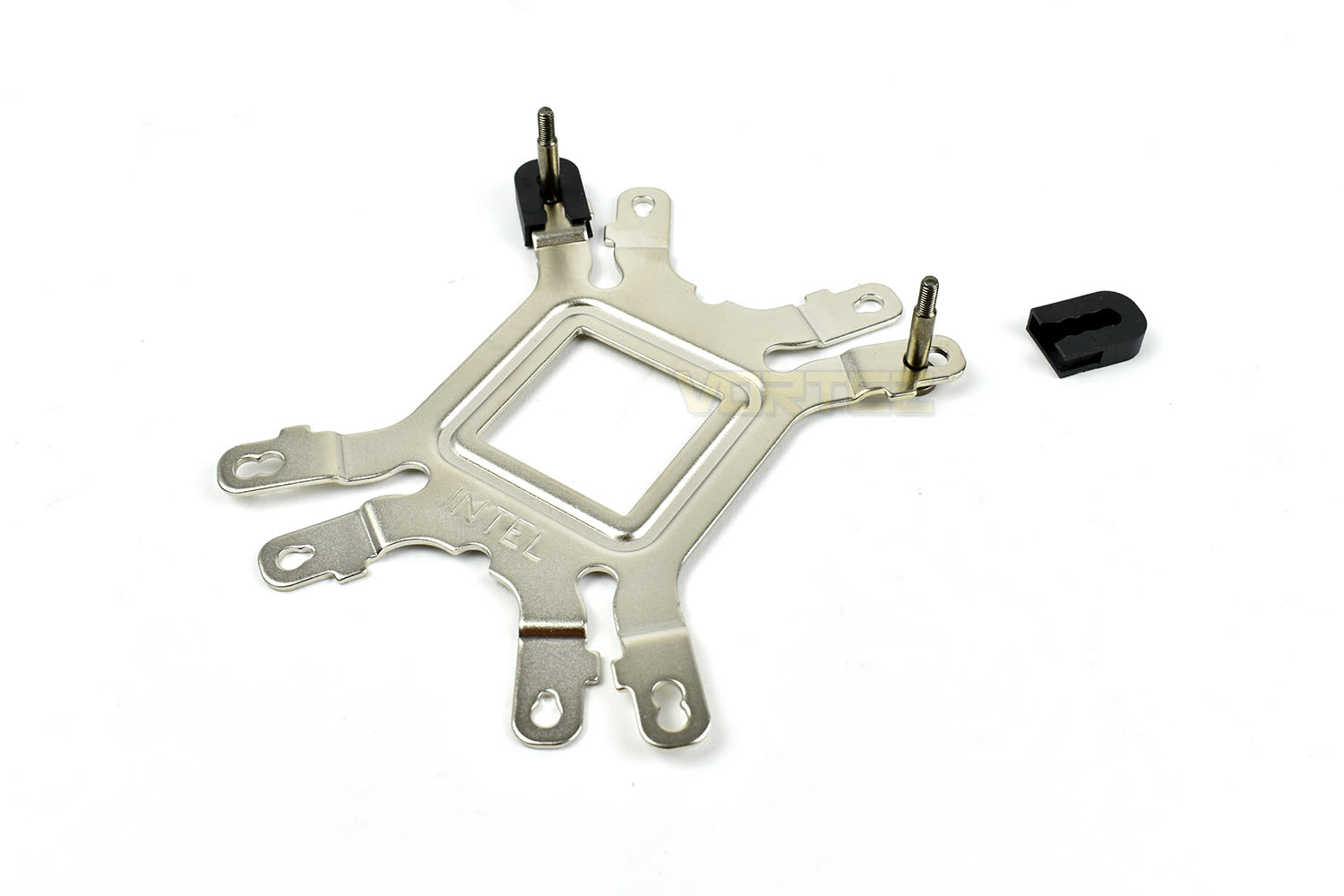
Next up you need to mount the relevant mountings to the bottom of the pump enclosure. Each mounting point is countersunk with the exact same angle on the screwhead to ensure each mounting arm is seated perfectly.
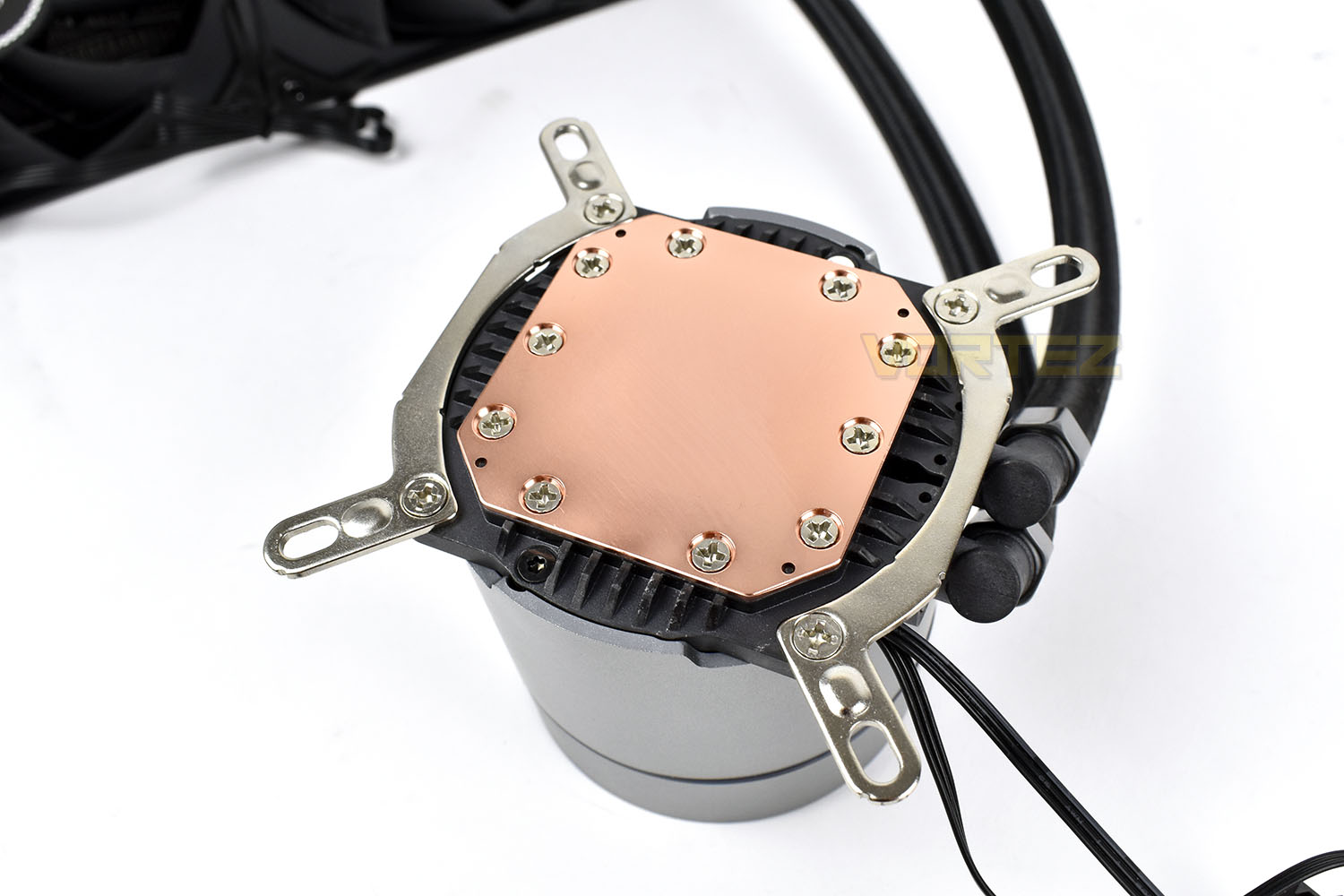
Using the included mounting screws, it’s definitely a good idea to install the radiator before the pump enclosure. We’ve also installed, or at least tried to, the backplate mount, where you can see the four mounting pegs outside of each corner for the LGA 1156 socket.
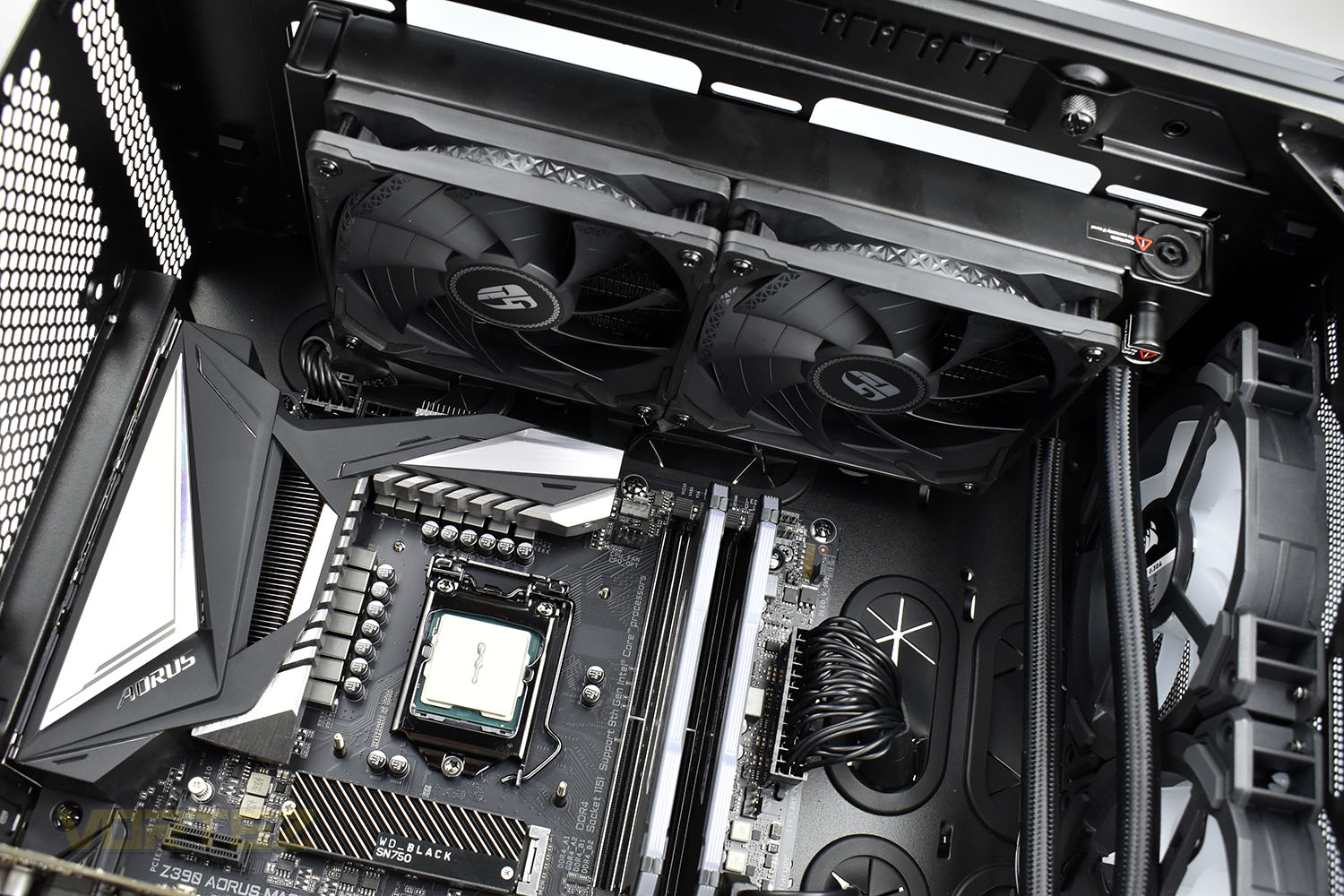
When installing the pump, it’s a very tricky job holding the backplate in place, manoeuvring the pump into the correct location and also clamping it down with the thumb screws. It was just about doable with one pair of hands but really this is a two-person job. Most backplates will be put into place then mounted from the front-side before the pump goes anywhere near.
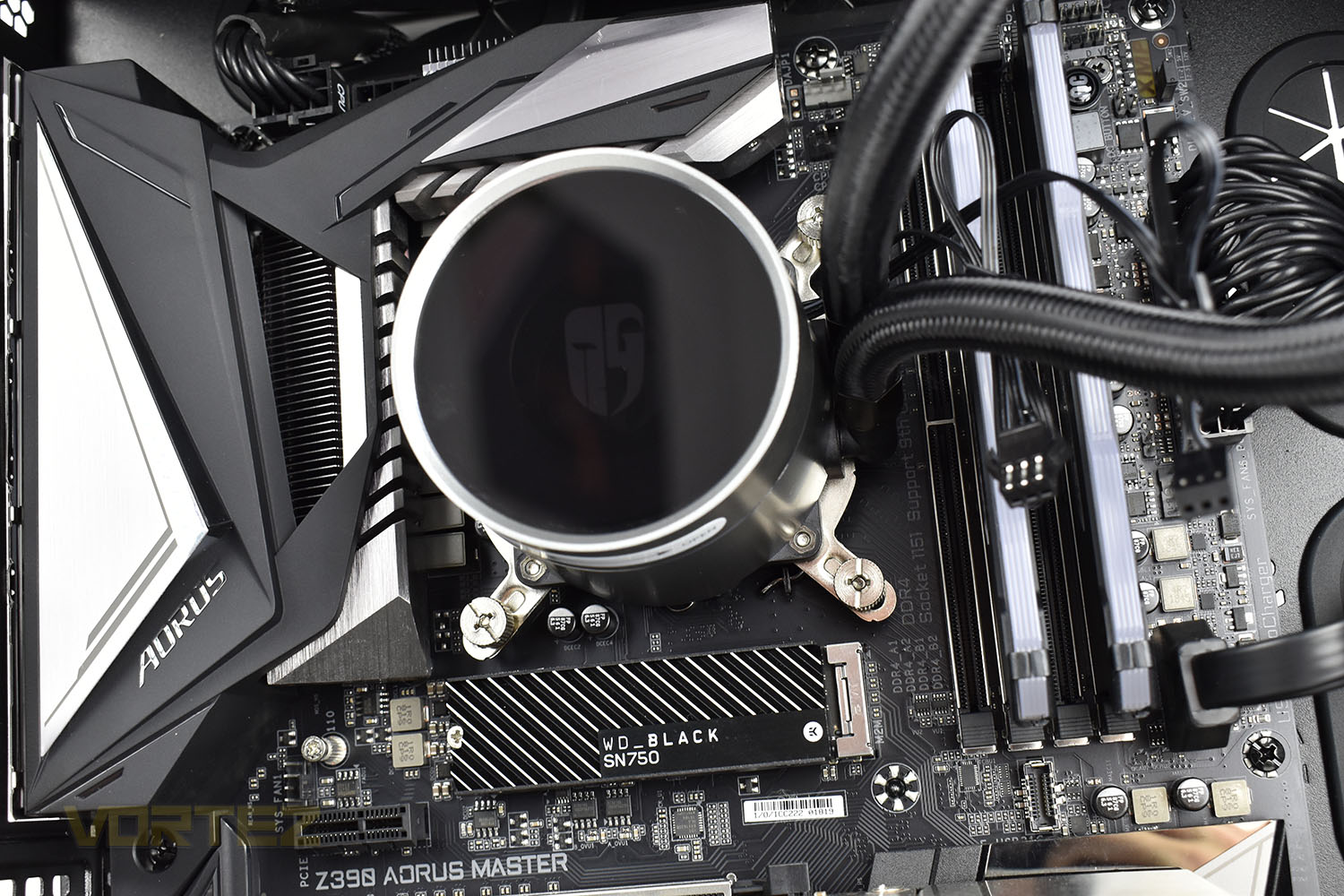
Another issue we faced at this point was tightening up the thumbscrews. They’ve been recessed at the top to take a flathead or Phillips screwdriver but the threaded pins from the backplate come through the centre and push the screwdriver back out, making the final half a turn almost impossible with a screwdriver, which is exactly when you want to use a screwdriver!
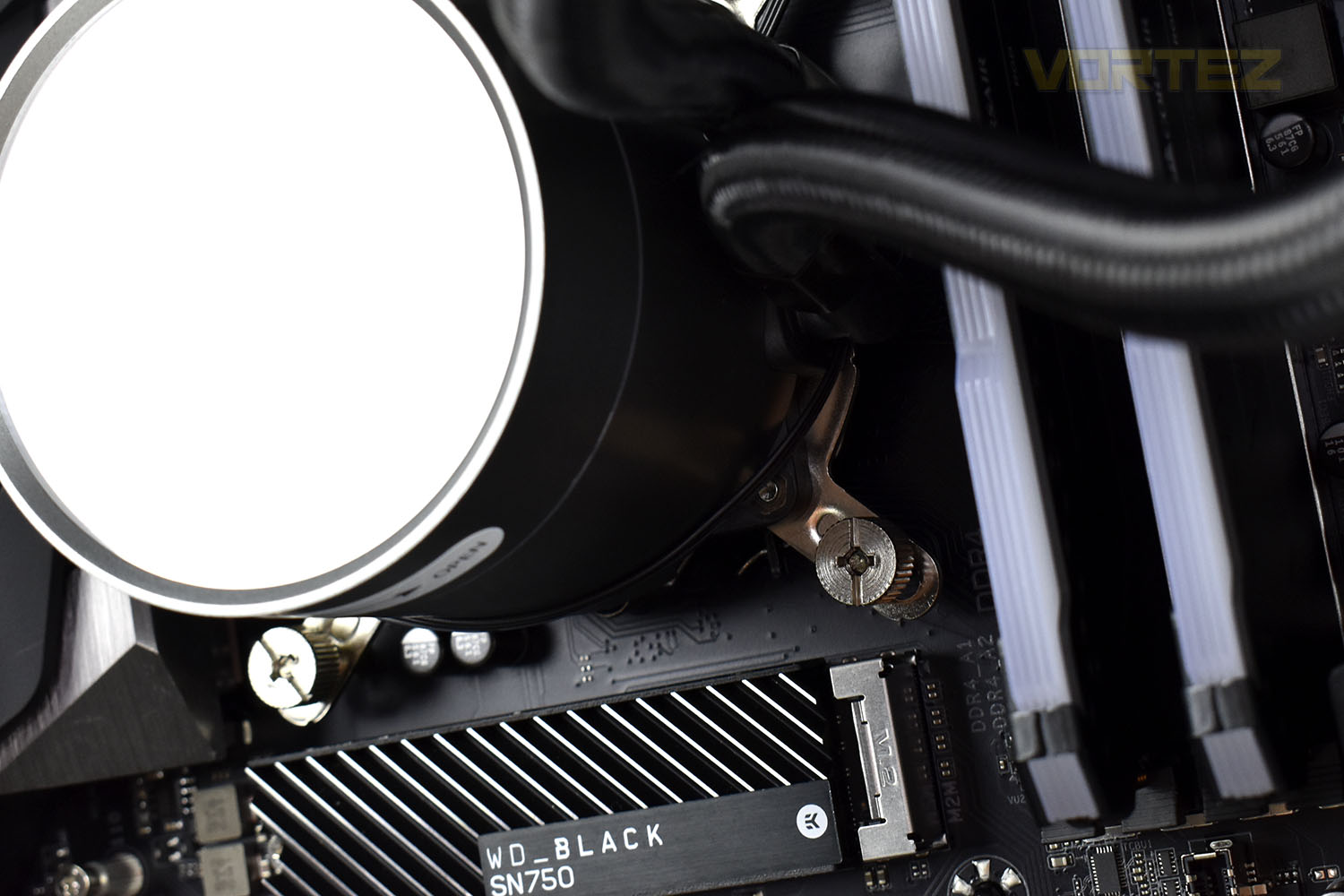
All things considered, the mounting procedure on an Intel socket could definitely be revised and improved but once it’s in, it’s in.
RGB Lighting
The Castle 240EX only uses RGB lighting on its pump enclosure unlike its predecessor that also had RGB fans, but regardless, check out the video below for a quick demo of the lighting effects.Test Setup & Methodology
Due to popular demand, we have retired the long-standing cooling rig that we once used and replaced it with a shiny new system with an Intel Core i7 9700K at its heart. This should benefit you, the reader, in a couple of ways. The first being it can provide you with results on a CPU that is currently available to buy and secondly, the mounting instructions on our installation page will be far more relevant than the outgoing LGA 2066 was, with its pre-installed backplate.We perform two individual testing routines with each CPU cooler that we receive – temperatures and acoustics. The system used is as follows and all tests are performed at stock frequencies.
Processor – Intel Core i7 9700K
Motherboard – GIGABYTE Z390 AORUS MASTER
Memory – Corsair Vengeance RGB PRO 16GB – 2666MHz – C16
Video Card – XFX AMD Radeon RX560
Power Supply – Corsair RM650x
Storage Drive – Western Digital Black SN750 1TB NVMe SSD
Case – Corsair Crystal Series 280X RGB
Monitor ASUS ROG SWIFT PG278Q
Motherboard – GIGABYTE Z390 AORUS MASTER
Memory – Corsair Vengeance RGB PRO 16GB – 2666MHz – C16
Video Card – XFX AMD Radeon RX560
Power Supply – Corsair RM650x
Storage Drive – Western Digital Black SN750 1TB NVMe SSD
Case – Corsair Crystal Series 280X RGB
Monitor ASUS ROG SWIFT PG278Q
To keep our tests consistent, we always review CPU coolers as they come out of the box – with their factory cooling fans, as the manufacturer intended and as the consumer expects. It should, however, be noted that we do not use supplied thermal paste but instead, Noctua NT-H1 paste to, again, ensure consistency. The paste is applied and the CPU allowed to run for a couple of hours, at idle, to ensure any and all updates or processes are completed to give a true idle reading.
In the first test we record the idle and load temperatures across a 60 second period, with the results logged to file. This way we can provide you with an accurate average temperature over a longer period, instead of, for example, a maximum or minimum temperature. We believe this is the fairest possible method and most representative of what is going on as temperatures will fluctuate even with a consistent load on the CPU. We have three case fans on the front of the PC running with the door closed for this test.
We aim to measure acoustics with our second test, this time with the three case fans on the front disabled and all other ambient noise reduced to an absolute minimum. Our testing room measures around 25dB(A) without the system running. We measure the system acoustics for 60 seconds with the microphone in a set and unchanging position with the chassis door removed completely. An average is then taken across the 60 seconds.
Benchmarks – Thermal Results
We start off by letting the CPU cooler “bed in” for a couple of hours, to ensure the paste has time to move around and form an even layer, after which an idle result is taken.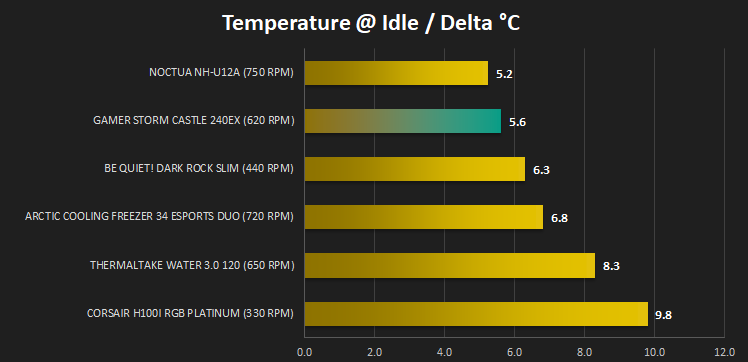
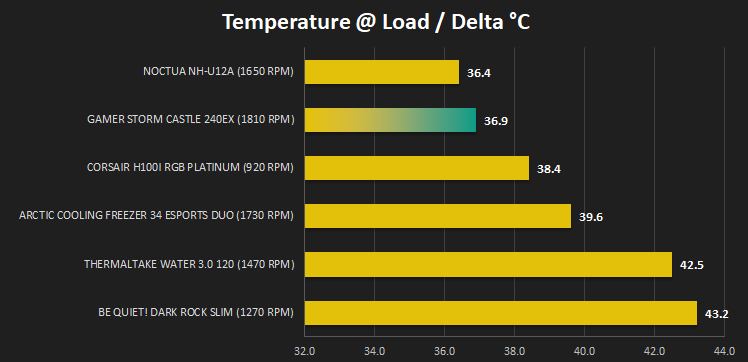
At this point we hand over to AIDA64 and the built-in system stability test is ran for 20 minutes to generate a consistent 100% load on the 9700K. A temperature reading is then taken at the end of test.
Benchmarks – Acoustic Results
We take our first reading from the CPU cooler at idle.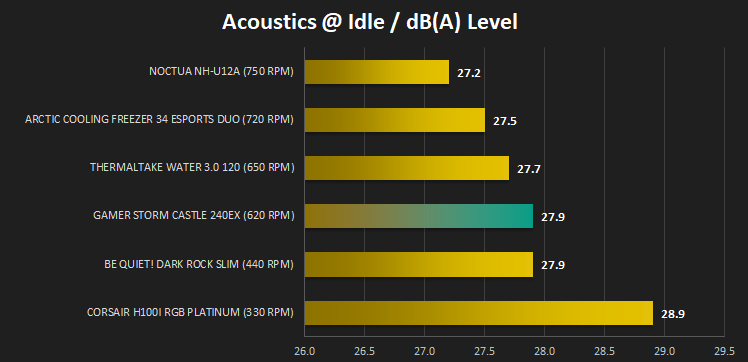
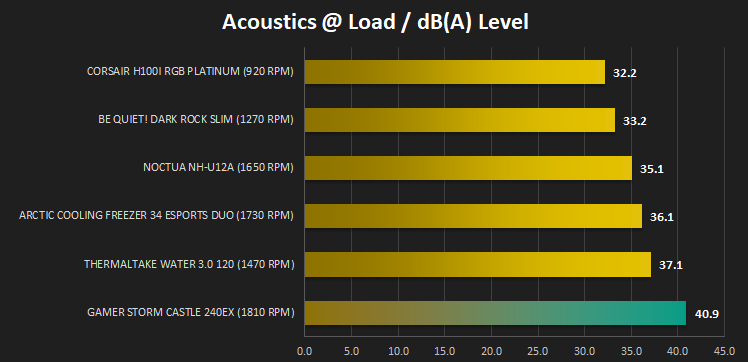
We then run the AIDA64 test and once the temperature measurements are complete, we quickly move in and get an acoustics reading, with the stress test still running.
Conclusion
The original Castle 240 offered a great value RGB offering with quiet fans and good cooling performance, however, with the 240EX, things are a little different.Firstly, getting rid of the RGB fans seems like a bit of a mistake, the RGB lighting on those was beautiful with the synchronised effects on the pump housing. We get that not everyone likes RGB lighting, but you then wouldn’t be buying a pump with any RGB lighting, with the pump still pushing out plenty of light shows. Having said that, the RGB lighting that is on the pump housing is beautiful, the effects are smooth and transitions are diffused perfectly. It’s not the brightest RGB but the colours are incredibly deep.
The cooling performance of the loop is certainly up there with the best, it kept our 9700K plenty cool enough, but the acoustic performance was let down somewhat by the fans. This is a surprise compared to the performance of the previous iteration of the Castle 240, where acoustics were kept well under control by the RGB fans.
Having explained earlier in the review the big changes made to the pump and its enclosure, idle noise is kept to an absolute minimum, the pump makes barely any noise whatsoever. It’s not something we’ve isolated and measured scientifically between the different AIOs that we’ve tested but we’re pretty sure this is the quietest and we must applaud Deepcool on their efforts.
Installation is also a problem, with the pump being very difficult to install with only a single set of hands. You will absolutely need to ask a friend or partner to help you with this. Installing a CPU cooler shouldn’t be a two-person task, if you ask us.
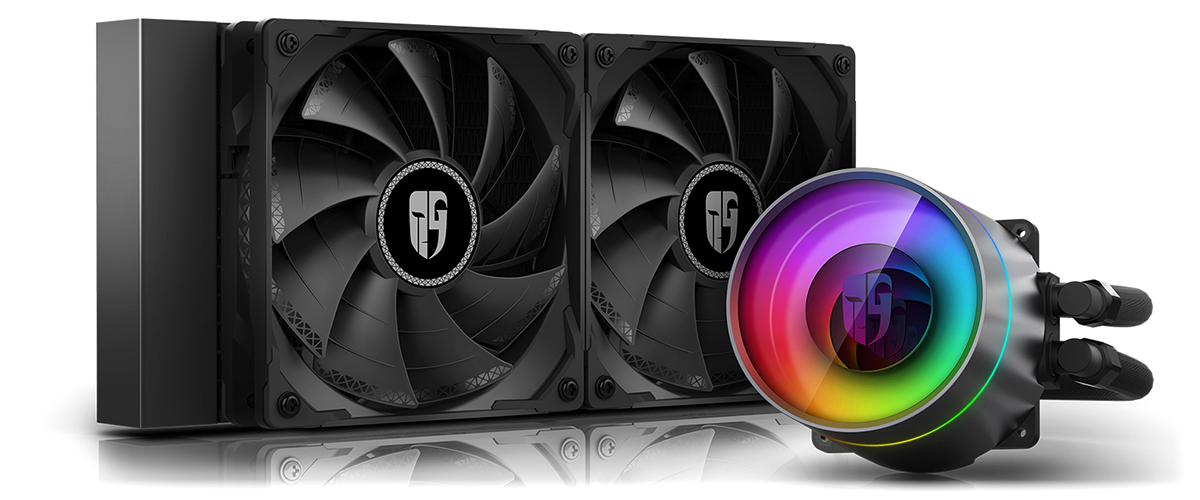
The Gamer Storm Castle 240EX has a lot going for it but the TF 120S fans let it down hugely with their loud audible output at high loads.
Pros
+ Silent pump
+ Beautiful RGB
+ Supports all current Intel and AMD sockets including TR4
+ Easy to re-orientate the central Gamer Storm logo
Cons
– Tricky to install to an Intel LGA 1156 socket
– Loud fans under load
– Pricey
+ Silent pump
+ Beautiful RGB
+ Supports all current Intel and AMD sockets including TR4
+ Easy to re-orientate the central Gamer Storm logo
Cons
– Tricky to install to an Intel LGA 1156 socket
– Loud fans under load
– Pricey
Click here for an explanation of our awards at Vortez.net.
Stay connected with the Vortez Social Media pages: