Deepcool have thrown the rule book out the window with their recent release of the Gamer Storm MF120 RGB fans.

Product on Review: Deepcool Gamer Storm MF120
Manufacturer: Deepcool
Street Price: GBP 119.99 / USD 109.98
We often look at fans from varying manufacturers here at Vortez; they all tend to follow a similar style, with an enclosure around the outside, a cross shaped structure in the centre to hold the hub and a physical connection to the host PC. Today we look at something very different.
Deepcool have developed an RGB fan that’s like nothing we’ve seen before. They’ve entirely foregone the frame and typical PWM connection, instead using a central hub as the frame for the entire fan and communicating to your smartphone via a supplied WiFi hub.
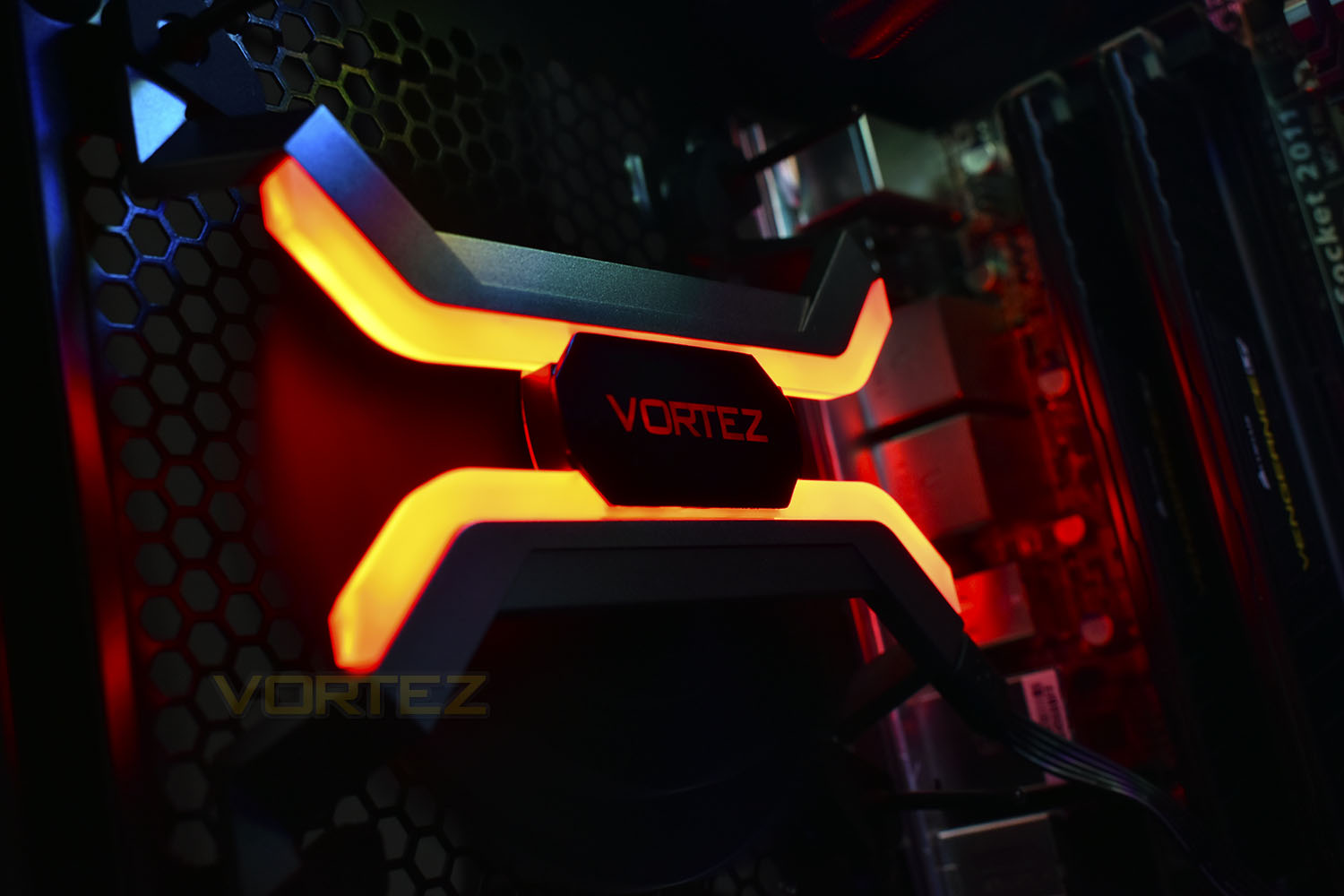
Due to the unique frame and blade design, Deepcool reckon their fan offers better unrestricted airflow and therefore cooling performance. Let’s bolt this to our Corsair chassis and see how it performs.
Deepcool on the Gamer Storm MF120:
MF120 is a PC case fan capable of powerful heat dissipation. Its unique frame-less design together with its double-layered positive pressure fans can deliver maximum airflow with zero hindrance. MF120 is also a smart fan and its controller can be wirelessly connected via WIFI to a user’s mobile terminal to control fan speed and lighting effects. The MF120 is the first PC case fan to adopt a seamless aluminum processing technique in its manufacturing process which enhances air intake performance
Technical Specifications
Fan Dimension: 120×120×26mm(3pcs)
GS Control Dimension: 100×70×26mm
Net Weight: 530g
Rated Voltage: 12VDC
Operating Voltage: 7~13.2VDC
Starting Voltage: 7VDC
Rated Current: 0.74A
Power Input: 8.9W
FAN Speed: 500±200 -2200±10%RPM
MAX.Air Flow: 56CFM
Noise: 37.9dB(A)
Bearing Type: Hydro Bearing
GS Control Dimension: 100×70×26mm
Net Weight: 530g
Rated Voltage: 12VDC
Operating Voltage: 7~13.2VDC
Starting Voltage: 7VDC
Rated Current: 0.74A
Power Input: 8.9W
FAN Speed: 500±200 -2200±10%RPM
MAX.Air Flow: 56CFM
Noise: 37.9dB(A)
Bearing Type: Hydro Bearing
Packaging & Bundle
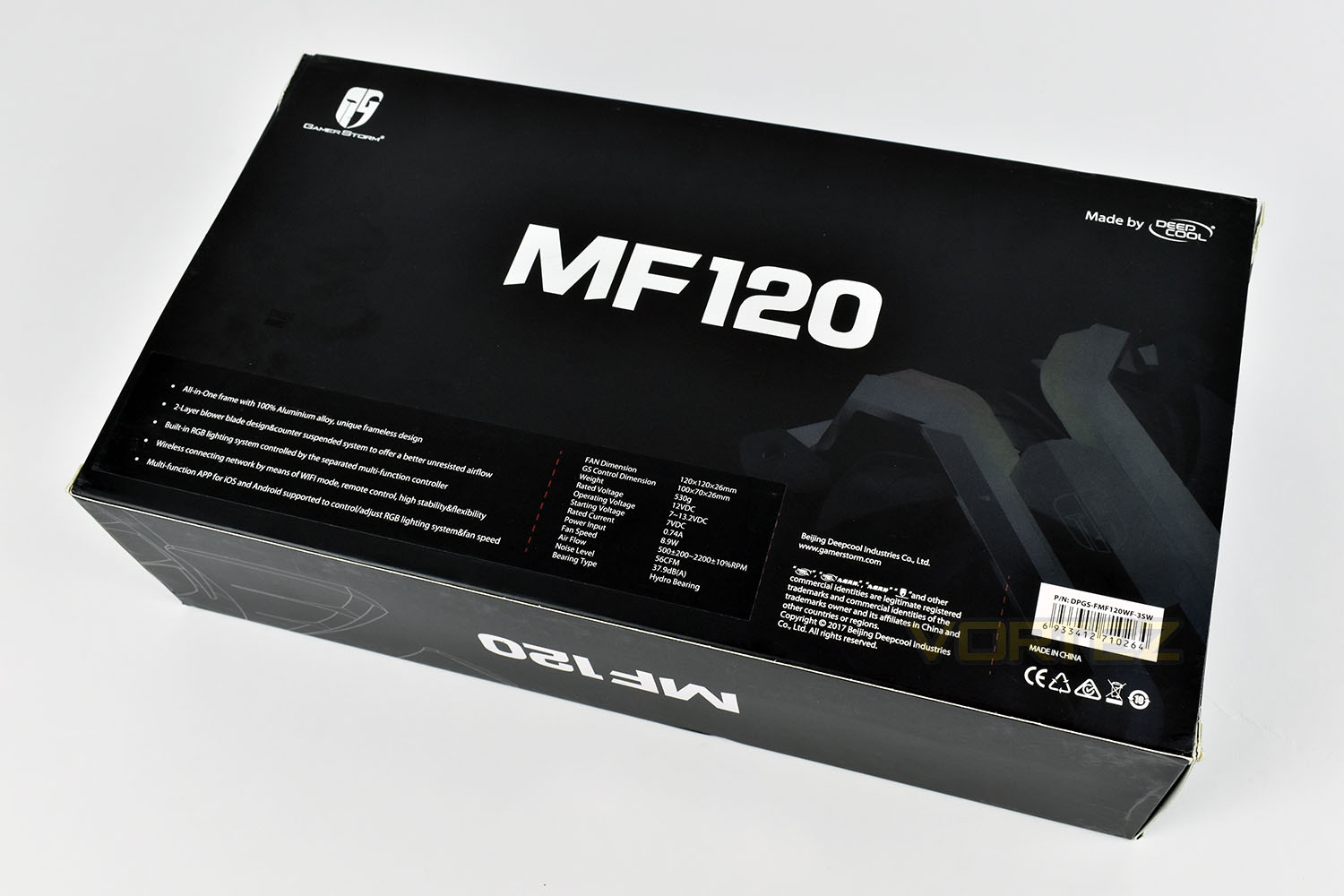
Considering this is just a bundle of three fans and a small controller, the size of the packaging is quite surprising. Plenty of information on the front with a large picture of the fan itself.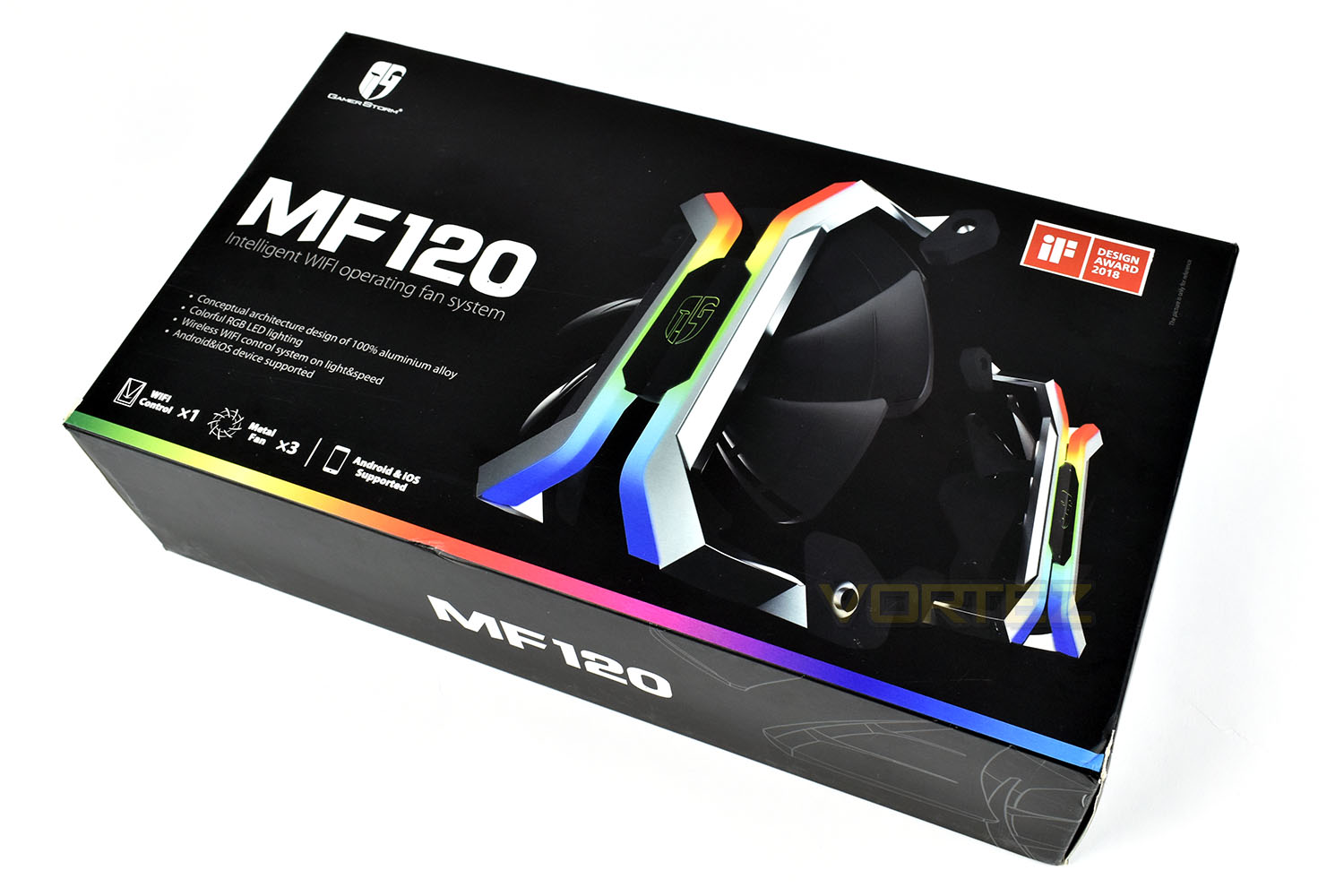
The rear of the box feels like wasted space, the font they used could be larger or more images could have been included.
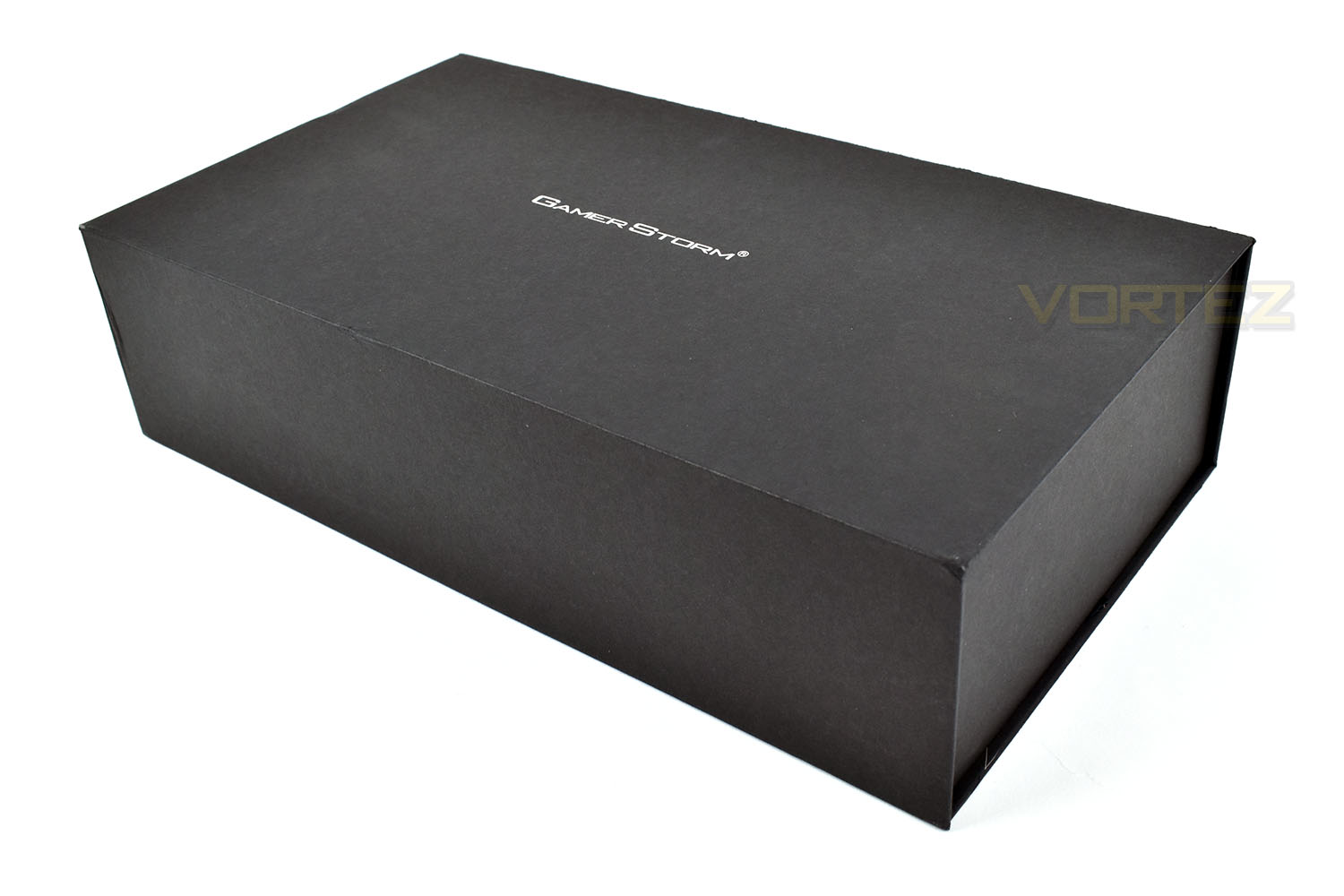
The internal box is rather unassuming, looking like your typically bland, boring box…
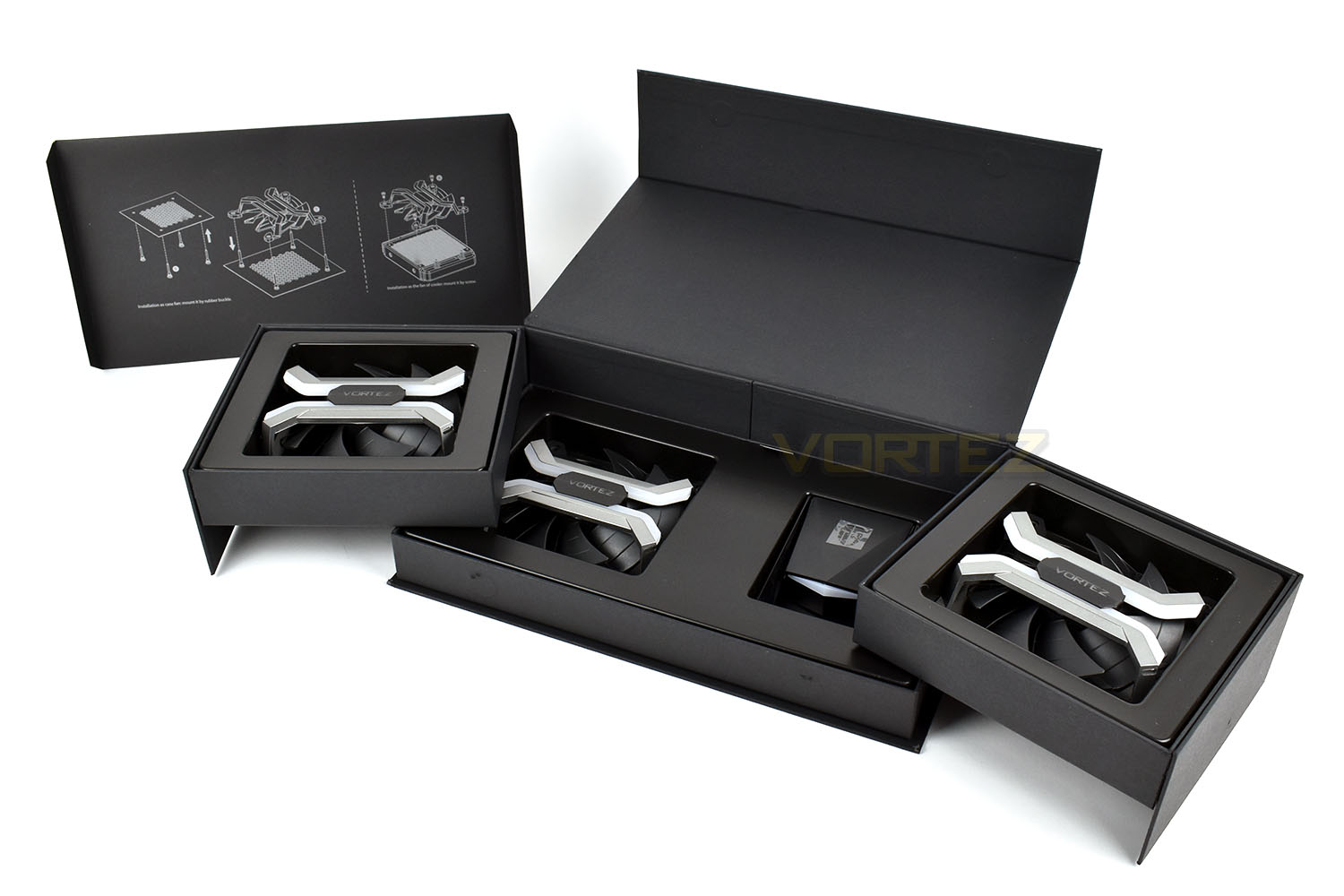
…until you begin to open it, finding that the top lifts away into a handy instruction piece, the edges fold out to reveal the fans and controller and the bottom piece lifts out for the cabling and attachments. This is without doubt one of our favourite packages to date!
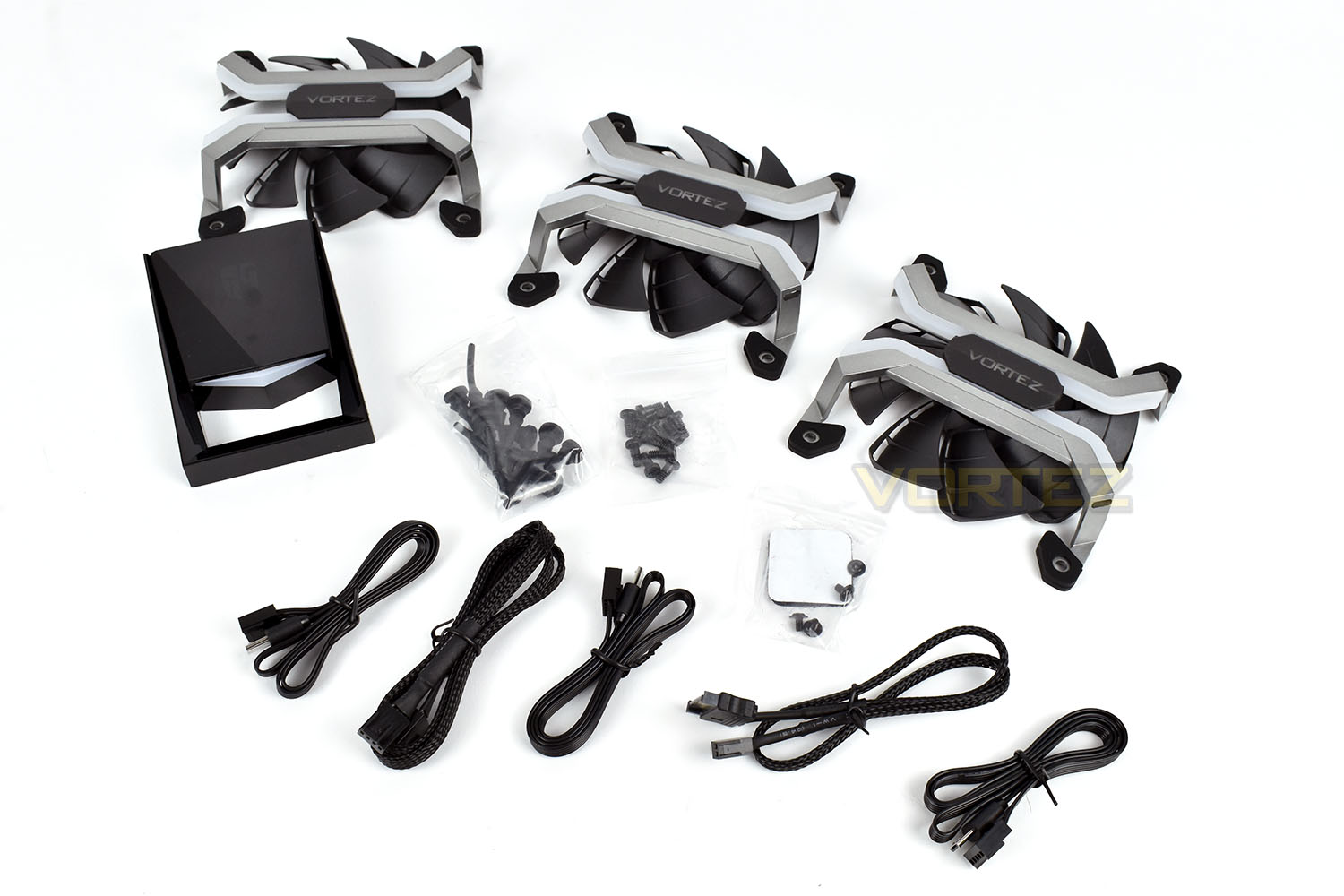
Concealed within the box is an assortment of cables, rubber mountings, radiator mountings and the WiFi fan controller along with adhesive Velcro. Strangely, no screws to mount the fan to a case.
Closer Look
Each corner of the MF120 fan is rubberised, helping to prevent any vibrations travelling through the aluminium chassis. Attached directly onto those aluminium legs are the LED light strips, running the whole width of the 120mm fan.The 9 plastic blades are made of two joined pieces, seemingly to help focus airflow and reduce noise, keeping system temperatures low without pushing up the volume.
Deepcool even went as far as putting our logo in the centre, a nice touch for a review sample!
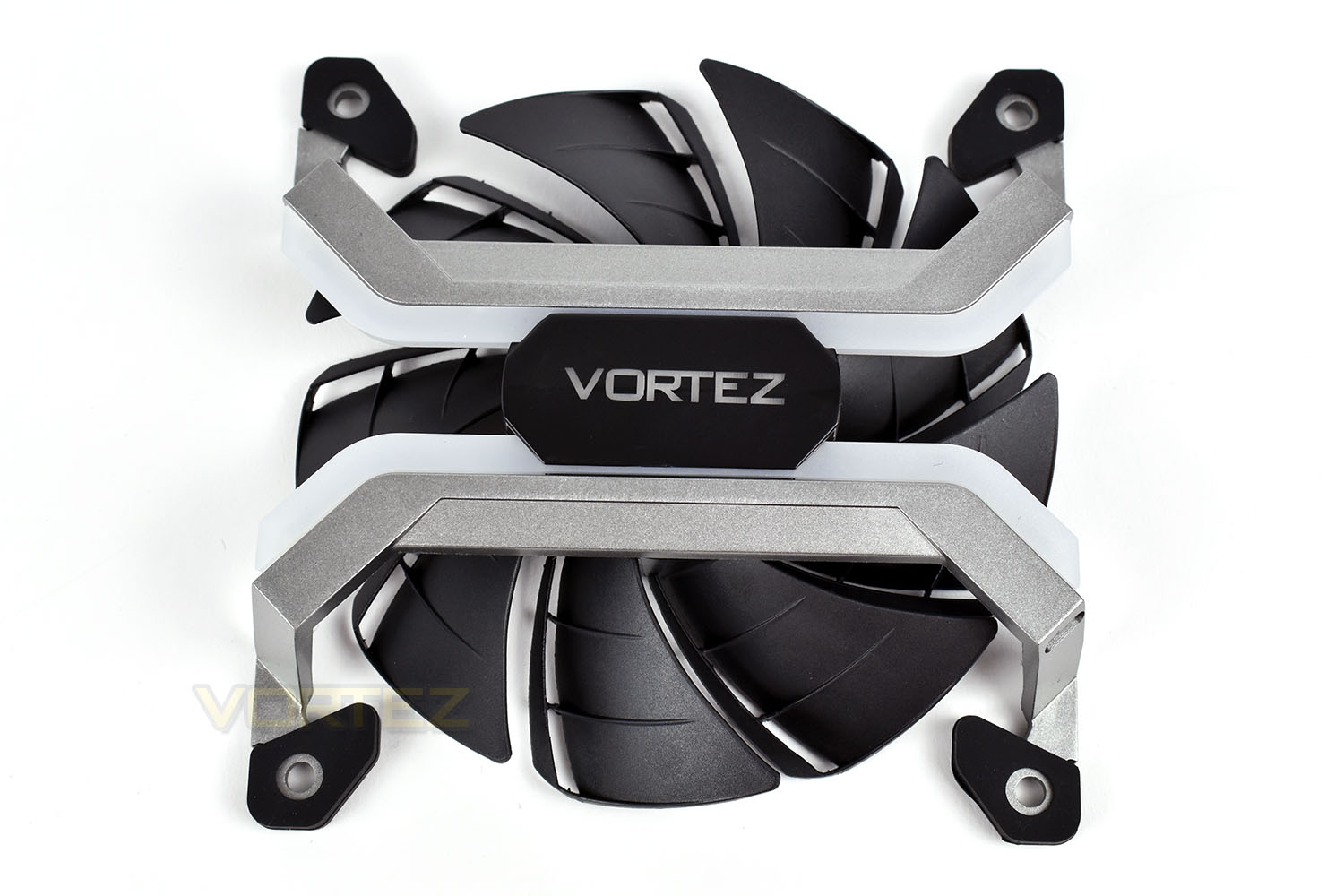
The reverse side shows the hub of the fan (featuring the logo which should be on the top, instead of our Vortez logo), and the underside of those 9 blades. As you can see, the entire thing is supported from the top.
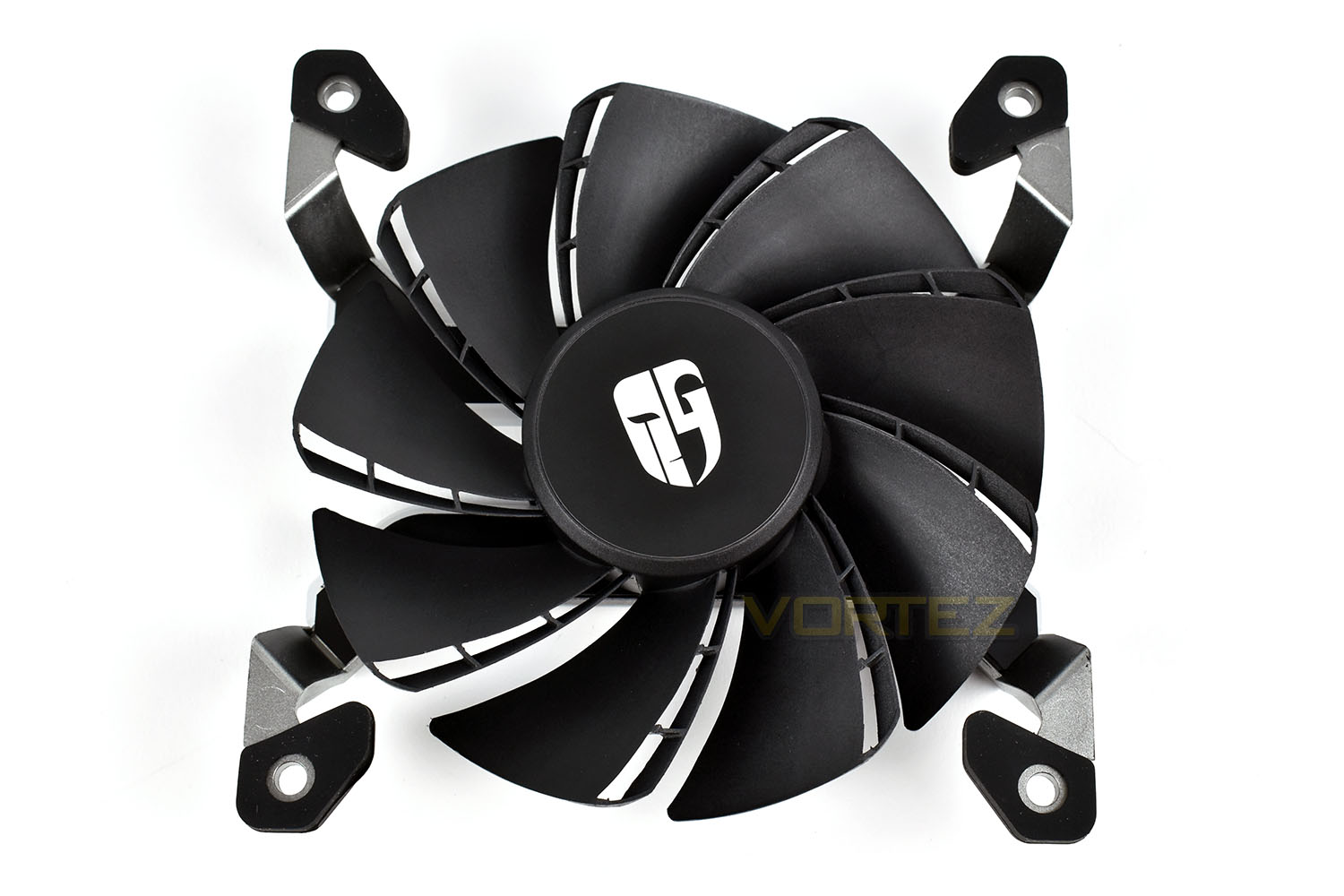
You may have noticed the lack of any wiring to the fan – this is removeable which may help with wire routing and tidiness.
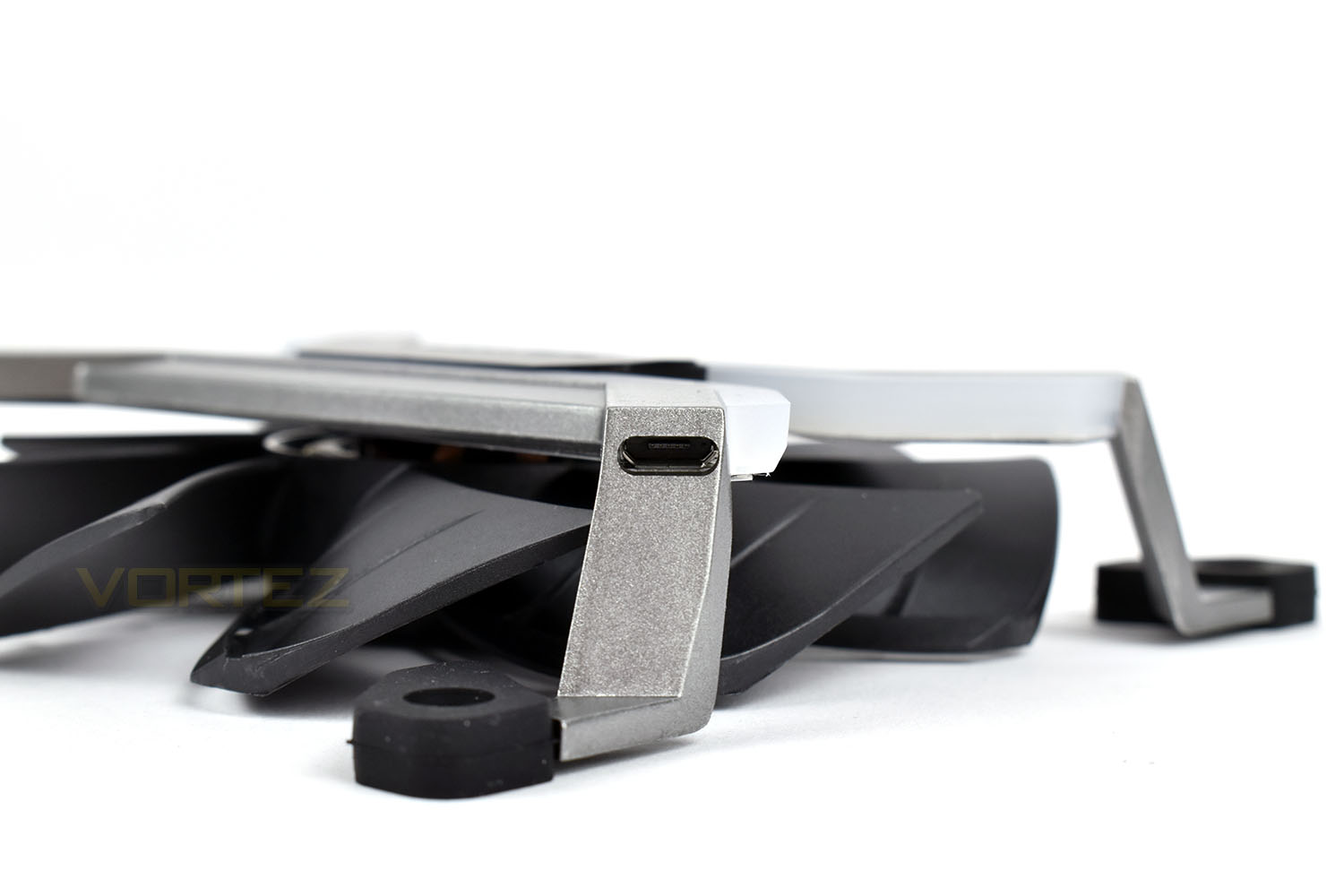
The controller is roughly the same dimensions as a typical 2.5” SATA drive, with a bit more thickness about it. Thanks to that similarity, they’ve fitted the four screw points on the underside to allow installation to a 2.5” mounting bracket, or alternatively you can use the self-adhesive Velcro pad. The clear, white section you see is also RGB-enabled which works in unison to the fans.
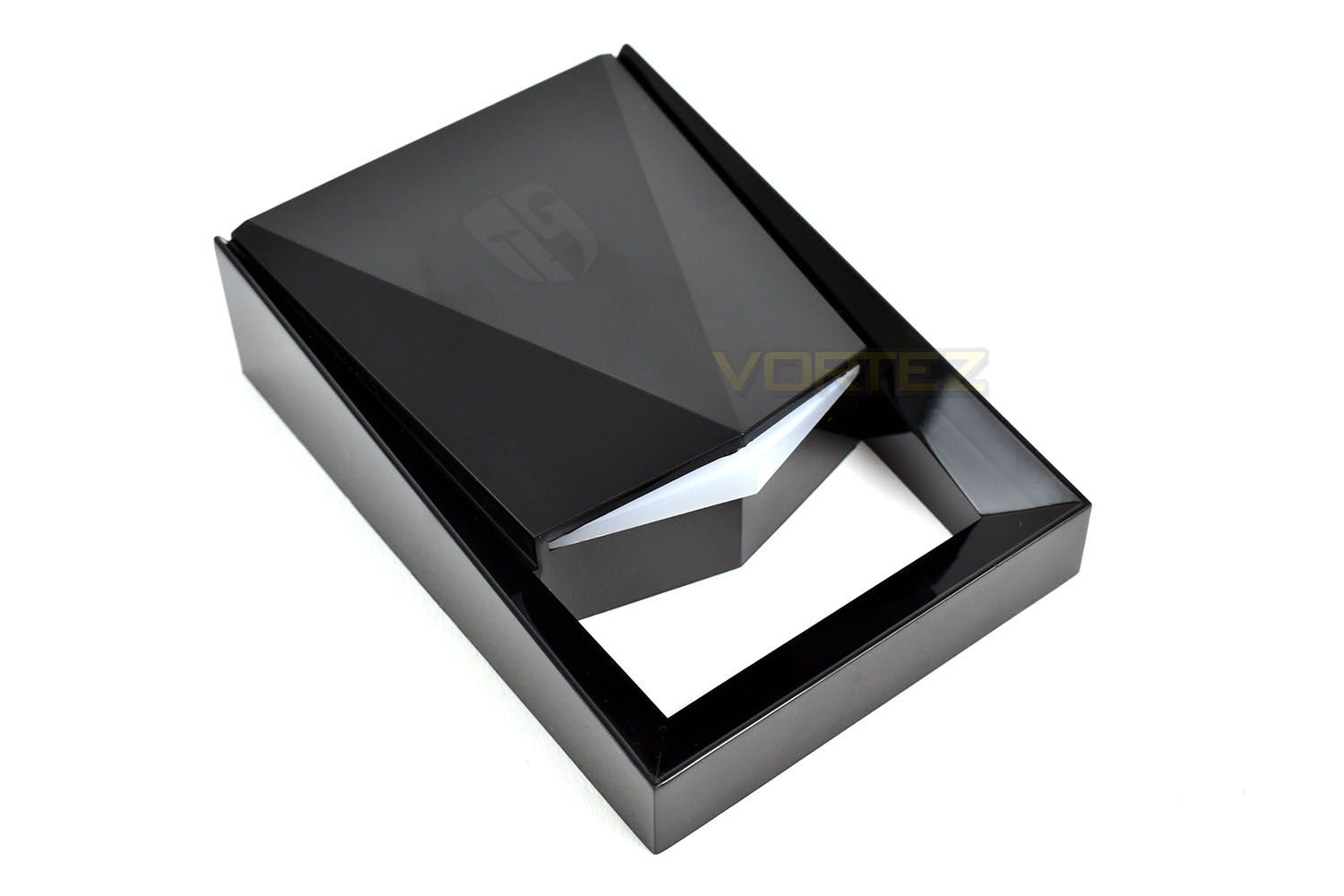
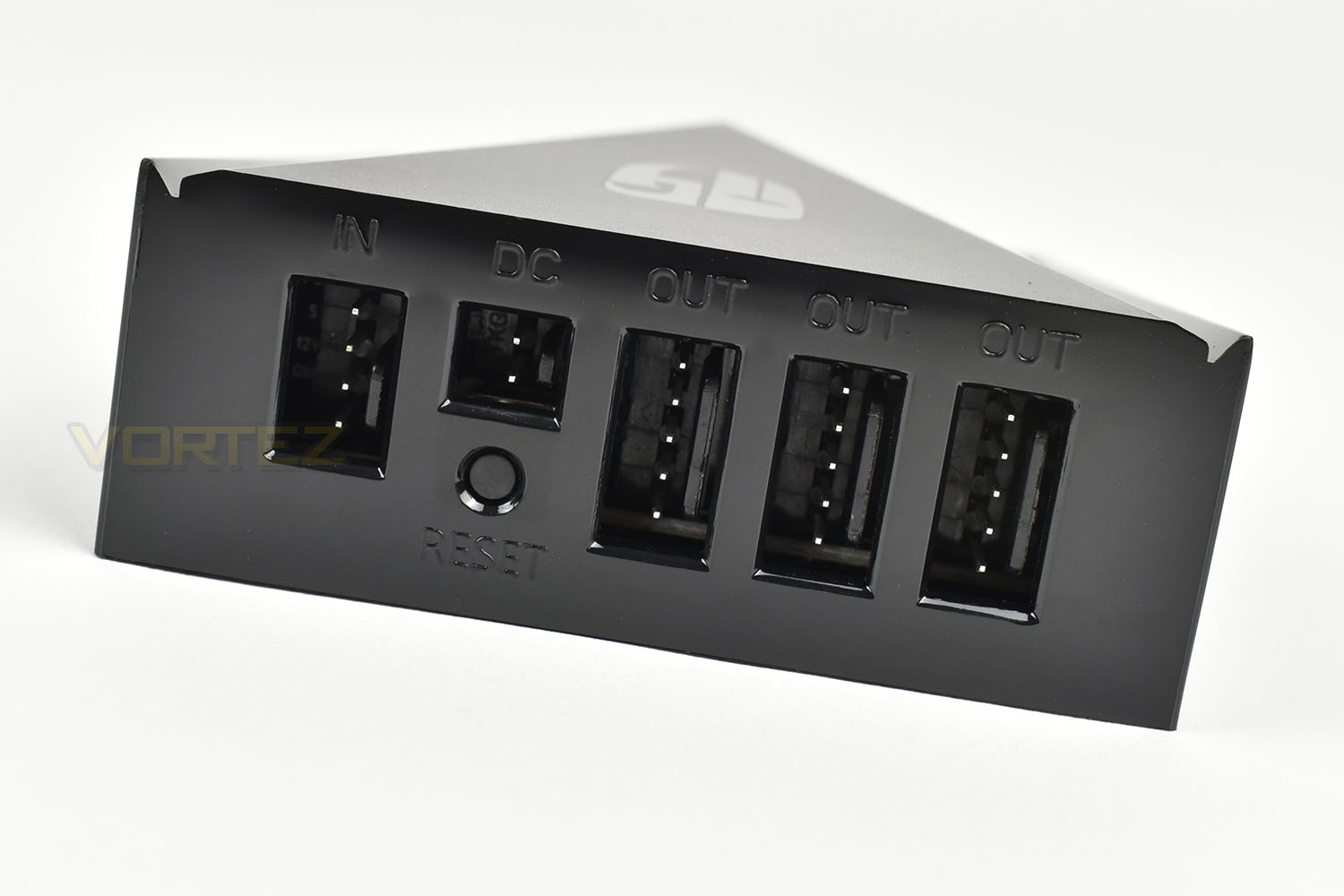
The rear of the controller is laid out well, again with routing cables in mind. We see many controllers that sprout cables at every angle, making them a pain to install and adjust.
Software & RGB Lighting
Below is a short clip of the iOS software alongside the respective effects.Test Setup & Methodology
We have recently made changes to our cooling department and the associated testing methodology, so please note that the number of results shown will increase over time as we add additional products. We hope that these results will appear clearer to the majority of our readership and look forward to building upon the baselines that we currently have.Processor – Intel Core i7-3930K
CPU Cooler – Corsair H100i Pro RGB
Motherboard – Gigabyte X79-UP4
Memory – 16GB Corsair Vengeance LP 1600MHz CL9
Video Card – Sapphire Radeon HD 6850 1GB
Power Supply – NZXT Hale90 650W
Storage Drive – Kingston HyperX 240GB SATA III SSD
Case – Corsair Carbide 760T
CPU Cooler – Corsair H100i Pro RGB
Motherboard – Gigabyte X79-UP4
Memory – 16GB Corsair Vengeance LP 1600MHz CL9
Video Card – Sapphire Radeon HD 6850 1GB
Power Supply – NZXT Hale90 650W
Storage Drive – Kingston HyperX 240GB SATA III SSD
Case – Corsair Carbide 760T
We test our fans at both 1000 RPM and maximum RPM, or if the fan only has one setting, it’s only included in the maximum RPM graphs.
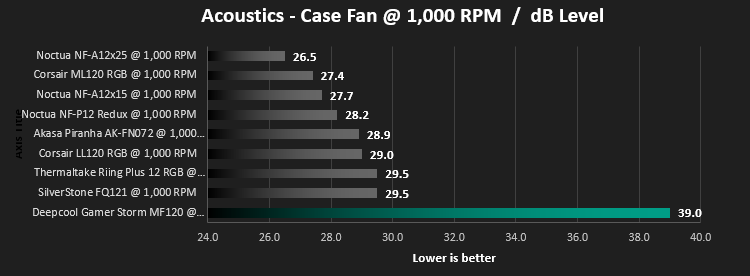
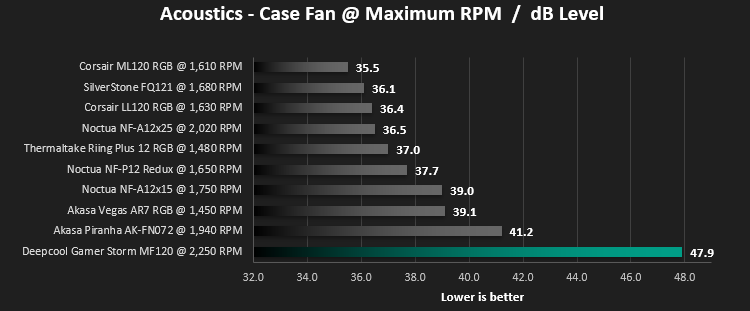
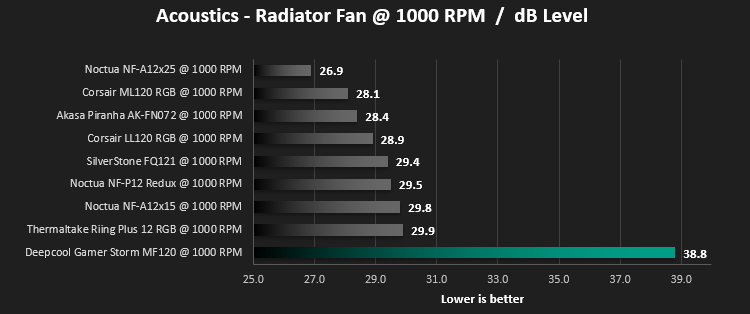
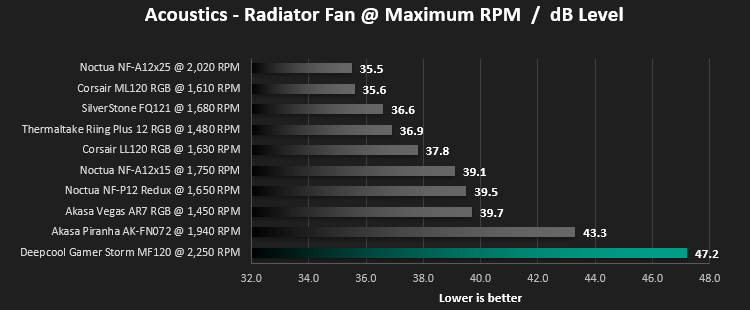
Firstly, we’ll test acoustics, both as a case fan, mounted on the rear of our Corsair Graphite 760T chassis, and as a radiator fan on the Corsair H100i Pro RGB. (with the pump turned down to 1,100 RPM and all other case fans disabled). We measure the average dB(A) noise levels over 60 seconds in a quiet room with an ambient noise level of around 24dB(A). Acoustics are measured from the same point within the case (20cm from the fan), with every effort taken to ensure test parameters are as close as possible during every test.
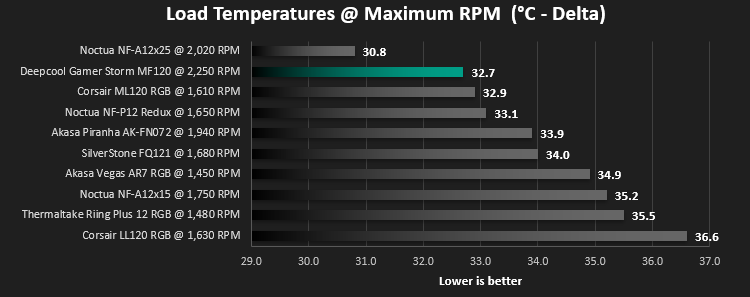
We then test the fan’s performance both at 1000 RPM and maximum RPM by running an AIDA64 20-minute stress test while running only a single 120mm fan on the 240mm radiator of the Corsair H100i Pro RGB. This allows us to test single fans as well as multi packs by only relying on a single 120mm fan. We mount the fan under the radiator, inside the case, blowing through the radiator. We measure the average core temperature over a 60-second period and minus the ambient room temperature from this. That leaves us with a Delta °C measurement which is applied to the graphs. Our average room temperature is kept as close to 21°C as possible, roughly the room temperature of most homes and offices. Obviously, if you live in a warmer climate with warmer room temperatures, you can expect higher temperatures.
Unfortunately, due to the unique cables used with the Gamer Storm MF120 fans, we’re not able to use our Noctua fan controller, so instead we rely on the accuracy of the included software for the fans.
Benchmarks – Thermal Results
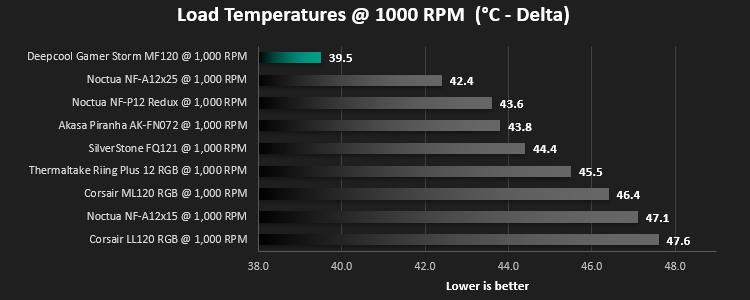
Firstly, we test the Gamer Storm MF120 RGB at 1000 RPM, both at idle and load.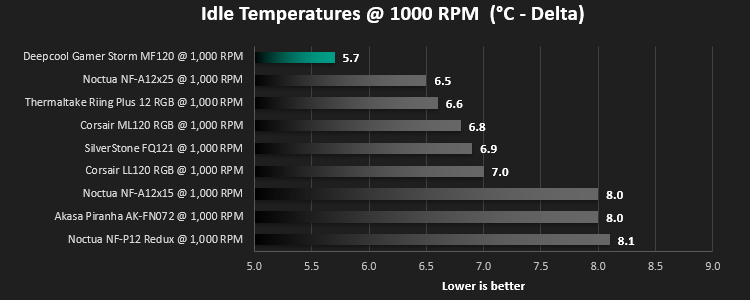
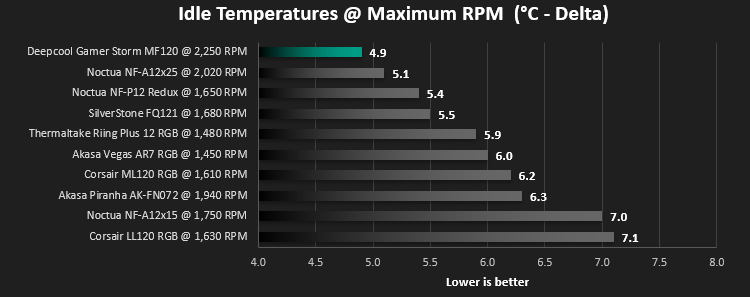
We then turn the fans up to maximum RPM, which is 2,250 RPM according to the software.
Benchmarks – Acoustic Results
For testing, we only connected a single MF120 fan to the supplied controller to make the results relevant.Due to different characteristics, we feel it’s important to test fans as both case fans and radiator fans, giving you, the reader, a good idea of what to expect in both scenarios. We also test at 1000 RPM and Maximum RPM to see just how loud things can get.
We begin by testing the fans on the rear of our Corsair 760T chassis
We then mount the fan to the Corsair H100i Pro RGB and re-run the tests.
Conclusion
When we first opened the fans, the quality of the packaging and the solid feel of the MF120 fans was excellent. Everything felt well put together and like it was “built to last”. We absolutely loved the packaging too, that’s an awesome feature that we truly appreciated from Deepcool; it’s not often we find packaging with any real flair or substance to write in our reviews.Moving onto the RGB lighting, it’s fantastic. The application for iOS and Android made setting up and adjusting the lighting easy, with the fans reacting to adjustments within the app instantly. The software was packed full of presets and made picking the perfect colour a doddle, with the colour select wheel, however, due to the MF120 fans only arriving in a triple pack, we would’ve appreciated some way of synchronising the three fans into a single effect, such as the “Meteor” zooming across all three fans in sequence. Also, please bear in mind that the fans can only be controlled via smartphone application, there is no Windows program currently available.
We ran into a small issue with installation, in regards to screwing the fans onto the chassis. The mounting holes on the fans aren’t “tapped” for a screw fitting, therefore the only mounting mechanism is via the included rubber attachments which are pulled through from the inside of the case. This may be difficult in tighter chassis.
Lastly, the noise. We found the fan running at 1000 RPM was overly loud, while not pushing a great deal of air to make up for it; this is more than likely due to the design choice that Deepcool made, removing the frame around the blades. Pushing the RPM up to maximum, nearly 2,300 RPM, was insanely loud, with the noise meter pushing over 45dB at times, with an average just under. For a high performance system, which may require fan speeds over 1000 RPM at all times, these aren’t really suitable for everyday use, even with good sound proofing inside your case.
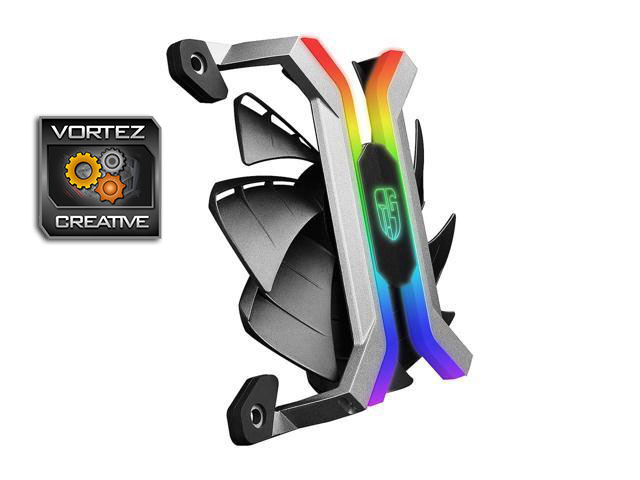
The Gamer Storm MF120 fans look amazing and will improve the RGB-ness of any case you put them in, but living with the noise everyday would bear too much to handle.
Pros
+ The fans look fantastic
+ Something completely new
+ Software easy to setup and control
+ RGB lighting is bright and colourful
+ Amazing packaging
Neutral
+- Software lacks some synchronisation features we would expect to see
Cons
– Far too loud
– Not easy to install in small cases
– No PC software available
+ The fans look fantastic
+ Something completely new
+ Software easy to setup and control
+ RGB lighting is bright and colourful
+ Amazing packaging
Neutral
+- Software lacks some synchronisation features we would expect to see
Cons
– Far too loud
– Not easy to install in small cases
– No PC software available
Click here for an explanation of our awards at Vortez.net.
Stay connected with the Vortez Social Media pages: