Touted as Deepcool’s new premium liquid CPU cooler series, we take a look at the new LS Series LS520 and LS720 and see if it really does maximise on performance.

Product on Review: LS520 & LS720 AIO Coolers
Manufacturer & Sponsor: Deepcool
Street Price: LS520 – $109 USD | LS720 – $139 USD
This week a plethora of new and exciting products are being announced at Computex 2022 in Taipei and Deepcool are using this event to unveil their shiny new LS Series CPU Coolers.
The LS Series side steps air cooling in favour of liquid and takes on Deepcool’s 4th Gen pump which promises to combine power, efficiency and low-noise. The Series has a variety of options which range from 120-360mm. Today we’ll be exploring the 240mm (LS520) and 3600 (LS720) versions to see how well they fare.
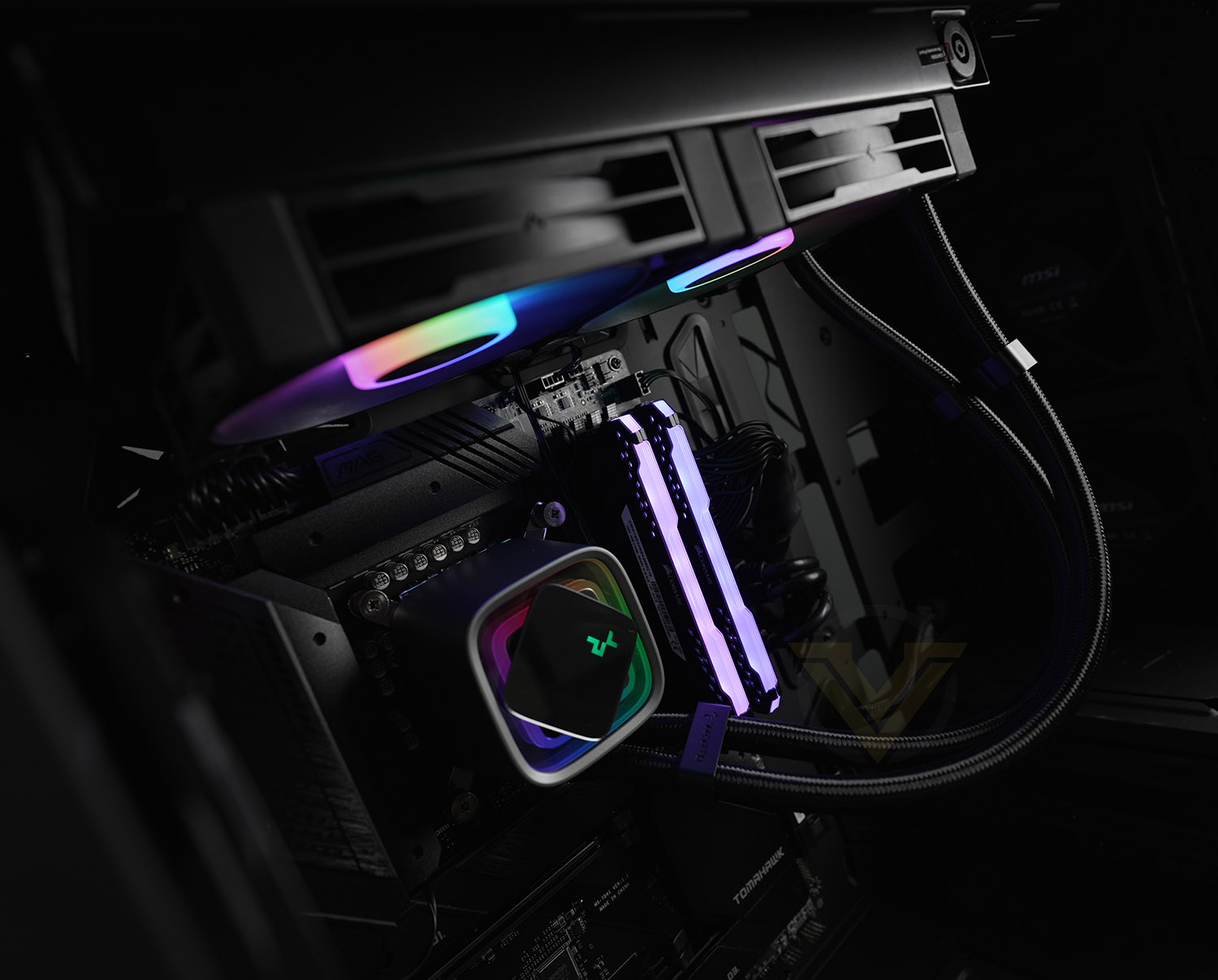
Deepcool on LS Series:
The DeepCool LS Series CPU Coolers uses 4th generation pump design that delivers excellent cooling performance with its powerful 3-phase 3100RPM motor and improved microchannel for optimal coolant flow.
Technical Specifications
Below are the technical specifications surrounding the LS520 and LS720. The only difference between the two models lies within the size of the radiator, number of included fans and the net weight of the cooler:
Radiator Dimensions:
LS520: 282x120x27 mm
LS720: 402x120x27 mm
Socket compatibility
Intel 1700, 1200, 1150, 1151, 1155, 1156, 1366, 2011, 2066
AMD AM5, AM4, AM3, AM2, sTRX4, sTR4
Tube Length
410mm
Net weight
LS520: 1305g
LS720: 1607g
Included Fans
LS520 2x 120mm
LS720 3x 120mm
Pump connector
3-pin
Warranty]
5 Years
LS520: 282x120x27 mm
LS720: 402x120x27 mm
Socket compatibility
Intel 1700, 1200, 1150, 1151, 1155, 1156, 1366, 2011, 2066
AMD AM5, AM4, AM3, AM2, sTRX4, sTR4
Tube Length
410mm
Net weight
LS520: 1305g
LS720: 1607g
Included Fans
LS520 2x 120mm
LS720 3x 120mm
Pump connector
3-pin
Warranty]
5 Years
Packaging & Bundle
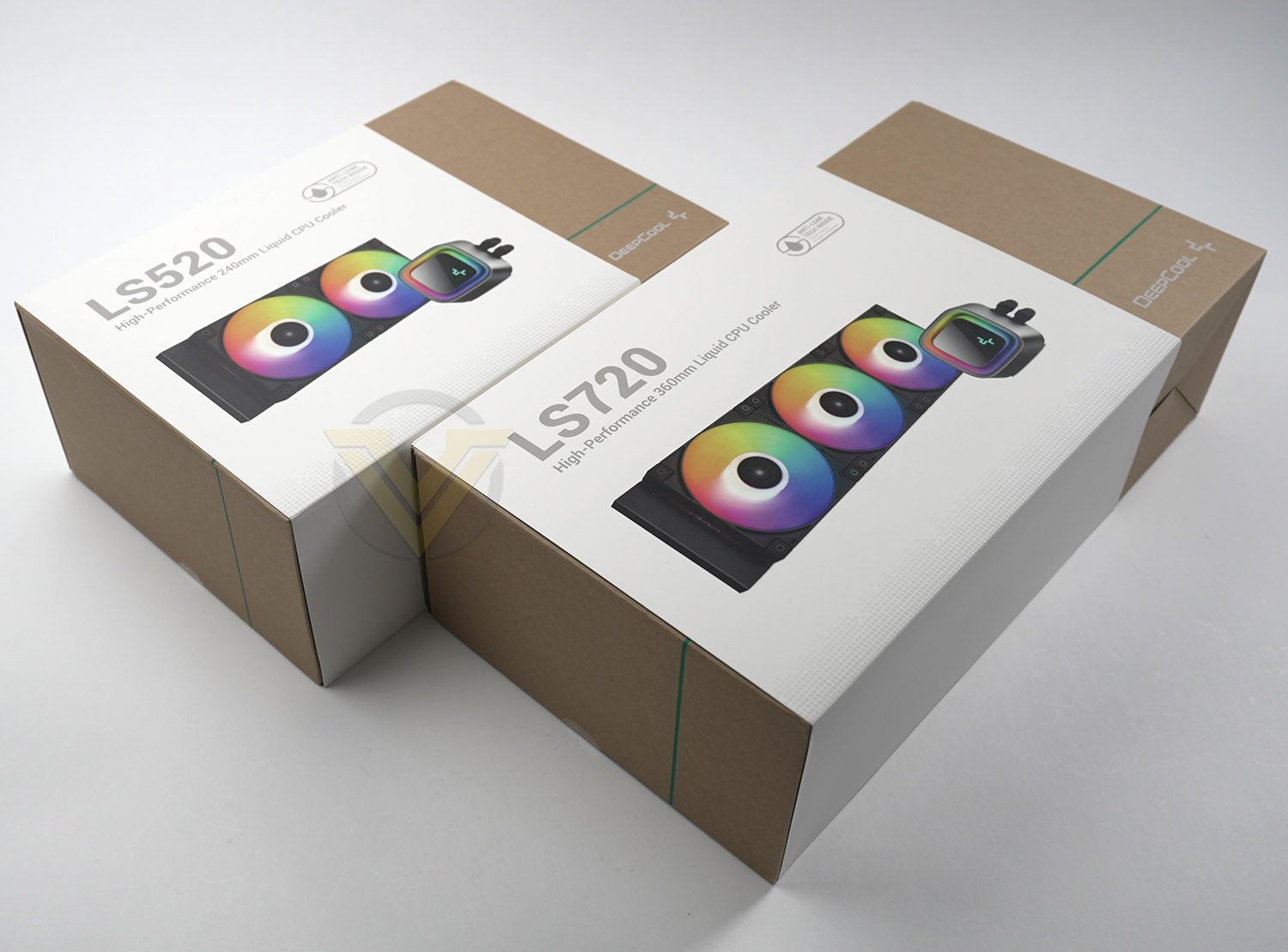
LS520 and LS720 arrive in similar packaging, the only real different is the size. The boxes have a clean design and can be recycled if no longer required. An image of the cooler along with tech spec is included.
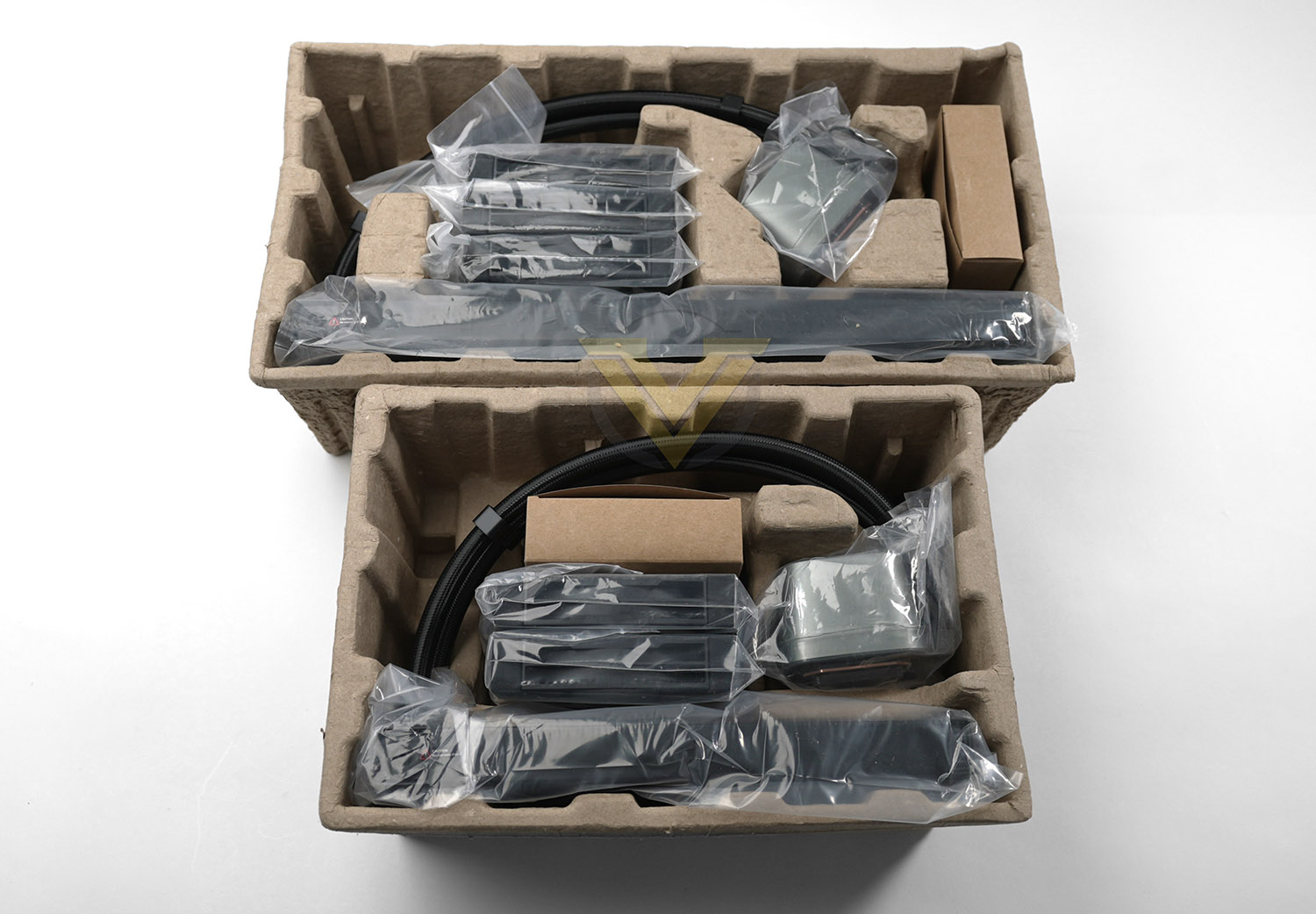
Inside, all of the items are wrapped in plastic and well-protected in a large cardboard tray which is the standard packaging for products of this nature.
There are various parts for installing these coolers into a computer case since it is compatible with numerous socket types. The bundle consists of:
• Radiator/blocks
• 2x 120mm fans | 3x 120mm fans
• Mounting kit for Intel/AMD platforms
• Daisy chain, RGB cables
• Installation guides
Closer Look
Since both coolers are almost identical, we’ll be featuring just the LS520 for the closer look.
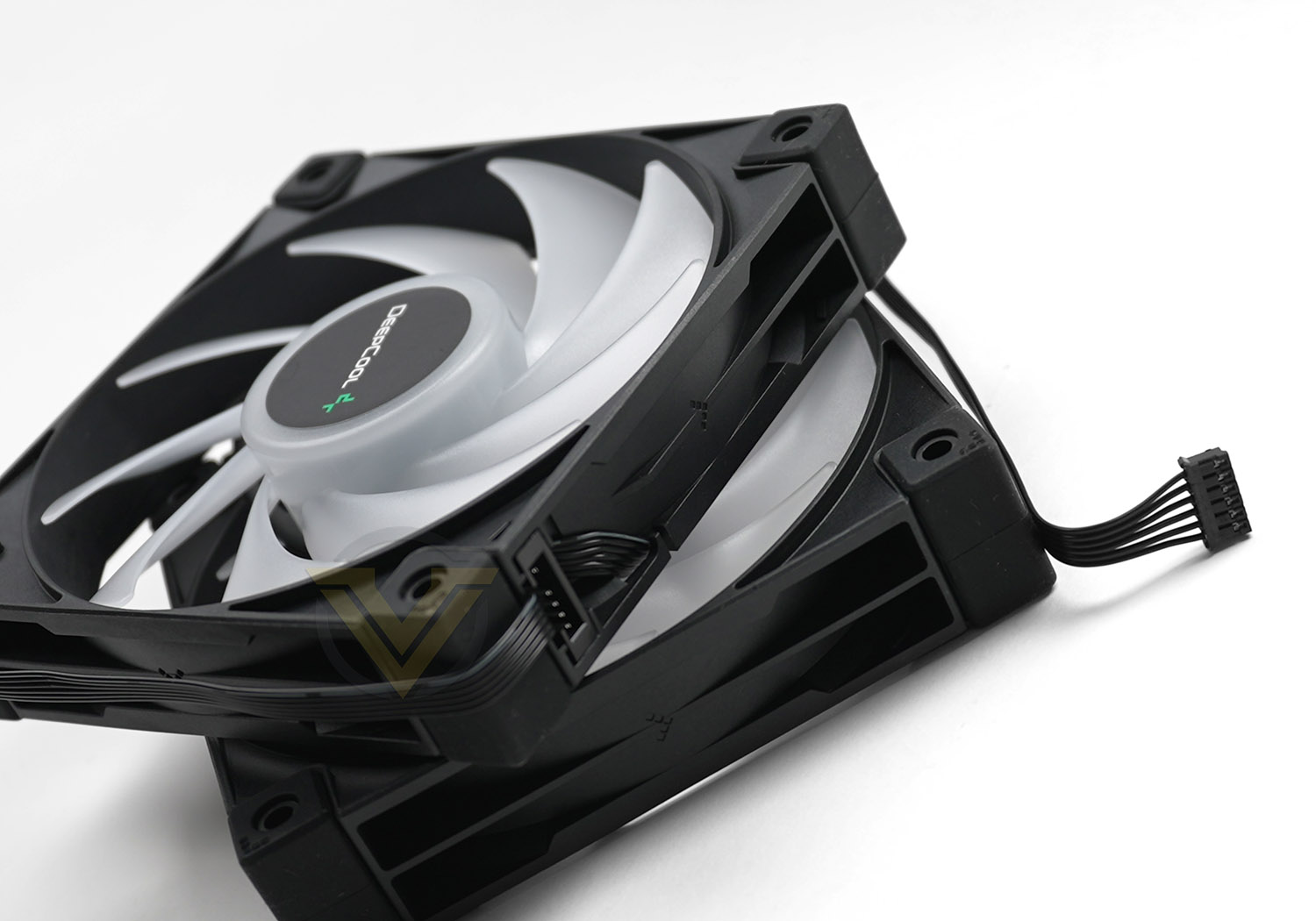
Included with this cooler are 120mm fans. These fans are PWM and capable of 500-2250 RPM and airflow of up to 85.85 CFM.
You’ll notice the cable coming from the fans is slightly different to the usual 3 or 4-pin. A 5v RGB connector is used instead and this can be daisy chained. So, each fan can connect to the other and even the pump can connect – meaning that just one cable needs to be connected to the motherboard.
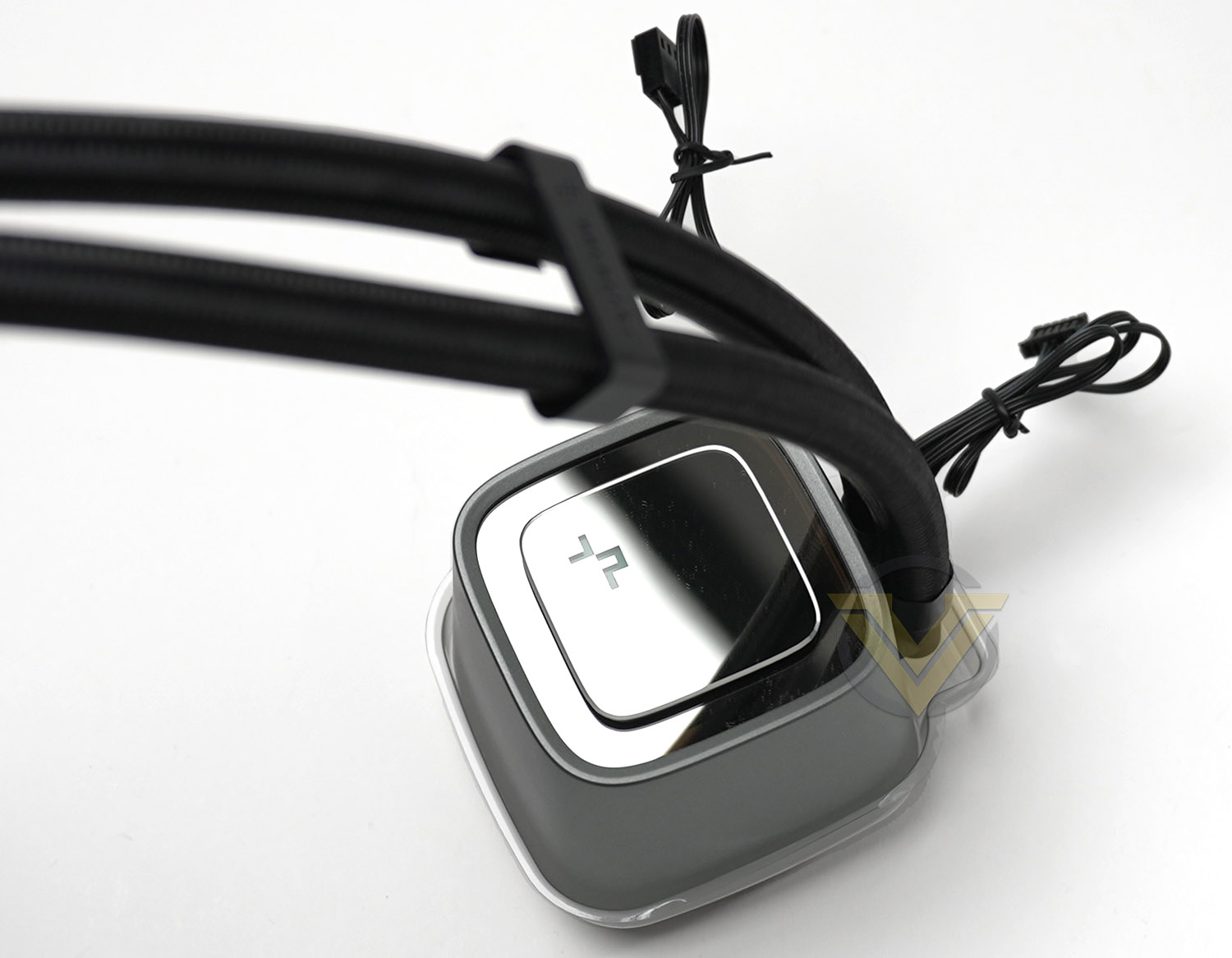
Deepcool are calling the top section of the pump “infinity mirror pump”. This design is equipped with RGB LED lighting, and not only is the middle plate able to be rotated but there is an additional plate included so that you can fully customise with our own design.
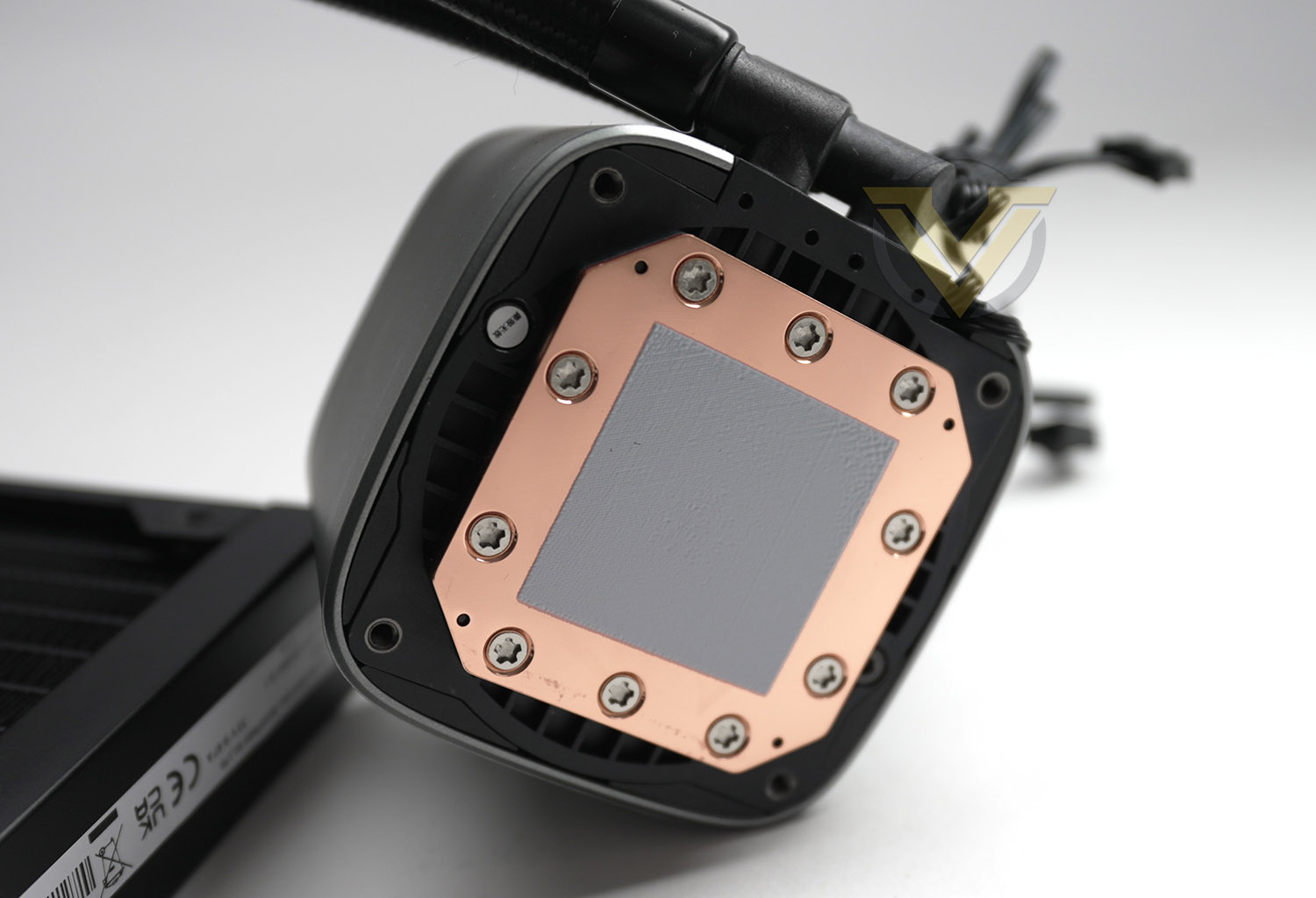
For this new series of coolers Deepcool are using their new 4th Gen. pump which has improved an microchannel 3-phase motor which they are keen to claim will deliver excellent thermal performance.
On the bottom-side of the block, we can see the copper baseplate and pre-applied thermal paste. The circumference of this is unlikely to cater for larger CPUs which fall into the HEDT category, even though they are on the compatibility list.
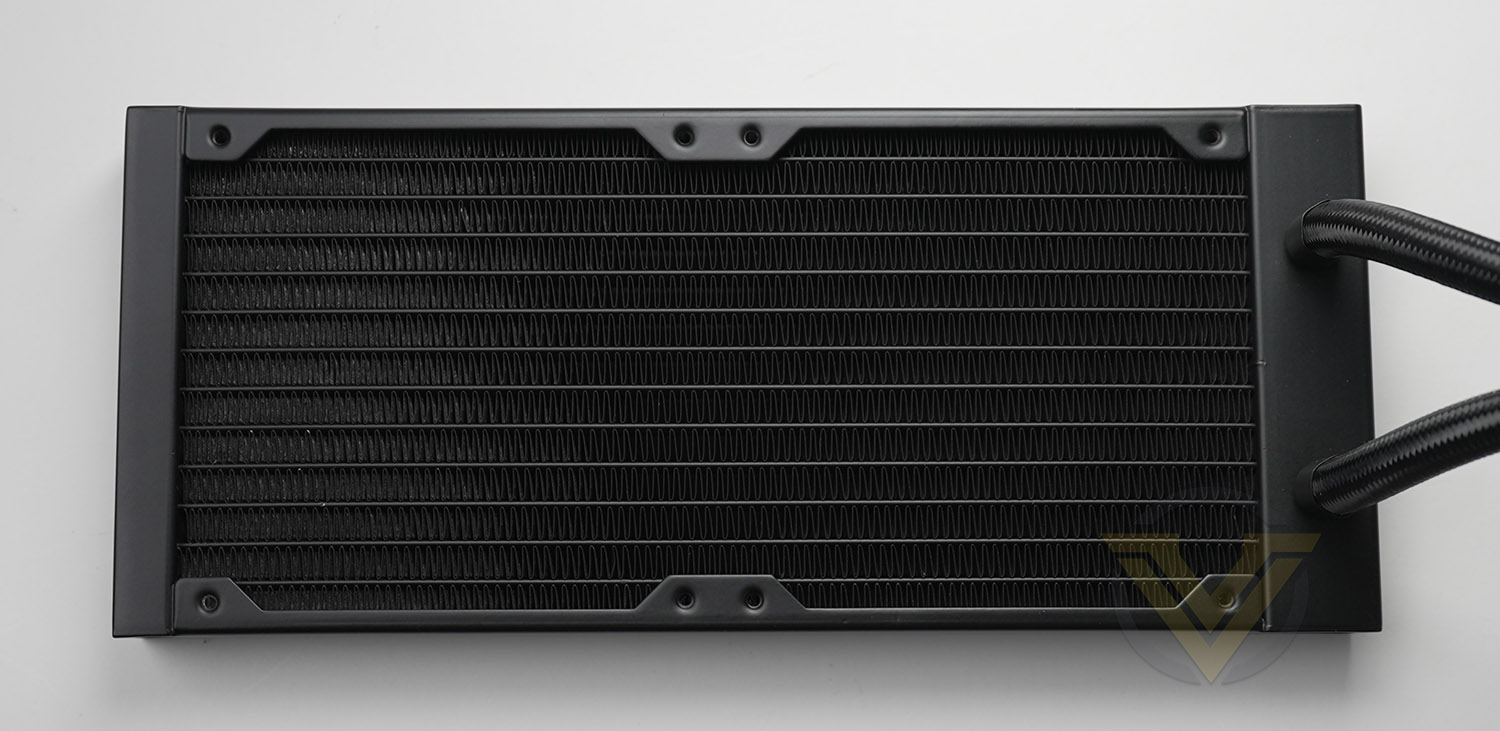
One of the more obvious differences between each of the LS Series models is the radiator size, today we are looking at the 240mm and 360mm versions, pictured above is the LS520 (240mm). The tubing from this radiator is 410mm in length and there are two sets of clips to keep the tubing from twisting – small, but nice touch that helps!
Installation Process
Again, in a similar way to the closer look – for the installation phase we’ll only be showing the LS520 because the process is exactly the same for LS720.
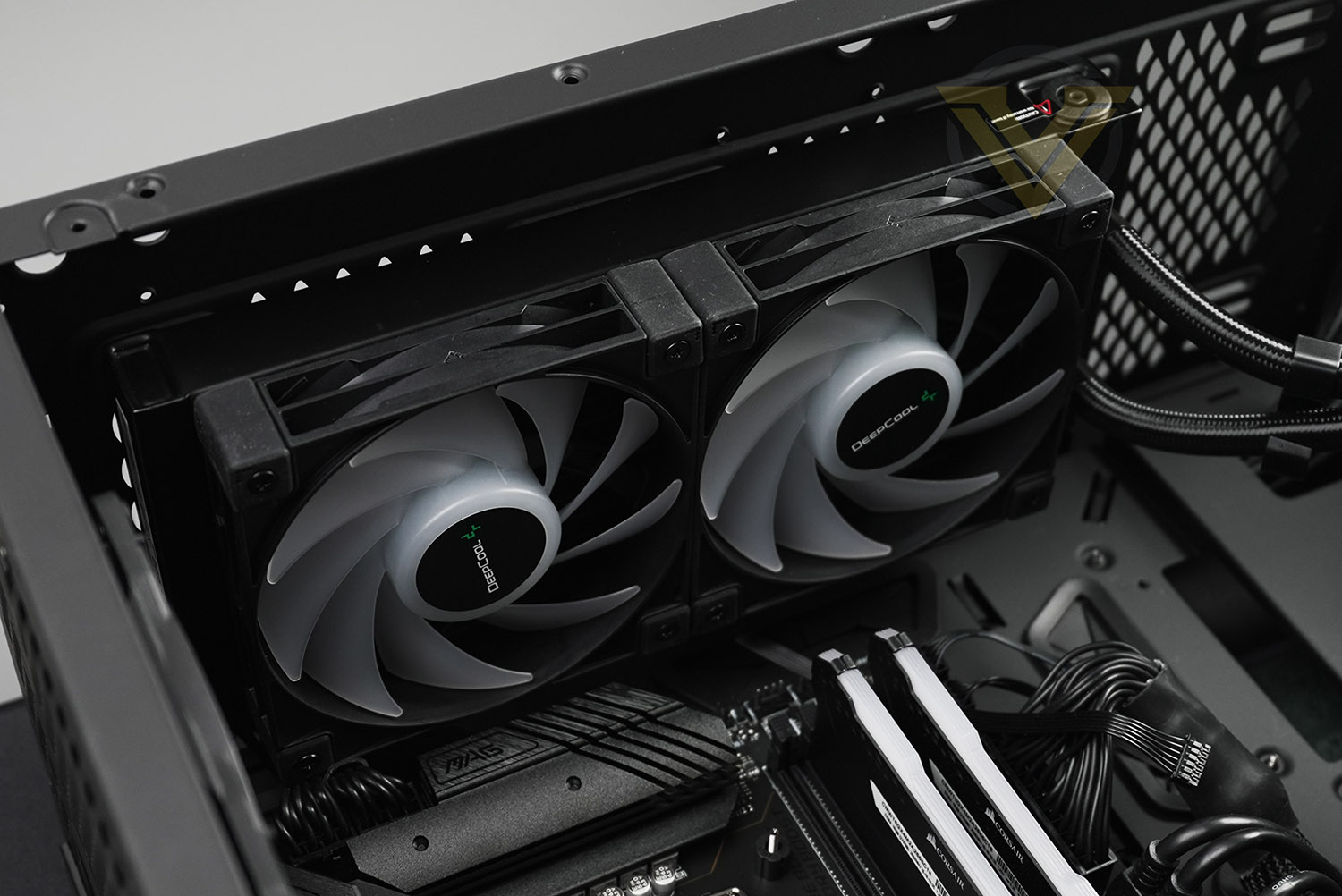
As part of the first step for installing LS520, we attached the two cooling fans to the radiator. A push configuration is the usual course of action for this type of cooler, so we install the fans in this orientation – with airflow directed at the radiator. As usual, long screws need to be tightened into all four corners of each fan. NOTE: before attaching, it is worth daisy chaining the cables in preparation before the fans go onto the radiator and into the case. Having the connectors accessible for the pump to connect is also something to consider.
The largest and most challenging aspect to installing a liquid cooler within a case comes when trying to fix the radiator and fan combo into the roof of the case, so this is the next phase of our installation. Most cases have allocation at the front or top for different sized radiators – 240/280 or even 360. Our case can accommodate 240 and 280, all we do is move the radiator/fan combo into the desired spot and attach the smaller screws provided to fix into place.
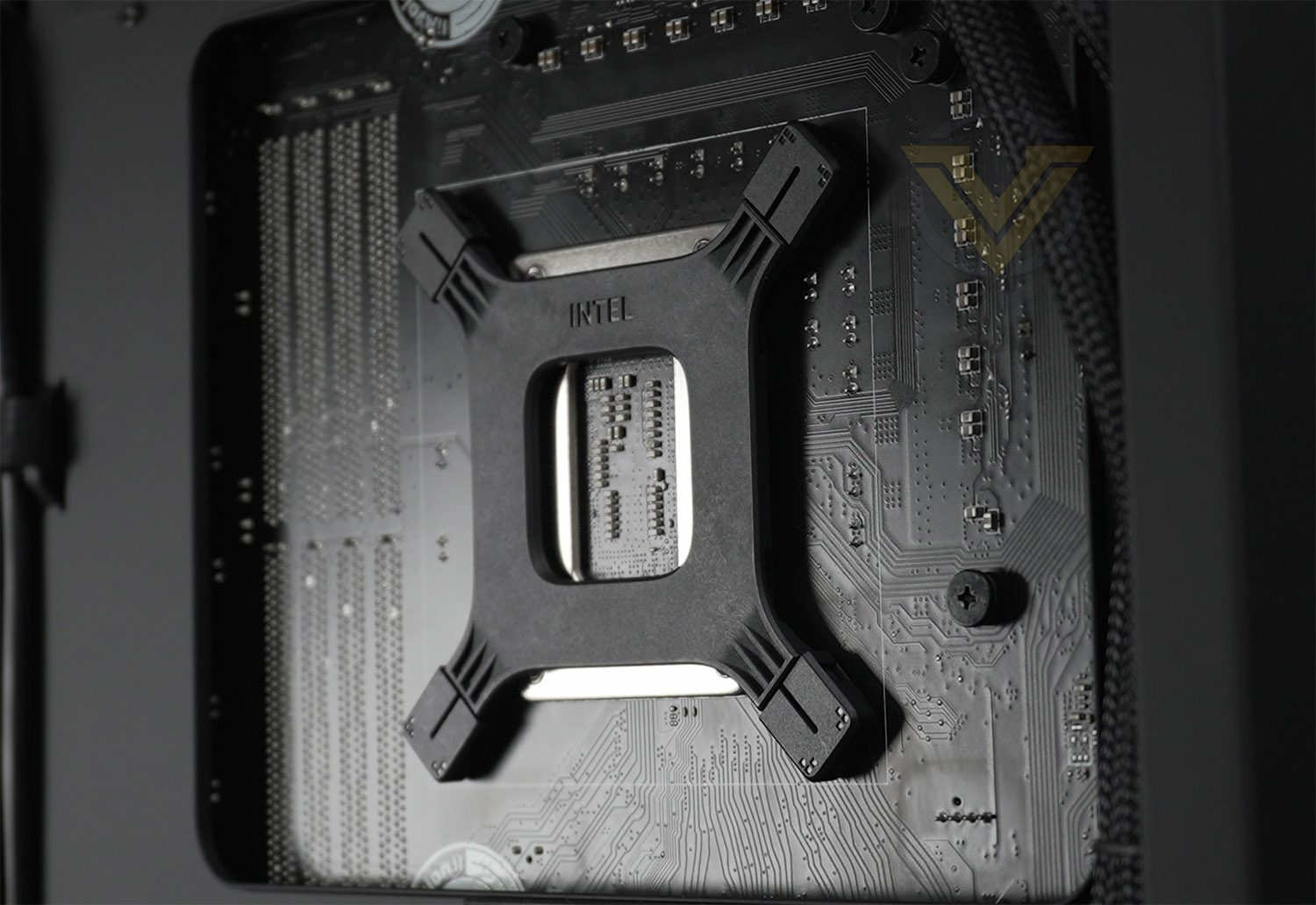
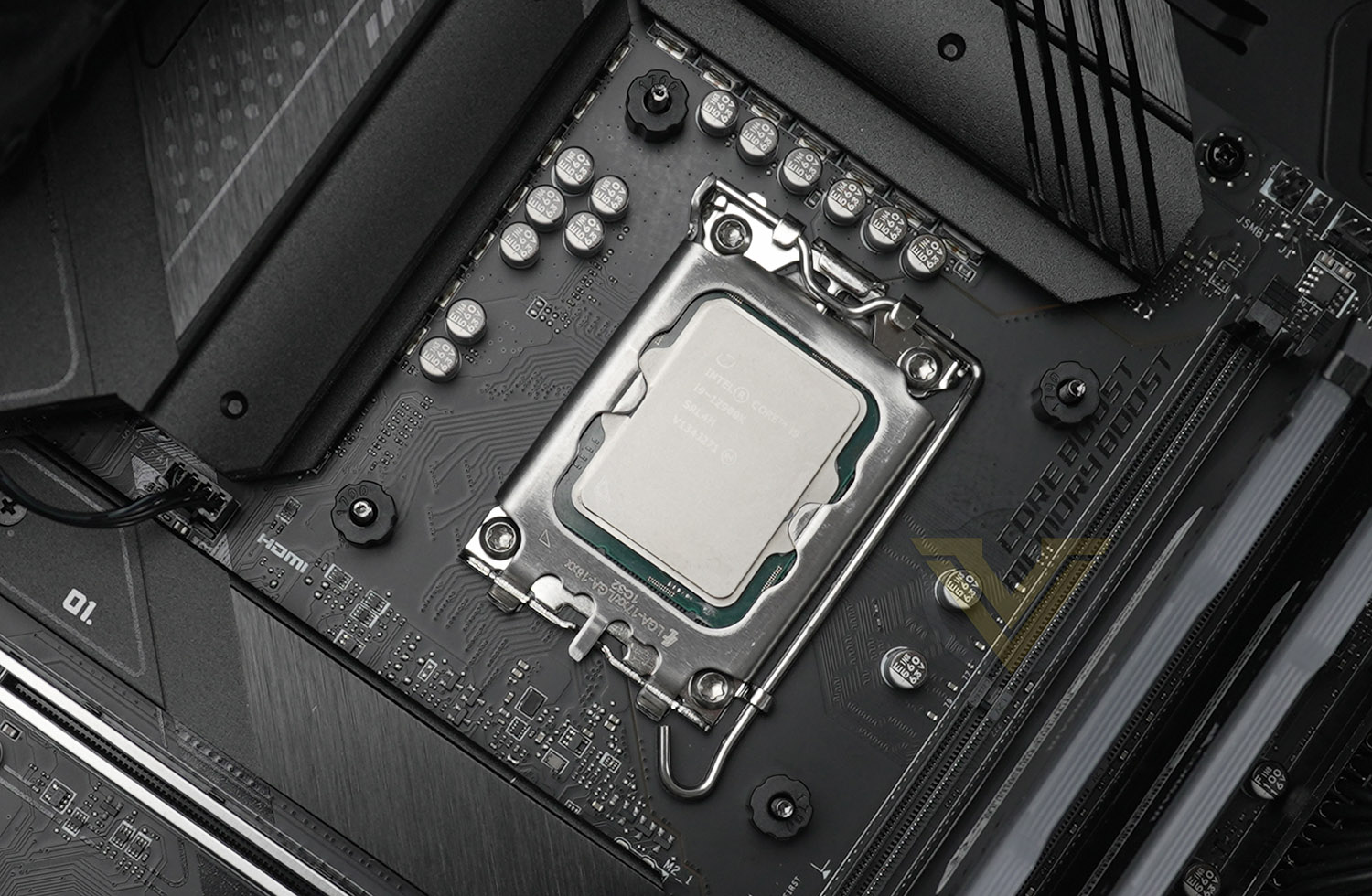
For our CPU cooler reviews, we’re using LGA 1700, which is Intel’s socket for 12th Gen. processors. This is a new socket for Intel and differs from 115x – therefore the installation is somewhat different but almost the same (its mostly the parts which are LGA 1700 specific, that you need to pay attention to). A backplate simply needs to be placed through the back of the motherboard as shown. And then on the front size, four plastic 1700 labelled mounts need to be placed over the screws from the backplate.
The last step is to place the block over the CPU/screws and attach the screws. This should be done in a diagonal sequence to apply even pressure.
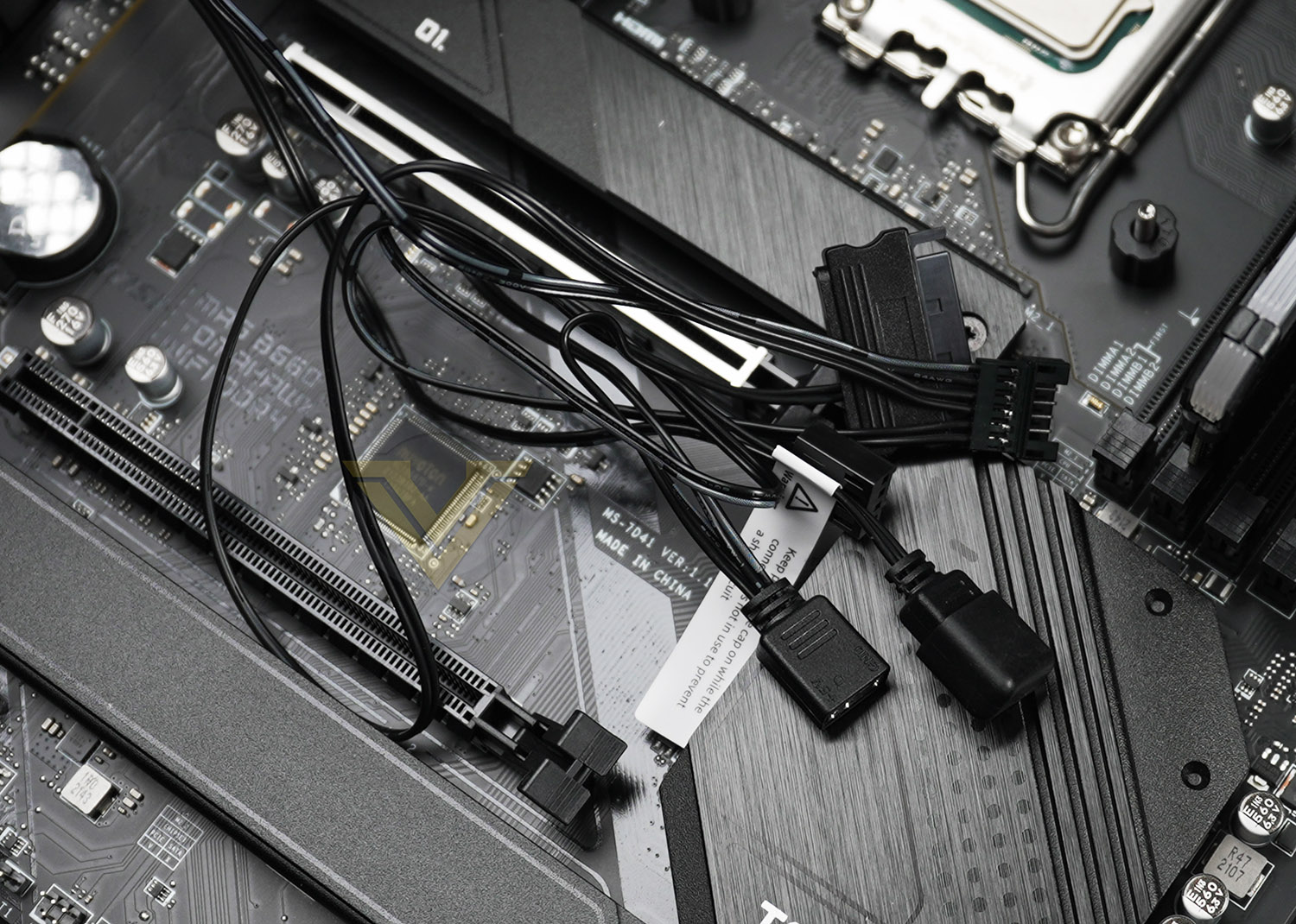
Along with the ability to daisy chain the pump and two fans, Deepcool provide a set of cables to extend the cabling as all three items need to be powered via a SATA connector. On first look it does appear messy but this cabling is all hidden behind the motherboard tray and also provides additional 5v RGB.
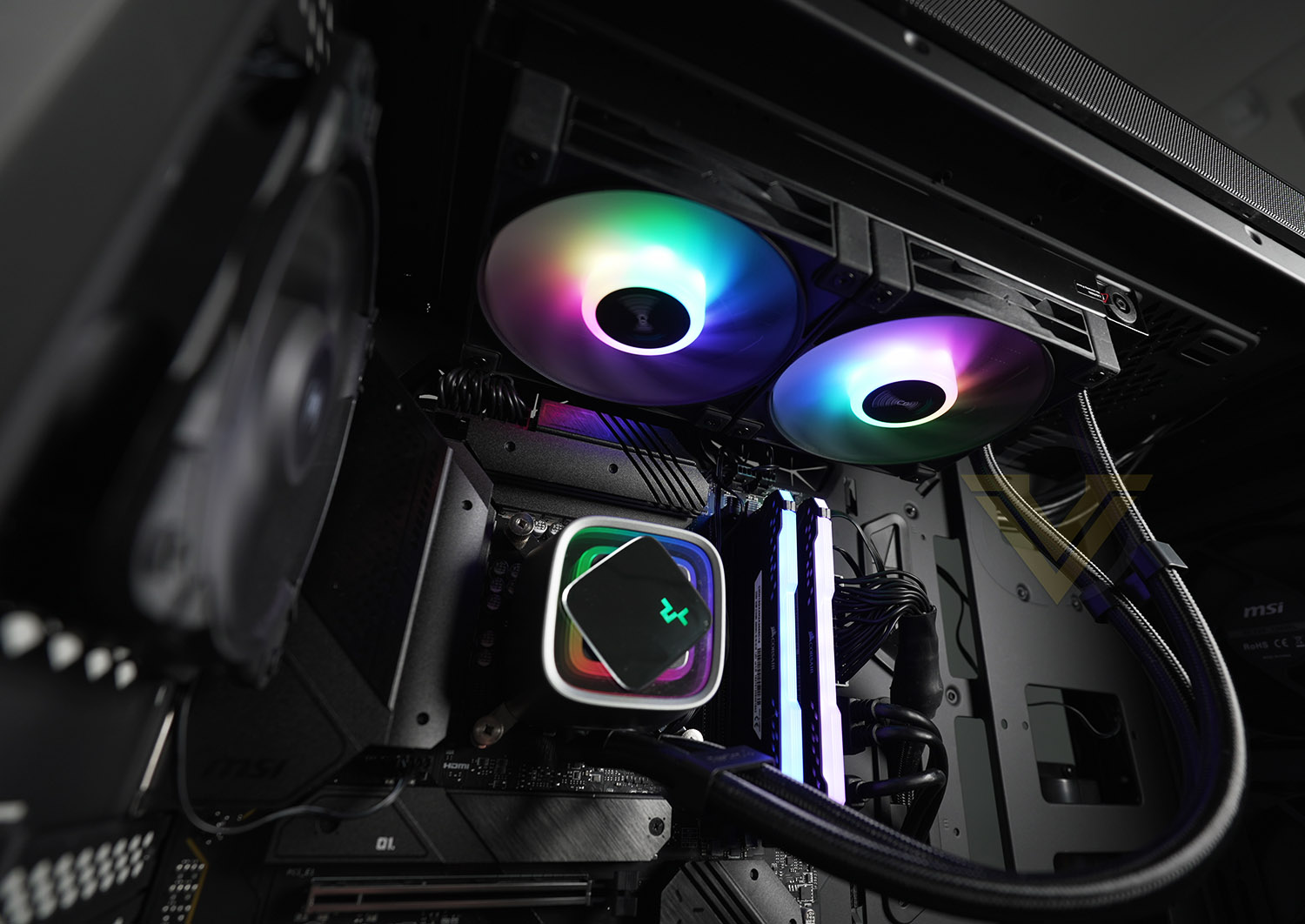
The finished look is impressive!
The RGB lighting can be controlled via the motherboard’s RGB software (all motherboards have their own in-house lighting technology and Lumen is compatible with this). To manage the speed of the pump and fans, again, this can be managed using the BIOS or software. In our case, we use the MSI BIOS to ensure all devices are using “PWM”.
Test Setup & Methodology
HARDWARE
Rather than analyse CPU coolers on a test bench, we prefer to simulate a real-world configuration where all of the components are housed within a computer case. By doing this, our readers are able to see the CPU cooler in a real-world scenario.Special thanks go to Intel, MSI, Corsair, Noctua and AverMedia for providing the hardware configuration for our CPU cooler reviews:
Motherboard:
CPU – Intel Core i9-12900K
Board – MSI MAG B660 Tomahawk WiFi DDR4
RAM – Corsair Vengeance RGB PRO SL (16GB)
Power Supply – Corsair RMx850
Hard Drive – Intel S3500 128GB
Case – MSI SEKIRA 500G
CPU – Intel Core i9-12900K
Board – MSI MAG B660 Tomahawk WiFi DDR4
RAM – Corsair Vengeance RGB PRO SL (16GB)
Power Supply – Corsair RMx850
Hard Drive – Intel S3500 128GB
Case – MSI SEKIRA 500G
BENCHMARKS
In order to perform our thermal and acoustics tests we use AIDA64 Stability test. The 12900K CPU is left in its default stock state with EIST, Turbo enabled.For the moment, the comparison results highlight only a small number of CPU coolers, this is because we’ve updated our hardware configuration. The number of tested coolers will increase.
To reflect the most accurate user experience we always test our coolers in their out-of-the-box state, with the cooling fans/components they are sold with. However, we do not use the supplied thermal paste as this would skew results – for our thermal paste we use Noctua NT-H2 which provides us with that level playing field and consistency.
To record the idle temperatures result, our system is booted into Windows and left to idle for 20 minutes. The average core temperatures are recorded (Using Core Temp), and then we following this we apply the AIDA64 Stability test to apply an intensive load on the CPU. After 20 minutes have elapsed, we then record the average core temperatures.
All temperature results are delta, this is calculated by subtracting the ambient from the average core temperature. Ambient temperature is recorded using a digital thermometer placed near the front intake of the case.
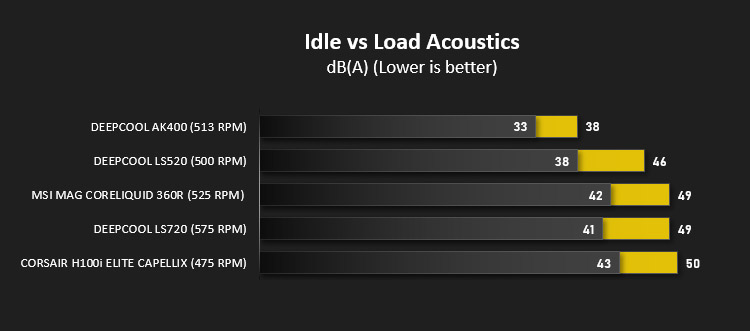
In regards to acoustics we use the exact methodology above except all case system fans are disabled. This isolates the CPU cooler fans and allows us to accurately report on the decibel readings. We record acoustics using the NDI KC-330D Sound Level Meter at a distance of approximately 30cm.
Thermal Results
Below are the results for our thermal test. We record both the idle and load temperatures – stress is applied to the CPU using AIDA64’s stability test.
Acoustic Results
In terms of the acoustics test, we disable all case fans and place our sound level meter approximately 30cm away from the cooling fans and the result is then obtained.
Conclusion
Cooling performance is pivotal for CPU coolers and our testing highlights just how excellent the new LS series is when it comes down to thermal performance. It should also be noted that acoustics were also pleasing, the usual trade-off for cooling performance is noise, but noise levels remained within the realms of acceptable.
Our cooling test system uses LGA 1700 – which is Intel’s latest socket and platform. We found the entire process of getting the LS Series installed to be without any hiccups or issues. The process is straightforward and simple. One thing we would advice before installing the fans/radiator is to pre-attach the cables for daisy chaining because our first attempt meant the connectors on the fans were facing the top edge of the case and it wasn’t possible to reach them easily. Pre-attaching cables before everything goes into the computer case will avoid any requirement to re-install.
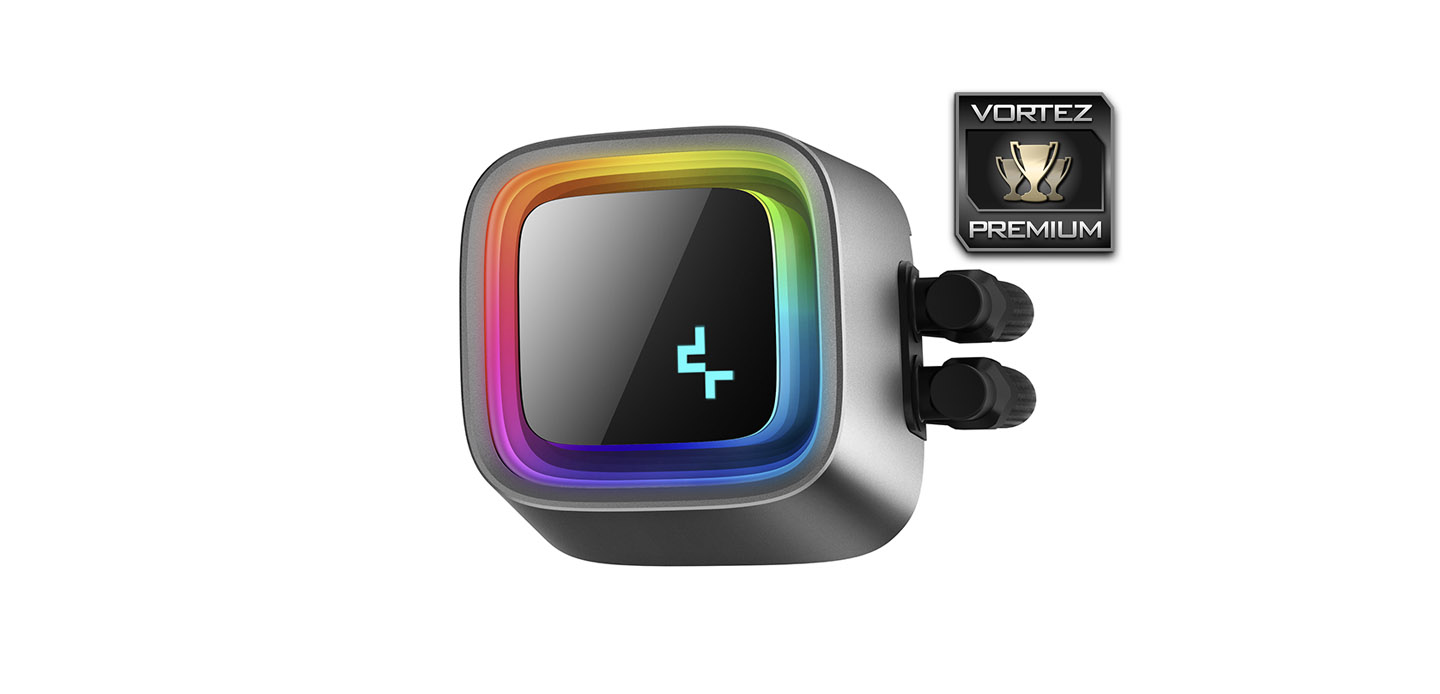
We really like that the A-RGB lighting comes out of the box, can be used on auto or with the motherboard manufacturers RGB tech. Furthermore, the pump design means that you can fully customise the look because Deepcool supply a blank plate.
Each of the coolers are priced to be affordable, coming in at LS520 – $109 USD | LS720 – $139 USD and they even come with a 5-year warranty and anti-leak tech
The new LS Series should not be ignored – if you are in the market for a high-performance liquid cooler then you should definitely consider either of the models within this new range.
Pros
+ A-RGB features
+ Can customise the pump design
+ Multiple size options
+ Excellent performance
+ Low-noise operation
+ Cables can be daisy chained
+ Affordable
+ Anti-leak tech
+ Impressive 5 years warranty
Cons
– None!
+ A-RGB features
+ Can customise the pump design
+ Multiple size options
+ Excellent performance
+ Low-noise operation
+ Cables can be daisy chained
+ Affordable
+ Anti-leak tech
+ Impressive 5 years warranty
Cons
– None!
Click here for an explanation of our awards at Vortez.net.
Stay connected with the Vortez Social Media pages:
Join in with the discussions on Discord