How far does £429 go when purchasing a gaming system? Dino PC have provided the Primal Light for us to find out.

Product on Review: Primal Light AMD Gaming PC
Manufacturer: Dino PC
Street Price: £429.99
Seemingly ideal for those seeking a PC gaming experience on a tight budget, the Primal Light AMD Gaming PC from Dino PC offers entry-level performance. Priced at just £429.99, the system is similarly priced to the top specification consoles from Sony and Microsoft, but does it offer a similar experience?
The processing power is offered up by the AMD Ryzen 3 2200G APU, housing both the GPU and CPU in one package, helping to reduce that price substantially compared to a discrete graphics solution. There’s also 8GB of DDR4 RAM, a 1TB Seagate HDD and lighting inside the case providing a stylish appearance.
WiFi connectivity is included by way of a small dongle and Windows 10 is pre-installed so you can get up and running straight away. A 5-year warranty comes as standard, giving the PC a great deal of longevity and the buyer peace of mind.
So, with that out of the way, how well can a £429 gaming system actually perform? Read on to find out.
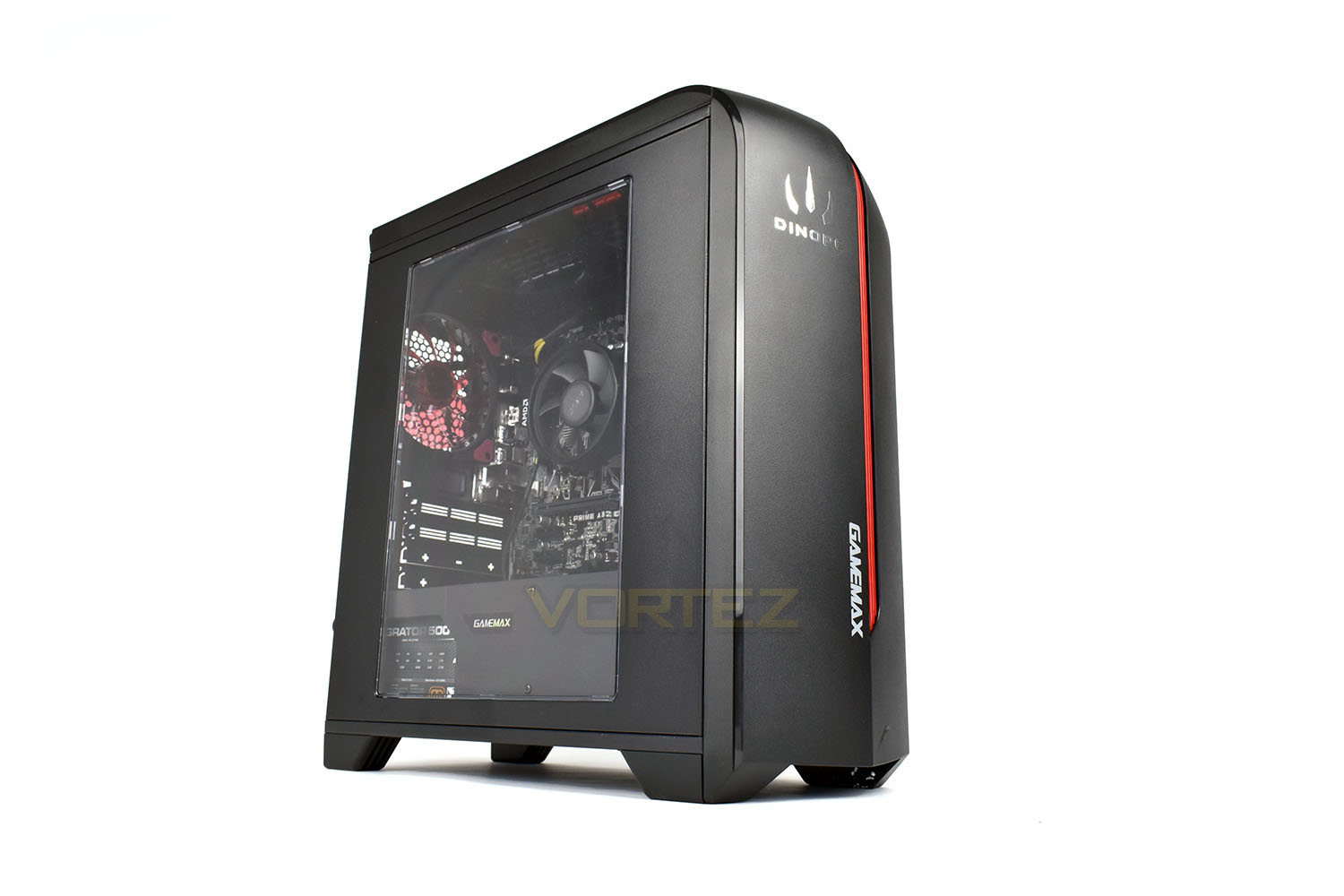
Dino PC on the Primal Light AMD Gaming PC:
Perfect for those on a budget seeking the PC gaming experience, the Primal Light features the latest AMD 2200G APU with Radeon Vega onboard graphics. With 8GB of DDR4 RAM and 1TB of storage, this system proves to be quick and responsive along with sufficient space for many games.
Technical Specifications
• AMD Ryzen® 3 2200G APU
• Radeon™ Vega®onboard graphics
• 8GB DDR4 RAM
• 1TB Seagate Barracuda Storage
• Wi-Fi connectivity
• ASUS A320 motherboard
• Windows 10
• CIT Dragon3 case
• AeroCool 500W 80+ Bronze PSU
• 5 Year Standard Warranty
• Radeon™ Vega®onboard graphics
• 8GB DDR4 RAM
• 1TB Seagate Barracuda Storage
• Wi-Fi connectivity
• ASUS A320 motherboard
• Windows 10
• CIT Dragon3 case
• AeroCool 500W 80+ Bronze PSU
• 5 Year Standard Warranty
Packaging & Bundle
The Primal Light gaming system arrives in the box which the case originally arrived in. The polystyrene edges are perfectly designed to protect the case, so this makes perfect sense. The inside of the system is packed tightly with bubble wrap to prevent anything from shifting around in transit. Make sure you remove this before powering on – it will hamper airflow considerably.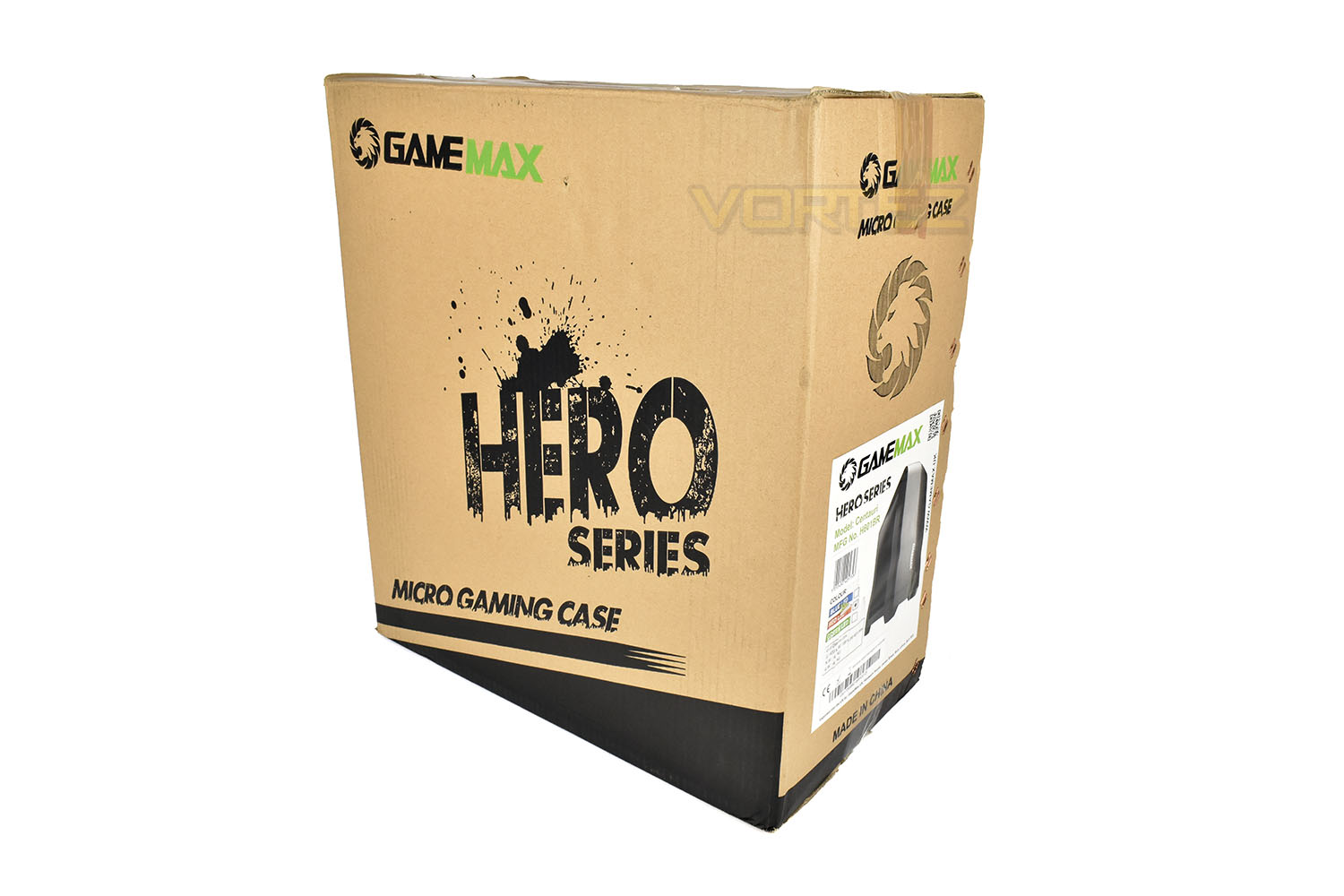
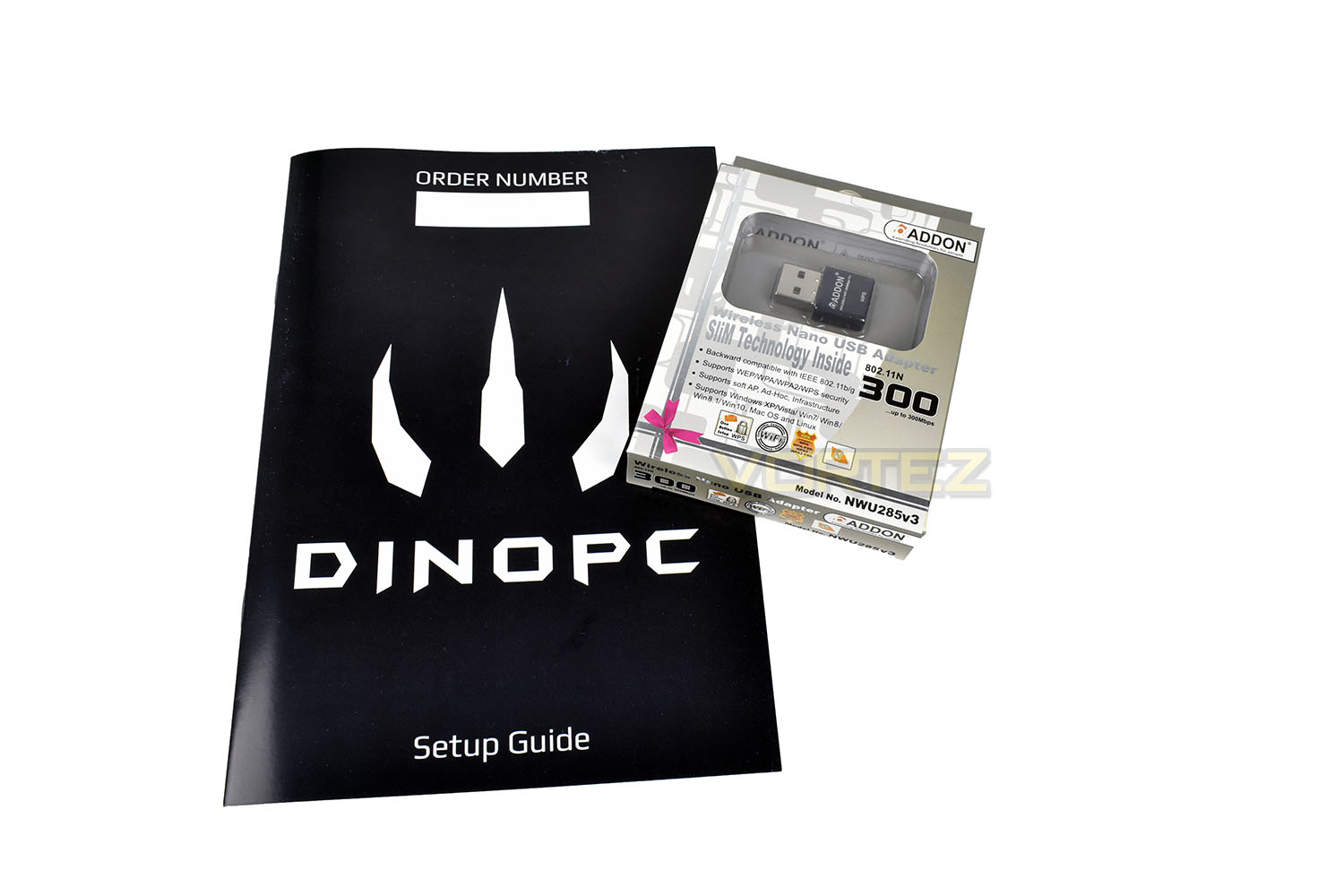
Bundled with the machine is a Setup guide and a Wireless 802.11n USB adaptor. They also throw in an HDMI cable and power lead.
Closer Look
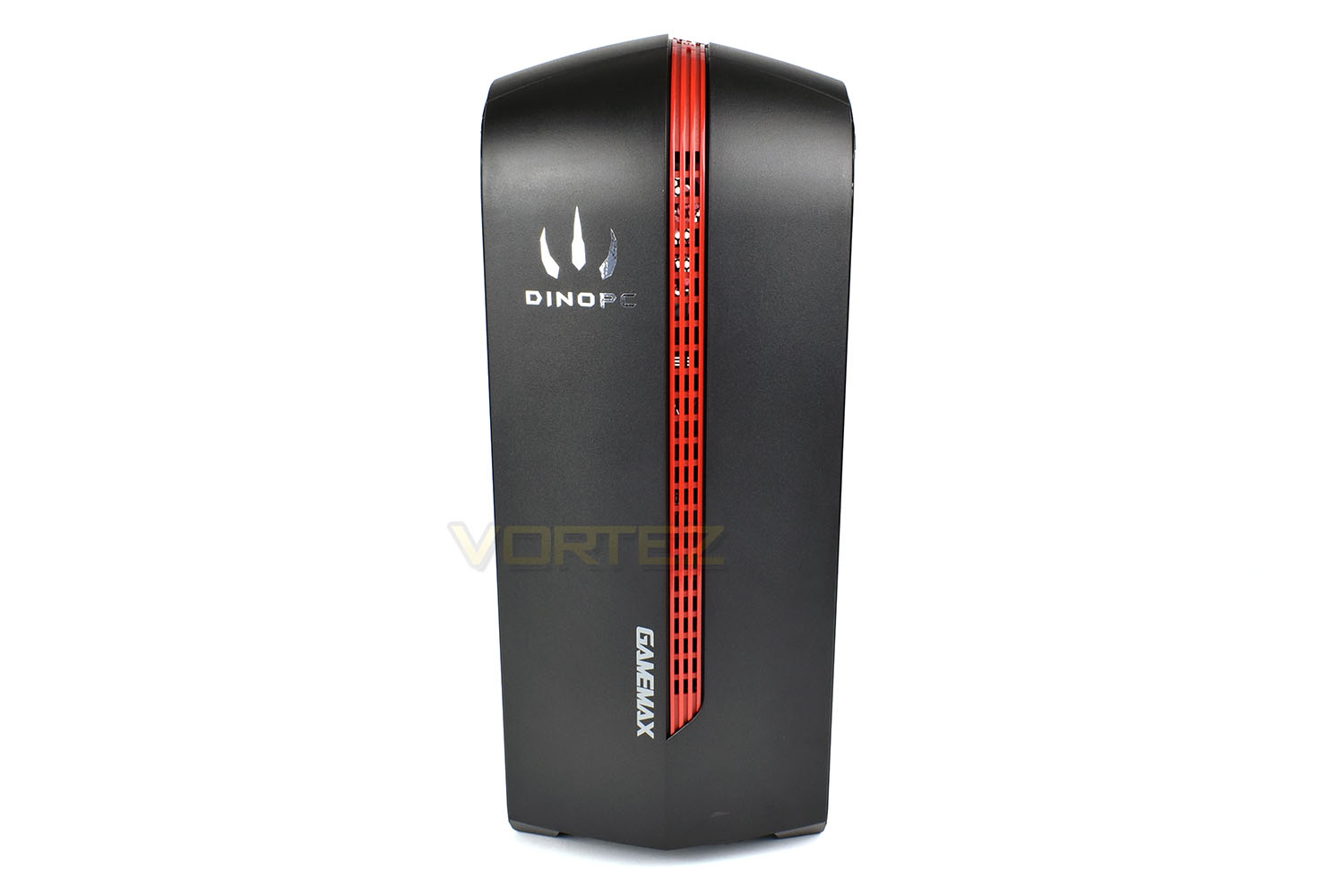
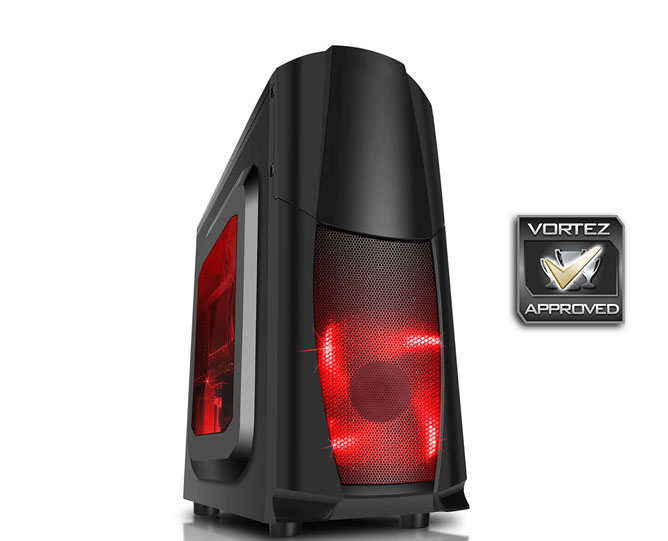
Complete with red LED fans and a large plastic side window, the GAMEMAX CIT Dragon3 case looks fantastic.The front of the system features a thin red strip with airflow channels, allowing the front 120mm fan to draw air into the system. This strip travels along the top of the case as well, further improving ventilation to maintain a quiet system.
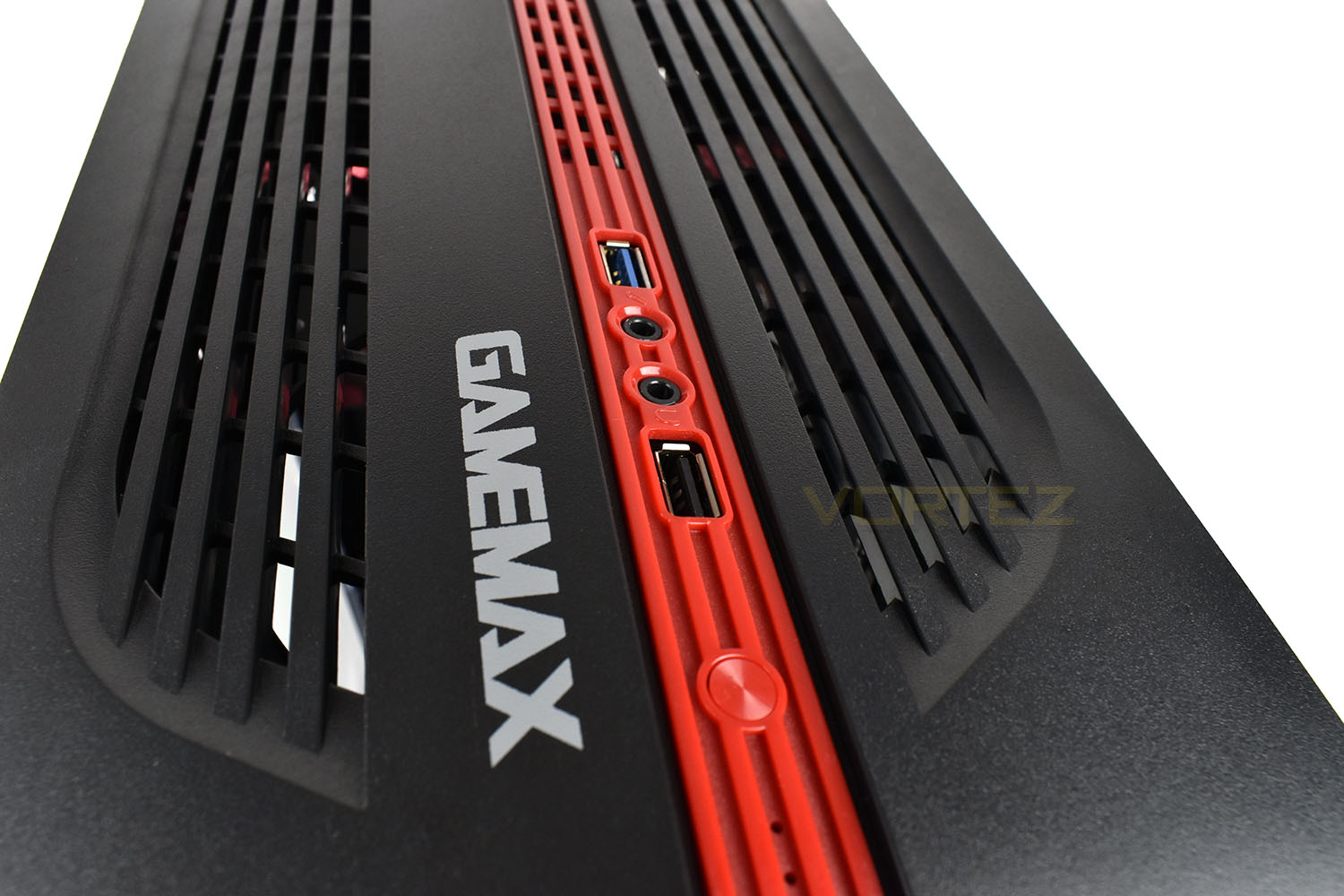
Within that red strip, on top of the machine is a USB 2.0 and USB 3.0 slot, 2x 3.5mm audio inputs and outputs, a power button and a reset switch.
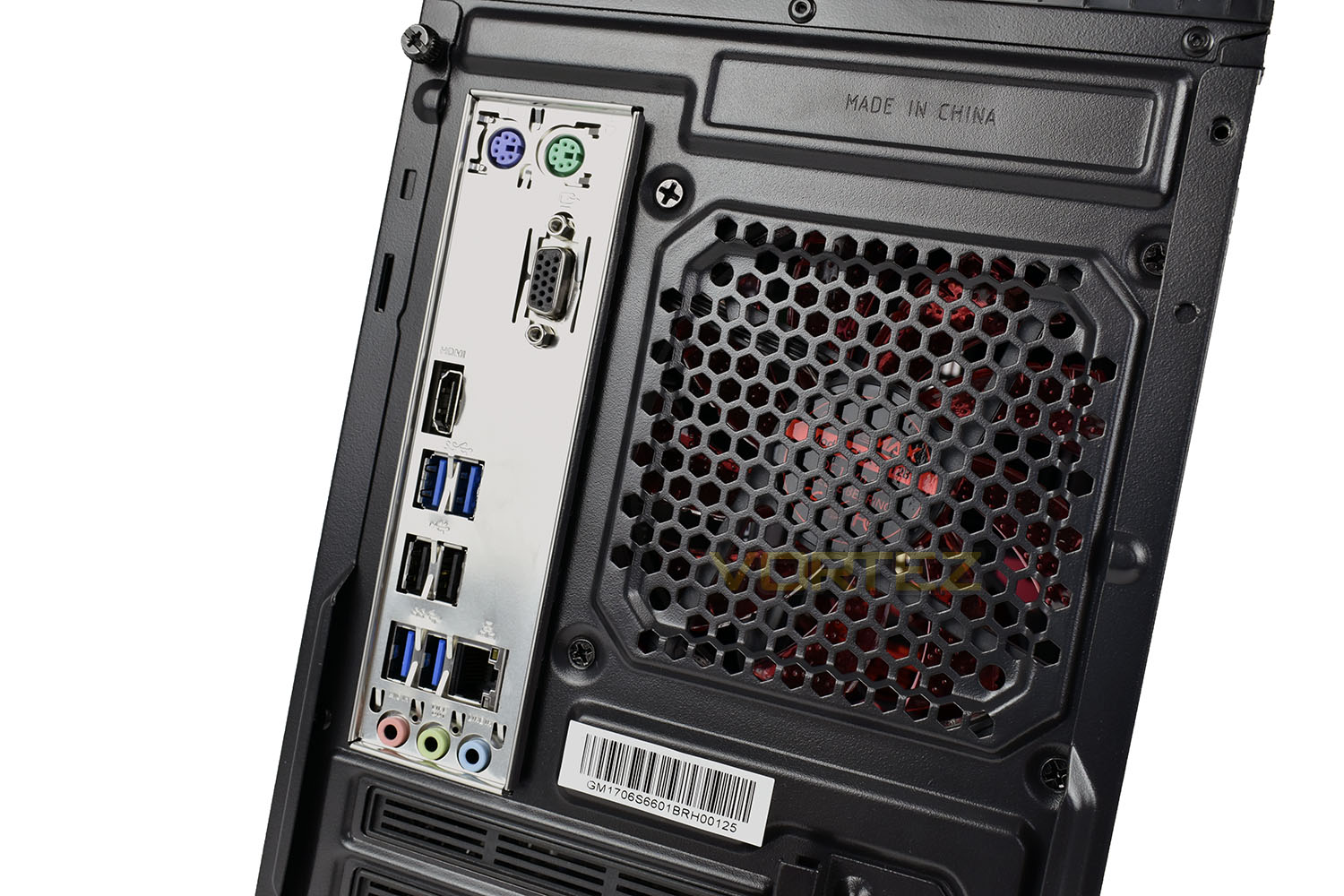
The motherboard’s IO panel provides the full extent of rear connectivity, due to the lack of a discrete GPU.
On the rear you will find:
• 2x PS/2 ports
• 1x VGA display adaptor
• 1x HDMI display adaptor
• 2x USB 3.0
• 2x USB 2.0
• 2x USB 3.0
• 1x RJ45 Gigabit Ethernet
• 3x 3.5mm audio jacks
Closer Look (Internals)
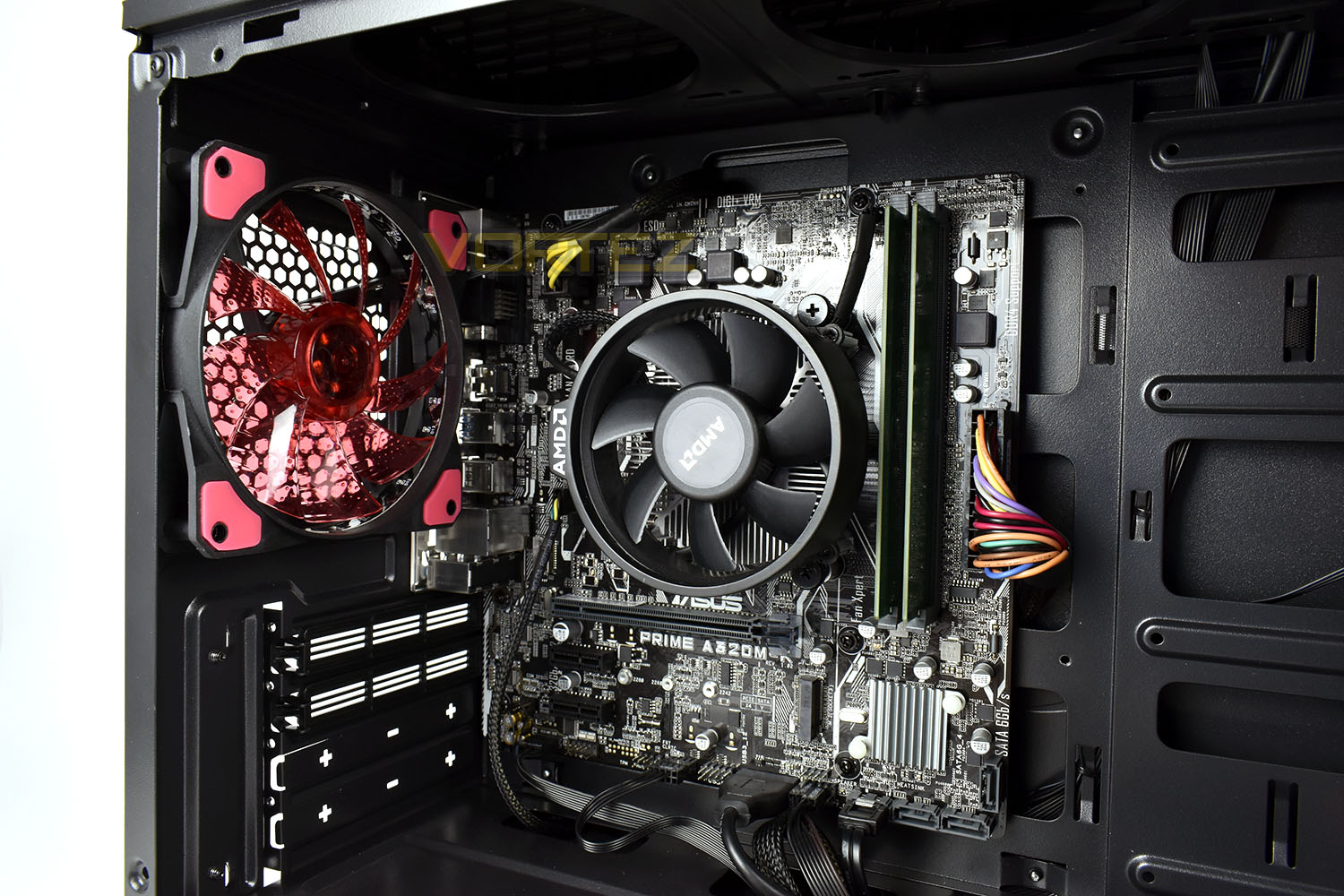
Removing the windowed side panel, we can see the internals of the system. In the front and back of the case are 120mm illuminated fans, helping keep noise and temperatures low. There’s also plenty of routing options for cables, making the inside look as pretty as possible, while improving airflow at the same time.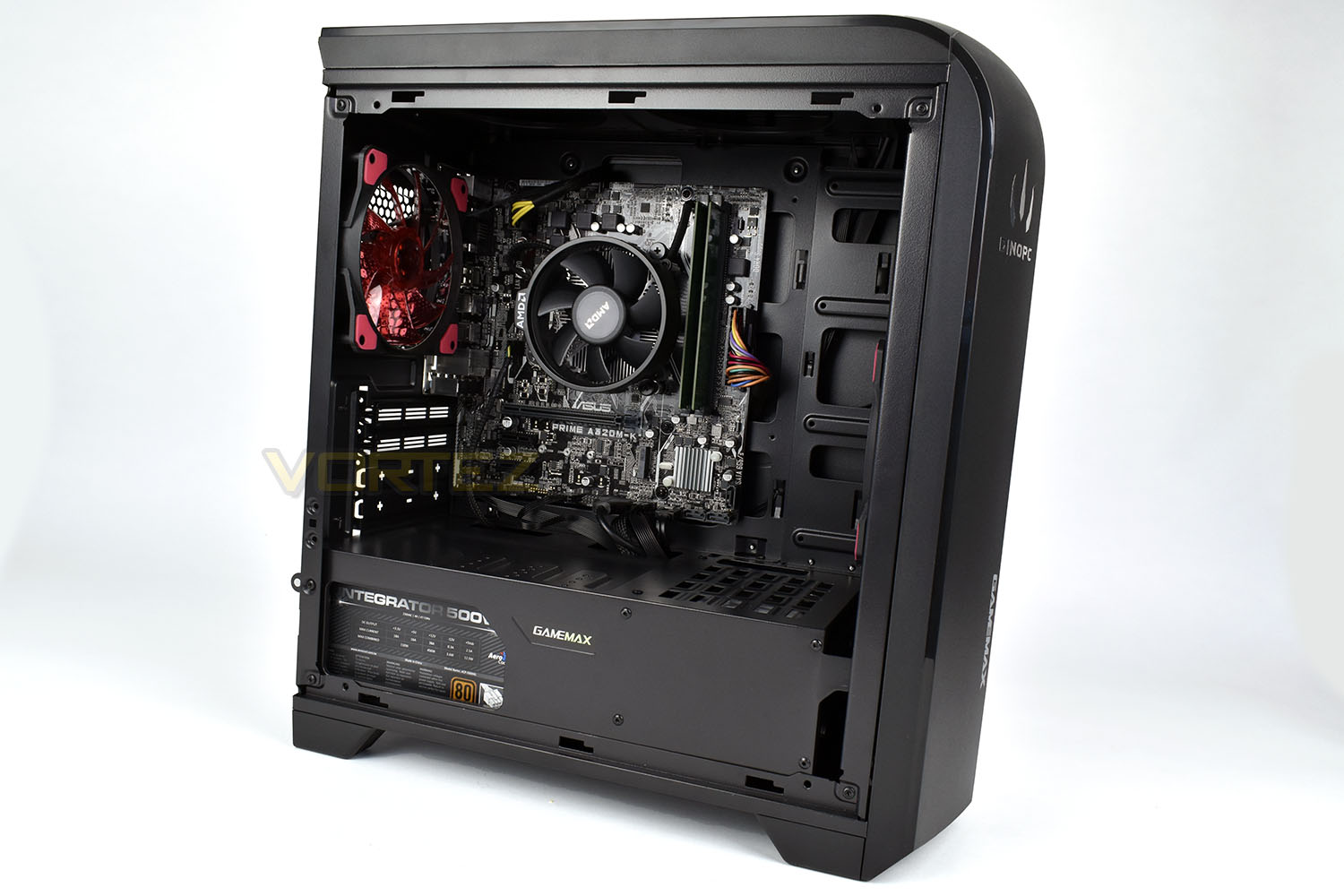
Forming the basis of the machine is an ASUS Prime A320M-K motherboard. The A320M-K only provides a pair of DIMM slots for system memory, both of which are currently occupied, but 8GB of DRAM (2x 4GB) should be ample for anyone wishing to embark on some low-end gaming and basic office tasks.
The board is also home to an M.2 NVMe slot, for rapid storage access. The drives can be quite expensive, especially for the fastest ones, however it may be a route to upgrade in the near future if prices drop substantially. The improved access speeds for data would vastly improve the systems day to day performance.
The AMD Wriath cooler is praised for its humble stature while providing great cooling for the budget end AMD CPUs. We’ll see how it handles the heat generated by the AMD Ryzen 2200G during our gaming sessions.
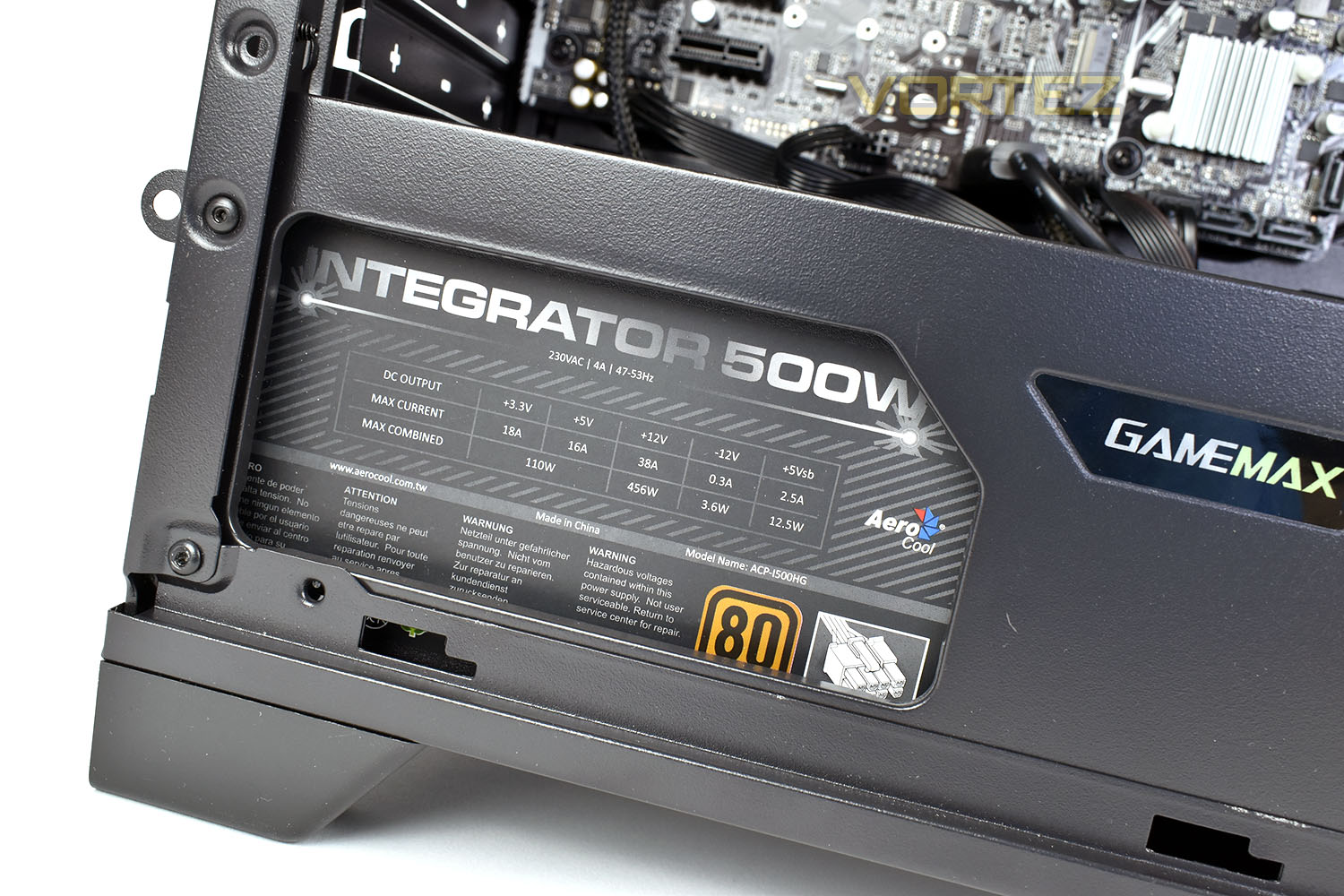
Housed beneath the shroud at the bottom is a 500W, 80PLUS Bronze rated PSU. 500W is massively overkill for a system of this calibre, but it does allow an upgrade of a discrete GPU without any worry of power limitations in the future.
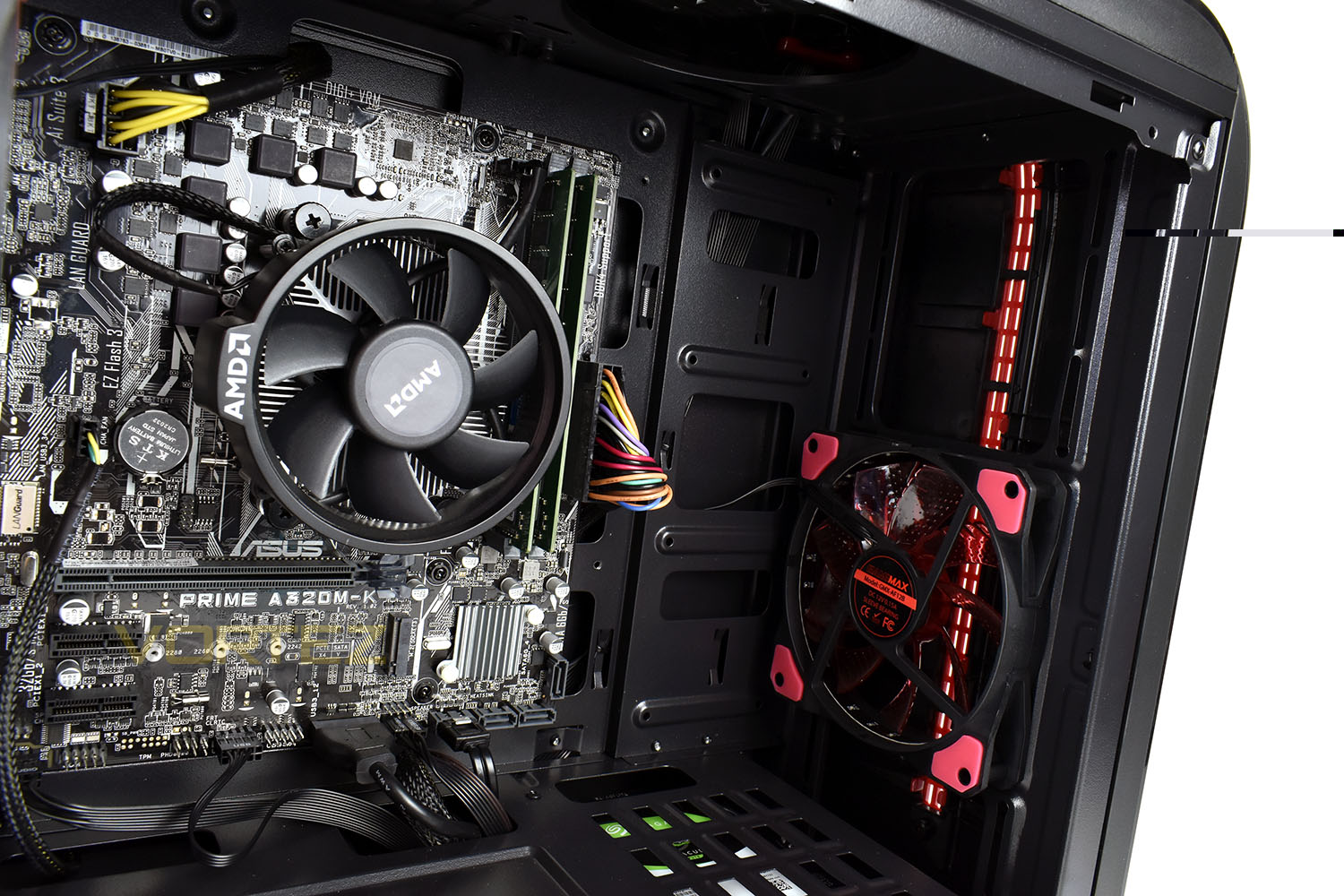
Tucked away inside the PSU enclosure is a 1TB Seagate Barracuda HDD giving you more than enough storage space for games, applications, music, pictures and videos. This angle also clearly shows the 120mm front fan.
Benchmarks: Temperatures & Boot Time
For our first benchmark test we observe the max. CPU/GPU temperatures of the system while allowing Unigine Heaven 4.0 to run on a 30-minute loop. To report back on the temperatures we use RealTemp and GPU-Z which provide the peak figures.

In this test we observe how fast the boot into Windows 10 is by using a digital stopwatch.

Benchmarks: Cinebench R15 & Handbrake
CINEBENCH can measure systems with up to 64 processor threads. This test scene contains approximately 2,000 objects which in turn contain more than 300,000 polygons in total, and uses sharp and blurred reflections, area lights, shadows, procedural shaders, antialiasing, and much more. The result is displayed in points (pts). The higher the number, the faster your processor is.

Benchmarks: PCMark 8 & 10
PCMark 10 combines performance benchmarking with battery life measurement and includes tests based on popular Adobe and Microsoft applications. Whether you are looking for long battery life, or maximum power, PCMark 10 will help you find the devices that offer the perfect combination of efficiency and performance for your needs. It’s the complete PC performance benchmark for home and business.
Benchmarks: 3DMark & Heaven 4.0
Time Spy is a DirectX 12 benchmark test for gaming PCs running Windows 10. With its pure DirectX 12 engine, built from the ground up to support new API features like asynchronous compute, explicit multi-adapter, and multi-threading, Time Spy is the ideal benchmark for testing the DirectX 12 performance of the latest graphics cards.

Benchmarks: Gaming (1080p High)
The Primal Light uses the Ryzen 3 2200G Vega for graphics delivery, in this section we test the latest gaming titles to see how effective the 3D capabilities are. We report on the average framerate using FRAPS.

Benchmarks: Gaming (1080p Low)
The Primal Light uses the Ryzen 3 2200G Vega for graphics delivery, in this section we test the latest gaming titles to see how effective the 3D capabilities are. We report on the average framerate using FRAPS.

Benchmarks: Gaming (720p)
The Primal Light uses the Ryzen 3 2200G Vega for graphics delivery, in this section we test the latest gaming titles to see how effective the 3D capabilities are. We report on the average framerate using FRAPS.

Conclusion
There’s no denying that a PC is a much more versatile machine, capable of work and play, however, they evidently do require a larger expenditure for a great gaming experience.The AMD Primal Light Gaming System looks great, is quiet, even under load, and temperatures were never once of any concern. Having said that, if you’re looking for a gaming experience with no real scope for any work or internet usage, then a gaming console would most-certainly provide you with a more refined and enjoyable gaming experience.
As the graphs show, 1080p gaming with any kind of visual effects turned on isn’t going to happen, at all, and even lowering the IQ to their lowest levels didn’t really herald any kind of playable framerates. 720p, however, was much more enjoyable, especially on more optimised titles such as Tomb Raider and DiRT4.
With prices as they are at the moment, particularly in the GPU, RAM and SSD sectors, purchasing a discrete graphics option really isn’t possible within a low-end budget, however, in the near future we may see prices come back down to sensible levels, at which point a graphics card could be added to hugely increase the gaming potential of the machine.
The 1TB HDD allows the machine to be used for a multitude of purposes, giving ample room for music, games, applications, videos; you name it, you can store it, and loads of it! There’s also an M.2 NVMe storage slot on the ASUS A320M-K motherboard which could be utilised in the future to bring a massive boost in loading times and general system responsiveness.
We feel that current pricing is really letting the PC side down, with machines like this currently being hampered by a lack of affordable parts due to crypto-mining and short supply.
If you’re purchasing exclusively to play games, then you may find yourself disappointed by the lack of top-end grunt, however, the versatility of a PC and the ability to upgrade in the future certainly has to be considered.
Pros
+ Case and fans look great
+ Quiet, even under load
+ Temperatures were below expectations
+ Upgradeable in the future
+ 1TB HDD
+ WiFi antenna included
+ 500W PSU
Cons
– 1080p gaming isn’t really possible
– 720p gaming was still compromised in certain titles
– Slow boot times
– Lack of responsiveness due to HDD
+ Case and fans look great
+ Quiet, even under load
+ Temperatures were below expectations
+ Upgradeable in the future
+ 1TB HDD
+ WiFi antenna included
+ 500W PSU
Cons
– 1080p gaming isn’t really possible
– 720p gaming was still compromised in certain titles
– Slow boot times
– Lack of responsiveness due to HDD
Click here for an explanation of our awards at Vortez.net.
Stay connected with the Vortez Social Media pages:
Join in with the discussions on Discord