Tenkeyless keyboards are all the rage right now, providing you with more room for mouse sweeps, a cleaner appearance and sometimes even a reduced cost, let’s see how Ducky’s One3 Aura performs with its clear chassis and vibrant RGB lighting.

Product on Review: Ducky One3 Aura TKL
Manufacturer: Ducky
Street Price: GBP £159.99 / USD $169.99 / AUD $267.99
It’s not every day you come across a brand who have produced only mechanical keyboards throughout their 15 years in business, but Ducky have yet to stray from their path, choosing to chase perfection over profits. This allows them to focus all of their efforts, technique and knowledge on producing the best keyboards they can, and they’ve made quite the name for themselves in the process.
It’s coming up for 10 years since we last looked at a Ducky keyboard, here at Vortez, so we’re eager to see what their newest release, the Ducky One3 Aura TKL, has to offer.
RGB illumination has become almost essential for any PC gaming peripherals, if you’re into your RGBees, good news, one of the main features of the One3 Aura is the transparent chassis and keycaps, allowing the RGB lighting to shine as bright as possible.
The same Quack Mechanics philosophy has been employed on the One3 Aura, ensuring the keyboard is built with a solid stance, authentic acoustics, balanced tuning and double-shot keycaps, ensuring the end user is as happy with their purchase as they can possibly be. We’ll touch on this further later in the review as there’s a lot to talk about here.
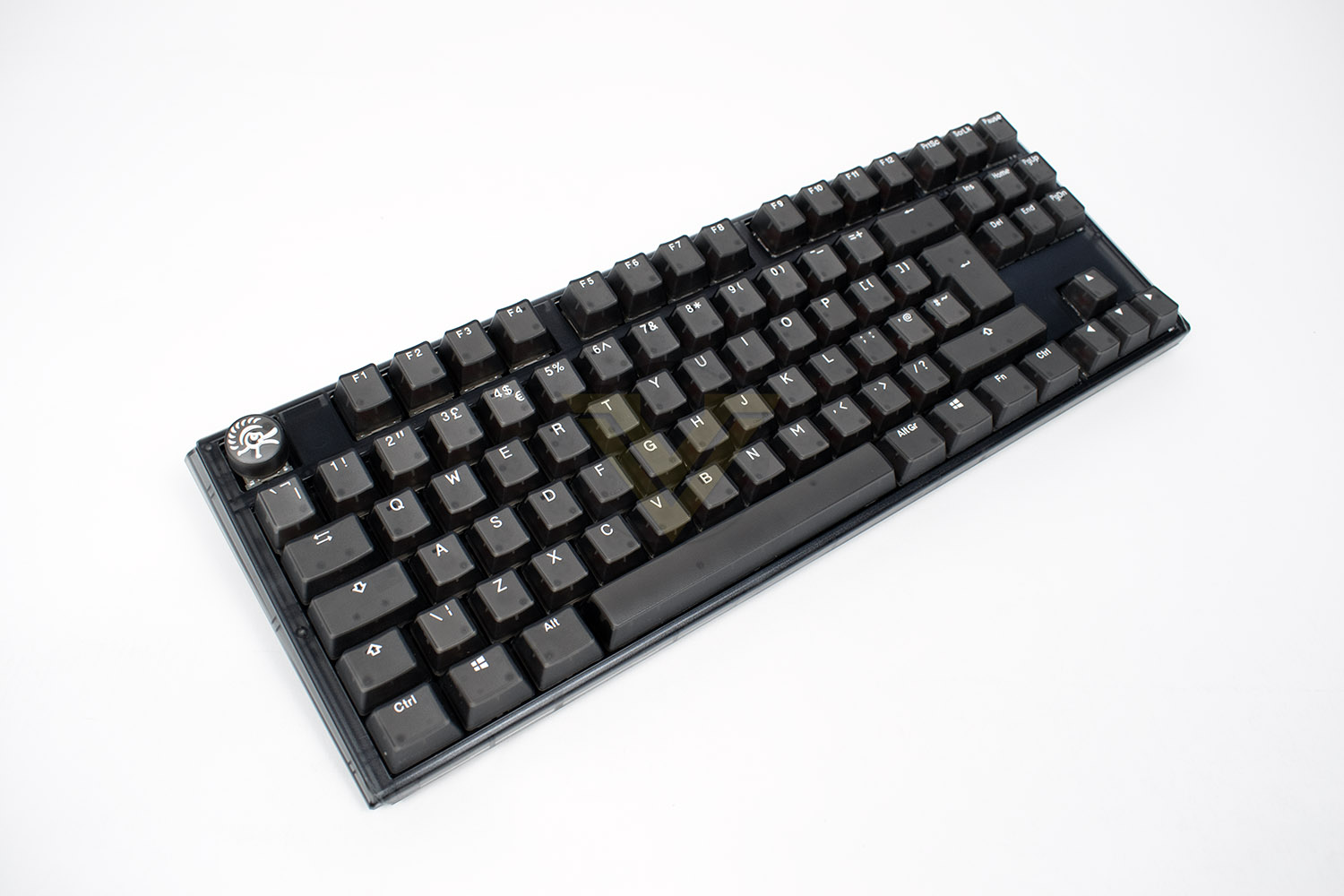
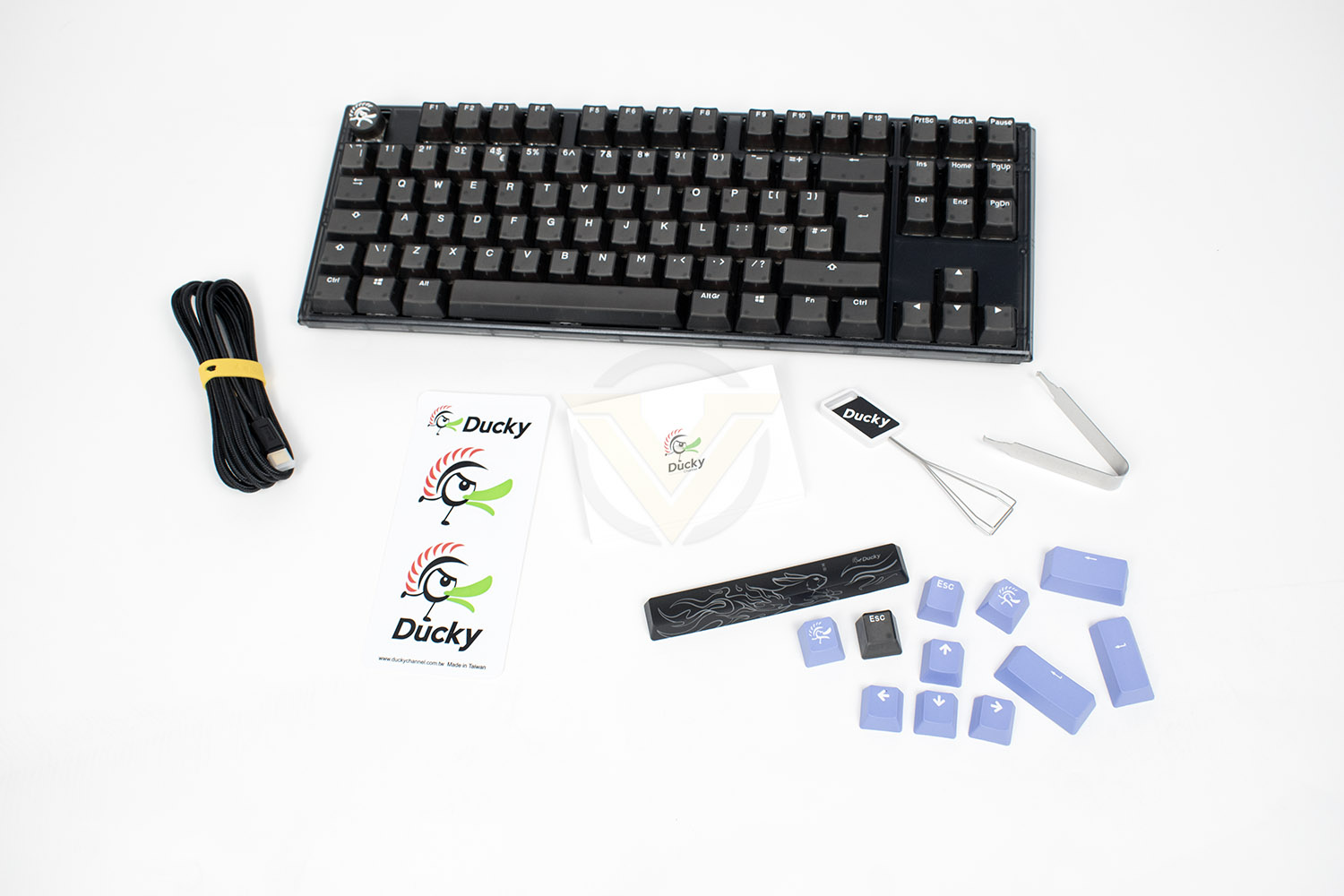
The model we’re reviewing today comes with Cherry MX Red switches, a great all-rounder that’s a fantastic entry point into mechanical switches, but if you do fancy a change, or want to swap your WASD for something clickier, you can, Ducky have designed the board with hot-swappable key switches and provide you with the tool to do so, the keyboard can be purchased with a wide range of key switch options from Cherry, Kailh or Gateron. Along with that, the USB Type-C cable can also be swapped out, making it easier to take to LAN events, or just allow you to personalise things how you see fit.
Amongst those features we also have a dual-layer PCB to extend product life and signal stability, two-step keyboard feet to help you find the right angle, 1000Hz polling rate, crucial for gaming, and an optimised construction for perfect weight distribution.
The Ducky One3 Aura TKL, on paper at least, certainly sounds like quite the keyboard but we all know that the proof is in the pudding, let’s plug this thing in and see what’s what.
Ducky on the One3 Aura’s Authentic Acoustics:
A multi-layered padding design is present to spotlight raw acoustics from your switches of choice and reduce unwanted noise during use. Moreover, a supplementary layer of EVA foam pad is located underneath the PCB to provide further improved sound reduction and the negation of any unwanted sounds.
Technical Specifications
Product Number: DKON2187ST
Structure: Mechanical structure
Trigger switch: Cherry MX / Kailh / Gateron
LED: RGB
Connection interface: USB 2.0
Keycap material: ABS
Output key number: USB N-Key Rollover
Printing technology: Double-shot
Dimensions: 370x140x40mm
Weight: 908g
Origin of production: Taiwan
Structure: Mechanical structure
Trigger switch: Cherry MX / Kailh / Gateron
LED: RGB
Connection interface: USB 2.0
Keycap material: ABS
Output key number: USB N-Key Rollover
Printing technology: Double-shot
Dimensions: 370x140x40mm
Weight: 908g
Origin of production: Taiwan
Packaging & Bundle
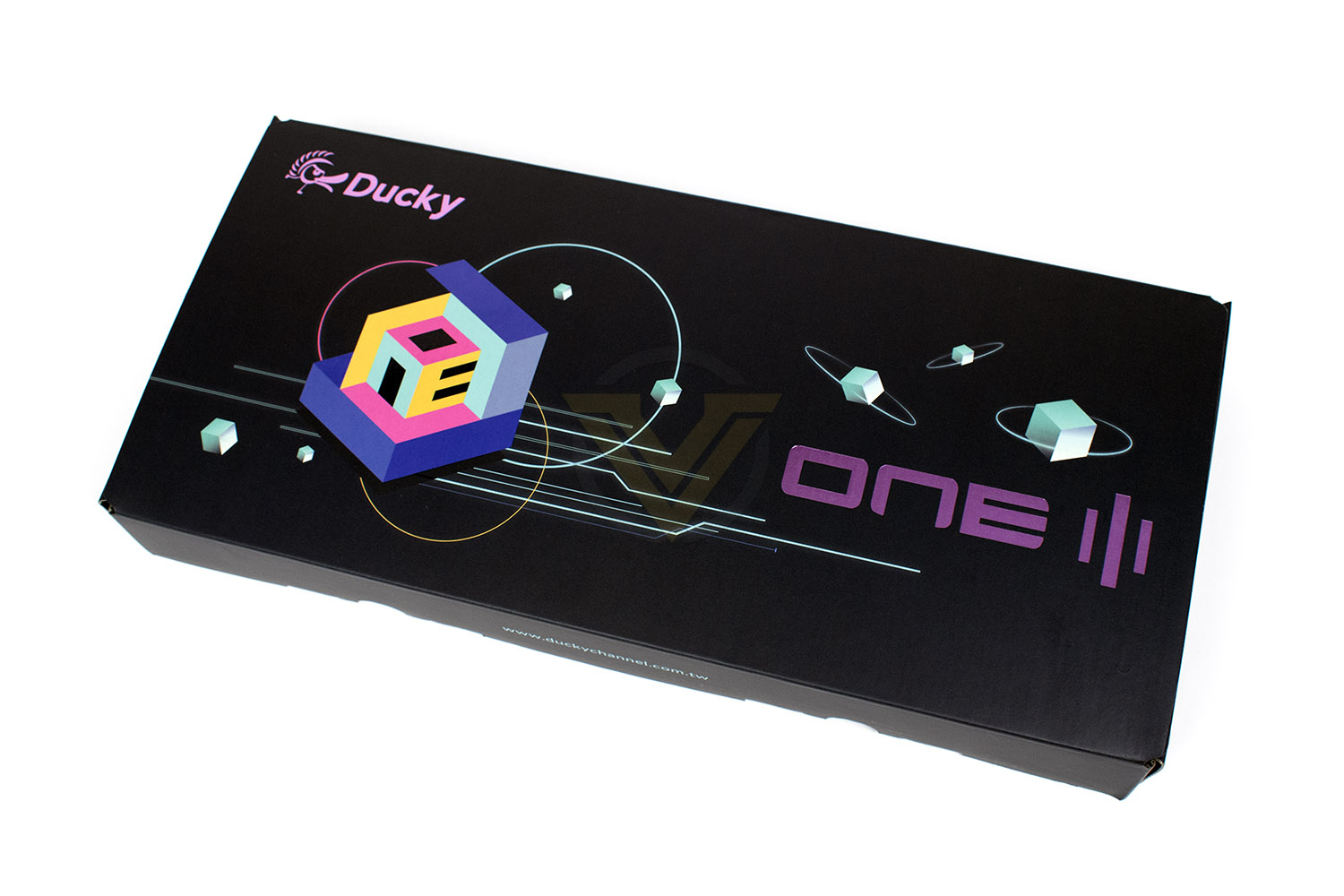
The first thing you’ll notice about the packaging is the weight, this is definitely the heaviest keyboard box I’ve personally handled, giving a great sense of quality before we’ve even opened it.The box doesn’t feature any product photography at all, and barely even a name for the keyboard inside, focussing instead on fancy designs and bright colours. Perhaps Ducky are happily aware that we seldom buy anything from a store anymore, relying on online retail instead, where the packaging really doesn’t need to feature any imagery.
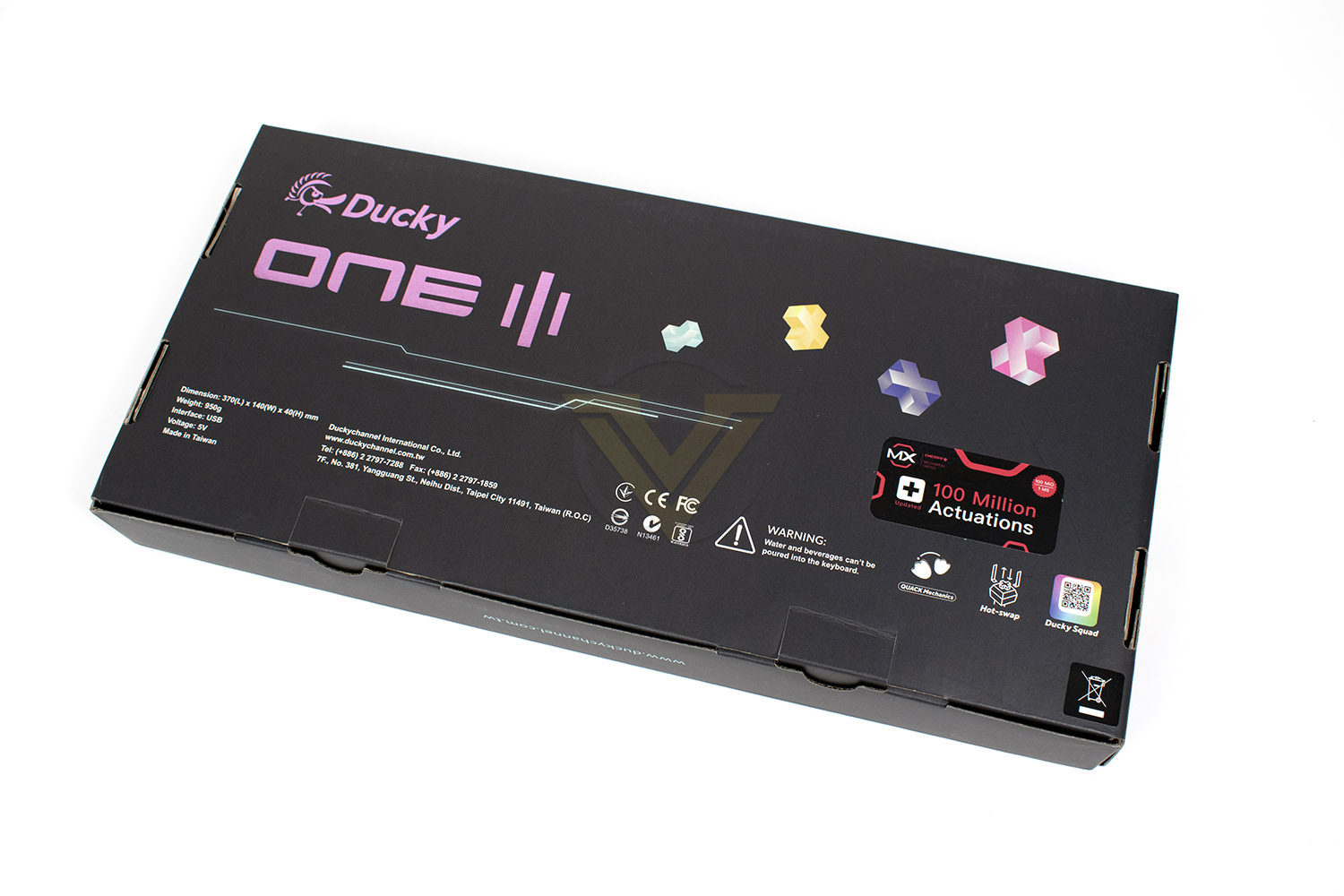
The back of the box gives you some brief technical info, a couple of infographics for the hot-swappable keys and the Quack Mechanics, and a warning telling you not to pour water or beverages into your keyboard.
Along with the keyboard, obviously, you also get a removable, braided Type-C cable, a couple of Ducky stickers, a key puller and a switch puller and various keycaps to customise the appearance of your keyboard.
Closer Look
After unwrapping your keyboard you’re going to be greeted by the unusual appearance, Ducky claim this is inspired by the design language of architectural concrete, which we can kind of see what they mean. The chassis is available in two different colours and four different sizes, we’ve got the Myst Black TKL (80%) to look at today, which is slightly smoked to give a darker overall appearance.The One3 Aura features a very typical layout, minus the numpad, with no dedicated media keys (or even an extra layer for that matter) and everything exactly where you’d expect to find it.
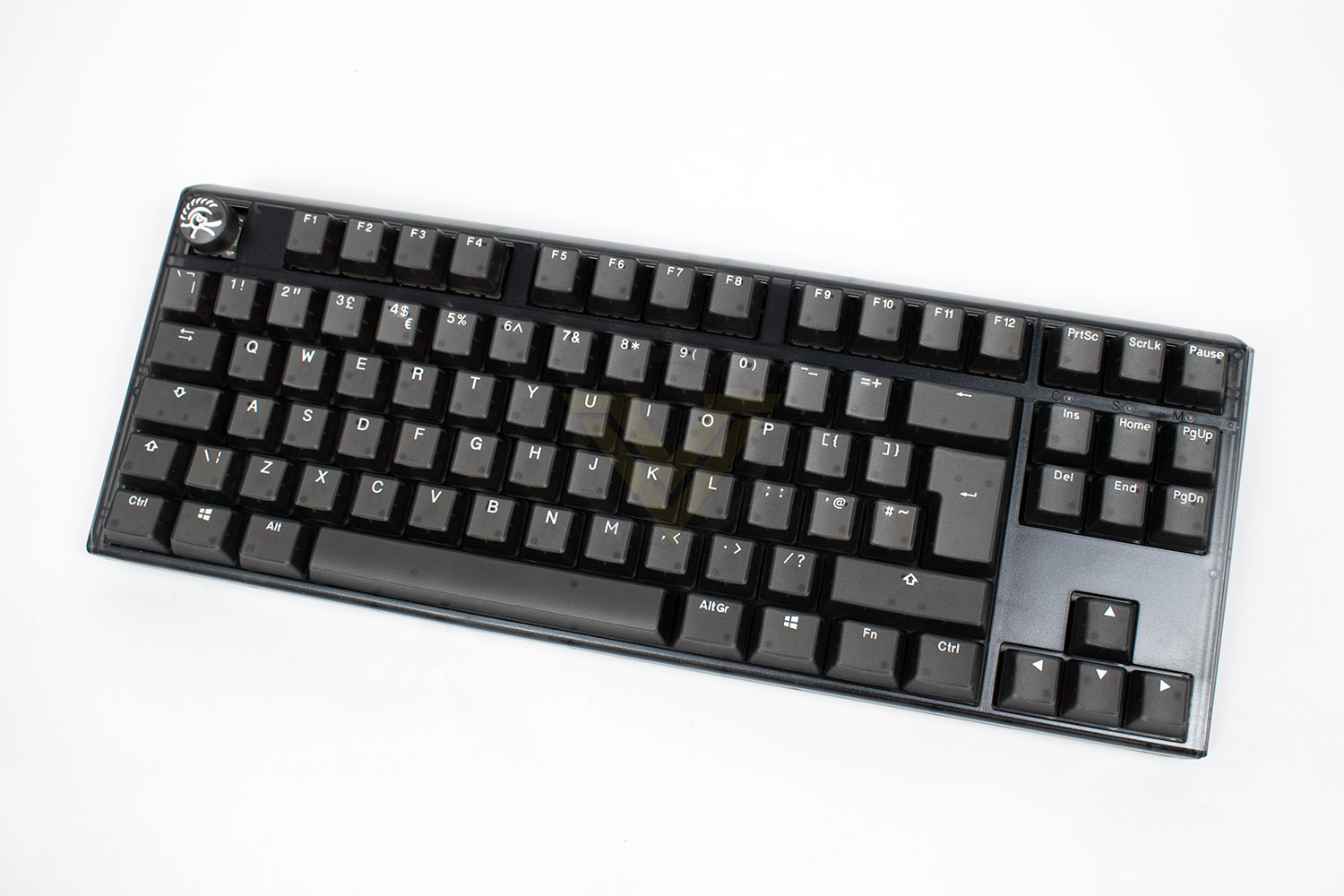
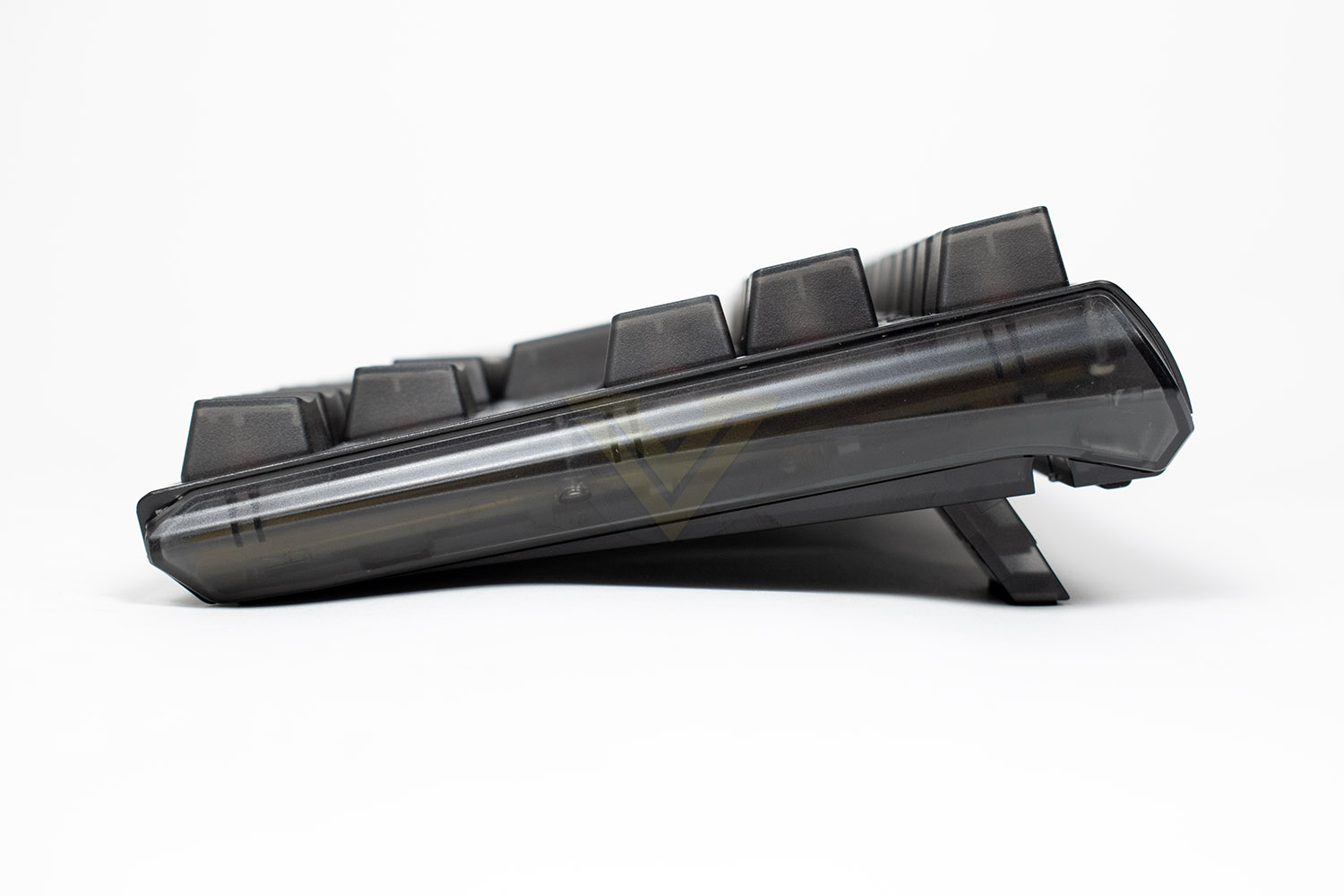
Ducky have lowered the height of the keyboard, compared to previous models, to give it a better stance and more solid feel. There are also two individual sets of feet so you can choose between two different heights to get things perfect.
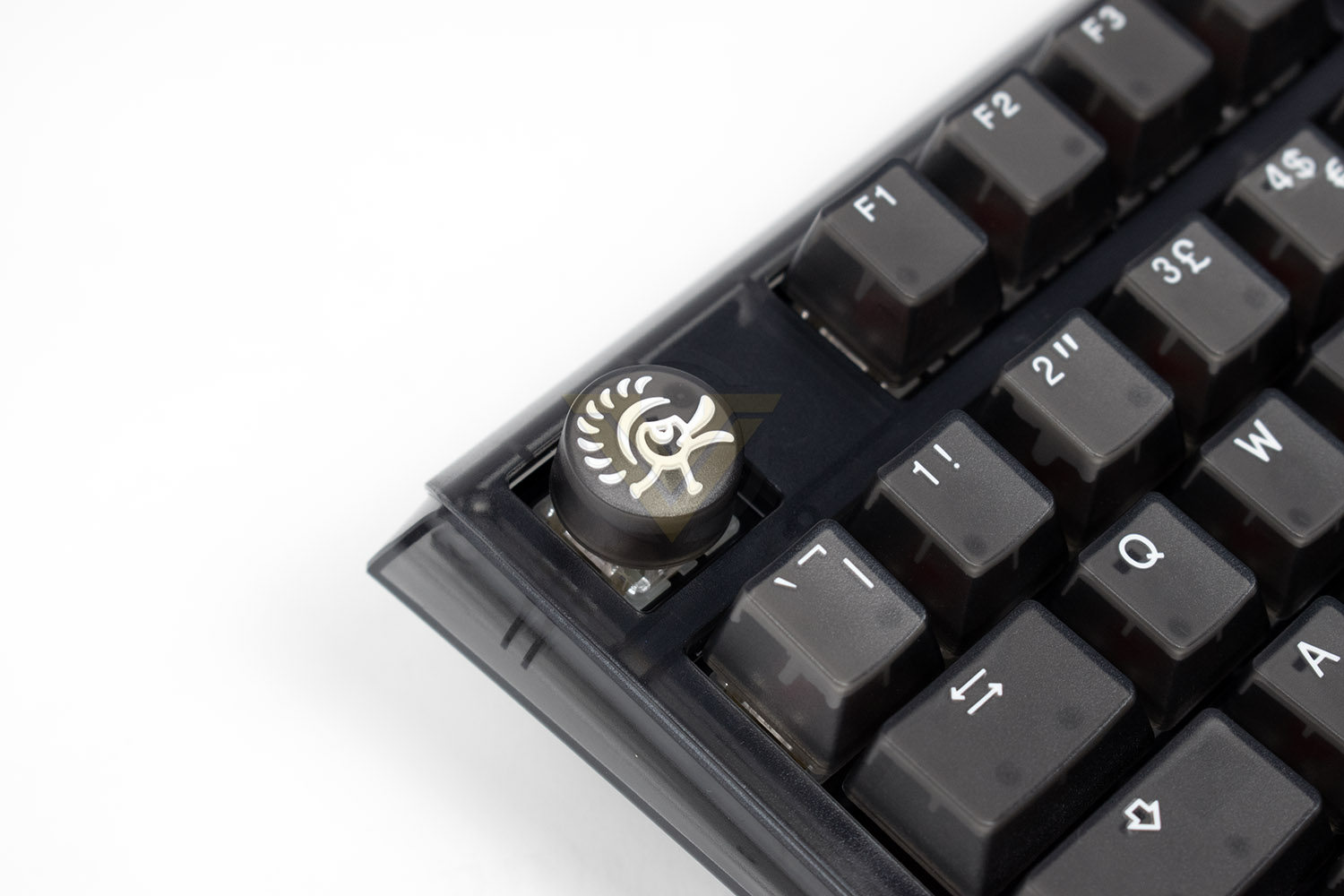
The ESC key is very unusual, formed into a large, tactile Ducky logo. They do provide you with a bog-standard ESC key if you wish to switch back but this gives the keyboards a bit of *something*.
Hidden away, just between the two banks of keys are the Num Lock, Caps Lock and Scroll Lock LED indicators.
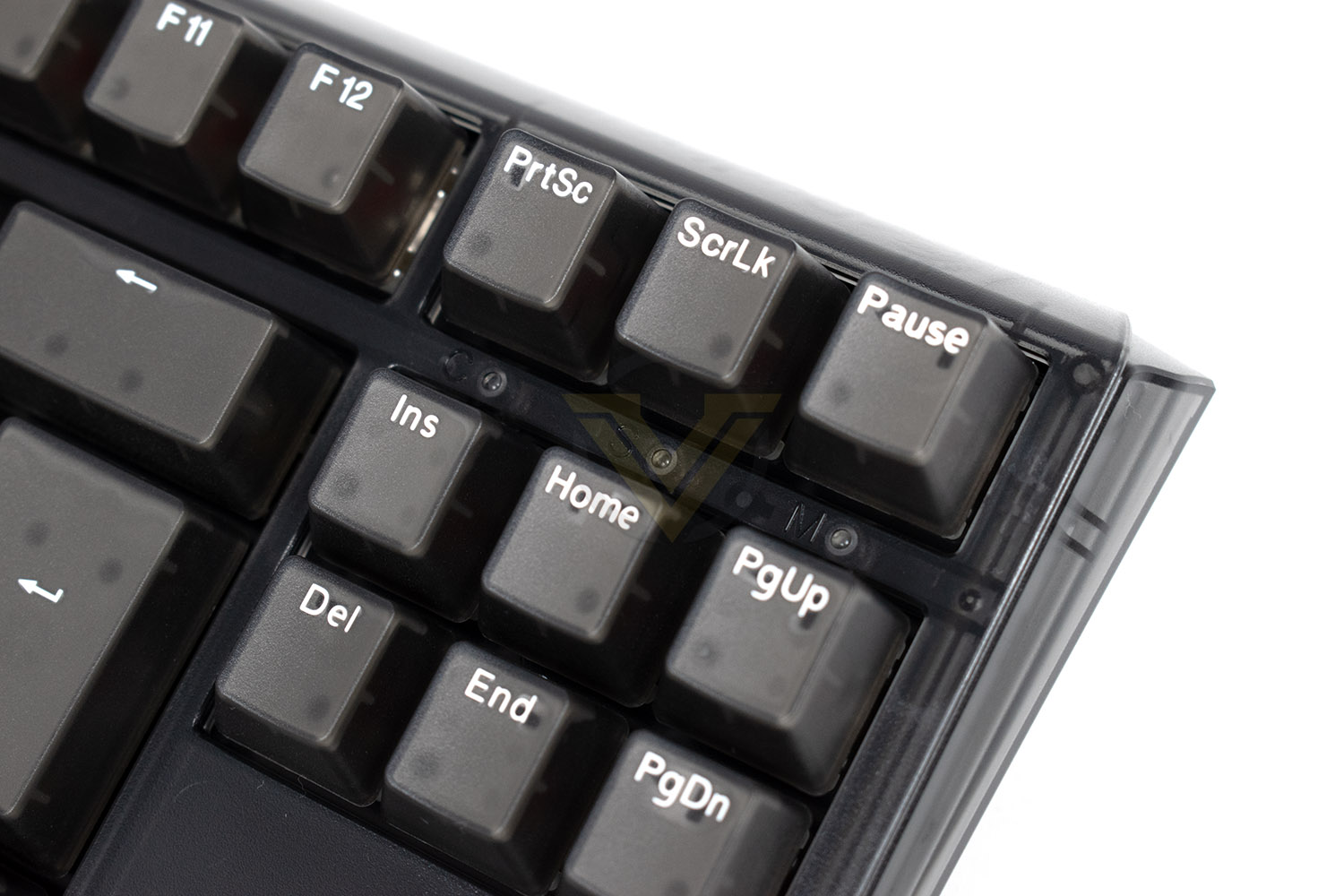
Just around the corner from the LED indicators are the Ducky and One3 logos. From this angle you can also see the opaque upper section of each of the keycaps, with the edges still being translucent to make them as bright as possible. Just wait until you see this thing lit up.
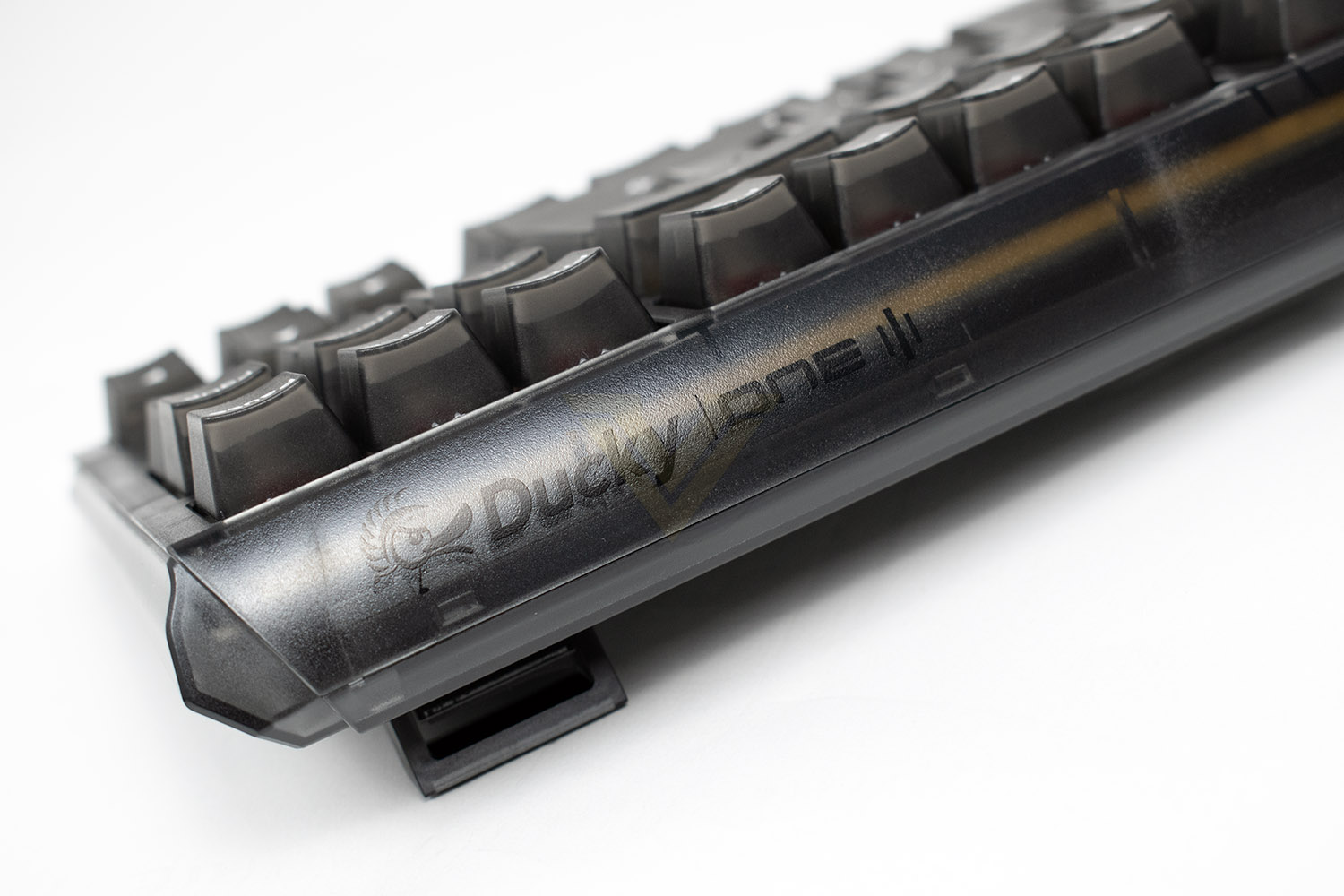
Closer Look (Continued)
Underneath the transparent keycaps are a full set of Cherry MX Red key switches, though you’re spoilt for choice if you want something different, with a wide range available from Gateron, Kailh and Cherry, or if that’s not good enough, you can pull the key switches off (they’re not soldered at all) and install whatever switches take your desire.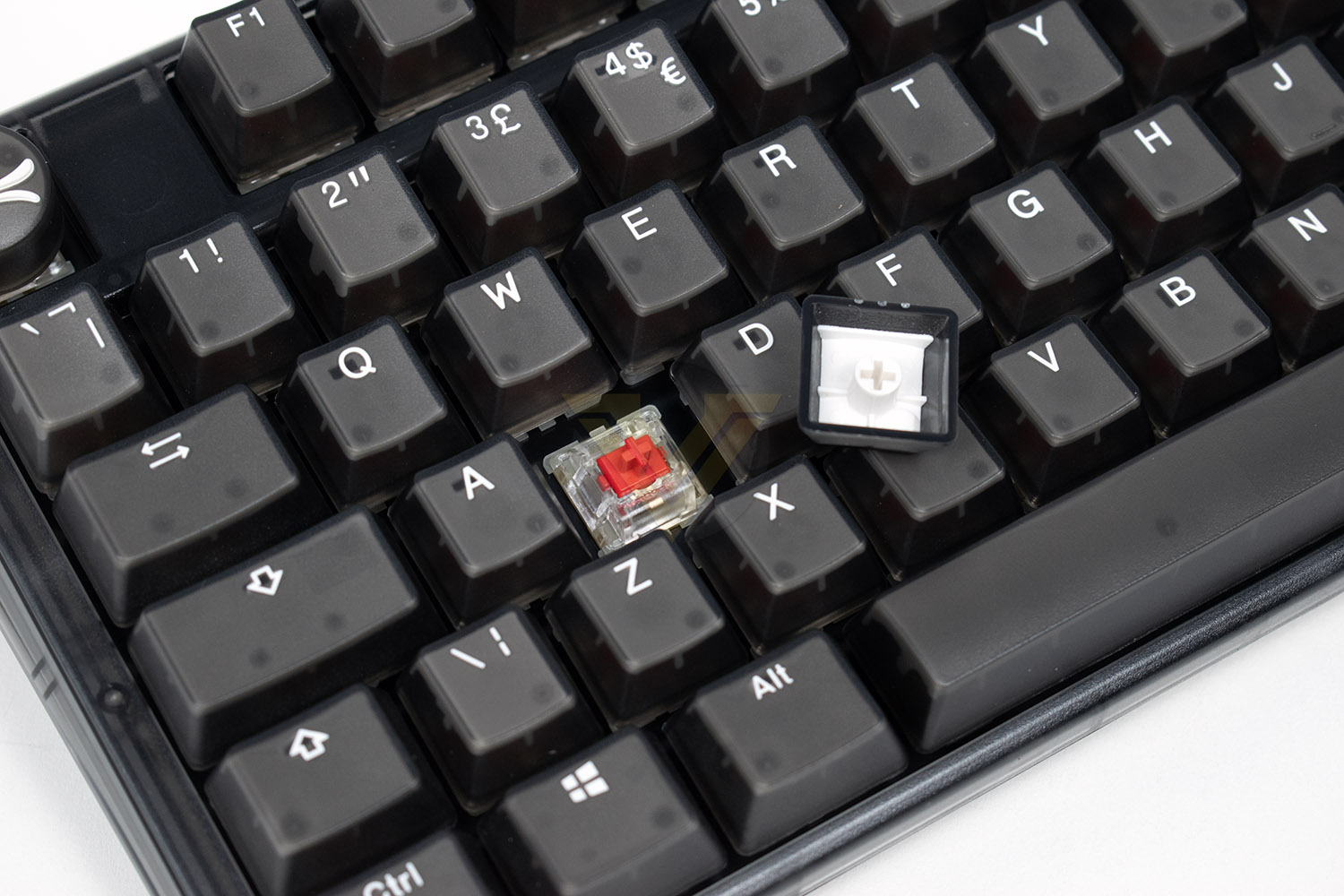
Dumping the keyboard on its front you can see the two-stage on each upper corner, allowing you to select your preferred angle to give you better comfort, there’s also 4 large rubber strips to keep the keyboard where you left it.
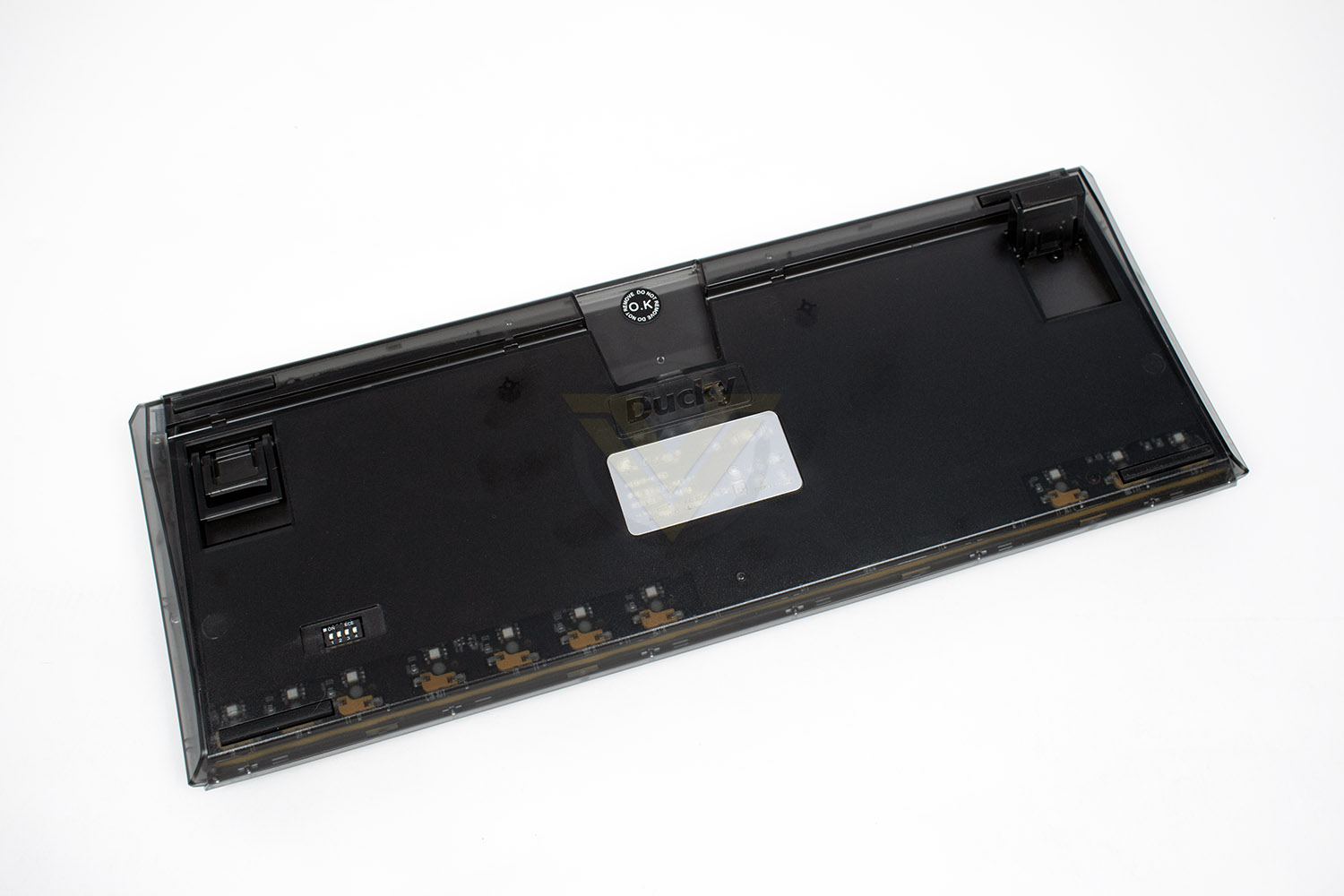
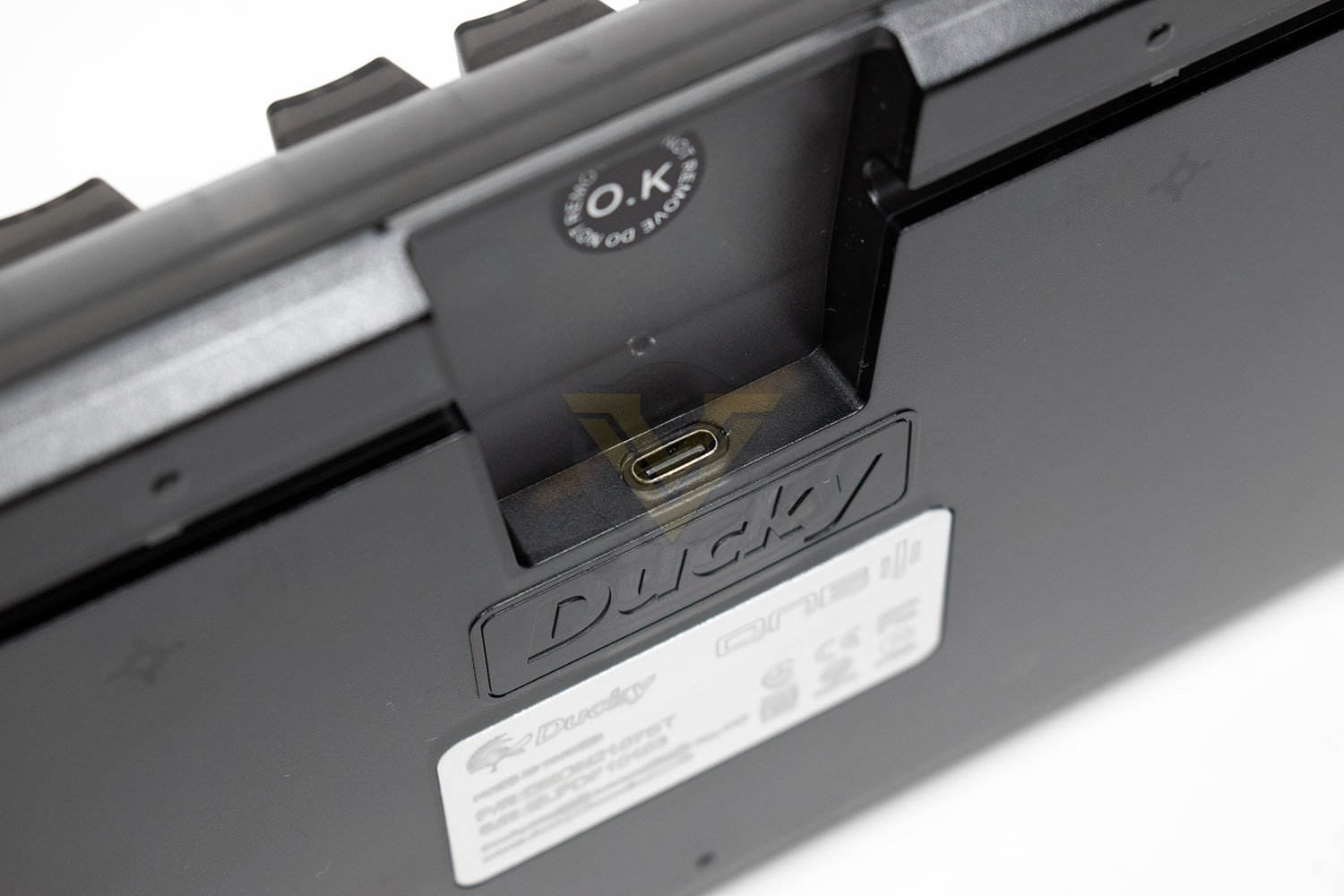
Inside the recessed section at the top of the USB Type-C connector, there’s no proprietary housing or anything here so you can swap this cable for whatever you like, if you fancy giving your desk some extra colour or if you like those curly cables. Going to the left and right are cable management channels, giving you the option to have the cable exit the keyboard at the sides.
Performance Testing
Setting up the Ducky One3 Aura TKL couldn’t be easier. Firstly, thanks to the removeable cable, routing it into your cable management (assuming you have any) is super simple, then you connect your keyboard and you’re ready to go, no software needed at all. With that done, let’s see what’s what.While the Ducky is aimed at gamers, it needs to perform well as a daily driver as well. The size and height of the keyboard make typing on it a genuinely lovely experience, even without a wrist rest which is something I find myself wanting on almost all keyboards, not so much here though. The Quack Mechanics are easy to feel too, where multiple technologies are employed to give you the nicest possible typing experience. Ducky says this about their Quack Mechanics, and it has to be said, it is noticeable.
Starring Ducky’s Quack Mechanics, the keyboard has been built from the ground up to offer the best possible acoustics, tuning and stance, to give the end user the optimal typing experience. The acoustics achieved using an innovative combination of a multi-layered EVA foam under the PCB and Q-Bounce pads; these have been intelligently constructed and placed to remove unwanted noise while enhancing the raw acoustics of the chosen switch. The tuning aspect of the Quack Mechanics refers to the precision engineered stabilisers, used on the larger keys like return, spacebar, shift and enter, they’ve been designed to provide the optimal feedback to enhance the overall feel of the keyboard, and finally the stance has been tweaked by shifting weight around in the keyboard, this time moving it to the back of the case, while also reducing the height of the keyboard.
Gaming also benefits hugely from the Quack Mechanics, the precision stabilisers and EVA foam really come into their own here giving the keyboard a sense of quality and precision that I don’t think I’ve felt before, even from much more expensive keyboards. It’s difficult to sum it up properly but the keyboard just has something else that the rest of the market lacks, it’s brilliant for typing and gaming.
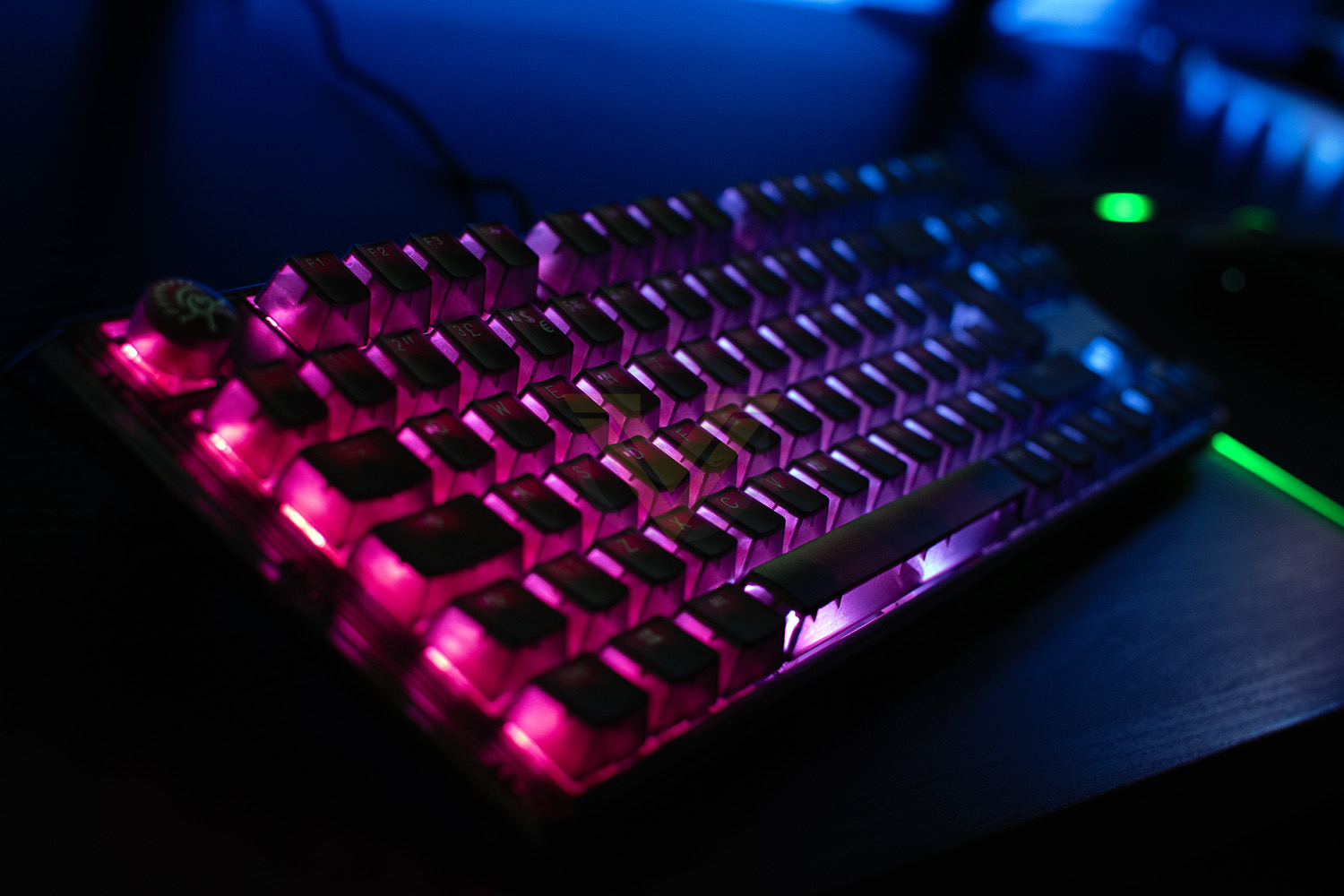
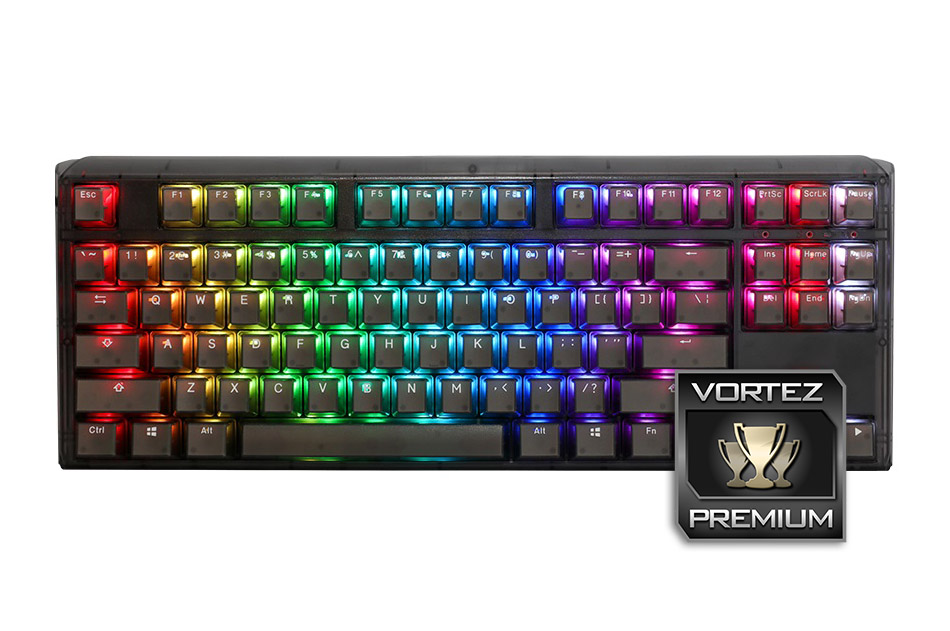
Now, the big thing with the One3 Aura is the transparent chassis, with the overall focus being on RGB lighting. The keyboard comes in two varieties, clear frosted plastic or a darker, smoked plastic; we’ve gone for the smoked plastic for review and it looks fantastic, however, when you switch the RGB lighting on, have a set of welding goggles nearby, this thing is bright! The keycaps don’t glow much, with the double-shot keycaps having a solid insert inside, but the rest of the keyboard looks like Times Square on New Years Eve. There’s plenty of effects you can choose between that are built into the keyboard, and you can tweak the levels yourself for that custom aspect, but whatever you choose you’ll be blown away.
Build quality is up there with the best, possibly even top of the pile, this keyboard is super heavy, very rigid, feels great, sounds lovely to type on, it’s just well made in every aspect, we predict zero issues relating to product quality.
Conclusion
During our testing we’ve given the One3 Aura TKL a thorough going over, typed this review on it, played games, used it as anyone else would, and it must be said, it’s brilliant.The Cherry MX Red switches we chose to test the keyboard with were chosen as a good, all-round, one-size-fits-most baseline for getting a good measure of the keyboard; sure, they’re not to everyone’s tastes and some would even turn their nose up at the thought of using them but they fit the keyboard very well, they’re lovely and quiet, would work well in a shared room or an office environment, and thanks to the EVA foam layers built into the keyboard, noise is reduced even further.
Comfort was never an issue with the One3, thanks to its low height and adjustable angle, it’s easily useable as a daily driver or for gaming on an evening. The keys are spaced properly, and the keycaps don’t wobble around when in use. A wrist rest may help to improve things further, if you like to keep your wrists as straight as possible but it’s not absolutely necessary. The only real problem I had when using the keyboard was the lack of media keys, or even an additional layer of functionality where volume, play/pause, skip forward/backwards can be used, these features are a must in my opinion, difficult to live without them.
RGB lighting, where the keyboard is pointed firmly towards, is where this keyboard really shines (pardon the pun). The chassis can be had in two shades, we have the darker of the two, and the lighting still blew our socks off; it’s ridiculously bright. So if bright RGB is what you want, look no further than the One3 Aura! The only real downside to the RGB lighting is the absence of any software, this makes the RGB fairly difficult to tweak to exactly what you want, despite the One3 Aura having some really good built-in lighting effects.
The keyboard feels bomb-proof, it weighs quite a bit for a TKL keyboard which gives a lovely sense of quality, and there’s really no flex at all when trying to bend it. The USB port feels good, the feet are stiff and the rubber pads offer ample grip.
The One3 Aura can be optioned with a wide range of key switches, but they also include a switch puller if you want to customize things yourself, another handy feature that opens things up further.
Priced at £144.95 for the model tested, with various different prices depending on which switches you decide to go for, the keyboard definitely offers a lot for the money, particularly a whole heap of RGB and excellent build quality, but the lack of software, even if only for RGB tweaking, puts a slight dampener on things. Having said that, the keyboard is definitely one of the best we’ve had in for testing and comes with a thorough recommendation if the negatives aren’t something that bother you.
Looking for loads of RGB, plenty of key switch choice and unwavering build quality? This keyboard should be high on your list of considerations.
Pros
+ Vibrant and bright RGB illumination
+ Rock solid build quality
+ Wide range of switch types available
+ Swappable mechanical switches
+ Removeable USB Type-C cable
+ Alternative keycaps
Cons
– No software suite for RGB tweaking
– No media keys
+ Vibrant and bright RGB illumination
+ Rock solid build quality
+ Wide range of switch types available
+ Swappable mechanical switches
+ Removeable USB Type-C cable
+ Alternative keycaps
Cons
– No software suite for RGB tweaking
– No media keys
Click here for an explanation of our awards at Vortez.net.
Stay connected with the Vortez Social Media pages:
Join in with the discussions on Discord