







DK9008S3 aka Ducky Shine III is the 3rd installment of the much revered Shine mechanical keyboard product line. Is this the best Cherry MX keyboard we’ve seen?

Product on Review: DK-9008 Shine 3 Keyboard
Manufacturer and Sponsor: Ducky
Street Price: £139.99 GBP / $150 USD
Although Ducky Channel may not be a name commonly spoken of in the mainstream peripheral market they have actually been around since the late 90s. Avid peripheral enthusiasts on the other hand hold Ducky in high regard because they have been a forerunner for mechanical keyboards and their well-known Shine series has in fact been a mainstay for the brand. Just recently the third iteration of this range has finally reached the finger-tips of devoted supporters.
Shine 3 builds on the success of its predecessor but is packed with even more features. Within the product line there are a multitude of colours available as well as Cherry MX switch types. RGB lighting modes are now interactive and extensive and there are additional features to take advantage of such as key acceleration control and a handy dip switch to disable features such as the windows key. Ducky appear to have everything covered with this new and exciting offering, is this the best mechanical keyboard money can buy?
About Ducky
DuckyChannel International Co. was established in 1998, the initial goal of operation strategies targeted at the agent and distributor of computer peripherals. What we were agent for are now most of the world’s leading manufacturers of computer peripheral products, such as Japan EIZO high-quality screen. Years of hard work has contributed to Ducky’s foundation of the brand of its own in 2008 and became one of Taiwan’s top manufacturers. It has committed itself to delivering high-standard professional mechanical keyboard, and insisted to offer items with the best quality. Moreover, it keeps on developing the new products from the old ones. So far, we have promoted our products internationally, and had cooperation partners in many countries.
Technical Specifications
Model
DK9008S3
Place of manufacture
Taiwan
Interface
USB
LED Color
Blue
Languages
US, Thai, UK
Switches
Cherry MX Black, Blue, Brown, and Red
Keycaps
UV coated, lasered printed
Backlight modes
7 total (including off)
Backlight area
Full (100%), and User customizable
Backlight effects
Full (100%), Breathing, Wave Marquee, Snake Marquee, Reactive mode, Ripple mode
Multi-media keys
Mute, Volume Up, Volume Down
Accessories
Dust cover, USB cable, keycap puller, red WASD keycaps, user manual
USB Acceleration
Adjustable USB repeat delay time and USB repeat rate
DK9008S3
Place of manufacture
Taiwan
Interface
USB
LED Color
Blue
Languages
US, Thai, UK
Switches
Cherry MX Black, Blue, Brown, and Red
Keycaps
UV coated, lasered printed
Backlight modes
7 total (including off)
Backlight area
Full (100%), and User customizable
Backlight effects
Full (100%), Breathing, Wave Marquee, Snake Marquee, Reactive mode, Ripple mode
Multi-media keys
Mute, Volume Up, Volume Down
Accessories
Dust cover, USB cable, keycap puller, red WASD keycaps, user manual
USB Acceleration
Adjustable USB repeat delay time and USB repeat rate
Packaging & Bundle
Shine 3 arrives in a long cardboard box. The front simply has the Shine 3 logo printed on it whilst the rear runs through the integral features which Shine 3 brings.Inside, the keyboard has a protective hard-plastic cover and some extra cardboard to ensure safe arrival at its destination.
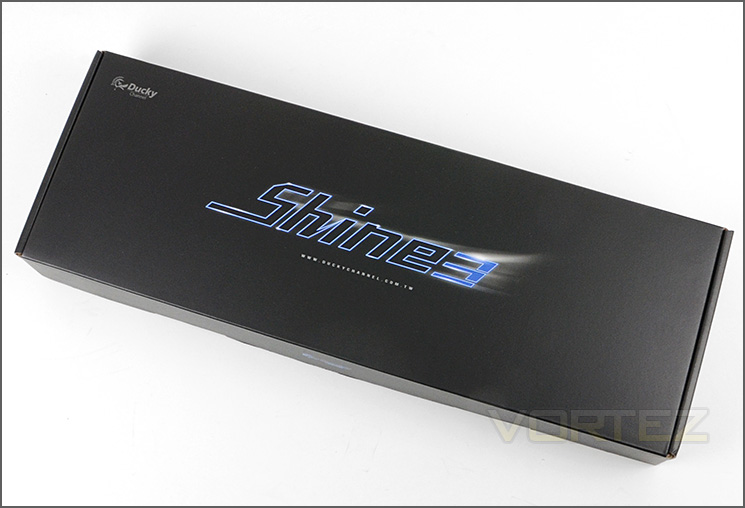
Shine 3 packaging
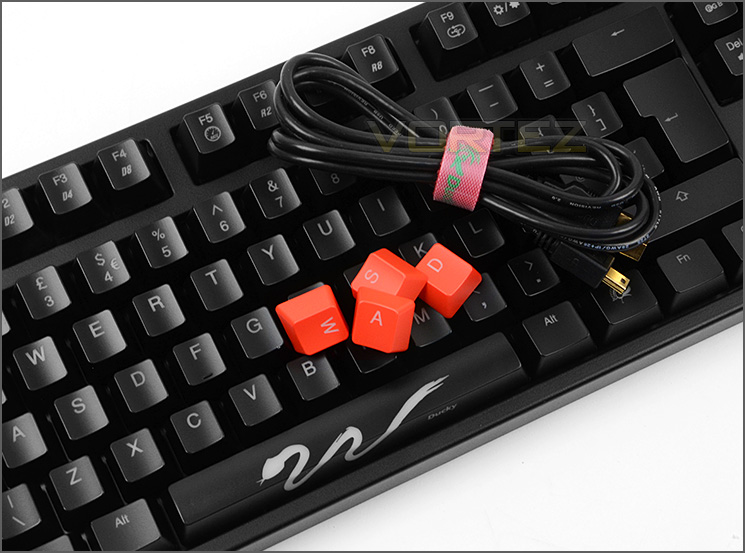
Within the packaging the Shine 3 has an assortment of accessories which make up the bundle. These items consist of the following:
• Red WASD gaming keys
• Instructions manual
• Additional spacebar
• Detachable USB power cable w/ Velcro cable tidy
• Key removal tool
These extra items are very much welcomed and while they may not be used by everyone it’s useful to have them for future use. The instructions manual is essential for guidance on specific customisation with Shine 3.
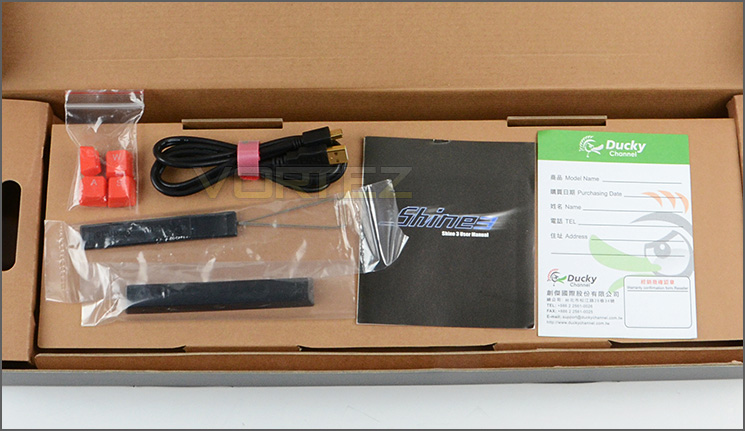
Accessories bundle includes numerous items
Closer Look
The Ducky Shine 3 line has a plethora of variants – spanning different backlight colours, different switch types and even an upgraded aluminium body. Having so many options means there is literally every possibility catered for. Here are the options available:
• Backlight models: Red, Blue, Orange, Magenta, Green, White
• Switch models: Cherry MX Black, Blue, Brown, Red
• Body Models: Plastic or Aluminium
Our sample uses White backlight, Cherry MX Brown switches and features the plastic body.
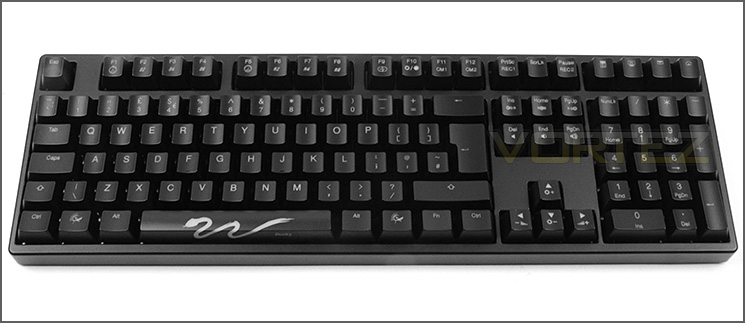
An overview of Shine 3
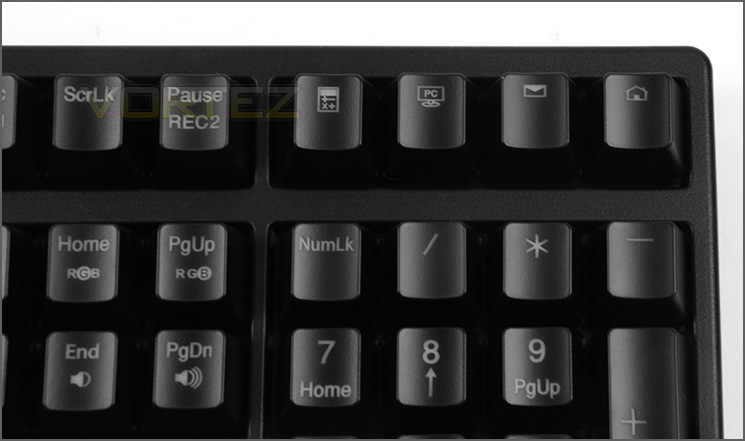
A close up of the multi-command buttons
The actual layout of Shine 3 is similar to the standard ‘QWERTY’ design, except there are different options and customisation available for the alternate combination commands – we will explore these commands later in the review. Each key is UV coated and has a lasered print.
Customisation is a fundamental principle with Shine 3. Even on the underside of the keyboard there is a dip switch to allow further modifications. The dip switch can allow the following:
• Windows Key disable
• Ctrl and Capslock swap
• Windows key and Alt swap
• DEMO Mode
The underside also has four rubber strips to prevent the keyboard from slipping on smooth surfaces. Shine 3 has no cabling hard-wired to the keyboard, instead there is a detachable USB cable which needs to be connected and Ducky has designed a special channel for the cable to feed through on this underside.
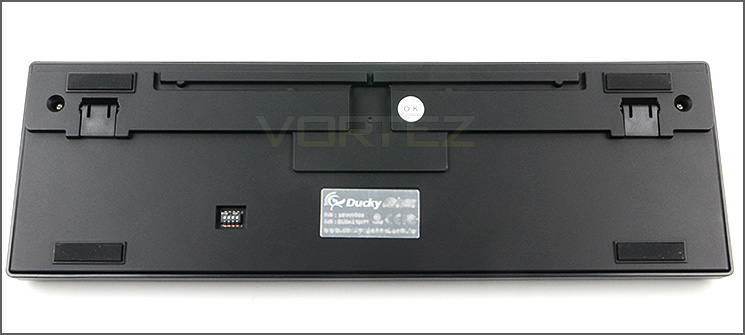
The underside of Shine 3 with dip switch
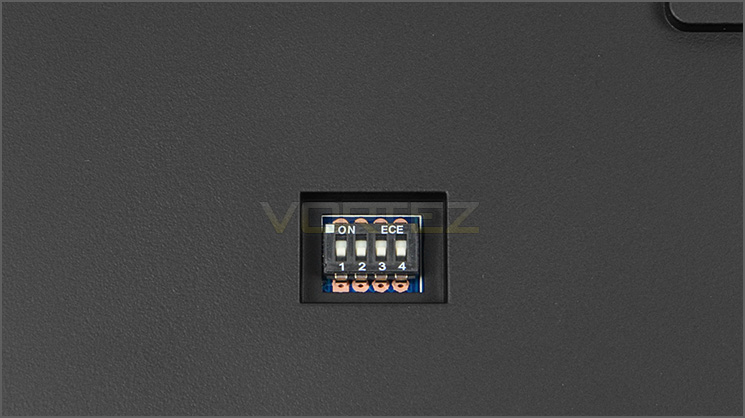
A closeup of the dip switch
Ducky supply a key removal tool with Shine 3 and the WASD keys can be swapped out for the red keys if desired. Shine 3 is of course mechanical and as such Cherry MX switches are utilised. Our sample uses the Cherry MX Brown switch, offering a good balance between general usage and gaming.
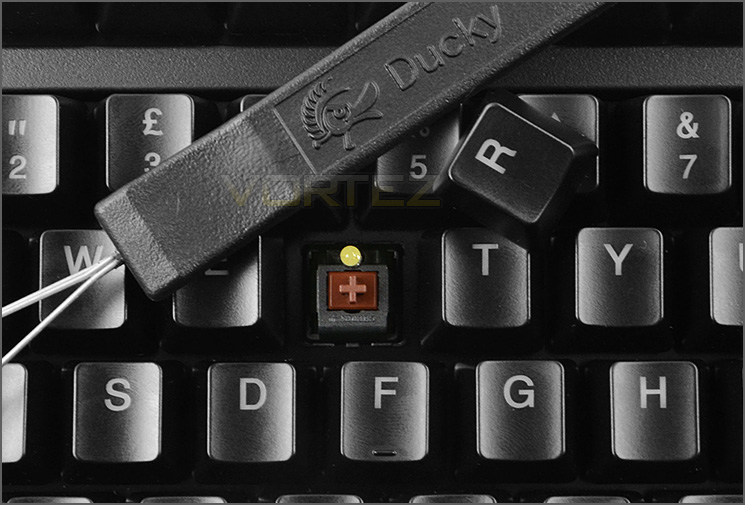
Cherry MX Brown switches used on our sample
Shine 3 features a LED spacebar which has the image of a snake – when powered up this snake illuminates and it even has the option to customise three LEDs behind it, we’ll cover this in the next section of the review.
This spacebar incidentally can be swapped out for the spare which has been supplied within the bundle. Often this particular key suffers the most “wear n’ tear”, so having a spare is very handy.
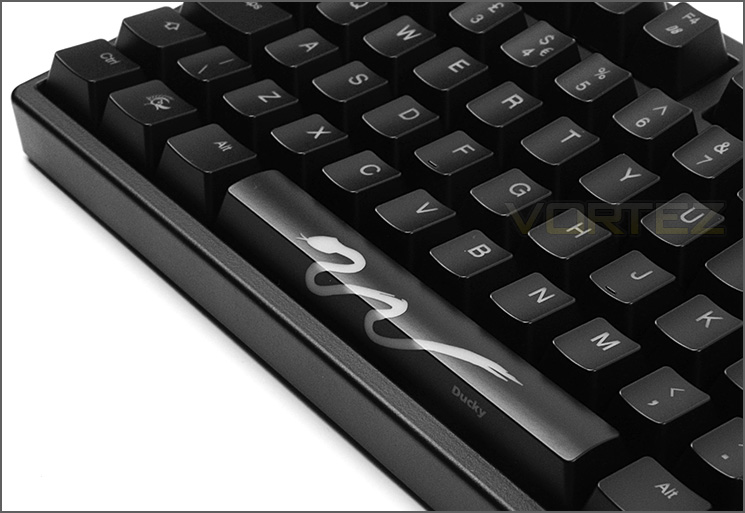
Snake design on spacebar has customisable options
Lighting, Customisation & Performance
LIGHTING DEMO
The lighting and customisation is a specific highlight with Shine 3. The ability to tweak the colour and different modes can be initiated by using the FN key + F10. A full listing of the options available can be found within the instructions booklet.
There are numerous lighting modes available with Shine 3 which include:
• Full (100%)
• Breathing
• Wave Marquee
• Snake Marquee
• Reactive mode
• Ripple mode
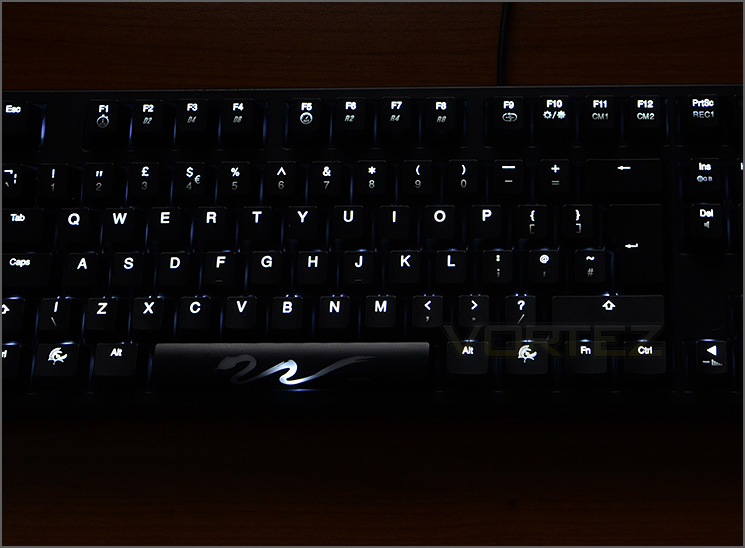
Lighting @ 100% – White LED
Shine 3 also has two pre-defined command buttons placed upon F11 and F12 keys. Pressing FN + F11 illuminates only the WASD keys – specifically for gaming sessions. Alternatively if you do not use WASD, pressing FN + F12 will illuminate the arrow keys instead.
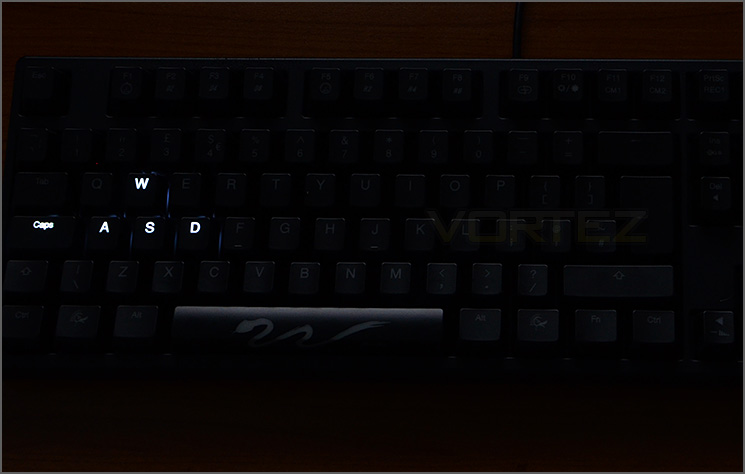
WASD illumination options on Shine 3
By default the snake design on the spacebar illuminates white on our sample – using just one LED in the centre, other models which have red for backlighting will light up in this colour instead. Pressing FN + Spacebar will initiate additional lighting on Shine 3. LEDs on the left and right illuminate red to begin with but this colour can be modified by pressing FN + Insert (Red) or Home (Green) or PgUP (Blue). An RGB demo can be started by pressing FN + Num_0 – this cycles through the colour spectrum.
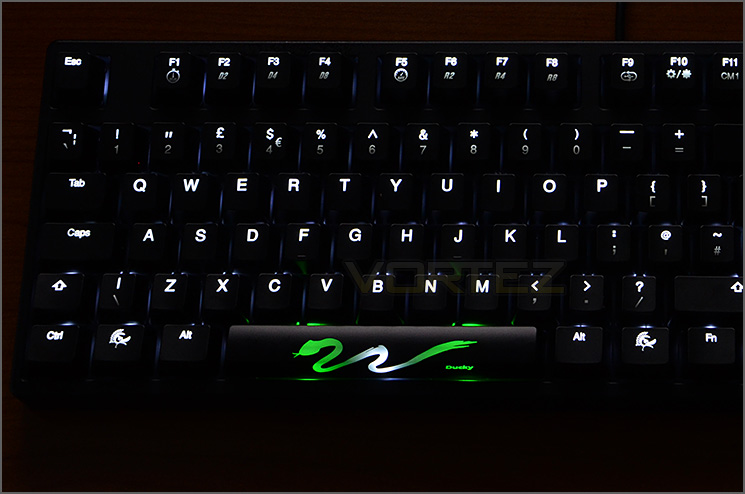
Snake LED can be tweaked too
Additionally there are performance tweaks which can be adjusted such as USB Repeat Delay and Repeat Acceleration. This modifies the speed at which characters are input when a key is held down. Of course, all of these options can be stored to memory and if you make any alterations you aren’t happy with the factory defaults can be used.
Specific lighting settings can be saved to memory by using the REC1 and REC2 keys at the top of Shine 3.
Overall, we’re very impressed by how extensive Shine 3 is in the lighting and customisation department. It most definitely is a keyboard which gives you lots of flexibility.
Performance
Ducky’s Shine 3 has unlimited NKRO (N-Key Rollover). We tested whether this claim stood true and sure enough with Aqua’S KeyTest there were no problems with multiple presses on the keyboard.
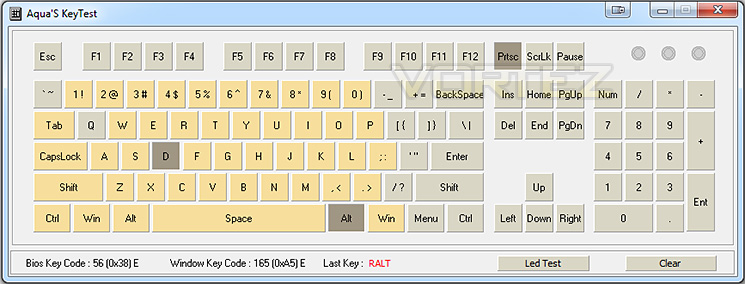
Testing NKRO using Aqua’S KeyTest
The Shine 3 is available with numerous Cherry MX switch colours but the one we have uses the Cherry MX Brown switches. Coming from a standard membrane to a keyboard of this nature and switch type will feel a little strange at first and as always will take some getting used to but for general usage within windows, typing up documents and web browsing the Shine 3 is a superb keyboard. Keys aren’t located in peculiar places and therefore, a touch-typer will be able to move on with the job at hand.
Brown switches offer a good balance between gaming and general usage and Shine 3 performs well in the gaming arena too. Gamers can take advantage of the backlit keys and even the pre-defined options under CM1 and CM2 – initiate these commands will cause all keys to black out except for WASD or arrow keys. This is perfect for those late night sessions when the room is dark and it can be hard to see. Some may find it more useful to have all the keys illuminated since in some games other keys require pressing too.
Overall, Shine 3 performs to a very high-standard and we have been presented with no problems at all – only accuracy and precision.
Conclusion
Having spent some considerable time with Shine 3 we can whole heartedly confirm how great this keyboard really is. It’s quite evident that Ducky Channel are aware of what makes the perfect peripheral because this offering has all the ingredients for success.
Regardless of the intended use, Shine 3 performs great as a mechanical keyboard for general web browsing, word processing usage or gaming sessions. Having LED backlighting means that there are no hiccups during those late night sessions with ambient light switched off in the room.
Shine 3 is laden with numerous lighting modes which provides extensive customisation for just about every user. Our sample featured white LED backlighting and Cherry MX Brown switches but there are a plethora of options available including red, green, orange and white LED variants and then a variety of different switch types are also supported – so as you can tell, Shine 3 is very flexible and caters for all tastes and personal preference.
Customisation is extended further by having repeat acceleration control and a dipswitch on the reverse of the keyboard for disabling such aspects of Shine 3 as the windows key. And just when you thought every base was covered, Ducky throw in unlimited NKRO support too.
Being priced at £139.99 / $150 USD the Shine 3, with all its features, flexibility and build quality is actually reasonably priced when you consider other mechanical keyboards in a similar price-range.
Ducky Channel should be proud of their achievements with Shine 3. It exceeds expectation with absolute flexibility and customisation. Shine 3 is ideal for just about any type of user that wants to improve their input experience. This keyboard pushes the boundaries and comes out on top, we’re pleased to hand out our highly revered platinum award.
Pros
+ Pleasing to the eye
+ Great build quality
+ Excellent lighting options
+ Lots of colour variations
+ Lots of Cherry MX switch options
+ Useful bundle
+ Extra features – dip switch, acceleration control
+ Unlimited NKRO
Cons
– No software/macros
+ Pleasing to the eye
+ Great build quality
+ Excellent lighting options
+ Lots of colour variations
+ Lots of Cherry MX switch options
+ Useful bundle
+ Extra features – dip switch, acceleration control
+ Unlimited NKRO
Cons
– No software/macros

Click here for an explanation of our awards at Vortez.net.


