Data makes up a large part of our lives, so losing some of it can be catastrophic. EaseUS reckon they have the solution.

Product on Review: EaseUS Data Recovery Wizard
Manufacturer: EaseUS
Street Price: £83.99 / $107.94
We’ve all been there at one point or another, having deleted files, either accidentally or willingly, only to need them again at some point afterwards. However, if that scenario doesn’t apply to you, the EaseUS Data Recovery Wizard can also be used to recover data lost from a damaged hard drive, a system crash, a virus attack or a lost partition on a working drive.
EaseUS have been developing their data backup & recovery and disk management since establishing in 2004, honing their skills and refining their software to give their 200,000,000 users the best possible experience in a potentially very stressful situation.

Their Data Recovery software is available for Windows, MacOS, iOS and Android and can even be used with Microsoft Outlook to recover deleted or lost emails. Trial versions are available for single file recoveries and premium versions for anything more than that.
We’ll set up some files, delete them from the system and the recycle bin, restart our system and see what it can find.
EaseUS on the Data Recovery Wizard:
Accidentally delete important files without any backup and empty the “Recycle Bin”? Recover deleted files from PC/laptop/Server and other storage media easily and quickly.
Software Installation & Data Recovery
Installing the software, as you might expect, is as simple as any other program. There’s not a great deal more to say on that front, so we’ll move onto testing the program itself.
To begin your data/drive recovery, first you have to specify the location to begin working on. For example, if you had formatted a USB drive only to find you’d deleted the wrong one, you could select that from the list, or select to recover an entire hard drive to find old files, if you’re not sure where it will be.
We decided to create a folder of some images from a recent event, then delete those images from the folder and the recycle bin. A quick restart of the PC and we set about trying to recover the files; this is a task that would typically be impossible due to limitations within the Windows operating system, where users would usually use the Recycle Bin as a last-ditch resort.
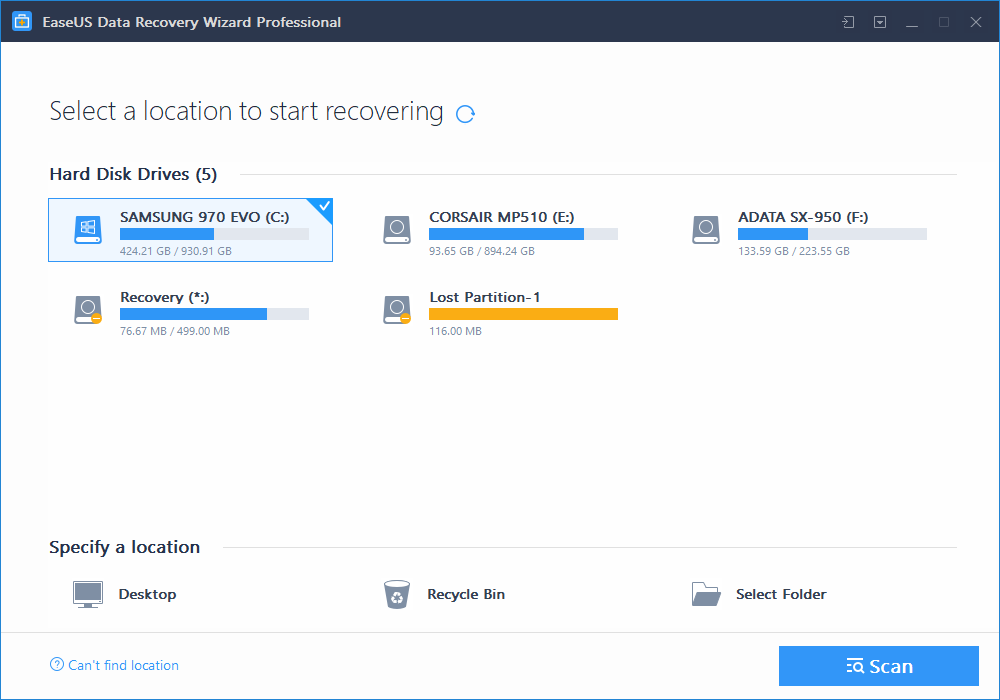
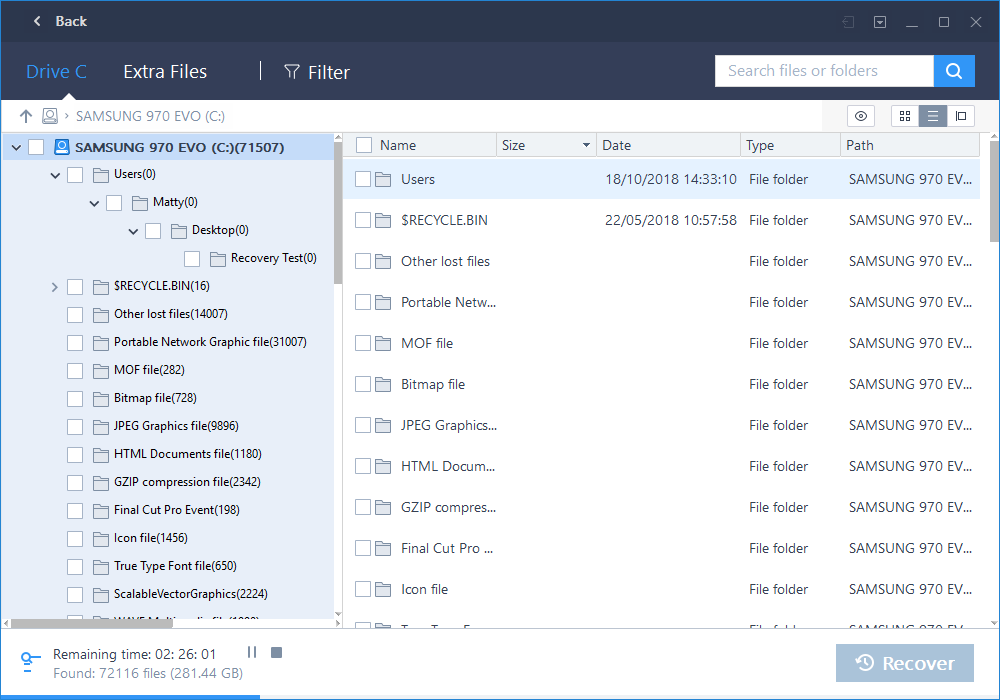
EaseUS will go about its thing, searching the drive for information, checking all sectors to compile a list of potential files you wish to retrieve from the abyss. Our check took a total of around 40 minutes on a Samsung 970 Evo drive containing roughly 400GB of data. That time could, and likely will, vary from drive to drive. Having said that, if the data needs to be recovered, it will take as long as it takes, the end result is all that really matters.
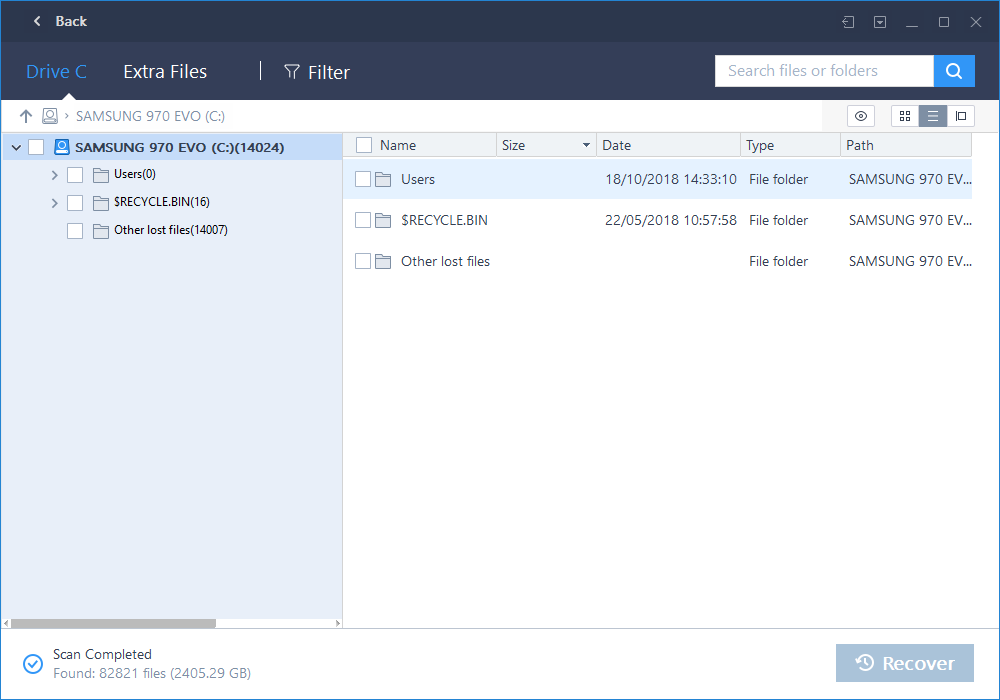
Finally, the drive search is finished, with the scan finding 82821 files with a total size of 2405.29GB.
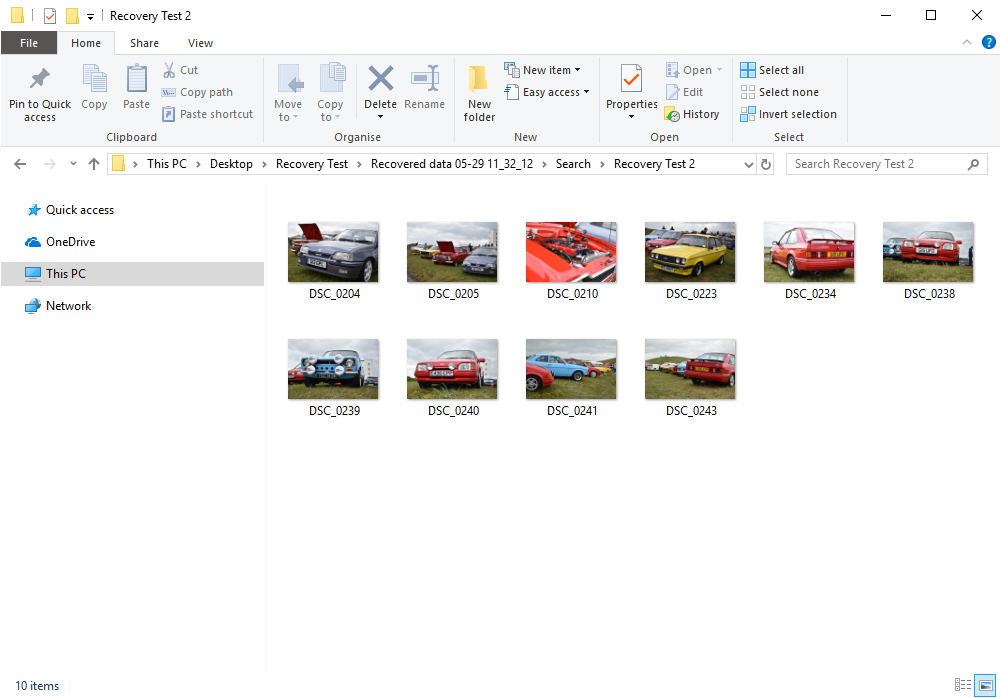
Using the search function at the top, we could narrow that down to the exact file we wanted, “Recovery Test 2”. And there we have it, all 10 of the photos from a recent car event, in their entire glory.
Conclusion
When it comes to pictures of loved ones, a project you’ve been working on for a while or even just a bunch of games you don’t fancy having to download all over again, the EaseUS Data Recovery Wizard appears to be the ideal tool.Installation and setup couldn’t have been easier, nor could asking the software to find my “lost” files. Everything was stress-free, well laid out and super easy to run.
As well as testing the software, we also decided to test out the EaseUS Live Chat service. After returning to their website on several occasions across two different days to try and test their usefulness, we found that their operators were never available and instead we were asked to fill in a lengthy email form. When charging £84/$108 for a piece of recovery software, if you hit a snag, you would like to think a solution could be found within minutes and not hours or days, particularly if you rely on the software for “mission-critical” scenarios.
As far as tense situations go, explaining to a partner or your boss why the data you were trusted with no longer exists, is definitely up there with them, but having the EaseUS Data Recovery Wizard in your toolbelt could just help save your behind. And as luck would have it, we’ve teamed up with EaseUS to offer our readers 50% off by following the link: Here

Losing data can definitely be a thing of the past with the Data Recovery Wizard, simple to use and entirely stress-free.
Pros
+ Easy to install and configure
+ Recovered files perfectly and quickly
Cons
– A little costly if you only need it once or twice
– No live chat (despite it being advertised)
+ Easy to install and configure
+ Recovered files perfectly and quickly
Cons
– A little costly if you only need it once or twice
– No live chat (despite it being advertised)
Click here for an explanation of our awards at Vortez.net.
Stay connected with the Vortez Social Media pages:
Join in with the discussions on Discord