You’re an avid gamer, you’re short on space, but you want a mechanical keyboard with all the features. If that sounds like you, could the Fnatic miniSTREAK be the solution to your dilemma?

Product on Review: Fnatic miniSTREAK
Manufacturer: Fnatic Gear
Street Price: €99.99 / $99.99
Tenkeyless mechanical keyboards are growing in popularity thanks to their compact size and the fact they share pretty much the same feature set as their full-sized counterparts – except for the numpad of course. All the big players in the industry offer a tenkeyless keyboard, and now Fnatic Gear wants in on the action too. Enter the Fnatic miniSTREAK, essentially a more petite version of the Fnatic STREAK mechanical keyboard.
The miniSTREAK may be on the smaller side, but Fnatic hasn’t left many features off the table. It features a removable wrist rest that is adjustable, a choice of four Cherry MX switches – MX Blue, Brown, Red and Silent Red as well as a 1000Hz polling rate, an NXP Microcontroller, fully customisable RGB illumination and more. So just because you opt for a small keyboard, doesn’t mean you lose out. However, there are a few things that don’t carry over from the full-sized model, these include a USB pass-through and a dedicated volume control wheel. But on the bright side, this model is €30 cheaper and still retains most of the same features.
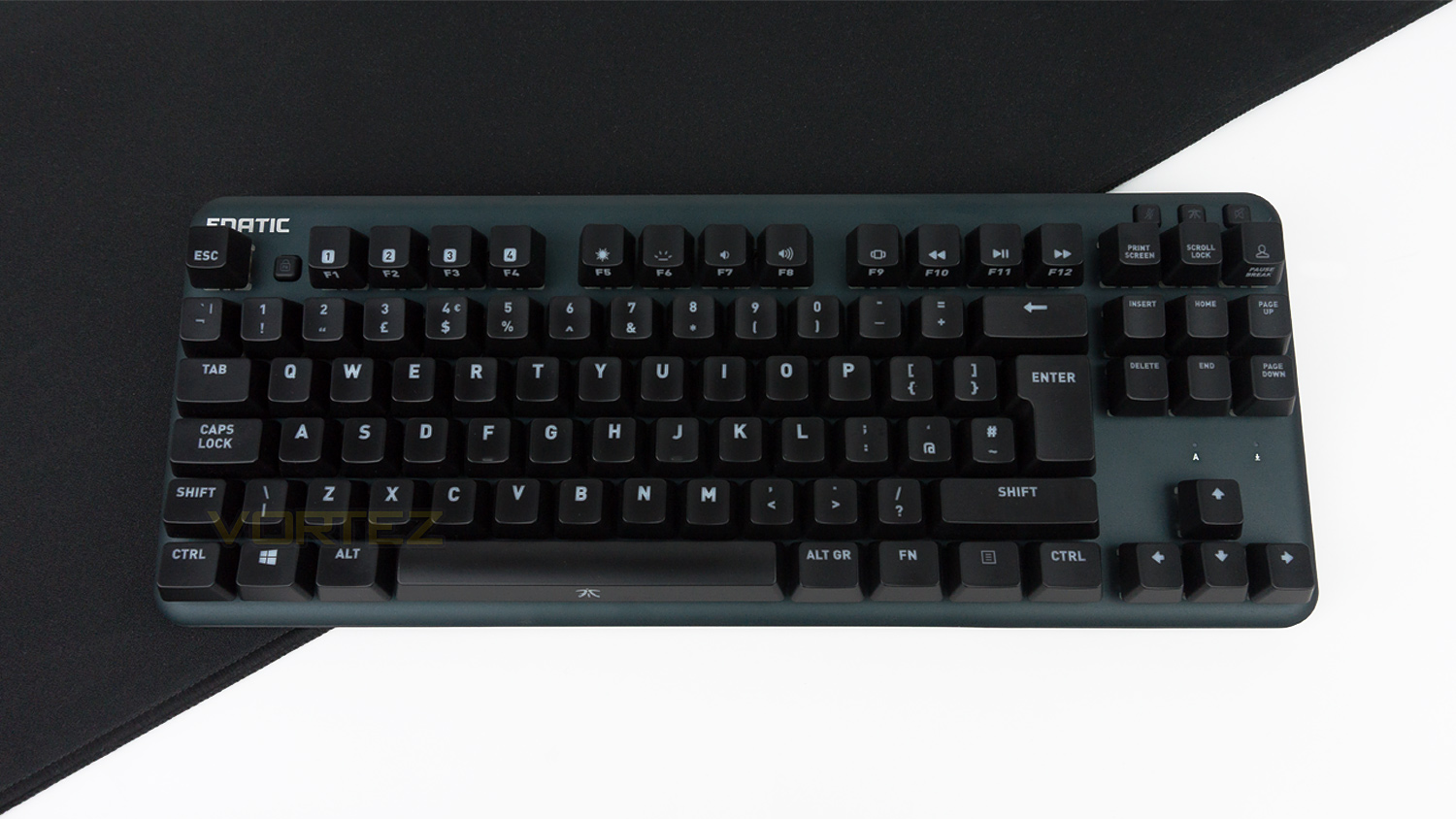
Fnatic Gear on the miniSTREAK:
Don’t be fooled by the size of this little guy. miniSTREAK is a fully powered RGB mechanical esports keyboard in a easy to travel tenkeyless form. Complete with a detachable cable, the same amazing build quality and all the core features of its big sibling.
Technical Specifications
Keyboard
Format – 10-Keyless
Switches – Cherry MX
Variants – Blue, Brown, Red, Silent Red
Key life – 50 million keystrokes
Polling rate – 1000Hz
MCU & Memory – NXP / 8MB
RGB illumination
FN lock
Removable LED nameplate
Materials – Anodised Aluminium & Polycarbonate
Size & Weight
Size – 360 x 142 x 36mm
Size with wrist rest – 360 x 194.5 x 36mm
Weight – 704g
Cable – Detachable 2.2m
System requirements
PC & Mac
Internet to download Fnatic OP software
One USB port
Format – 10-Keyless
Switches – Cherry MX
Variants – Blue, Brown, Red, Silent Red
Key life – 50 million keystrokes
Polling rate – 1000Hz
MCU & Memory – NXP / 8MB
RGB illumination
FN lock
Removable LED nameplate
Materials – Anodised Aluminium & Polycarbonate
Size & Weight
Size – 360 x 142 x 36mm
Size with wrist rest – 360 x 194.5 x 36mm
Weight – 704g
Cable – Detachable 2.2m
System requirements
PC & Mac
Internet to download Fnatic OP software
One USB port
Packaging & First Look
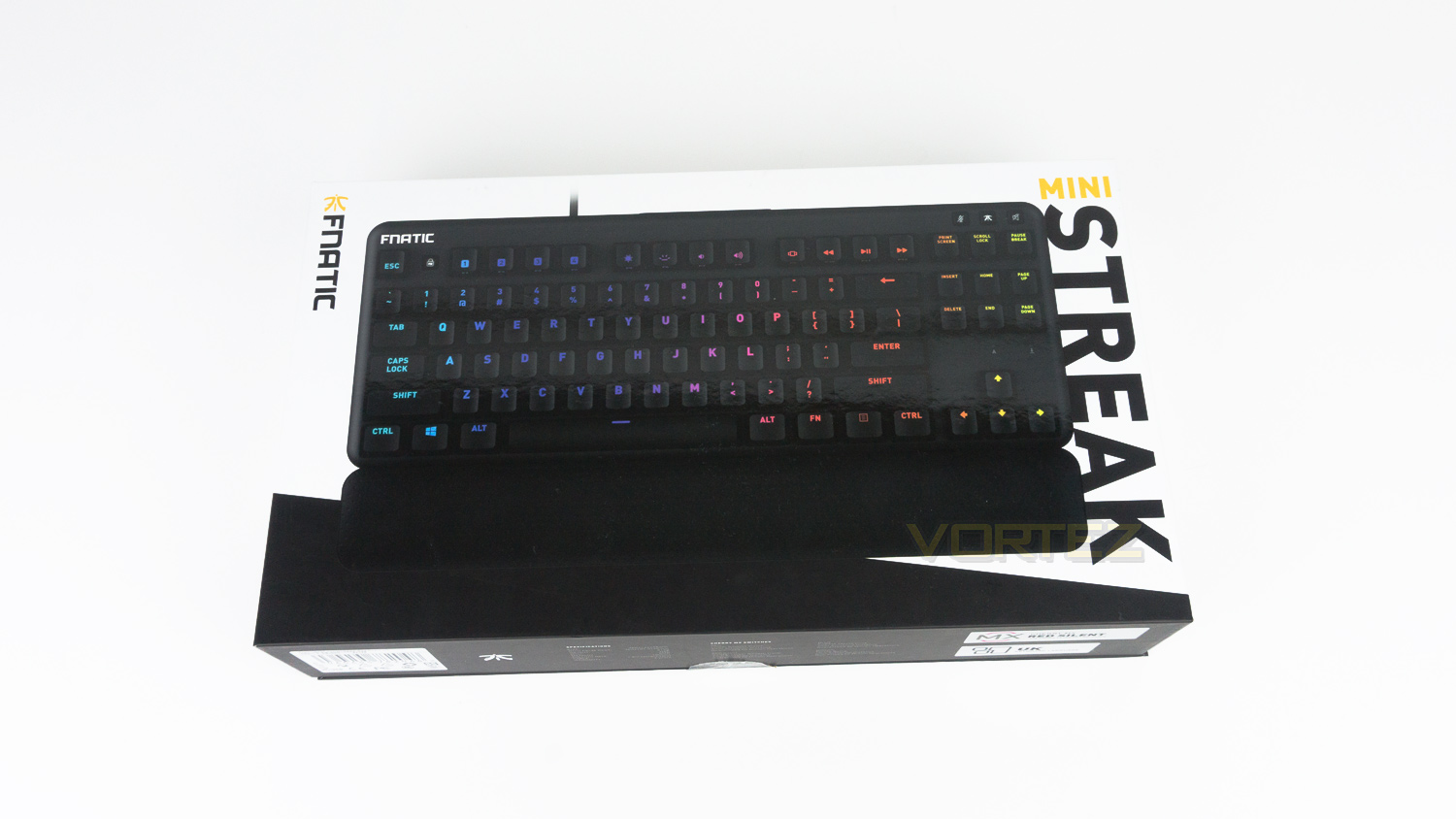
The Fnatic miniSTREAK arrives in a black and white box with a large image of the keyboard in the centre. There is then the Fnatic branding on the left side and model name on the other.
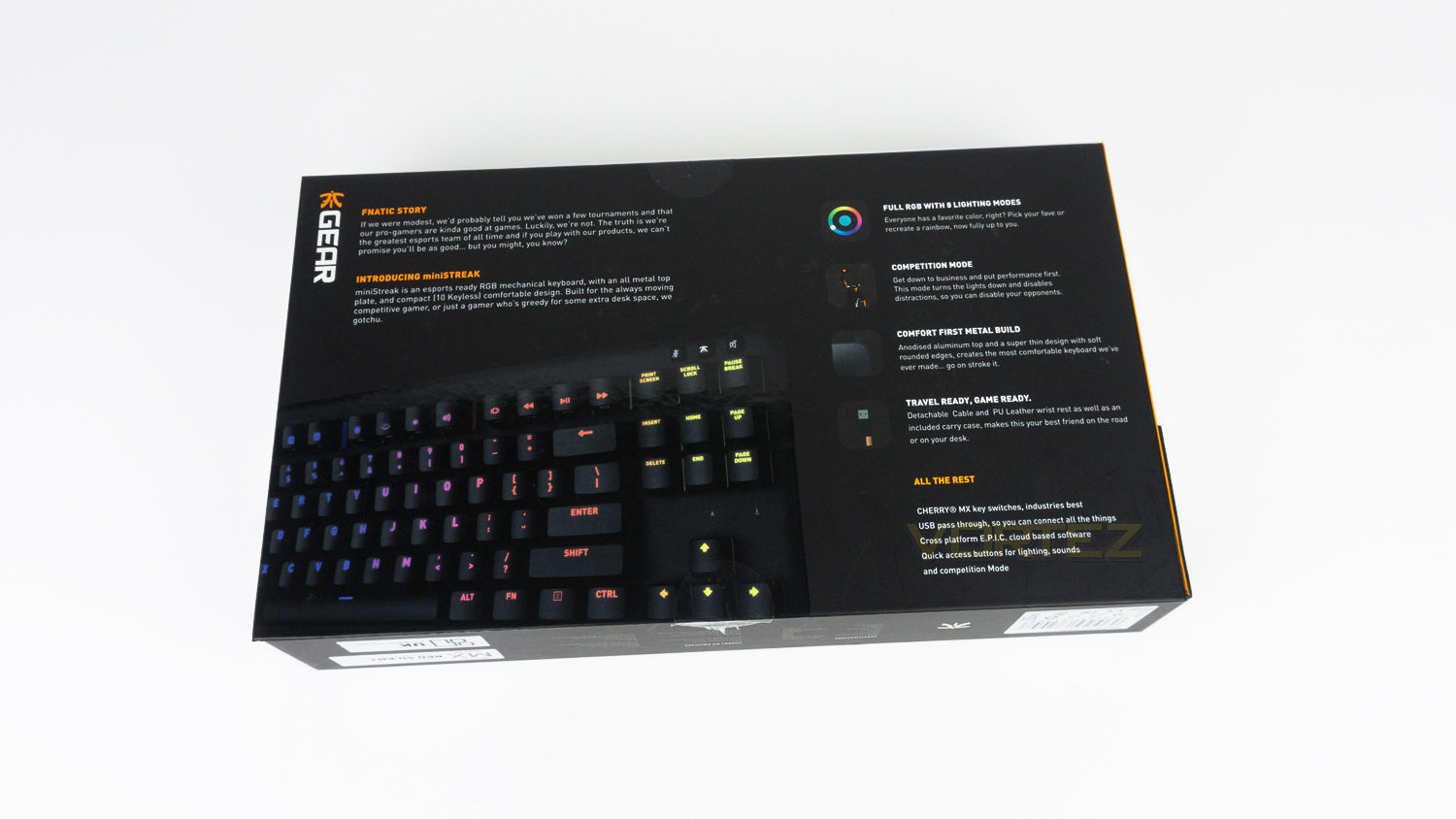
Spin the box to the back, and there is a brief bit of history about Fnatic as well as some information on the miniSTREAK. There is also a segment that showcases some of the highlight features of the keyboard.
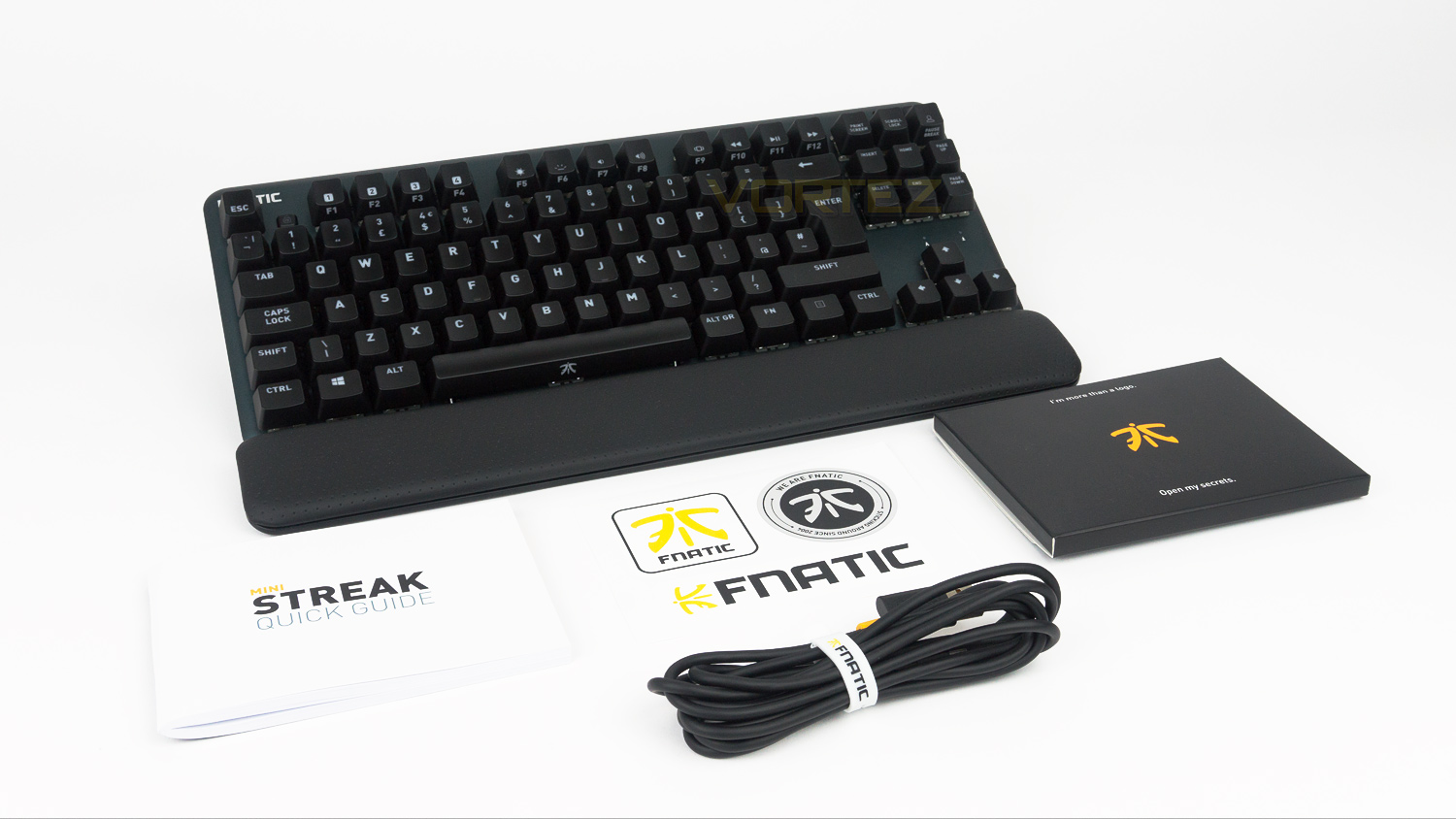
In the box there is a detachable wrist rest, detachable 2.2m USB Type C to USB Type A cable, one quick start guide and some stickers.
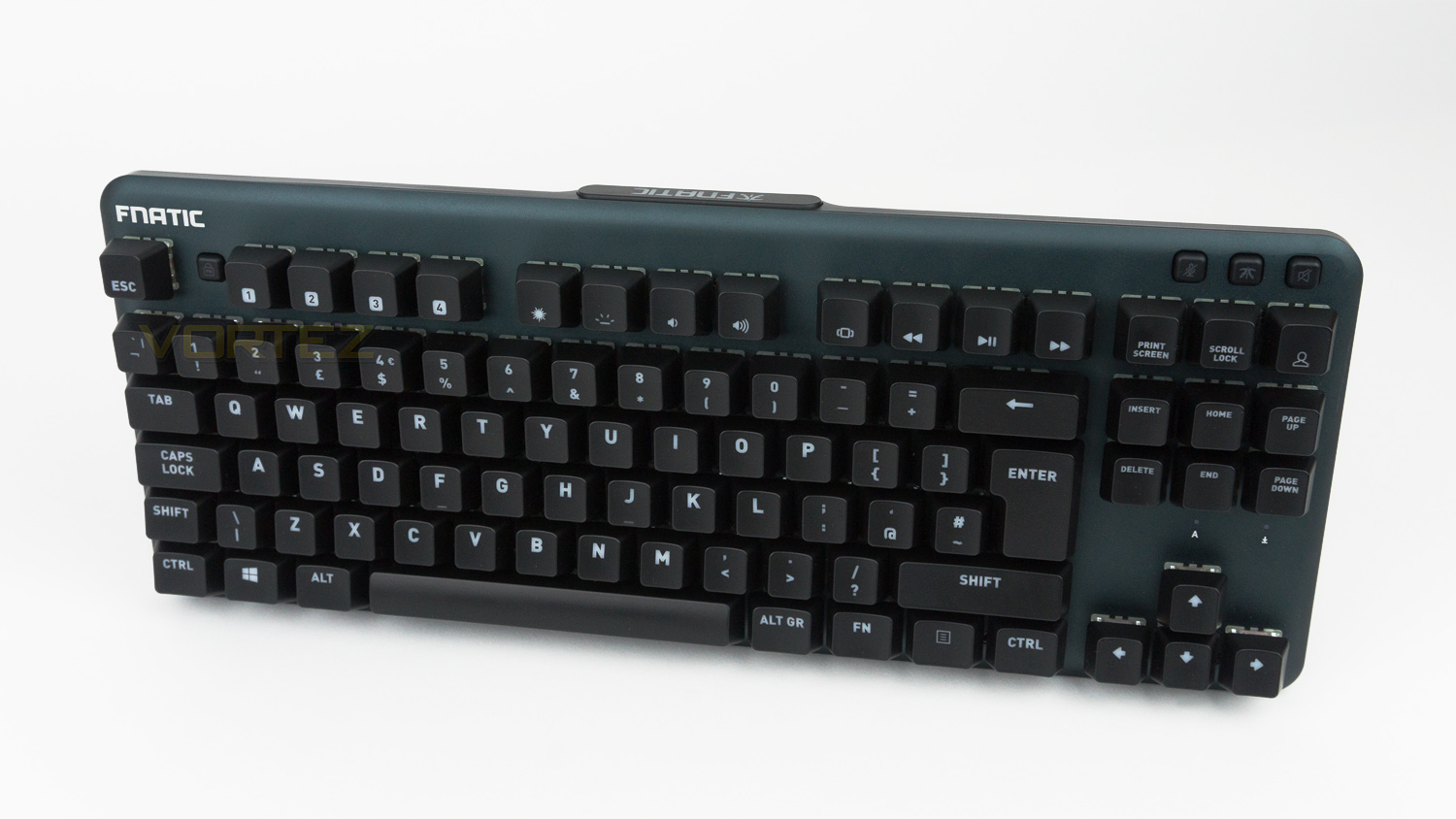
The miniSTREAK features an Anodised Aluminium body and has an overall aesthetic that is quite laid back and doesn’t shout about being a gamers keyboard. It does, however, feature a few small elements that let you know it’s true nature.
Closer Look
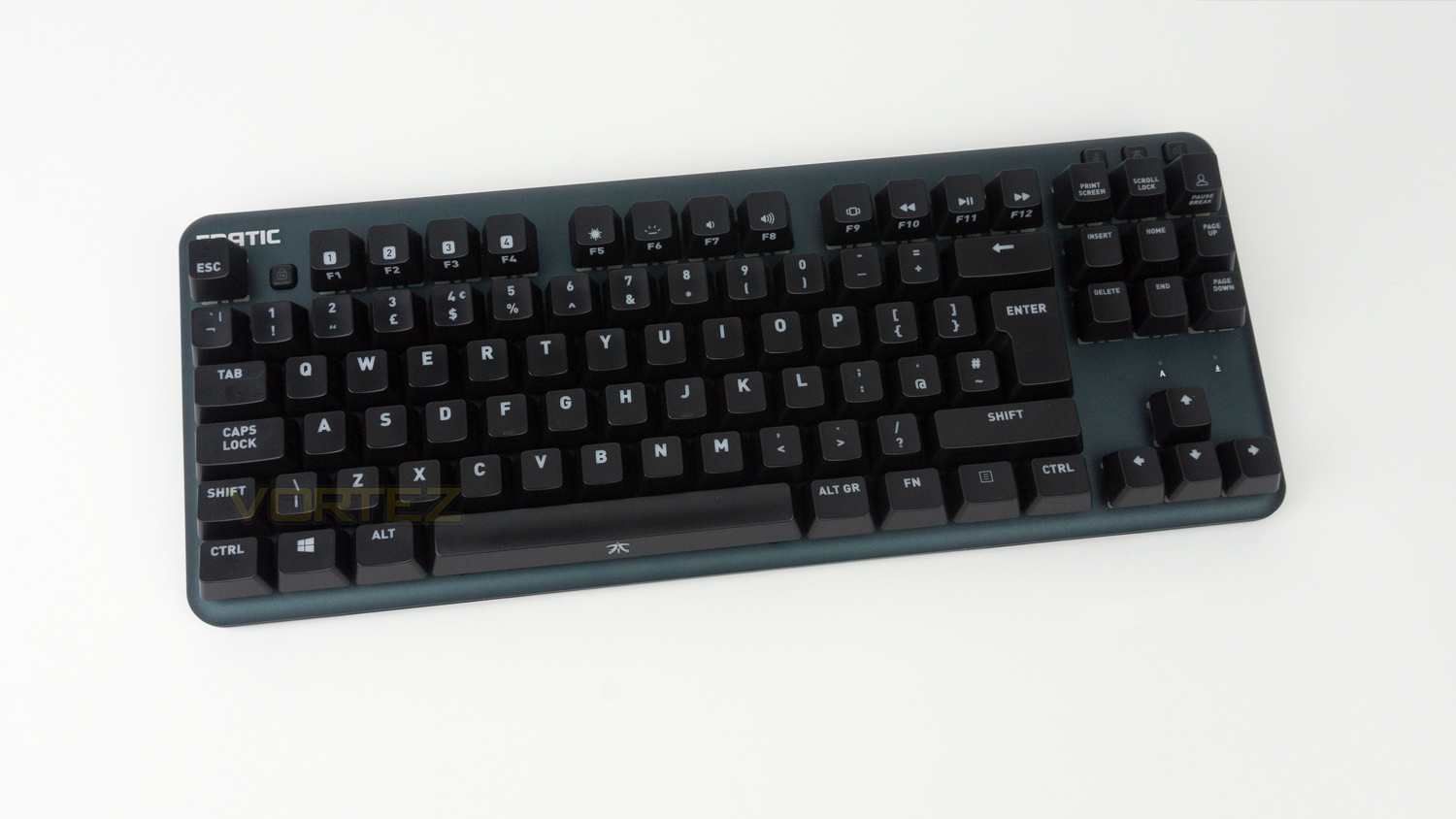
The Fnatic miniSTREAK is a really compact 10-Keyless keyboard that would be ideal if you don’t have the most generous of spaces to work with. It measures in at 360 x 142 x 36mm without the wrist rest.
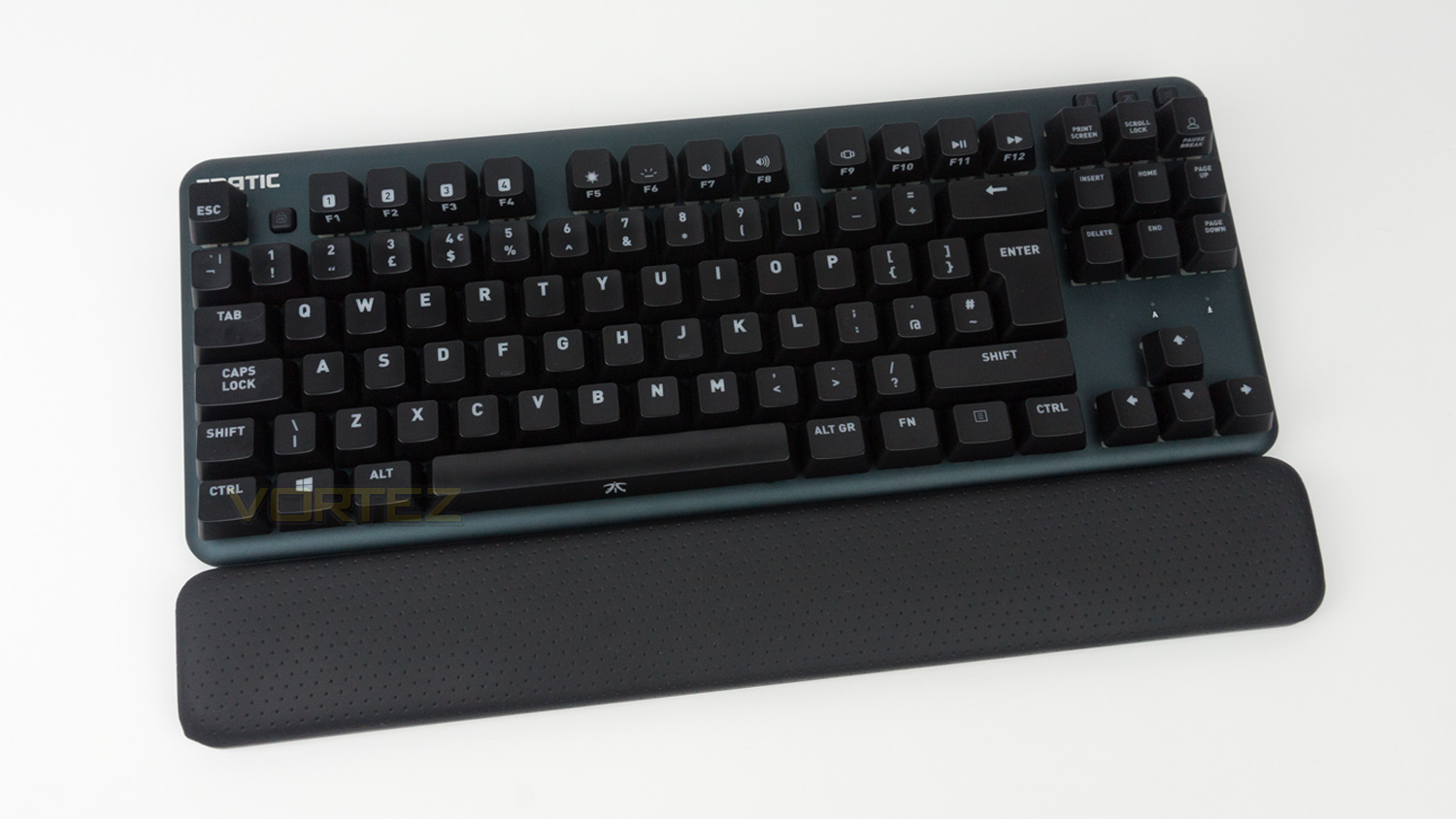
Adding the wrist rest does add to the depth bringing the size to 360 x 194.5 x 36mm. Even with the wrist rest attached it still is a very small keyboard.
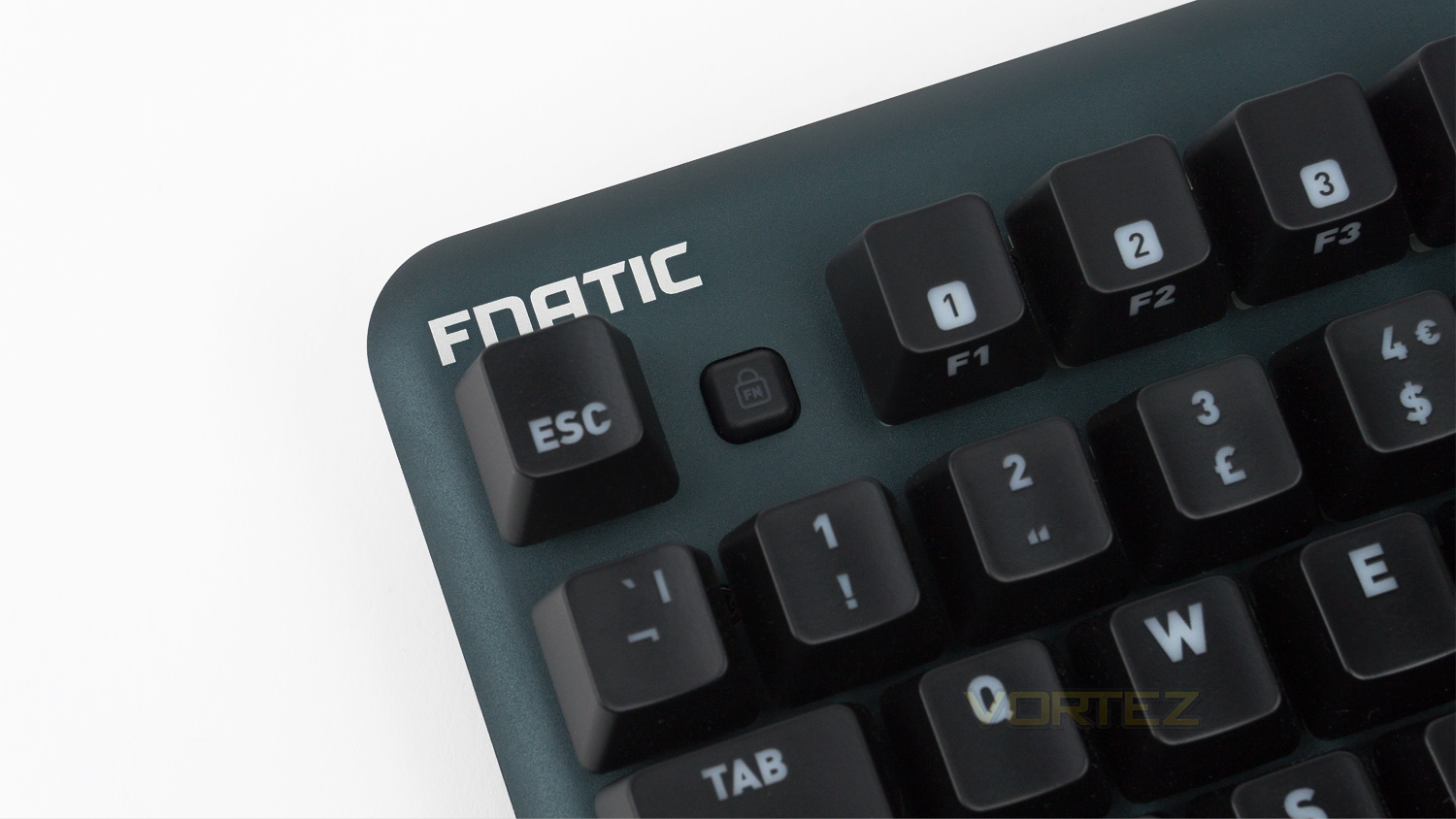
The top left of the keyboard features the Fnatic branding and also an FN lock button that is designed to make your F keys default back to their FN key version. This is great for controlling media as you no longer need to press the FN key in conjunction with the media F keys to activate them.
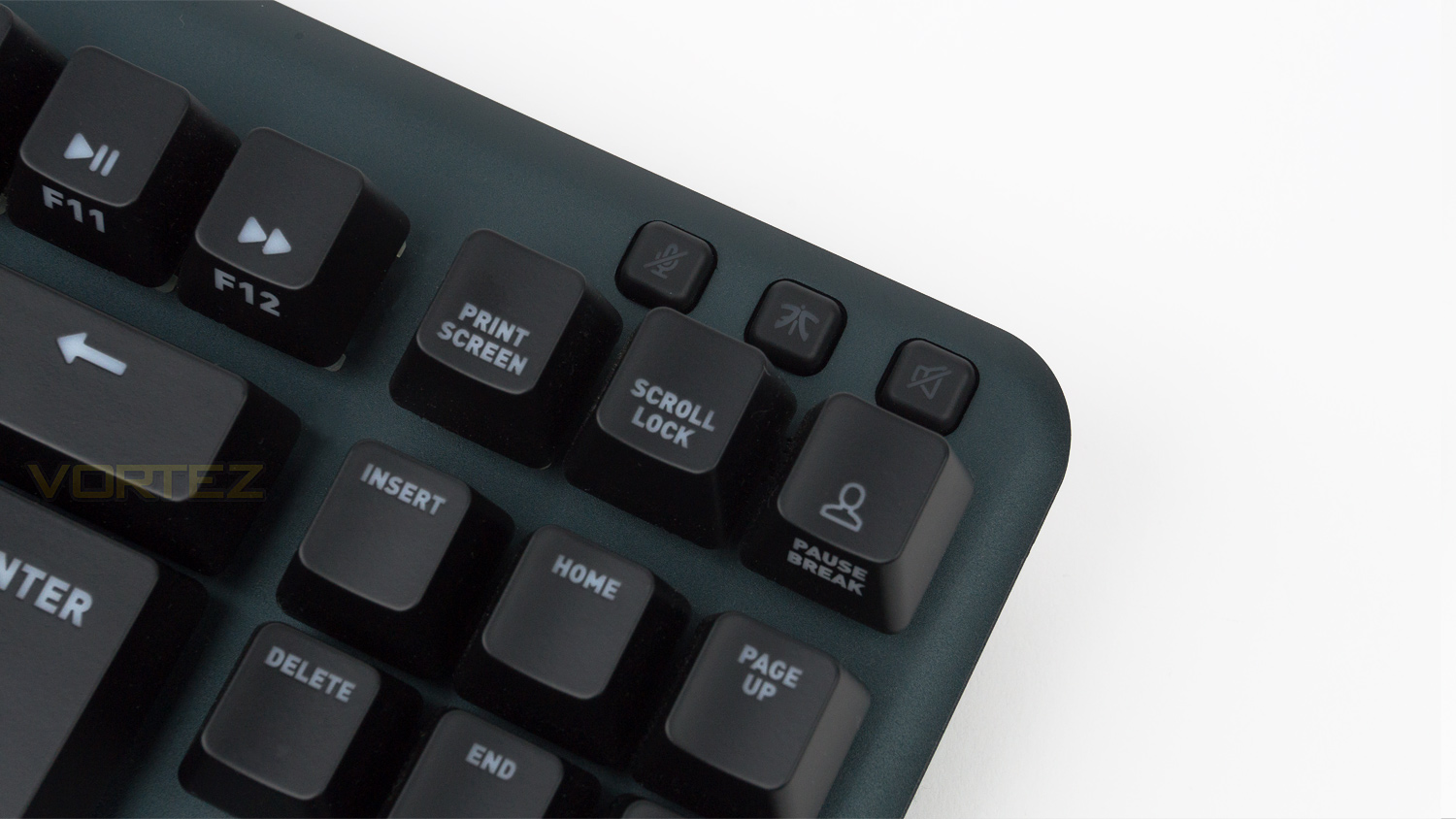
At the top right there is a microphone mute toggle as well as a Fnatic branded button and a media mute button. The mute buttons work as intended but it is the Fnatic branded one that is interesting, pressing it disables all distractions and lets you focus on gaming. When pressed it turns of the RGB mode and instead sets an orange backlight that is really muted. This can, however, be adjusted using the OP software.
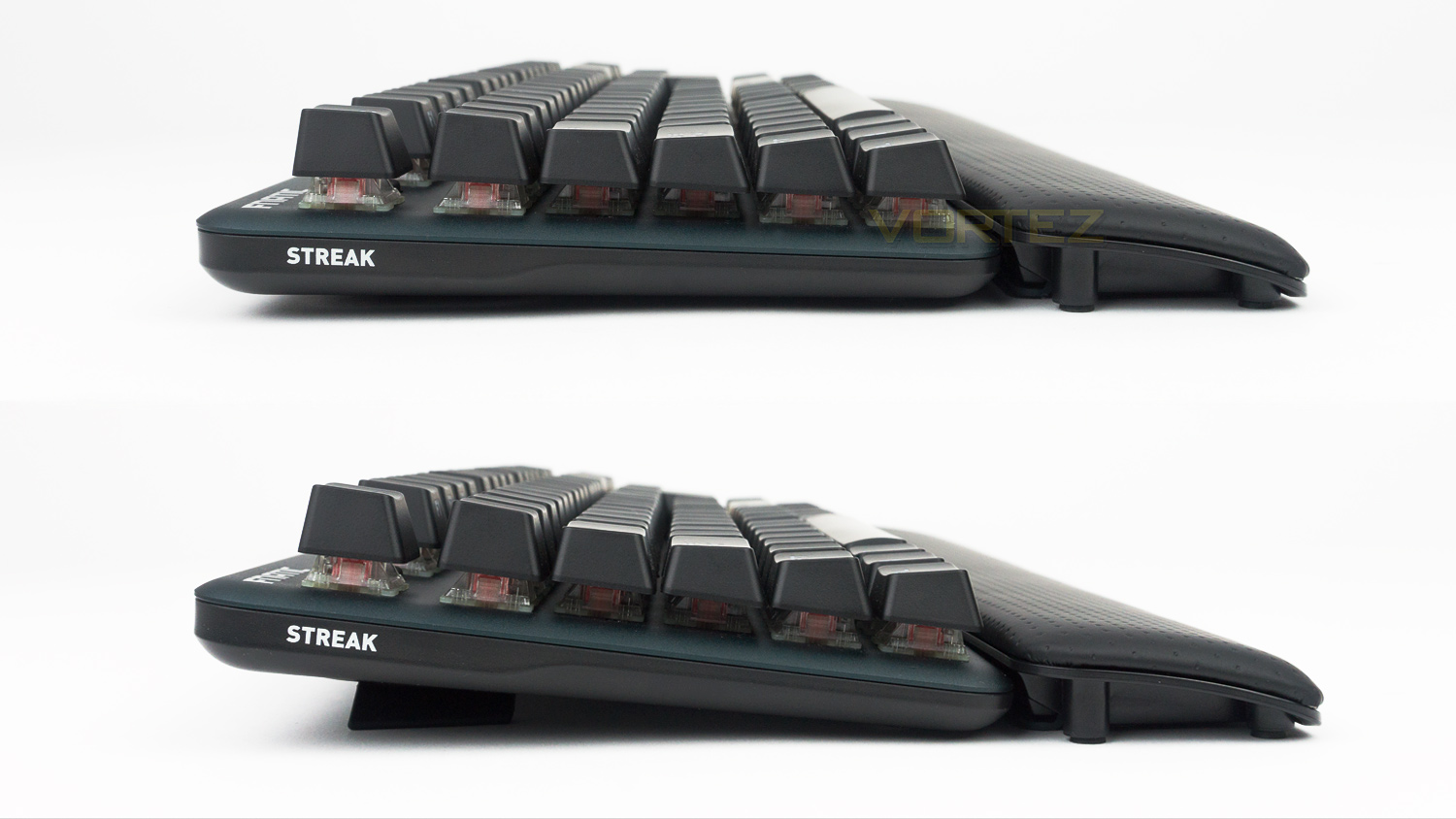
The side profile is very clean and features the model name. There are two angles that can be set using the feet. When it’s set down the keyboard isn’t perfectly flat, and when the feet are utilised, it gets elevated gaining an extra 20mm in height.
Closer Look (Continued)
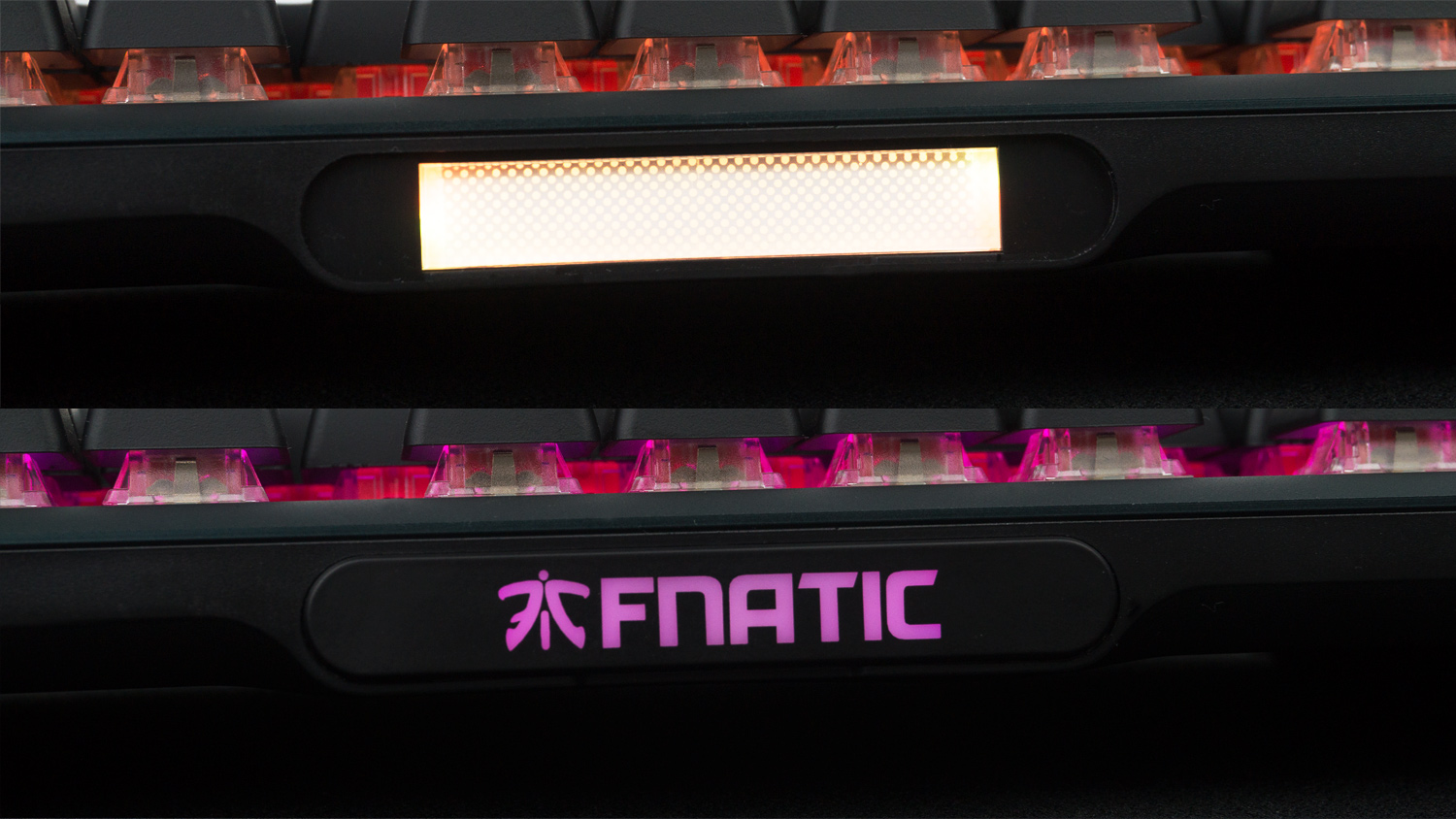
On the top edge of the miniSTREAK, there is an illuminated Fnatic logo, this is removable and is held in place magnetically. This feature opens the keyboard up to customisation down the road and in fact, Fnatic has stated on the product page that such a feature is in the works and should be arriving soon. This will allow owners to have their custom gamer tag or any word printed on the plate.
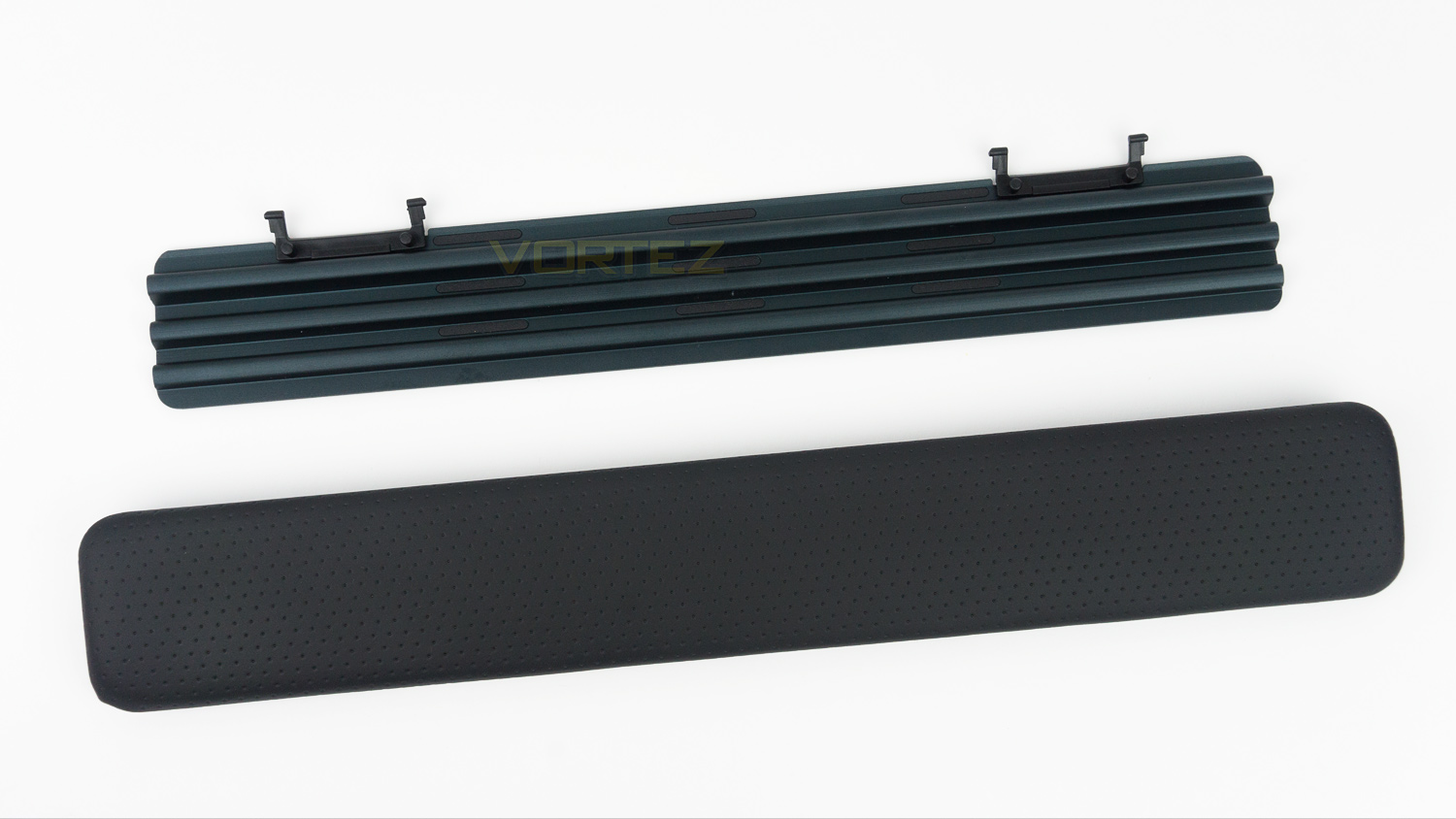
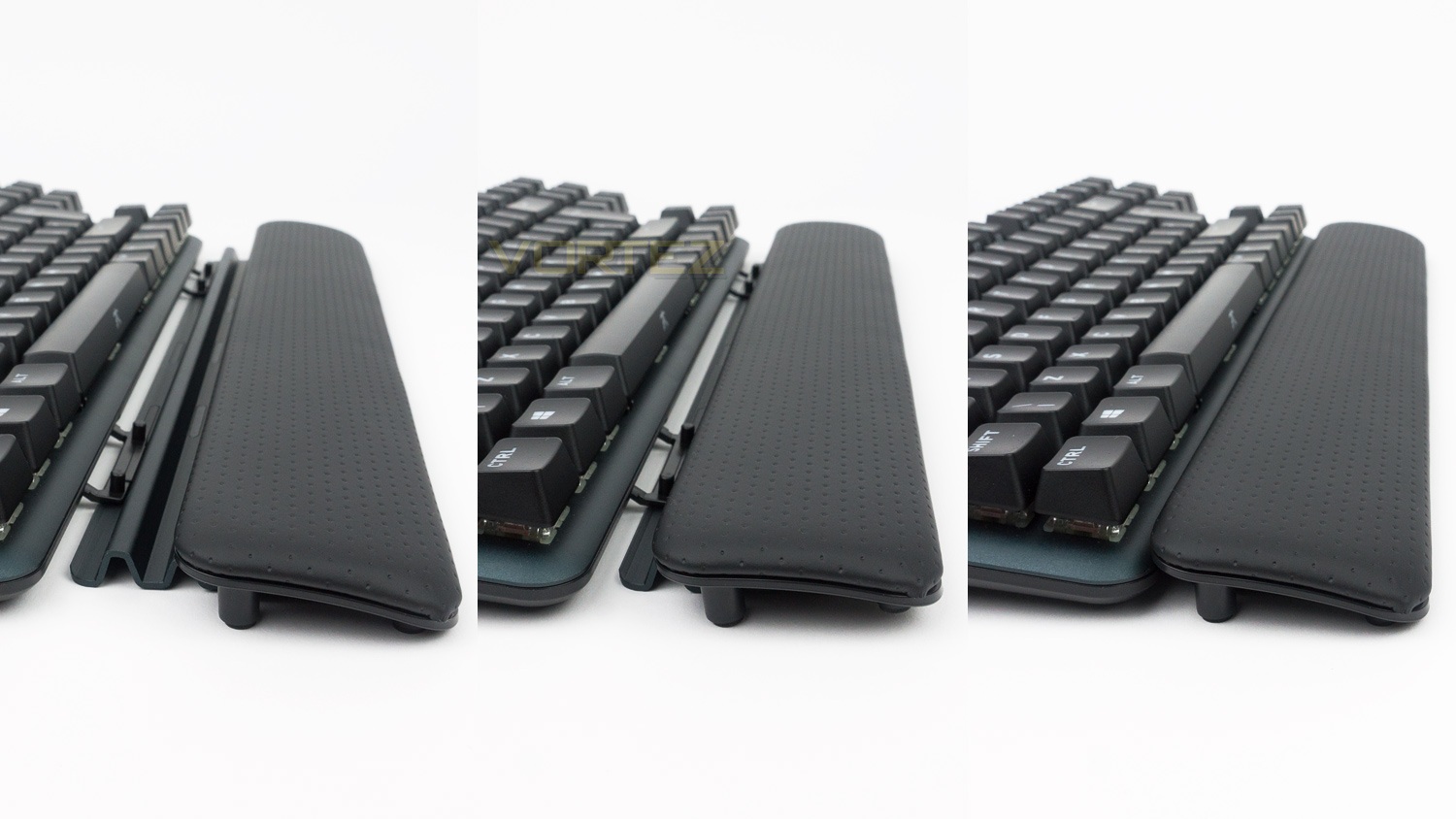
The removable wrist rest is made from two core parts. There is the top section which is padded and made from a PU leather whereas the underside is metal and provides some scope to adjust the pad to your preference.
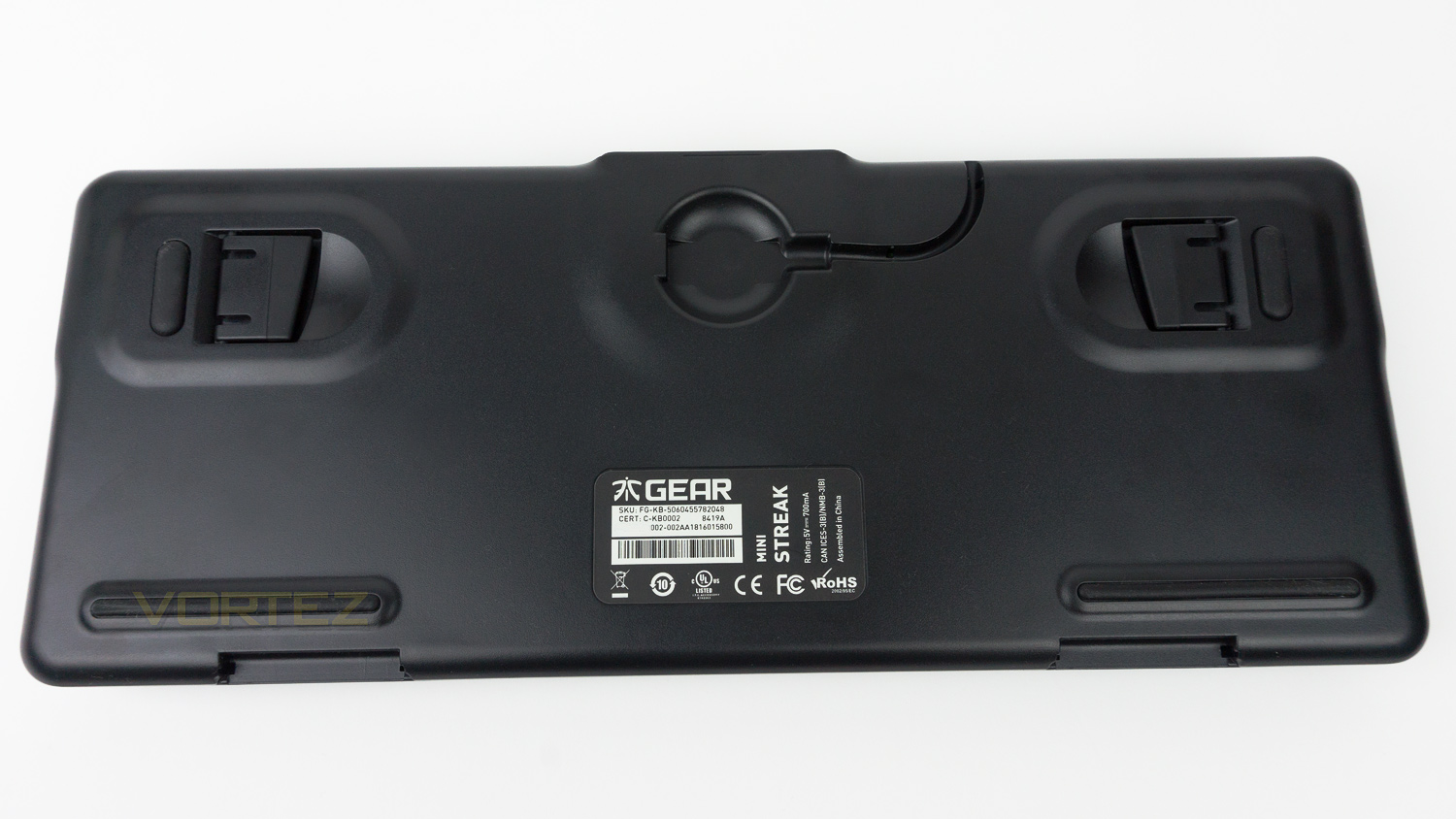
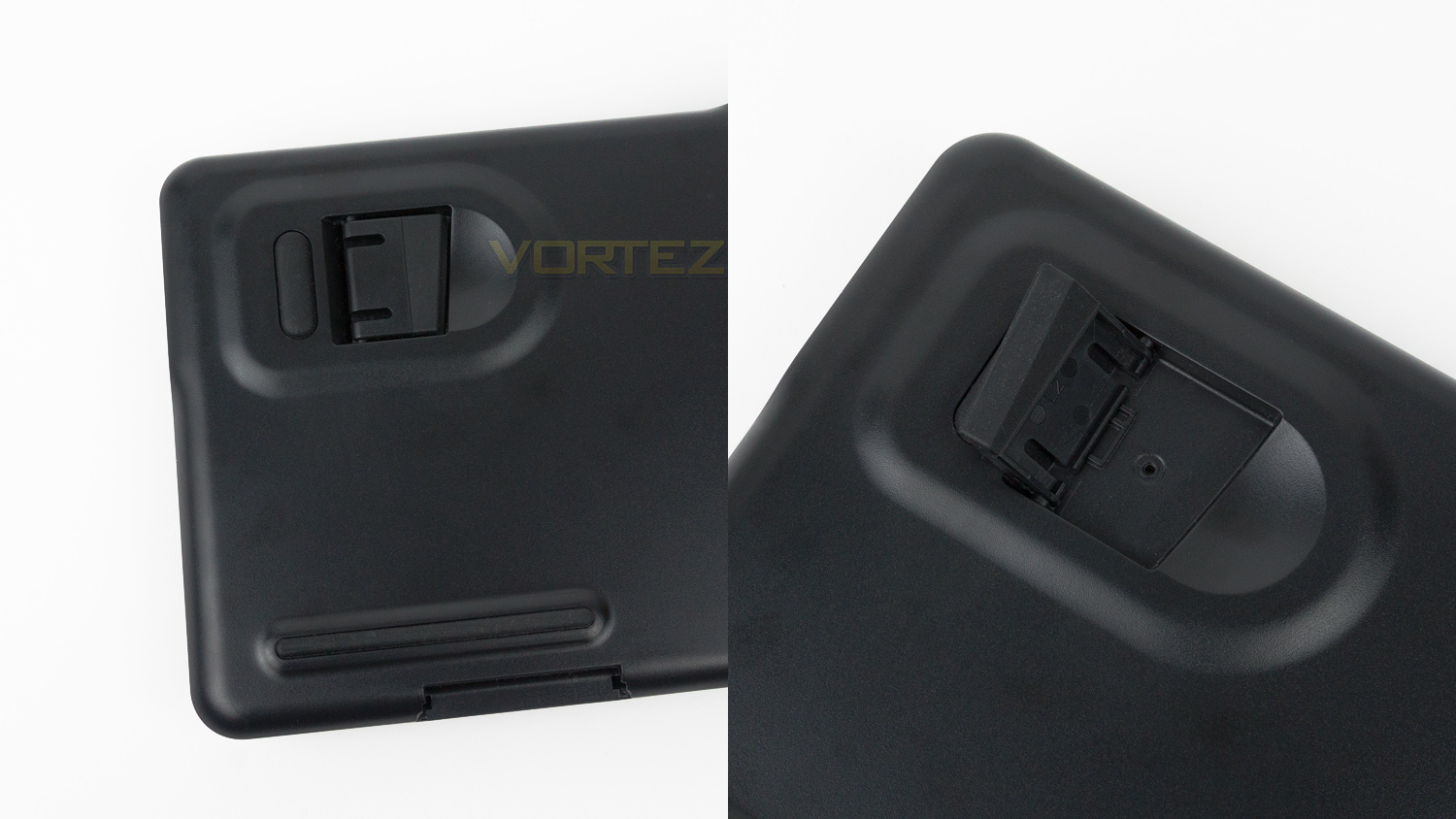
The underside of the miniSTREAK features a channel for the removable Type C cable as well as four good sized rubber feet. There is also an additional six feet if you opt to use the wrist rest. The riser feet have a generous amount of rubberised grip as do the strips located at the bottom. When in use they do all work together to provide solid levels of grip.
Software
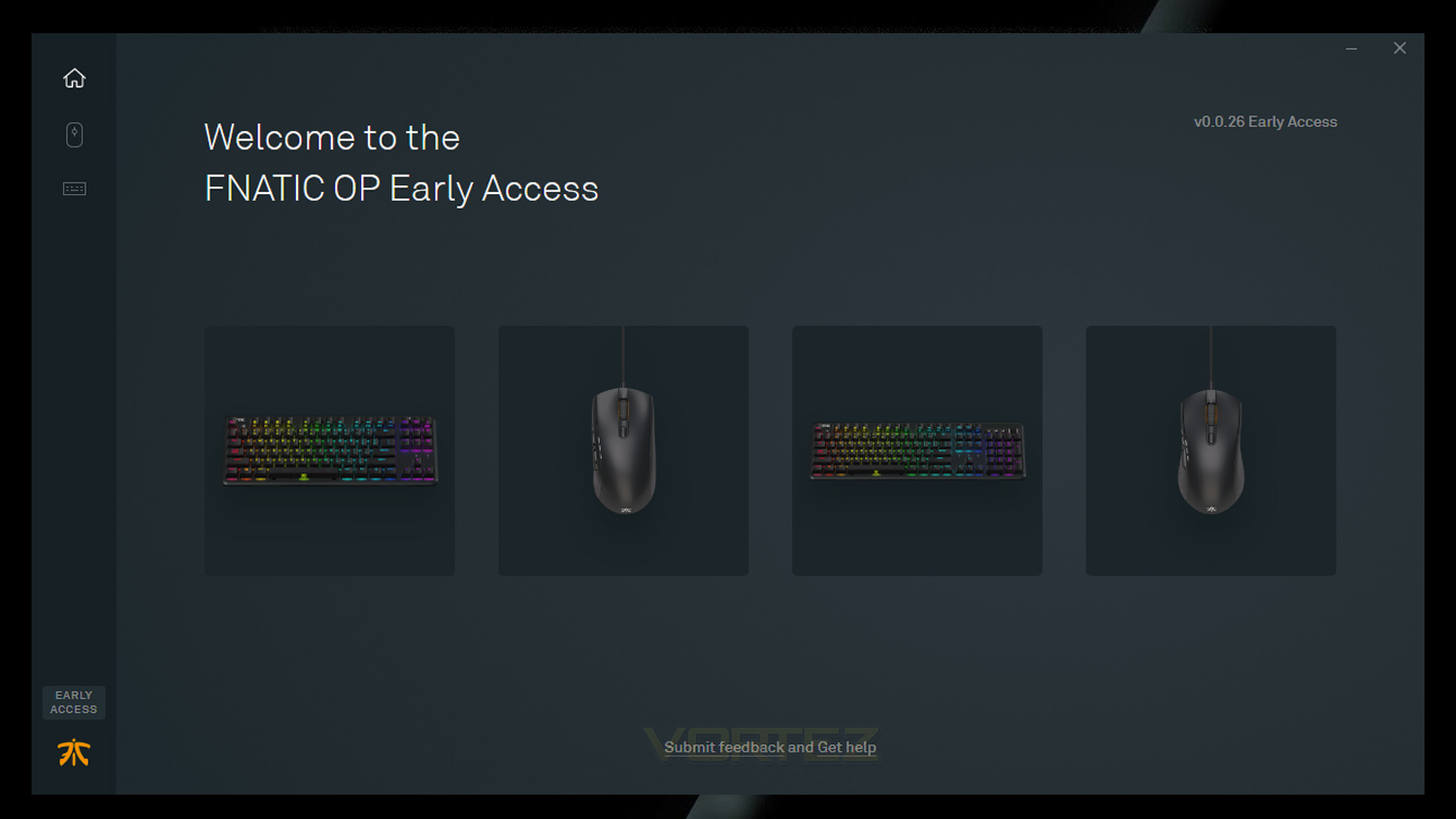
Fnatic’s OP software works with their STREAK line of keyboards and also the CLUTCH2 and FLICK2 mouse.
Performance Testing
Setup & Observations
Getting going with the Fnatic miniSTREAK is straightforward, and all you’ll need is a spare USB port and an internet connection if you wish to make the most of the keyboards features. The only other real setup that needs doing is to connect the Type C cable and to attach the wrist rest if you plan on utilising it. Attaching the rest is easy and barely takes any time at all. An easy way to do it is to remove the top section and then connect the metal base to the keyboard, once done, you can then add the top section. Speaking of, the wrist rest is very comfortable to use as top section is padded and covered in a soft PU leather. The top section can be adjusted if you need, this is great if you find that you don’t like the stock placement.
For everyday use the miniSTREAK is great, it’s very compact measuring in at just 360 x 194.5 x 36mm with the included rest and 360 x 142 x 36mm without it, this is perfect if you don’t have a lot of desk space and can’t accommodate a full-sized mechanical keyboard. It is also very comfortable to use and better to type on than anticipated. As the keyboard is very compact we were expecting it to feel cramped, but our experience was the exact opposite, and even though smaller than a full-sized keyboard, the layout is pretty much identical with the same amount of typing real estate. The key spacing is generous, and the keys are a good size too, plus they have a very nice coating which feels very nice when typing. The wrist rest also improves the typing experience as it helps to reduce any wrist strain from prolonged use, this is great as this type of strain is common for those that have to use a keyboard for long periods of time. Of course, a wrist rest isn’t for everyone, but this one has the bonus of being adjustable and removable.
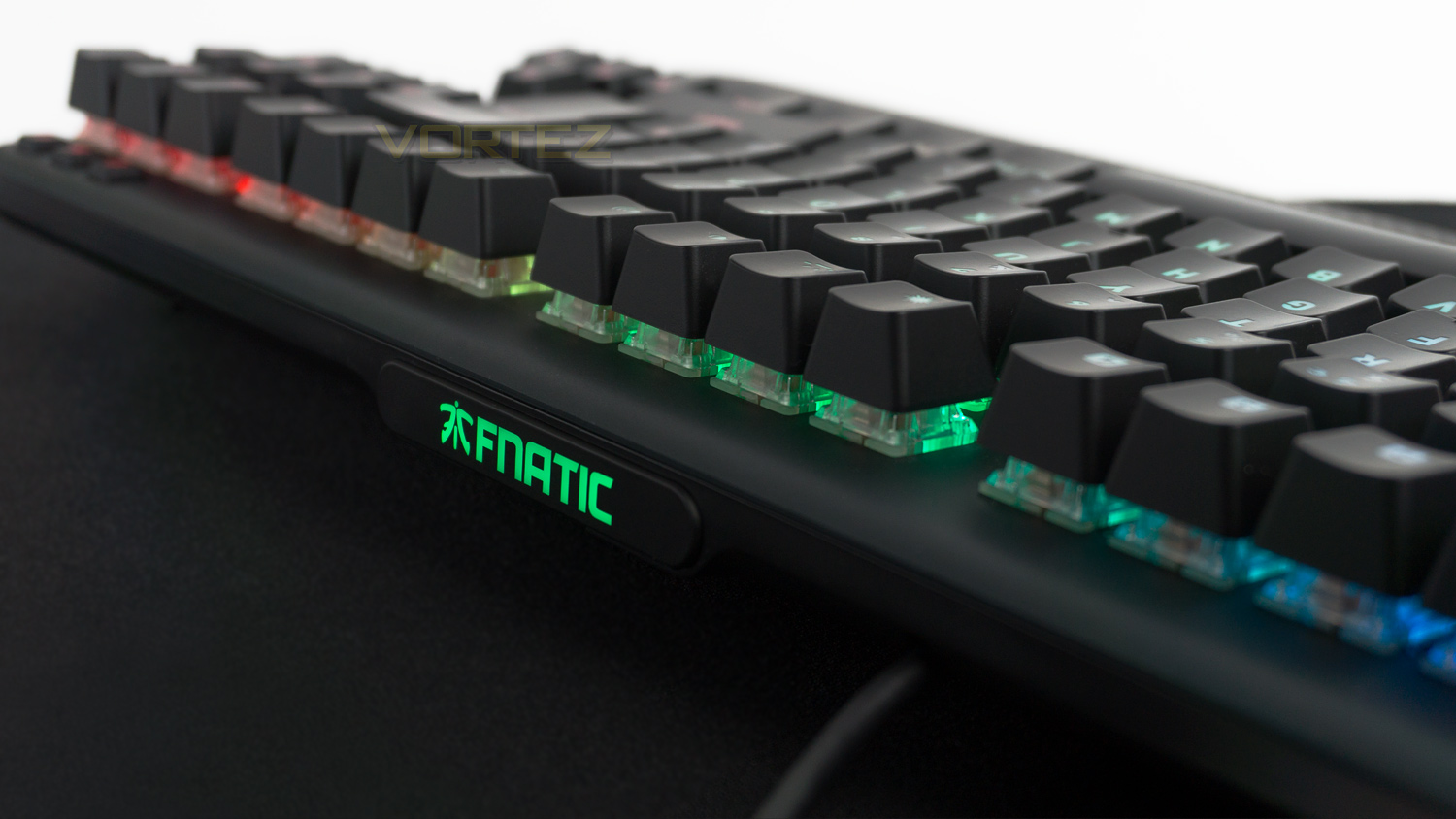
The miniSTREAK unit we have on hand uses Cherry MX Red Silent switches and they did take some getting used to, it’s not that they are different to the non-silent Reds, its just… they are a silent. When using regular Cherry MX Red mechanical switches they do omit some minor noise, but nevertheless it is a noise that you associate with Red switches. With the Red Silent, they don’t and its a bit odd, but not in a bad way. This lack of mechanical noise would be great for those that like the feel of Cherry Reds, but don’t like the noise that they omit – streamers, in this case, come to mind. If you do like the noise, then opt for the regular Reds as you’ll get the same feel as well as the mechanical audible feedback.
Another strong feature is the FN lock button, this is located at the top left of the keyboard and works by setting the F keys back to their FN key versions. This works great for controlling media as you don’t have to press FN at the same time as using the F media keys. This pretty much makes them act as dedicated media keys which are a feature you don’t really see on keyboards like this. The top right also has some nifty features which come in the form of three buttons, one acts a button for competition mode, and the others are designed to quickly mute your audio and microphone. These work as intended and mean you don’t have to delve into your desktop to perform these actions.
RGB illumination
The miniSTREAK has full RGB integration with per-key backlighting. The illumination can be adjusted either by the keyboard or via the Fnatic OP software. In the software there eight main effects to choose from and each have their own degree of customisation. For example, with the wave effect you can alter the animation speed and the direction as well as assigning a colour, the Gradient effect allows you to add up to 10 different colours to be displayed at any one time and then there is the most comprehensive which is the colour editor option. With this you can essentially change every single key and have it a different colour, this is achieved by using groups, but you can add as many groups as you’d like. As good as the software is, it is still missing some features found on other software suites, however, it is still in the early access phase and will likely see new additions in the future.
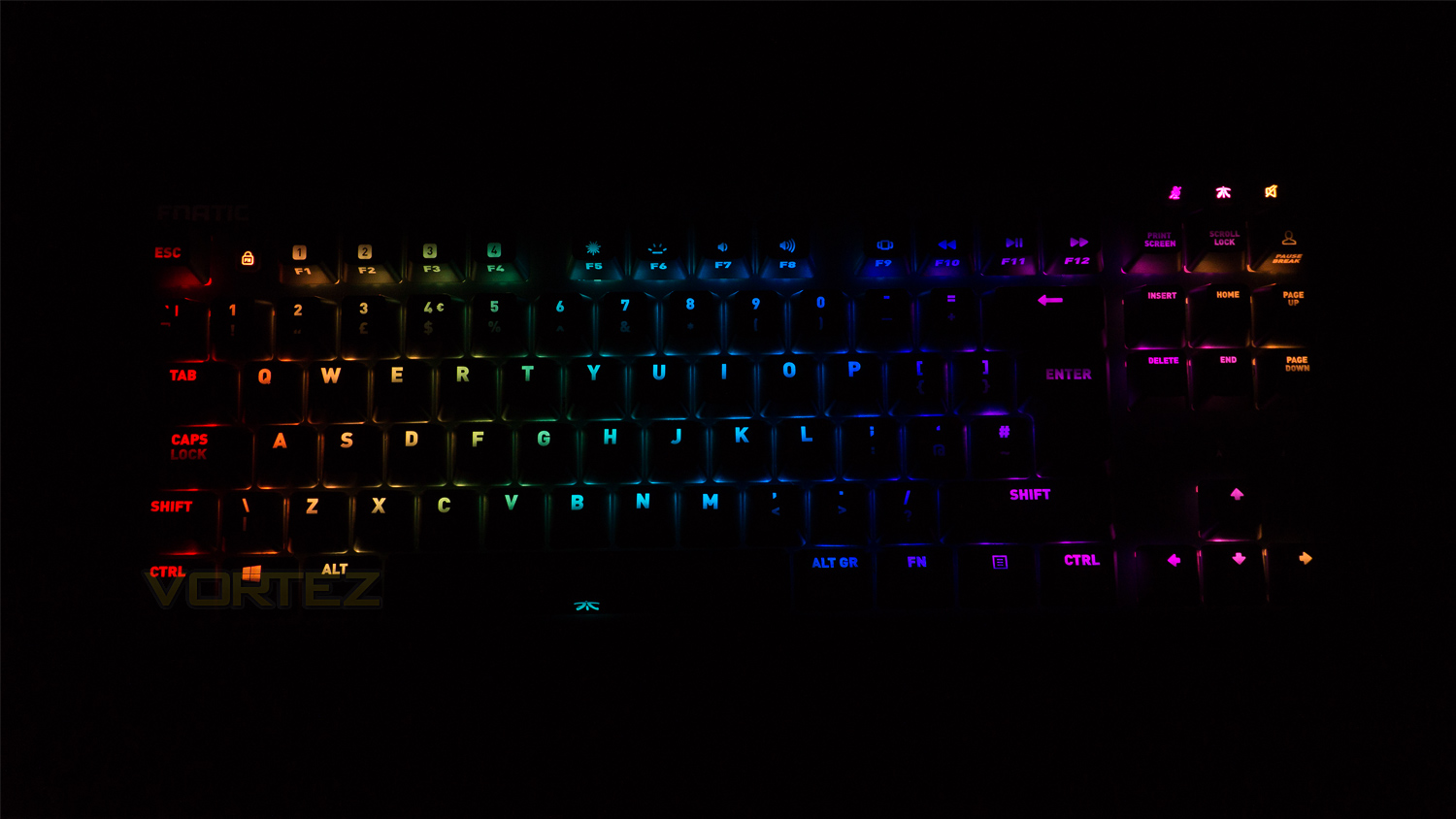
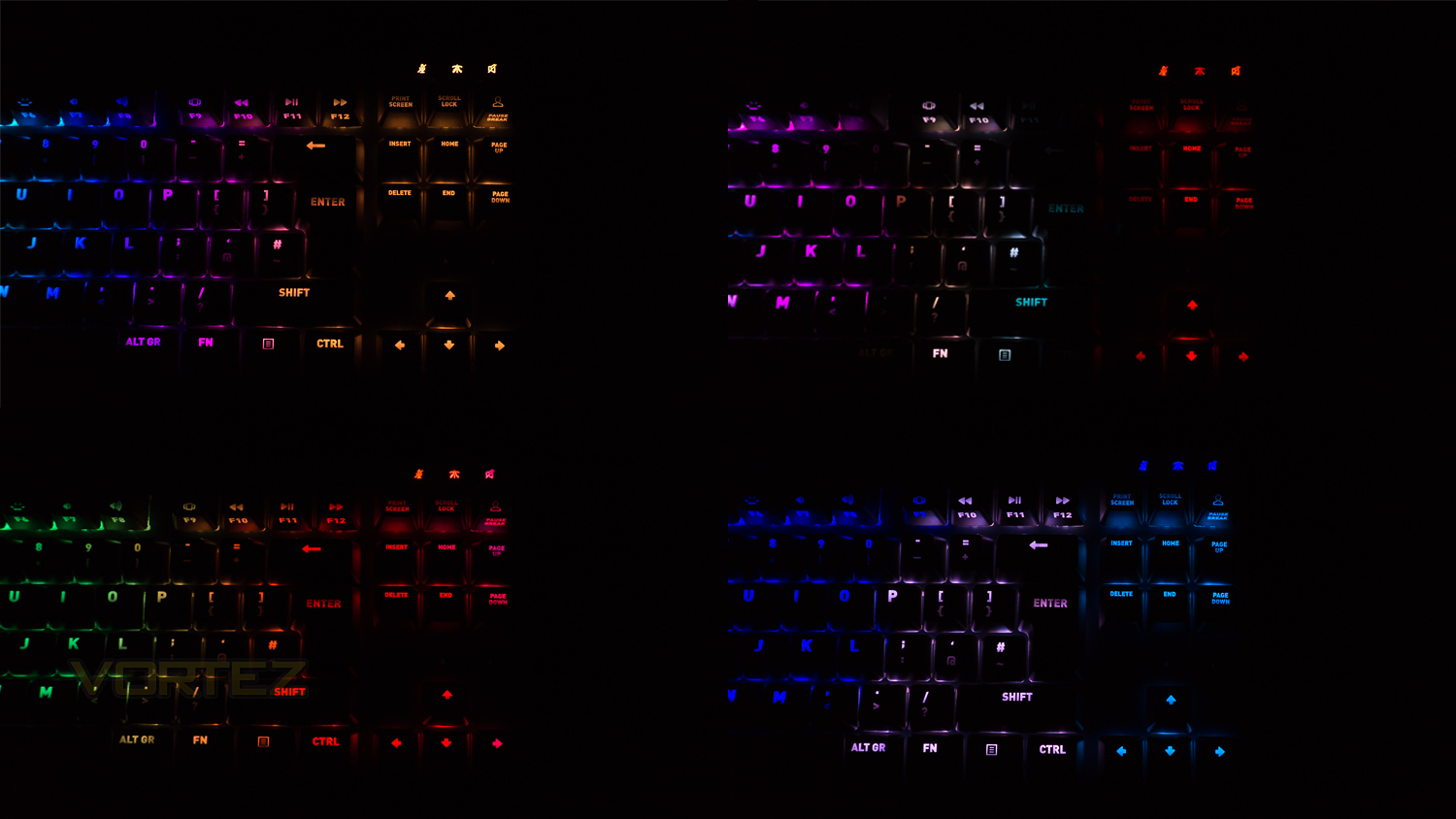
As for the illumination, it’s decent with effects that are nice and smooth and gradients that are well done. Colours are nicely vivid and have good levels of saturation, whites are a bit on the warm side and are dis-coloured with a magenta hue. However, when looking at the lighting on the removable plate – on the top edge of the keyboard, the whites don’t have the same magenta hue and is purer. There are also a few spots where the illumination isn’t as full as it could be, this is more noticeable on keys with two lines of text. On the plus side, the colour spill is kept in check, and the illumination is bright and doesn’t look dull, even when under the direct light of a LED desk lamp.
Performance
The Fnatic miniSTREAK is available with four different Cherry MX switches that are designed to act and feel different. The ones that the miniSTREAK are available with are the Blue, Brown, Red and Red silent. Our unit has the Red Silent which behaves exactly like the regular Reds but minus the mechanical audible feedback. They feel very quick and linear and have an actuation force of 45g with a travel distance of 4mm and a distance of 2mm to register an input. To test the miniSTREAK we loaded up the usual series of games which include Fortnite, Overwatch and PLAYERUNKNOWN’S BATTLEGROUNDS.
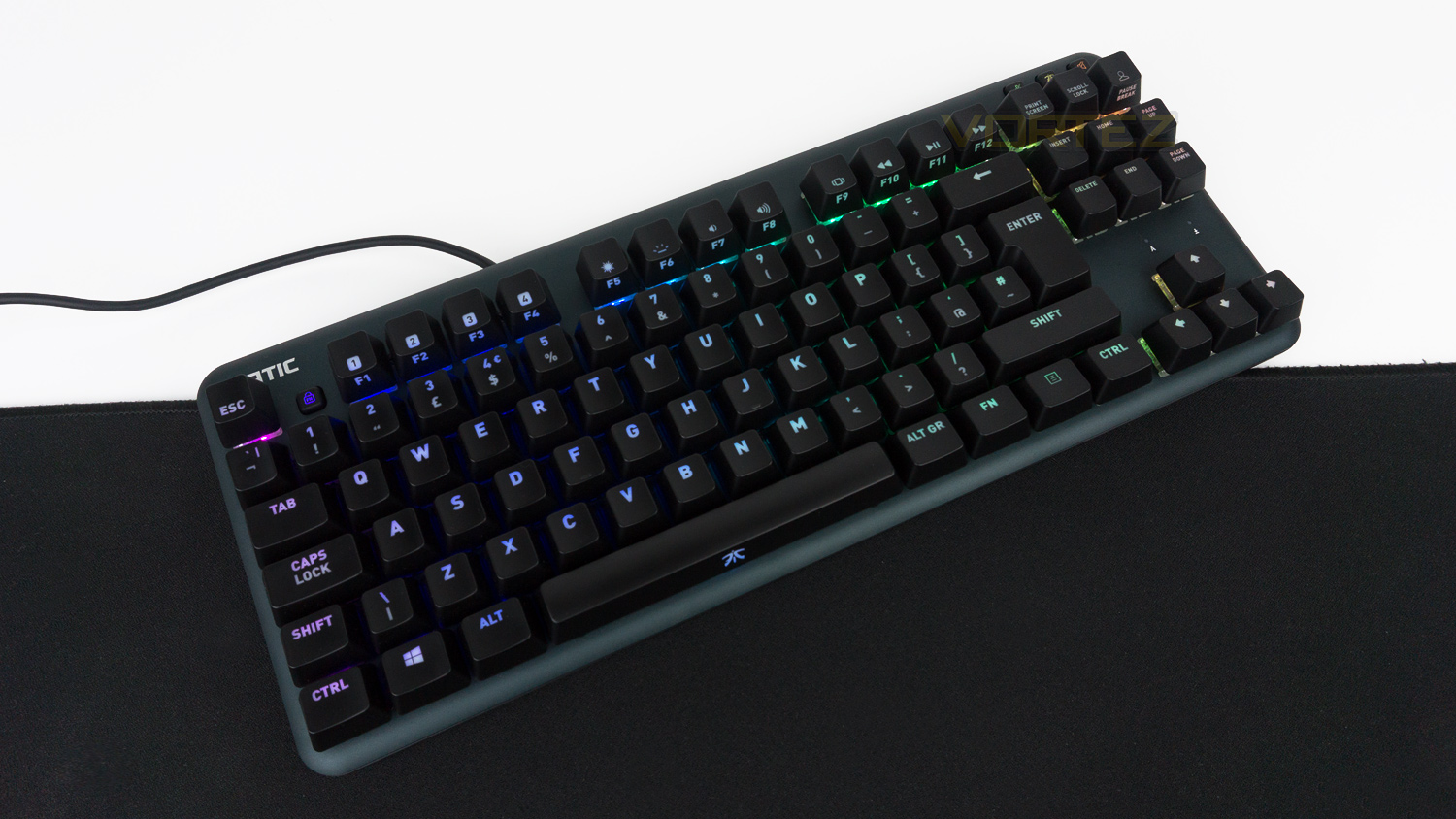
For gaming, the miniSTREAK really does deliver. The Cherry MX switches are brilliant – but then we expect nothing less. They are smooth, fast, fluid and responsive all while being very linear in their movement. If you crave a more tactile feedback, then we’d suggest opting for either the MX Brown or Blue, but it’s the speed of the MX Reds are the big selling point, and the Red Silent are no different. The switches kept up with everything we threw at them and even during some hectic battles in Overwatch and Fortnite they never faltered or let us down. Then combine the rapidness of the switches with the 1000Hz polling rate and the gaming experience is superb, there is no delay and the best word to describe the performance is “immediate”. So if you play a lot of competitive titles, this combo won’t let you down. It also stays nicely planted too, this is thanks to the rubberised feet underneath that just grip and barely move.
Competition mode is a great feature if you want to knuckle down and get some serious gaming done. At the press of a button, you can alter various aspects of the keyboard. By default, the key tones down the lighting and removes any RGB effect that was previously set. If you then go into the OP software you can further customise the key to disable keys, and also set a custom lighting profile. This is great for games like Fortnite as you could disable all keys that weren’t bound to a function and essentially prevent any input that wasn’t needed.
Conclusion
The Fnatic miniSTREAK is a superb keyboard with minimal flaws. The design is quite subdued with just a few minor nods its gaming credentials, the build quality is brilliant and it just feels very solid and well put together. It is also very comfortable to use daily and for gaming thanks to the padded wrist rest that also has more functionality than meets the eye. This functionality comes in the form of adjustments, of which there are three to select from, this provides great scope to maximise comfort. Then the extra little touches further help to solidify its standing as a gaming keyboard, these additions are the FN lock and competition mode. The FN lock essentially turns the media keys into dedicated media keys which usually requires an FN input to work. This is great as it removes an extra input and makes using them for media that much better. Competition mode is also brilliant if you want to disable all the distractions and just focus on gaming, this button can be customised using the software. The final strong suit is the switches – Cherry MX Red Silent in this case, which just are great for gaming. They offer a linear response combined with speed and fluidity, plus they don’t have the same audible noise as the regular Reds which makes them ideal for streaming.
The miniSTREAK isn’t without fault though, and there are a few things that could have been better. RGB is one instance that we feel could have been stronger. The effects are great and the illumination is vivid enough, it’s just that there are a few spots where the illumination isn’t full and also the whites have a magenta hue. Another minor drawback is the lack of a USB pass-through, it would have been a nice inclusion at the price point and would have brought it more in-line with the STREAK. The final slight negative point is the software, it’s easy to use and very well styled, but it’s just missing a few features that can be found in some rival suites. On a more positive note, the software is in the early access phase, and there is a likely chance that these features could be added down the line.
Ultimately the Fnatic miniSTREAK is a superb gaming keyboard that is well priced and almost matches its larger sibling in terms of features, but yet is more compact. Also, the Silent Red switches would make this an ideal choice for gamers and streamers that don’t like the sounds that sometimes accompany mechanical switches.
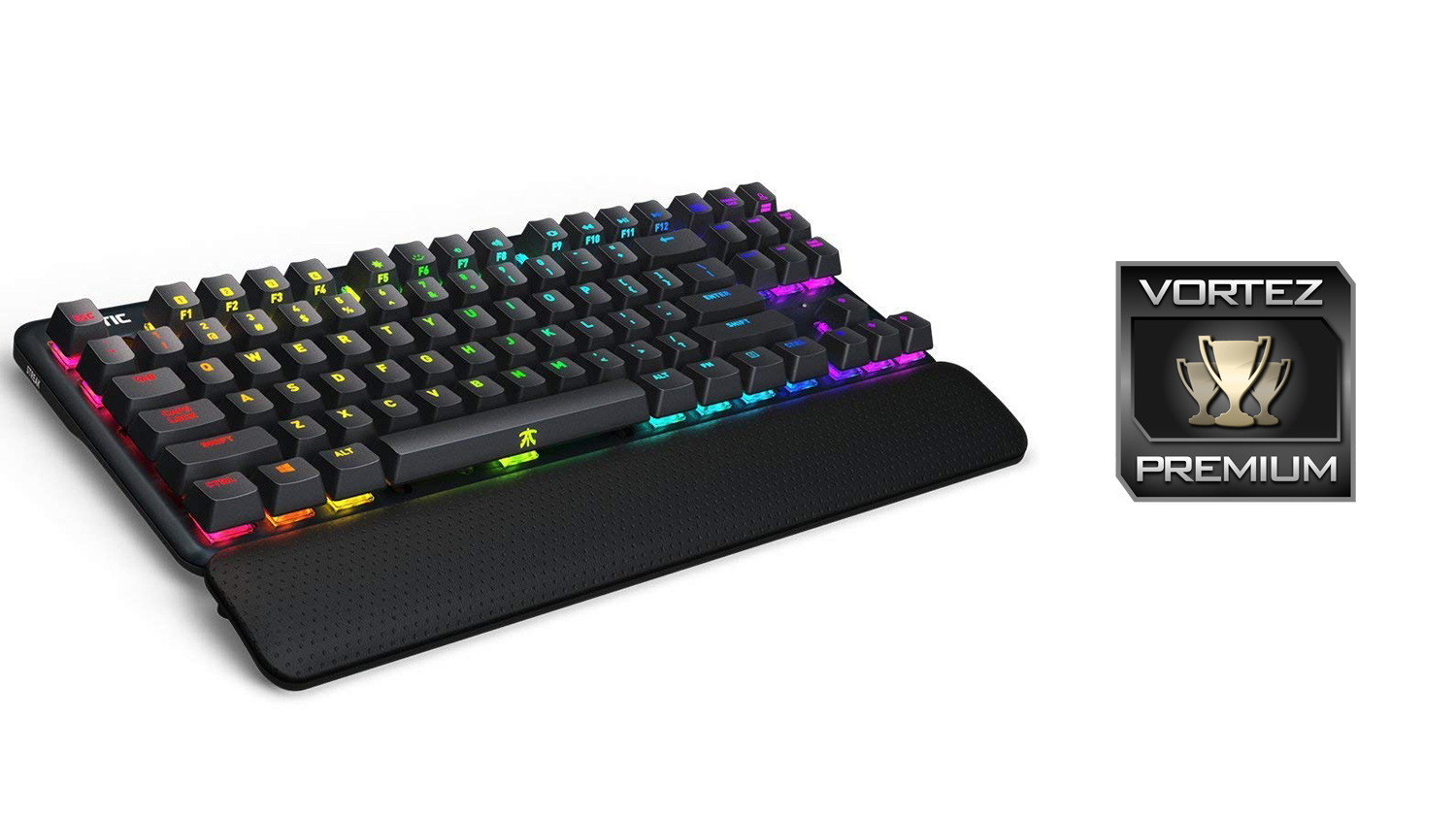
Fnatic have done a top-notch job with the miniSTREAK as it performs like a champ, but also doesn’t skimp on the creature comforts that help make this full-featured gaming keyboard.
Pros
+ Brilliant gaming performance
+ Compact form factor is great for small desks
+ Strong build quality
+ Removable and adjustable wrist rest
+ Comfortable to use daily
+ FN lock and competition mode feature
Neutral
+- RGB illumination is a mixed bag
+- Software is short on features in comparison to some rivals
Cons
– No USB pass-through
+ Brilliant gaming performance
+ Compact form factor is great for small desks
+ Strong build quality
+ Removable and adjustable wrist rest
+ Comfortable to use daily
+ FN lock and competition mode feature
Neutral
+- RGB illumination is a mixed bag
+- Software is short on features in comparison to some rivals
Cons
– No USB pass-through
Click here for an explanation of our awards at Vortez.net.
Stay connected with the Vortez Social Media pages:
Join in with the discussions on Discord