A new computer case joins the Define Series – the Define S2 forges silence and elegance… and also adds in a touch of innovation for water cooling enthusiasts.

Product on Review: Define S2
Manufacturer & Sponsor: Fractal Design
Street Price: $149.99 USD – £129.99 GBP
Well-known for their persistence and passion with elegant case manufacture, Fractal Design are back again with a new addition to the Define Series. The Define Series has been successful in forging silence with class and today’s launch of the new Define S2 does not stray from this objective.
Following a modular open-layout design, the Define S2 carries similar characteristics from previous cases in the portfolio, building on success and introducing new, exciting and innovative features. There is strong support for those with an affection towards watercooling – up to 420mm radiators can be housed and there is a dedicated fill port.
At launch there are four variants available of Define S2- Black, White, Gunmetal and Blackout. We’ll be focussing on the Black edition today and over the subsequent pages we’ll be exploring this new case in plenty of detail – enjoy!
About Fractal Design
The concept of Fractal Design is to provide products with an extraordinary level of design, without compromising the important factors of quality, functionality and pricing. Today’s computer has evolved into playing a central role in most homes, creating a demand for appealing design of the computer itself and its accessories. Our main product areas are computer enclosures, power supplies and related accessories.
Technical Specifications
Below are the technical specifications surrounding Define S2.
Closer Look (Externals)
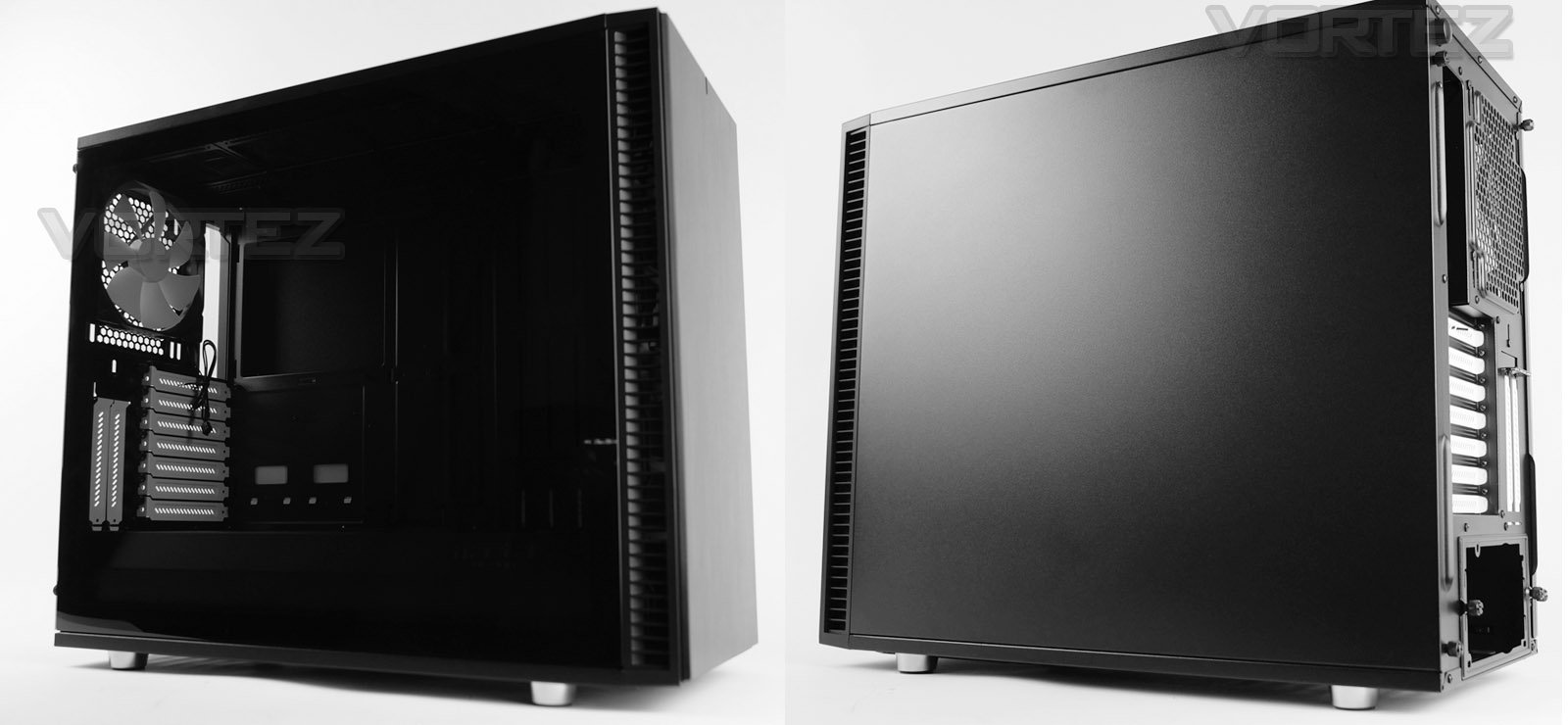
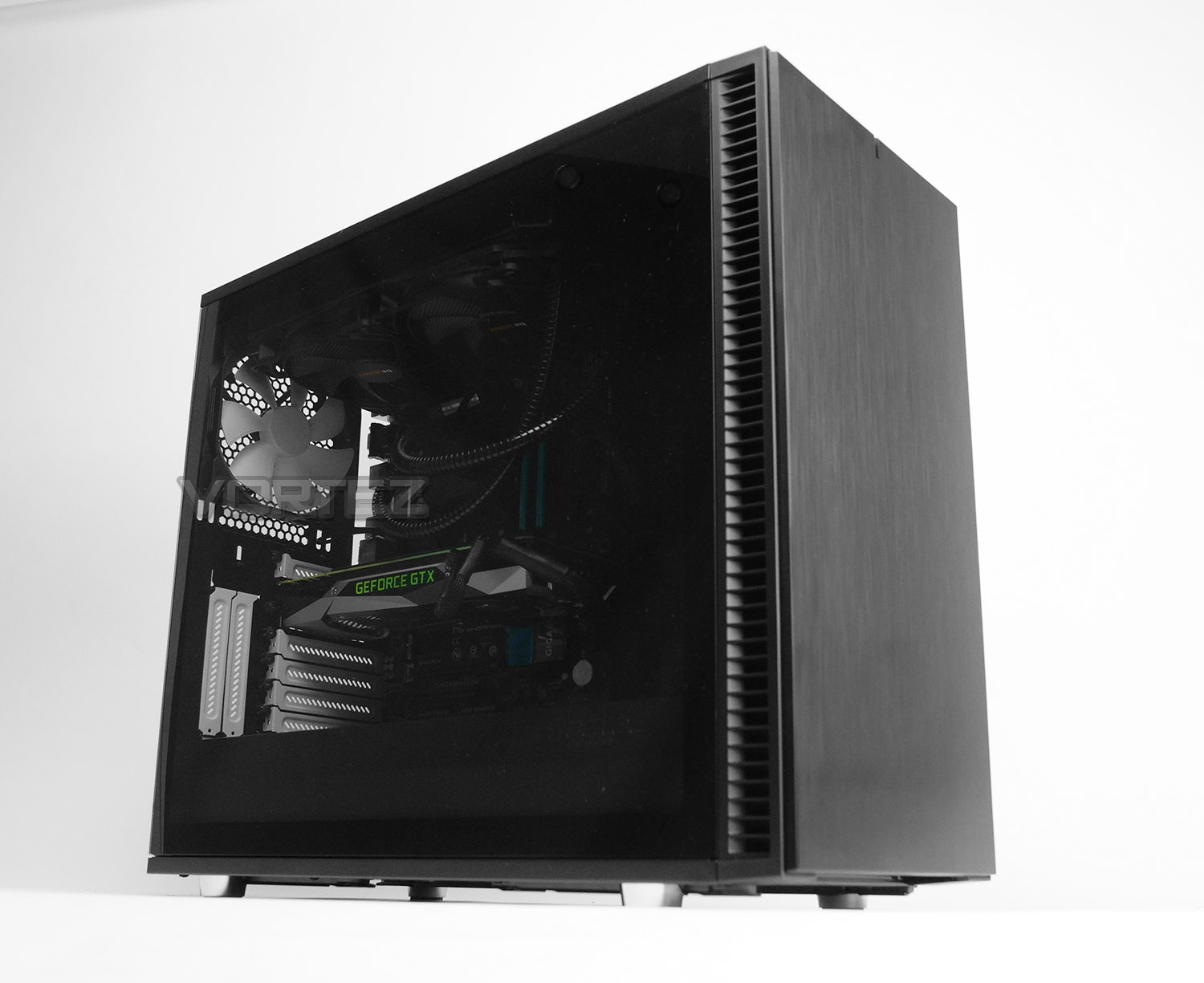
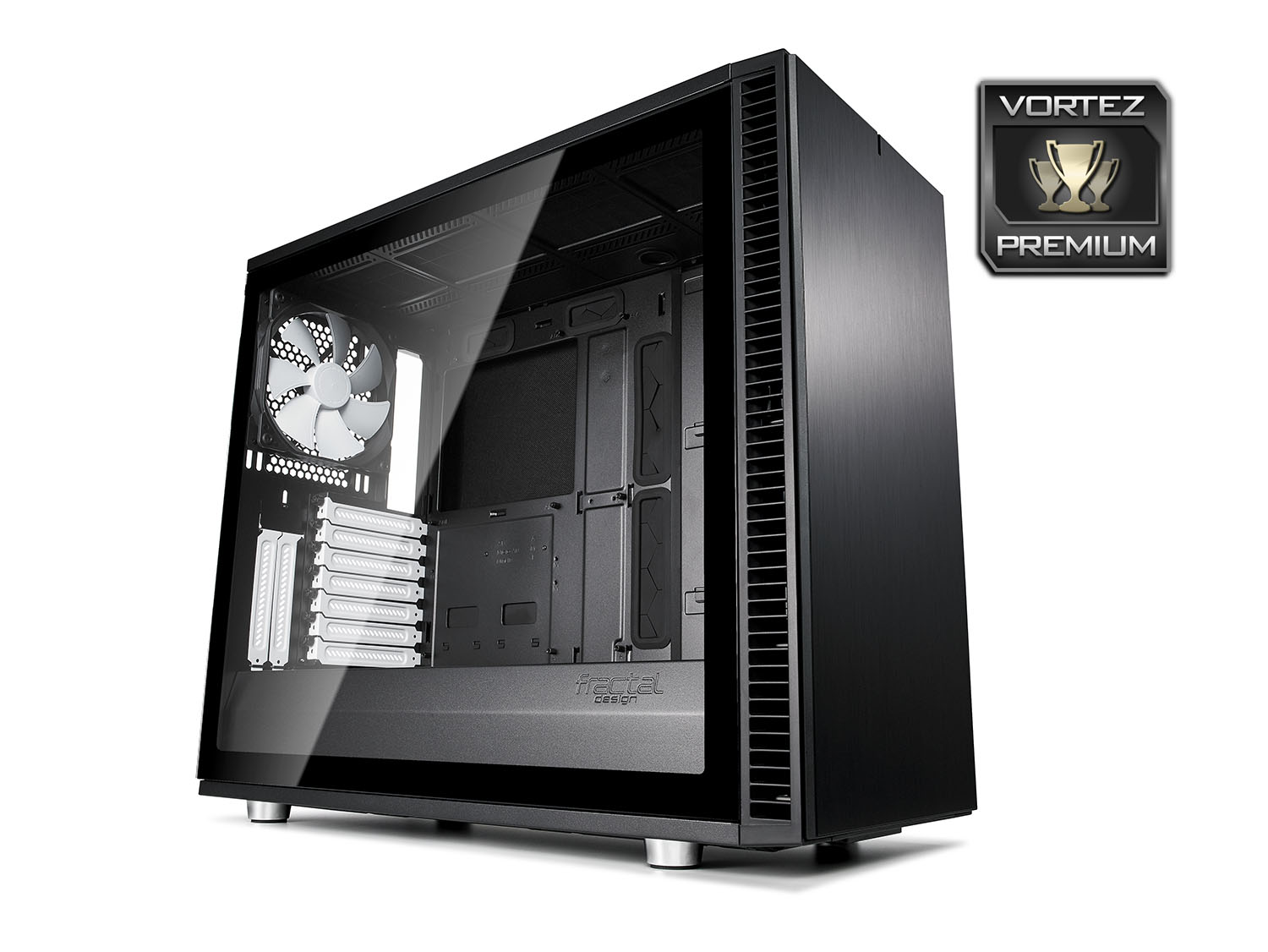
The most immediate feature we see on Define S2 once it’s removed from the packaging is the large, seamless tempered glass panel. Fractal Design has engineered this panel to have resistance against scratches and it also has the added benefit of not requiring any surface sided bolts to fix it onto the chassis. Instead, there is a push-to-lock latching mechanism and two thumbscrews to lock the panel into place. Having an edge-to-edge panel like this means we can take advantage of a full preview of the internal components and show off the system.
Over on the other side we again have a push-to-lock latch mechanism with thumbscrews. This panel is completely solid and without any significant features – except on the inside, FD has attached a thin layer of noise damping material to keep noise down to a minimum.
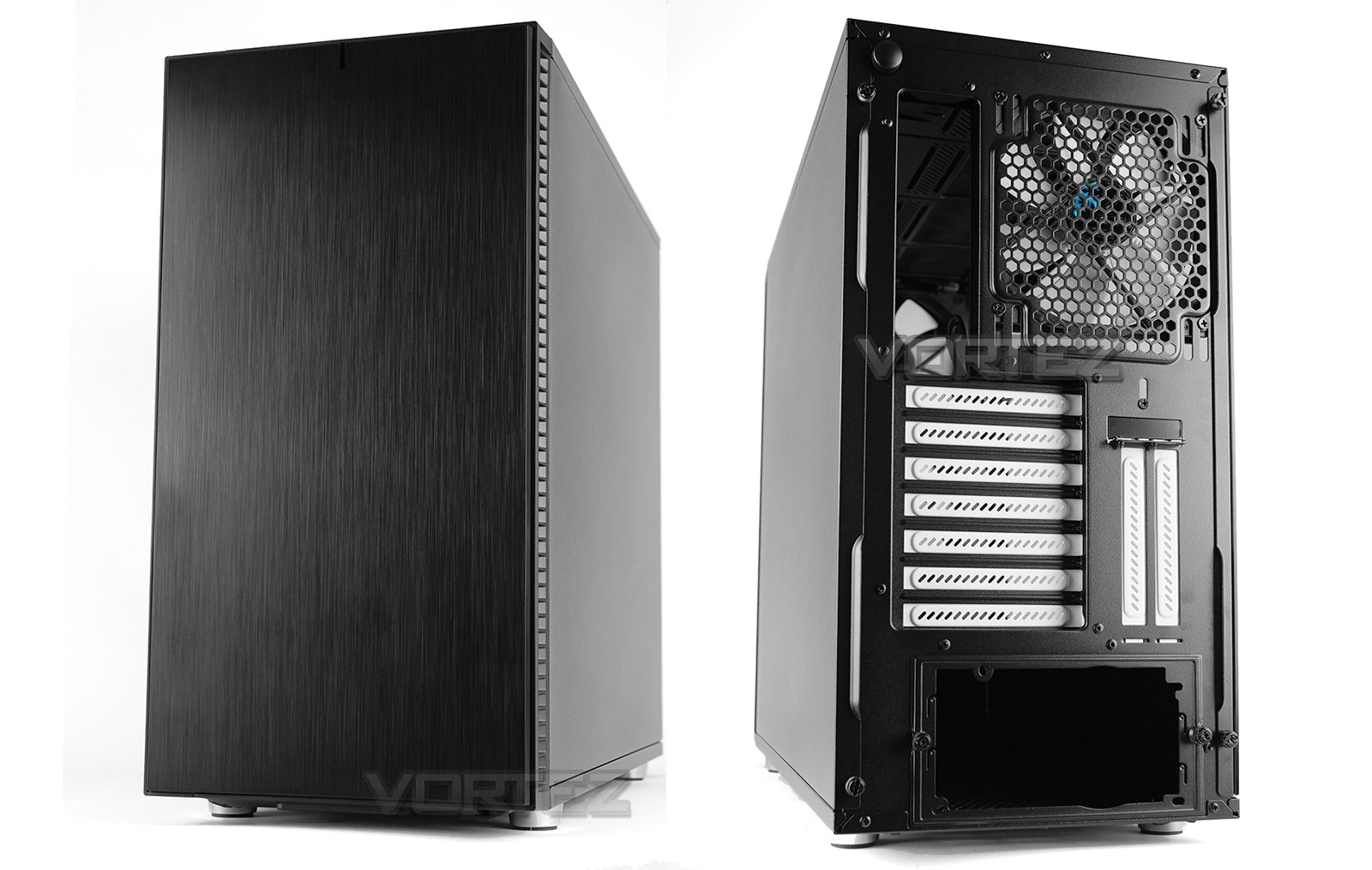
In true FD tradition we have a brushed aluminium front panel which oozes that finesse we’ve become accustomed to throughout the Define series. While this panel appears to be completely closed off, there is ventilation down each side which allows cool air into the chassis. On the inside of this panel there is noise damping material and although there is no front mounted dust filter the cooling fans, the side ventilation has detachable filters instead.
Around the back, there is an opening for installing the PSU, seven horizontal PCI expansion slot covers with two vertical PCI expansion slot covers and a pre-installed Dynamic X2 GP-14 cooling fan which acts as a rear exhaust.
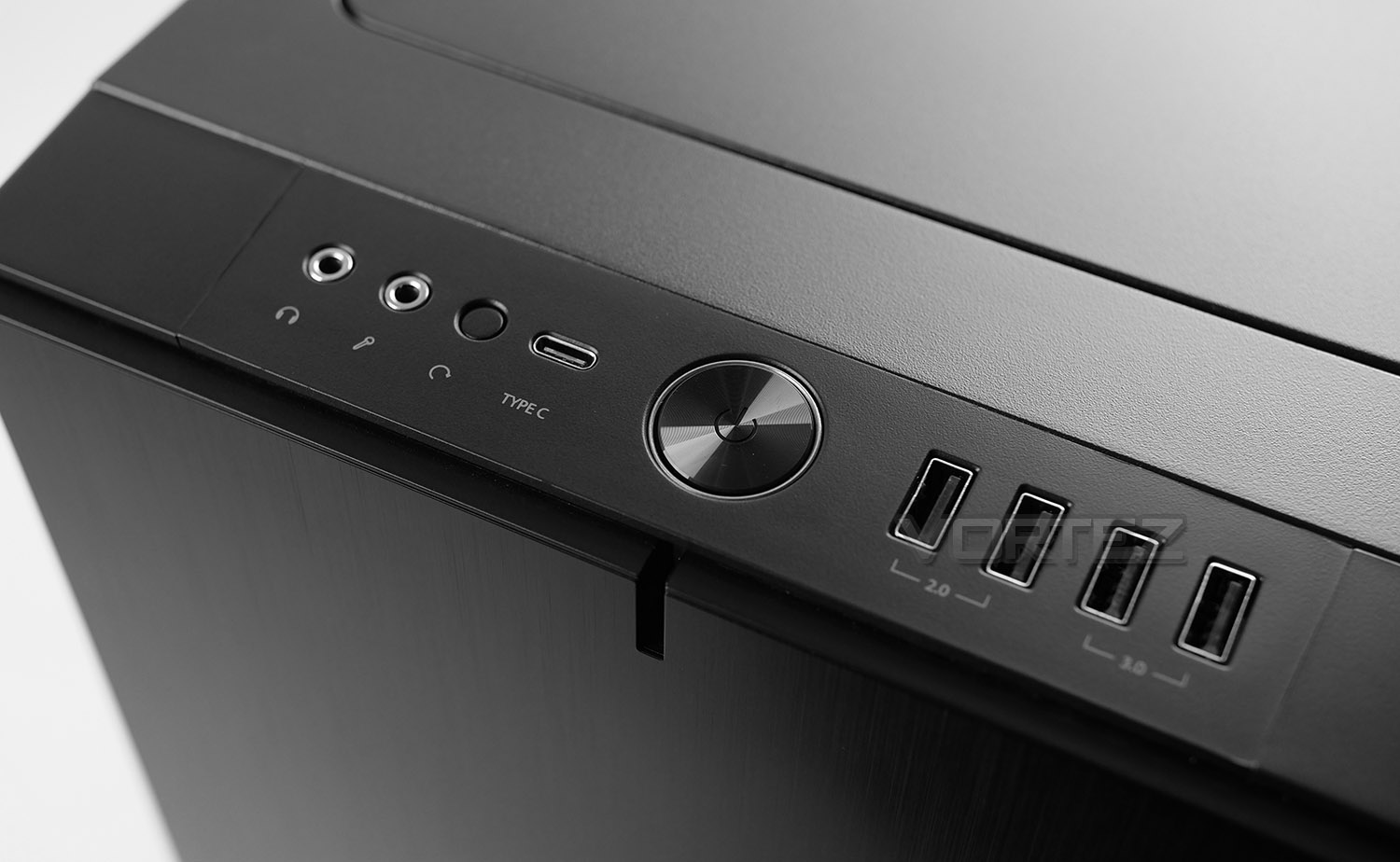
Up at the top we have the front panel connectivity which consists of the following:
• Headphone/microphone jacks
• Reset button
• USB 3.1 Gen2 Type-C port
• Power Button
• 2x USB 2.0 ports
• 2x USB 3.0 ports
This is one of the first cases we’ve seen arrive with a USB 3.1 Gen2 Type-C port and it’s something we very much welcome. Not only does this port offer up to 10Gbps transfer rates but it allows fast charging of mobile devices. To make use of this port, you will need to have a USB 3.1 header on your motherboard.
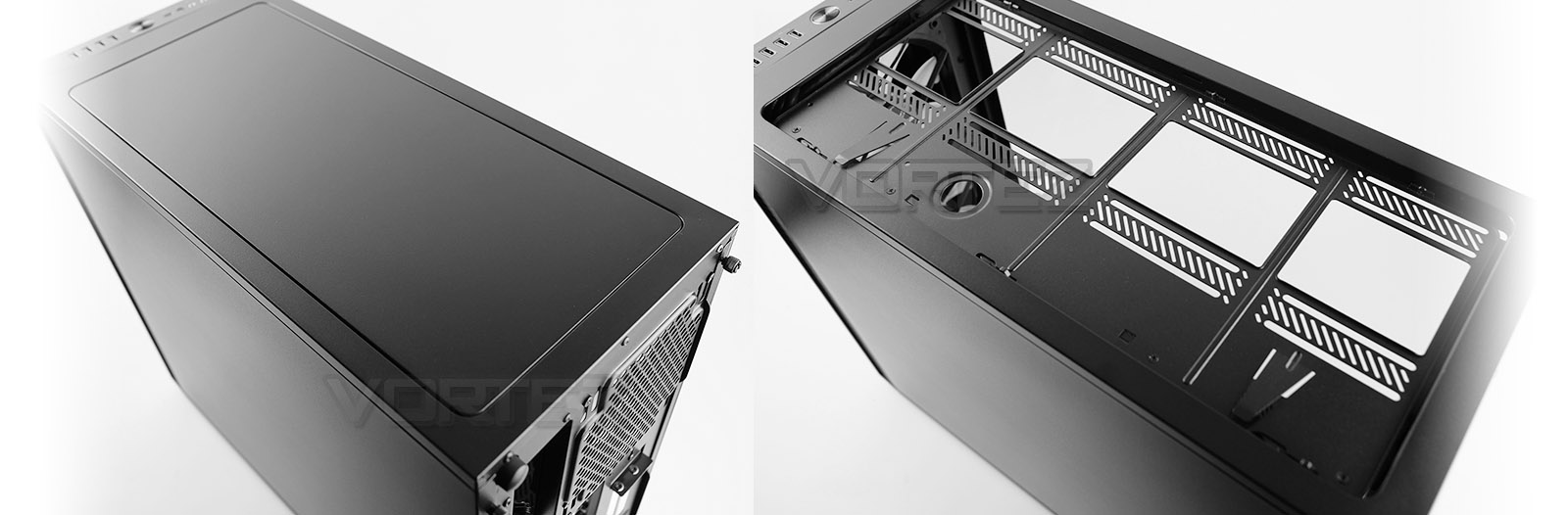
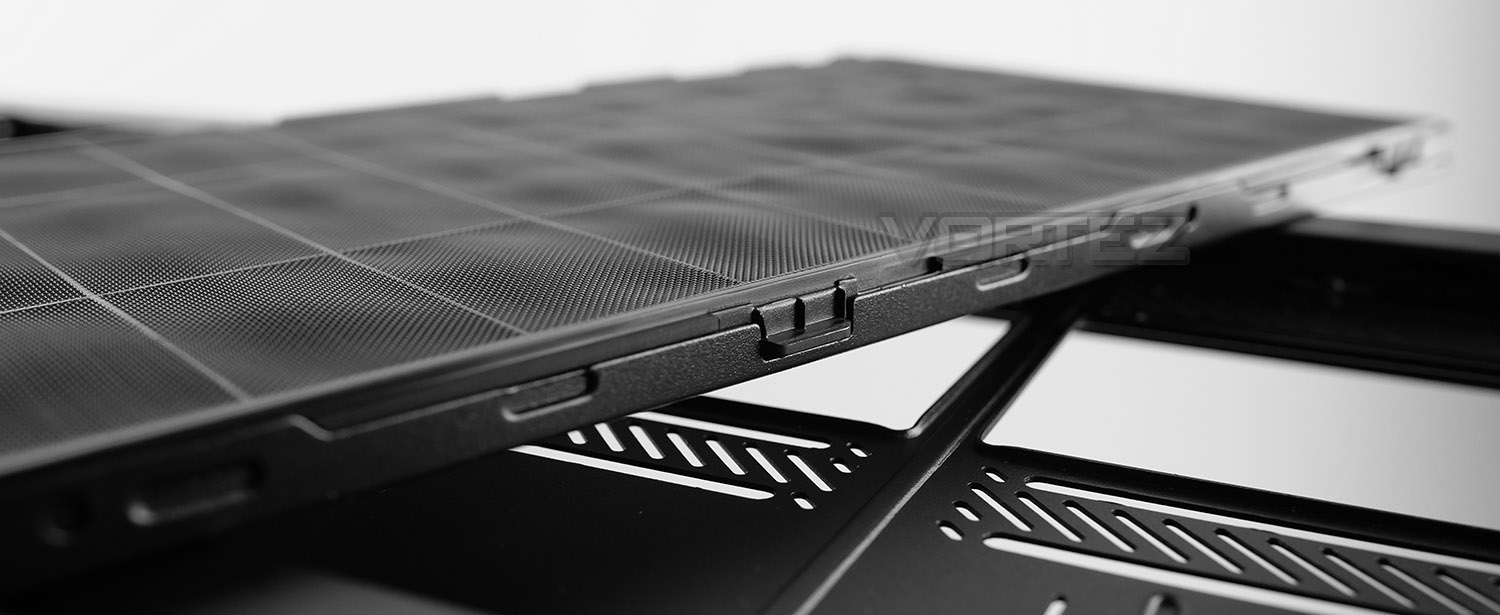
The Define series is well-known for its ModuVent design at the top of chassis and with Define S2 we have the third installment. The top section is completely sealed off when the top panel is fixed into place – this panel has noise damping properties which prevents noise from escaping. At the top of the back panel you’ll notice there is a large, black button – pressing this unclips the top panel and this can be lifted away from the chassis. The mechanism here uses a spring mechanism and works really well, it effectively means there are no screws to remove with such quite/easy access.
After the panel is removed we are left with a cooling bracket, which again can be removed if desired. Fans/radiators can be attached externally and then installed in one step later on. On this tray we have a dedicated fill port for custom watercooling loops – meaning there is no need to modify the case for such a configuration.
Additionally, at the top we can install 3x 120/140mm fans.
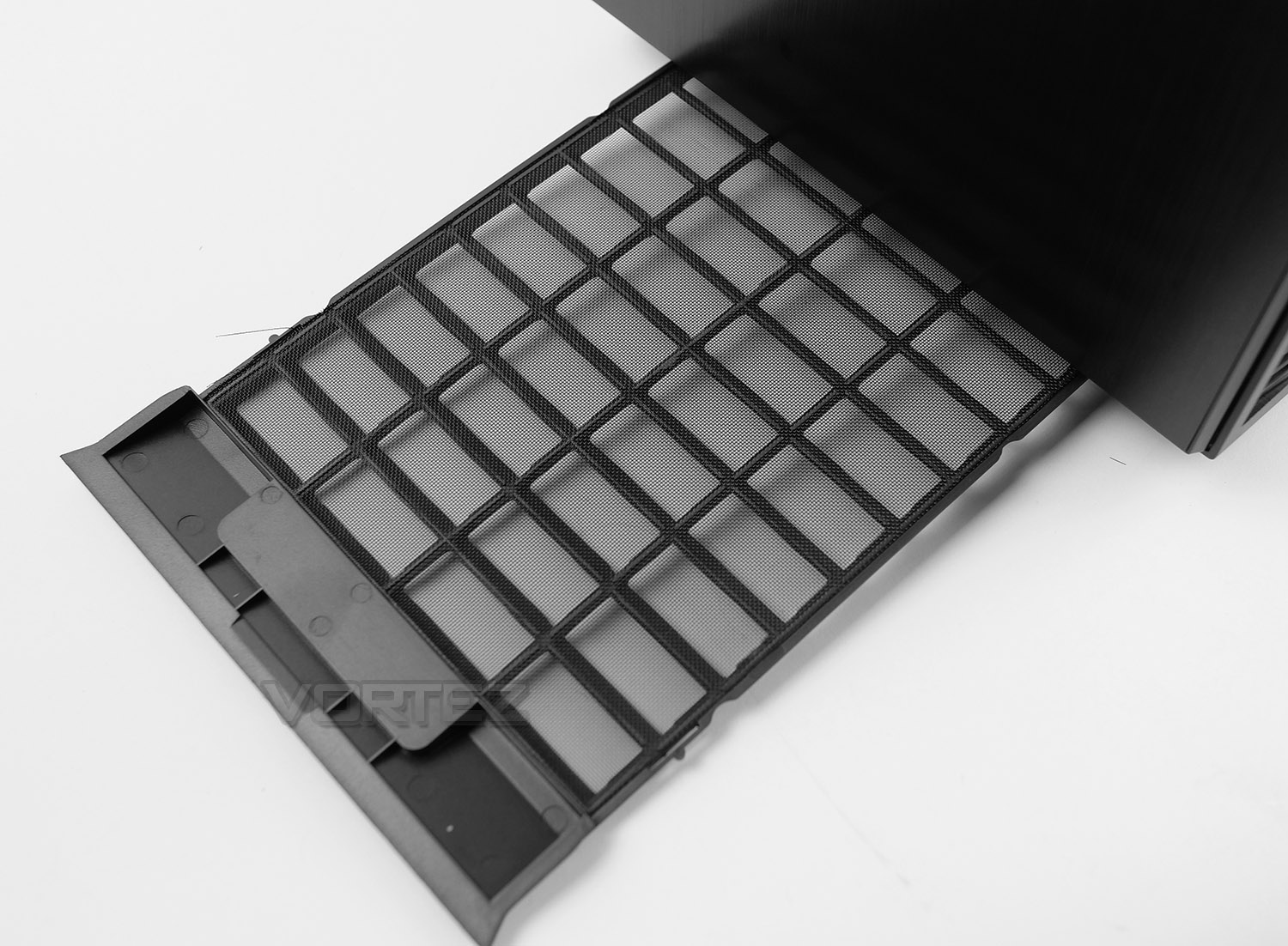
Cover the entire undercarriage of the chassis is a detachable dust filter – this filter is extracted from the front of S2 and needs to be removed in order to detach the front panel. This can be easily removed/cleaned when necessary and does not need the case to be on its side for successful removal.
Closer Look (Internals)
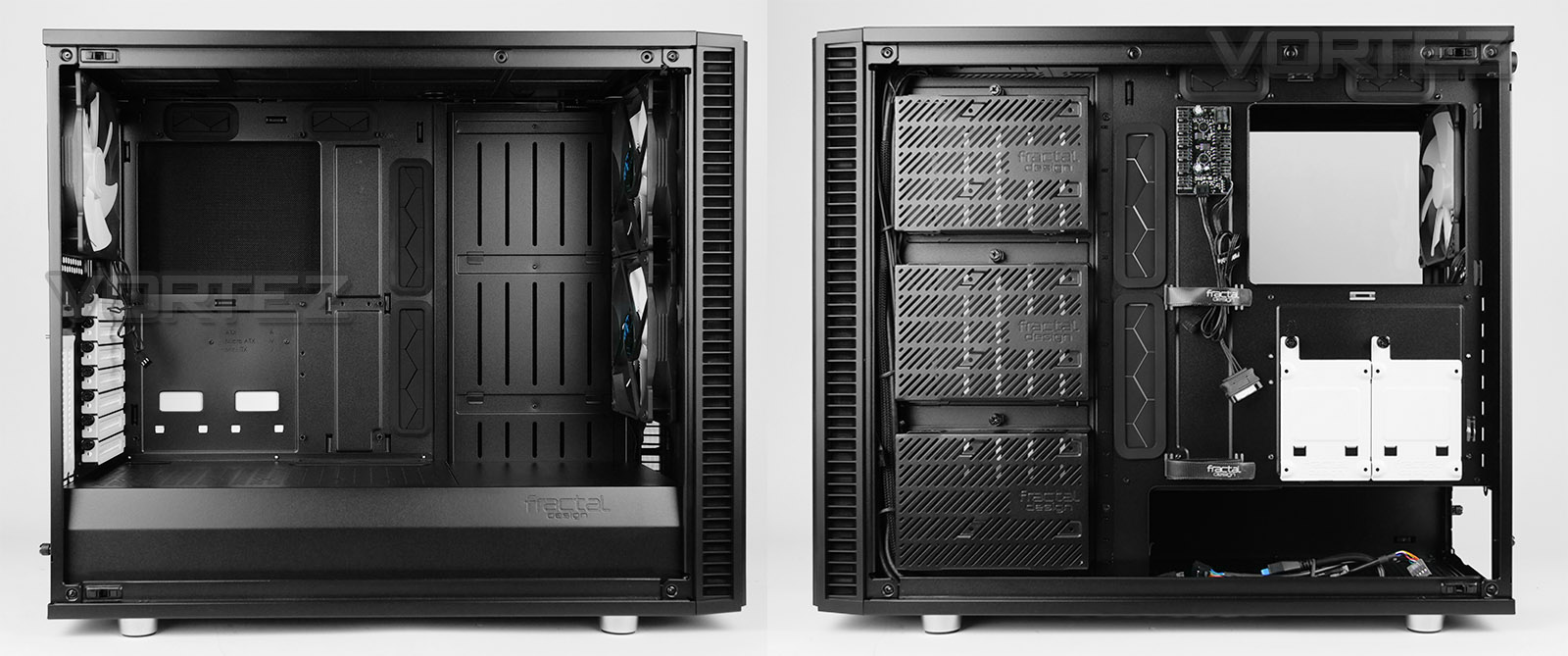
Removing both side panels, we get a great overview of the internal layout and features within S2. Inside, there is a large, open, modular layout. The motherboard tray and design follows the standard layout and supports up to E-ATX form factor. Cut-outs are clearly visible for routing cables, and we also have grommets to create a tidy workspace.
Around the back its notable that FD has implemented a new storage bracket design which is able to house 2.5” or 3.5” storage drives. These large brackets can house up to three drives or alternatively we can make use of the two SSD brackets on the backside of the motherboard tray. All of these brackets use captive thumbscrews for easy removal.
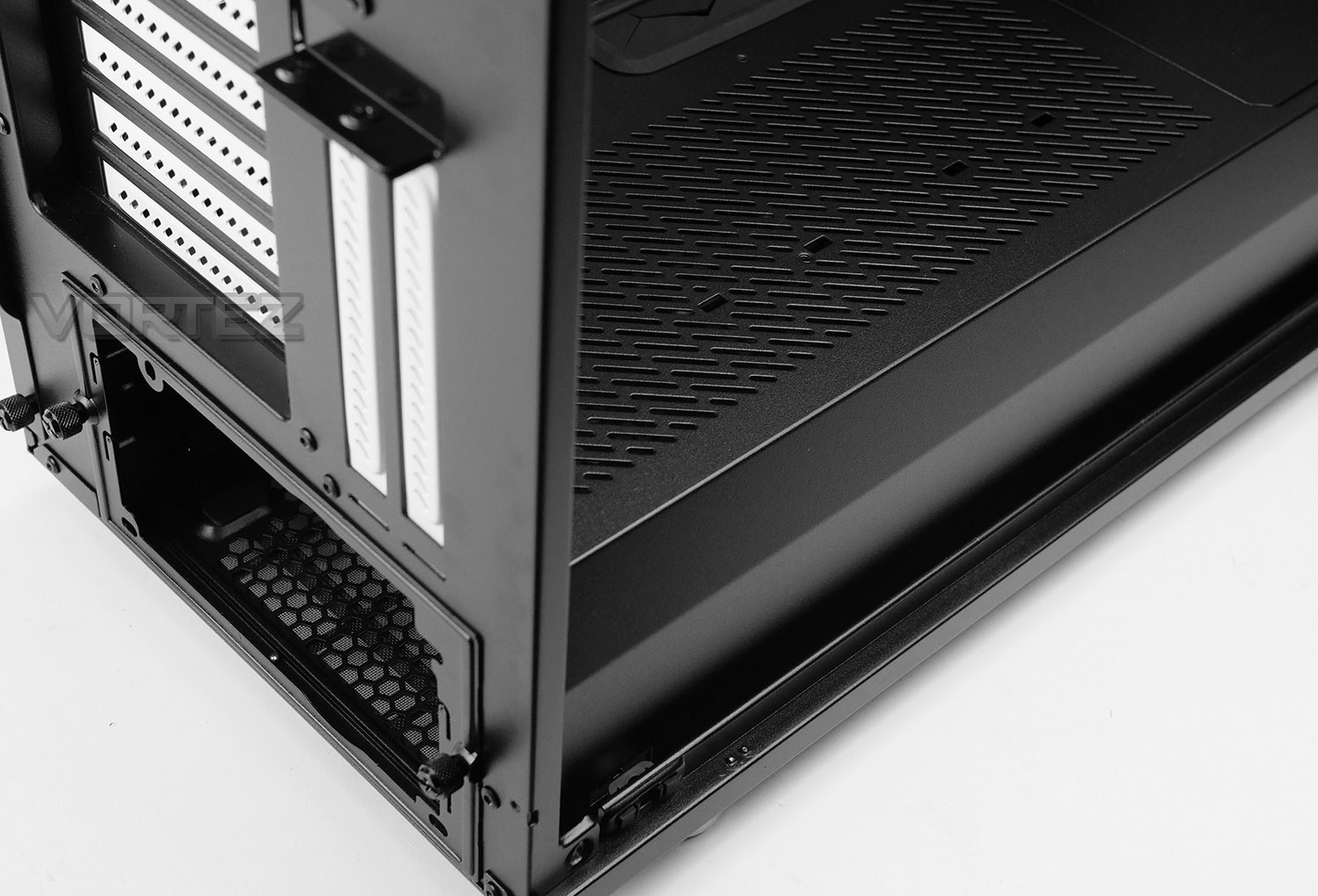
The lower section of S2 benefits from having a full length PSU shroud with the top region adopting a ventilated steel panel. This panel can accommodate storage drive installation too. If desired, this panel can be easily removed.
To install the PSU into the slot, it’s necessary to detach the plate already attached over the cut-out – the PSU will need to be fed through this cut-out due to the space limitations on either side.
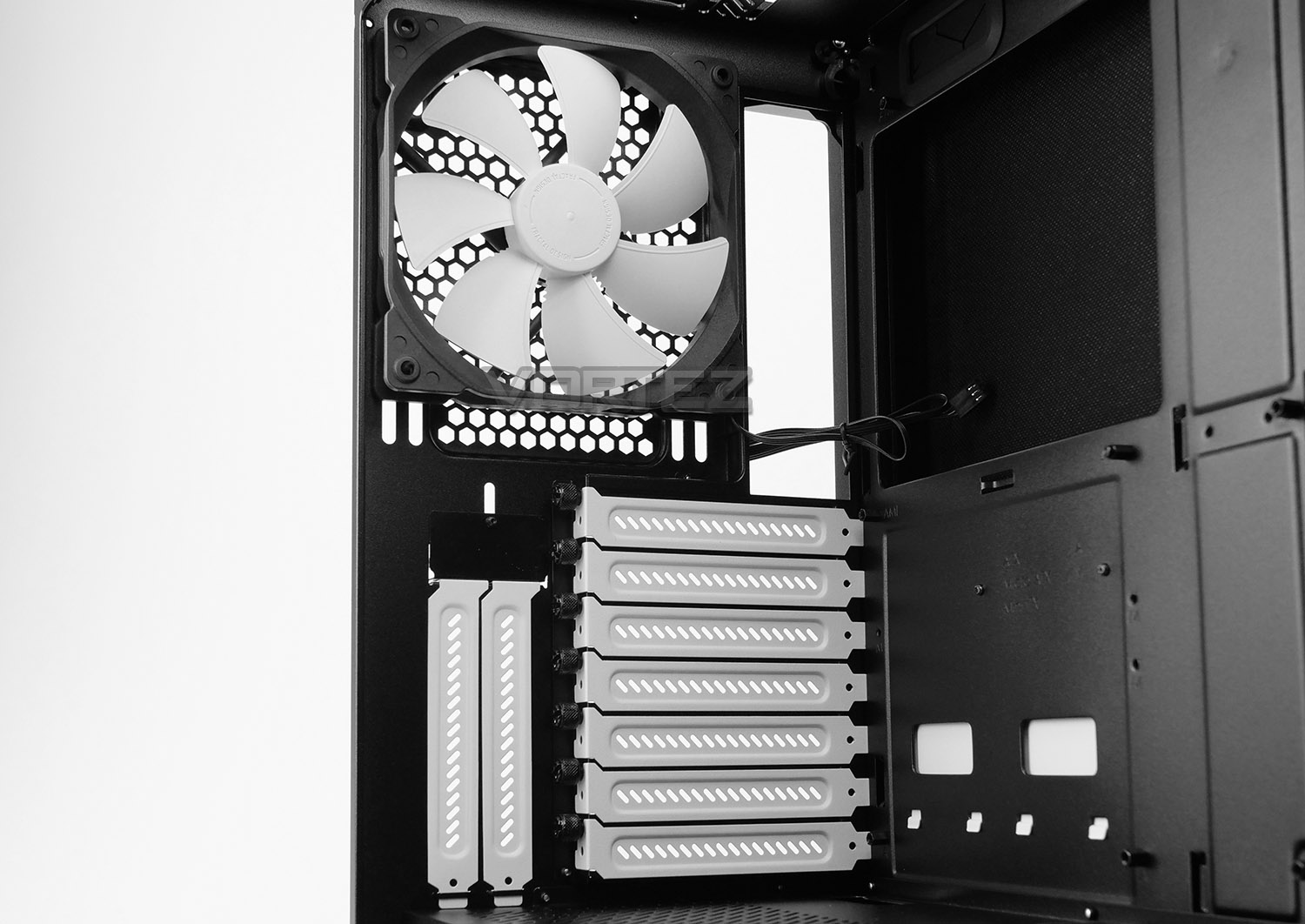
Although we’ve already covered the back section of S2, here is the internal viewpoint. Again, we have seven horizontal PCI expansion slot covers and two vertical mounted options too. All are fixed into place via thumbscrews.
Above the covers, there is a 140mm Dynamic X2 cooling fan, configured as an exhaust.
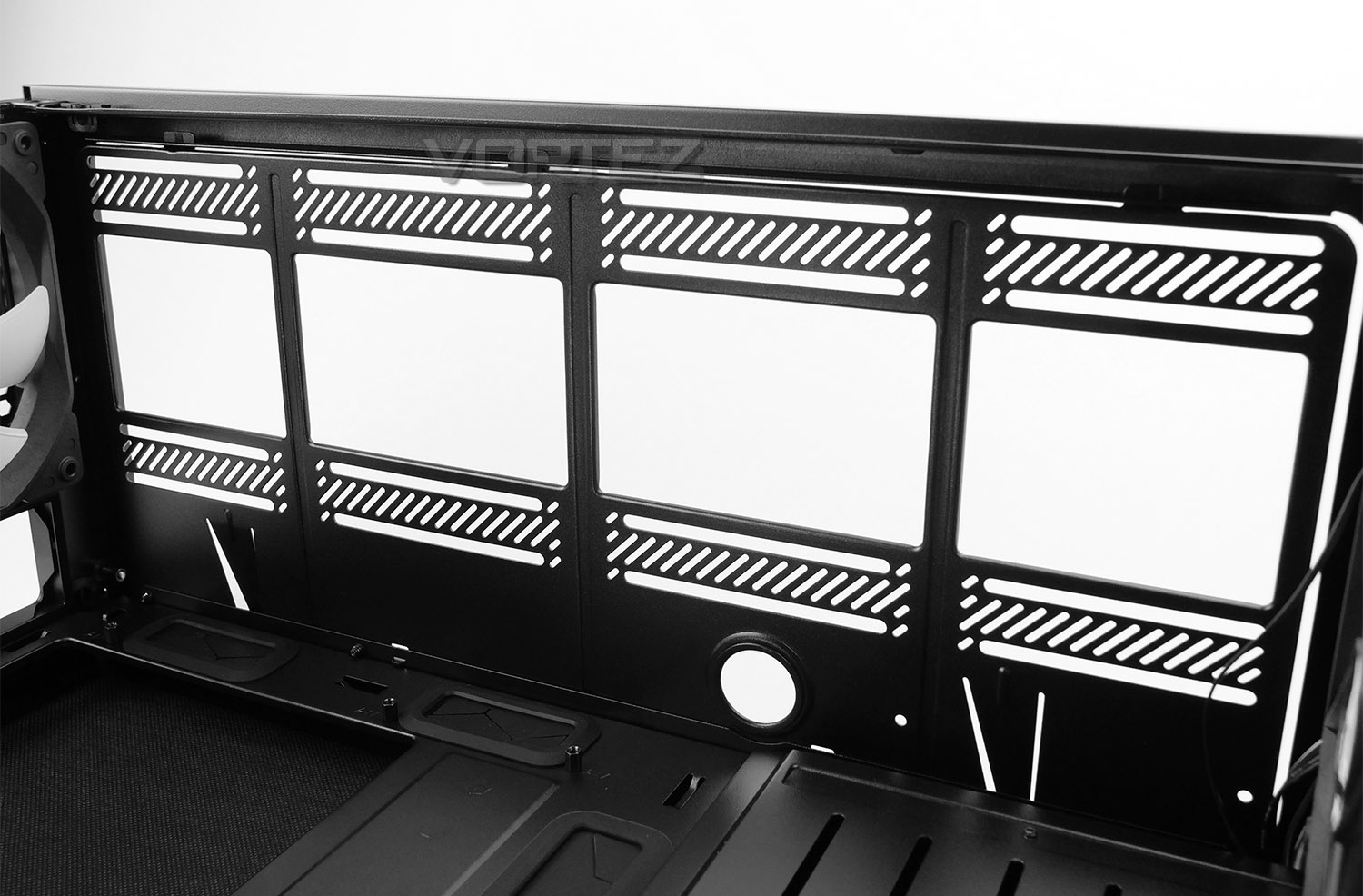
With the mounting bracket in place this again, is an internal perspective – this plate is able to house up to 3x 120/140mm fans and has a dedicated fill port for custom watercooling loops.
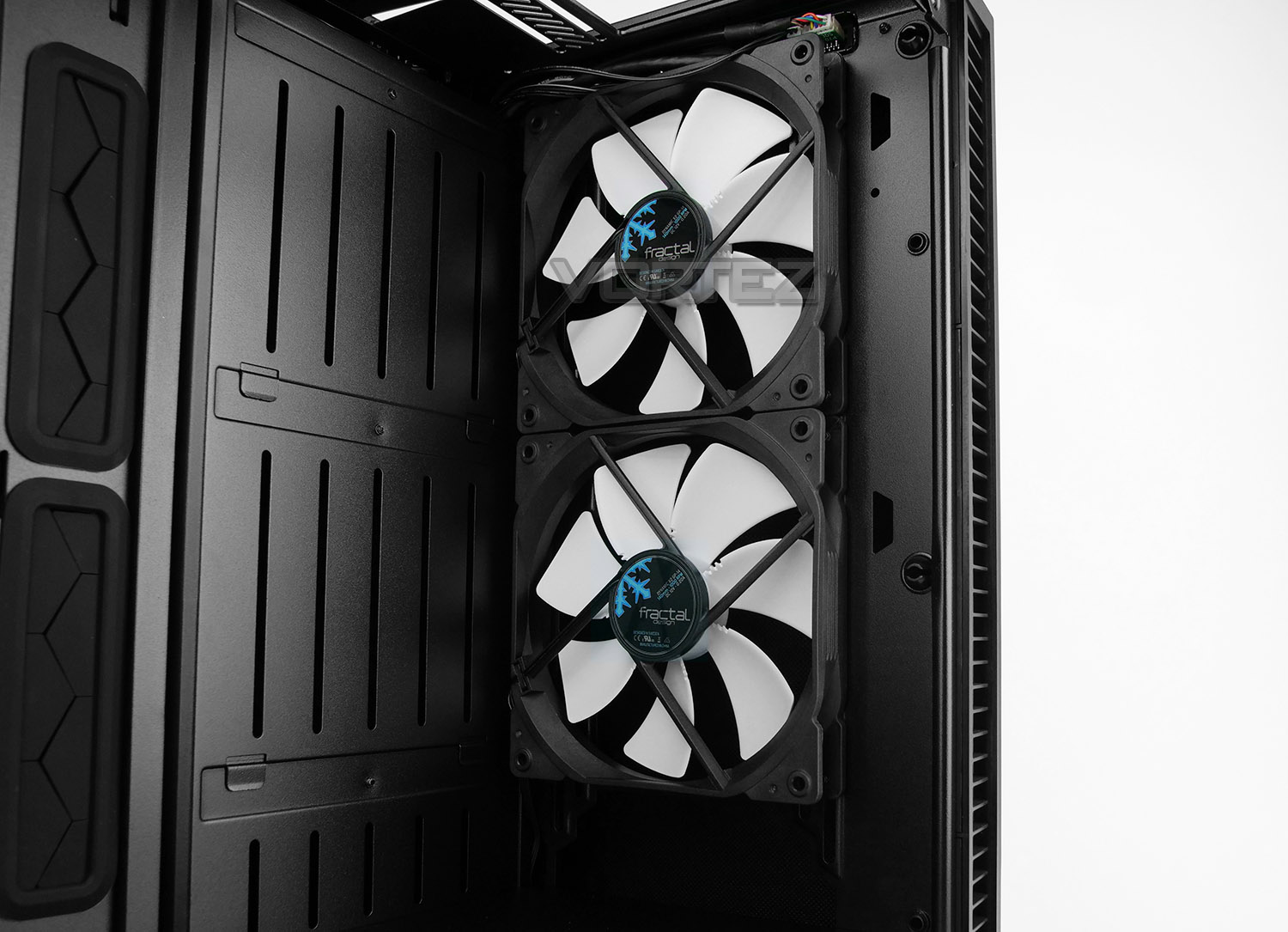
Located at the front of S2 we have two Dynamic X2 140mm cooling fans – these are both configured as intakes, bringing cool air into the chassis and across the system. Just like the top section, S2 is able to accommodate up to 3x 120/140mm fans at the front – later on we’ll explore the radiator options.
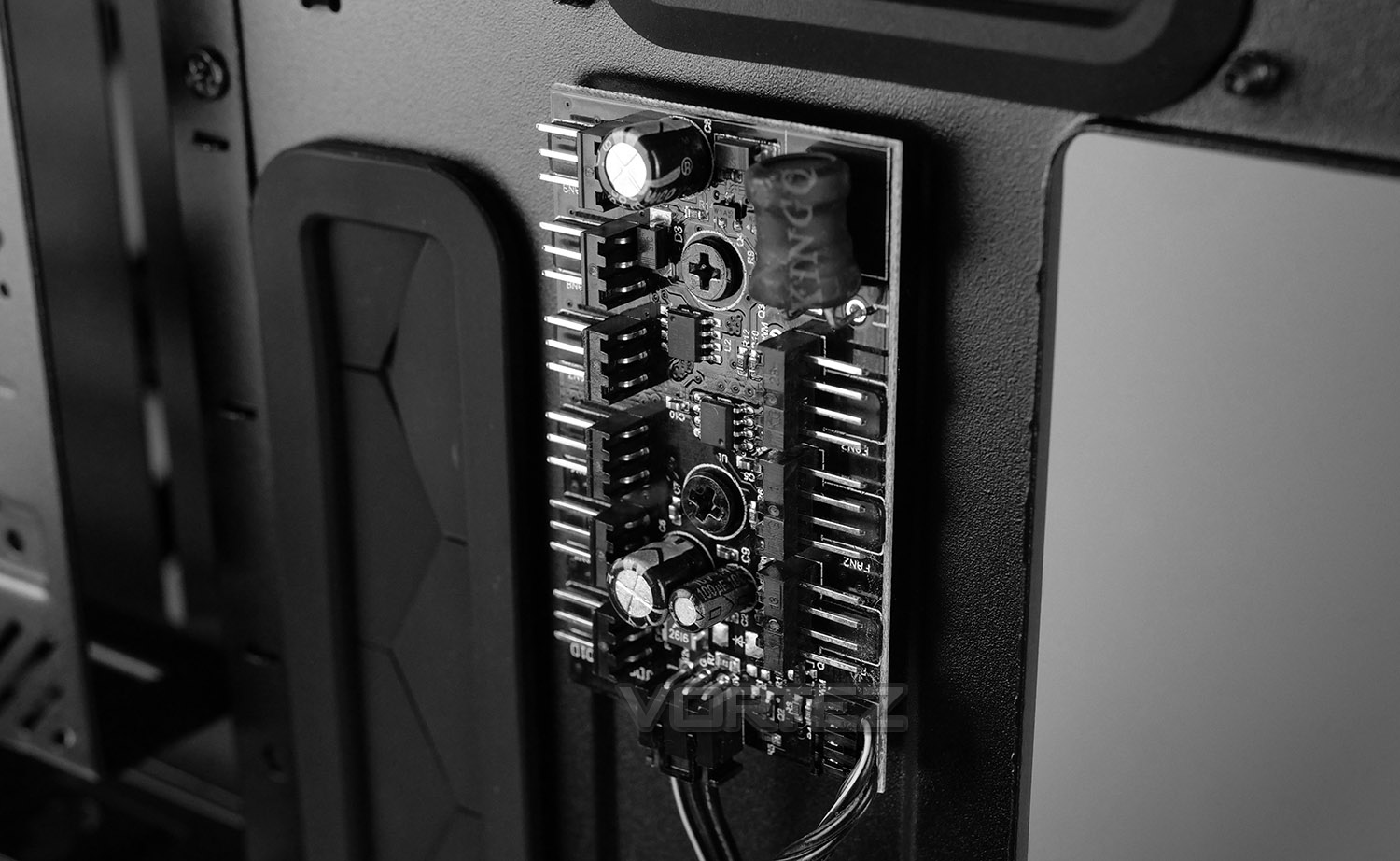
On the backside of the motherboard tray you’ll have noticed a small hub – this is the Nexus+ PWM fan hub. It can control up to three PWM fans and six 3-pin fans. This hub also features a CPU_fan header and dedicated pump header.
Nexus+ is powered by SATA power, which is something to bear in mind for the installation process. We’re pleased to see SATA being used over Molex since the pins on Molex can be easily displaced if not properly aligned and are much trickier to use.
Installation
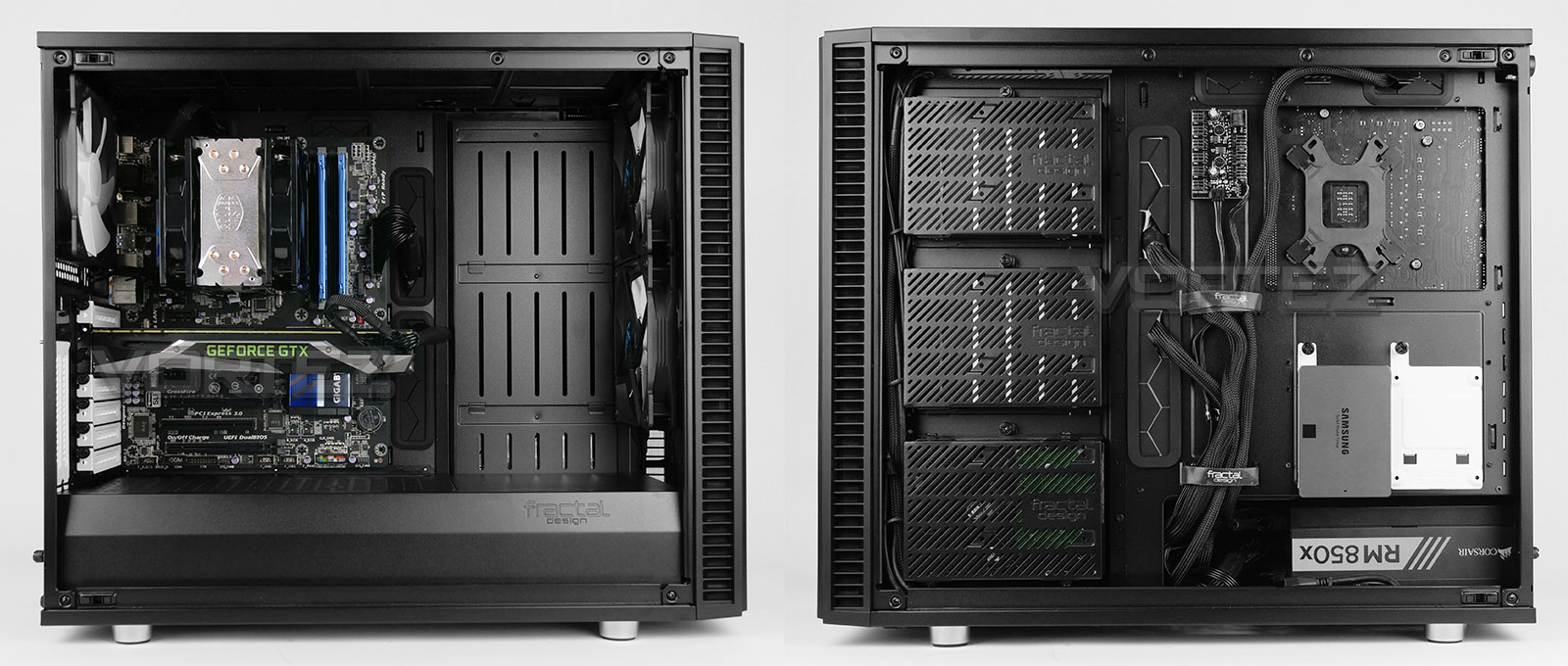
The task of installing a new system inside S2 is both fun and uncomplicated. This is largely down to combination of the vast amounts of space inside the chassis and innovative features. It has to be said that we’re impressed by what FD has brought to the table in the new Define S2, it’s easy to install a full system inside the chassis and have it looking pristine, uncluttered and presentable – and when the system features such a large, clear tempered glass panel, it’s imperative to have the system look tip-top.
We should also point out that FD include a standoff tool to tighten standoffs, a reservoir bracket and a SATA extension cable – all of which should assist in the installation process.
Overall, with our test system installed, the configuration looks brilliant and we’re pleased with the look and feature-set this model offers.
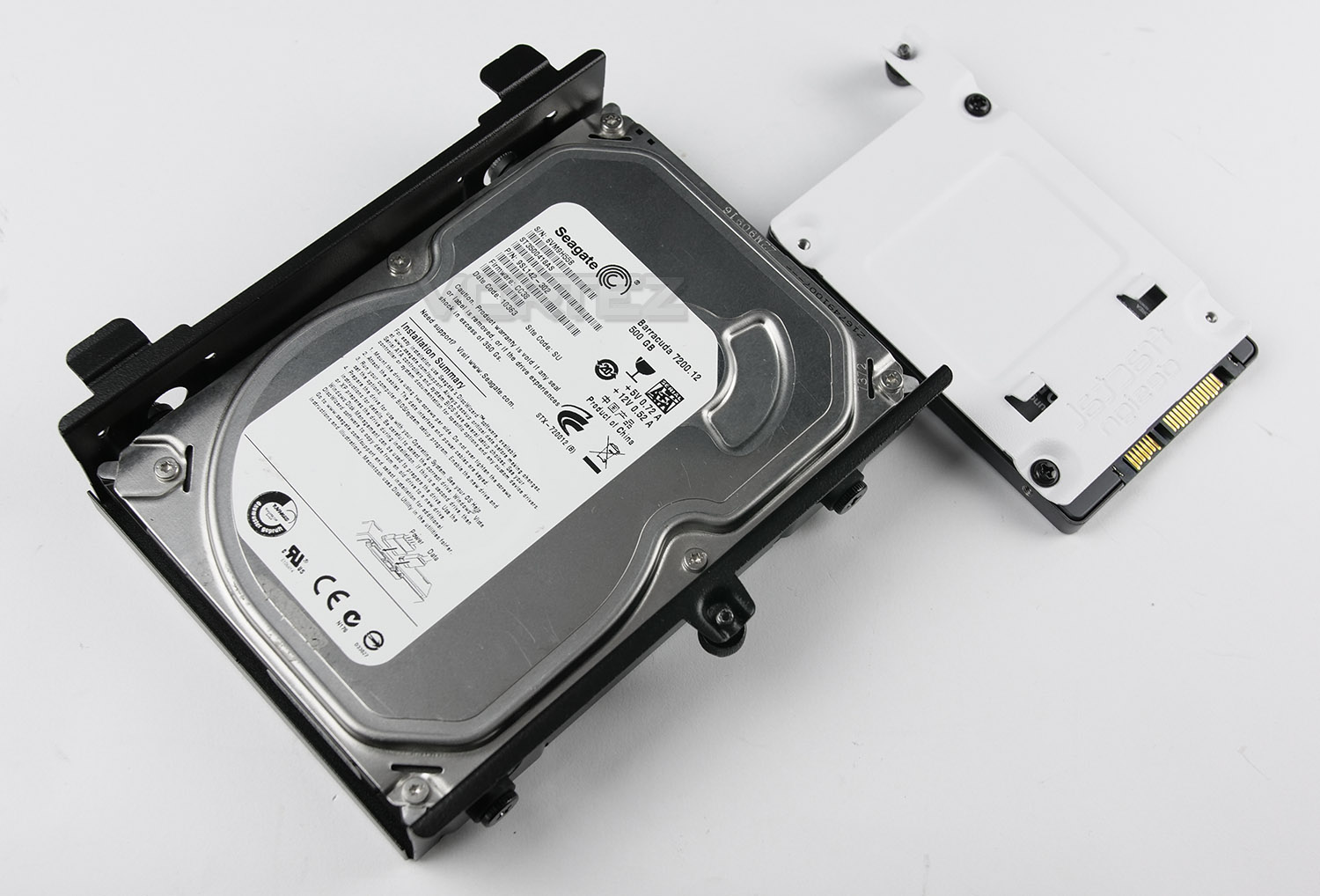
Installing HDDs and SSDs inside S2 is slightly different to other cases. For the larger HDD brackets, rubber dampeners and screws need to be attached to 3.5” drives, while the SSD mounts simply require screws on the underside.
Clearance Options – CPU Cooler, GPU, Cable Management
Understanding the clearance options inside a chassis is essential for system builders as it will establish whether something will fit or not.

CPU COOLER
FD states that there is 185mm for the maximum height on the CPU cooler and this statement is verified by our photo above. This amount of clearance covers most (if not all) CPU coolers on the market and will allow you to install even the biggest flagships available.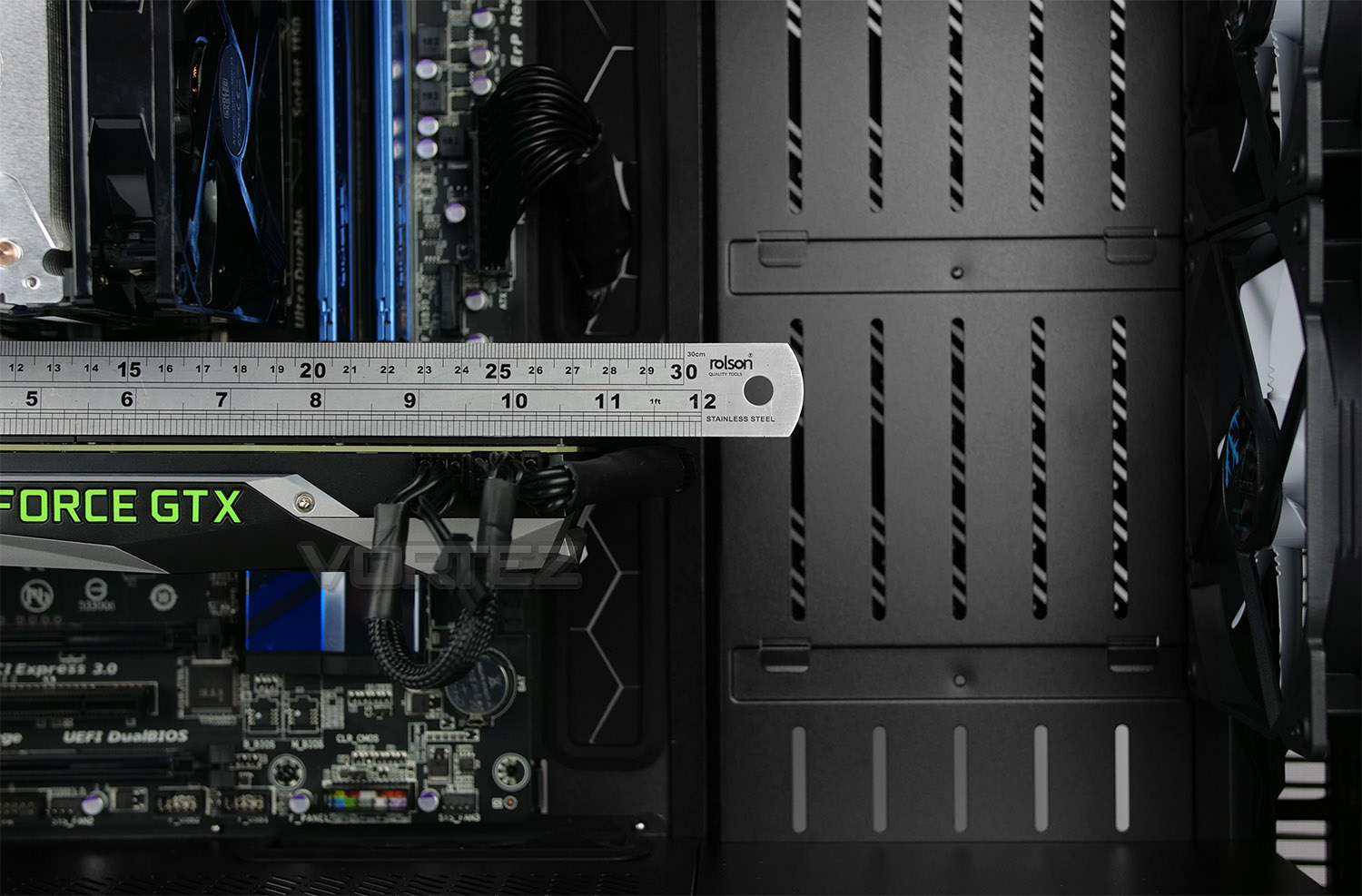
GRAPHICS CARD
The same can be said for the graphics card too – there is a huge amount of space for even the biggest of high-performance options out there. Up to 440mm of clearance is available with the fans and without, we have 465mm to play with. This covers anything on the market.
CABLE MANAGEMENT
The area which sits between the back of the motherboard and side panel is important for good cable management practices. In this area we have roughly 18mm. This is sufficient space for creating a clean/tidy arrangement for redundant cables.We should also point out that Velcro straps and numerous tie-down points are provided and these really help to maintain cable management.
Clearance Options – Water Cooling
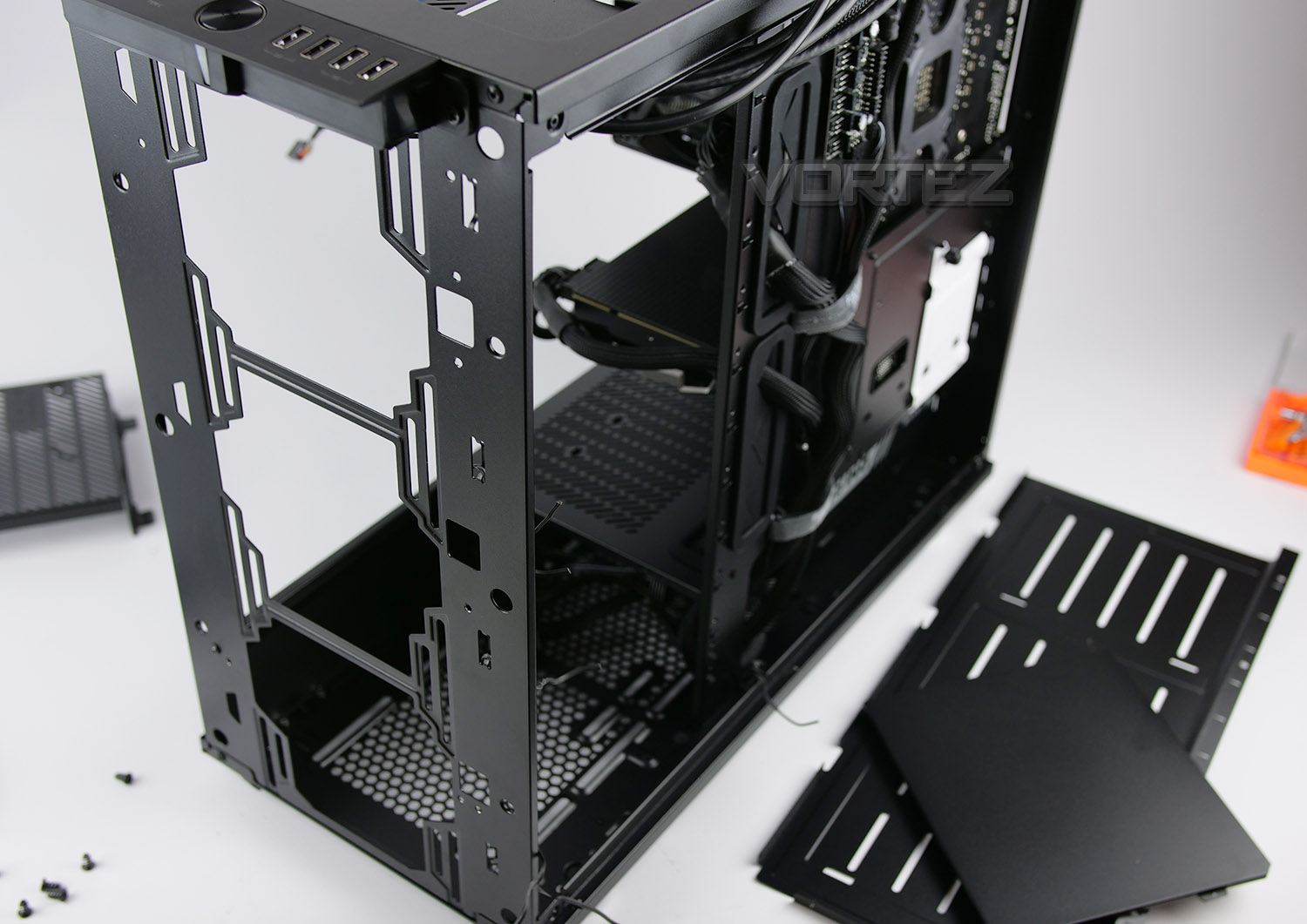
Water cooling is The Define S2’s forte as it has numerous locations for different sized radiators. Being modular, various panels can be detached – more notably the panel which the HDD brackets attach to can be completely removed along with the end part of the PSU shroud. This allows us better access to the front section for installing radiators.
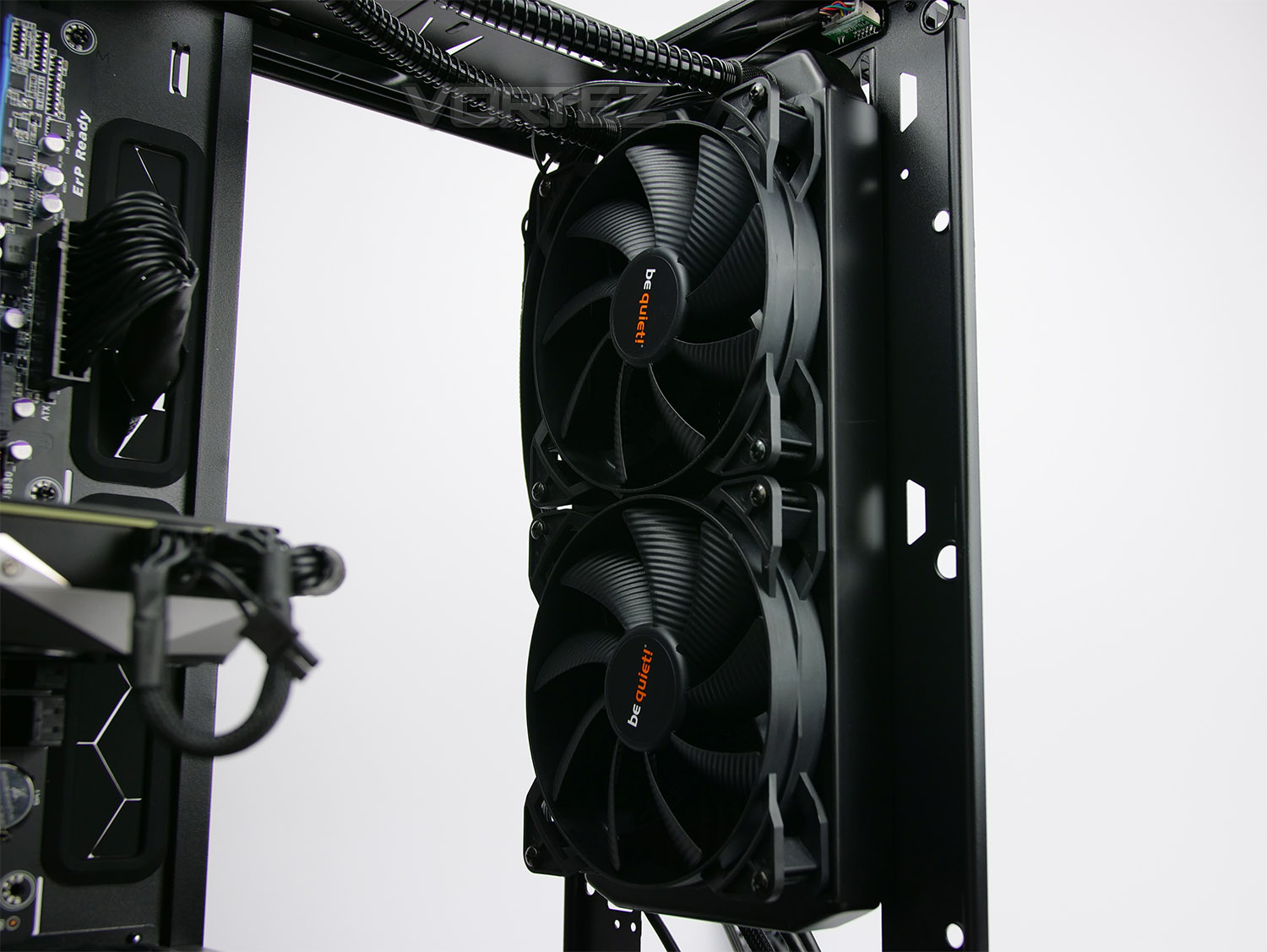
RADIATOR – FRONT
At the front we can install360, 280, 240, 140 and 120mm radiators. We’ve attached a 280mm radiator to demonstrate the space and clearance. Since there is plenty of space at the front, it’s also possible to install fans on both sides of the radiator too.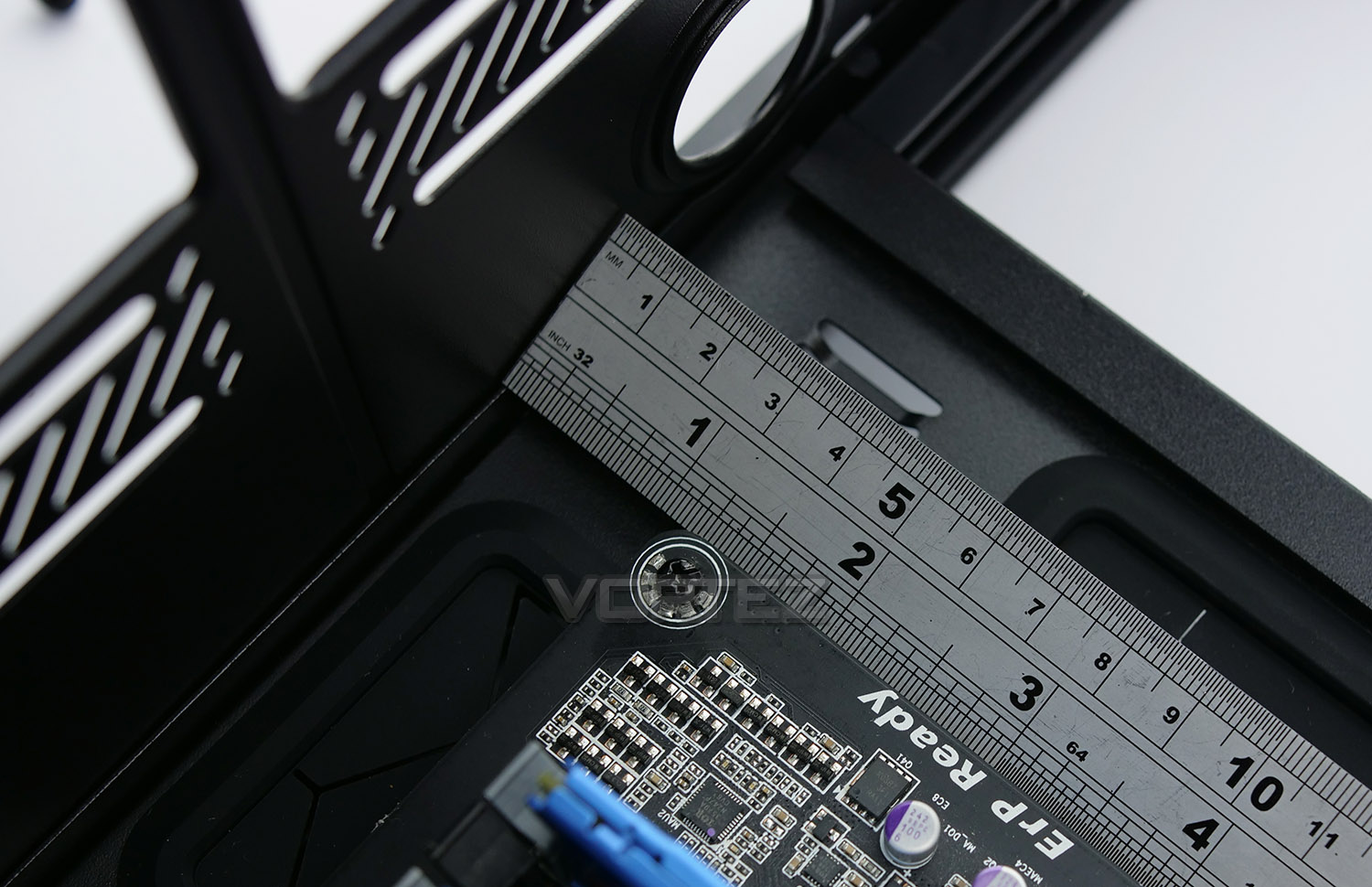
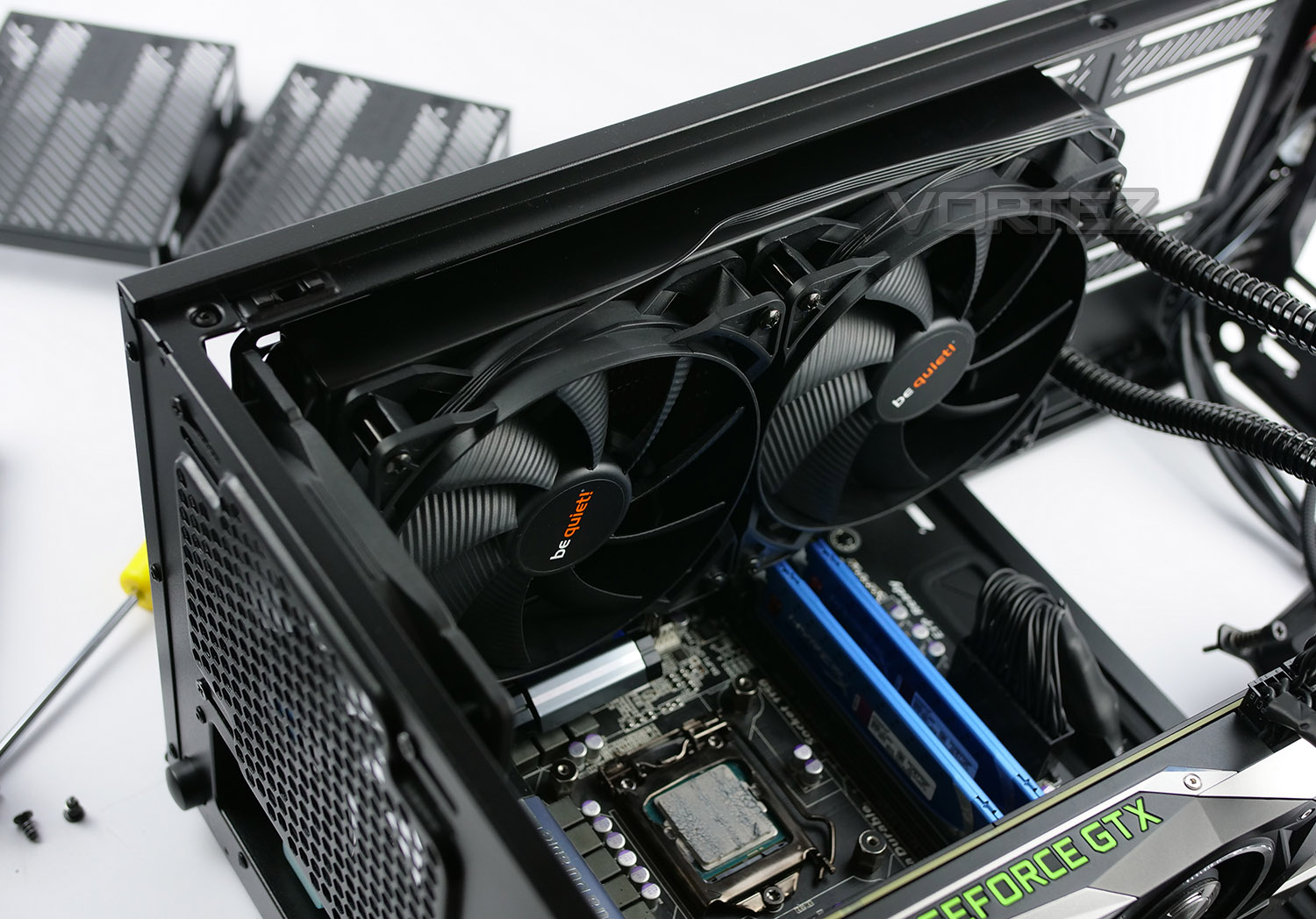
RADIATOR – TOP
At the top, there is approximately 28mm of space between the top of the chassis and the top of the motherboard. This should be taken into account when installing any water cooling configurations.At the top we can install 120mm all the way to 420mm radiators. Again, pictured we have a 280mm solution which comfortably sits in position, away from the motherboard due to the mounting holes being placed closer to the side panel.
All-in-all, Define S2 is a flexible chassis for those wanting to kit this case out with closed loop solutions or custom water cooling.
Thermal Performance Testing
Inside the Define S2 we have a push-pull configuration using a total of three 140mm fans – two are located at the front as intakes and one is located at the rear as an exhaust. This type of arrangement usually yields great results.
To discover the thermal performance of Define S2 we will record idle temperatures after 20 minutes from a cold boot. We will then stress the system and temperatures will again be monitored after 30 minutes have elapsed.
NOTE: Ambient temperature is 20C
SYSTEM COMPONENTS
CPU Intel Pentium K G3258 @ 4GHz
Motherboard GIGABYTE Z87X-D3H
CPU Cooler Cooler Master Hyper 212 Turbo LED
Graphics NVIDIA GTX 1080 Ti
Memory 4GB Kingston HyperX DDR3
HDD Samsung Spinpoint 500GB SATA-II
PSU Corsair RM850
Motherboard GIGABYTE Z87X-D3H
CPU Cooler Cooler Master Hyper 212 Turbo LED
Graphics NVIDIA GTX 1080 Ti
Memory 4GB Kingston HyperX DDR3
HDD Samsung Spinpoint 500GB SATA-II
PSU Corsair RM850
NOISE
It goes without saying that Define S2 is designed purely for silence – the thick panels, noise damping materials and optimised cooling fans all pave the way for a near-silent computer case and we can definitely vouch for it keeping noise to an absolute minimum.Conclusion
It’s evident that Fractal Design has done what they do best in the Define S2 – refine. The formula for success already exists in previous models under the Define series and in a rather clever way they’ve just made subtle modifications to a familiar design. It’s also rather refreshing to see a brand refuse to bow the knee to the RGB mania currently present in the industry. This case breaks away from this trend and still maintains that air of elegance.
This is one of the first computer cases we’ve seen with USB 3.1 Gen2 Type-C implemented and the timing couldn’t be better with more motherboards now including this type of header. Along with this we also receive two USB 2.0 and two USB 3.0 ports – giving you access to fast storage at the very front of your case.
The most impressive feature with Define S2 has to be the ModuVent top cover which utilises a quick release system at the press of a button. Not only does this panel drastically reduce noise levels when it’s attached to the chassis, but it can also act as a ventilated cover if you choose to add in cooling fans or radiators.
An ingenious internal layout and design means that every aspect of system building is catered for. Define S2 can handle large CPU coolers, high-performance graphics cards, different sized water cooling radiators in various locations, with space for custom loop components and cable management is not only easy, but superior to other cases we’ve recently tested. As you’ll be able to see on the preceding pages, creating an uncluttered, fresh configuration requires little effort.
Although we already receive three Dynamic X2 GP-14 cooling fans, adding in additional is easy thanks to the different mounting placements inside, and what’s more is FD include the Nexus+ PWM fan hub which assists in keeping everything centralised and tidy. If you lack some PWM functionality on your motherboard then S2 can help in overcoming this hurdle.
The objective with Define S2 is silence and it definitely achieves near-silent status. The thick panels, noise damping material and low-noise cooling fans all contribute to keeping noise to a minimum. So if you’re intending to use this chassis on the deskspace, then you’ll have no disturbances which can sometimes manifest from having the system in close proximity.
At launch the Define S2 arrives with an MSRP of $149.99 USD – £129.99 GBP. Street price will likely be slightly under such a figure and even at the stated MSRP, we feel the S2 has a lot offer.
If silence is your thing and you’re on the hunt for an enclosure which oozes elegance, look no further; the Define S2 is one of the most flexible computer cases we’ve encountered. It has all the options for water cooling, high-end kit and offers truly innovative features which are rare to see in quite a stagnant sector.
Pros
+ Elegant design
+ Excellent build quality
+ Features USB 3.1 Gen2 Type-C
+ Features PWM fan hub
+ Innovative ModuVent top cover
+ Can house high-performance hardware
+ Huge watercooling potential
+ Decent cooling performance
+ Extremely quiet
Cons
– There are none!
+ Elegant design
+ Excellent build quality
+ Features USB 3.1 Gen2 Type-C
+ Features PWM fan hub
+ Innovative ModuVent top cover
+ Can house high-performance hardware
+ Huge watercooling potential
+ Decent cooling performance
+ Extremely quiet
Cons
– There are none!
Click here for an explanation of our awards at Vortez.net.
Stay connected with the Vortez Social Media pages:
Join in with the discussions on Discord