G.SKILL are undoubtedly best known for DRAM but today we take a look at the MK570 RGB gaming keyboard, featuring RGB backlighting and Cherry MX switches…

Product on Review: G.SKILL RIPJAWS RGB KM 570
Manufacturer: G.SKILL
Street Price: £60.99 / $99.99
Perhaps following in the footsteps of Corsair, several companies best known for their manufacture of DRAM and Flash storage are stepping into the lucrative peripherals market.
Today we take a look at the RIPJAWS KM570 RGB from G.SKILL. This new keyboard in their lineup offers full RGB per-key backlighting, Macro support, full n-key rollover, dedicated volume controls and Cherry MX switches in Red, Blue, Brown or Speed Silver flavours. We’ve been provided with the brown keys for review, usually aimed towards typists and casual gamers.
The KM570 stands out from the rest with the £60 price tag; it’s not often we find keyboards under £100 with premium features like RGB backlighting and Cherry MX keys. Read on to find out if the KM570 suffers any major flaws.
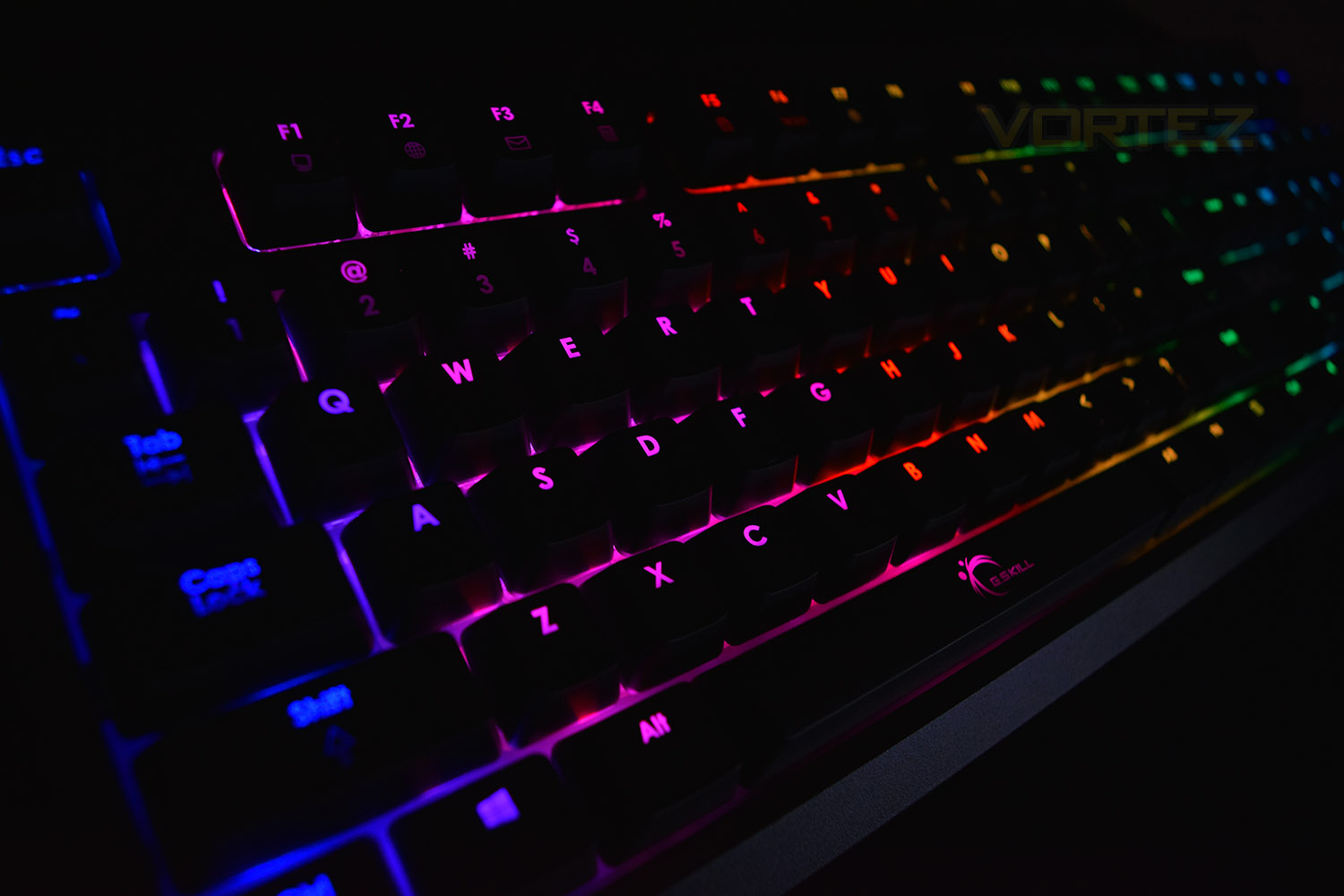
G.SKILL on the RIPJAWS KM570 RGB:
RIPJAWS KM570 RGB returns to the humble roots of mechanical keyboards with a simplistic design meant for enduring functionality, all while packed with major key gaming and media entertainment features, and storing the settings for a complete profile onto the onboard storage.
Technical Specifications
Series KM570 Mechanical Gaming Keyboard
Keyboard Type Mechanical
Keyswitch Cherry MX Brown
Backlighting RGB
Keyboard Size Full-size
Additional Macro Keys –
Onboard Profile 1
Function (Fn) Hotkeys Yes
Anti-Ghosting Yes
Full n-Key Rollover (NKRO) Yes
Windows Key Lock Yes
Media Control Keys Yes, Dedicated Volume Keys w/ Playback Control via Fn-key
Passthrough Ports –
Detachable Palm Rest –
Mouse Cable Holder –
Connection USB 2.0
Cable Type 2m, Braided
Dimensions 446.5 x 158.8 x 45.5mm
Dimensions w/ Palm Rest –
Weight 1.25kg
Weight w/ Palm Rest –
Warranty 2-Year Limited Warranty
Keyboard Type Mechanical
Keyswitch Cherry MX Brown
Backlighting RGB
Keyboard Size Full-size
Additional Macro Keys –
Onboard Profile 1
Function (Fn) Hotkeys Yes
Anti-Ghosting Yes
Full n-Key Rollover (NKRO) Yes
Windows Key Lock Yes
Media Control Keys Yes, Dedicated Volume Keys w/ Playback Control via Fn-key
Passthrough Ports –
Detachable Palm Rest –
Mouse Cable Holder –
Connection USB 2.0
Cable Type 2m, Braided
Dimensions 446.5 x 158.8 x 45.5mm
Dimensions w/ Palm Rest –
Weight 1.25kg
Weight w/ Palm Rest –
Warranty 2-Year Limited Warranty
Packaging & First Look
The front of the packaging is rammed full of information. There’s almost nothing they’ve not included. One slight annoyance is the “English” tag, underneath the Cherry MX Brown switch sticker. This isn’t an “English” layout, it’s “American.”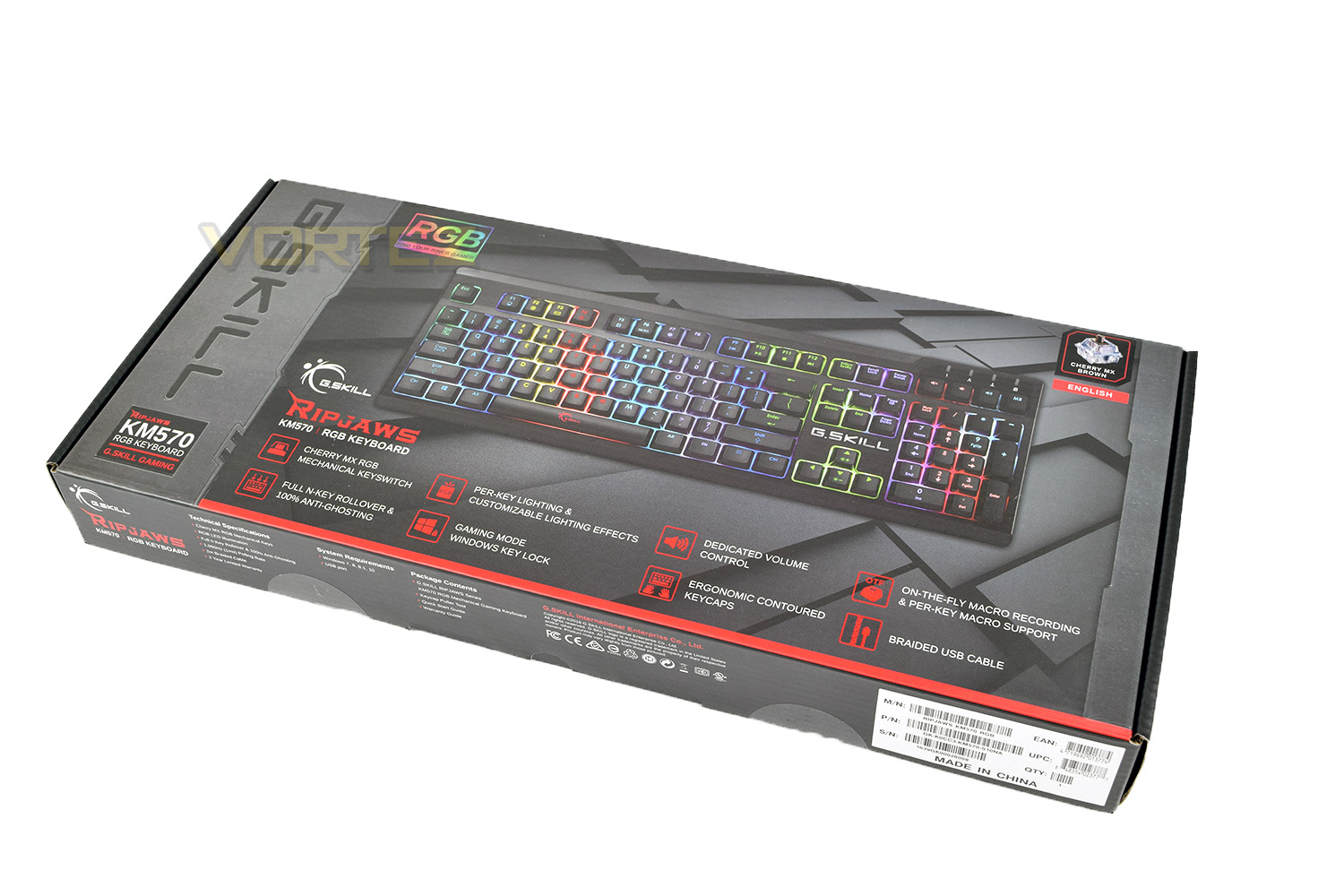
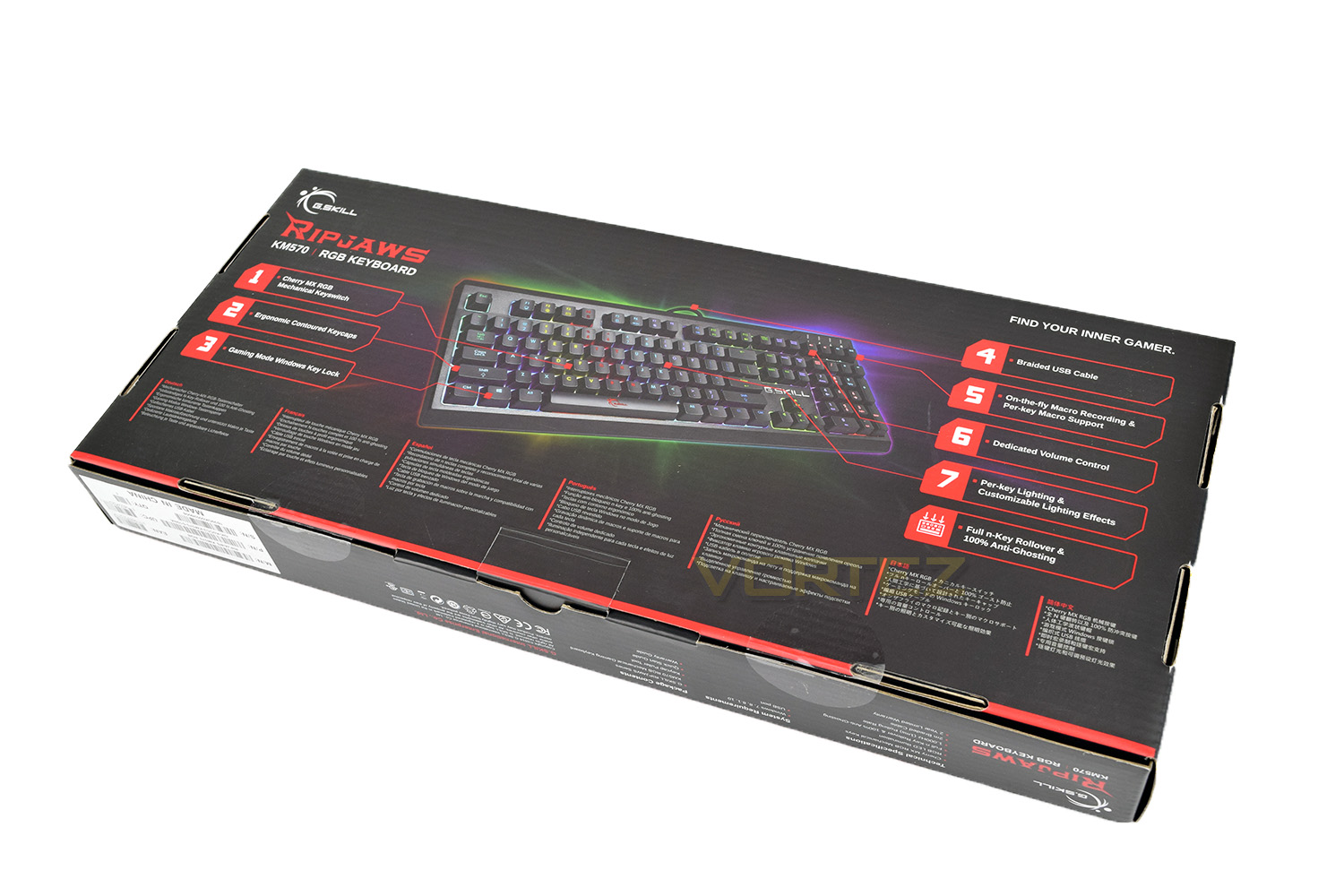
The reverse side goes into further detail, explaining the key features with annotations to a picture of the keyboard.
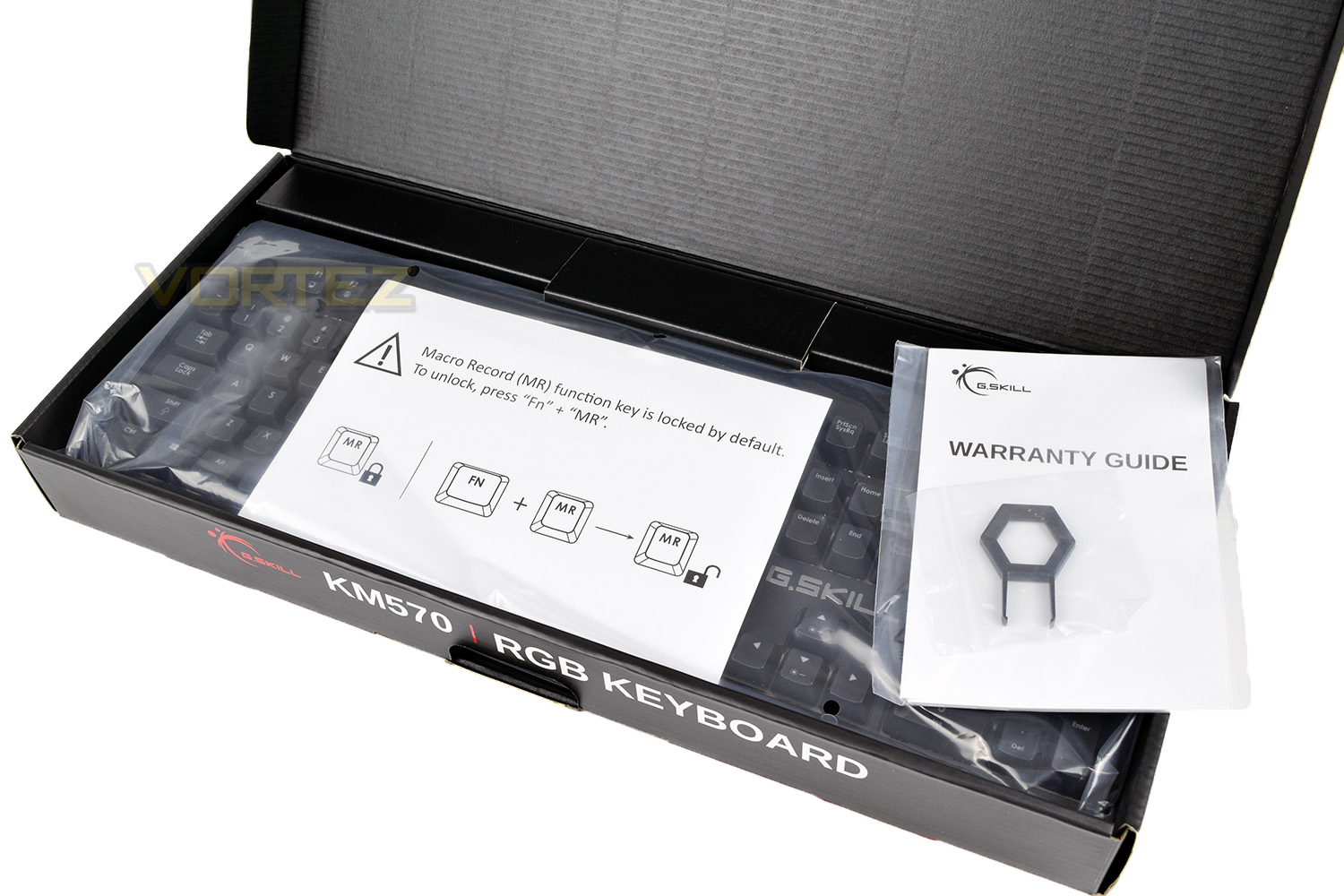
Complete with the keyboard is a key-puller to help cleaning by removing the keys along with a warranty guide and an instruction manual.
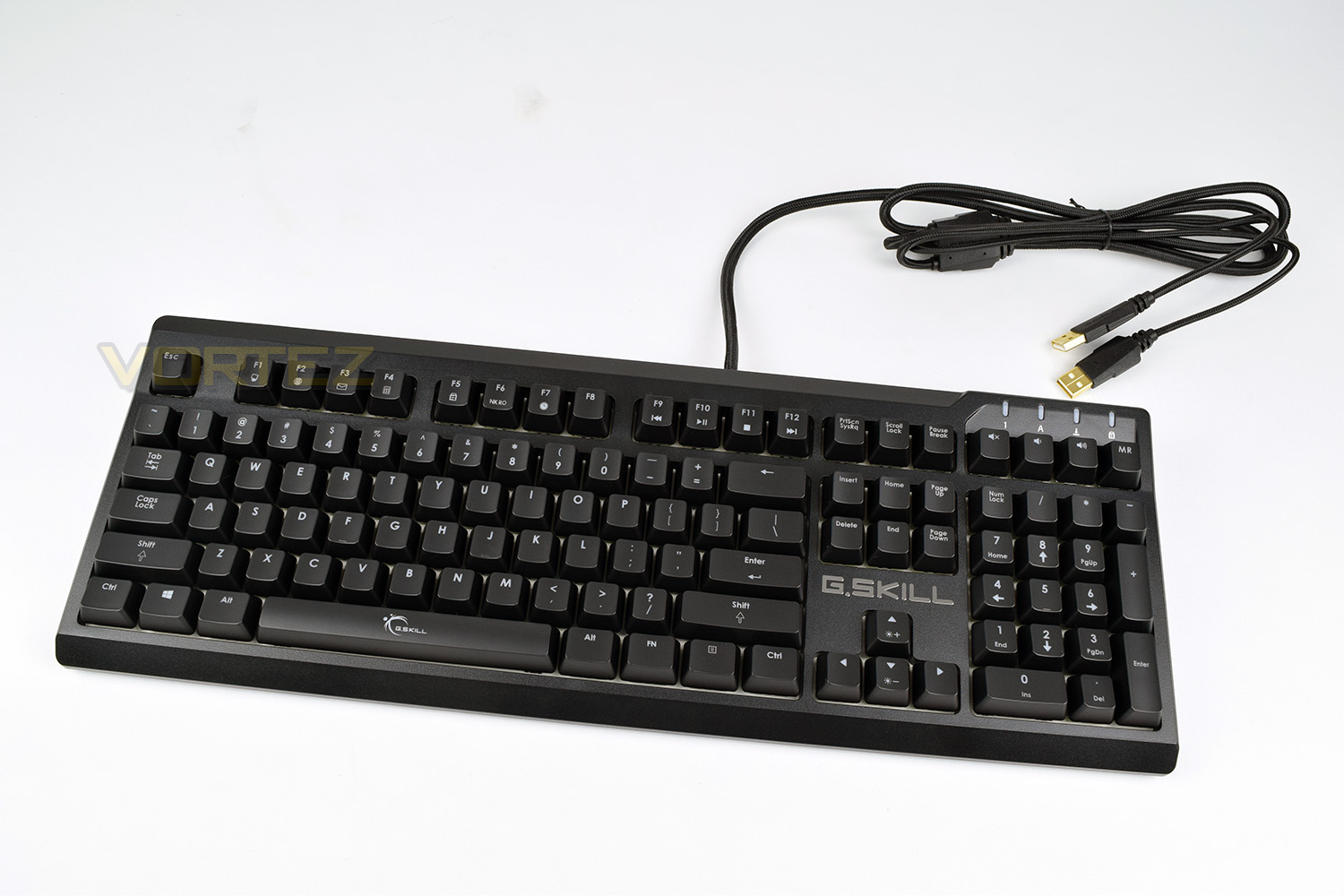
Even without the RGB backlighting, the keyboard looks brilliant. We like the simple and familiar styling.
Closer Look
G.SKILL haven’t used any silly fonts on the keys and kept a standard layout. We don’t see any dedicated macro keys though the top row has been adorned with multi-use keys via the FN button (bottom right).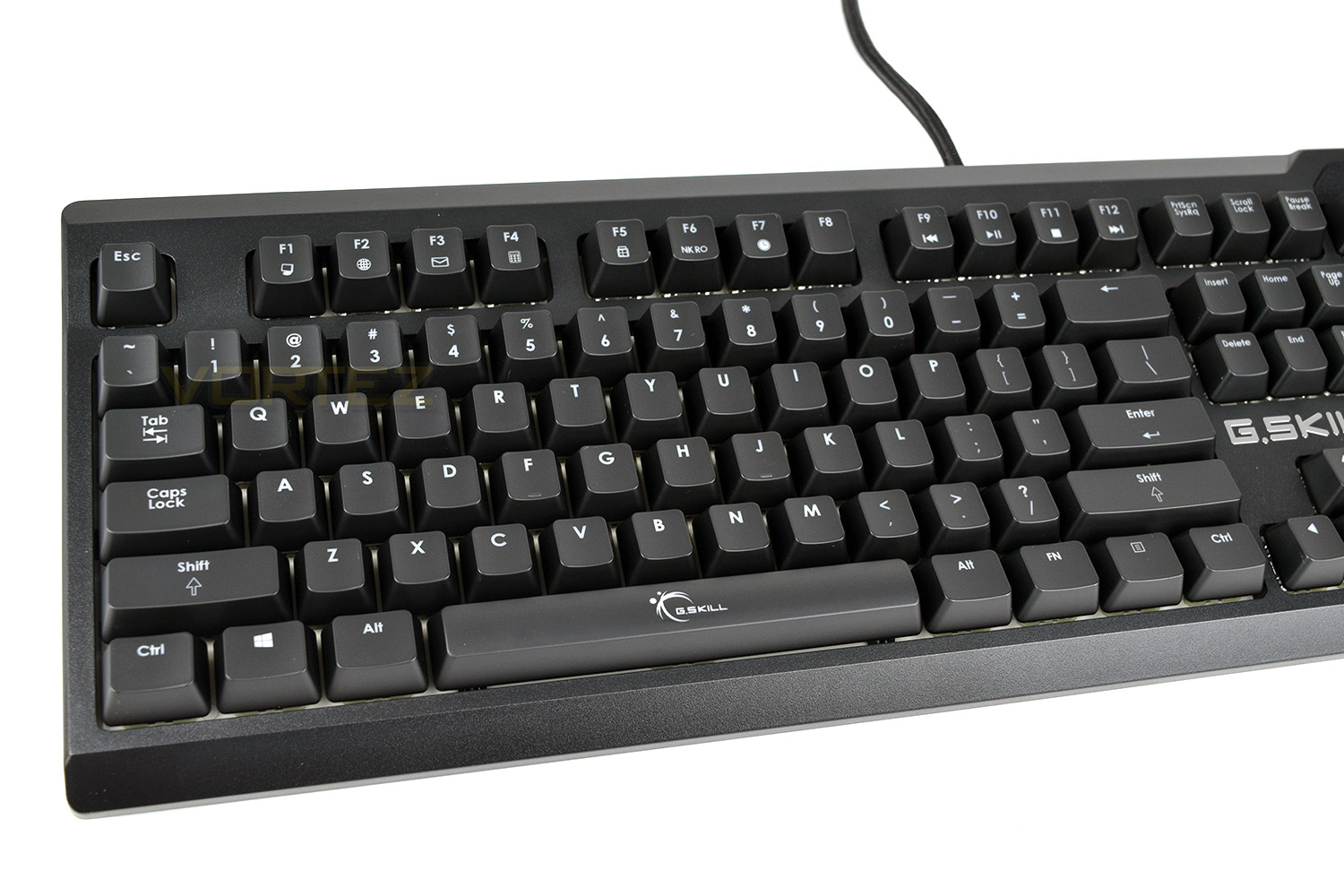
The edges shows off the curvy shape employed by the KM570. This ergonomic, contoured design aids typing by making each key more easily reached while avoiding double presses.
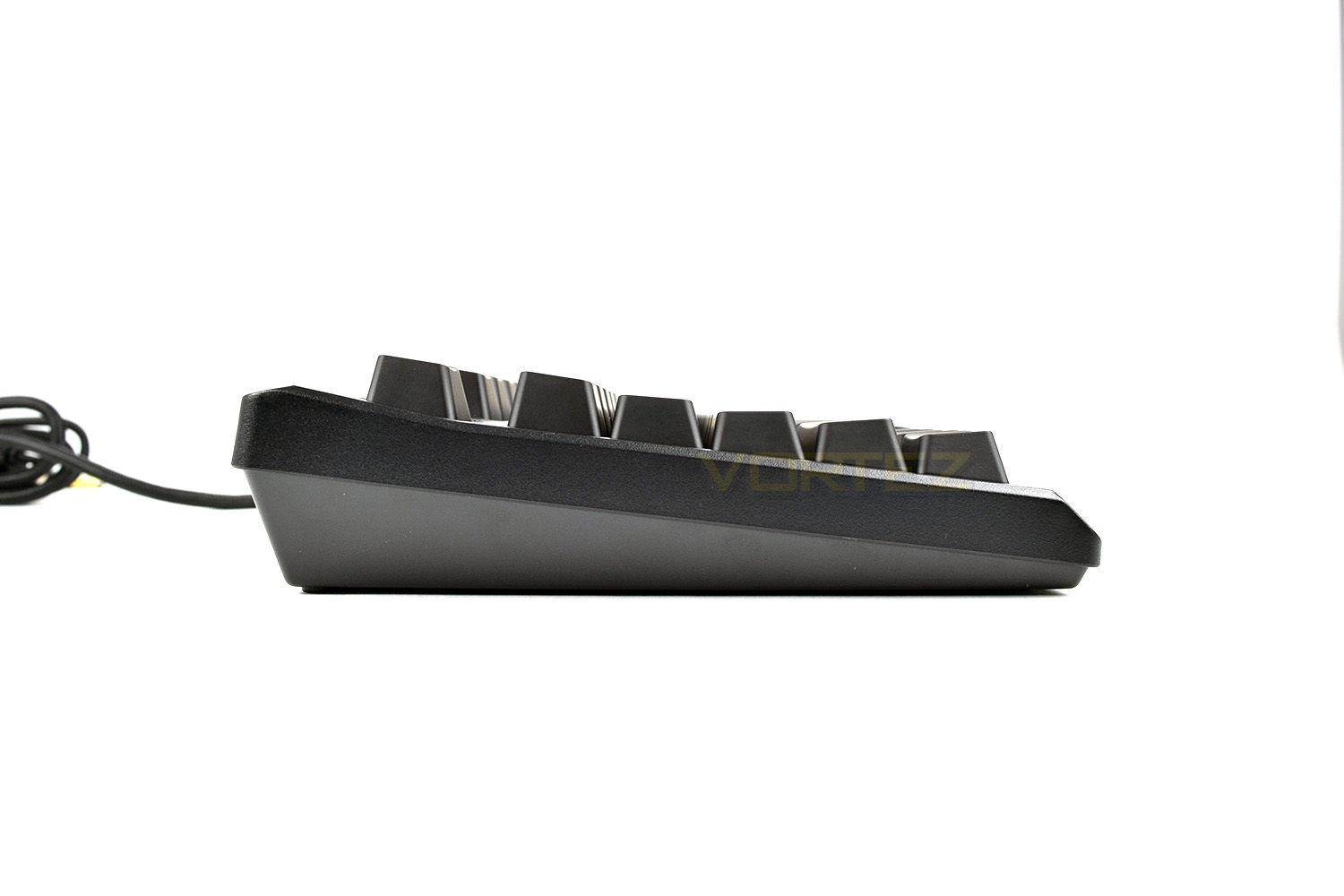
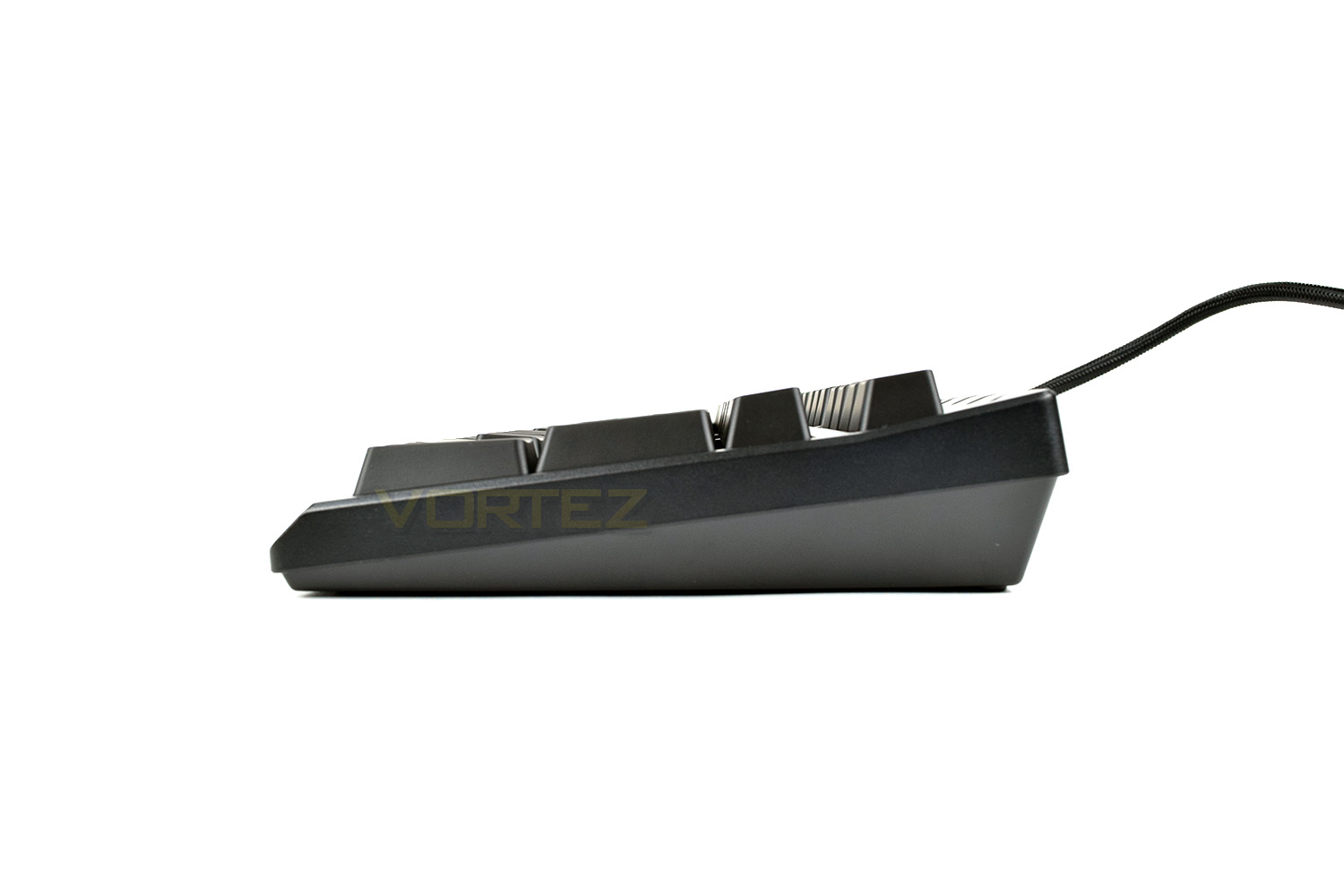
The spacebar is adorned by the G.SKILL logo, placed in the centre to be illuminated by the RGB LED underneath.
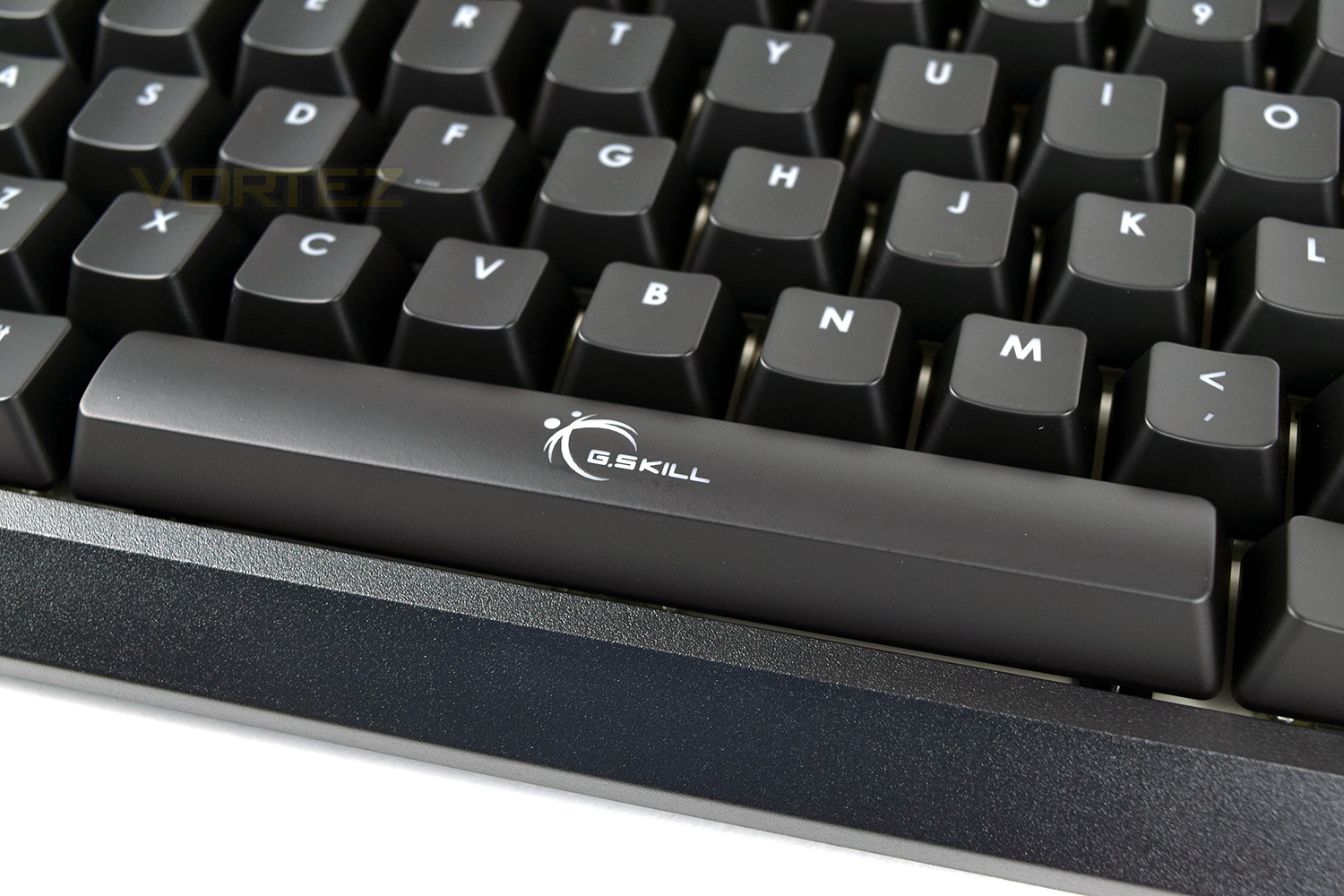
Along with the logo on the space bar, we also see the branding placed above the directional keys.

Closer Look (Continued)
Top right of the keyboard is home to dedicated volume keys, a Macro Record key and 4 indicator LEDs to display num lock, caps lock, scroll lock and the windows lock, respectively.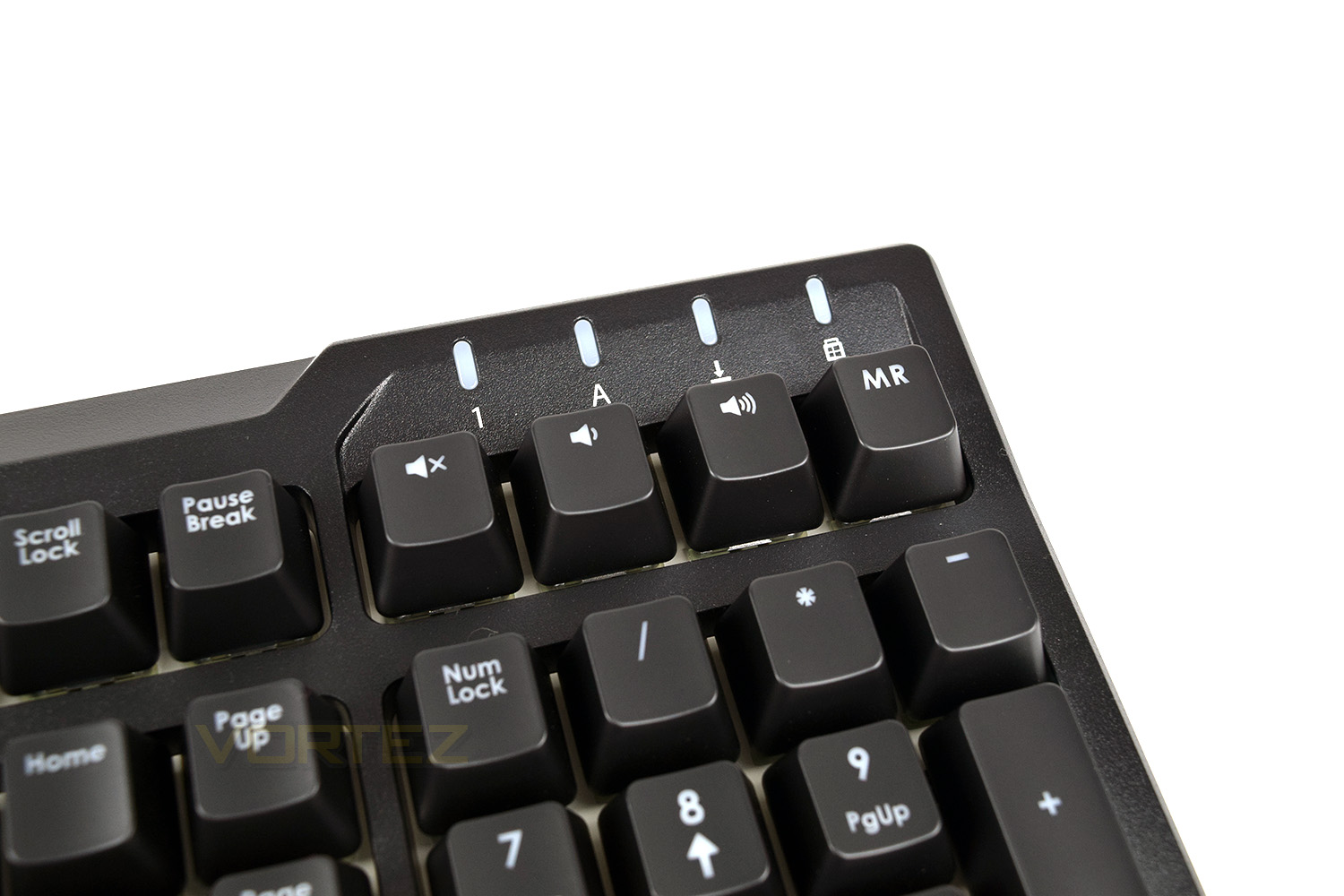
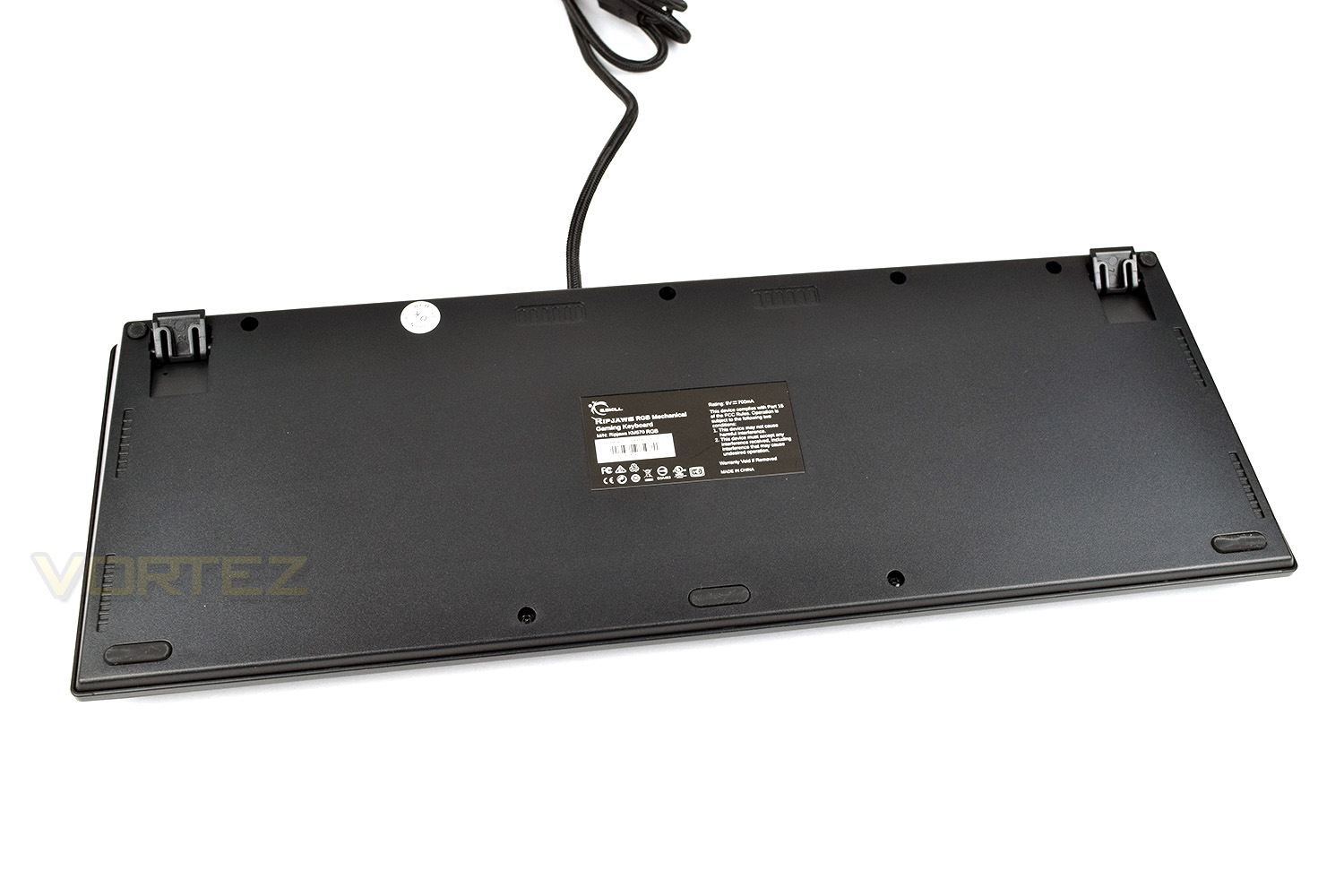
Flipping the keyboard over, we can see there’s 3 small rubber grips along the front edge with 2 stand off feet in each corner.
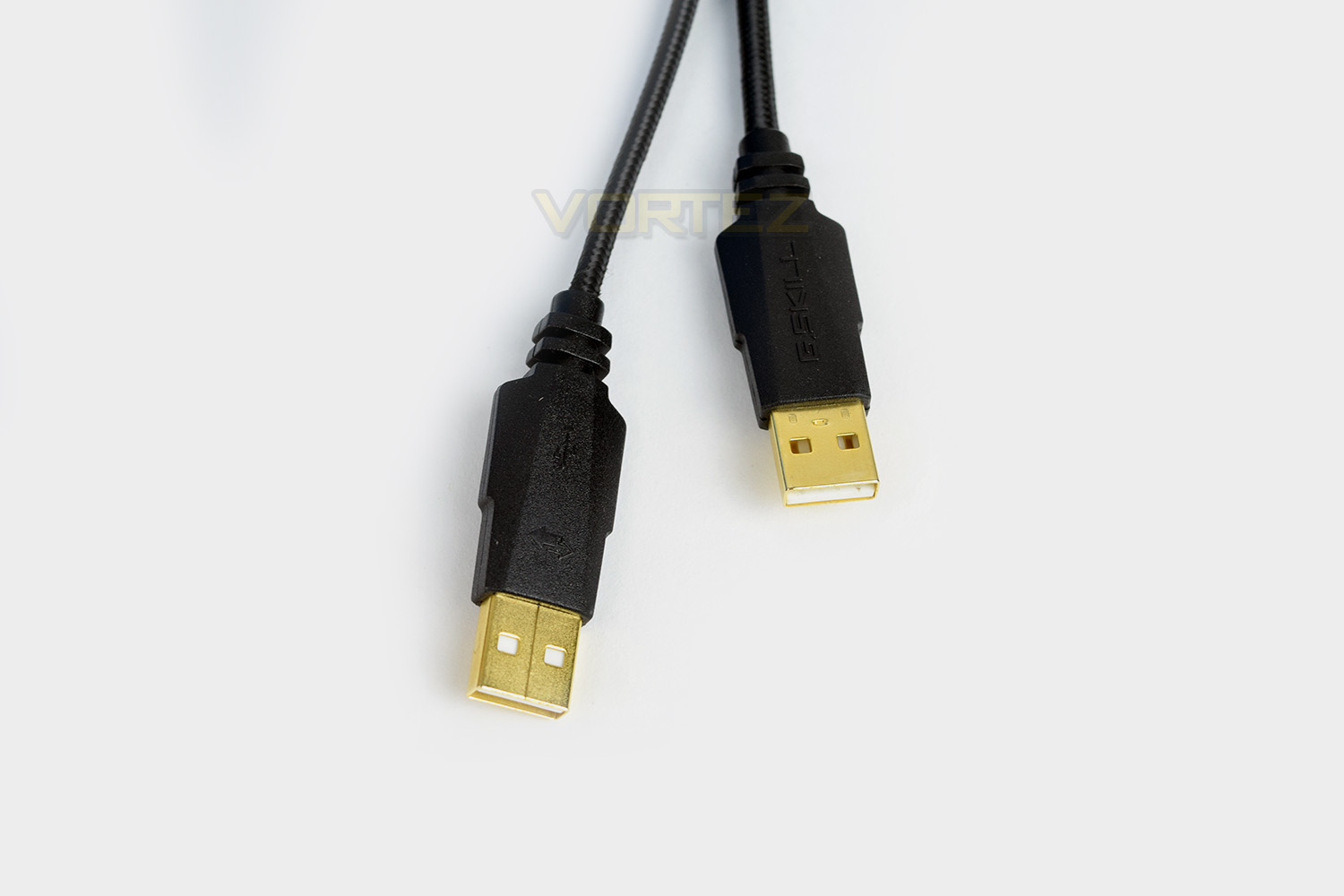
The 2M braided cable splits into two roughly 150mm from the end. You’d be lead to believe this would be for a USB passthrough but it’s instead used to provide auxiliary power to the RGB backlighting when used on lower power USB jacks. Nifty feature for older motherboards or laptops.
Software
G.SKILL’s website is easy to navigate, however, to make your life that little bit easier, the software can be download here.The installation method is simple and easy, and once launched the first time, the software will force a firmware update to the keyboard to ensure everything works exactly as it should. This process takes no more than a minute or two.
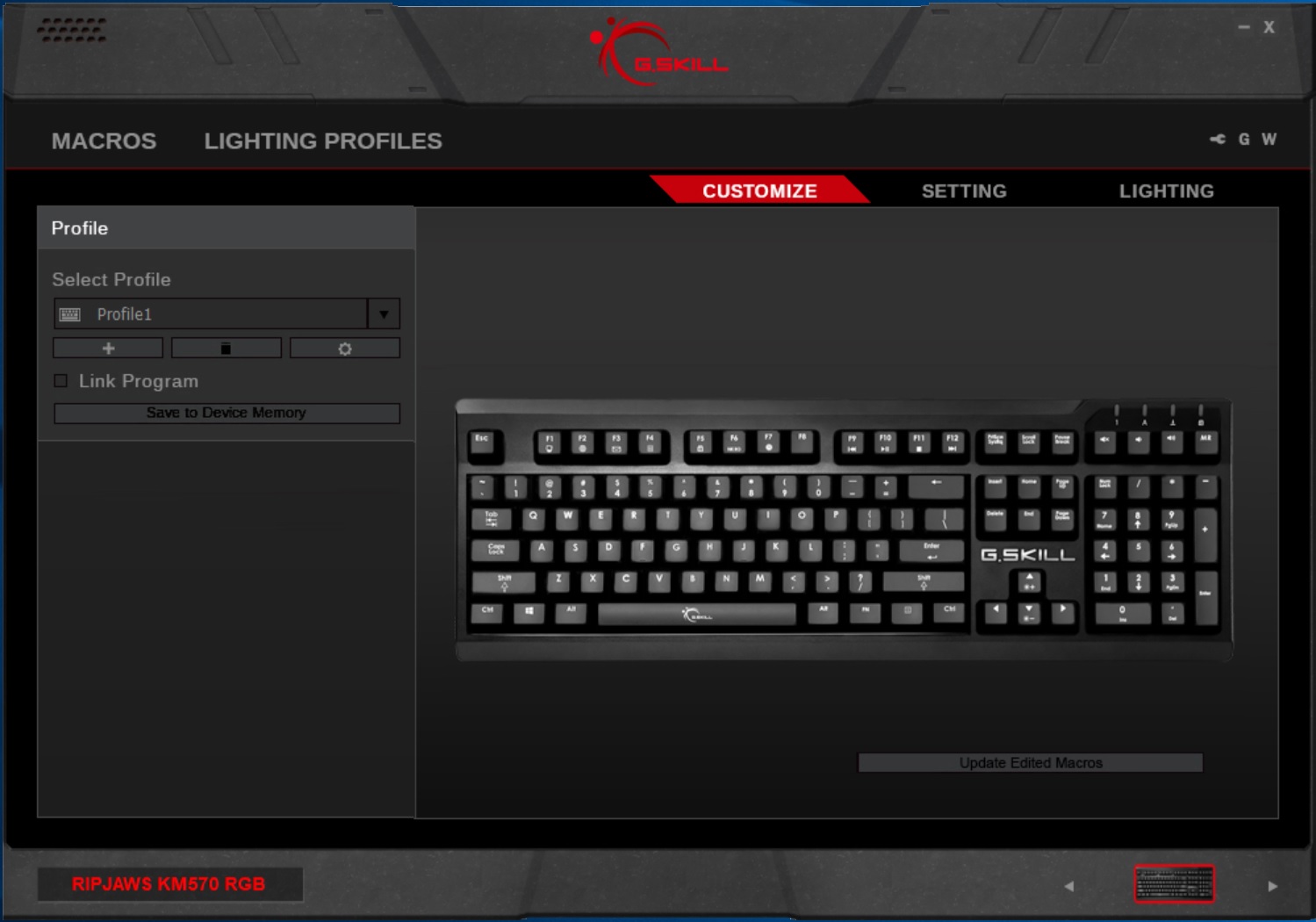
Upon opening the software, we’re greeted with the option of changing specific functions of each key. This is handy for assigning macro keys.
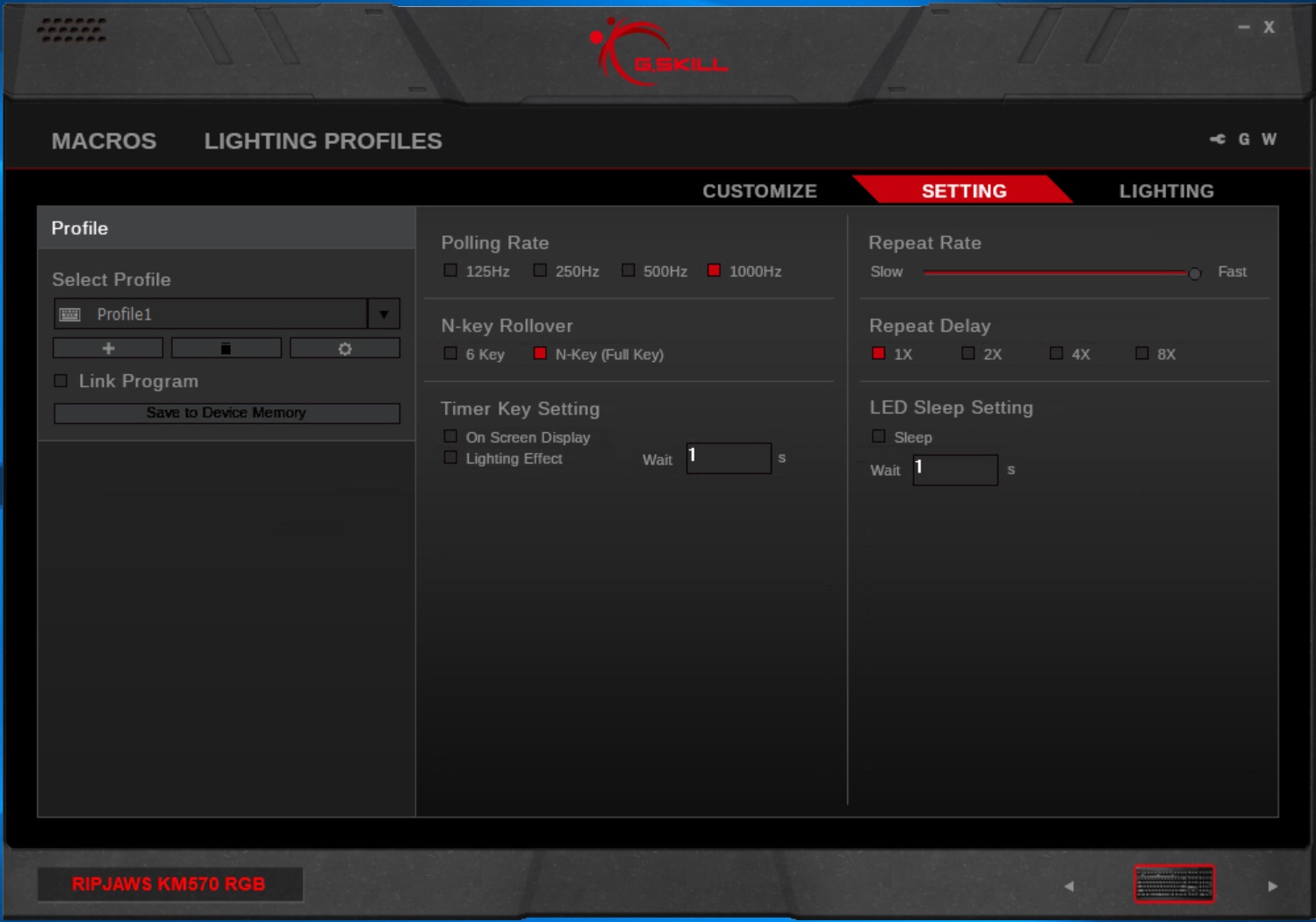
The Setting screen allows the adjustment of many settings, including polling rate (adjustment of this can enable a better experience on slower machines), N-key rollover, for the same reason. However, this doesn’t appear to be an option within the software and must be actioned using the keyboard shortcut instead. Repeat delay can also be altered in here.
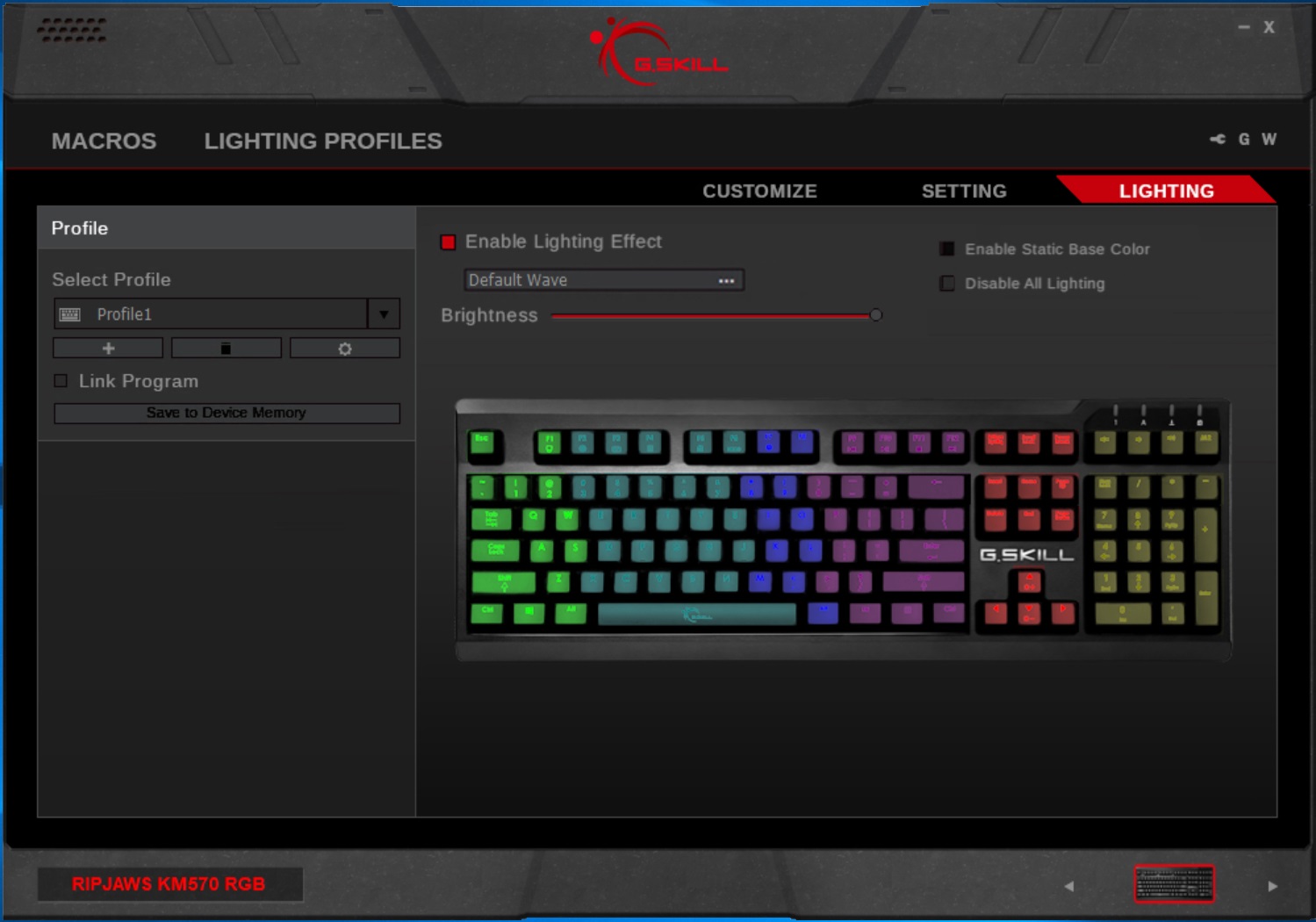
Lighting is the next tab. G.SKILL have programmed in plenty of presets to choose from, some of which are completely unique to this keyboard and some are copies of what we’ve seen before. You can create your own lighting effects but we’ll touch on that slightly further down the page. Each key can be configured independently.
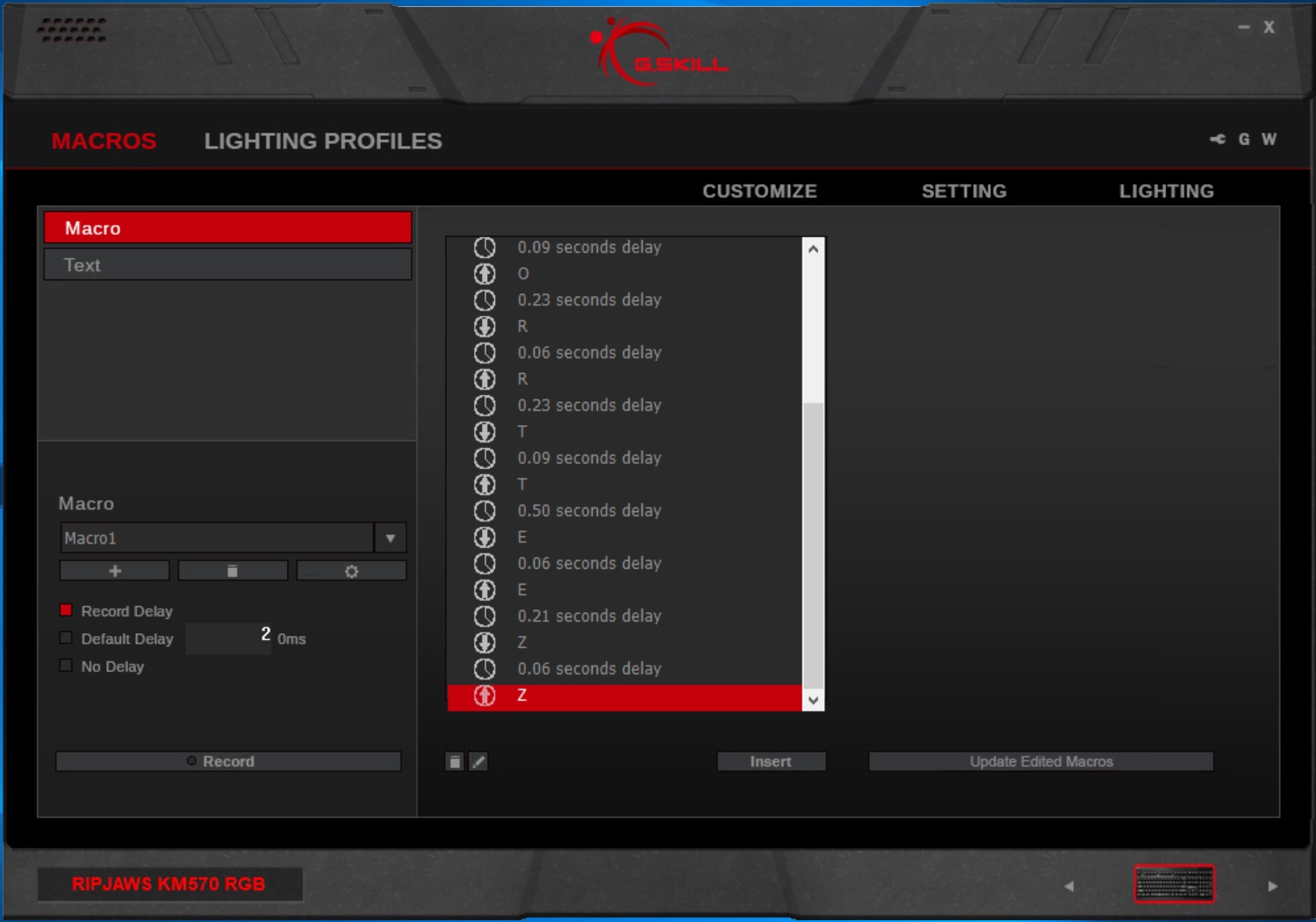
Macros can be created within the software, despite the lack of dedicated macro keys. They have to be assigned to existing keys instead. This can be useful for long-winded actions in your favourite games or for shortening specific functions within programs.
We mentioned earlier that it’s possible to create your own lighting effects from within the G.SKILL software. This is the suite with which you’re provided to use the keyboard as a blank canvas. It’s not quite as heavily features as software from Razer or Corsair, but considering the price of the keyboard compared to competitors, this is perfectly good.
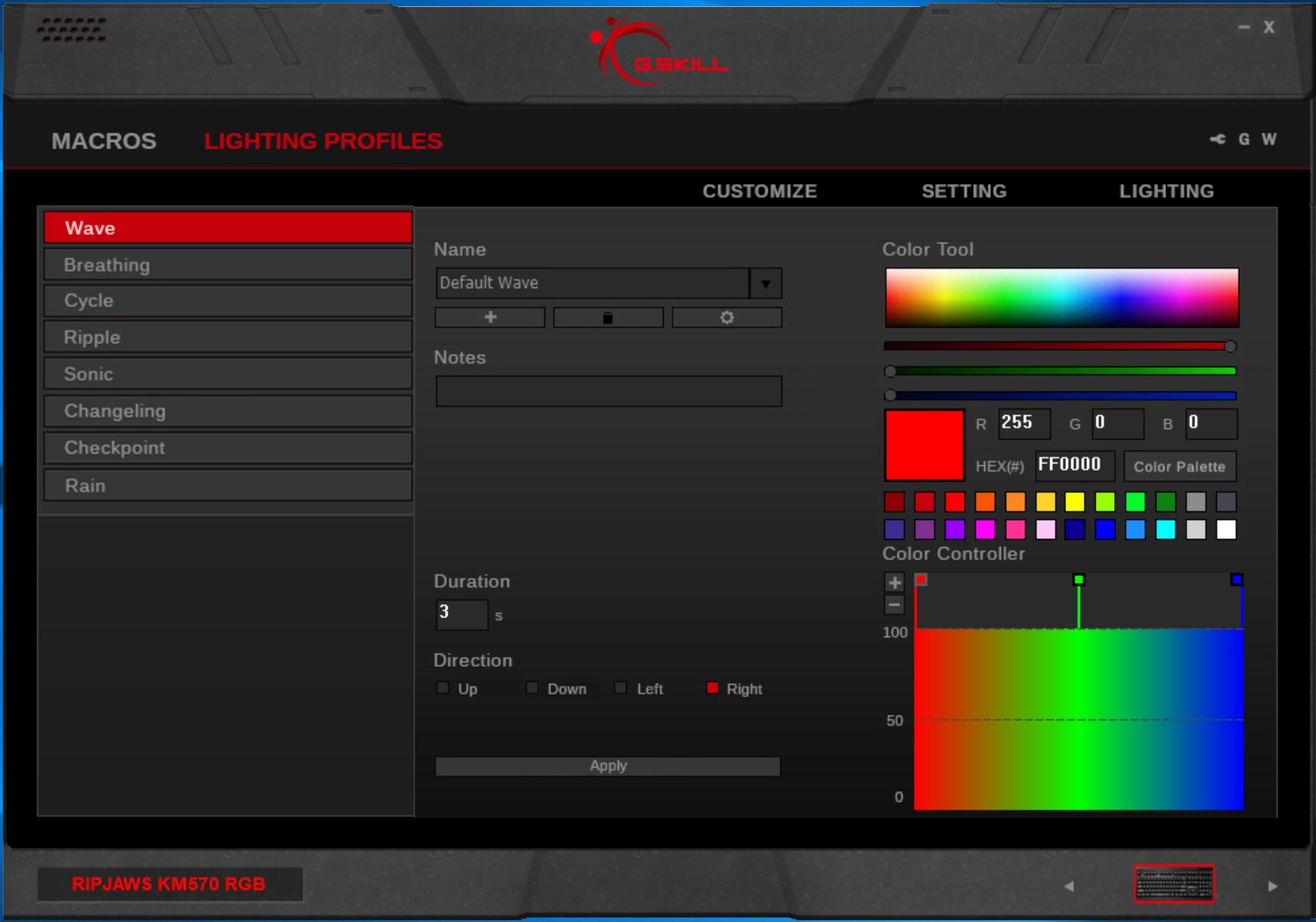
Rounding up, the software is perfectly acceptable but not quite as heavily featured as software from some of the larger companies.
Performance Testing
Considering the relatively low cost of only £60, the G.SKILL RIPJAWS KM570 offers four different Cherry MX keys: Red, Blue, Brown and Silver Speed. The difference between the four key types is an entire article on its own, so we suggest you read up on the different types when considering which you prefer, or try to visit a local computer store and try them out. The keyboard provided for review features the Cherry MX Brown keys, widely regarded as a good middle-of-the-road option, with a tactile bump but no clicky sound. These are often best for office environments where an annoying clicky keyboard could soon wear down the tempers of fellow colleagues.We used Battlefield 1, War Thunder and PUBG for testing. The keyboard features a contoured design that helps to improve comfort during use, though a wrist rest would be the cherry on top, especially at the current price point! Brown keys are perfectly useable for gaming and feel great for typing, making the KM570 an excellent all-rounder.
RGB lighting is on almost everything now; you either love it or hate it, but on the KM570 it looks fantastic. The preset lighting effects built into the software work incredibly well and there’s plenty of them, though the software does allow you to make your own. Whether you want to show off all 16.8 million colours or use a functional WASD layout, G.SKILL has you covered.
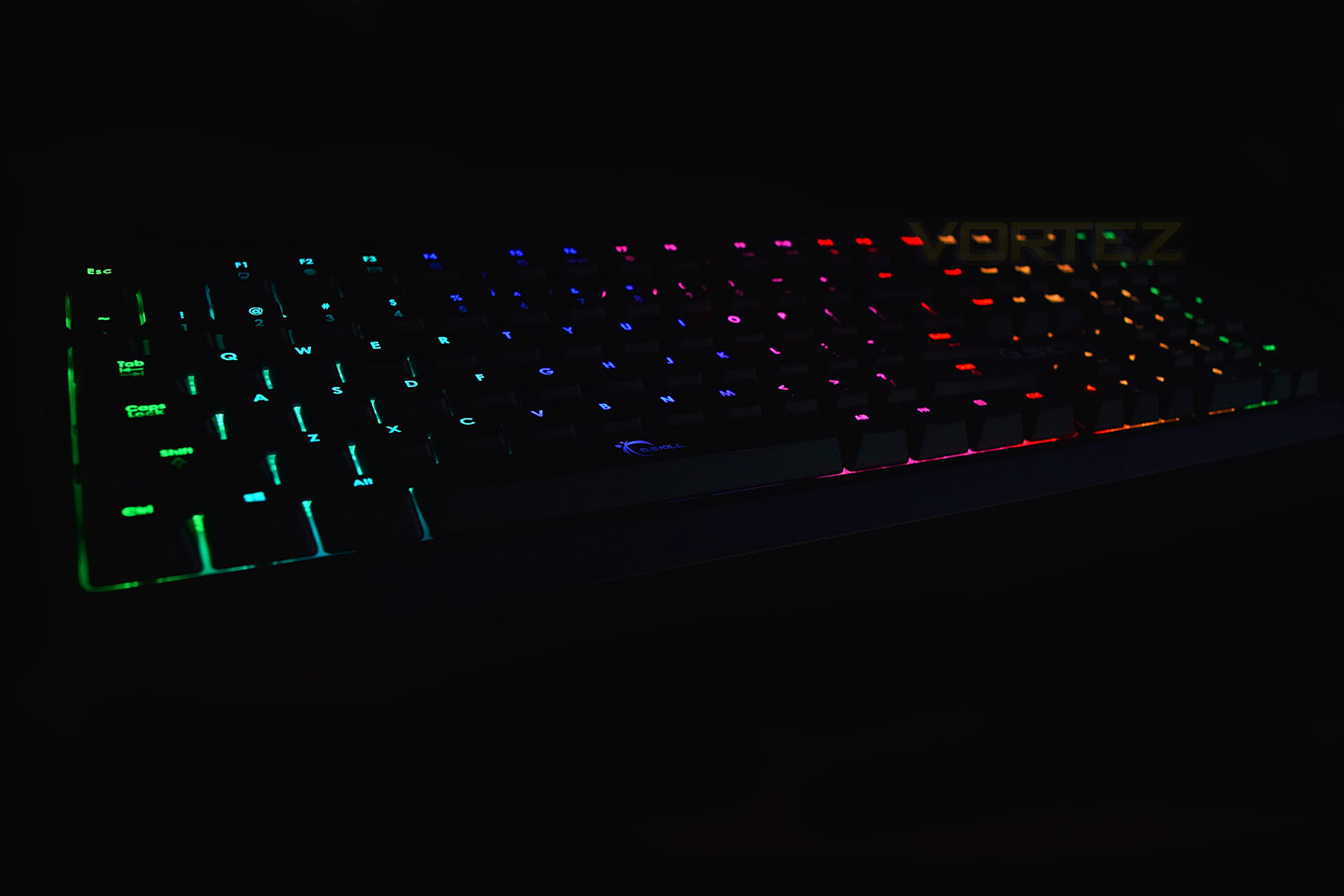
The addition of multi-function keys along the top row helps with office-based tasks, such as opening your preset email client or the calculator, as well as media functions. To the right is a trio of dedicated volume keys, made from the same Cherry MX keys.
We feel this keyboard is perfectly suited towards users who also tend to use their PC as an office machine as well as gaming. The Red switch would better fit any dedicated gamers out there.
Conclusion
Let us reiterate that price. £60. That’s half the usual price for a keyboard featuring Cherry MX switches and RGB backlighting. That is a seriously substantial saving, allowing you to purchase an awesome gaming mouse with the change. We’re genuinely blown away by the value of the KM570.The MK570 offers a choice of four different Cherry MX switches; this kind of choice is usually reserved for the higher tiers of keyboard, another plus point for the G.SKILL. Gaming, as well as typing, were both enjoyable experiences on the MX Brown switches with speedy response times from the 1000Hz polling rate paired with the mechanical key switches.
The RGB backlighting isn’t the brightest we’ve seen but it produces all of the colours you need and the effects are smooth. Besides, this keyboard lands at £60, which we might have already mentioned, so we can let it off with a little leeway.
Even without the RGB backlighting switched on, the classic design of the RIPJAWS KM570 would suit almost any desktop.
To bring some balance to the review, we feel it’s worth mentioning that the lack of dedicated Macro keys somewhat hurts the appeal to avid gamers, and a wrist rest wouldn’t be a bad thing, but those would likely bump up the price.
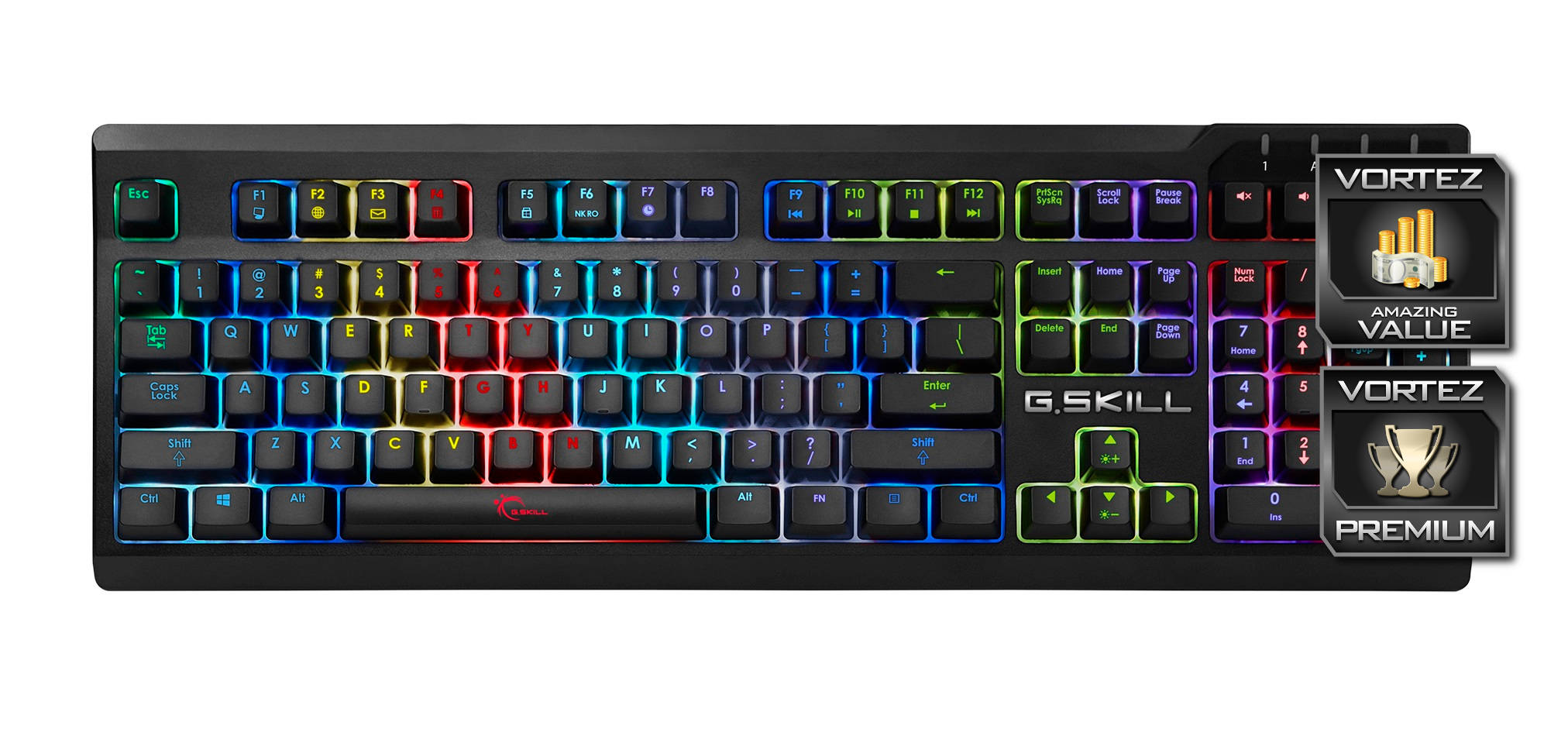
Taking into account the savings that can be had, with almost no trade-offs, the KM570 from G.SKILL offers unbeatable value for money.
Pros
+ PRICE!
+ Classic, simple design
+ Looks great
+ Per-key RGB backlighting
+ Full N-Key Rollover
+ Dedicated volume keys
+ Braided cable
+ Cherry MX switches in 4 different colours
Neutral
+- No dedicated macro keys
+- No wrist rest
Cons
– None
+ PRICE!
+ Classic, simple design
+ Looks great
+ Per-key RGB backlighting
+ Full N-Key Rollover
+ Dedicated volume keys
+ Braided cable
+ Cherry MX switches in 4 different colours
Neutral
+- No dedicated macro keys
+- No wrist rest
Cons
– None
Click here for an explanation of our awards at Vortez.net.
Stay connected with the Vortez Social Media pages: