Take a look at G.SKILL’s debut mouse with the RIPJAWS MX780 RGB, it is an ambidextrous gaming mouse packed with an Avago 8200DPI sensor, Omron micro-switches, RGB lighting and interchangeable grips.

Product on Review: G.Skill RIPJAWS MX780 RGB
Manufacturer & Sponsor: G.Skill
Street Price: US: $74.99
G.SKILL have long been a trusted brand for gaming and enthusiast grade memory and have been around for over 25 years. Throughout this time, G.SKILL have been quite steadfast in the memory market without really deviating from it and have accumulated many accolades, world records and honours that rival Corsair and Kingston. So why move into the gaming peripheral market?
The logical answer is, the market climate is now ‘right’. Brand awareness is a hugely important aspect to driving brand awareness and demand and the esports scene currently has one of the fastest growing slice of that pie. So it becomes understandable that we see a new line of gaming gear using the renowned ‘RIPJAWS’ sub-brand.
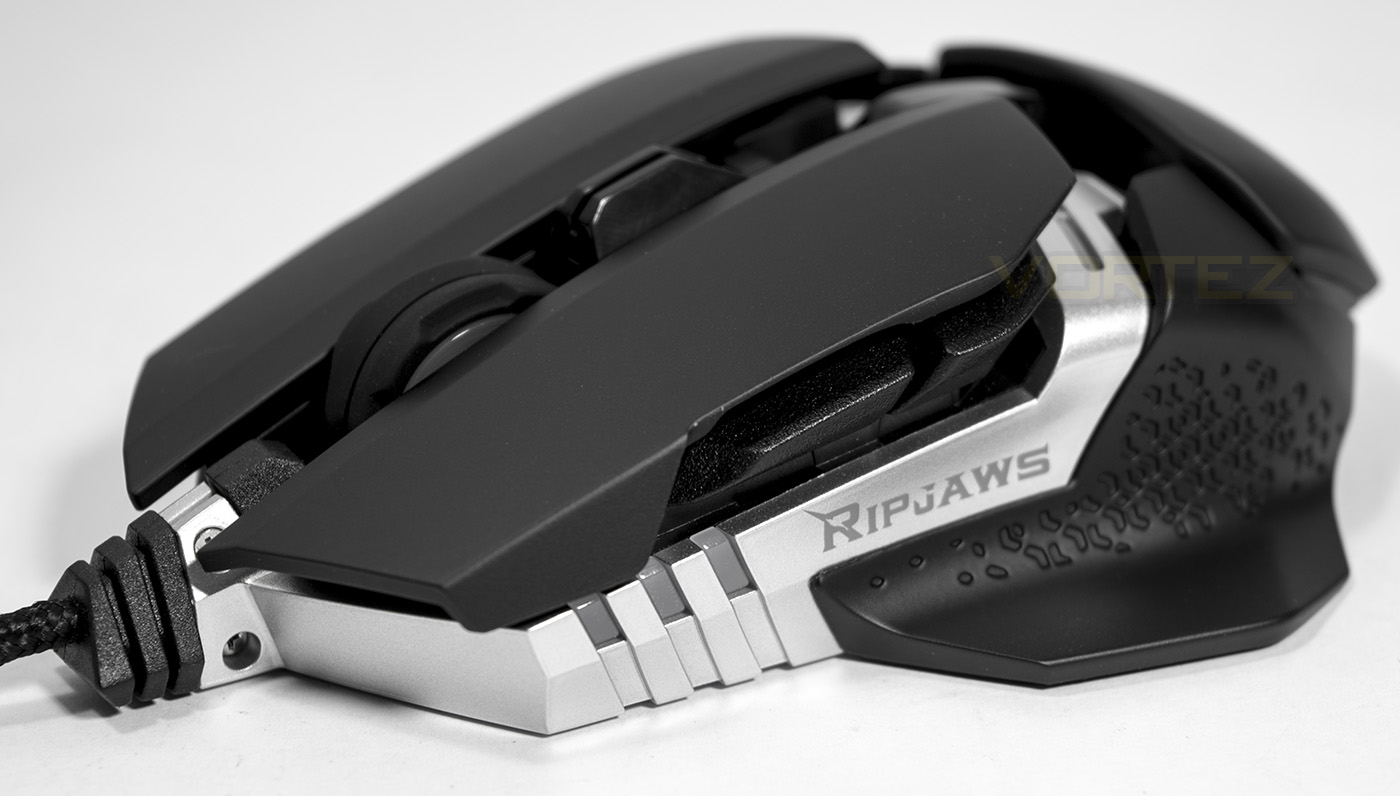
The RIPJAWS MX780 certainly stands out aesthetically with the metal frame exposed and its various RGB lighting points. For trusted quality and reliability the MX780 is equipped with a 8200DPI LASER sensor from Avago, Omron micro-switches rated for 20 million clicks, adjustable rear grip height, adjustable weight and features magnetic side grips which can be swapped to suit your preference.
Overview by G.Skill
Ambidextrous design, interchangeable side grips, height-adjustable palm rest, on-board profile storage, adjustable weights, Avago laser sensor, Omron micro-switch, 8 fully programmable buttons and customizable 4-zone RGB backlighting. The RIPJAWS MX780 laser gaming mouse is designed and built with durability and practicality in mind for the ultimate gaming experience in glorious RGB lighting.
Technical Specifications
Sensor Type: Avago Laser Sensor
Micro Switch: Omron
DPI: 100-8200
Polling Rate: 125Hz/250Hz/500Hz/1000Hz
Mouse Backlighting: 4-Zone RGB
On-Board Profile: 5
Programmable Keys: 8
On-Board Memory: 512kb
Braided USB Cable: 1.8m
Mouse Adapter: USB
Mouse Feet: PTFE Glide Pads
Weight System: 4.5g Weights (x2)
Weight (mouse only): 111g
Weight (w/ weights): 120g
Dimensions: 130mm x 70mm x 38mm (5.12in x 2.76in x 1.50in)
Dimensions (w/ large side grips): 130mm x 93mm x 38mm (5.12in x 3.66in x 1.50in)
Warranty: 2-Year Limited Warranty
Micro Switch: Omron
DPI: 100-8200
Polling Rate: 125Hz/250Hz/500Hz/1000Hz
Mouse Backlighting: 4-Zone RGB
On-Board Profile: 5
Programmable Keys: 8
On-Board Memory: 512kb
Braided USB Cable: 1.8m
Mouse Adapter: USB
Mouse Feet: PTFE Glide Pads
Weight System: 4.5g Weights (x2)
Weight (mouse only): 111g
Weight (w/ weights): 120g
Dimensions: 130mm x 70mm x 38mm (5.12in x 2.76in x 1.50in)
Dimensions (w/ large side grips): 130mm x 93mm x 38mm (5.12in x 3.66in x 1.50in)
Warranty: 2-Year Limited Warranty
Packaging & First Look
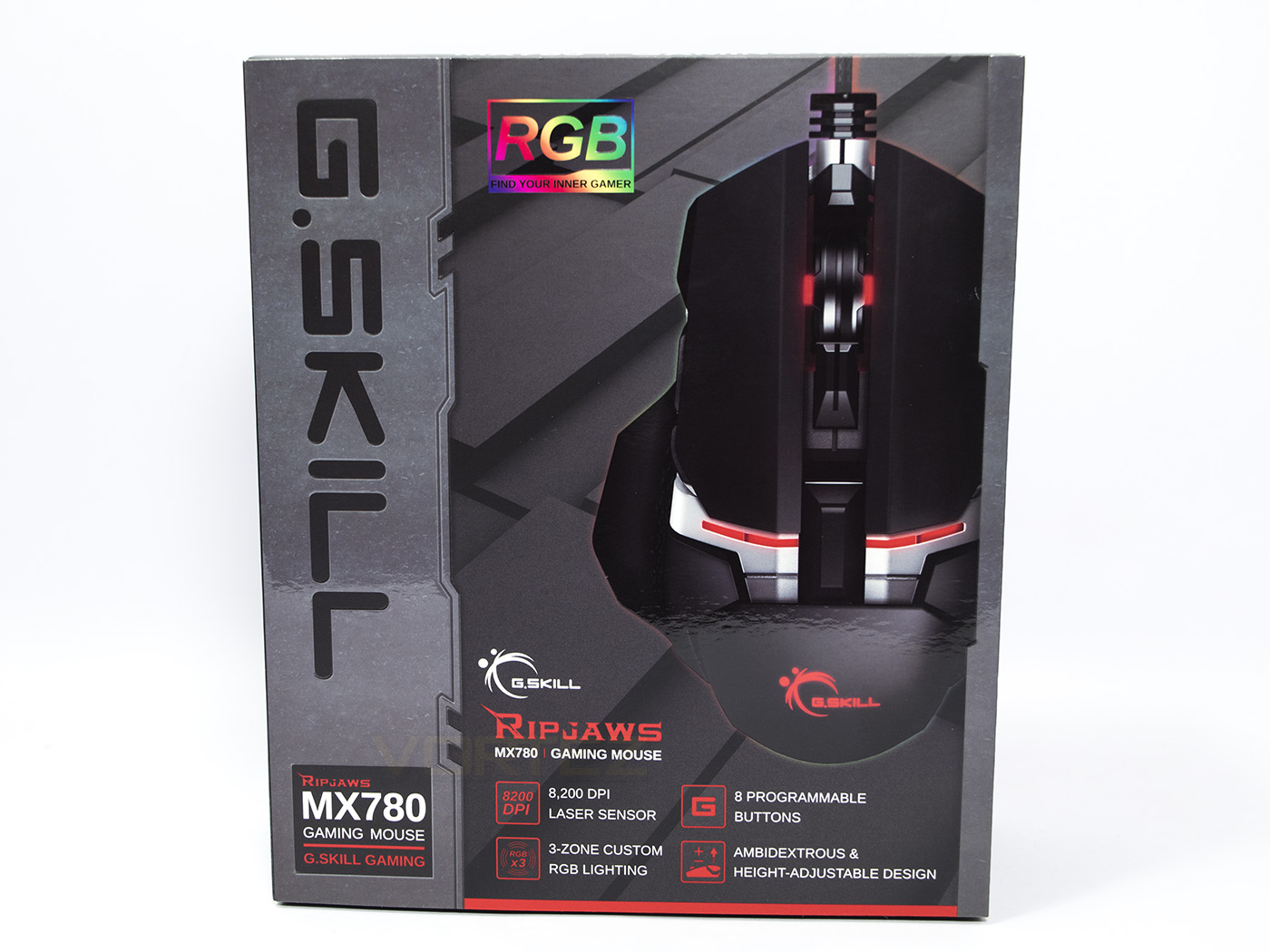
The outer packaging seems a little busy for no real reason, and the G.SKILL brand is written in an almost unfamiliar manner. If you weren’t familiar with the G.SKILL brand, you could be forgiven for thinking that the brand was ‘RGB’… The image of the mouse seems partially clipped but does offer insight as to what the product looks like.
At the bottom there is good, useful information about the product and its features as well as the elusive G.SKILL RIPJAWS branding.
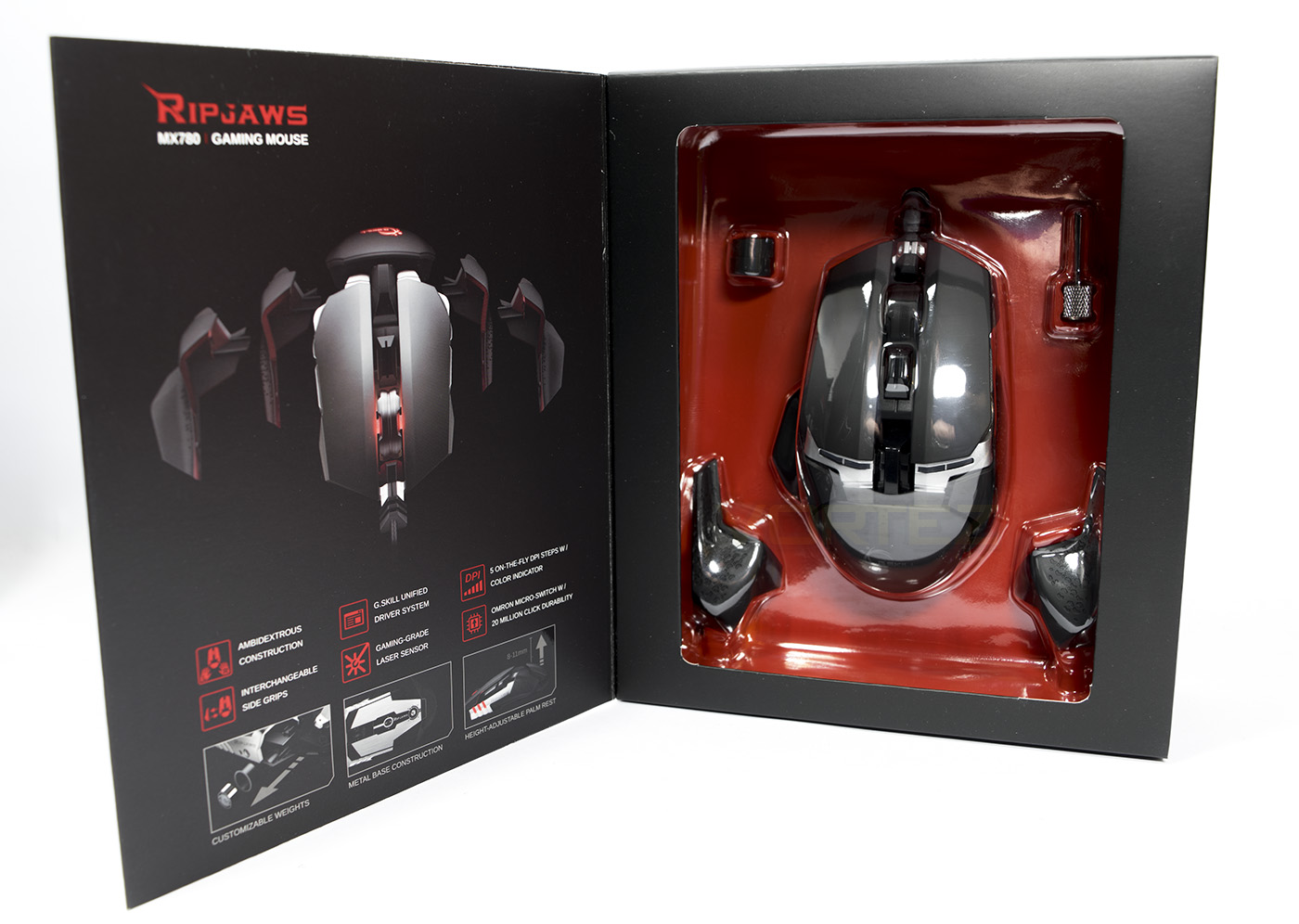
Opened up we get closer look at the product including some accessories while the inner sleeve demonstrates the interchangeable grips.
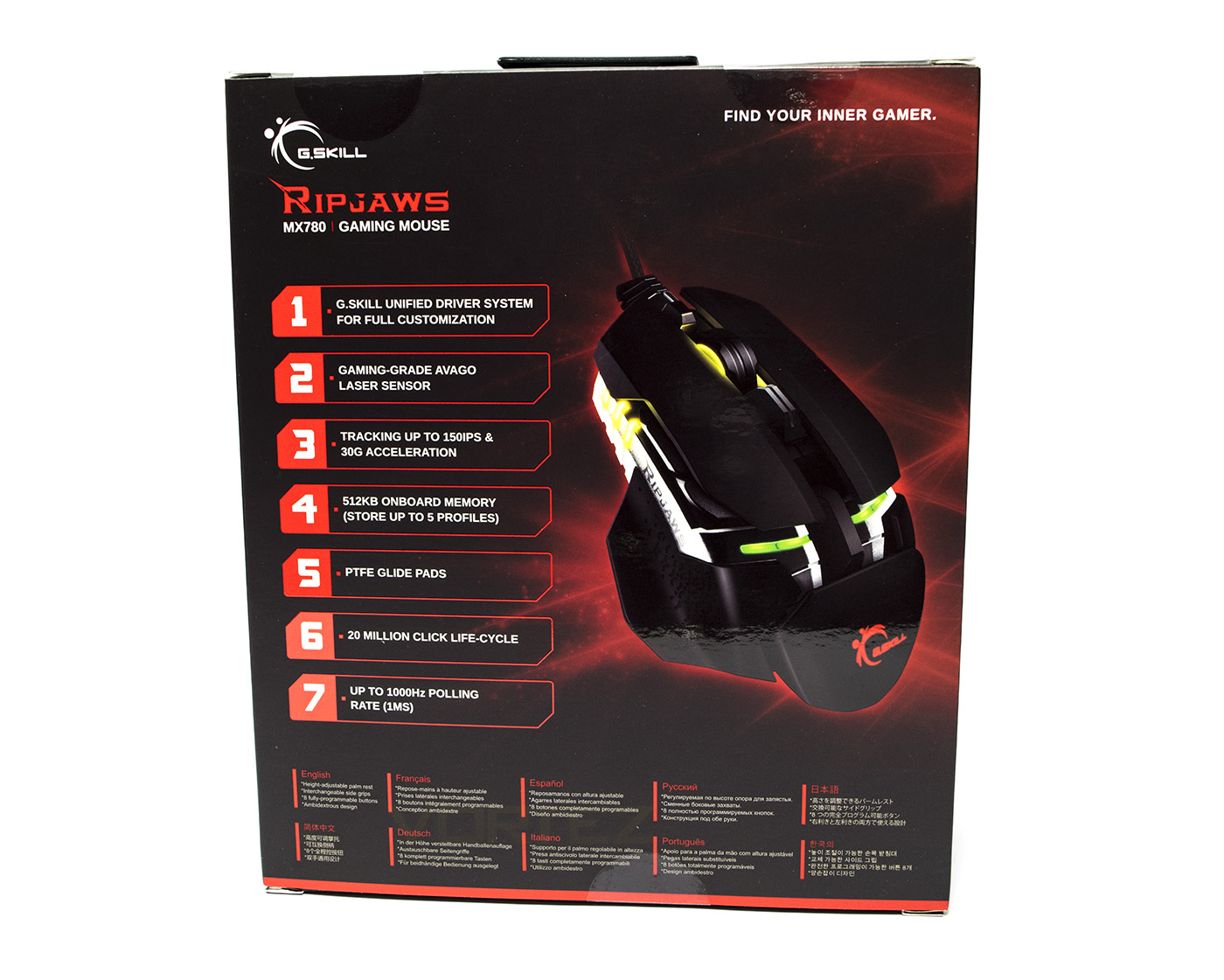
The back of the box looks like a completely different product, and would look like the front if it weren’t for the multilingual information at the base. Though at least they enable the consumer to be absolutely certain about what it is they are buying.
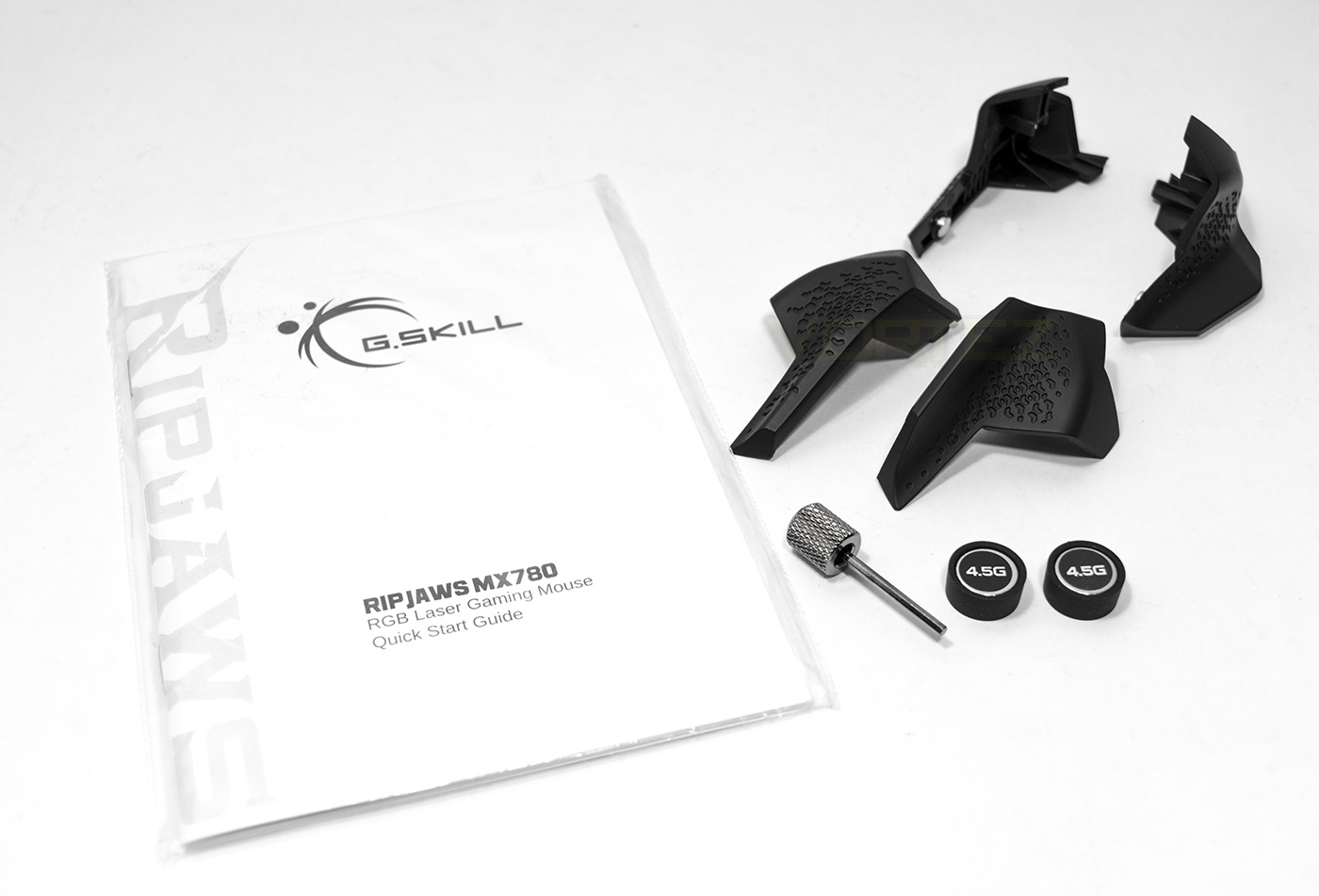
Inside you will find the manual, 2x 4.5g weights, a thumb hex key (similar to that which comes with the Corsair Scimitar) and a large pair and smaller pair of magnetic side grips.
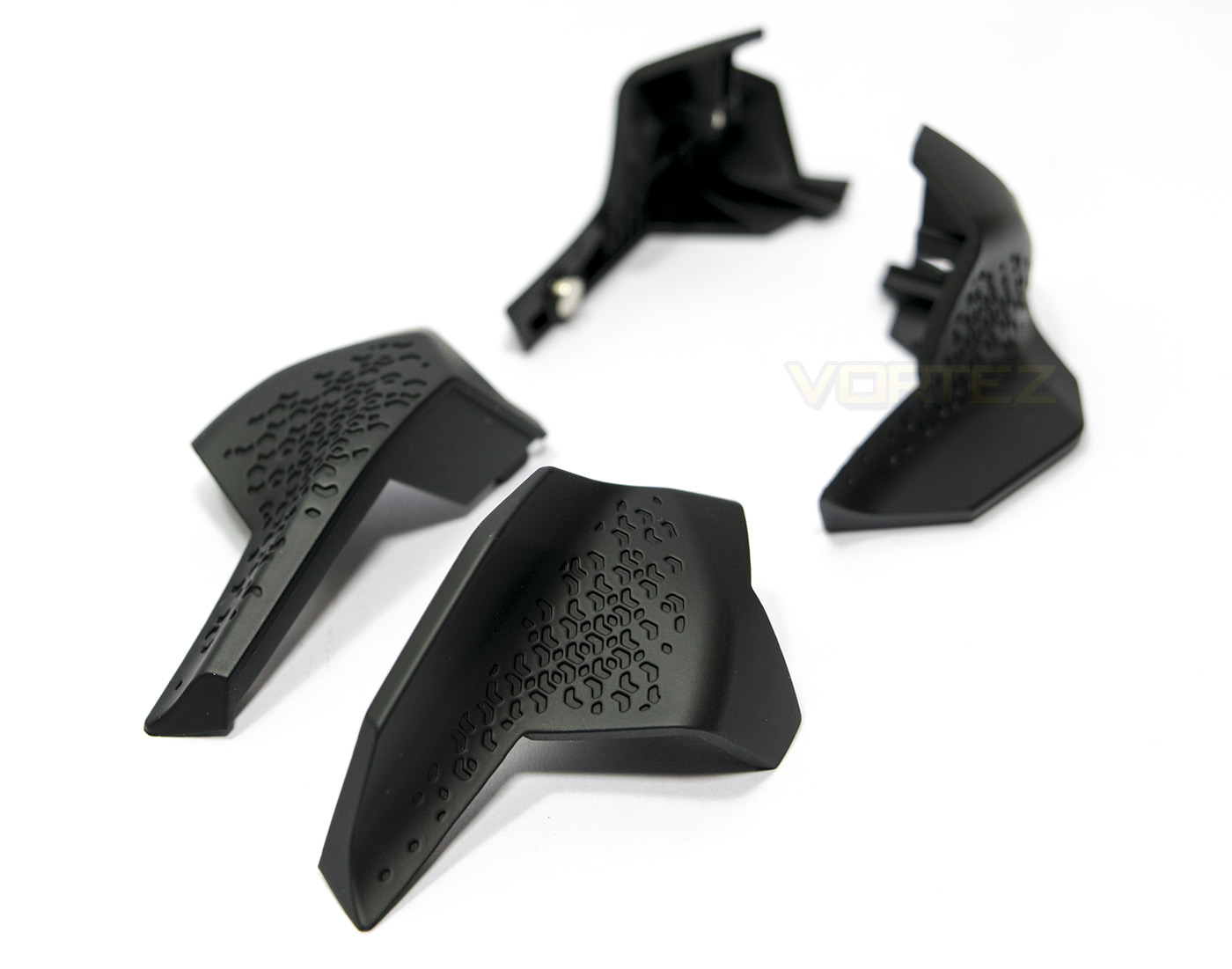
A closer look at the grips.
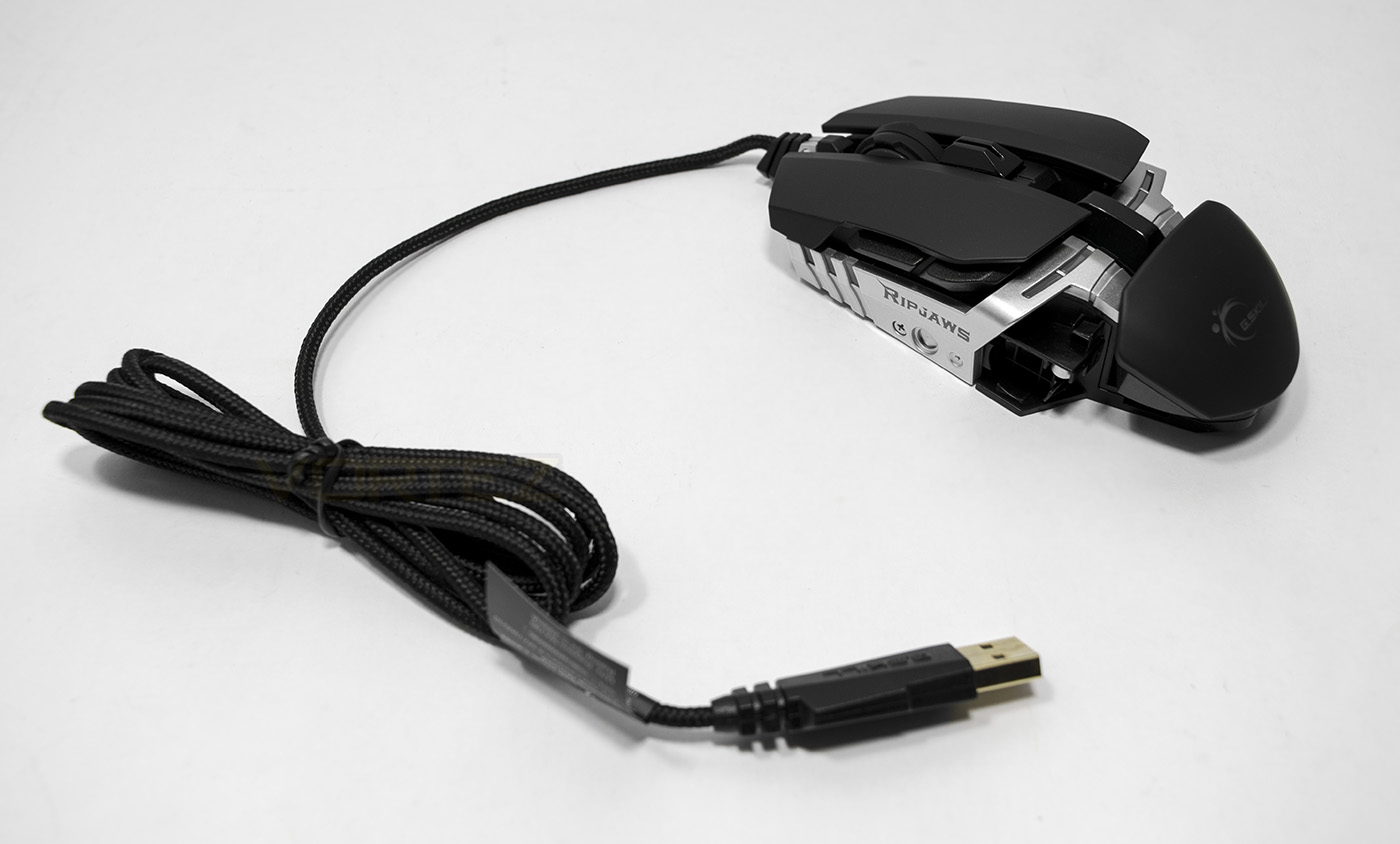
The RIPJAWS MX780 features a 1.8m long braided cable and a metal frame which is reminiscent of the Cyborg RAT.
Closer Look
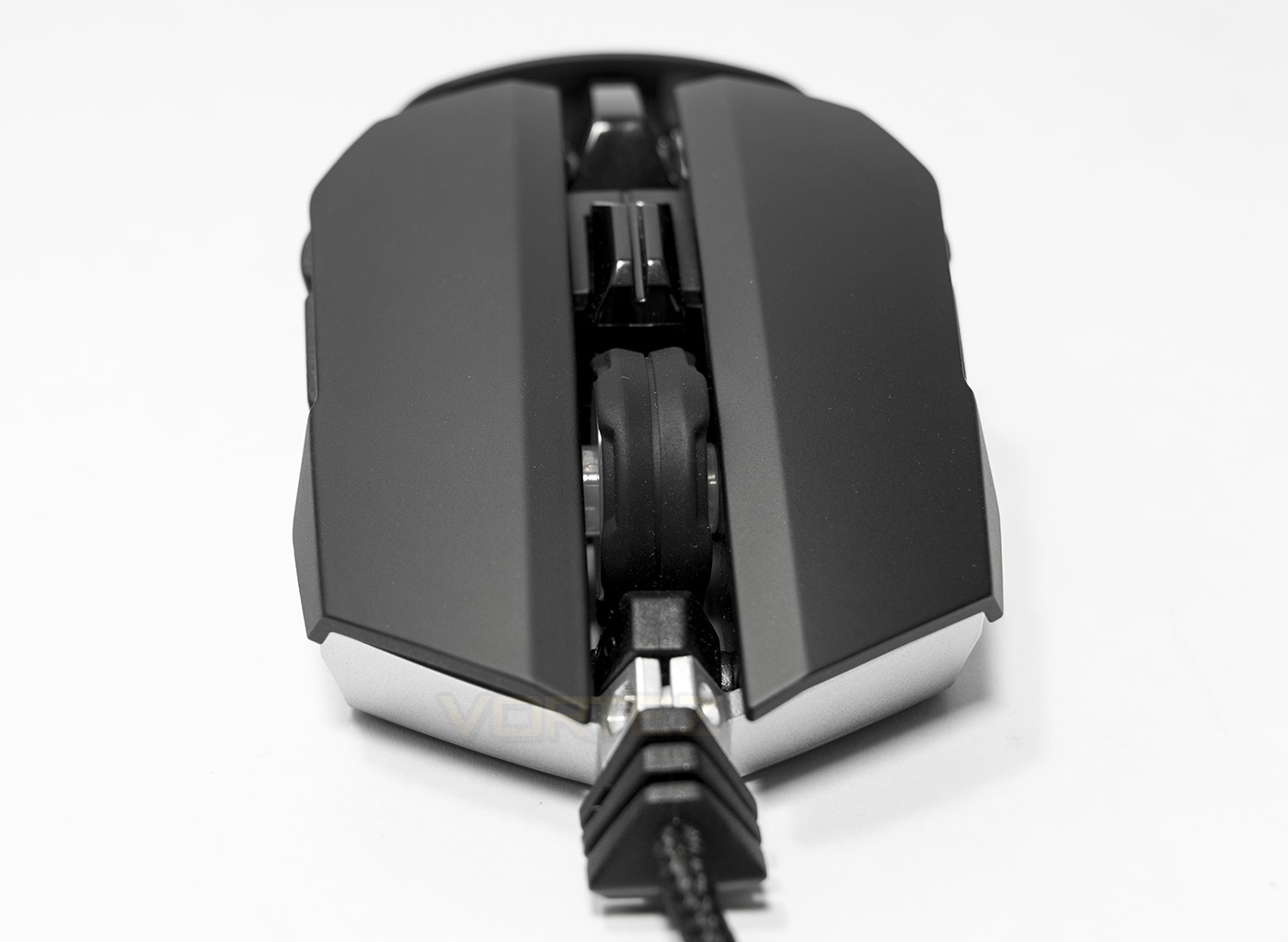
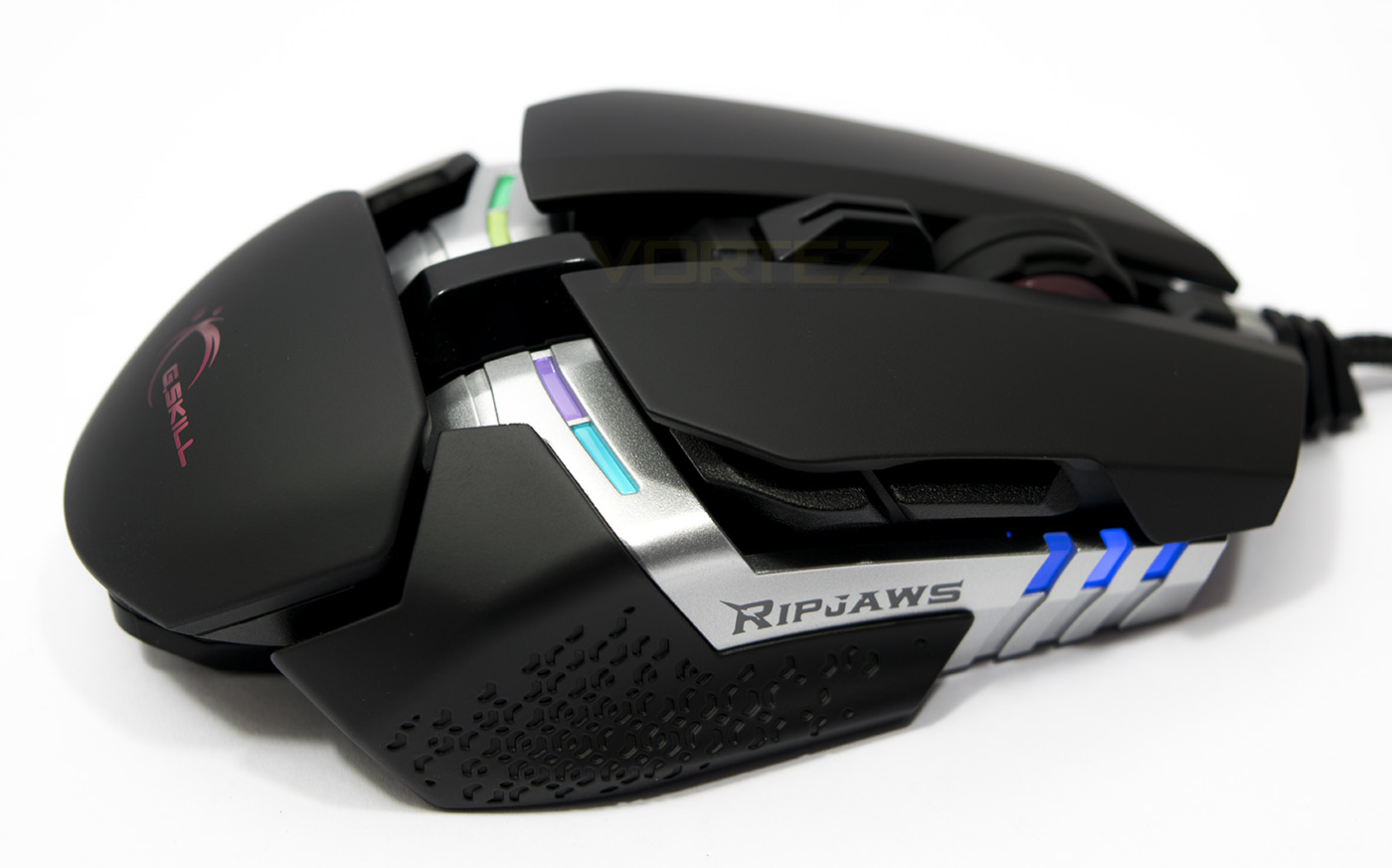
At the front we get a good look of the low profile mouse at just 38mm high. This angle also give a good look at the wide mouse wheel and the DPI toggle button.
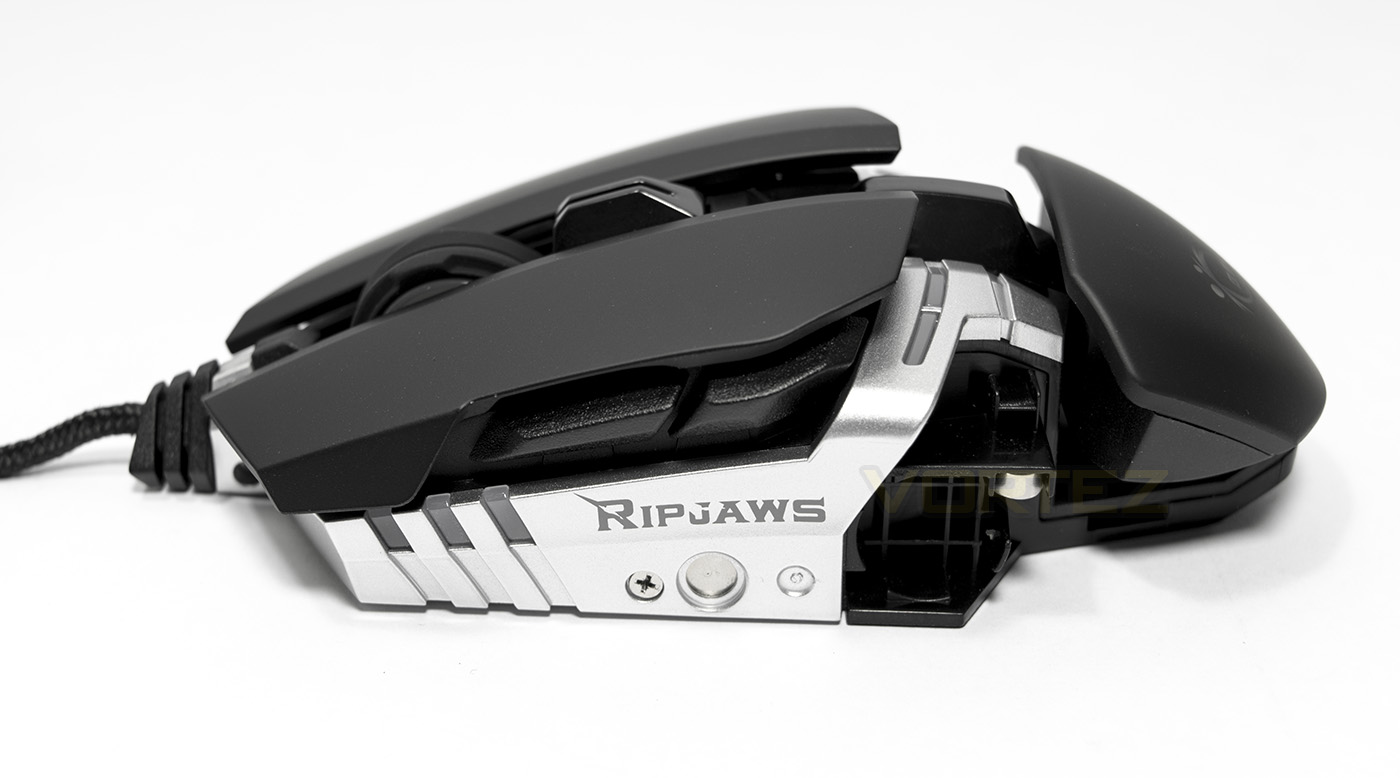
The the front there are 3 LEDs, (mirrored on either side) which make up one of the lighting zones. The RIPJAWS logo is also visible, oxidised into the metal. There are magnetic points for the side grips to attach to, while there is a circular alcove for the extra weight to be mounted as desired. The side buttons look interesting as the front is larger than the rear.
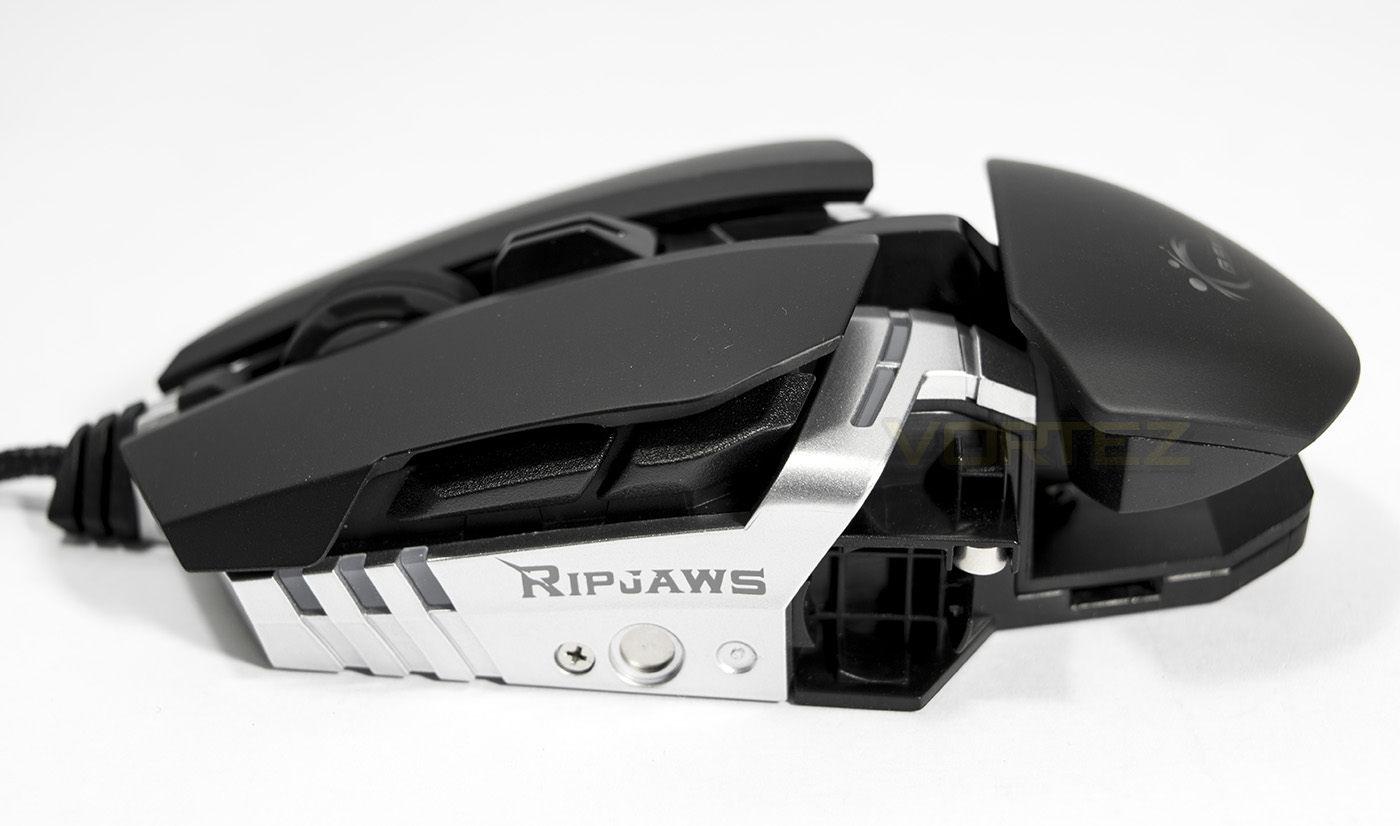
The rear portion of the grip can be raised and lowered to suit using the hex key provided.
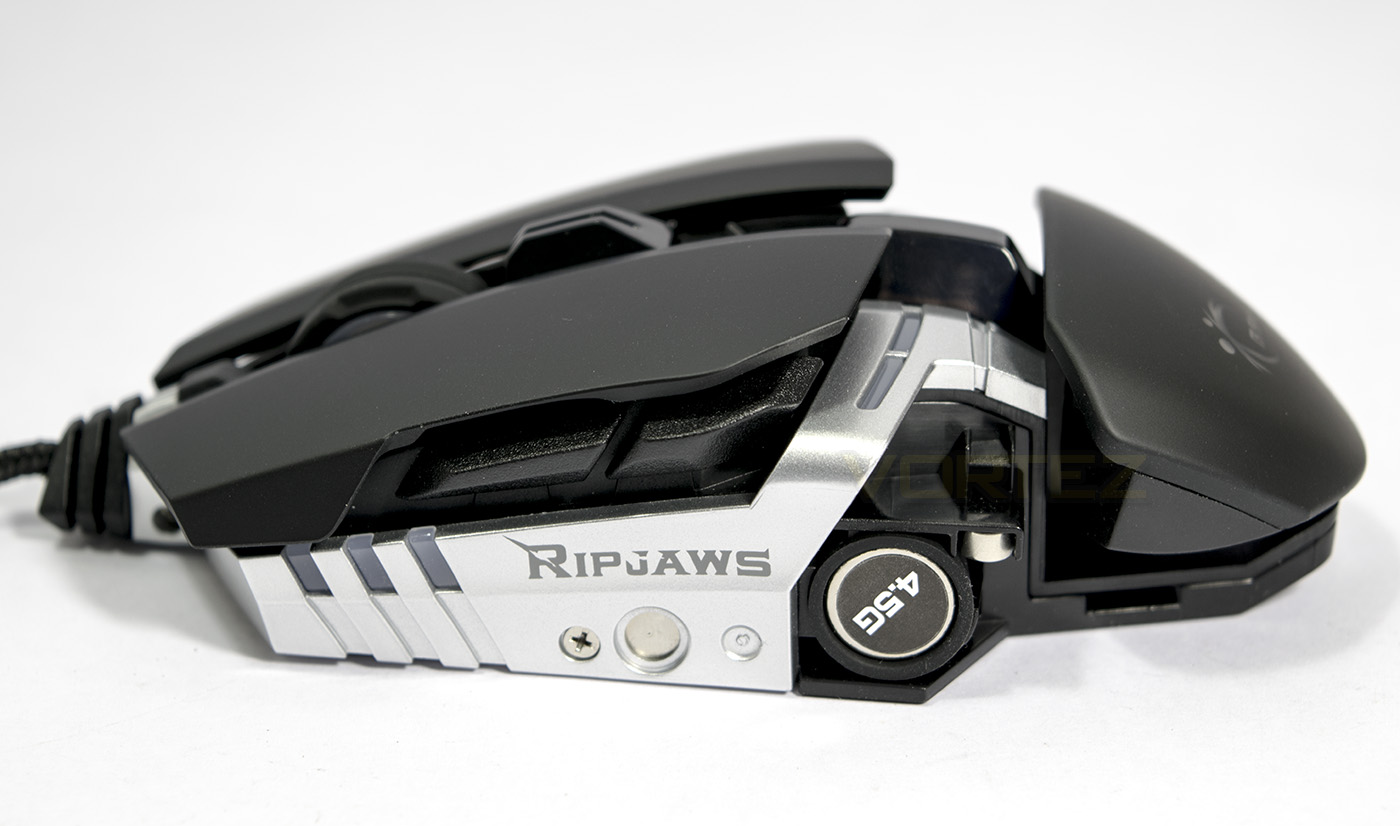
Extra weight inserted.
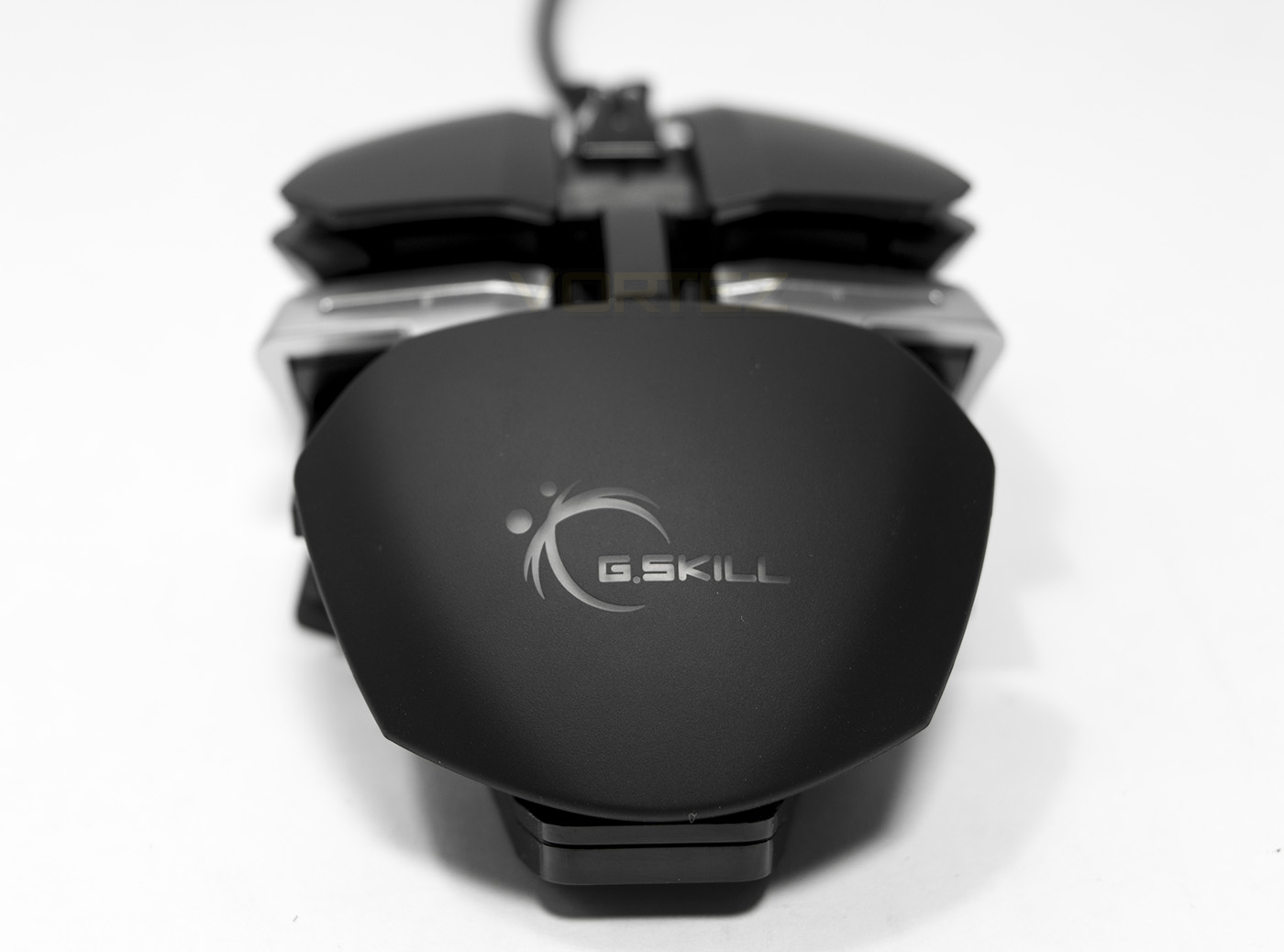
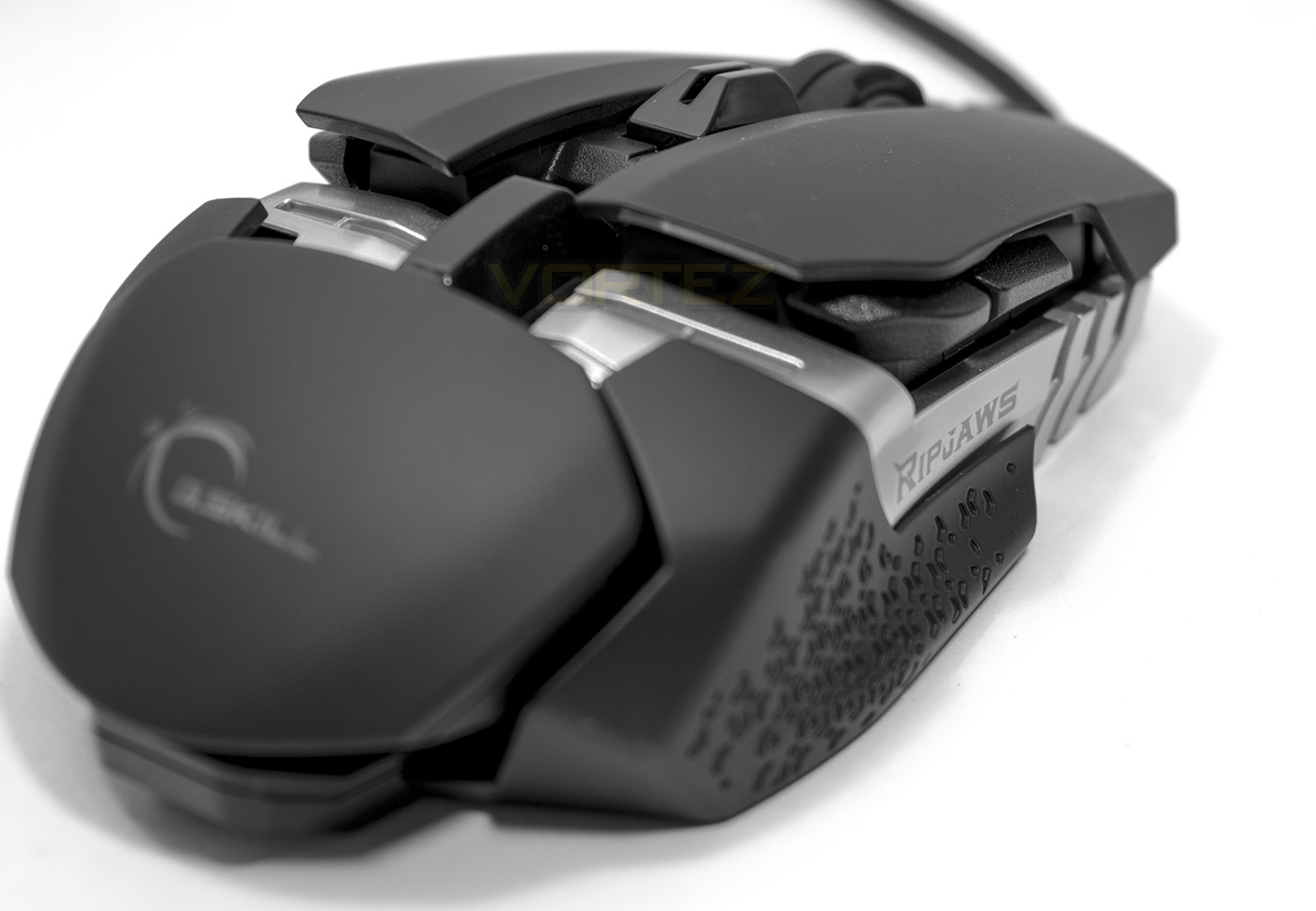
The rear view gives an interesting aesthetic into the geometry at work. The logo at the rear is another lighting zone.
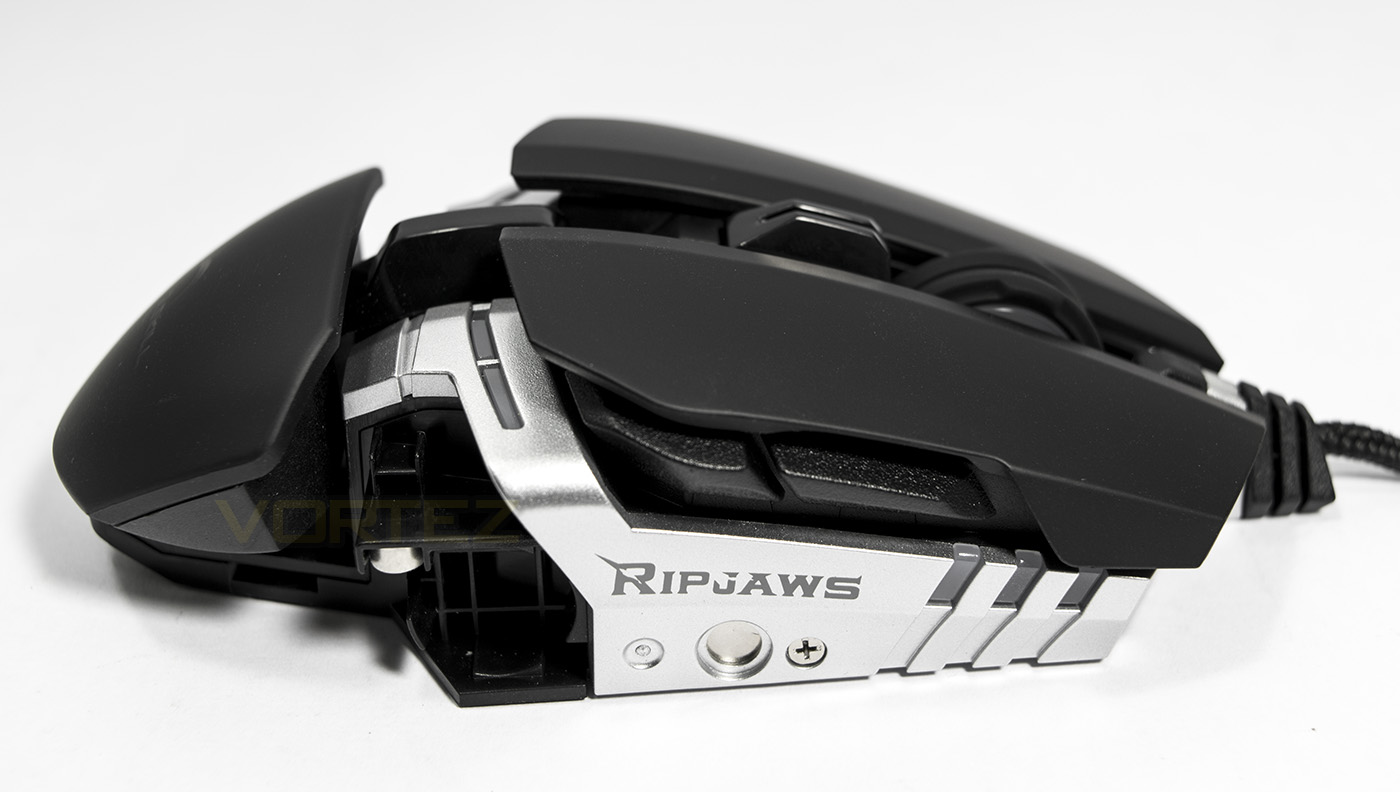
As this mouse is ambidextrous, this side is near identical to the opposite.
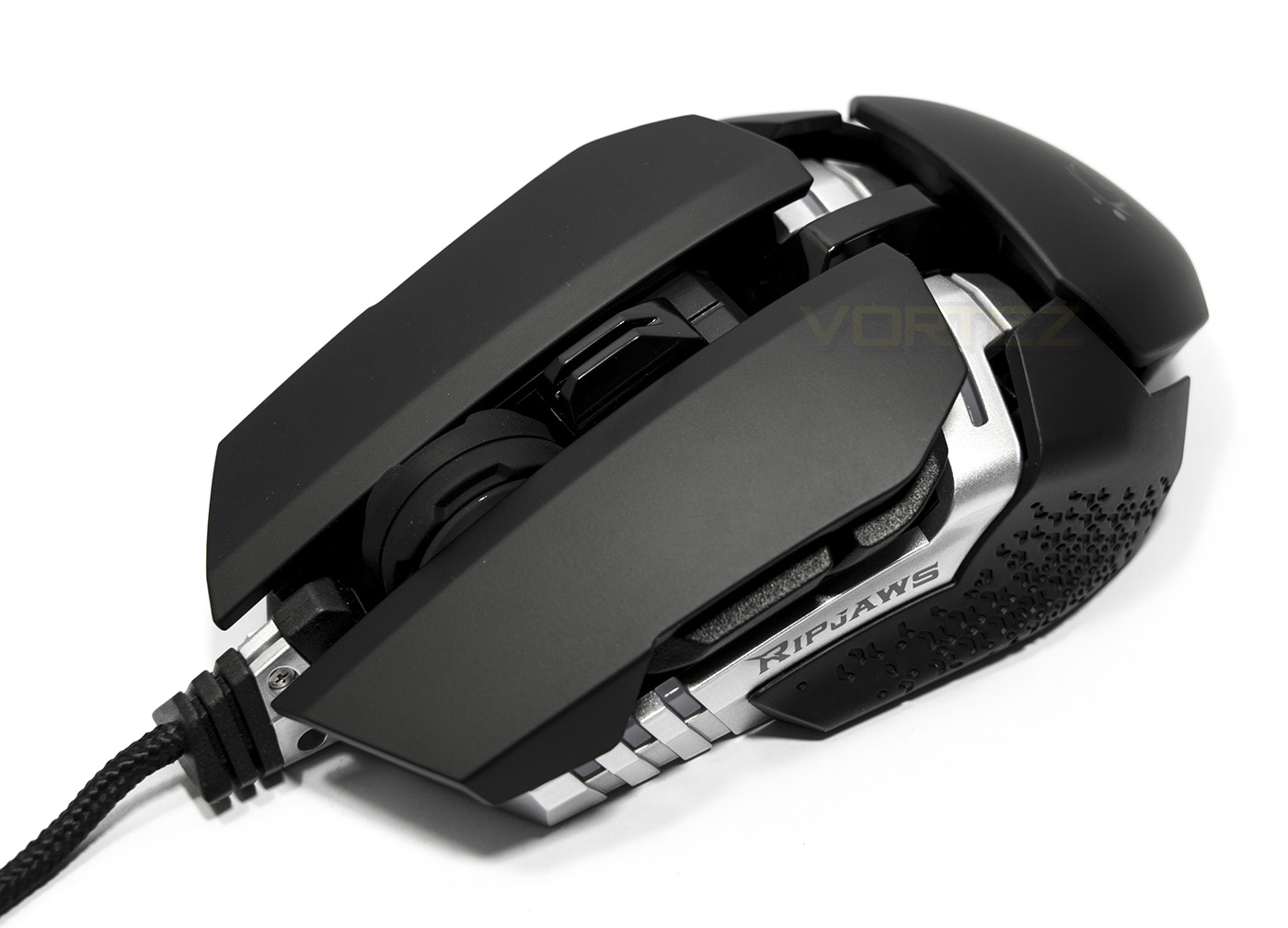
Small grip attached.
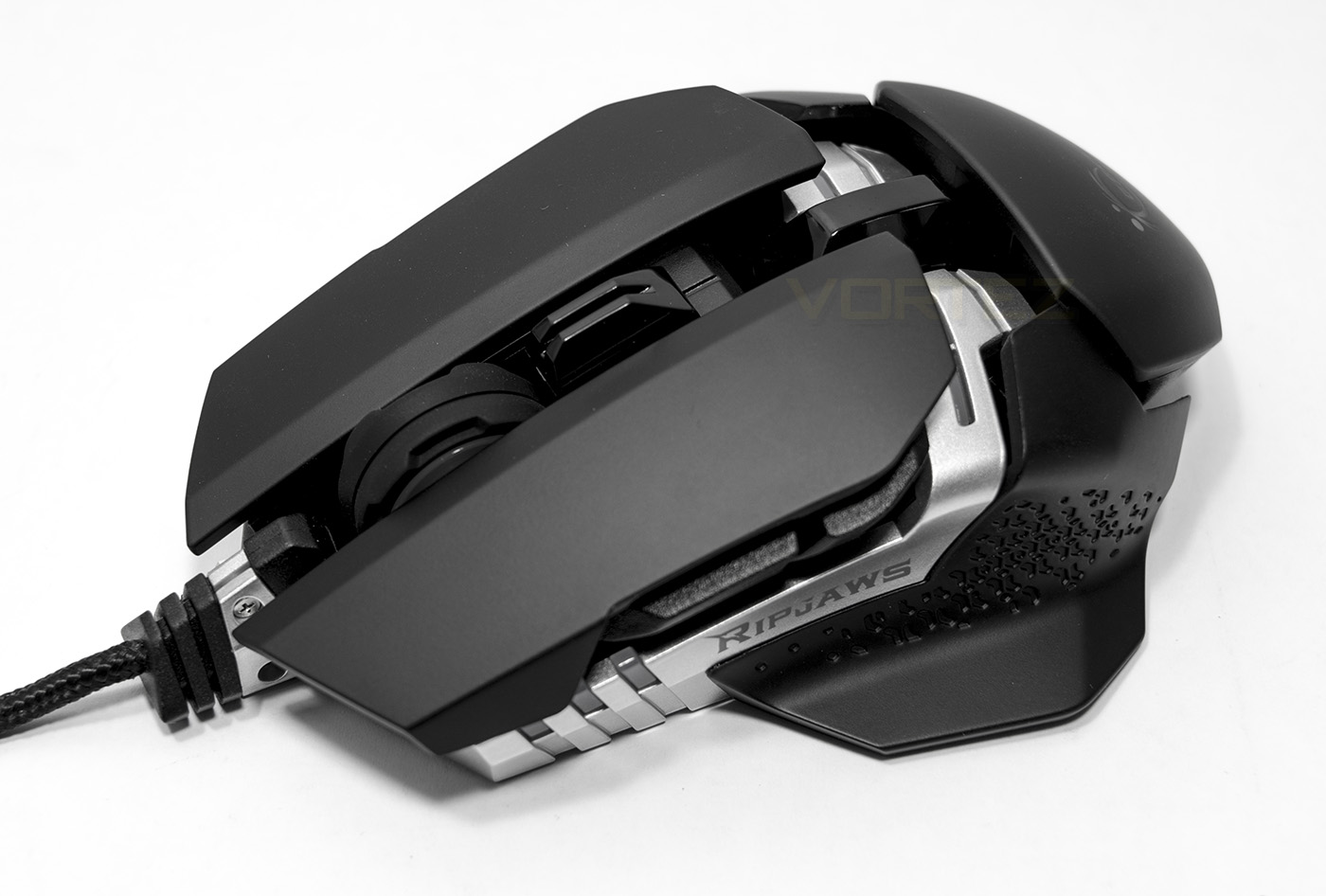
Large grip attached.
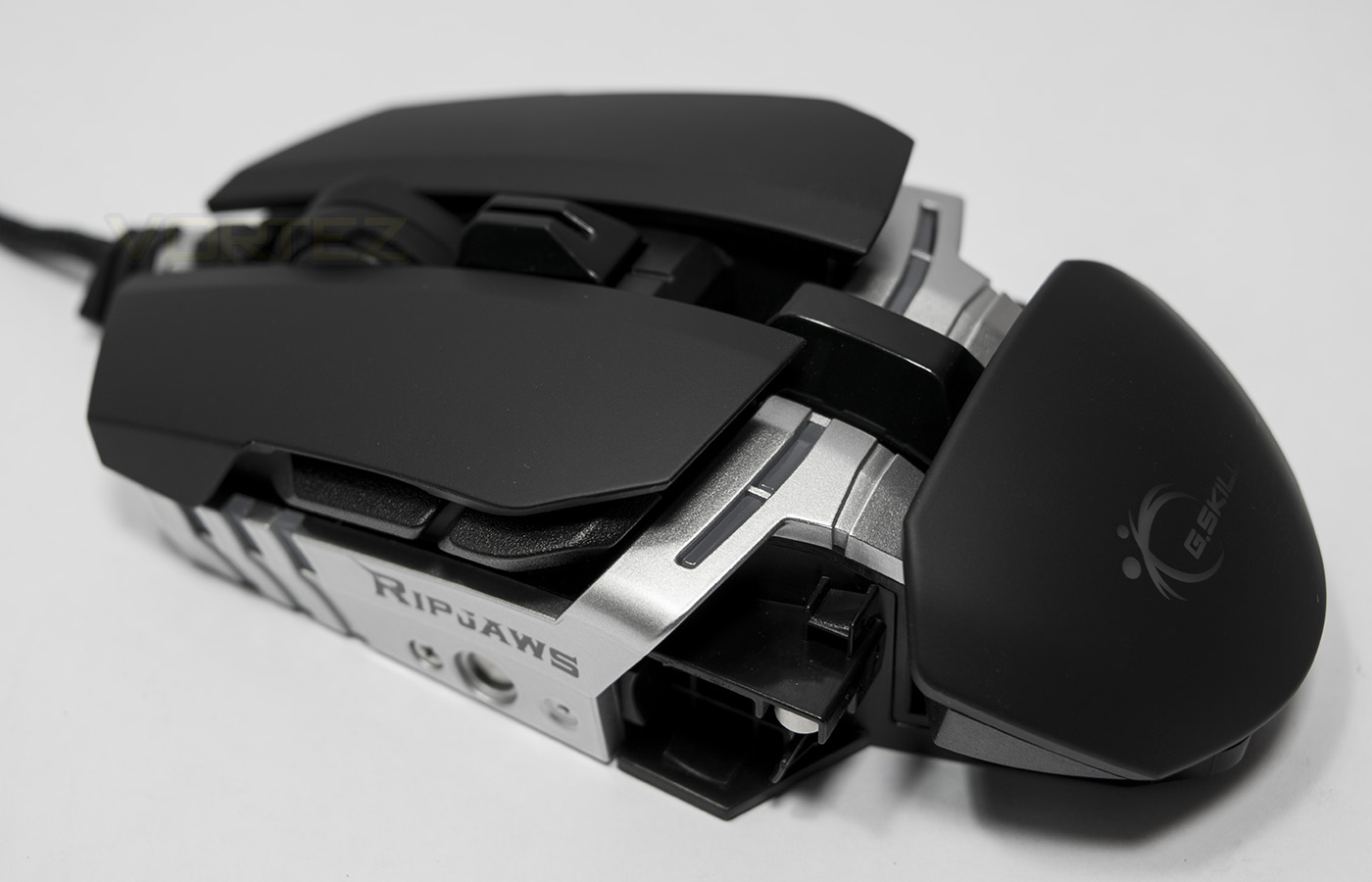
There are 4 LED points which separate the centre point of the mouse.
Software & Lighting
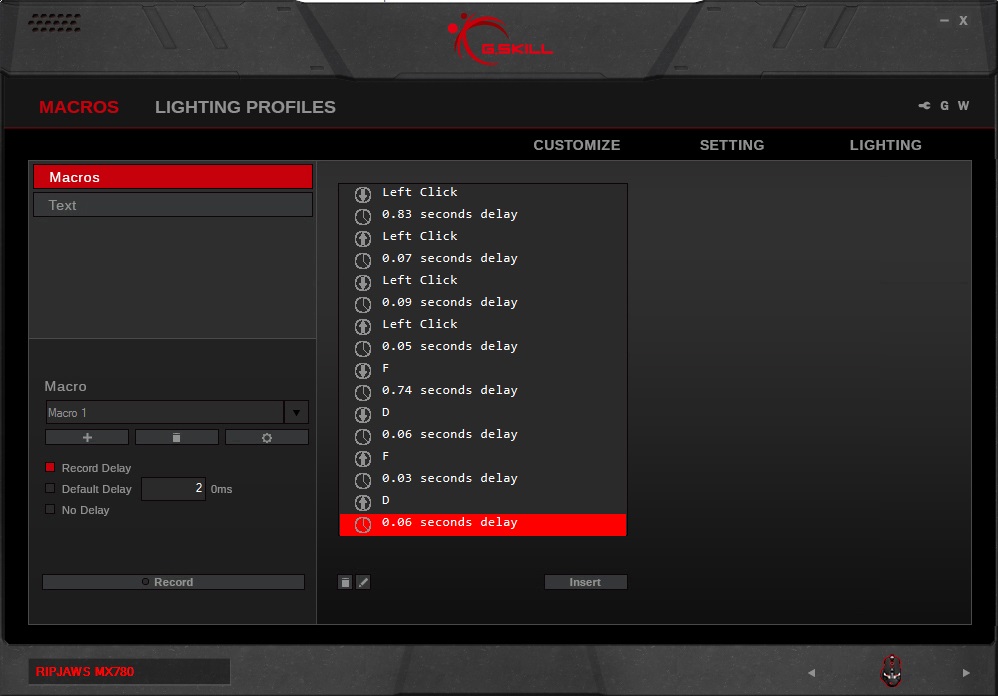
The software is available to download on the product page and will need to be extracted from the zip before installing. Once installed the software automatically updated the firmware of the device which as quick and hassle free. Though, accessing the driver software actually became quite a pain. Even after restarts, the application wouldn’t open, even after restarting and swapping USB ports. The trick I found was to 1. Install the application, 2. uninstall, 3. Install again, then it would work up until the point I restarted by system, thus requiring these steps again to be repeated. This could be a problem with my system or Windows 10 so for the time being could be an oversight.
The GUI seems a little similar to Corsair’s CUE interface, with various profiles able to be saved, which then need to be saved to the MX780’s internal memory manually. Each key can be assigned with a command, action hotkey or saved macro using the included macro recorder, and we are happy to say that the left side buttons are automatically set to forward and back, meaning they can be assigned in game without having to remap them first.
In the settings we find the sensitivity settings, polling rate, and other pointer options you would expect from a premium mouse, with the ability to preset 5 DPI settings to toggle between on the fly.
The lighting seems a little bit long winded to setup as you need to select the colour you wish to use, then select the point you want to change, turn it off, then turn it back on. Setting each light individually this way can take a little time. There are some advanced lighting options available in the form of breathing cycles and a static cycle to which both offers a customisable spectrum of up to 8 points.
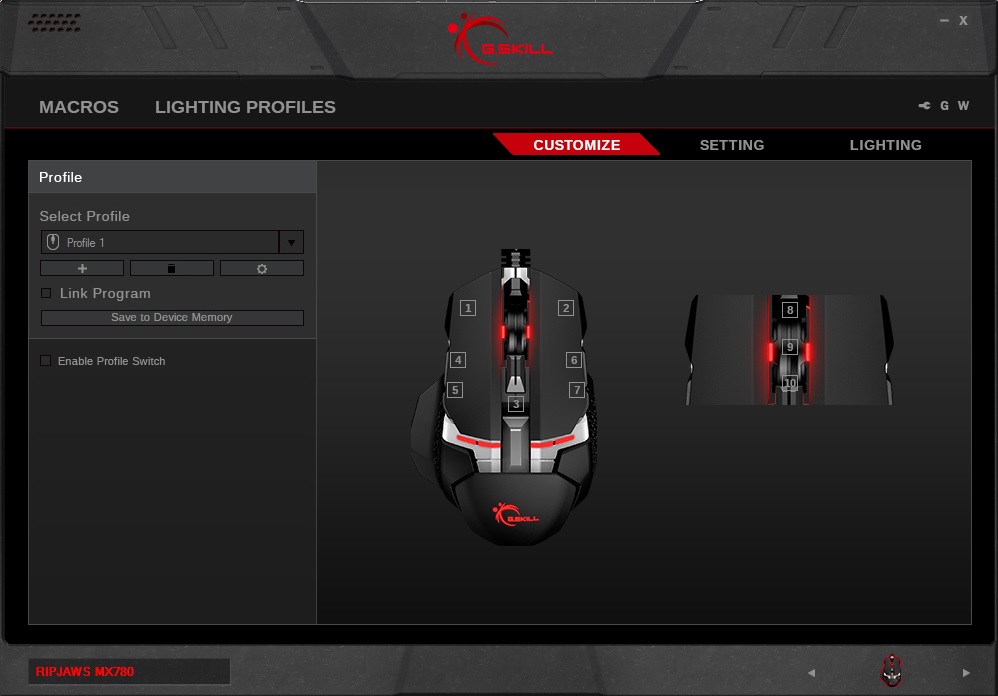
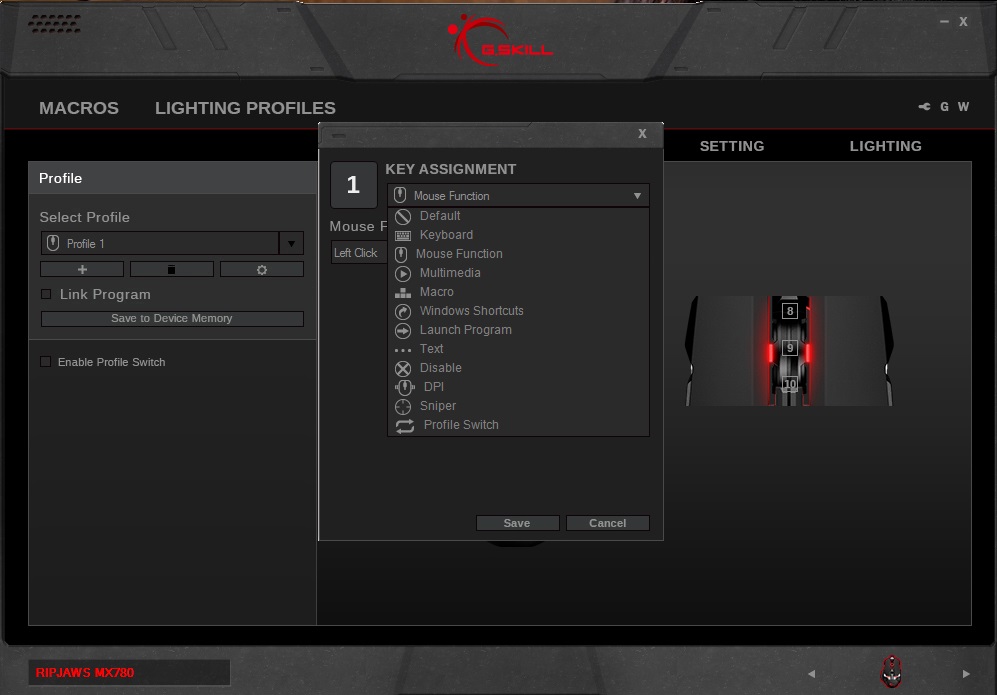
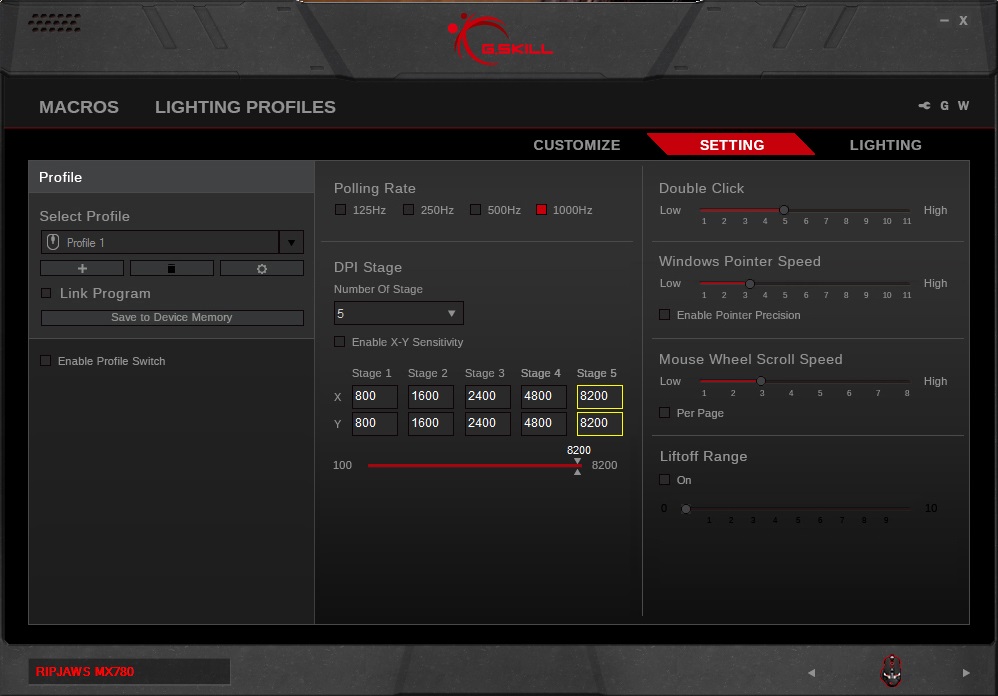
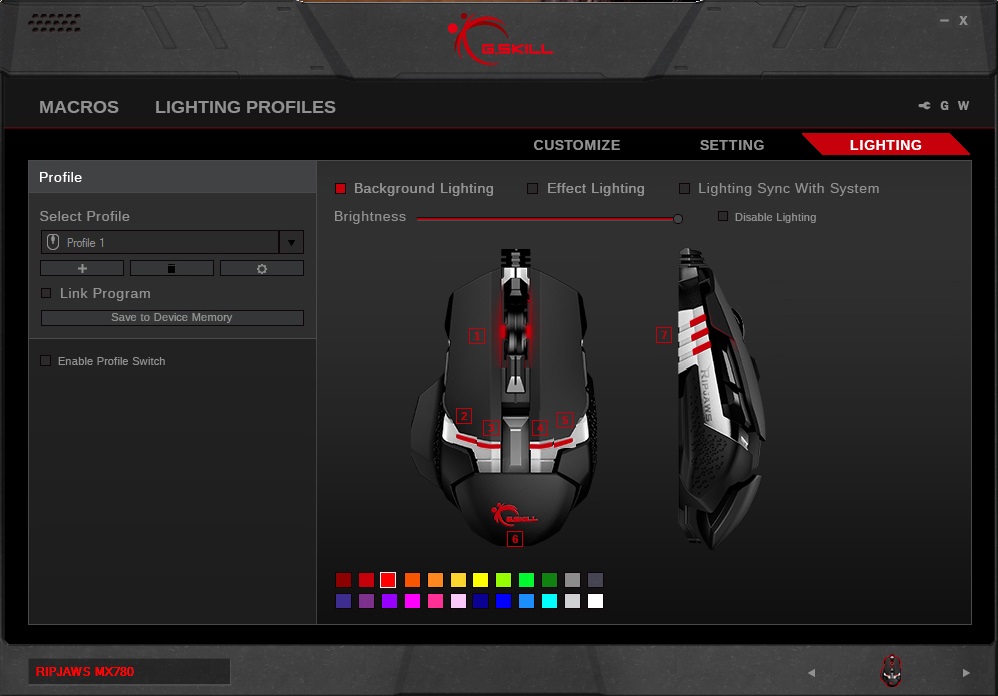
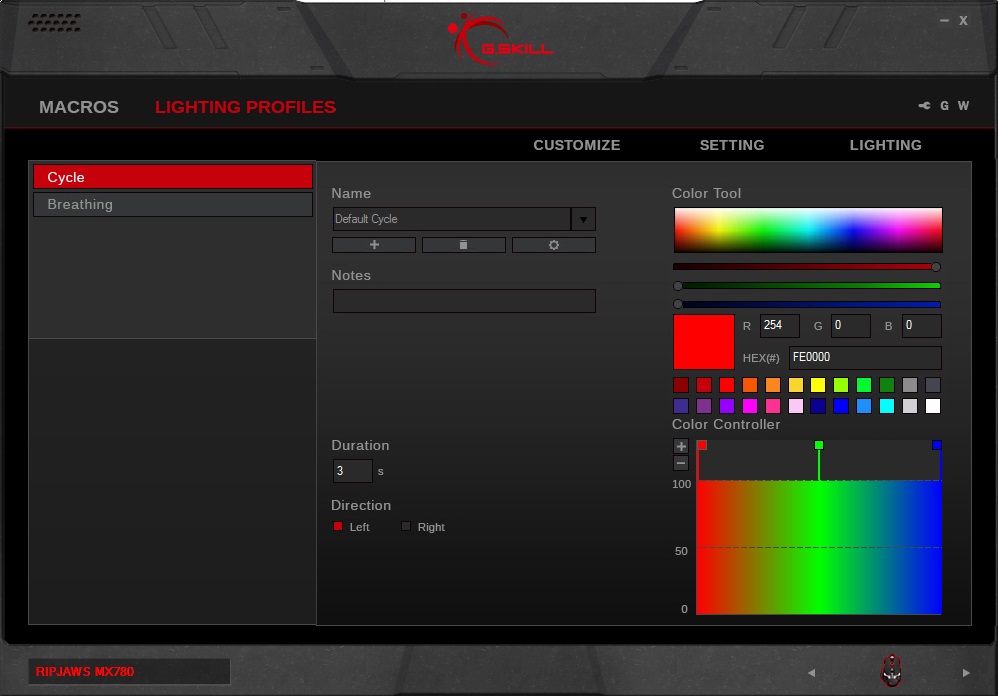
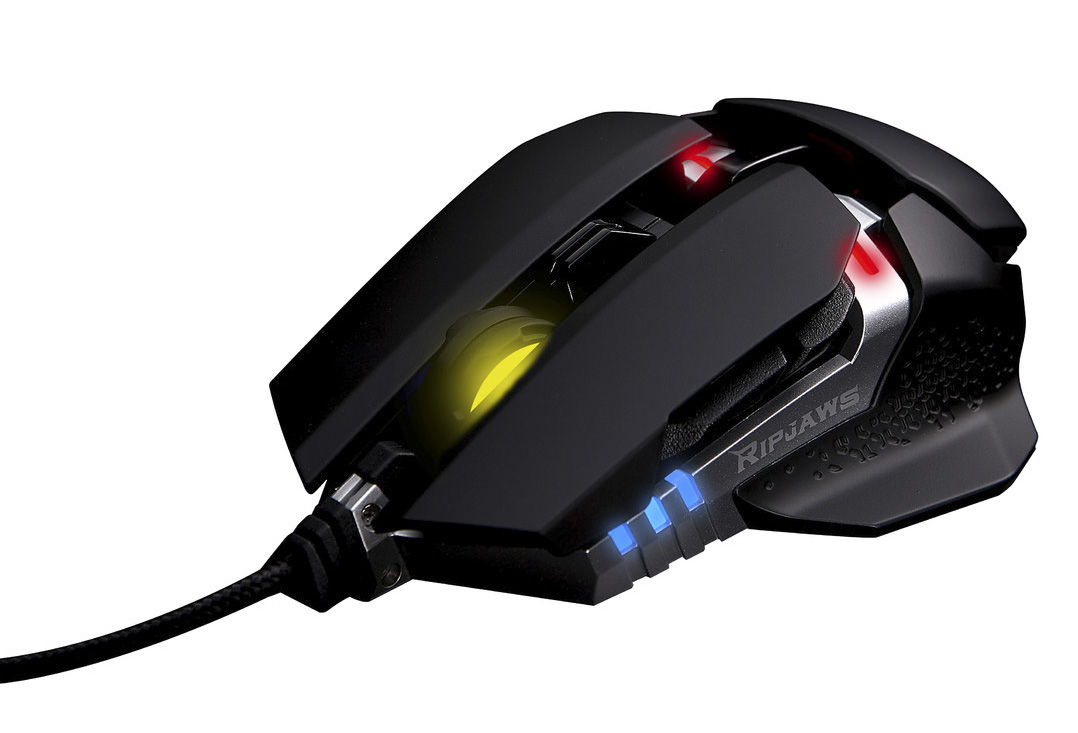
The lighting is vibrant, and offers a wide representation of colours, though seems a little dim, particularly in the mouse wheel. Most colours seem to be represented well, with the exception that the ‘yellows’ appear green, orange appears yellow/amber and white appears blue.
Performance Testing
Setup, Design & Observations
In the hand, the MX780 can feel quite long due to its low height as it forces your hand to stretch out a little. Though the rear has an adjustable height, the shame lends itself more towards a palm grip than a claw grip. Of the side grips provided we preferred the smaller pair but the fact the choice there is a nice inclusion. The side grips are magnetic so are easy to swap around, and the additional weight can be secured quite simply by pushing them into the circular alcoves behind the grips. The weight of the mouse is 111g, 120g with weights added which falls a little above average.
The metal frame and chosen material use quickly leads to a conclusion of a solid construction and we particularly liked the fingerprint resistant material used on the surface. It feels smooth yet provides similar control as rubberised surfaces do. The decent click feedback of the mouse buttons also felt reassuring. This changed when we looked at the mouse wheel, which we found to be very slippery and hard to grip. On top of that, after rotating it around a few times there was a spring-like crunching feedback which brought back awful memories of the original ROCCAT KONE and its notoriously poor mouse wheel. Though ROCCAT have long since moved past that issue, the mouse wheel on the MX780 doesn’t fill me with confidence. If the construction quality proves to be stable over time, then they could have added textured grooves which are easy to grip.
The sensor is fortunately positioned on, or very close to the centre of mass of the mouse which is an optimal position which is positioned 10mm away from the actual centre of the base, towards the rear.
Performance
Testing the Avago sensor at its max DPI (8200) and then slowed for control, the performance proved to be solid. No major issues on generic matt black mouse mat, white paper and was pretty good even on wood, glossy laminate desk surface.
When I started to game, pointer precision seemed to deteriorate, in DOTA 2 it felt shaky and difficult to control while aiming in CS:GO felt equally questionable and I was curious about whether it was being caused by any possible acceleration (I have been using a few zero acceleration optical mice lately). In standard movement tests there was no perceivable acceleration even though this could be a likely cause.
After a few hours of use, my hand started to fatigue from pulling the hard edge of the rear into the base of my palm quite firmly, this is when I noticed than there was a slight forward/backwards rocking motion. This is when I discovered that applying pressure to the rear end of the mouse was causing the front of the mouse to lift a little which was caused by my claw grip pulling the low arched mouse into my hand firmly. This caused a lot of pressure on the rear. Swapping my grip to a palm, which is fairly impractical for me to game with, we found that the pointer movement was much more precise.
This forward/backwards mini rock is very slight and causes the front end to lift by around 0.5-1mm and may be a localised/ one off issue with the planing of the PTFE slip pads, though this is something G.SKILL needs to be aware of and address if needed.
Conclusion
As debuts go, G.SKILL had a big vision and have created a solid mouse packed with the many features gamers will love. You can adjust the weight, the height of the rear, the side grips and lighting effects. The metal frame houses tried and tested, good quality technology from the Avago sensor to the Omron switches.
However, when you look at it more objectively, the MX780 loses sight of what the contemporary gamer is truly looking for in a mouse. The aesthetic is interesting and will draw some appeal from its marginalised outlandish design. This isn’t such an original thing though when you consider the Cyborg RATs, or the Cougar 700M. The swappable grips are a great idea, and swappable magnetic grips aren’t likely to go away any time soon. Even so, considering the ambidextrous nature of the MX780, the grips could have been more considerate towards actual ergonomics of the left and right hand. While this mouse isn’t necessarily bad for any grip type, those that grip with a claw may not find it so comfortable, while palm grippers will appreciate the smooth, good quality finish and finger tippers will appreciate the low centre of mass allowing for good control and precise sliding action.
The biggest killer we experienced was the forwards/backwards rock created by an uneven base/slip pad thickness. Due to the front end rising slightly, in-game confidence and precision could be severely damaged. This is not an issue that will effect everyone and the flaws discovered may even be a localised event. However, at this price point (can be found for <$55 now), when something as simple as the base of the mouse is not flat, all those high quality components and materials used amount to nothing.
In conclusion, the RIPJAWS MX780 feels like it is trying to be TOO much, lacking in finesse and simplicity found in the likes of the Rival 100 that have the sole aim of providing gamers with solid reliability. As it is, the RIPJAWS MX780 at its very core is the essence of an excellent gaming mouse to which many people will likely be able to tap in and utilise it to a deadly degree, but makes me wonder if they thought about bringing in some pro-gamers for some direct feedback at the design phase.
We are excited to see the G.SKILL brand on top quality gaming gear and the RIPJAWS MX780 foretells of great things to come.
Pros.
+ Solid construction
+ Good quality components
+ Includes swappable side grips
+ Adjustable weight and height
+ Aggressive gamer design
+ Ambidextrous
+ RGB lighting
Cons.
– Unstable base
– Not great for claw grip
– Temperamental software
– Questionable mouse wheel integrity
+ Solid construction
+ Good quality components
+ Includes swappable side grips
+ Adjustable weight and height
+ Aggressive gamer design
+ Ambidextrous
+ RGB lighting
Cons.
– Unstable base
– Not great for claw grip
– Temperamental software
– Questionable mouse wheel integrity
Click here for an explanation of our awards at Vortez.net.