We’ve recently seen the GAMDIAS HEBE headset and Zeus P1 mouse, so to round off the full peripheral triangle, here’s the HERMES M1 7 colour keyboard. Read on to find out more.

Product on Review: GAMDIAS HERMES M1 7 colour
Manufacturer: GAMDIAS
Street Price: £79.99 / $89.99
We’ve recently reviewed the Zeus P1 mouse and the HEBE M1 headset here at Vortez so to round up the peripheral range, today’s review is based around the GAMDIAS HERMES M1 7 colour gaming keyboard, boasting mechanical keys in a choice of colours, macro keys, contoured keycaps, 7 colour neon backlighting and a removable wrist rest.
GAMDIAS have been producing peripherals for over 5 years now and keep improving with each iteration. Their entire nomenclature revolves around Greek mythology. Hermes was the Greek patron god of thieves, graves and herdsmen.
GAMDIAS have provided us with a mid-range keyboard, priced at £79.99 here in the UK, which seems reasonable for a backlit mechanical keyboard with a wrist rest and sleek metal construction.
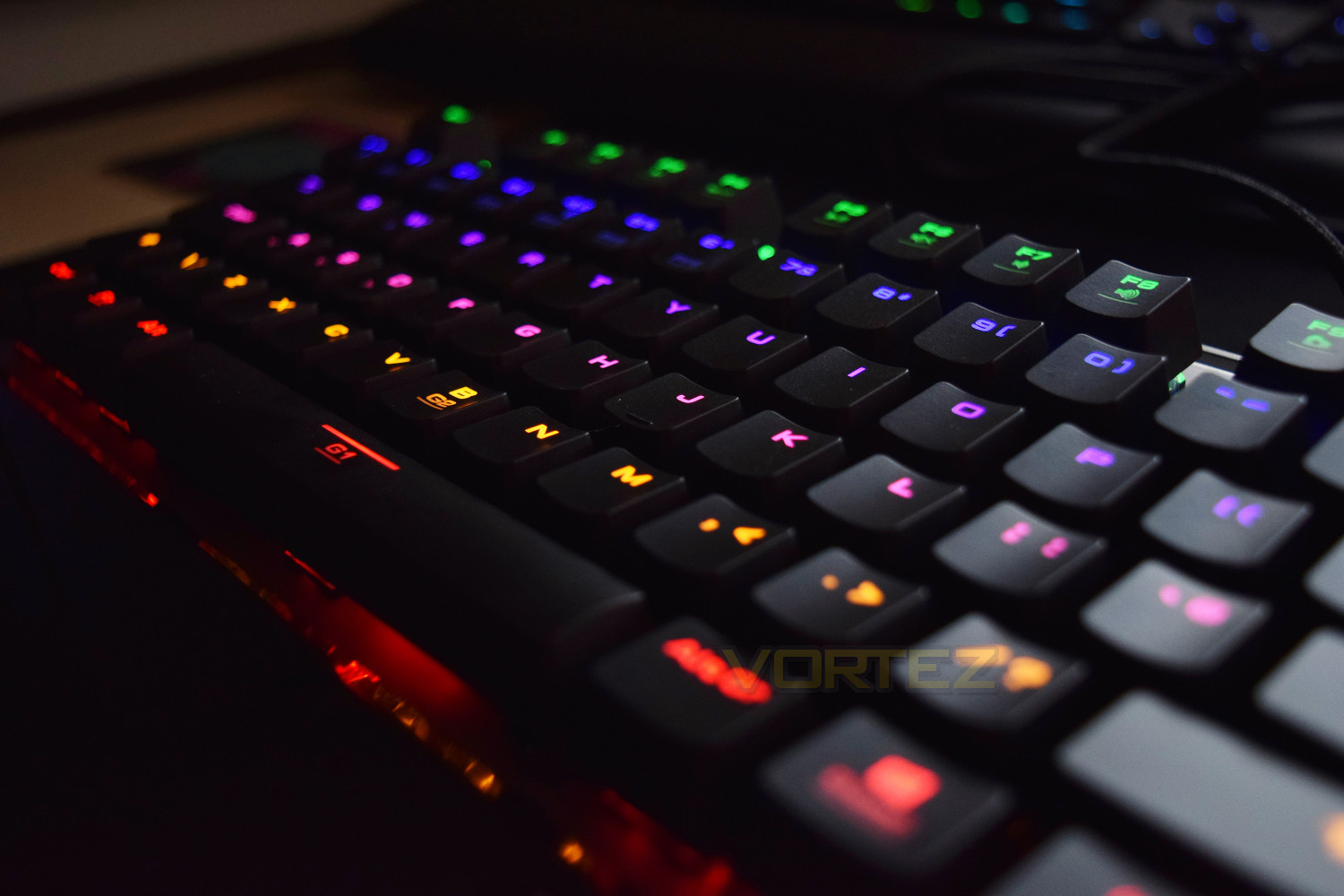
GAMDIAS on the HERMES M1 7 Colour:
HERMES M1 gives you a choice of multicolour per key backlighting with Neon Light Spectrum for up to 7 colours, programmable G-keys with onboard storage, multimedia controls, and anti-ghosting with 21-key rollover on USB for fast, accurate gameplay.
Technical Specifications
Key Switch
Key Switch: GAMDIAS certified mechanical switches
Key switch type: Blue
Switch lifecycle: 50 Million
Specifications
Dimensions:
448 x 202.4 x 36.9 mm (w/ wrist rest)
448 x 156.6 x 36.9 mm (w/o wrist rest)
Weight:
1.56KG (w/ wrist rest)
1.30KG (w/o wrist rest)
Built-in Memory: 256KB
Polling Rate: 1000Hz
N-Key Rollover: 21-Key rollover
OTF Macro Record: Yes
Windows Key Disable: Yes
All-Keys Lock: Yes
Cable Length: 1.8m (Braided Cable with Gold-plated Connector)
Software: GAMDIAS HERA
WASD & Arrow keys Change: Yes
Consecutive Attack Mode: Yes
Key Switch: GAMDIAS certified mechanical switches
Key switch type: Blue
Switch lifecycle: 50 Million
Specifications
Dimensions:
448 x 202.4 x 36.9 mm (w/ wrist rest)
448 x 156.6 x 36.9 mm (w/o wrist rest)
Weight:
1.56KG (w/ wrist rest)
1.30KG (w/o wrist rest)
Built-in Memory: 256KB
Polling Rate: 1000Hz
N-Key Rollover: 21-Key rollover
OTF Macro Record: Yes
Windows Key Disable: Yes
All-Keys Lock: Yes
Cable Length: 1.8m (Braided Cable with Gold-plated Connector)
Software: GAMDIAS HERA
WASD & Arrow keys Change: Yes
Consecutive Attack Mode: Yes
Packaging & First Look
The front of the packaging is incredibly informative and follows the typical style from GAMDIAS, employing the black and white theme with orange accents.
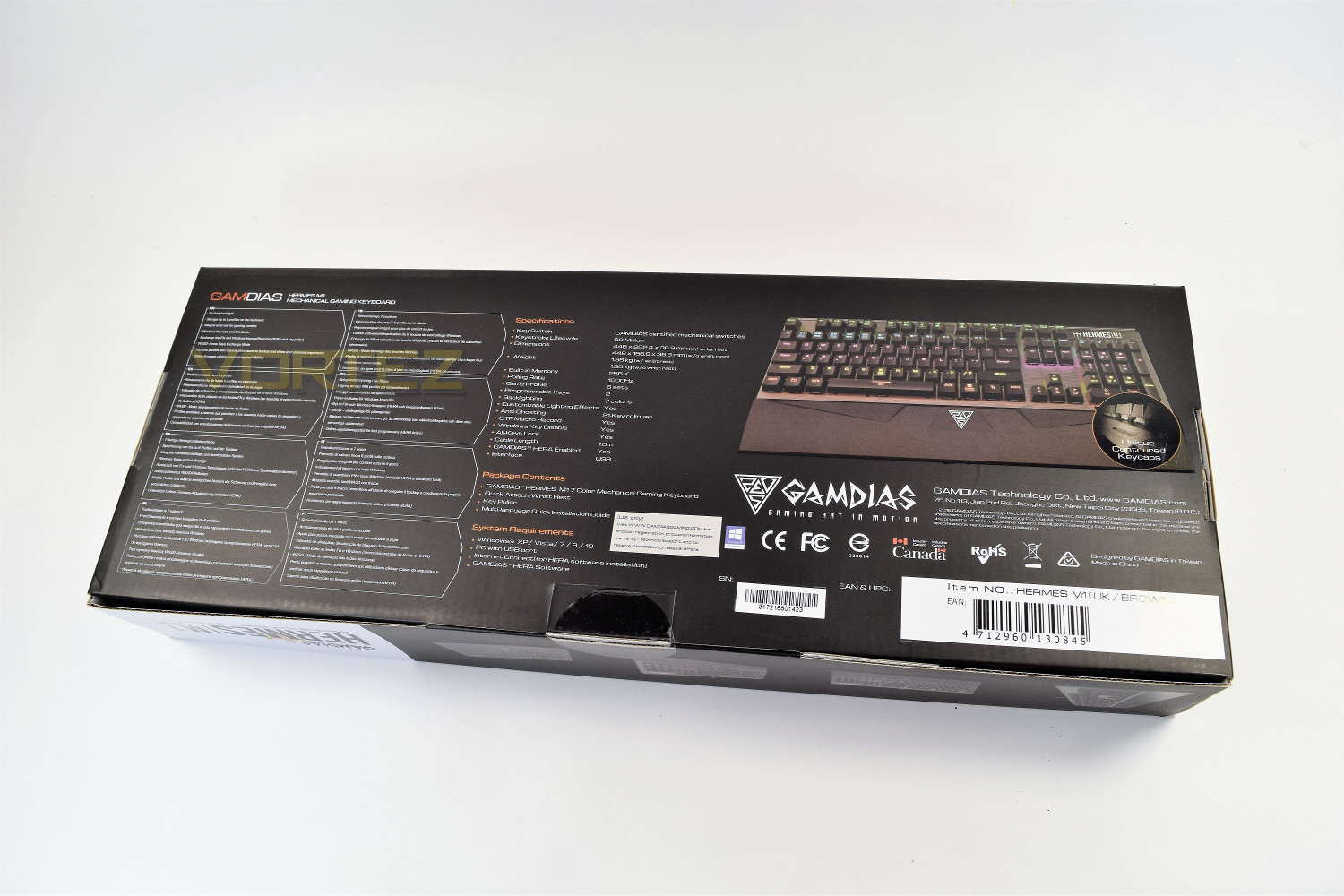
The rear gives the nitty and gritty details, included dimensions and weight. Almost all angles are covered by the exterior box.
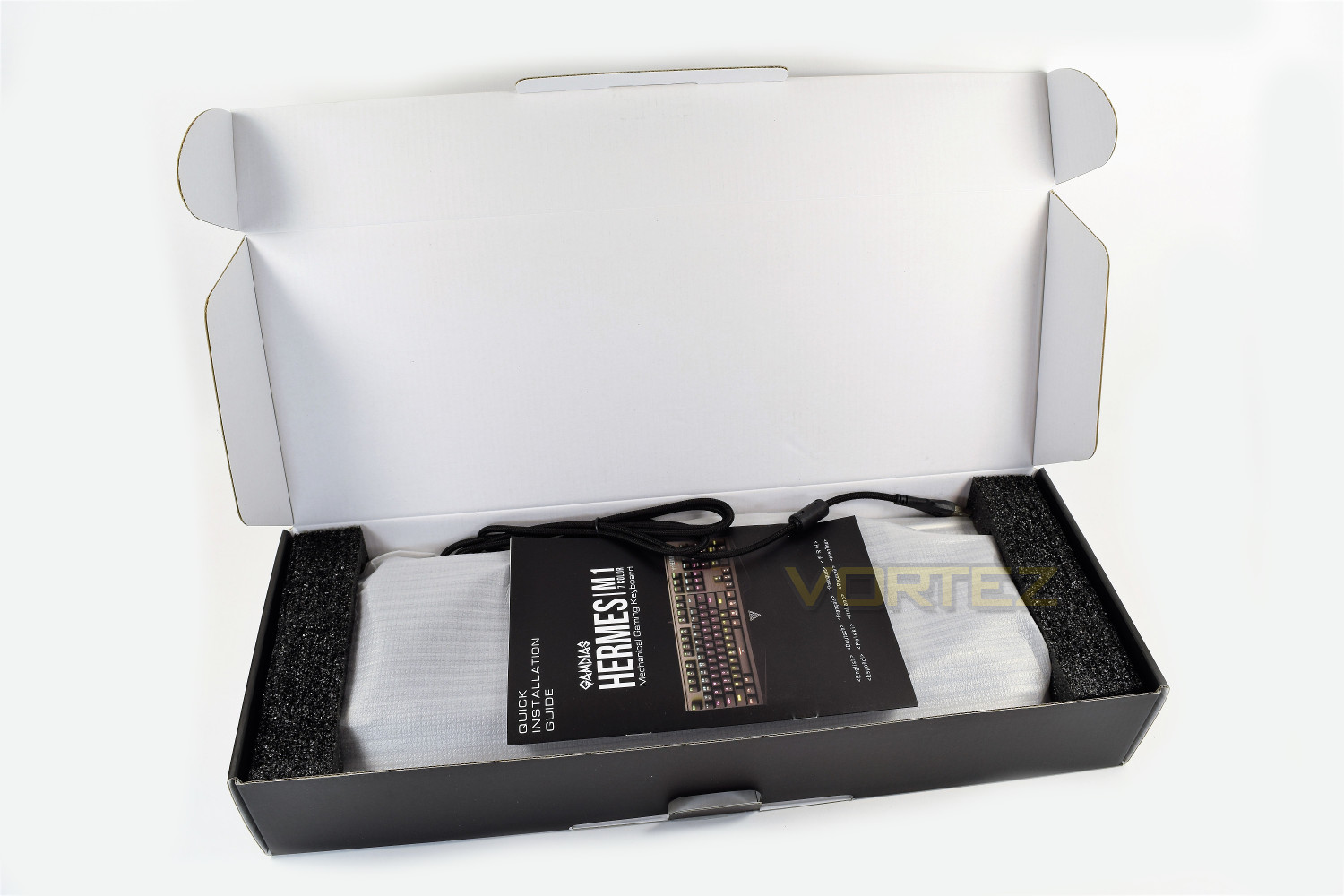
The keyboard is held in place by 2 thick pieces of polystyrene, offering excellent protection with the entire keyboard encased by a cloth bag. The only extra with the keyboard is the quick install guide placed on top.
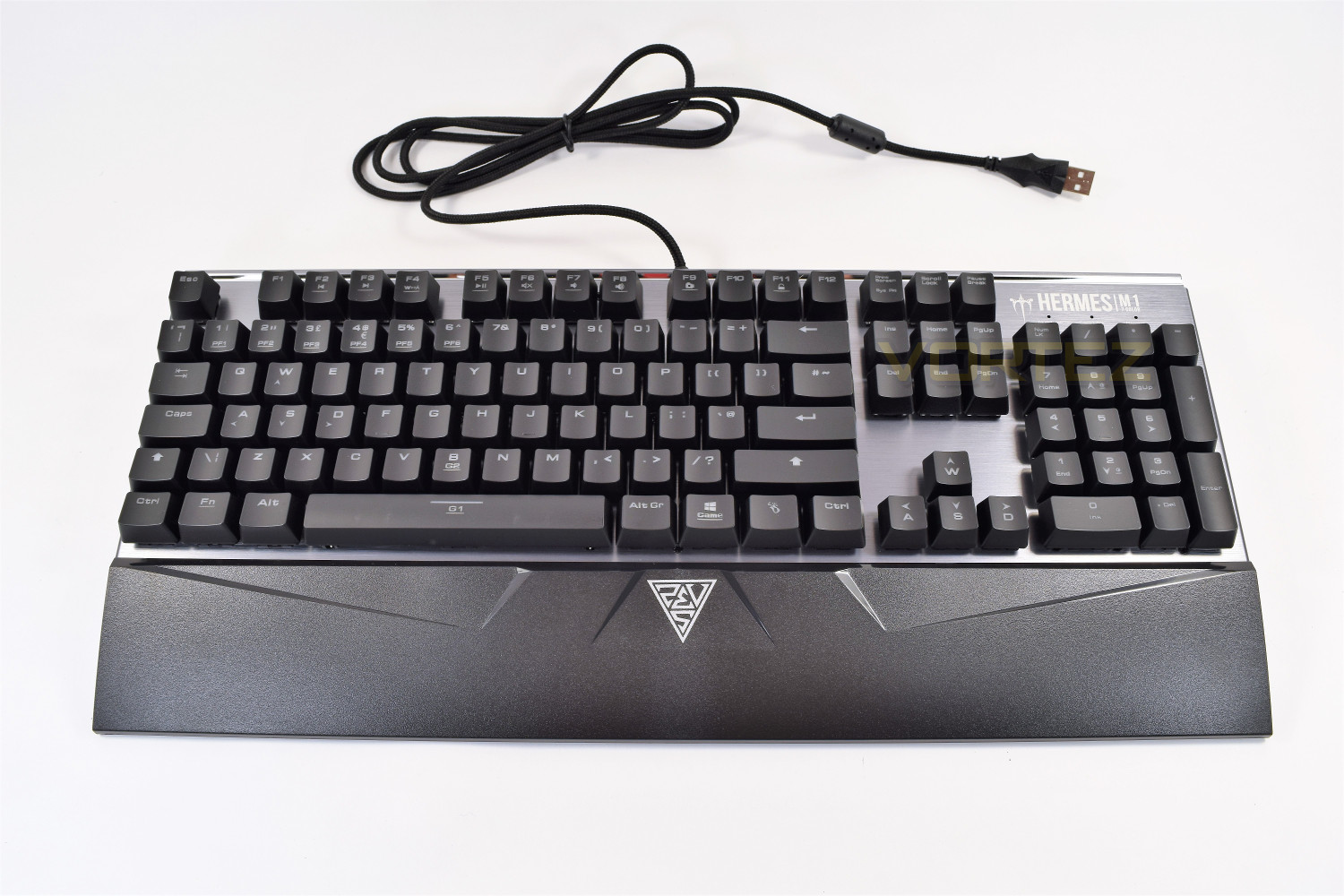
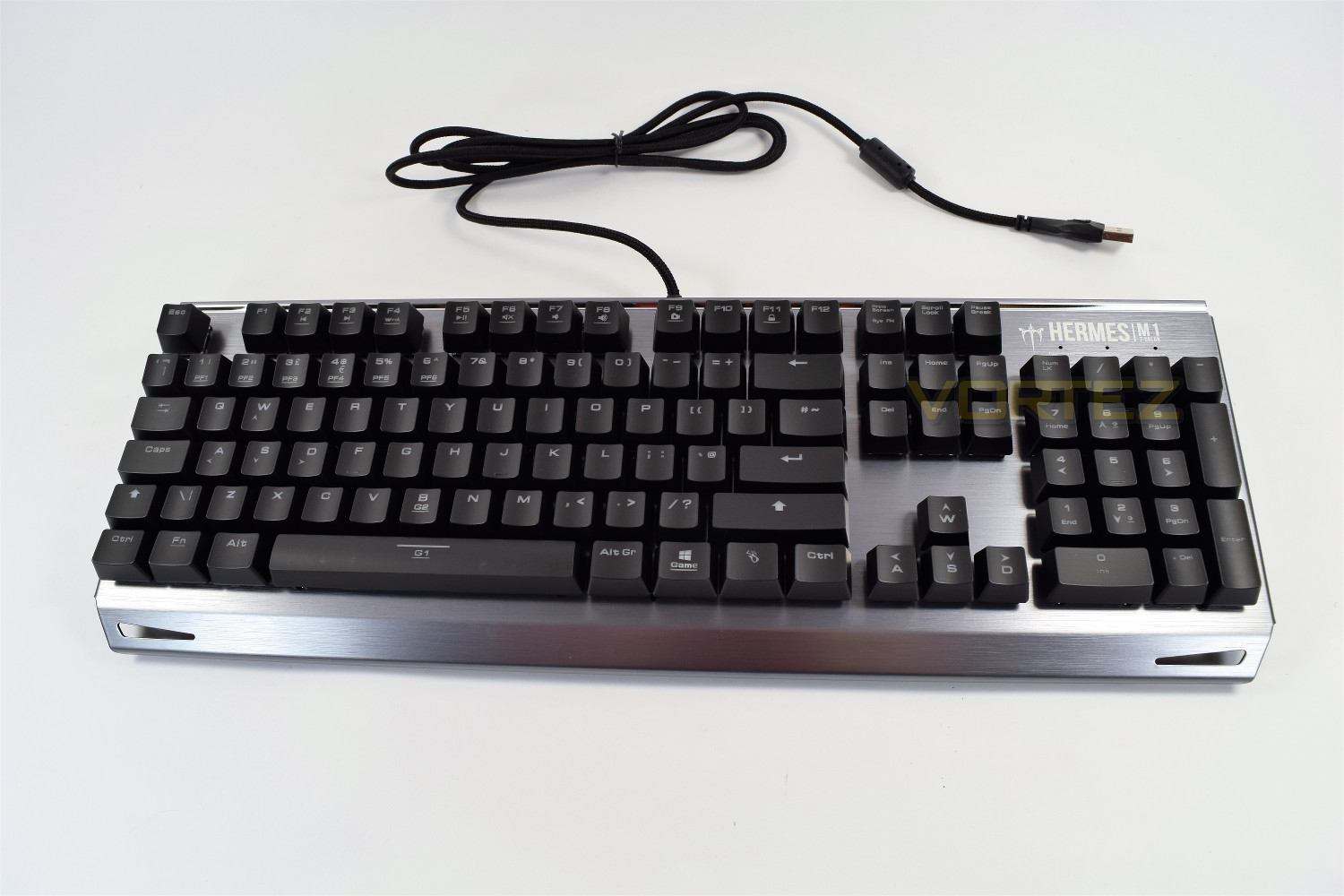
Upon first inspection, the keyboard looks great, with the brushed aluminium enclosure and matt black, contoured keycaps.
Closer Look
The keycaps stand proud, mounted upon the mechanical keys, making for easy cleaning. The keyboard also tapers from the rear to create a more comfortable typing experience which can be further aided by the additional wrist rest.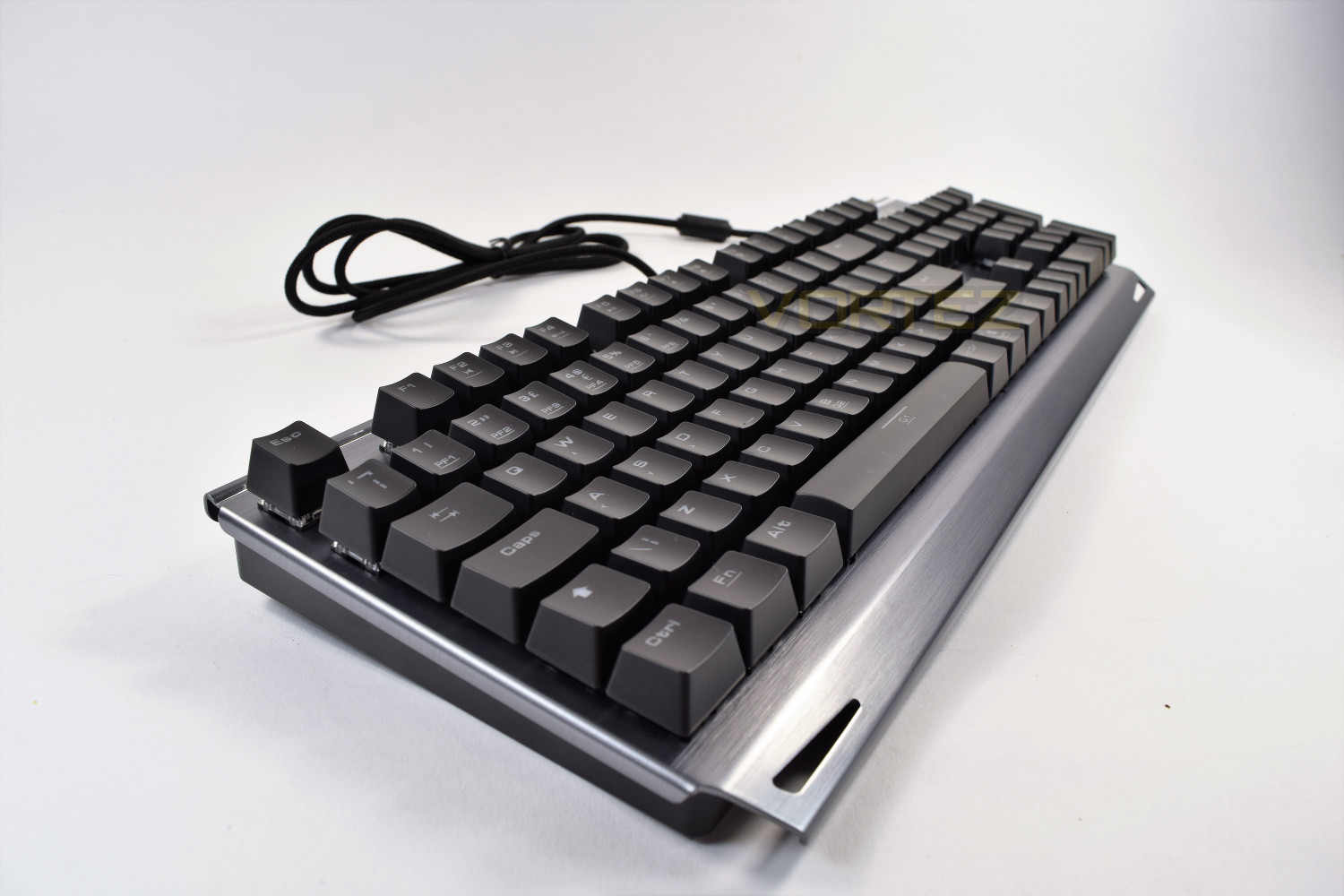
The main section of the keyboard is adorned with a plethora of macro keys, media functions and some proprietary buttons for gaming. The keyboard provided is the US layout.
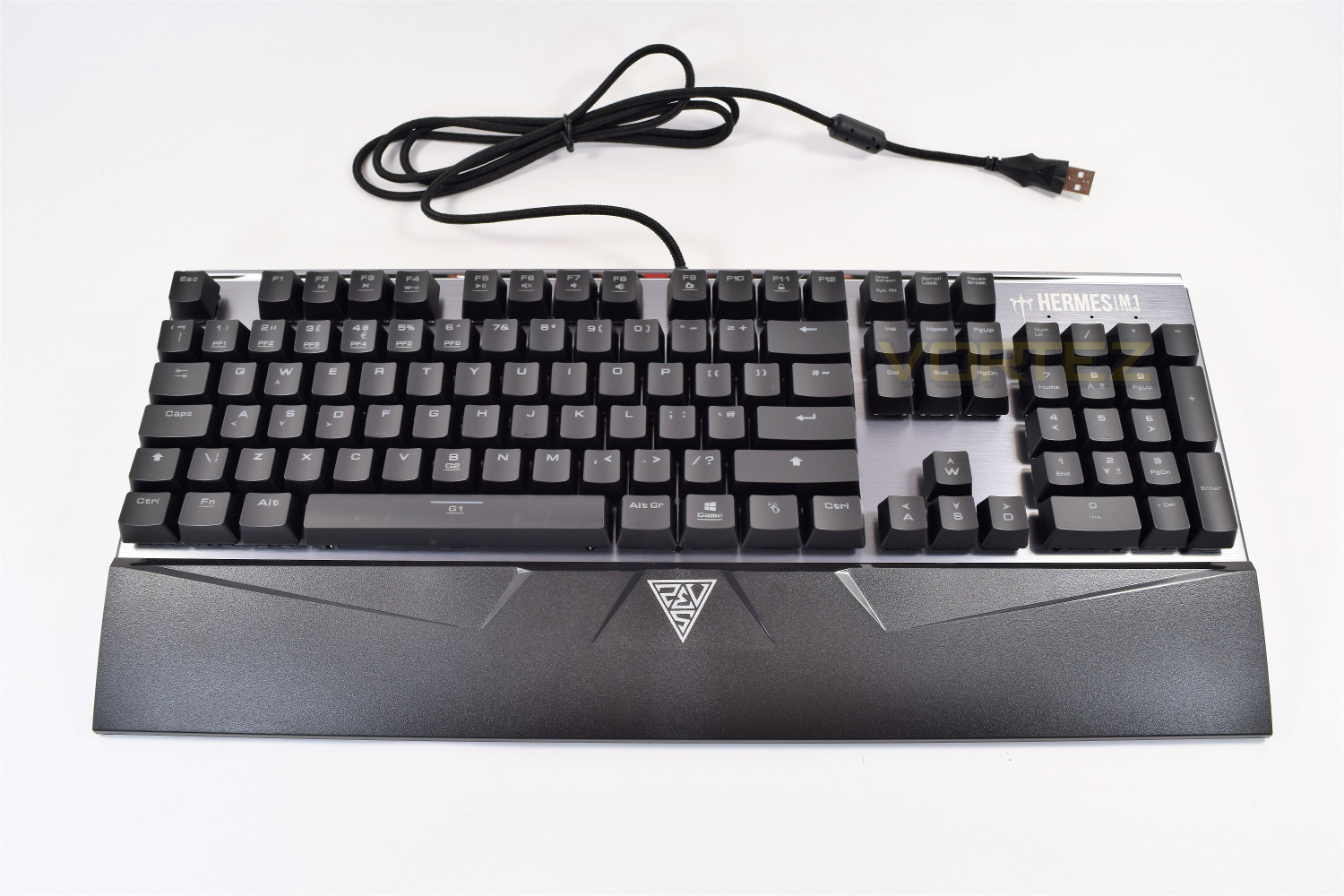
With the included wrist support, which clips into place with ease, the keyboard takes on a different appearance entirely, with a large GAMDIAS logo in the very centre.
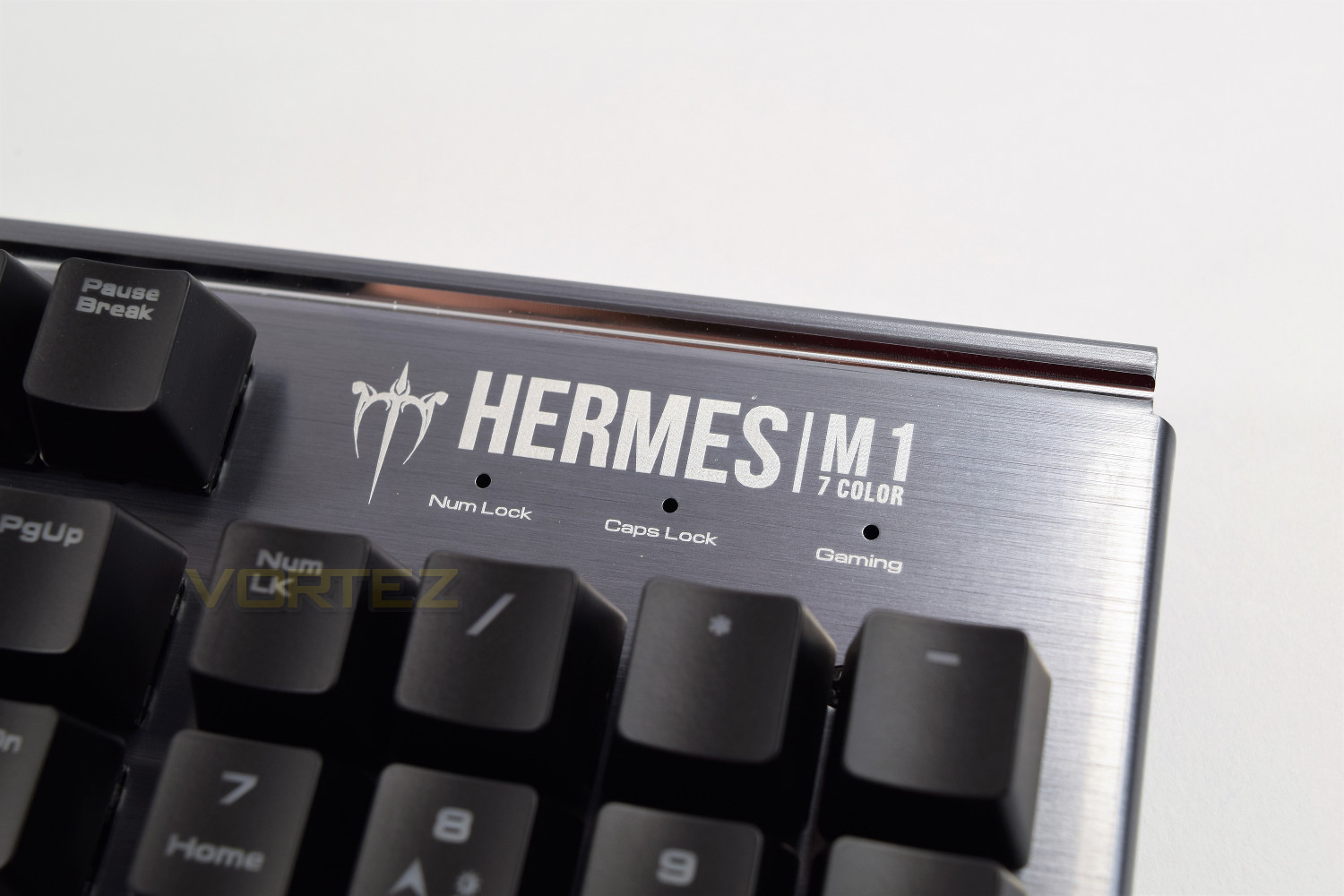
The traditional LEDs are located in the top-right of the HERMES M1 though the purpose isn’t strictly what you would expect, indication Num lock, Caps lock and Gaming mode instead of Scroll lock.
Closer Look (Continued)
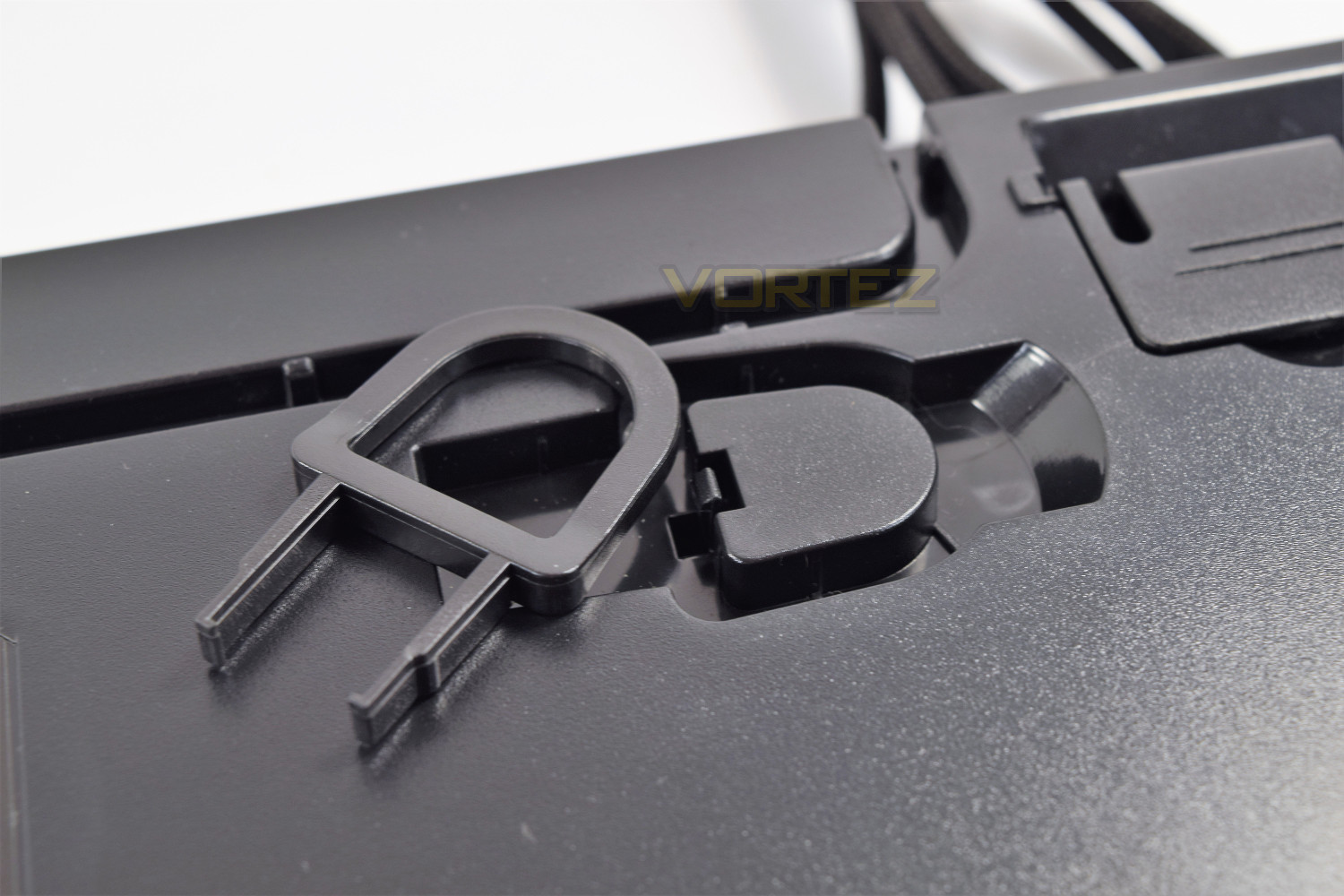
On the underside of the keyboard, you can see the cable is given 3 routing options, depending on your desk layout. There are also 3 large grippy pads along the front edge and 2 at the back. The stand-off feet raise the keyboard by 9mm, from 23mm to 32mm. The included key puller has its very own hiding place on the underside of the keyboard – frankly, we’re shocked that more manufacturers don’t do this with their included key pullers, this feels like such an obvious place!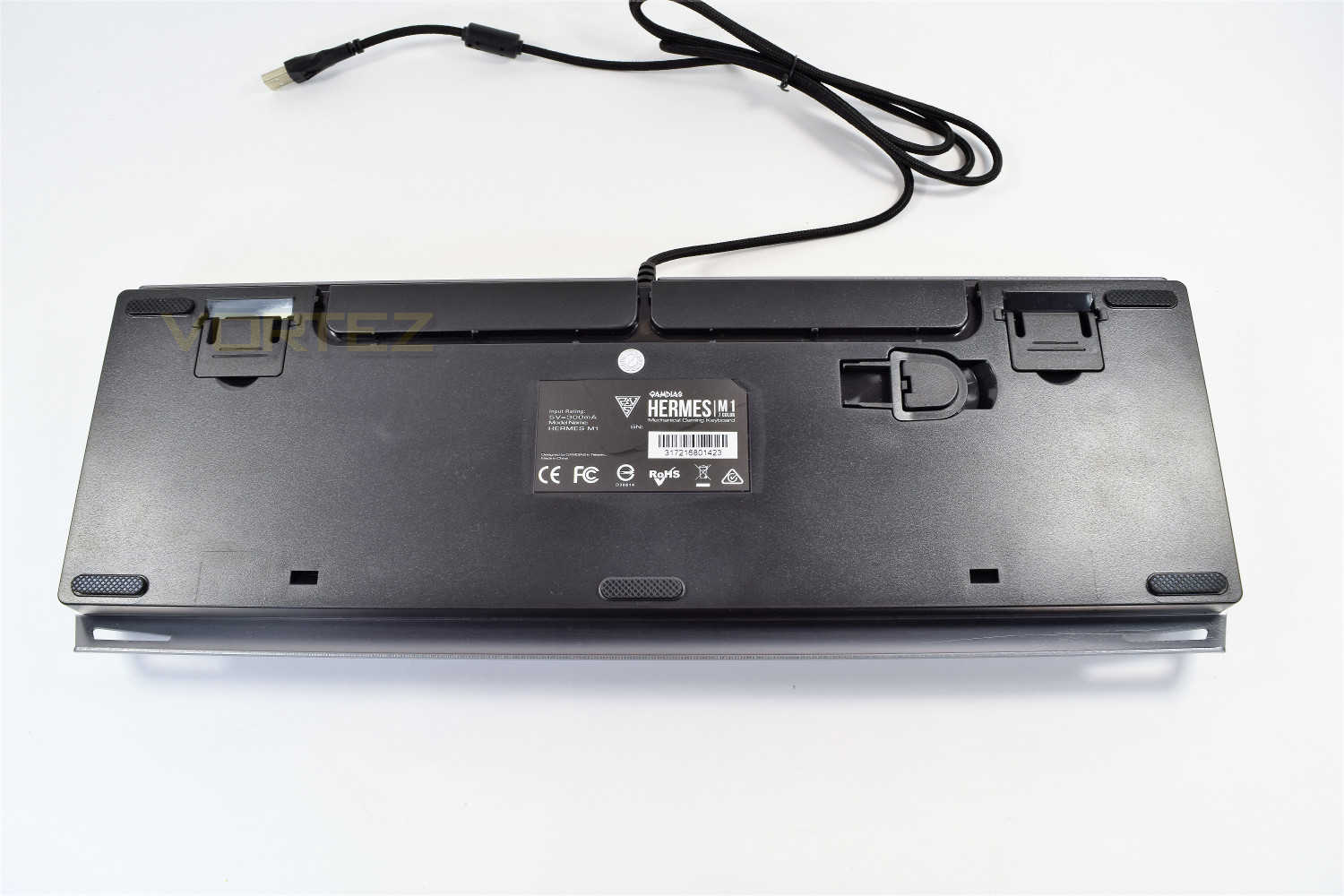
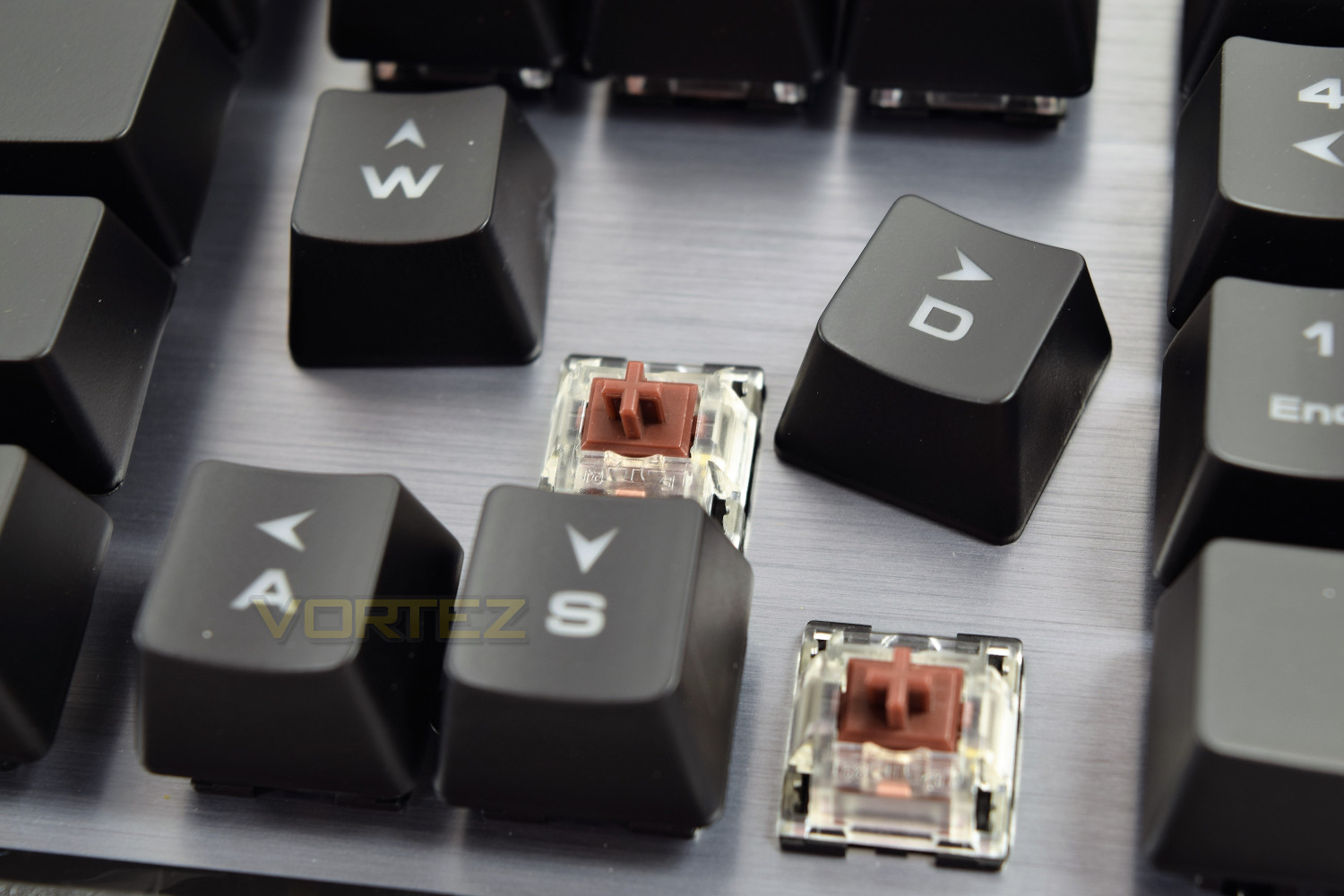
The Mechanical Brown keys feature the industry standard cross shape on the top, on which the key can be easily removed and fix back onto. The entire outside is clear to allow for those 7 neon colours to shine outward. You might also have noticed that GAMDIAS have printed the WASD onto the arrow keys – nice touch.
Software
GAMDIAS use one all-encompassing piece of software for their range of peripherals, including the mice, keyboards and headsets. This helps to cut down on background processes while gaming if you choose to be brand-loyal.The HERA software, as mentioned in previous reviews, requires some work to be up there with the likes of Corsair and ASUS ROG, but for a budget brand and a budget keyboard, all of the basics are there and the software seems stable. Of course, the keyboard also features many shortcut keys, bypassing the need for software completely if you only need basic functionality.
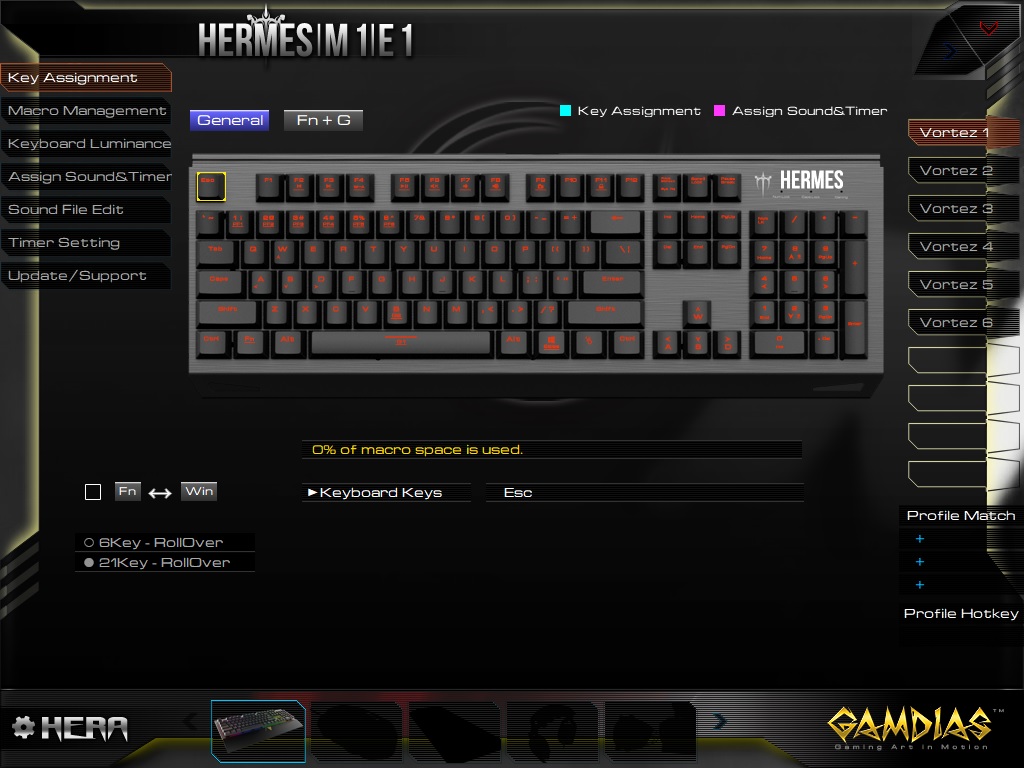
The landing page within HERA is the Key Assignment, allowing you to swap keys around for your own particular needs and to assign macros which are made on the following tab. Along the right-hand-side are 6 different profiles which can be renamed and organised in any way you like.
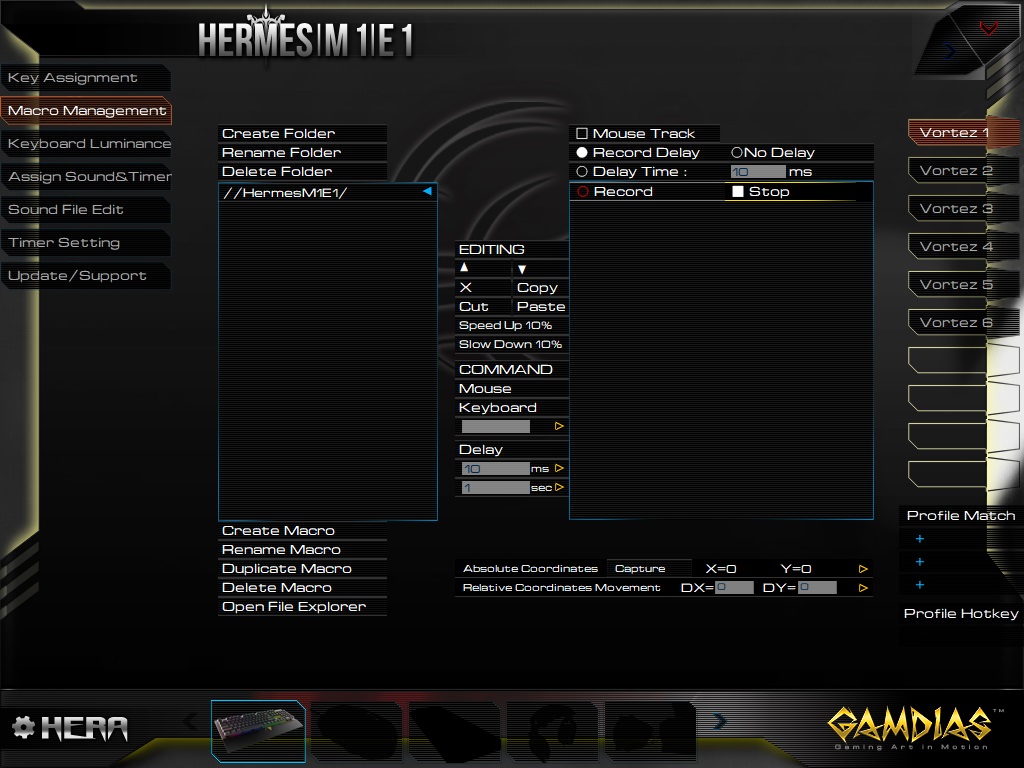
Macro Management works incredibly well with the HERMES M1, allowing a huge degree of adjustment to your macros. This is an area that requires a lot of playing about but the end results can be excellent.
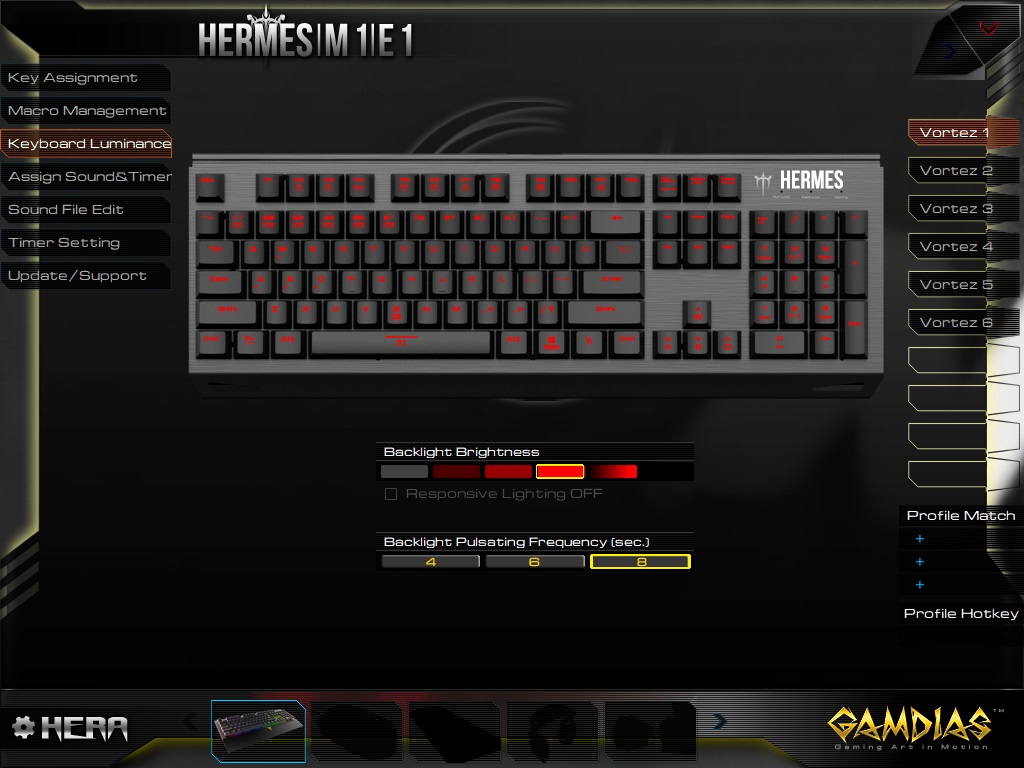
The following tab controls the lighting. Unfortunately, the HERMES M1 is limited to a choice of only 7 neon colours, though they are bright and reproduced well. The software supports per-key backlighting.
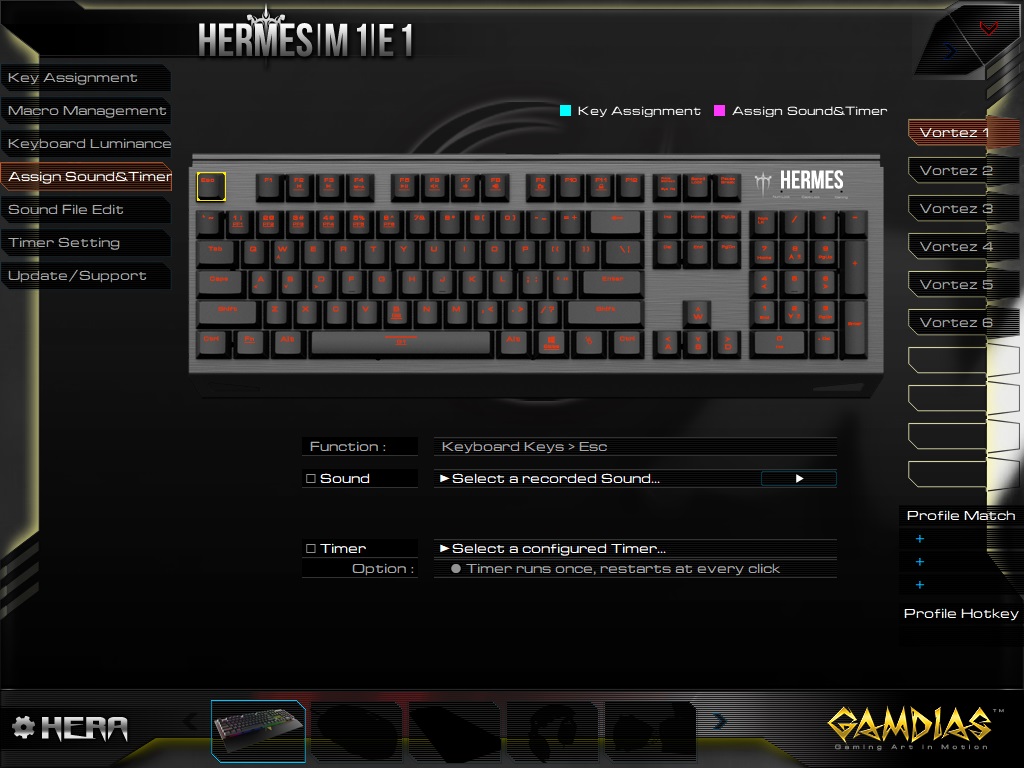
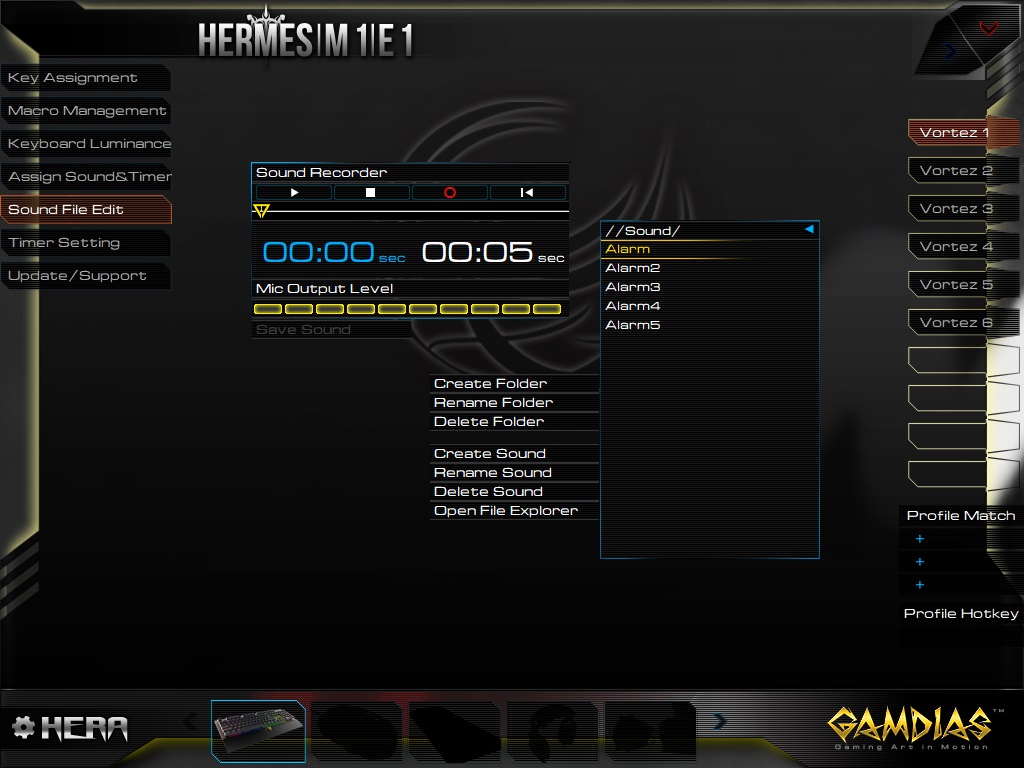
Following on, sounds and timers can be assigned to key actions. This is a very advanced feature that few users will utilise, but it’s good that it’s there. The subsequent page gives you a basic version of sound editing software.
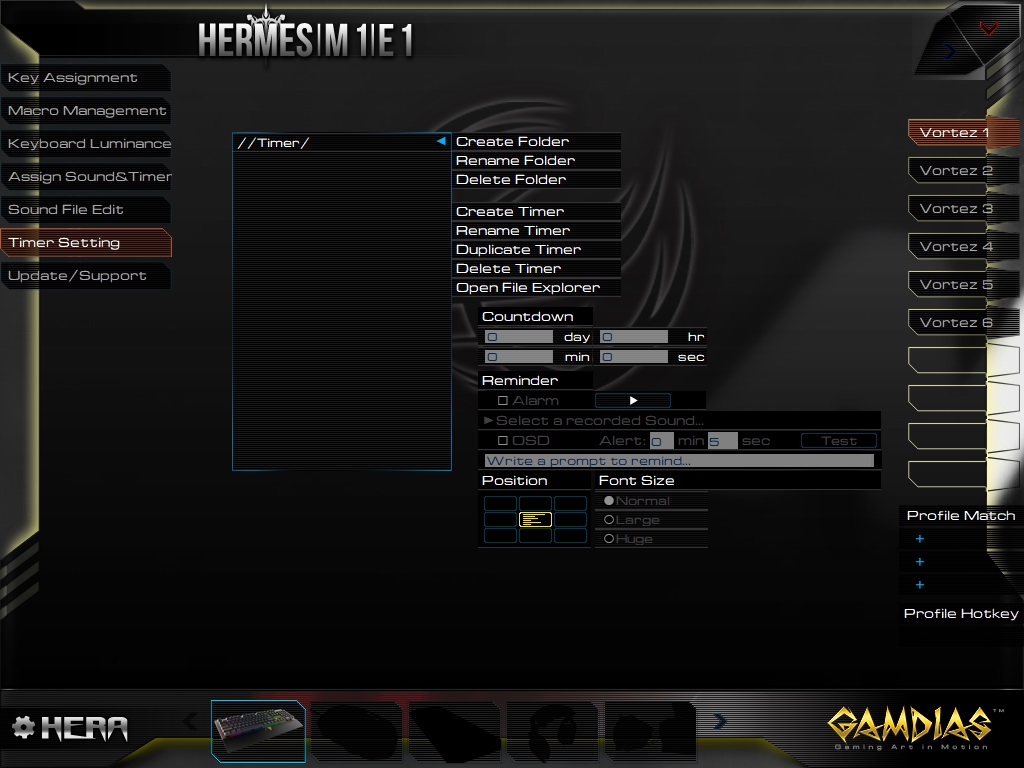
Finally, the end page allows you to set up timers to perform certain actions. This is quite well laid out and gives a variety of options.
Performance Testing
GAMDIAS offer the HERMES M1 keyboard with red, blue, black and brown key switches, catering to almost any taste. The keys they use are “GAMDIAS Certified”. The quality isn’t quite up there with the big-brands, with a little more of a “wobbly” feel to them. The brown keycaps provided were a joy to type on though gaming suffered slightly due to the linear travel; games tested were Orcs Must Die: Unchained, Battlefield 4, War Thunder and Paladins.The font and positioning used on the keycaps are good, with the twin-function keys having each character side-by-side to allow the single LED mounted within the mechanical key to illuminate all of the keys. The font is clear enough but some of the Fn keys could have a slightly larger print.
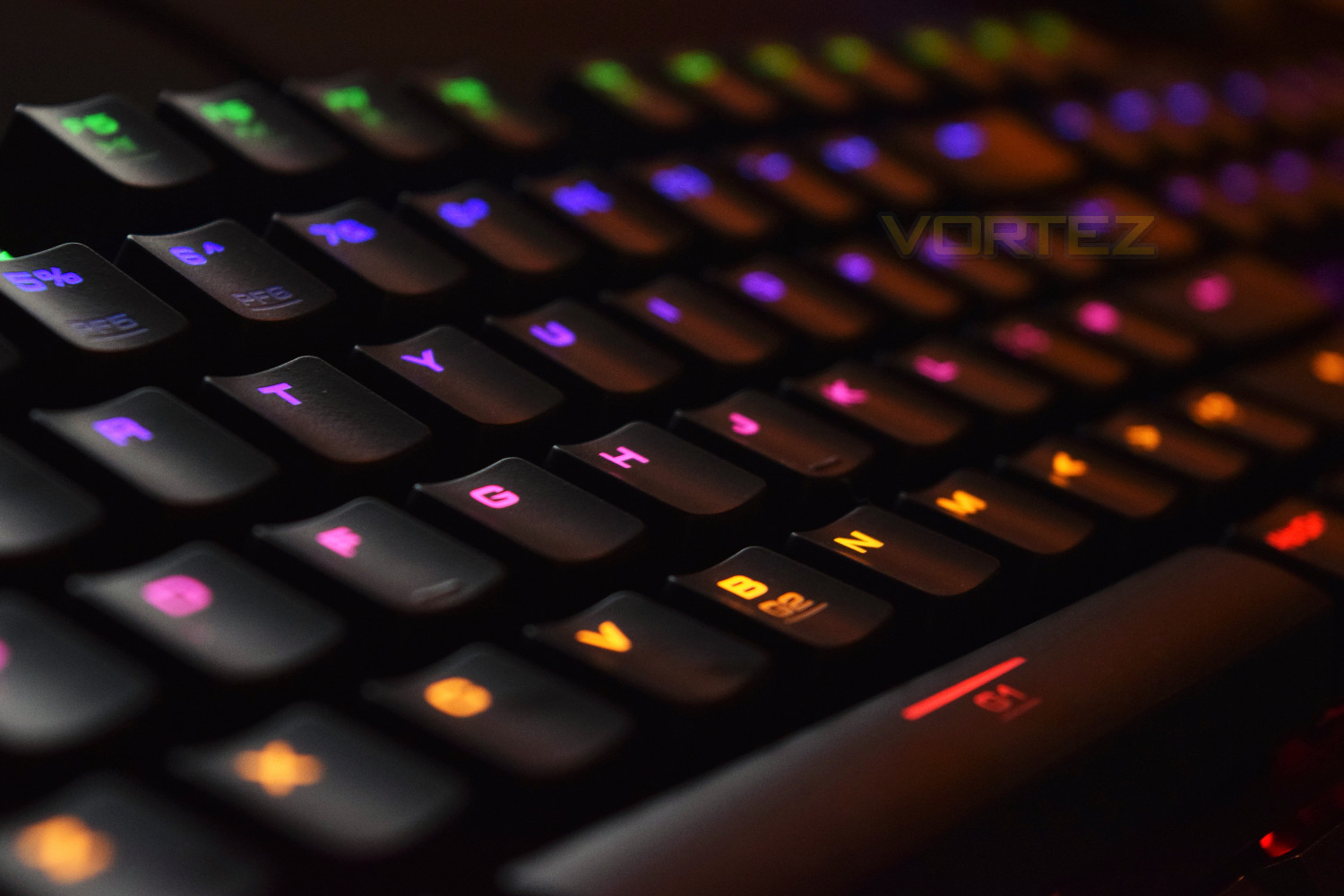
The 7 colour backlighting can be best described as ‘fine’. It’s nothing to shout and scream about, but it provides the ability to customise the keyboard to your particular layout without causing glare in a dark room.
Overall build quality is incredibly good, especially when considering the relatively low £79.99 price tag. The aluminium backplate is sturdy and looks great with the backlighting. The only gripe we have when design or quality is concerned is the removable wrist rest – when attached, the front end of the keyboard hovers roughly 1-2mm from the desk, which creates flex when rested up; this may eventually fatigue the plastic causing it to break.
Conclusion
For as little as £79.99, you can be the proud owner of a backlit mechanical keyboard. We’re so used to seeing keyboards at the thick end of £200, which for most people, is far too much so to see a competitive option available for far less is refreshing.The keyboard is finished well and build quality is more than acceptable. The LED backlighting is ok, providing a more-than-useable keyboard in a dark environment. As mentioned, the only issue with design is the way of attaching the wrist rest.
The HERA software lets the keyboard down slightly, but GAMDIAS have included the ability to alter most things using the keyboard only, handy.
All things considered, the HERMES M1 is a solid choice that would suit anyone looking for a relatively cheap mechanical keyboard.
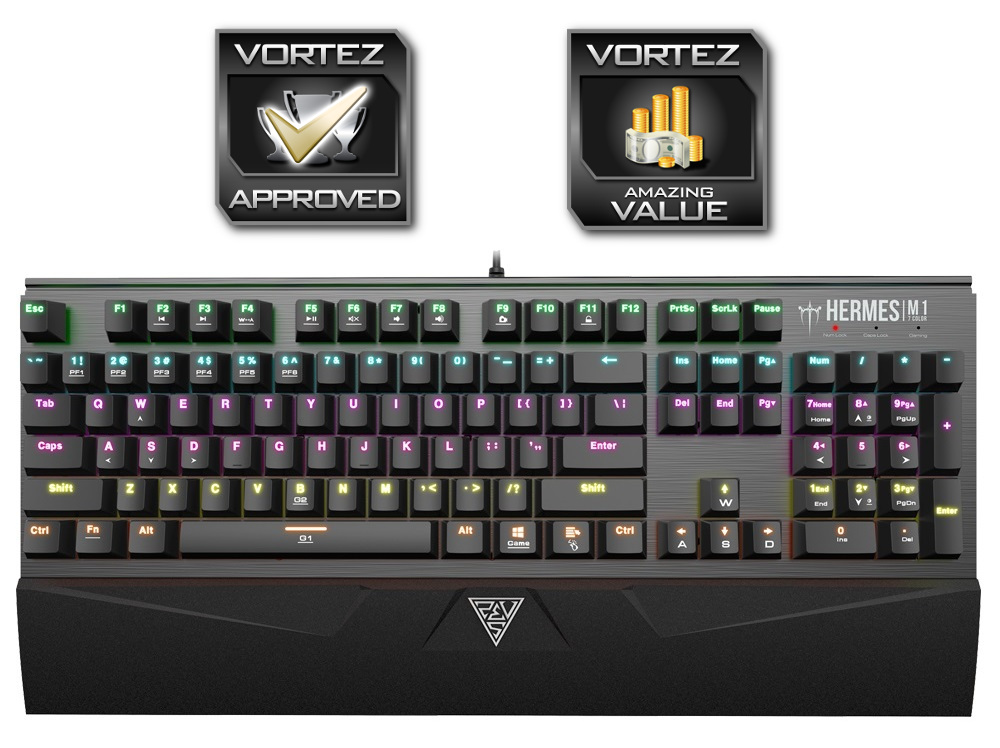
Providing you bear in mind this keyboard is sub-£80, the GAMDIAS HERMES M1 is an excellent keyboard trading blows with some of the big names
Pros
+ Price
+ Good build quality
+ Removeable wrist rest
+ Has LED backlighting
+ Key puller on the underside
Neutral
+- Wrist rest may break eventually
Cons
– Small pallett of colour choice on backlighting
– HERA software isn’t great
+ Price
+ Good build quality
+ Removeable wrist rest
+ Has LED backlighting
+ Key puller on the underside
Neutral
+- Wrist rest may break eventually
Cons
– Small pallett of colour choice on backlighting
– HERA software isn’t great
Click here for an explanation of our awards at Vortez.net.