







A new gaming keyboard from GIGABYTE featuring the GHOST Macro Engine software and more exciting features.
Product on Review: GIGABYTE Aivia K8100 Gaming Keyboard
Manufacturer and Sponsor: GIGABYTE
MSRP: USD $69.99 / GBP £49.98

At the end of September we were invited to a conference by GIGABYTE, there they showcased a number of forthcoming products. One of the focal points at the seminar was the ferocious GIGABYTE SOC NVIDIA graphics cards. Although GIGABYTE did spend a majority of their time divulging information about these new cards they also went to great lengths to expose a new succession of gaming peripherals that will soon be hitting the market. Amongst the gaming peripherals under the spotlight were the M6900 and M6980 gaming mice which we recently reviewed, and a new gaming keyboard named Aivia K8100. Stealing the show today though is the Aivia K8100, a gaming keyboard with a whole host of interesting features such as 20 Anti-Ghosting keys, touch and slide volume control, macro functionality and silicone protector to name just a few.
Aivia is derived from Advanced, intuitive and versatile interface archetype. Quite a mouthful! The idea behind Aivia is to focus on the combination of subconscious, design and function coupled with the quest for a unique standard.

GIGABYTE’s Take:
Especially designed for gamers, Aivia™ K8100 is equipped with four major features – enhanced ergonomic gaming keystroke keyboard design, GHOST™ macro engine, 20 anti-ghosting keys, and touch and slide volume control. With these four features, obtaining victory during gaming battles is no sweat.
Specifications
Interface
– USB 2.0
Support OS
– Windows 98/2000/ME/XP 32bit Vista/Win7 32/64bit
Switch life
– 10 million times
Travel distance
– 3.5+/-0.5mm
Travel to peak
– 1.0+/-0.05mm
Weight
– 1300g
Operating humidity
– 10% to 90 %
Dimension
– 490(L)* 263(W)*32.8(H) mm
Certification
– CE, FCC, BSMI, KCC
Color
– Black, Yellow(USI Layout only), Red(USI Layout only)
Peak force
– 50gr, 60gr, 70gr +/- 10%
Operating temperature
-5oC to 40oC
Packaging & Bundle
The Aivia K8100 is encased in a large glossy box that includes the Aivia insignia printed in gold. Whilst the front is void of any technical details the rear of the box includes this information.
Opening the box up, there is another box inside which contains the K8100 keyboard and extra keys plus a keytool. The keyboard is protected via soft cushioning and plastic sleeving.
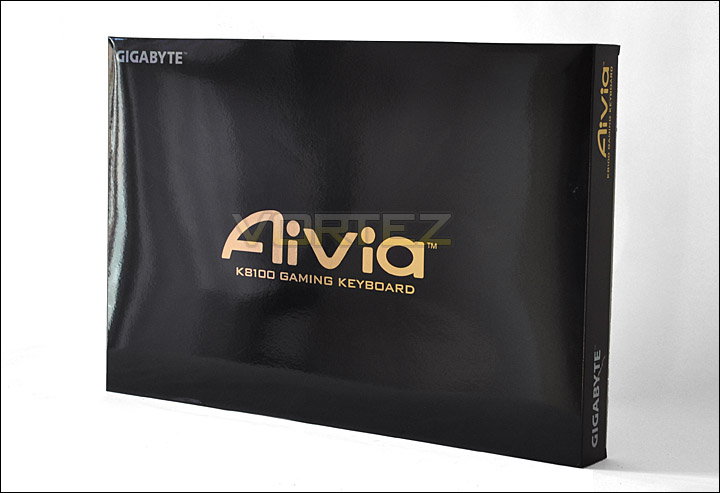
The box for the Aivia K8100 Gaming Keyboard
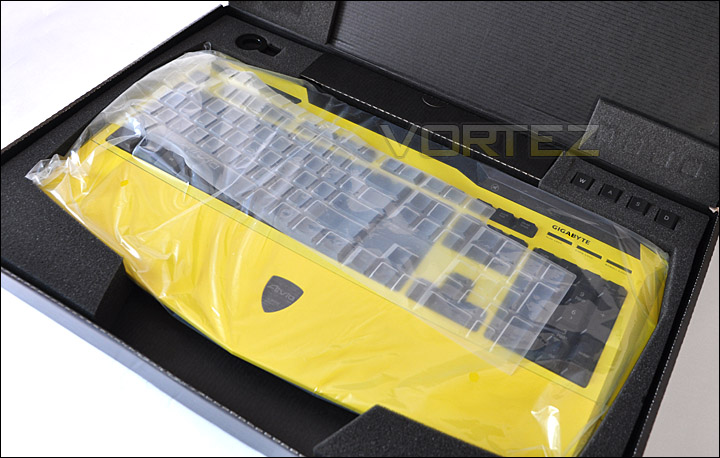
The box opened with keys and keytool attached to box
With everything out of the box the first thing that will capture your attention is the vibrant yellow colouring on the K8100. This keyboard is available in 3 different colours. Black, Yellow and Red. The yellow is probably the most striking of all 3 variants, and my not be to everyone’s taste. Personally, I quite like the diversity. As we take a look on the proceeding pages you may feel the same.
Within the bundle there are quite a number of items. We have a silicone protector to cover the keyset, this is a very useful feature because it not only stops dirt dropping between keys but it can be easily cleaned of grime build up. There is also a key removal tool, a set of W, A, S, D keys that feature a rubberised surface and a drive/software CD.
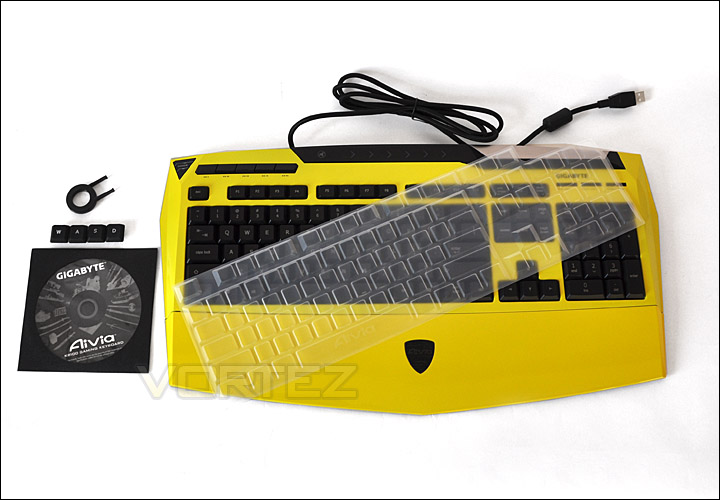
The Aivia K8100 bundle
Closer Look
The keyset on the K8100 is very similar to the traditional keyboard. The only real significant difference is the half-height return key. The assignable keys are positioned above the F1-F4 keys. These keys are labelled G1 through to G5. The idea is that you can assign commands to each key and switch between 5 different modes by hitting the corner button, so in total you have access to 25 commands. All this functionality of course is accessible via the bundled software (GHOST Macro Engine).
The keys are split into 3 categories. 3 differently weighted keys are located throughout the board to cater for different levels of usage. W, A, S, D and 1, 2, 3, 4 keys are given 70g elastic force, whilst the other keys feature 60/50g elastic force.
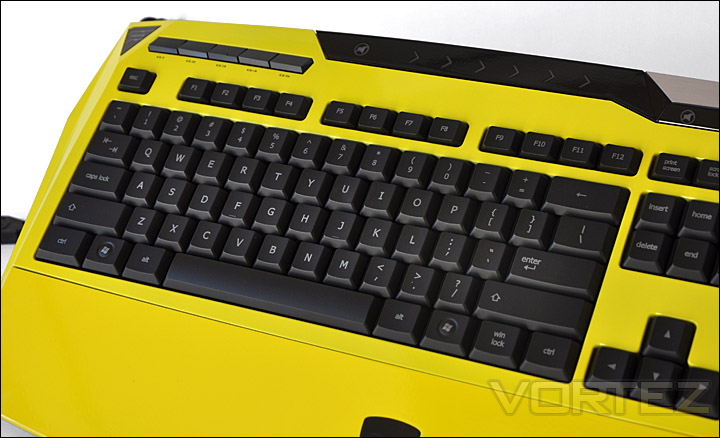
The layout on the K8100 is quite traditional
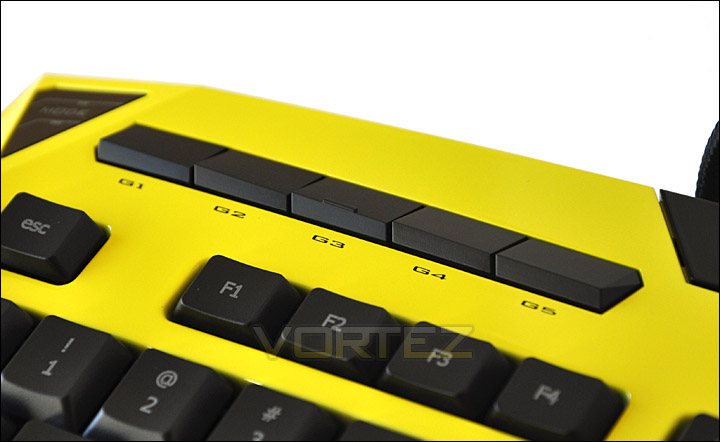
G1-G5 are customisable
Below you can see the mode button for switching between each of the 5 modes a bit clearer. This glows when the keyboard is plugged in – Red, green, blue, pink, and aqua. Each signifying a different mode. Beneath this, on each side of the K8100 there is a USB2.0 port. Here you can plug in headsets, mice or any other USB2.0 device.
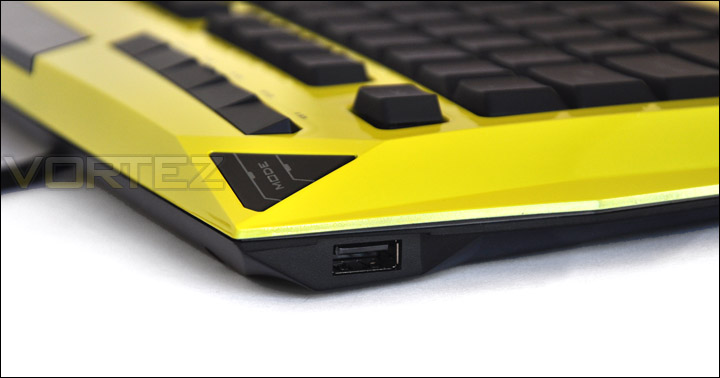
USB ports on either side
Styling on the board is kept quite simplistic. The contours resemble a Lamborghini Gallardo, GIGABYTE have opted to design the K8100 as ergonomic as possible. The large wrist/palm rest reduces the risk of RSI and the initial response is that it feels comfortable. This rest can be completely removed, to do this 4 screws need to be removed.

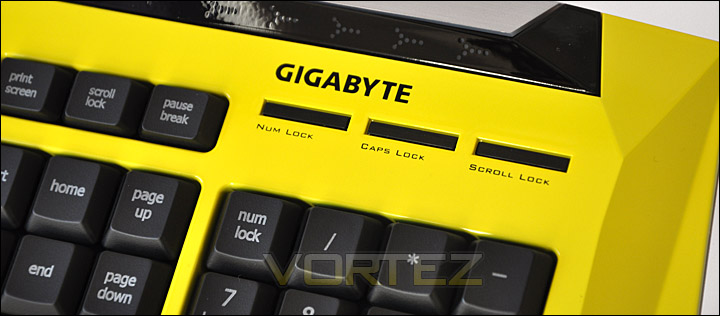
Lock keys have LED indicator
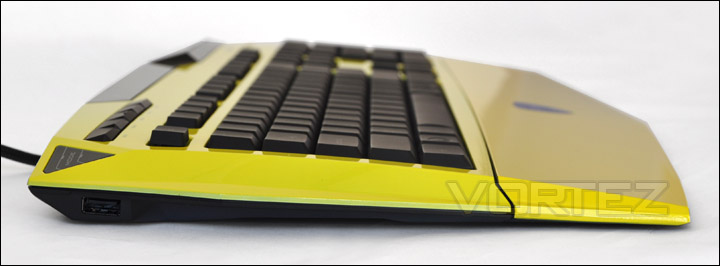
Side profile shows an ergonomic design
Closer Look (Continued)
The underside of the K8100 features 2 legs that click out to offer 2 different height options. There are a multitude of rubber pads on the underside of the K8100, these do an excellent job at preventing the keyboard moving when on particularly smooth surfaces.
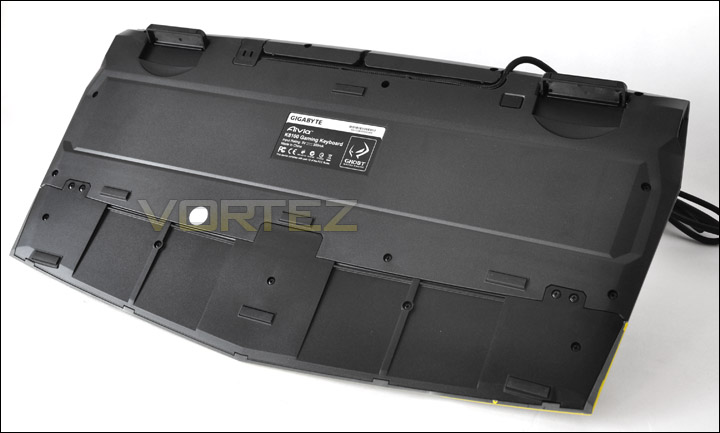
The underside of the K8100
The USB cable that runs from the keyboard to the USB connector involves some very thick braiding. Quality here is good and there is greater protection for the cabling. The USB connector plug itself is gold-plated.
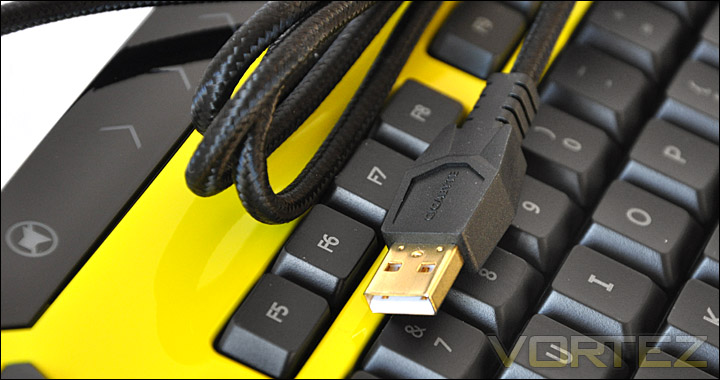
Thick braided and gold plating
Earlier on, we had a glimpse of the included items within the bundle. One of those items was the key removal tool and additional W, A, S, D keys. The idea behind this is that the supplementary keys offer a distinguished surface texture to the other keys. Particularly useful for gamers. We saw a similar feature with the Tt eSPORTS Challenger Pro but on this keyboard the keys were just coloured and were not textured differently. So the inference with the Tt eSPORTS Challenger Pro is that you should be looking at the keys to know you are using W, A, S, D but with the GIGABYTE Aivia K8100 this is not the case. Making the texture of the keys different as opposed to just the colour is a much better design decision. Gamers feel for buttons rather than looking. Lets face it, if you are looking for buttons you aren’t going to last very long on the battlefield.
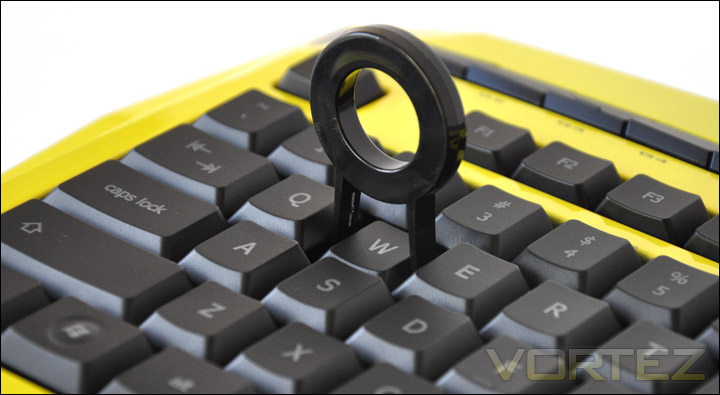
Key tool used for removing keys
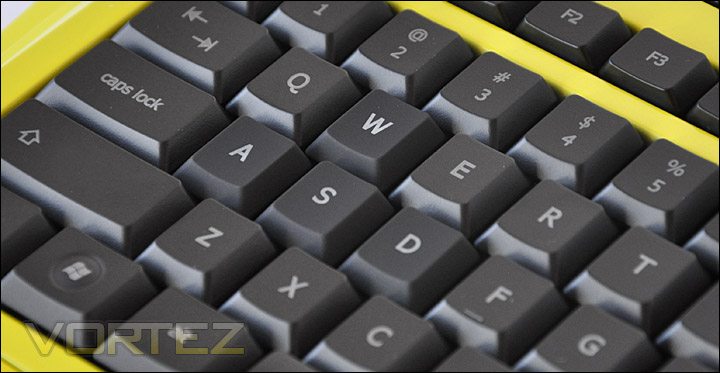
Rubber-feel WASD keys installed
Another item that is included within the bundle is the silicon protector. This is placed over the keyset to prevent dirt getting between the keys. It can be removed just as easy as it is positioned on top. Of course, removal of this cover means you can keep the keyboard free of sticking keys as the silicon cover catches dirt and once removed can be washed. The silicone protector also has the added element of providing a soft-touch feel and keys, when pressed don’t produce as much of a clatter. I really like the inclusion of this cover, it is a fantastic idea however simple it might be.
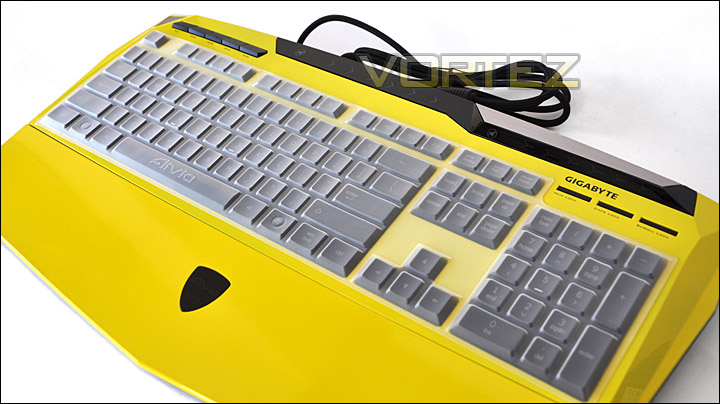
Silicone protector for dirt free gaming and smooth feel
Comparison & Testing
For comparison I thought it would be useful (as with other keyboard reviews) to compare the size of the K8100 against a traditional keyboard – Dell Slimline. With a standard keyboard next to the K8100 we can observe the overall size, height and spacing of keys etc.
Taking a look at the overall size of the keyboards we can see the K8100 is similar in length to the Dell Slimline. The keys are in fact quite similarly spaced on the K8100 in comparison to the Dell keyboard – unlike other keyboards we have reviewed recently. This means that touch-typing on the K8100 is no difficult task, a simple operation as this may be, other keyboards that have tighter space configuration present a stumbling block in this regard.
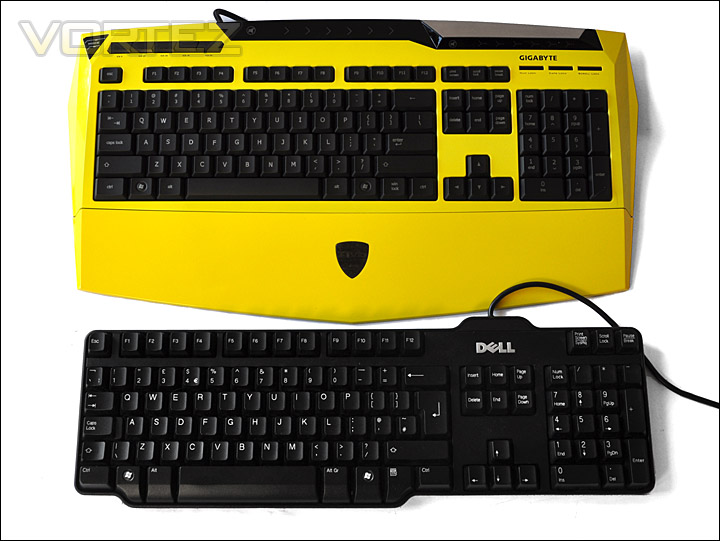
Similar length and key spacing to a traditional keyboard
Comparing the height of both keyboards, they are in fact very similar. The height of the actual keys may be different (the K8100’s are shorter) but there is little in variation in between both products in this characteristic.
 SteelSeries Shift and ” alt=”” />Tt eSPORTS Challenger Pro is not present with the GIGABYTE Aivia K8100 thankfully. On both competing boards the caps lock key is very close to the ‘a’ key meaning that accidental pressing is a frequent and irritating occurrence. This affects both normal usage – typing and gaming. Using the K8100 we have no such irritation and both types of operation can be performed fluidly.
Key presses whilst in-game are light but responsive. Without the silicone cover on the keyboard, keys do feel slightly loose and feedback isn’t as positive. The cover seems to bond the keys together and reduce movement and clatter. I would recommend using the silicone cover.
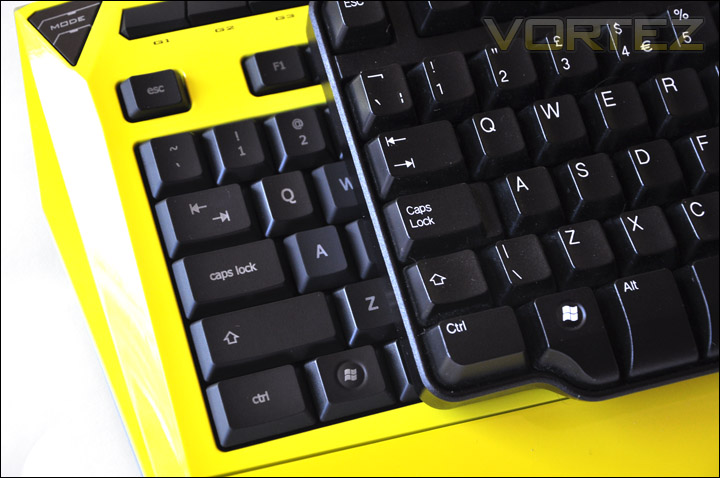
Key spacing and caps lock placement means little to no problems
Software
Slipping the software CD into the optical drive enables access to GIGABTE’s GHOST Engine. We also have Adobe Acrobat Reader which is used to view the user manual which is also on the CD.
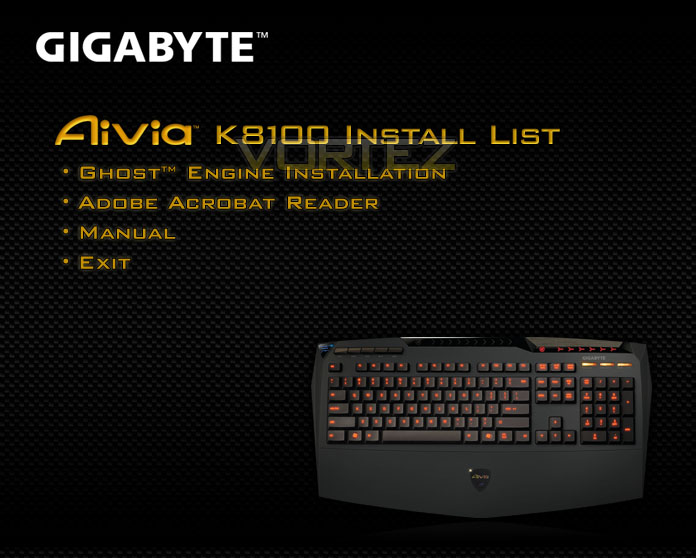
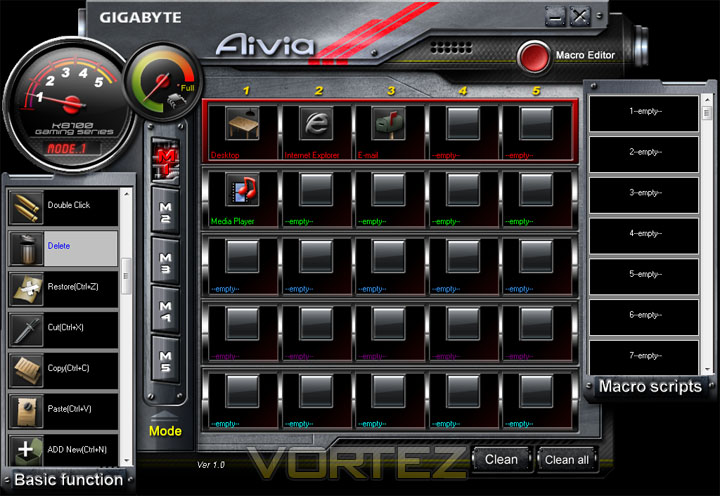
Installation takes a matter of minutes, and once inside the GHOST Engine, you are met with a bright and busy GUI. As you can see from the below screenshot image, there are 5 rows of commands available for each of the G buttons on the K8100. For some reason they are called ‘M1-M5’ in the software, really they should be labelled ‘G’ as they correspond to the buttons on the keyboard. Each of the 5 commands on a profile can be selected via the ‘Basic Functions’ on the left. The vast amount of commands available there can be drag n’ dropped onto a button.
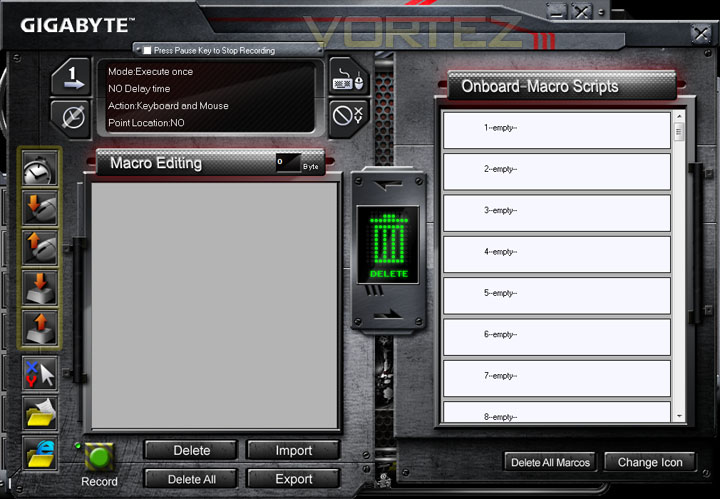
Macros are easy to assign also as the drag n’ drop facility works in the same fashion here too. The interface is thorough in its ability to include features. Nothing is left out.
Mentioned in the intro, the K8100 feature ‘Touch and Slide Volume Control’. Running across the top of the keyboard is an area that allows you, with a soft swipe to increase volume (left to right) or decrease the volume (right to left). There also a mute button located near the bar, that when pressed kills all system volume. Both of these functions have LEDs that correlate with the operation, as you can see in the photo below. This is very handy to have, as you can take full advantage of this feature if you are in-game.
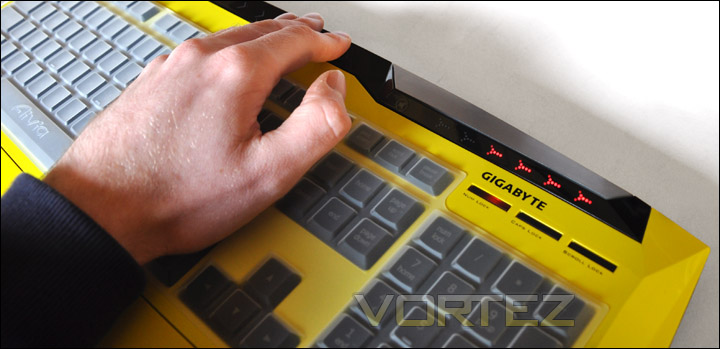
Volume can be controlled by touch slider at top of keyboard
Lastly, the K8100 features illuminating keys. The option for this is managed by an external button on the top-right hand corner of the actual keyboard. When pressed, the keyboard emits a warm red glow to each of the keys, creating a pleasant ambience.
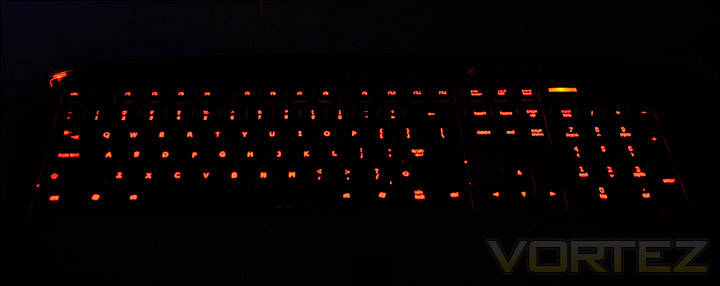
Warm red glow gives a pleasant ambience. Great for night-time gaming
Conclusion
As 2011 draws nigh, we have seen a competitive streak from GIGABYTE by way of gaming peripherals over the past few months. Their objective is to tackle the gaming market, releasing a flurry of aggressive products aimed directly at the avid gamer.
We have seen in the M6900 and M6980 some fantastic, great value for money gaming products and the Aivia K8100 continues this trend. The keyboard we have been looking at today may not be to everyone’s taste due to its strong, vibrant and distinguishable looks but the physical design and outworkings are something we can all agree upon. In fact, I quite like the liveliness the yellow K8100 brings. Its different to anything I’ve ever used before and even though the majority of the peripherals I use (and most people) it doesn’t look hideous. It brings out that extrovert in you!
The supplementary items included in the bundle are a good idea, the different textured W, A, S, D keys are useful rather than being daft like we have encountered with other keyboards that simply offer different coloured keys. Gamer’s tend to feel keys rather than look at them. The latter would result in poor gameplay. The protective silicone cover is another great idea, it prevents dirt getting between the keys which would otherwise cause sticking, is easy to clean and makes the keys feel soft and less noisy when typing fast.
The only problems that I am left to report are that the G buttons positioned at the top of the keyboard would probably be better situated vertically along the left hand side of the keyboard rather than horizontally across the top. Keys that are positioned to the side are easier to access whilst in game. With the G buttons currently at the top of the board they are a bit of a reach away. Another thing to note is the fact that usage without the protective silicone cover left the experience feeling sloppy. Keys feel slightly loose and make more of a clattering noise. With the silicone cover however keys seem to bond together, feedback is more fluid and less noisy.
At around GBP £45 / USD $70 MSRP the K8100 is a good buy for anyone looking for a great all round gaming keyboard. Especially as the price that consumers will buy is going to be slightly lower. The K8100 may not compete with the more expensive boards out there that are typically mechanical but the K8100 isn’t in direct competition with the likes of the Logitech G15/G19, Razer Black Window to name a few. But I’m sure GIGABYTE are yet to take on these stalwarts. 2011 should be an interesting year for GIGABYTE as they introduce yet more gaming peripherals to the market.
Pros
+ Ergonomic, impressive styling
+ 20 Anti-Ghosting keys
+ 3 colours to choose
+ Silicone cover protector
+ Touch and slide volume control
Cons
– Assignable keys would be best elsewhere
– Without silicone cover, keys feel cheap/loose
+ Ergonomic, impressive styling
+ 20 Anti-Ghosting keys
+ 3 colours to choose
+ Silicone cover protector
+ Touch and slide volume control
Cons
– Assignable keys would be best elsewhere
– Without silicone cover, keys feel cheap/loose

