The GIGABYTE AORUS M5 has an impressive feature set and an attractive price point, but is that enough to make it a must buy?

Product on Review: GIGABYTE AORUS M5
Manufacturer: GIGABYTE
Street Price: £54 GBP / $69 US / $79 AUS
The GIGABYTE AORUS M5 is another offering that looks to try and balance performance with usability, but does it sacrifice anything to achieve this?
Well, on paper at least the M5 is a compelling gaming mouse, it features the highly praised Pixart 3389 optical sensor which is capable of some impressive feats. Other strong attributes include the Omron switches which have a very long life expectancy of 50 million presses, that isn’t all as the M5 also utilises a weight system to allow you to tailor the feel of the mouse. As standard it weighs 118g, but with the weights, you can increase that to 130g in increments of 2.5g.
Other highlights also include the integrated RGB fusion lighting, swappable underside glide feet and software customisation.
We do have a few slight concerns about the AORUS M5, and these are mostly with the design and build, the design is really nice though the shape could pose issues for some. The build also shows some areas of weakness which we will be addressing later in the review.
GIGABYTE on the AORUS M5:
AORUS M5 boasts an enthusiast-grade 16000 DPI optical sensor (Pixart 3389), capable of 400ips and 50G acceleration, that gives you the ultimate accuracy for competitive gaming. Adjustability in 50 DPI increments further allows you to make a seamless transition from your old mouse by fine-tuning the level that precisely fits your play style.
Technical Specifications
Mouse
Sensor – Pixart 3389
Sensor type – Optical
Sensitivity – 50 – 16,000dpi (50 step increments)
Report rate – 125 / 500 / 1000Hz
Tracking speed – 400ips
Acceleration – 50G
32-bit ARM Processor
Switch – Omron
Switch life – 50 million presses
Scrolling – Standard (3D)
Interface – USB
Dimensions & Weight
Dimensions – 128mm (L) x 72mm (W) x 43mm (H)
Weight – 118 to 130.5g
Cable length – 1.8m
Sensor – Pixart 3389
Sensor type – Optical
Sensitivity – 50 – 16,000dpi (50 step increments)
Report rate – 125 / 500 / 1000Hz
Tracking speed – 400ips
Acceleration – 50G
32-bit ARM Processor
Switch – Omron
Switch life – 50 million presses
Scrolling – Standard (3D)
Interface – USB
Dimensions & Weight
Dimensions – 128mm (L) x 72mm (W) x 43mm (H)
Weight – 118 to 130.5g
Cable length – 1.8m
Packaging & First Look
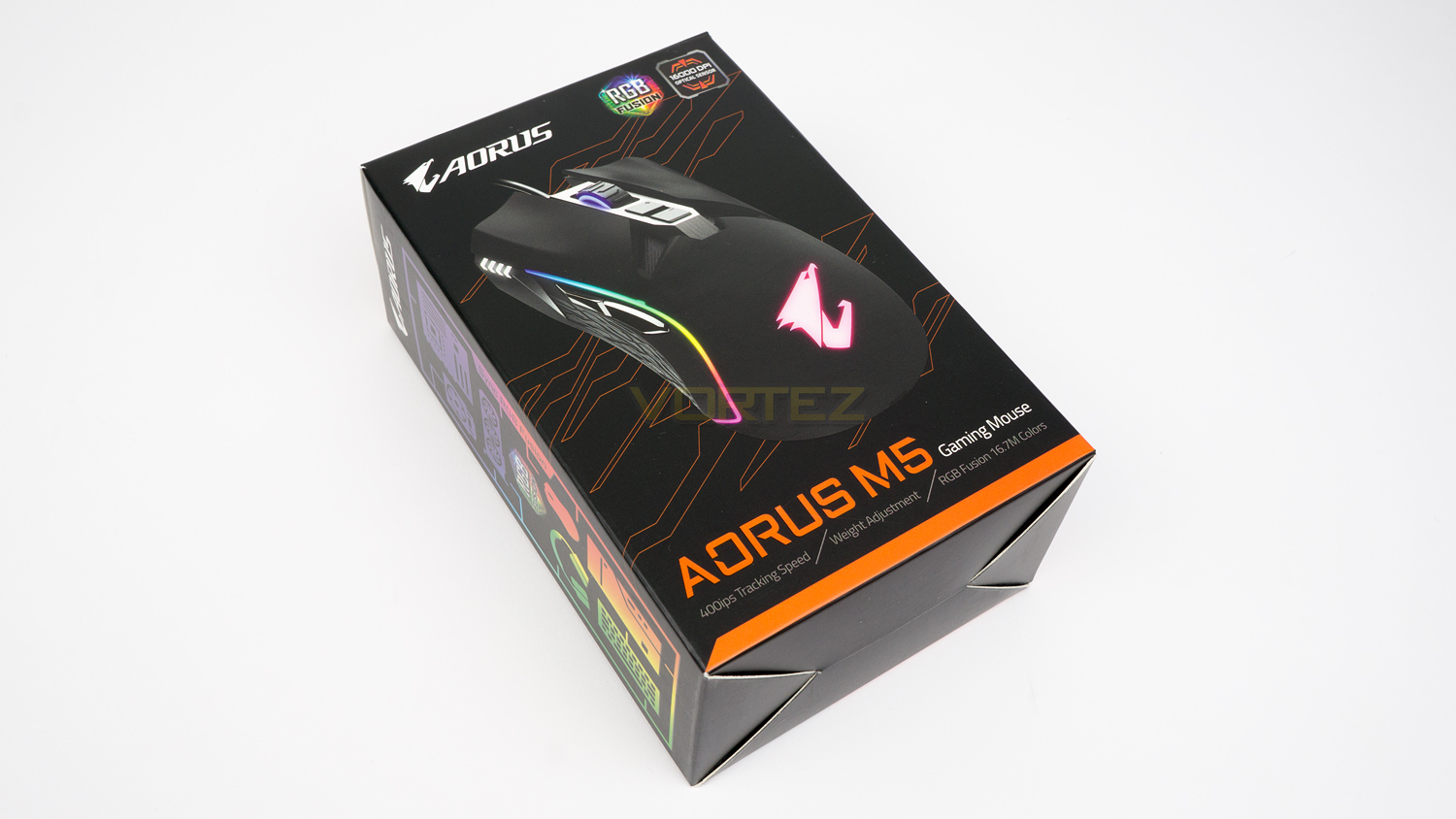
The AORUS M5 arrives is a nicely stylised black box. On the front, there is an image of the M5 with a few of its key features.
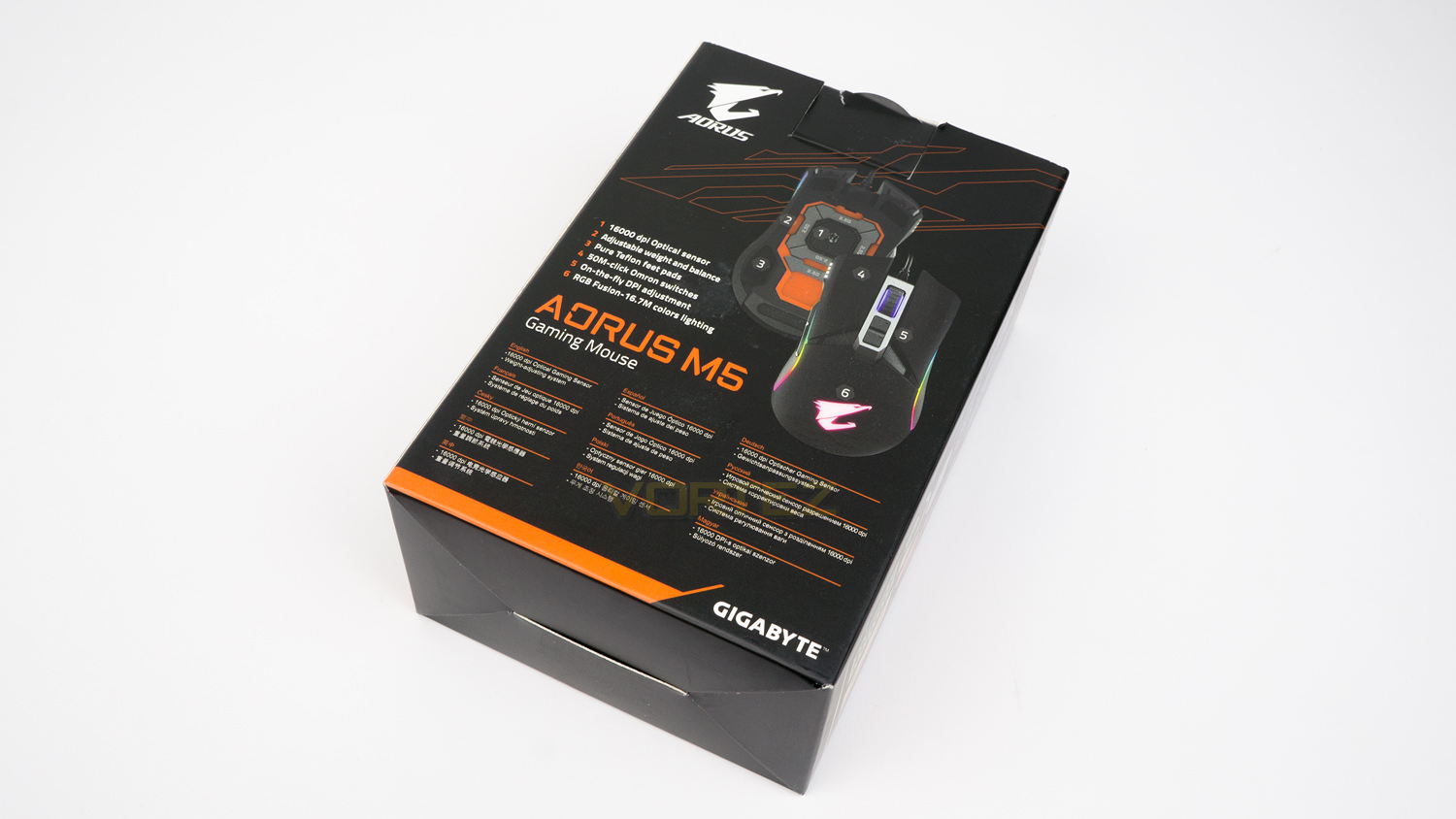
The back of the box again depicts the M5, but this time the image is numbered which corresponds to the brief spec list.
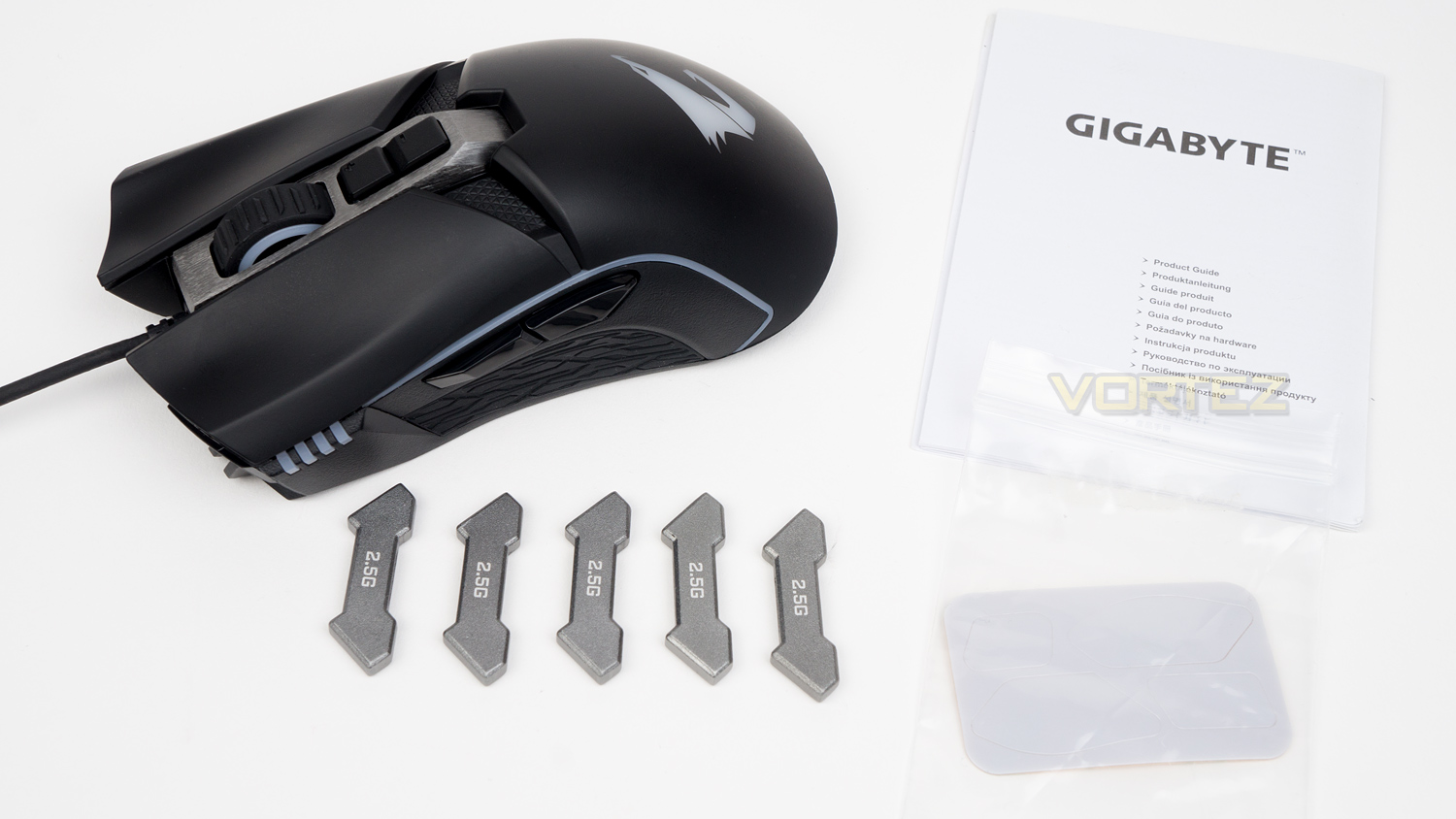
Within the box, there is the M5, some spare mouse feet, the weights and documentation.
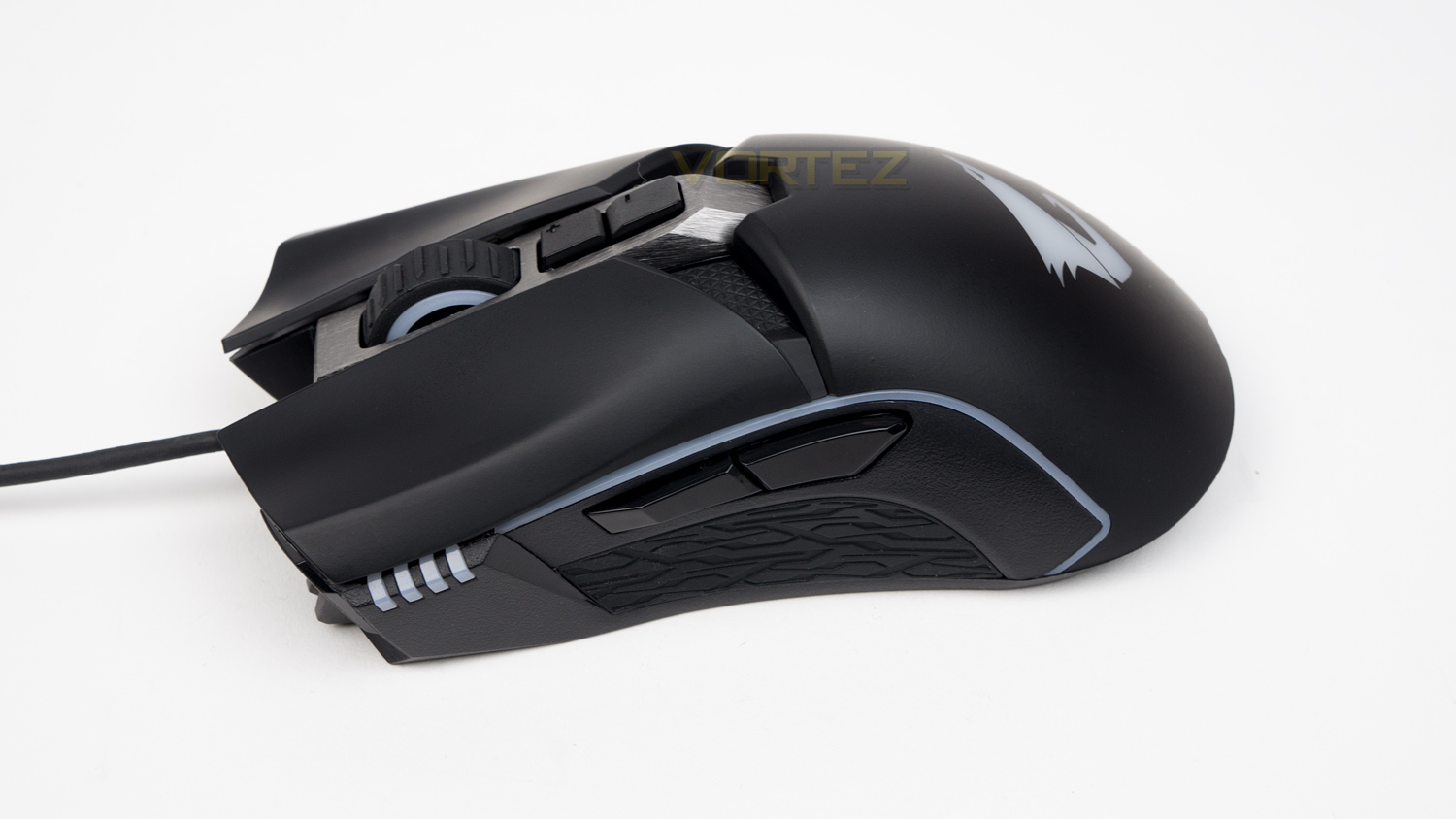
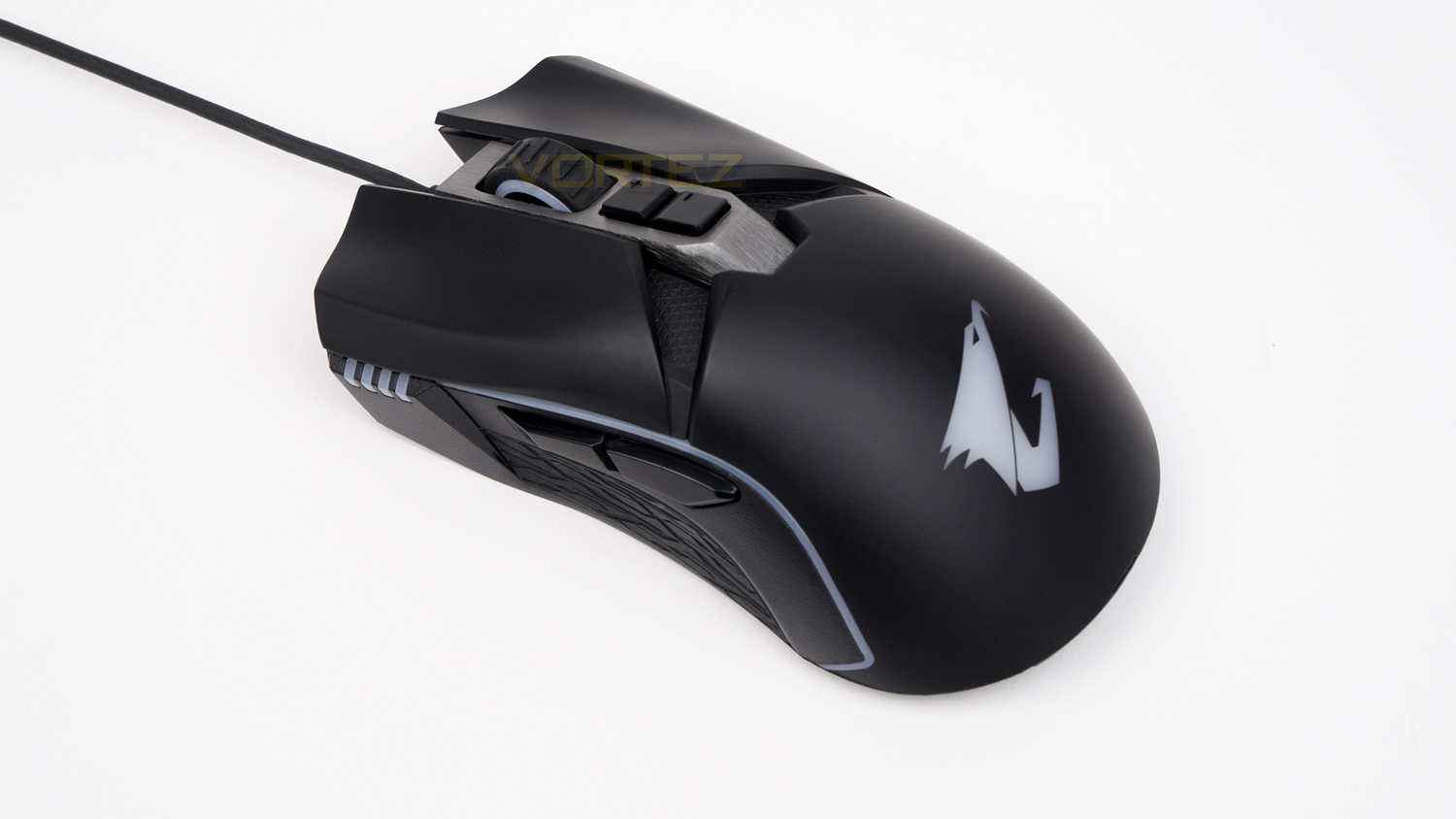
The M5 is a nicely styled mouse as it features plenty of curves and creases which add a bit of interest. GIGABYTE have managed to make the mouse look gamery without going over the top.
Closer Look
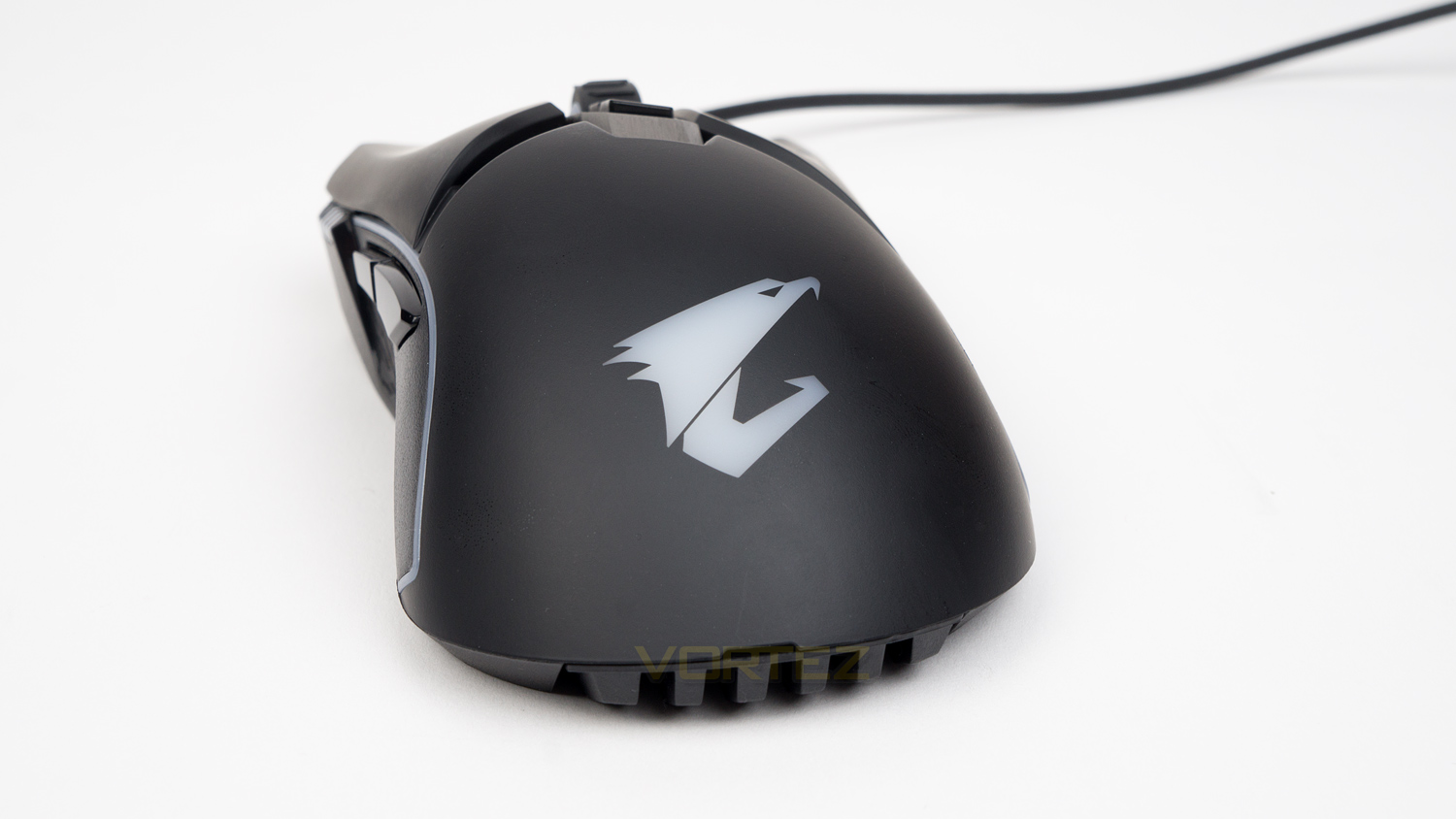
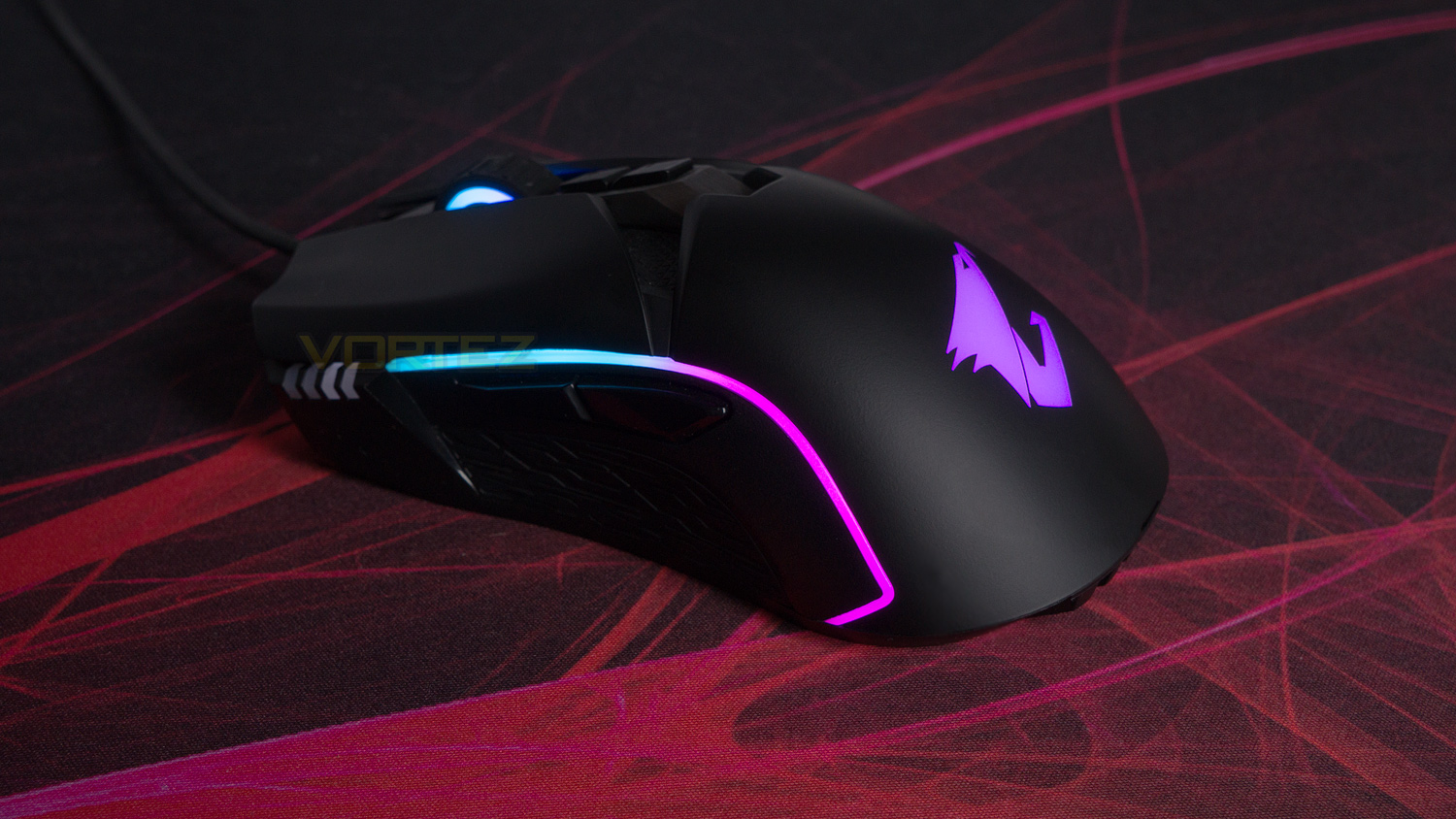
The back of the AORUS M5 features a large AORUS logo that also doubles as one of the main illumination areas.
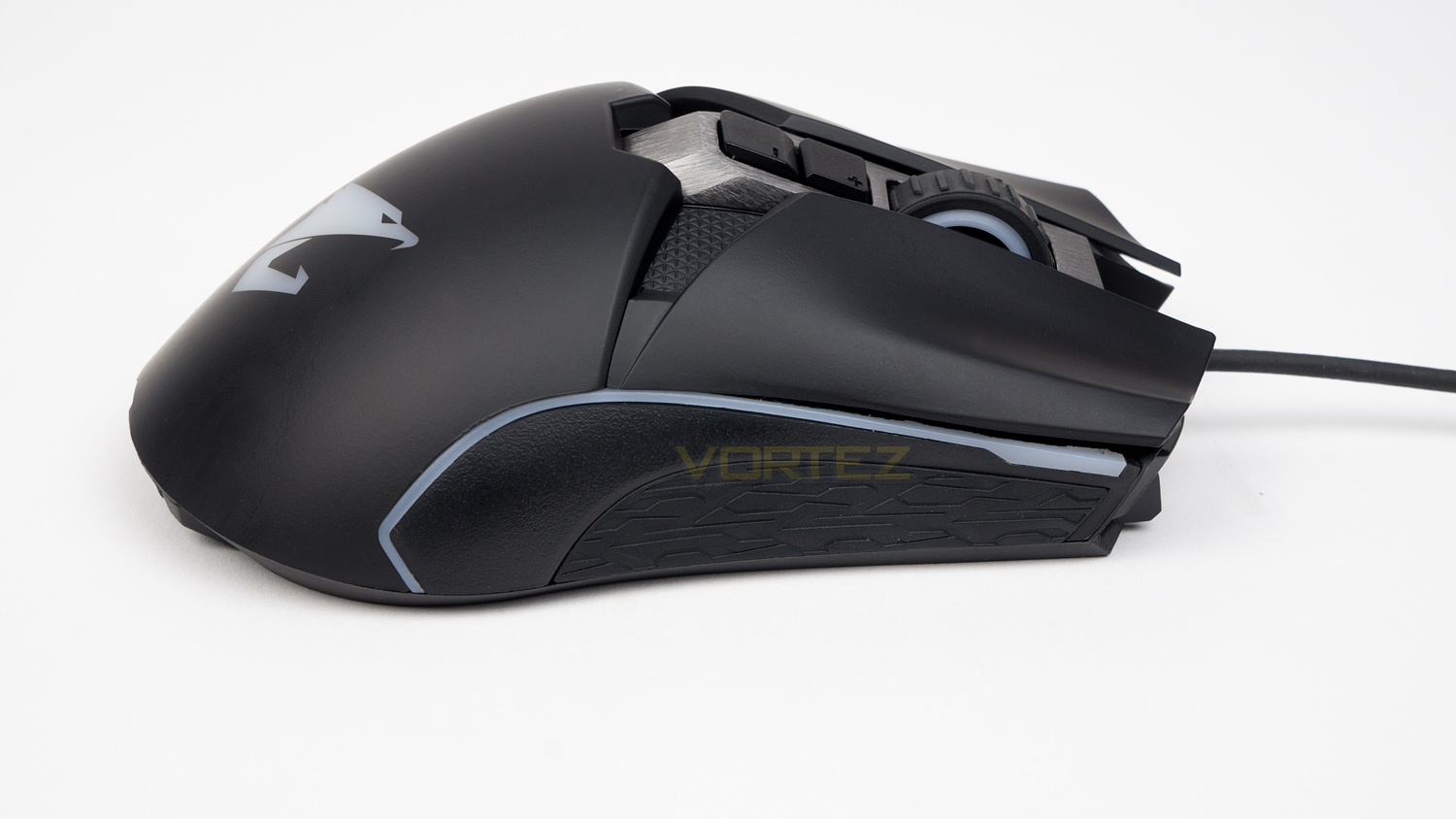
The right side is very heavily sloped which leads down to the side grip. You’ll also note the light strip here which is another illumination zone.
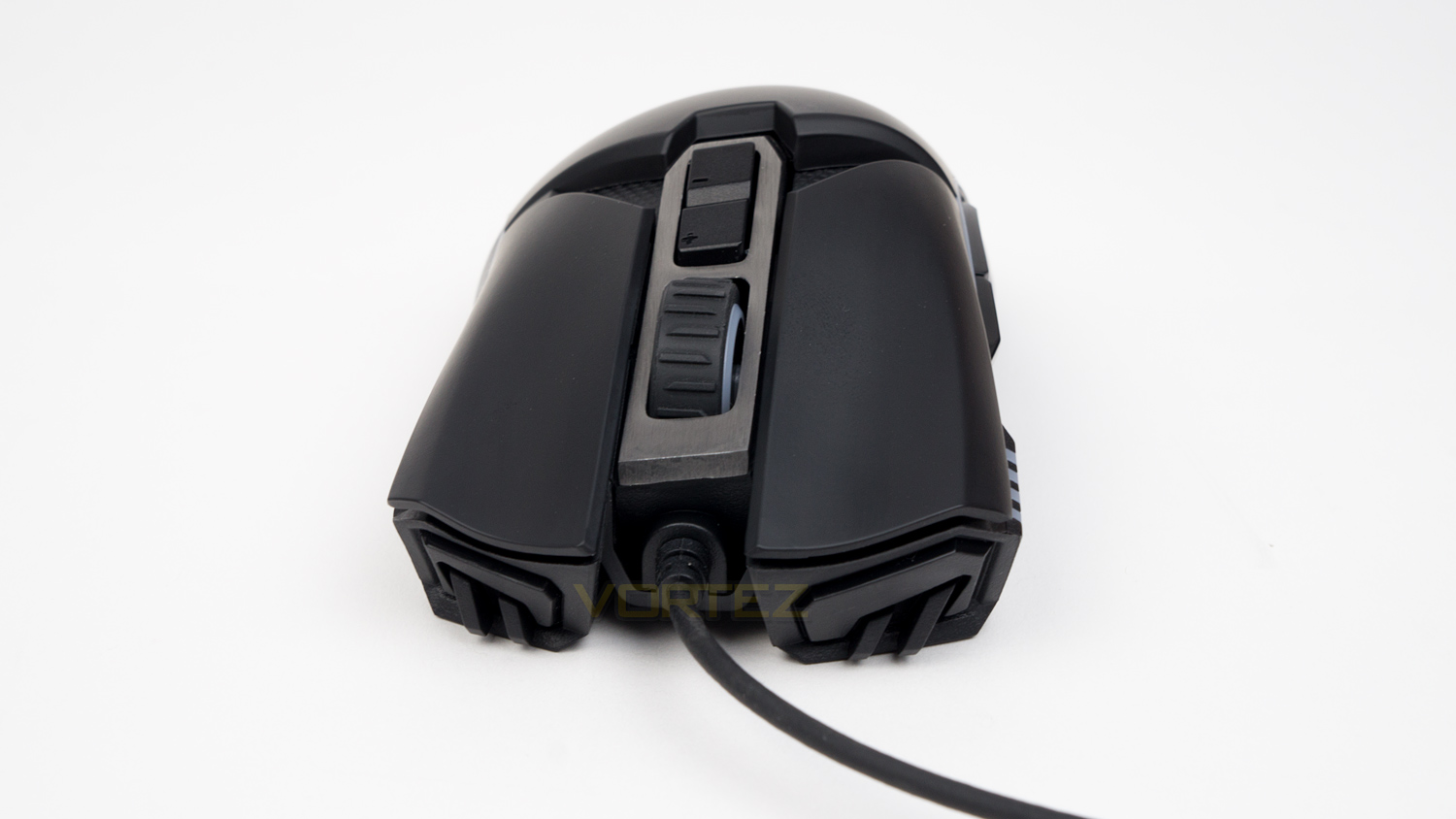
The front of the mouse is quite aggressively styled as it features sharp edges and angles. You can also see the curvature of the left and right click which does help keep your fingers nicely positioned.
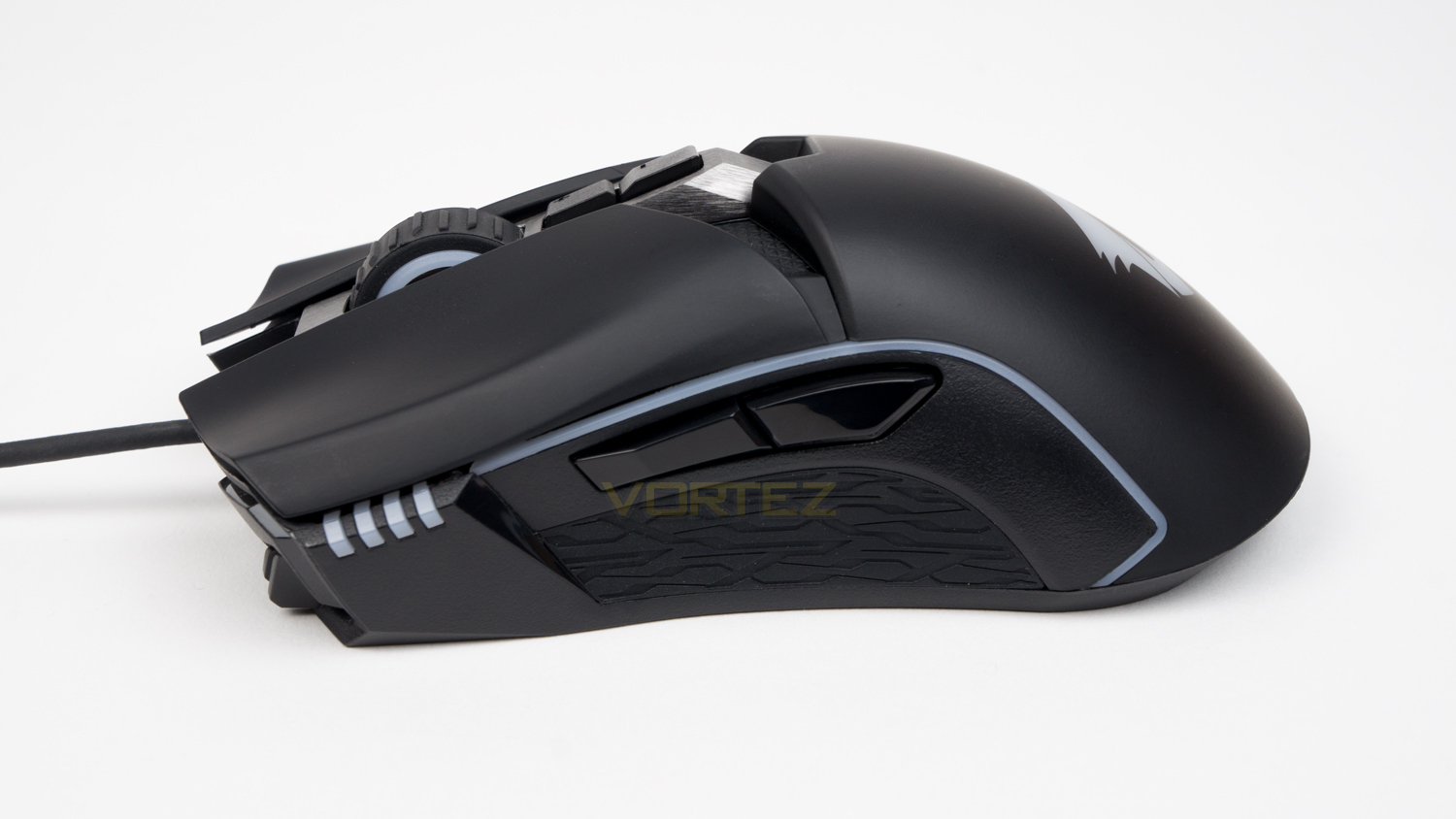
The left-hand side shares some similarities to the right, but here there are the thumb buttons as well as the DPI level indicator.
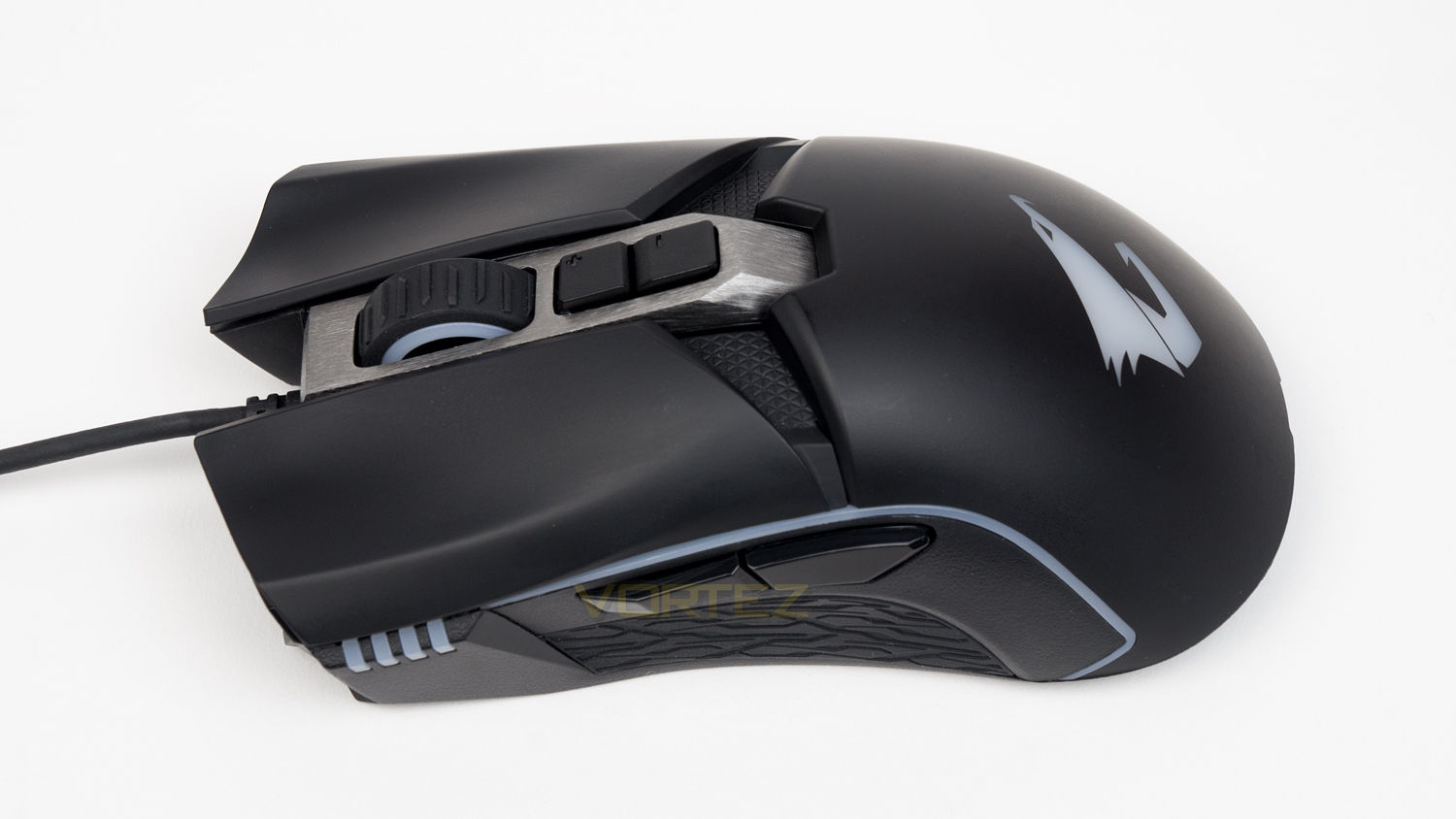
The top of the mouse grants a closer look at the nicely textured scroll wheel, the individual DPI buttons and also the brushed accent that surrounds the buttons and scroll wheel.
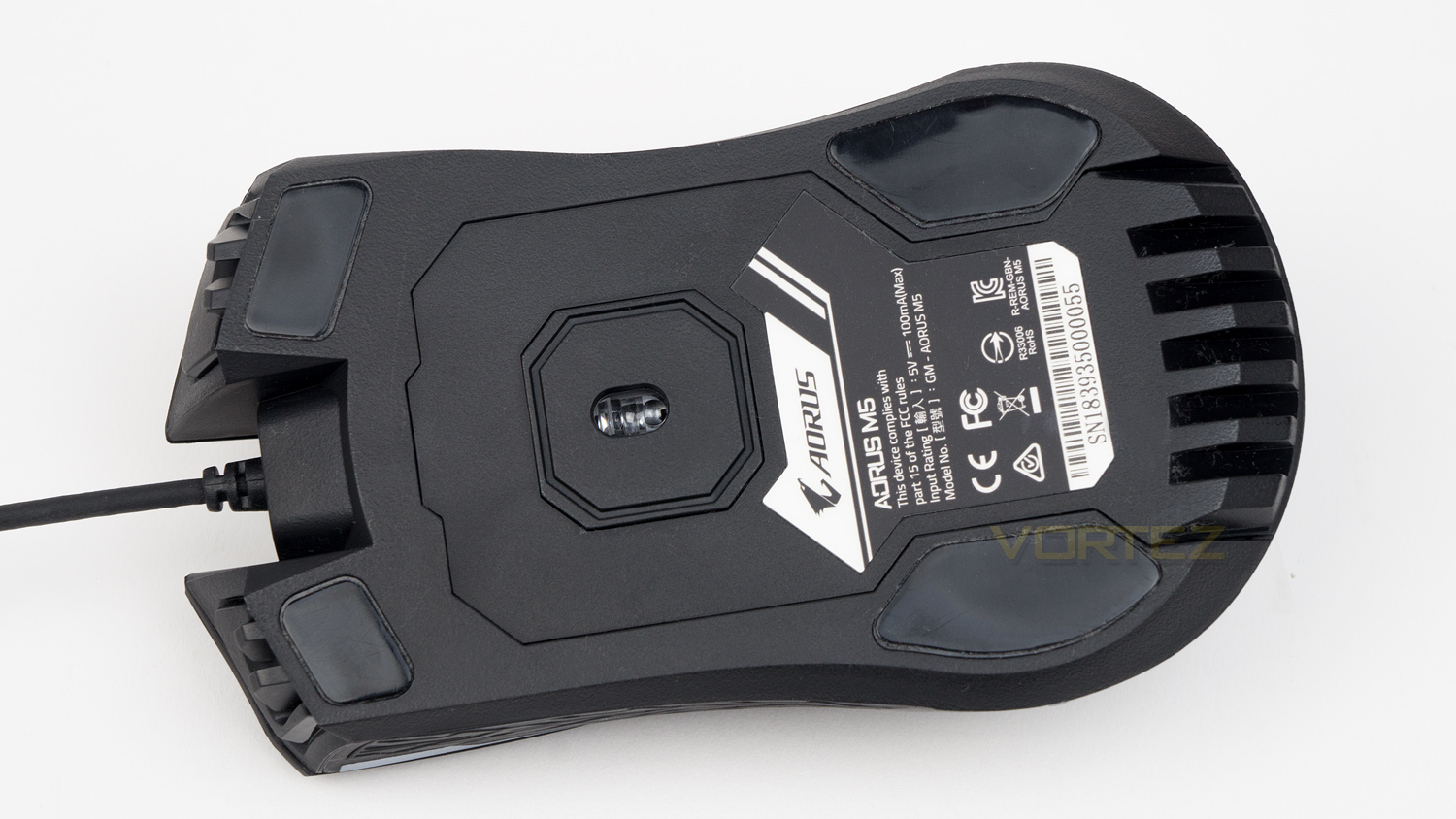
The underside features four small feet which can be swapped out if needed. Also here you’ll find the centrally mounted Pixart sensor and branding.
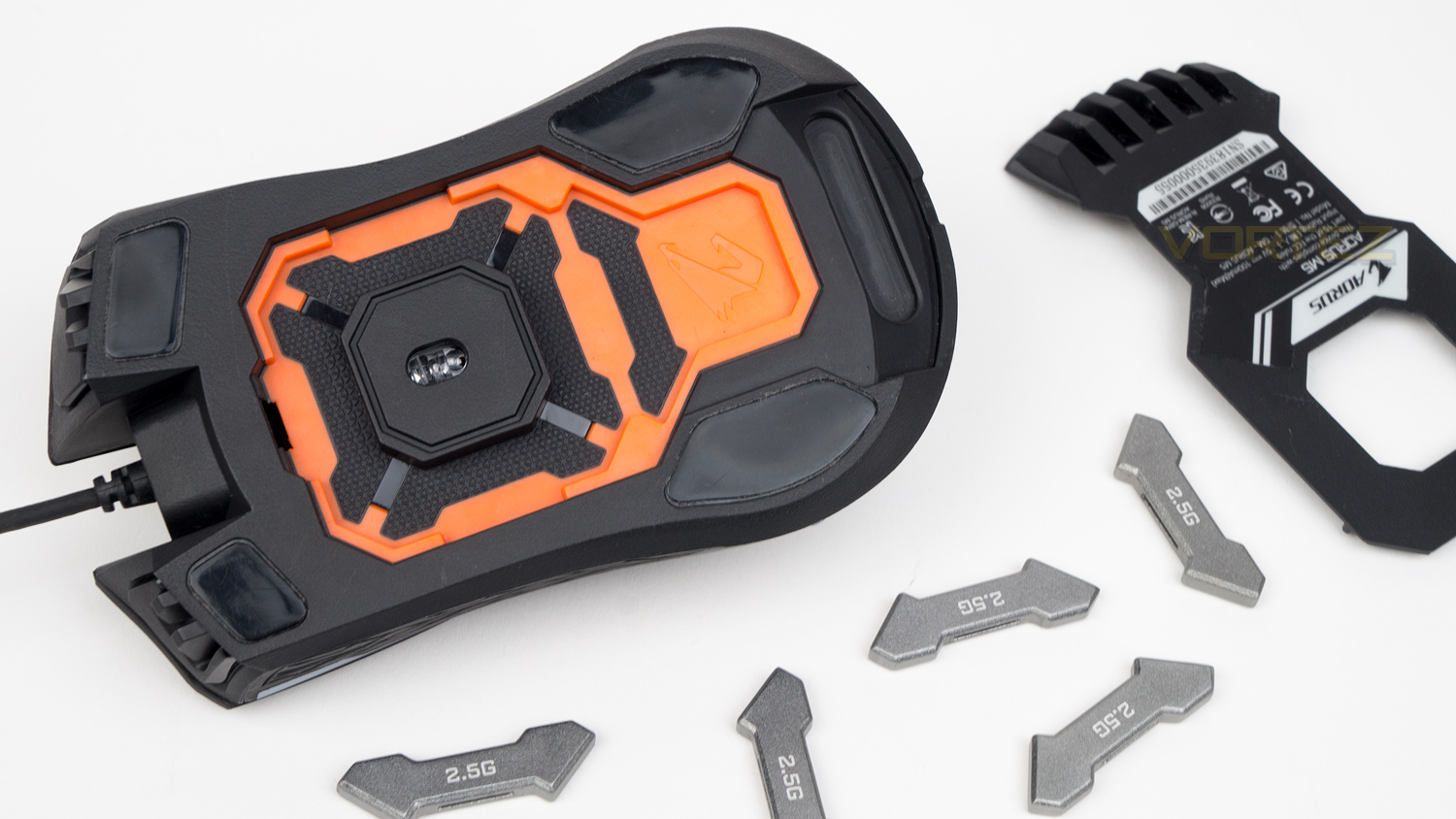
As well as housing the sensor, the underside also has a neat trick as a large section is removable, this removable section allows you to add the included weights. These weights take the mouse from a base 118g up to 130g if you prefer a heavier feeling mouse.
Software
GIGABYTE’s software has plenty of features, but it still has some improvements that need to be made. During testing we noted that the software took quite a while to carry out even the simplest of tasks, things like changing the colour of the illumination took far too long for something so simple. We also noted that at times the software wouldn’t apply lighting effects either. The software scaling could do with a tweak too, as on a native 1440p panel, the software is cramped which makes reading finer text quite difficult. Scaling down to 1080p helped a little, but it was still on the cramped side.
The demo video shows the software looks fine, keep in mind that this has had the scale increased during the video editing process.
Performance Testing
Using a mouse is part of our daily lives, so we need one that is comfortable as well as durable, so how does the AORUS M5 fair? Well, it offers a mixed experience. On the plus side the M5 is reasonably comfortable if you are used to a mouse that has a prominent hump, however, if you are more used to a slim or low profile mouse, then this extra height in the middle could pose a problem. The side grips are on the smaller side, so if you have larger than average fingers, you may find that they don’t fit comfortably on the grips. The left and right click are comfortable though thanks to the nice curvature found which helps keep your fingers in a nice position.
As for the build, it’s solid in places and a bit weak in others. The main body feels strong and reasonably premium thanks to the soft-touch coating, the side grips also feel nice as they aren’t too rough. The issue, however, lies with the scroll wheel. The one in our unit is very wobbly which doesn’t give you much confidence in its longevity. It also has a really horrible squeak when used. These could be isolated incidents, but we thought it best to mention it. The cable is also not very impressive as it’s a touch on the thin side which makes it feel rather flimsy and frail.
In regards to performance, the M5 is also varied as it does have some really strong attributes, but also some weak ones. The main highlight of the performance is the sensor; the optical Pixart 3389 is a superb offering that provides a brilliant experience for gaming and everyday use. We will, however, state that our unit doesn’t feel quite as good as the one found in the HyperX Pulsefire FPS Pro we reviewed, even though the sensors are the same. The one in the Pulsefire felt snappier and quicker whereas the in the M5 felt a touch more sluggish – when compared side-by-side at a low DPI. We can’t be certain why this is, but it was noticeable when both mice were set to the same 450DPI. Bumping the DPI up to 550DPI on the M5 did improve things, and we found it struck a good balance between accuracy and movement.
As for the tracking, speed and acceleration, the M5 and the 3389 are a great combo. The tracking is great as it offers 400ips which means it should never lose its ability to track your movement. The 50G acceleration also helps as you can perform flicks without it losing control, so in terms of tracking, the M5 is pretty great. The speed of the sensor is great too, especially when you venture above 500DPI as below, the M5 seems to be more sluggish than other offerings with the same sensor. The left and right clicks are really great thanks to the integrated Omron switches which have a very nice weight to them and also quick responsiveness. The side thumb buttons are a touch softly sprung, though they don’t feel too lethargic. The scroll wheel is not great though as it’s wobbly which makes it a bit awkward to use, especially if you have it bound to something important in game.
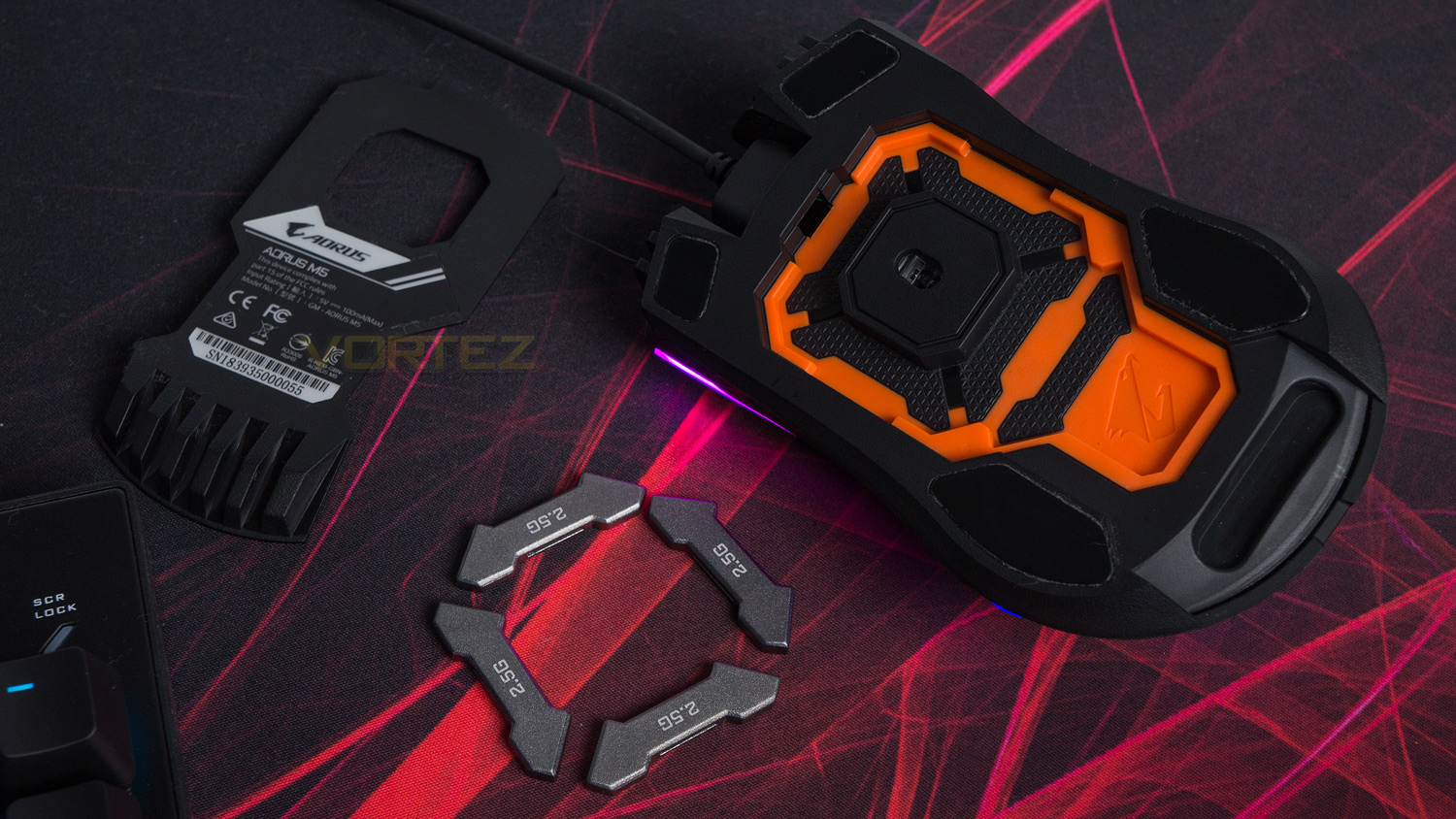
Finally, the AORUS M5 has more attribute to cover, and that is the weight system. As is the mouse weighs 118g which isn’t overly heavy, but if that is too light for you, then you can remove a section under the mouse to add in up to five 2.5g weights. This does help change the characteristics of the mouse and is a great feature if you prefer a slightly weightier feel.
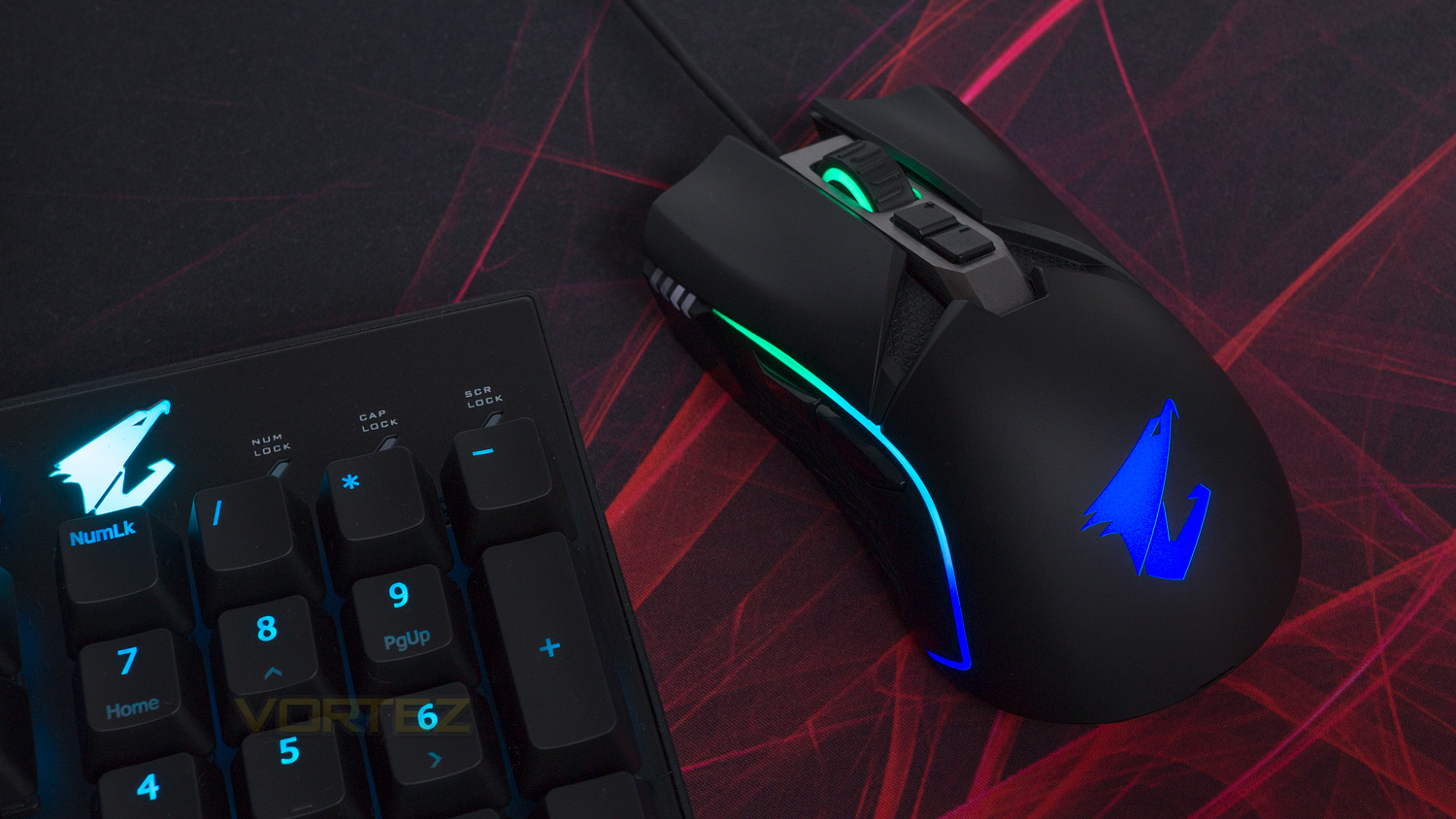
As for the illumination, the M5 is very impressive. In total there are three illumination zones which all have lighting that is vibrant, full and nicely saturated. The areas on the scroll wheel and sides can be customised to a greater degree than the logo, though the main logo at the rear can only be set to one colour. This is a touch irritating as the rest of the lighting is so customisable. One area we do like is the side strips as you can create your own custom gradient which looks really nice when done correctly.
Conclusion
Priced at just over £50 in the UK ($69 US / $79 AUS), the AORUS M5 strikes a nice balance between good pricing and performance, though it does have a few shortcomings. One area that did let us down was some parts of the build. The main body feels solid and robust, it’s just the scroll wheel is wobbly and squeaky, and the cable is thin and flimsy feeling. Another key area that was a letdown is the software as it needs a fair amount of work to bring it up to the same level as the rest of the field. The core components of the software are present, they just need tweaking, and improving to make the experience better.
Onto the strong suits and the M5 has a fair few, one of those is the overall performance. The M5 uses a great Pixart 3389 sensor as well as having Omron switches which make the M5 great for everyday tasks and also gaming. The weighting system also helps this as you can tailor the way the M5 feels, by adding additional weight. The M5 also has brilliant RGB which is one of the most customisable we’ve ever come across. The RGB is also nicely rich, vibrant and has the ability to create lovely lighting gradients.
The M5 is also comfortable – depending on the type of mouse you are used to. If you are used to a slim low profile mouse, then the M5 may be a bit too big and bulky for you, but if you are coming from a more traditional gaming mouse, then the experience is much better.
All in all, for £54 in the UK, the M5 is a solid choice for a gaming mouse, and even though it does have a few issues, the pros do outweigh the cons, and the M5 is a great all-around offering.
The GIGABYTE AORUS M5 is a great all-around performer that mixes lovely RGB with a high-quality sensor and switches.
Pros
+ Great RGB illumination
+ Comfortable
+ Strong day-to-day performance
+ Brilliant for gaming
+ Mostly solid construction
+ Nice design
+ Tunable weight system
Neutral
+- Scroll wheel is wobbly and squeaks
+- Cable is a touch flimsy
Cons
– Software needs some work
+ Great RGB illumination
+ Comfortable
+ Strong day-to-day performance
+ Brilliant for gaming
+ Mostly solid construction
+ Nice design
+ Tunable weight system
Neutral
+- Scroll wheel is wobbly and squeaks
+- Cable is a touch flimsy
Cons
– Software needs some work
Click here for an explanation of our awards at Vortez.net.
Stay connected with the Vortez Social Media pages:
Join in with the discussions on Discord