Introducing the AORUS X5 V7, featuring an Intel Core i7 processor, GTX1070 graphics, M.2 storage, 4K UHD screen and much more, all squeezed into a 15" chassis.

Product on Review: Aorus X5 V7-CF1
Manufacturer: AORUS
Street Price: £2,299.97 / $2,549.00
With the sudden surge of popularity surrounding eSports and LAN events, having a portable gaming machine has become a must-have for many, with a gaming laptop fitting that bill. Many manufacturers are now offering top-spec laptops with all of the trimmings, with this, competition is fierce so each manufacturer has to try even harder to make their product stand out from the crowd.
Today we have the GIGABYTE AORUS X5 V7-CF1 in for testing; AORUS is GIGABYTE’s enthusiast brand, aimed heavily at gamers who require nothing but the best in terms of quality and raw speed. The X5 V7 sits perfectly in that bracket, offering a full-fat GeForce GTX 1070, an Intel Core i7-7820HK, 32GB of DDR4 memory, a UHD G-Sync capable monitor, M.2 NVMe storage and a per-key RGB backlit keyboard; whether you’re planning on using this for business or pleasure, there’s plenty of power to do either, comfortably.
The AORUS X5 V7 is available from Ebuyer for £2299.97.

The GTX1070 has proven itself as a handy GPU with a lot of raw power, though not many would recommend such a card for 4K gaming. Has AORUS made the correct choice with their partnership of a 4K UHD monitor and the GTX1070? Or will the G-Sync capabilities of the screen come into play to help ensure things remain smooth and tear free? Our tests will find out. Also squeezing all of that performance into the thermal envelope of a 23mm chassis is no mean feat by GIGABYTE, so we’ll keep a close eye on temperatures during our review.
Gigabyte Aorus on the X5 V7:
The new NVIDIA® GeForce® GTX 10 series GPU features the latest Pascal™ architecture, breaking the limits of laptop performance. The new GPU delivers not only the ultimate performance and efficiency but also easily provides an immersive Virtual Reality (VR) experience and smooth high-res gameplay. Hardcore gamers can now possess over-the-top performance on the mobile platform with crystal clear, captivating motion graphics, and jaw-dropping visuals.
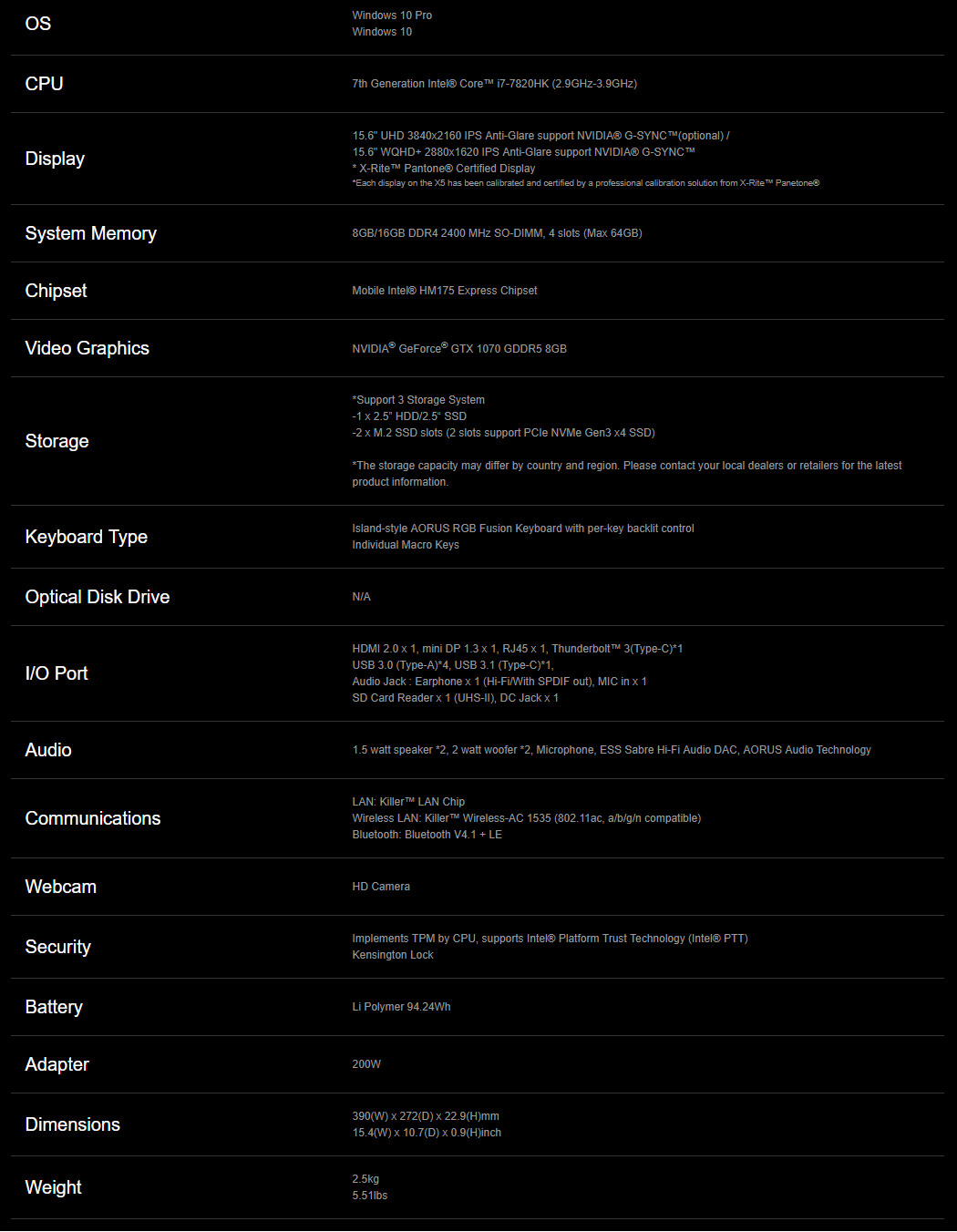
Technical Specifications
Packaging & Bundle
The X5 V7 is presented extremely well; the AORUS arrives in a fairly standard brown cardboard outer box, but within, protected by 4 huge foam blocks on each corner is the black box containing your brand new AORUS laptop.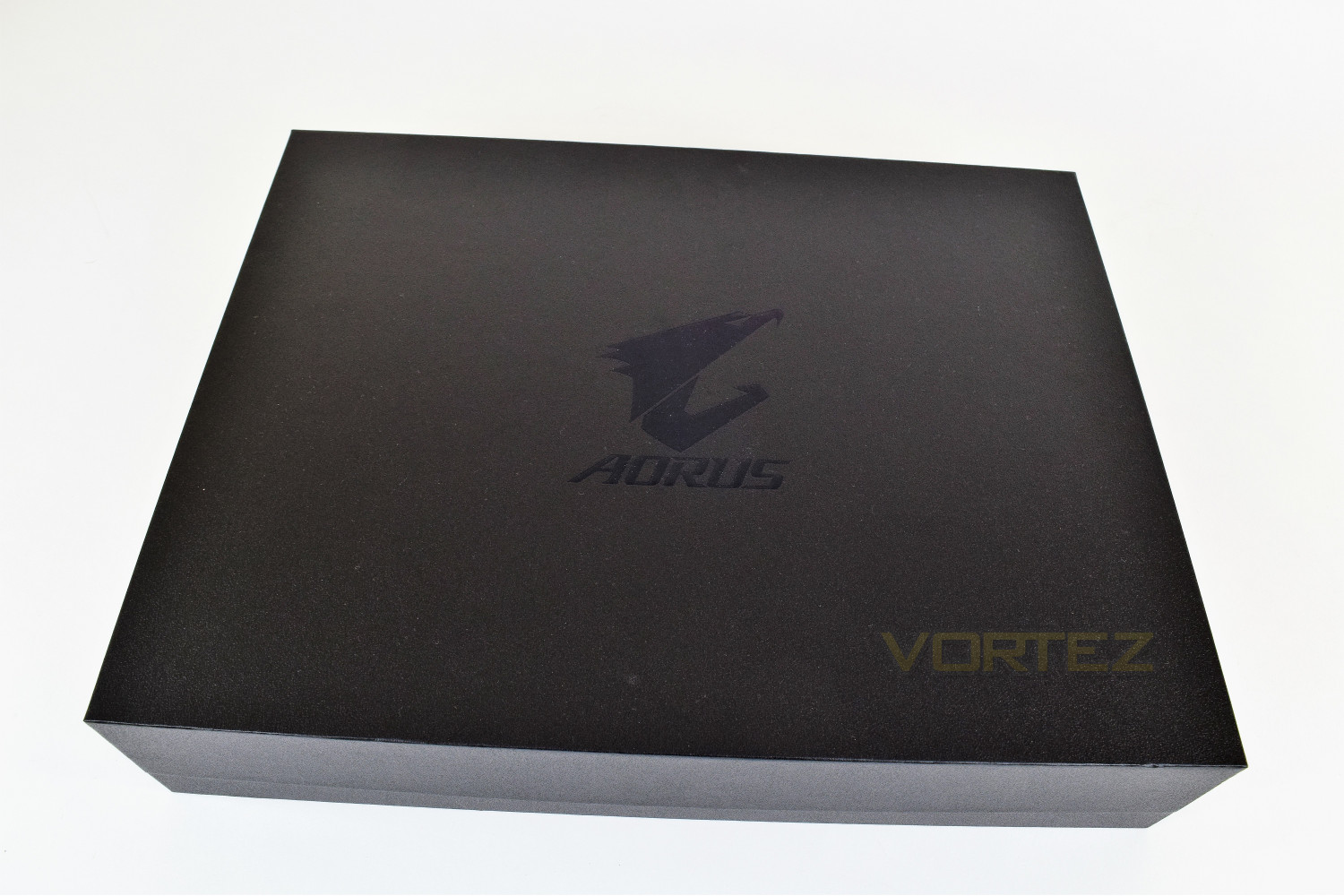
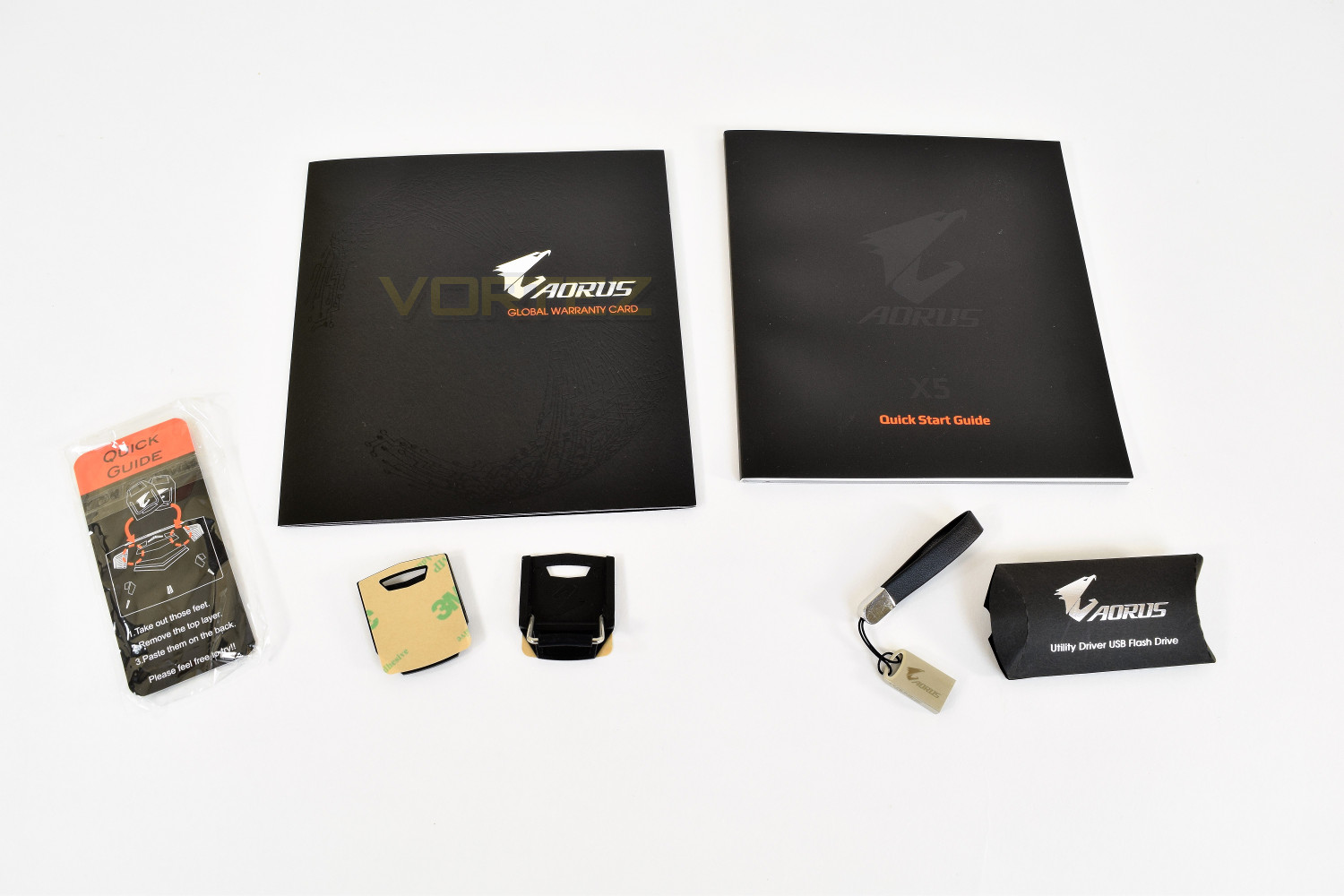
Underneath the laptop is the charging block and cable, the quick start guide, some fold-away feet for standing the laptop up to improve cooling and a handy Aorus branded USB stick with a copy of the software installed.
The laptop, once opened, has an incredibly soft piece of fabric protecting the 4K screen from the keyboard.
Closer Look
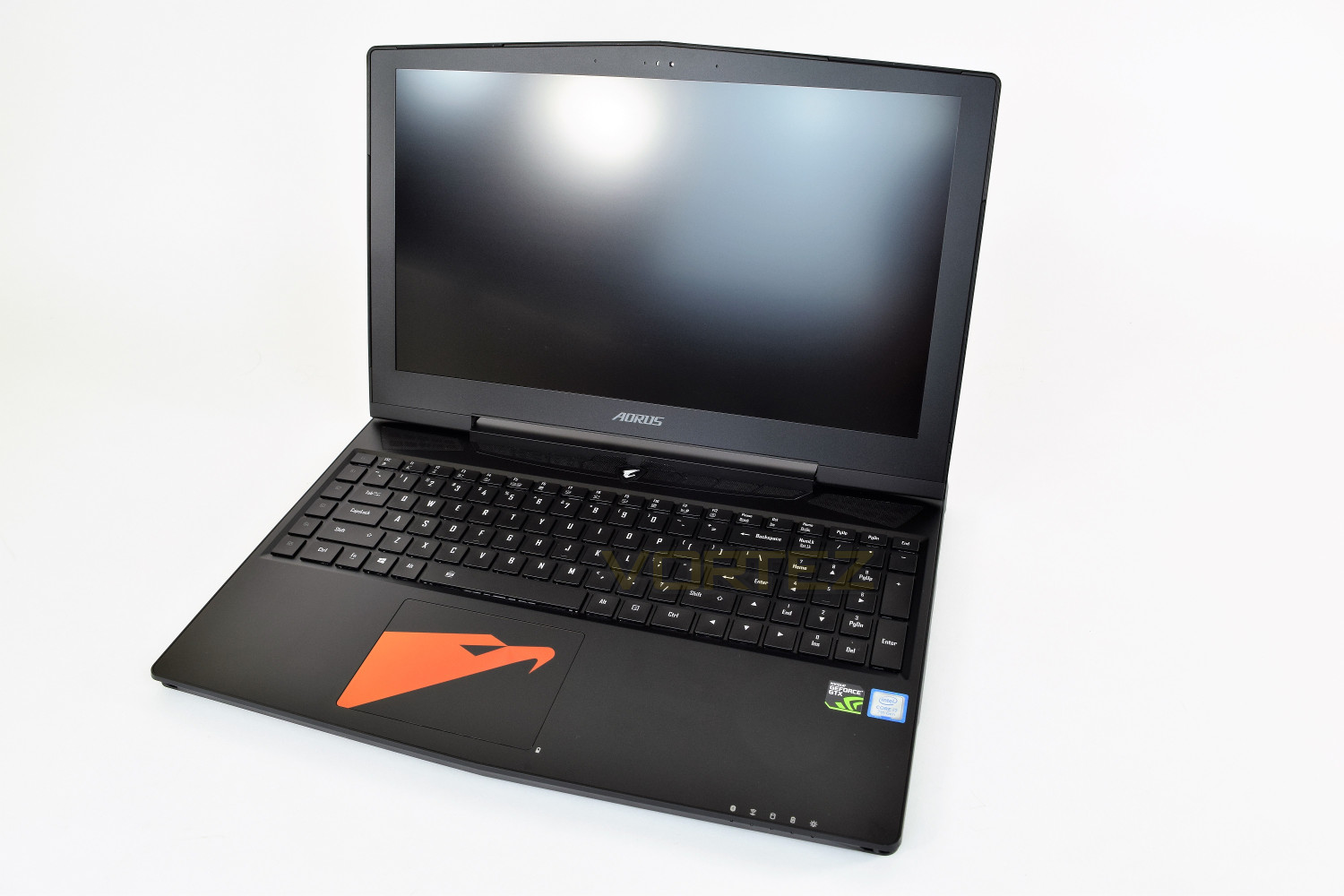
The Aorus, under first inspection, doesn’t follow the typical “moar is moar” philosophy that most manufacturers tend to implement when styling their gaming laptops. There is the AORUS logo on the lid, which is white backlit while the laptop is powered up, along with some styled heat-vents – that’s about it; very understated.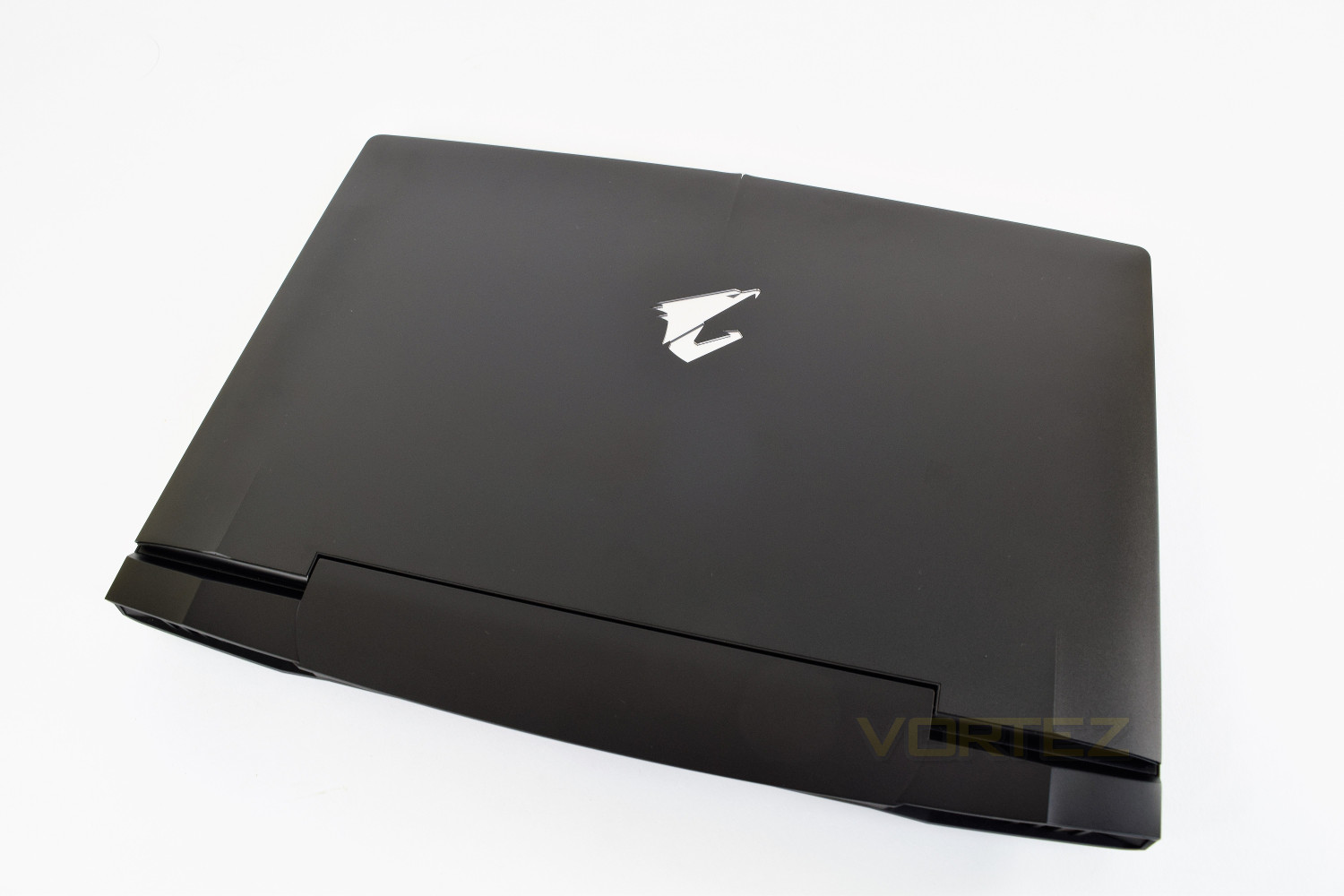
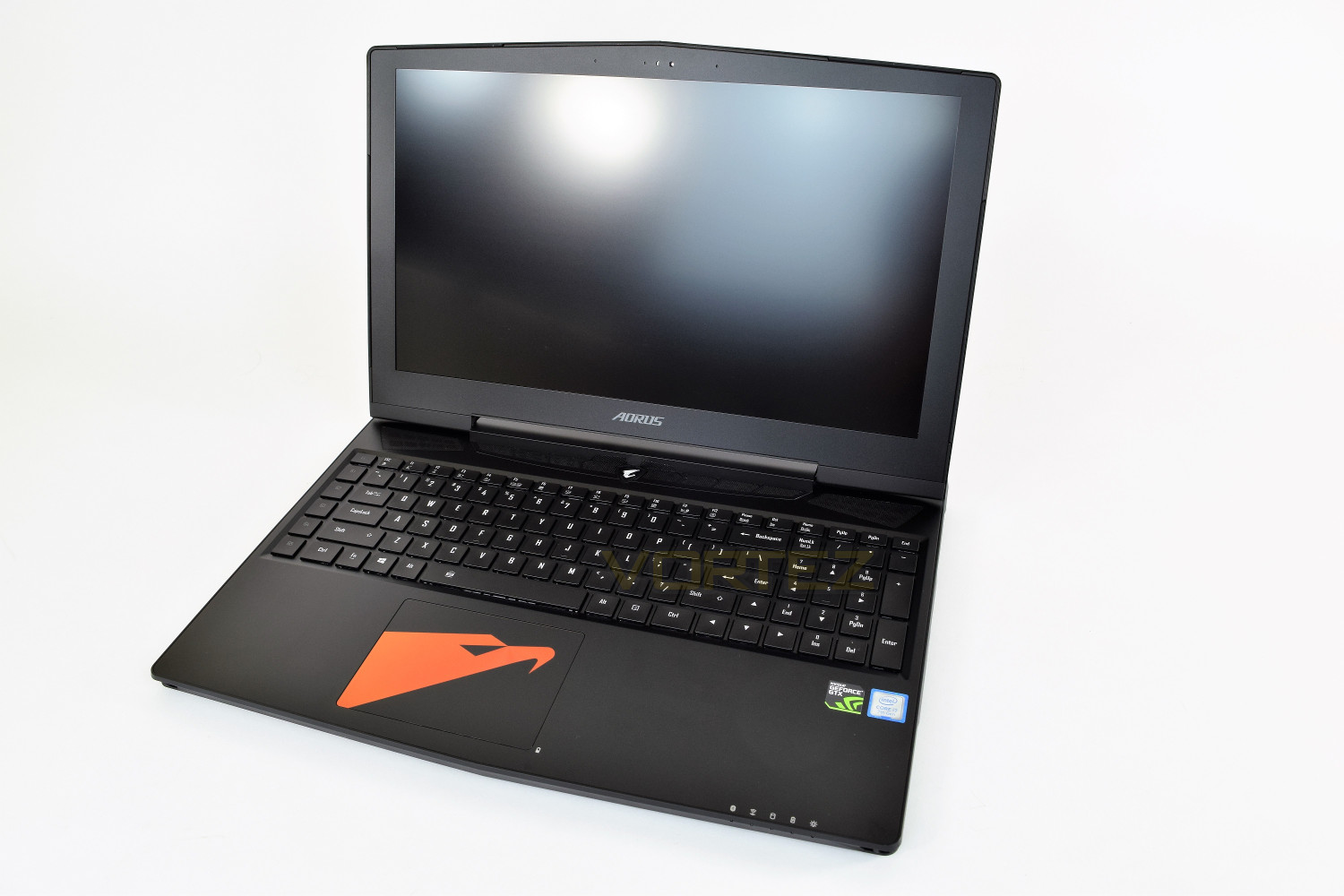
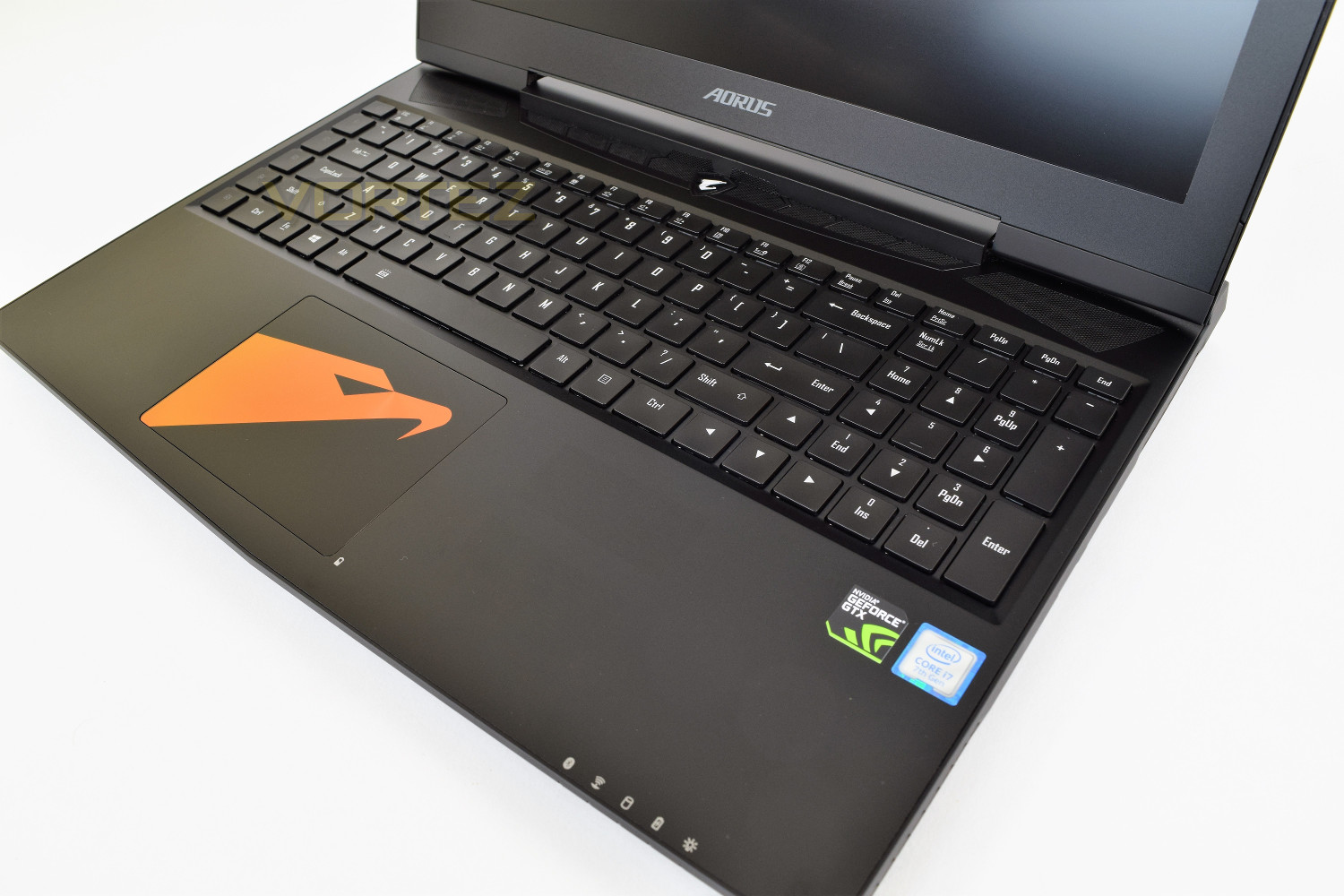
Opening up the lid, your eyes are immediately drawn to the trackpad which features the AORUS Falcon, in orange on our model, though this comes in purple on the CF3 variant; the trackpad offers multi-touch gestures. The keyboard features 5 macro keys on the left-hand edge and a fully fledged num-pad on the right, as well as per-key RGB backlighting across the entire keyboard. There’s an NVIDIA GeForce and Intel Core i7 sticker on the right-hand edge, under the keyboard, they’re reasonably small so don’t spoil the overall look.
The screen itself suffers a large bezel, which at first glance appears a bit cheap and unattractive. The monitor surround also peaks in the centre, following the shape of the chassis. The display itself boasts a huge 3840 x 2160 (4K, 2160p) resolution and is professionally calibrated by X-Rite Pantone, a world-renowned authority on colour. The monitor also features NVIDIAs G-Sync technology, to help ensure buttery smooth gameplay.
Closer Look (Continued)
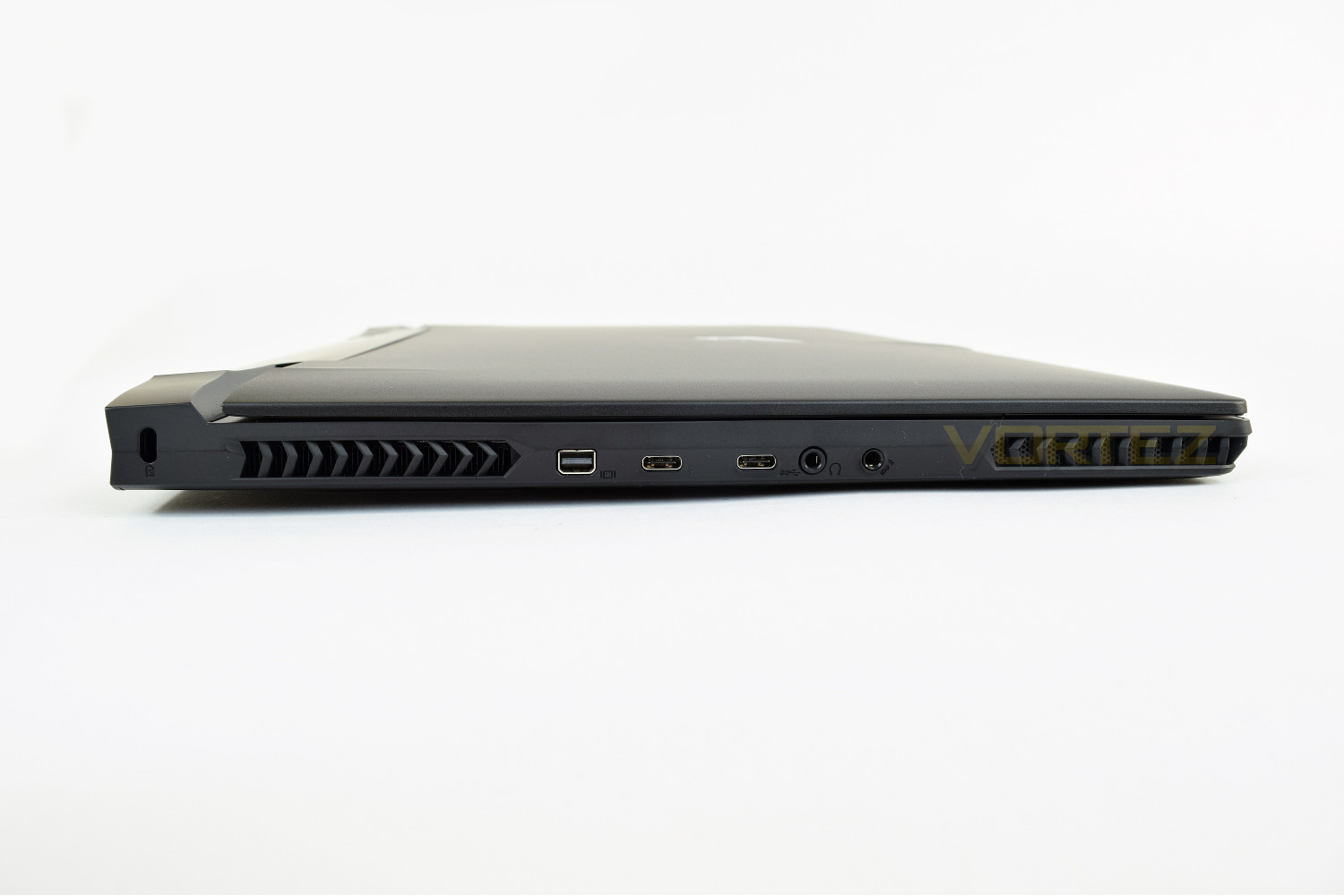
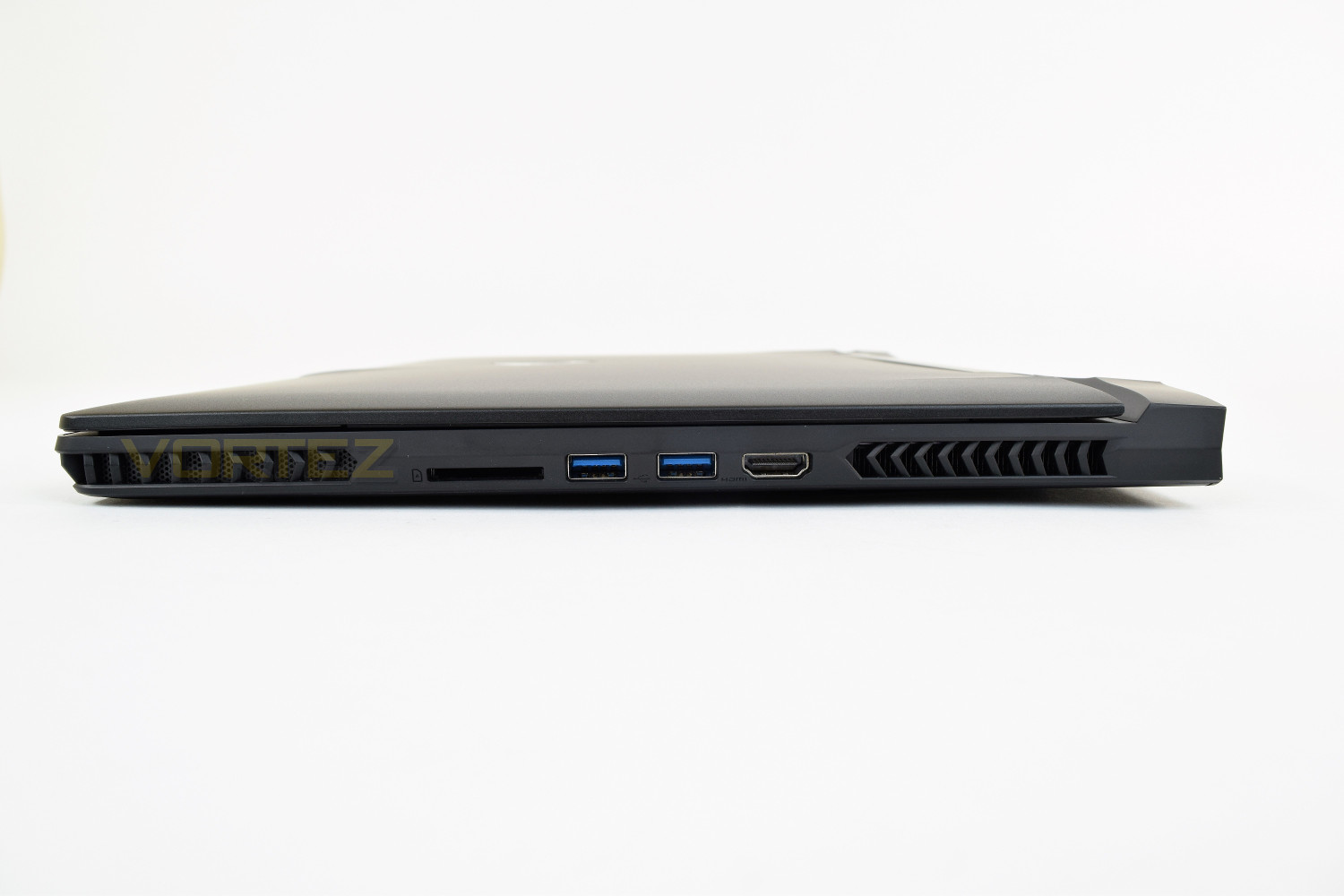
Connectivity certainly isn’t lacking, featuring HDMI 2.0, 2x USB 3.0 Type-A and an SD card reader on the right-hand side, the power connector, another couple of USB 3.0 Type-As and an RJ-45 connection on the rear and Mini DP 1.3, Thunderbolt 3 Type-C, USB 3.1 Type-C and earphone and microphone ports on the left. If you’re using a mouse, Ethernet connection and the power cord while working or gaming, they can all be tucked neatly behind the monitor; “out of sight, out of mind.”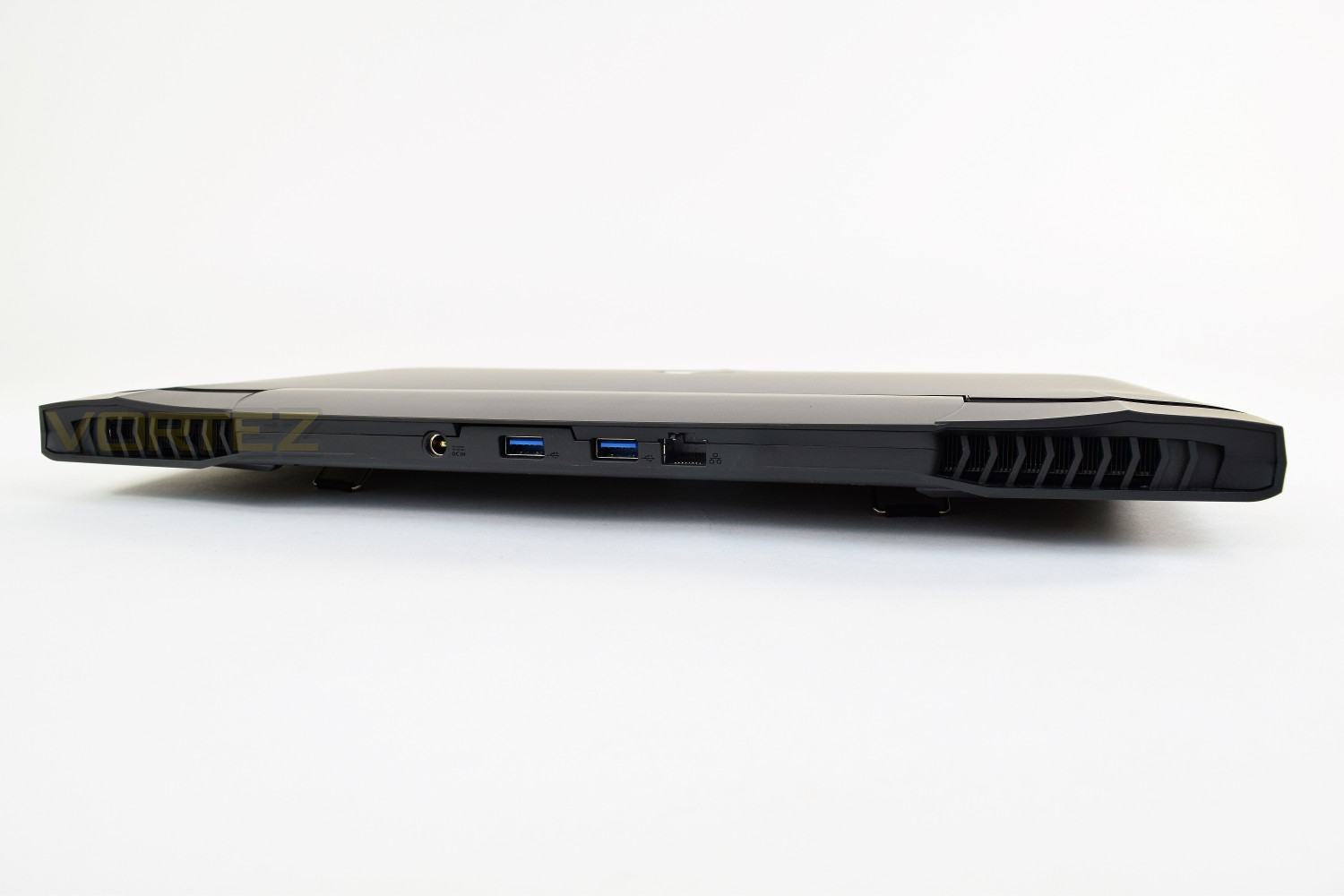
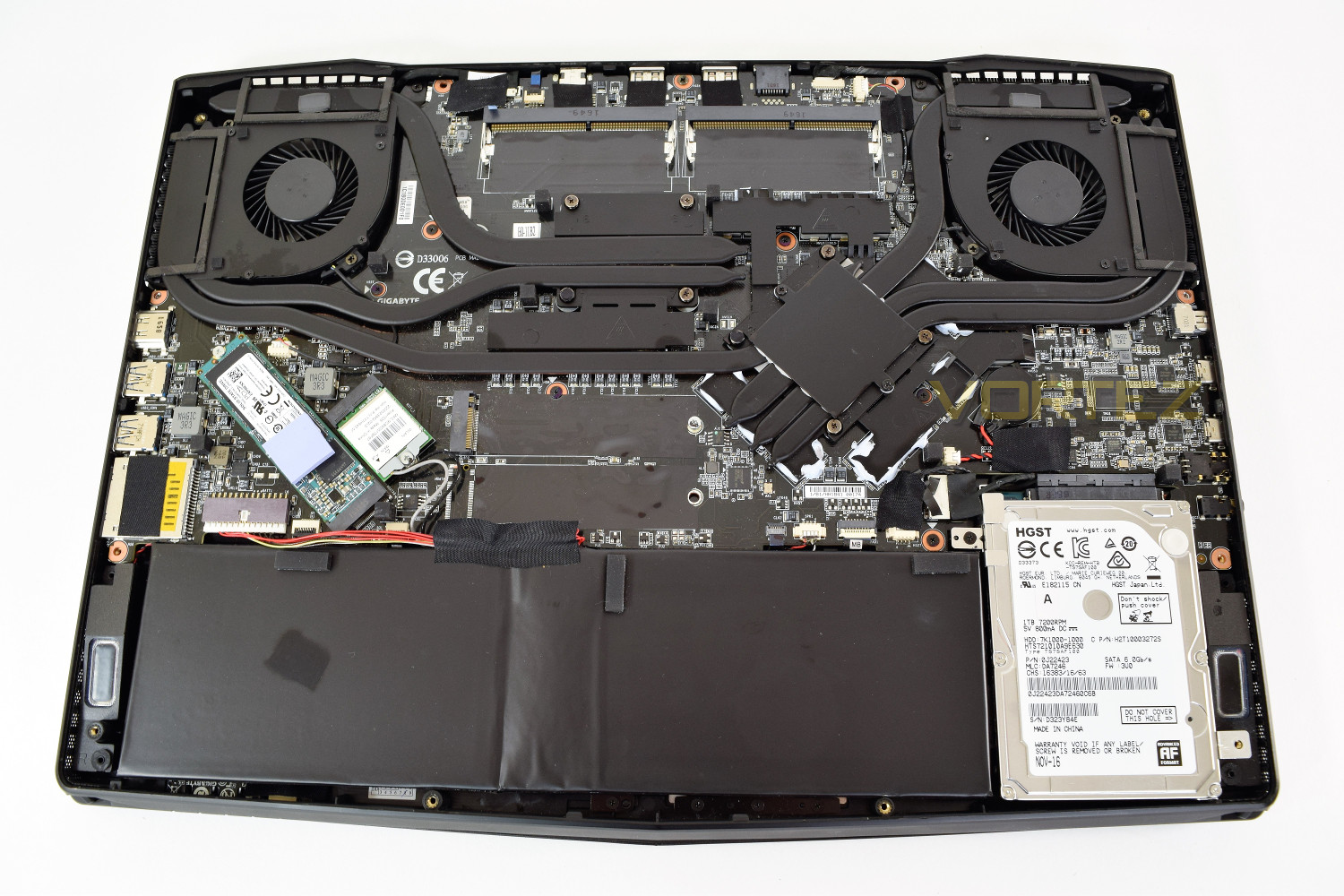
The internals of the laptop, laid bare for all to see, shows two 50mm fans in each corner, venting heat out of the back and sides, all linked together through multiple heat pipes. At the top of the photo you can see there are two unpopulated RAM slots, the 2x 16GB sticks are on the other side of the motherboard.
The battery, boasting a huge 94Wh, occupies the vast majority of the bottom of the laptop, only being cut short to make space for the 1TB HDD.
The X5 V7 features two M.2 PCI-E slots, one of which is populated. The board only leaves the option of 1x M.2 2280 specification drive, so not useful for any other form factor, unfortunately.
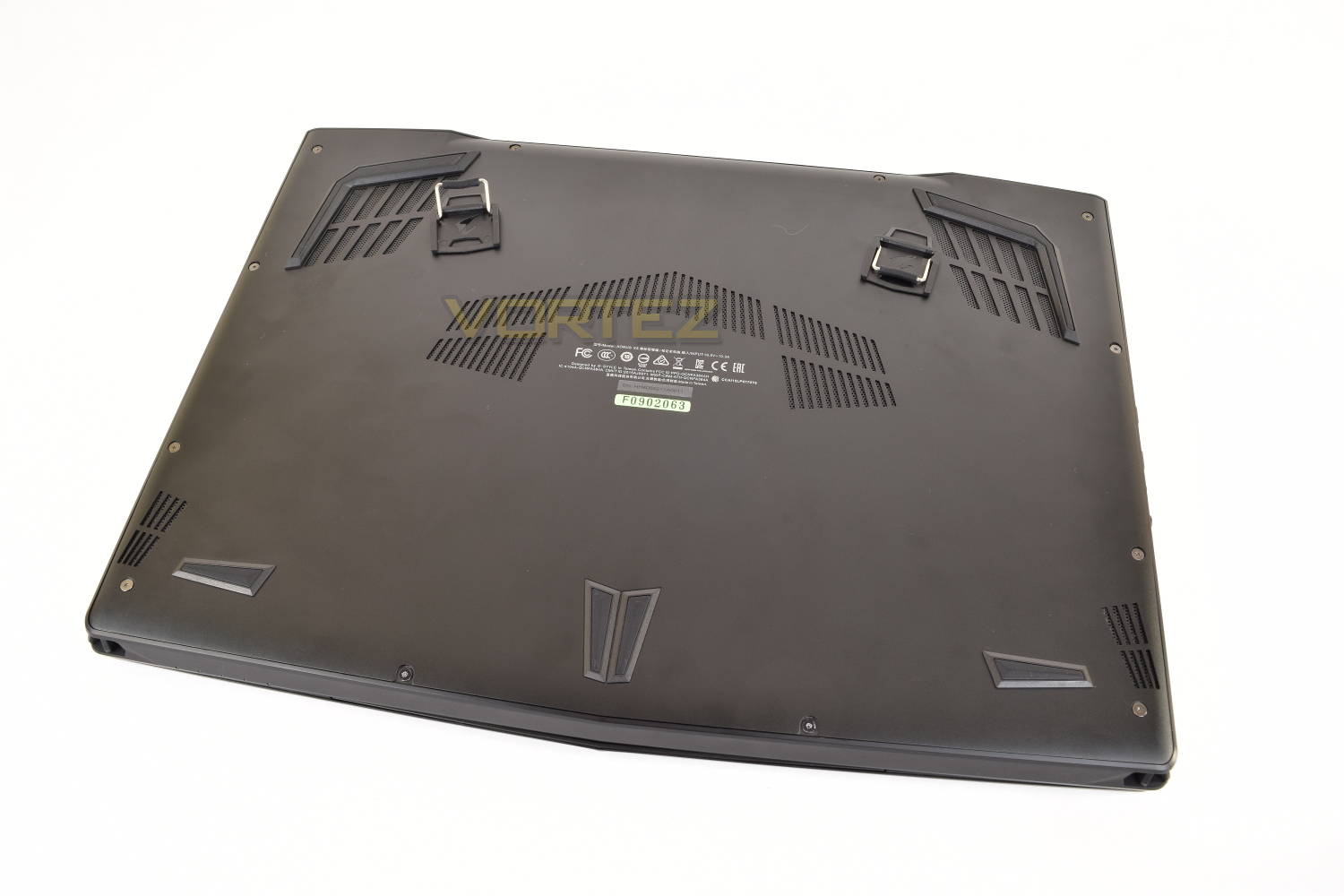
The underside of the laptop is incredibly bare, leaving holes for the speaker outputs at the front and plenty of ventilation at the back to keep those temperatures down. The sticky-backed fold-out clips are located between those vents at the rear (that positioning provided an incredibly stable laptop).
Temperatures, Boot Time & Battery Uptime
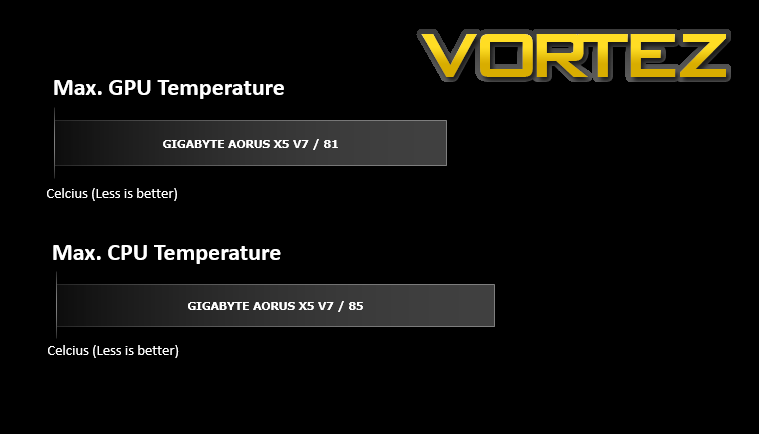
For our first benchmark test we observe the max. CPU/GPU temperatures of the system while allowing Unigine Heaven 4.0 to run on a 30-minute loop. To report back on the temperatures we use RealTemp and GPU-Z which provide the peak figures.
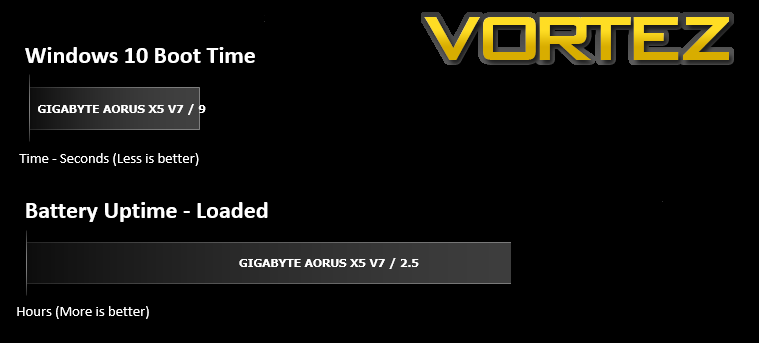
In this test we observe how fast the boot into Windows 10 is by using a digital stopwatch. Battery uptime is another important observation, for this, we charge the notebook up to 100% and then disconnect the charging unit and leave Heaven 4.0 running on a continuous loop until the notebook loses all power.
Cinebench R15 & Handbrake
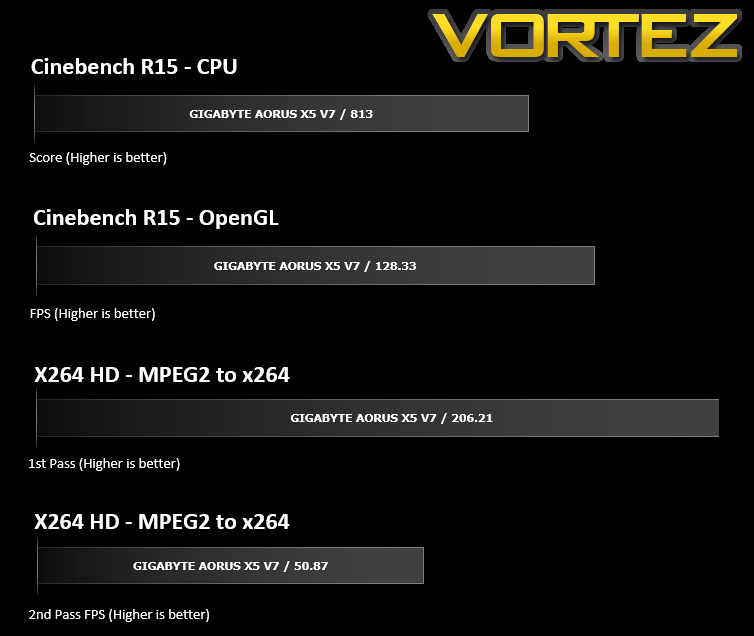
CINEBENCH can measure systems with up to 64 processor threads. This test scene contains approximately 2,000 objects which in turn contain more than 300,000 polygons in total, and uses sharp and blurred reflections, area lights, shadows, procedural shaders, antialiasing, and much more. The result is displayed in points (pts). The higher the number, the faster your processor is.
3DMark & Heaven 4.0
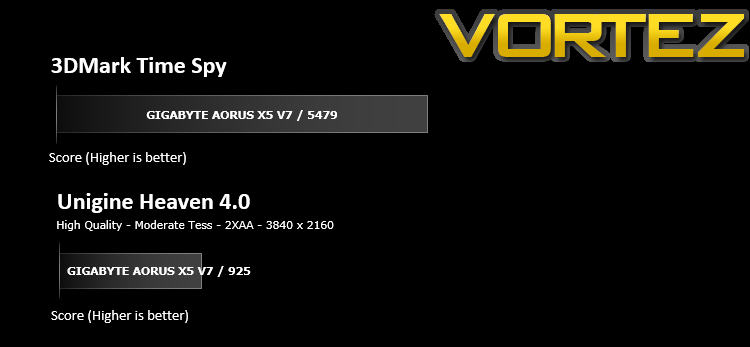
The new 3DMark includes everything you need to benchmark your hardware. With three all new tests you can bench everything from smartphones and tablets, to notebooks and home PCs, to the latest high-end, multi-GPU gaming desktops. And it’s not just for Windows. With 3DMark you can compare your scores with Android and iOS devices too. It’s the most powerful and flexible 3DMark we’ve ever created.
Benchmarks: Gaming
The GIGABYTE AORUS X5 V7 uses the GTX 1070 for graphics delivery, in this section we test the latest gaming titles to see how effective the 3D capabilities are. We report on the average framerate using FRAPS.

Conclusion
At the heart of the AORUS X5 V7 sits the unbelievably powerful Core i7-7820HK, an overclockable 8 thread CPU capable of pushing huge numbers within our benchmarks.The GTX1070, working alongside the Intel CPU manages some respectable frame rates within our testing, hitting close to 60FPS average at 3840 x 2160 is no easy challenge for a desktop PC, never mind a laptop measuring in at less than 1 inch thick. Some games would require a small drop in image quality to achieve a solid 60FPS though it’s not entirely necessary thanks to that beautiful NVIDIA GeForce G-Sync display helping to smooth everything out.
The backlit keyboard is beautiful, using GIGABYTE AORUS own software to control every aspect of it, with a whole host of effects and, of course, the entire 16.8M colour range. The keys felt great while typing and gaming was a breeze with selectively backlit keys.
Unfortunately, the same cannot be said of the trackpad which isn’t good enough for a laptop of this expense. It’s understood that most people will use such a system with a separate mouse of their choosing, but the trackpad is still required and should perform well enough. Often we found it was too twitchy to find small option boxes or scroll bars. The trackpad does feature multi-touch gestures to help speed up your workload.
The M.2 drive provides rapid boot times; if you choose to install your favourite games on there, you can guarantee you’ll be first into the lobby. The 1TB 7200RPM HDD works as a huge bank within which you can hold tens of AAA title games or thousands of music files, photographs etc.
All in, the AORUS X5 V7 is fantastic, offering acceptable to good frame rates, huge CPU power on demand, plenty of fast DDR4 RAM for multitasking and that 4K screen to make everything possible.
Ebuyer are currently offering the AORUS X5 V7 for £2299.97.
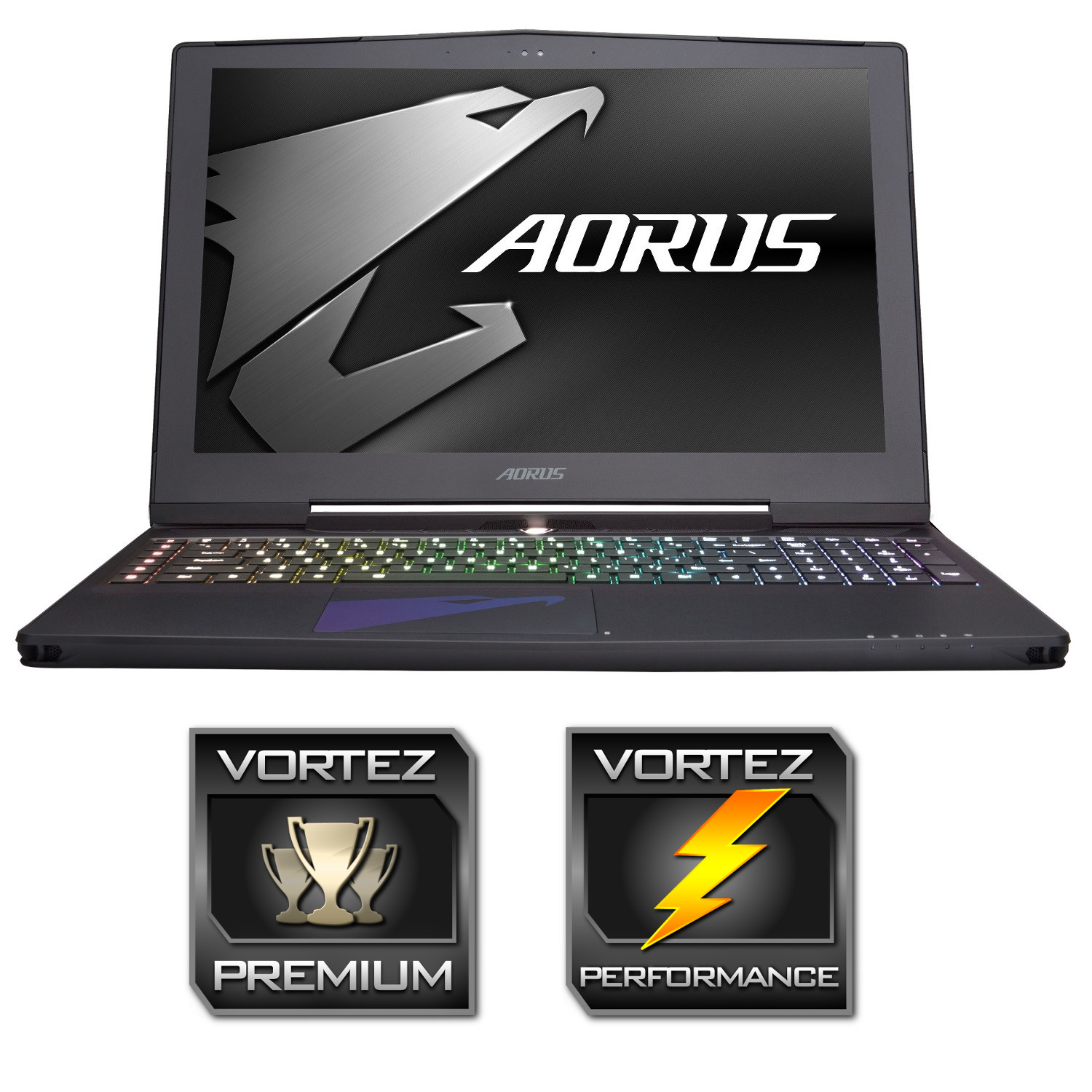
AORUS have put together an excellent workhorse that’s also able to play the latest AAA titles without much trouble; the 4K screen is beautiful and the keyboard is a joy to type on; shame about the price though.
Pros
+ Solid build quality
+ RGB backlit keyboard
+ UHD G-Sync display
+ Understated yet beautiful chassis
+ Blazing performance
+ Plenty of high-speed connectivity
+ Ample storage capacity
Neutral
+- Average battery life
Cons
– Price
– Poor trackpad
+ Solid build quality
+ RGB backlit keyboard
+ UHD G-Sync display
+ Understated yet beautiful chassis
+ Blazing performance
+ Plenty of high-speed connectivity
+ Ample storage capacity
Neutral
+- Average battery life
Cons
– Price
– Poor trackpad
Click here for an explanation of our awards at Vortez.net.