







Two gaming mice designed for the FPS gamer from the giant of motherboard manufacture. Laser and Optical sensors at the ready.
Product on Review: M6900 and M6980
Manufacturer and Sponsor: GIGABYTE
RRP: (At time of review
M6980 GBP 26 / $39 USD
M6900 GBP 19 / $25.99 USD

Earlier this month we saw the announcement of two new gaming mice from GIGABYTE – the M6900 and M6980. Most will associate GIGABYTE with Motherboards and Graphics Cards but GIGABYTE have quite an extensive, on going peripheral product range and just recently their determination is set to take a firm hold within the gaming market.
Both gaming mice I am to look at today are very similar in style. The M6900 has a glossy, smooth exterior whilst the M6980 features a matte outer surface. The M6900 holds a 3200DPI optical sensor whilst the M6980 a 2000DPI laser sensor. With both mice being so similar in appearance but dissimilar under the hood this will make for an interesting read, especially when we come to the testing stage.

GIGABYTE’s Take (M6980):
GIGABYTE M6980 laser gaming mouse is one of most popular choice of GIGABYTE gaming series. The combination of 2000dpi, 1000rps report rate and 20g acceleration provide a very accurate basis for gaming.
GHOSTTM Macro Engine of 8KB on-board memory supports 3 gaming profiles stored on the mouse. Having personal macro settings portable with the mouse allow users to load their profiles on any computers.
Equipped for gamer, GIGABYTE M6980 upgrades your level in game play!
GHOSTTM Macro Engine of 8KB on-board memory supports 3 gaming profiles stored on the mouse. Having personal macro settings portable with the mouse allow users to load their profiles on any computers.
Equipped for gamer, GIGABYTE M6980 upgrades your level in game play!
Technical Specifications
M6900
Interface
– USB
Tracking system
– Precise Optical
Resolution
– up to 3200dpi
FPS(Frame rate per second)
– 3600 frames per second
Maximum acceleration
– 30g
Maximum speed
– 65 inches/ second
Certificate
– CE/ FCC/ BSMI
Color
– Black
Cable Length
– 1.8m/ Gold-plated connector
Dimension
– (L)124.5*(W)77.6*(H)41.8 mm
Weight
– 106g (excluding cable)
Support OS
– Windows 98/2000/ME/XP 32bit/Vista 32/ 64bit/ Win 7 32/ 64bits
M6980
Interface
– USB
Onboard memory
– 8KB
Tracking system
– Pro Laser
Resolution
– up to 2000dpi
FPS(Frame rate per second)
– 7080 frames per second
Maximum acceleration
– 20g
Maximum speed
– 45 inches/ second
Certificate
– CE/ FCC/ BSMI
Color
– Rubber Black
Cable Length
– 1.8m/ Gold-plated connector
Dimension
– (L)124.5*(W)77.6*(H)41.8 mm
Weight
– 106g (excluding cable)
Support OS
– Windows 98/2000/ME/XP 32bit/Vista 32/ 64bit/ Win 7 32/ 64bits
Packing Contents
– Mouse, Driver CD (including multi-language manual)
Packaging
Although both the M6900 and M6980 come from the same series of gaming family their packaging is totally different from one another. I have no idea why this is the case. The M6900 (left) has a sealed plastic casing which whilst it does have a window at the rear for opening, you cannot remove the mouse easily. You will end up slicing and damaging the packaging in an attempt to remove the contents. The M6900 is visually attractive, and it does give you a good grasp of the mouse inside along with the features that it incorporates.
The M6980 on the other hand is contained within a cardboard box. The mouse is showcased in the middle and the art/styling feels a lot more engaging. Around the back there are some further details. This box doesn’t require you to slice n dice but simply opens out allowing you to remove the contents easily. It doesn’t make a lot of sense why these products are packaged in this way but I much prefer the M6980 packaging and styling. Sealed products are just a pain to extract.
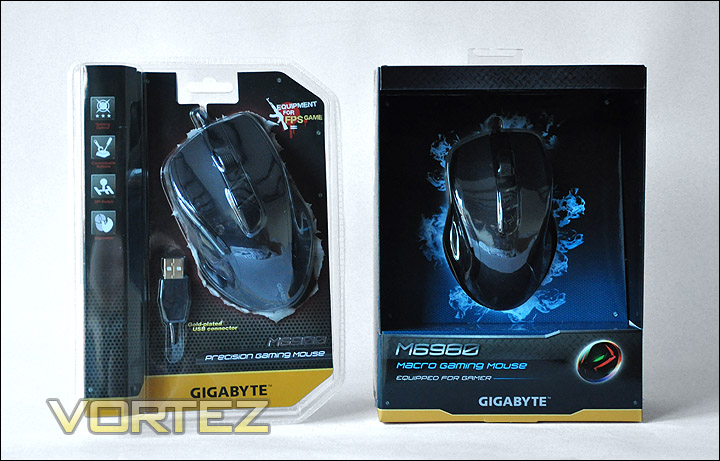
M6900 and M6980 packaging. M6900 in a sealed packet and M6980 in a cardboard box
The eagle eyed amongst you will have noticed that on the previous page within the specifications the M6900 does not contain anything beside the mouse itself but the M6980 has the added extra of having a driver CD.
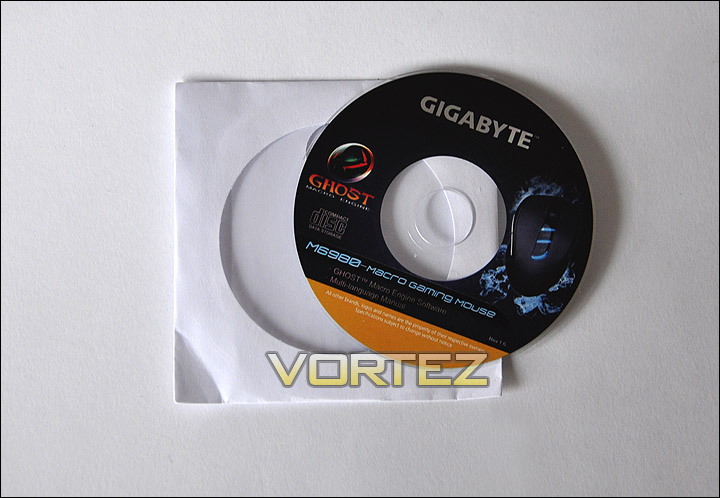
Driver CD for the M6980
M6900
The GIGABYTE M6900 has a strong visual appearance.. It is certainly going to fare well with gamers. Compared to the M6980 the M6900 has more of a glossy, smooth exterior. Throughout the outer shell we have 5 buttons which can be customised in-game. 2 side navigator buttons near the thumb rest, 2 DPI adjustment buttons on the top side, a scrolling mouse wheel that can be pressed in multiple directions and the 2 standard left and right click buttons. There is nothing rigid and sharp about the M6900 it follows a very ergonomic design with some beautiful curves and contours.
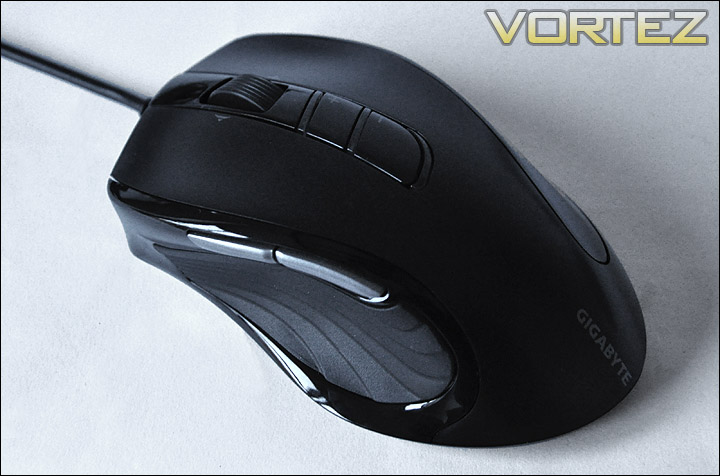
A top view of the M6900
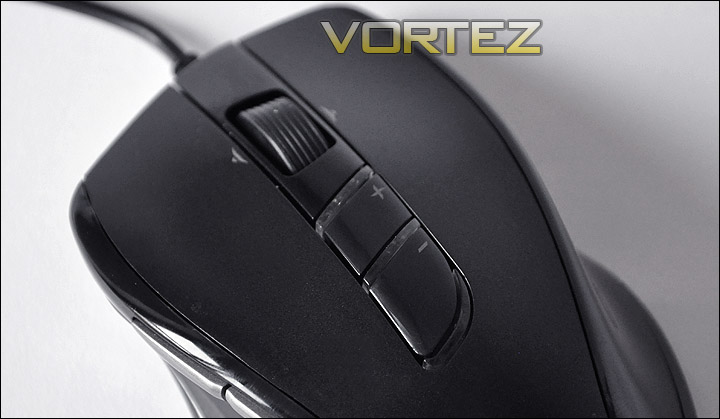
DPI adjustment buttons
Taking a look at the left side of the M6900 there is a rubber section for resting the thumb. This has a ribbed design to it and feels very nice. Above this we have 2 forward and backward navigator buttons that are both well placed and firm.
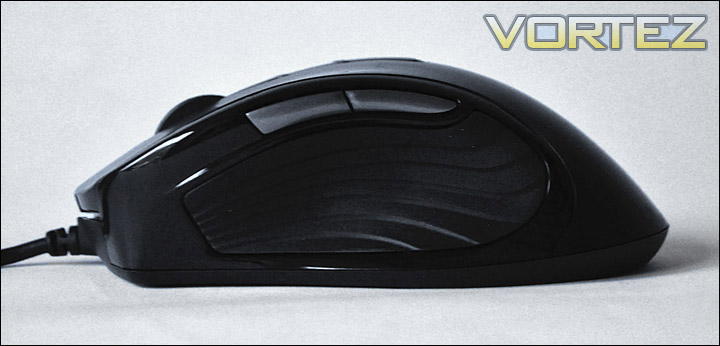
The left side with ribbed pad for comfort and grip
Over on the right side there is a glossy panel that gives a smooth feel. I’m unsure whether a rubber material would be best here rather than a glossy, plastic pane. Overall though, the M6900 isn’t particularly tall or short.
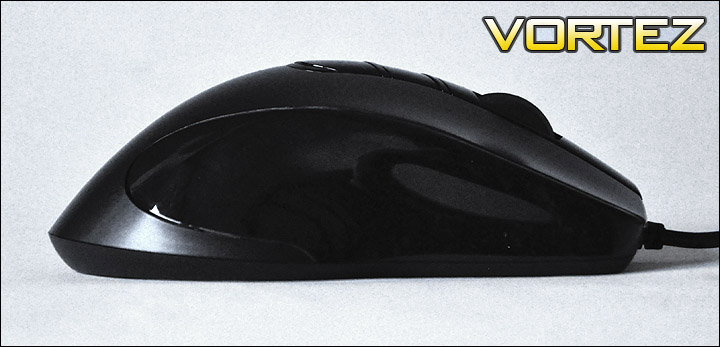
A glossy right side
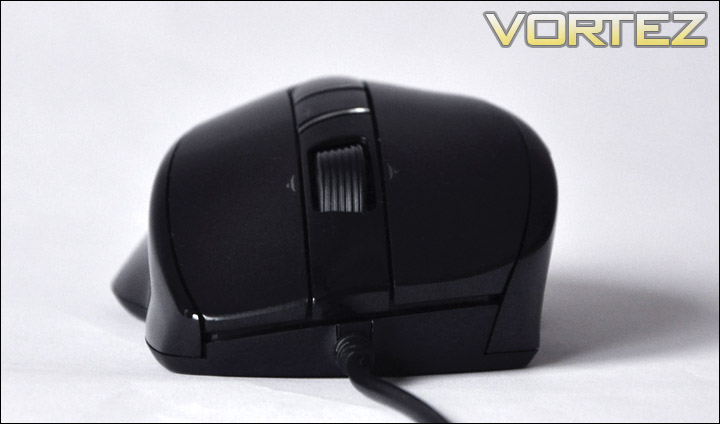
A front view of the M6900
On the underside we have 4 traction pads and over towards the left side an opening for the 3200DPI optical sensor which allows for up to 30G of acceleration.
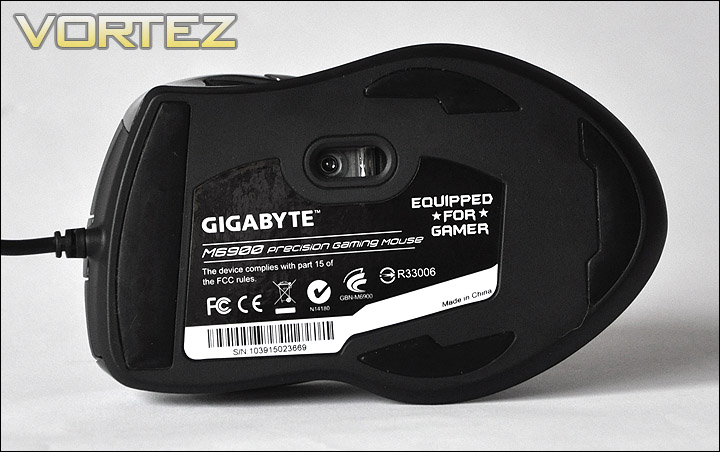
3200DPI optical sensor
M6980
The GIGABYTE M6980 follows a very similar design concept to the M6900. The only difference is the materials used on the exterior. The actual shape and size is exactly the same.
The exterior on the M6980 is matte as opposed to the glossy surface on the M6900. The M6980 feels much softer than the M6900. Although both mice look similar, I prefer the touch and feel of the M6980.
Rather than go through each of the perspectives of the M6980 I will just say that the only other difference is of course the DPI switching buttons which are slightly different, we are able to switch between profiles with these buttons. The M6980 also features a GHOST Macro Engine that works hand-in-hand with the software provided – here you can drag and drop functions and command sets to buttons. We will take a closer look at this later.
The sensor is also different on the M6980. Rather than going with optical, this mouse features a 2000DPI laser sensor capable of up to 20G acceleration and 7080 FPS.
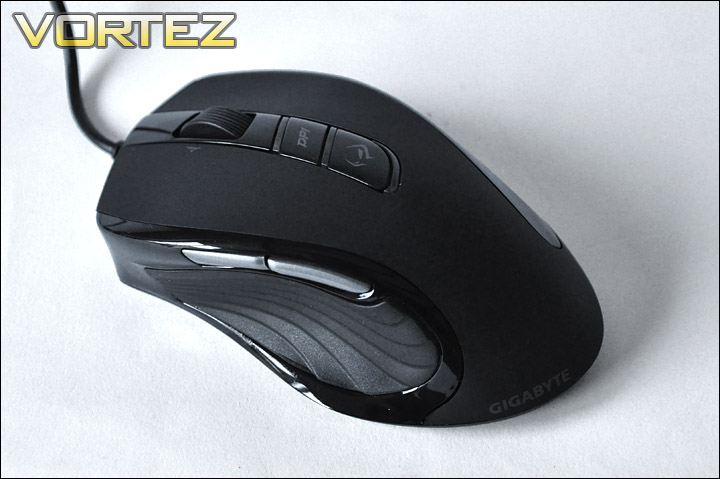
A top view of the M6800
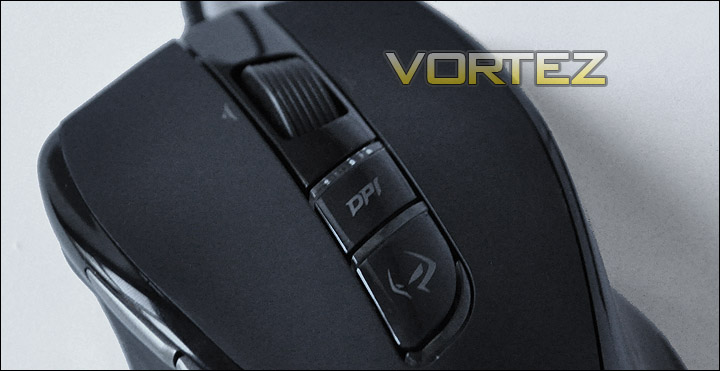
DPI adjustment buttons
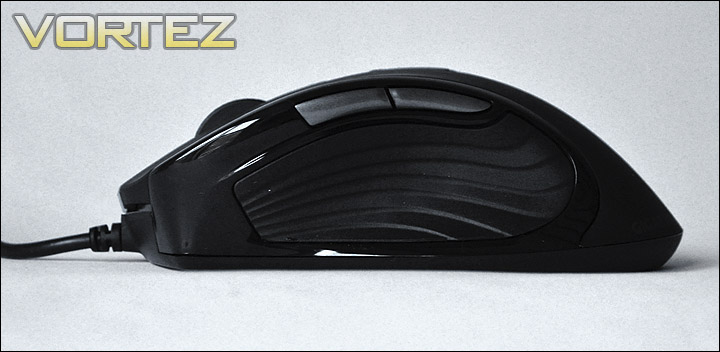
The left side with ribbed pad for comfort and grip
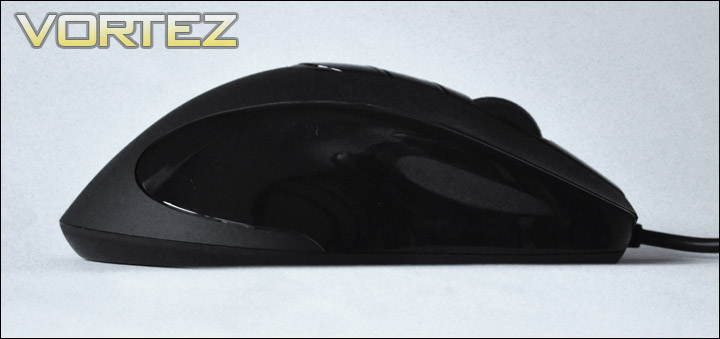
A glossy right side
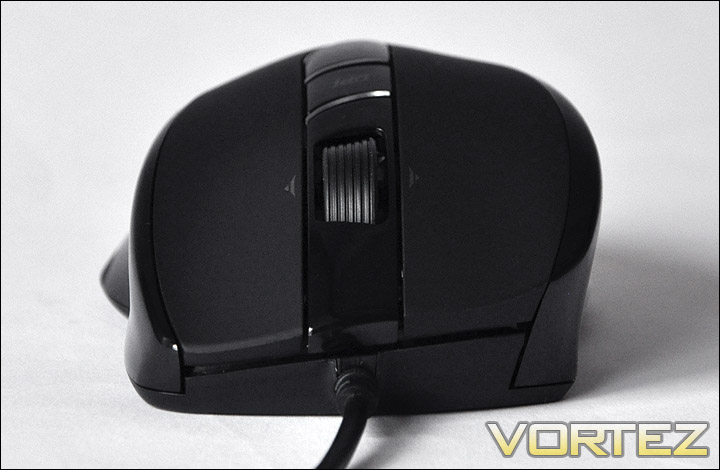
A front view of the M6800
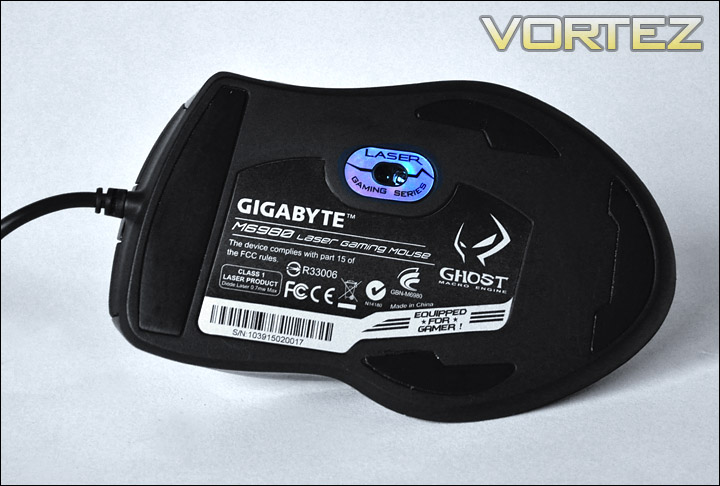
2000DPI laser sensor
GHOST Macro Engine Software
Bundled with the GIGABYTE M6980 is a software CD that contains a program called GHOST. This allows you to extensively tweak the mouse changing a variety of attributes, assign buttons, and setup profiles – something that we have come to be familiar with the latest gaming mice to hit the market.
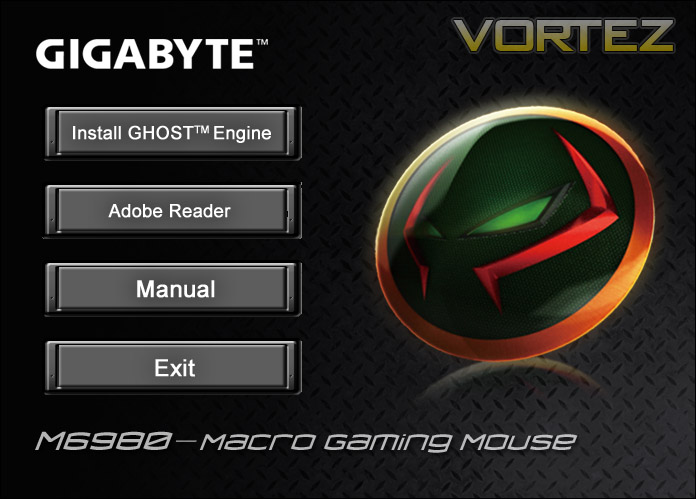
Installing the GHOST software
The first pane gives you the ability to managed the buttons on the M6980. On this page we also have the ability to alter the colour that is emitted around the DPI/profile buttons.
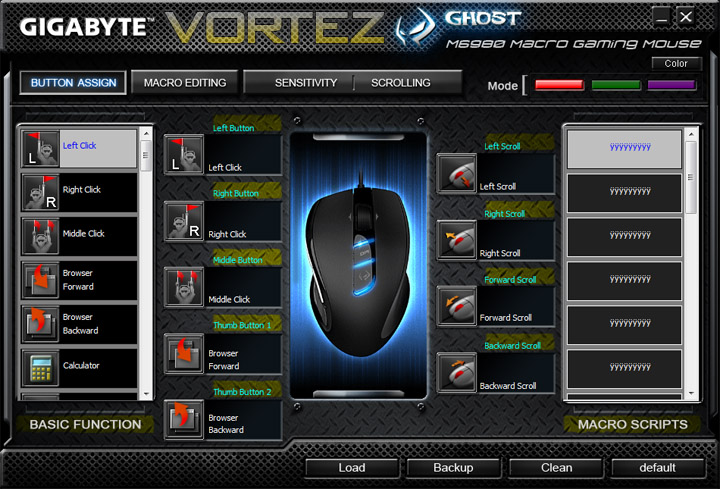
Assigning buttons within the GHOST software is easy
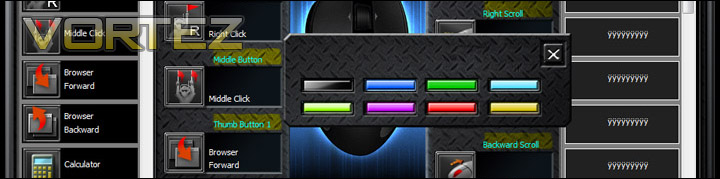
Up to 8 colours to choose from for the 3 profiles
With the M6980 being regarded as a ‘Macro Gaming Mouse’ its only fitting that the GHOST software allows the user to assign macro commands to the mouse. All the controls are there to record a set of commands, this GHOST software even allows you to drag and drop items. Up to 18 scripts can be assigned to the M6980.
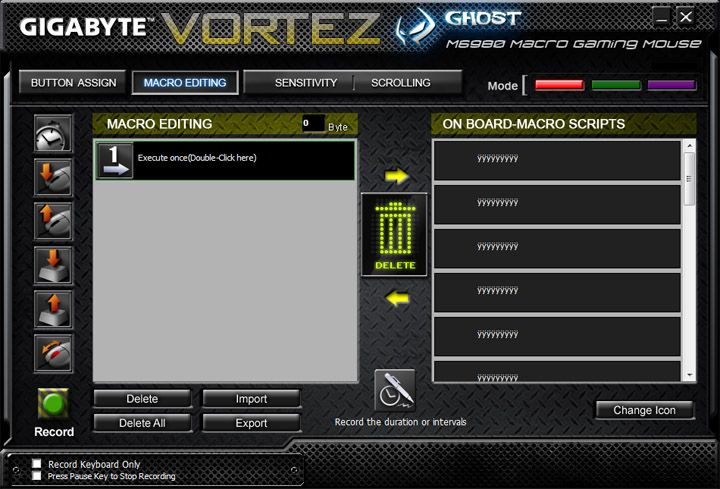
Up to 18 Macro Scripts
The 3rd tab within the GHOST software allows you to control the Sensitivity and Scrolling options. In here we can tweak the DPI – setting it in each of the 3 states highlighted by the colours in the top right hand corner. Should you want to, you can unlink the X and Y Sensitivity, but by default they both constrained to one another. We can also control the report rate per second options on the M6980 and tweak the scrolling speeds on the mouse wheel.
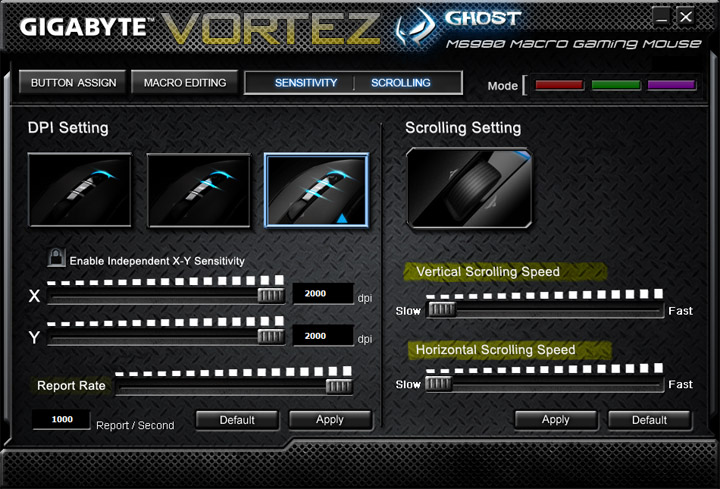
Sensitivity and Scrolling customisation
As you can see from the above the GHOST software allows for some great customisation of the M6980. The layout is easy to follow and is fairly intuitive the only thing I would say is there is no option to top the LED lights on the M6980 from pulsating. Personally I think there should be an option to have a solid lighting state, the pulsating mode irritates me.
Performance Testing
Visual opinions to the side, we now have to consider the performance aspect of both the GIGABTE M6900 and M6980. In some ways, establishing if a peripheral is a good performer is quite a hard thing to conclude. After all we all have our personal preferences; different shaped or sized hands and tastes. Nevertheless I will express my views on both mice as best I can. So the real question is: How doe they both fare across a assortment of platforms? In order to ascertain the performance of our gaming mice it is necessary to use both devices in the games arena for at least a day.
Gaming
Call of Duty Black Ops
Battlefield: Bad Company 2
In both the games above I played with both M6900 and M6980 for many hours. Both are very accurate rodents and are exceptionally precise. Its sometimes hard to move over to another mouse when you have become accustomed to the size, weight and shape of the one you use on a regular basis but moving over to both GIGABYTE mice didn’t highlight any such problems at all. Both are very comfortable to use, especially the M6980 with its soft matte feel. On both mice we have the ribbed grip in the thumb region, this is a very comfortable section. I really like what GIGABYTE have done there.
For FPS gaming (what these mice are intended for) I found the sweet spot of 1700-2000DPI. But even if I did find a setting was too high or too low I could use the on the fly DPI adjusters, with this in mind the button placement is very good. All buttons on both mice are in natural positions and do not feel abnormal.
I tested both mice on a cloth and hard plastic gaming pad to determine any traction issues. Both pads were rotated throughout the testing stage. Movement is very fluid and both mice travel well. The optical and laser sensors react perfect with both types of surface.
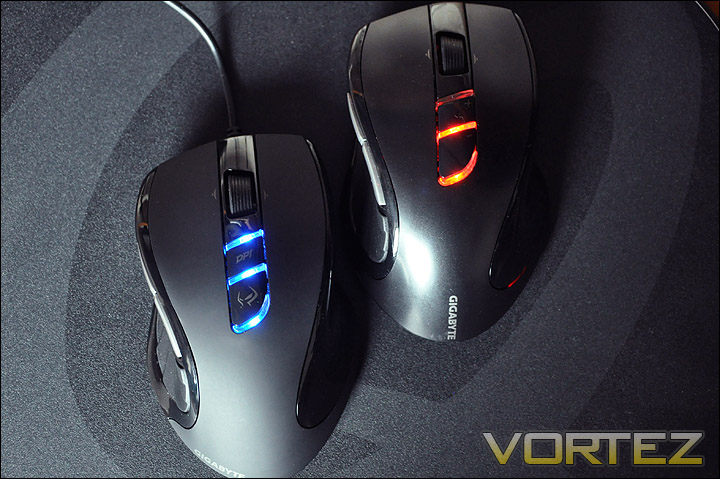
Both M6900 and M6980 powered up and ready for action!
General Usage
Microsoft Windows 7 Professional
Mozilla Firefox
The operating system is one of those elements in computing that we couldn’t do without, on a daily basis we have to use its interface. Whist the M6900 and M6900 are primarily gaming devices its important for us to note its interaction whilst using Windows based applications.
Overall a pleasing response. Button placement is perfect, the size of both mice mean that small-large hands will be ideal for its usage. It isn’t too small or too big – right in the middle! The forward and backwards buttons (used to jump forward and backwards in folders or in your internet browser) are placed in what I would call the ideal spot.
Conclusion
As I mentioned in my opening remarks, when you think GIGABYTE you probably don’t think gaming peripherals – at least I never have. This new wave of devices that GIGABYTE have produced is going to hit the gaming market pretty soon. In fact the M6900 and M6980 are due to launch with retailers next week so the timing of this review couldn’t be better.
Both the GIGABYTE M6900 and M6980 are fantastic offerings. In both visual appearance and feel, these gaming devices provide more than a substantial interface to the gaming world. Styling and button placement is excellent, I especially like the thumb grooves on either mouse, with the nicely placed ribbed grip for comfort and traction. Both variants are almost identical in shape, size and weight. The only real difference is what’s under the hood so to speak. The M6900 has a 3200DPI optical sensor whilst the M6980 has the 2000DPI laser sensor both being perfect for FPS gaming. The other noticeable difference is the materials used on outer shell. The M6900 is plastic and glossy whilst the M6980 has a matte feel to it. In my opinion the M6980 feels the better mouse, not only is it more comfortable but it also feels better quality. The M6900 feels inferior when you have them side by side.
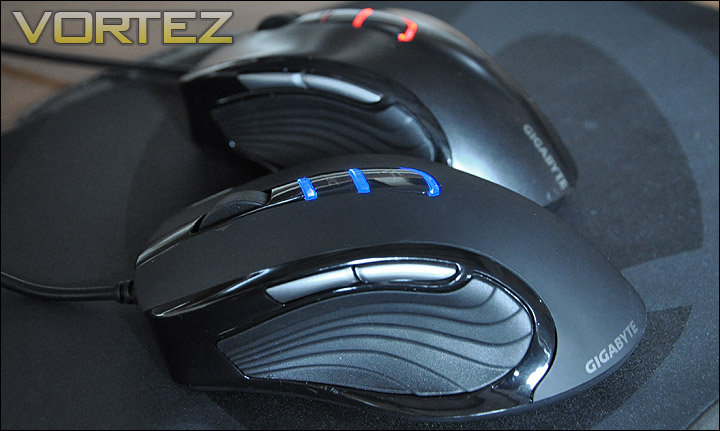
The M6980 in the foreground M6900 in the background
Problem areas are almost absent. The only niggle that I could find with the GIGABYTE mice – in particular the M6980 is the inability to have lighting on but without the pulsating glow. Usually with a gaming mouse you can choose to have the lighting off, on or some kind of rotation between colours or even the pulsating mode that we have on the M6980. But with this mouse we only have the option of either off or pulsating. Something else to note is that both packages are lacking any bundled extras that could boost the product, in particular there is no weight system with these mice which is a shame – that said both offerings are the right weight. They neither feel light or heavy.
Priced at £19 MSRP for the M6900 and £26 MSRP for the M6980 they are both exceptional value for money. When the prices first came to my attention I was quite pleasantly surprised. If you are in the market for a new gaming mouse and you are an avid FPS gamer then look out for the M6900/M6980 in the coming weeks as I predict they are both going to be top picks!
Pros
+ Ergonomic styling
+ Excellent traction and glide
+ Great button placement
+ Feel and look brilliant
+ Customisable
+ Amazing value for money
Cons
– Stuck with the option of pulsating LED or no LED
+ Ergonomic styling
+ Excellent traction and glide
+ Great button placement
+ Feel and look brilliant
+ Customisable
+ Amazing value for money
Cons
– Stuck with the option of pulsating LED or no LED

