The HyperX Alloy FPS RGB looks set to tackle the peripherals market thanks to an ample feature set and low-key styling, but does it deliver a knock out performance?

Product on Review: HyperX Alloy FPS RGB
Manufacturer: HyperX
Street Price: £100 GBP / $110 US / $189 AUS
HyperX has quickly become a household name in the peripherals arena thanks to their impressive headsets and solid pricing structure. Today we’ll be taking a look at one such offering which is their Alloy FPS RGB keyboard.
You may be familiar with the Alloy FPS name as HyperX already offer an FPS Pro and FPS. The FPS pro is a tenkeyless keyboard, and the FPS is a full-sized one, the FPS RGB looks to add to those offerings by introducing RGB to the mix. Other compelling features are the mobile phone charging port, removable braided cable, full N-key rollover, anti-ghosting and compatibility with HyperX’s NGenuity software. One big surprise is the fact that HyperX has ditched Cherry MX switches in favour of some Kailh Silver Speeds, in terms of raw specs there isn’t much difference as both Cherry’s MX Silvers and Kailh’s offer similar numbers. Here’s a brief comparison.
Cherry MX Silver
Lifespan – up to 50million
Actuation point – 1.2mm
Total travel – 3.4mm
Force – 45g
Kailh Silver Speed
Lifespan – up to 70million
Actuation point – 1.1mm
Total travel – 3.5mm
Force – 40g
The numbers are quite comparable, so will there be a huge difference when it gets time to get some gaming done?
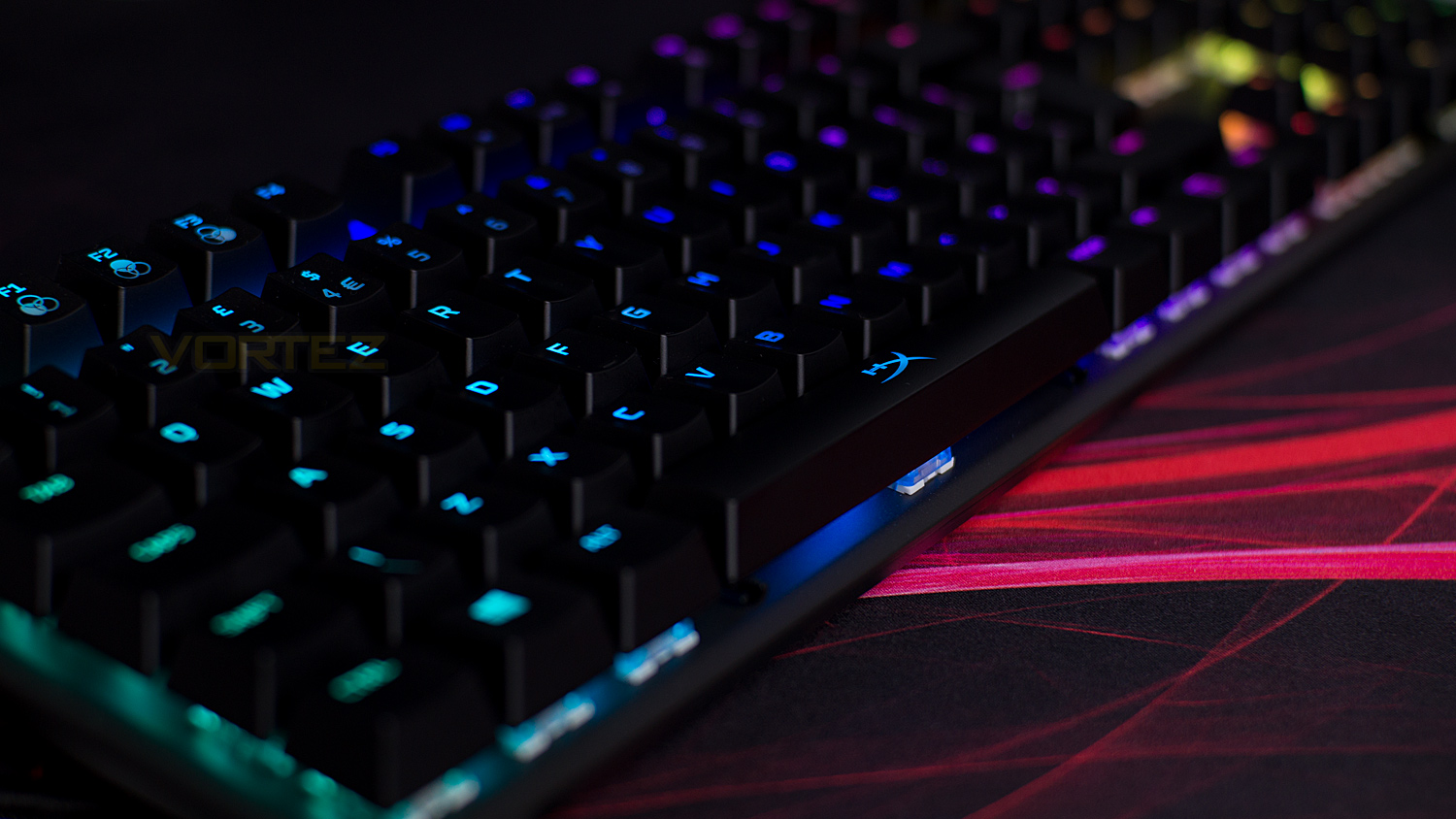
HyperX on the Alloy FPS RGB:
The HyperX Alloy FPS RGB™ is a great-looking, high-performance keyboard designed to make sure that both your skills and style are on full display. The exposed LEDs on the keyswitches amp up the brightness of the RGB backlighting which can be customised with the easy-to-use HyperX NGenuity software to make your stream really stand out. The Alloy FPS RGB has a small footprint geared for space-constrained setups so you’ll get room to manoeuvre without having to ramp up your mouse sensitivity. It also features a convenient USB charging port and a braided, detachable cable that is resistant to wear and allows for easy portability. The solid-steel frame ensures that your keyboard feels stable and stationary while you’re frantically pounding the keys to reload, loot downed foes or fast-swap weapons. Durable Kailh Silver Speed keyswitches are rated for 70 million keypresses and feature an ultra-light actuation force, making them ideal for gamers looking to get every extra split-second advantage over their rivals. Once you’ve got your keyboard ready to show off, you can save up to 3 customisations to your onboard memory and take your own personal light show and macro settings on the road. Never miss an important keypress with the Alloy FPS RGB’s customisable Game Mode, 100% anti-ghosting and N-key rollover features.
Technical Specifications
Keyboard
Format – Full-size
Interface – Wired USB
N-key rollover with 100% anti-ghosting
RGB lighting
On-board memory – 3 profiles
Mobile phone USB charging port
Switches
Switches – Kailh
Variant – Silver Speed
Operation style – Linear
Lifespan – Up to 70 million keystrokes
Actuation distance – 1.1mm
Actuation force – 40g
Travel distance – 3.5mm
Dimensions & Weight
Dimensions – 442.26mm (L) x 129.81mm (W) x 35.59mm (H)
17.41” (L) x 5.11” (W) x 1.40” (H)
Weight – 1.1kg /2.42lbs
Cable – 1.8m detachable
System requirements
Spare USB 2.0 / 3.0 port
Windows – 10, 8.1, 8, 7
Internet connection
Format – Full-size
Interface – Wired USB
N-key rollover with 100% anti-ghosting
RGB lighting
On-board memory – 3 profiles
Mobile phone USB charging port
Switches
Switches – Kailh
Variant – Silver Speed
Operation style – Linear
Lifespan – Up to 70 million keystrokes
Actuation distance – 1.1mm
Actuation force – 40g
Travel distance – 3.5mm
Dimensions & Weight
Dimensions – 442.26mm (L) x 129.81mm (W) x 35.59mm (H)
17.41” (L) x 5.11” (W) x 1.40” (H)
Weight – 1.1kg /2.42lbs
Cable – 1.8m detachable
System requirements
Spare USB 2.0 / 3.0 port
Windows – 10, 8.1, 8, 7
Internet connection
Packaging & First Look
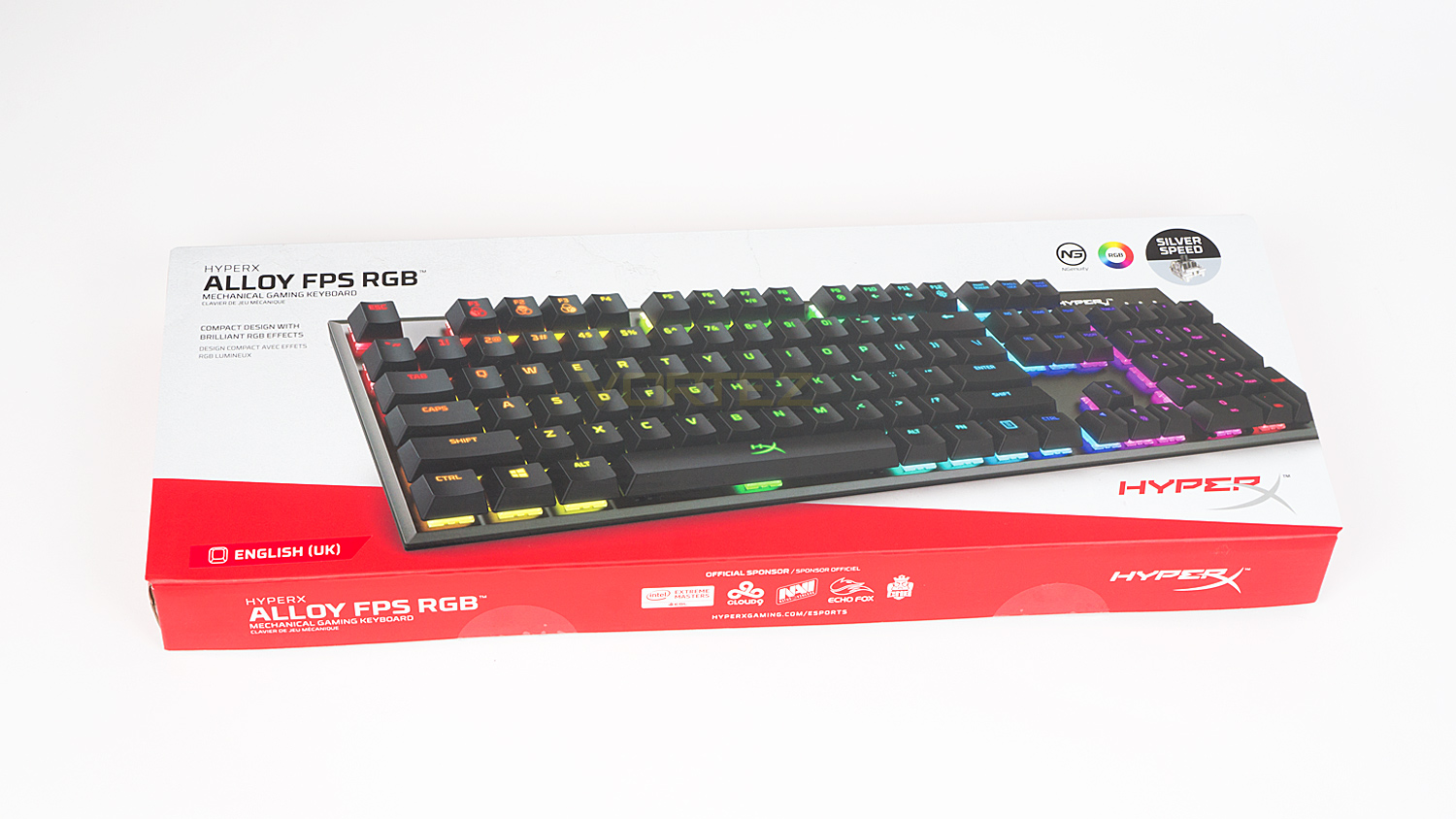
The HyperX Alloy FPS RGB arrives in an off-white box that features design elements that resemble a slightly degraded plastered exterior wall. It’s very unusual, yet it does make a difference to the usual stark white we see all too often. Also on the front, there is some information as well as the switch variant used.
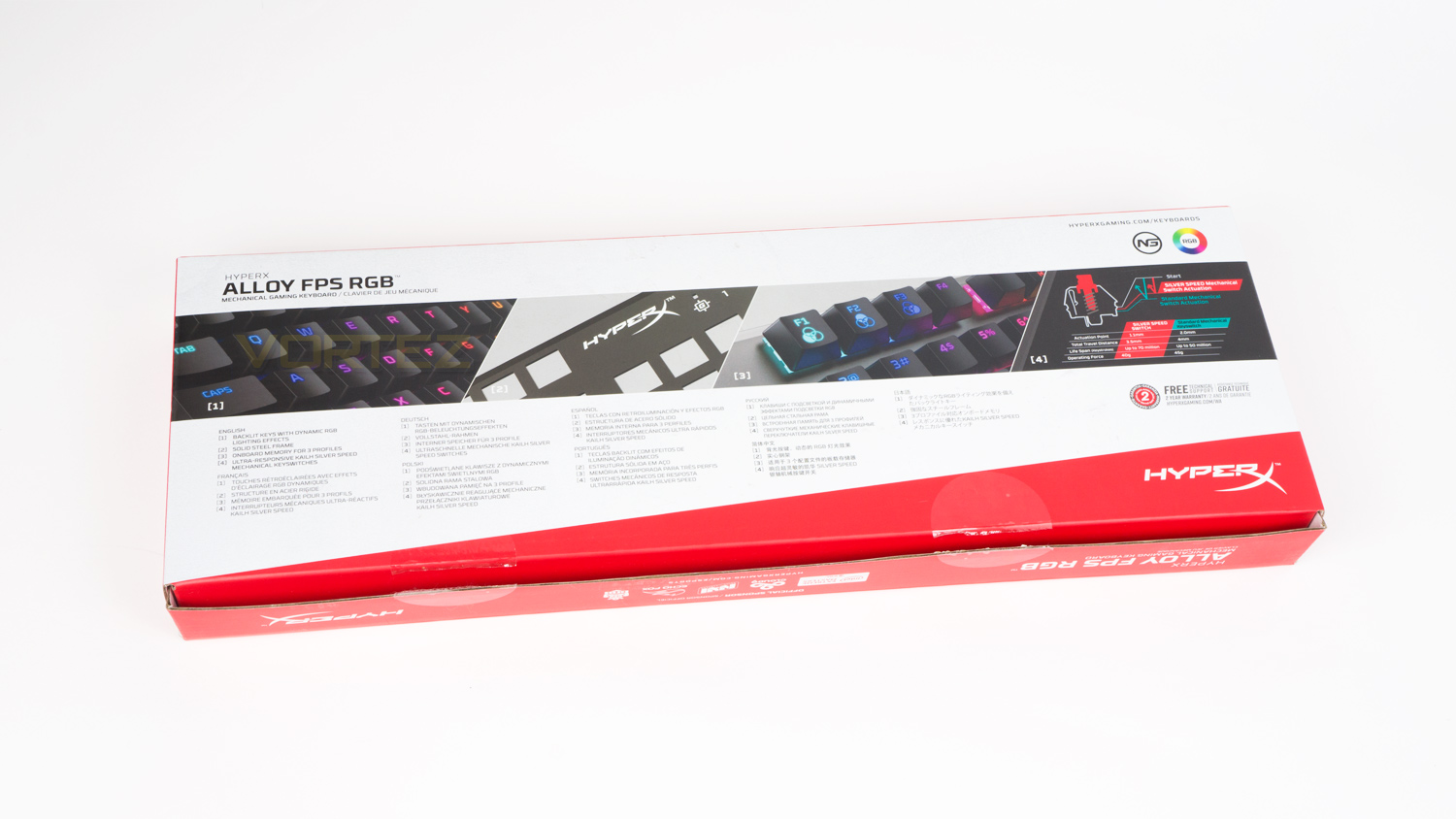
The design elements from the front also carry to rear where there is further information on some of the keys features of the Alloy FPS RGB.
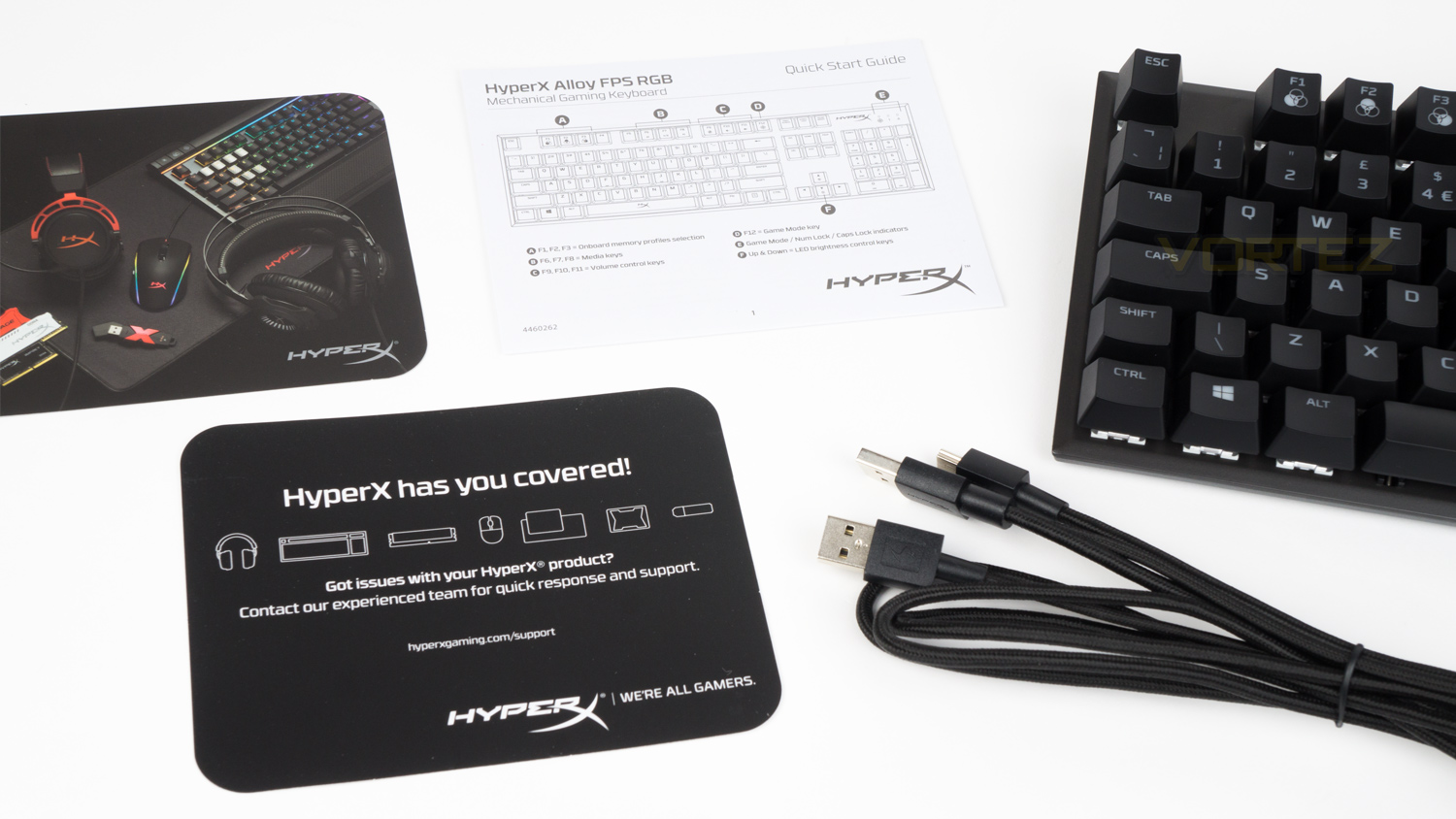
Included with the keyboard is the documents and that is all. We would have liked to have seen at least a keycap puller bundled in as it would make cleaning the keyboard so much easier.
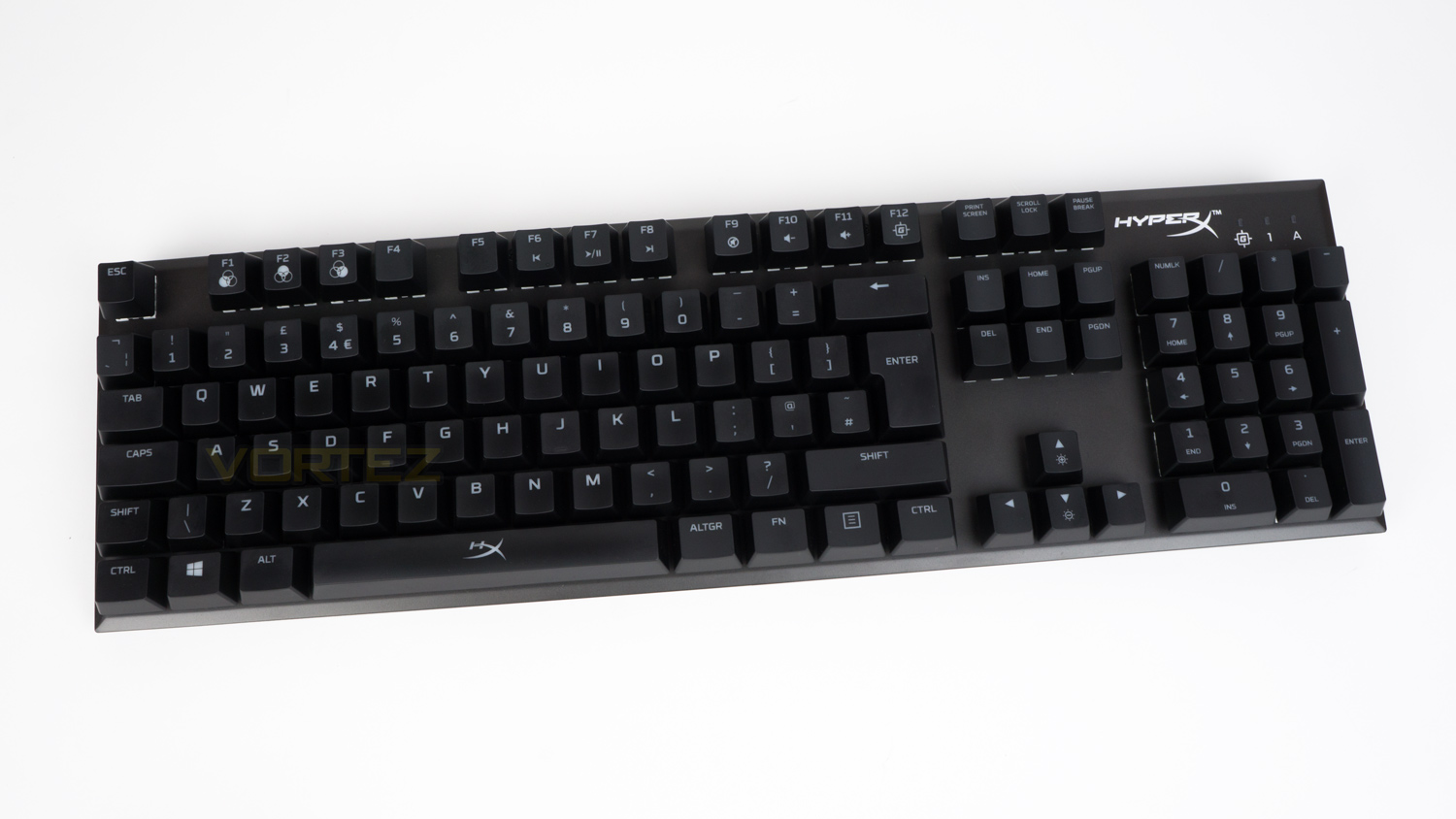
First impressions of the Alloy FPS RGB are really good, the bordering frame is very slim making it feel more compact than it is; plus the steel top plate has lovely bevelled edges which adds a nice touch of class to the overall aesthetic.
Closer Look
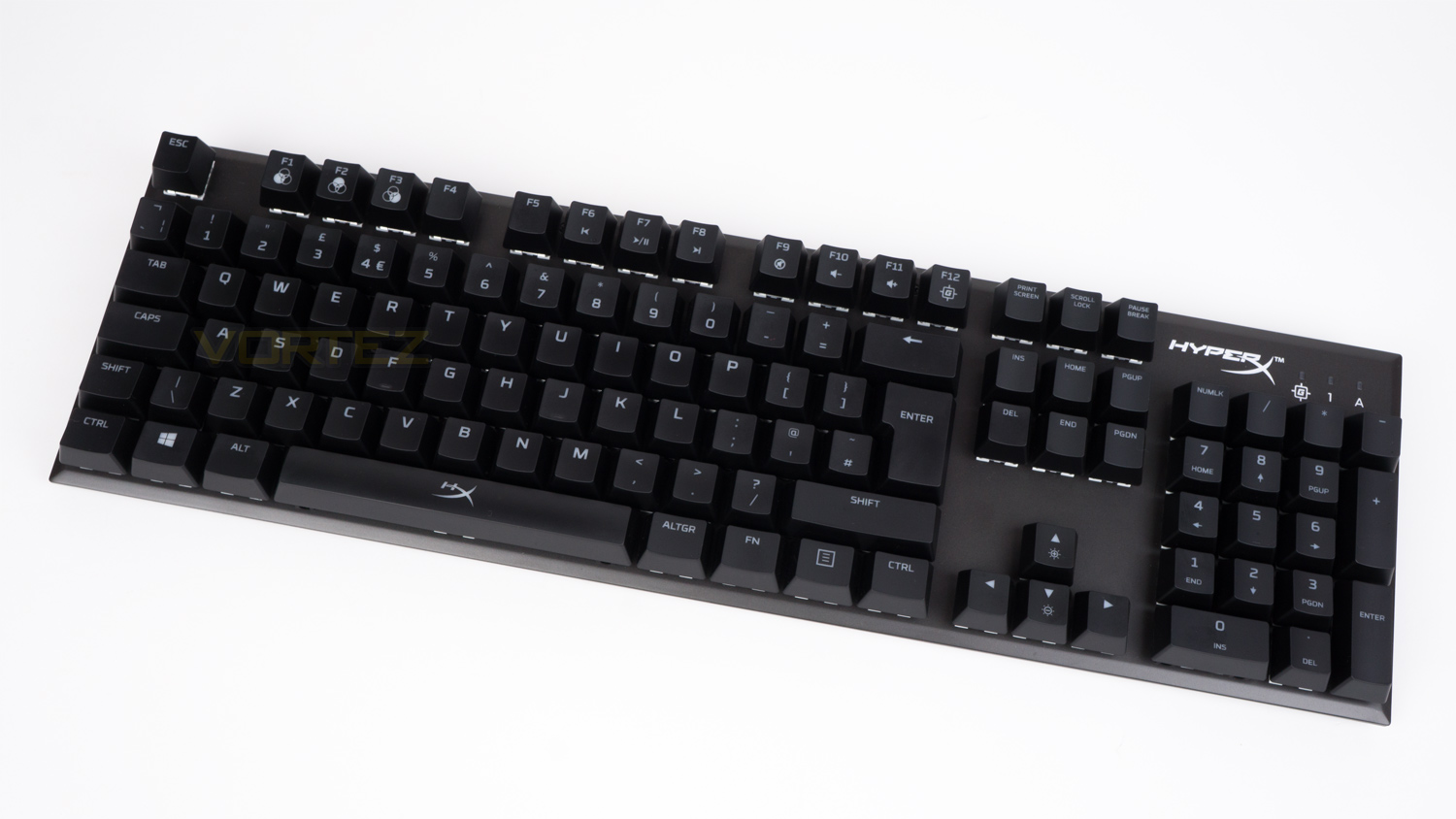
The overall styling of the Alloy FPS RGB is subdued yet not dull. Hyperx has managed to take a quite plain design and make it interesting by adding a bevelled edge around the frame as well as including subtle branding on the space bar and the top right corner. Size-wise, it’s a fair bit smaller than most full-sized keyboards thanks to the slim border around it. It measures in at 442.26mm (L) x 129.81mm (W) x 35.59mm (H), whereas most others are at least 20 to 30mm longer.
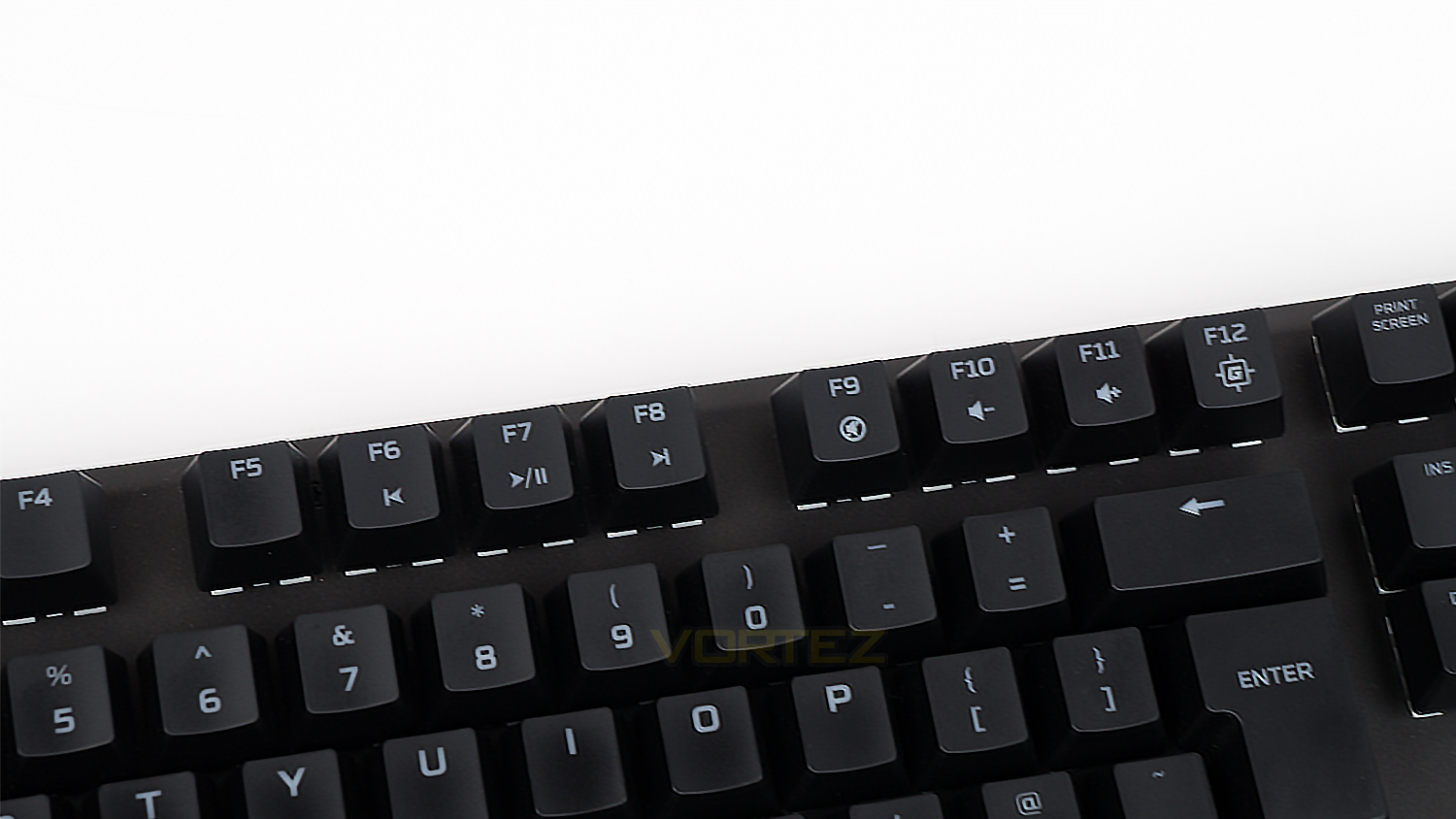
The F keys on the Alloy FPS RGB have secondary functions when pressed in conjunction with the FN key. F1, F2 and F3 are set to cycle through three profiles which can be created in the NGenuity software. F6 through to F10 act as media keys and finally F12 activates the Game mode. Game mode can again be configured via the software, in which you can disable certain keys based upon the title you are playing.
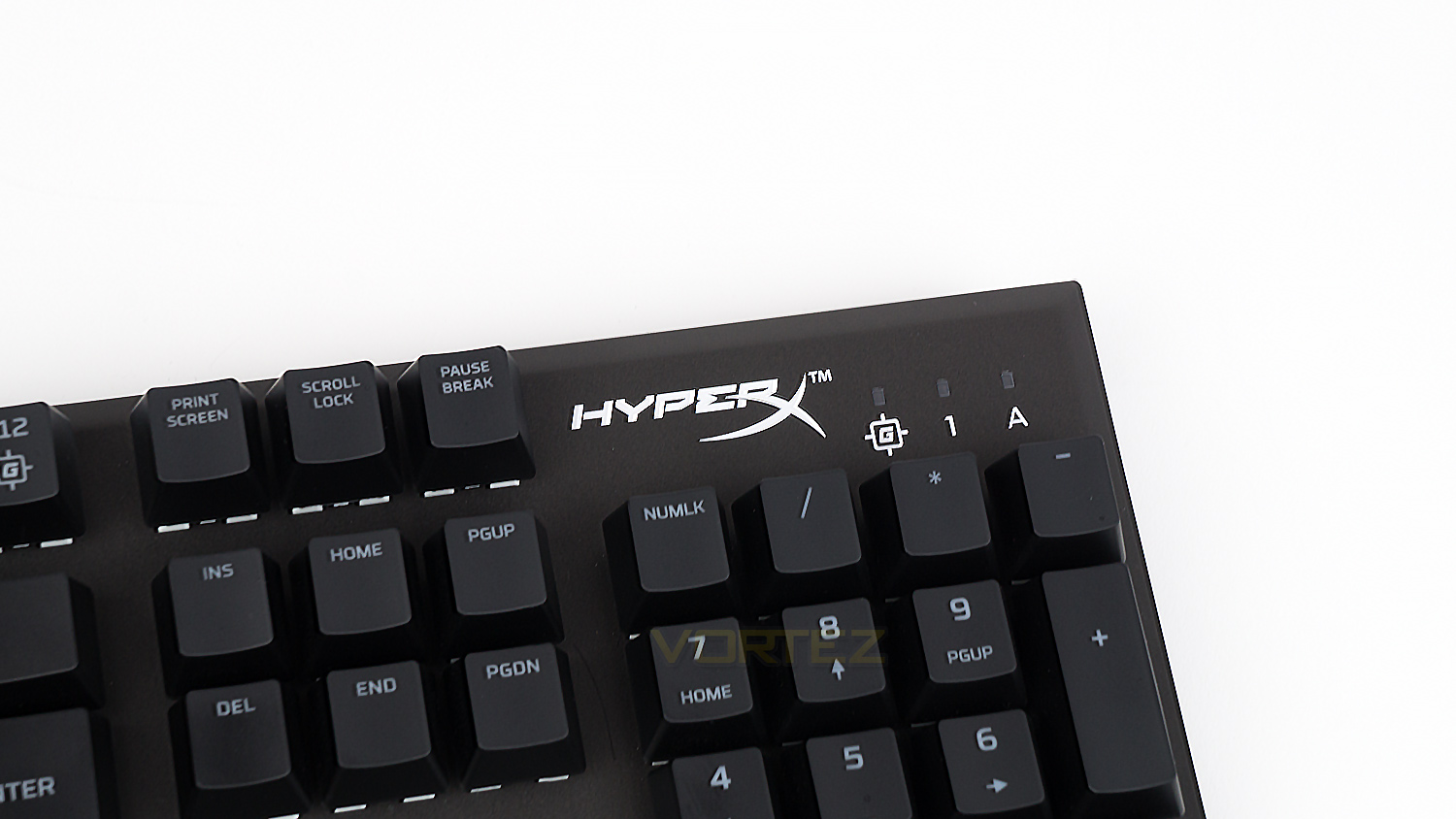
The top right of the keyboard features the HyperX logo as well as three LEDs; these are used to signify when the Game mode, Caps lock and Num lock are activated.
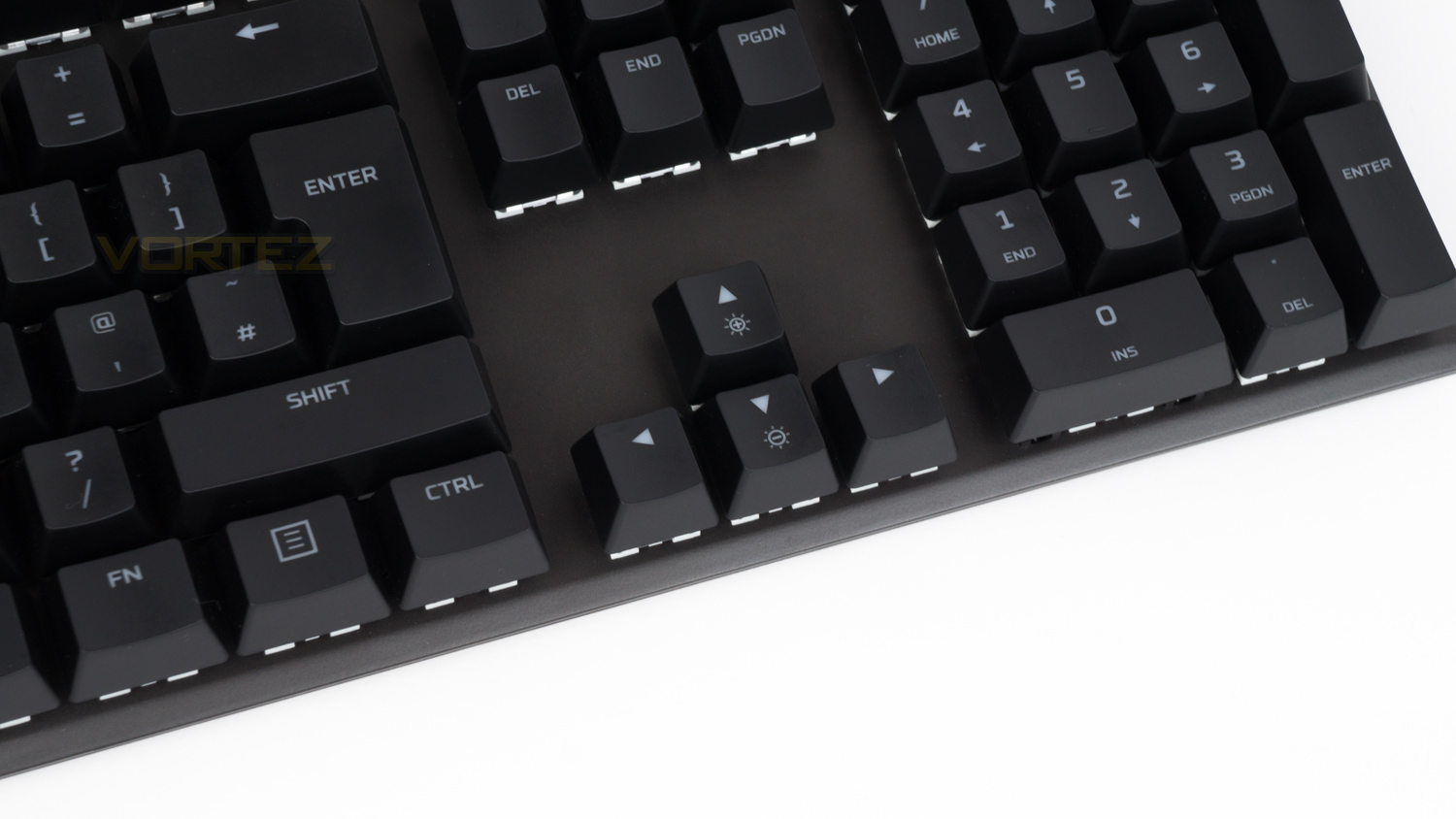
The arrow keys on the Alloy FPS RGB also have a dual purpose as they can be used to adjust the brightness of the illumination.
Closer Look (Continued)
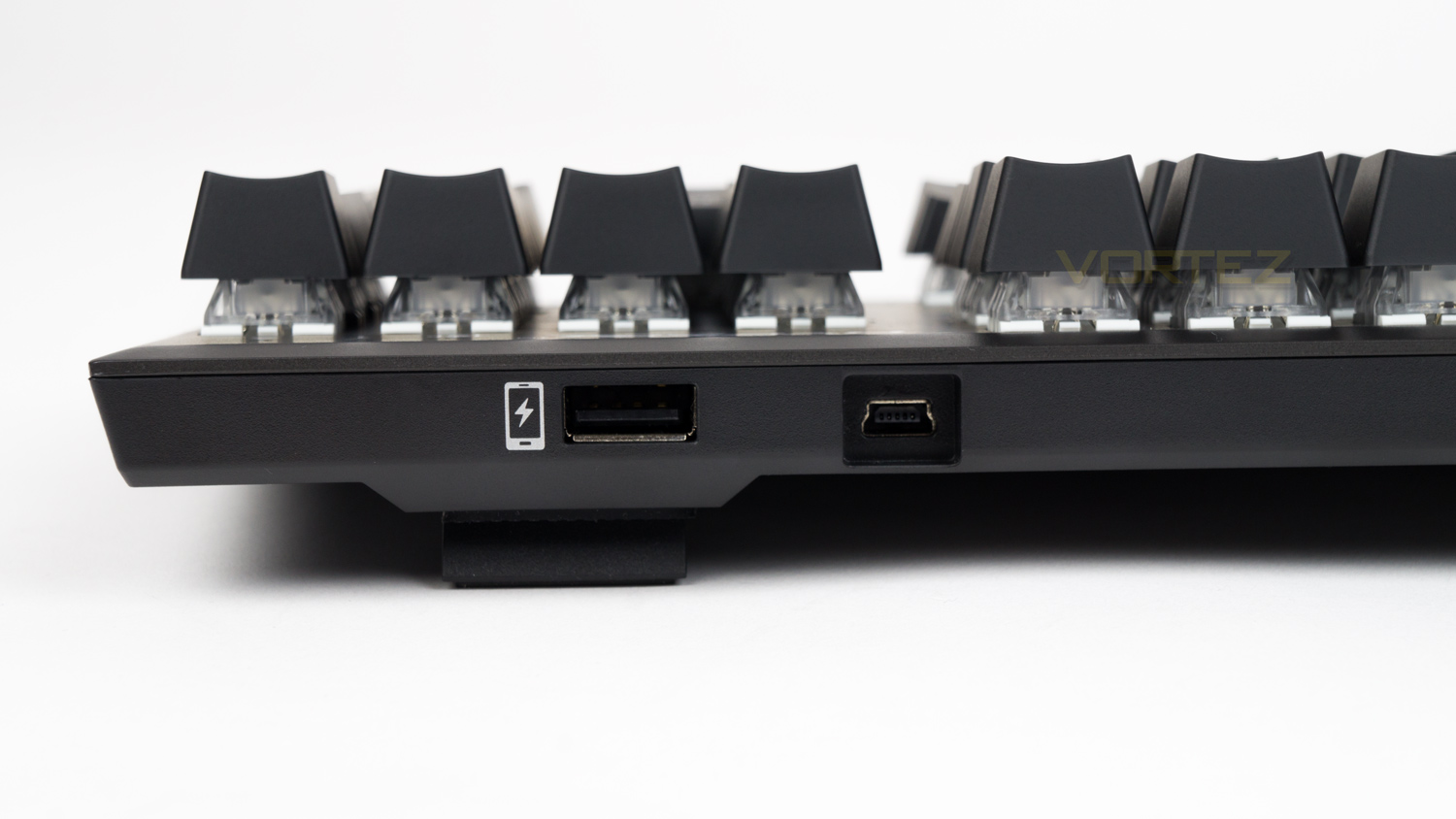
On the top edge of the keyboard, there are two USB ports, one if for the keyboard and the other acts as a port to charge your mobile device. This isn’t quick charged enabled, though it can still top up your phone if needed.
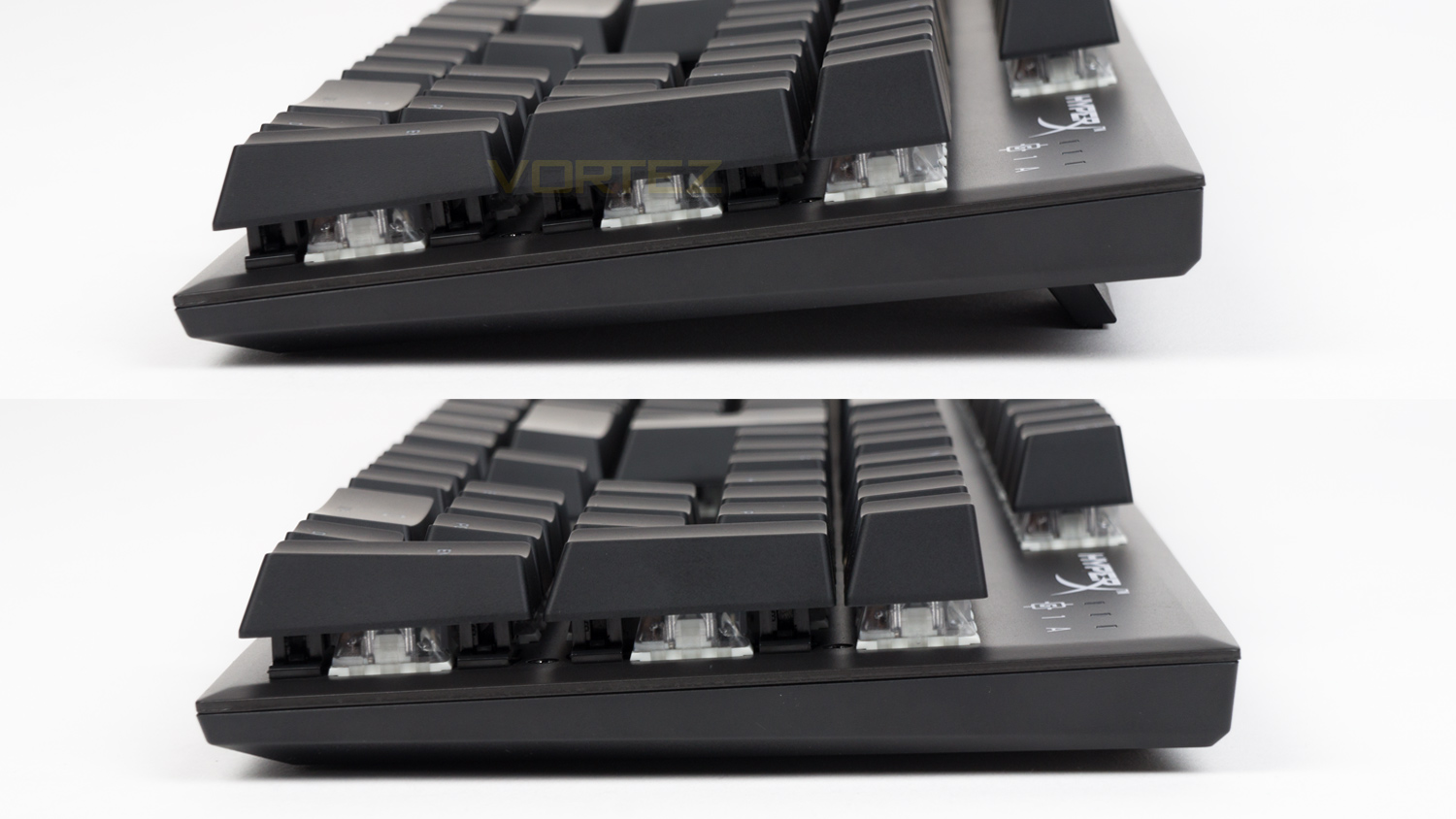
The side profile of the Alloy FPS RGB is clean and doesn’t have any form of bold design. When utilising the riser feet, the height is raised by approximately 7mm.
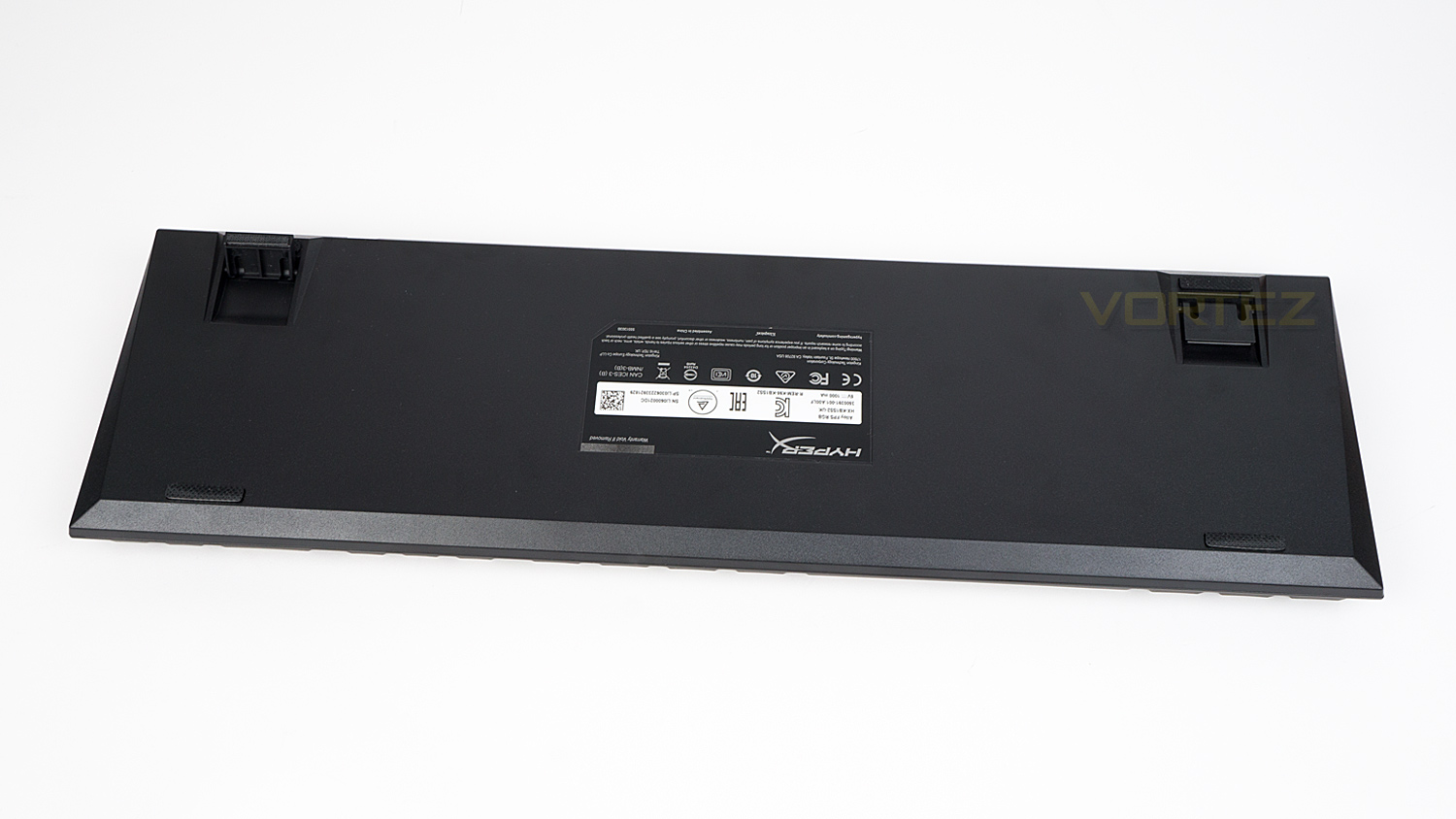
The underside of the Alloy FPS RGB is plain and has nothing in terms of design flourish. There are four rubber feet, and the keyboards information and that is all.
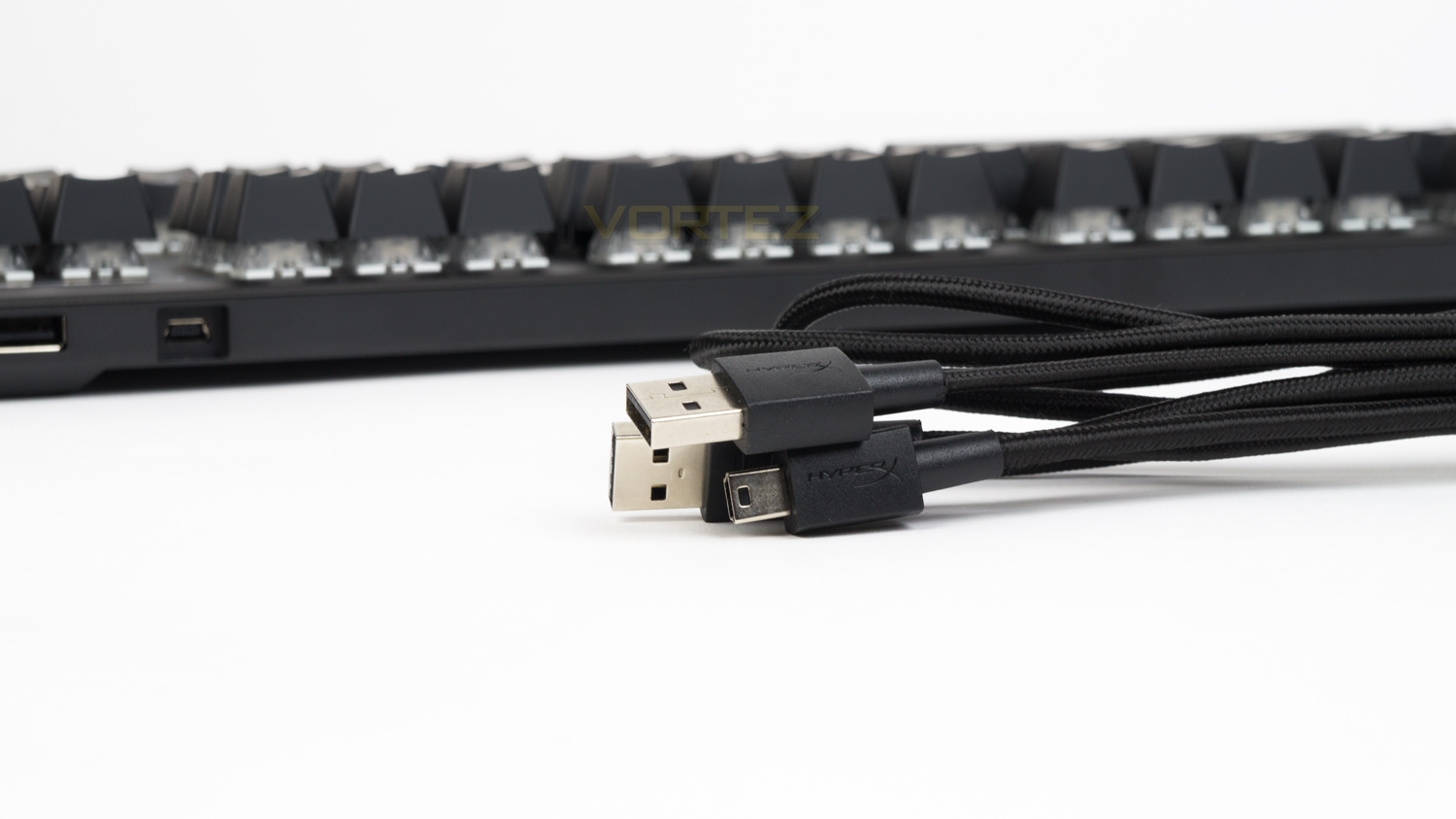
The included cable is braided and measures in at 1.8m. One end terminates in a USB type-A, and the other is a Mini USB. The cable does feel well made and should last a long time, plus as it’s removable, it makes travelling with the keyboard that much easier.
Software
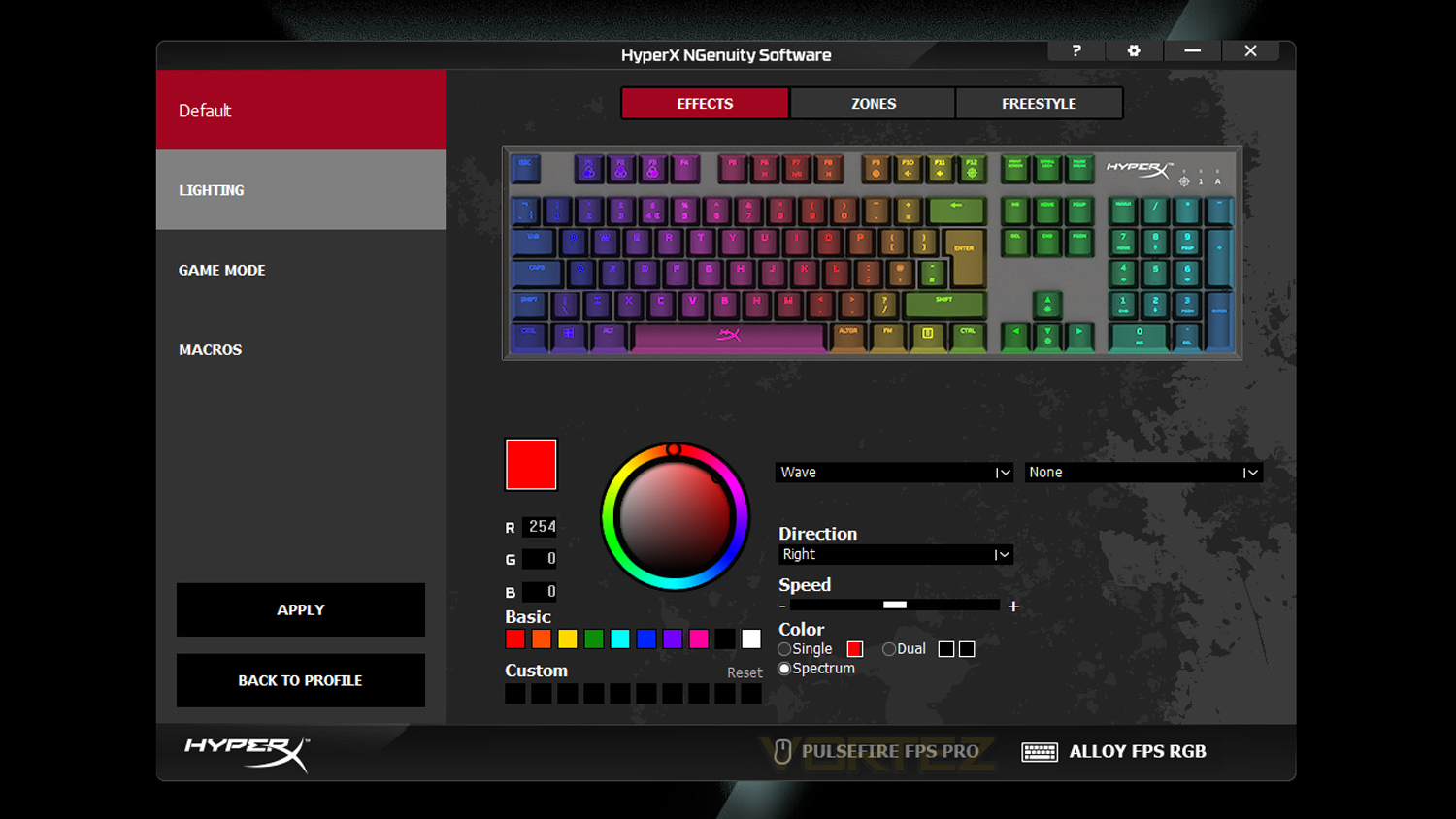
HyperX’s NGenuity software has been designed to work with their range of peripherals and headsets. NGenuity has an interesting aesthetic that works very well for the brand and is quite easy to use once you’ve familiarised yourself with it. NGenuity has all the features you’d expect from a modern bit of software, and with it, you can customise the lighting, add macros, change a keys function by adding a new assignment and also tailor the game mode to your preference. Below is a quick demo of the software with the Alloy FPS RGB
Performance Testing
Getting started with the Alloy FPS RGB is straightforward and requires either one or two spare USB ports. One USB connection is for the keyboard, and the other allows you to make use of the integrated charging port. You can also download their NGenuity software if you wish to customise various different aspects of the keyboard.
In terms of features, the Alloy FPS RGB is a middle-ground board that isn’t too jam-packed, yet it’s not lacking too much either. One notable feature we briefly covered is the mobile device charging port; this is located at the top edge of the keyboard next to the USB input. This charging port is USB 2.0 and can top up your mobile if you need to, unfortunately, it isn’t quick or fast charge enabled, but it works great for topping up your phone whilst you are working. Of course, we wouldn’t advise you use this if you’re in a rush, though it is good if you need to keep your phone close while it charges.
Of course, there are a few omissions that some of you may have liked which would likely include a USB pass-through or dedicated macro keys. Honestly, given the price point we weren’t expecting either, but what would have been nice is a wrist rest, now you can buy a HyperX branded one, but it’s an extra £20 on top of what you’re paying for the keyboard. Even though it is an extra price, we would suggest copping one if you’re planning on using this keyboard as it’s not exactly the most comfortable for typing or gaming.
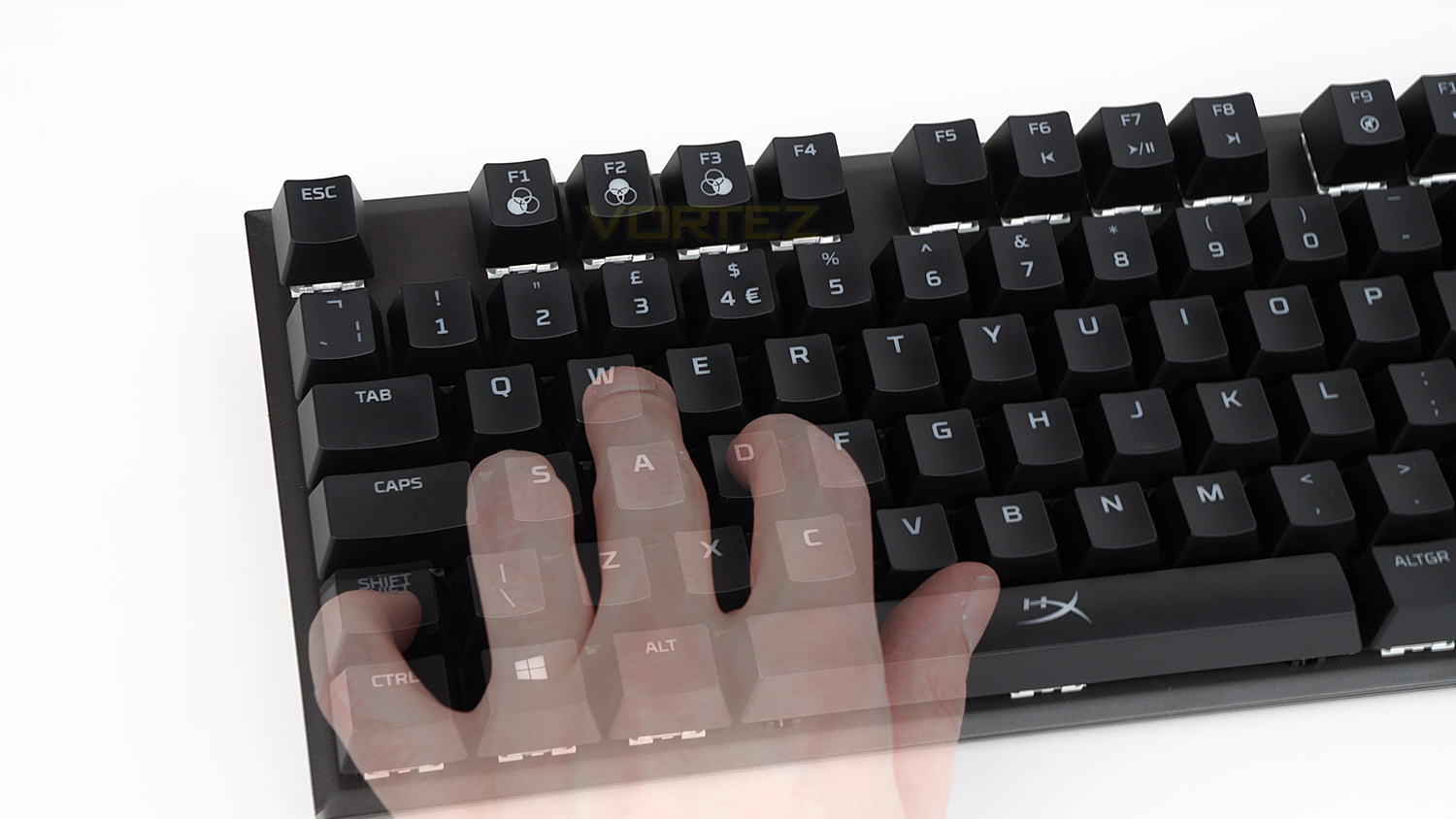
Speaking of typing and comfort, the Alloy FPS RGB is again right in the middle, it’s not bad at either nor does it excel. Typing on the Kailh Silvers is a nicer experience than the Cherry MX Silvers as they feel slightly more forgiving and not as fatiguing. However, compared to something like the Cherry MX Brown, the difference is night and day. For short bursts of writing the Kailh are fine, but if you plan on typing for hours on end, then we’d suggest taking regular breaks to avoid any discomfort. The keycaps feel-good quality and they are a slight bit larger than normal meaning that your fingertips have a bit more room thus improving the comfort somewhat. Key spacing though hasn’t been impacted that much, and there is still ample room between the keys. The layout is pretty standard and familiar meaning your adjustment period should be quite short. As for the comfort when typing the Alloy FPS starts to falter – for us at least, we’ve already touched on what would improve this, though if you’re used to a keyboard without a wrist rest, then the Alloy FPS RGB would likely be just fine.
As for the design and build, the Alloy FPS scores big on both fronts. The construction of the keyboard is very solid and is honestly one of the better-made keyboards at this price point. The chassis (frame) is steel which is very robust and feels really premium, this strong attribute also helps ensure that flex is kept to a minimum. Design wise HyperX has kept things clean with only a logo on the spacebar and some subtle branding in the top right corner, this means that it could easily integrate with your existing peripherals without it standing out too much.
Performance
HyperX’s switch choice for the Alloy FPS RGB may surprise as they aren’t Cherry, in fact, the switches they’ve gone for are the Kailh Silver Speed. These are supposed to rival the Cherry MX Silvers and offer a similar experience, but do they? Well, sort of. In terms of raw numbers, the Kailh actually look a little better. Switch lifespan for the Kailh is rated at up to 70 million keystrokes whereas the Cherry’s are rated at up to 50 million. The Kailh also actuate at 1.1mm which is 0.1mm sooner than the Cherry’s, travel distance is set to 3.5mm which is 0.1mm longer than the Cherry MX Silver and finally, the actuation is 40g for the Kailh compared to 45g for the Cherry. So on paper, they appear very close, in-use though the story is a little different.
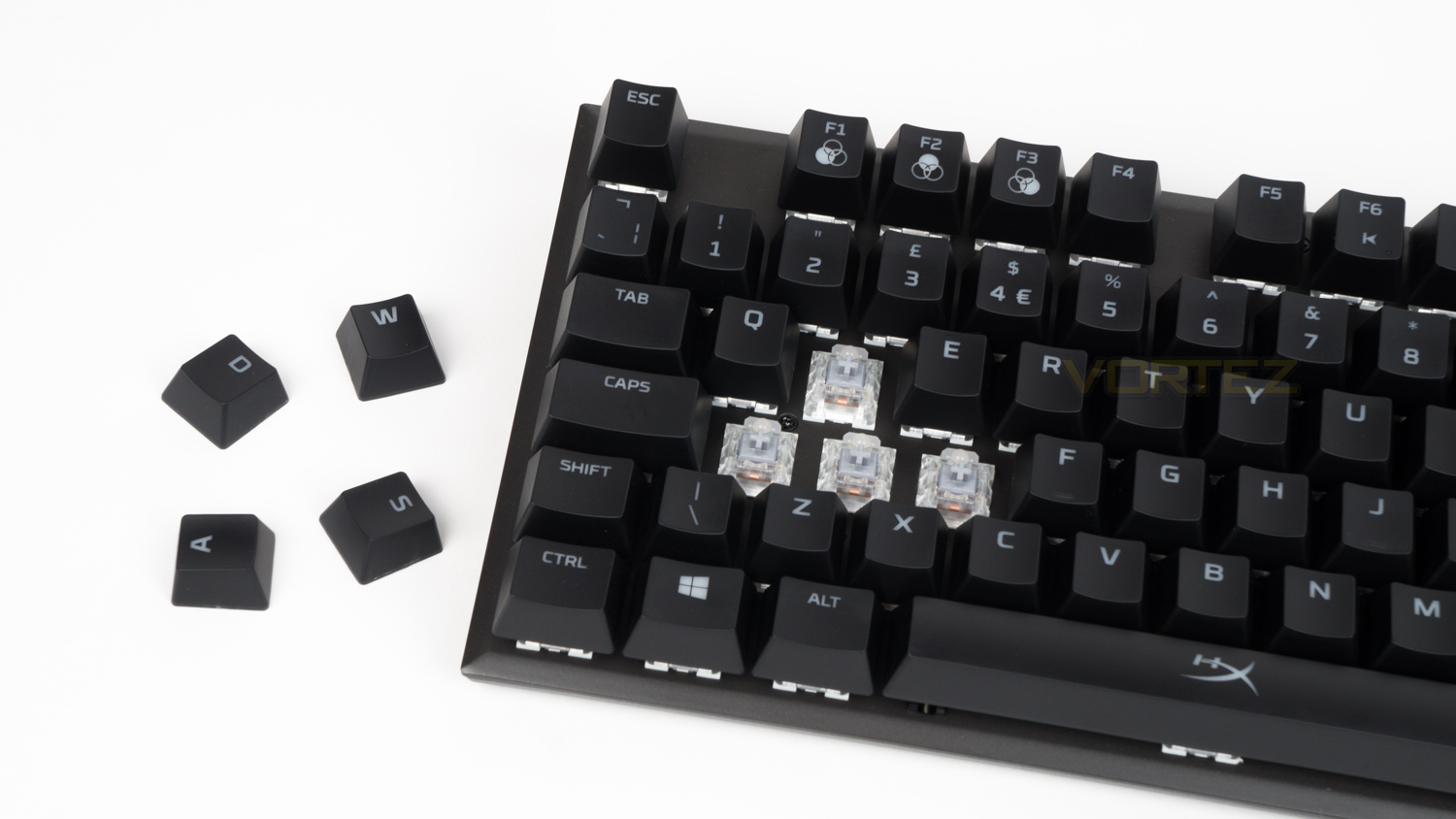
Using the switches side-by-side there are some notable differences between the two. Both feel very linear and offer smooth travel all the way to the bottom of the stroke, however, the Cherry MX are slightly smoother and less resistive than the Kailh; this makes the Kailh feel more weighted than the Cherry even though the Kailh requires less force to actuate. This also has a knock-on effect as the Kailh don’t seem to operate as fast as the Cherry as they feel a hair more sluggish. This doesn’t make that much difference when gaming as both are fast, though the Cherry just feel more responsive when pressed.
Taking the Cherry off the table for a moment to focus on the Kailh solely and they are good mechanical switches in their own right. For FPS shooters and Esports titles, they really do fair well as they are quick and respond promptly even though they do have a resistive weighty feel. In terms of travel, they operate smoothly and bounce back and repeat really quickly. This translates very well for games that require you to be on your toes and constantly moving around any arena or battlefield. So for games like Fortnite and Overwatch, these have no trouble enabling you to quickly and seamlessly dodge and dart around to avoid enemy fire or to manoeuvre into a flanking position. The Kailh Silver are also pretty great for adventure games as they are less prone to actuate at the lightest of presses, this makes controlling smaller movement that much easier and means that if you are trying to manoeuvre with more precision, these are pretty good. In terms of mechanical noise, these are on the quiet side as they don’t have the overly prominent clack or click that some other switches are known for.
Illumination
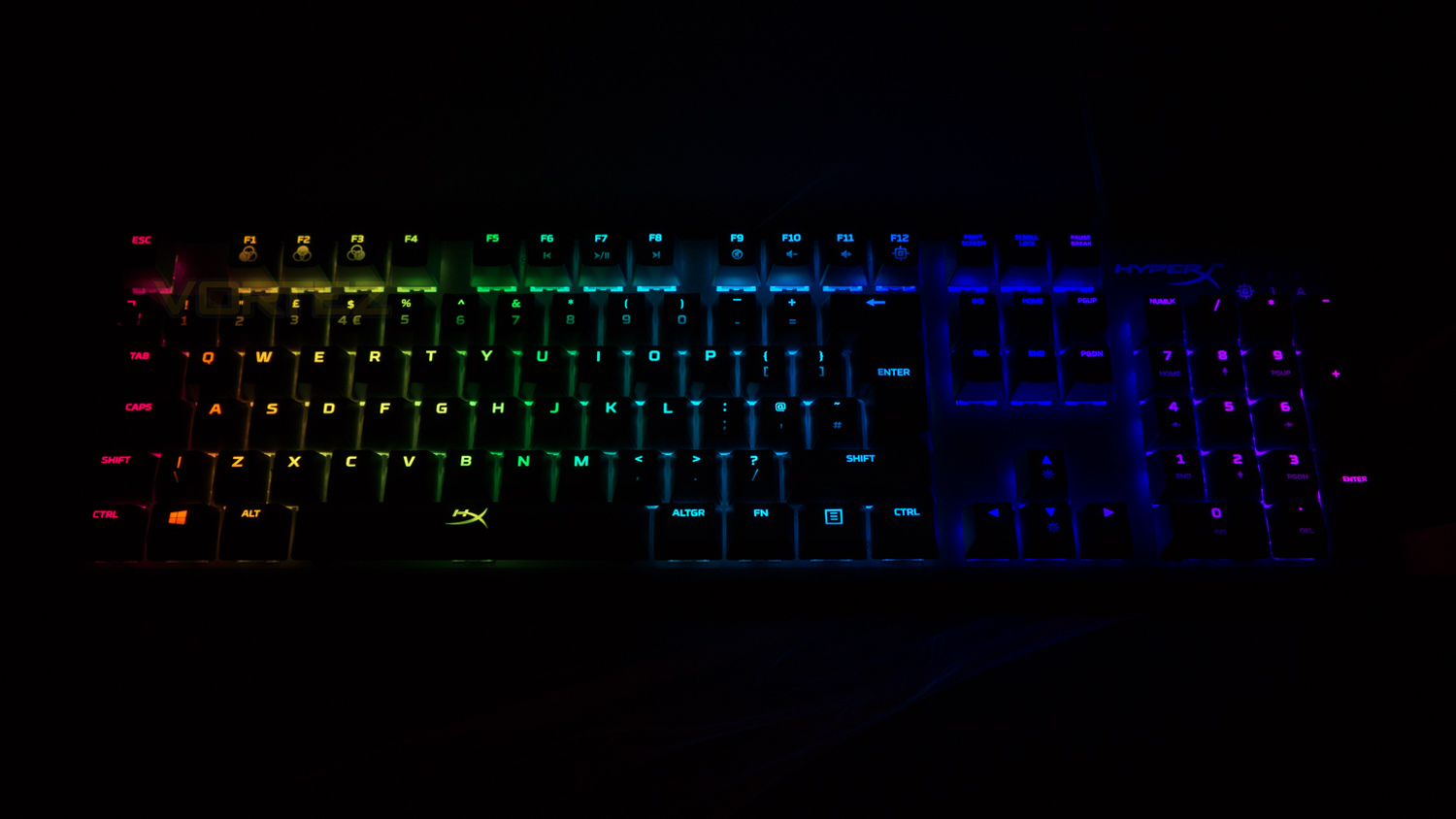
RGB lovers rejoice, HyperX has implemented one of the best forms of RGB illumination we’ve ever come across. The lighting is extremely vibrant, rich, highly saturated and the colours just pop. The colours may not rank as the most accurate, they are however some of the most pleasing to our eyes. The lighting fill is excellent, and there are no highly noticeable areas that stand out as poorly done, even keys with two lines of text have proper fill. The brightness is also very good as colours maintain their vibrancy even when under harsh artificial light or even under a bright natural light. In terms of effects and customisation, the Alloy FPS RGB also ranks high thanks to the number of effects and the ways you can transform and manipulate them. When implemented they also look great on the keyboard as the effects have really smooth transitions and lovely gradients, we also commend the variety of styles of effects too.
Conclusion
There is a lot to like about the HyperX Alloy FPS RGB as it’s an offering with very few faults. The only real concerns we had with the keyboard are to do with comfort and that it’s not very strong on that front. As is, the keyboard is highly usable for gaming and typing though we felt that it wasn’t the most comfortable for either over long sessions. We already covered that we thought it should have been bundled with one given the £100 ($110 US / $189 AUS) price point, though we do get why one was not included though as then the Alloy FPS RGB would more directly compete with their own Alloy Elite keyboard which isn’t good for business. Luckily HyperX does offer a separate rest, however, it will set you back £20 on top of what it already costs. One other slight negative is the switch choices, at present, there are only the Kailh Silver Speeds to choose which are very good, though they might not be to everyone’s tastes.
While on the switches we’ll talk about the good points and the Kalih are very good, although they aren’t quite as polished as the Cherry alternatives, they offer great levels of performance for both fast-paced and slower gaming titles. Other strong attributes include the subdued styling which is great as the Alloy FPS RGB is so easy to blend into an existing setup. The build quality is also superb thanks to the solid chassis and impressive fit-and-finish. The RGB illumination is also excellent as it’s so vibrant and vivid, the effects are nicely done too which makes this great for lovers of RGB. It also has some other little additions to add to appeal, these features include a charging port for mobile devices and a detachable cable, these might not sound like much, but they help solidify its appeal.
As a whole the HyperX has got a lot of things right with the Alloy FPS RGB and very little wrong, the price point of £100 in the UK, $110 in the US is easily justifiable thanks to the whole experience, though it is a tougher sell if you live in Australia as it costs $180 AUD and there are likely alternatives with even stronger attributes.
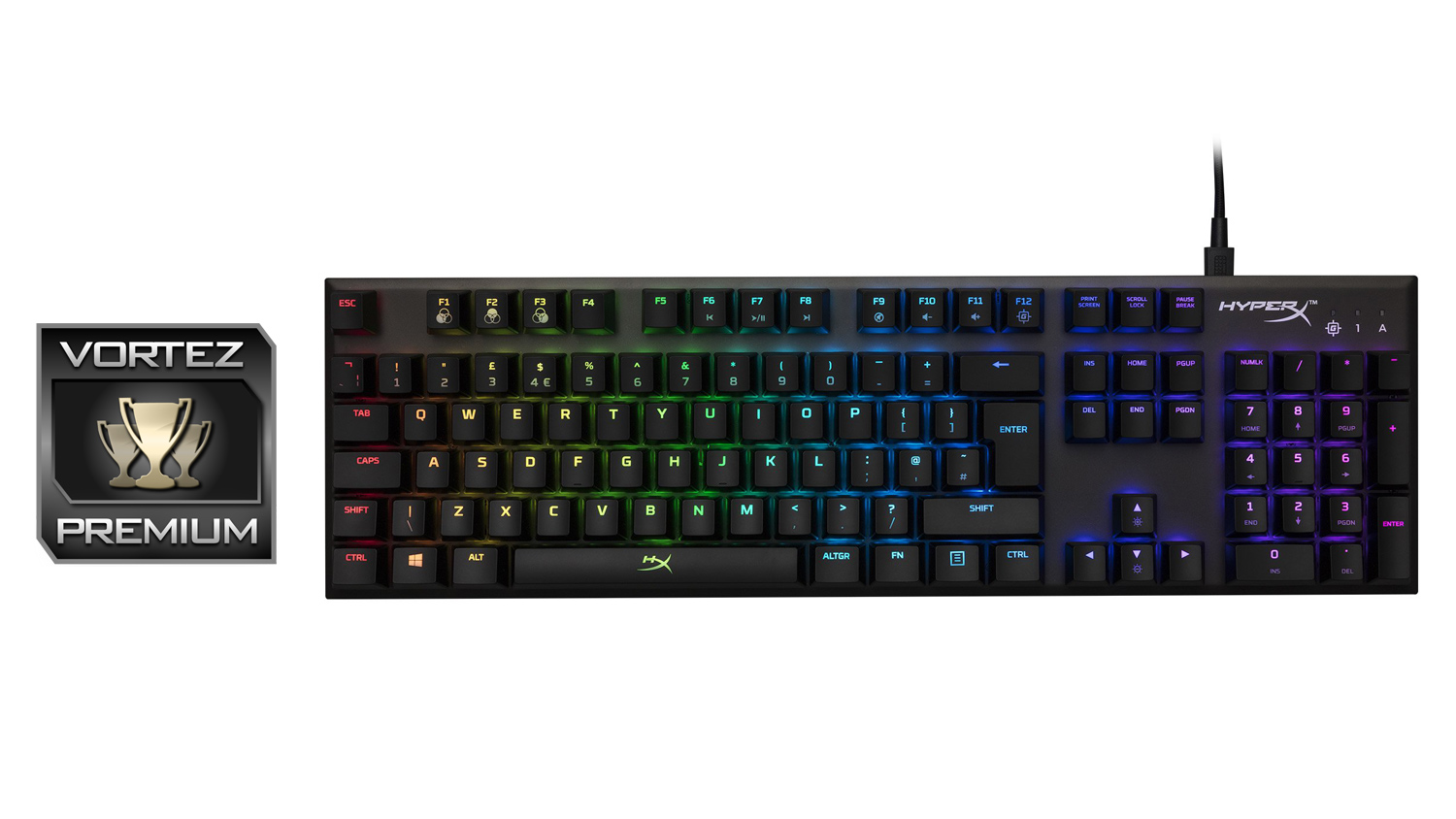
The Alloy FPS RGB from HyperX is a stellar offering that brings vibrant illumination, a strong gaming performance and so much more to the table.
Pros
+ Compact for a full-size keyboard
+ Impressive switches
+ Very well made
+ Subdued styling
+ Detachable cable
+ USB charging port
+ 100% Anti-ghosting and N-key rollover
+ Great RGB illumination
Neutral
+- Not the most comfortable for typing or gaming
+- A wrist rest would have been nice
Cons
– Switch choice is limited
+ Compact for a full-size keyboard
+ Impressive switches
+ Very well made
+ Subdued styling
+ Detachable cable
+ USB charging port
+ 100% Anti-ghosting and N-key rollover
+ Great RGB illumination
Neutral
+- Not the most comfortable for typing or gaming
+- A wrist rest would have been nice
Cons
– Switch choice is limited
Click here for an explanation of our awards at Vortez.net.
Stay connected with the Vortez Social Media pages:
Join in with the discussions on Discord