Today we look at a new SSD from HyperX, featuring 64-layer 3D NAND and RGB lighting in a stylish metal enclosure, the HyperX FURY RGB.

Product on Review: HyperX FURY RGB
Manufacturer: HyperX
Street Price:240GB – GBP £78.76 / USD $79.99. 480GB – GBP £121.28 / USD $109.99. 960GB – GBP £216.22 / USD $199.99
With the seemingly unstoppable RGB train passing just about every stop in your PC, the SSD cannot be left out, and nor can HyperX, with the FURY RGB SSD. This isn’t something new to the market, by any means, but it’s something HyperX seem keen to present to the enthusiasts of RGB lighting.
Powering the Fury RGB is Toshiba’s 64-layer 3D TLC NAND paired with Marvell’s 88SS1074 controller for increased reliability and efficiency, so they claim. All of that is contained within a bulky metal enclosure, measuring 9.5mm instead of the typical 7mm we generally see from today’s SSDs.
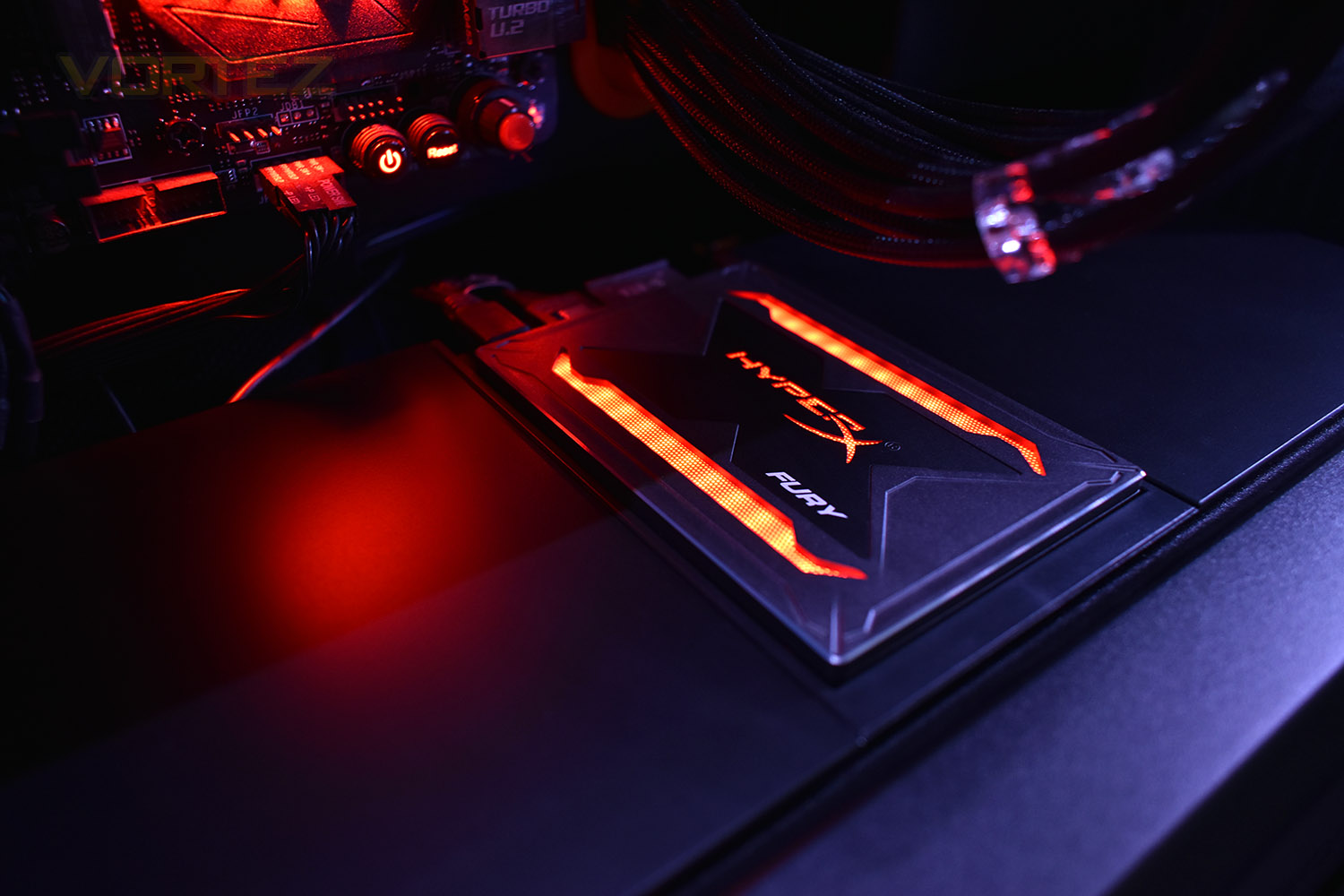
The RGB lighting is provided by your motherboard and is compatible with ASUS Aura Sync, Gigabyte RGB Fusion, MSI Mystic Light Sync and ASRock Polychrome RGB. Different colours and effects can be employed and married to your motherboard to give your case that extra touch of bling.
HyperX, a Kingston company, offer the drive in three capacities, 240GB, 480GB (the model we’ll be looking at today) and 960GB. All three drives come with a 3-year warranty and are rated at 120TB, 240TB and 480TB Total Bytes Written.
HyperX on the FURY RGB:
Get the upgrade that you need to kick your system’s performance and style into high gear with the HyperX FURY RGB SSD. The drive features a smooth, stunning light bar to give your computer a dash of dazzling RGB lighting. It can also daisy-chain to other RGB devices to sync colours and effects1. Cutting-edge 3D NAND and a Marvell controller give the FURY RGB incredible speeds of 550 MB/s read and 480MB/s write2 while also making the drive more durable and more efficient. With a top case designed to accentuate its lighting, FURY RGB is the premier SSD for computer builders who don’t want to skimp on performance or looks.
Technical Specifications
Interface: 2.5”
Interface: SATA Rev. 3.0 (6Gb/s) – with backwards compatibility to SATA Rev. 2.0 (3Gb/s)
Capacities: 240GB, 480GB, 960GB
Controller: Marvell 88SS1074
NAND: 3D TLC
Sequential Read/Write: 240GB-960GB – up to 550/480MB/s
Power consumption: 0.2W idle / 0.6W avg / 1.2W (MAX) read / 2.5 W (MAX) write
Dimensions: 100.14mm x 69.85mm x 9.5mm
Operating temperature: 0°C~70°C
Storage temperature: -40°C~85°C
Weight: 165g
Vibration operating: 2.17G Peak (7–800Hz)
Vibration non-operating: 20G peak (10–2000Hz)
Life expectancy: 1 million hours MTBF
Warranty/support: Limited 3-year warranty with free technical support
Total Bytes Written (TBW):
240GB – 120TB
480GB – 240TB
960GB – 480TB
Interface: SATA Rev. 3.0 (6Gb/s) – with backwards compatibility to SATA Rev. 2.0 (3Gb/s)
Capacities: 240GB, 480GB, 960GB
Controller: Marvell 88SS1074
NAND: 3D TLC
Sequential Read/Write: 240GB-960GB – up to 550/480MB/s
Power consumption: 0.2W idle / 0.6W avg / 1.2W (MAX) read / 2.5 W (MAX) write
Dimensions: 100.14mm x 69.85mm x 9.5mm
Operating temperature: 0°C~70°C
Storage temperature: -40°C~85°C
Weight: 165g
Vibration operating: 2.17G Peak (7–800Hz)
Vibration non-operating: 20G peak (10–2000Hz)
Life expectancy: 1 million hours MTBF
Warranty/support: Limited 3-year warranty with free technical support
Total Bytes Written (TBW):
240GB – 120TB
480GB – 240TB
960GB – 480TB
Packaging, Bundle & Closer Look
Perhaps a little strange given the dark nature of the SSD, the box it arrives in is bright white and red with an image of the SSD on the front. Not a great deal of information is on the front, including capacity.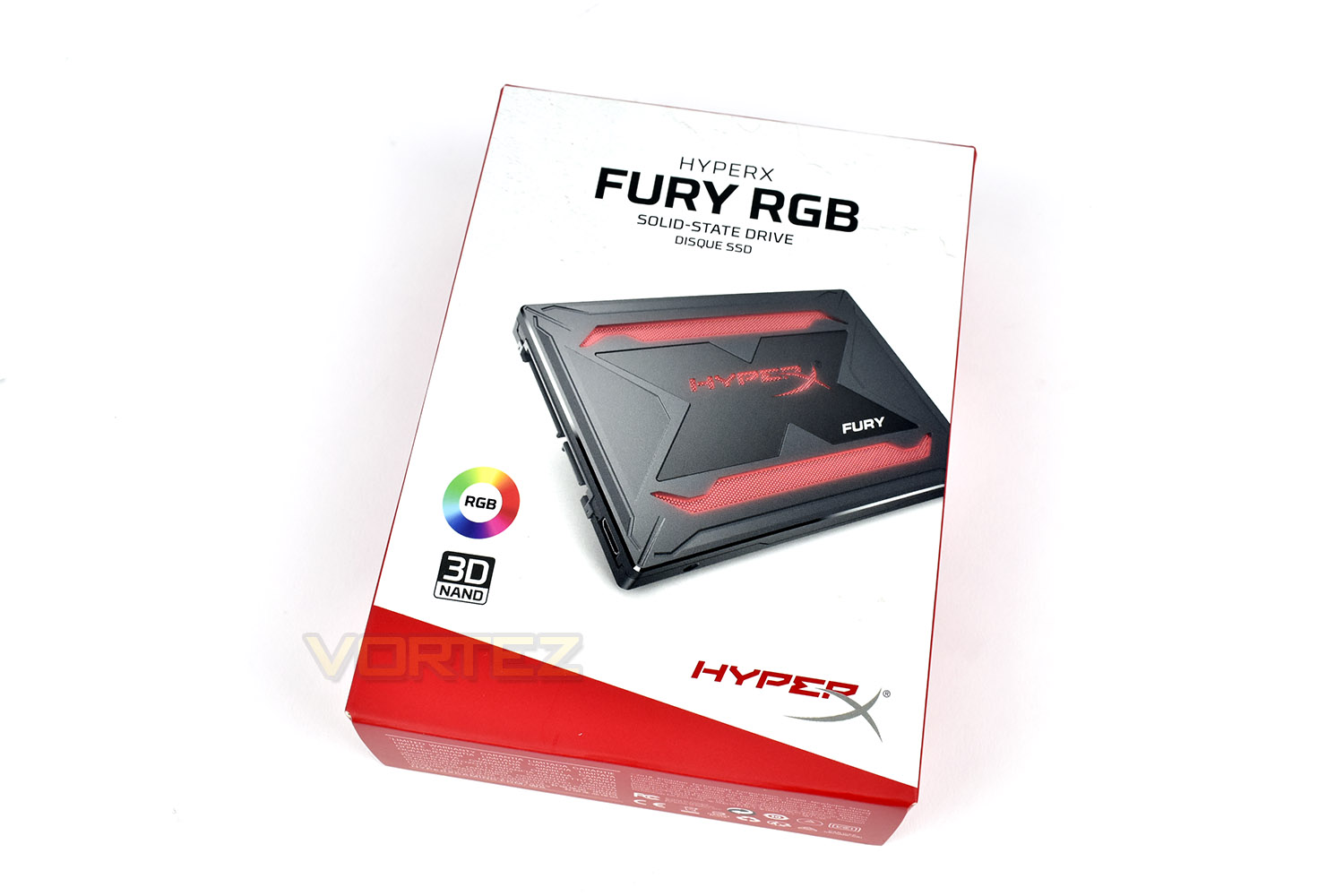
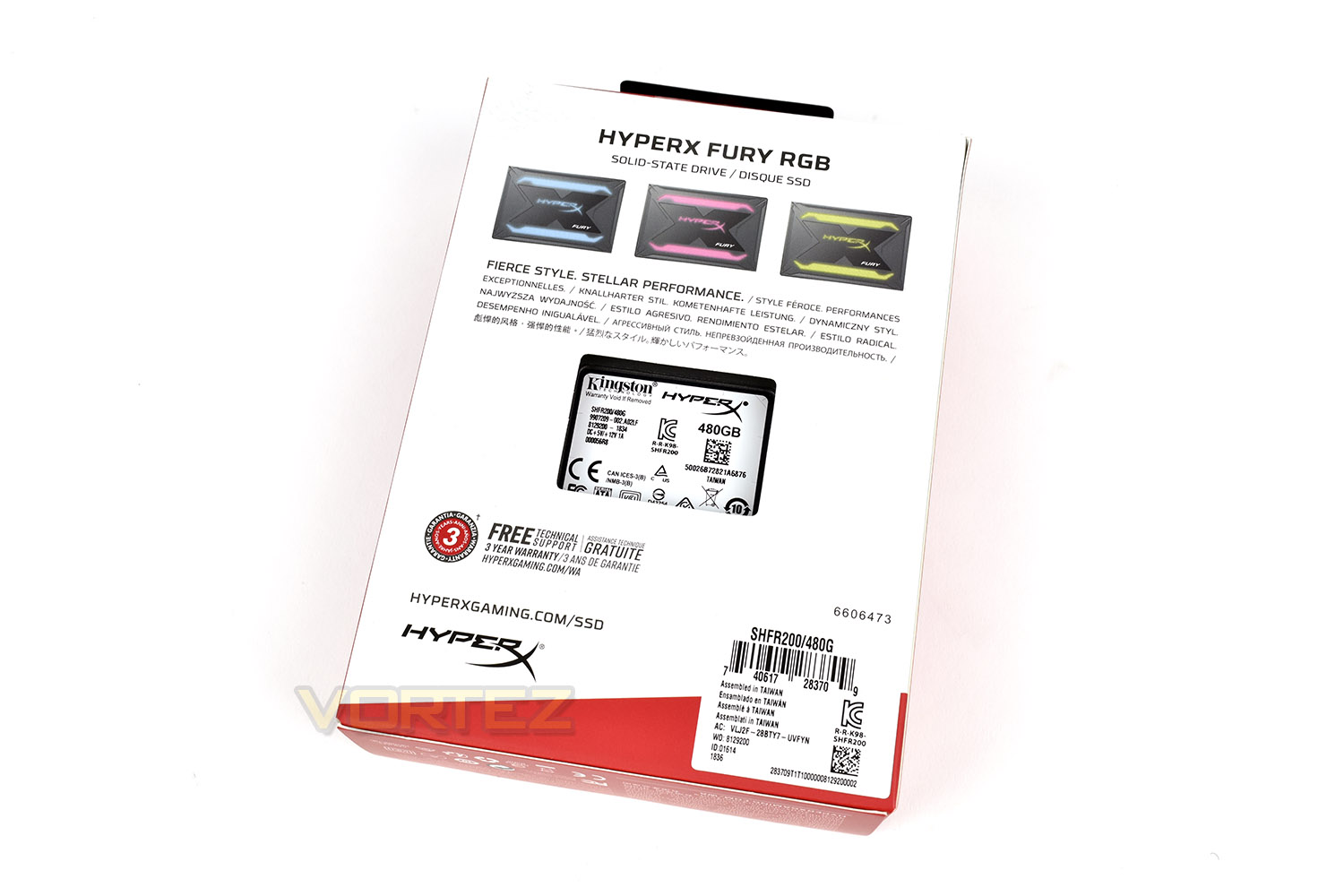
The rear shows the capacity of the drive as well as some images of the drive lit in different colours.
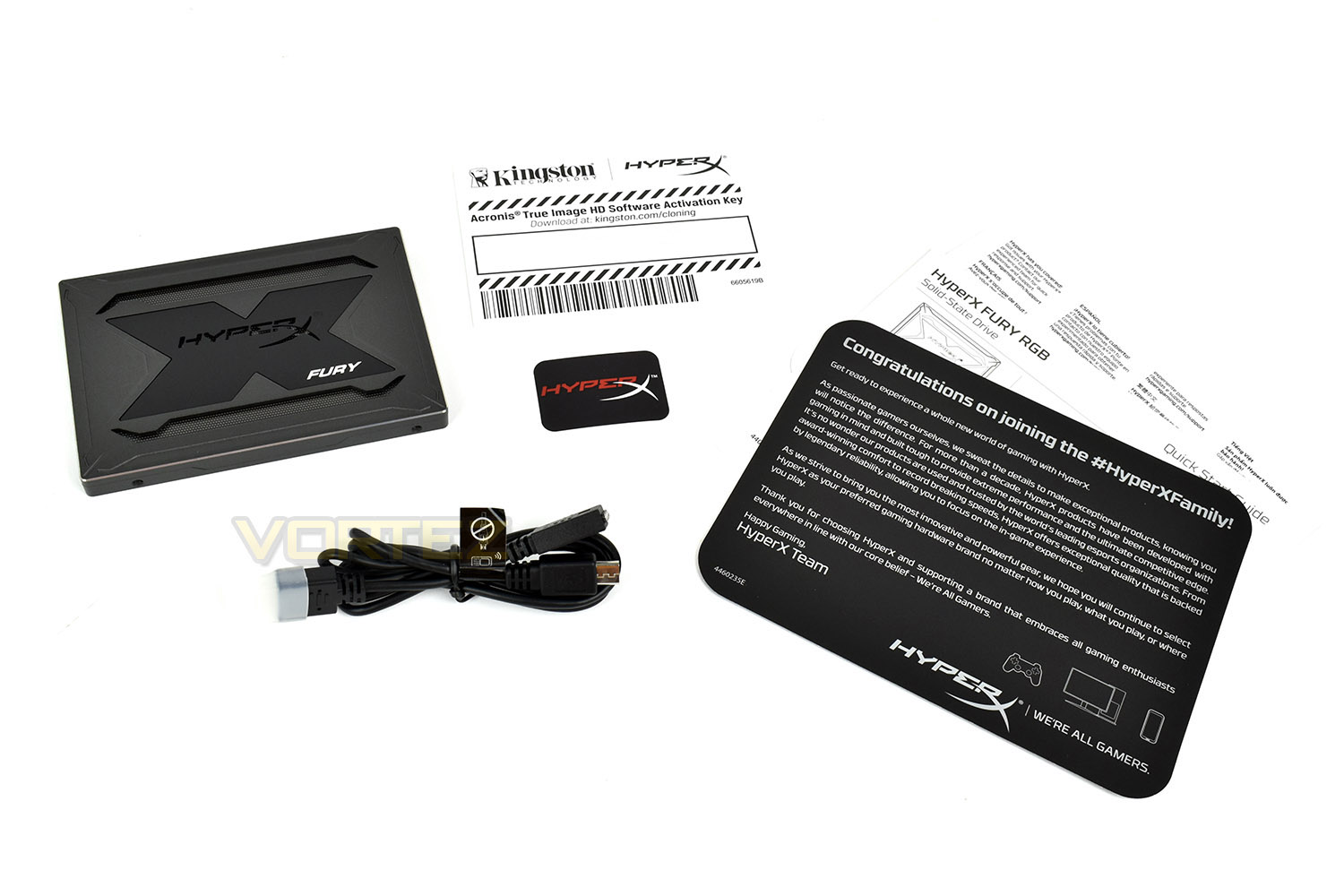
Included with the SSD is a welcome note and quick start guide, Acronis True Image disk transfer software, a small HyperX sticker and the RGB cable which can be daisy-chained to more than one disk or other RGB devices.
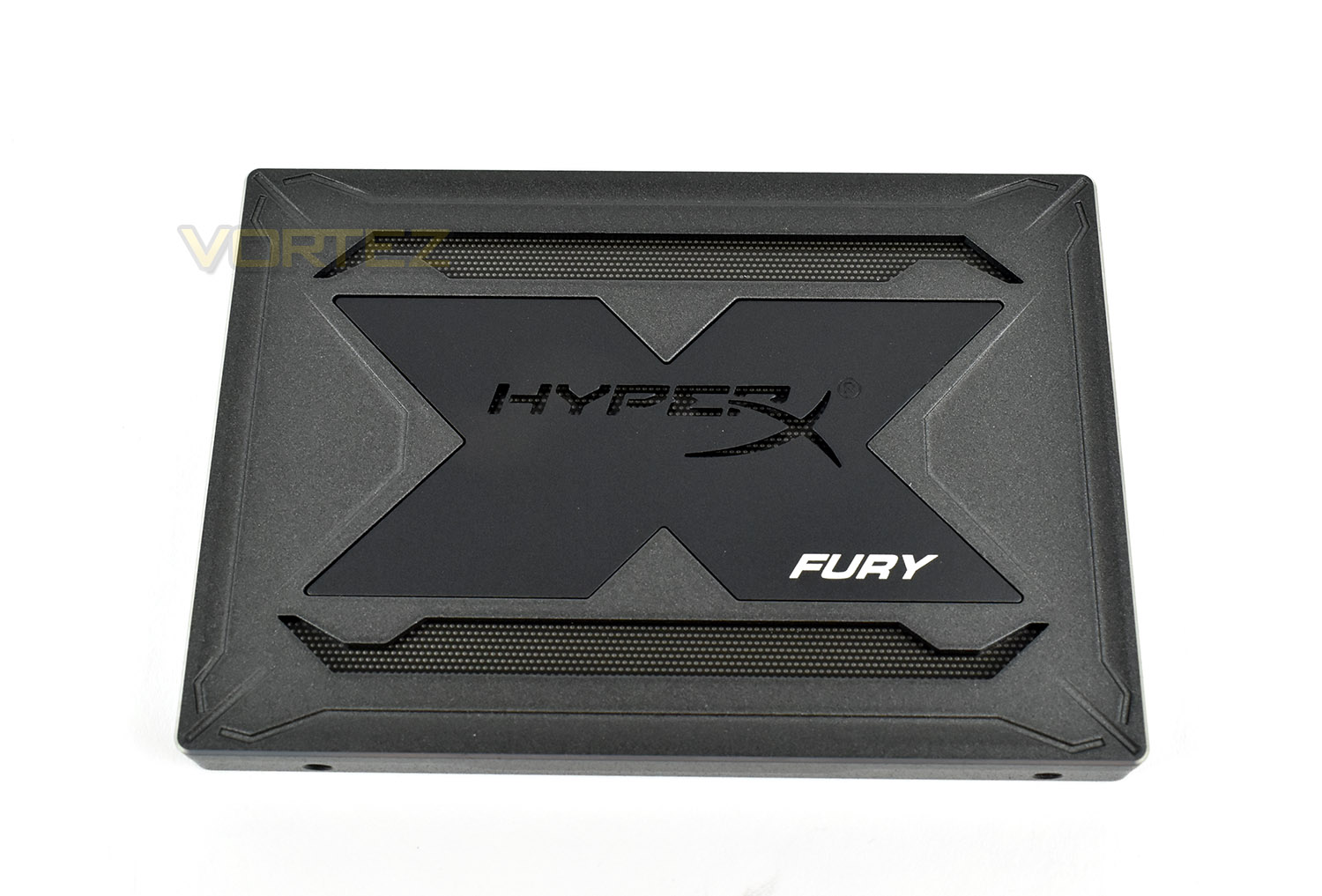
The front of the SSD is aggressive and almost like something from the military. The perforated metal sections help to diffuse the lighting but also improve its appearance when switched off.
The reverse side is pretty boring with the usual 4 drive mounts and a product label.
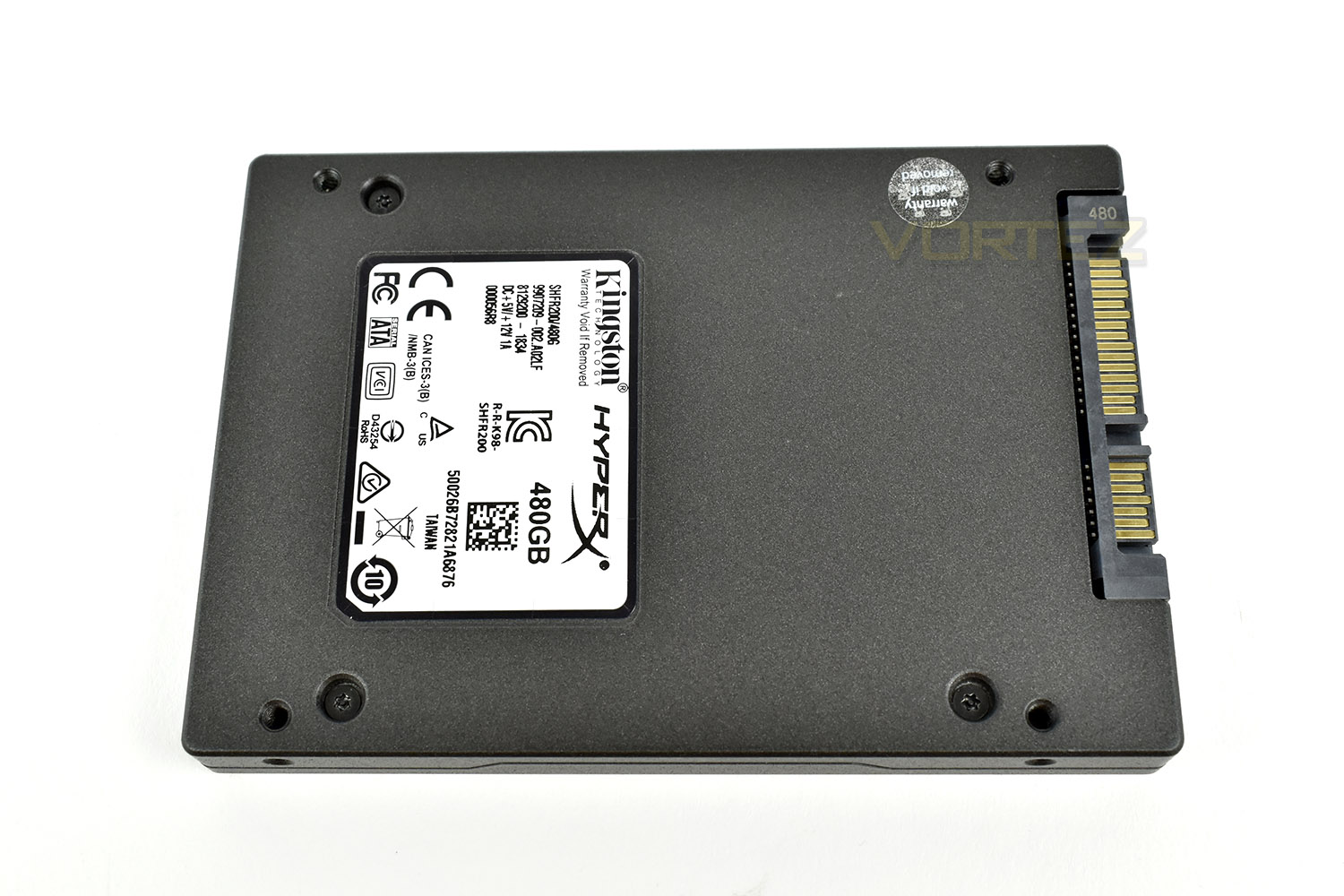
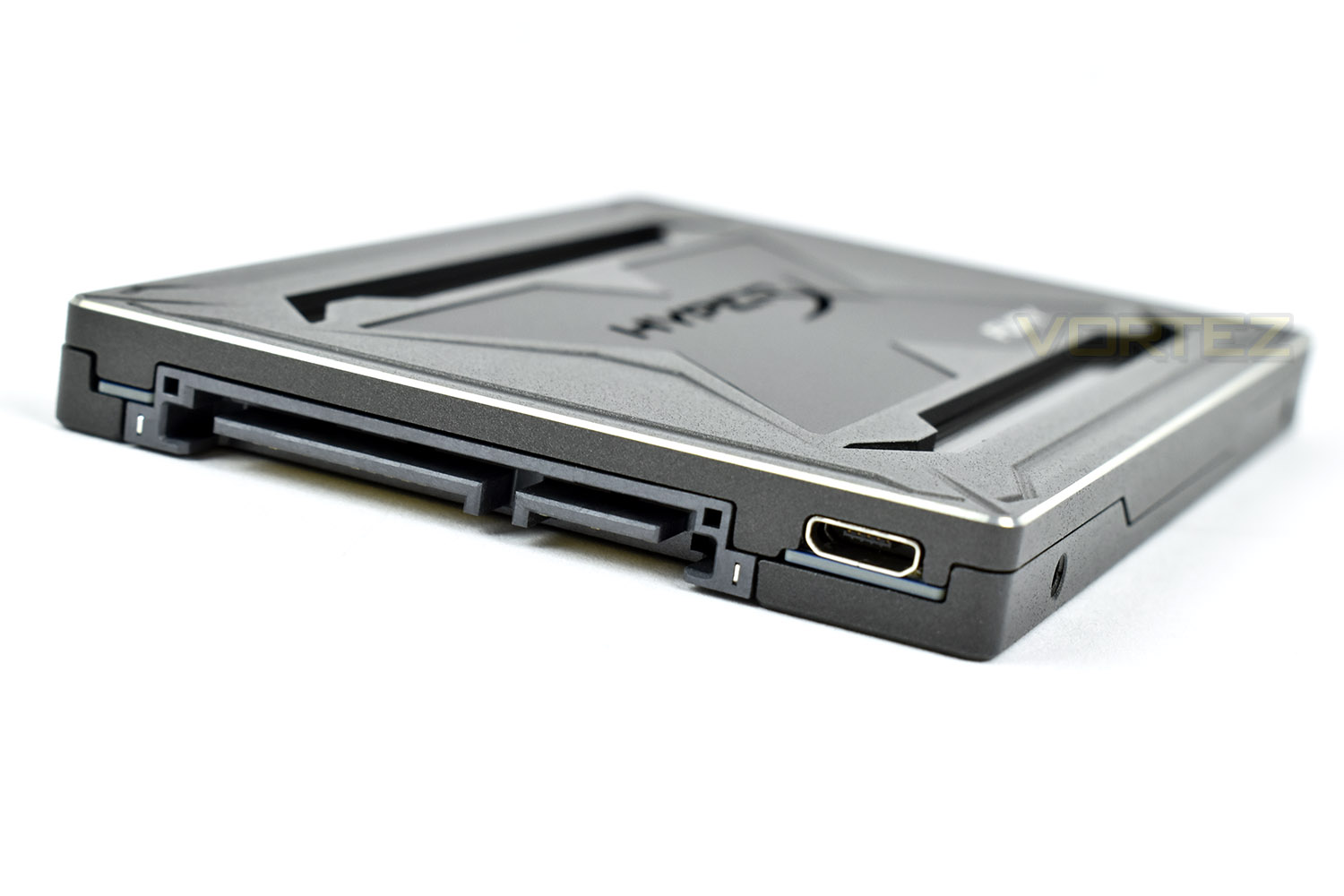
Thanks to the RGB lighting, we get a 3rd connection on the end of the drive, alongside the typical SATA power and data. This Micro-USB connects to the 4-pin RGB connection on your motherboard, or if left unpopulated, the drive will boot up in a static red.
Test Setup & Methodology
Our test system is formatted and a fresh version of Windows is installed with just drives in place – no additional applications. Windows is then updated to the latest release and the drivers are installed.Included in the list of benchmarks are the following applications:
Benchmarks
Anvil Pro
AS SSD
ATTO Disk Benchmark v2.46
Futuremark PCMark 8
AIDA64
AS SSD
ATTO Disk Benchmark v2.46
Futuremark PCMark 8
AIDA64
Test system
CPU: Intel Core i7 7700K
Motherboard: MSI Z270 Gaming M7
Graphics: EVGA GTX 1070 SC
Memory: 16GB CORSAIR Vengeance LPX 3200MHz DDR4
SAMSUNG SM961 256GB NVMe
Crucial MX500 500GB SSD
PSU: BeQuiet Straight Power 11 650W
OS: Microsoft Windows 10 Pro 64-Bit
Monitor: ASUS ROG Swift PG279Q
Motherboard: MSI Z270 Gaming M7
Graphics: EVGA GTX 1070 SC
Memory: 16GB CORSAIR Vengeance LPX 3200MHz DDR4
SAMSUNG SM961 256GB NVMe
Crucial MX500 500GB SSD
PSU: BeQuiet Straight Power 11 650W
OS: Microsoft Windows 10 Pro 64-Bit
Monitor: ASUS ROG Swift PG279Q
Benchmarks: Anvil Pro
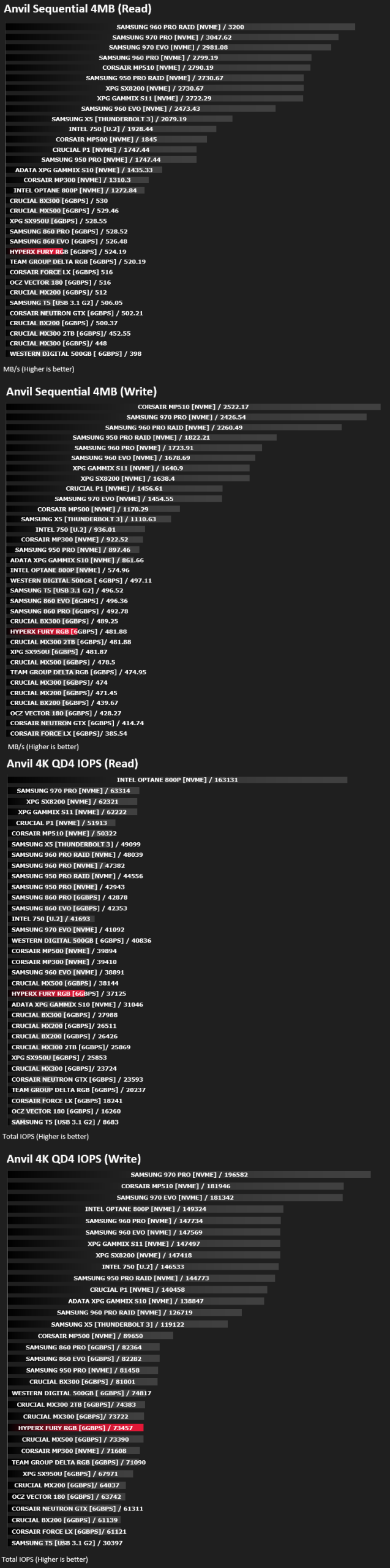
Anvil Pro from Anvil Storage utilities is one of the most popular storage benchmarking utilities today thanks to the large suit of tests available. You can test pretty much anything from Read/write Speed to IOPs with many variables to tweak allowing you to get either a single or host of results to compare with other likeminded enthusiasts. In our test we ran the standard suite 5 times, subtracting both the highest and lowest scores and determined the final result from the average of the remaining three results.
Benchmarks: AS SSD
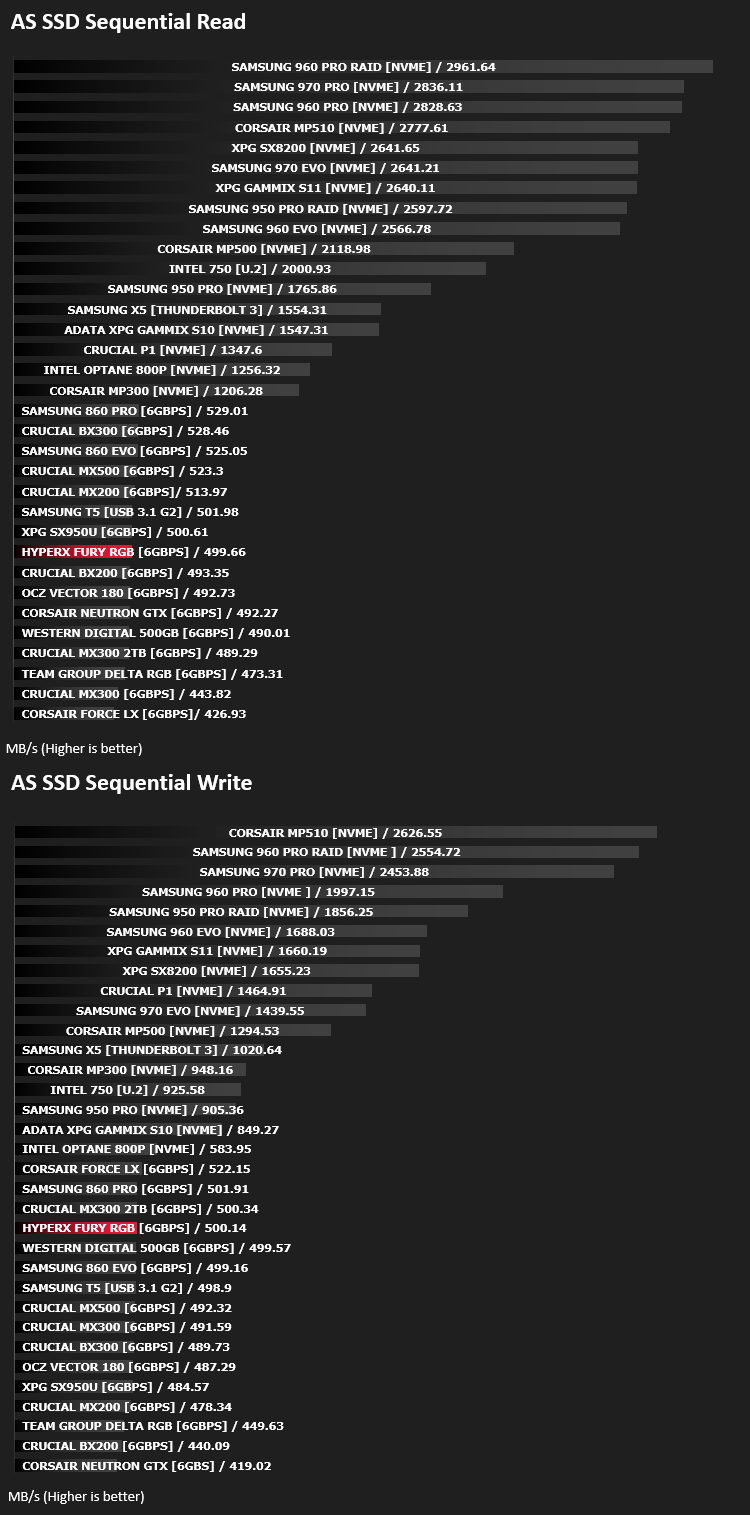
AS SSD Benchmark is a straightforward tool for measuring the speed of your SSD drive.
Simply launch the program, choose your drive, click Start, and it’ll test your SSD’s read and write speed in a variety of ways, delivering a score for each when it’s done. And if that’s not enough, there are also additional file copy and compression-related benchmarks available from the Tools menu. (The author’s support page is German only, but if you need further English explanations then there’s a thread on the program at the OCZ Technology forum.).
Simply launch the program, choose your drive, click Start, and it’ll test your SSD’s read and write speed in a variety of ways, delivering a score for each when it’s done. And if that’s not enough, there are also additional file copy and compression-related benchmarks available from the Tools menu. (The author’s support page is German only, but if you need further English explanations then there’s a thread on the program at the OCZ Technology forum.).
Benchmarks: ATTO
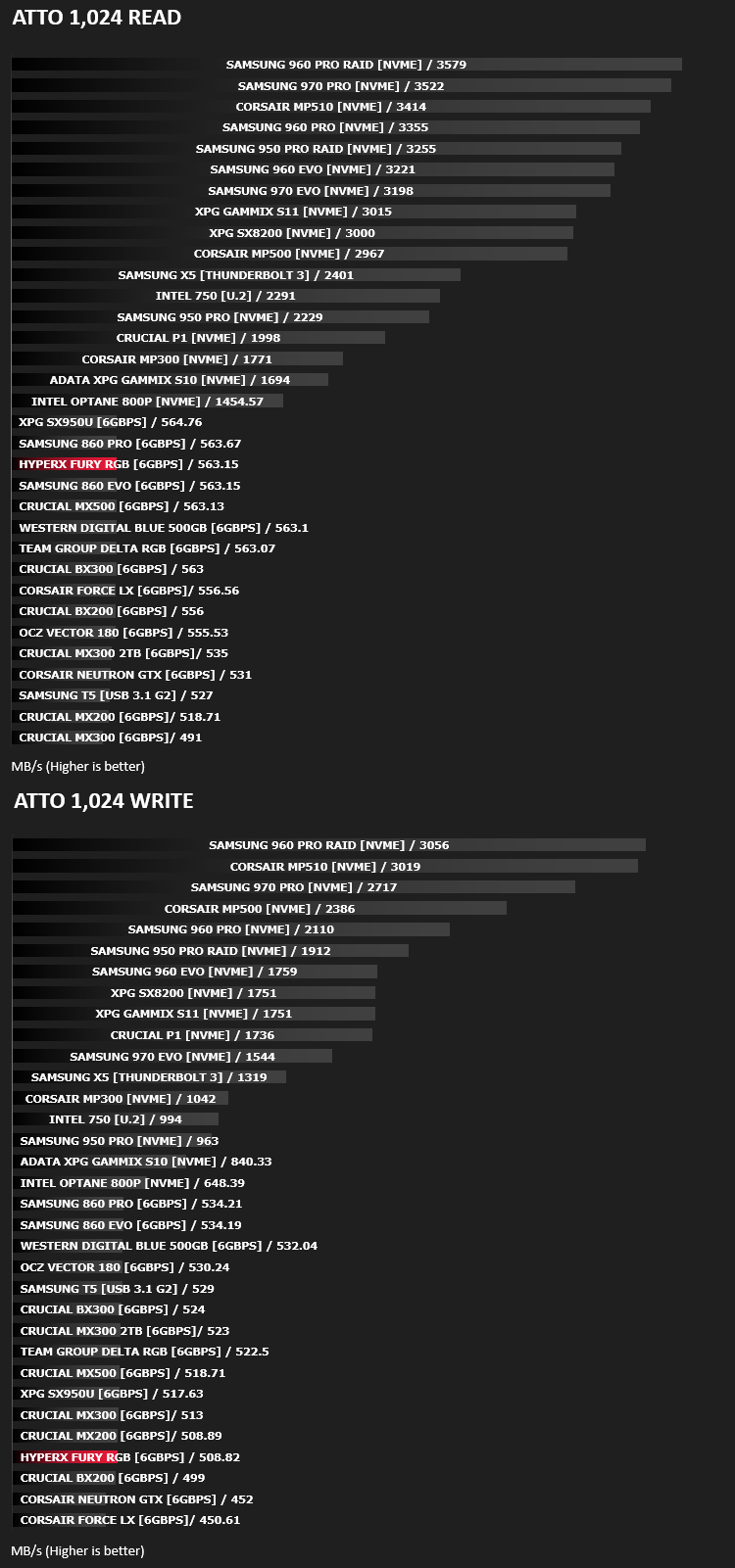
The ATTO Disk Benchmark performance measurement tool is compatible with Microsoft Windows. Measure your storage systems performance with various transfer sizes and test lengths for reads and writes. Several options are available to customize your performance measurement including queue depth, overlapped I/O and even a comparison mode with the option to run continuously. Use ATTO Disk Benchmark to test any manufacturers RAID controllers, storage controllers, host adapters, hard drives and SSD drives and notice that ATTO products will consistently provide the highest level of performance to your storage.
Benchmarks: AIDA64
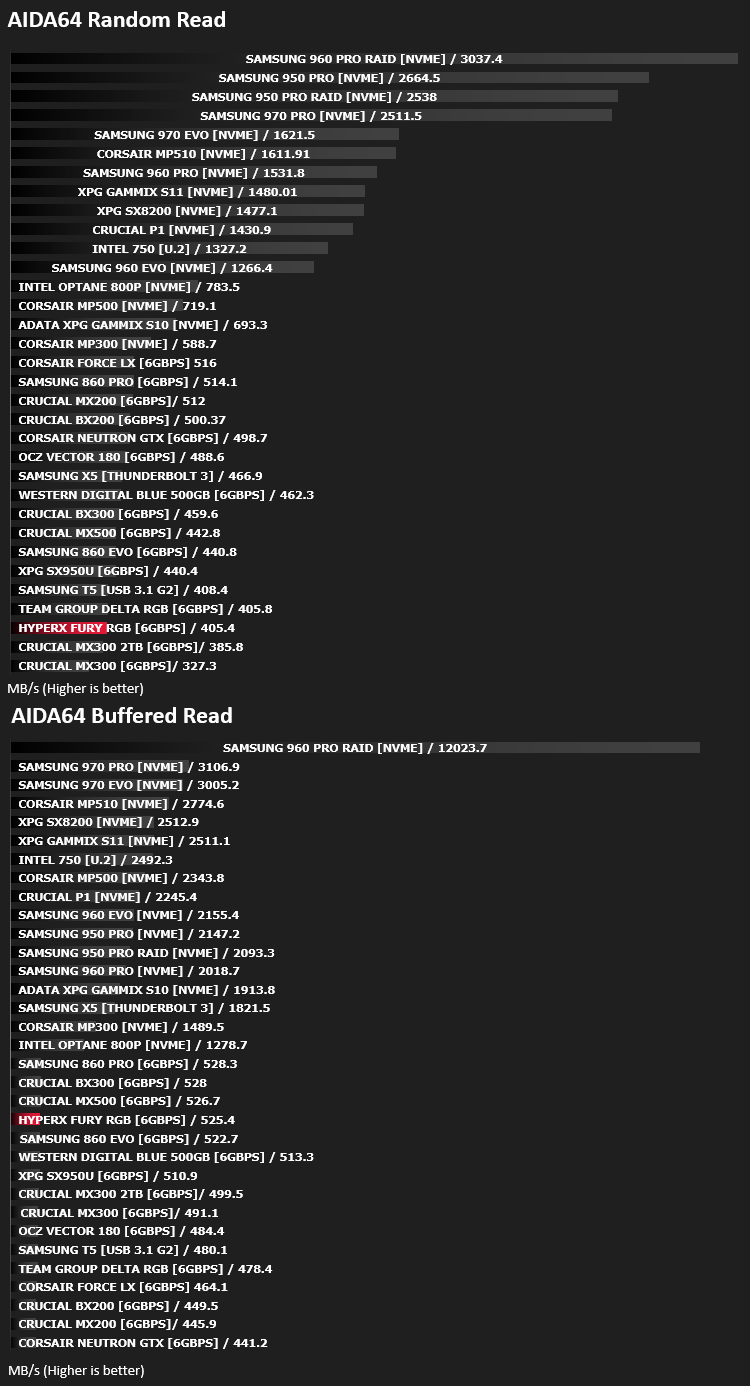
With this module, we can measure the performance of the PC’s storage devices, including (S)ATA or SCSI hard disk drives, RAID arrays, optical drives, solid-state drives (SSD), USB drives and memory cards. It also allows us to perform write tests, which helps us detect fake products and errors on the devices. In order to attain reliable benchmark results we have to make sure to close all background applications.
Benchmarks: PCMark 8
We use the Futuremark PCMark 8 utility to measure storage via Photoshop performance under both light and heavy loading conditions. Accelerated (open CL) is used to perform this test. The test is measured in seconds to complete.

Conclusion
The RGB lighting on the drive is certainly the stand-out feature here; it’ll look fantastic in your build, if RGB is the theme. We found the perforated metal lighting zones looked great and contrasted well against the metal enclosure.However, that’s pretty much where the praise ends. Performance was lacking in most of our tests and can only be described as mediocre at the very best. Most of our tests found the SSD being beaten by drives considerably older than it, particularly in the ATTO write test. It seemed that performance dropped off quickly in the ATTO test if we let the application run a few times in a row.
The price is also somewhat of an issue for us. At £121 for the 480GB model that we tested, we’re able to find drives at roughly half of that which offer similar or better performance; it’s truly form over function with the FURY RGB, but we cannot deny, it looks fantastic in the case.
All of that being said, the likelihood of the “average Joe” finding this drive to be any slower than a similar capacity SSD is slim.
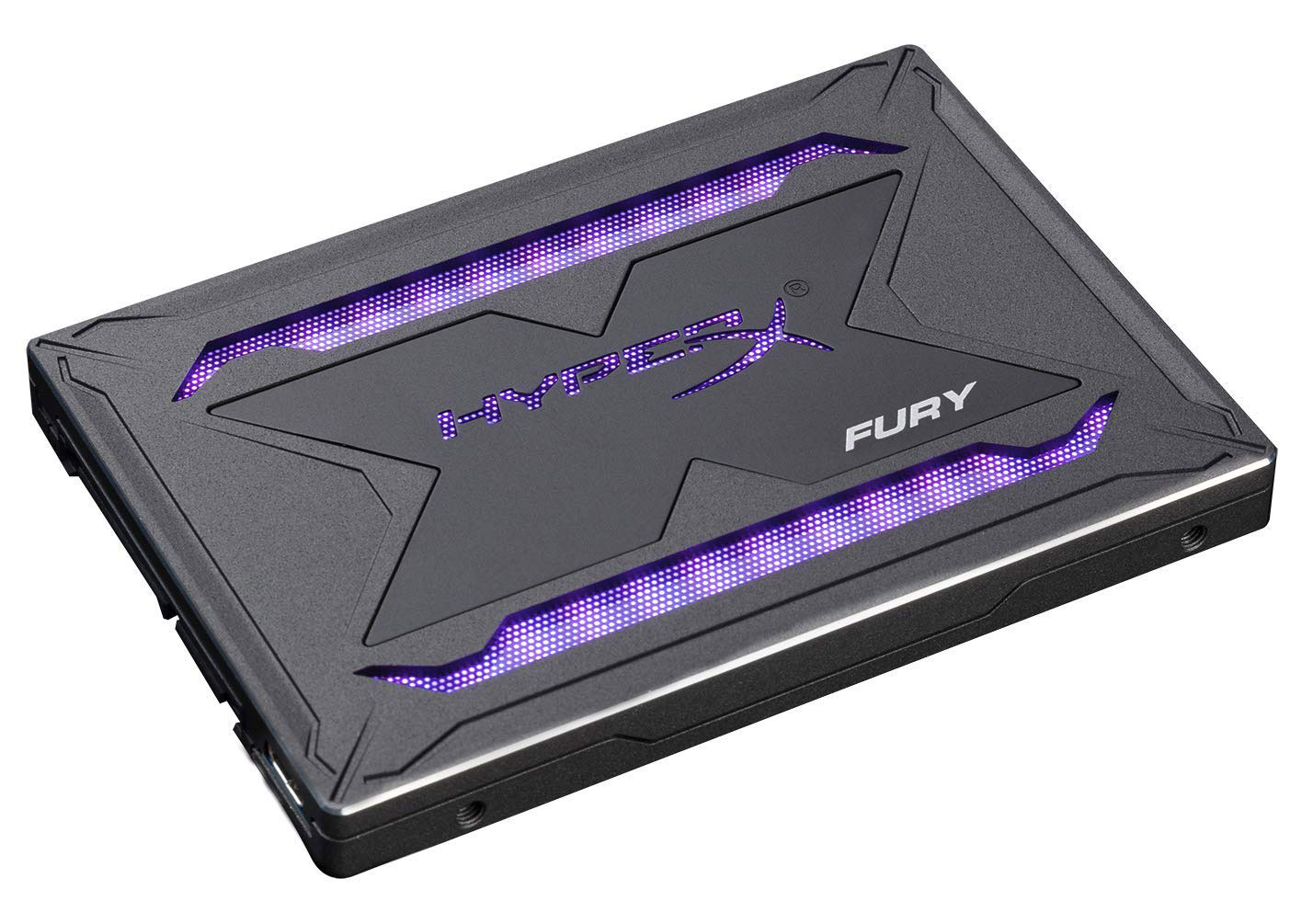
The drive looks brilliant, with the RGB on or off, but the performance is lacking unfortunately.
Pros
+ Good looking drive
+ Beautiful RGB effects
+ Free cloning software
+ Multiple motherboard support for RGB
Neutral
+- Decent wear rating
Cons
– Poor performance
– Incredibly costly
+ Good looking drive
+ Beautiful RGB effects
+ Free cloning software
+ Multiple motherboard support for RGB
Neutral
+- Decent wear rating
Cons
– Poor performance
– Incredibly costly
Click here for an explanation of our awards at Vortez.net.
Stay connected with the Vortez Social Media pages:
Join in with the discussions on Discord