If you’re looking for an affordable gaming mouse that ticks all the boxes, could the HyperX Pulsefire FPS Pro be what you’re seeking for? HyperX’s Fury S Speed Edition is aimed at those that have a need for speed.

Product on Review: Pulsefire FPS Pro & Fury S Speed Edition Mouse Mat
Manufacturer: HyperX
Pulsefire FPS Pro Street Price: £49.98 GBP / $59.99 US / $89.00 AUS
Fury S Street Price: £29.99 GBP / $29.99 US / $35.00 AUS
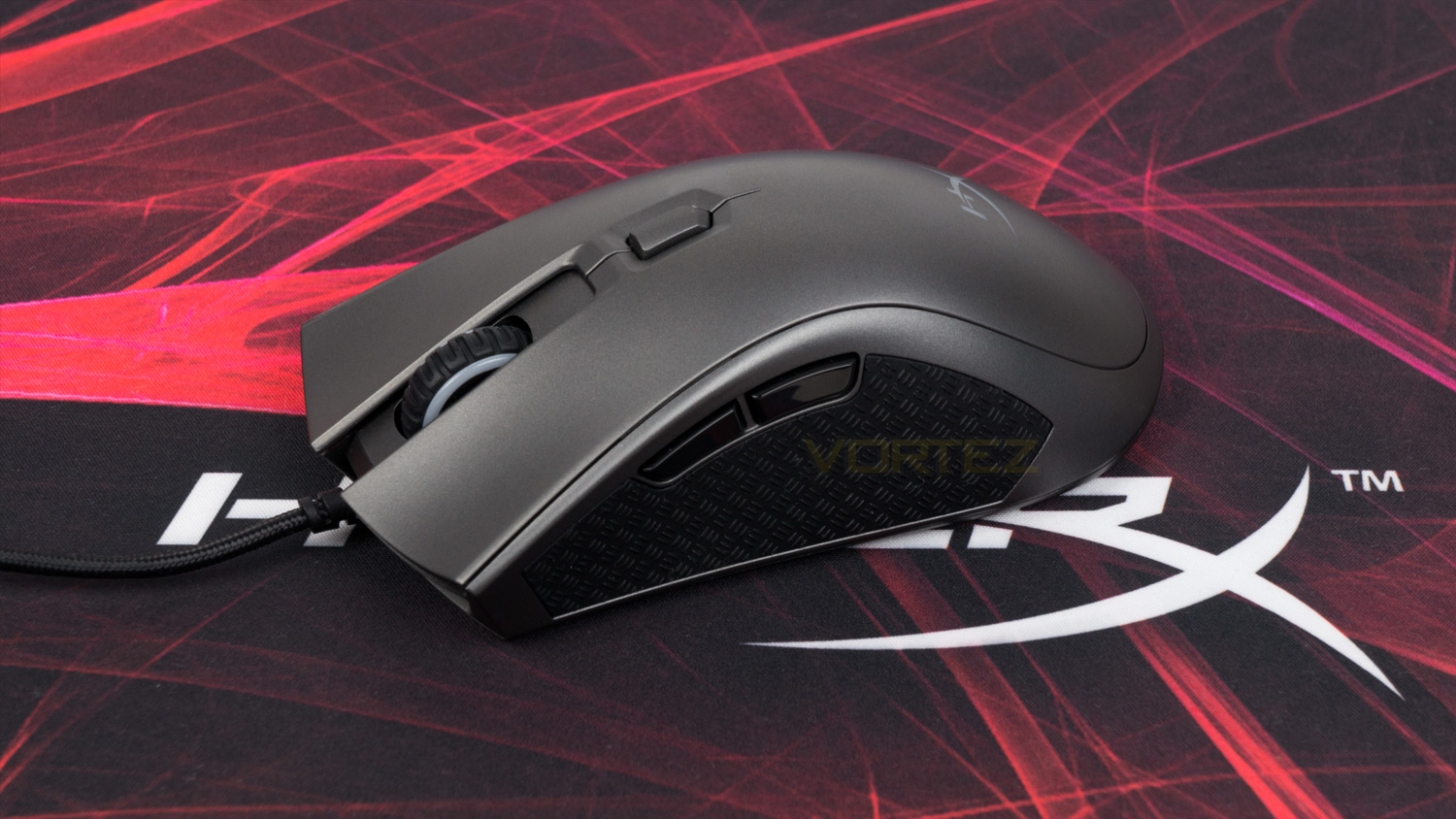
The HyperX Pulsefire FPS Pro is aimed at those that value performance without the accompanying premium price tag. Priced at under £50 in the UK ($59.99 US / $89.00 AUS) HyperX haven’t skimped on the internals or the sensor. The Pulsefire FPS PRO uses a Pixart 3389 optical sensor, this choice is surprising, as most others tend to use a Pixart 3360. This selection benefits the end user as the 3389 doesn’t use hardware acceleration, which is supposed to provide reliable performance and precision. The Pulsefire FPS Pro also utilises a 1000Hz polling rate, Omron switches as well as the other usual suspects such as RGB illumination, software control, an ergonomic design and textured rubberised side grips.
The Fury S Speed Edition is available in four different sizes to suit multiple preferences and desk sizes. On hand today we’ll be looking at the largest offering which is the extra large, it also comes in large (450mm x 400mm), medium (360mm x 300mm) and finally small (290mm x 240mm). You can also pick up either the standard edition or a Cloud9 edition if you’re a fan of their eSports team. What is worth noting though is that the standard is optimised for precision whereas the Speed and Cloud9 edition are tailored towards speed, so if you do want a more precise surface, you don’t get a design with all the flourishes. Sizing and surfaces aside the Fury S utilises seamless stitching all around it as well as a rubberised underside.
Hyper X on the Pulsefire FPS and Fury S:
Pro-level gamers know that if you’re not improving, you’re just a stepping stone for someone who is, and the same goes for your gear. Upgrade your mouse to the HyperX Pulsefire FPS Pro RGB Gaming Mouse and give your setup a shot of RGB style and headshots to anyone foolhardy enough to drop near you. The Pulsefire FPS Pro uses the premium Pixart 3389 sensor, which is capable of tracking at up to 16,000 DPI with no hardware acceleration, to give you the reliable precision you need to hit your shots before your enemy lines up theirs. The ergonomic design is crafted to comfortably fit in your hand and not slip when victory is on the line. Set up your mouse just the way you like with its six programmable buttons in the easy-to-use HyperX NGenuity software, and save your config directly to the onboard memory. Omron switches provide crisp, tactile feedback so you’ll know that your clicks have been registered. Extra-large skates give the Pulsefire FPS Pro a solid base for smooth, controlled gliding that allows you to both track and flick with ease.
HyperX™ FURY S Pro Gaming Mouse Pad has seamlessly stitched anti-fray edges to give you a flat and uniform surface. Whether you prefer speed or precision, the densely woven fabric pad provides a surface that feels smooth to the touch and is optimised for your preference. HyperX FURY S features a soft cloth surface for wrist comfort and a textured natural rubber underside designed to hold fast when the action gets frenetic. FURY S comes in four sizes to fit your setup and can be rolled up for easy portability.
Technical Specifications
Pulsefire FPS Pro
Sensor – Pixart PMW3389
Sensor type – Optical
DPI – 100 – 16,000
Acceleration – 50g
Speed – 450ips
Buttons – 6
Button switches – Omron
Durability – 20 million presses
Polling rate – 1000Hz
Connection – USB 2.0
RGB – 2 lighting areas (1 zone)
On-board memory – 3 profiles
Cable – 1.8m Braided
Dimensions – (L) 127.6mm x (H) 41.9mm x (W) 71.1mm / 5.02” x 1.64” x 2.79”
Weight (Without cable) 95g
Weight (With cable) 130g
Fury S Speed Edition
Size – 900mm x 420mm x 4mm
Finish – cloth
Non-slip rubber base
Anti-fray stitching
Sensor – Pixart PMW3389
Sensor type – Optical
DPI – 100 – 16,000
Acceleration – 50g
Speed – 450ips
Buttons – 6
Button switches – Omron
Durability – 20 million presses
Polling rate – 1000Hz
Connection – USB 2.0
RGB – 2 lighting areas (1 zone)
On-board memory – 3 profiles
Cable – 1.8m Braided
Dimensions – (L) 127.6mm x (H) 41.9mm x (W) 71.1mm / 5.02” x 1.64” x 2.79”
Weight (Without cable) 95g
Weight (With cable) 130g
Fury S Speed Edition
Size – 900mm x 420mm x 4mm
Finish – cloth
Non-slip rubber base
Anti-fray stitching
Packaging & First Look

The Pulsefire FPS Pro arrives is a white box with red accents. On the front, there is an image of the mouse as well as some useful information displayed in an easy to understand format.

Turning the box to the back and there is a group shot of the mouse with different colours displayed. There is also some further information about the mouse along with the branding.

Included with the FPS Pro, there is the documentation, and that is all.
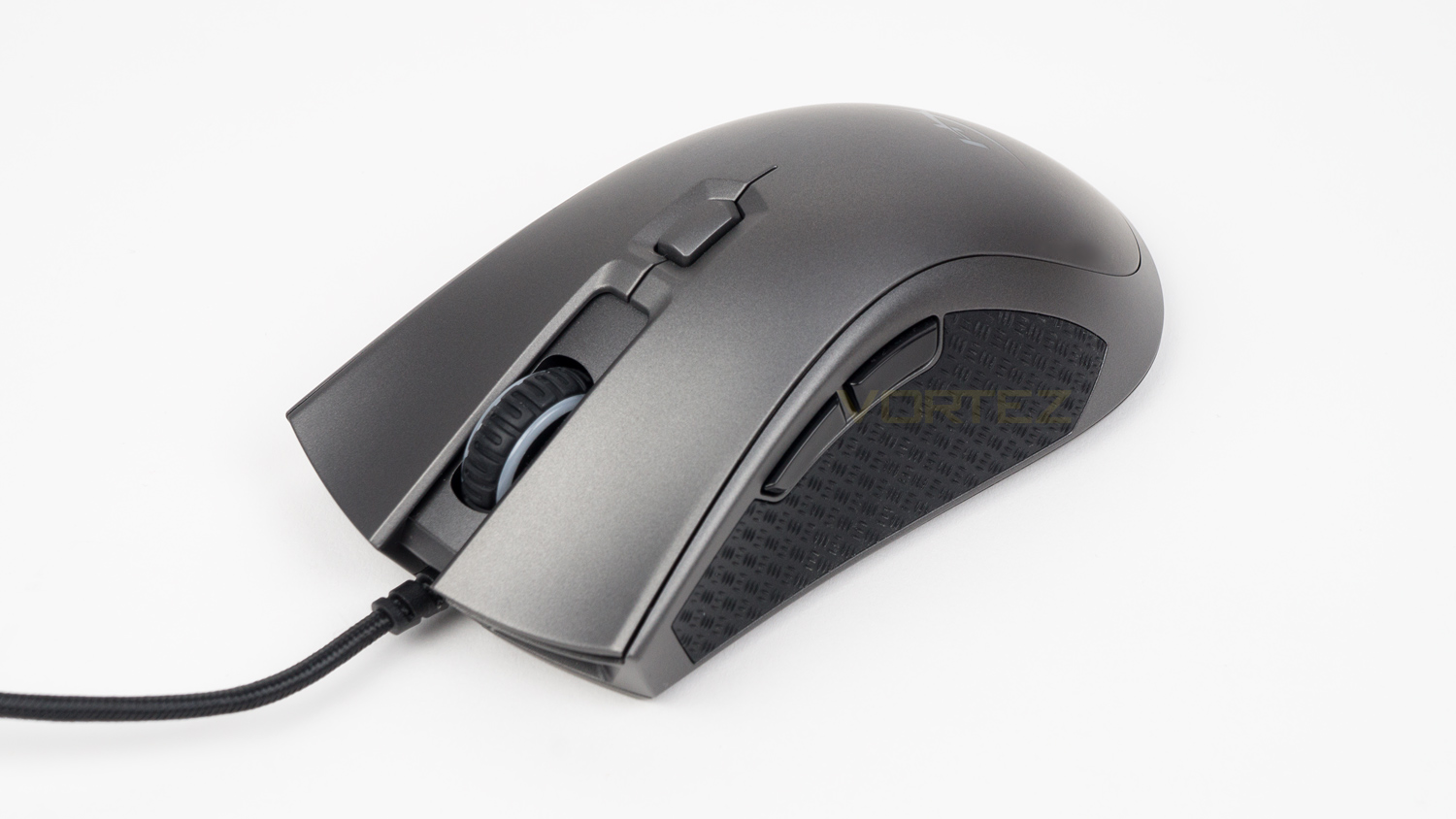
Upon first glance, the FPS Pro looks identical to the Pulsefire FPS minus the colour difference. The FPS is black whereas the FPS Pro is a gunmetal grey, this helps distinguish the PRO from the regular FPS. We like that they’ve gone for this finish as its different to the rest of the pack.

The front of the Fury S Speed Editions box is very similar in style to the FPS pros. It features an image of the mat with some information above and below. Right at the bottom, there is a small cutout that lets you take a look at the mouse mat.

At the back, there is a lot of information which is displayed in multiple languages.

The mat we have on hand is massive, and that is the first thing you’ll notice when you opt for this one. We also like the striking design elements on the surface, though it does somewhat limit the colours you use it with.
Closer Look (Pulsefire FPS Pro)
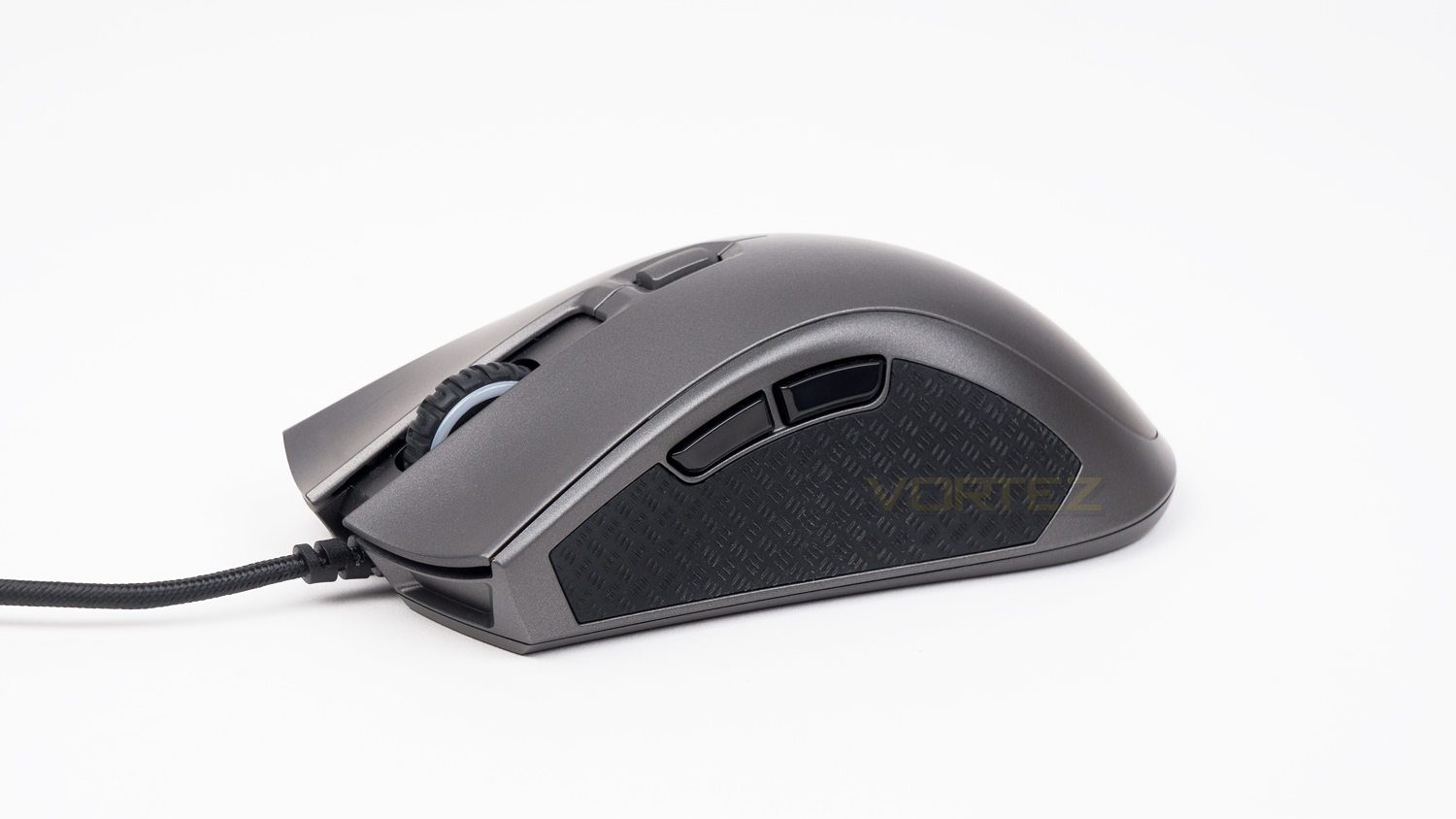
The left side of the HyperX Pulsefire FPS Pro features a very nice textured grip with a slash style of pattern; this design goes both ways so that there is plenty of grip both horizontally and vertically. The size of the grip area is generous which means there is plenty of room, even if you have slightly larger than average thumbs. Also on this side are the thumb buttons, these aren’t small, yet they aren’t spacious either.
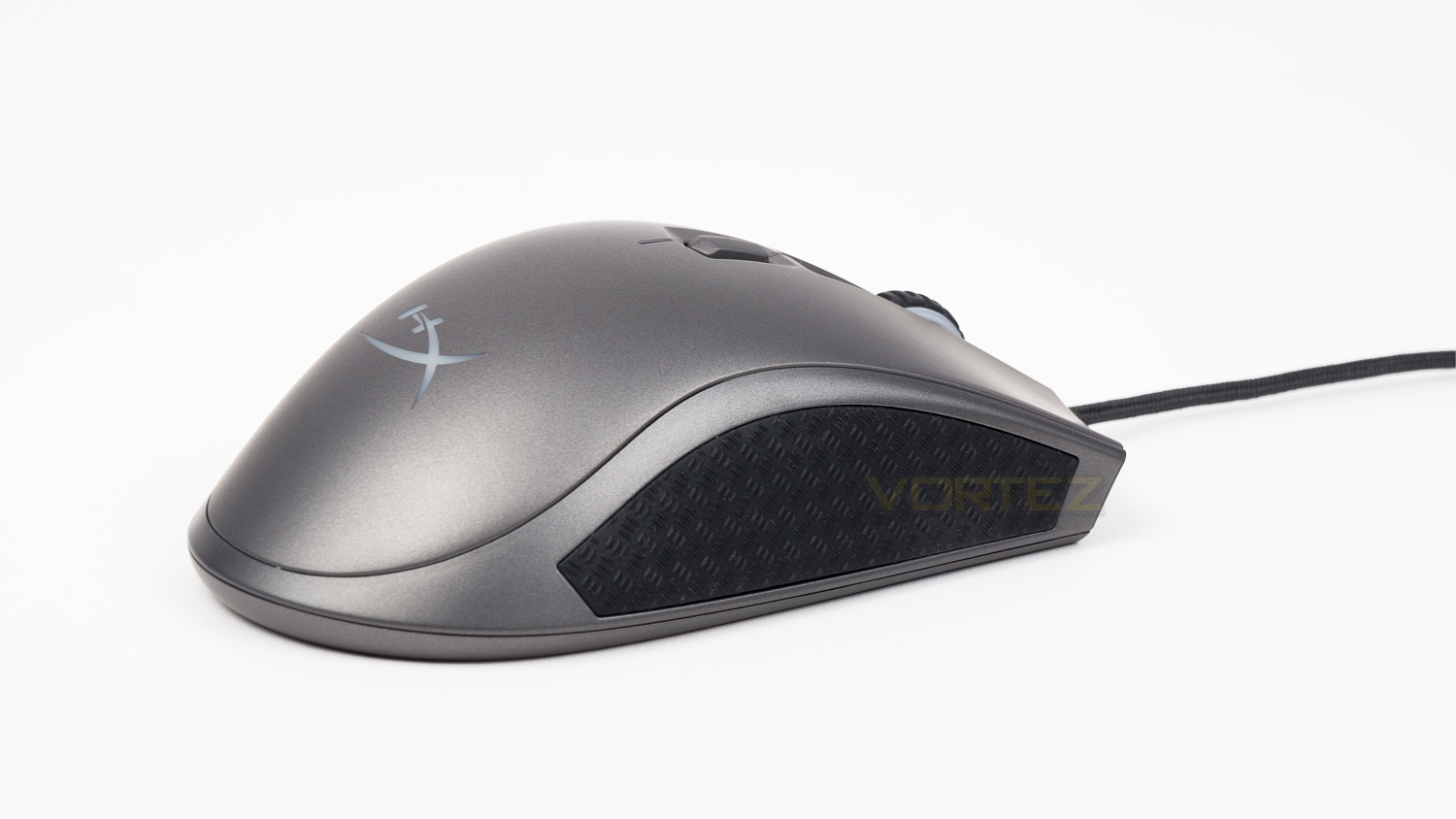
The right side features the same grip as the left, this side is also spacious and offers great levels of grip.
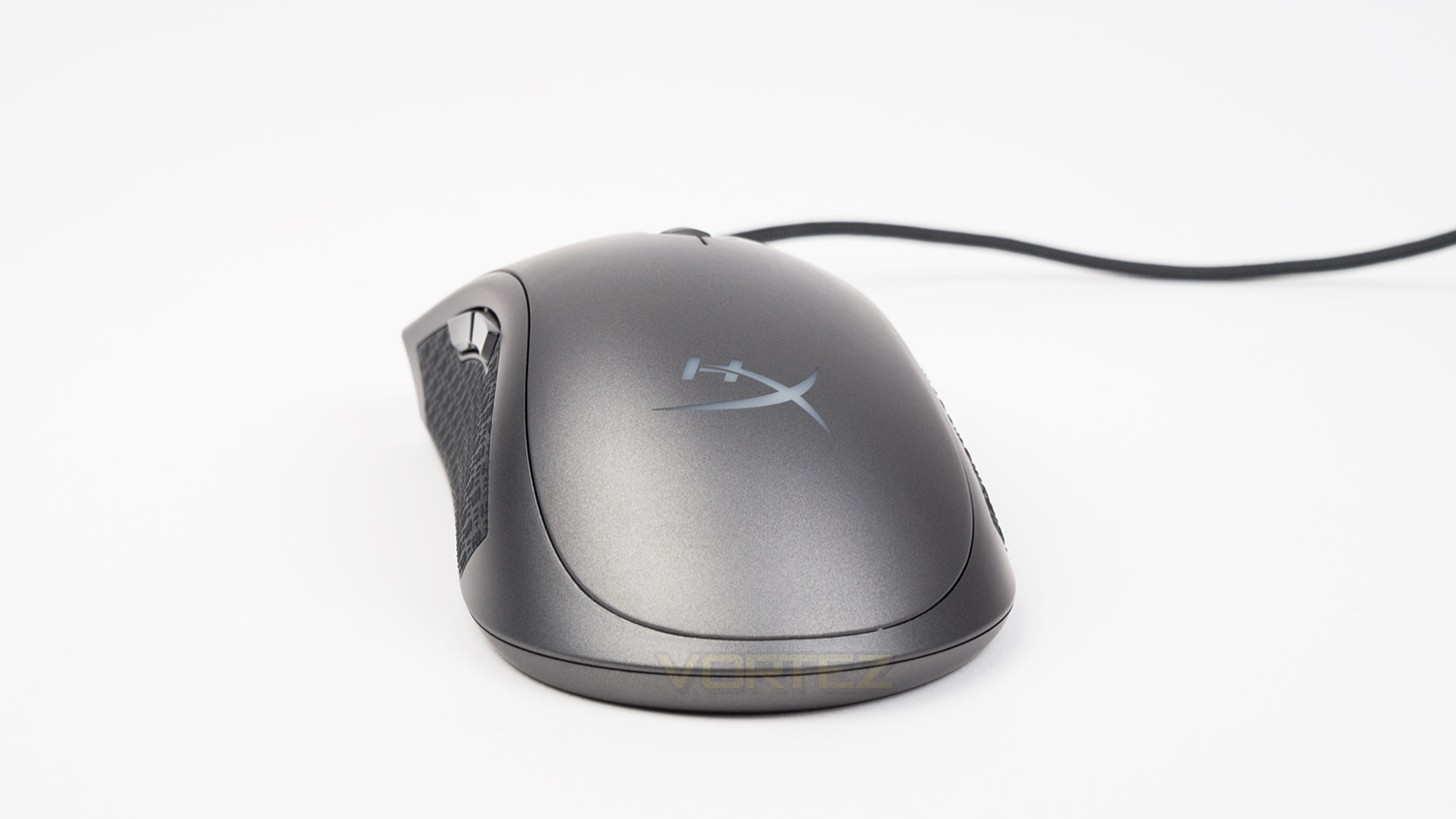
At the rear, there is a HyperX logo which is one of the areas of illumination. You’ll also see HyperXs ergonomic design as the curvature of the mouse decreases from the left to the right which does help with long-term comfort.
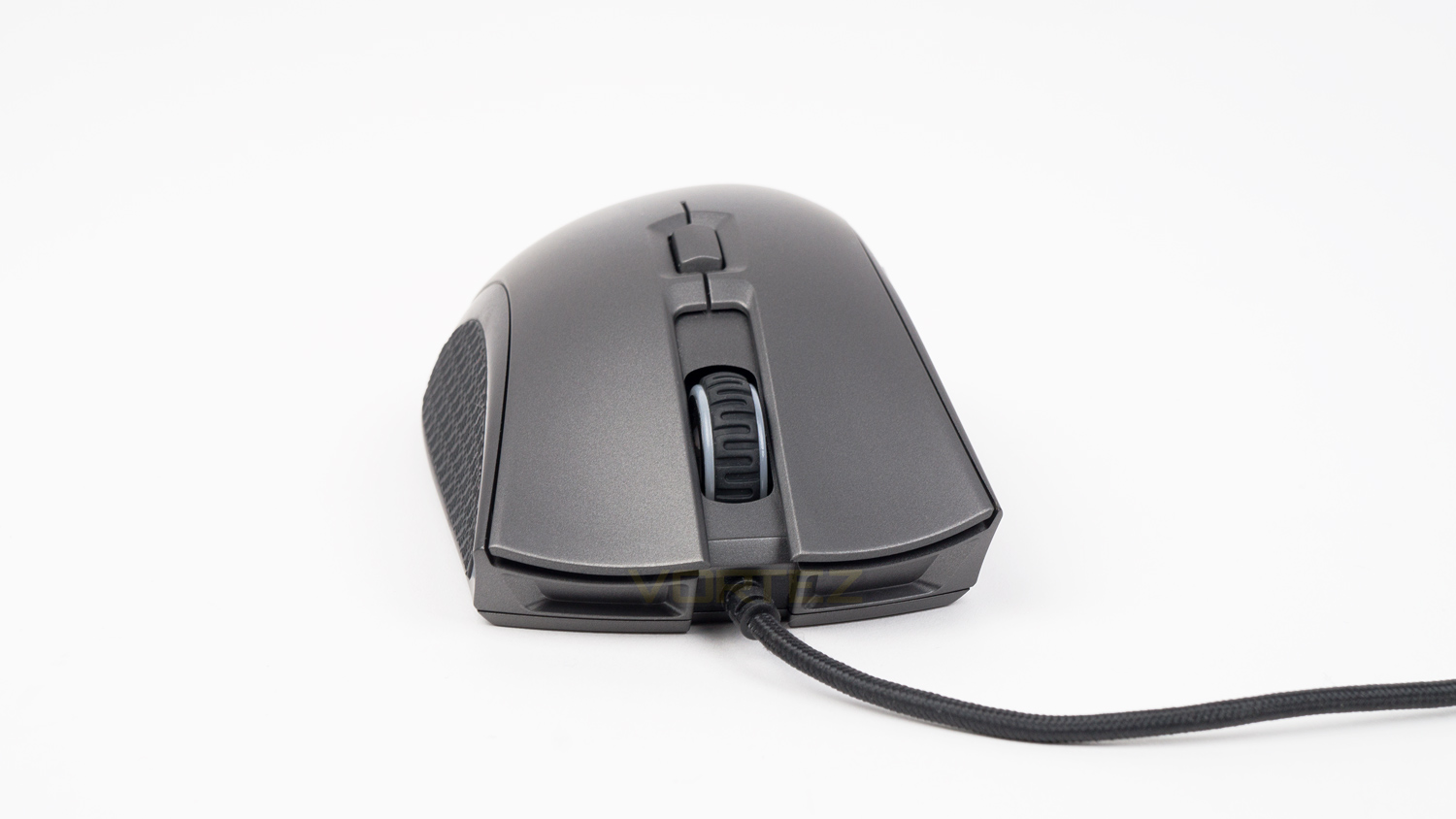
The front of the mouse is nicely shaped, and here you can see the slight flare to the left and right clicks. The clicks are also concaved which helps position your fingers in an optimal position.
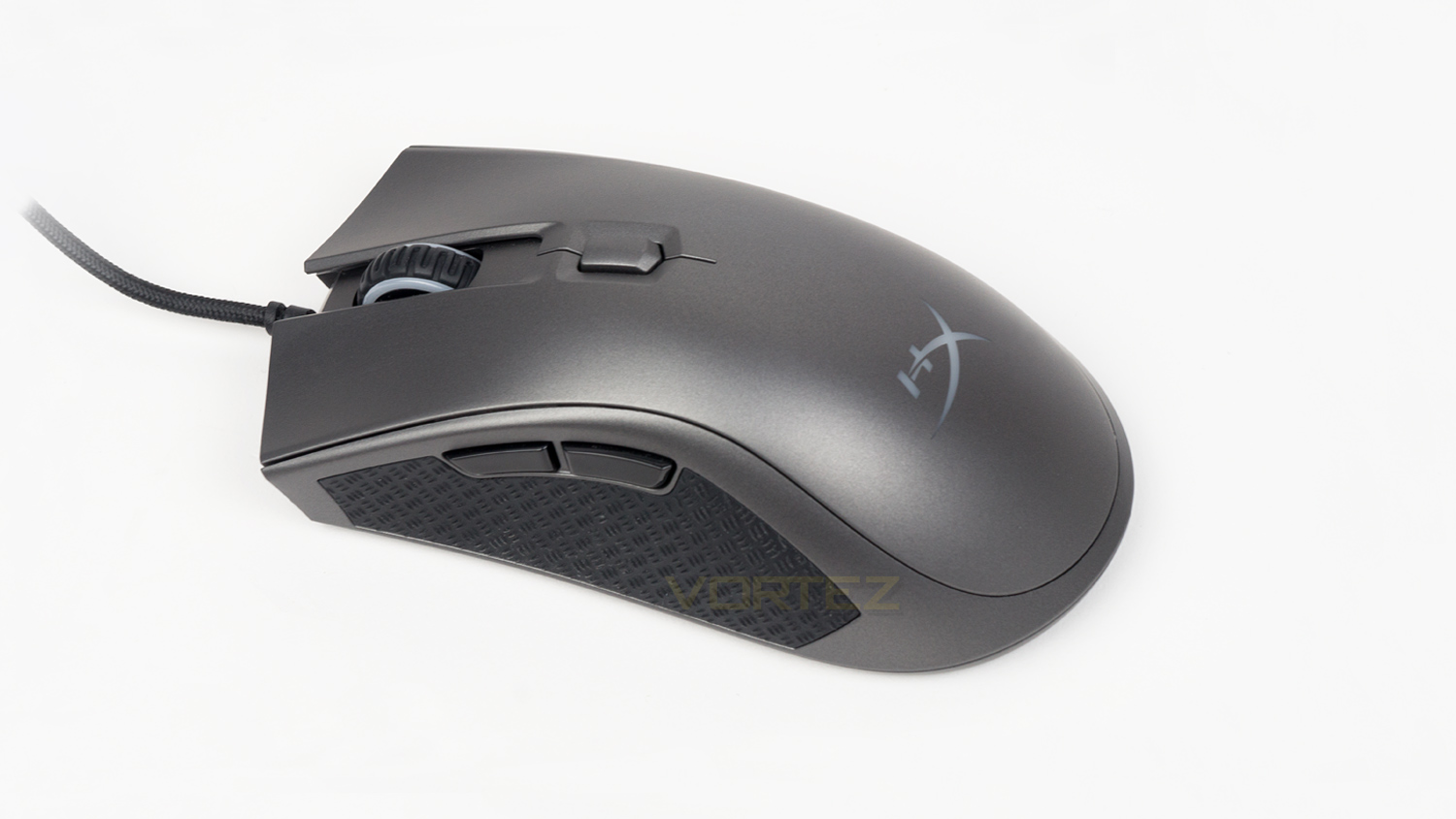
At the top you can see the single DPI button as well as the scroll wheel, the scroll wheel features a grip design that we haven’t encountered before and is quite unusual.
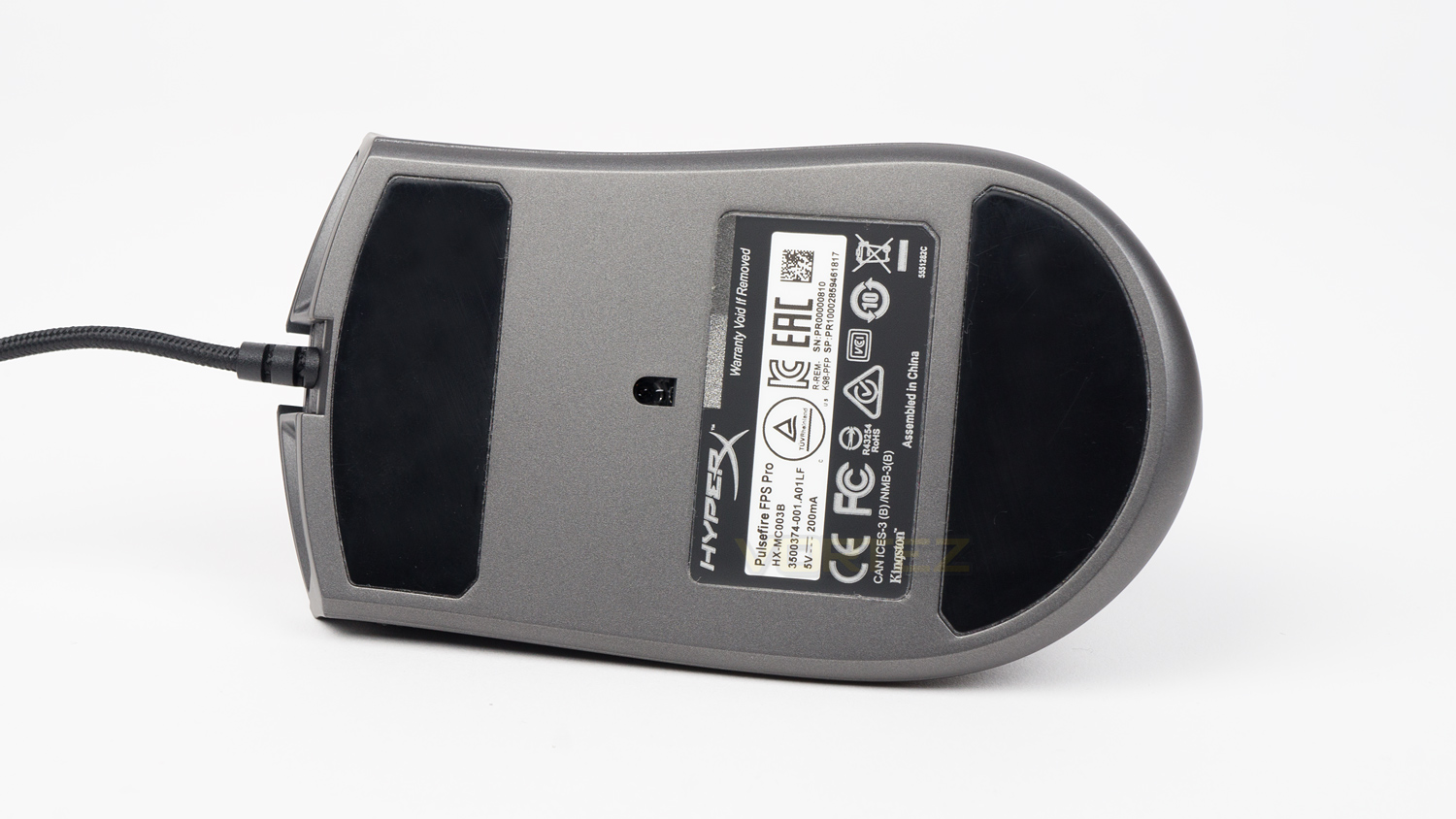
The underside features two very large glide pads, some information and the centralised Pixart sensor.
Closer Look (Fury S)
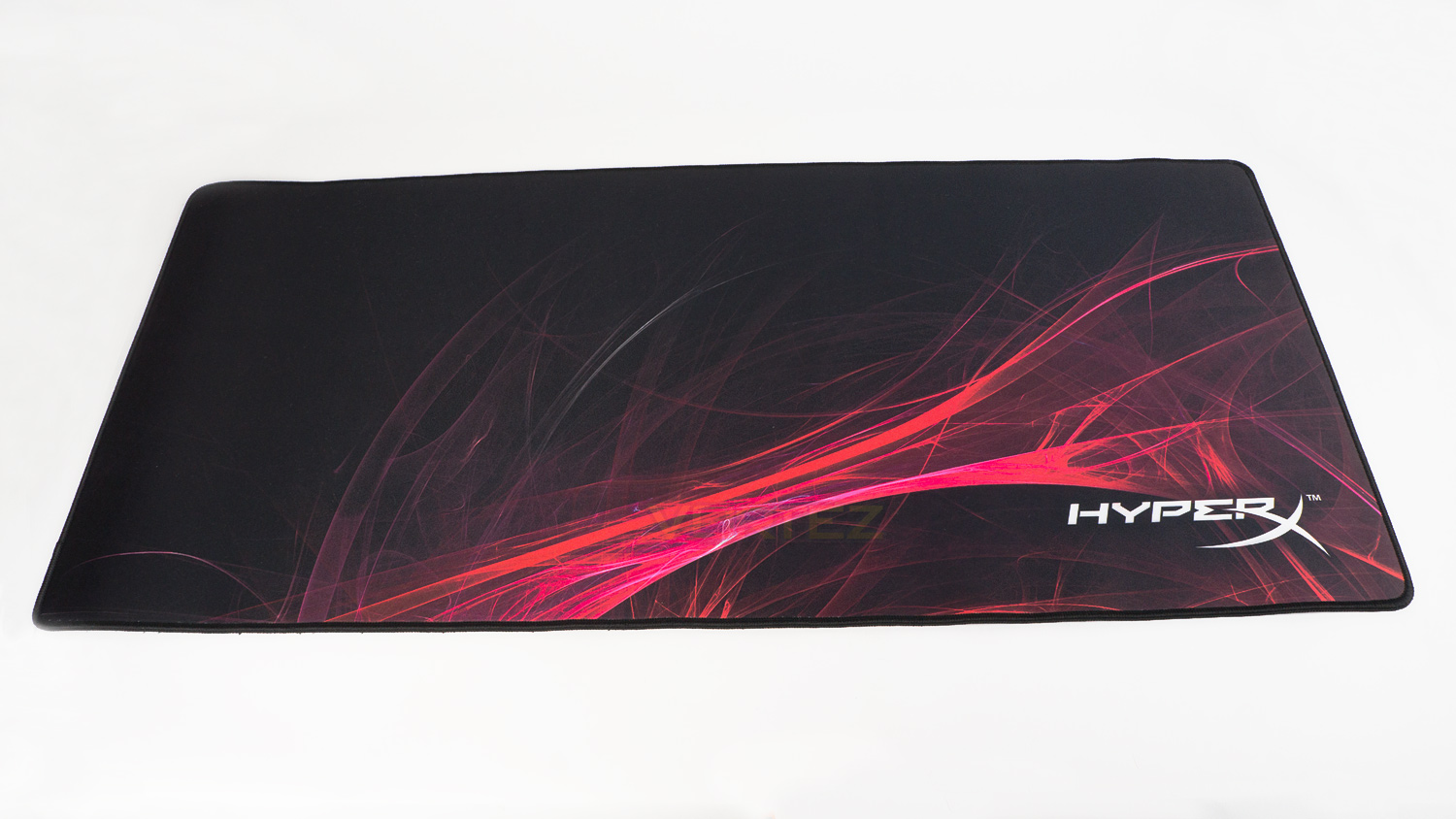
The Fury S Speed Edition we have measures in at 900mm x 420mm x 4mm, so be sure that your desk can accommodate it. If not they also offer smaller variants with the same design.
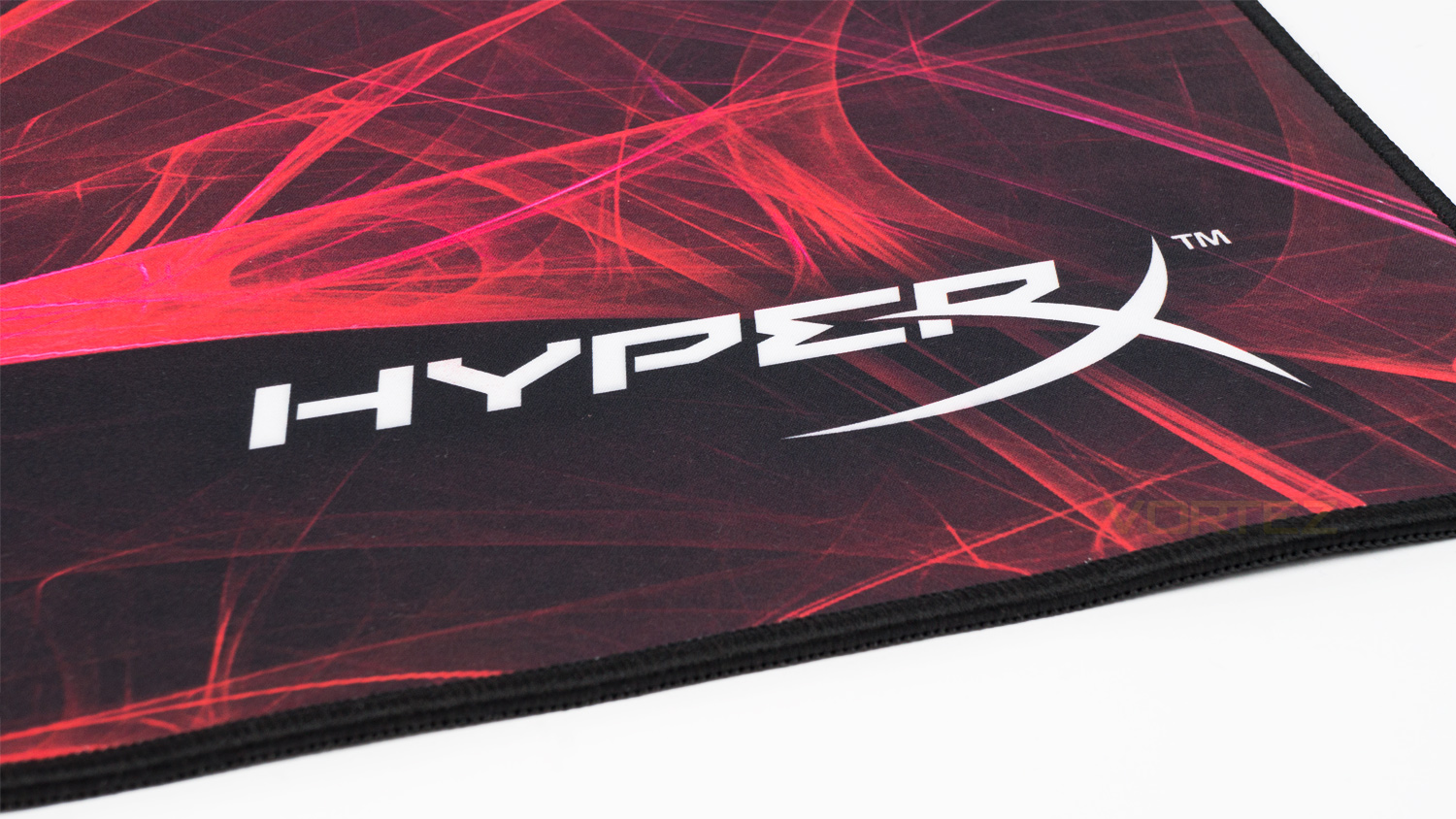
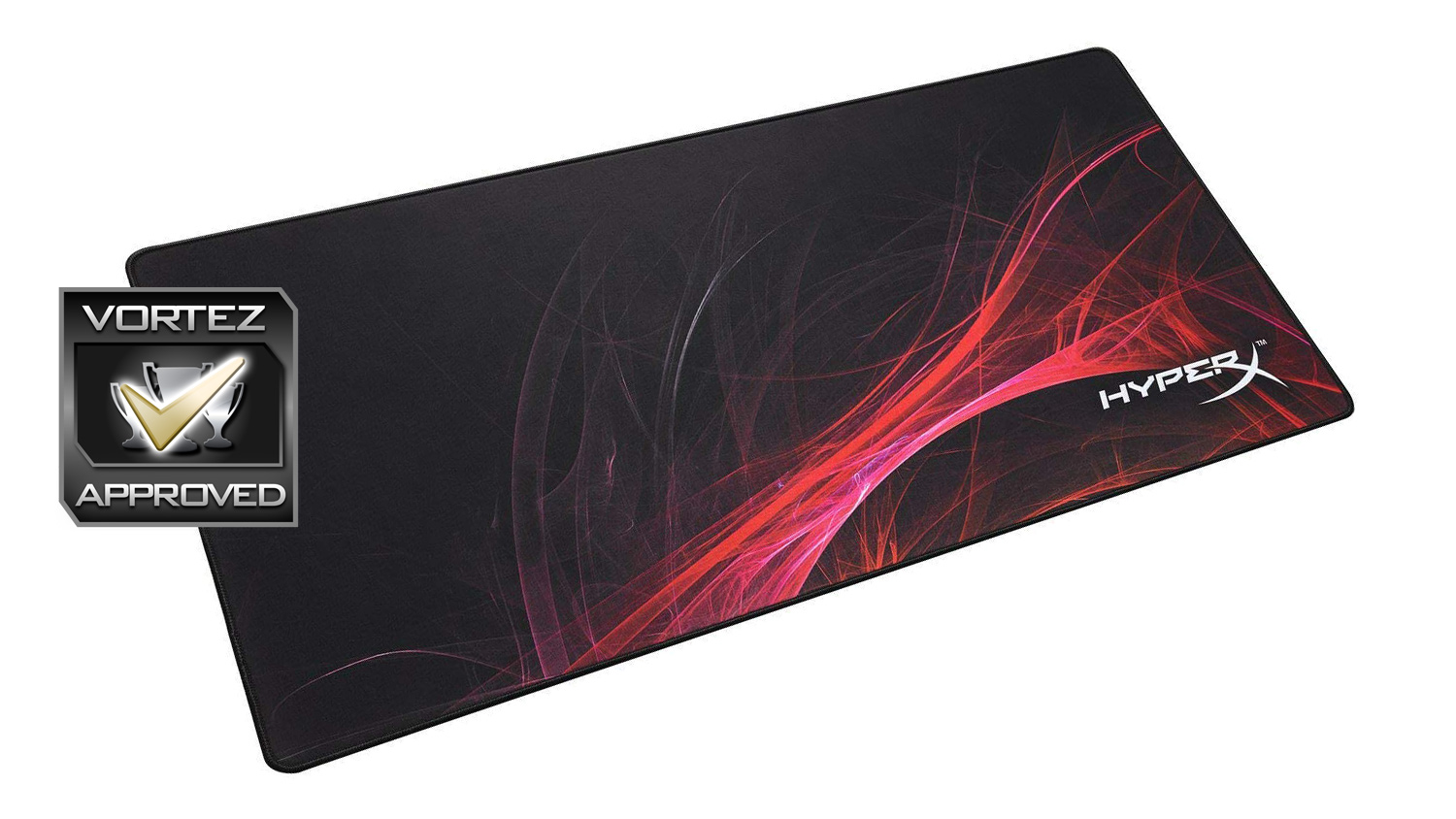
In the bottom right-hand corner is the HyperX branding which has been incorporated into the main design element. You also get a closer look at the bordering stitching that is very well done.

Taking a closer look at the design and it resembles a style of abstract art, this is different from what we usually see on a gaming mouse mat, but it works. The colours though do limit its potential to be implemented into a setup that doesn’t fit the matching colours. For example, it wouldn’t look right with a predominantly blue setup. However, the colours are nicely vivid and really pop, so if you are looking to add a splash of colour without using lighting, this could be a good option.
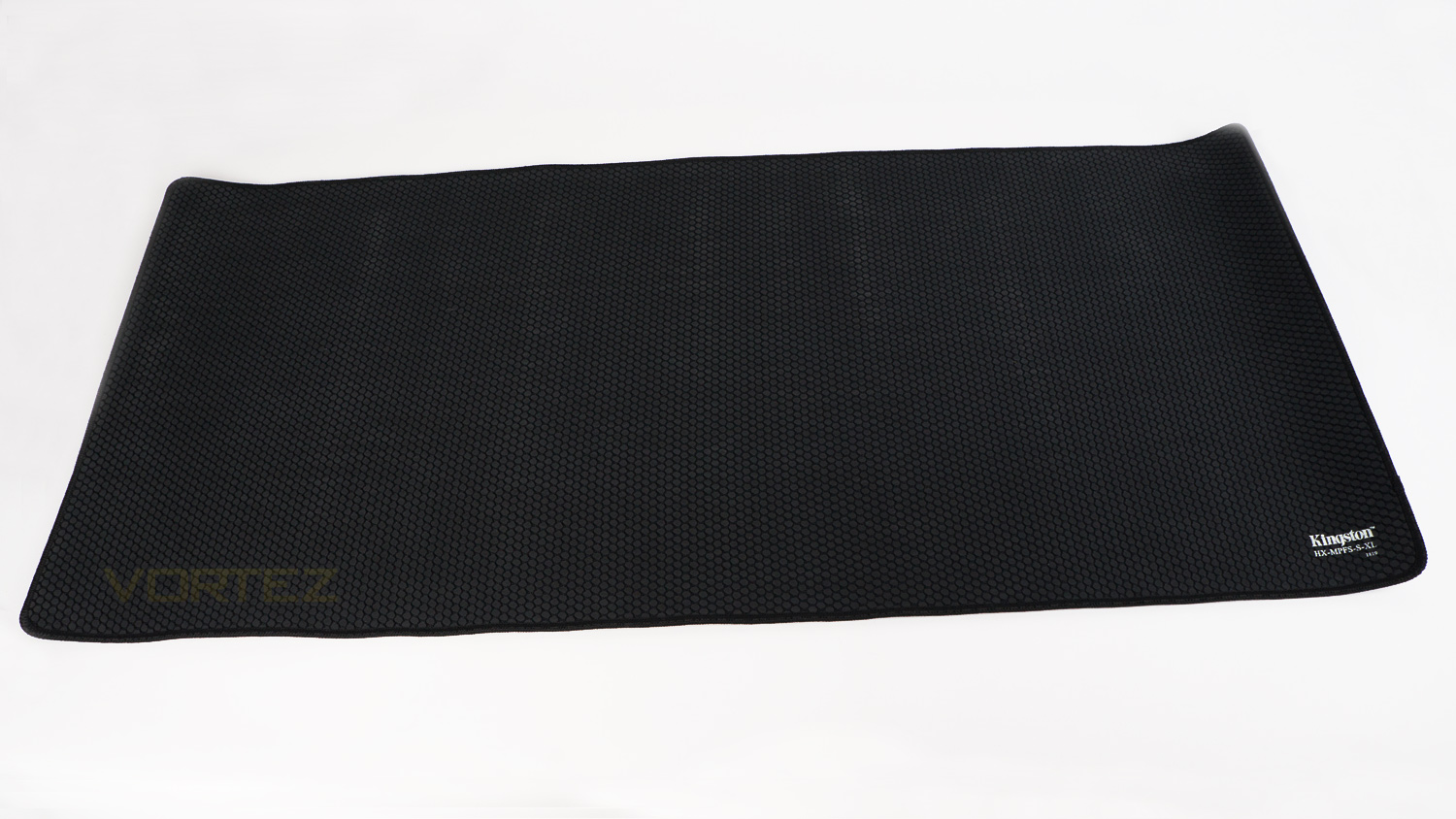
Flipping the mat over and you can see it adopts a grip style that is different. Usually, mouse mats are rubberised, but this is like a hybrid of rubber and fabric. Though not traditional, it does work well.
Software
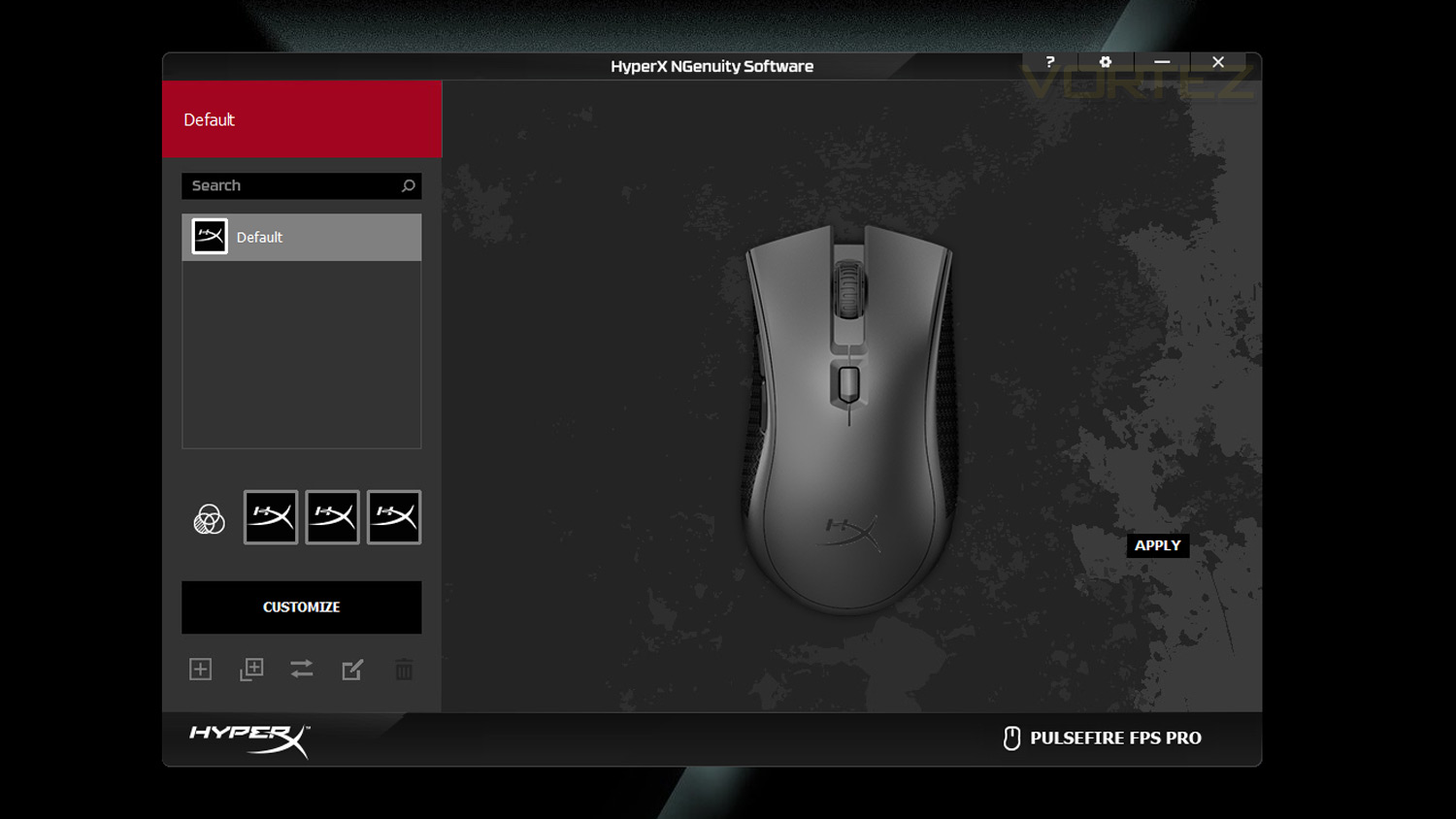
HyperX’s NGenuity software is design to work with their latest series of peripherals. Design wise the UI is simple and looks nice, but some of the functionality could do with a tweak. For example, when selecting a colour in static you have to select a colour and then press the top selector to activate it, then you have to press apply to set the choice. This could be improved by simply selecting a colour and then click apply, this removes the middle step and streamlines the process.
Below is a quick demo video of the NGenuity software.
Performance Testing
Setup & Observation
Initial setup of the HyperX Pulsefire FPS Pro is like any other gaming mouse and requires just a spare USB port and an internet connection if you wish to make use of their NGenuity software. As for the Fury S; you’ll essentially just need to clear some space, this may require you to move some desk items such as speakers or your monitor – if your desk is only just able to accommodate it. If you opt for one of the smaller variants, then this is a much easier task.
In terms of comfort and usability, the FPS Pro is very nice. As the FPS Pro is designed in a way that is ergonomic it is very comfortable to use, even though on the longer side the experience is still good. If you have smaller than average sized hands, then it may not be that great, but if your hands are average (L 189mm / 7.44” W 84mm / 3.3”) or above then its a very nice fit. The side grips are also comfortable due to their ample size and textured nature.

In regards to the design and build; the FPS Pro is up there with the best in class, the body feels rigid and solid as there are no creaks or flex to it at all. The outer shell is plastic though it omits the soft touch finish, but the coating it does opt for is very smooth and has the benefit of not showing up fingerprint grease. As for the styling, it does look similar to their FPS mouse which is no bad thing as its a good looking mouse. The FPS Pro does use a gunmetal grey finish which to the eye is attractive, though it does make matching it to other peripherals a little more tricky. However, that aside we appreciate when manufacturers don’t follow the usual trend, especially when done so well. In terms of branding is also very tastefully done and not over the top.
As for the Fury S Speed Edition that also looks a feels premium. The edge stitching is very good quality and also doesn’t interfere with day-to-day use. The surface is very smooth and nicely padded so that its highly comfortable to use all day. Design wise it could divide opinion, so may prefer an all-black style – which they do offer, and some may like the bold abstract design on the Fury S. The colours used pop very nicely and look nice, however, like previously mentioned the choice limits the colour palette you can match it to – unless you have really bold taste. We have it situated with a predominately black and white setup, and it does add a nice splash of colour.
Illumination
The illumination found on the FPS Pro is easily close to the top in this price range as it’s not over the top, yet it’s not too subdued. As is, there is one lighting zone that is made up of two areas, one is the HyperX logo at the rear, and the other is located as an accent light on the scroll wheel. In terms of brightness and how vivid it is, the FPS Pro scores highly. The illumination is very bright and full, even under lighting, this means that it maintains the fill even when in a brightly lit area. There is a slight hot spot on the scroll wheel which is noticeable when some colours are displayed, though the back logo though doesn’t suffer the same issue. The colours produced have a very nice pop and are nicely vibrant, accuracy is high too as the whites are not heavily tinted. They also have plenty of saturation and contrast which makes the colours that much nicer.
Effects are well done, and the number of effects to choose from is right up with what other rivals offer. In the NGenuity software, there are four main effects to select, each of which can be customised in their own way. For example, with the breathing effect, you can select from a single colour, two colours or even a spectrum effect. You can also adjust the speed in which the effect is displayed. One other effect we like is Trigger; this activates the lighting every time the left and right click is pressed, again you can either have a single colour, two colours or the spectrum. For future additions of this mouse, we would like to see the scroll wheel light and logo light become two distinct zones for further customisation.
Pulsefire FPS Pro Performance
Day-to-day use of the FPS Pro was great as long as you set the DPI accordingly. During testing, we had the mouse set to 500 DPI which felt significantly faster than 500 DPI on other mice, so if you have to use one mouse for gaming and productivity, then you’ll probably need to lower the DPI as by nature it’s very quick. For editing photos, the FPS Pro was a bit too rapid at 500DPI and needed to be slowed to 300DPI in order to make more precise movements. If you do need to adjust the DPI, then it can be done in increments of 50 which is great for getting the perfect balance of speed and precision. Of course, DPI levels are purely subjective, but we did observe that the FPS Pro felt quicker than rivals with the same settings. The scroll wheel is nicely weighted and doesn’t scroll too freely, the action is also very smooth as well as having nicely defined scroll steps.
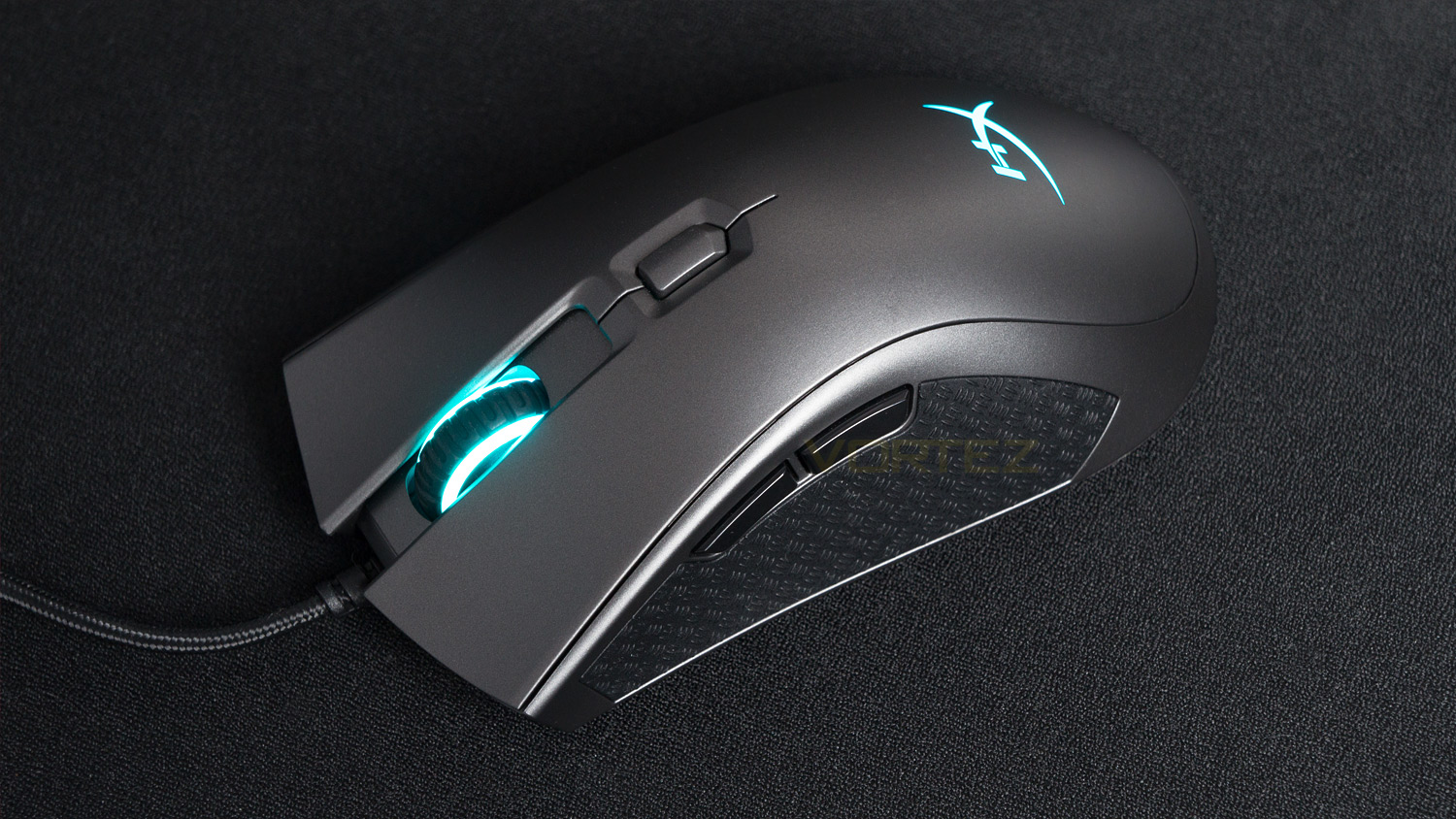
When it is time to get some gaming done the FPS Pro really comes into its own. It begins with the sensor – the Pixart 3389 to be more specific. This sensor is an unusual sight at this price point as many rivals offer a 3360 instead. Now the 3360 is a newer sensor, but the 3389 is – in terms of specs at least, superior. Again though, numbers don’t paint the full picture and its all about in-game experiences. So, how is it? Well, it’s brilliant. The 3389 is a great sensor that has very impressive capabilities, and speed is one of them. As is the sensor offers 400ips which is great as that means it should never lose its ability to track your movement – which it never did, even under the quickest of actions. Then combine that with the 50G acceleration, and you’ve got a mouse that can be flicked and swiped without it losing its tracking ability. This means that if you’re a fan of performing trick shots or flick shots, then this mouse will be able to stick with you all the way. If you’re not a trick shot enthusiast then what does it mean for just gaming use? Well, when you add the 1000Hz polling rate to the mix, you get all the right ingredients for a great gaming experience, and that is what the FPS Pro offers. The tracking is superb, the accuracy of the sensor is brilliant as is the responsiveness and the overall performance is stellar. Also, there are no signs of any jitter, lag or stuttering although we did note that when lifted and placed back down there was a slight bit of cursor movement.
Moving onto the clicks, side buttons, the scroll wheel and glide and the FPS Pro again does not disappoint. The left and right click use Omron made switches which are very nicely weighted and provide generous amounts of tactile feedback. They are also very quick and accurate making them impressive for quick successive actions that still need to be accurately controlled. The side buttons are great too, they feel responsive and aren’t softly sprung. The scroll as we’ve already mentioned is smooth but as a button the click is nice and like the clicks offers good tactile responsiveness. The glide on offer is very smooth thanks to the two large feet underneath; this just makes using the mouse that much nicer for gaming as it doesn’t feel rough or resistive. The side grips are great too; they have a very nicely defined grip that offers a good feel as well that all-important surface for keeping the mouse in control. Weight wise the mouse comes in at 95g which is a good middle ground, you may prefer a heavier or lighter mouse, but 95g is a good solid weight that isn’t too light nor too heavy.
Fury S Speed Edition Performance

The Fury S Speed Edition is a great mouse mat as the surface is very smooth and has a real premium quality to it. In terms of handling and speed, the Fury S is brilliant as the speed and control on offer is easily up there with the best we’ve tested. We tested it against a Perixx, SteelSeries and Fnatic FOCUS 2 and it honestly feels better than all of them. The glide is fluid, and any mouse just seems to move with minimal effort. If you want more precision, then you can opt for the standard Fury variant, this does, however, omit the striking design. The underside grip is unusual and isn’t like others we’ve seen. Most mouse mats offer a pure rubber underside that has some texture to help keep it in place, but the Fury S utilises something entirely different. There is still some rubber elements, but there is also some fabric that breaks up this into small circles. As odd as it looks, it does work well, and the mat stays planted, even when under intense use.
Conclusion
£50 is a good amount for a mouse as this price is sort of like a sweet spot; usually, mice in this range are well made, yet don’t skimp on the internals or features, and the HyperX Pulsefire FPS PRO is one such offering in that price category. Coming in a £49.98 in the UK ($59.99 US / $89.00 AUS) it is just under that previously mentioned sweet spot and just so happens to be a very well made mouse with plenty of performance prowess. Is it the full package though? Well in terms of design and build, it definitely is right at the top of the list thanks to its solid build and subdued gamer design. The comfort is also very good as HyperX have clearly put some serious thought into making it comfortable which it is – well given you have above average sized hands. As the FPS Pro is a touch on the long side, you do need hands that are average and above in order for this to be comfortable. It also works well for both palm and claw grip styles which is great. The side grips also help improve comfort, and of course grip, this is thanks to the rubberised nature of them and also the pattern of the grip. Other strong suits include the vibrant RGB lighting and of course the performance. Speaking of, the gaming performance on offer from the FPS Pro is superb; the experience is fluid, accurate, fast and well controlled.
So the FPS Pro has a lot going for it, but there is one slight caveat, and that is the software, it just doesn’t feel as polished as some other software offerings out there. It does work well, but some of the functionality could be improved to make the user experience that much better.
The Fury S is another great offering from HyperX as it blends performance with design, though that design may not be to everyone’s taste, it is very nice. In terms of the performance, it’s a very good surface to game on thanks to its low friction and smooth nature; this makes most mice glide with minimal effort. If speed isn’t your thing and you want more control, then they do offer a precision mat, this does forego the design, but it does offer that extra precision if that is what you want. One thing that we don’t like is that the designs are directly linked to the surface style. By that, we mean that the speed surface has its own design as does the precision, but what if you want the precision surface and aren’t a fan of the design. Then with the current offerings, you’re a bit stuck. We think HyperX should offer both surface types with both designs, that way you a free to choose your preferred surface and design. On a more positive note, the underside grip is brilliant and does keep the mat planted when in use. Also, the Fury S is available in four different sizes to suit tastes and of course the size of your desk. So if the extra large is too big, then they have three smaller variants to choose from.
Are they worth their respective prices? Well, it’s a yes on both fronts. The FPS Pro is a superb gaming mouse that pretty much ticks all the boxes. The Fury S is priced at £29.99 GBP ($29.99 US / $35.00 AUS) and is brilliant for injecting some colour to your setup as well as offering very good performance for gaming and everyday use.
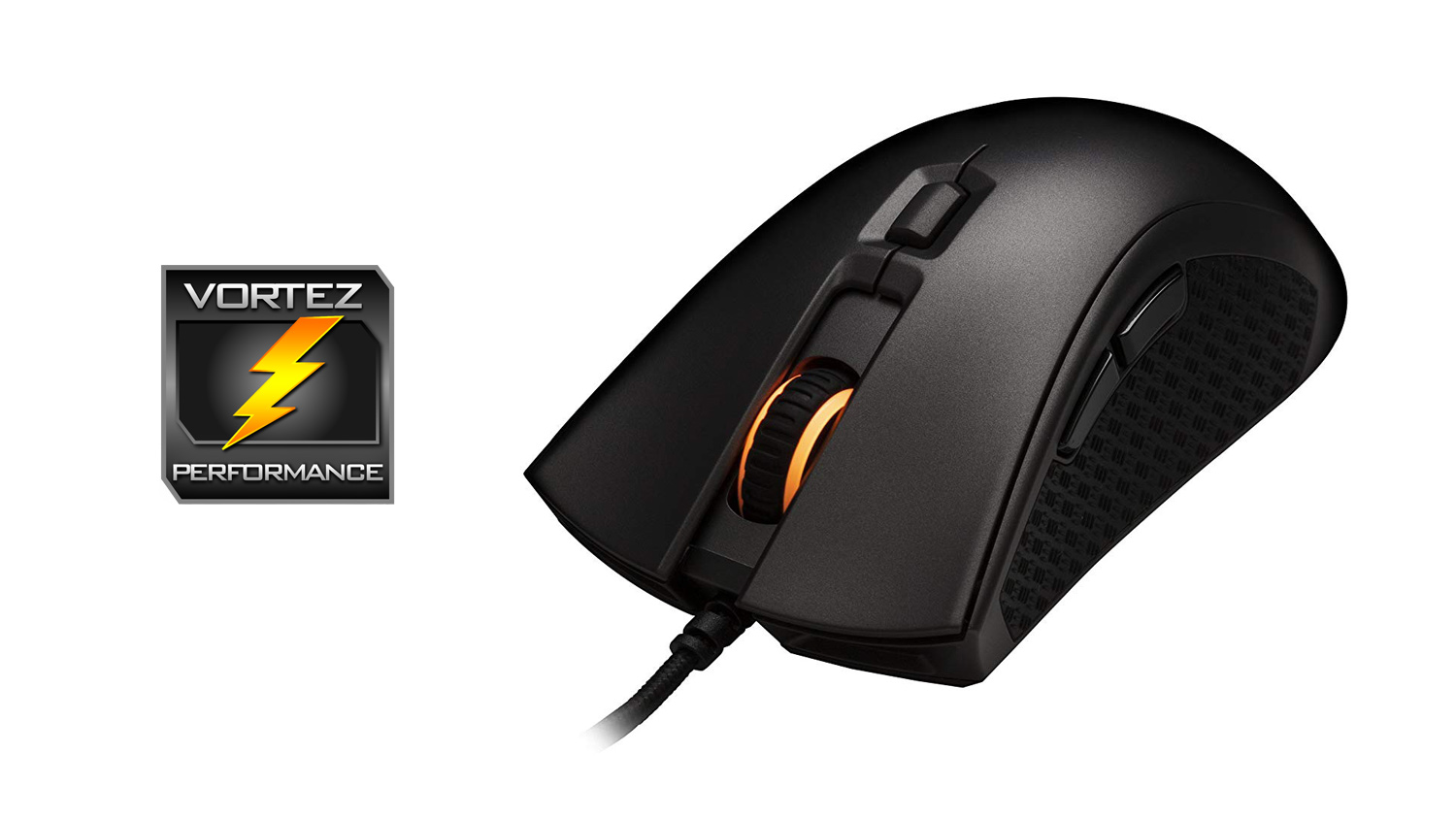
The HyperX Pulsefire FPS Pro is right up there with the best you can get at the respective price point thanks to its superb performance and strong core attributes.
The HyperX Fury S is a super smooth and speedy surface that would be a great fit for gamers that want a splash of colour and speed.
Pulsefire FPS Pro
Pros
+ Attractive styling
+ Great build quality
+ Very comfortable
+ Brilliant side grips
+ Excellent gaming performance
+ Vibrant RGB implementation
+ Price
Neutral
+- Software needs some tweaking
+- Maybe a touch large for some
Cons
– None to note
Pros
+ Attractive styling
+ Great build quality
+ Very comfortable
+ Brilliant side grips
+ Excellent gaming performance
+ Vibrant RGB implementation
+ Price
Neutral
+- Software needs some tweaking
+- Maybe a touch large for some
Cons
– None to note
Fury S Speed Edition
Pros
+ Very smooth and fast surface
+ Plenty of sizes to choose from
+ Great underside grip
+ Well priced
Neutral
+- Design is likely to divide opinion
Cons
– The surface style is linked to a specific design
Pros
+ Very smooth and fast surface
+ Plenty of sizes to choose from
+ Great underside grip
+ Well priced
Neutral
+- Design is likely to divide opinion
Cons
– The surface style is linked to a specific design
Click here for an explanation of our awards at Vortez.net.
Stay connected with the Vortez Social Media pages:
Join in with the discussions on Discord