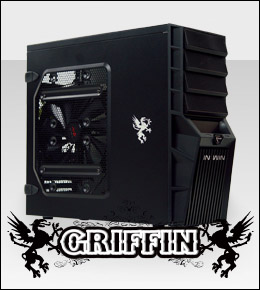
A new mid-tower gaming case named the Griffin is under the spotlight.
Product on Review: IN WIN GriffinManufacturer and Sponsor: IN WIN
Street Price: Approx. £30

It was only a few weeks ago that IN WIN announced their new Griffin mid-tower case. Seeing the first set of images of this beauty filled me with anticipation, IN WIN seem to be passionate about bringing unique design ideas to the market.
Today I will be reviewing this new addition to their budget-range of cases. The Griffin comes in two flavours – black or yellow. I will be reviewing the black variant. The Griffin is focused at bringing an affordable, stylish case to the gaming market. Let’s take a look.
Features
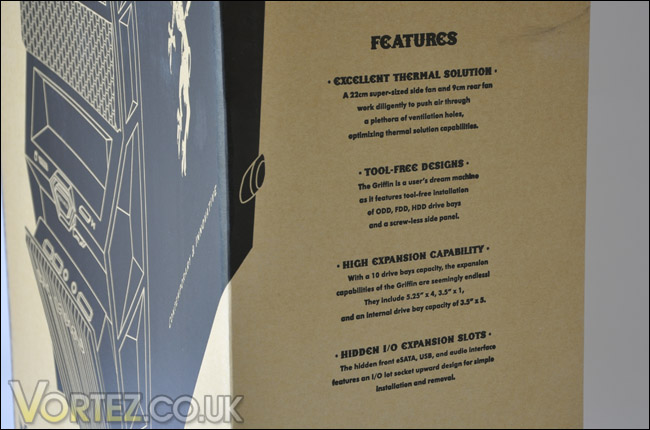
Excellent Thermal Solution
A 22cm super-sized side fan and 9cm rear fan work diligently to push air through a plethora of ventilation holes. A maximum of three 12 cm cooling fans design provides an excellent and efficient airflow throughout the chassis, optimizing thermal solution capabilities.
Tool-Free Designs
The Griffin is any user’s dream machine as it features tool-free installation of ODD, FDD, HDD drive bays and a screw-less side panel.
High Expansion Capability
With a 10 drive bays capacity, the expansion capabilities of the Griffin are seemingly endless! They include 5.25” x 4, 3.5” x 1, and an internal drive bay capacity of 3.5” x 5 to meet any gamer expectations.
Hidden Front I/O Ports
The hidden front I/O port upward design features the easy access and removal of the eSATA, USB, audio connections.
Griffin is more than just a case; it offers an ample space for the expansibility and makes assembling a fun, easy, and enjoyable experience. The Griffin does not only the offer supreme design concept but also tremendous features for both novice gamers and pro players.
First glance at the features and image of the Griffin certainly instil the idea of it bringing innovation to case design. Over the page we will take a look at the case.
Exterior
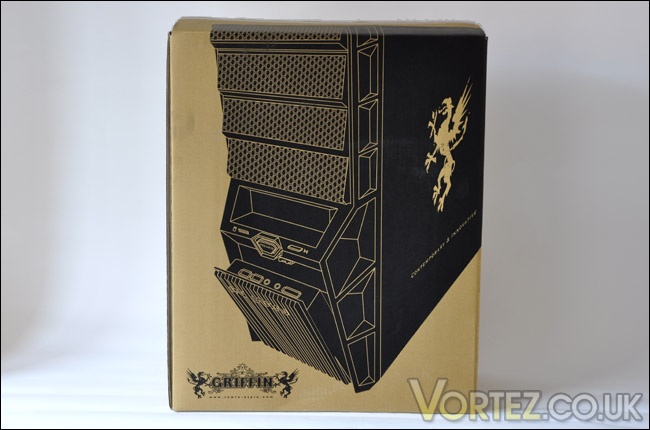
The Griffin actually arrived double boxed which was pleasing to see, it gives additional protection to what’s inside, ensuring nothing is damaged. On the box containing the Griffin we have a nicely printed vector image of the Griffin, moving our attention to the other sides, there is a broad listing of the features on our Griffin case.
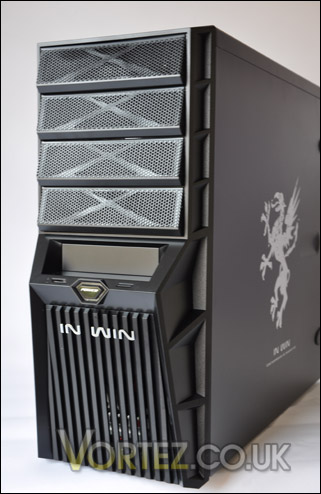
With the Griffin out of its protective box, it’s immediately apparent that this case has a stylish aspect to it. There are two Griffin emblems printed on each side of the case, on the component side a smaller sized one due to the large perforated mesh area. This panel caters for the rather large 220mm fan.
Surprisingly the weight of the Griffin is extremely light. 5KG for a mid-tower is an achievement in itself. The size is another factor that will surprise, it’s not very tall or wide at all. Hopefully this won’t impede installation of hardware a little later.
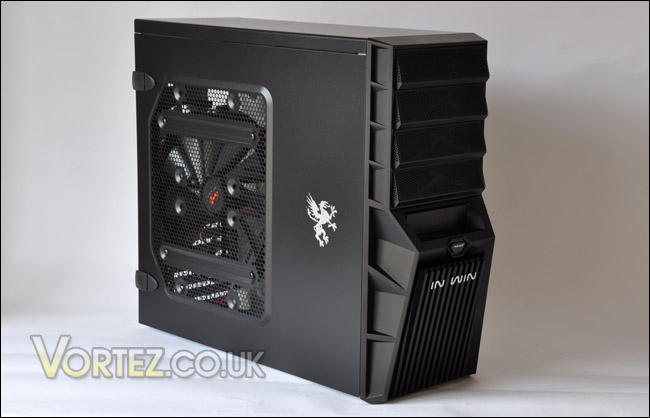
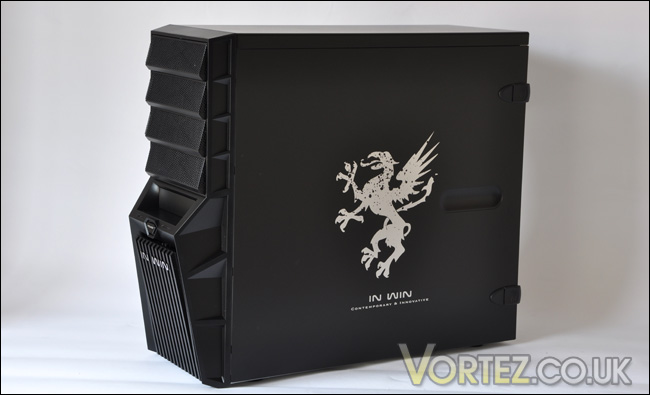
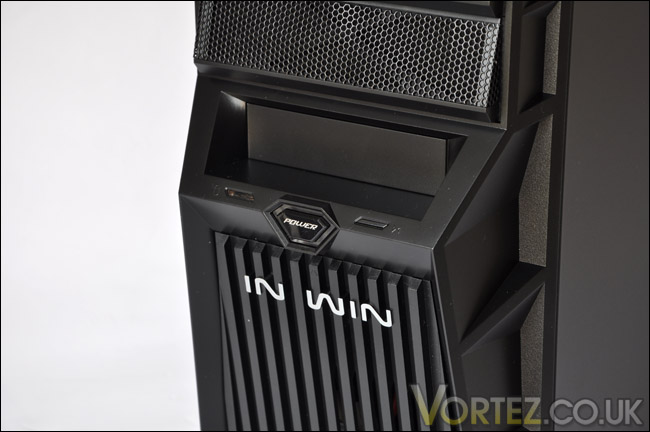
Moving to the front of the Griffin, the design certainly has plenty of character. Visually, it looks like an impressive bit of engineering. The shapes that appear to be carved, give the Griffin a nice touch. There are four 5.25″ bay covers – these covers are incredibly awkward to fix back in place should you accidently knock one out… as I found all too often. Further down the front panel there is the usual plethora of controls such as power and reset button with LED’s, I rather like the power button. It’s shape and size is nice. Below this, we have a large ridged panel with the IN WIN logo inscribed. Cunningly – by pressing this panel in reveals USB ports, audio jacks and eSATA. This is a neat idea from IN WIN. It means you can conceal these controls away if they are not needed, this design keeps them well protected.
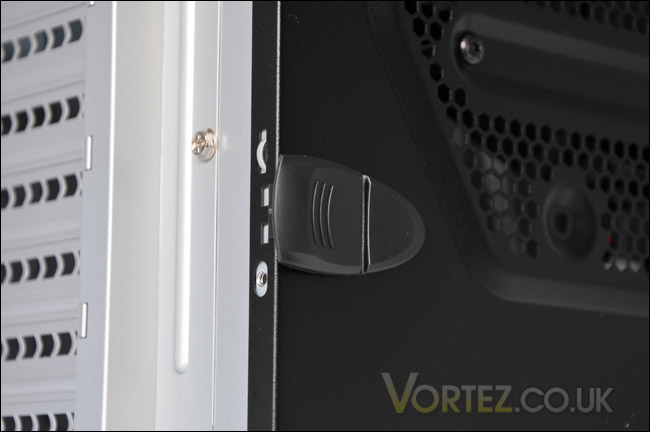
Moving to the back of the Griffin reveals that this case will only seat a PSU at the top and not the bottom. With most of today’s cases, you would typically see manufacturers choosing to place PSU mounting at the bottom of the case. Other than this, there isn’t a great deal else that differs from the conventional case. The side panels have been given a quirky approach – rather than using screws to hold the panels on, IN WIN have chosen to use a latch-style level. This is quite a nice idea, it will certainly appeal to those who thrive on the tool-less aspect of case design. It’s quick and easy, and of course there is no need to look around for that screwdriver.
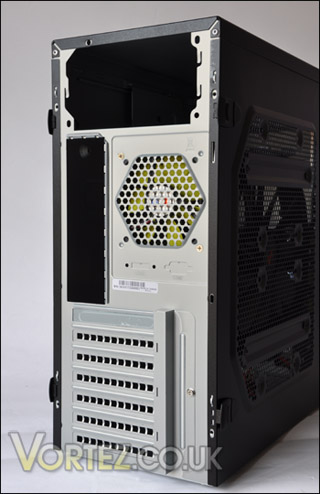
If you do want to opt for using screws there are holes there should you want to move away from this. I’ve no idea why you would though. It’d be a bit like cutting your lawn with a pair of scissors when you have a lawn mower in the garage!
Interior
The outside of the Griffin has impressed so far, it has some interesting features. Moving inside the first thing noticeable when you remove the panels is of course the 220mm fan that was mentioned earlier in the previous section. This fan is removable and unless you are using a low-profile CPU cooler it would almost certainly be removed.
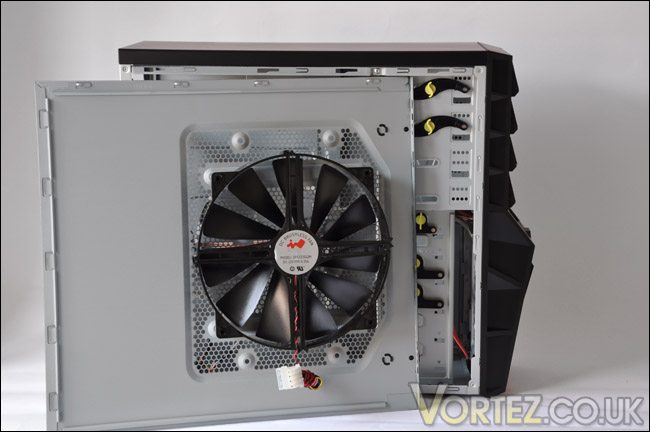
IN WIN have chosen to coat the inside of the Griffin in grey, a colour that most case manufacturers seem to be moving away from. The colour does tend to leave the interior looking dated but it’s no major criticism. There isn’t a great deal of space to conceal cables, this is partly because there is very little space in this enclosure full stop. The dimensions confirm this. You will have noticed the luminous yellow tool-less keys in and around the drive bays, the devise here follows a similar concept to other cases that endorse tool-less design. We will have a closer look at this a little later.
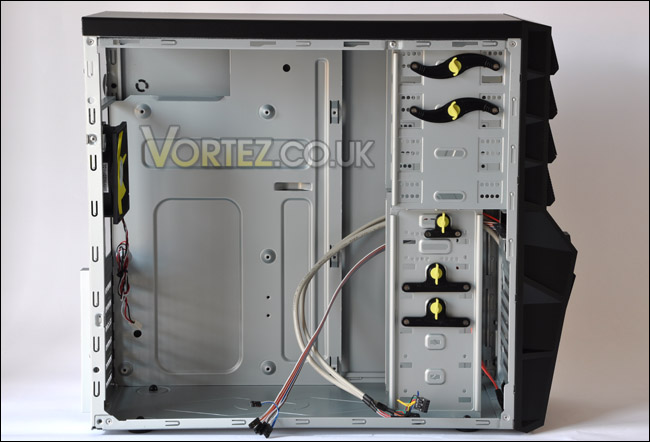
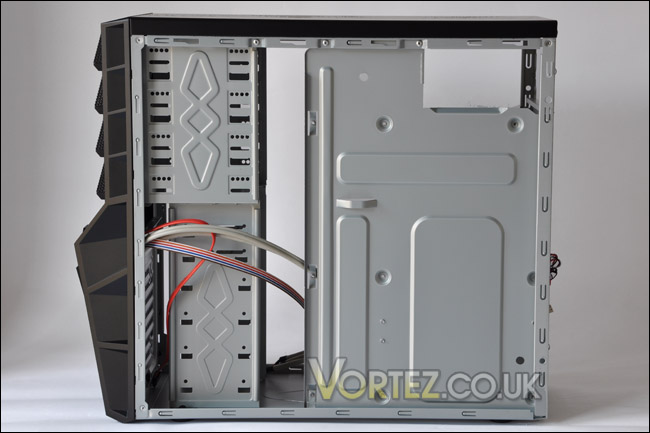
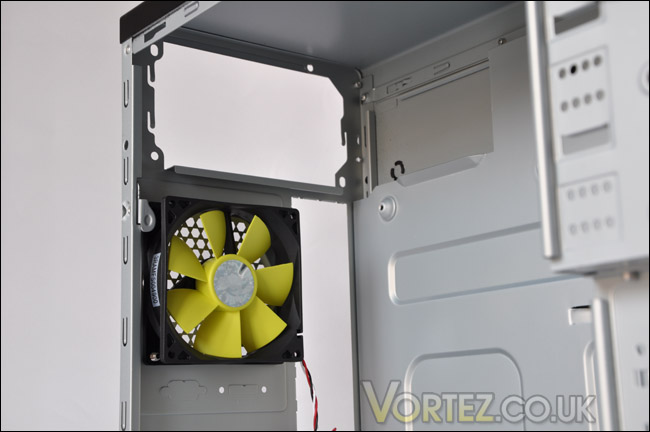
Usually you would have a 120mm fan as a rear exhaust on your typical case. But with the Griffin this has been narrowed down to a 90mm fan. If the case had been made a few cm’s bigger a 120mm fan would have had ample space to be fixed in place.
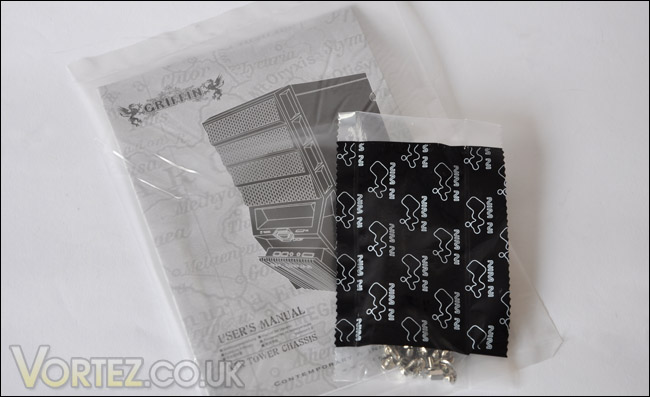
Other than a few other things such as the accessories where you are given just screws and a manual there isn’t much else to comment on. The motherboard mounting incorporates the new approach of having the screw holes raised. Quite a novel idea. Over the page we will install all the system components.
Installation
When installing components into a new case, ideally you want the whole process to be quick and easy. Aside from the quickness of installing your kit inside, compatibility is also paramount. If components don’t fit, it renders the case pretty much useless.
Below is a list of the components going into the IN WIN Griffin.
System Components
Intel Core 2 Duo 2160
ASUS P5KC
2GB OCZ Platinum DDR2
XFX 7900GT 256MB
Samsung Spinpoint 500GB SATA-II
Silverstone Strider 560W
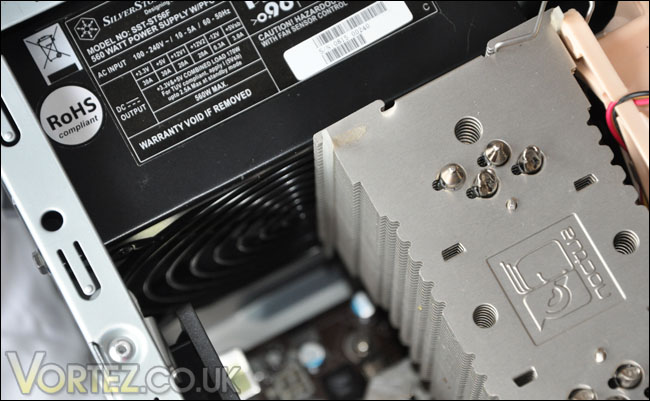
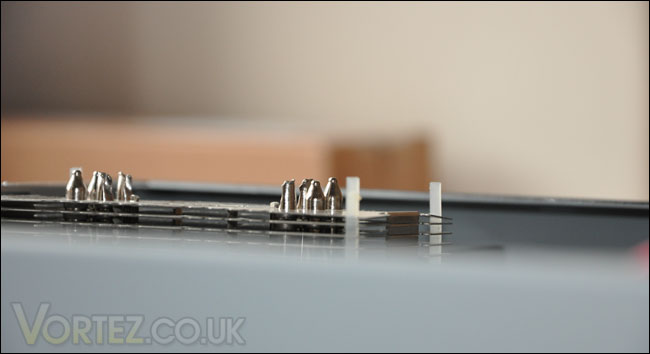
As with all builds, I usually start with the PSU installation first – to route cables in and establish how much space there is to play with. Next, the motherboard. This became problematic right from the word go due to the CPU cooler and PSU touching, preventing the motherboard from lining up. So to resolve this, I re-mounted the Noctua NH-U12P which was installed on the CPU to a different orientation. So with this now sorted, I took a look at how much space there was between the CPU cooler and side panel. Bad news, the heatpipes stuck out. So if you have a tower-style CPU cooler you may have difficulty installing the system inside. As I said previously, making the case just an inch wider would allow a 120mm fan to be installed as a rear exhaust and fix the problem with tall CPU coolers. But as it stands, the width of this case causes conflict with the components featured.
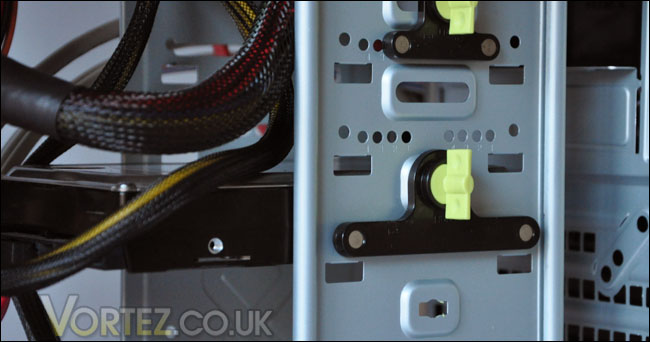
Installing the DVD-RW and HDDs is a very easy task, just slot the drives in and pop the tool-less device into the screw holes and turn the key. Fair enough, it does position both devices but by no means does it hold them stable. Pressing on the DVD-RW’s eject button causes the drive to move backwards on that side because the tool-less device only secures the one side – the side opposite to where the button is typically placed. “Very well then, put a screw in the other side” might be the obvious statement, but why should that have to be done? The Griffin claims to be tool-less, if you then have to put a screw in the other side of the device to securely fasten it into place, give me another couple of screws and bin the tool-less design! Unfortunately, the HDD suffers the same neglect, and due to the sensitive nature of the HDD I’d want this to be secure, but again it is positioned via the tool-less device but then the other side moves around. Not good news at all.
But the worst is yet to come. With all components in place and screws tightened, I cast my eyes to the bottom of the case and discover something quite alarming. One of the rear feet on the Griffin is touching the motherboard. Taking a look at the actual foot concerned and the motherboard is forcing it outwards – see the picture, there is a gap between the bottom of the outside of the case and the plastic foot. It’s quite worrying that this is touching the motherboard.
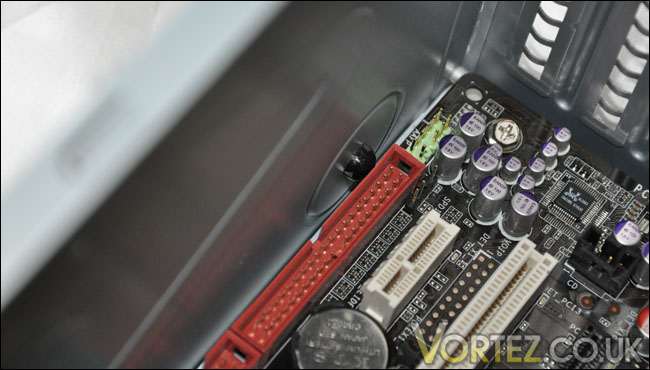
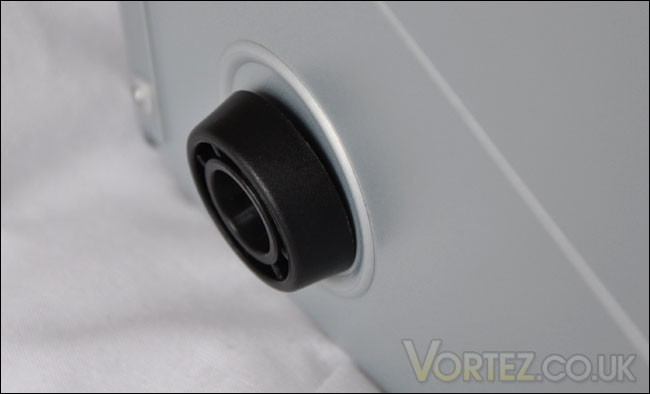
Standing the Griffin on its feet, highlights my concerns, with pressure underneath it this offending foot now pushes against the motherboard with greater force warping one of the IDE sockets. Why this is even occurring I do not know, there obviously hasn’t been enough testing to ensure the Griffin keeps to ATX standards.
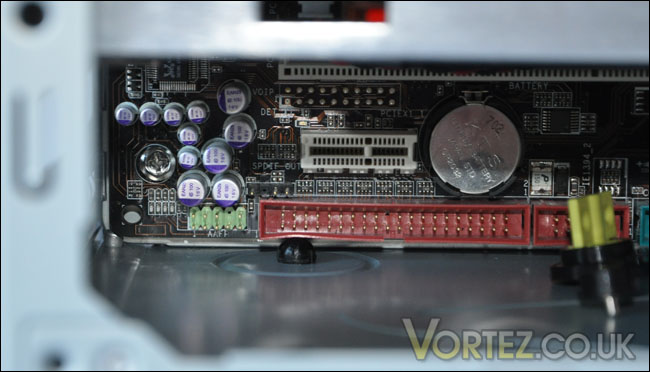
All of the above issues discourage me, there is certainly no way I would leave that board installed under those conditions for a sustained amount of time.
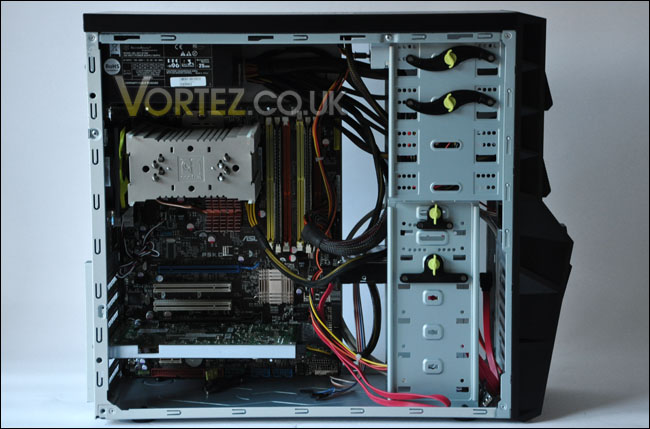
Based on the fact I could not fit the side cover on the Griffin and the feet causing possible damage to my motherboard thermal performance was not performed.
Conclusion
We’ve been impressed with the products IN WIN have brought to the table in recent times, but I’m afraid to say the Griffin does not yield such a positive result. The phrase ‘style over substance’ comes to mind. The Griffin looks and feels great for a budget case, when I first took the case out of the box I was very much looking forward to getting the kit inside but this was soon thwarted due to poor case design from within.
As I’ve already mentioned this case would only need to be an inch bigger in width and height and the catalogue of problems would be avoided.

For those with the mATX format, you should have no problems installing your components into the Griffin as long as a low-profile CPU cooler is fitted of course. The issues reported were found with the ATX format and I would hope that IN WIN take a look at some of the issues highlighted as I’m sure there will be customers out there finding out some of these problems not before too long.
Pros
+ Looks great
+ Innovative front control panel
+ Very affordable
Cons
– Tool-less fastening inadequate
– Cannot fit performance CPU coolers
– Big issues with ATX format motherboards
We would like to thank IN WIN for supplying the Griffin. Discuss this review on our forums.