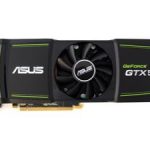
Nvidia are looking to bring back the famed Ti suffix with their GTX560. Can it live up to its predecessor’s success?
Product on Review: Inno3D GeForce GTX 560 Ti OC
Manufacturer and Sponsor: Inno3D
MSRP: $249
Street Price: £189.42 (Non overclocked)
Following in the footstep of Nvidia’s recent successes, the GTX560 looks to continue the trend in the mid-range segment to battle AMD in a market that has traditionally been dominated by them. Certainly in the past few months, AMD have been very competitive with the Barts based HD6850 and HD6870, and more recently their HD6950 proved to a wolf in sheep’s clothing considering its unlocking abilities. Nvidia have fought hard since their Fermi architecture was first released around a year ago. They were plagued by countless problems concerning power consumption, thermals and noise, and despite earning the single GPU performance crown with their GF100 based GTX480, AMD delivered a more compelling alternative in many ways. It wasn’t until Nvidia released their mid-range Fermi derivative that consumers started taking them more seriously. The GF104 core became an immediate success offering significantly reduced thermals and power consumption whilst maintaining good performance levels thanks to the altered configuration of CUDA cores in each stream multiprocessor. It gave the stream multiprocessors on the GF104 more compute and shader power than even the GF100 GPU.
Fast forward to the end of last year, Nvidia made some significant gains in improving their GPUs to tackle the issues that had dragged them into a negative light. Reduced leakage allowed the GF100 core to be unlocked to its full potential and additional tweaks earned it its GF110 name. Now Nvidia have decided that the same treatment should be given to their GF104 core. Originally, the GPU was built to feature a total of 384 CUDA cores but 48 of those were disabled to meet power and thermal requirements. Their revised core comes in the form of the GF114 GPU, which similarly to its high end sibling, is fully unlocked with tweaks and less leakage. In turn, it has deservedly found its way as the heart of the GTX560 Ti.

Some may remember Nvidia first using the Ti moniker on the GeForce 2 cards until its demise on their 4th generations of graphics cards. Representing Titanium, the cards boasting the moniker were renowned to be popular, hence Nvidia bringing the name back. The GTX560 is set to succeed the GTX460 but not replace it based on their differing price points. At $249/£200, it is meant to fit in between AMD’s HD6870 and HD6950. Another benefit of the GTX560 over the GTX460 is the lack of confusion regarding its memory framebuffer at a set 1GB and more importantly, its clock speeds are 822MHz on the core and 4000MHz on the memory, a welcomed boost to consumers. Another impressive feat has been Nvidia’s ability to fit the card’s improved performance in a similar power envelope as the GTX460. Its TDP is a mere 10W higher than the latter, highlighting the GTX560’s efficiency. This particular card by Inno3D has been overclocked to its limit out of the box, testament to the brand’s confidence in the card. Set at 950/4300MHz, it is one of the highest clocked GTX560s on the market and Inno3D have stuck to the reference cooler for its purposes.
A bit about Inno3D:
InnoVISION Multimedia Limited is a pioneering developer and manufacturer of a diverse range of cutting-edge multimedia PC hardware products established in 1998 Hong Kong. Our manufacturing operations have been set up since 1990 in Shenzhen, China. In this short period of time we focus on manufacturing OEM/ODM products as well as contracting out extensive production and research facilities to specialist companies. We have accomplished international recognition by PC’s top reviewers as becoming an outstanding success and one of the most fast growing companies in Asia.
InnoVISION boasted a significant rate and increase in the market share of graphics card sales over the past years. To maintain InnoVISION highly respected image we will continuously focus to achieve a competitive advantage by maintaining constant product quality by continuous research and advance technical support to target customer needs.
InnoVISION boasted a significant rate and increase in the market share of graphics card sales over the past years. To maintain InnoVISION highly respected image we will continuously focus to achieve a competitive advantage by maintaining constant product quality by continuous research and advance technical support to target customer needs.
The previous Inno3D card we saw was a truly impressive card so let’s see if their GTX560 can keep to the same promises.
Specifications
The GF104 chip was originally designed from the ground up to target the mainstream market and it came in the form of the GTX460 in two SKUs sporting different framebuffers. However, it was still based on the same Fermi architecture as its bigger brother, the GF100 and following in its footstep it came with one functional unit disabled. The GTX560 gets the same treatment the GTX580 cards have received and features an updated/tweaked version of the GF104 chip. The most significant change is that the last of the 8 stream multiprocessors (SM) is now functional, enabling an additional 48 CUDA cores over the 332 on the GTX460 for a total of 384 Cores. This alone should give the GTX560 a boost in performance. The GF114 GPU, as it has aptly been named, still boasts the same transistor count of 1.95 billion and uses the same 40nm manufacturing process. The latter highlights the fact that Nvidia have engineered the chip to be more efficient on a more mature process without resorting to a small manufacturing process. Architecturally, the layout of the core has remained unchanged. Each of the 8 SMs has a polymorph engine and every 4 SM shares a raster engine. Unlike the GF110 core, each SM has 48 CUDA cores instead of 32 and each has 8 texture units rather than 4. The implication of this is that each SM of the new core has more compute and texture power than the original GF100/110 GPU. The result is a core organised in an 8×48 block to give a total of 384 CUDA cores. Additionally, there’s the L1 Cache for each SM and a common L2 Cache shared the by the core’s 8 SMs.
GF110: 16 SMs x 32 = 512 Cores, 16 SMs x 4 = 64 texture units
GF114: 8 SMs x 48 = 384 Cores, 8 SMs x 8 = 64 texture units
The memory subsystem is also intact. The core has 4 memory controllers for a 256-bit memory interface. The GTX560 makes full use of them for 1024MB of on-board memory. To compensate for the narrower memory bus, Nvidia have teamed the core with GDDR5 memory for much higher bandwidth that could previously be achieved using the same bus width.
GTX580: 16 SMs x 32 = 512 Core, 16 SMs x 4 = 64 texture units
32-bit channel x 12 = 384-bit interface, 256MB x 6 memory controllers = 1536MB memory
GTX560: 8 SMs x 48 = 384 Core, 8 SMs x 8 = 64 texture units
32-bit channel x 8 = 256-bit interface, 256MB x 4 memory controllers = 1024MB memory
Other benefits that have made their way onto the GTX560 are less leaky transistors and as a result, much higher default clock speeds. Whereas the GTX460 came clocked at 675/3600MHz, the GTX560 is clocked at 822/4000MHz. The result is a card that is substantially more powerful than its predecessor with only a mere 10W rise in maximum TDP.
The GTX560 claims nearly 40% better texture fill rate and shader operations over the GTX460, and memory bandwidth has been boosted by 11.3% thanks to the higher memory clock speed. The pixel fill rate also shows gains of around 22% which is nothing to scorn at. Compared to its closest rival from AMD pricewise, it does not look favourable but that’s the downside on performance numbers on paper. Actual performance will no doubt be different.
Product Specifications
Graphics Engine: GeForce GTX560
Model: Inno3D GeForce GTX560
Bus Standard: PCI Express x16 2.0 (Compatible with 1.1)
Memory Size(MB): 1024 GDDR5
Memory Interface: 256-bit
Core Clock Speed (MHz): 950
Stream Processors: 384
Shader Clock (MHz): 1900
Memory Clock Speed (MHz): 4300
3D API: Direct X 11 & OpenGL 4.1
DVI Output: 2
HDMI: 1
VGA: Supported using DVI-to-VGA adapter
Display Output (Max Resolution): 2560 x 1600
HDCP Support: Yes
Dual Link DV1: Yes
HDMI Support: Yes
SLI/3-Way SLI support: Yes
Card Dimension (mm): 225 x 115mm
Graphics Engine: GeForce GTX560
Model: Inno3D GeForce GTX560
Bus Standard: PCI Express x16 2.0 (Compatible with 1.1)
Memory Size(MB): 1024 GDDR5
Memory Interface: 256-bit
Core Clock Speed (MHz): 950
Stream Processors: 384
Shader Clock (MHz): 1900
Memory Clock Speed (MHz): 4300
3D API: Direct X 11 & OpenGL 4.1
DVI Output: 2
HDMI: 1
VGA: Supported using DVI-to-VGA adapter
Display Output (Max Resolution): 2560 x 1600
HDCP Support: Yes
Dual Link DV1: Yes
HDMI Support: Yes
SLI/3-Way SLI support: Yes
Card Dimension (mm): 225 x 115mm
A substantial overclock has been applied on the Inno3D GTX560 straight out of the box, representing a 16% overclock on the core and 7.5% on the memory. It is probably one of the highest clocked standard reference cards, if not one of the highest clocked GTX560 regardless of design.
Features
Nvidia GeForce GTX500 series is the world’s fastest DirectX 11 GPU. With screaming performance and an innovative new thermal design, GeForce GTX500 series rips through the latest games while running quieter than the previous generation.
3D Graphics
•Full Microsoft® DirectX® 11 Shader Model 5.0 support: o NVIDIA PolyMorph Engine with distributed HW tessellation engines
•BC6H and BC7 texture compression formats
•Gather4 extensions
•OpenGL 4.1 support
•Advanced image quality features: o 32× coverage sample antialiasing
•Transparent multisampling and transparent supersampling
•16× angle independent anisotropic filtering
•128-bit floating point high dynamic-range (HDR) lighting with antialiasing; 32-bit per-component floating point texture filtering and blending
•Interactive ray tracing support
•Full-speed frame buffer blending
•Full-speed FP16 texture filtering
•Advanced lossless compression algorithms for color, texture, and zdata
•Support for normal map compression
•Adaptive z-cull
•Early-Z
GPU Computing
•NVIDIA CUDA™ technology—allows the GPU cores to provide performance improvements for applications such as video transcoding, gaming, ray tracing, and physics. API support includes: o CUDA C
•CUDA C++
•DirectCompute 5.0
•OpenCL
•Java, Python, and Fortran
•Third Generation Streaming Multiprocessor (SM) o 32 CUDA cores per SM
•Dual Warp Scheduler simultaneously schedules and dispatches instructions from two independent warps
•64 KB of RAM with a configurable partitioning of shared memory and L1 cache
•Second Generation Parallel Thread Execution ISA o Unified Address Space with Full C++ Support
•Optimized for OpenCL and DirectCompute
•Full IEEE 754-2008 32-bit and 64-bit precision
•Full 32-bit integer path with 64-bit extensions
•Memory access instructions to support transition to 64-bit addressing
•Improved Performance through Predication
•Improved Memory Subsystem o NVIDIA Parallel DataCacheTM hierarchy with Configurable L1 and Unified L2 Caches
•Greatly improved atomic memory operation performance
•NVIDIA GigaThreadTM Engine o 10x faster application context switching
•Concurrent kernel execution
•Out of order thread block execution
Nvidia Technology
•NVIDIA SLI® technology—patented hardware and software technology allows up to two/four NVIDIA GeForce GPUs to run in parallel to scale performance and enhance image quality on today’s top games.
•NVIDIA PhysX™ technology—allows advanced physics effects to be simulated and rendered on the GPU.
•NVIDIA 3D Vision™ Ready— GeForce GPU support for NVIDIA 3D Vision, bringing a fully immersive stereoscopic 3D experience to the PC.
•NVIDIA 3D Vision Surround™ Ready—scale games across 3 panels by leveraging the power of multiple GPUs in an NVIDIA SLI configuration. Combine with 3D Vision technology for the ultimate 3 panel stereoscopic 3D gaming experience.
Advanced Display Functionality
•Two pipelines for dual independent display
•Two dual-link DVI outputs for digital flat panel display resolutions up to 2560×1600
•Dual integrated 400 MHz RAMDACs for analog display resolutions up to and including 2048×1536 at 85 Hz
•HDMI 1.4a support including GPU accelerated Blu-ray 3D support, x.v.Color, HDMI Deep Color, and 7.1 digital surround sound. See www.nvidia.com/3dtv for more details.
•DisplayPort 1.1a support
•HDCP support up to 2560×1600 resolution on all digital outputs
•10-bit internal display processing, including support for 10-bit scan out
•Underscan/overscan compensation and hardware scaling
Video
• NVIDIA® Pure Video® HD technology with VP4 programmable video processor
•Decode acceleration for MPEG-2, MPEG-4 Part 2 Advanced Simple Profile, H.264, MVC, VC1, DivX (version 3.11 and later), and Flash (10.1 and later)
•Blu-ray dual-stream hardware acceleration (supporting HD picture-in-picture playback)
•Advanced spatial-temporal de-interlacing
•Noise reduction
•Edge enhancement
•Bad edit correction
•Inverse telecine (2:2 and 3:2 pull-down correction)
•High-quality scaling
•Motion Compensation
•Video color correction
•Dynamic contrast enhancement and color stretch
Digital Audio
•Support for the following audio modes: o Dolby Digital (AC3), DTS 5.1, Multi-channel (7.1) LPCM, Dolby Digital Plus (DD+), MPEG2/MPEG4 AAC
•Data rates of 44.1 KHz, 48 KHz, 88.2 KHz, 96 KHz, 176 KHz, and 192 KHz
•Word sizes of 16bit, 20bit, and 24bit
Power Management Technology
•Advanced power and thermal management for optimal acoustics, power, and performance based on usage:
•ASPM power management
•Adaptive Clocking
•Adaptive Power States
•Advanced fan control
•Power and temperature monitoring
Packaging and Content
The front of the box
The Inno3D packaging is not too dissimilar from the one they used for the GTX570. The first impression you get is the sheer size of the box, or just how small it is. It no doubt reflects on the size of the card. The packaging follows the same vibrant design found on their other products with the Inoo3D logo on the side and a background reminiscent of a PCB’s circuitry. The front of the packaging is very busy with information, listing the name of the card and the memory bus width and framebuffer. Most notably is the inclusion of 3DMark11 Advanced edition and a StarCraft II trial key. Unfortunately, no mouse mat was bundled with the card. Other features we can expect from the card are the standard PhysX, CUDA and 3D Vision Surround support.
The back of the box
The back of the box is rich in information detailing the benefits of the features the Nvidia card supports. Illustrations of DirectX 11, surround gaming and 3D are shown to depict what users can expect. The features are also listed in 9 languages, showcasing Inno3D’s global presence.
The features
Closer up, the illustrations demonstrate the benefits of the GTX560. 3x the performance of previous generations is a strange claim but one that will be put to the test later on.
The interior packaging
Inside the main outer packaging is a standard brown cardboard box housing the graphics card and closed off with foam at the ends. All the relevant documentations and discs can be found at the bottom. Unlike the GTX570, there are no highlighted warnings telling users to be careful of the heat and using applications such as Furmark. It indicates a cool and efficient running graphics card.
The bundle
Bundled with the graphics card are:
– 1 x Dual Molex to 6 Pin power adapter,
– 1 x DVI to VGA adaptor
– 1 x Application Disc containing the advanced version of 3DMark 11
– 1 x Driver Disc
– 1 x 3DMark11 Authentication key
– The StarCraft II Trial Key
The graphics card nicely wrapped up
Following suit from the GTX570 that they sent us, Inno3D proves to be generous once again. No mouse mat is bundled but instead a free copy of 3DMark11 and a 14 day trial key of StarCraft II are bundled for the buyer. It makes for a welcoming change to the other brands that fail to bundle anything extra with their graphics cards.
The graphics card is secured very well in the packaging. On top of the foam at each end of the cardboard box, the graphics card itself is wrapped in anti-static bag and bubble wrapped for added protection.
Closer Look
The Graphics card
Inno3D’s GTX560Ti follows Nvidia’s reference design, sporting a black shroud with green accents and the centred positioned fan. Inno3D have opted to use the same box cover design on their graphics card rather than leaving the shroud blank. As standard, the have placed a sticker of their own logo on the fan rotor. The rounded shape of the shroud is very distinct to the box like shape employed by AMD graphics cards but it does act some character. The graphics card spans 22.5cm in length, a full 4.3cm shorter than the reference GTX570 and 4.9cm shorter than AMD’s HD6950 that it is up against.
The back of the card
The most notable observation of the back of the card is the blue PCB which is a bit of a change from the popular black PCBs used for most cards these days. Compared with the GTX570 or GTX580, the PCB looks very bare and no backplate has been installed for additional cooling. The voltage regulator can be found on the back at the edge of the PCB and next to the voltage circuitry. Thankfully, Nvidia have gone with using standard screws rather than torx ones as found on their GTX570s and GTX580s.
The cooler and shroud
The cooling is very unique on the GTX560. Rather than the fin shaped blower type fan, Nvidia has settled for a bladed fan positioned in the middle of the graphics card right on top of the core. The design is more typical to their mid-range cards but the unique aspect is the recessed shroud which gives it a better shape for drawing cool air in. As such, we can expect the card to run quite cool.
The SLI Connector
On the side of the card is one SLI connector. Unlike the GTX465, the GF114 core only supports dual SLI hence the single connector.
The 6-pin PCIe connectors
At the other end, the graphics card has 2 6-pin PCIe connectors. These are located at the end but it should cause no issue with regards to length when the appropriate cables are connected. OneMolex-to-6 pin adapter is provided for good measure so even older power supplies will be compatible. Rated at 170W TDP, the two 6-pin PCIe connectors should provide adequate power for the card and give it enough headroom for substantial overclocks.
The I/O plate
Nvidia are not as generous as AMD when it comes to connectivity. The Inno3D card has two DVI connectors on the I/O panel and a single mini-HDMI port supporting the latest 1.4a standard. The ports also support Nvidia Surround technology, without requiring DisplayPort, as long as another GTX560 is used in SLI. The I/O panel is exactly the same as found on the GTX570 and GTX580.
AMD HD6970 VS Inno3D GTX570 VS Inno3D GTX560
As mentioned previously, the GTX560 is shorter than AMD’s reference HD6900 series of cards, coming at 22.5cm, allowing compatibility in all mid tower cases. It is also shorter than the reference GTX570.
Closer Look (Continued)
The shroud and cooler
The shroud can be easily removed to reveal the heatsink and fan attached to a metal bracket secured to the card’s PCB. Underneath, it’s a very attractive card and oozes quality for a mid-range graphics card.
The metal bracket and bare PCB
Beneath the cooler, the blue PCB is very striking. The components are laid out similarly to the reference GTX460 with the GPU placed in the middle and surrounded by eight memory modules. The power circuitry is to the right with the voltage controller situated close by. Again, the PCB appears very bare. It is possible that Nvidia employed a larger PCB to accommodate a larger cooler. Below the cooler bracket are thermal pads for additional memory and circuitry cooling.
The GF114 GPU
Upon removing the heatsink, the GPU core and memory chips are left exposed. The integrated heat spreader on the die is rather large but helps create a larger surface area for heat dissipation. Looking closely, it’s clear that the chip is indeed a GF114 core. The core is surrounded by eight 128MB memory modules to give a total of 1024MB.
The Samsung K4G10325FE-HC04 modules
The memory modules are the same found on other Nvidia cards. These are manufactured by Samsung and sport the model number: K4G10325FE-HC04. The GDDR5 memory is rated at 0.50ns for an effective 5.0Gbps. The memory on the Inno3D GTX560 comes clocked at an impressive 4300MHz from the default 4000MHz, the limit of what they are rated at.
The power circuitry
The reference GTX560 sports a 4 phase power design as indicated by the 4 chokes near the end of the card. The MOSFETS are next to each choke. Surprisingly, the circuitry is as robust as that found on the GTX570, so given a more efficient core, we can expect tremendous overclocking headroom. As such, Inno3D themselves have already boosted the core speed to 950MHz.
The voltage controller
The card uses an ON Semiconductor NCP5380 on-board voltage regulator and voltage tweaking is supported using MSI Afterburner.
The heatsink
The heatsink installed onto the card is very impressive for a reference design. It uses three heat pipes and a radial fin design reminiscent of old Zalman heatsinks. The fan uses a four pin connector for PWM functionality to vary fan speed based on temperature.
Test Setup
CPU – Intel Core i7 920
RAM – 6GB (3x2GB) OCZ Platinum DDR3 1333MHz
Motherboard – ASUS Rampage III Extreme
Power Supply – Enermax Revolution 85+ 850W
Hard Drive – OCZ Vertex 2E 120GB
Samsung F3 1TB
Samsung F1 320GB
Cooler – Noctua NH-C14
Graphics Cards:
Inno3D GTX560Ti 1024MB @ 820/4008MHz & 950/4300MHz Pre-overclocked –Forceware 266.66
Inno3D GTX570 1280MB @ 732/3800MHz, 800/4000MHz Pre-overclocked & 901/4220MHz Overclocked – Forceware 263.09 ASUS GTX580 1536MB @ 782/4000MHz & 903/4220MHz Overclocked – Forceware 262.99
ASUS HD6970 2048MB @ 890/5500MHz & 949/5896MHz Overclocked – ATI Catalyst 10.12a (8.790.6.2)
HIS HD6950 2048MB @ 800/5000MHz & 865/5500MHz Overclocked – ATI Catalyst 10.11 (8.790.6.0, 8.790.6.2 & 8.800)
Nvidia GTX480 1536MB @ 700/3696MHz & 799/3906MHz Overclocked – Forceware 260.99
MSI R6870 2PM2D1GD5 1024MB @ 900/4200MHz – ATI Catalyst 10.10
XFX HD5870 1024MB @ 850/4800MHz & 942/5200MHz Overclocked – ATI Catalyst 10.10
Benchmark Suite
MSI Afterburner & Kombustor
ASUS SmartDoctor
GPU-z
Crysis Warhead using the FRAMEBUFFER Crysis benchmark tool
Far Cry 2
Metro 2033
Resident Evil 5
Street Fighter IV
Unreal Tournament 3 using the HOC Bench tool
Colin McRae DIRT 2
Batman: Arkham Asylum
Battlefield Bad Company 2
Mafia II Demo
Colin McRae DIRT 2
Alien VS Predator
H.A.W.X 2
3DMark 11
3DMark Vantage
Unigine V2.1 DX 11 Benchmark
The Software Bundle
On top of 3DMark11 Advanced Edition and the StarCraft II trial key, Inno3D have bundled several trial software alongside the drivers.
vReveal
Easily stabilise, brighten, and sharpen your high-definition videos using powerful enhancement technology with vReveal. Harnessing the power of NVIDIA CUDA technology and ZOTAC GeForce series graphics cards, vReveal processes videos up to 5x faster than with a CPU.
Badaboom
Badaboom eliminates the frustration of video conversion by providing users with speed, efficiency, quality, and a sleek new interface. In a practice that used to take several hours, Badaboom converts feature-length movies in a matter of minutes while keeping the videos looking crisp and clear.
By harnessing the power of graphics hardware from NVIDIA and soon Intel, Badaboom maximizes system resources, which makes transcoding high-quality video fast, easy, and painless.
Loiloscope
“Super LoiLoScope” is a software where you can edit and share your videos freely. Being the world’s first video editing software that eliminates waiting time during editing, you can add text, images, music, and add effects while your video is playing. It’s so easy, first time users can edit like a pro!
Inno3D also bundle two Nvidia tech demos. For the Fermi generation of card, Nvidia have opted for a mini game called Supersonic Sled in which a character on a homemade rail restricted sled has to speed its way to the finish line without destroying the vehicle. It demonstrates several aspects of the DX11 API, namely tessellation, and also PhysX. The Design Garage shows off the rendering capabilities of the graphics card as it shows off shiny supercars in your very own custom garage.
Temperature & Overclocking
Although the GTX560Ti from Inno3d appears to be a mere reference design amidst the plethora of custom designed card on the market from the like of Gigabyte, ASUS and MSI, it turns out that Inno3D have applied a substantial pre-overclock to their card. This makes it one of the most powerful GTX560 you can buy. By default, the Nvidia reference card is meant to be clocked at 820/4008MHz. At this speed, the card idles at 1.125V and under load there is no change in voltage. Unlike the GTX570, there is no vdroop at all but the voltage is strangely higher.
The pre-overclock on the Inno3D card stands at 950/4300MHz representing an impressive 16% boost in core clocks and a more conservative 7.5% increase in memory speeds. As with their GTX570, there were minor stability issues at the default voltage when looping Crysis Warhead. Since I deemed that unstable, the voltage had to be increased slightly and in the end, 1.137V proved enough. The GPU used the same voltage under both load and idle. It would have been better if Inno3D had ensured stability themselves to avoid potential buyers from scratching their heads should they run into problems. Unfortunately, it was impossible to raise the clocks further so it seems Inno3D overclocked their card to its limit.
The 16% pre-overclock on the core translates to the same gains pixel fill rate, texture fill rate and shader operations. Similarly, the memory bandwidth increased linearly with the memory clock speed. For a pre-overclock, the specifications make the card even more appealing and the most impressive aspect is that it manages to outperform even the GTX570 on paper. The only feature lacking is the sheer memory bandwidth of its bigger brothers but for a mid-range card, it’s nothing to sneer at.
In real world performance, the overclock results in an overall 12% performance advantage over a stock reference card. Despite the lack of further headroom, it represents a higher overclock than achieved on some other cards such as the HD6950 or Hd6970 previously tested. Kudos to Inno3D in that regard.
Temperatures & Noise
The Inno3D GTX560Ti isn’t the coolest of card operating at 65C delta under load when reverted back to its reference clocks. And when set to its pre-overclocked speeds, it operated with a delta of 64C. The results are still superior to that of its predecessor, the GTX460, and the card runs slightly cooler than its competition from AMD. The reason for the warm running card is the fan profile. At idle, the fan operated at 40% at both clock speeds, remaining quiet. The fan stays inaudible even after being cranked up to 49%. Under load, the fan speed increased to 60% where it became somewhat audible but producing more of a gentle humming noise. Again, this was the fan speed at both clock settings. It wasn’t until the fan was turned up to 70% that it became audible. On the positive side, it wasn’t intrusive. It appears that the 75mm fan and the heatsink is a very efficient design. The somewhat hot idle temperatures can be attributed to the card not clocking down to 2D speeds due to the fact that two monitors were connected to it.
Crysis Warhead
Following the success of Crysis, the stand alone expansion “Warhead” was hotly anticipated to bring more game play, more weapons, improved visuals whilst maintaining better performance, the latter being what gamers wanted most. After all how many people upgraded their rigs just to play this game… In the game, you play as the upbeat Brit Sergeant “Psycho” Sykes, chasing down a Korean nuclear warhead. Throw in some ice shooting aliens and we’re bound to have a great game. It sure delivered.
Testing was done using Framebuffer’s Crysis Warhead benchmarking tool. The tests were configured to DirectX 10 at Enthusiast levels. Each test on the Ambush map was looped three times from which the average FPS was recorded.
Performance Analysis
The overall performance analysis looks at the relative performance between all the cards on test across all the settings and resolutions used in-game.
Far Cry 2
One of the most hyped games of 2008, Far Cry 2 had some big shoes to fill. It was built to be the next best thing since well… Far Cry I suppose. Combining an open-world game play with highly detailed graphics, physics and AI, what more could we possibly want? The game puts us in the body of a malaria inflicted mercenary hunting down the “Jackal” in the heart of Africa, in a bid to stop an on-going conflict between two rival factions. The storyline can be hard to follow sometimes but I’m no game reviewer, so let’s concentrate on the graphics and performance. After all, we all need to know if our hardware will be able to handle the scorching savannah burning at the hands of our flamethrowers.
The bundled benchmarking tool was used on Far Cry 2, configuring the settings to Ultra and DX10. The small ranch level was chosen and each configuration was looped three times from which the average FPS was recorded.
Performance Analysis
The overall performance analysis looks at the relative performance between all the cards on test across all the settings and resolutions used in-game.
Metro 2033
Based on Novel by the same name, Metro 2033 is a first person shooter with elements of survival horror. As Artyom, you trawl through the mutant infested metro systems of post-apocalyptic Moscow. The game delivers presents a grim ambience that reflects on the overall atmosphere of the underground setting. Metro 2033 uses the setting as a back drop to showcase some of the best visuals of any games out now, making it the ideal benchmark for those looking for the best graphics card.
The bundled benchmarking tool was used on Metro 2033, configuring the settings to Very High and making use of DirectX 11. The frontline scene was looped 3 times for each configuration. The average FPS was recorded at the end.
Performance Analysis
The overall performance analysis looks at the relative performance between all the cards on test across all the settings and resolutions used in-game.
Resident Evil 5
Resident Evil 5 is the sequel to the Resident Evil series, exploring the life of main protagonist, Chris Redfield. You play as either Chris Redfield or Sheva Alomar in an African desert area in Kijuju. In true Resident Evil fashion, your main objective is to investigate a terrorist bio-organic weapon threat whilst killing infected “Majinis” on your way.
The Resident Evil 5 benchmark tool was used to test performance. All settings were set to the maximum possible and the average FPS was recorded at the end.
Performance Analysis
The overall performance analysis looks at the relative performance between all the cards on test across all the settings and resolutions used in-game.
Street Fighter IV
Street Fighter is back in its 4th iteration and it’s bigger and better than ever. Combining fluid, fast based sparring with stunning artistic visuals, the game delivers tremendous game play. Be reacquainted with some of the most popular characters in video game history while you battle your way to the top, be it with Ryu or the mighty Bison. The game might be frustratingly hard in some cases but there’s nothing like the satisfaction of K.O’ing your opponent with a well stringed death bringing combo.
The Street Fighter IV benchmark tool was used to test performance. All settings were set to the maximum possible and the average FPS was recorded at the end.
Performance Analysis
The overall performance analysis looks at the relative performance between all the cards on test across all the settings and resolutions used in-game.
Unreal Tournament 3 & Batman Arkham Asylum
Unreal Tournament 3
Built around the unreal 3 engine, Unreal Tournament is all about mindless fast paced shooting, decapitation with a plethora of game modes to so in. Not much else can be said really except that it promises hours of enjoyment on multiplier whether it be against bots, your friends at a LAN or online. It was one of the more popular games out there to adopt PhysX in the form of partially destructible maps, tornadoes and hail.
The Hardware OC UT3 benchmarking tool was used to test the game. The maximum in game settings were used including motion blur. Anistropic filtering was set to 16x and no Anti-Aliasing was used. The Containment was benchmarked and the average FPS recorded at the end.
Performance Analysis
The overall performance analysis looks at the relative performance between all the cards on test across all the settings and resolutions used in-game.
Batman Arkham Asylum
The Dark Knight takes on his greatest challenge yet when he becomes trapped with all of his most dangerous villains inside the insane asylum of Gotham City – Arkham Asylum. The game exposes you to a unique, dark and atmospheric adventure that takes you to the depths of Arkham Asylum, Gotham’s psychiatric hospital for the criminally insane.
The in-game benchmarking tool was used to test performance. All the display settings were set to very high. No AA was used and PhsyX was only enabled if specified in the charts. The average FPS was recorded at the end.
Performance Analysis
The overall performance analysis looks at the relative performance between all the cards on test across all the settings and resolutions used in-game.
Colin McRae DIRT 2
DIRT is back and it’s bigger than ever. With an onslaught of famous X-Games competitors such as Ken Block and Dave Mirra, extreme is being brought back to rally. The game not only delivers outstanding gameplay in lush environments but also stunning visuals in the form of Direct X 11 implementation. If you want some fast paced, arcade style racing, then look no further than Colin McRae DIRT 2.
The in-game benchmarking tool was used to test performance. All the display settings were set to the maximum available and DirectX 11 was applied. The average FPS was recorded at the end.
Performance Analysis
The overall performance analysis looks at the relative performance between all the cards on test across all the settings and resolutions used in-game.
Battlefield Bad Company 2
Battlefield Bad Company 2 is the new rendition of the widely successful Battlefield series of game. Having more in common with the console release of Bad Company, the sequel hopes to inject the DNA of the timeless Battlefield 2 online experience with the witty action packed single player shooting adventure of the original. As Private Preston Marlowe, your goal as a member of Bad Company is to once again save the world by securing a scalar weapon device.
Fraps was used to test performance. Each test was conducted at the start of the ‘Upriver’ level ensuring that the same actions and paths were taken during the 2 minute sample. All settings were set to the highest available in game with AF set to 16x and HBAO turned on. The average FPS was recorded by FRAPS at the end of each walk through.
Performance Analysis
The overall performance analysis looks at the relative performance between all the cards on test across all the settings and resolutions used in-game.
Mafia II Demo
Following the success of Mafia back in 2002, the third person action adventure game is back with a new grittier and darker world. As Vito Scaletta, an aspiring made man, your job is to work through the twist and turns of Mafia lifestyle. The more blood spilt, the more you get in return but the lifestyle was never meant to be an ideal one. Set in the visually stunning Empire City, the wartime references provide the ever present back drop to a rife period in America’s history, in which potential for exploitation becomes Vito’s key focus.
The in-game benchmarking tool was used to test performance. All the display settings were set to the maximum available in-game. PhsyX was only enabled if specified in the charts. The average FPS was recorded at the end.
Performance Analysis
The overall performance analysis looks at the relative performance between all the cards on test across all the settings and resolutions used in-game.
Alien VS Predator
Spawned from the popular Alien and Predator franchises, Rebellion have collaborated to bring the legendary war to us through the medium of a first-person shooter. The game forces you to hunt, prey and most importantly survive in the swamp colony of Freya’s prospect as a Predator, Alien or Marine. The stunning visuals add to the sense of dread and terror that we have become so accustomed to seeing with the series.
The stand-alone Alien VS Predator benchmark tool was used for testing here. All the settings were set to very high and Tessellation was applied. The average FPS was recorded at the end.
Performance Analysis
The overall performance analysis looks at the relative performance between all the cards on test across all the settings and resolutions used in-game.
H.A.W.X 2
Tom Clancy’s H.A.W.X. 2 is an arcade-style flight action game from Ubisoft. H.A.W.X.2 is DX11 ready and therefore like other simulators such as DIRT2 has stunning scenery and a truly breath-taking visual experience. Using hardware terrain tessellation, H.A.W.X.2 relies on raw GPU power because a series of detailed triangles are required to be rendered. This surely has to be one of the most taxing benchmarks all our featured games, H.A.W.X.2 presents some of the best tessellation execution in any title to date.
The in-game benchmark from the demo was used fort testing. All the maximum settings were used throughout testing. The average FPS was recorded at the end.
Performance Analysis
The overall performance analysis looks at the relative performance between all the cards on test across all the settings and resolutions used in-game.
3DMark 11 & Vantage
3DMark Vantage
This Vantage benchmark suite from Futuremark introduces DX 10 & PhysX support. Despite being on the verge of DX 11 games arriving, Vantage still proves a popular testing ground for enthusiasts.
Performance Analysis
The overall performance analysis looks at the relative performance between all the cards on test across all the settings and resolutions used in-game.
3DMark 11
Finally here is the latest Futuremark benchmark suite, bringing DX11 and tessellation to benchmarkers. Will it bring your computers to their knees?
Performance Analysis
The overall performance analysis looks at the relative performance between all the cards on test across all the settings and resolutions used in-game.
Unigine V2.1 Benchmark
Unigine’s benchmark is to showcase the benefits of DX 11 and the use of tessellation as opposed to normal rendering techniques. The demo has impressive visuals that give an insight into what we can expect from gaming in the future.
Performance Analysis
The overall performance analysis looks at the relative performance between all the cards on test across all the settings and resolutions used in-game.
Overall Performance Analysis
The overall performance analysis looks at the relative performance between all the cards on test across all the settings used in our benchmark suite. For an explanation of our benchmarking procedure, have a look at the descriptions on each test page.
The results here are very interesting. Nvidia were aiming for their GTX560Ti to be placed between AMD’s HD6870 and HD6950 but it did better than that. At its reference speed, the GTX560Ti proved to be on par with the HD6950 overall. And more shockingly, Inno3D’s pre-overclocked card starts to compete with other graphics cards way above its own league. It turns out to be slightly ahead of AMD’s HD6970 and draws very close to Nvidia’s own GTX480. It should be deemed somewhat unfair comparing Inno3D’s overclocked card with other stock clocked ones but take pricing into consideration and the fact that some people are averse to overclocking their own cards, their offering becomes extremely competitive. Take unlocking into account, the HD6950 can be turned into a HD6970 but even then, Inno3D’s card can fight that off with its insane pre-overclock.
Looking at how the pre-overclocked Inno3D card stacks up to other overclocked card, the GTX560Ti remains very competitive especially against AMD’s high end offerings. The substantial overclocking headroom allows it to take a lead of 4% over the overclocked HD6950. However, we have to remember that the key advantage of the HD6950 is its ability to unlock to a fully-fledged HD6970. If the unlocked HD6950 can be further overclocked, it will manage to edge just ahead of the GTX560Ti, in this case by a measly 2%. Compared to other cards, the GTX560Ti leaves the HD6870 in the dust but on the other hand, Nvidia’s higher end cards are in a league ahead once overclocked.
Power Consumption
The GTX560Ti is not a very power hungry card but it’s not the most efficient either. The card draws 345W under load at its reference Nvidia clocks and when set to it pre-overclocked settings, not much changes despite the voltage increase on top. Not surprisingly, it’s the least power hungry Nvidia card with significantly lower idle power draw being the cherry on top. Compared to the AMD HD6950, the latter proves to be slightly more efficient and draw less power at idle. Both use two pin PCIe connectors and are aimed at the same market so it shouldn’t be unexpected to see them both performing similarly in this regard. AMD have to be commended for creating the more efficient card and for their cards ability to clock down in 2D mode when two screens are connected.
Tessellation
DX 10
DX 11 Tessellation off
DX 11 Tessellation off – wireframe mode
DX 11 Tessellation on
DX 11 Tessellation on – wireframe mode
Let’s focus on a few characteristics of tessellation in the first image. Firstly, when we compare the wireframe mode, it is clear that tessellation, triangular in this case, is adding a lot more features and details, which may at first not be recognisable. The surfaces are divided in many more triangles, allowing the objects to replicate more complex structures. The ground for example is one of the features that benefits from it. To make it as efficient as possible, tessellation becomes a function of distance, generating more polygons closer to the viewer.
Now let’s look at the application of this. If we gaze at the rock pillar closest to us, we can immediately notice that with tessellation, they are not just mere square blocks but instead have irregular surfaces, more representative of a natural rock. Now, let’s move on to the stairs, which again is a notable improvement on past rendering methods. Rather than being flat, they have depth, giving the impression of real steps as opposed to a slide. The same applies to the cobbled road although the compressed/downsized pictures make it hard to judge. The last thing I’ll point out are the tiled roofs. With tessellation, the individual tiles form a more complex/realistic shape instead of appearing flat with repeated textures. You’ll have to take my word for it if you don’t notice them or try the demo for yourself!
Nvidia Sled Demo
It has always been customary of both Nvidia and ATI do showcase their latest technology with some sort of tech demo. For the Fermi generation of card, Nvidia have opted for a mini game in which a character on a homemade rail restricted sled has to speed its way to the finish line without destroying the vehicle. It demonstrates several aspects of the DX11 API, namely tessellation, and also PhysX.
Tessellation off- Wireframe Mode
Tessellation on- Wireframe Mode
In wireframe mode, it is clearer the effect that tessellation has on the visuals. The last picture is able to outline the small crater to the left, thanks to the superior triangulation.
Physics Mode
Physics plays a big part in the demo, with each component of the sled interaction with regards to the velocity at which the vehicle is travelling. It makes the game an interesting balance between speed and stability, prompting the player to race to the end without allowing the sled to disintegrate on the rails. Switching on the velocity vectors, we can see exactly how all the separate components are interacting, both in magnitude and direction.
Conclusion
Nvidia aimed for the GTX560Ti to compete with AMD’s HD6870 after their GTX460 failed to do so convincingly. However based on the launch price, it seemed that Nvidia were targeting a market between AMD’s HD6870 and their higher end Cayman based HD6950. At £200 or less, this is a very interesting prospect and one that will appeal to a lot of consumers seeking a mid-range card. It has come to a point where mid-range cards can provide a substantial fraction of their higher end brethren’s performance. This is certainly the case for Inno3D’s GTX560Ti which even comes close to a stock clocked GTX480. Concluding the performance of the GTX560Ti, there are lots to consider, especially given the dynamism of the market lately.The reference GTX560Ti is a very competitive card at around £200. Based on the overall performance, it is on par with the HD6950. The difference wasn’t even 1% making both very good buys. However, it is important to note that most games either favour Nvidia cards or AMD cards so basing the performance on the overall outcome isn’t the best way of comparing the two cards. Crysis Warhead, Metro2033 and Alien VS Predator appear to favour the AMD cards whereas Far Cry 2, Street Fighter IV, Resident Evil 5, DIRT 2 and HawX show Nvidia cards to have the upper hand. Battlefield Bad Company 2 is one of the few games that is optimised very well for both and is more representative of the overall performance. Using that as a reference there are some notable differences between the GTX560Ti and the HD6950. Going from 1680×1050 to 1920×1200, the larger 2GB framebuffer on the latter card starts to come in useful and increases the performance gap between itself and the GTX560Ti. Even in games dominated by the Nvidia card, the 2GB framebuffer on the HD6950 helps close the performance gap at higher settings. While the GTX560Ti may have more raw performance to give a better overall result, the larger memory on the HD6950 is highly beneficial when it comes to increasing in-game settings or using multi-monitor setups such as Eyefinity or Nvidia surround technology.

So far we’ve mostly talked about the reference card but what about Inno3D’s pre-overclocked GTX560Ti. The card can only be classed as impressive. For those not looking to overclock, we compared the card against others at their defaults speeds to see how it would fare. The results were very favourable, outclassing even the HD6970 by a marginal amount, and coming close to matching the GTX480. For a £200 card, that’s no mean feat. However, the pre-overclock is as far as the card would go when trying to overclock further. As such, when it is compared to other overclocked cards, it proved to be more in tune with what we expected. The card still did a stellar job at outperforming the overclocked HD6950 and coming close to matching even the HD6970. Even if we take into account that the HD6950 can be unlocked and overclocked to the same speeds as that of the HD6970 on test here, it is impressive that a mere clock increase on the GTX560 can result in similar gains. Again though, the 2GB framebuffer is the main attraction of the AMD card and shouldn’t be overlooked.
The GTX560Ti is a very capable card and its overclocking headroom, as demonstrated by Inno3D, is excellent. Inno3D have taken the hard work away from potential buyers just as they did with their GTX570 although it does mean that some of the fun is always taken away. The package is rich in little extras such as 3DMark11 and a StarCraft II trial key and that immediately gives it an advantage over other brands. It’s strange that they stuck to the reference Nvidia design when everyone else has opted for custom coolers but it works effectively and reduces the costs. The only real downside is the 1GB framebuffer which is fast becoming a minimum requirement for high resolution gaming. Seeing as how AMD have opted to put 2GB on their HD6950, Nvidia will have to learn from them in order to attract buyers who in many cases don’t know better. The reality is that the GTX560Ti still copes very well in today’s games but to appease the growing popularity of multi-monitor gaming, the 1GB framebuffer is a limitation. So between the GTX560Ti and the HD6950, which would I choose? I’d get whichever performed best on the games I played.
Pros
+Very good performance
+Substantial Pre-overclocked
+Excellent tessellation performance
+Efficient and cool operation
+CUDA and PhysX support
+Well packaged
+Good bundle
+Small
Cons
-Slight instability at default voltage
-Lower framebuffer than competitors
-No further overclocking headroom
+Very good performance
+Substantial Pre-overclocked
+Excellent tessellation performance
+Efficient and cool operation
+CUDA and PhysX support
+Well packaged
+Good bundle
+Small
Cons
-Slight instability at default voltage
-Lower framebuffer than competitors
-No further overclocking headroom
The Inno3D GTX560Ti deserves the Vortez Hardware Silver Award and commendation for Value for Money.