Ultra-compact mini PCs are the ideal product for a convenient home computer system. The NUC8i5INH is based on Intel’s 8th Gen, Core i5-8265U and the Radeon 540X.

Product on Review: NUC8i5INH
Manufacturer Intel
Street Price: $811 USD
Last month, Intel’s ultra-compact form-factor PCs hit the shelves – blending a combo of Intel’s 8th Gen Core i3/i5/i7 processor (Whiskey Lake)and AMD’s Radeon 540X discrete GPU. Beyond the obvious space saving advantage that a compact system like this brings – users won’t have to build the system themselves and the units typically eat up less power.
Depending on which of Intel’s NUC 8 Mainstream G is purchased, users will either have an Intel 8th Gen Core i3, Core i5 or Core i7 processor. The storage configuration may differ also. In the model we’ll be looking at today (BXNUC8i5INHPA1) we have the Intel® Core™ i5-8265U Processor, 8GB 2133MHz LPDDR3, and a 256GB Intel SSD 545S.
On top of this, our petite computer system has 802.11ac via Wireless AC-9560, USB 3.1 Gen2 functionality and HDMI 2.0b/DP 1.2 for video out – all alluding to an intriguing piece of kit!
Intel on their NUC8i5INH
Introducing the first Intel® NUC with 8th Generation Intel® Core™ processors and Radeon 540X discrete graphics for all your gaming and entertainment needs. Play casual games, binge watch the latest series, or stream digital music like never before with a quad-core processor that delivers 2x faster performance.1 2.
Technical Specifications
Below are the technical specifications for the model we are looking at today:Dimensions
117mm x 112mm x 51mm
Processor
Intel® Core™ i5-8265U Processor (6M Cache, up to 3.90 GHz)
Memory
8GB 2133MHz SO-DIMM DDR3
Graphics
Radeon 540X 2GB GDDR5
Storage
256GB Intel SSD 545S (M.2 SATA-SSD)
Network
Wireless 802.11ac + Wired 10/100/1000 Mbps
I/O Ports
4x USB 3.1 Gen2
1x Mini HDMI 2.0b
1x Mini DisplayPort 1.2
Headphone/Microphone jack
OS Support
Windows 10
Warranty
3 Years
117mm x 112mm x 51mm
Processor
Intel® Core™ i5-8265U Processor (6M Cache, up to 3.90 GHz)
Memory
8GB 2133MHz SO-DIMM DDR3
Graphics
Radeon 540X 2GB GDDR5
Storage
256GB Intel SSD 545S (M.2 SATA-SSD)
Network
Wireless 802.11ac + Wired 10/100/1000 Mbps
I/O Ports
4x USB 3.1 Gen2
1x Mini HDMI 2.0b
1x Mini DisplayPort 1.2
Headphone/Microphone jack
OS Support
Windows 10
Warranty
3 Years
Bundle & Closer Look
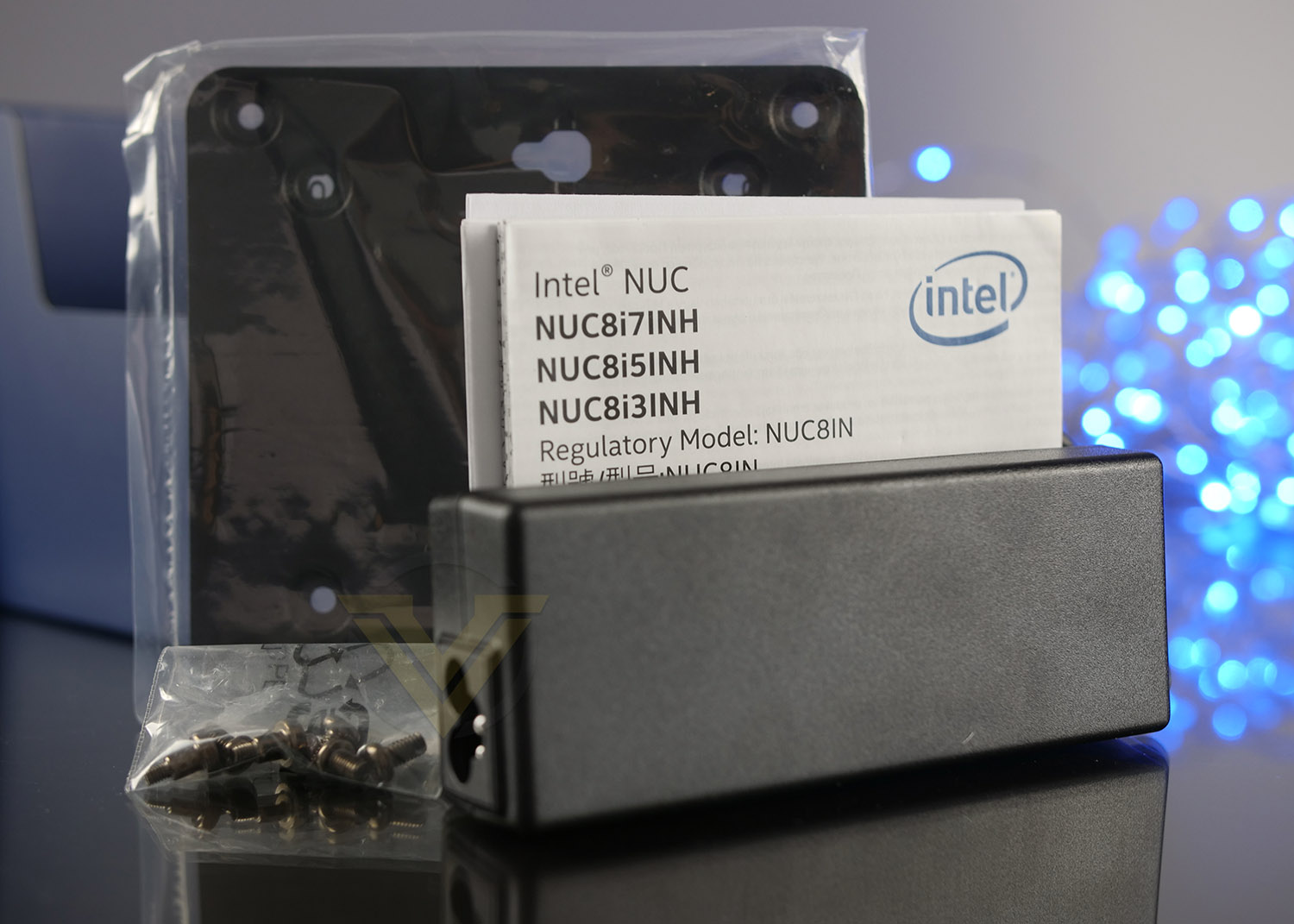
The NUC arrives with a small bundle consisting of a 90W charging unit, documentation, screws and a mounting plate.
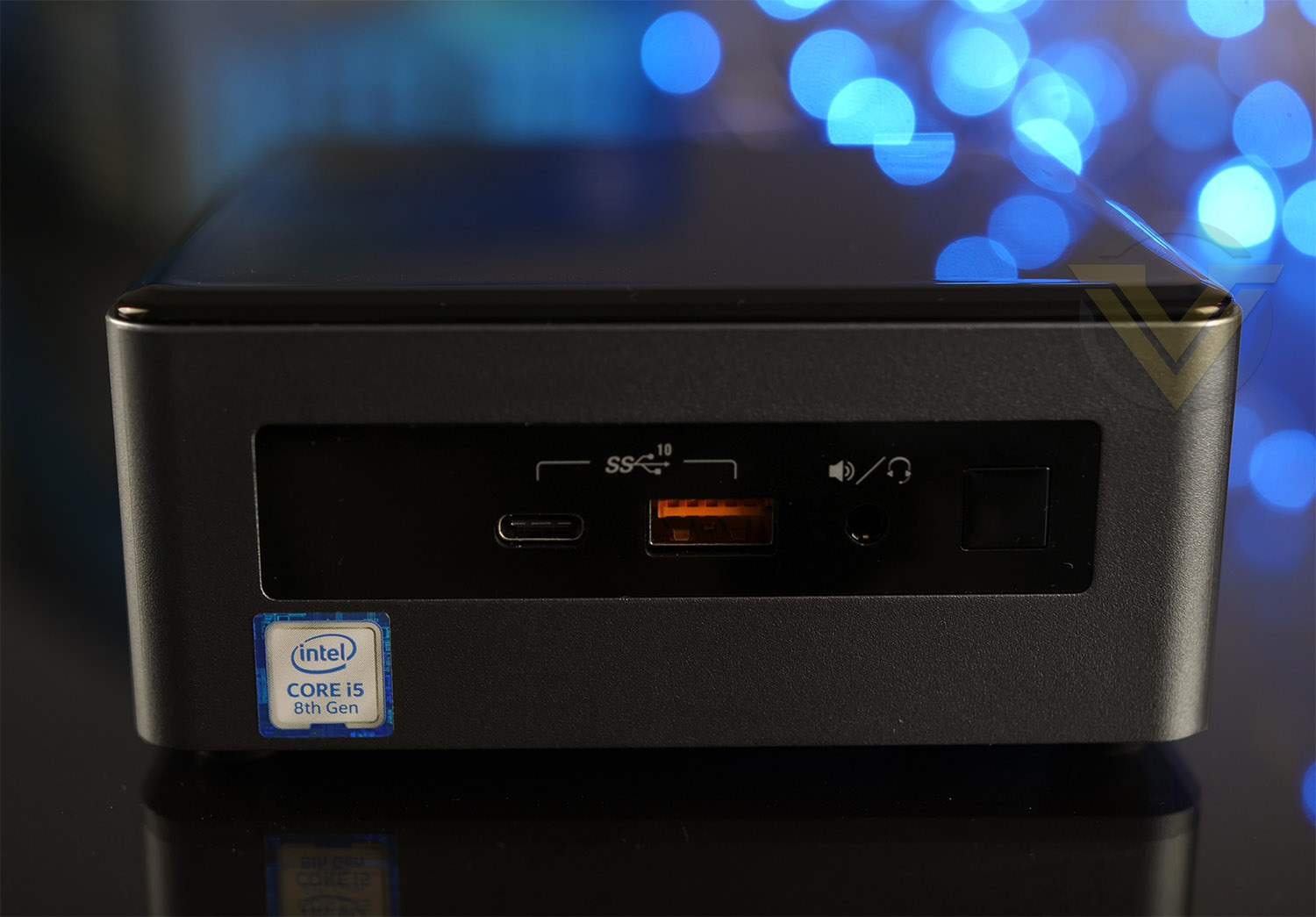
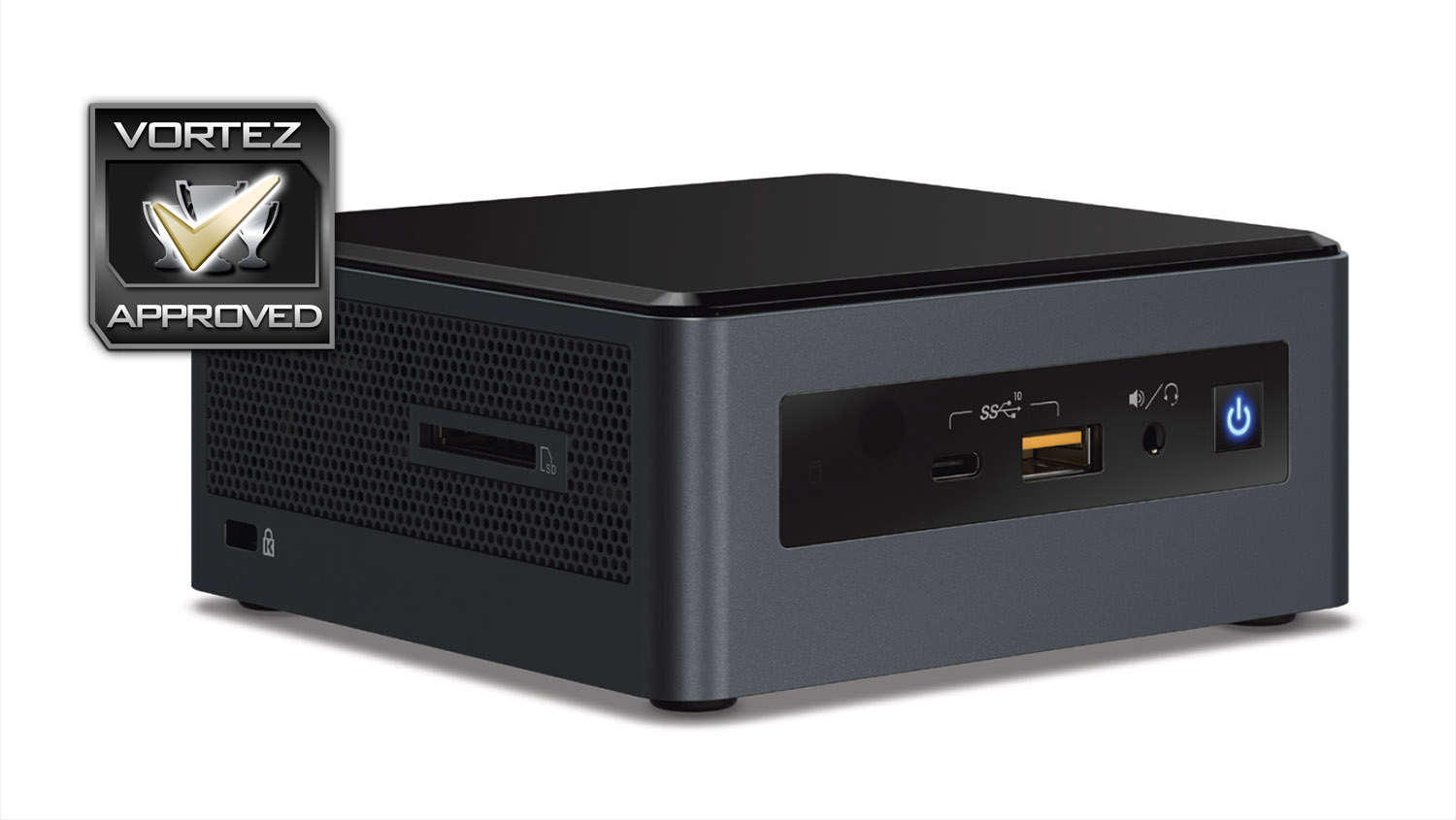
At the front of the unit there is a USB 3.1 Gen 2 Type-C and Type-A port, headphone and mic combo port with accompanying power button. Having the USB ports at the front will be convenient for getting quick access to storage drives.
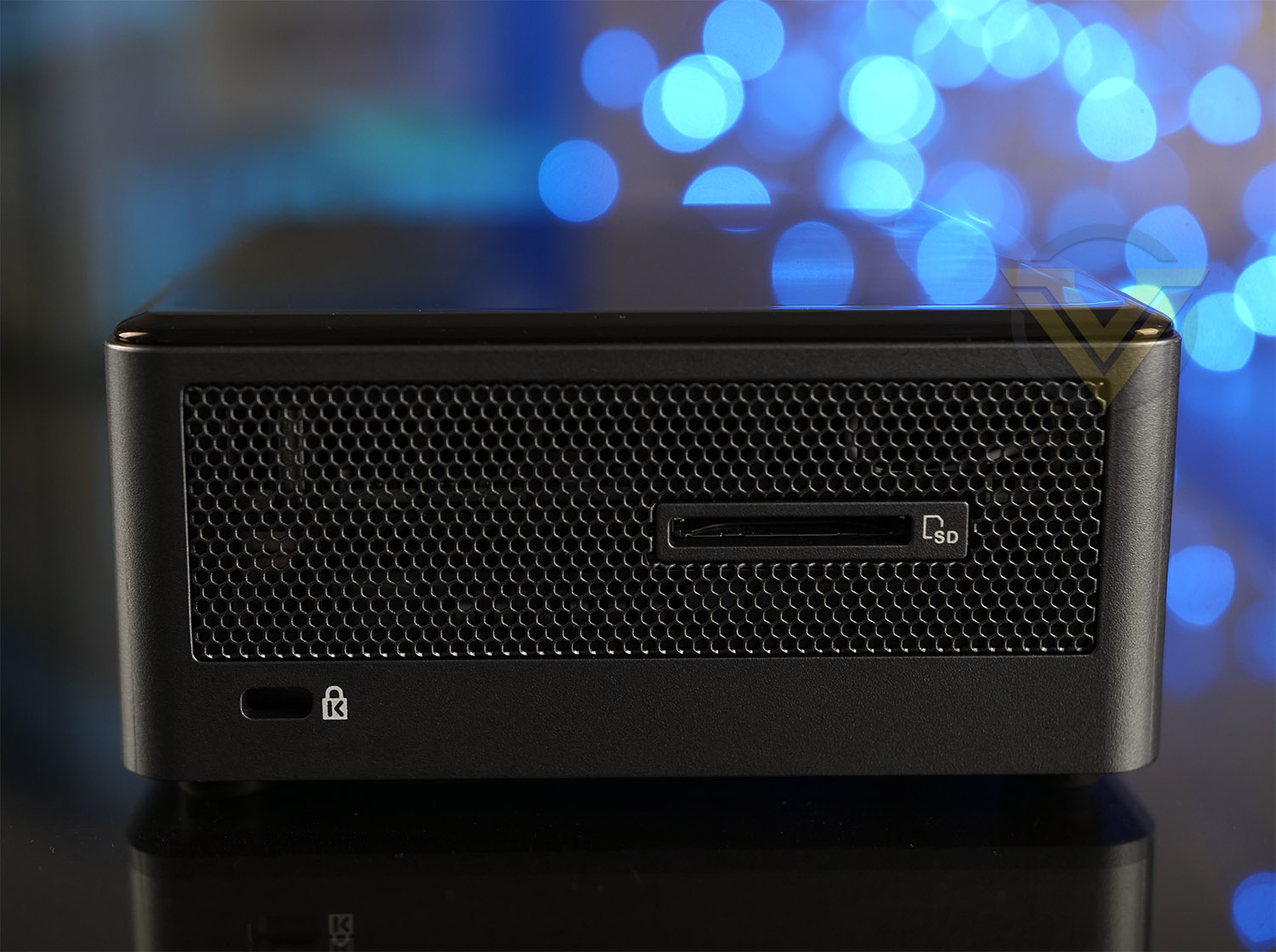
The sides of the unit are heavily ventilated for the internal components and one side has an SD card slot reader which is UHS-I compatible.
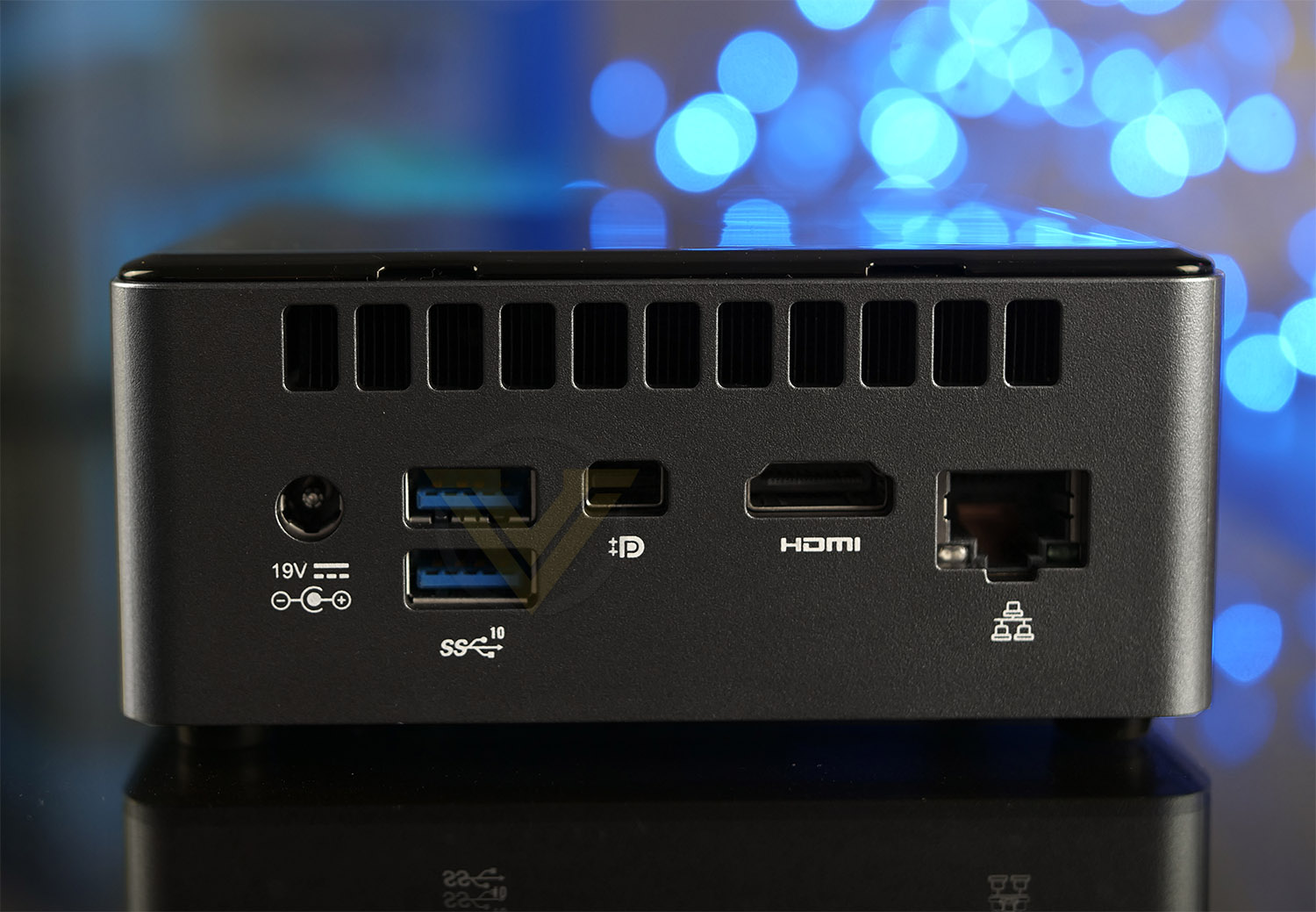
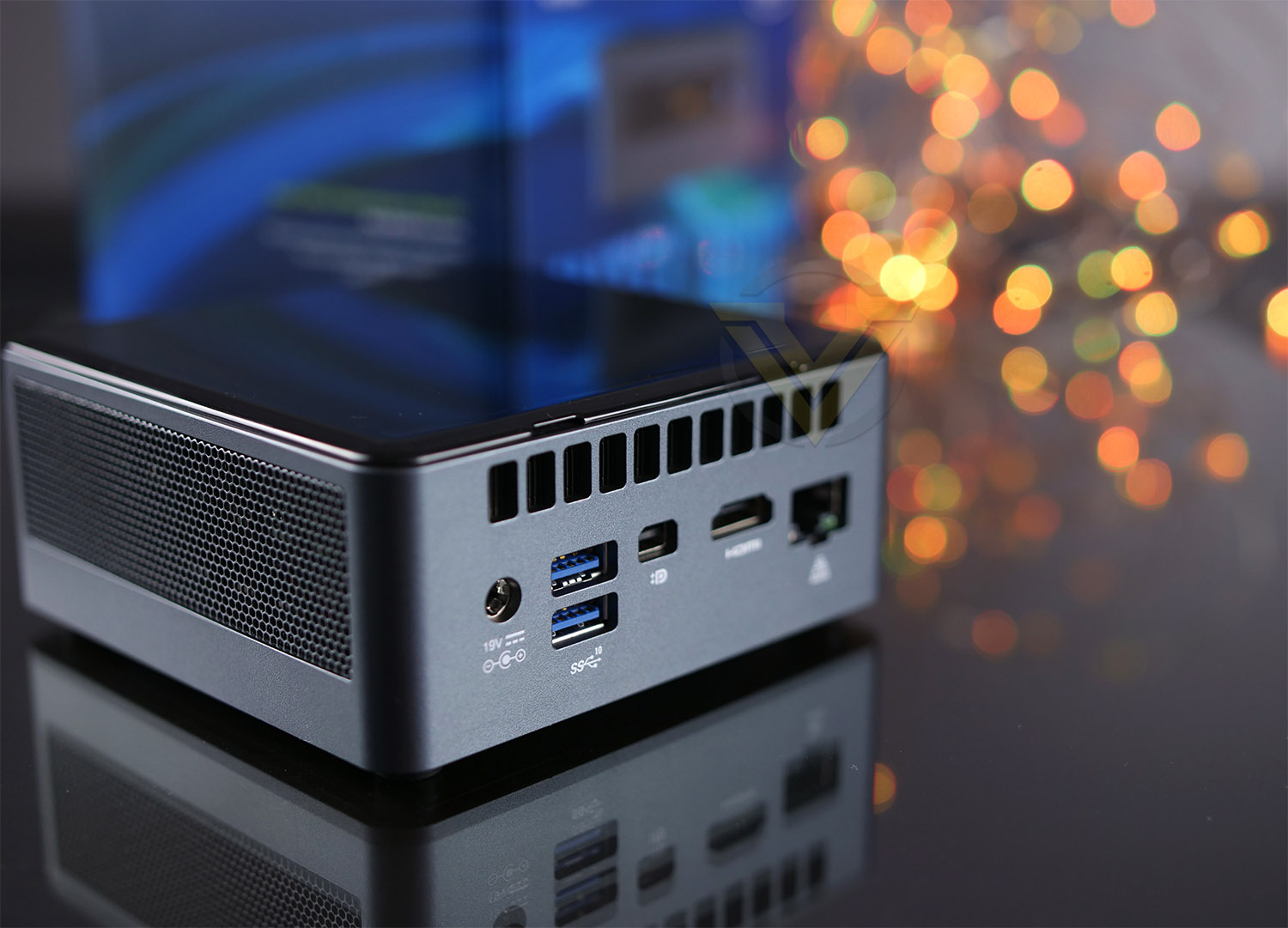
Around the back is the area we find most of the functionality. We have the DC-in for use with the 90W power pack, Two USB 3.1 Gen2 ports, Mini DP 1.2 and HDMI 2.0b video out ports and a gigabit LAN port (via Intel vi219).
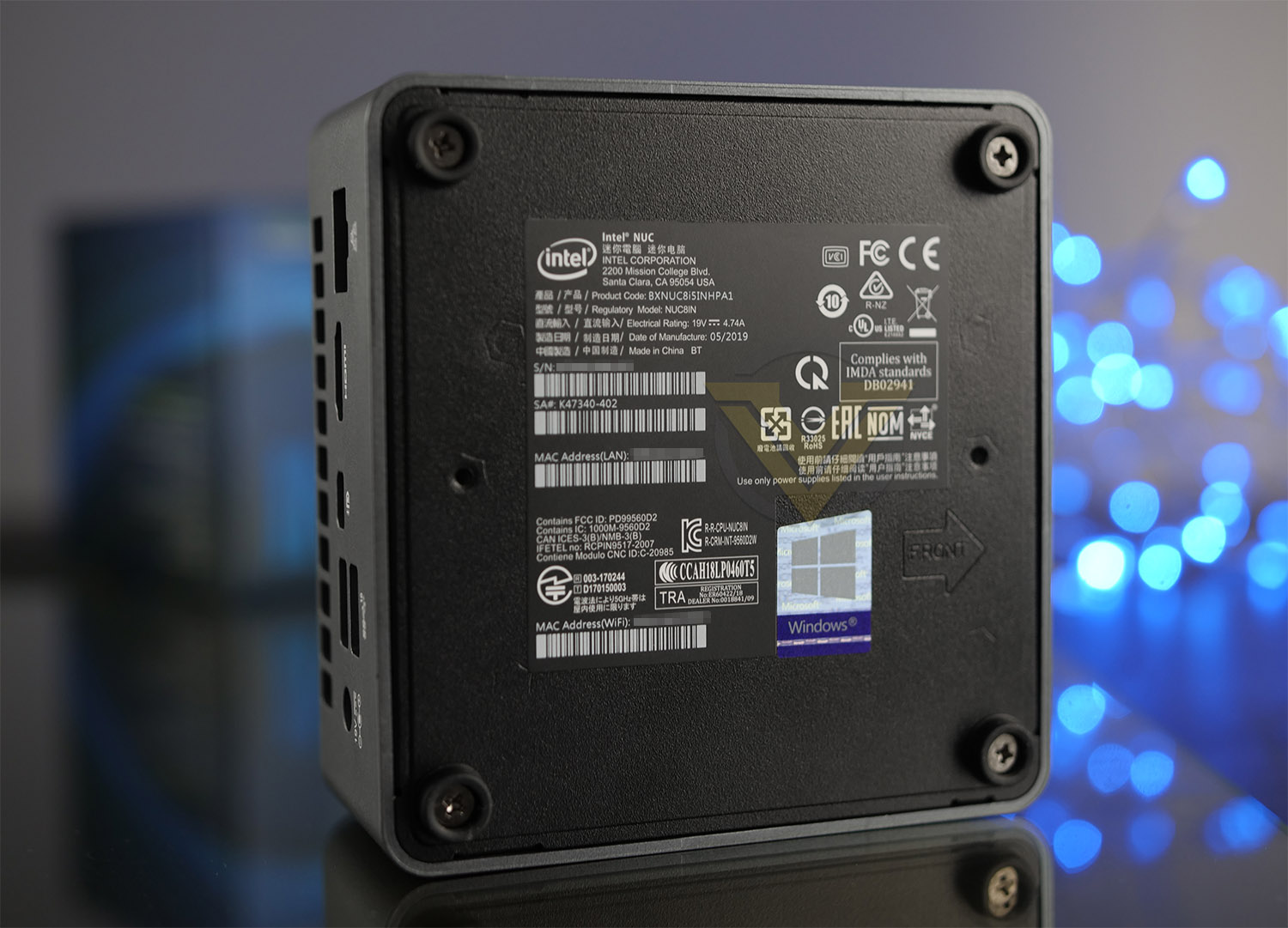
On the underside of our NUC there is a specifications label with details for MAC/serial numbers should you need those for technical support. As you can see, there are four screws with rubber surrounds which act as feet – these screws hold the bottom plate to the chassis and allow entry inside.
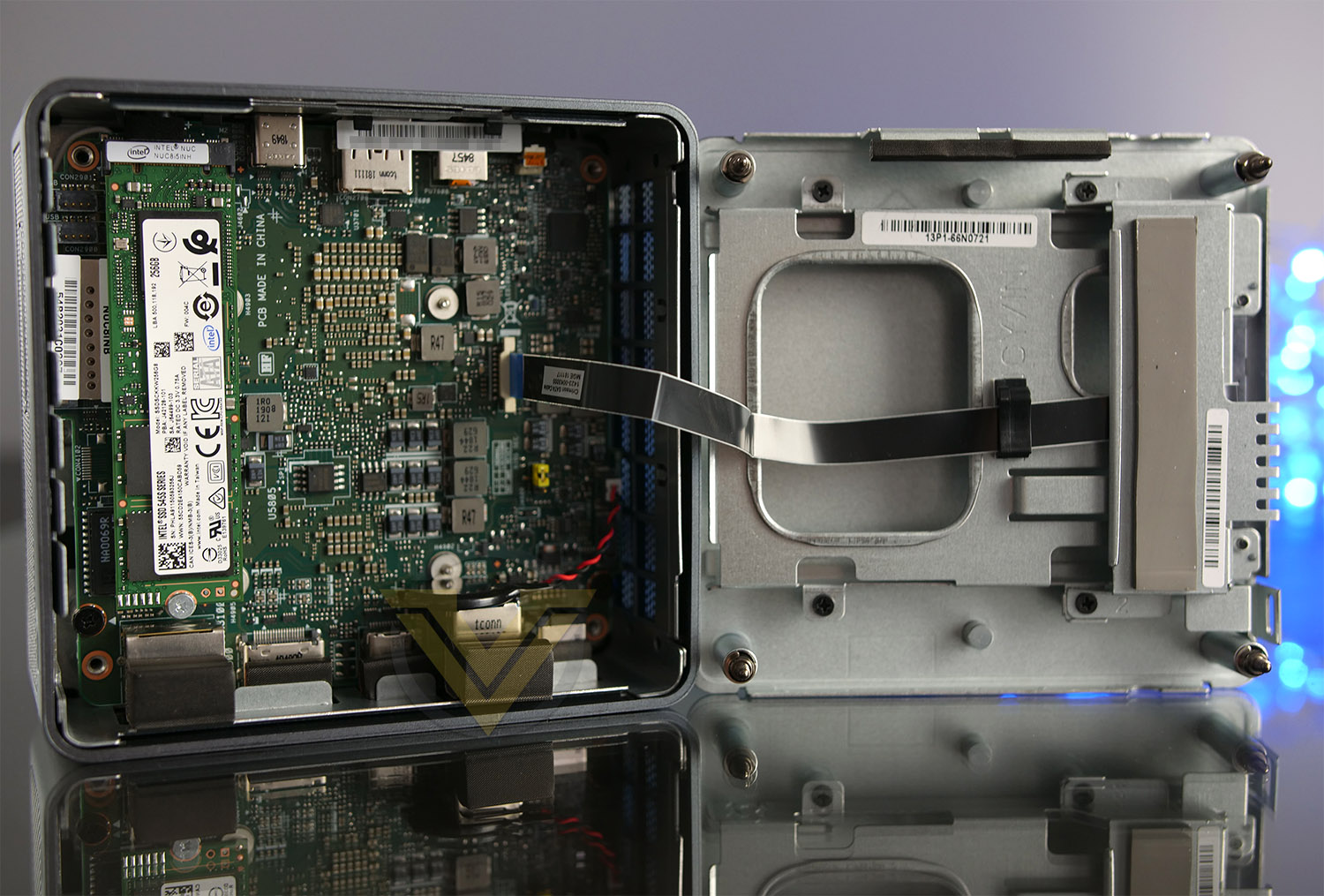
All of the components are pre-installed inside this model since it isn’t a NUC kit but a NUC PC. This takes away the hassle of having to install hardware for the end-user. At the heart of NUC8i5INH is the Intel® Core™ i5-8265U Processor. This is 4 core 8 threads and will be adequate for general day to day usage. For system memory Intel has installed 8GB 2133MHz LPDDR3, which, again should be sufficient for basic tasks. For graphics delivery we have the AMD Radeon 540X with 2GB GDDR5. In terms of storage we have a 256GB Intel SSD 545S which is a SATA-based SSD. Although the platform and system is capable of taking full advantage of a PCI-Express driven M.2 SSD using Gen3 X4 (2000MB/s+), Intel has opted for a slower SATA-SSD which is capped at up to 500MB/s which is somewhat disappointing.
There is space to add in a 2.5” SSD to the lid of the chassis as shown in the picture. On some SKUs, such a drive is included out of the box.
Next, we’ll be testing out this Mini-PC to see how capable it really is!
Benchmarks: Temperatures
or our first benchmark test we observe the max. CPU/GPU temperatures of the system while allowing Unigine Heaven 4.0 to run on a 30 minute loop. To report back on the temperatures we use Core Temp and GPU-Z which provide the peak figures.
Benchmarks: Windows 10 Boot & Power Consumption
This Intel NUC comes with Windows 10 pre-installed and in this quick test we’ll see how fast we can boot into Windows from a cold boot. To measure the power consumption, we load up 3DMark and then use a power energy monitor to view wattage.
Benchmarks: Cinebench R20 & 7Zip
Cinebench is a real-world cross-platform test suite that evaluates your computer’s hardware capabilities. Improvements to Cinebench Release 20 reflect the overall advancements to CPU and rendering technology in recent years, providing a more accurate measurement of Cinema 4D’s ability to take advantage of multiple CPU cores and modern processor features available to the average user. Best of all: It’s free.
Benchmarks: PCMark 10
PCMark 10 is the latest version in our series of industry standard PC benchmarks. Updated for Windows 10 with new and improved workloads, PCMark 10 is also faster and easier to use.
PCMark 10 features a comprehensive set of tests that cover the wide variety of tasks performed in the modern workplace. With express, extended, and custom run options to suit your needs, PCMark 10 is the complete PC benchmark for the modern office.
PCMark 10 features a comprehensive set of tests that cover the wide variety of tasks performed in the modern workplace. With express, extended, and custom run options to suit your needs, PCMark 10 is the complete PC benchmark for the modern office.
Benchmarks 3DMark TimeSpy
Time Spy is a DirectX 12 benchmark test for gaming PCs running Windows 10. With its pure DirectX 12 engine, built from the ground up to support new API features like asynchronous compute, explicit multi-adapter, and multi-threading, Time Spy is the ideal benchmark for testing the DirectX 12 performance of the latest graphics cards.
Benchmarks: Apex Legends, BFV, MW: Shadow of War, AC: Odyssey, Shadow of the TR
This NUC uses the AMD Radeon 540X for graphics delivery, in this section we test the latest gaming titles to see how effective the 3D capabilities are. We report on the average framerate using FRAPS or in-game benchmark tool.
Conclusion
After spending some time with Intel’s NUC 8 Mainstream G, we can safely say that it’s a neat piece of kit that will be ideal to use as a home theatre configuration or family system.
The obvious benefit to using such an ultra-compact system like this is the small footprint. It’ll tuck away nicely to the side of a desk or even behind a large display if desired. If it is out on display though, Intel has done a great job on the aesthetics, it looks sleek and stylish.
Throughout our testing we benchmarked the NUC against previously tested laptops which are positioned as mid-range mobile systems. For the most part, Intel’s offering did an admirable job for its given specifications and we can definitely vouch for it being capable for multimedia tasks. The only area in which we see this unit struggle is in the gaming arena. Even with the detail presets cranked down to low, the Radeon 540X with its 2GB GDDR5 will hover around 20-30 fps in most games. However, we have to appreciate that this product isn’t designed to be a gaming machine, but our tests do provide an interesting insight should you wish to indulge in some casual gaming.
The great benefits of NUC8i5INH are that it outputs low temperatures, low noise and low power consumption. All three of these attributes are something which most users seek to keep to an absolute minimum and Intel has certainly achieved this.
We like that there is an option to expand and build upon the current configuration by adding in additional storage easily. Our configuration lacks the 2.5” secondary drive but there is space to install this at a later stage should the user desire to do so. Storage within our NUC relies solely on the 256GB Intel SSD 545S. This drive is highly capable at delivering good results under the SATA interface but since Intel have a PCI Express Gen3 X4 slot – it would have been much more advantageous to use a PCIe SSD instead.
Intel’s NUC 8 Mainstream G is priced from $750-1100 USD. So our model at $811 @ Newegg is one of the cheaper models in the stack. Buying the components individually with Windows 10 Home Edition would total around $600. For an extra $200 the system is prebuilt for peace of mind and arrives with a 3 years warranty which isn’t too shabby at all.
NUC 8 Mainstream G is an ultra-compact computer system which combines a handful of components including an Intel’s 8th Gen. Processor and Radeon 540X discreet graphics that is able to deliver competent performance for home-entertainment.
Pros
+ Small-footprint
+ Decent media performance
+ Opportunity to expand
+ Charging port
+ Low-temperatures
+ Low-noise
+ Comes with Windows 10
+ 3 years Warranty
Cons
– Limited 3D capabilities
– Stiff competition from rival offerings
+ Small-footprint
+ Decent media performance
+ Opportunity to expand
+ Charging port
+ Low-temperatures
+ Low-noise
+ Comes with Windows 10
+ 3 years Warranty
Cons
– Limited 3D capabilities
– Stiff competition from rival offerings
Click here for an explanation of our awards at Vortez.net.
Stay connected with the Vortez Social Media pages:
Join in with the discussions on Discord