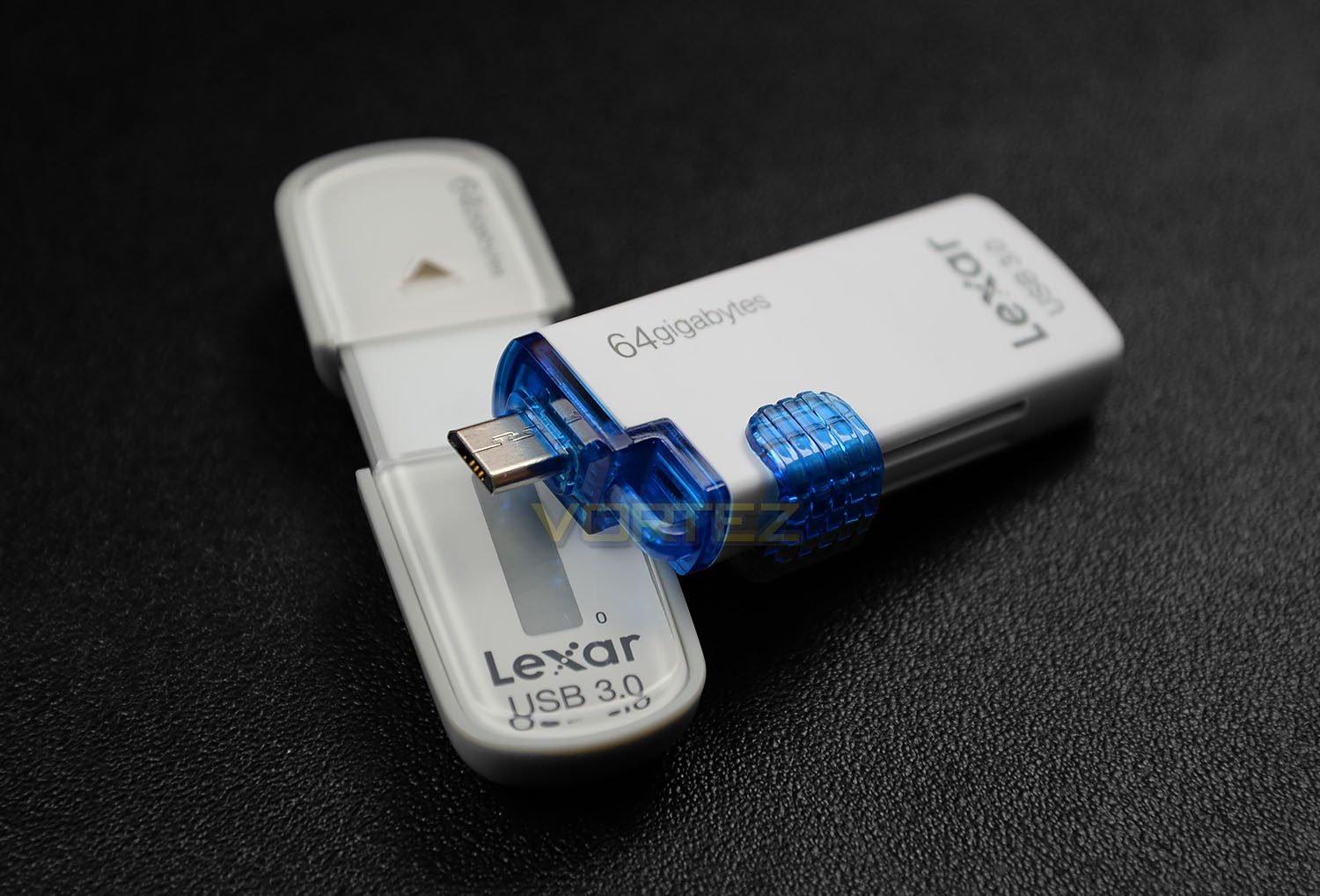
We test the 64GB LEXAR JumpDrive M10 and M20 flash-based USB 3.0 drives and see what they have to offer.

Product on Review: JumpDrive M10 & JumpDrive M20
Manufacturer: LEXAR
Street Price: M10: £25 / $72 – M20: £20 / $43
LEXAR are known by many for their prowess in the digital media segment, offering professionals a wide range of products from SD cards to flash-based drives. In the world of digital photography and film making LEXAR are the go-to brand for high-quality products and today we’re to test two large capacity USB 3.0 drives.
The JumpDrive M10 and M20 are flash-based USB 3.0 drives which offer up to 128GB/64GB of capacity. While the M20 provides the added bonus of supplying micro USB functionality for use with mobile devices such as smartphones or tablets, both JumpDrives promise to offer great value for money.
LEXAR on their M10 & M20 drives
The Lexar® JumpDrive® M10 Secure USB 3.0 flash drive provides comprehensive data protection and features an easy-to-read, always-on capacity meter. And with speeds up to 4x faster than standard JumpDrive USB 2.0 drives, it allows you to quickly and safely store and transfer files.
Quickly and easily transfer and share photos, music, videos, and files between your Android™ tablet, smartphone, or computer with the Lexar® JumpDrive® M20 Mobile USB 3.0 flash drive.
Quickly and easily transfer and share photos, music, videos, and files between your Android™ tablet, smartphone, or computer with the Lexar® JumpDrive® M20 Mobile USB 3.0 flash drive.
Features
M10
• Securely protects files using EncryptStick™ Lite software, an advanced security solution with 256-bit AES encryption
• Easy-to-read, always-on capacity meter displays available storage space
• Speeds up to 4x faster (up to 100MB/s read and 55MB/s write) than standard JumpDrive® USB 2.0 drives*
• High-capacity options to store more files on the go
• Compatible with PC and Mac® systems
• Three-year limited warranty
Capacities
• 16GB (up to 100MB/s read, 20MB/s write)
• 32GB (up to 100MB/s read, 30MB/s write)
• 64GB (up to 100MB/s read, 55MB/s write)
• 128GB (up to 100MB/s read, 55MB/s write)
• Easy-to-read, always-on capacity meter displays available storage space
• Speeds up to 4x faster (up to 100MB/s read and 55MB/s write) than standard JumpDrive® USB 2.0 drives*
• High-capacity options to store more files on the go
• Compatible with PC and Mac® systems
• Three-year limited warranty
Capacities
• 16GB (up to 100MB/s read, 20MB/s write)
• 32GB (up to 100MB/s read, 30MB/s write)
• 64GB (up to 100MB/s read, 55MB/s write)
• 128GB (up to 100MB/s read, 55MB/s write)
M20
• Transfers files between mobile devices without cables or Wi-Fi
• Designed for use with On-The-Go (OTG)-enabled Android™ tablets and smartphones*
• USB 3.0 performance (up to 120MB/s read and 55MB/s write)**
• Retractable 2-in-1 design with a micro-USB and USB 3.0 connector
• Works with ASTRO File Manager (download at Google Play™ store)
• Compatible with both PC and Mac® systems
• Backwards compatible with USB 2.0 devices
• Three-year limited warranty
Capacities
• 16GB (up to 120MB/s read and 20MB/s write)
• 32GB (up to 120MB/s read and 55MB/s write)
• 64GB (up to 120MB/s read and 55MB/s write)
• Designed for use with On-The-Go (OTG)-enabled Android™ tablets and smartphones*
• USB 3.0 performance (up to 120MB/s read and 55MB/s write)**
• Retractable 2-in-1 design with a micro-USB and USB 3.0 connector
• Works with ASTRO File Manager (download at Google Play™ store)
• Compatible with both PC and Mac® systems
• Backwards compatible with USB 2.0 devices
• Three-year limited warranty
Capacities
• 16GB (up to 120MB/s read and 20MB/s write)
• 32GB (up to 120MB/s read and 55MB/s write)
• 64GB (up to 120MB/s read and 55MB/s write)
Closer Look
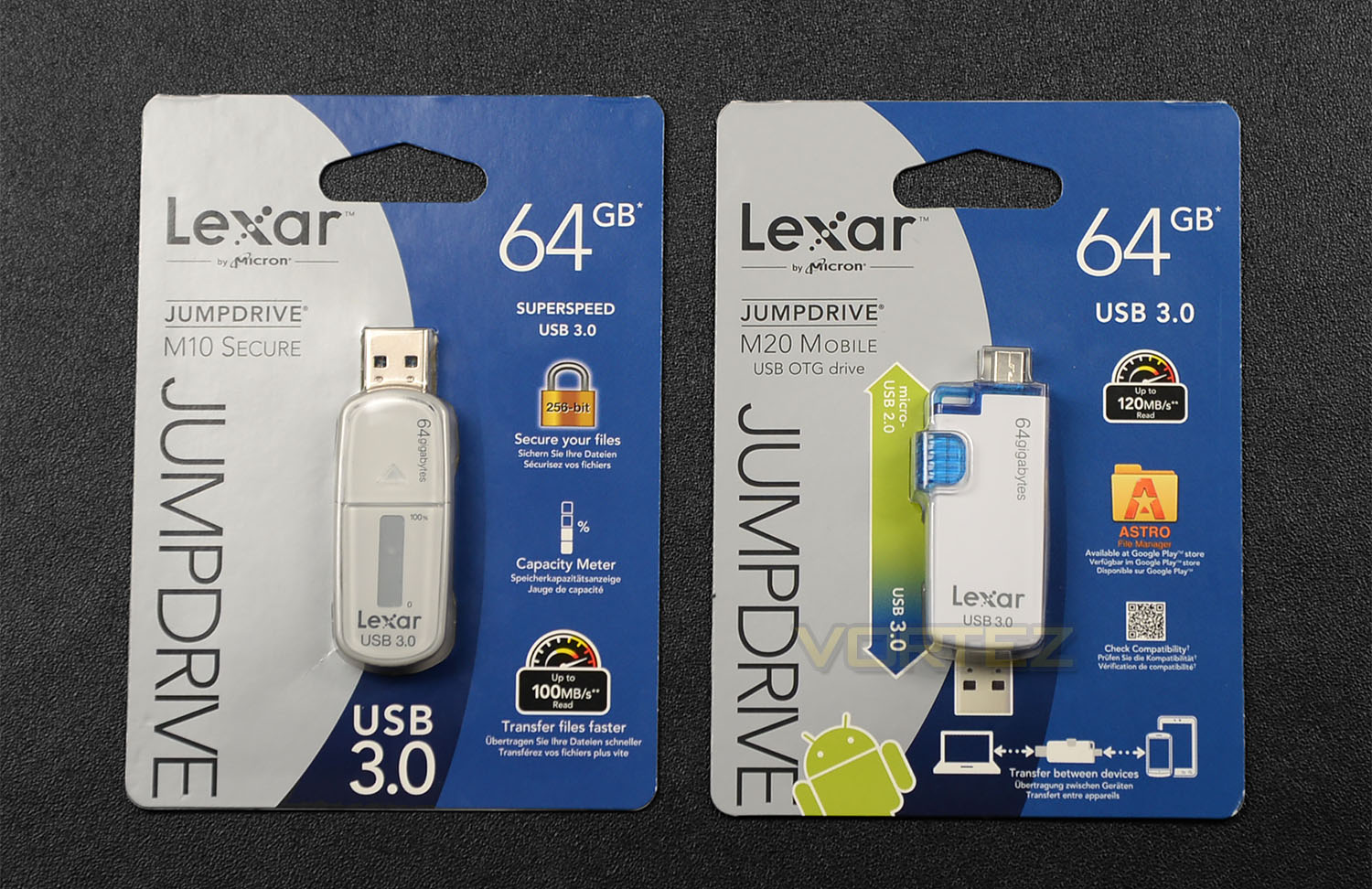
Both drives arrive in coordinated packets – unfortunately, once opened this packaging has to be discarded because a pair of scissors are required to cut through. Nevertheless, the graphics are attractive, listing the capacities, features and giving a showcase of the actual product through a plastic window.
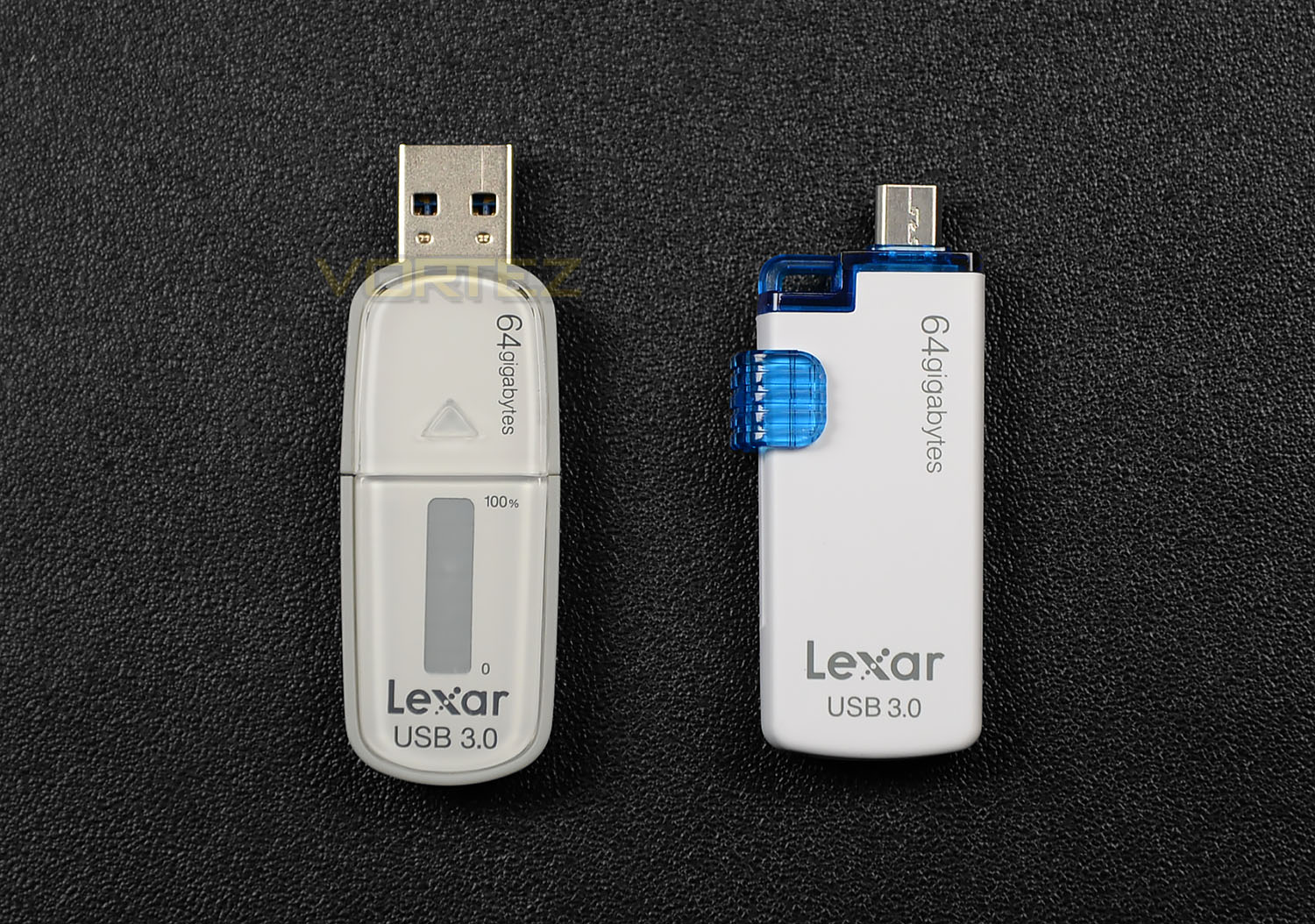
The M10 and M20 drives are both attractive and well-designed. The M10 is slightly bigger than the M20 and is without any colouring.
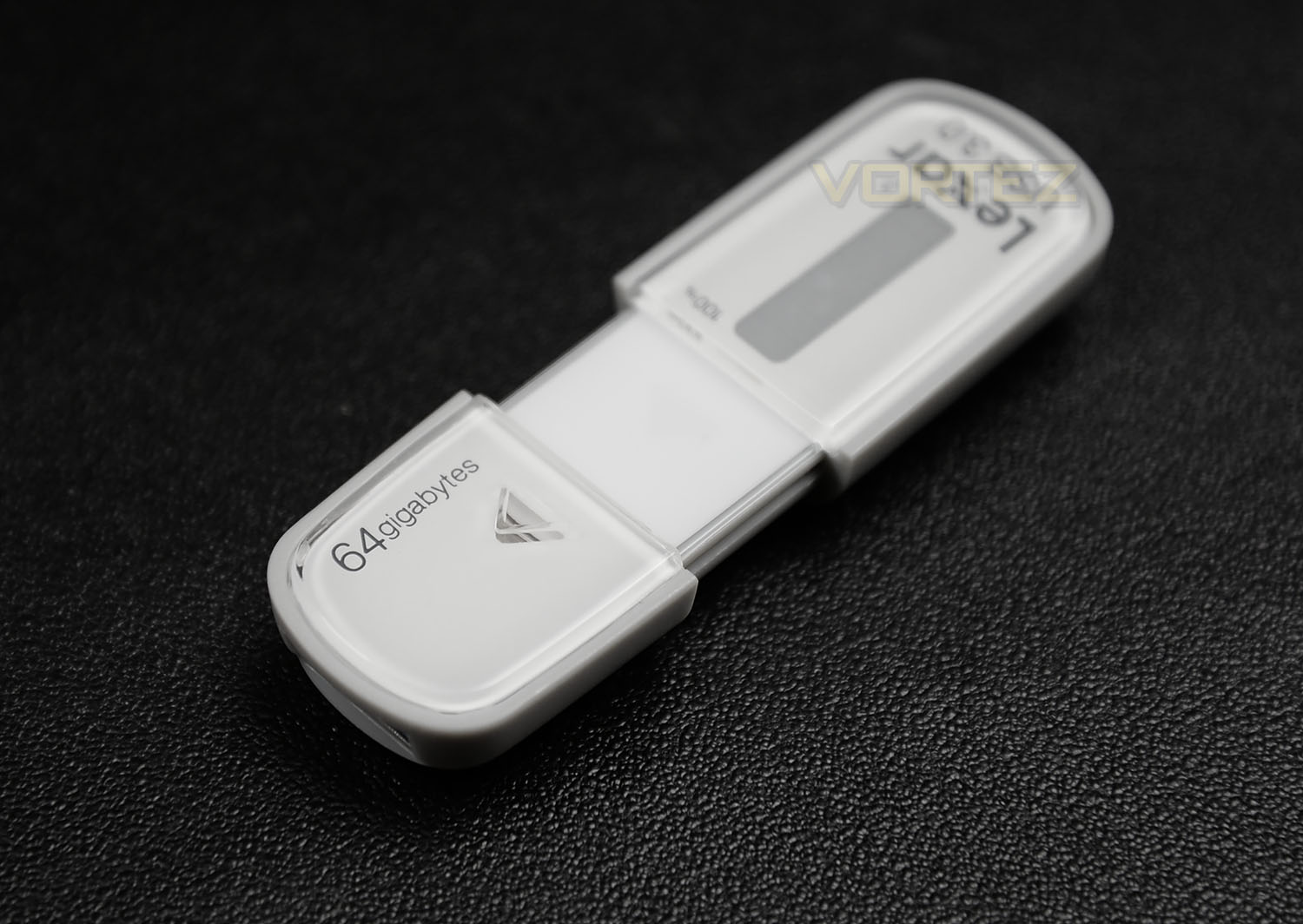
To help conceal the USB tip, LEXAR has given M10 a retractable cover which slides back and forth. Another interesting feature about M10 is the fact it comes with a capacity metre on the top-side – this helps to establish how much data is on the drive.
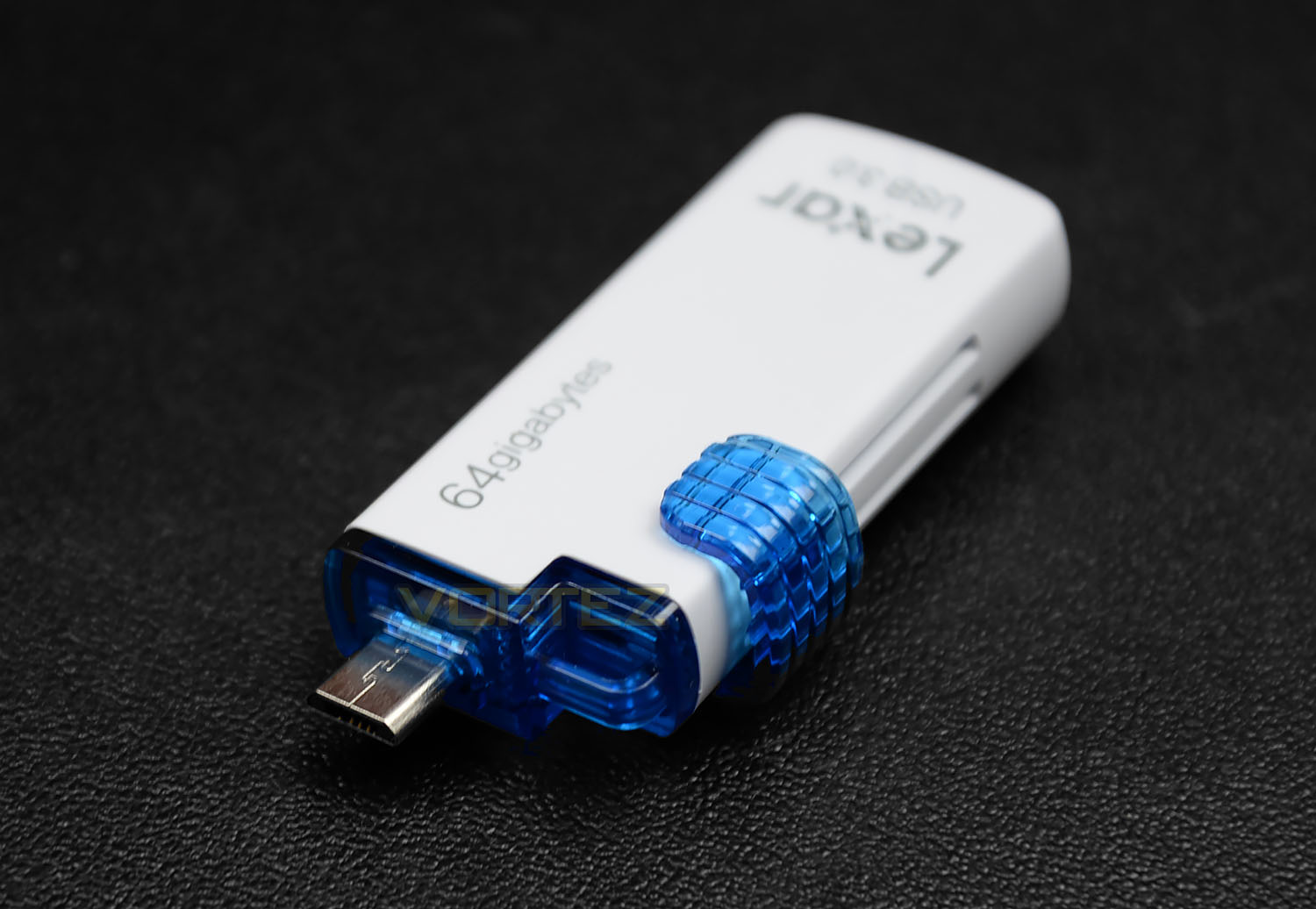
The M20 on the other hand touts itself as a slightly different beast by offering micro USB functionality.
By having a micro SD connector we can transfer files between mobile devices without needing a cable or a wireless connection. This is ideal for Android-based devices such as tablets and smartphones. At the time of writing this article, Samsung has recently released the Galaxy S6 which features no expandable micro SD card and this drive from LEXAR would be a very appropriate device to use for keeping data secure and backed up.
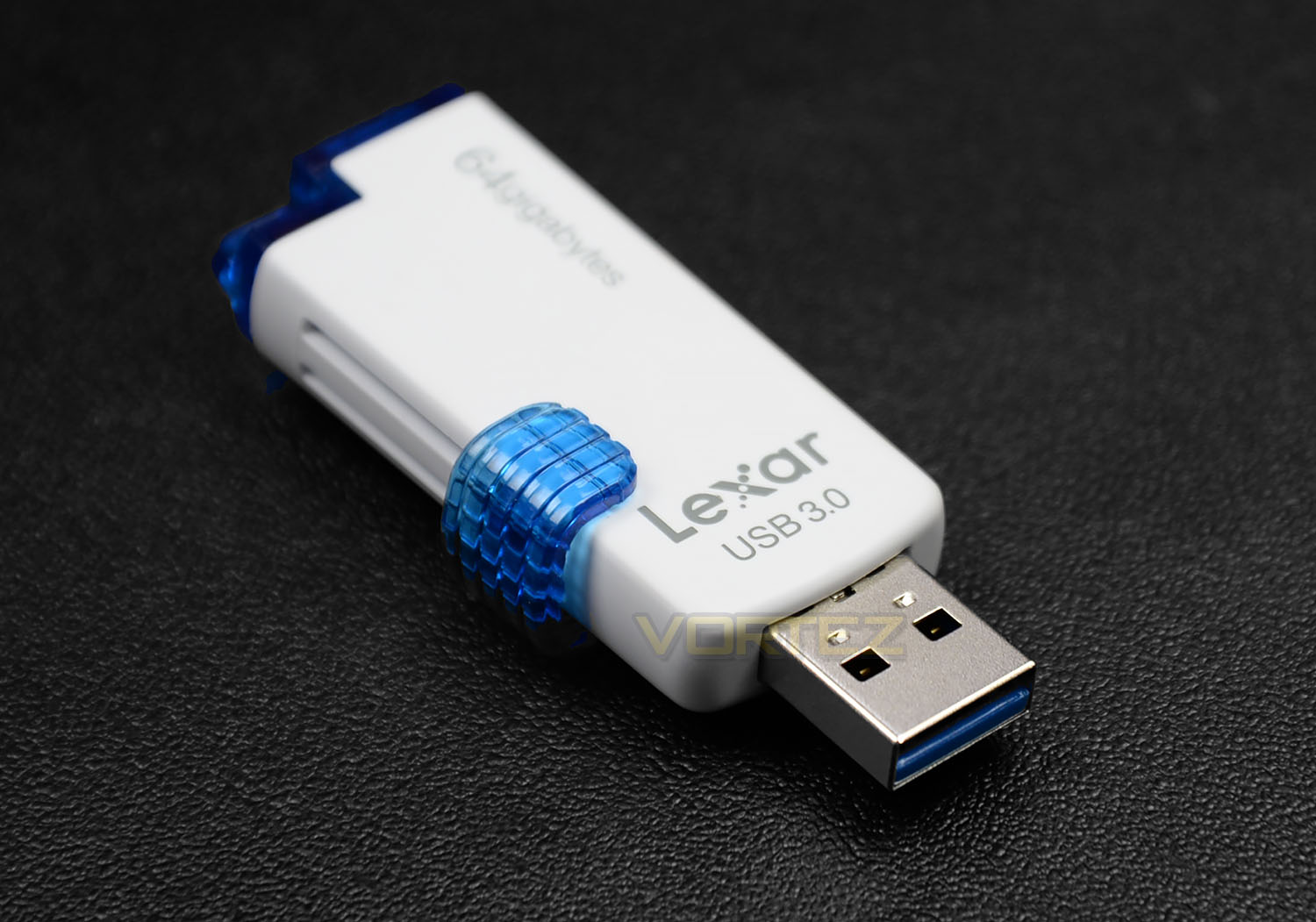
M20 isn’t limited to just micro USB usage though, we can also make use of the USB 3.0 connection and in fact this would be the method to which users would transfer files to a computer. To use either connector a slider needs to be pressed down – this is somewhat clunky, we’d have liked LEXAR to use a better mechanism which is smoother.
Test Setup & Methodology
Test Setup
CPU Intel Core i7 4790K (Devil’s Canyon)
Cooling Corsair Hydro Series H105
Motherboard ASUS Maximus VII Ranger
Memory 16GB Corsair Vengeance Pro 2800MHz CL12 DDR3
Graphics NVIDIA GTX 780 Ti
Storage OCZ RevoDrive 350 480GB
PSU Corsair HX1050 80 Plus Gold Certified PSU
Cooling Corsair Hydro Series H105
Motherboard ASUS Maximus VII Ranger
Memory 16GB Corsair Vengeance Pro 2800MHz CL12 DDR3
Graphics NVIDIA GTX 780 Ti
Storage OCZ RevoDrive 350 480GB
PSU Corsair HX1050 80 Plus Gold Certified PSU
USB 3.0
The Maximum theoretical bandwidth of USB 3.0 is 5Gbps (625 MB/s); under the most common data encoding parameters this figure drops to ~400MB/s, still dwarfing the spec limits of the majority of USB 3.0 thumb drives. Though the absolute maximum data transfer rate for the drive under reasonable conditions is generally of primary importance, it’s also sensible to monitor sequential performance which is regarded much more rigorous.
Up against the LEXAR drives are a number of other products which use the USB 3.0 interface but which are flash-based. This comparison helps to demonstrate how a reliable, popular and affordable USB 3.0 drive competes against LEXAR’s consumer devices.
Since Windows 7 does not natively support UASP, results using this operating system can be somewhat restricted. ASUS motherboards unlock UASP via ‘USB 3.0 boost’ as part of AiSuite 3 – we have used this when reviewing other UASP enabled drives in the past but the LEXAR drives do not offer any performance increase with this setting active. We therefore presume the LEXAR drives are not UASP enabled.
Testing Notes:-
1. Poorly configured or malfunctioning USB 3.0 ports may not recognise USB 3.0 devices, but still work in USB 2.0 mode for USB 2.0 devices. Do not assume that the drive is at fault if this occurs, especially if other USB 3.0 devices have yet to be tested.
2. For reasons unknown, some USB 3.0 ports may be limited to ~135MB/s read/write operation. Though not an issue for most drives, external USB 3.0 SSD enclosures and flash drives which are capable of greater speed will suffer.
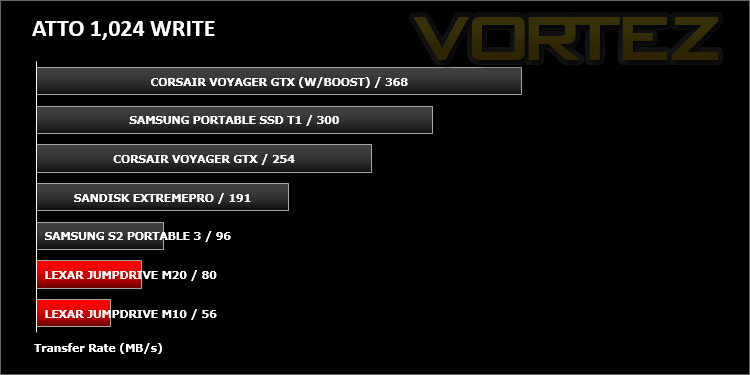
Benchmarks: ATTO
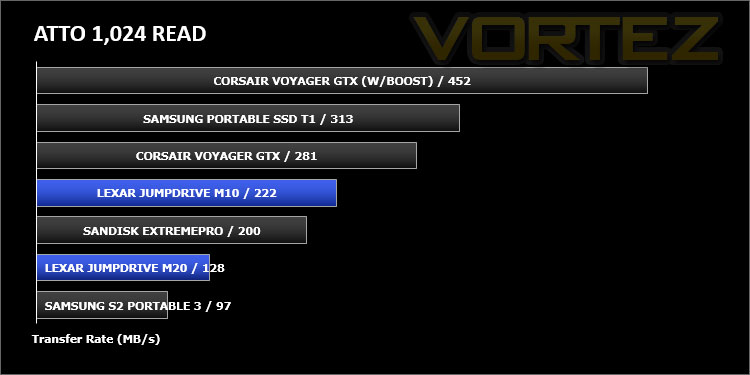
The ATTO Disk Benchmark performance measurement tool is compatible with Microsoft Windows. Measure your storage systems performance with various transfer sizes and test lengths for reads and writes. Several options are available to customize your performance measurement including queue depth, overlapped I/O and even a comparison mode with the option to run continuously. Use ATTO Disk Benchmark to test any manufacturers RAID controllers, storage controllers, host adapters, hard drives and SSD drives and notice that ATTO products will consistently provide the highest level of performance to your storage.
Benchmarks: AS SSD
AS SSD Benchmark is a straightforward tool for measuring the speed of your SSD drive..
Benchmarks: CrystalDiskMark
CrystalDiskMark is a disk benchmark software that analyses different types of hard drive. Giving sequential benchmark write and read statistics in MB/s. A simple program that is very useful.
Benchmarks: HD Tune Pro
A new utility we have added to our line-up of benchmarks is the ever popular HDTune Pro. HD Tune Pro is a hard disk / SSD utility with many functions. It can be used to measure the drive’s performance, scan for errors, check the health status (S.M.A.R.T.), securely erase all data and much more.
Conclusion
Having a physical backup solution is always a wise and sensible route to take even when we’re faced with the current trend of Cloud storage options. Having a USB drive on-hand is still a convenience most of us still embrace and this is where today’s products shine.
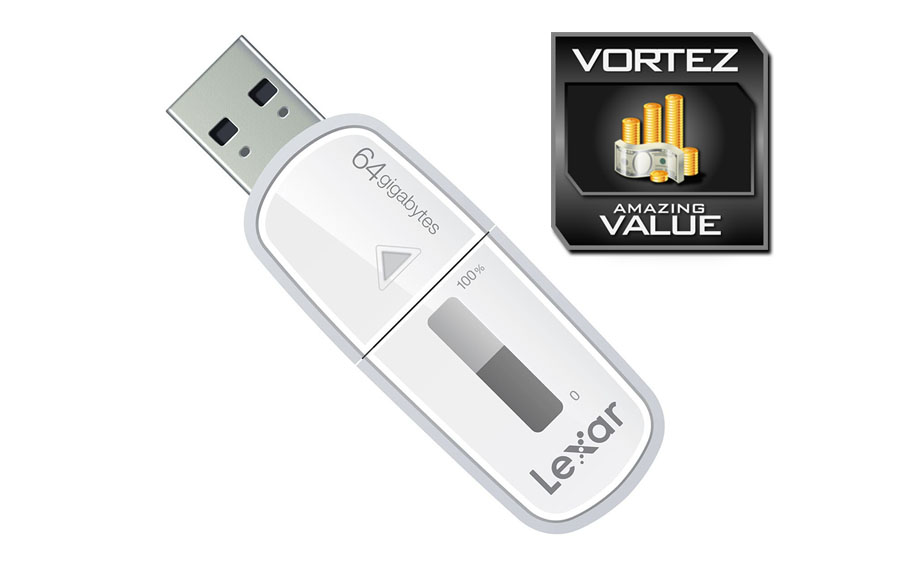
LEXAR’s JumpDrive M10 and M20 are an attractive duo of USB 3.0 storage. Both drives have been given styling which is pleasing to the eye and the physical dimensions are such that it’s easy to pop either into the pocket.
Although both drives offer large capacities up to 128GB/64GB, the M10 drive revealed slightly better performance and even features an innovative capacity metre but the M20 brings in the added functionality of being able to assist with the data backup/transfer for mobile devices via the micro USB connector. This will be especially relevant to those who have just invest in Samsung’s latest Galaxy S6 which is just one example of a new device which features no expandable micro SD card.
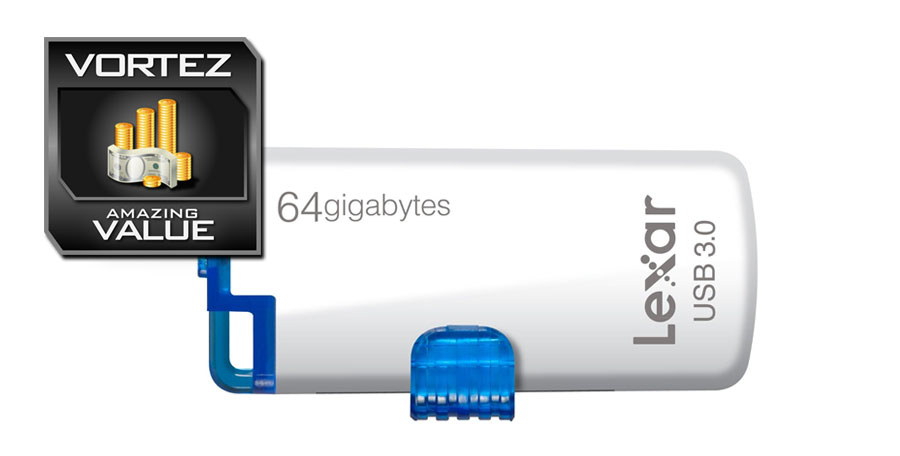
We really like M10 and M20’s price-tag. Both drives we tested are 64GB versions and are priced as follows: M10: £25 / $72 – M20: £20 / $43 – thus making both drives rather affordable. At this price, we can compromise slightly on the performance compared to other drives which are faster but cost much more.
The LEXAR M10 and M20 drives are two handy storage devices which strike a superb balance of capacity and cost. We regard both as great value for money and are pleased with what LEXAR has brought to the table in both products.
Pros
+ Attractive styling
+ Discreet size
+ Large capacities
+ M20 adds mobile device functionality
+ Very affordable
Cons
– Low write sequential operation
+ Attractive styling
+ Discreet size
+ Large capacities
+ M20 adds mobile device functionality
+ Very affordable
Cons
– Low write sequential operation

Click here for an explanation of our awards at Vortez.net.