The next generation of Lian Li AIO CPU coolers has arrived, complete with pump-mounted IPS screen and new hose management features, but can we create as clean a build as the manufacturers suggest?

Product on Review: Hydroshift LCD 360S AIO
Manufacturer: Lian Li
Street Price:
US: $179.90 USD excl Tax
UK: £149.99 GBP inc. V.A.T.
AUS: $269 AUD inc. Tax
—
What can one say about Lian Li. Best known for their trend-setting PC enclosures and renowned for their construction quality, the Taiwanese chassis specialists have now branched out into the wider cooling segment as well as power supplies, cabling and other accessories. Currently they’re cementing their position in the CPU liquid cooling arena with the release of the HydroShift LCD series, a brand new design for high performance AM4/AM5/LGA1700 CPUs that marries exceptional cooling potential with an aesthetic ethos that complements what is perhaps their most successful project to date: the O11 Dynamic case.
The Lian Li HydroShift LCD series has an ‘All-In-One’ closed loop liquid cooler design with 360mm radiators and three of their 120mm fans. There are three major variants – available in black or white – that share two hallmark features: a pump-mounted OLED screen, and a selection of adaptations that improve hose management. They do however differ in subtle but potentially quite significant ways.
Lian Li’s HydroShift LCD 360S is the most affordable member of the range and also the one that focuses most on performance. It features a 27mm-thick radiator and three 120mm Lian Li UNIFAN P28 fans for easy cable-free daisy chaining and a nice clean finish. It’s effectively RGB-free but with fans and fin density that ensure ample cooling for every current-gen CPU.
The HydroShift LCD 360R by contrast swings a little more towards aesthetics with RGB fans and a thicker radiator. It’s not quite as accomplished a cooler as the 360S – on paper at least – but instead adds that little bit of customisable illumination if that’s your thing.
Sitting atop the tiers is the HydroShift LCD 360TL. It uses Lian Li’s TL-style RGB fans complete with infinity mirror effect on the edges for a truly unique look. The radiator is the same thicker model as the 360R but the higher specification fans mean that it should perform as well as the 360S. This model has an MSRP of $260 in the US however, significantly more than the 360S, making it a much more considered purchase.
About Lian Li:
Lian Li Industrial Co., LTD, found in 1983, is the largest and most reputable family-owned and run designers and manufacturer of high-quality PC cases and accessories.
With nearly 25 years in the PC industry, Lian Li has seen many trends come and go, but has persisted in its philosophy that its products should stand out from everything else, that, with the touch of every Lian Li product, you should feel the difference. Even at times where the norm in the industry was to cut cost, Lian Li persisted in being the top choice for anyone that builds a PC system.
With nearly 25 years in the PC industry, Lian Li has seen many trends come and go, but has persisted in its philosophy that its products should stand out from everything else, that, with the touch of every Lian Li product, you should feel the difference. Even at times where the norm in the industry was to cut cost, Lian Li persisted in being the top choice for anyone that builds a PC system.
Large closed loop coolers are increasingly common due to the current ubiquity of the Lian Li O11D and other PC cases very much inspired by this benchmark design. They offer a wider internal field of view than conventional case styles without compromising cooling performance, with most aspects designed as if your PC and its components were worthy of showcasing in their own right. Pump-mounted LCD screens and fan-edge lighting aren’t for cases from a decade ago, even if their performance in such an enclosure would still be exceptional.
These HydroShift models are, in effect, evolutions of the Galahad II. Like those older designs the HydroShift enters an extremely competitive market with an ace in the hole, a 2.88-inch 480x480px IPS display integrated into the pump housing. Each faces off against the likes of the Corsair Hydro Series with iCUE, NZXT’s Kraken Elite and the Phanteks Glacier One but are considerably less expensive than the ASUS ROG Ryujin III.
With that background in place let’s take a closer look at the HydroShift 360S, the performance model and entry point into the range, which is the variant on review today.
Technical Specifications
Model Name:- HydroShift LCD 360S
Model No.:- HSLCD36SB BLACK | HSLCD36SW WHITE
Type:- 360mm Radiator (3 x 120mm fans)
Colour:- Black | White
Pump Speed:- 3800RPM (Max.)
Water Block Dimension:- 72 x 72 x 59mm
Water Block Style:
– LCD Display Type: 2.88” IPS
– LCD Display Resolution:- 480 × 480 pixels
– Screen Brightness:- 500 nits
Radiator Dimension:- 403 x 124.5 x 27mm
Radiator Material:- Aluminium
Radiator Fins:- Single wave
Tube Length:- 475mm
Fan Dimension:- 124 x 120 x 28 mm
Fan Speed:- 200~2500 RPM
Static Pressure:- 5 mm H2O(Max.)
Airflow:- 73.14 CFM(Max.)
Acoustic Noise:- 29.8 db(A)
Bearing Type:- FDB Bearing
Compatible CPU Sockets:
– Intel: LGA 1700
– AMD: AM5 / AM4
Warranty:- 6 years
Note: Lian Li recommends ensuring there is a width of 140mm x 2 and a compatibility length of 403mm for the radiator before installation to accommodate the extra space required for the radiator and cooling tubes.
Model No.:- HSLCD36SB BLACK | HSLCD36SW WHITE
Type:- 360mm Radiator (3 x 120mm fans)
Colour:- Black | White
Pump Speed:- 3800RPM (Max.)
Water Block Dimension:- 72 x 72 x 59mm
Water Block Style:
– LCD Display Type: 2.88” IPS
– LCD Display Resolution:- 480 × 480 pixels
– Screen Brightness:- 500 nits
Radiator Dimension:- 403 x 124.5 x 27mm
Radiator Material:- Aluminium
Radiator Fins:- Single wave
Tube Length:- 475mm
Fan Dimension:- 124 x 120 x 28 mm
Fan Speed:- 200~2500 RPM
Static Pressure:- 5 mm H2O(Max.)
Airflow:- 73.14 CFM(Max.)
Acoustic Noise:- 29.8 db(A)
Bearing Type:- FDB Bearing
Compatible CPU Sockets:
– Intel: LGA 1700
– AMD: AM5 / AM4
Warranty:- 6 years
Note: Lian Li recommends ensuring there is a width of 140mm x 2 and a compatibility length of 403mm for the radiator before installation to accommodate the extra space required for the radiator and cooling tubes.
HydroShift AIO pumps utilise a design similar to but substantially more compact than the Galahad II models from 2023, improved to increase heat transfer from the cold plate to water being channelled through it. The radiator of the 360S is a standard 27mm thickness with densely packed aluminium fins. High static pressure P28-series PWM fans maintain high continuous air flow through the fin stack.
The HydroShift hose bracket attaches to the radiator’s end-tank, blanking off where the hoses meet the radiator and guiding them around the back edge of the radiator. The hose connectors are articulated, allowing them to be oriented in either direction. Two additional retention clips help to bundle them tight to the radiator. The brackets, and radiator as a whole, can be mounted in standard or reverse orientation to ensure that the hose stays close to the radiator with minimal unwanted slack in the set-up.
Due to the hose bracket, HydroShift coolers require a little more clearance around the radiator than standard AIO coolers. Lian Li have handily produced a compatibility guide for their own cases at https://lian-li.com/product/hydroshift-aio/#list.
The 2.88-inch (7.4cm) IPS panel is integrated directly into the pump housing, a pump that is considerably more compact than the OEM variant present on the Galahad II Performance model. It connects to the PC via an internal USB header but also receives supplementary power from a SATA power connector. The USB cable should be long enough to run down behind the motherboard tray and into USB headers on at the bottom of the motherboard but it isn’t too difficult to source an extension cable if necessary.
Also be aware that the USB cable is integrated into the pump. While this means the cooler’s appearance is almost seamless it also means that this is not replaceable if the cable breaks. It’s not going to be a problem when installing the solution but you will have to take great care to not pull on the cable when disconnecting the USB as it’s made up of only three wires. Pull from the connector only.
The display isn’t presented as an additional monitor in Windows and is instead controlled through the proprietary L-CONNECT 3 software. By utilising the L-CONNECT 3 software you also gain access to the four sensor readouts that are available in the HydroShift LCD 360 system. That’s two more than the Galahad II models, but also perhaps more than is strictly necessary for the majority of users except when troubleshooting.
Packaging and Bundle
Lian Li package the HydroShift LCD 360S in fairly nondescript black, matching the monochromatic aesthetic of the design. It of course indicates this unit’s black colourway, compatible sockets, inclusion of three 120mm fans, and 6 year warranty. More detailed information is on the rear, as well as some additional imagery indicating how the cooler looks when installed in a system.
In fact, we’re a little surprised that Lian Li don’t make more of the high-quality LCD screen and minimal-hose appearance of the solution up front. Clearly they’re relying on their external marketing to really sell the product rather than how it might look on the shelf of your local Best Buy or Microcentre.
There’s quite a lot to the HydroShift 360S’s bundle so it’s worth going through in some more detail.
Both AMD AM4/5 and Intel LGA1700 mounting hardware is included in the pack but Lian Li have eschewed an Intel ILM replacement in favour of a standard four-point backplate. Spacers ensure that correct pressure is maintained on the CPU, and a ‘U’-shaped cover fits over the edge of the pump assembly to hide screws etc.
A pair of ‘W’ clips are supplied to keep the hoses separated but together, with additional ‘U’ channels below for gathering smaller cables (i.e. fan and USB cables). Not only will they help to keep the hoses tidy, they’ll also allow you to neatly hide cables behind them too.
The ‘L’-shaped bracket attaches to the radiator, guiding and hiding the hoses behind the radiator and fans so only a minimal amount is ever exposed. It’s a mirror to the bracket that arrives pre-installed on the radiator that can be switched when you wish to flip the radiator’s orientation. An additional metal clip, identical to two already fitted to the radiator, can be used to retain the hose further down its edge if it suits your needs.
The full list of accessories is as follows:
– AM4/AM5/LGA1700 mounting hardware
– Radiator bracket/shroud
– Hose retention clip
– 2 x Hose management clips
– Pump cover to mounting points & screws
– 1g tube of thermal paste
– Thermal paste spreading spatula
– Radiator bracket/shroud
– Hose retention clip
– 2 x Hose management clips
– Pump cover to mounting points & screws
– 1g tube of thermal paste
– Thermal paste spreading spatula
Closer Look
So we know what to expect, no RGB and minimal frills; lets take a look at the HydroShift LCD 360S.
First up is the coldplate, a satinised square block of copper for maximum heat conduction. A set of nine torx screws hold it securely to the pump assembly and threaded mounting point sockets are located at each diagonal. It’s not quite a universal system but the HydroShift coolers have no swappable parts on the pump assembly.
The cables extrude from the ‘upper’ edge of the pump housing and are integrated into the housing rather than removable. To either side of these wires are the inlet and outlet connectors for coolant, two articulated connectors that offer a little lateral movement in the way the hoses can be oriented.
The pump housing has connectors for the LCD panel (Internal USB 2.0 header with data cables only), pump PWM control, fan PWM control and SATA power (to power the fans and LCD panel).
Here’s the pump assembly viewed from the top. The screw-on sockets for the mounting system are captured and spring-loaded, and the 2.88-inch (7.4cm) display has a minimally-reflective matte finish.
From the end on, here’s a shot of the 360mm radiator. A hose retention bracket is installed, as are the P28 fans, and you can see how the bracket guides the hoses down the side of the assembly.
Another angle shows those hoses and the bracket as well as two clips that have screwed into the side of the radiator and help to hold the hoses in place. An additional clip is provided in the accessories pack. This edge is not intended to be visible and would typically be alongside the motherboard/motherboard tray.
Finally, the top side of the radiator. Despite this not usually being exposed in a system the finish is still impeccable. The radiator proper is only 27mm thick but fans and hose connectors add another 28mm.
Installation Process
Like many modern AIO liquid coolers, installing the HydroShift LCD 360 into your case is a very straightforward process. However, before you start installing components, you need to choose how you want to orient the radiator and channel the hoses. In this instance we’ve oriented the radiator such that the hose connectors are towards the front of the case and hoses run between the radiator and the motherboard tray.
In an Intel LGA1700 system the next stop is to install the backplate as shown.
Spacers are then screwed into this backplate from the motherboard side, ready for the spring-loaded sockets.
The Intel socket remains in place for Lian Li’s cooling solution, so next up it’s time to spread thermal compound. We’ve used a honeycomb mask to ensure even coverage across the whole of the CPU heatspreader but you can feel free to use your preferred application method of choice.
If you have enough slack in the hose you can install the radiator now.
Following this, it’s time to tighten the pump assembly onto the CPU. Tighten all four points evenly to ensure even mounting pressure.
And here’s the final effect. Only them minimal amount of hose is exposed rather than the long slack of tubing typical of AIO solutions, and with the included ‘U’ cover plate not even the mounting point screws are visible.
Lian Li’s UNIFAN daisy-chaining system also means even fewer trailing wires for fan connections – on either side of the motherboard tray, while the visible edge of the radiator is a clean brushed aluminium finish with the Lian Li logo printed on the side.
The final result is simple, stylish and minimalistic with no sagging cables or hoses. Definitely a cut above typical AIOs.
Test Setup & Methodology
HARDWARE
Rather than analyse CPU coolers on a test bench, we prefer to simulate a real-world configuration where all of the components are housed within a computer case. By doing this, our readers are able to see the CPU cooler in a real-world scenario.Special thanks go to Intel, MSI, Corsair, Noctua and AverMedia for providing the hardware configuration for our CPU cooler reviews:
CPU – Intel Core i9-12900K
Board – MSI MAG B660 Tomahawk WiFi DDR4
RAM – Corsair Vengeance RGB PRO SL (16GB)
Power Supply – Corsair RMx850
Hard Drive – Intel S3500 128GB
Case – MSI SEKIRA 500G
Board – MSI MAG B660 Tomahawk WiFi DDR4
RAM – Corsair Vengeance RGB PRO SL (16GB)
Power Supply – Corsair RMx850
Hard Drive – Intel S3500 128GB
Case – MSI SEKIRA 500G
BENCHMARKS
In order to perform our thermal and acoustics tests we use AIDA64’s Stability test. The 12900K CPU is left in its default stock state with EIST, Turbo enabled.For the moment, the comparison results highlight only a small number of CPU coolers, this is because we’ve updated our hardware configuration. The number of tested coolers will increase.
To reflect the most accurate user experience we always test our coolers in their out-of-the-box state, with the cooling fans/components they are sold with. However, we do not use the supplied thermal paste as this would skew results – for our thermal paste we use Noctua NT-H2 which provides us with that level playing field and consistency.
To record the idle temperatures result, our system is booted into Windows and left to idle for 20 minutes. The average core temperatures are recorded (Using Core Temp), and then following this we apply the AIDA64 Stability test to apply an intensive load on the CPU. After 20 minutes have elapsed, we then record the average core temperatures.
All temperature results are delta, this is calculated by subtracting the ambient from the average core temperature. Ambient temperature is recorded using a digital thermometer placed near the front intake of the case.
In regards to acoustics we use the exact methodology above except all case system fans are disabled. This isolates the CPU cooler fans and allows us to accurately report on the decibel readings. We record acoustics using the NDI KC-330D Sound Level Meter at a distance of approximately 30cm.
Thermal Results
Below are the results for our thermal test. We record both the idle and load temperatures – stress is applied to the CPU using AIDA64’s stability test.
Acoustic Results
In terms of the acoustics test, we disable all case fans and place our sound level meter approximately 30cm away from the cooling fans and the result is then obtained.
Default behaviour for the HydroShift LCD 360S has relatively aggressive fan speeds at the low end of CPU load, accounting for lower idle temperatures. At the top end of performance however it’s not quite as aggressive as its rivals and generates far less noise while maintaining similar CPU core temperatures.
Software
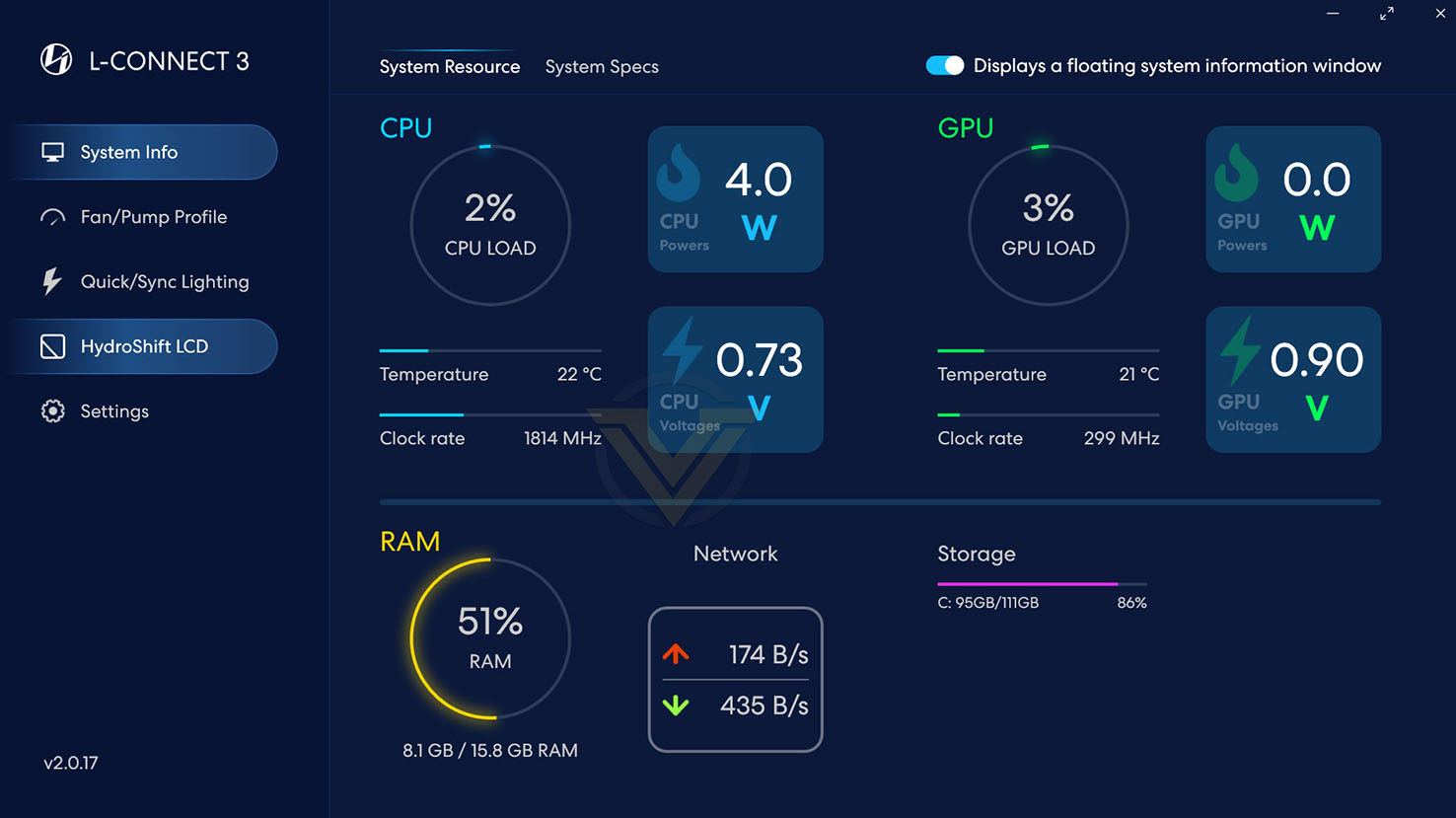
HydroShift LCD AIO coolers make use of Lian Li’s unified L-CONNECT 3 software utility. This tool controls the customisable cooling, lighting and other aesthetic properties of Lian Li’s cooling range, including fan arrays and the LCD panel of this particular design. The layout is conventional in the best possible way: clear and easy to use with little added nonsense.
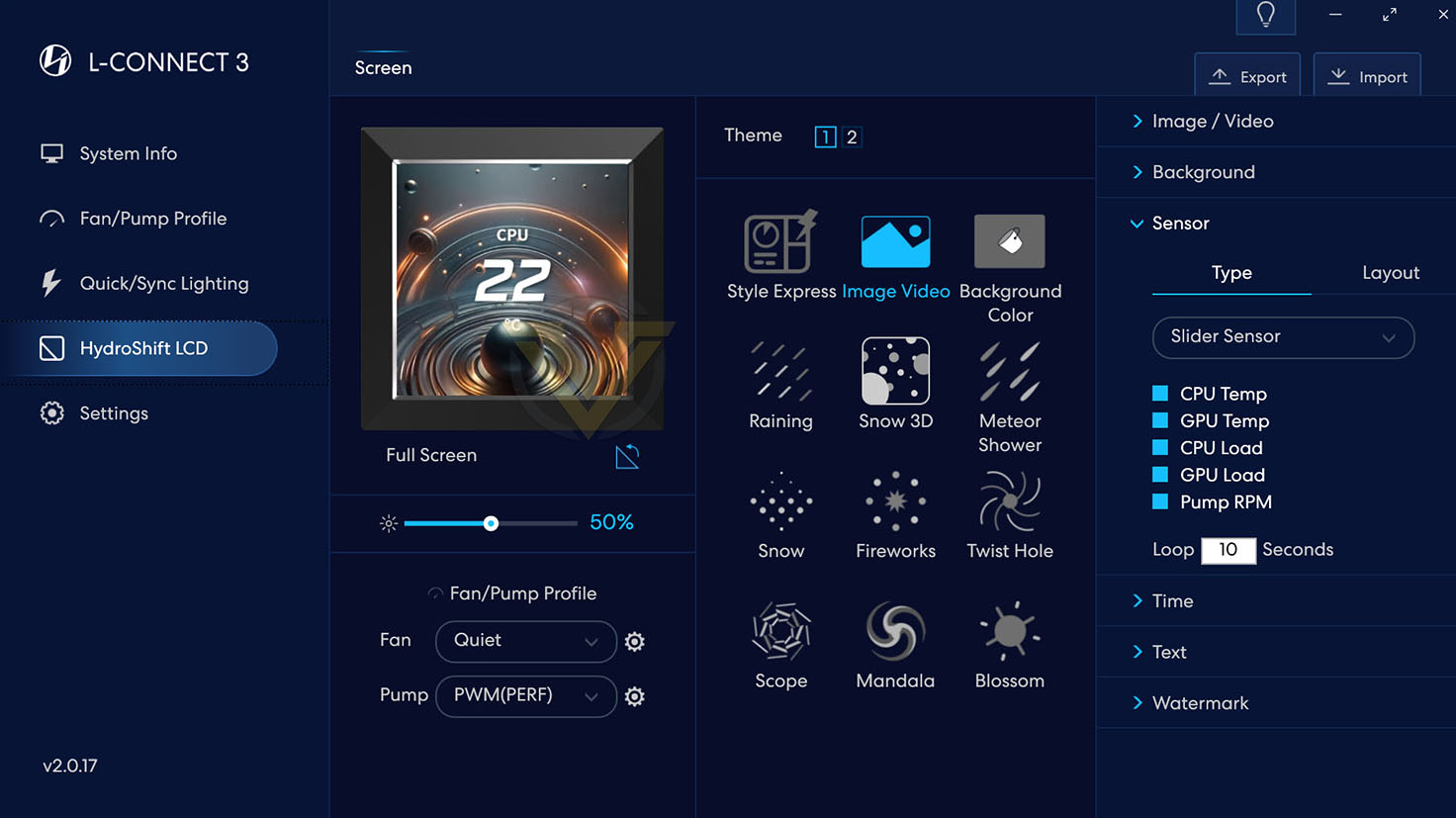
Through L-CONNECT 3 we can control the fan curves the cooler operates under, while also setting up separate profiles for different scenarios such as when you prefer low-noise optimised operation, or high performance, or just to account for higher/lower ambient temps on a particular day.
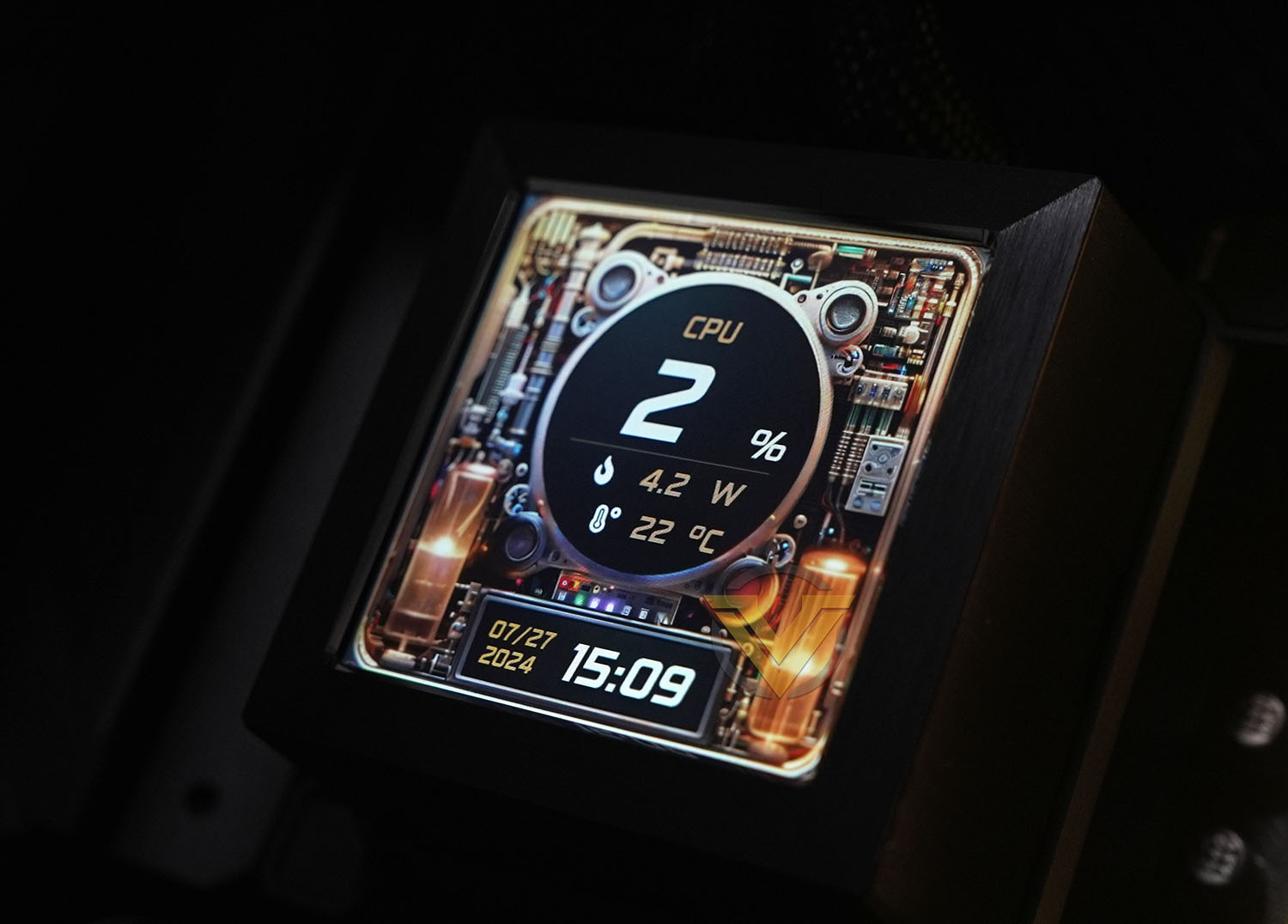
This software is also where you configure the LCD panel image. It can accept a still image or .mp4 video, and optionally overlays sensor data for a continuous readout of the system status. Text size, fonts and other effects are adjustable to make it legible against a cluttered or changing background image.
Lian Li also include a set of pre-baked effects for the LCD panel that can set off a particular system look you’re going for, and sync it with other in-case lighting if desired.
Conclusion
Today AIO coolers are an increasingly competitive market segment with many big brands vying for supremacy at all price and performance tiers, so Lian Li needed to produce something special in the HydroShift LCD series to set itself apart. It’s a close run thing but we think they’ve done it through a few key features.
One of those features is not the 2.88-inch LCD panel. A sensor panel is a nifty inclusion but no manufacturer has successfully shown it to be critical to any particular setup, even with a plethora of built-in layouts and configuration options. If you have a project where this mini panel could be the centrepiece then it could absolutely tick all the boxes, but realistically it might not quite be there yet due to a lack of general flexibility. Remember, it’s not a just a small monitor display.
From a quality perspective though? Top notch; probably as good as you’ll see without transitioning to OLED.
Where we feel the HydroShift pulls ahead is just in how uncluttered you can make a PC system’s internals compared to competing solutions. No longer do you have to awkwardly de-emphasize the AIO’s hose or find some way to tuck it away with cable ties and standoffs, the HydroShift does that for you with no fuss in multiple different cooler orientations. It’s surprising just how much that lifts the whole system aesthetic and makes you more confident to show it off.
With this in mind we should also mention Lian Li’s UNIFAN daisy-chaining system. We cannot underplay just how convenient this is for creating a tidy system with minimal cable clutter while also helping cable management behind the motherboard tray. They unquestionably add a lot to the overall package cost but they’re very close to being worth it on their own.
Of course any AIO needs to perform when the chips are down and this model can certainly do that. Although not quite the absolute coolest AIO we’ve tested out the box, the HydroShift was significantly quieter at stock settings maintaining its best temps, speaking to both the quality of the fans and headroom should you choose a more aggressive fan curve.
Speaking of fan curves, the L-CONNECT 3 software is both refreshingly logical and cleanly laid out. Our only concern is that the HydroShift LCD models lean quite heavily on it for LCD display configuration, and so needs a commitment from the manufacturer of long-term software support to back up that 6-year warrant for all the cooler’s features.
Finally we should mention installation, but it really is trivial so long as you have a compatible case. Just a little bit of planning goes an awfully long way and the actual process itself is exceptionally straightforward. Don’t assume that your case is compatible however; even if it would support standard 360mm radiators, the added width of the HydroShift models might foul on the motherboard if radiator mounting points are sufficiently close to the case edge.
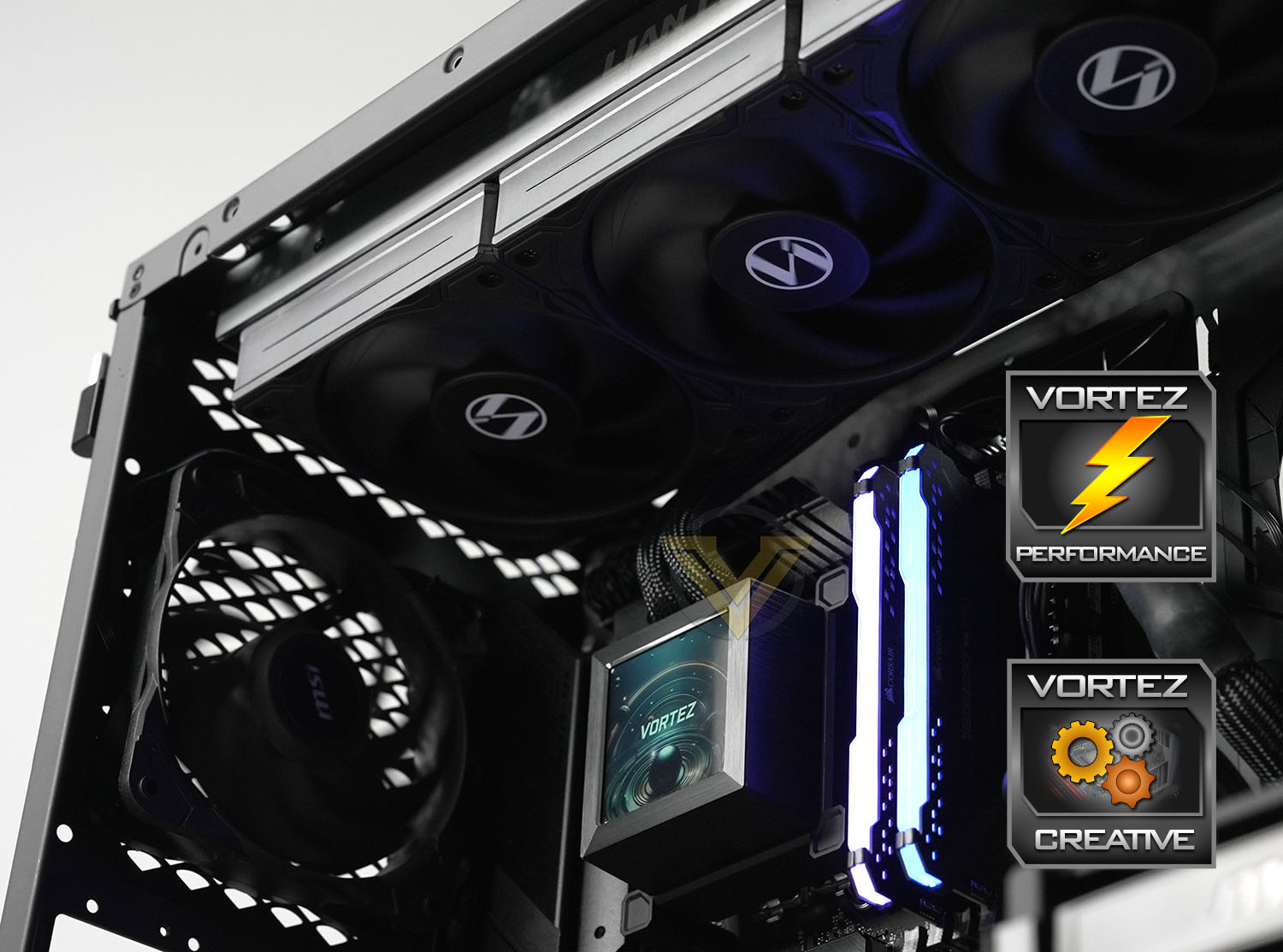
The Lian Li HydroShift LCD 360S earns our Creative and Performance awards.
Lian Li’s HydroShift LCD 360S is a 360mm AIO cooler that stays unobtrusive while still being the centrepiece of a system that looks as good as it performs. Great CPU cooling at low noise with a vibrant LCD panel are all draws, but its trump card is in keeping your internals more uncluttered than ever before. Begone sagging hoses, no more shall they pollute the eye-line in your spic-and-span system there to be seen but not heard.
Pros
+ Looks great
+ Excellent performance
+ Low-noise operation
+ Trivially easy installation
+ Great fans
+ Crisp LCD screen for sensor readouts or just a fresh unique look
+ Very effective hose tidying feature
+ Long 6 years warranty
= No supplied contact frame to replace Intel LGA1700 ILM
= Requires software for full functionality long-term
Cons
– LCD screen aside, relatively expensive as a cooler in its class
– Wider footprint will affect case compatibility
+ Looks great
+ Excellent performance
+ Low-noise operation
+ Trivially easy installation
+ Great fans
+ Crisp LCD screen for sensor readouts or just a fresh unique look
+ Very effective hose tidying feature
+ Long 6 years warranty
= No supplied contact frame to replace Intel LGA1700 ILM
= Requires software for full functionality long-term
Cons
– LCD screen aside, relatively expensive as a cooler in its class
– Wider footprint will affect case compatibility
Stay connected with the Vortez Social Media pages:
Join in with the discussions on Discord