A premium dual-compartment mid tower engineered with tempered glass and aluminium. This stylish chassis also comes with Lian Li’s lively RGB LED lighting kit configuration.

Product on Review: PC-O8
Manufacturer: Lian Li
Street Price: £339 GBP / $400 USD
Forerunners of spectacular aluminium computer cases, Lian Li are recognised as the crème de la crème of case designers. We’re generally always excited and intrigued by their products and today is no exception. Back in June of this year Lian Li announced the PC-O8 and today we have the pleasure of taking a detailed look at this exciting new chassis and giving you our verdict.
PC-O8 is a dual-compartment chassis which combines tempered glass and aluminium. The overall objective with this stunning new chassis is to showcase the delights of a new system configuration – have you just bought a new killer rig and want to show it off? Then this case is probably the ideal match!
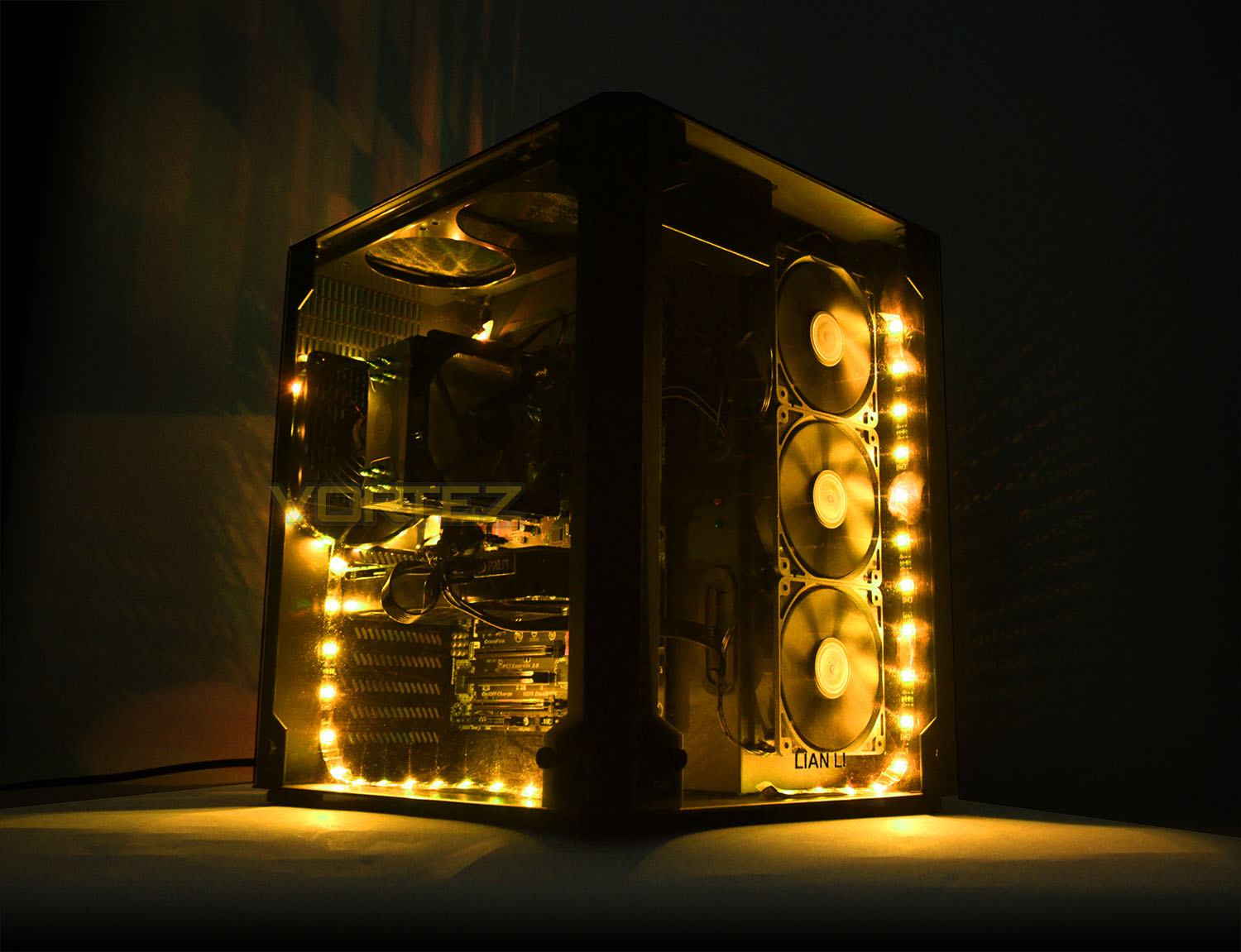
Lian Li on their PC-O8
Through the front glass panel, the PC-O8 is divided into two zones. Zone 1 allows DIY enthusiasts to show off their motherboard and graphics cards through the edge-to-edge side panel windows. On the other side of the motherboard tray, Zone 2 gives plenty of room for cables and less eye-catching components such as hard drives and the power supply.
Technical Specifications
Case Type
Mid Chassis
Dimensions
(W) 341mm
(H) 428mm
(D) 404mm
Color
Black
Front Panel
Tempered Glass
Side Panel
Tempered Glass
Body Material
Aluminum
Net Weight
9.5kg
5.25″ Drive Bays
None
Drive Bays
3.5″ HDD x6
2.5″ HDD x2
Expansion Slot
8
M/B Type
ATX
Micro-ATX
E-ATX (322mmx272mm)
System Fan
Front:120mm fan x3
Rear:120mm fan x1
HDD Rack:120mm fan x2
Top:120mm fan x2(Optional)
I/O Ports
USB3.0 x 4
HD Audio
Maximum Compatibility
VGA length: 370mm
PSU length: 298mm
Cooler height: 170mm
Space of Radiator
Top: 120 x 240x 54 mm
Front: 120 x 360 x 70 mm
PSU Type
ATX PSU
LED
LED RGB Color Changing Kit (LED50RGB-2)
Mid Chassis
Dimensions
(W) 341mm
(H) 428mm
(D) 404mm
Color
Black
Front Panel
Tempered Glass
Side Panel
Tempered Glass
Body Material
Aluminum
Net Weight
9.5kg
5.25″ Drive Bays
None
Drive Bays
3.5″ HDD x6
2.5″ HDD x2
Expansion Slot
8
M/B Type
ATX
Micro-ATX
E-ATX (322mmx272mm)
System Fan
Front:120mm fan x3
Rear:120mm fan x1
HDD Rack:120mm fan x2
Top:120mm fan x2(Optional)
I/O Ports
USB3.0 x 4
HD Audio
Maximum Compatibility
VGA length: 370mm
PSU length: 298mm
Cooler height: 170mm
Space of Radiator
Top: 120 x 240x 54 mm
Front: 120 x 360 x 70 mm
PSU Type
ATX PSU
LED
LED RGB Color Changing Kit (LED50RGB-2)
Packaging & First Look
PC-O8 arrives in a rather non-descript box which actually has very little information on it regardless of the angle you observe. The model name and standards involved are the only listed details.
Inside the box the case is covered in a plastic sheet and held in place with polystyrene blocks. Since PC-O8 also involves tempered glass, the two sheets are also well-packaged with polystyrene and cardboard to prevent any damage during transit.
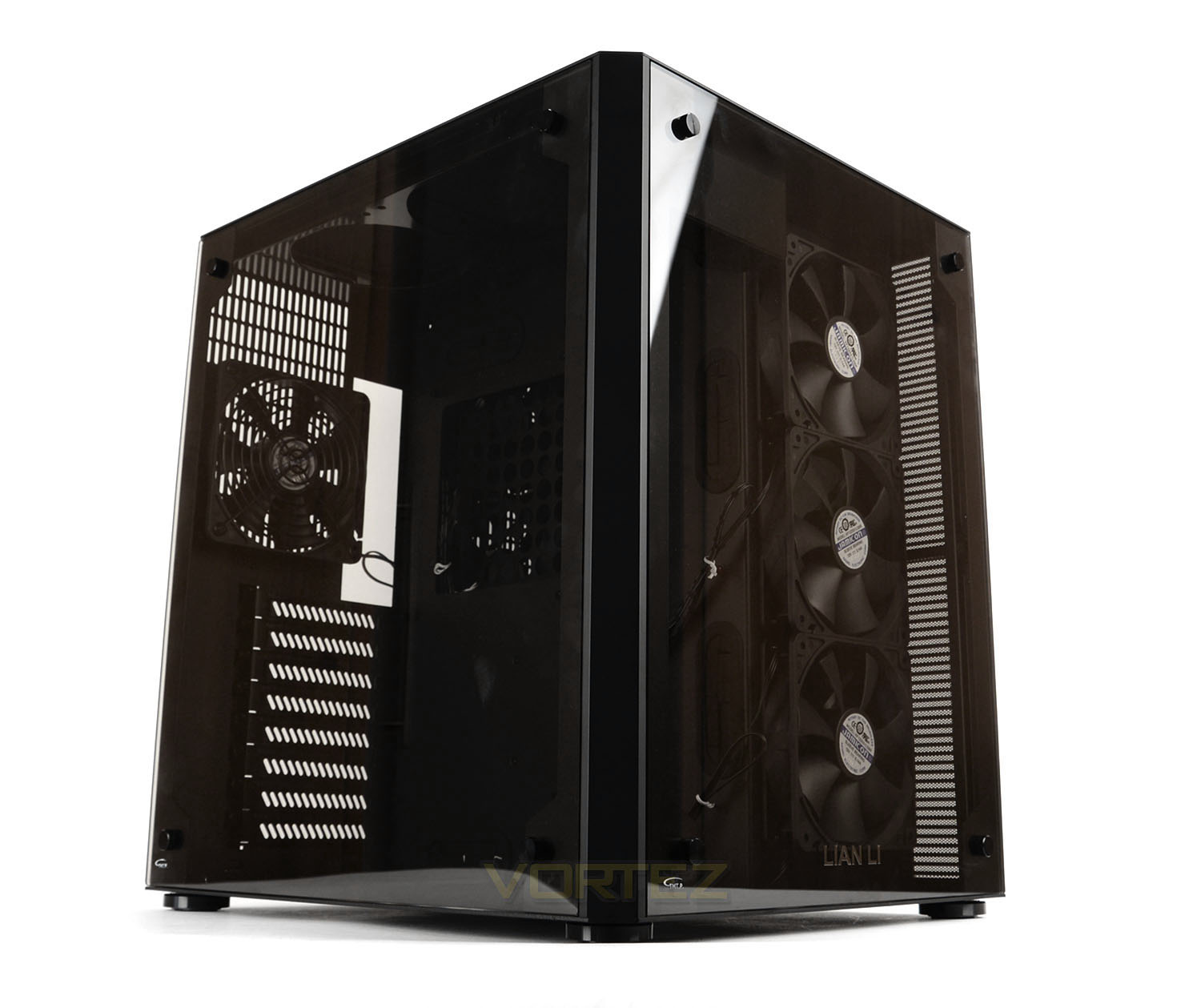
Unveiling the PC-O8 for the first time, we’re welcomed by a unit of pure class and excellence. This case, from the very moment of unpacking doesn’t fail to impress. An initial glimpse of this elegant computer chassis reveals a design which, though categorised as a ‘mid-tower’ uses dimensions which resemble that of a cube-shape.
The basis for PC-O8 is an aluminium structure but rather than using aluminium for the prominent side and front panels, we have the luxury of tempered glass – hinting that this case is predominantly designed to showcase hardware, almost as a display piece. To this end frequent upgrades are probably something to avoid as PC-O8 is best left as a minimal maintenance affair.
Exterior
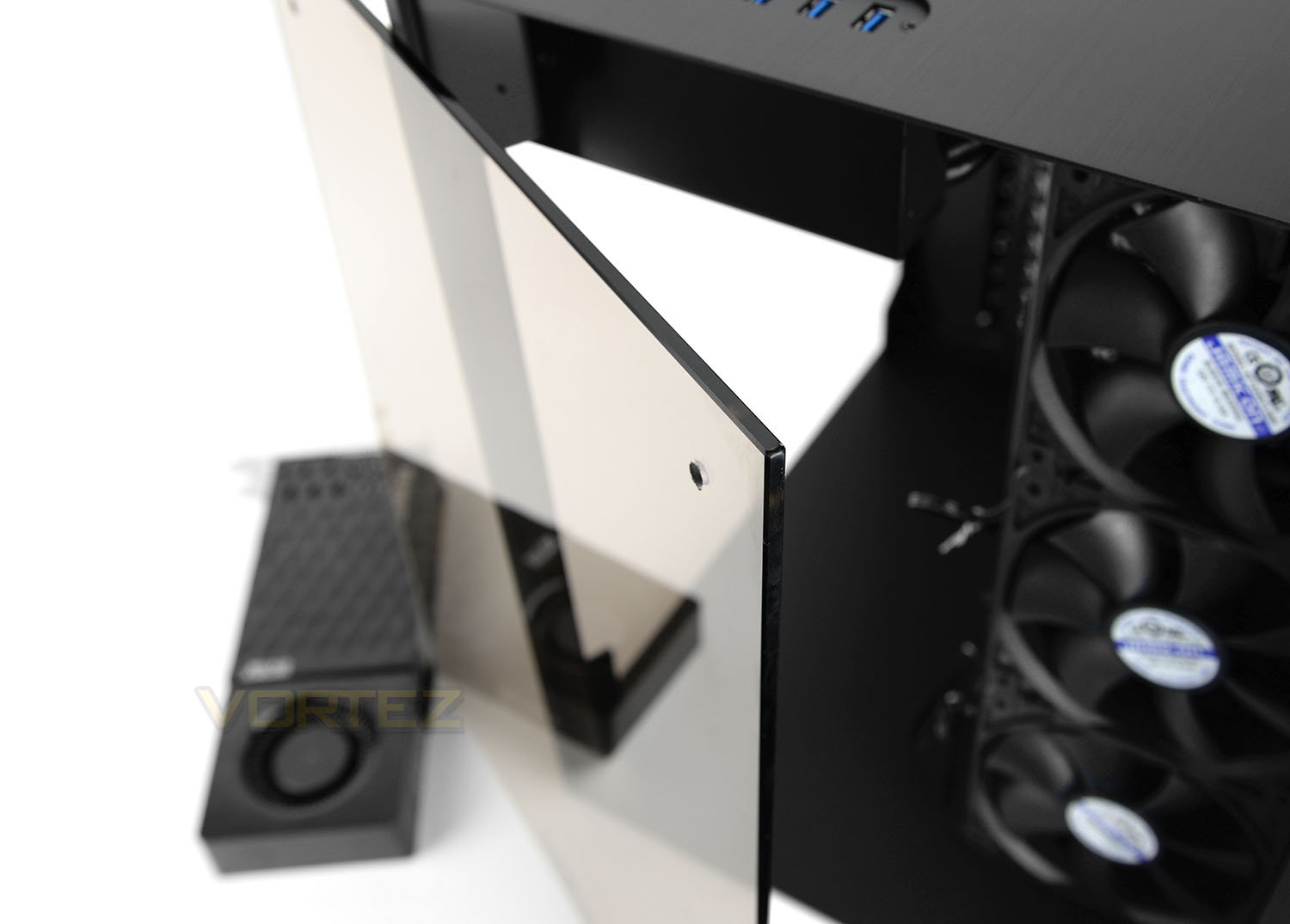
As already pointed out, PC-O8 utilises tempered glass for the prominent and front panels. These panels are 4mm thick have some considerable weight. Lian Li has pre-drilled mounting holes in each corner and corresponding thumbscrews are supplied which are used to securely fix the glass to the chassis. We’re pleased to see that Lian Li has provided a small indentation/shelf for this glass to fit on as in the PC-O5S we had difficulties getting the glass to sit properly. It’s great to see Lian Li employing a better technique in this execution.
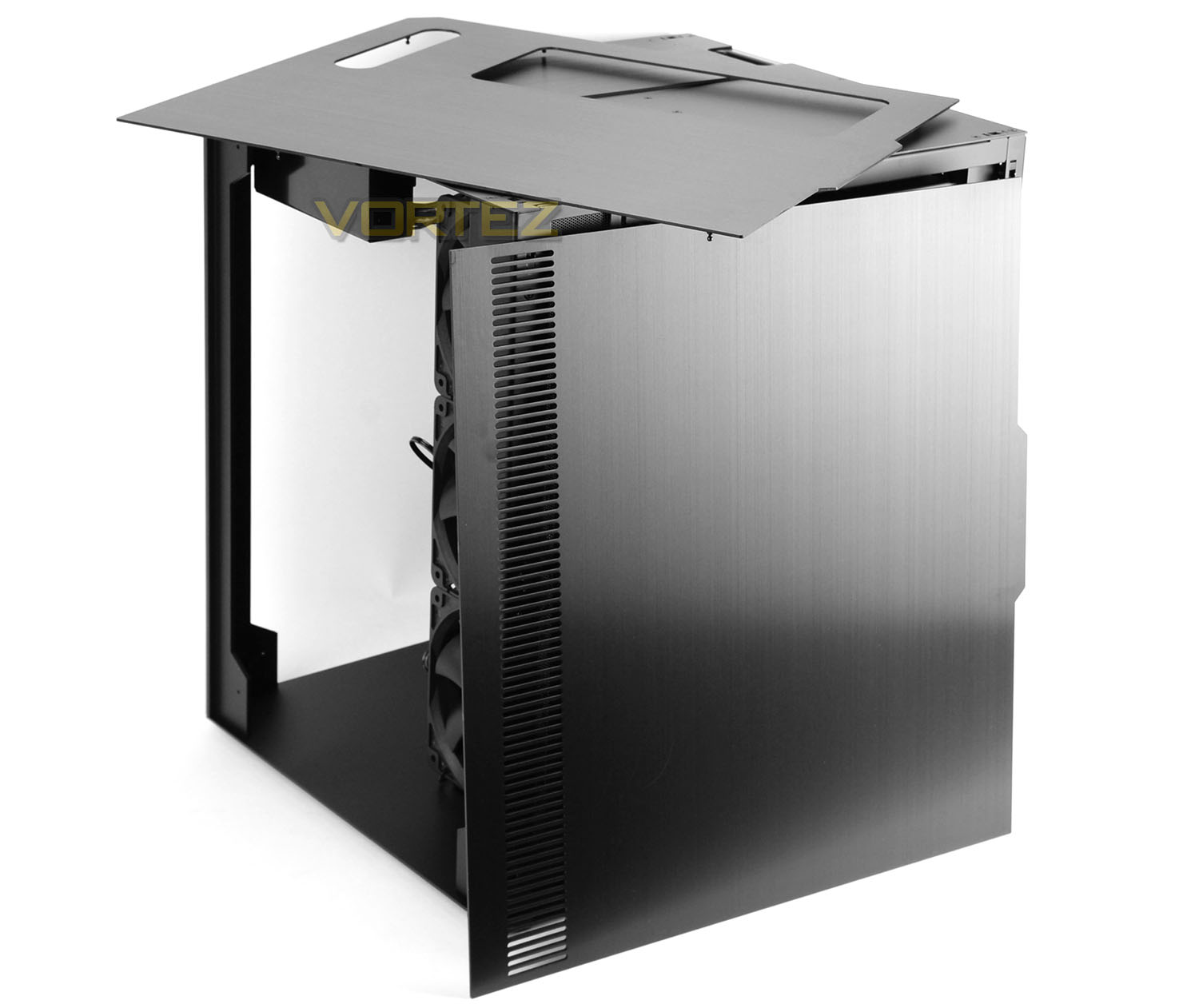
Although this case does make use of tempered glass, there are also some aluminium panels which accompany an aluminium chassis. These panels do not require any thumbscrews to attach/detach – they simply clip onto the chassis which is especially helpful. These two detachable panels sit on the PSU/HDD chamber side and over the top.
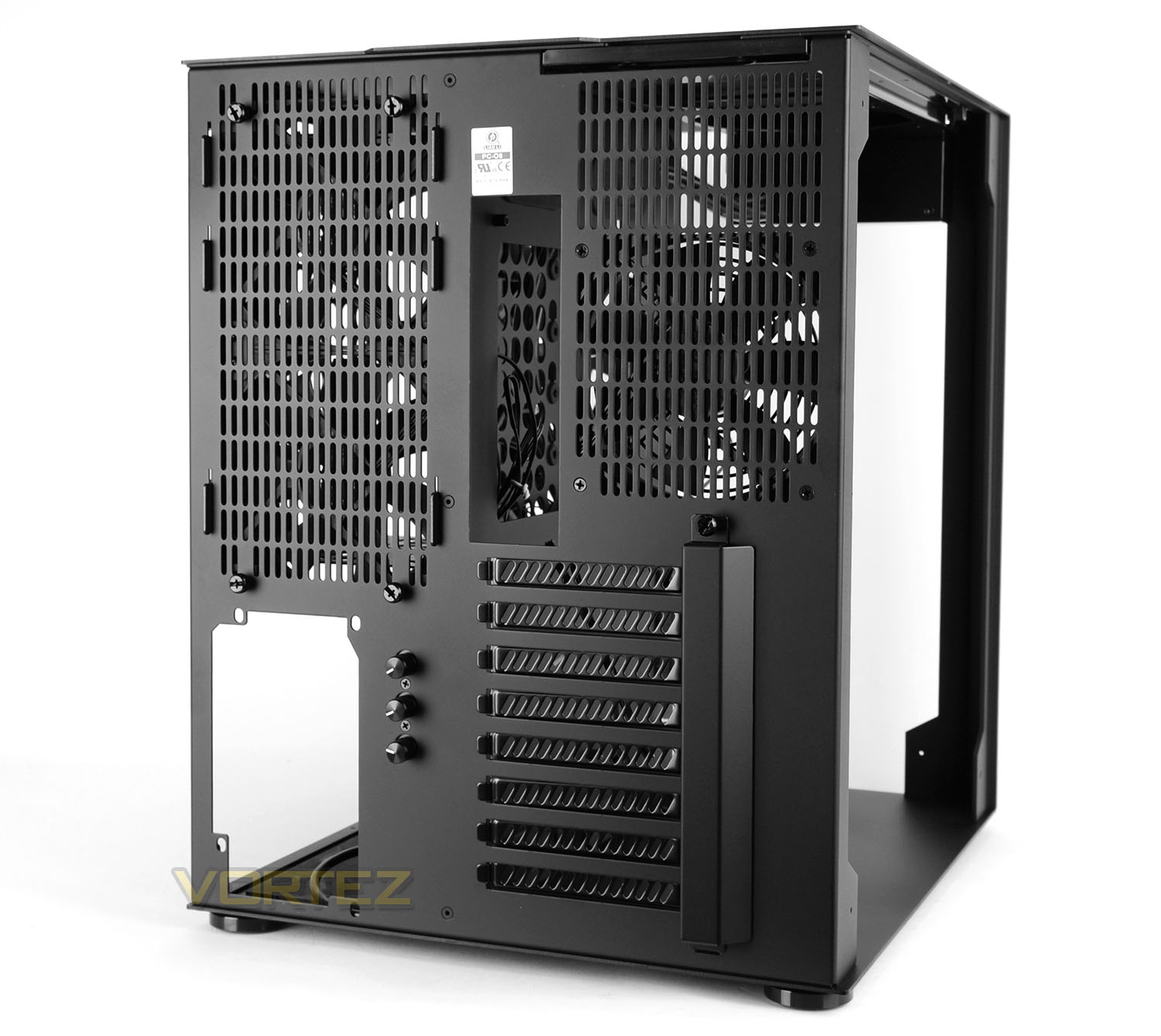
Casting our eyes over the rear of PC-O8 there is a plethora of features to run through.
Over on the far-left there is an opening for mounting the PSU at the bottom with three dials to control the RGB lighting (more on this later in the review) and above this there is a heavily ventilated area – behind this panel there is a HDD cage with two 120mm cooling fans attached. The four corresponding thumbscrews fix this cage into place.
On the right-side there are a series of eight PCI expansion slot covers – each having ventilation cut-outs and there are thumbscrews for easy removal directly behind the metal cover. Above this there is another 120mm cooling fan and a filter for the top cooling configuration.
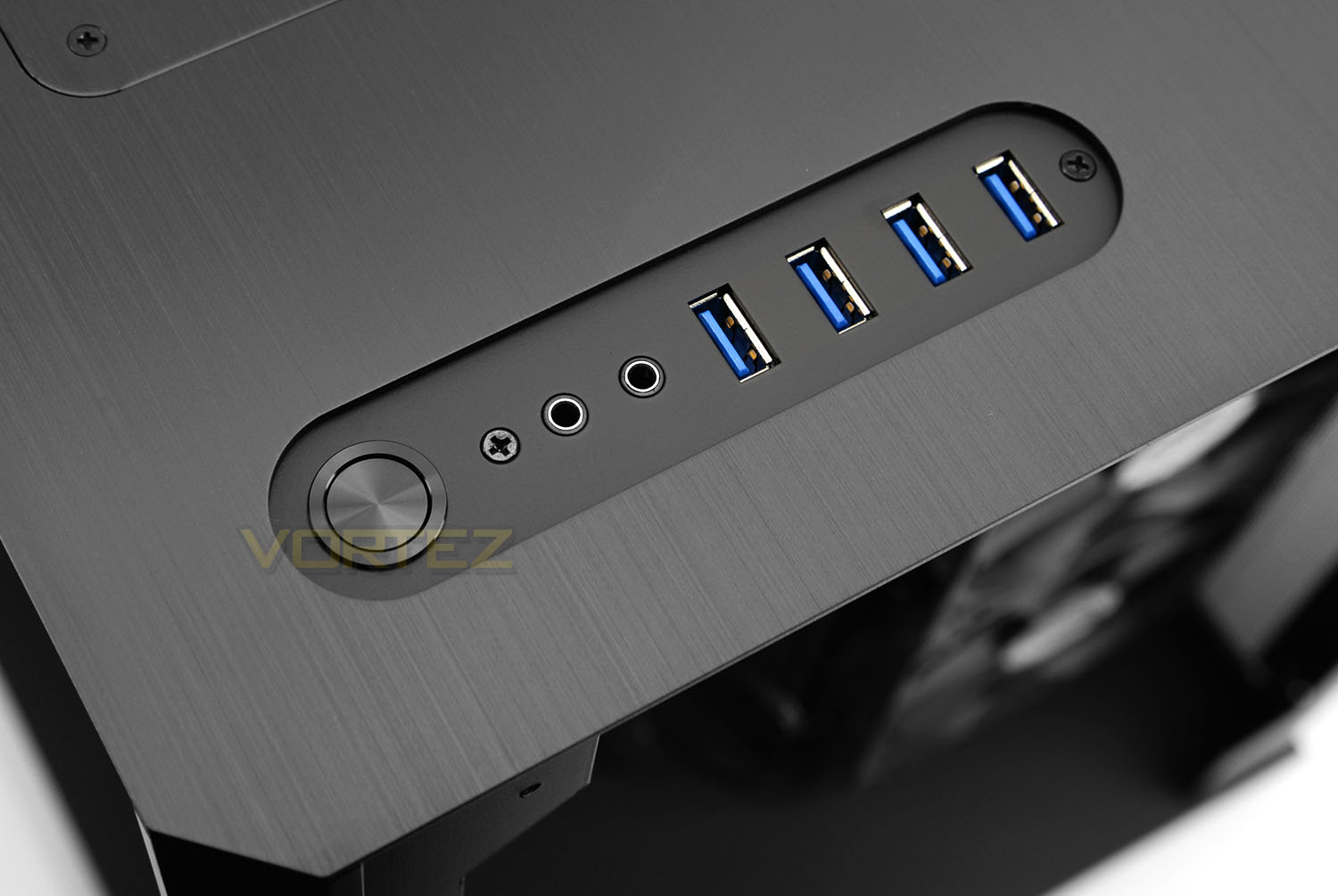
Up at the top of PC-O8 there is a small section offering front panel connectivity. This panel consists of a power button, headphone and microphone jacks and four USB 3.0 ports. In order to use all of these USB 3.0 ports, two headers are required on the motherboard.
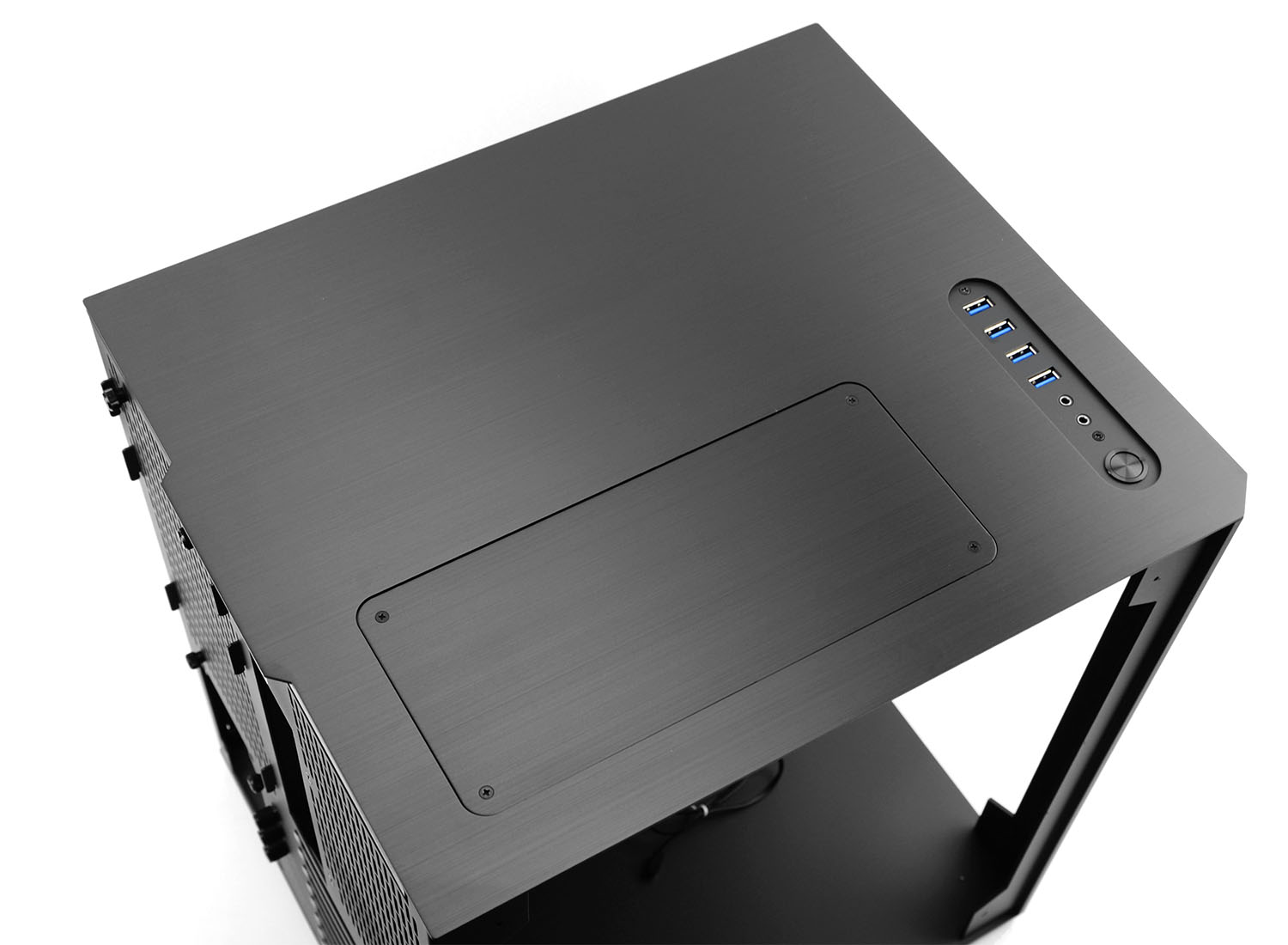
Beyond the front panel controls there is a large spacious area – as already mentioned this panel lifts off the chassis. There is an area marked out for two 120mm fans or a 240mm radiator – this panel needs to be removed in order to install any of these devices.
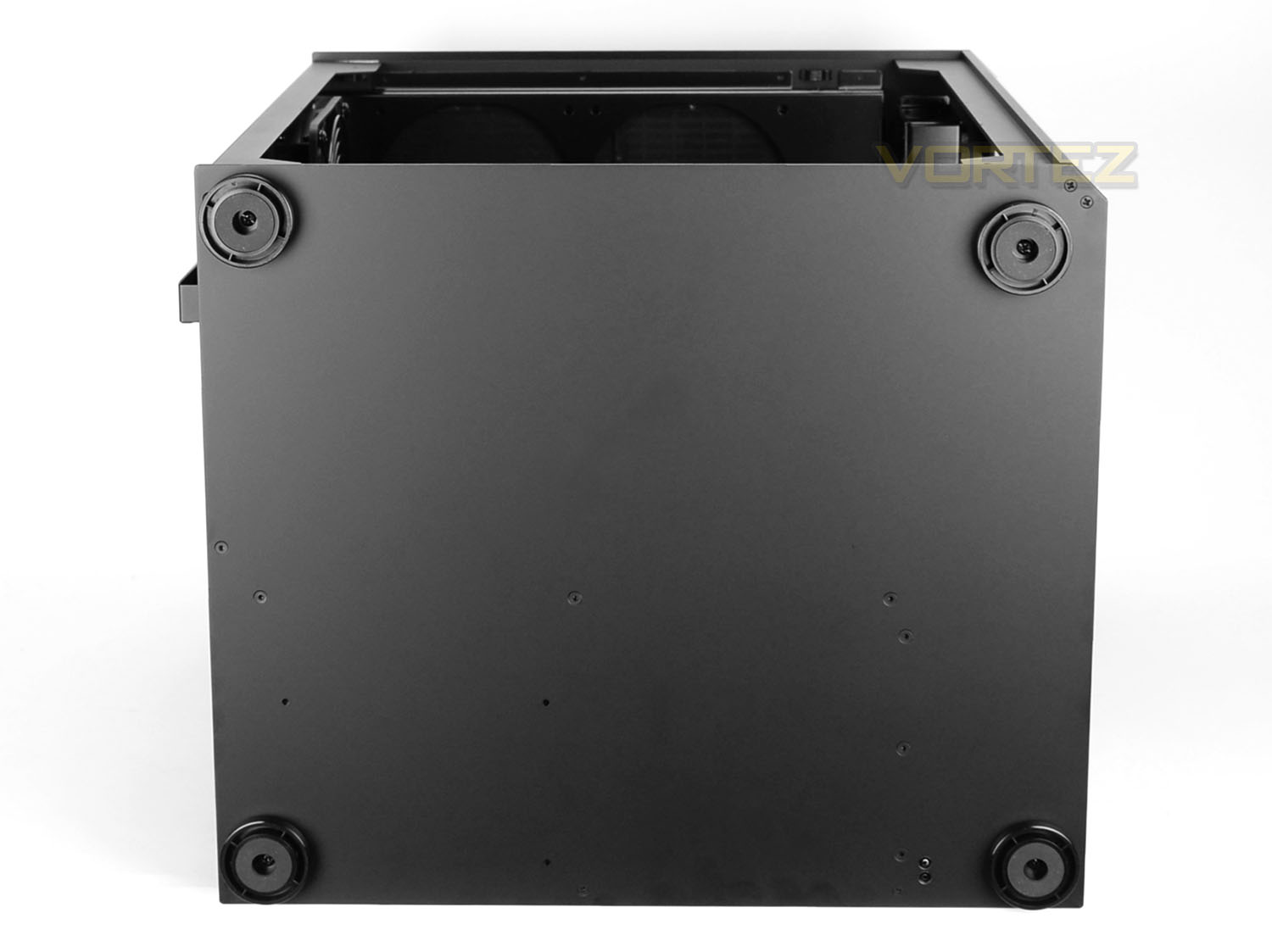
Placing PC-O8 on its side there is no traditional PSU filter as the usual mid-tower would have since the PSU is mounted in a different area and orientation.
However, we do have four circular rubber feet. These feet can be removed or replaced if required as they screw into the bottom of the chassis.
Interior
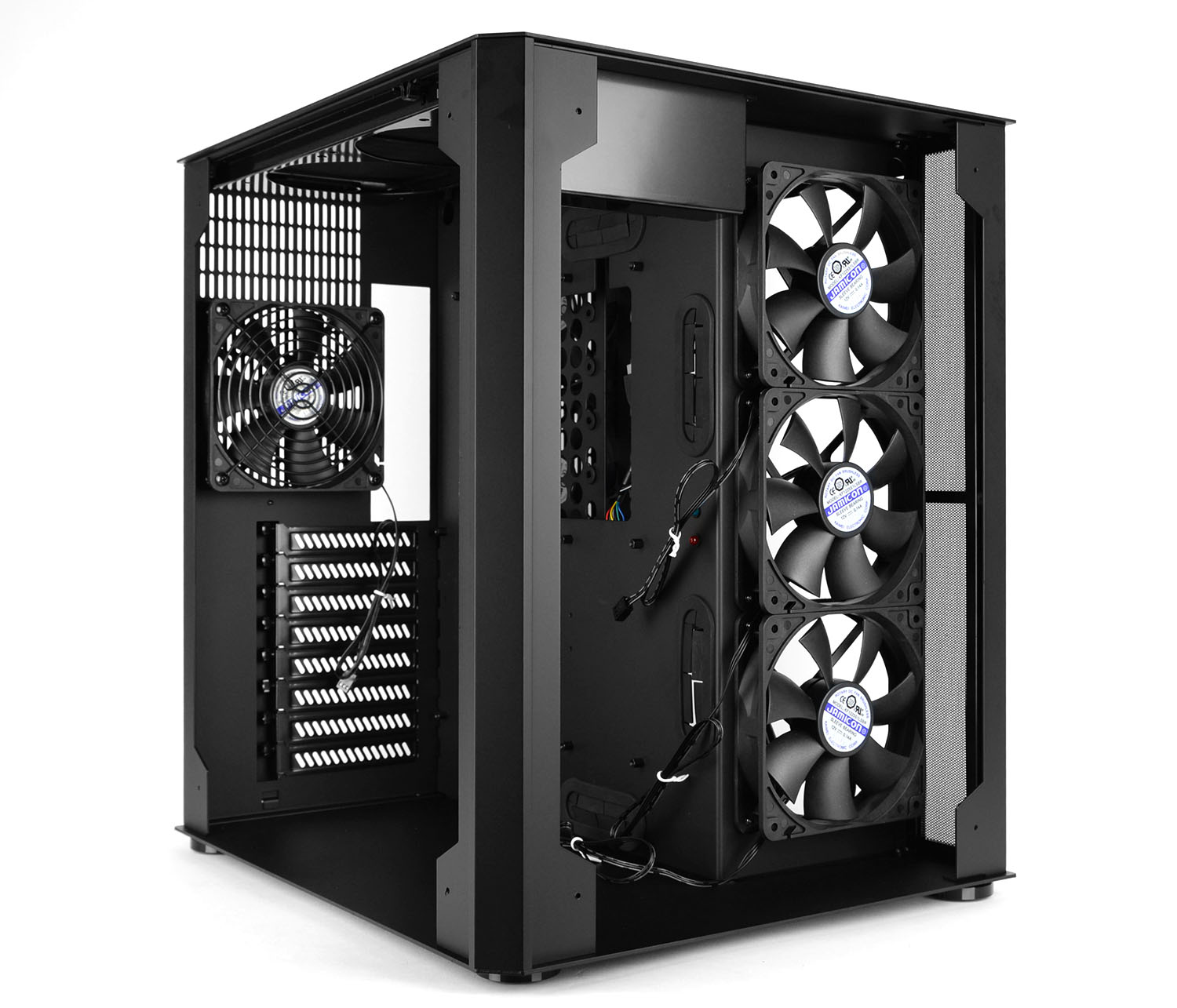
Without the front tempered glass panel we can easily see inside the chassis and observe some of the features. The most eye-catching factor from this angle are the trio of 120mm cooling fans which are installed as intakes. These fans push air into the secondary chamber which will host the PSU and storage drives.
Lian Li has designed PC-O8 to have an especially spacious internal layout – being able to detach the front panel and due to the positioning of the motherboard tray it is possible to reach areas you typically wouldn’t be able to in a conventional case.
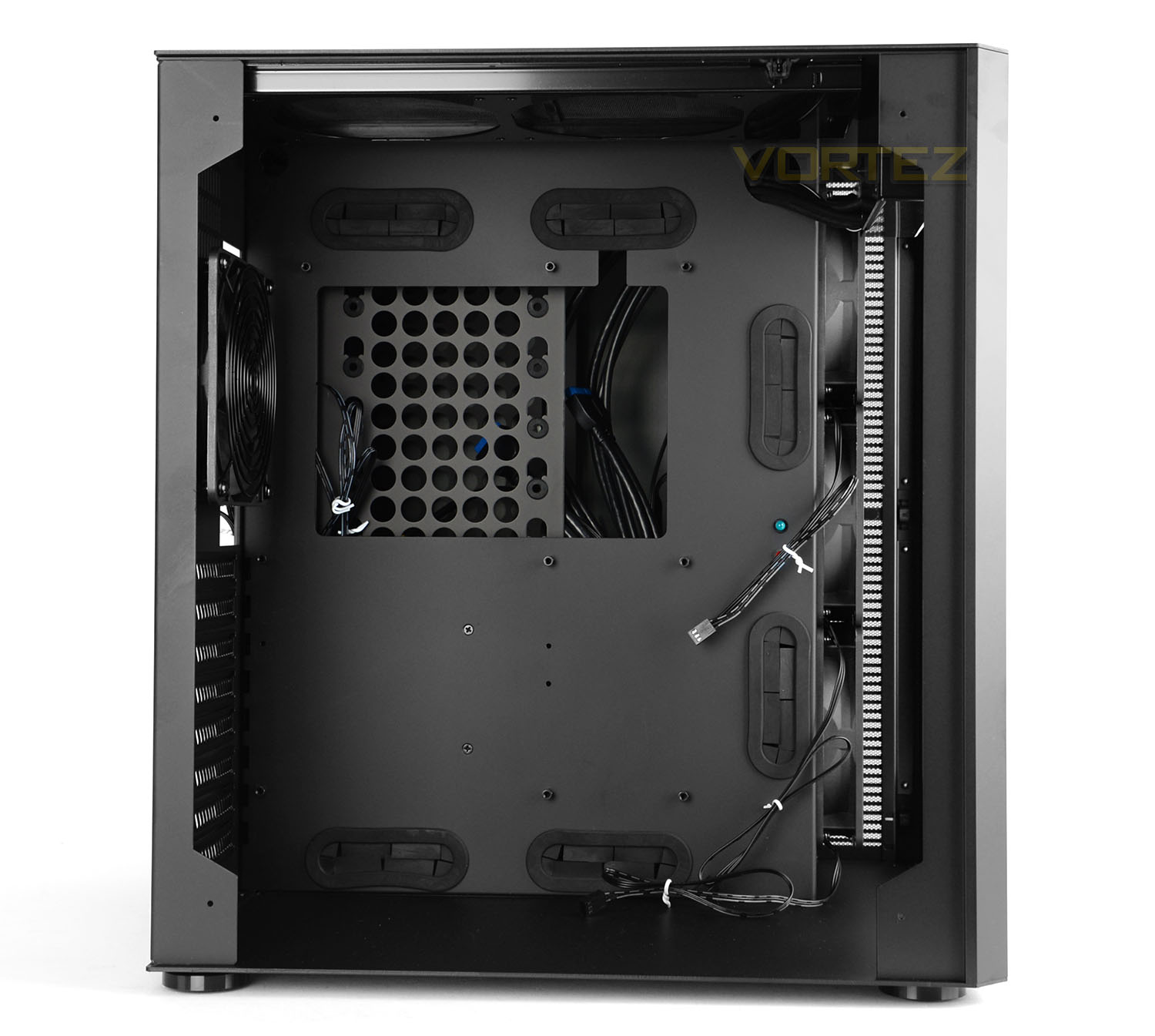
The main chamber is the area for installing the motherboard. The motherboard tray can accommodate ATX, M-ATX and Mini-ITX form factors and Lian Li has placed cut-outs and respective rubber grommets at the bottom, side and top of this tray.
Unfortunately, unlike the secondary chamber, this main area has no active cooling which is something of a disadvantage. It’s always a valuable asset having cooling fans driving air across the motherboard – especially if you’ve just invested in some M.2 drives.
We’d have liked to see additional cooling fans or even the ability to house some cooling fans directly next to the trio of 120s at the front to provide this as an option.
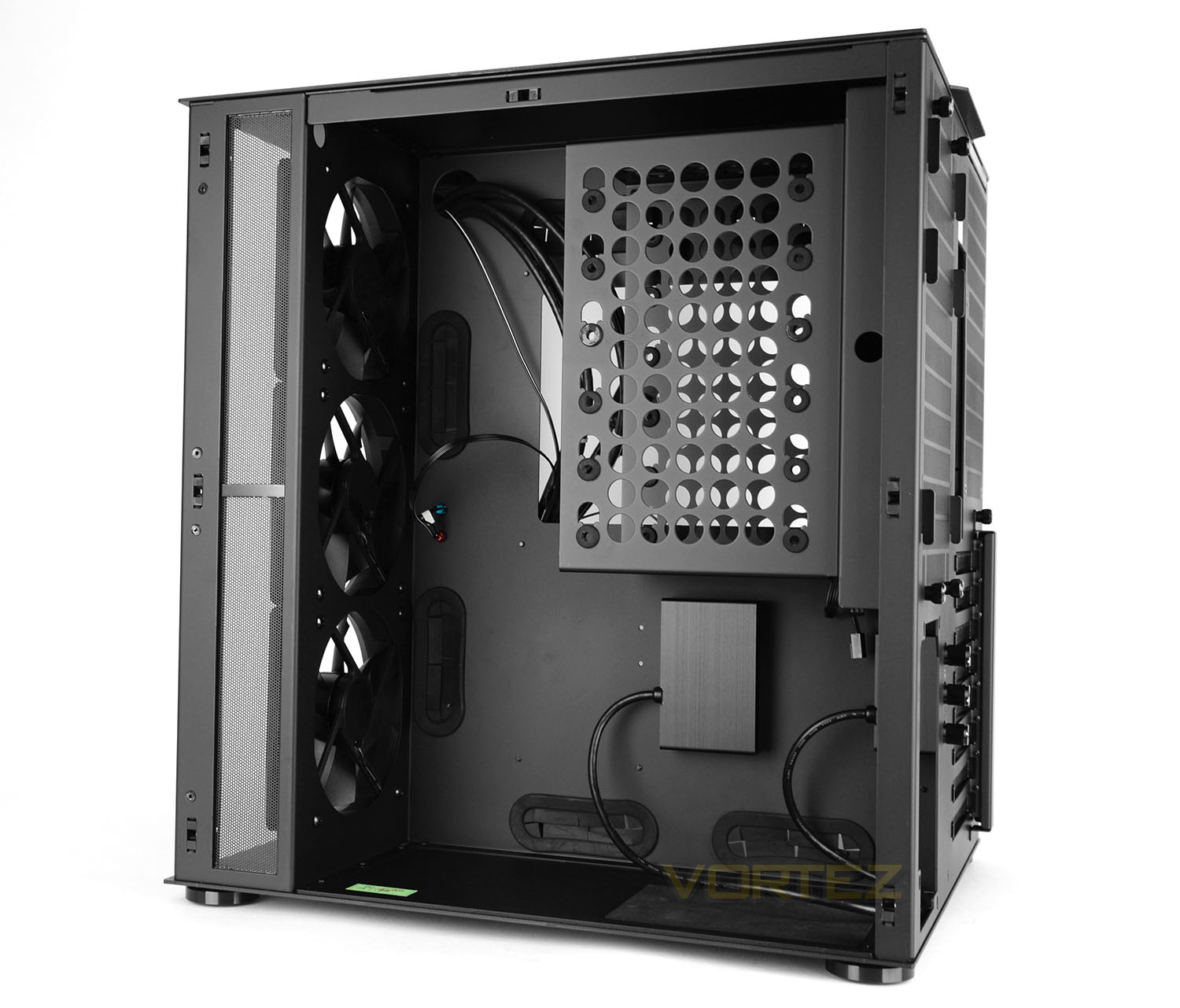
Over on the other side of PC-O8 we have the secondary chamber which plays host to the HDD cage, PSU mounting and the RGB lighting hub.
This HDD cage is modular and can house up to six 3.5” HDDs and two 2.5” HDDs (see the installation page for the explanation of how this cage works).
As a common inclusion the PSU sits on a blanket of rubberised material to cushion it and supply some anti-vibration.
At the front there is a perforated mesh area which also acts as a dust filter – this filter can be removed and cleaned after first detaching the top aluminium panel.
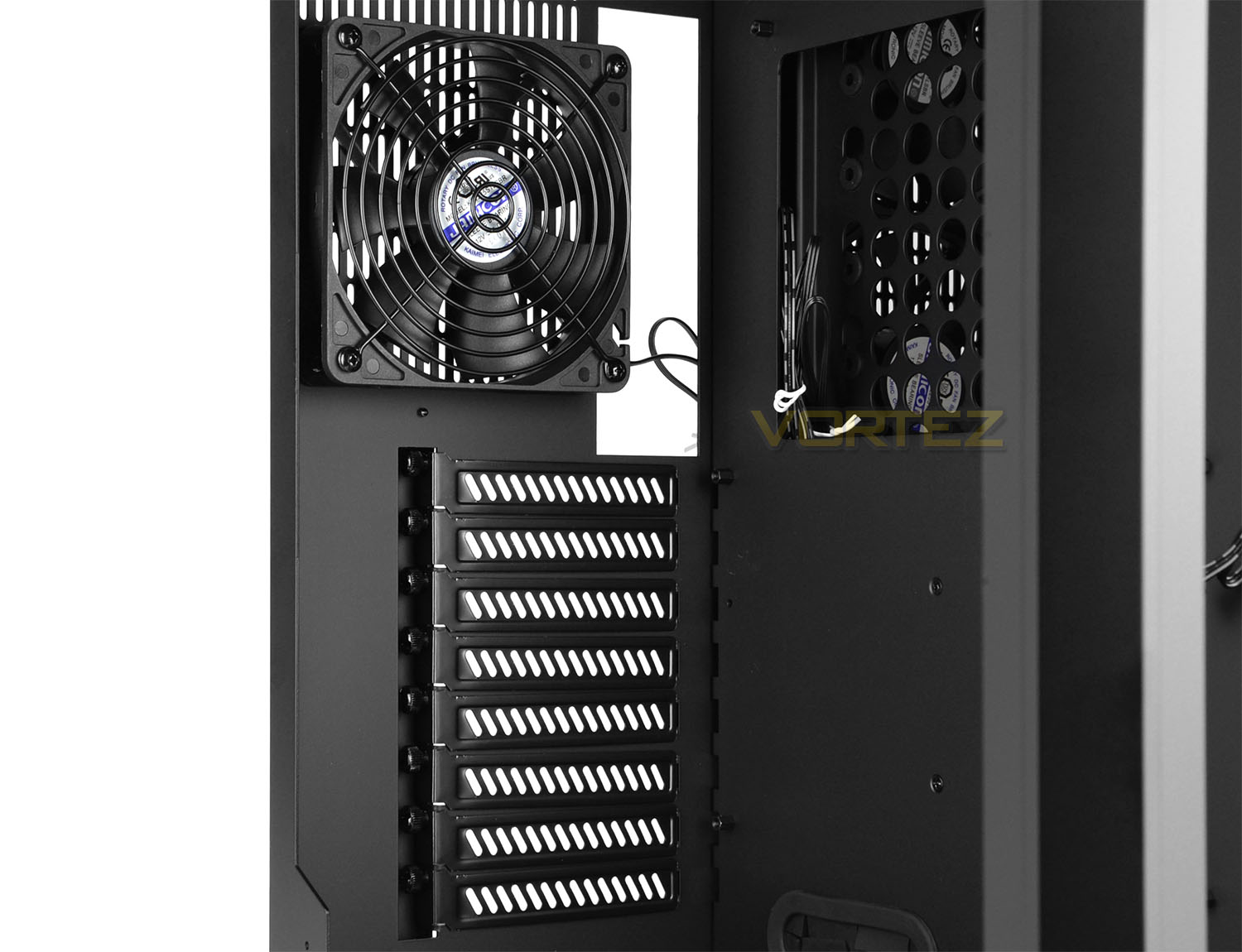
Observing some of the features of the main chamber we get a sense of how finely designed PC-O8 is. Every aspect of this chassis is engineered to an extremely high-standard, even the smallest of details.
There are eight PCI expansion slot covers which have the thumbscrews tucked away – the protective cover needs to be removed before any of these PCI covers can be detached.
A 120mm rear exhaust sits above these covers and is responsible for expelling unwanted air from the air around the CPU/cooler.
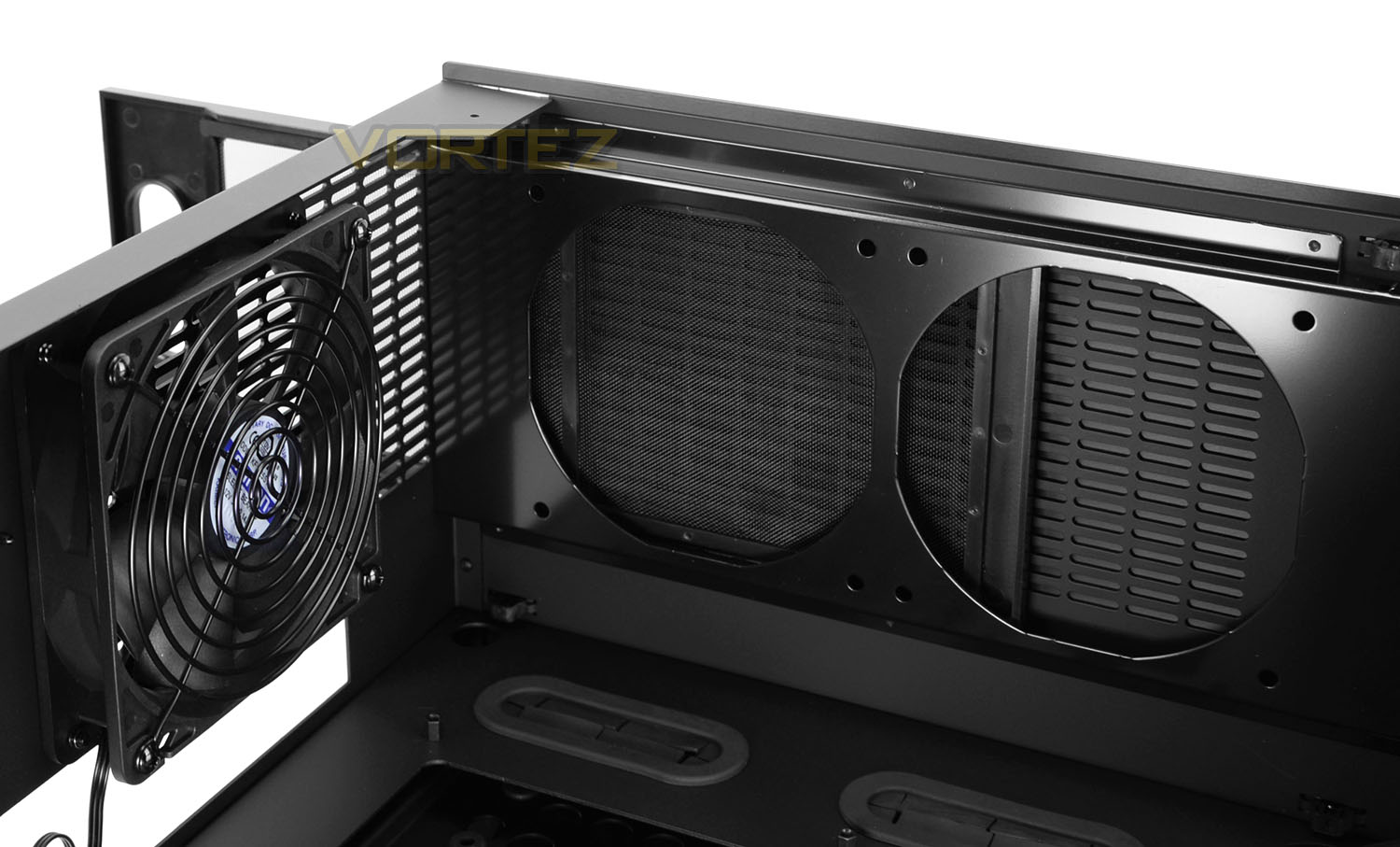
Located at the very top of this main compartment are two circular cut-outs with accompanying mounting holes. Two 120mm cooling fans or a 240mm radiator can be attached to the top of PC-O8 and there is a corresponding dust filter which slides out the rear of the chassis.
By default this area is closed off via an aluminium panel which is fixed to the top of PC-O8 – this panel can be removed to encourage better airflow if cooling fans or indeed a radiator is installed.
Installation
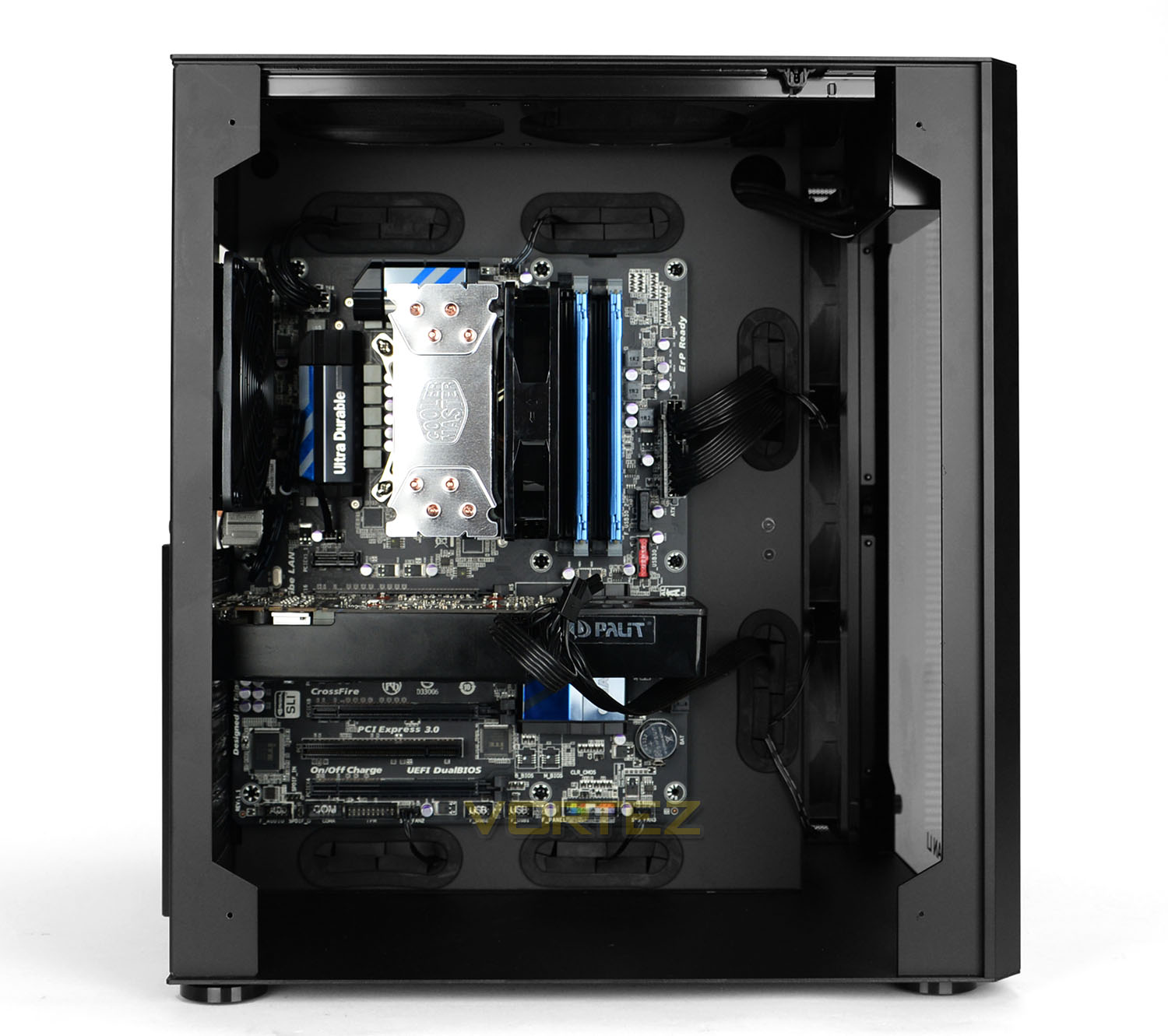
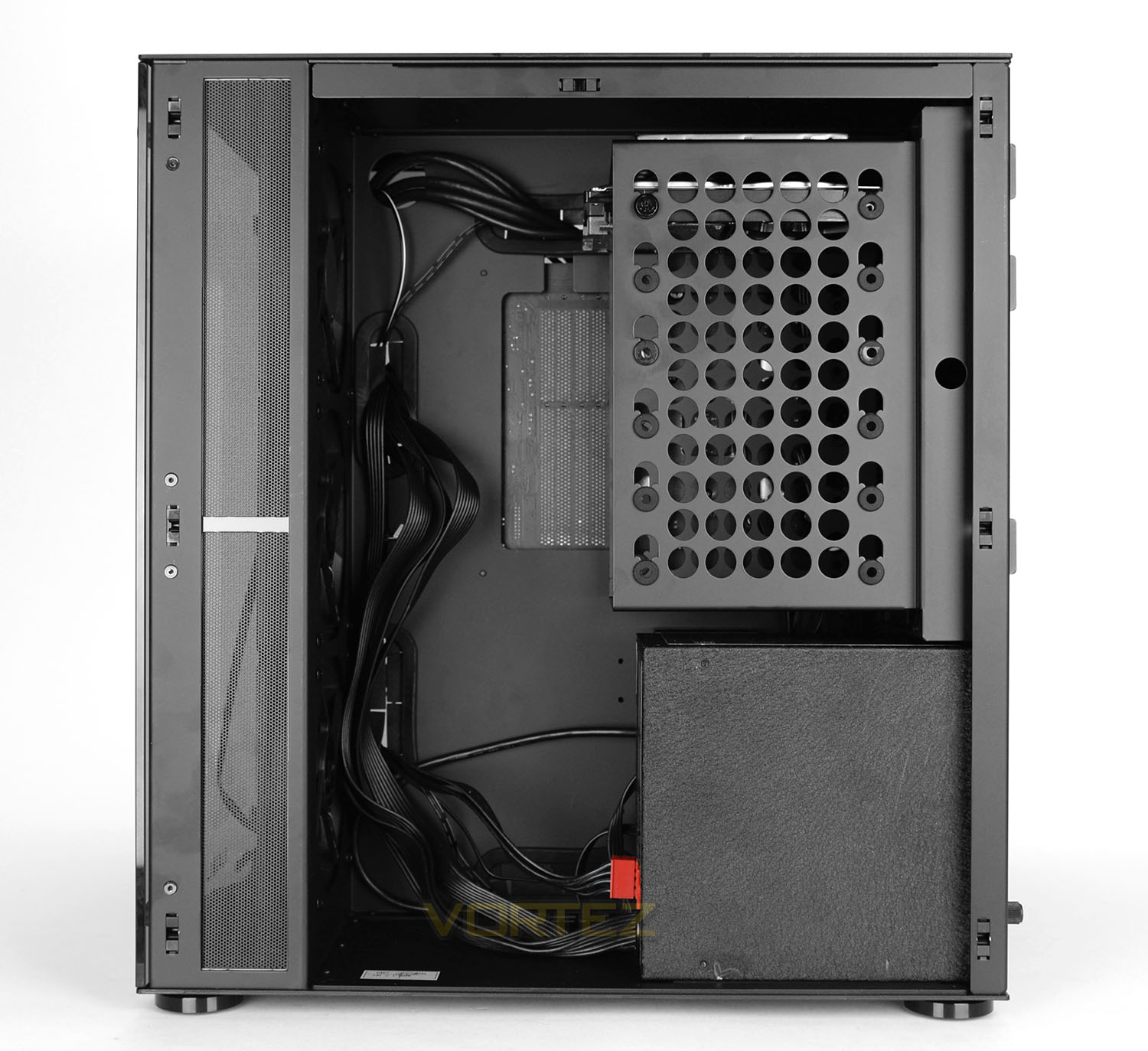
Since PC-O8 accommodates ATX as its biggest form factor we installed this specification of system into the chassis and we’re pleased to report the entire process was a breeze.
PC-O8 is a dramatic step-away from the traditional mid-tower and the concept and ideas which Lian Li has engineered assists in making the building process fun, exciting and easy.
In and around the motherboard there is plenty of space and the overall look is impressive.
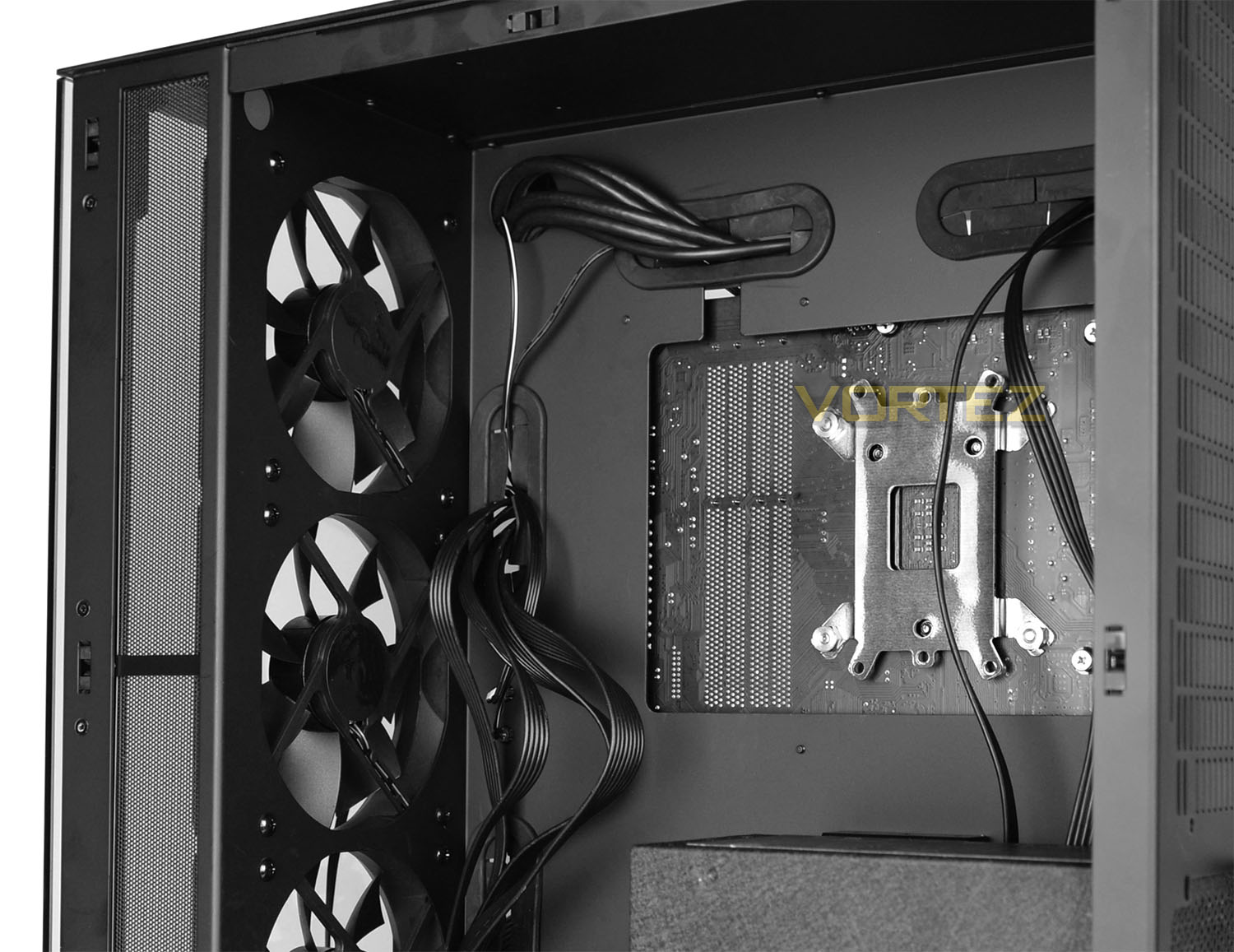
Although Lian Li do supply two cable clips with adhesive backing the cable management in the secondary chamber is non-existent. In its default setting, arranging cables is difficult as you can see from the above picture – this is made worse by the fact there are cooling fans immediately next to the cut-outs where the cables feed through. This could block airflow and the cables could interfere with the fan blades. We’d have liked to see some permanently fixed cable hooks for the purpose of keeping the back of the motherboard tray tidy.
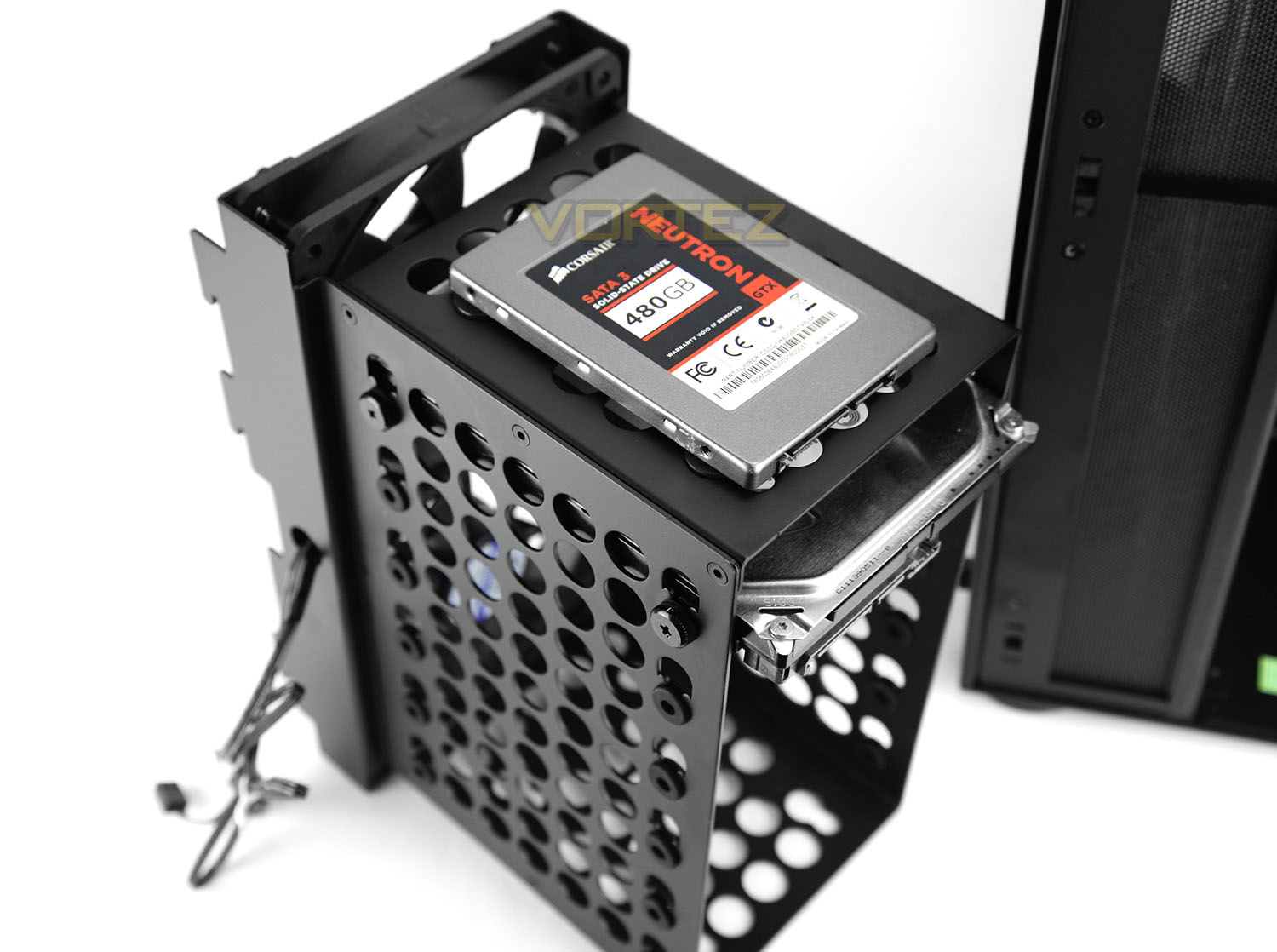
The HDD cage within PC-O8 can house six 3.5” HDDs and two 2.5” HDDs. To a 2.5” drive such as an SSD there are is a space allocated at the top and bottom, pictured above we have installed the SSD on the top section. To achieve this screws and rubber washers need to be attached to the underside and then the whole unit just slots into the respective holes. Whereas, for 3.5” drives there are already rubber washers fixed onto each level of the cage – a 3.5” drive just needs to be inserted and then two screws on either side fix the drive into place.
RGB LED Lighting
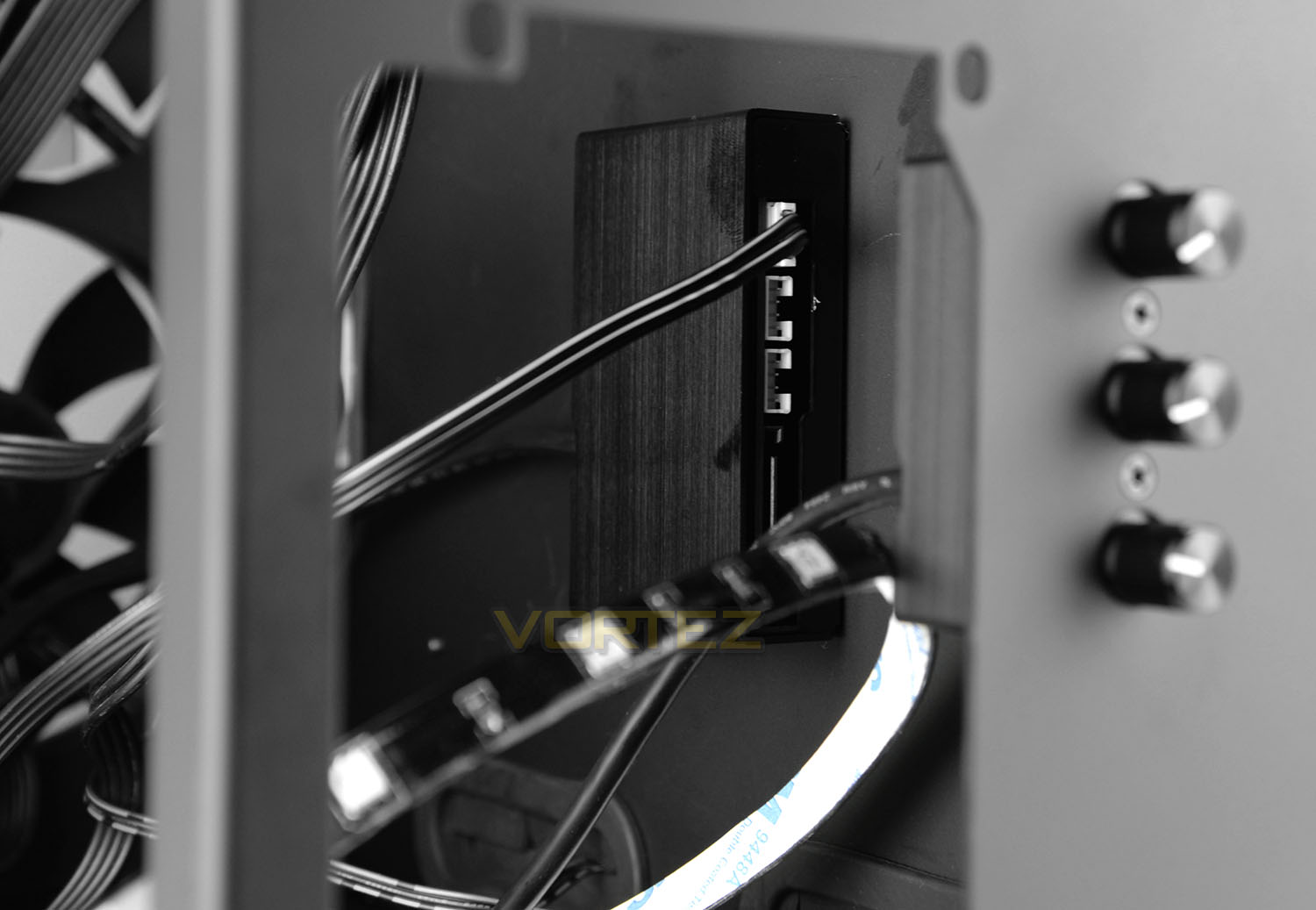
One of the fundamental features with PC-O8 is the lighting system. Lian Li has equipped this case with a RGB lighting hub and respective dials so that users can furnish the inside of the chassis with the included three LED strips to really liven the system up. RGB lighting is a perfect accompaniment for PC-O8 because the components are so exposed – the glass panels put this case forward as a showcase piece.
To get up and running with the LED strips the cables simply need to be attached to the back of the hub and a SATA power is required too (PSU needs to be removed).
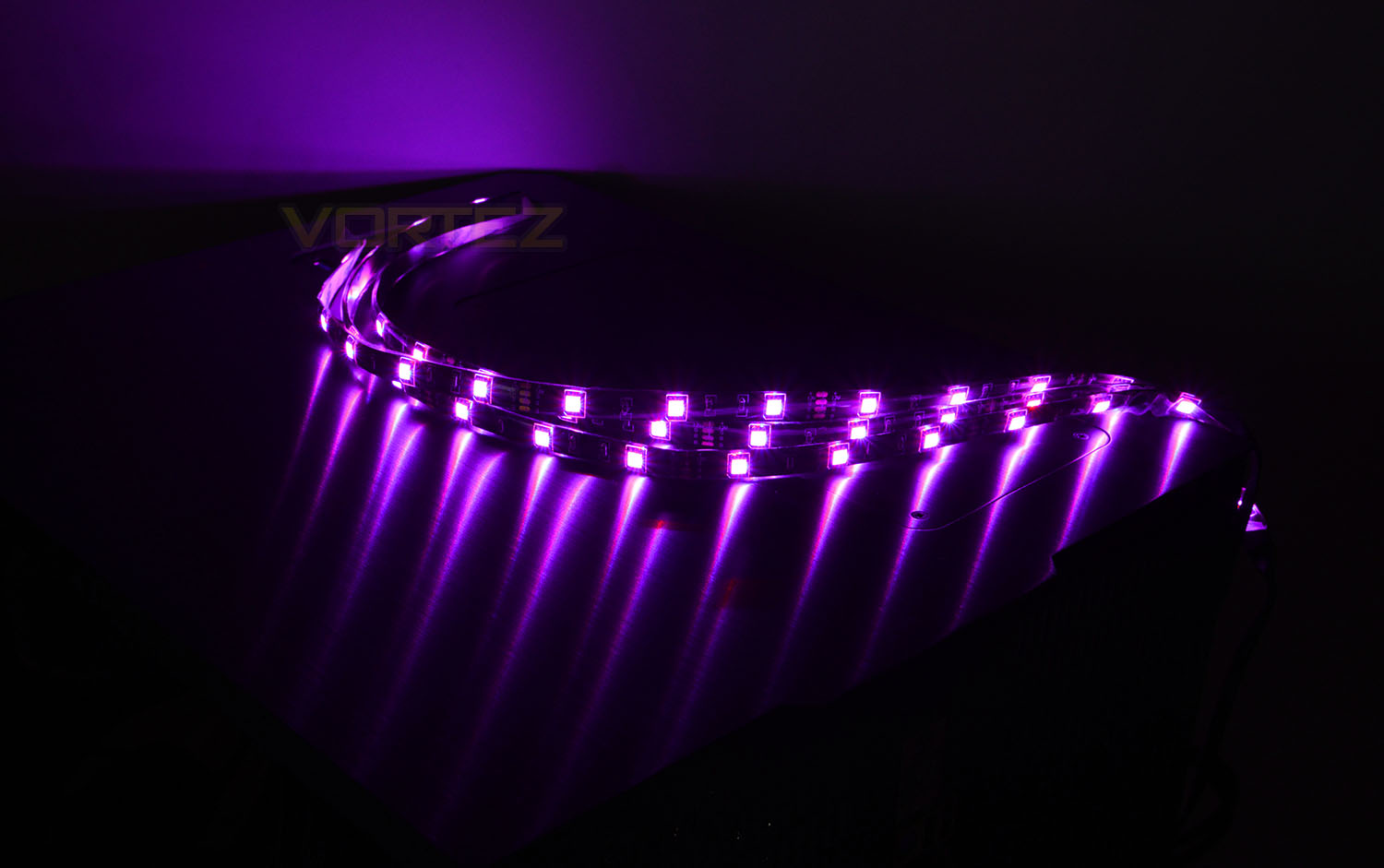
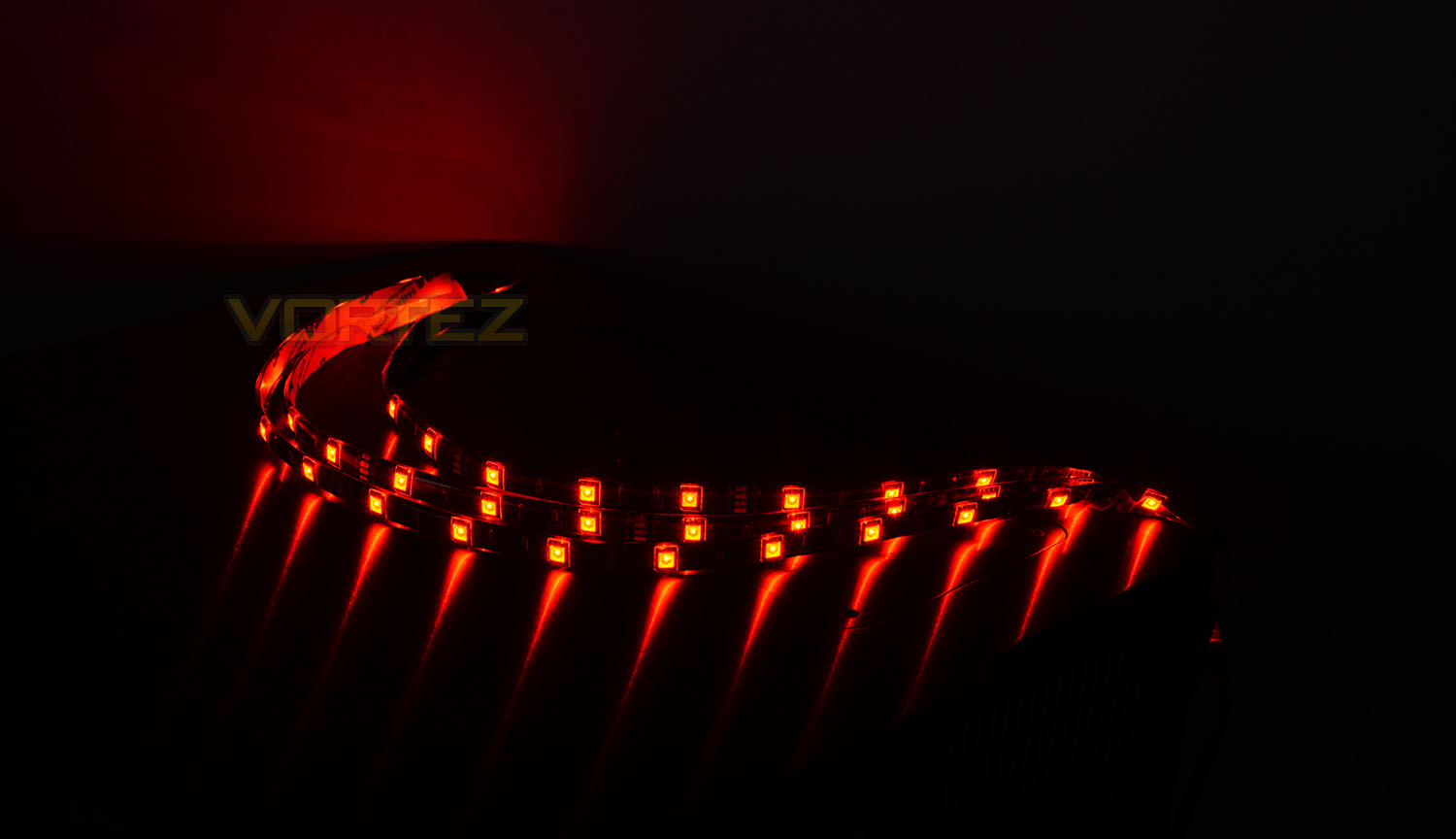
Once all the cables are correctly attached and with the system powered on we can use the dials to adjust to a colour which is most suitable. The beauty with the LED strips and configuration (LED50RGB-2) which Lian Li supply is that a wide-selection of colours are available in the RGB spectrum.
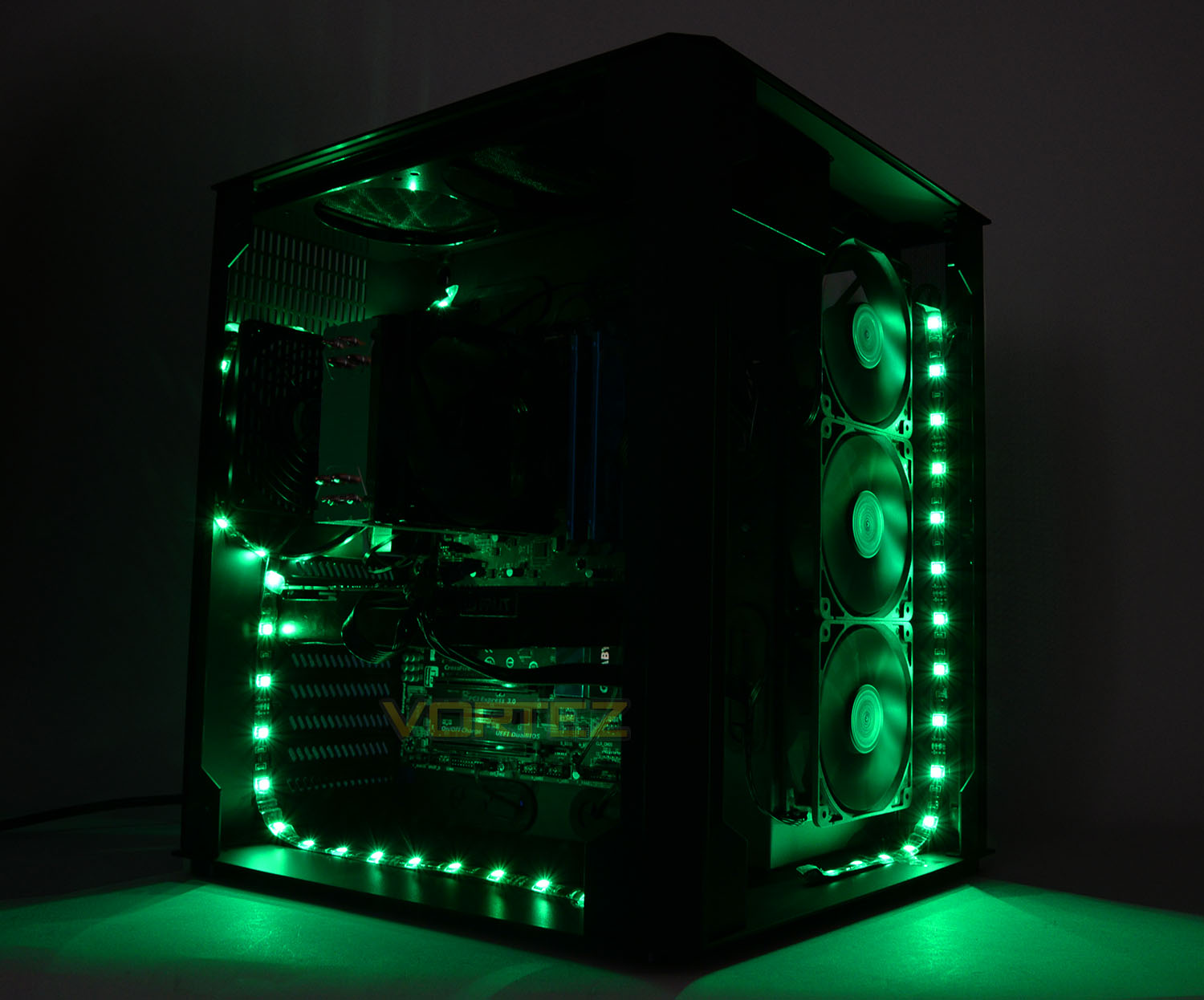
The LEDs are vibrant and illuminate the internals of PC-O8 very well indeed. There are lots of different arrangements that can be used but above is an example of how our system looks with green selected as the theme. The great thing is – it’s easy to set up and only requires a SATA connection to operate.
Clearance – CPU Cooler, GPU, Cable Management & Water
The clearance options inside a computer chassis are essential to system builders as it helps to establish whether a piece of hardware is compatible.
CPU Cooler
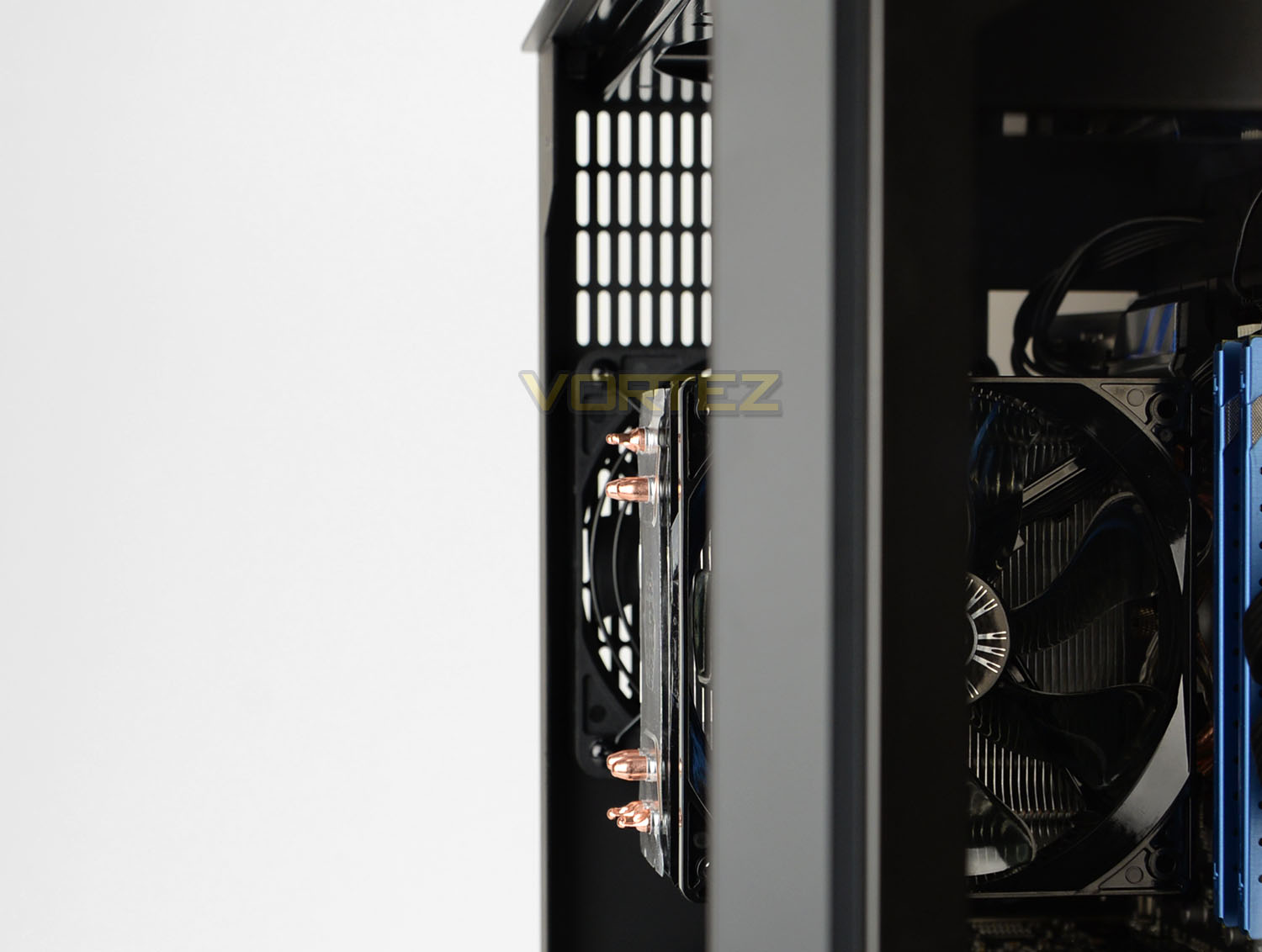
For the CPU Cooler there is approximately 170mm for the total height. Our CPU cooler – Cooler Master Hyper 212 EVO is 159mm in height and therefore fits inside this case without any difficulties whatsoever. The total clearance means that bigger solutions which are 160-170mm will fit inside this case too (Noctua NH-D15, Thermalright Silver Arrow).
Graphics Card
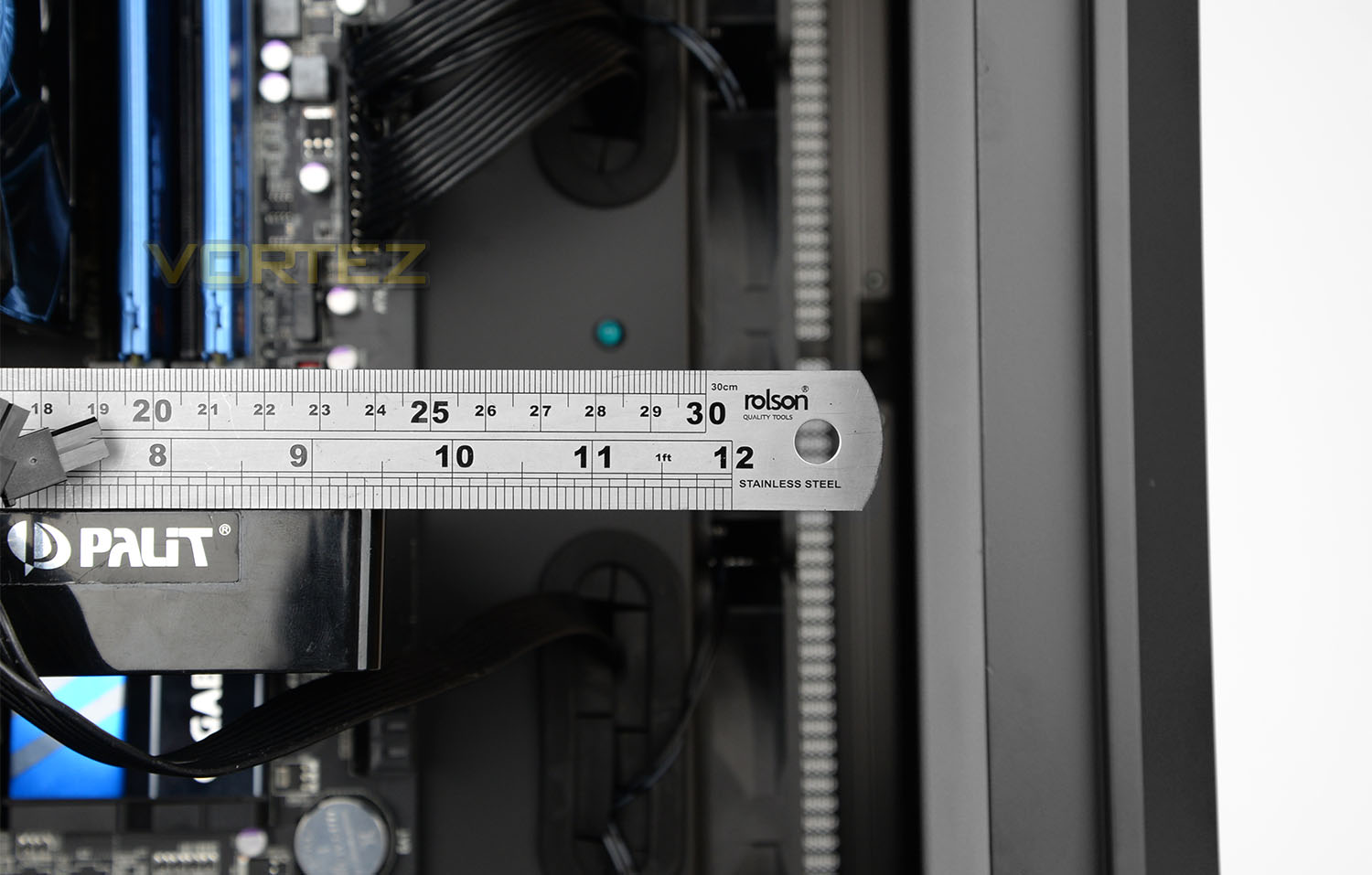
With no obvious collisions towards the front of PC-O8 there is a huge amount of space for multi-GPU configurations. There is up to 370mm for the graphics card – covering anything currently on the market. As there is nothing at the front or bottom of the chassis AMD CrossfireX/NVIDIA SLI is fully supported.
Cable Management
As shown on the installation page, the bulk of cables sit within the secondary chamber and we therefore have an abundance of space behind the motherboard tray to arrange the cable management.
Water Cooling
Water Cooling is PC-O8’s forte and as such there are various locations for housing different sized radiators. The rear can house a 120mm radiator.
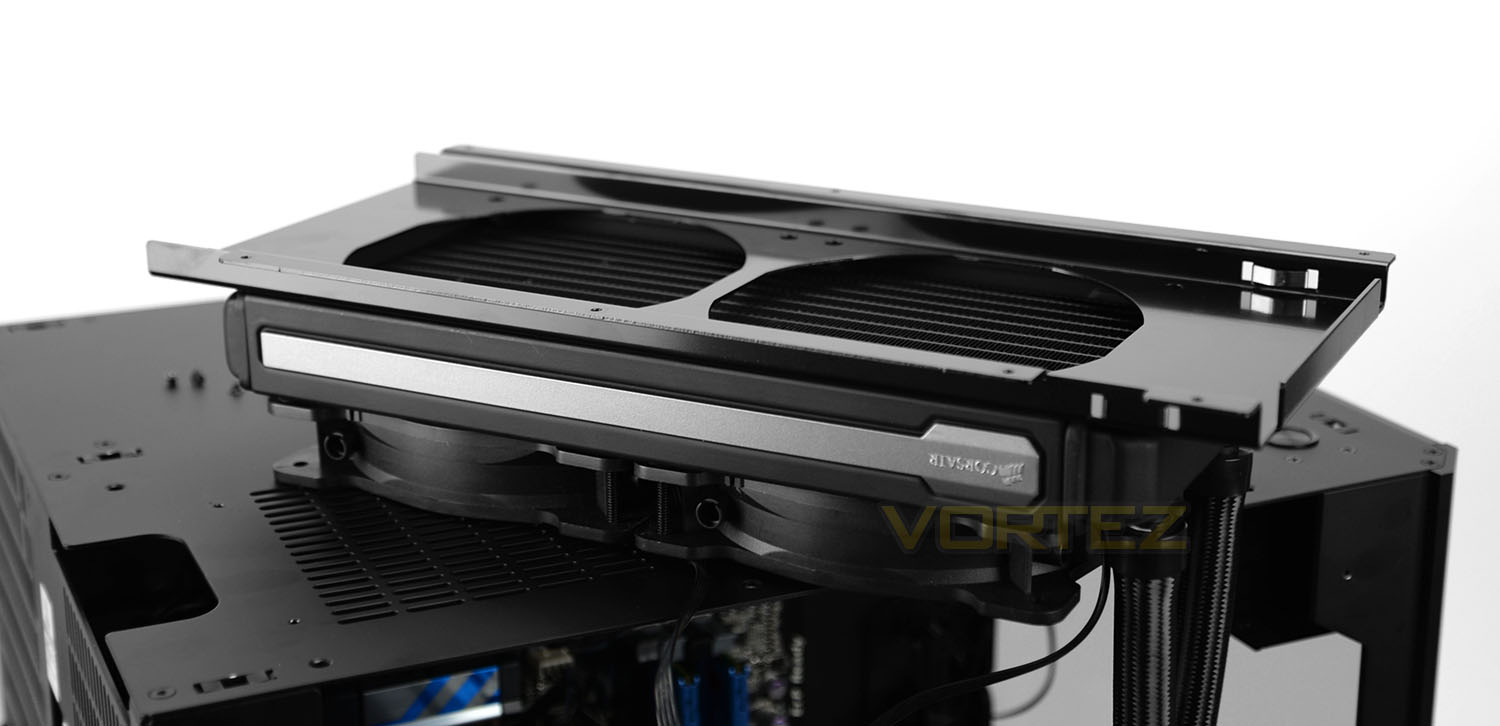
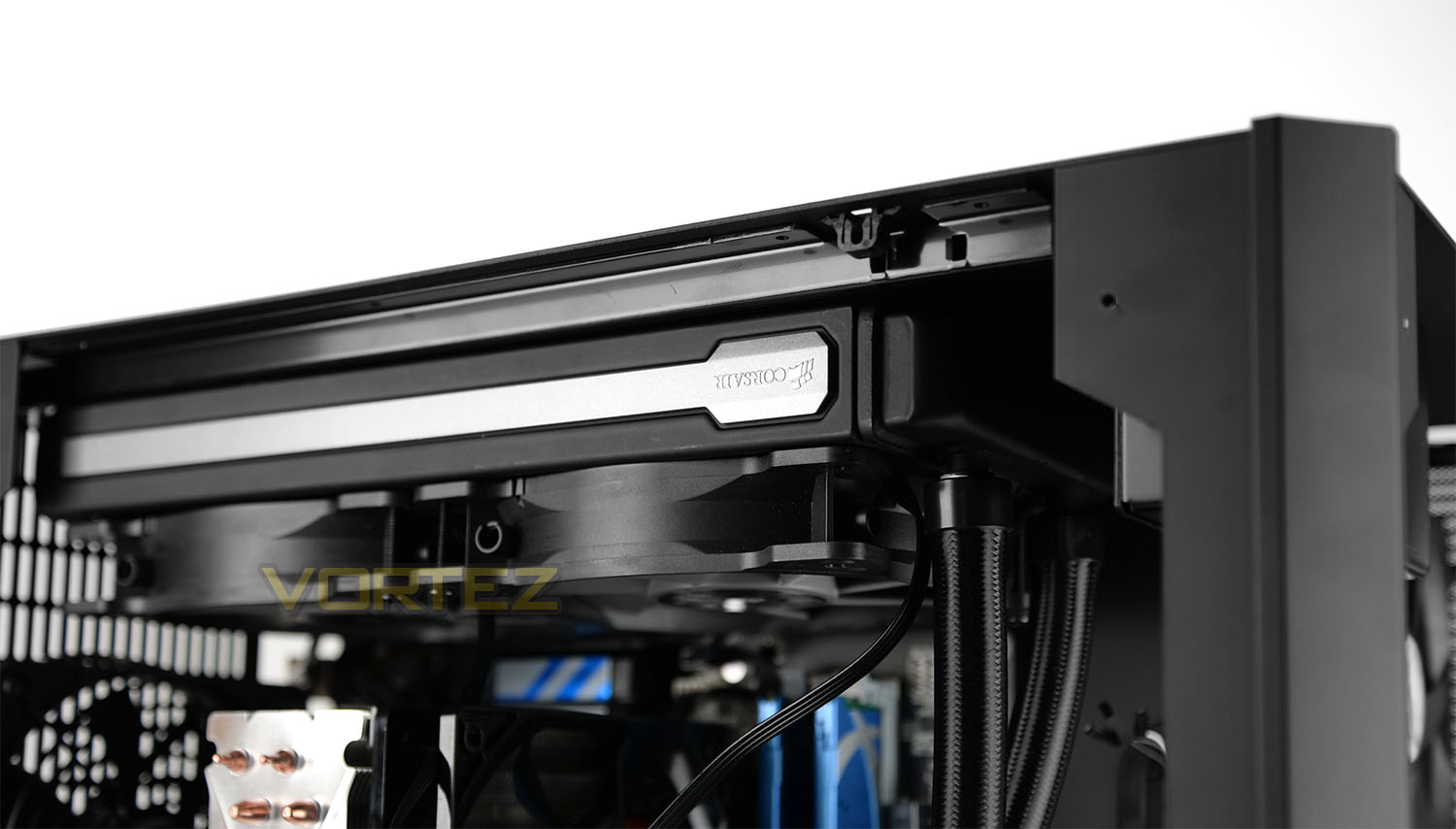
At the top there is allocation for installing a 240mm radiator with up to 54mm between the top and the motherboard. The radiator/fan combo are installed into the adapter at the top of the chassis.
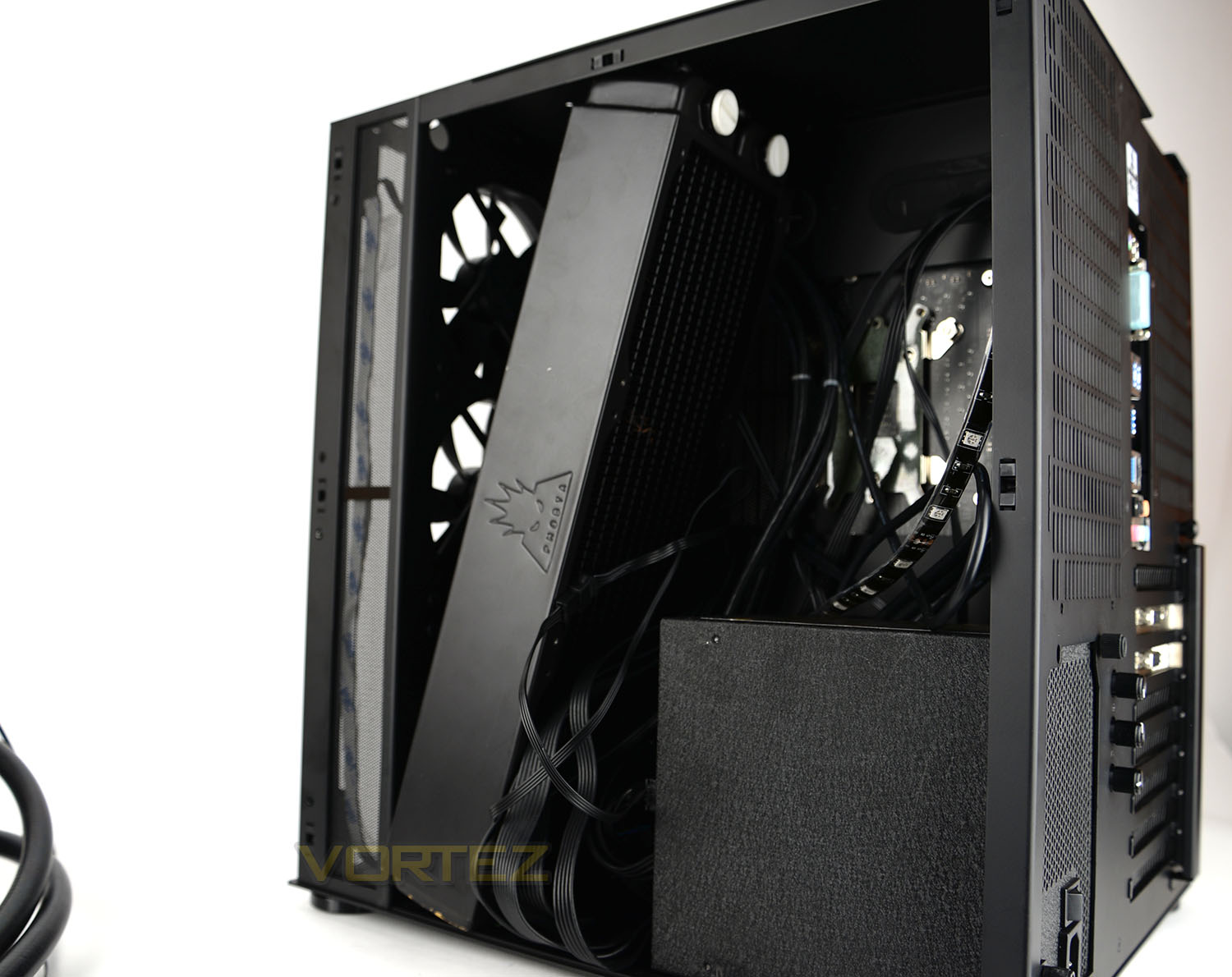
While at the front, the trio of cooling fans can be detached to make way for a 360mm, 240mm or 120mm unit. Sadly, our oversized Phobya G-Charger 360 wouldn’t squeeze into either side of the mounting plate due to the ends being too bulky.
Thermal Performance Testing
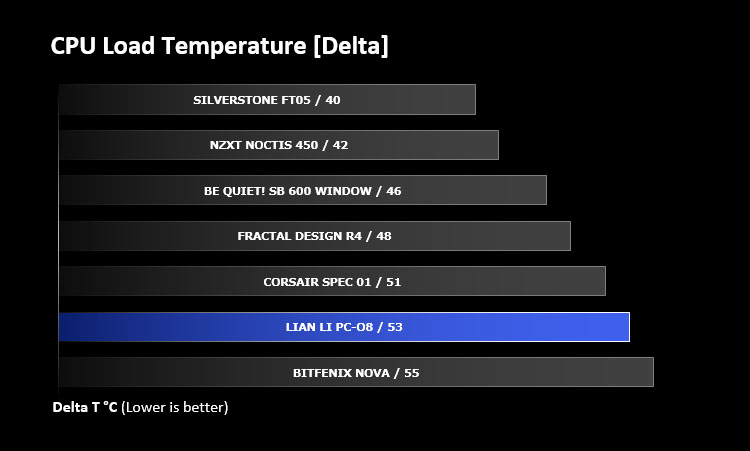
Within PC-O8 there are five 120mm cooling fans – three at the front and two attached to the HDD cage. Unfortunately four of these fans are focused on the secondary compartment which concerns the PSU and storage – therefore the CPU and other critical components have just a single rear exhaust cooling fan.
To discover the thermal performance of PC-O8 we will record idle temperatures after 20 minutes from a cold boot. We will then stress the system and temperatures will again be monitored after 20 minutes have elapsed.
The delta temperatures are recorded for the test with the ambient being subtracted from the reported maximum core temperatures from the test.
System Components
CPU Intel Pentium K G3258 @ 4GHz
Motherboard GIGABYTE Z87X-D3H
CPU Cooler Cooler Master Hyper 212 EVO
Graphics NVIDIA GTX 760
Memory 4GB Kingston HyperX DDR3
HDD Samsung Spinpoint 500GB SATA-II
PSU DeepCool DQ750
Motherboard GIGABYTE Z87X-D3H
CPU Cooler Cooler Master Hyper 212 EVO
Graphics NVIDIA GTX 760
Memory 4GB Kingston HyperX DDR3
HDD Samsung Spinpoint 500GB SATA-II
PSU DeepCool DQ750
Noise
By having thick tempered glass and aluminium panels the PC-O8 does a great job in damping any noise from the five cooling fans which are installed. Although there are a considerable numbers of fans inside the chassis they don’t emit that much noise at all.
Conclusion
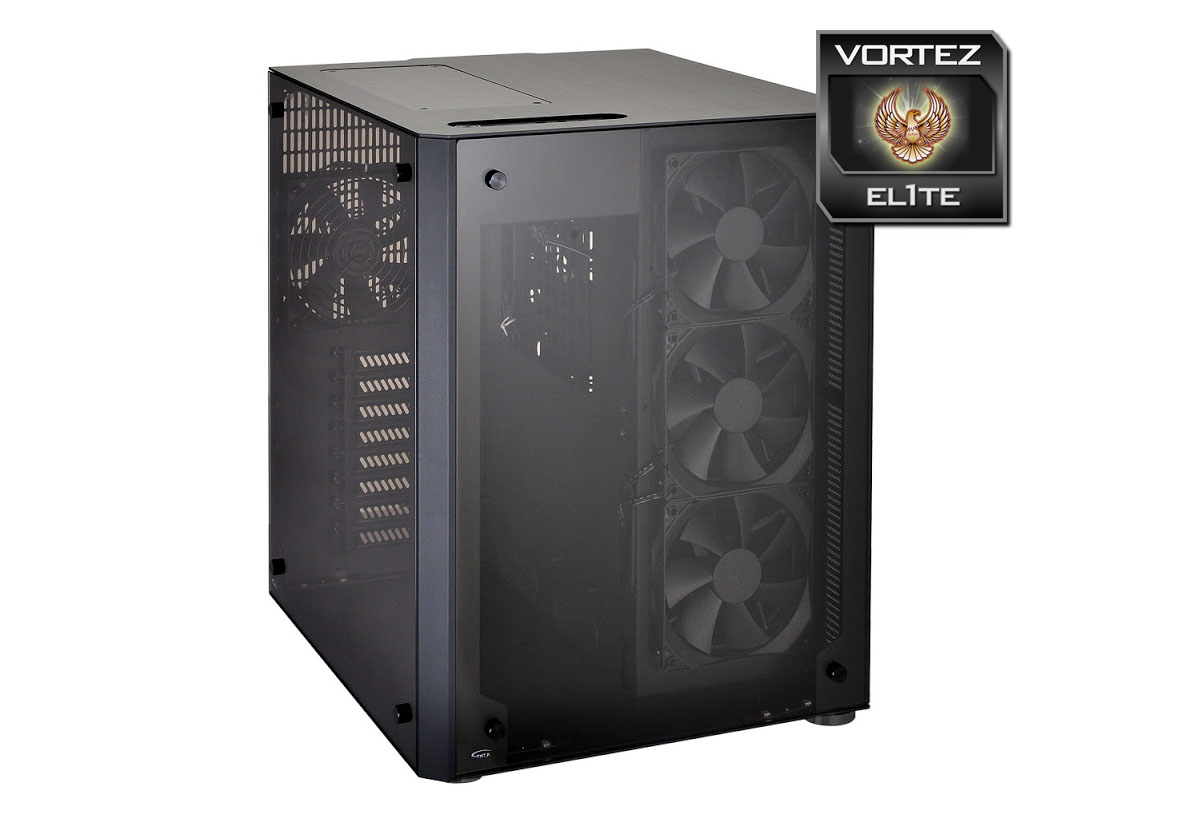
PC-O8 is a stunning computer case which well and truly deserves high praise. From an engineering standpoint the build quality exceeds that of most chassis designs and from this we therefore have something which stands out in an overpopulated market.
Few manufacturers have delved into the concept of dual-chamber computer cases but we can definitely see the appeal, especially on a case like PC-O8 which is primarily designed as a display piece – showcasing computer hardware with luxurious tempered glass. Due to the way in which PC-O8 is designed with its weighty glass panels, there appears to be little sense in opting for this case if you upgrade your computer system on a regular basis. The idea with this case is to leave hardware in situ with minimal maintenance.
Inside this stunning enclosure there is plenty of space for high-end kit, including dual-GPU configurations with oversized dimensions. The main chamber is particularly spacious due to the omission of any storage or optical drives and therefore the actual building process is something of a triumph too – it takes very little time installing components and is a breath of fresh air from the usual mundane process that conventional cases bring.
The main emphasis with PC-O8 is the space and this paves the way for excellent water cooling compatibility. To this end, it’s probably fair to say that PC-O8 favours water cooling over air cooling – especially since there is no allocation for any directional cooling for the motherboard/CPU from the front of the case. As a result, in the default configuration the cooling performance is a little disappointing. Even without any cooling fans at the front directed at the main chamber, we’d have liked to see some sort of modular design allowing the user to perhaps attach optional cooling directly next to the trio of 120mm fans – to aim some airflow at the motherboard/CPU cooler.
This case is priced at £359.88 GBP / $400 USD which is beyond what many system builders would spend on some individual components but taking into consideration the extensive space, water cooling support, aluminium construction and tempered glass the PC-O8 was never going to arrive with a small price-tag. Those unfamiliar with Lian Li will likely find this figure a conundrum but devout Lian Li fans will be able to sympathise.
Lian Li’s PC-O8 is an exciting new concept for computer case design. This stunning chassis is the champion of craftsmanship, featuring a blend of aluminium and tempered glass. If you’re wanting to showcase a spectacular system configuration with a touch of prestige and elegance, look no further because PC-O8 is style epitomised.
Pros
+ Stunning visual appearance
+ High-quality construction
+ Dual compartments
+ Easy to install components
+ Can accommodate high-end hardware
+ Very flexible for water cooling
+ Five cooling fans included
+ RGB LEDs supplied
+ Four USB 3.0 ports
Cons
– No positive cooling in main compartment
– Glass attracts dirt/prints easily
– Difficult to properly clean
– Cable management is difficult
– Only two 2.5” drive spots
+ Stunning visual appearance
+ High-quality construction
+ Dual compartments
+ Easy to install components
+ Can accommodate high-end hardware
+ Very flexible for water cooling
+ Five cooling fans included
+ RGB LEDs supplied
+ Four USB 3.0 ports
Cons
– No positive cooling in main compartment
– Glass attracts dirt/prints easily
– Difficult to properly clean
– Cable management is difficult
– Only two 2.5” drive spots
Click here for an explanation of our awards at Vortez.net.