Logitech’s G413 is in for testing today, sporting white LED backlighting, a solid brushed metal fascia, Romer-G mechanical keys and much more, lets see how it fares.

Product on Review: Logitech G413 (Silver)
Manufacturer: Logitech
Street Price: £99.99 / $89.99
Mechanical keyboards have become a must-have for any PC enthusiast, regardless of being a “gamer” or not; they provide an optimum typing experience, can offer an edge over the competition while gaming and come in many different variations to suit. Logitech has released the G413 with their proprietary Romer-G mechanical key switches, offering a shorter actuation point than most of the competition.
The Logitech G413 also features a brushed, aircraft grade aluminium-magnesium backplate, for strength and lightness; along with a USB2.0 passthrough paired with cable routeing under the keyboard, single colour backlit keys, multi-function F keys, 26-key rollover and many other features.
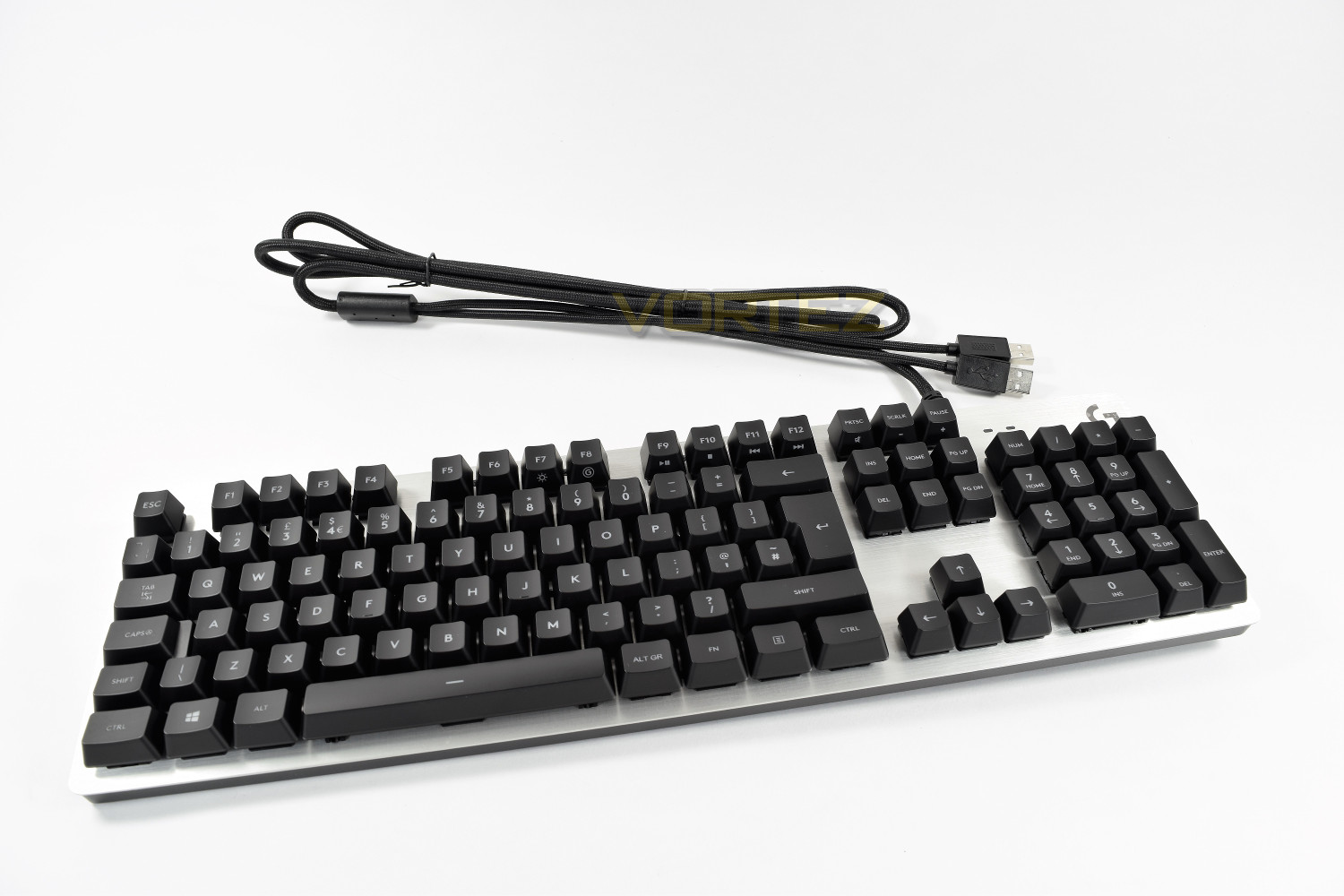
Logitech has supplied us with the Silver G413 with white backlighting for review, a Carbon model with red backlighting is also available. Let’s see how this keyboard performs when put through its paces.
Logitech on the G413:
G413 was thoughtfully conceived, designed and engineered to deliver advanced performance with just the right feature set. Lightweight, high-strength 5052 aluminium alloy top case enables the slim, bladelike chassis. Underneath find mouse and headset cable management, plus adjustable-height feet with rubber stabilisers, for confidence during intense gameplay.
Technical Specifications
SPECIFICATIONS
PART NUMBER
Carbon, UK English (Qwerty): 920-008308
Silver, UK English (Qwerty): 920-008475
WARRANTY INFORMATION
2-Year Limited Hardware Warranty
SYSTEM REQUIREMENTS
Windows® 10, Windows 8.1, Windows 8, Windows 7
USB port (for keyboard)
Second USB port (for USB passthrough port)
Internet access for Logitech Gaming Software
PACKAGE CONTENTS
Gaming keyboard
Gaming keycaps
Keycap puller
User documentation
PHYSICAL SPECIFICATIONS
Height: 132 mm
Width: 445 mm
Depth: 34 mm
Weight (w/o cable): 1105 g
Cable: 1.8 m
ROMER-G MECHANICAL SWITCHES:
Durability: 70 million keypresses
Actuation distance: 1.5 mm
Actuation force: 45 g
Total travel distance: 3.0 mm
KEYBOARD SPECIFICATIONS:
Connection Type: USB Type A (corded)
USB Protocol: USB 2.0
USB Speed: Full Speed
Indicator Lights (LED): 2
USB Ports (Built-in): 1, USB 2.0
Backlighting: Yes
Single colour (5 fixed brightness levels)
G413 Silver: White
G413 Carbon: Red
Special Keys:
Backlight Toggle: FN + F7
Game Mode: FN + F8
Media Controls: FN + F9/F10/F11/F12
G413 Carbon comes with red backlighting.
G413 Silver comes with white backlighting.
PART NUMBER
Carbon, UK English (Qwerty): 920-008308
Silver, UK English (Qwerty): 920-008475
WARRANTY INFORMATION
2-Year Limited Hardware Warranty
SYSTEM REQUIREMENTS
Windows® 10, Windows 8.1, Windows 8, Windows 7
USB port (for keyboard)
Second USB port (for USB passthrough port)
Internet access for Logitech Gaming Software
PACKAGE CONTENTS
Gaming keyboard
Gaming keycaps
Keycap puller
User documentation
PHYSICAL SPECIFICATIONS
Height: 132 mm
Width: 445 mm
Depth: 34 mm
Weight (w/o cable): 1105 g
Cable: 1.8 m
ROMER-G MECHANICAL SWITCHES:
Durability: 70 million keypresses
Actuation distance: 1.5 mm
Actuation force: 45 g
Total travel distance: 3.0 mm
KEYBOARD SPECIFICATIONS:
Connection Type: USB Type A (corded)
USB Protocol: USB 2.0
USB Speed: Full Speed
Indicator Lights (LED): 2
USB Ports (Built-in): 1, USB 2.0
Backlighting: Yes
Single colour (5 fixed brightness levels)
G413 Silver: White
G413 Carbon: Red
Special Keys:
Backlight Toggle: FN + F7
Game Mode: FN + F8
Media Controls: FN + F9/F10/F11/F12
G413 Carbon comes with red backlighting.
G413 Silver comes with white backlighting.
Packaging & First Look
The front of the packaging is incredibly simple, offering the minimal information required; the keyboard layout (UK) and the mechanical key switch used.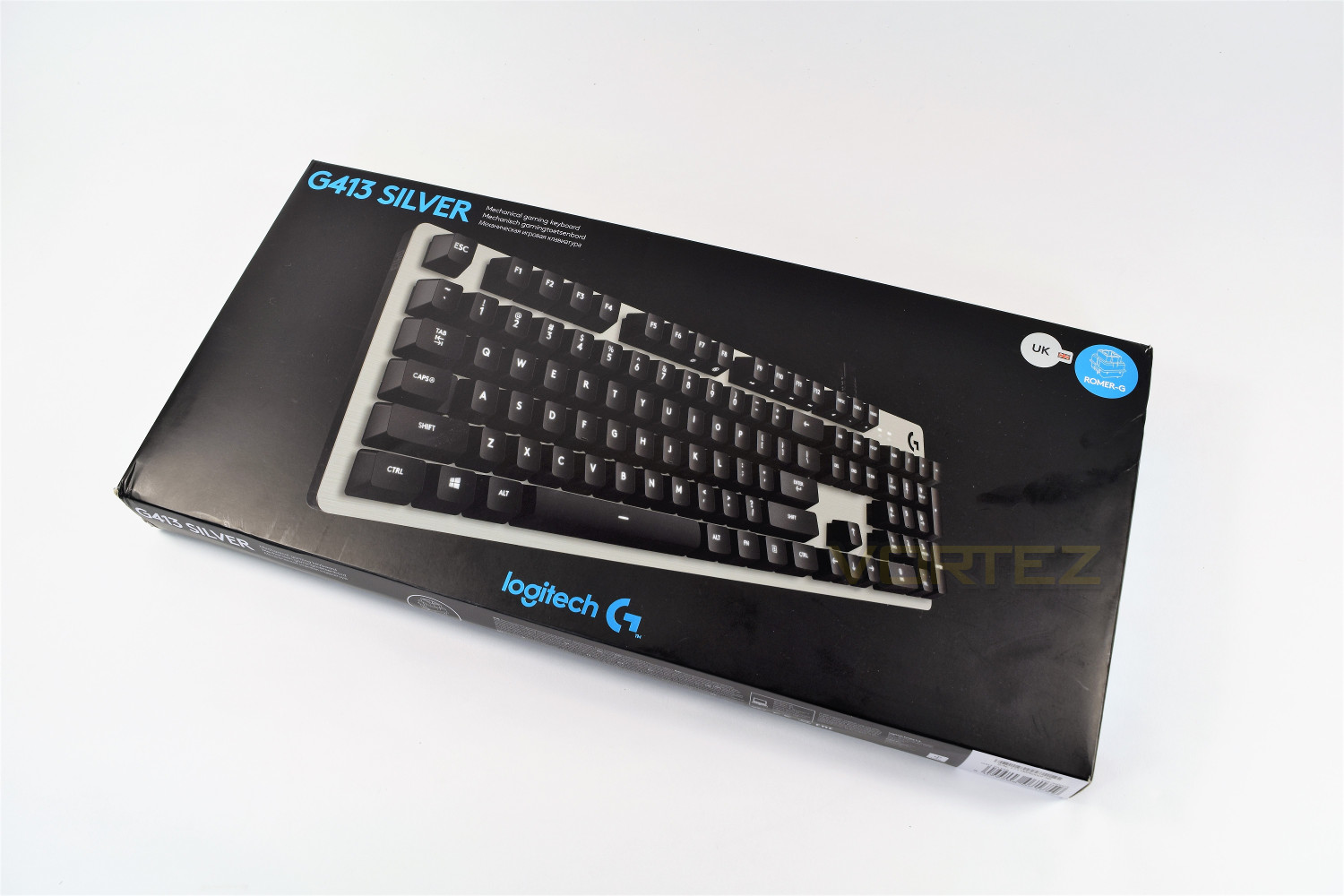
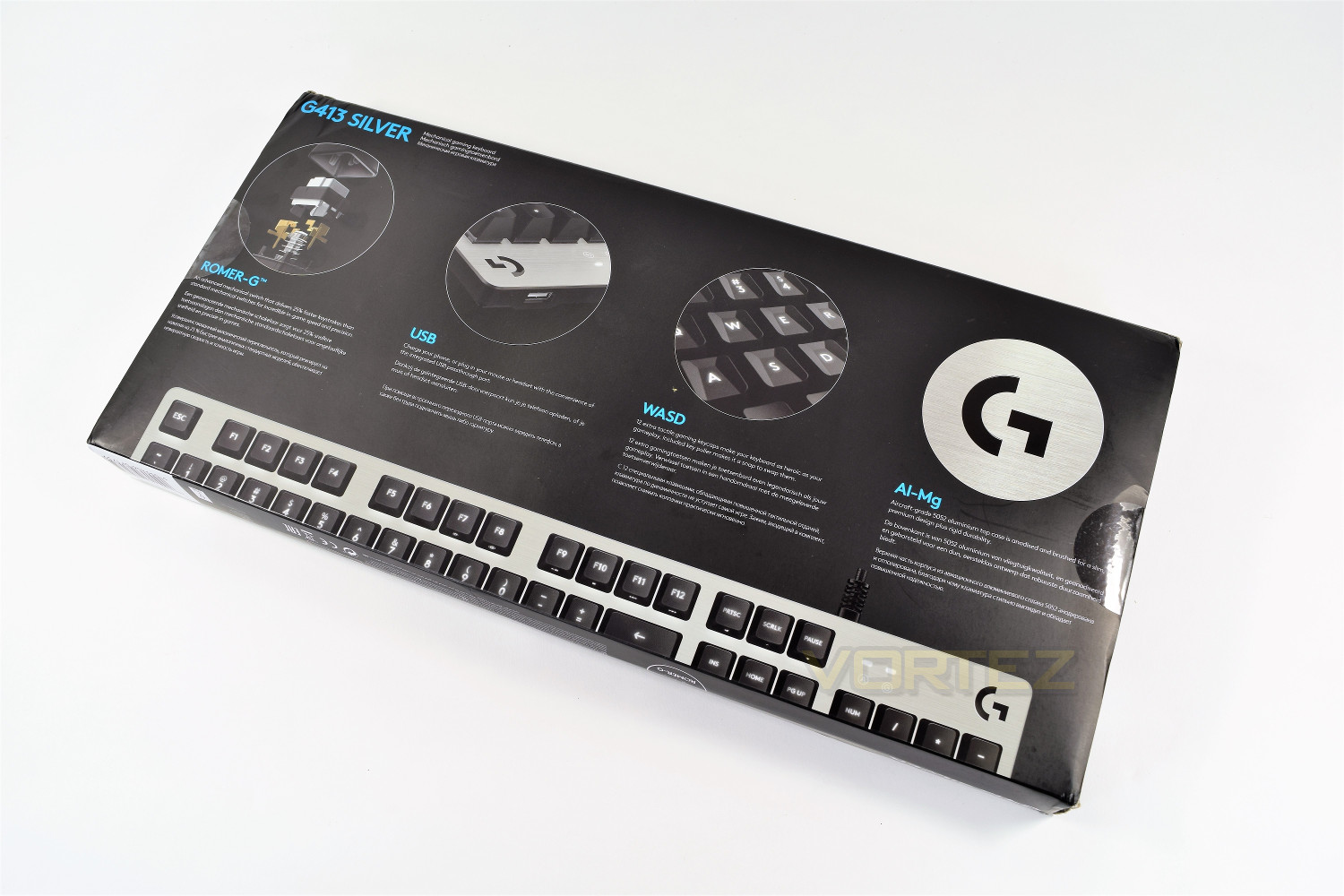
The rear of the packaging goes into greater detail regarding some of the major features implemented into the keyboard, including the offering of 12 “extra tactile” keys and the USB 2.0 pass-through.
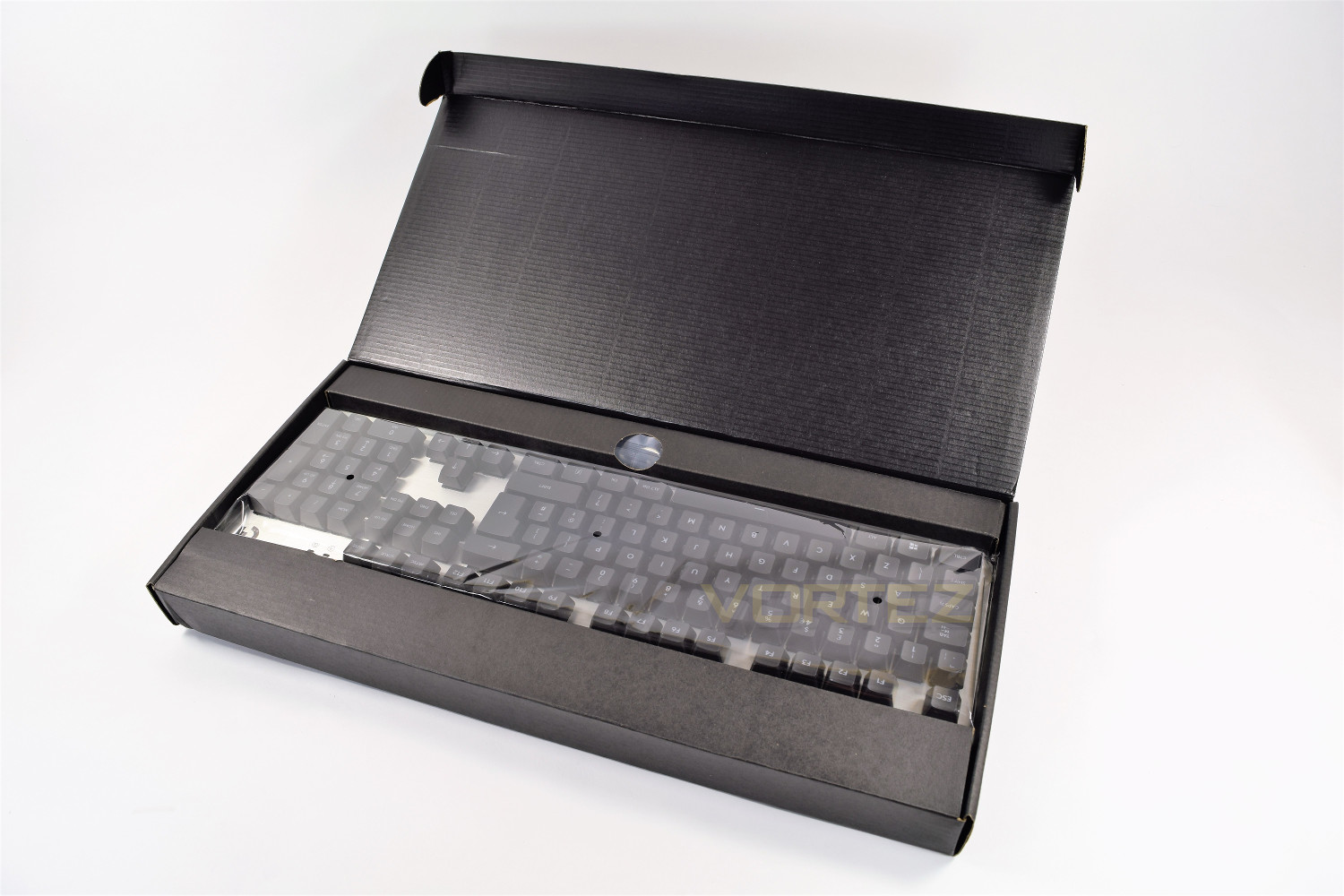
Inside the box, the keyboard is well protected within a thick plastic bag.
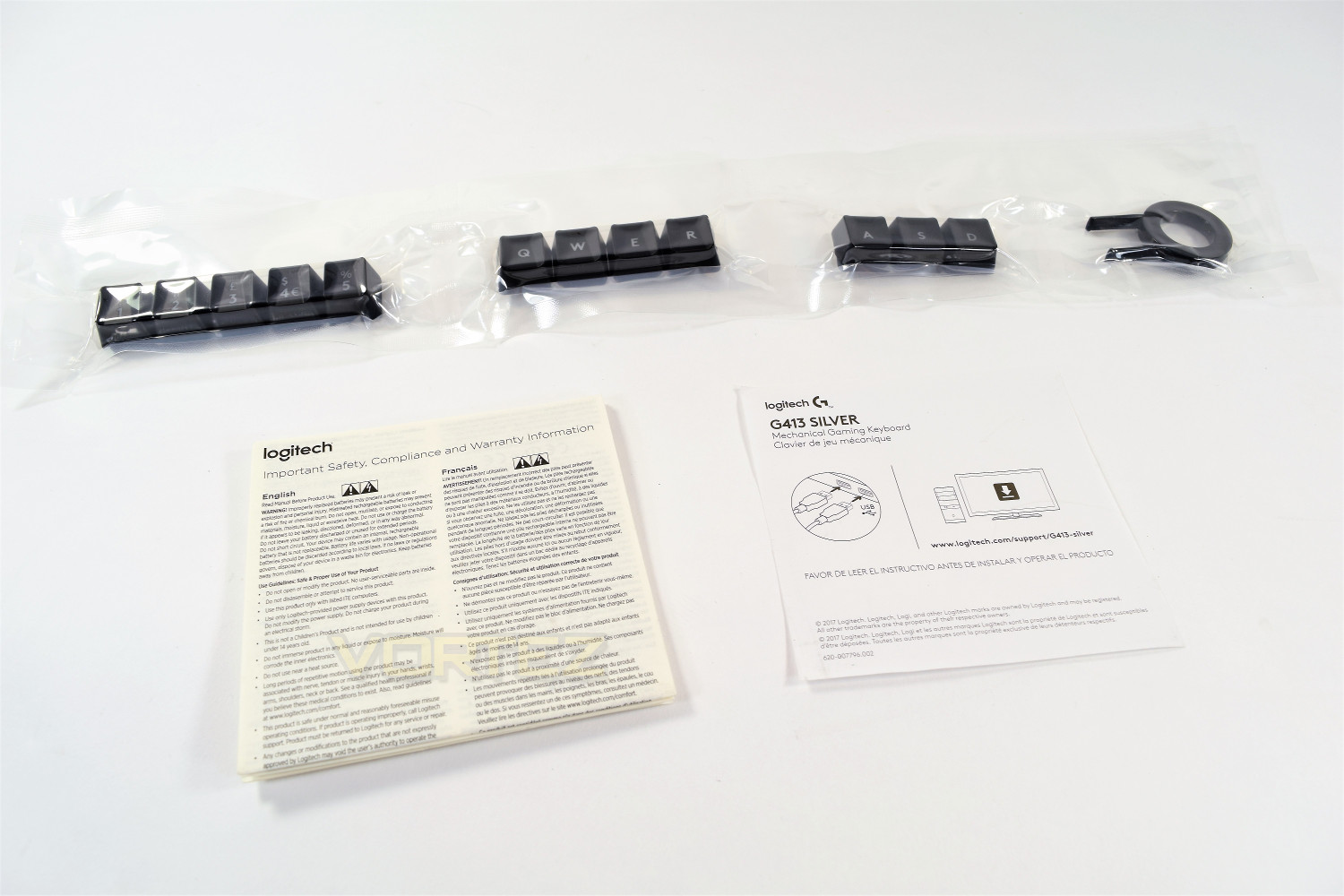
12 replacement “extra tactile” keys, a key puller, quick start guide and some warranty information form the included extras.
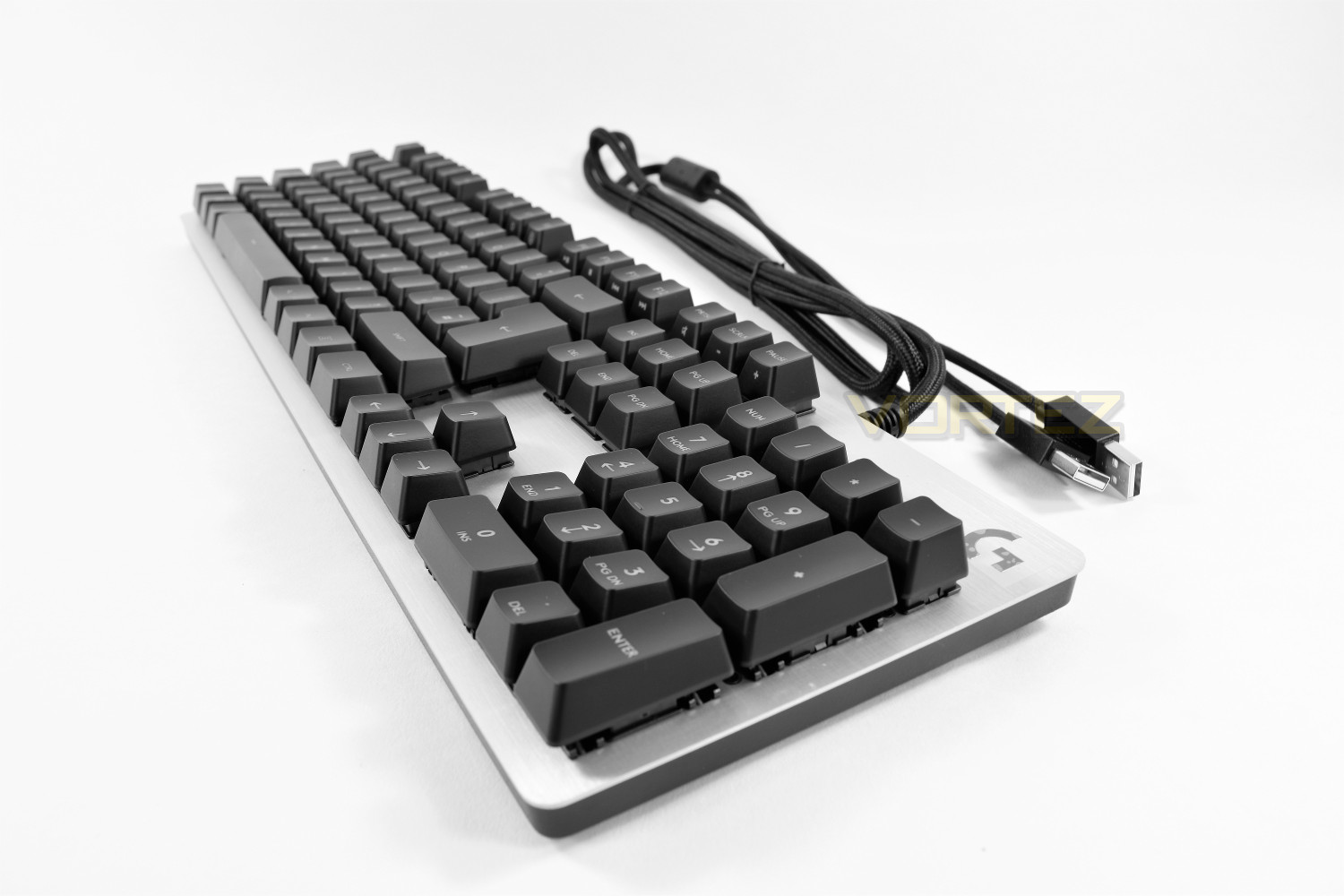
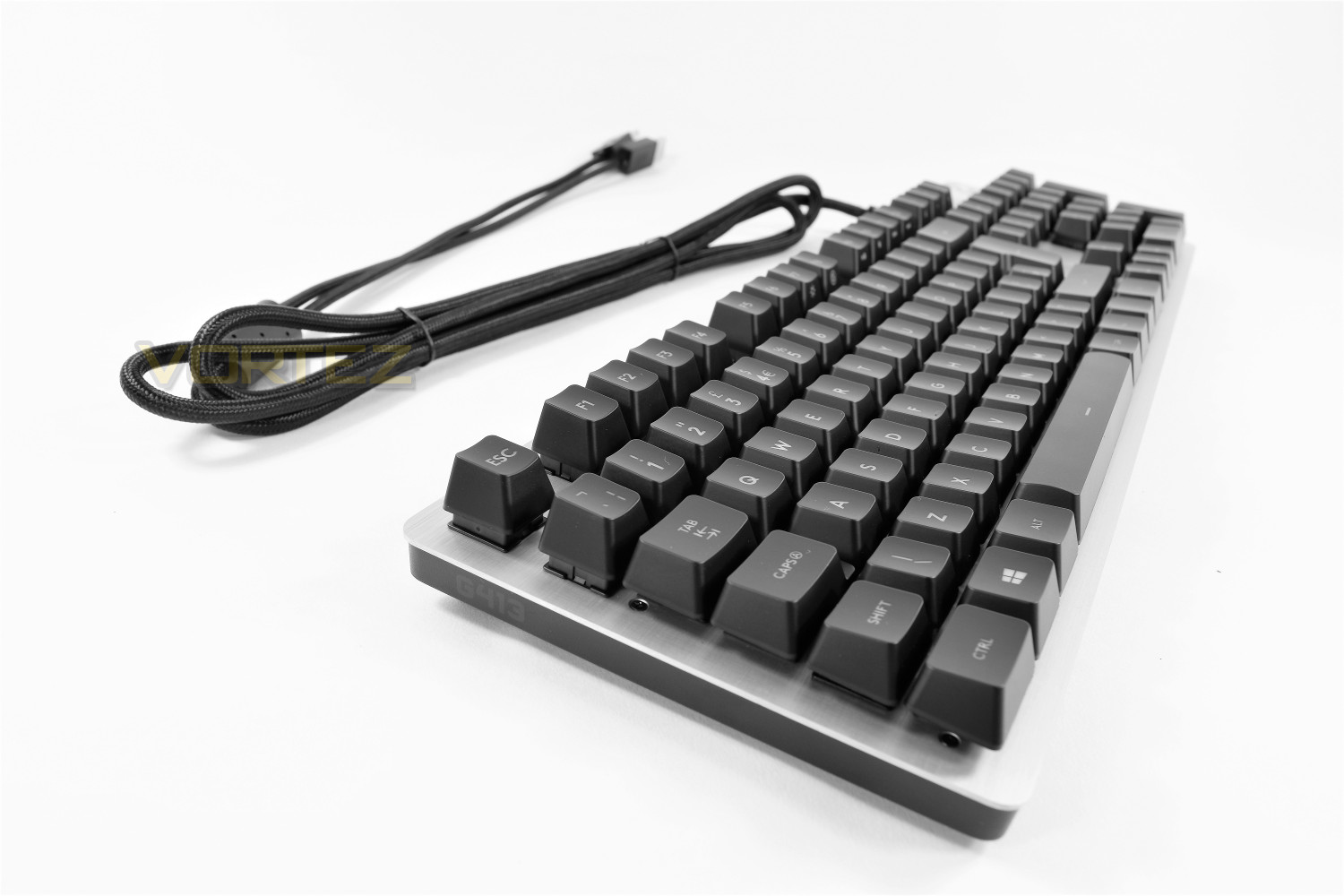
First impressions of the keyboard are positive. The fascia contrasts well with the keys and the full keyboard layout retains a compact size with a clever use of multi-function keys.
Closer Look
Logitech has clearly focused on a minimal design, offering a product that will complement any workspace in a compact form factor.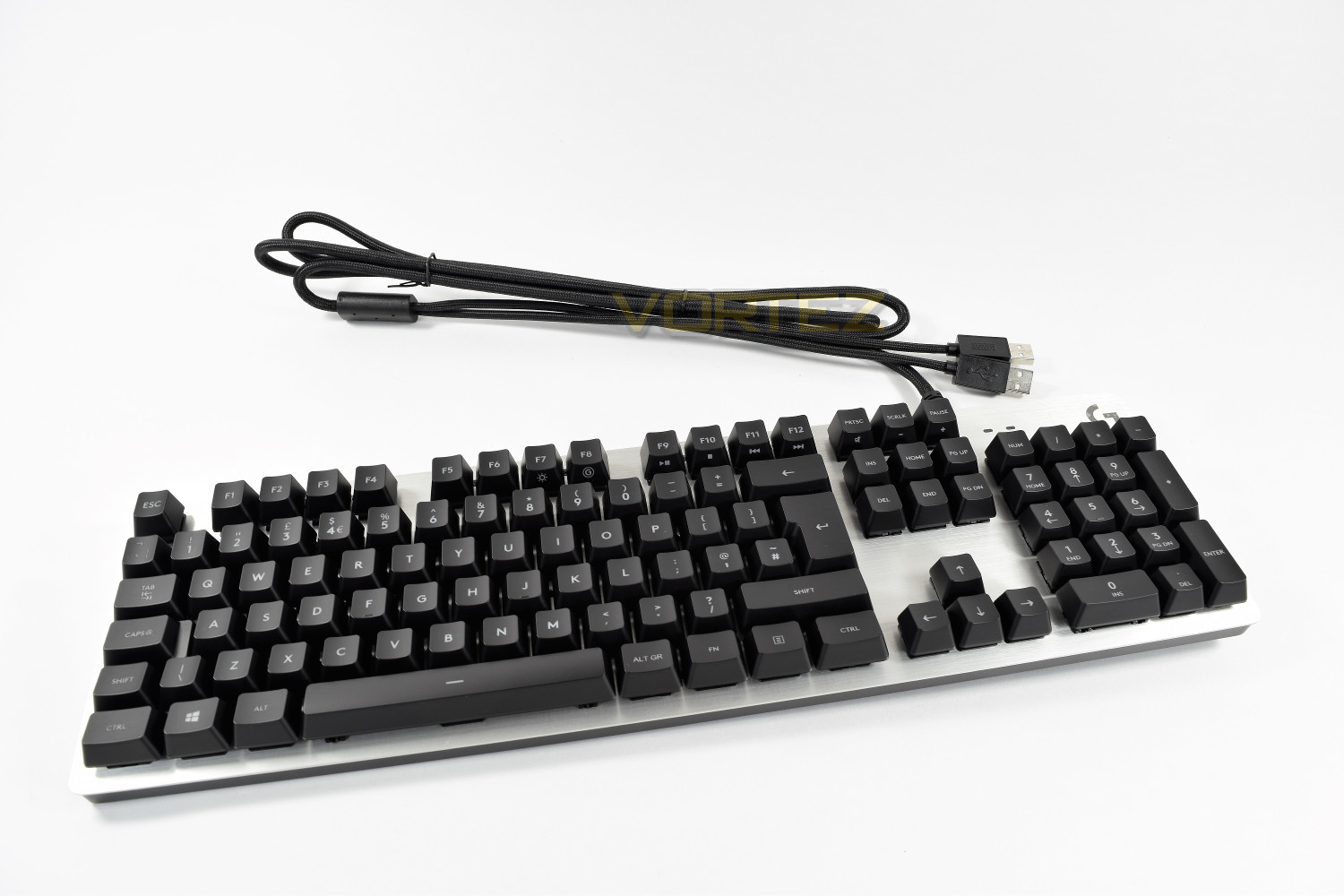
The body is extremely thin considering the mechanical keys, but Logitech claims their aluminium-magnesium upper construction offers all of the strength required. The thin shape prevents the keys being too tall, helping with comfort while looking good too. The keyboard body stands at 18mm tall without the feet and rises up to 33mm. The keycaps are 35mm from the desk, moving up to 49mm.
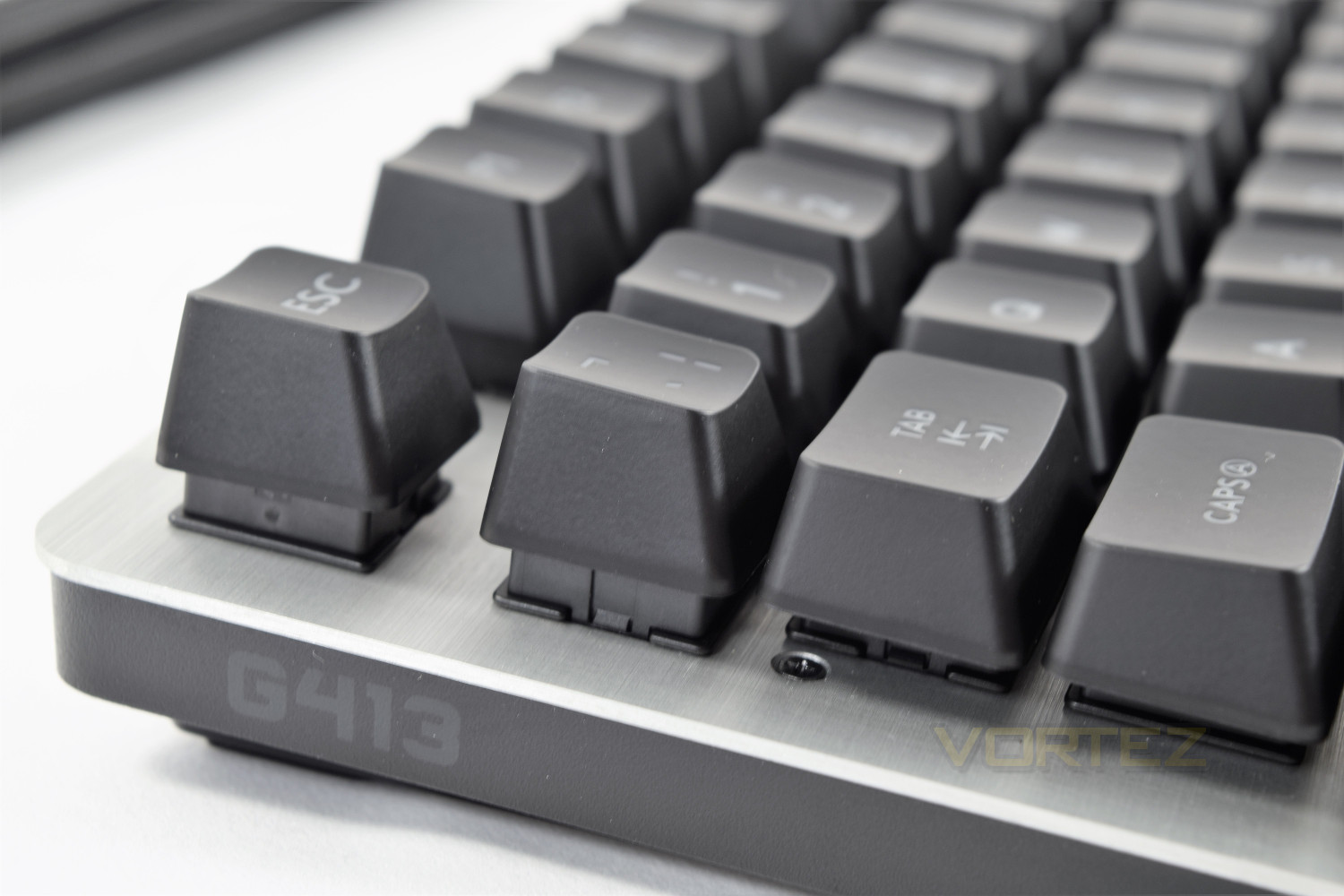
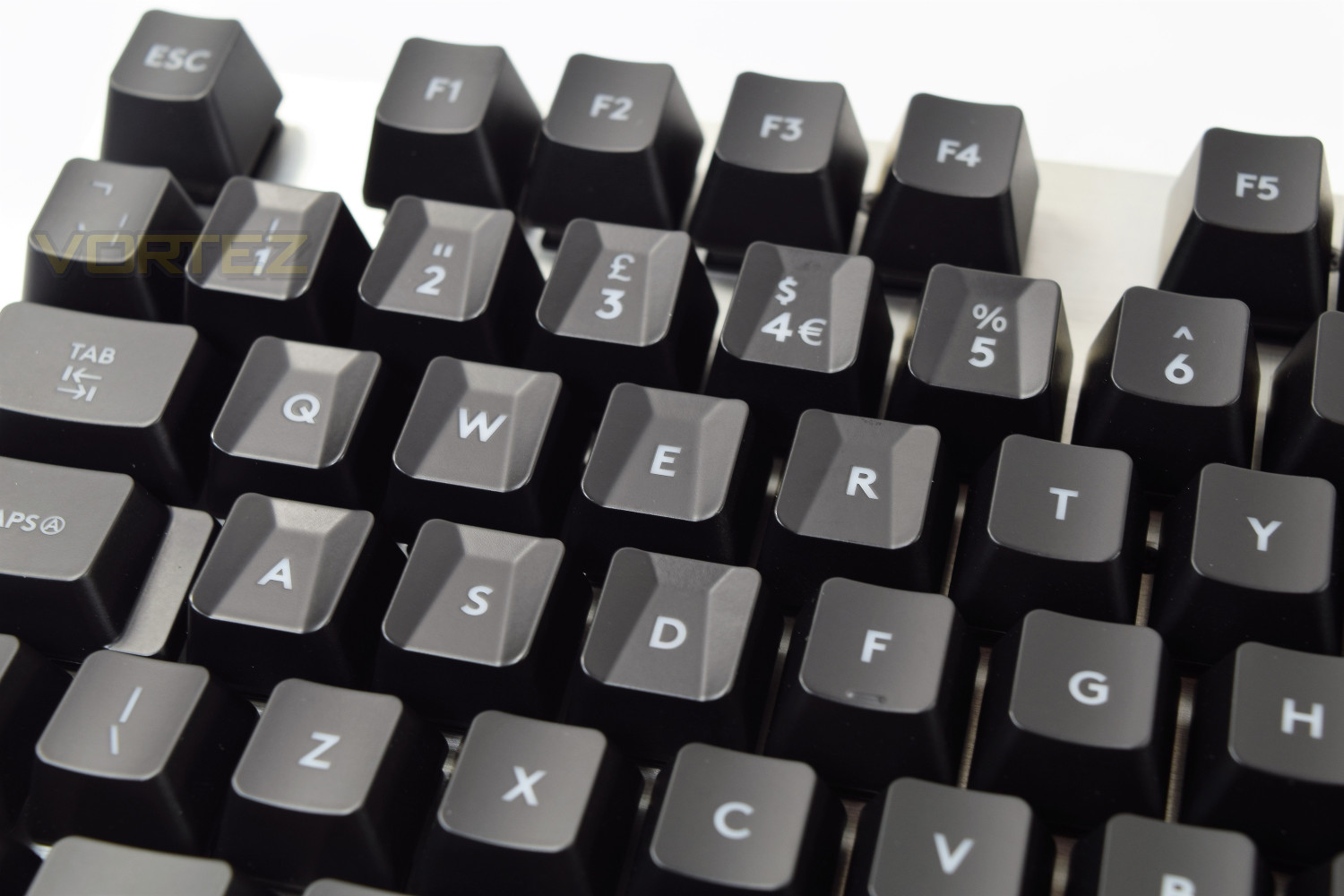
The font employed by Logitech is clear and easy to read, regardless of whether or not the white backlight is used, however, it does help. The plastic keycaps come with a soft touch matte finish, similar to most other keyboards, with a concave shape to each key which aids typing.
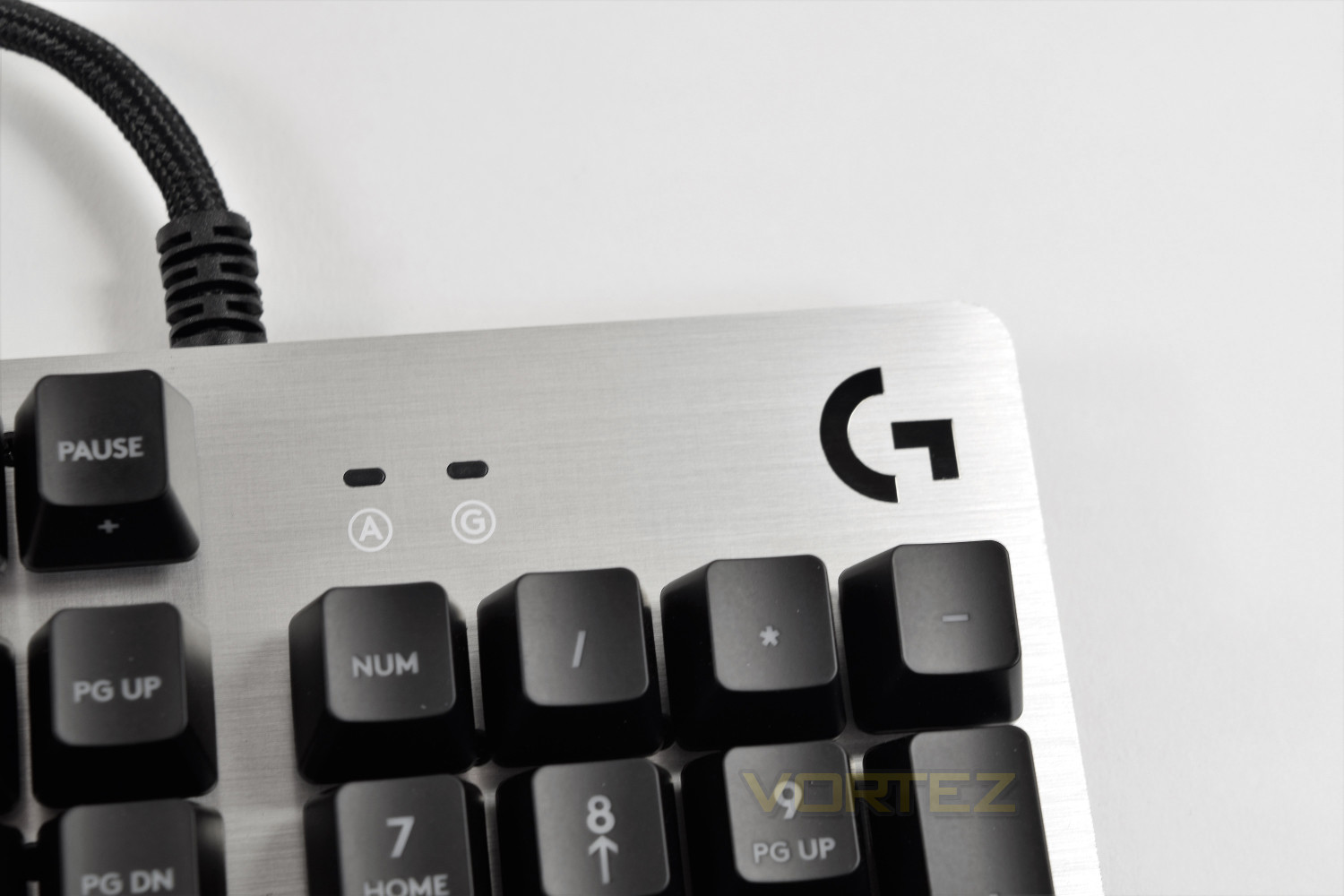
The top right of the keyboard, traditionally home to a trio of LED indicators, is a little different on the G413. This area sees the placement of only two LEDs, though, strangely, one for CAPS lock and the other to signal the “Gaming mode” which disables the Windows key by default (other keys can be selected within the software.) The Scroll Lock and Num Lock can both be indicated within the software if required, using an overlay on the desktop.
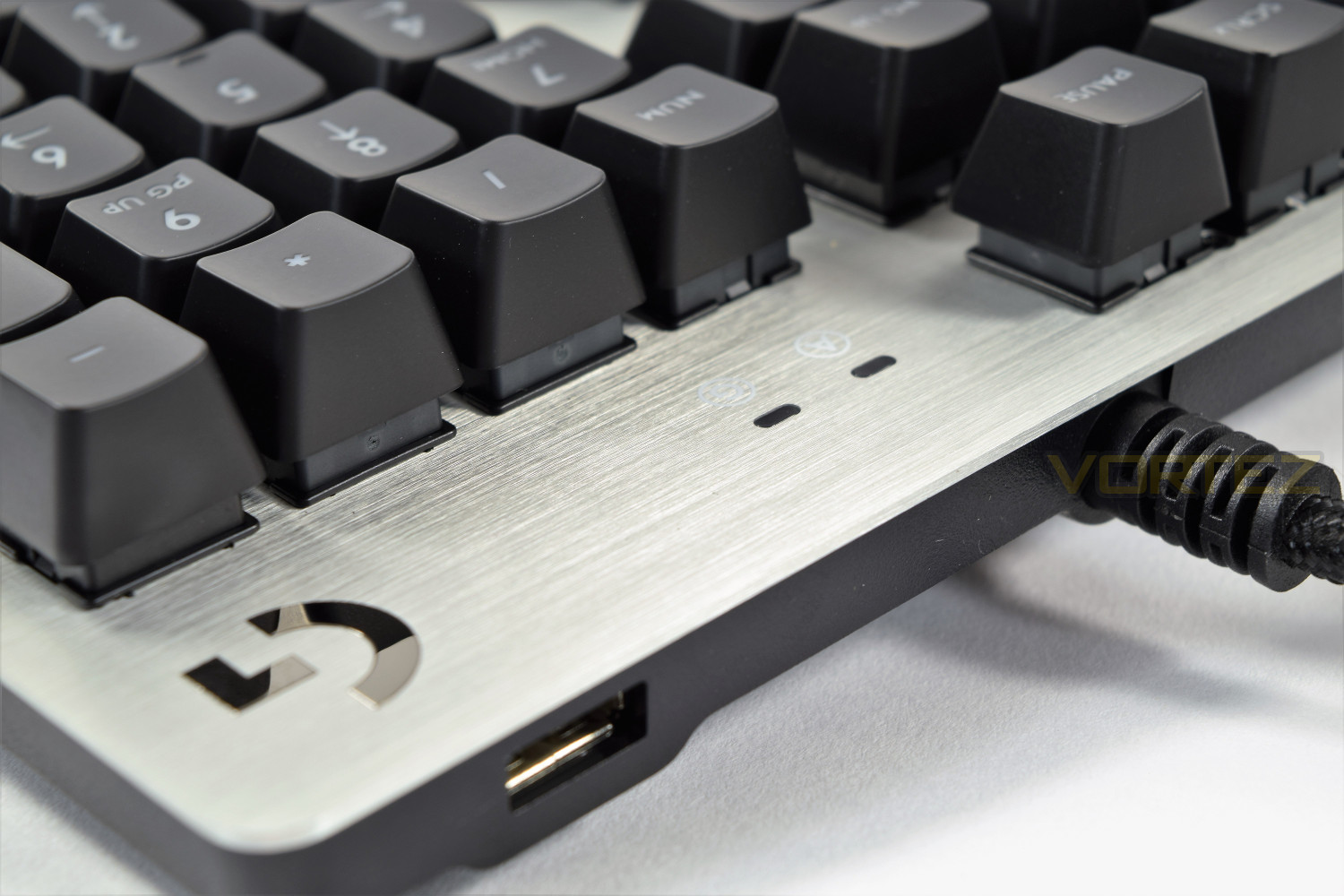
Located underneath the G logo in the top right is the USB 2.0 pass-through port; the braided cable has two clearly labelled USB plugs, one for the keyboard and one for an uninterrupted connection for the pass-through. It would’ve been nice to see USB 3.0 included here, but USB 2.0 is perfectly fine for a mouse, headset, phone etc.
Included with the keyboard are 12 extra keys, as well as a key puller, to replace the 1 through 5 and QWERASD. They provide a very different feel and shape to the keys generally used for FPS gaming, even changing the angle at which they sit on top of the keys.
Closer Look (Continued)
The multi-function F keys along the top of the keyboard are well laid out, utilising the right-hand keys to make one-handed use easier with the Fn key being underneath. These keys, despite the angle of the associated logos, are still backlit due to the white coating inside each key and the use of a centralised LED in each key.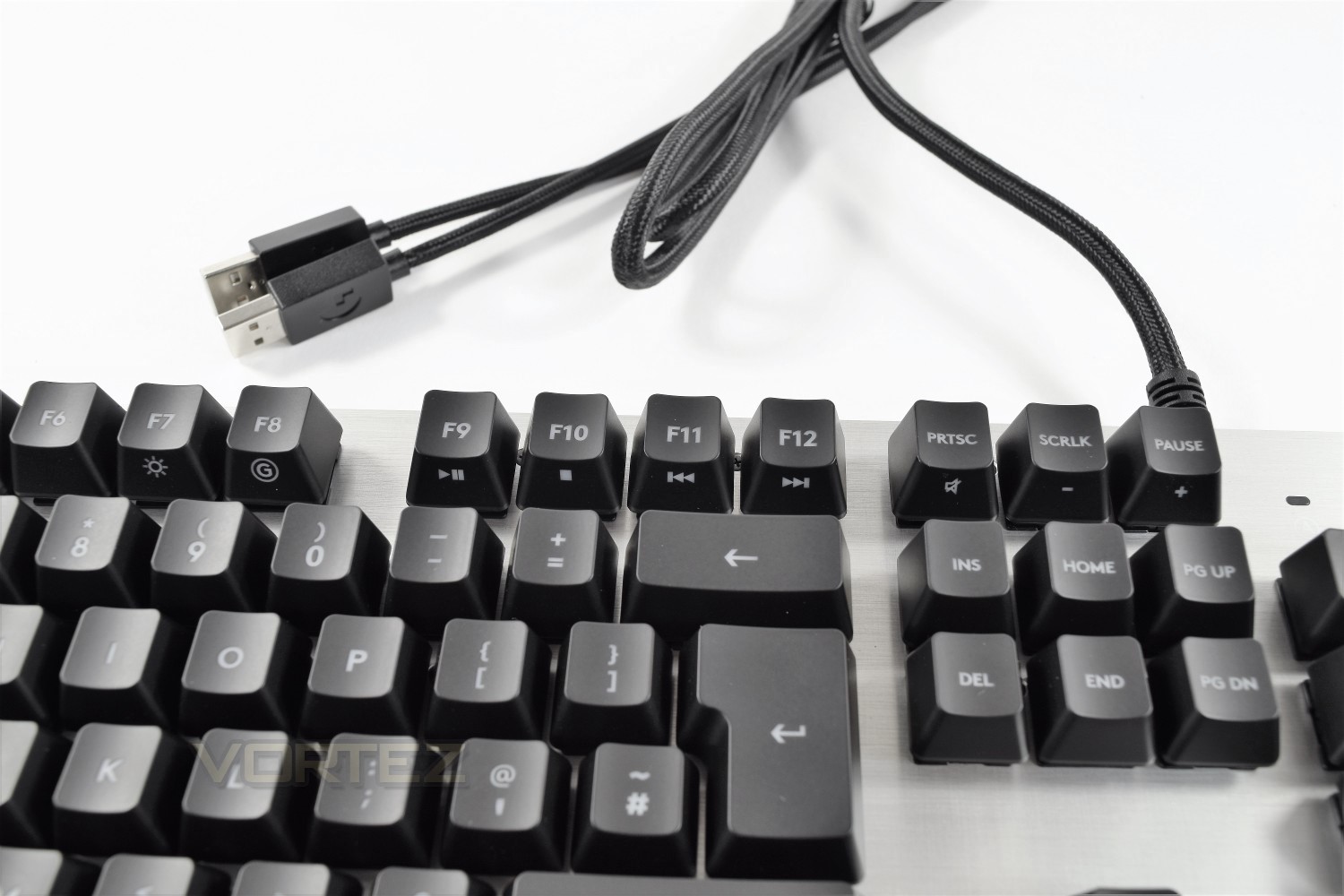
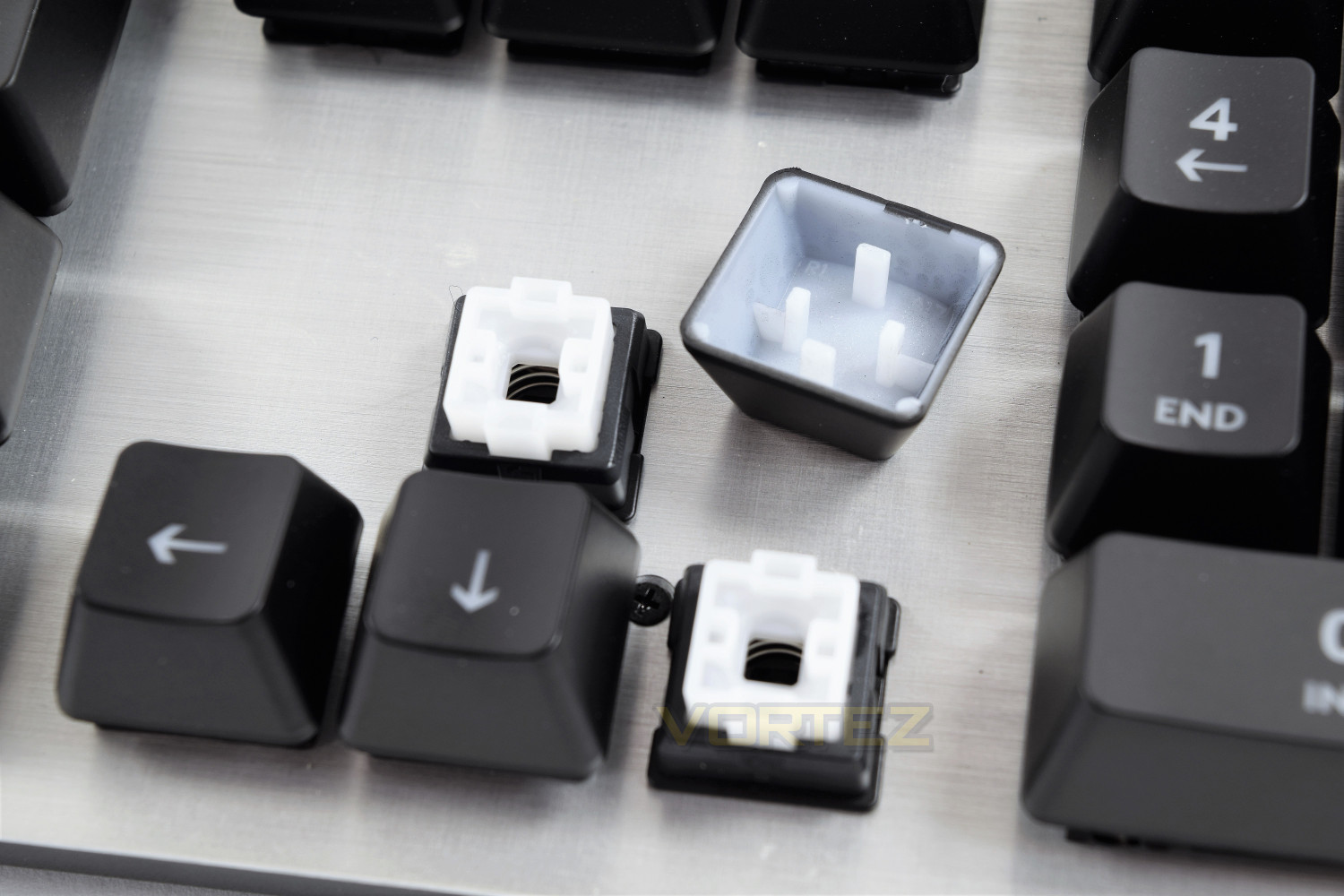
Taking a closer look at the switches, produced by OMRON exclusively for Logitech, you will firstly notice that they don’t employ the usual cross fitting attachment for the key, instead relying on 4 separate clips on each edge of the keys; this is slightly more fiddly when reattaching the keys, after replacing the gaming keys, or for cleaning etc. This does allow the backlight LED to be placed right in the centre of each key, removing the possibility of any lighting dead spots on the surface of the key, as well as minimising any reflection from objects behind your keyboard, a glossy screen or any other shiny material, for example.
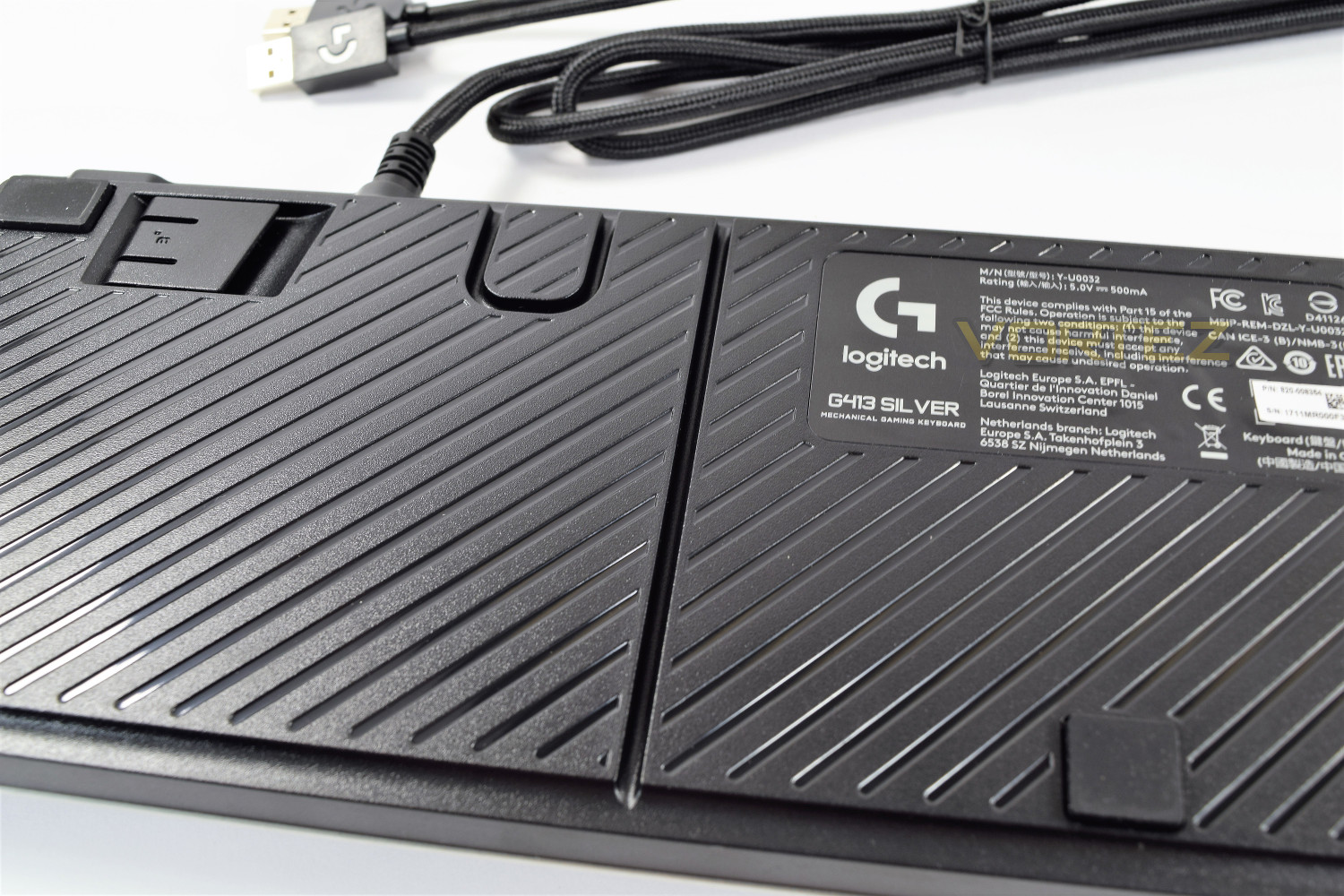
On the underside of the keyboard are the sturdy plastic feet which fold out sideways, this improves longitudinal stability without compromising on lateral solidity.
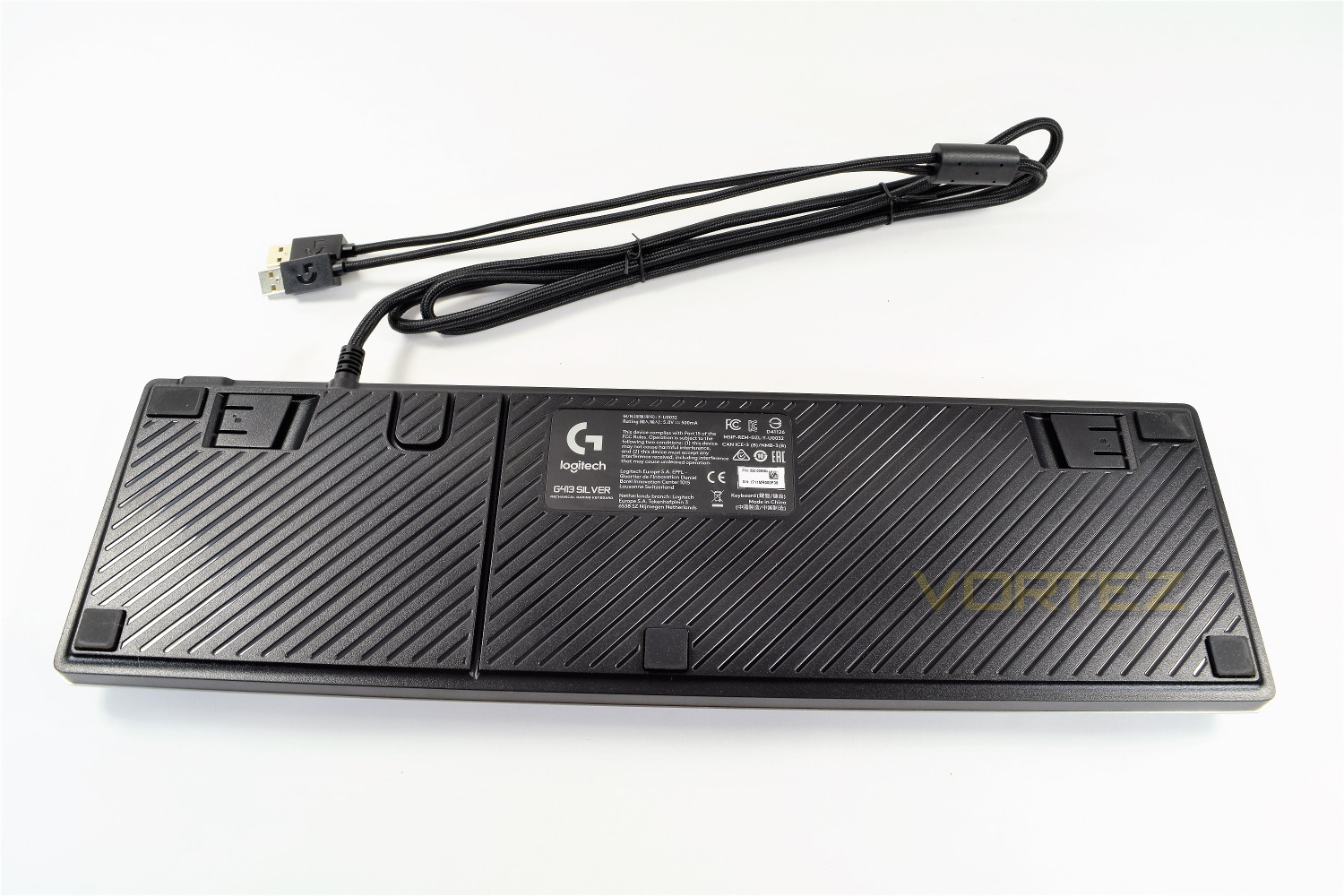
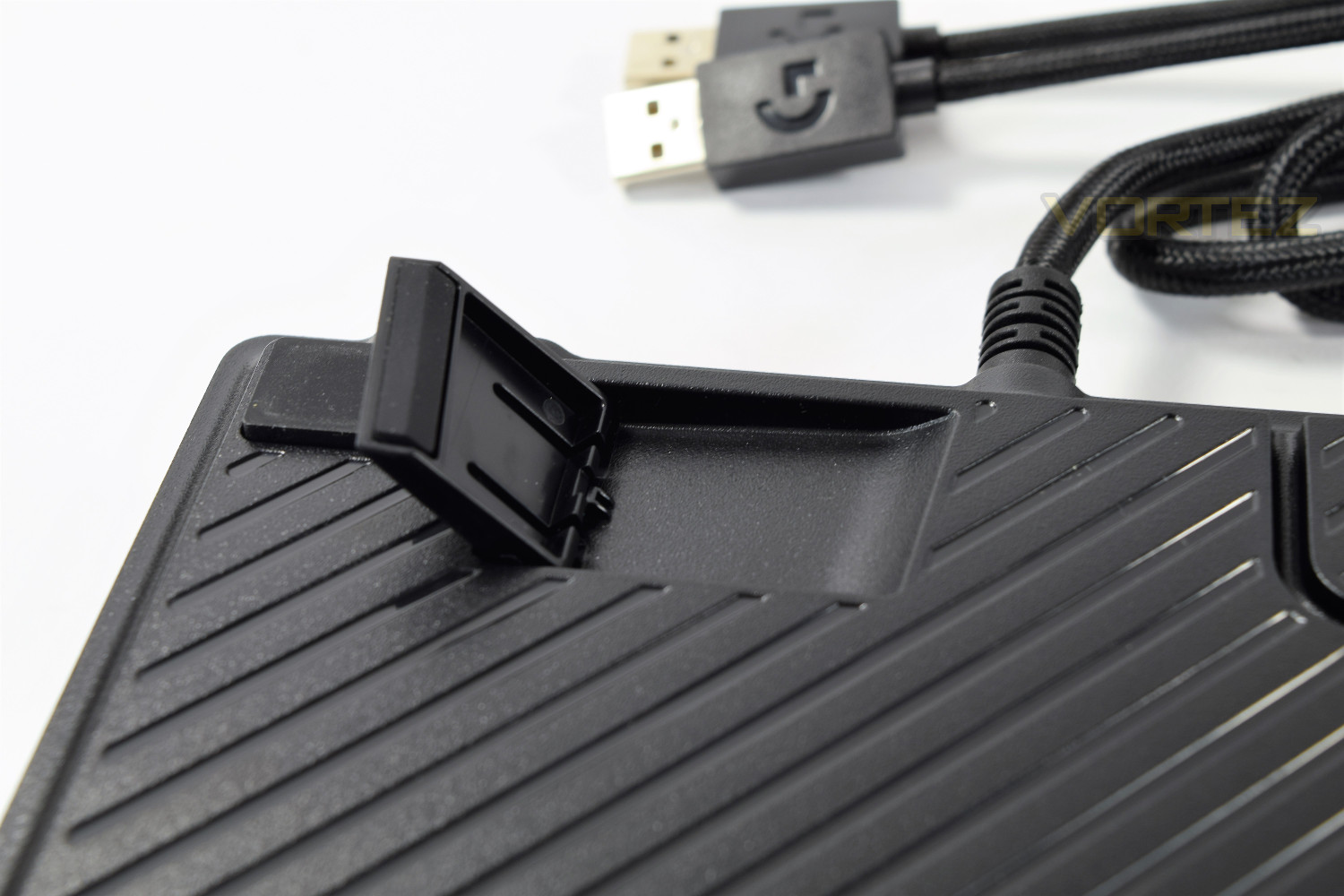
Also on the underside is a channel to run through a cable, which can be handy on smaller desk surfaces with wired headsets or a phone plugged into the pass-through USB port. This channel is a little tight on thicker cables but handles most phone charging or headphone cables well. Alongside the channel mentioned is an anchor point for your mouse, should you wish to attempt to run both the keyboard and mouse cables along the same route; a handy feature.
Software
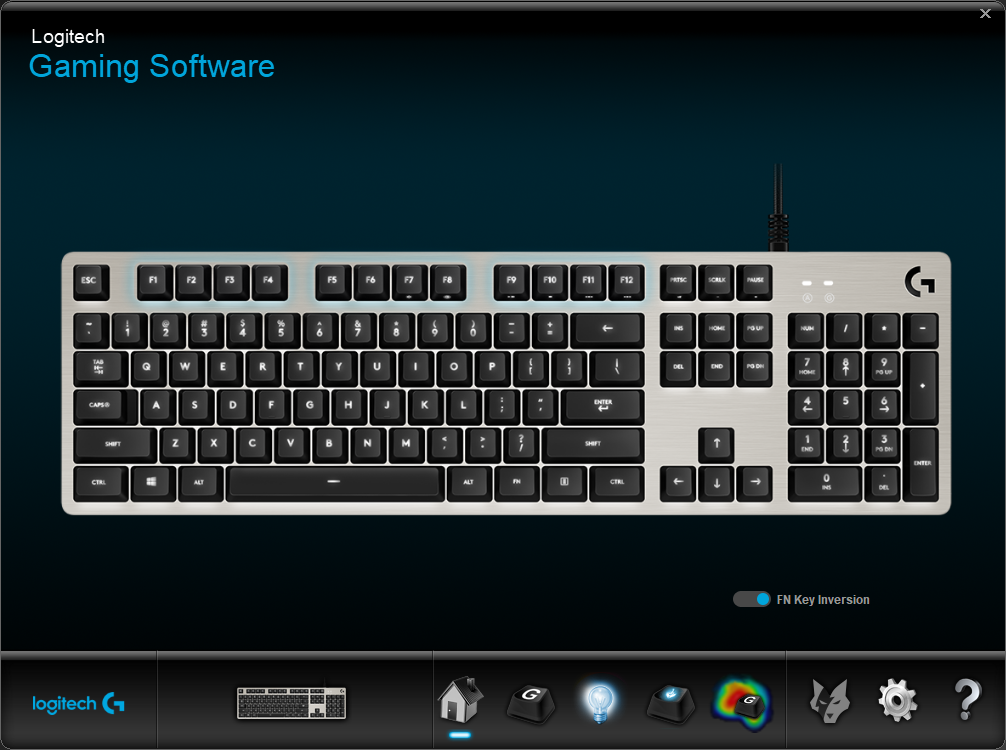
Though the keyboard can function perfectly well without the software, Logitech offers extra features once the Logitech Gaming Software (LGS) is installed. The software as a whole is solid and definitely compliments the G413 well.Starting off with the homepage, you have a single choice to make: whether or not you would like to invert the FN key, this alters the purpose of F7 through to F12 and includes PRTSC, SCRLK and Pause. All of the secondary purposes assigned to each key will take precedence, requiring you to press the Fn key to take a print screen, for example. If you tend to use the media functions more often than any of the F keys, this feature will bode well.
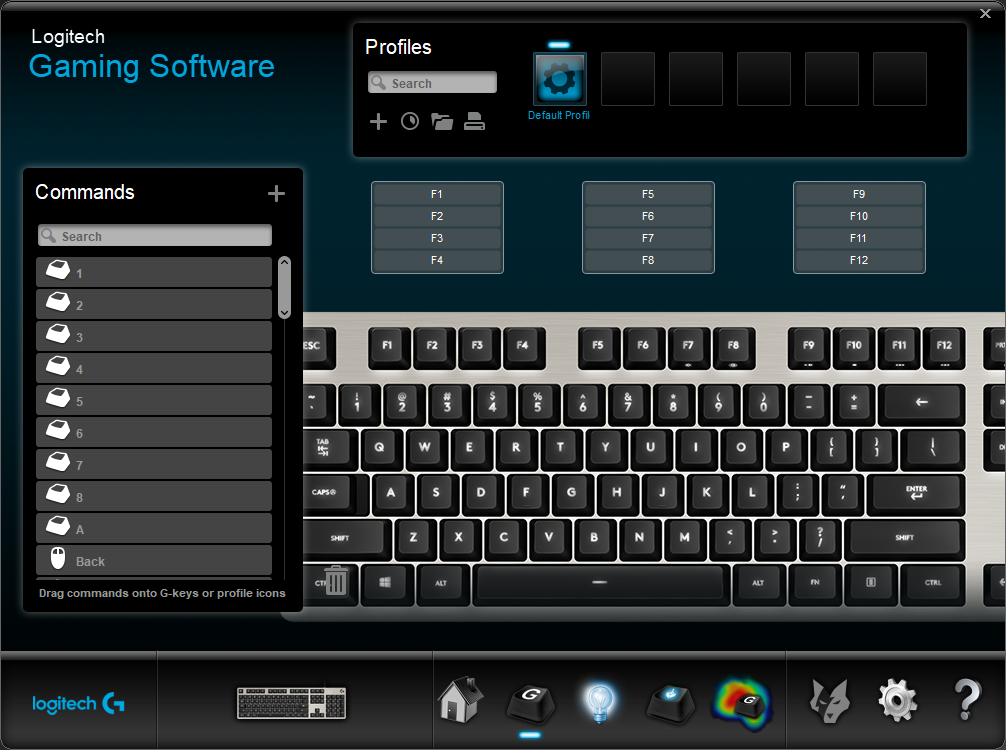
G-keys is the second screen, allowing you to assign functions to keys on the keyboard. This will be simple enough to anyone used to assigning macros etc.
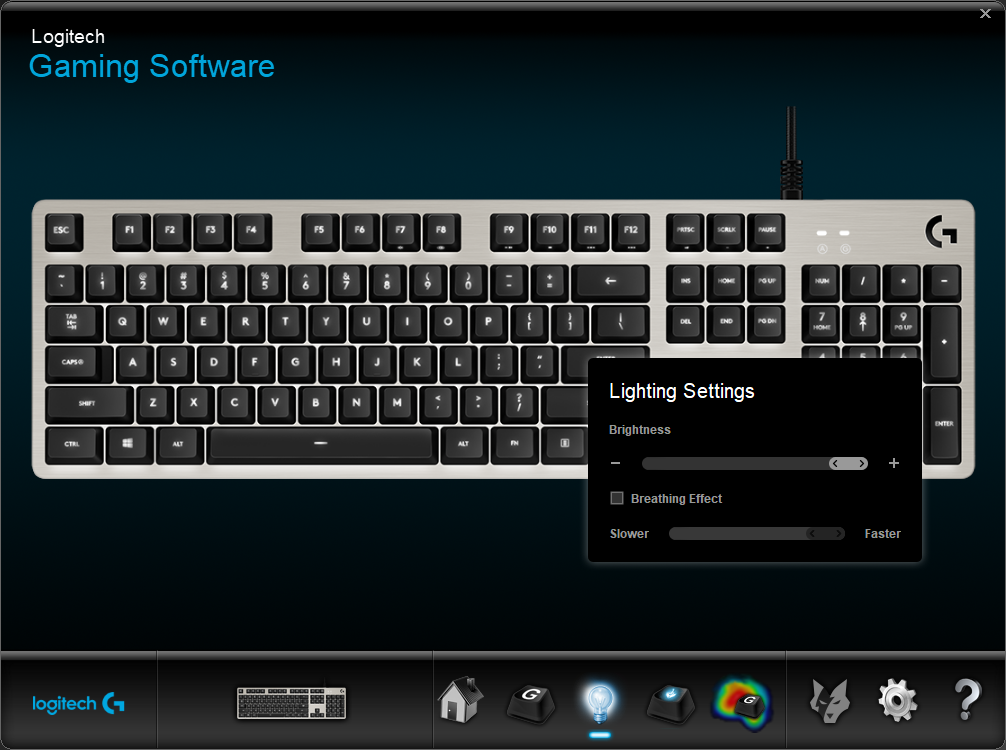
Thirdly we have the backlighting screen, which allows the adjustment of the brightness and also allows a breathing mode, which transitions the lighting from off to on and back again, at a chosen speed.
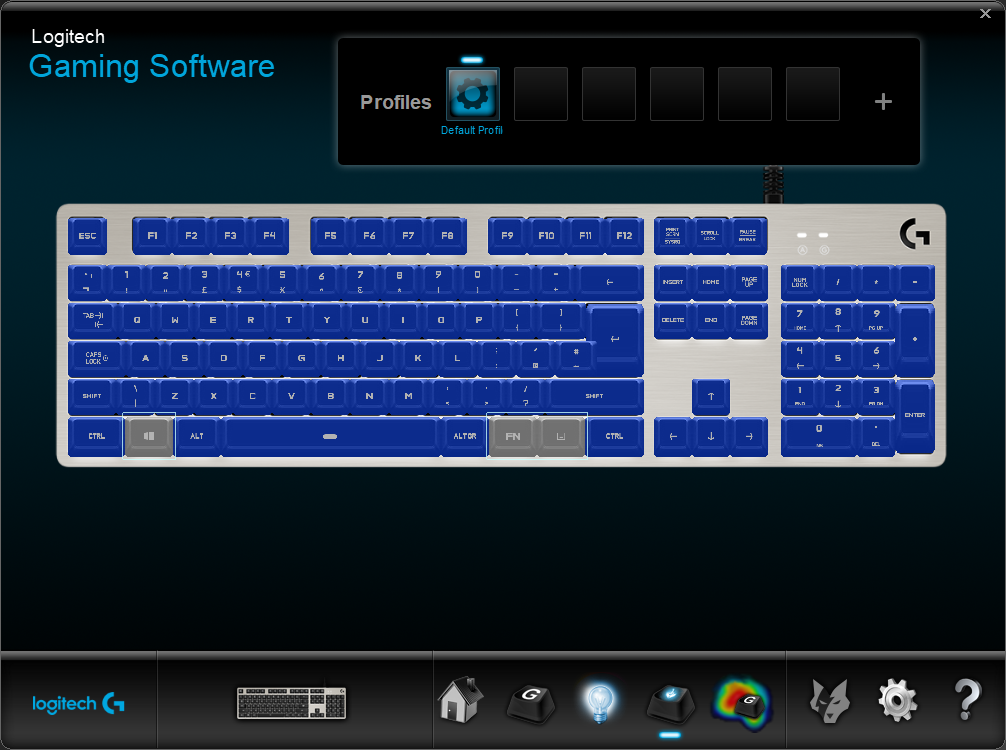
The G key’s function is assigned from the 4th tab, where you choose which keys will be disabled while in Gaming mode. The Windows key is disabled as standard.
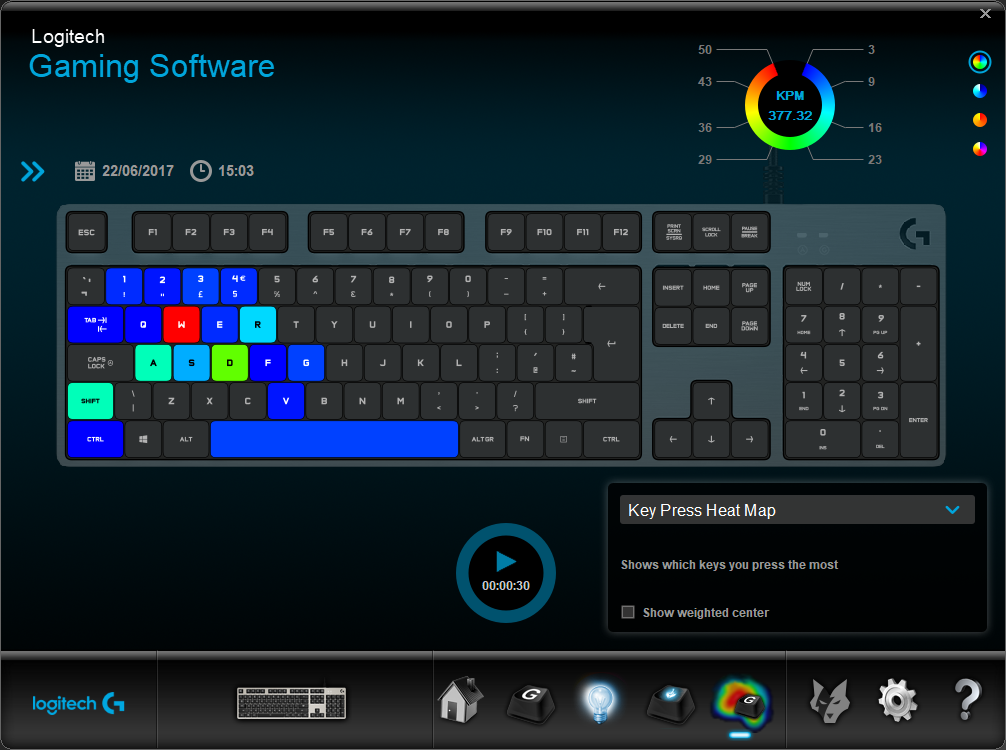
Within the final screen, you can see a Key Press Heat Map, which may be useful to those wanting to hone their skills to the finest degree, in terms of checking for mis-presses during their gaming sessions. We didn’t notice a maximum time limit to leave this running.
Performance Testing
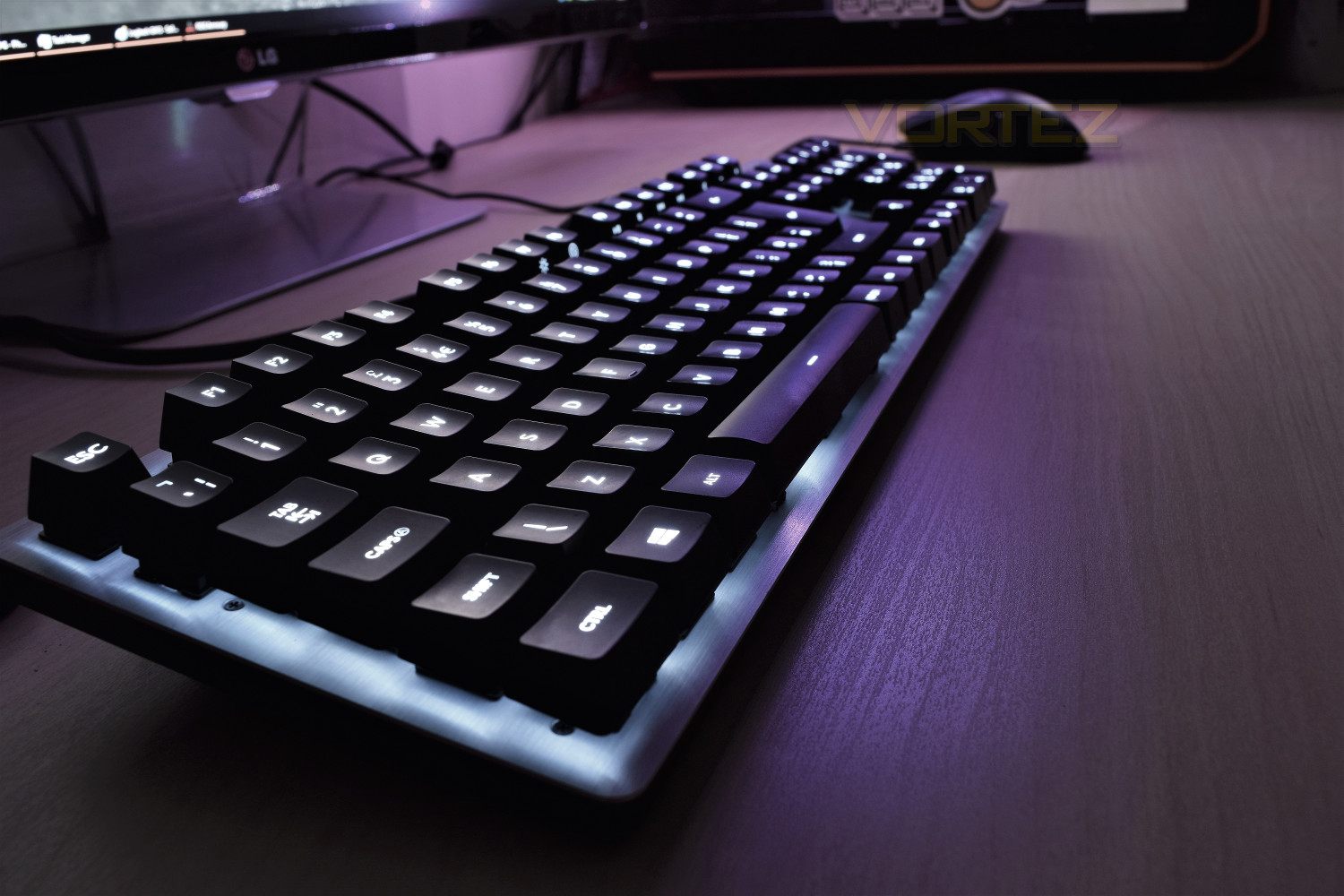
Logitech has done brilliantly here, to provide a keyboard with many essential features, and nothing you don’t need, which obviously helps to keep the final cost down.Aesthetically, the Logitech G413 is beautifully simple, with the matte black keycaps, white backlighting and brushed metal fascia, this would suit any simple desktop that doesn’t require RGB. The raised keycaps look brilliant, allowing a small amount of backlight to bleed out against the silver background.
Even though Logitech has aimed to make this keyboard as inexpensive as possible, their choice to include mechanical keys over a membrane-synapse arrangement is an excellent call; the Romer-G switches, produced exclusively for Logitech by OMRON, feel brilliant for typing and gaming alike. The overall travel of the key is relatively short compared to Cherry MX and Razer offerings, with an extremely short actuation distance of 1.5mm. There’s a very distinct and tactile bump as you press the key, but very little noise to accompany the tactile feel. Logitech has gone to considerable lengths to decrease the reaction time of their Romer-G switches and it pays off when gaming, with an incredibly quick response.
The 12 replacement “gaming keys” included are designed to near perfection, with the altered angle, faceted front and larger surface than surrounding keys, they feel entirely different to any others, allowing a greater sense of what keys your fingers are resting on without the need to remove your eyes from the action; this would only get better as you got used to the keyboard. The gaming keys do, however, slightly ruin the typing experience, making the left-hand side of the keyboard feel a little odd while typing for long periods; a choice will have to be made as to which keys you prefer, but with the included key puller, this is an easy swap; it’s definitely better to have the choice than to not.
The Fn key inversion is a simple feature, in theory, but when put into practice it changes the keyboard entirely, allowing the user to choose between the F keys or media controls etc. Taking precedence of the multi-function switches.
RGB LEDs have been omitted from this keyboard, assumedly as a cost saving measure, though Logitech has managed a very clear white LED, moving away from the blue tint as much as is possible with LEDs. The ability to switch off keys independently would be welcomed, but it’s not a huge issue in day to day use.
Conclusion
Inexpensive yet excellent. Those are two words we can confidently use to describe the Logitech G413. Their proprietary Romer-G key switches feel lovely to type on and respond in the blink of an eye when engaged in your favourite game, which along with their design option to place the LED in the centre of the mechanical key, the backlighting is brilliant.The sleek aluminium-magnesium faceplate married to the black plastic underbody and white LED lighting looks excellent and will suit any workspace.
Even though the USB pass-through only employs the 2.0 standard, this is a non-issue in most cases, with the idea of it being for mice, headset adapters or small USB drives, USB 3.0 would be nice but it does help to keep that ever important cost down.
A lack of dedicated Macro-keys may disappoint some gamers, but the excellent LGS software does allow you to assign macros to unused keys; the software will also impress those who listen to music on their PC, with the ability to flip the Fn key, turning those keys into direct media keys. Very impressive.
Packaging and included extras have been kept to a bare minimum, in pursuit of the cost-saving measures to keep the G413 under the magic £100 threshold, though the inclusion of the additional gaming keys is a very remarkable choice by Logitech.
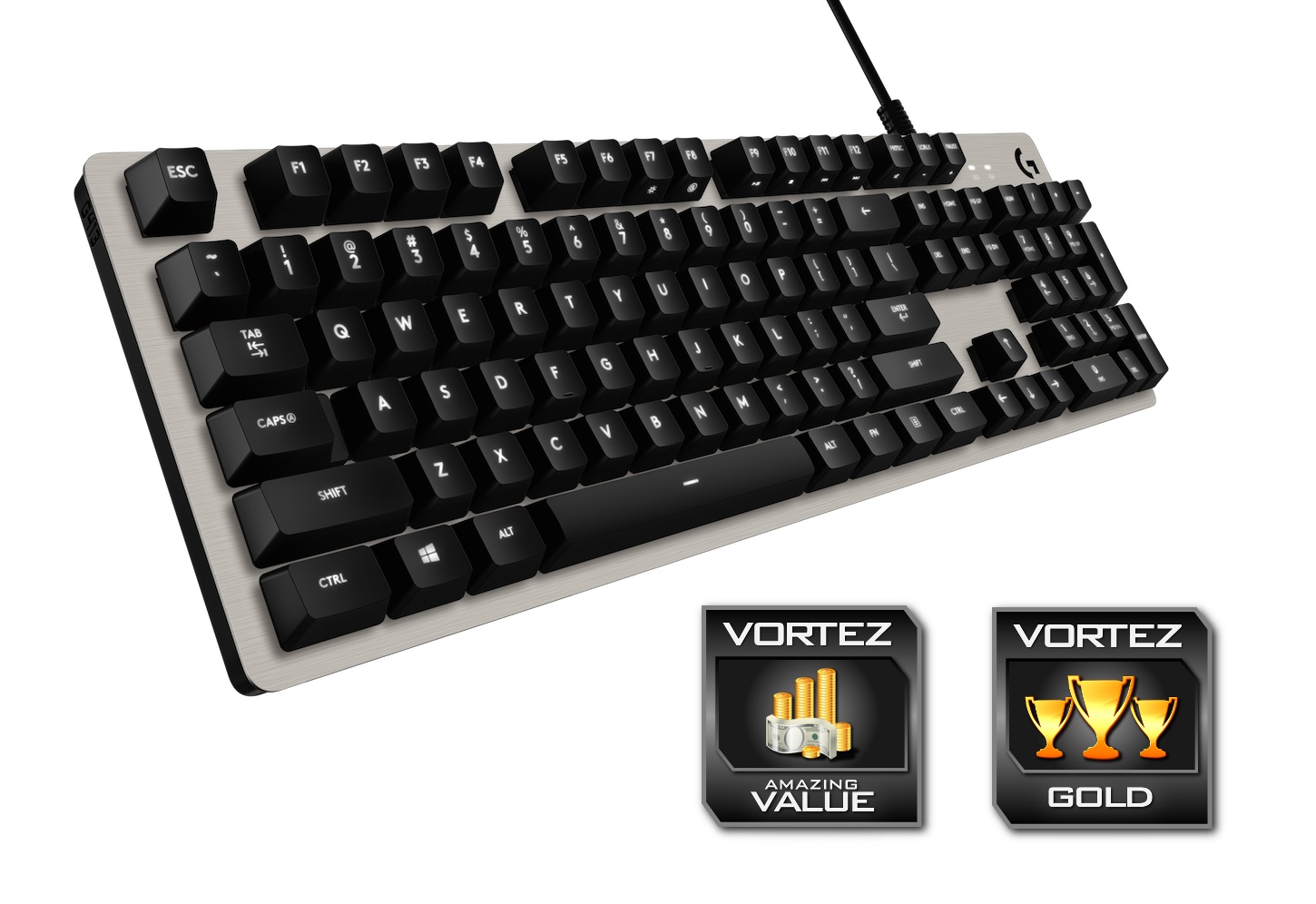
Logitech have performed on every front, offering a keyboard with all the features you could require, at under £100. This would be a solid purchase for any potential buyer.
Pros
+ Full key backlighting with central LED
+ Beautiful design
+ Excellent software
+ USB pass-through
+ Cable routeing under keyboard
+ Romer-G mechanical keys
+ Fn key inversion
+ 26 Key Rollover
+ Great value
Cons
– No USB 3.0
– Limited lighting options
Click here for an explanation of our awards at Vortez.net.