







A gaming mouse featuring Logitech’s PROTEUS CORE optical sensor – offering up to 12,000 DPI, a tuning weight system and lots of button customisation.

Product on Review: G502 PROTEUS CORE
Manufacturer & Sponsor: Logitech
Street Price: £69 GBP / $64.99 USD
The gaming peripheral market is littered with brands and their offerings and therefore, gaining that all important spotlight is especially difficult because of the fierce competition. Logitech has been a forerunner in the peripherals market and in the past their products have been firm favourites with gaming advocates.
Today we are to look at the G502 PROTEUS CORE which is a high-performance gaming mouse featuring an optical sensor capable of up to 12,000 DPI. Combined with high-quality materials and a strong feature-set G502 has lots of customisation, so let’s begin our review!
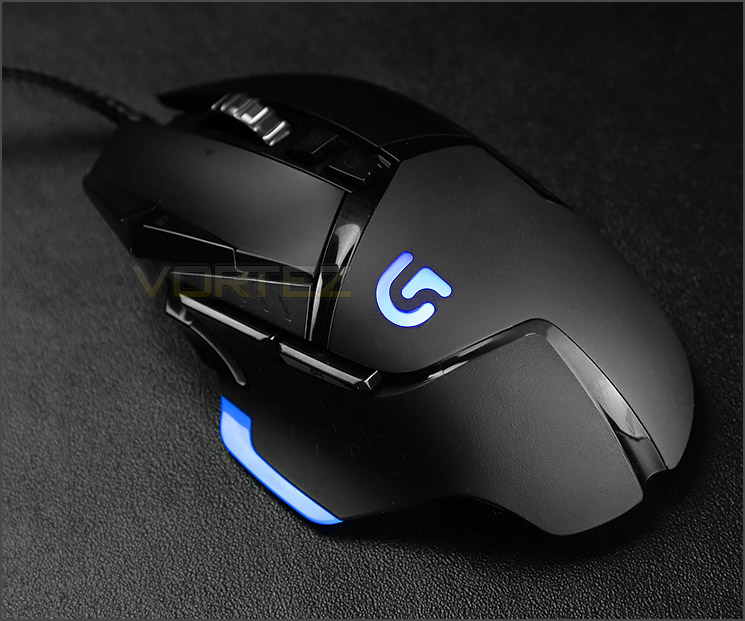
Logitech on their 502
As unique as you. Every gamer dominates differently. G502 Proteus Core is designed to let you mod it with unparalleled levels of customisation. Elevate your game with surface tuning calibration, weight/balance adjustment, DPI shifting, and 11 programmable buttons. Make Proteus Core yours, and then go make the competition yours.
Technical Specifications
Tracking
Resolution: 200 – 12,000 dpi
Max. acceleration: >40G
Max. speed: >300 IPS
Responsiveness
USB data format: 16 bits/axis
USB report rate: 1000Hz
Microprocessor: 32-bit
Glide
Dynamic coefficient of friction – Mu (k): .10
Static coefficient of friction – Mu (s): .15
Durability
Buttons (Left / Right): 20 million clicks
Feet: 250 kilometers
Physical Specifications
Weight: 168 grams (mouse plus cable)
Weight: 121 grams (mouse only)
Length: 132mm
Width: 75mm
Height: 40mm
Resolution: 200 – 12,000 dpi
Max. acceleration: >40G
Max. speed: >300 IPS
Responsiveness
USB data format: 16 bits/axis
USB report rate: 1000Hz
Microprocessor: 32-bit
Glide
Dynamic coefficient of friction – Mu (k): .10
Static coefficient of friction – Mu (s): .15
Durability
Buttons (Left / Right): 20 million clicks
Feet: 250 kilometers
Physical Specifications
Weight: 168 grams (mouse plus cable)
Weight: 121 grams (mouse only)
Length: 132mm
Width: 75mm
Height: 40mm
Packaging & Bundle
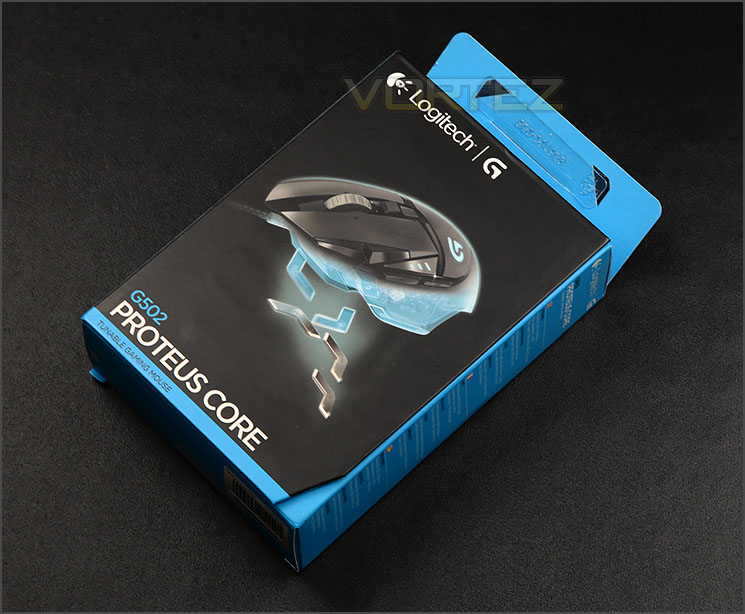
Professionally designed packaging
G502 arrives in a small but professionally designed box. On the front there is a depiction of the mouse and over on the reverse there are technical details for those who are interested.
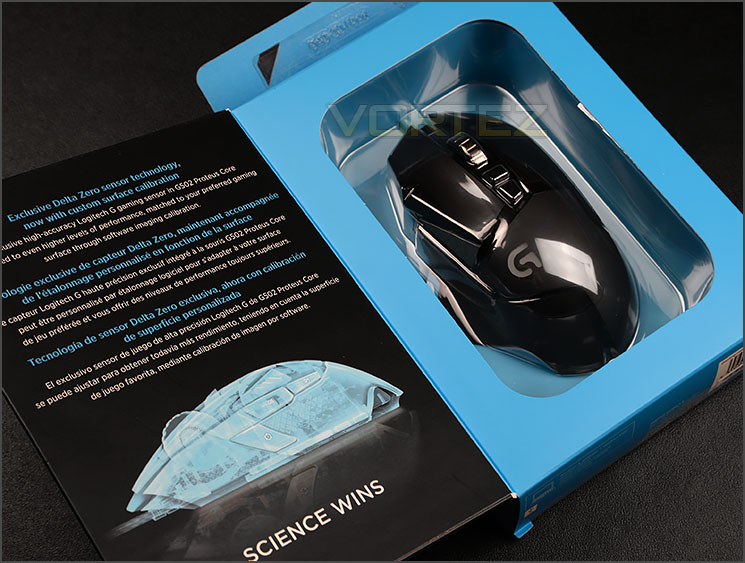
Box opens to showcase G502
The box which Logitech has used opens out to give a sneak preview of the G502. If you are buying from a store, this will be useful because you can visualise the shape and size of the mouse.
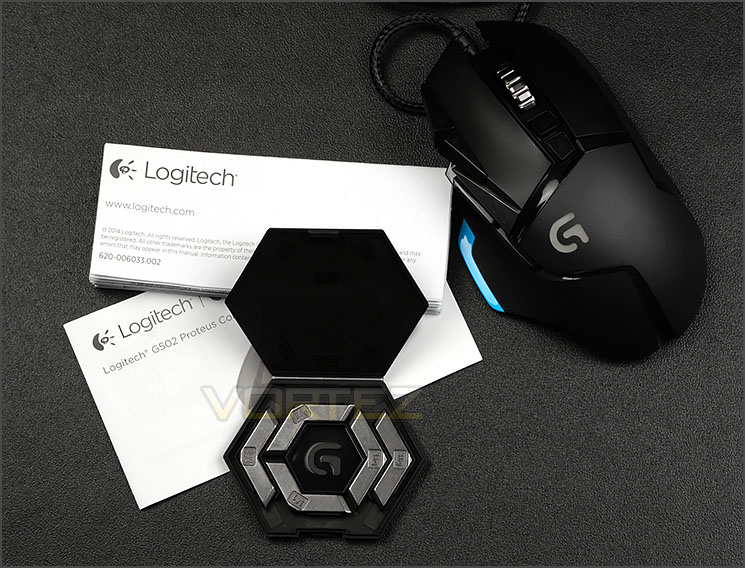
The items bundled with G502
Opening this box up, we find just a few bundled items including the mouse itself of course. The included items are as follows:
• Five tuning eights (3.6g each)
• Plastic weight case
• User documentation
By having an assortment of weights we can customise the mass of G502. It’s nice to have this option because some gaming mice are too light or too heavy.
Closer Look
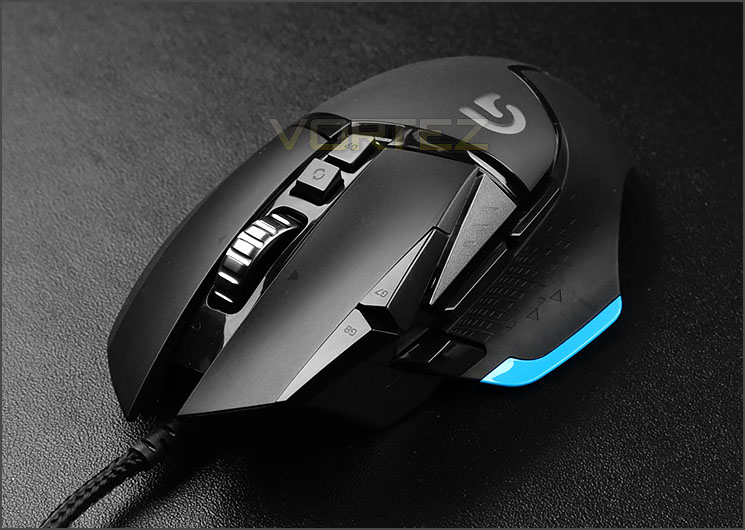
An overview of G502
G502 designed with right-handed gamers in mind. The size of this mouse is ideal for those with medium-large hands and the shape follows natural contours so it feels comfortable for extended periods of time.
As is usual, Logitech has engineered this mouse to have a selection of different materials to encourage good grip and comfort. Functionality aside, the visual appearance with the combination of materials and styling makes G502 look superb.
We know G502 focusses primarily on the right-handed gamer because Logitech has given this mouse a shelf on the left for the thumb to rest upon and there are a multitude of buttons to use on the left side too.
On the outside edge of the left-button there are two elongated buttons which, by default allow the DPI profiles to be switched to – immediately behind these buttons there is an LED indicator panel to highlight which profile is selected.
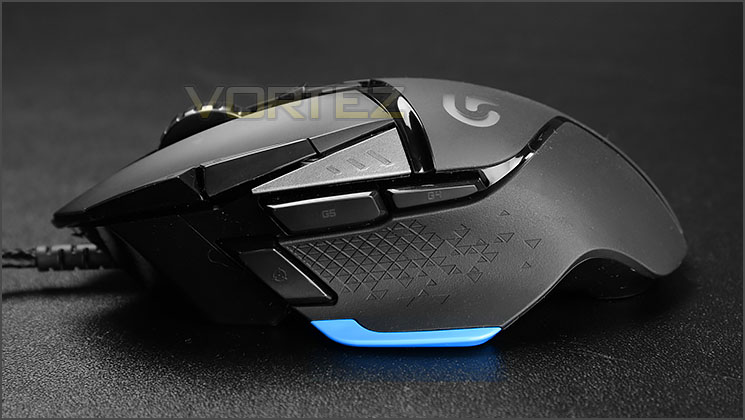
An assortment of buttons on the left side
In easy reach of the thumb there are a plethora of buttons to use – all of these buttons can be customised within Logitech’s software suite. G502 uses a soft rubber for the thumb area which also has an area of engraved triangular shapes – helping to further assist with grip.
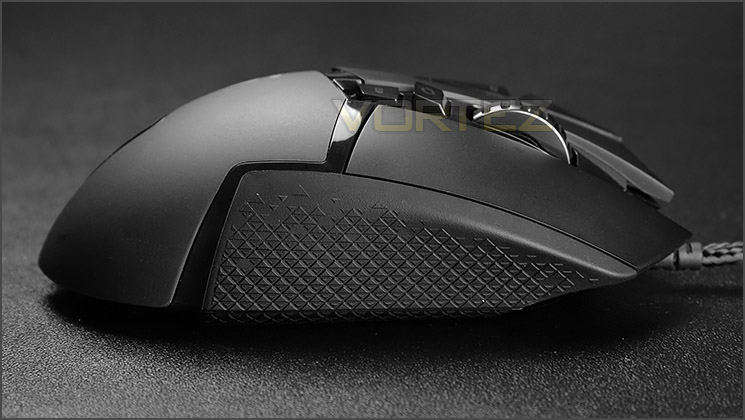
A rather sleek looking mouse from the right view
Over on the other side of G502 there are no additional buttons aside from the right-button but we do have more texturised rubber for added grip during long gaming sessions.
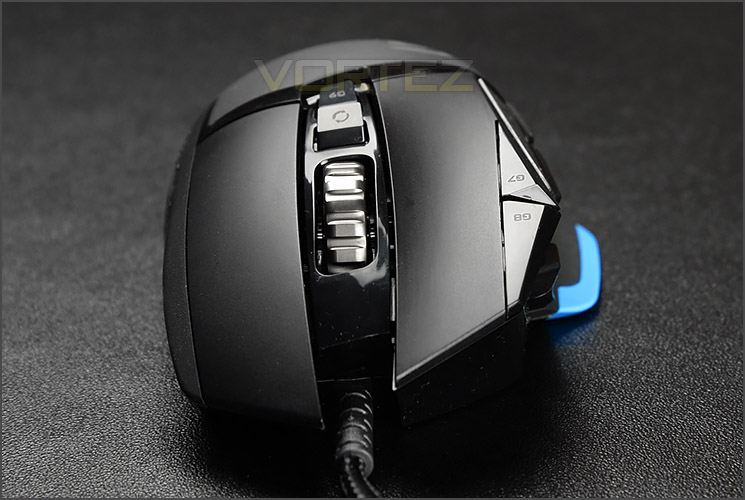
The front of G502
Viewing G502 from the front we can see the mouse sits on a slight angle. As is customary for gaming mice (and standard mice really!) there is a scrolling wheel between the two obligatory left/right-buttons. This scrolling wheel is plastic and can operate in two different modes. Users can choose to have the scrolling wheel loose and without any increments or have the wheel snap to individual positions. To choose between the two options, the button immediately behind the scrolling wheel must be pressed. Coupled with the way that Logitech has designed this wheel and that it can be clicked to the left and right results in quite a wobbly object.
Poised and ready for action
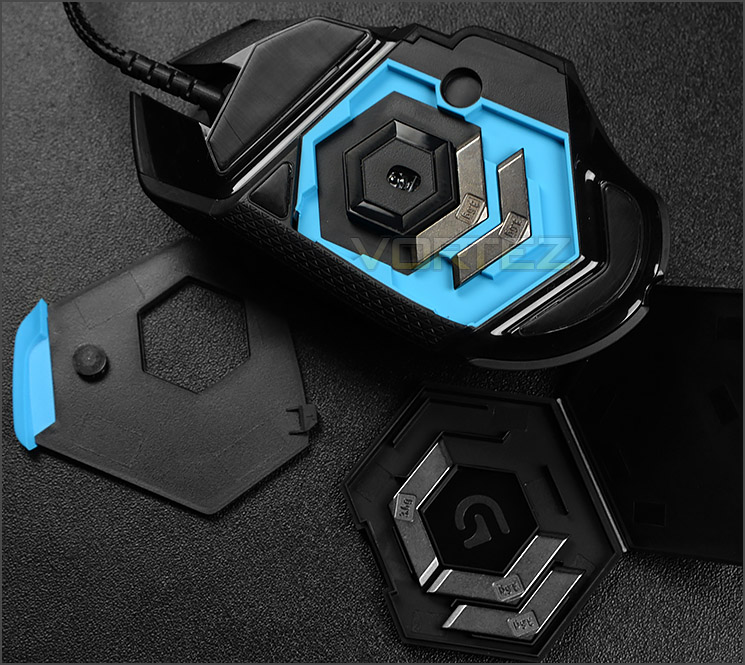
Adjustable weight system
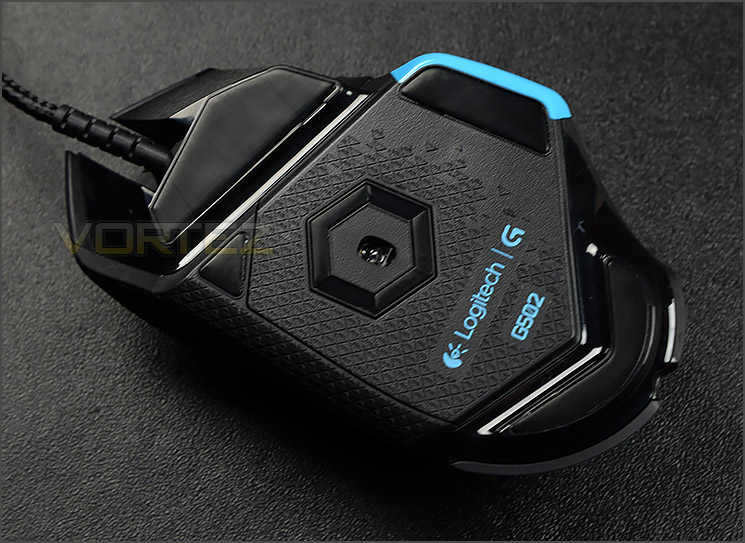
On the underside of G502 resides PROTEUS CORE optical sensor which supplies up to 12,000 DPI – Five DPI settings can be configured to the buttons via the software suite.
Logitech provide four glide pads to ensure stable and smooth operation and the cable which is hardwired to the mouse is braided for durability.
Around the sensor there is a magnetic weight door. Upon opening this door there is a recess which allows the five 3.6g weights to be fitted. Having the option to customise the weight of G502 is a very useful attribute to have and adding in the weights is easy thanks to this tool-free door.
Software & Performance
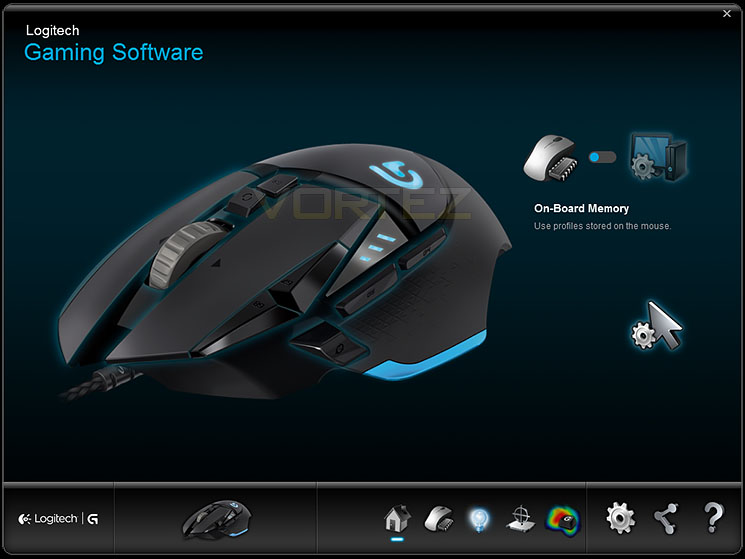
Logitech’s software is attractive and easy to use
Along with the extensive features available on G502 there is a software suite which coordinates with the mouse to offer up complete control over the customisation. Logitech clearly hasn’t cut corners with their software and its presented in a very professional manner.
Logitech’s software exhausts every possible avenue and is interactive in these efforts too. On entry, we are met with a view of G502 and there are an assortment of options to tweak and customise.
Each button can be adjusted to whatever command the user desires – so things can be completely swapped up to your own style and all of these settings can be stored to profiles and even specific games can be given a profile so that when you load up a title, your favourite settings can be loaded up too.
Below is a video overview of the software which shows the different options available:
Performance
There are certain features which blend together in order to create a good gaming peripheral. For a mouse it’s essential to have a uniform base which provides equal balance. Logitech’s G502 tackles this department by providing a gaming mouse which is poised for movement on a range of different surfaces and by having a customisable weight system users can tweak the mass of G502 to their own preference.
G502 is very comfortable to use for long periods of time due to its ergonomic design and choice of materials used.
Diving into different gaming genres we found G502 to be suitable for different styles of games such as FPS and MMO etc. Tracking is an essential characteristic for gaming mice and in this arena, G502 does not struggle. The glide pads on the underside of G502 allow the mouse to pass over the mouse pad with ease. Feedback from the PROTEUS CORE optical sensor gave accurate and precise motion.
So it’s fair to say that G602 is flexible and versatile in its operation. Regardless of what gaming titles you play.
Conclusion
We have no qualms in saying that G502 is an attractive looking gaming peripheral but physical appearance to the side, we’re also mightily impressed by the strong feature-set this gaming mouse comes with too.
G502 is furnished with a multitude of features for right-handed gamers. Around the thumb area there are plenty of buttons which can be customised and there are various high-quality materials used for the construction of this mouse which help with comfort and grip for extended periods of time. The only thing we weren’t really keen on is the scrolling wheel which feels flimsy and is actually rather out of place with the rest of the mouse which offers up great build quality.
The software which interfaces between the peripheral and a computer is often the most overlooked aspect of the product but with G502 this is not the case at all. Logitech’s software is attractive, intuitive and all-encompassing. For gamers who want to be able to quickly and easily configure their mouse there are options for button functionality, profile configuration and macro usage.
By having an optical sensor, G502 is able to work with a variety of different surface textures and this PROTEUS CORE sensor delivers outstanding performance regardless of the gaming genre. We encountered no tracking or glide issues during our testing – having the option to tweak the DPI on-the-fly and choose sensitivities of up to 12,000 DPI is useful to have at your fingertips.
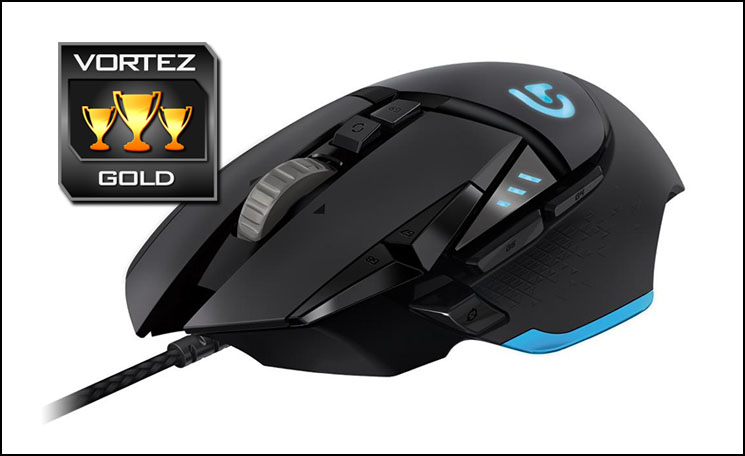
Logitech’s G602 redefines the Wireless Gaming Mouse experience. Gamers needn’t worry about poor battery life which depletes rapidly, nor do they need to worry about latency issues. G602 offers extensive operating times with pinpoint accuracy and motion. Also on offer is a plethora of customisation and we have no hesitation in giving out our prestigious gold award.
Pros
+ Appealing to the eye
+ Comfortable in the hand
+ Great build quality
+ Up to 12,000 DPI
+ Lots of customisation
+ Weight can be modified
+ Intuitive software suite
+ Great performance in different games
Cons
– Flimsy scrolling wheel
+ Appealing to the eye
+ Comfortable in the hand
+ Great build quality
+ Up to 12,000 DPI
+ Lots of customisation
+ Weight can be modified
+ Intuitive software suite
+ Great performance in different games
Cons
– Flimsy scrolling wheel

Click here for an explanation of our awards at Vortez.net.


