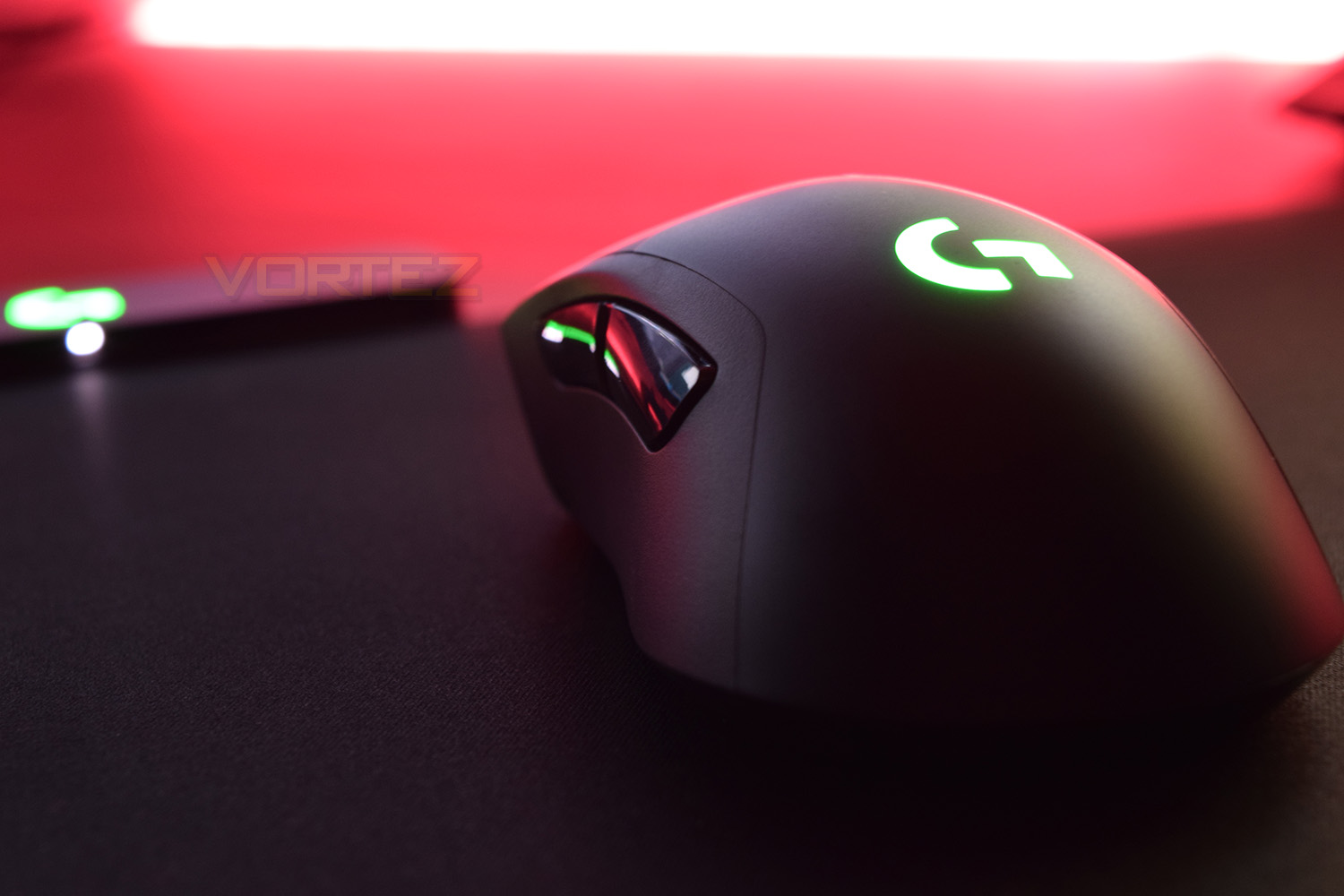
Featuring RGB lighting, a 12,000 DPI optical sensor, wireless connectivity and a sleek body, does the Logitech G703 tick all the boxes for you? Read on to find out our verdict.

Product on Review: Logitech G703
Manufacturer: Logitech
Street Price: £99.99 / $99.99
Following on from last week’s review, we take a look at the Logitech G703, offering many improvements over the G603.
As part of those improvements, we see the PixArt PMW3366 optical sensor, which is widely regarded as the world’s most advanced optical sensor. LIGHTSPEED connectivity comes as standard, offering lag-free, wireless, 1000Hz transmission to the PC. We also get PowerPlay compatibility, Logitech’s wireless charging technology. Last, but most certainly not least, is the RGB lighting added to the top and scroll wheel.
We liked the G603, but for an extra £30, does the G703 strike that same price to performance balance? We’ll put the device through its paces and see how it performs.
Logitech on the G703:
G703 is equipped with the same wireless technology pioneered by Logitech in the award-winning G900 Chaos Spectrum. With a 1 ms report rate and our end-to-end optimized wireless connectivity, G703 delivers incredible responsiveness for competition-level twitch targeting.
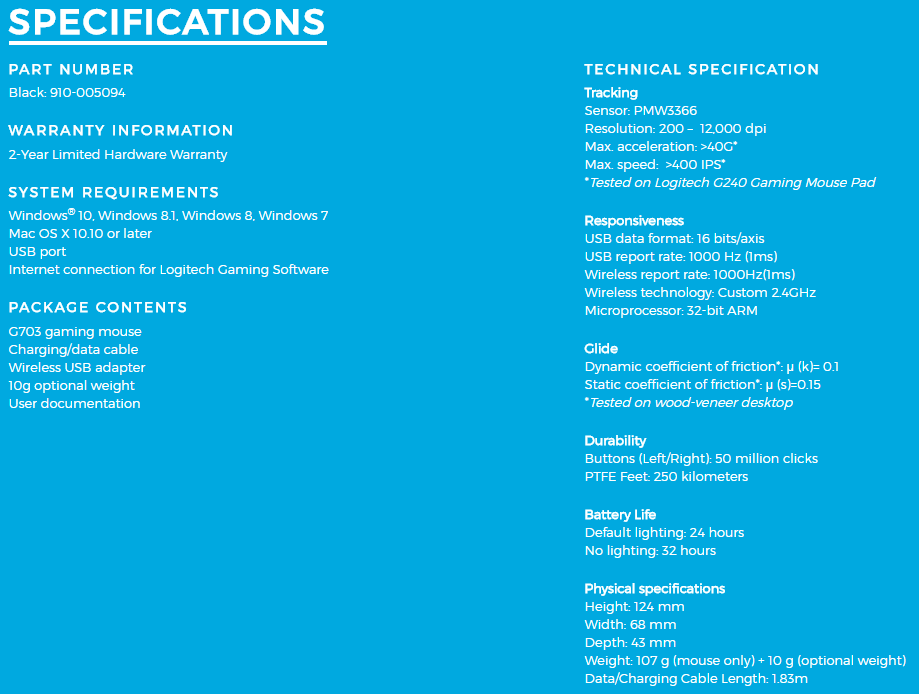
Technical Specifications
Packaging & Bundle
In typical Logitech style, the grey and blue theme carries through. There’s a large image of the mouse as well as a small write-up regarding PowerPlay and LIGHTSPEED.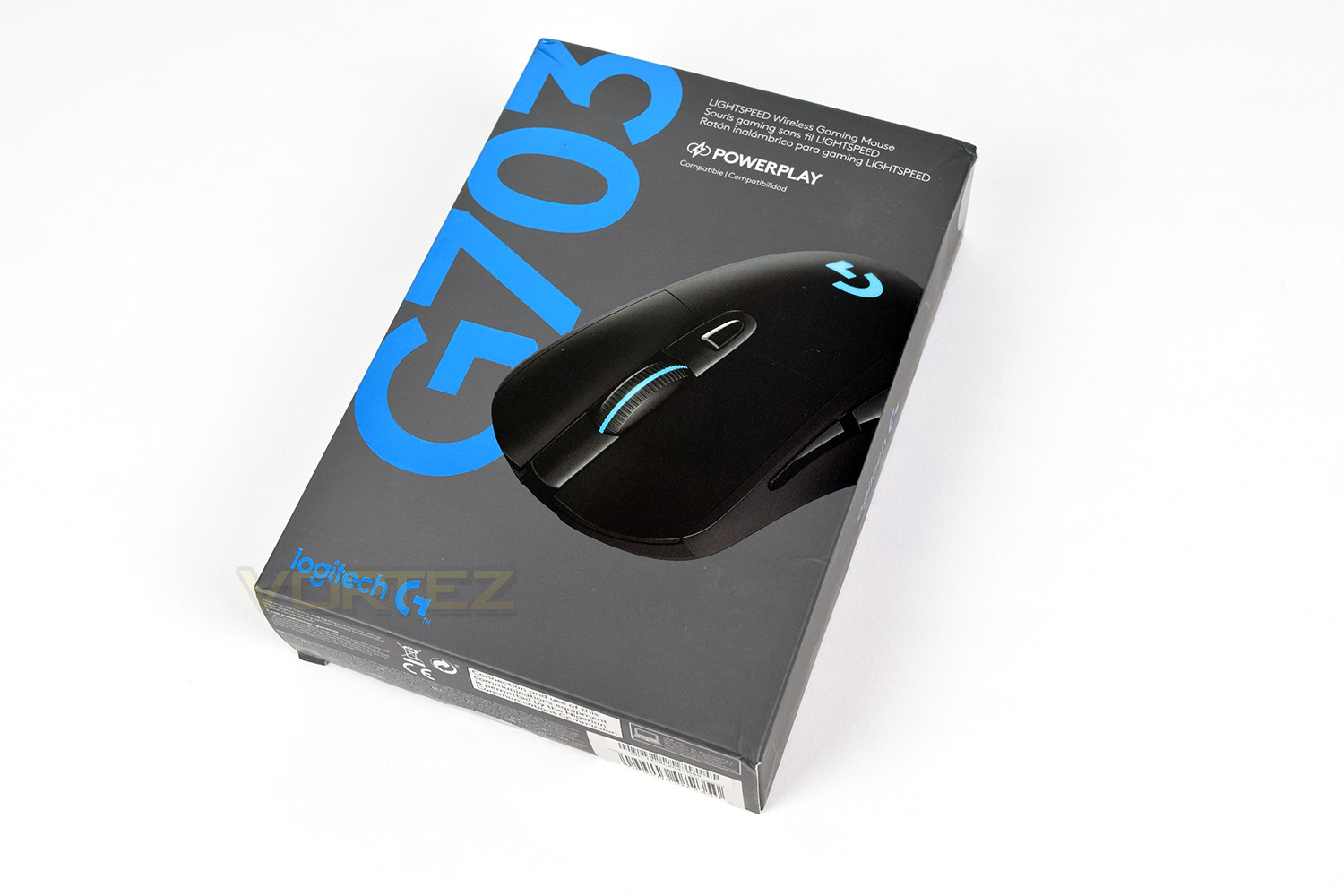
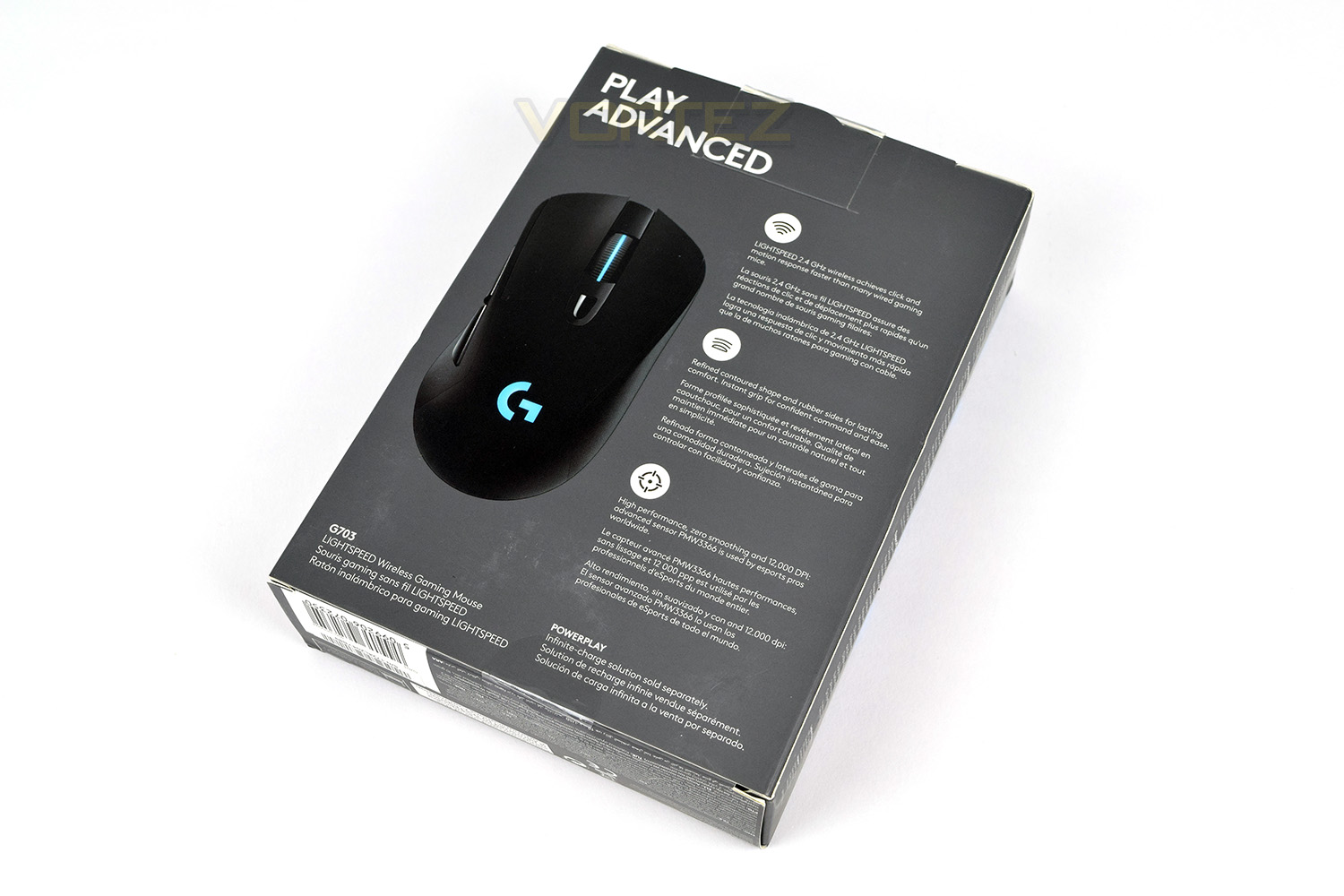
On the reverse, Logitech have placed a top-down, scale image of the mouse as well as extra information regarding the connection, shape of the mouse and the sensor performance.
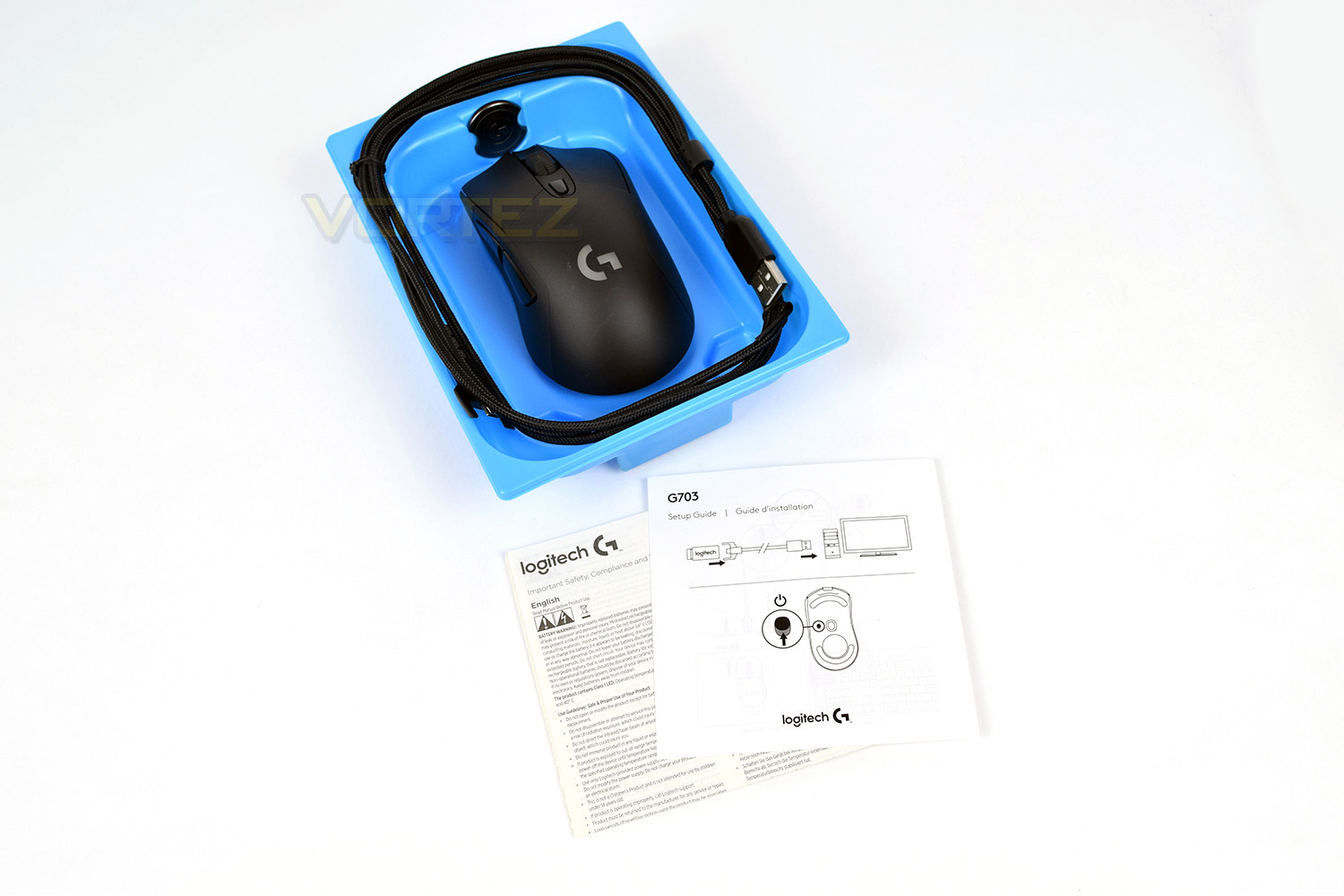
Encased within is a large, blue, plastic tray, which the entire bundle is attached to. The cable is routed around the edge with the mouse and weight system tucked inside.
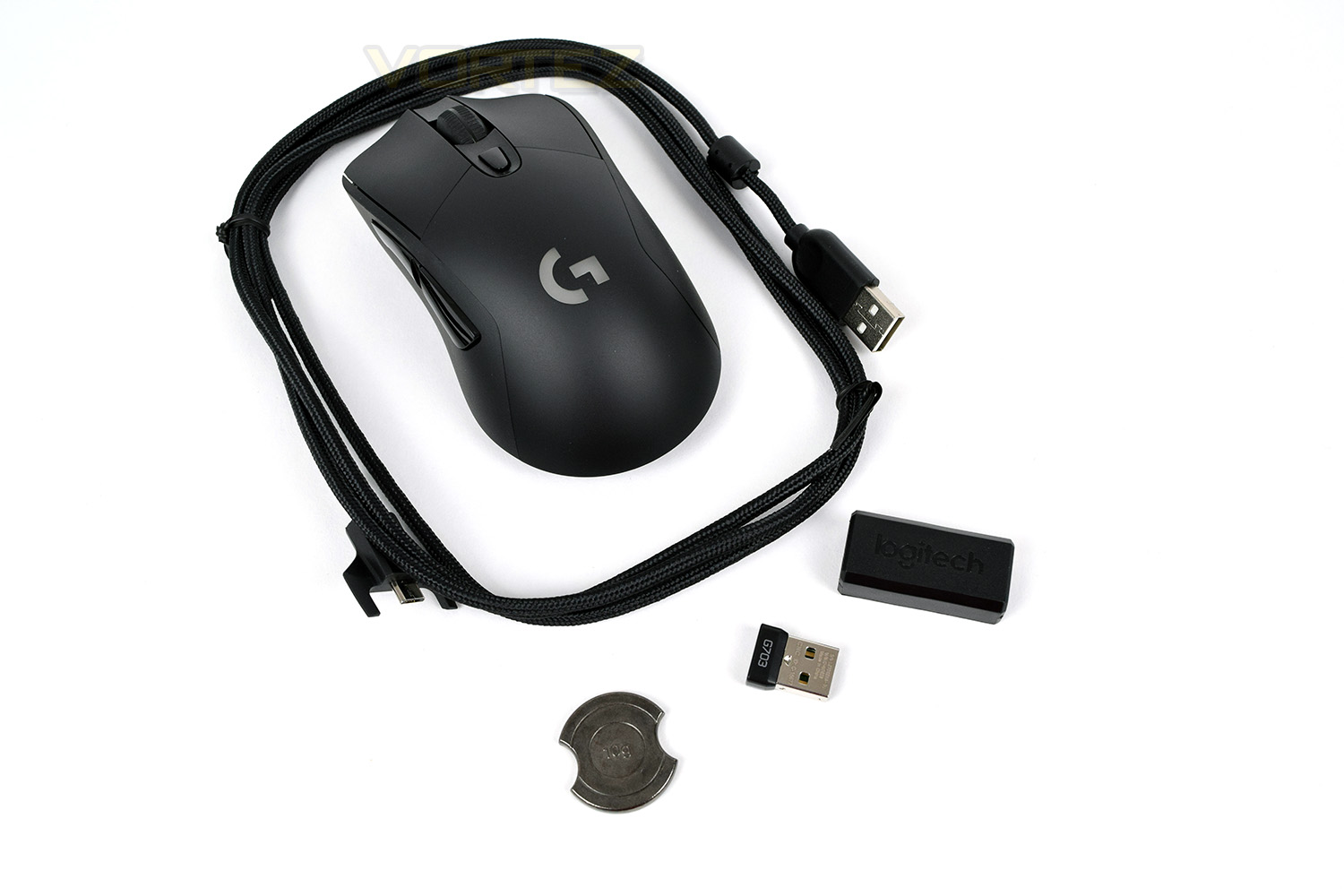
Along with the play/charge cable, there’s a 10g weight, the tiny tiny dongle and a USB adaptor to place on your desk.
Closer Look
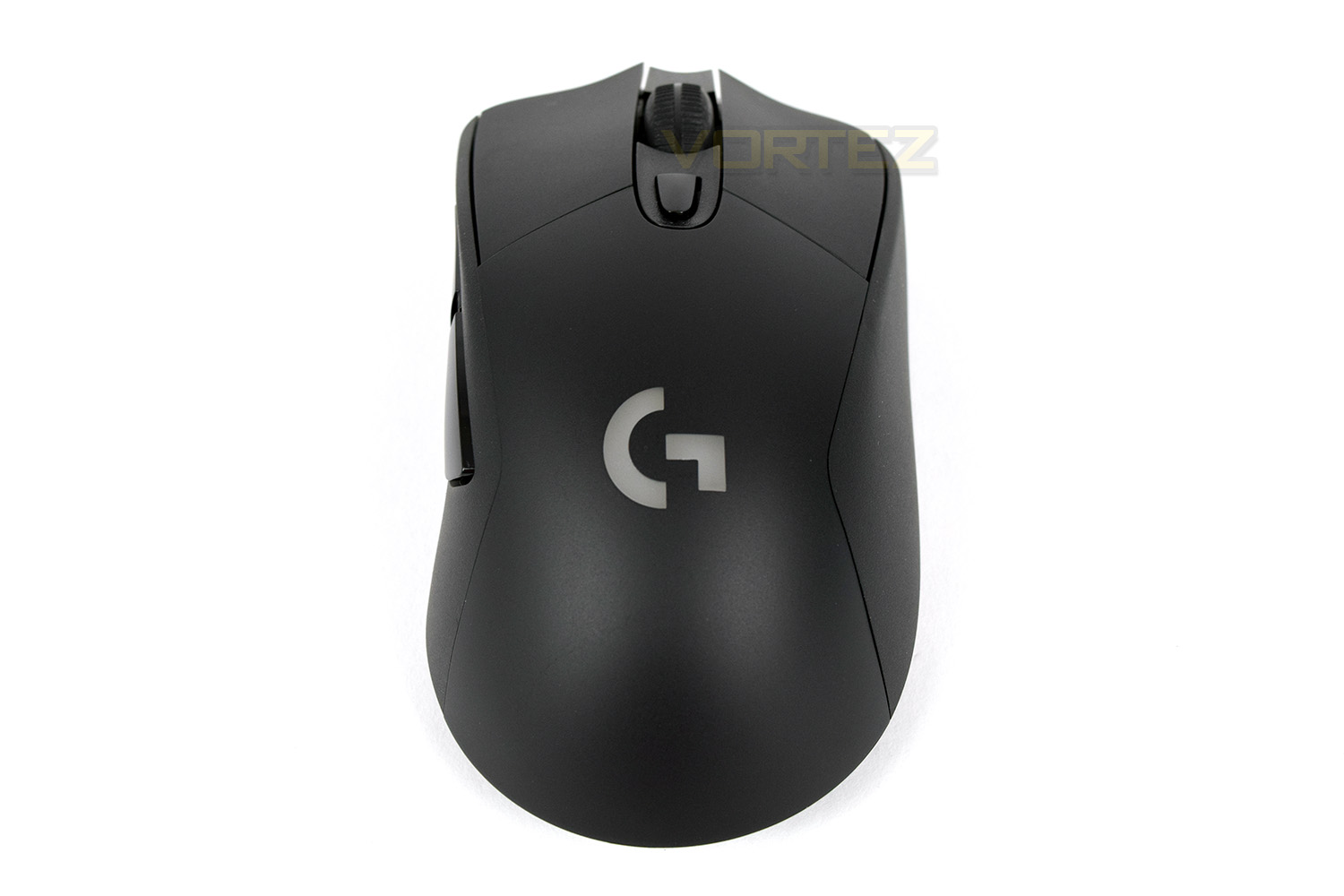
Aside from the top-shell colour and the inclusion of RGB, the G703 copies the exact shape of the G603; not necessarily a bad thing, at all!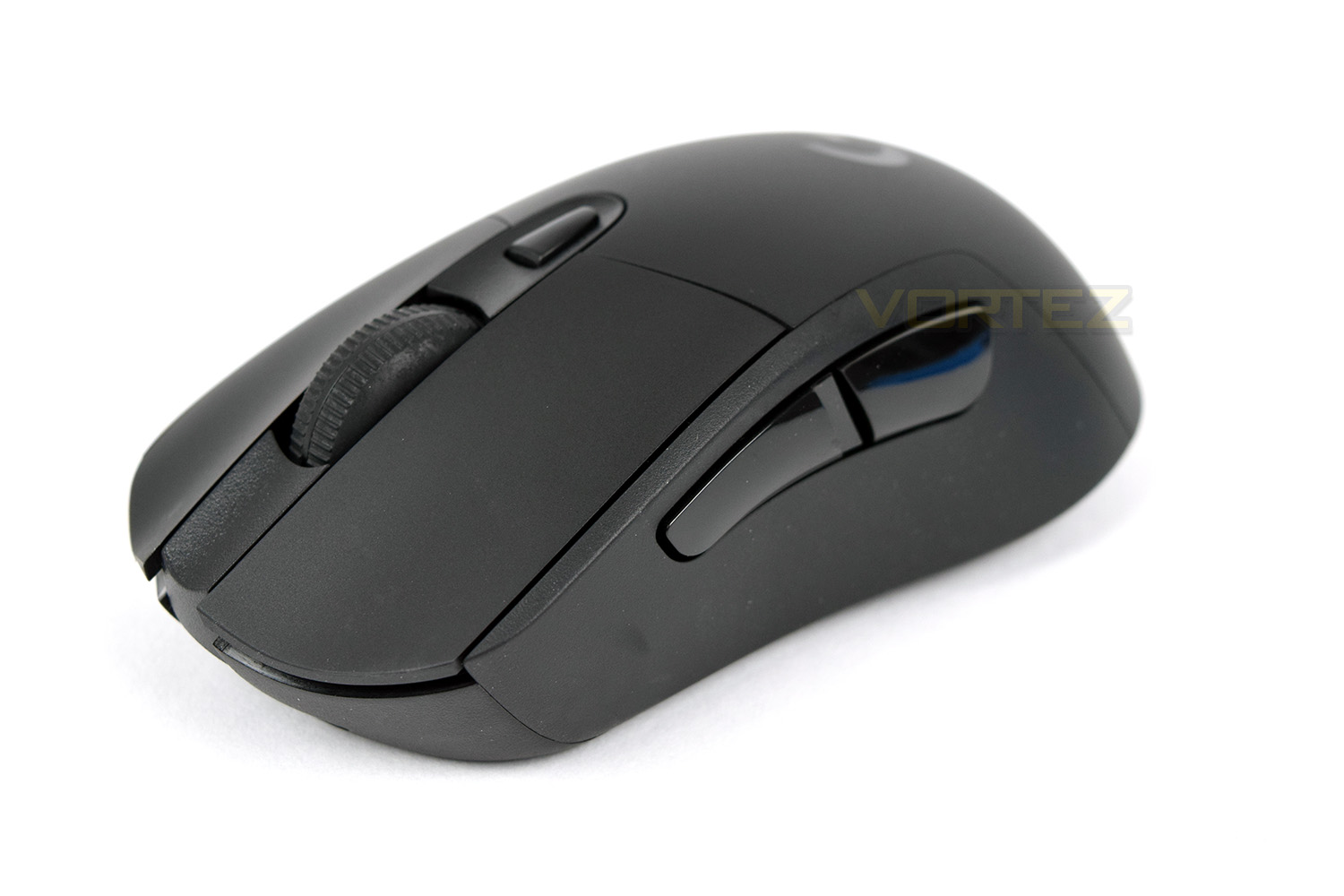
Designed for the right-handed user, the mouse is sloped towards the right, helping to improve comfort, shown in the photo below. You can also see the micro-USB charging port, which uses a proprietary connector for added stability.
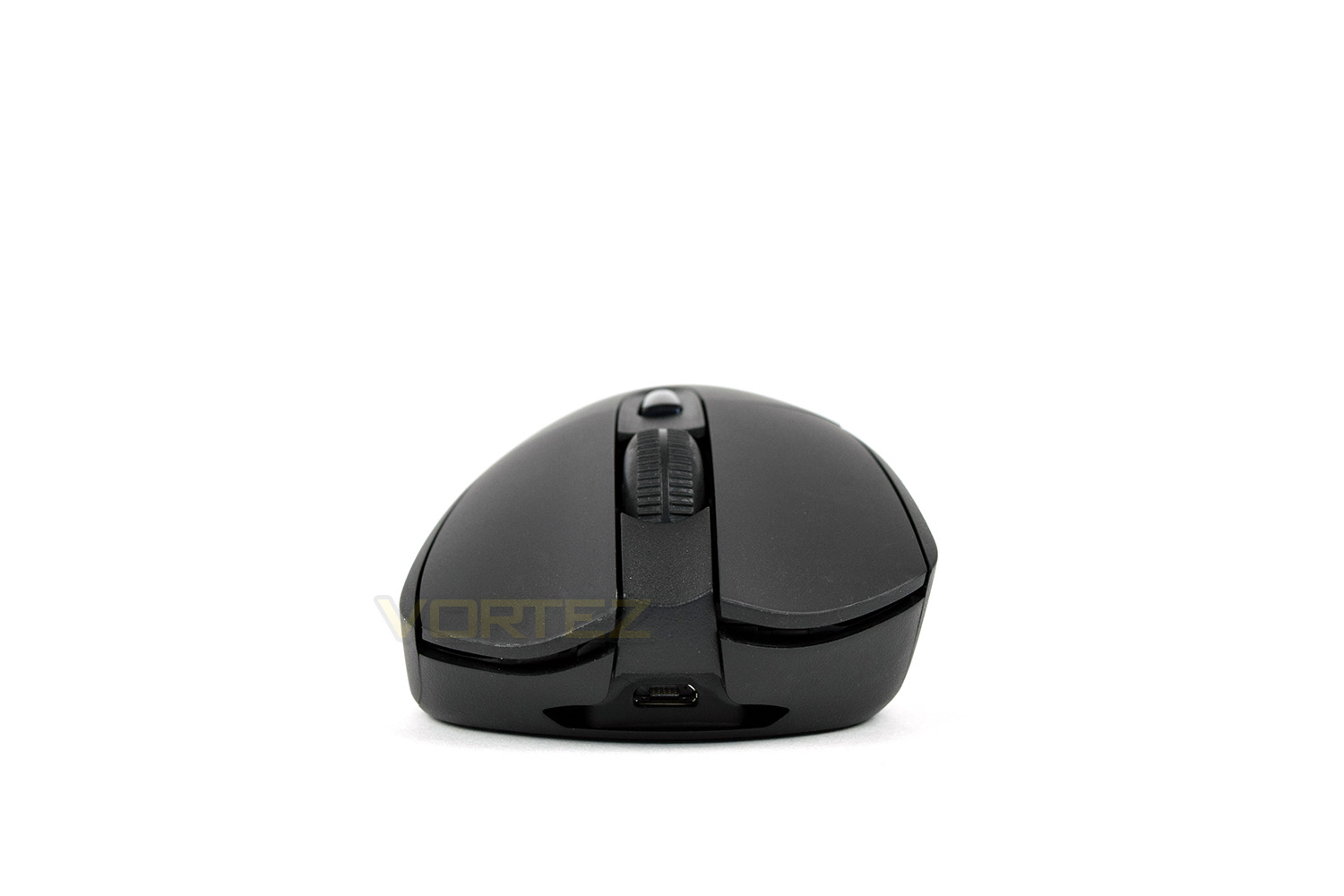
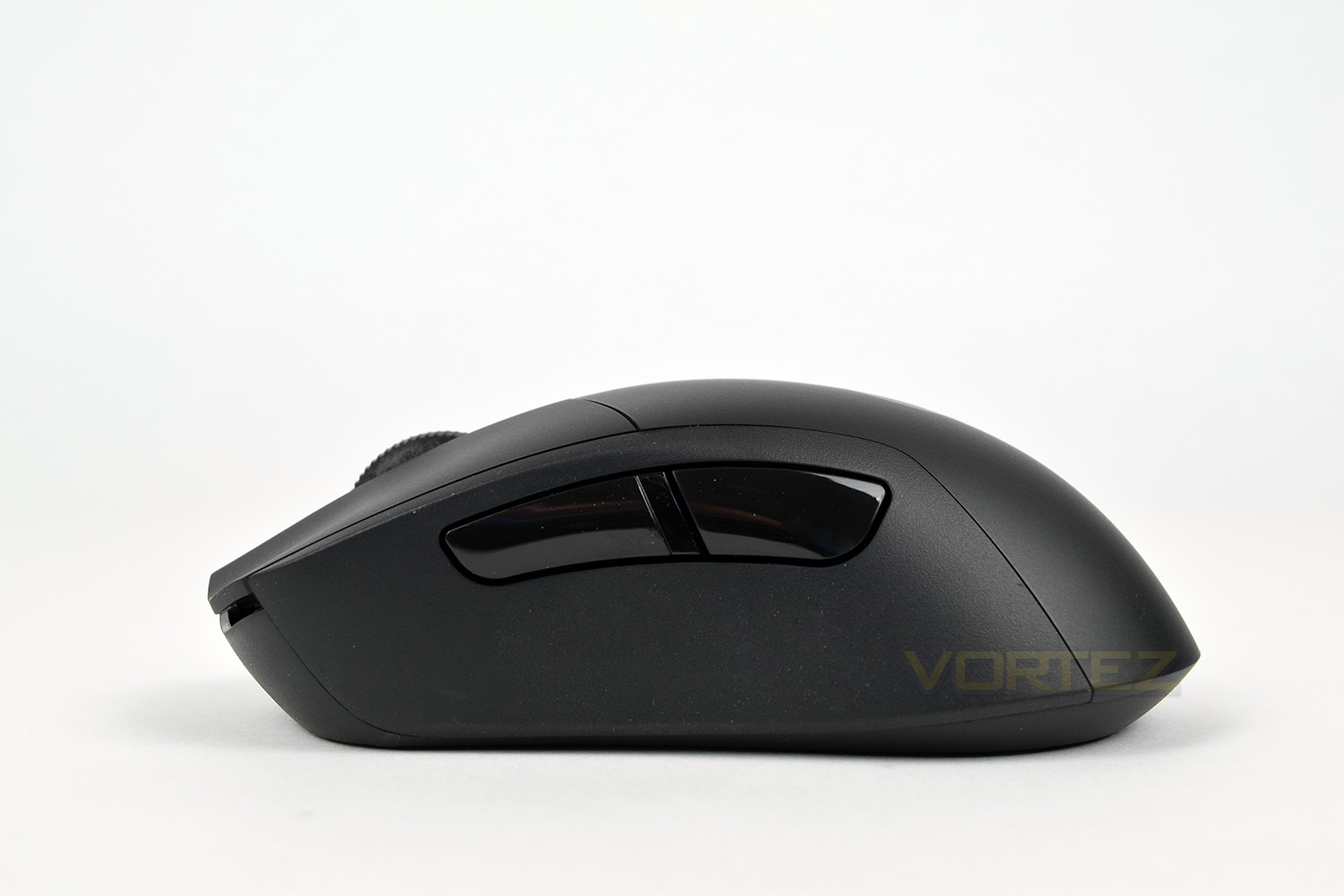
The left-hand-side is home to the forward and back button, as standard, the concave shape is carried over from the G603, but with rubber added to the edges, improving grip substantially.
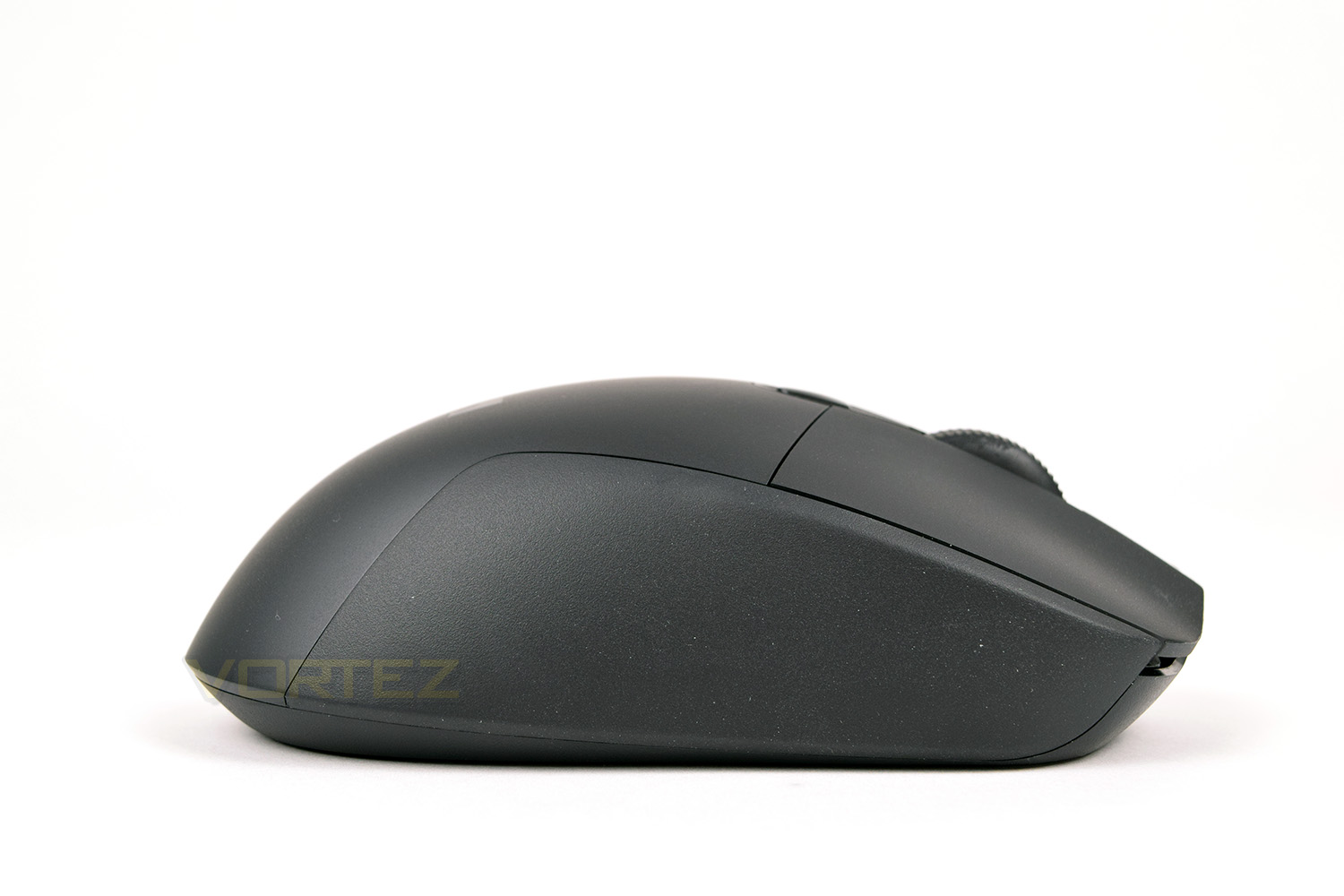
Conversely, the other side is flat, fading into a convex shape towards the rear. Also featuring the rubber coating.
Looking at the back of the mouse, there’s not a great deal going on. The rubber grip on the right is noticeably large.
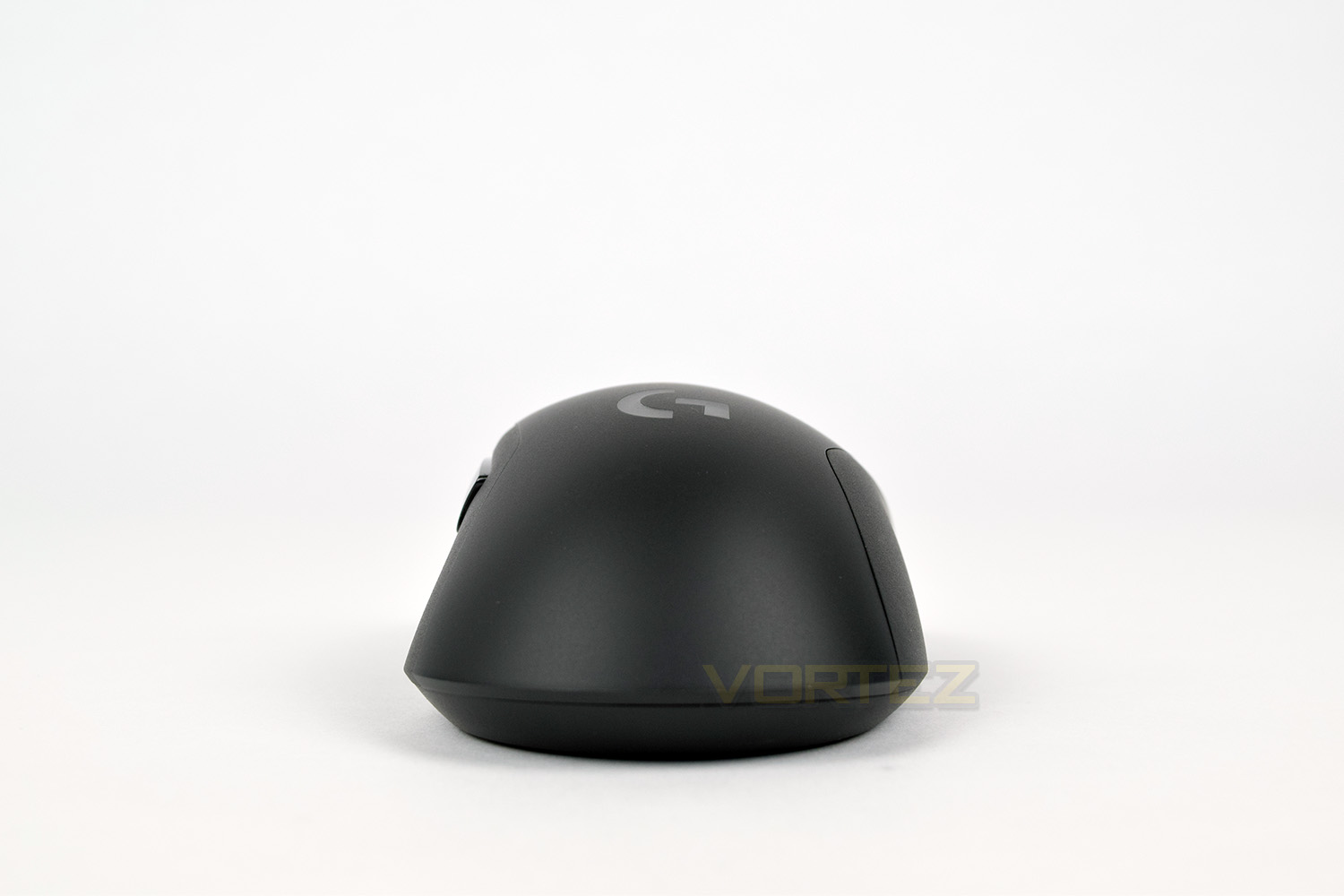
A large G logo is placed on top of the mouse, made from translucent plastic to allow those lovely RGBs to shine through. Behind the scroll wheel is a small DPI-switch button to which you can assign up to 5 DPI settings.
Closer Look (Continued)
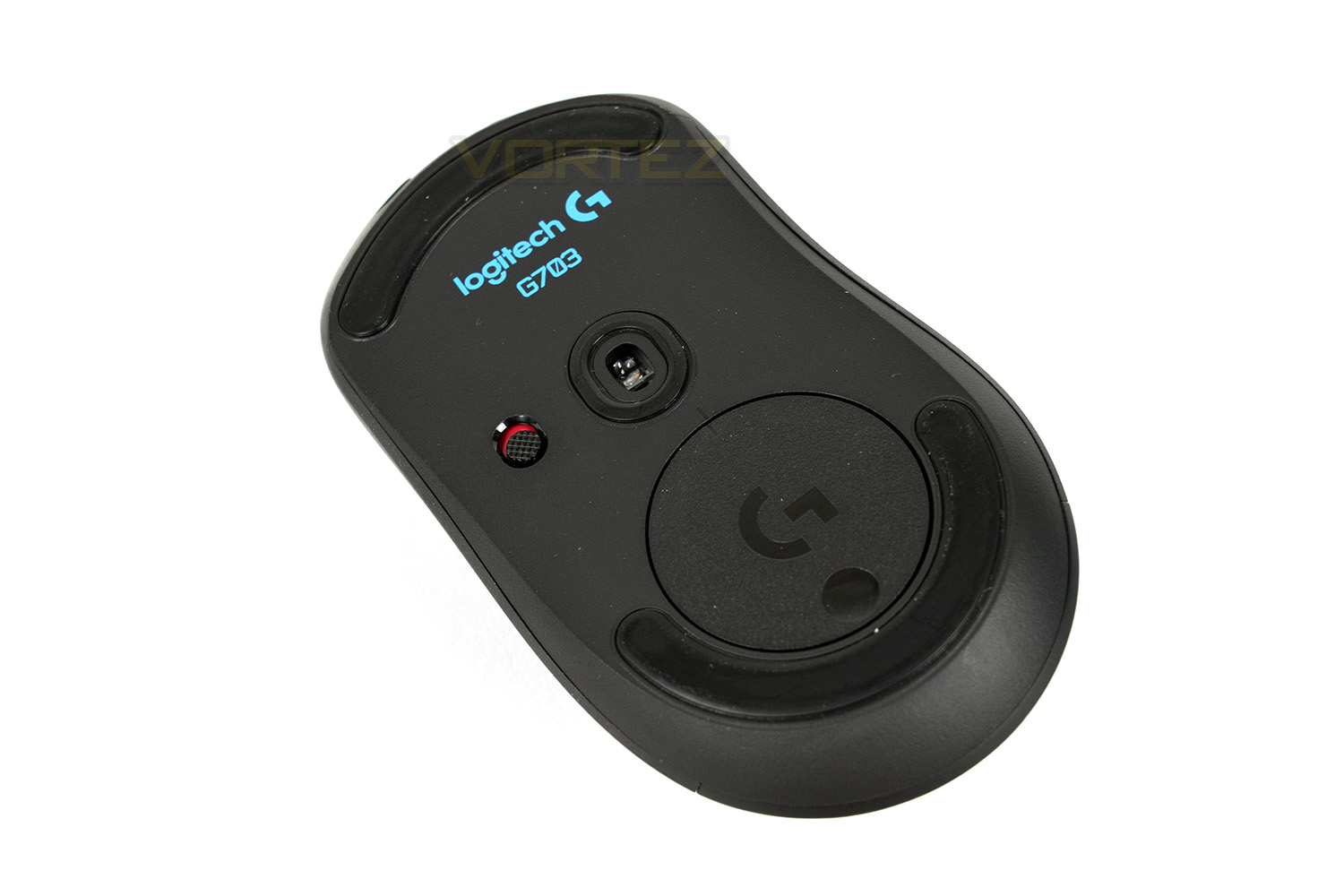
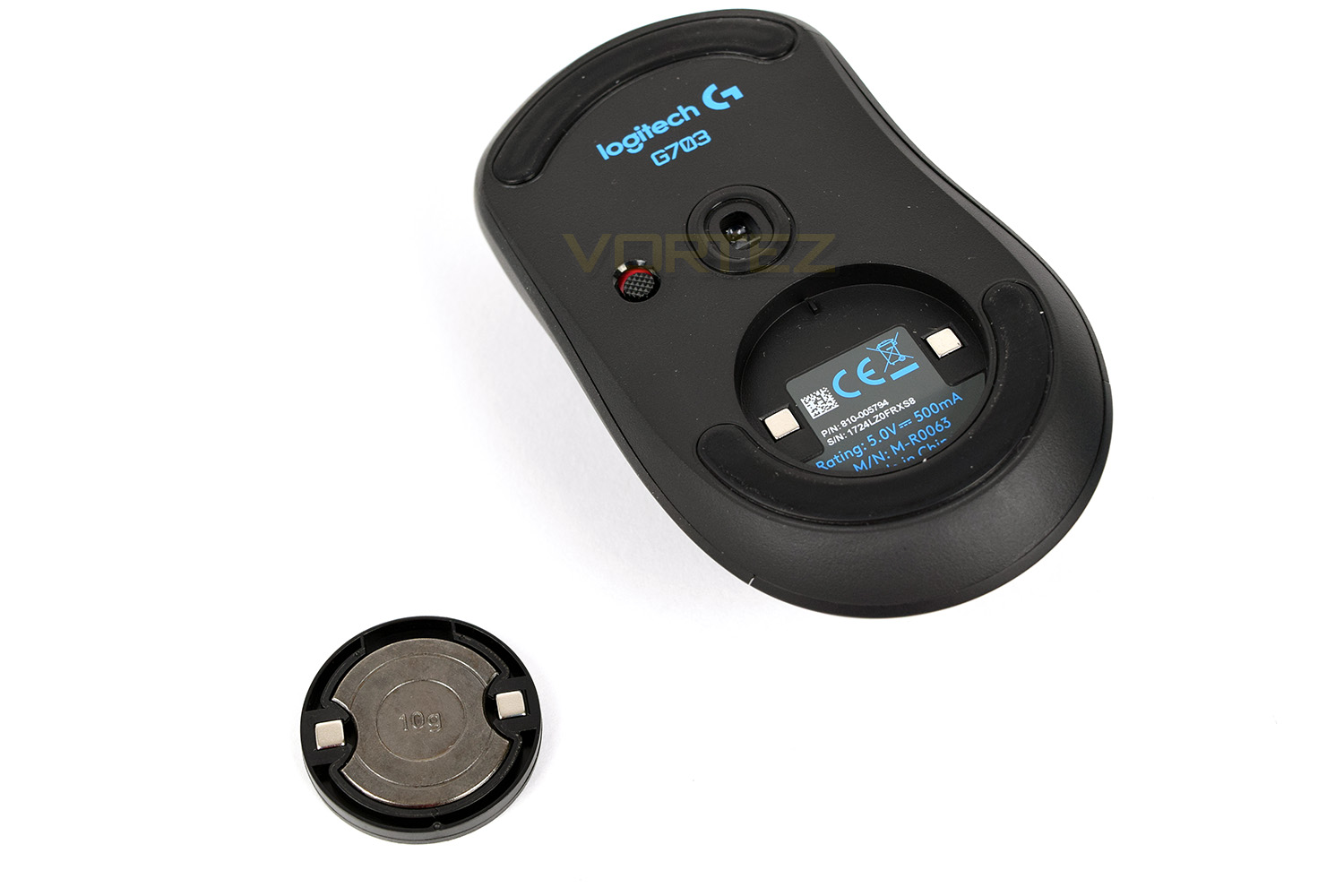
The underside is obviously home to the PixArt PMW3366 sensor, positioned in the centre. There’s a small PTFE curtain around the sensor to prevent the ingress of dirt, dust and anything else you may find on your mousemat. The top and bottom of the mouse are covered by large glide pads to reduce friction as much as possible, replacements are also available for these, for around £4. Next to the sensor is the on/off switch, red for off, green for on, simple.That large circular piece is a removable weight storage, held in place by two small magnets. Removal is as easy as pushing the small concave section in, which pivots the entire assembly on a central fulcrum.
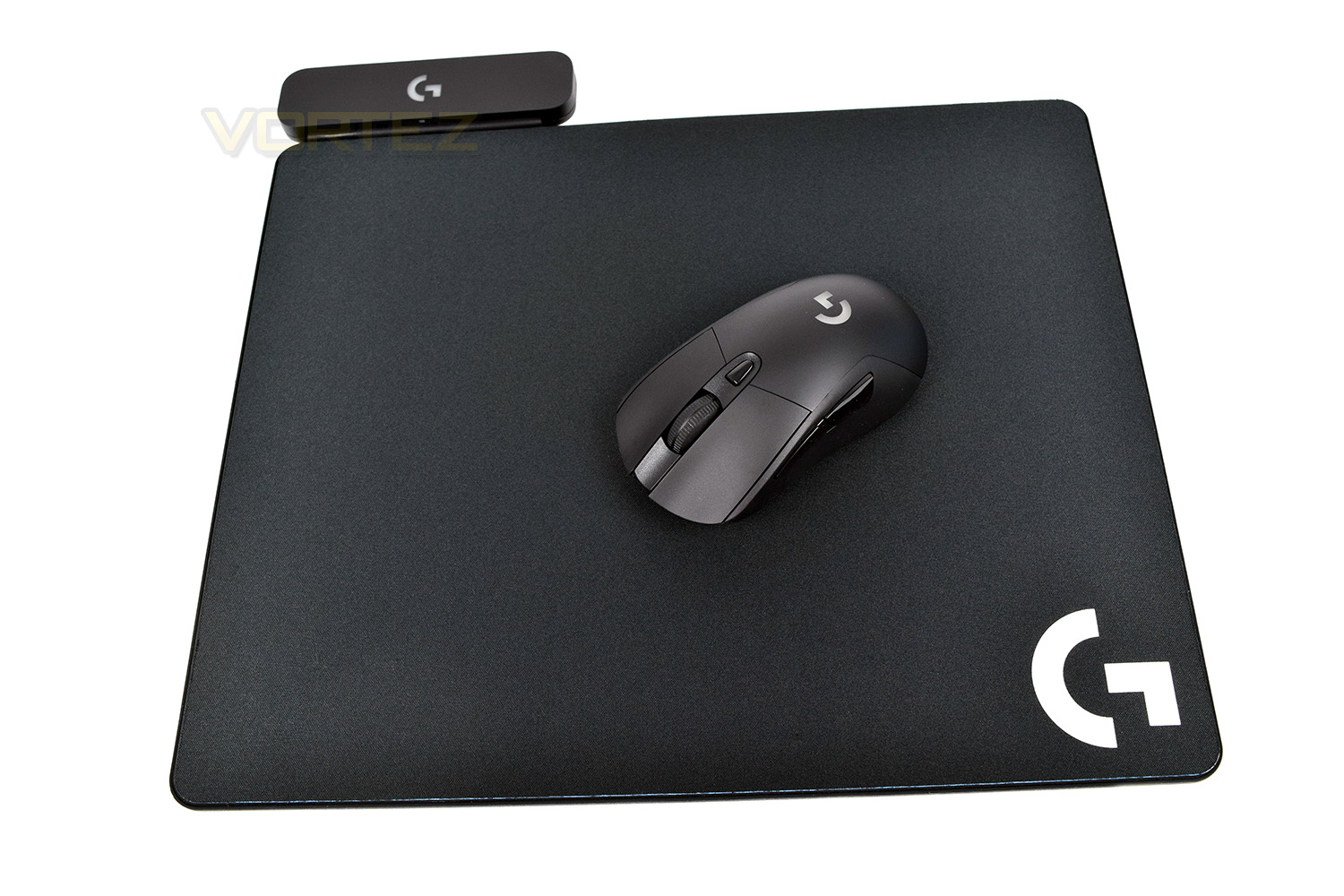
Once removed, the weight fits perfectly inside the foam interior. The magnets are also more than strong enough to hold the weight in place. Unfortunately, when the mouse is used with Logitech’s PowerPlay mousemat, this weight system cannot be used, with the recess instead being occupied by the wireless charging adaptor.
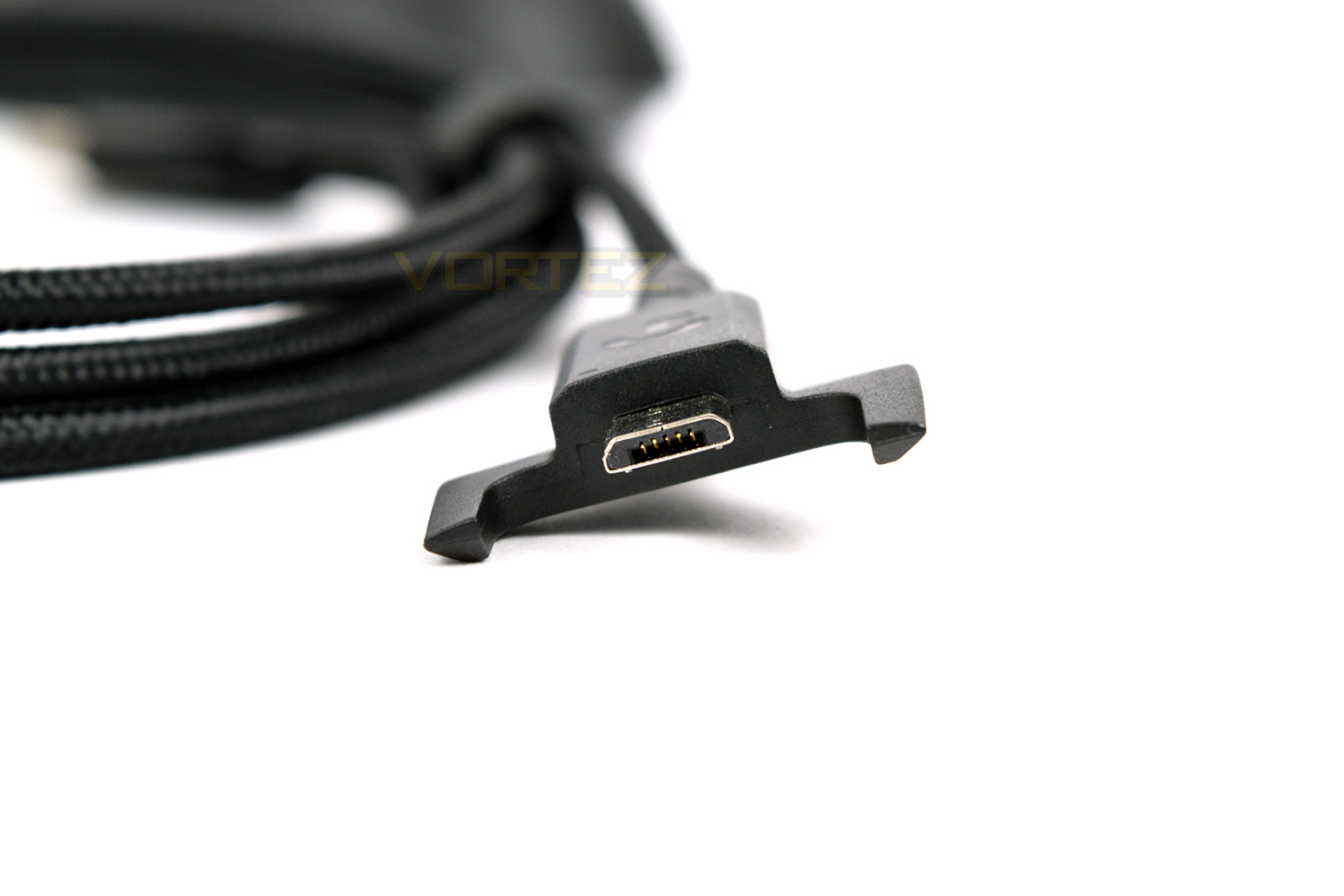
As mentioned earlier, the Micro-USB cable is a proprietary design to help hold the cable in place and prevent damage to the port or the cable over time. This cable is entirely unnecessary when using the PowerPlay mousemat.
The Logitech G703 on the Logitech PowerPlay mousemat
Software
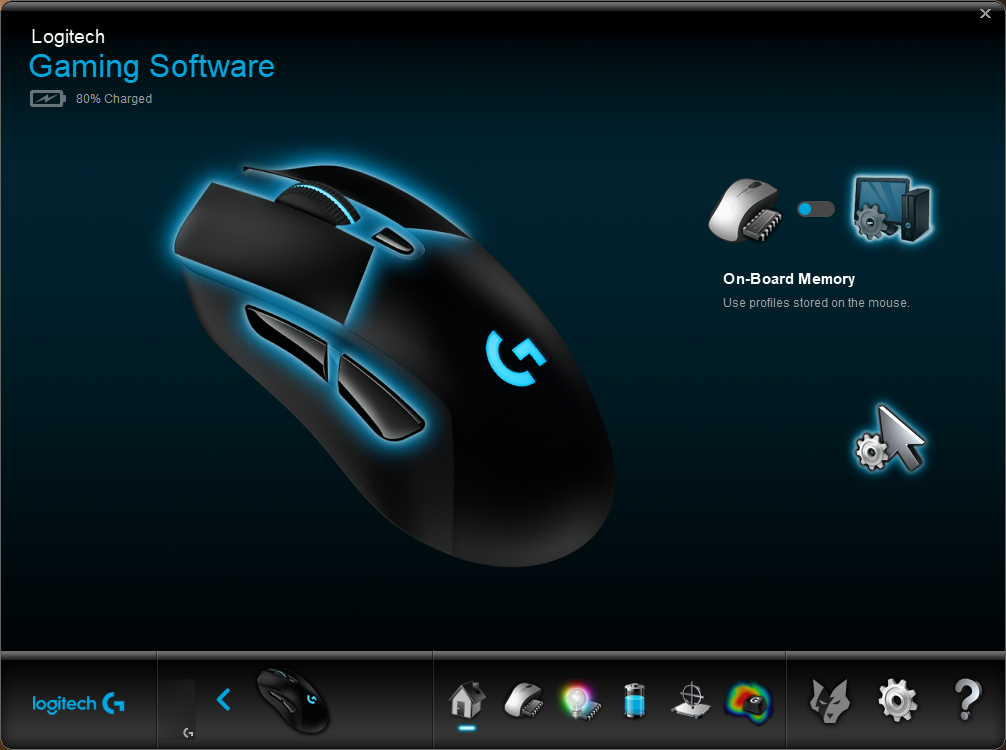
The G703 will function without the software suite installed, but to get the most from your new mouse, it’s best to install the Logitech Gaming Software.Upon opening the software, you have the option to change between on-board memory or software memory. Both options work exactly the same if you don’t intend to move your mouse to any new machine. You can also see the available buttons as well as the charging status.
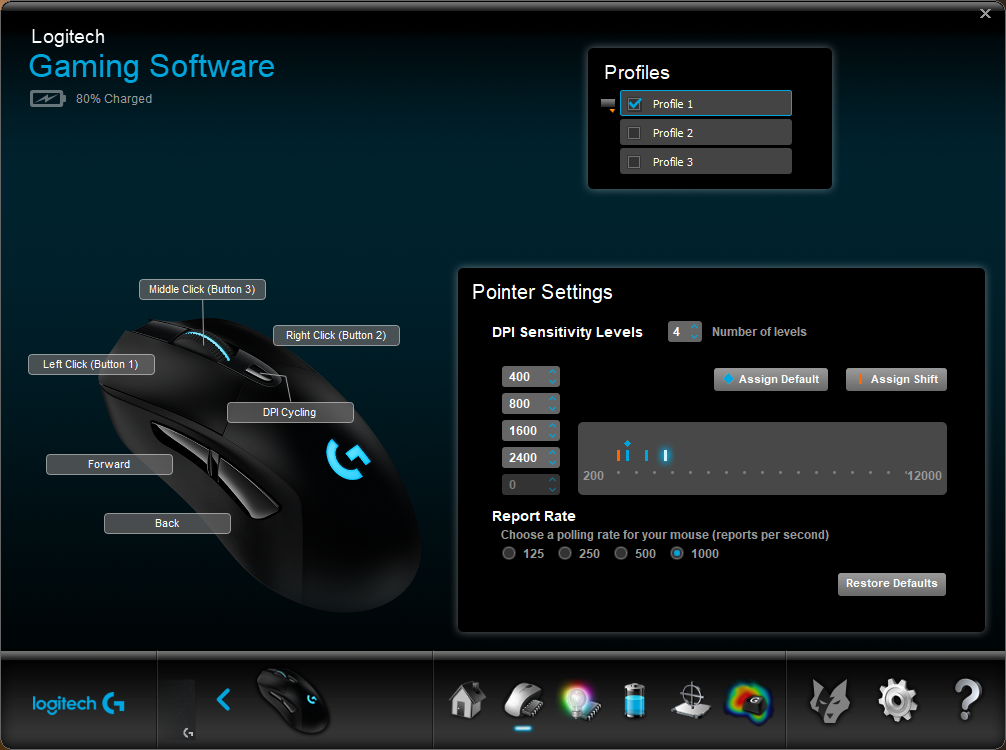
The second page allows customisation of specific settings, such as polling rate, optical sensor sensitivity, and the function of different buttons on the device.
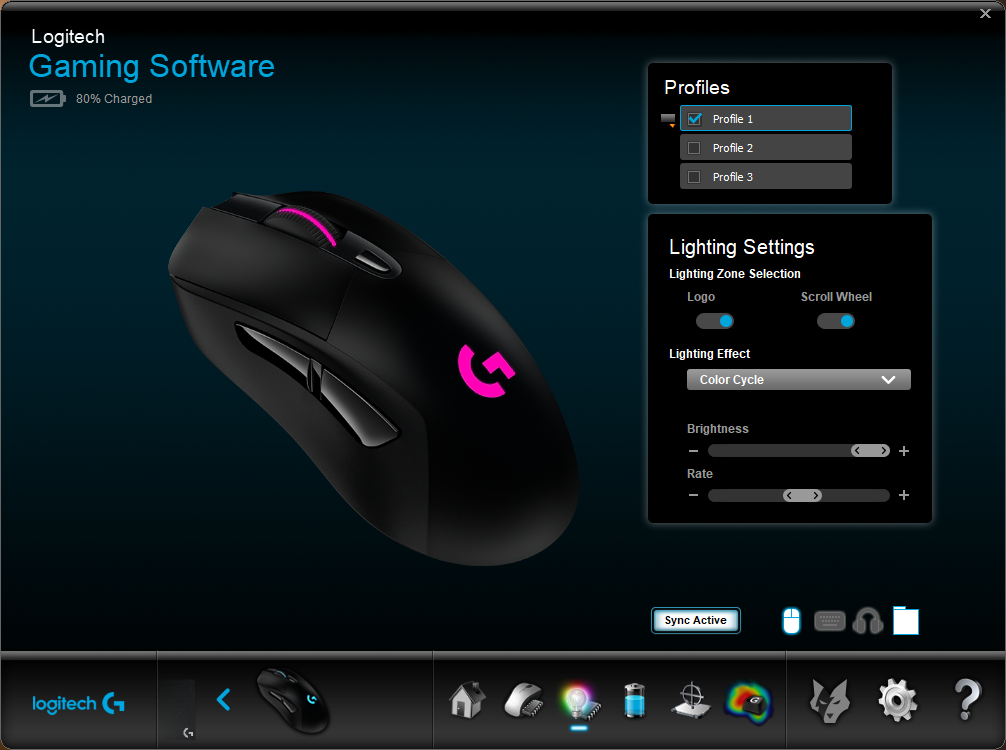
RGB lighting is a must on gaming devices these days; here’s where you can change the lighting. Mind you, lighting effects are incredibly limited, giving the choice of “Breathing” or “Colour Cycle”. No static colour can be selected. Brightness and the speed of animation can be adjusted.
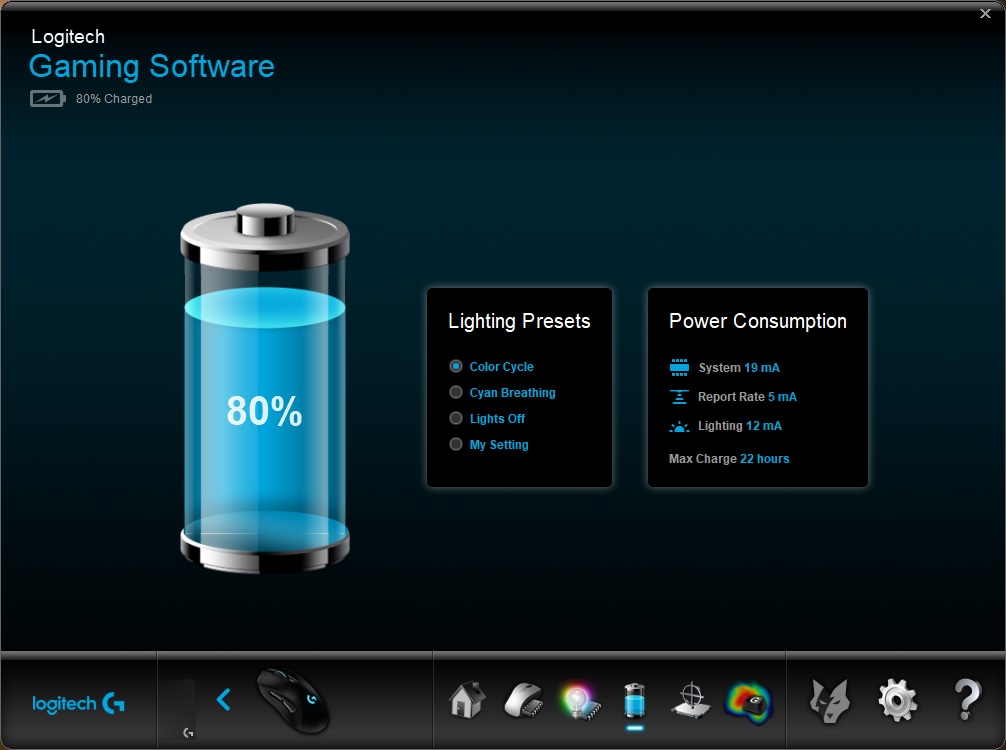
The Logitech software provides detailed feedback on current power draw, even being as granular as noting the usage from the system, wireless and RGB lighting.
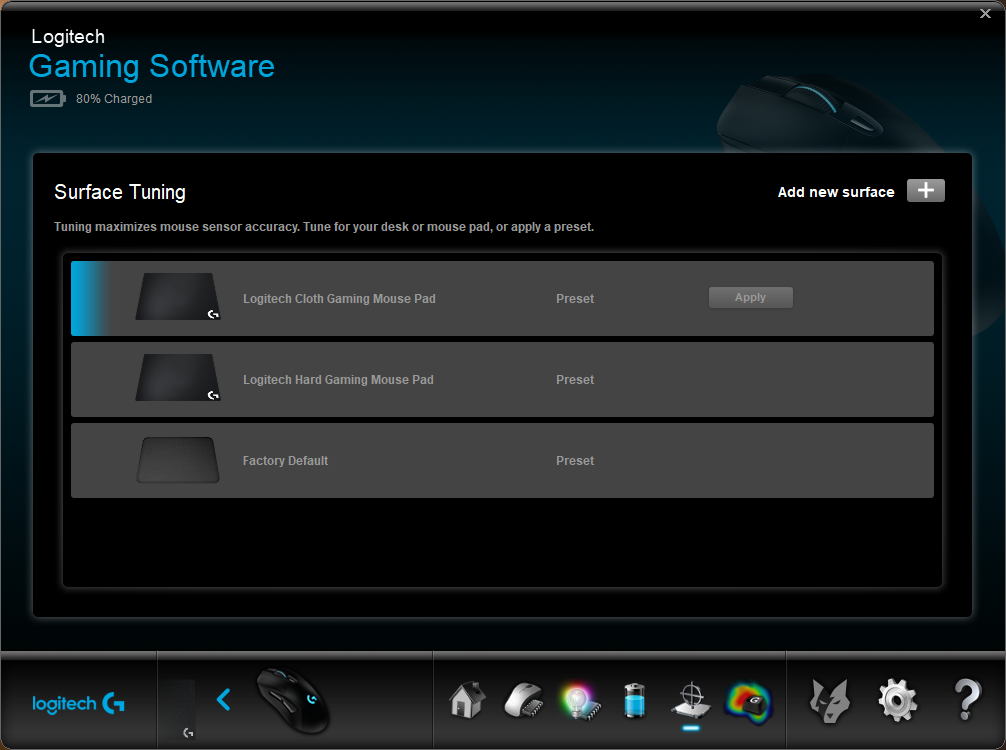
Due to the PixArt PWM3366 sensor being so incredibly sensitive, it’s possible to tune the mouse to your specific surface, or choose from the Logitech presets.
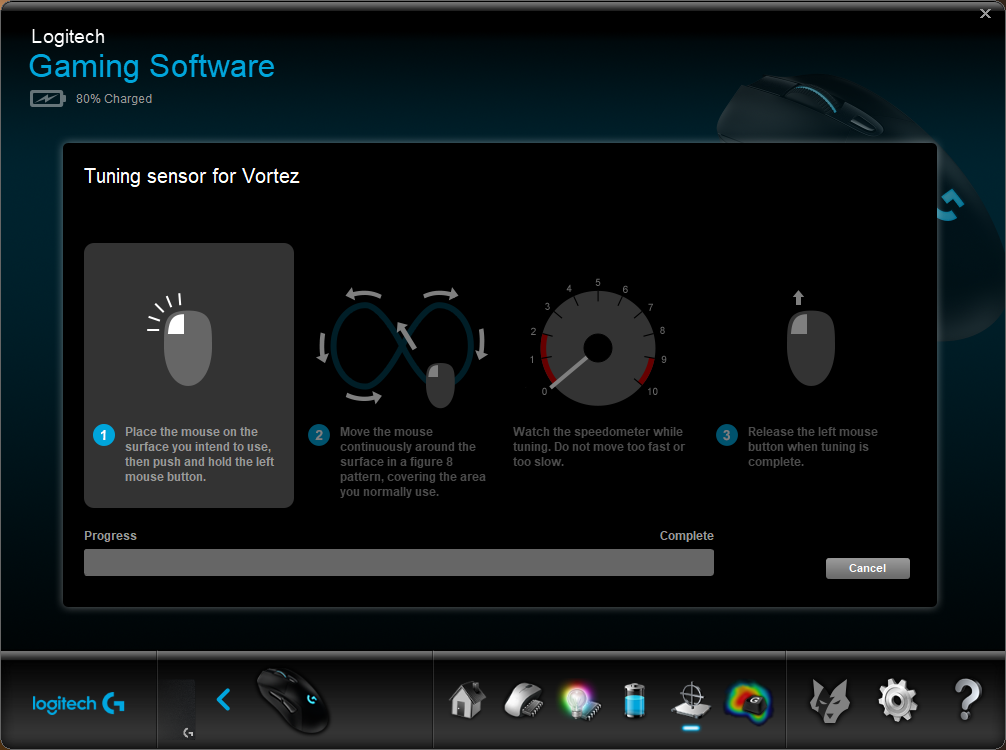
Tuning the mouse is a simple process, taking around 60 seconds.
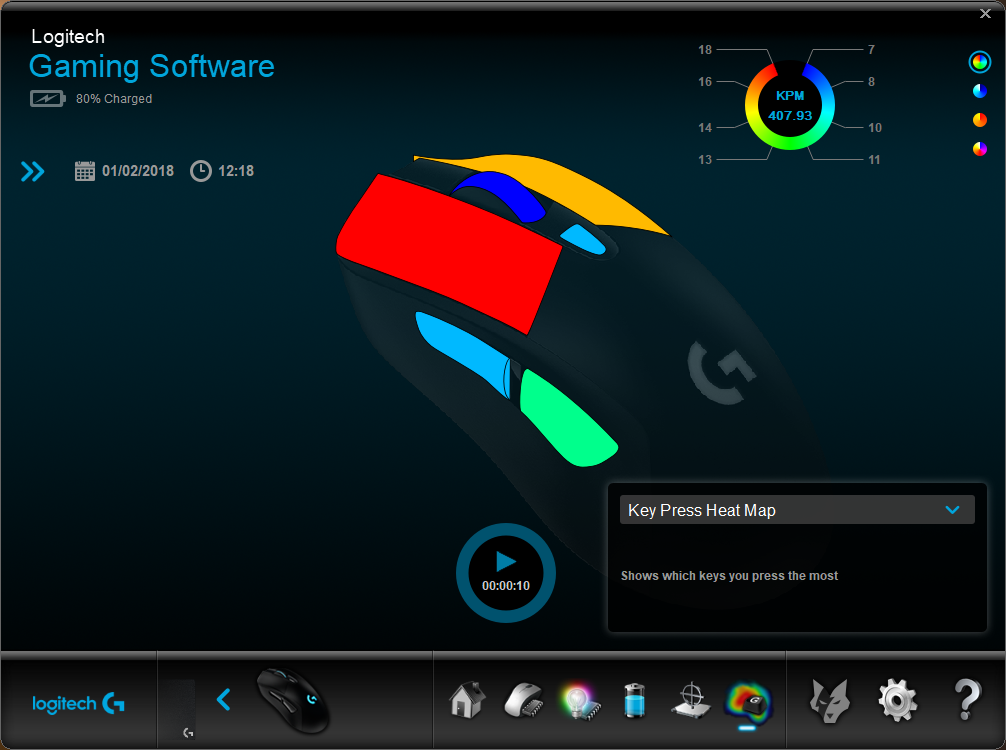
Finally, if you need to keep track of how many times you click specific buttons on the mouse, Logitech have provided the ability to get a heatmap-style readout.
One thing we did note was missing was any kind of macro support; hopefully Logitech will add this at some point in the future.
Performance Testing
Featuring the PixArt PWM3366 optical sensor, useful between 200 and 12,000 DPI, as well as an ergonomic right-handed shape, we expected great results from the mouse, during gaming and general usage. We quickly found out that we were not wrong. The PWM3366 has gained quite a reputation from everyone that’s used it. Gaming in Company of Heroes 2, Battlefield 1 and PLAYERUNKNOWN’S BATTLEGROUNDS, movement immediately felt natural, with no noticeable acceleration or jitter, even at the highest end of the sensor’s capabilities. This is certainly an improvement over the already excellent HERO sensor in the G603.RGB lighting is a must-have for a lot of potential customers, with some users requiring their workspace to look something like the Blackpool illuminations. While the lighting itself is bright and colours fairly accurate, the software lets this down a great deal. We would really like to see a few more lighting options from Logitech. The lighting does sync with the PowerPlay mousemat and other RGB-enabled Logitech equipment, however.
Comfort, as mentioned in the G603 review, is excellent. Logitech have clearly done their homework in this department, even adding rubber sides to the G703, for added grip. The thumb buttons are positioned almost perfectly while the scroll wheel is wide and provides a nice, tactile feel when scrolling.
Battery life wasn’t something we had any problem with, with a charge only dropping to 80% after a full day of use. The software provides an in-depth view to what is consuming the most power, a very handy feature!
Arguably the most important factor on a wireless mouse is the connection quality. We cannot fault the wireless performance, at all, even when the adaptor was placed around 2M away from the mouse. Logitech recommend a distance of around 200mm, using the cable and adaptor provided. Response times were of no concern and tracking felt smooth and consistent at all times. Bluetooth connectivity can be found on the Logitech G603, also using the same LIGHTSPEED technology; it would’ve been nice to see that carried over to the higher-end models for further compatibility.
Conclusion
The RGB lighting is crisp and bright, but the software support is terrible, frankly. We need more options to recommend this mouse if you’re after the RGB lighting. Everything else about the software is great, just a shame about the lighting, and lack of macros.When considering the G703 for your desktop, comfort is often top of the priorities list; thankfully the G703 delivers on this front. The design could definitely be considered as basic, and possibly even boring, but sometimes comfort isn’t that exciting.
Logitech’s LIGHTSPEED wireless connectivity really cannot be faulted, we’ve found nothing wrong with it, at all. Response time and reliability are there and just as good as a wired device. The associated battery life is also perfectly fine, likely needing a single charge per week.
£99.99 is a considerable sum for a mouse, especially when there are perfectly useable options available for a quarter of that price; having said that, we are really struggling to find any negative points about the mouse, save for some small omissions from the software. It performs like a wired mouse, looks stylish with the minimalist design, supports PowerPlay and features vibrant RGB lighting. What’s not to like? That £99.99 price-tag certainly seems justified from where we’re sitting.
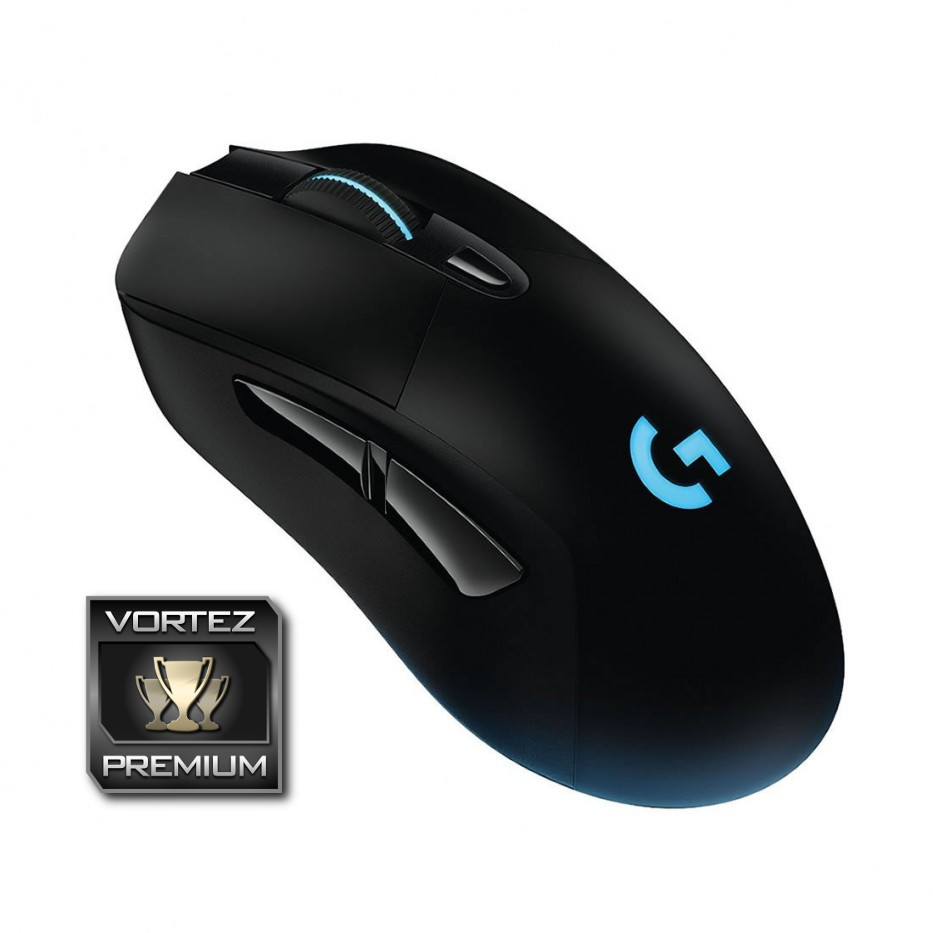
If you’re currently at war with the wires, the Logitech G703 offers incredibly performance with a traditional design. It’s comfy, too!
Pros
+ Comfortable shape
+ Minimalist design
+ RGB lighting
+ Excellent PWM3366 sensor
+ Software works well
+ LIGHTSPEED connection is flawless
+ Supports PowerPlay
+ Adjustable weight
+ Reasonable price
Neutral
+- Reasonable battery life
Cons
– Software is lacking some key features
– No Bluetooth
+ Comfortable shape
+ Minimalist design
+ RGB lighting
+ Excellent PWM3366 sensor
+ Software works well
+ LIGHTSPEED connection is flawless
+ Supports PowerPlay
+ Adjustable weight
+ Reasonable price
Neutral
+- Reasonable battery life
Cons
– Software is lacking some key features
– No Bluetooth
Click here for an explanation of our awards at Vortez.net.
Stay connected with the Vortez Social Media pages:
Join in with the discussions on Discord