Logitech’s latest flagship wireless mouse hits our test setup today. Featuring 1000Hz wireless communication, a 12,000 DPI sensor, lightweight construction and RGB lighting, is the G903 worth the £150 pricetag?

Product on Review: Logitech G903
Manufacturer: Logitech
Street Price: £149.99 / $149.99
Finishing off our three-part review of Logitech’s latest wireless mice, we finally look at the cream of the crop, the pièce de résistance, the daddy; whatever name you want to give it. This is the best mouse Logitech has ever made. The G903.
The G903 from Logitech features their proprietary LIGHTSPEED wireless connection, a PMW3366 12,000 DPI optical sensor, ambi-dextrous, lightweight design, mechanical pivot buttons and, of course, RGB lighting. Not only that, the G903 also supports Logitech PowerPlay, possibly removing one of the greatest annoyances of wireless peripherals: charging.
With an RRP of £149.99, this is the most expensive mouse we’ve ever looked at, with the trend in current peripheral pricing only showing signs of increasing, but does the G903 come anywhere close to justifying that price? Read on to find out our verdict.
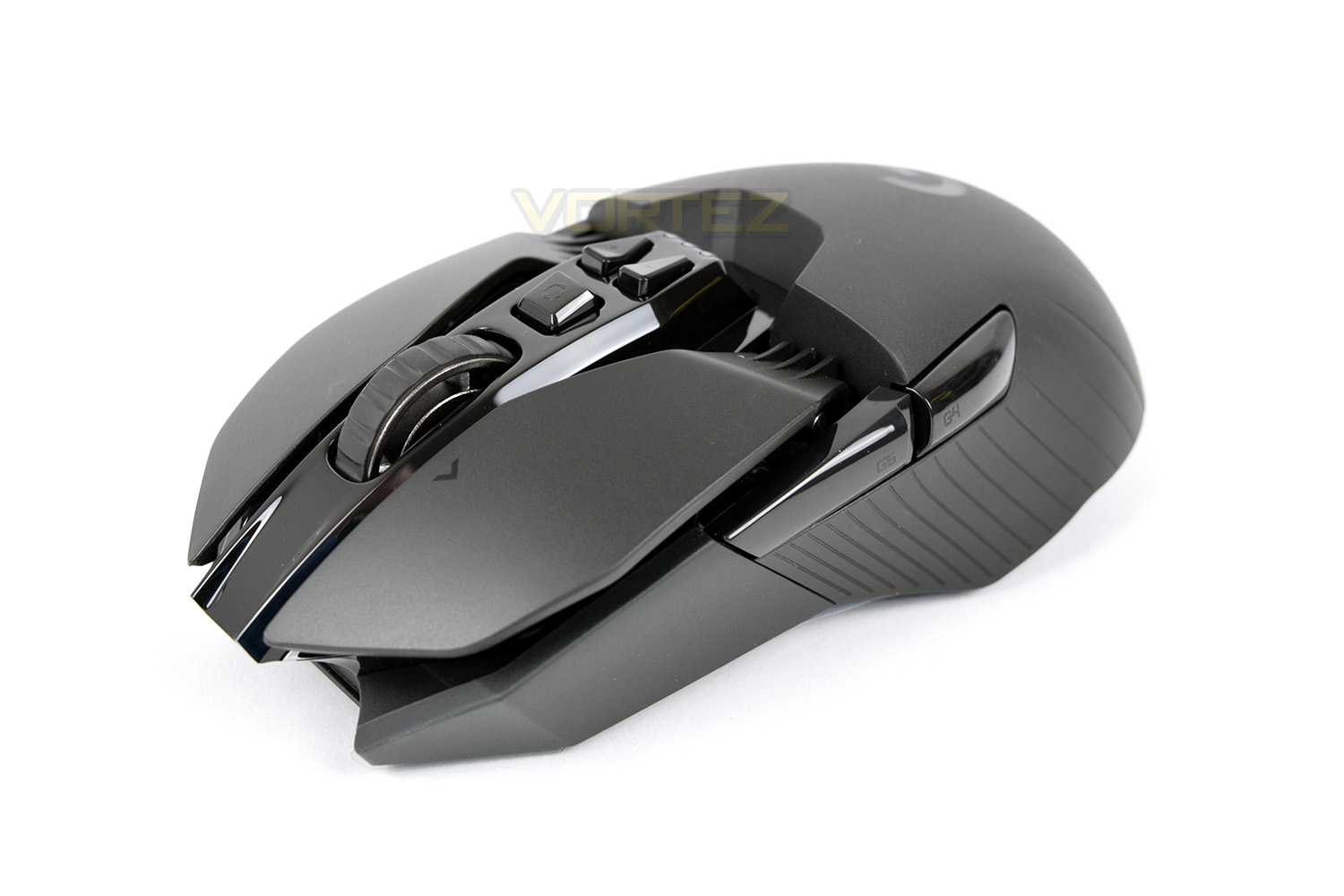
Logitech on the G903:
Every component of G903 has been optimized to reduce weight while maintaining stability. Each element of the construction was analyzed and adjusted to remove milligrams wherever possible, from thin wall molding to a hollow “spoked” hyperscroll wheel design. The result is a wireless mouse that weighs in at only 110g, maximizing comfort over extended periods of use and delivering quicker response to motion.
Technical Specifications
Packaging & Bundle
This wouldn’t be a Logitech gaming mouse if the packaging didn’t follow the same grey and blue theme with very basic information on the front. There’s mention of the PowerPlay feature as well as the LIGHTSPEED connection technology. The mouse also dominates the front.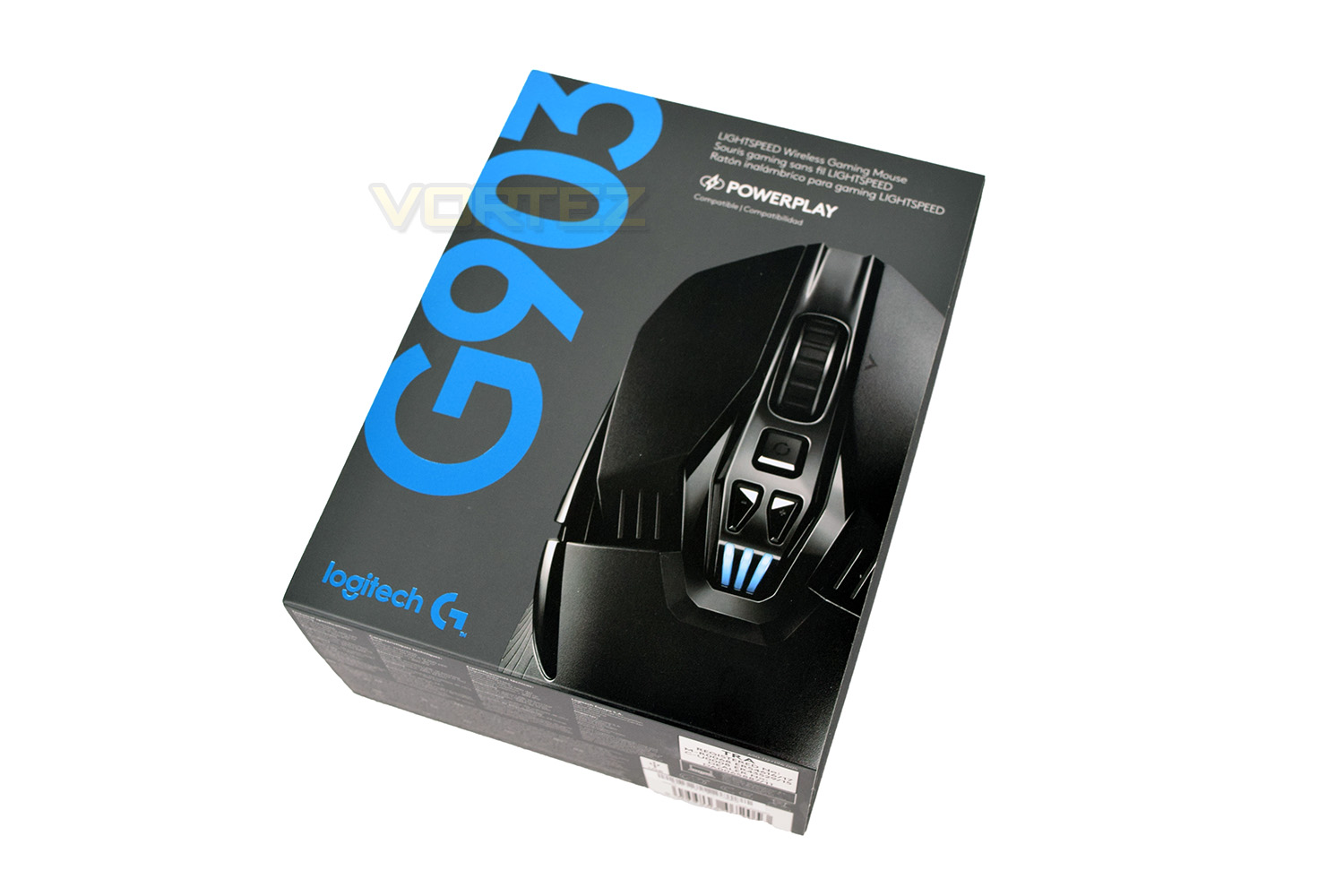
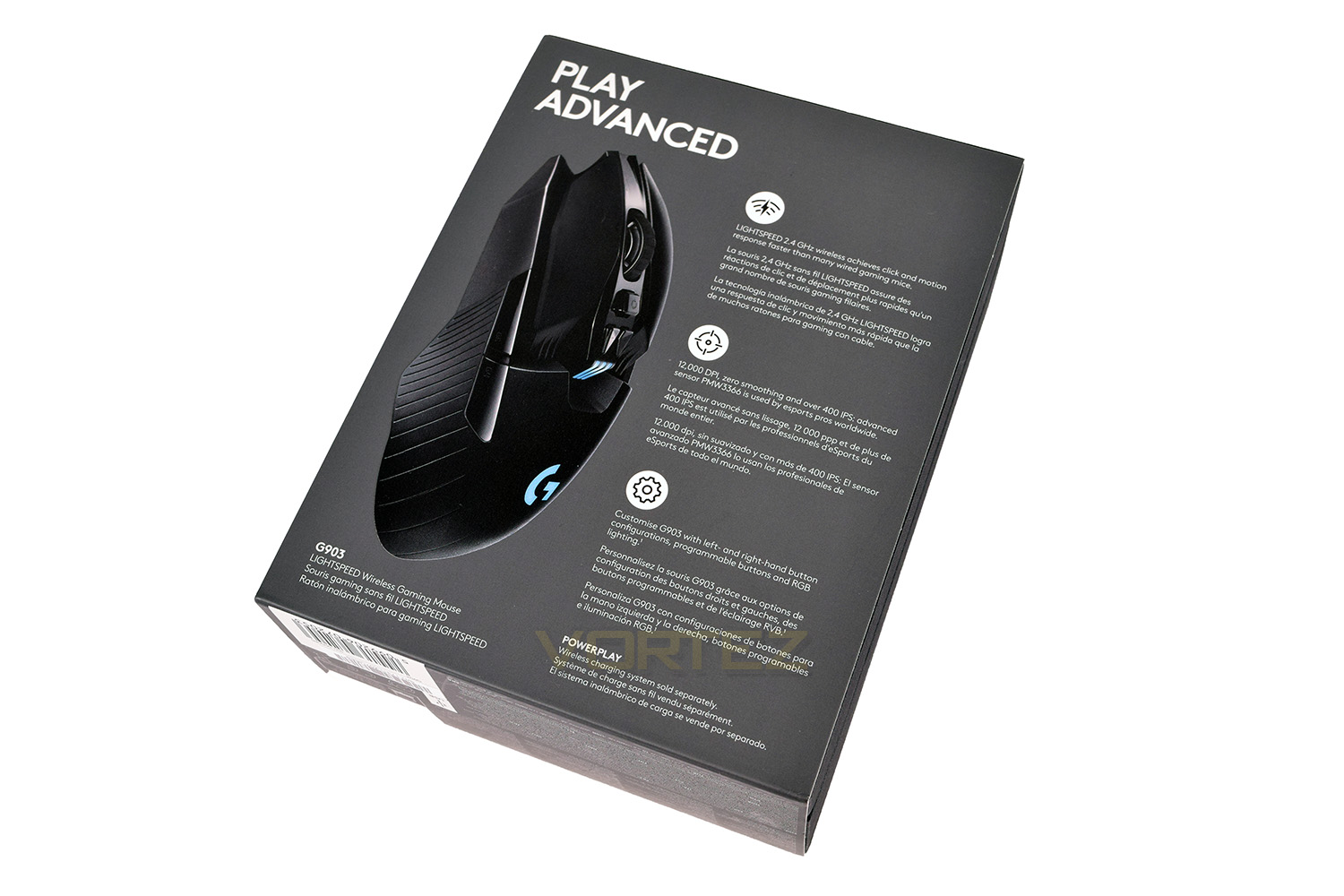
The rear of the box shows a side profile of the G903, better showing off the overall shape and design. More information is provided around the key features. LIGHTSPEED, optical sensor and the physical customisation of the device.
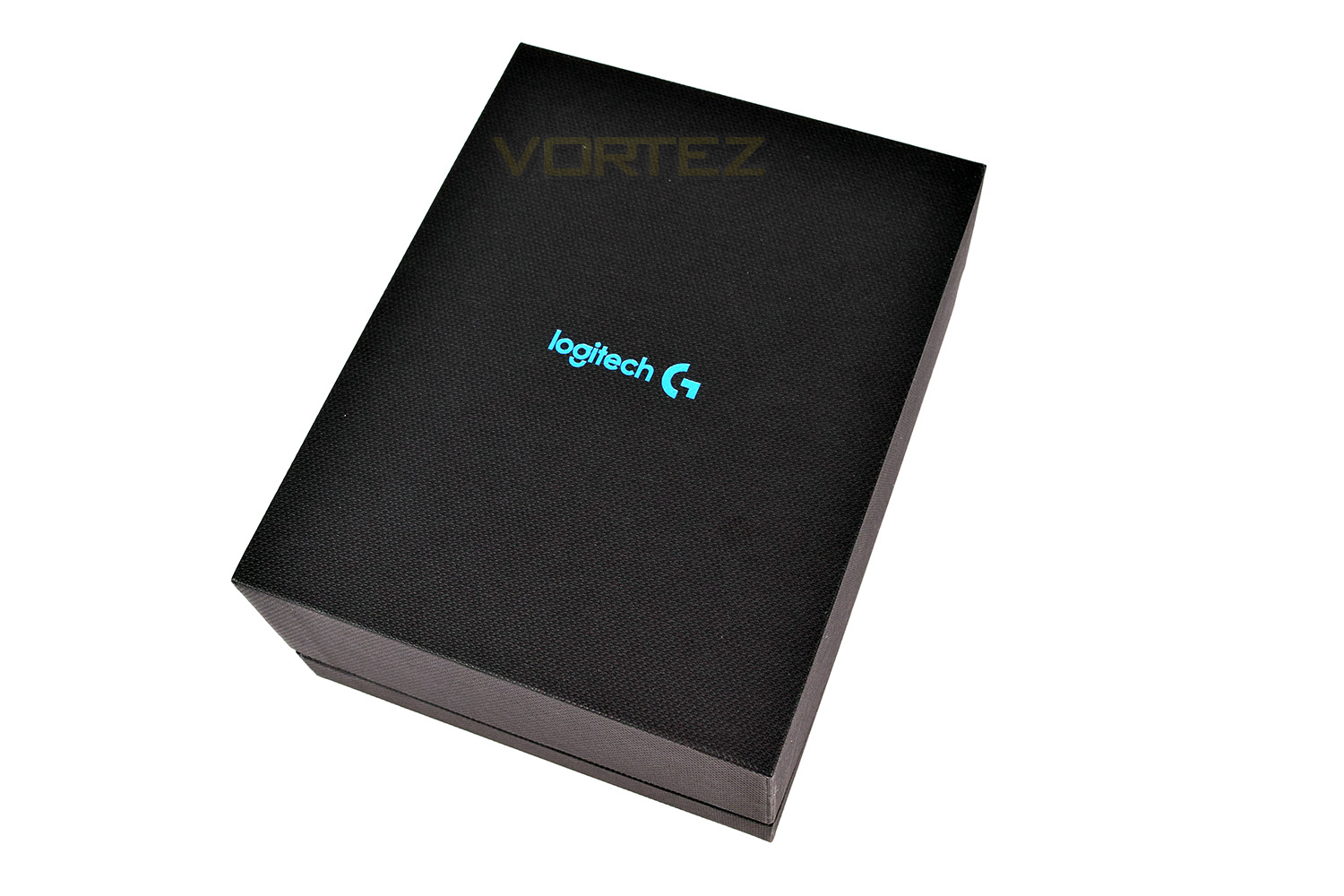
Sliding away the outer sleeve, the G903 is enclosed in a rather stylish, textured box, featuring the Logitech G branding on the front.
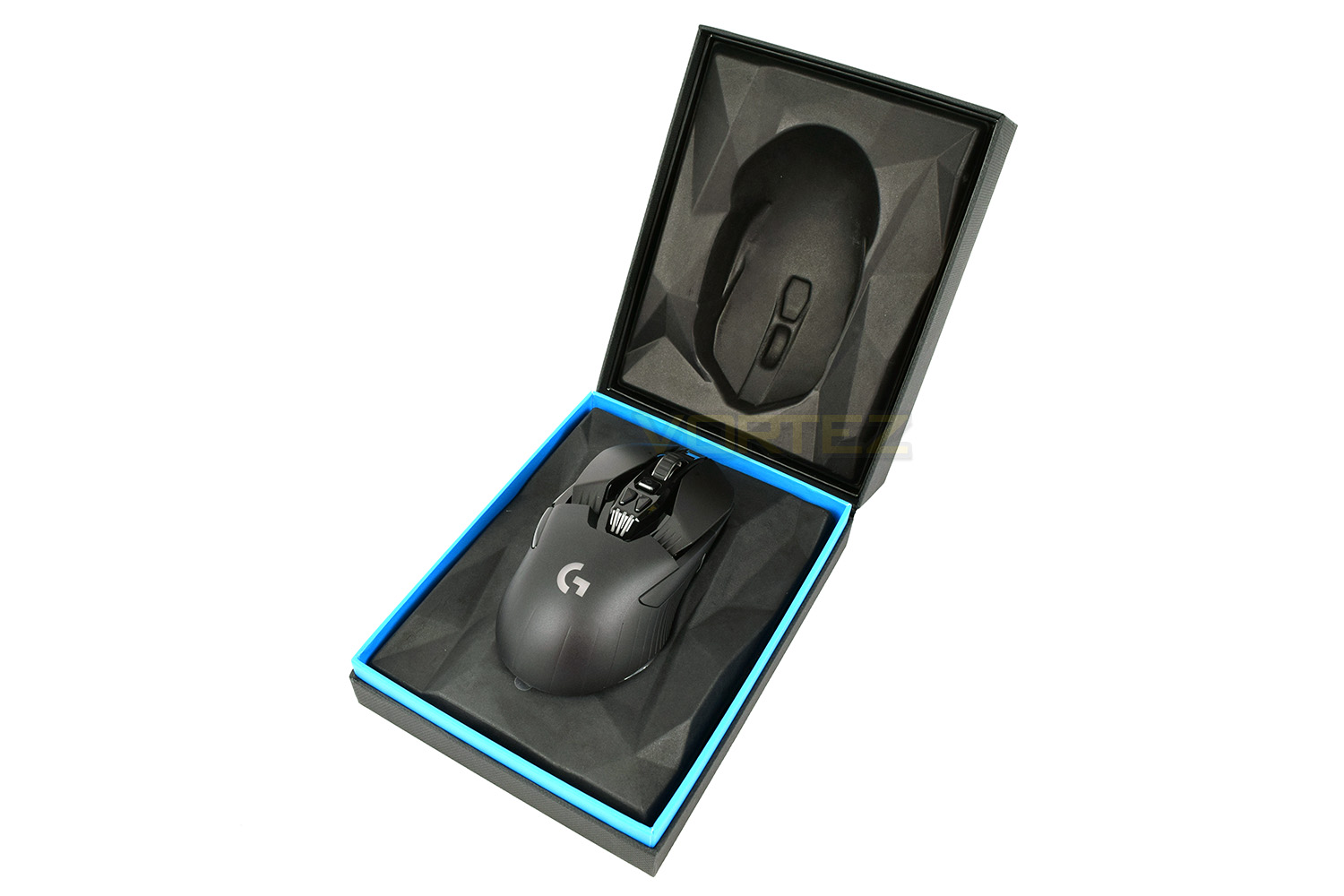
Helping to increase the premium feel of the packaging, the mouse is given and unadulterated pride of place inside the packaging, fully on display as soon as it’s opened up. The rest of the bundle is hidden away under the cardboard plinth on which the mouse is sat.
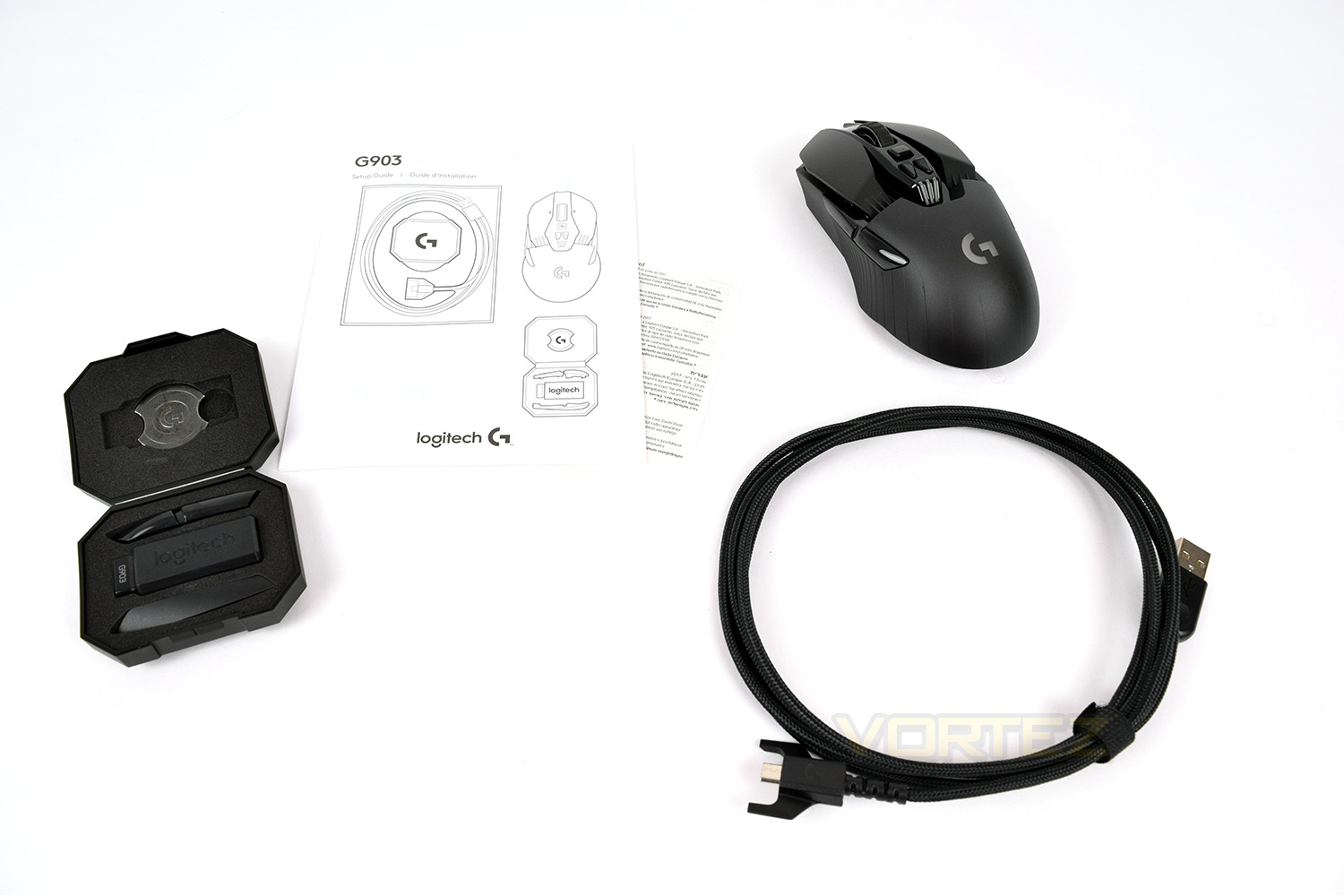
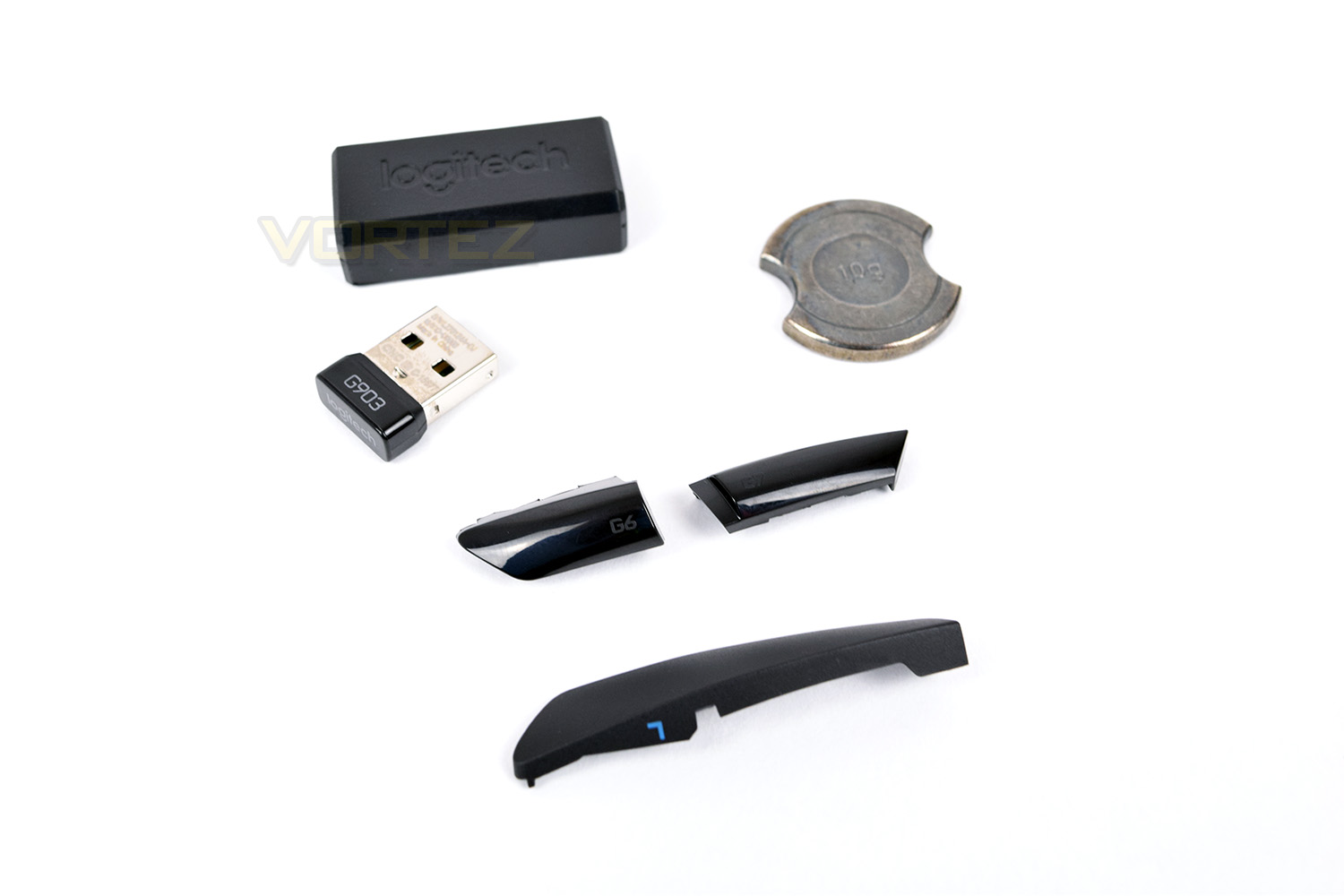
Bundled with the G903 is a short setup guide and warranty information, as well as a plastic case containing the removable 10g weight, the LIGHTSPEED wireless USB adaptor and replaceable side buttons. The 1.8M braided cable is used to charge the G903 or can even turn your really expensive wireless mouse into a wired device.
Closer Look
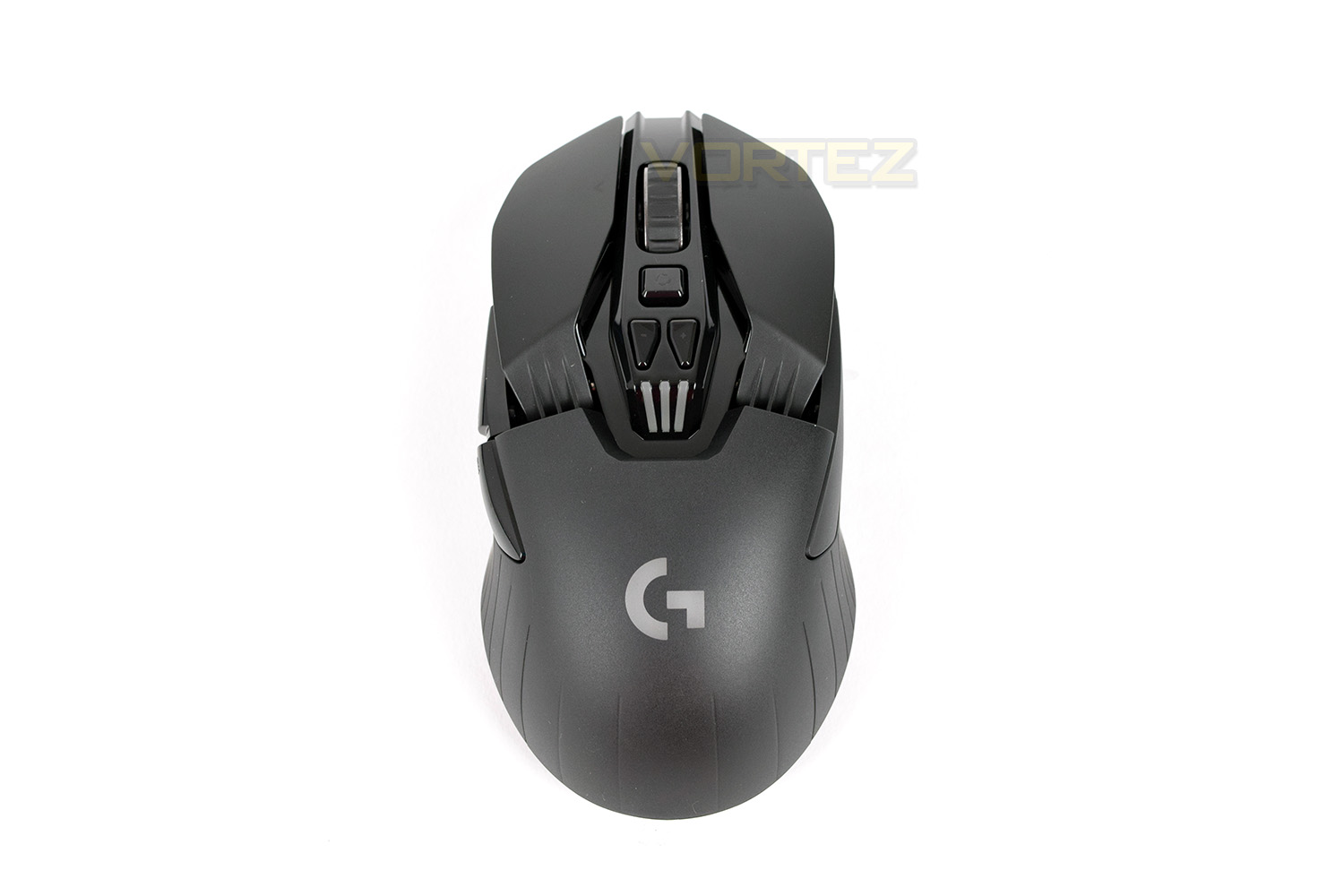
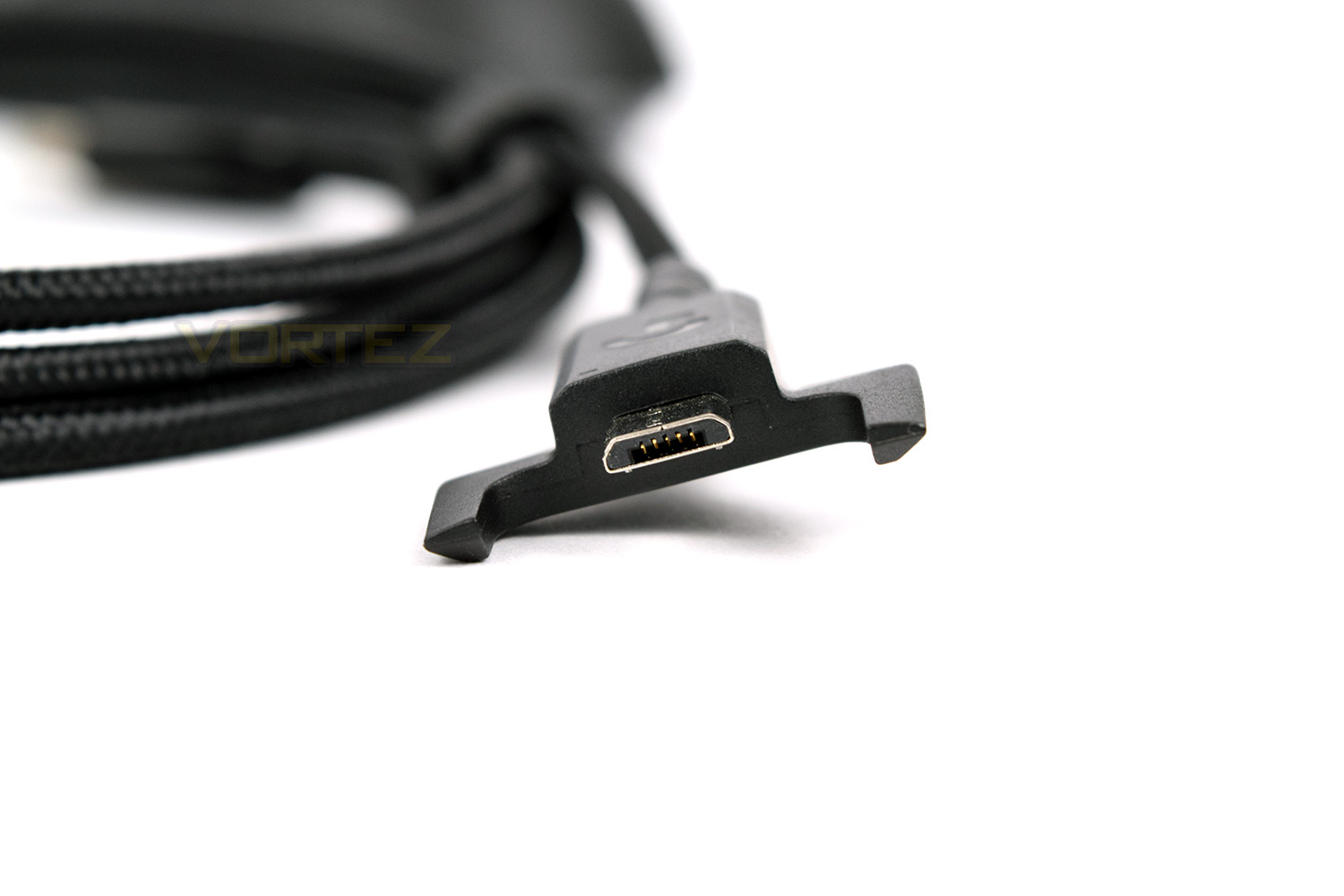
The Logitech G903 isn’t going to be to everyone’s tastes, but it’ll certainly stand out in a crowd. We think it looks a bit reminiscent of Darth Vader. Those grooves at the rear of the right and left click are to provide strength for the hinged buttons.From the front, we thought the appearance was less Darth Vader and more like a bug. But whichever way you look at it, the angles and design are like nothing else. You can see that the two front buttons are elevated reasonably high with plenty of clearance. The charging cable connects at the front of the mouse and is held securely in place by “horns” on the adaptor.
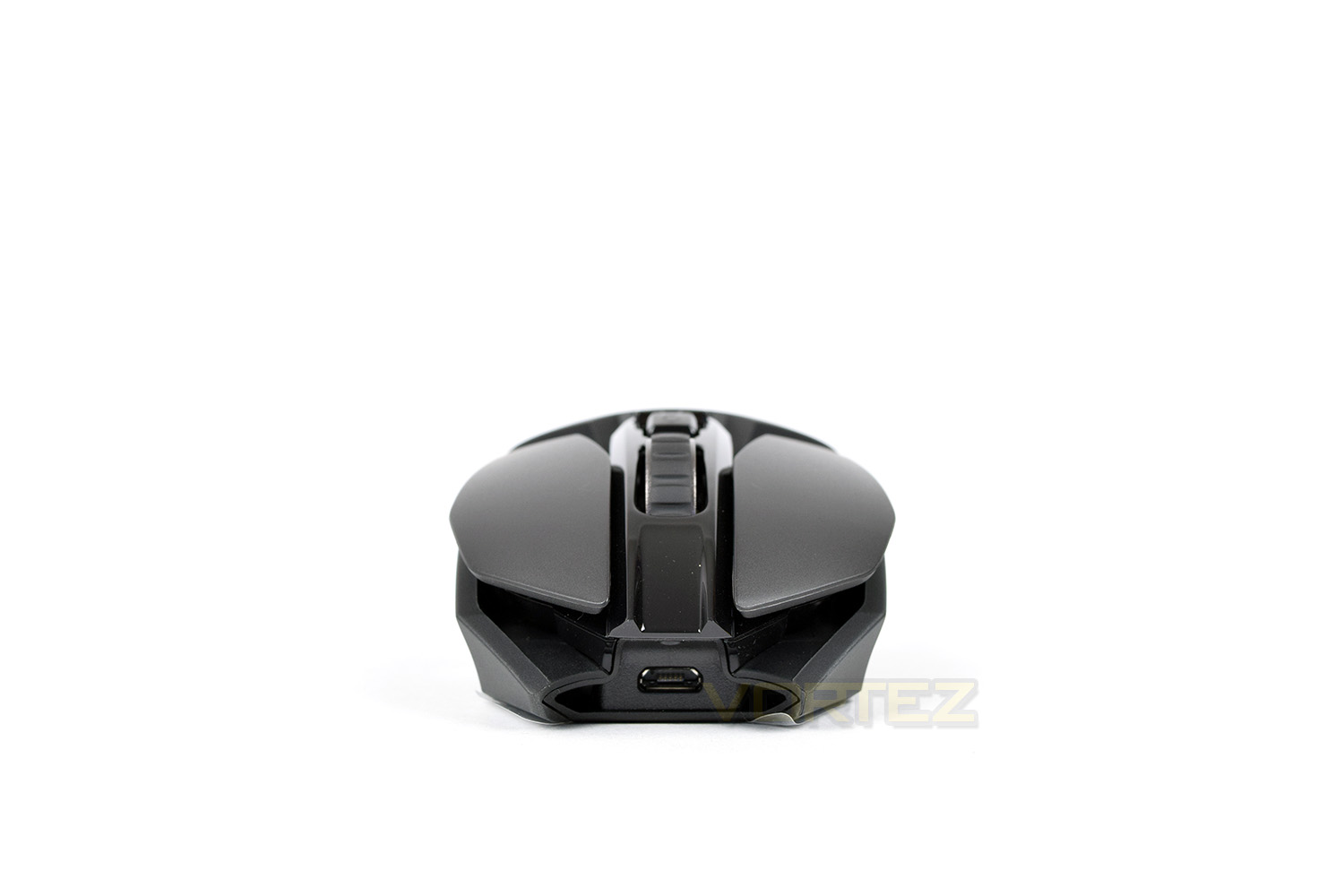
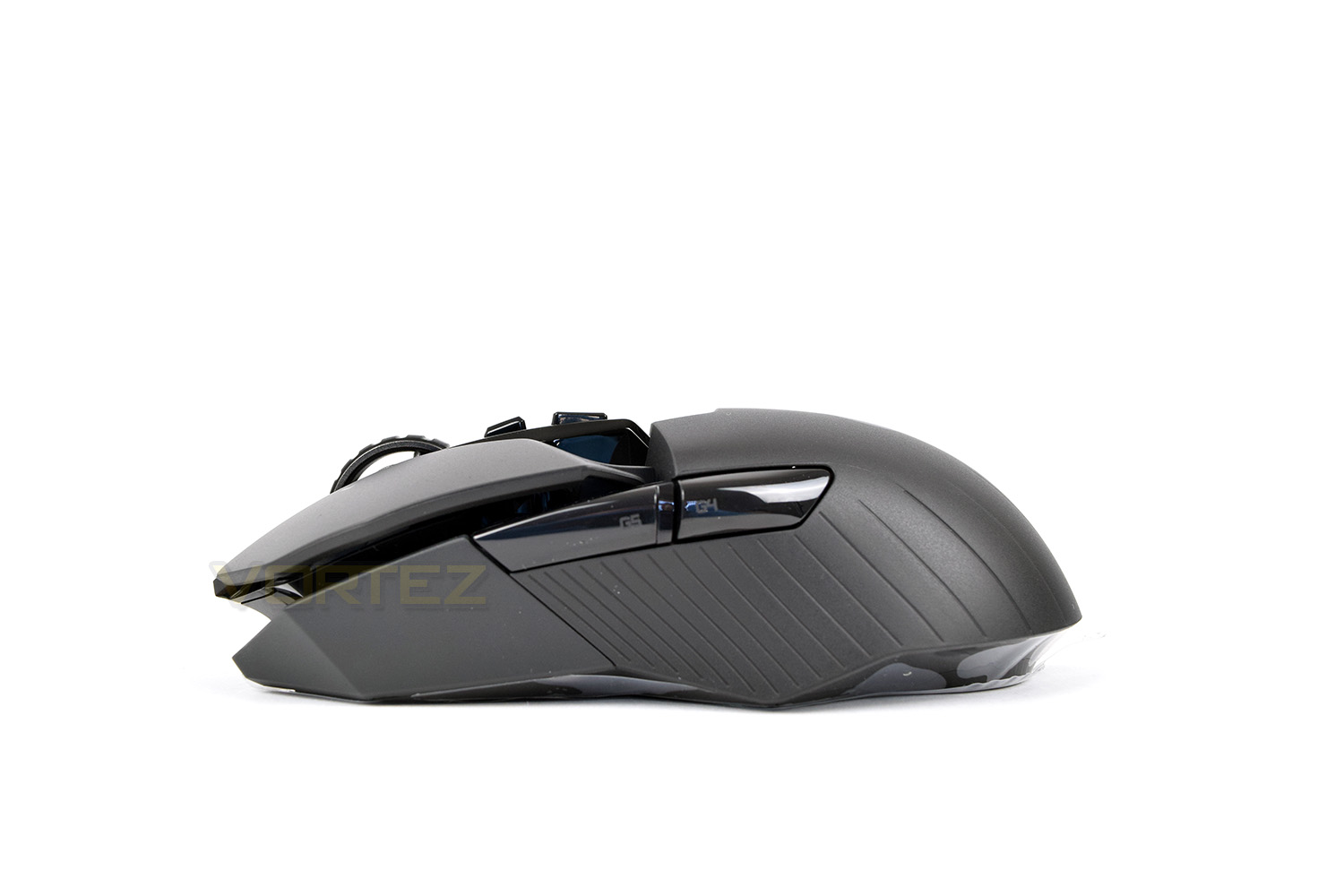
G4 and G5 are on the left side of the mouse, but can be replaced with a solid bumper instead, thus enabling the mouse to be ambidextrous. The mouse looks to be made up of odds and sods lying around the Logitech factory but that’s certainly not the case. This angle also shows the spoked scroll wheel, designed to shave off valuable micrograms.
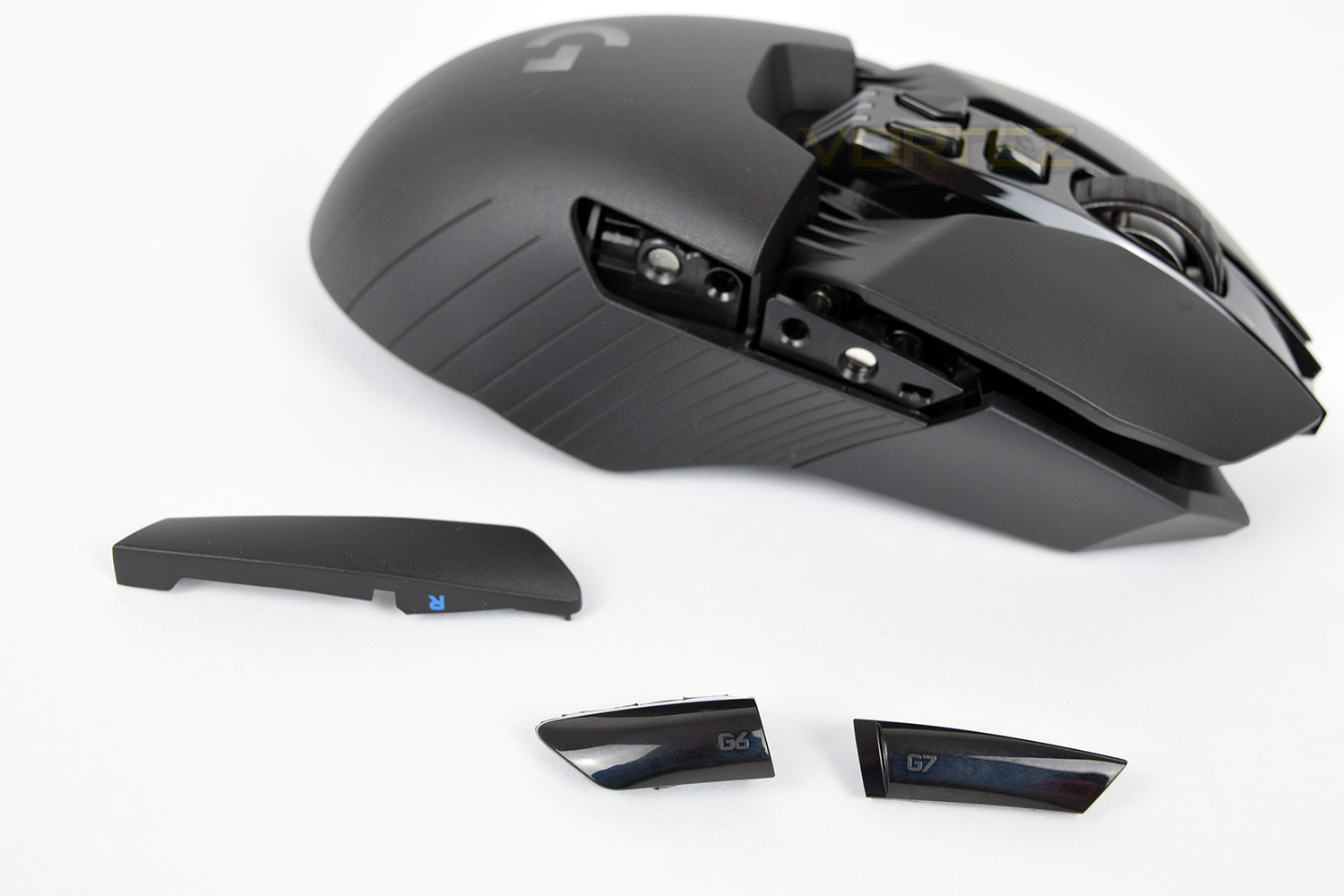
Moving slightly away from our regular review format, the right-hand-side of the mouse is shown from a different angle, hoping to highlight the ease of switching the side buttons for right or left-handed use. Both sides can be blanked or have buttons added, depending on how you wish to use the mouse.
At the top of the page, we mentioned the likeness to Darth Vader from Star Wars, surely this angle shows that off even more. Don’t you agree? The Logitech G on top of the mouse is RGB backlit, as are the three DPI indicators just above.
Closer Look (Continued)
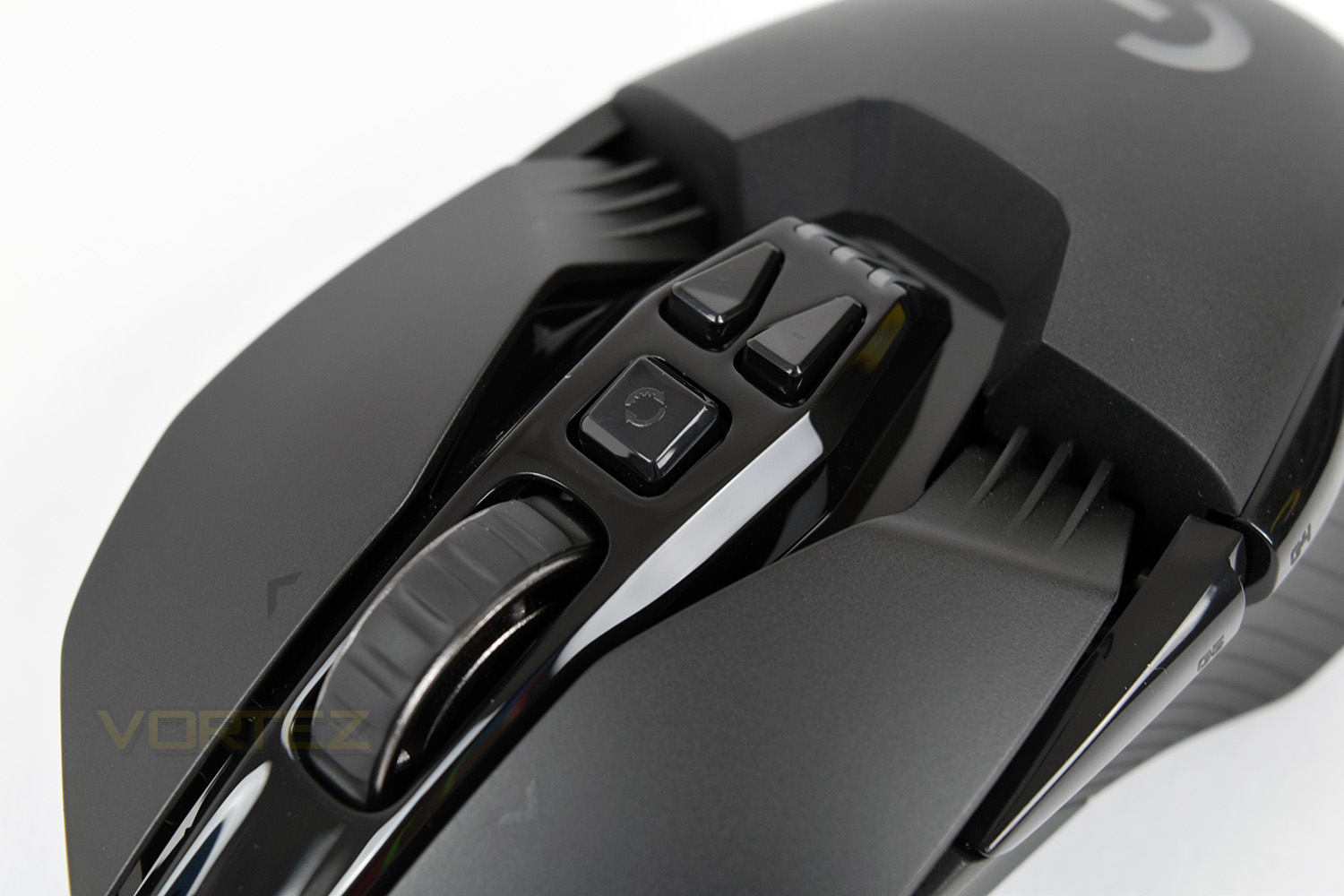
If you look very closely at the button directly behind the scroll wheel, you can see two semi-circular arrows, one of which is smooth on both edges, whereas the other has teeth cut out. This button is used to allow the scroll wheel to be switched between what Logitech call Hyperfast or a typical feel scroll wheel; one function allows the wheel to spin completely freely, allowing multiple pages to be devoured from one scroll, the other changes the flow entirely, giving it an incredibly notched, and reasonably loud, feel.The two triangular buttons behind that are for DPI control; Logitech have chosen to use a side-by-side setup instead of the typical above and below. This actually makes finding the correct button even easier than a regular design.
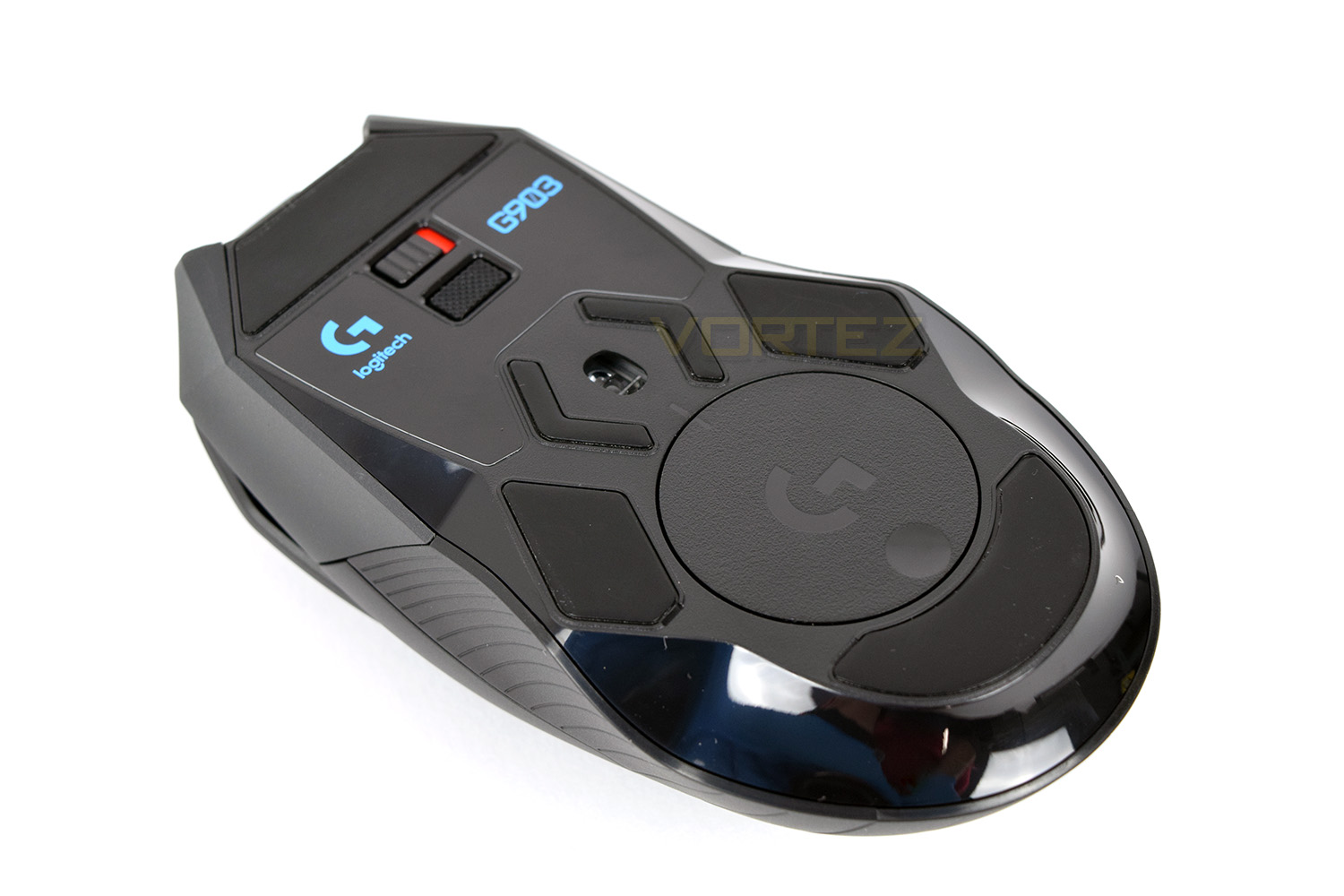
The underside of the mouse is quite a busy affair with a total of 6 PTFE glide pads to reduce friction as much as possible, an on/off switch, a profile toggle button and the PixArt PMW3366 Optical sensor. The sensor is partially protected against the ingress of dust and debris that inevitably gets onto your mousemat, but only on the outer flanks and not from above; a tiny bit more of the PTFE pad would’ve helped here.
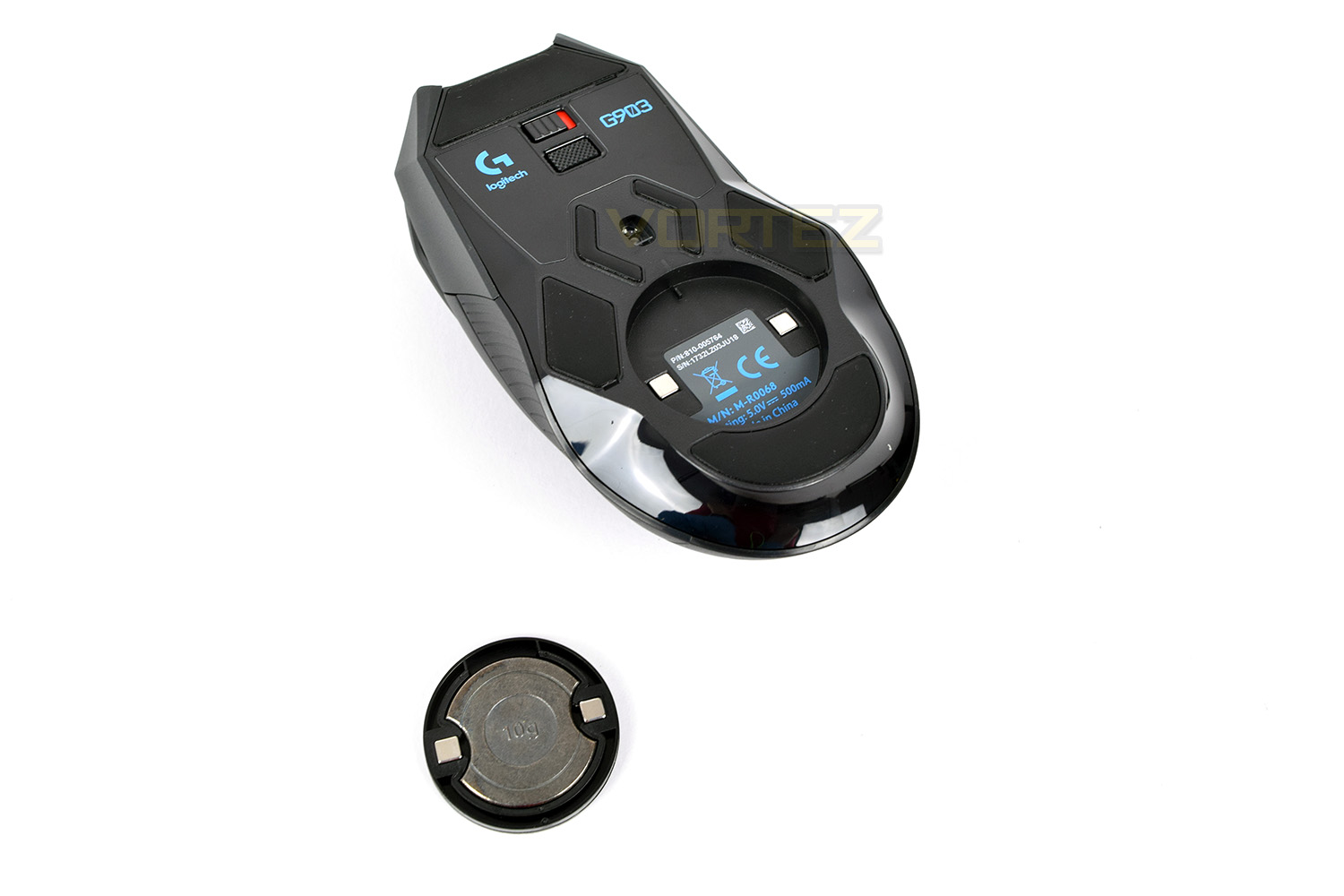
The round section towards the bottom of the mouse is where the optional 10g weight can be stowed, or, if purchased, where the PowerPlay PowerCore will be housed at the expense of that weight customisation.
Logitech have used a typical Micro-USB interface to charge the mouse but have beefed up the connection slightly to prevent movement, sag or damage to the port over time.
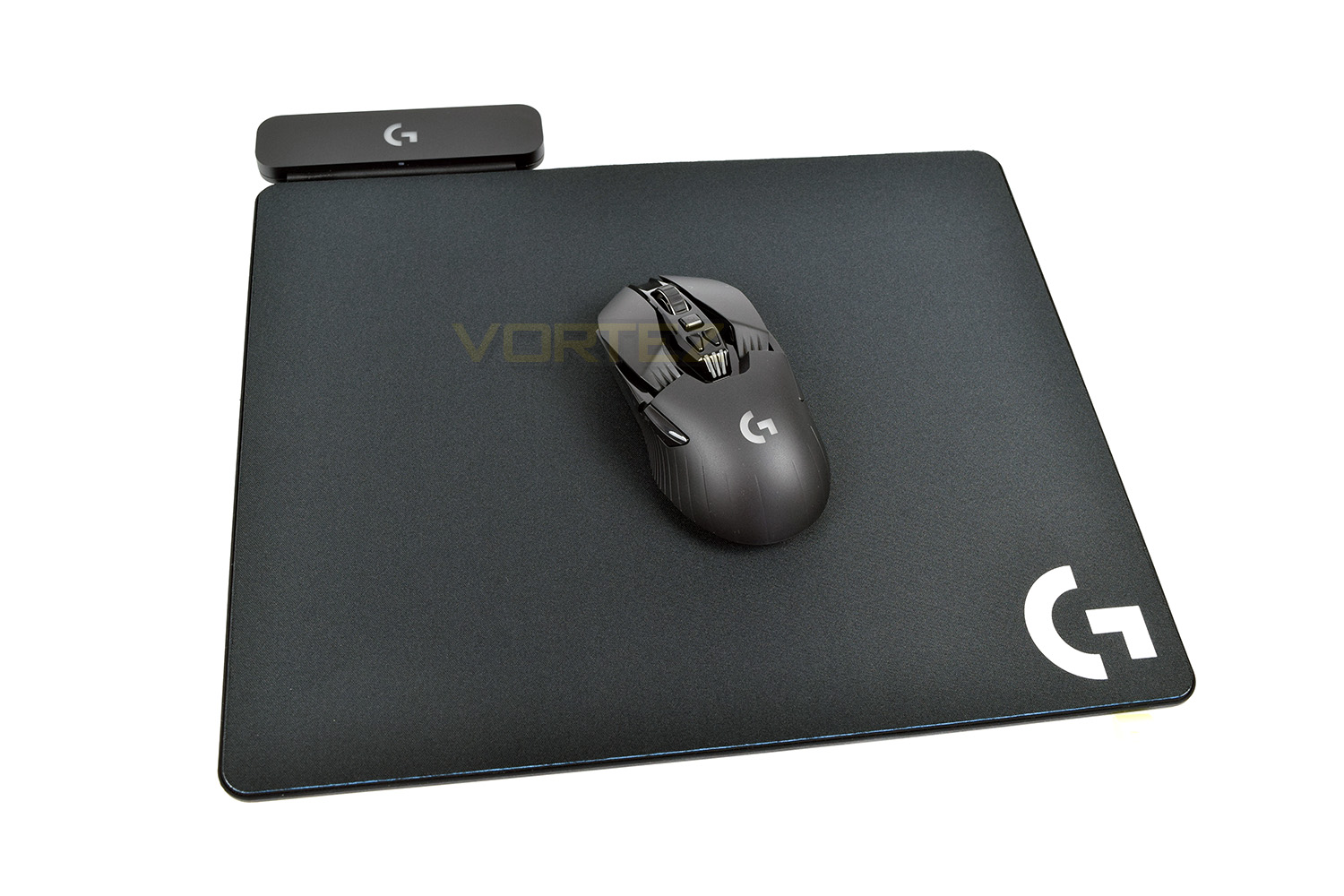
The Logitech PowerPlay mousemat, which is sold separately with an MSRP of £110, provides constant and entirely wireless power to the G903, removing any need for charging cables or even the worry of having to charge the device at all. What’s more is that the USB block connected to the top-left also acts as the receiver for the G903 and G703, negating the need for two USB connections to the PC. We’ll cover more on the technology and performance of the mousemat in our next review.
Software
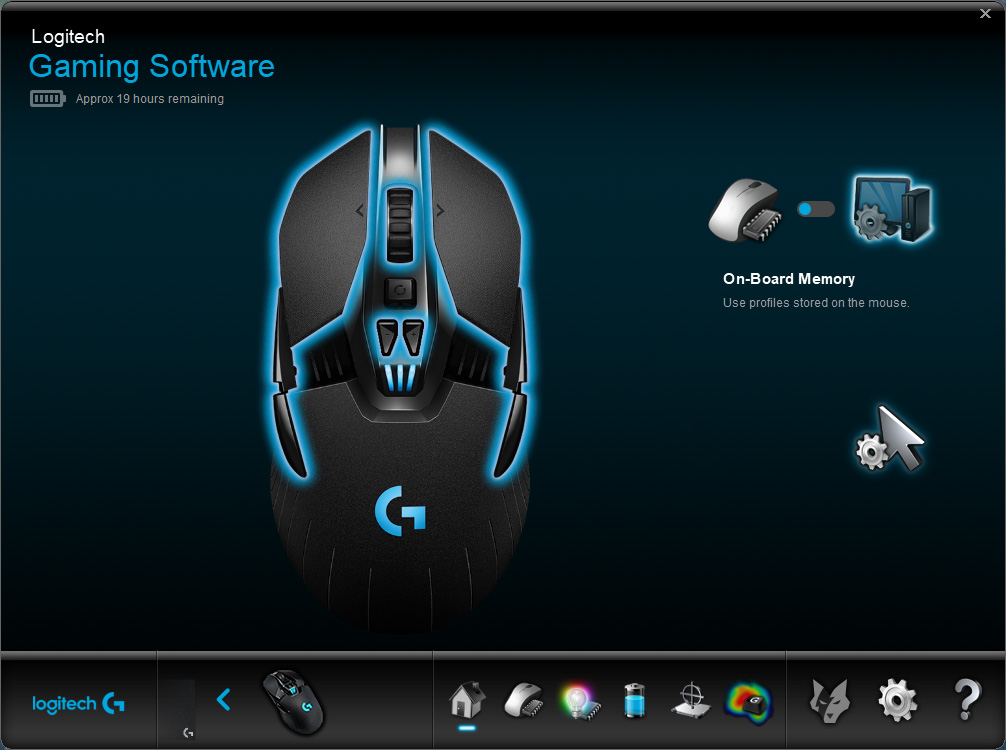
The G903 will function without the software suite installed, but to get the most from your new mouse, it’s best to install the Logitech Gaming Software.Upon opening the software, you have the option to change between on-board memory or software memory. Both options work exactly the same if you don’t intend to move your mouse to any new machine. You can also see the available buttons as well as the charging status.
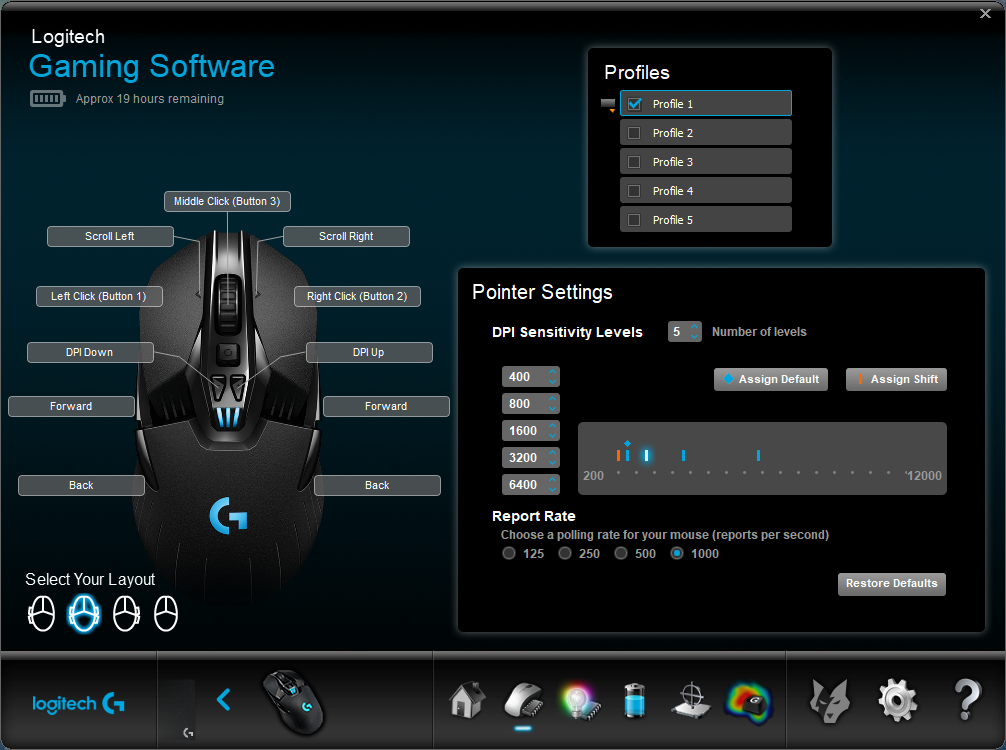
The second page allows customisation of specific settings, such as polling rate, optical sensor sensitivity, and the function of different buttons on the device. There’s also the option to change the button layout on the mouse, due to the ambidextrous design of the G903.
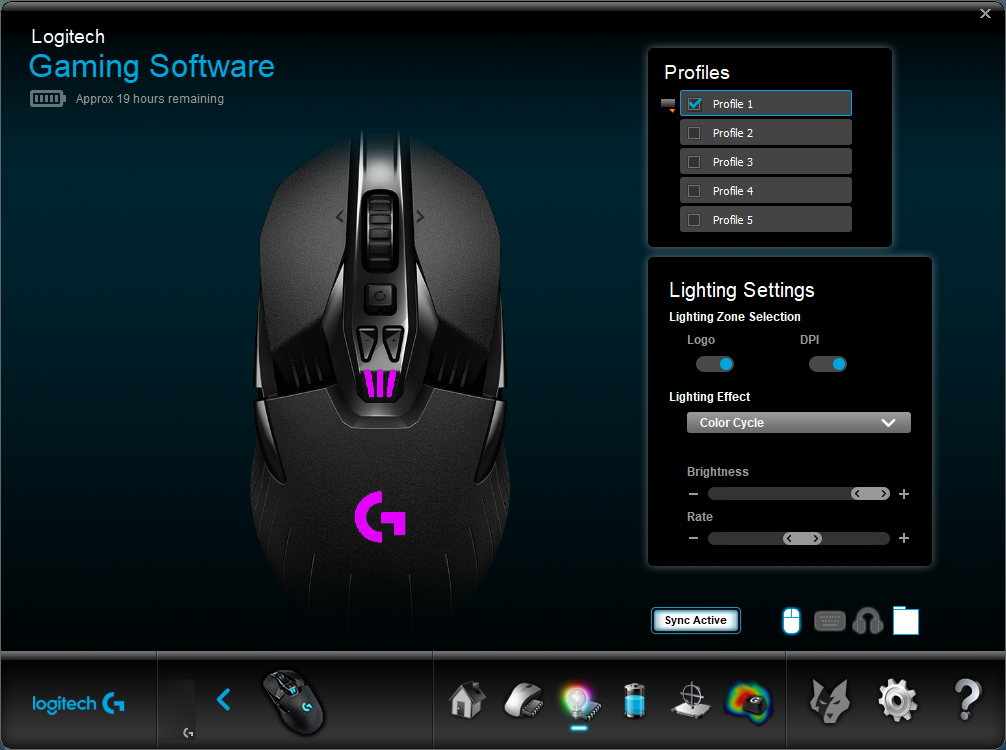
RGB lighting is a must on gaming devices these days; here’s where you can change the lighting. Mind you, lighting effects are incredibly limited, giving the choice of “Breathing” or “Colour Cycle”. No static colour can be selected. Brightness and the speed of animation can be adjusted.
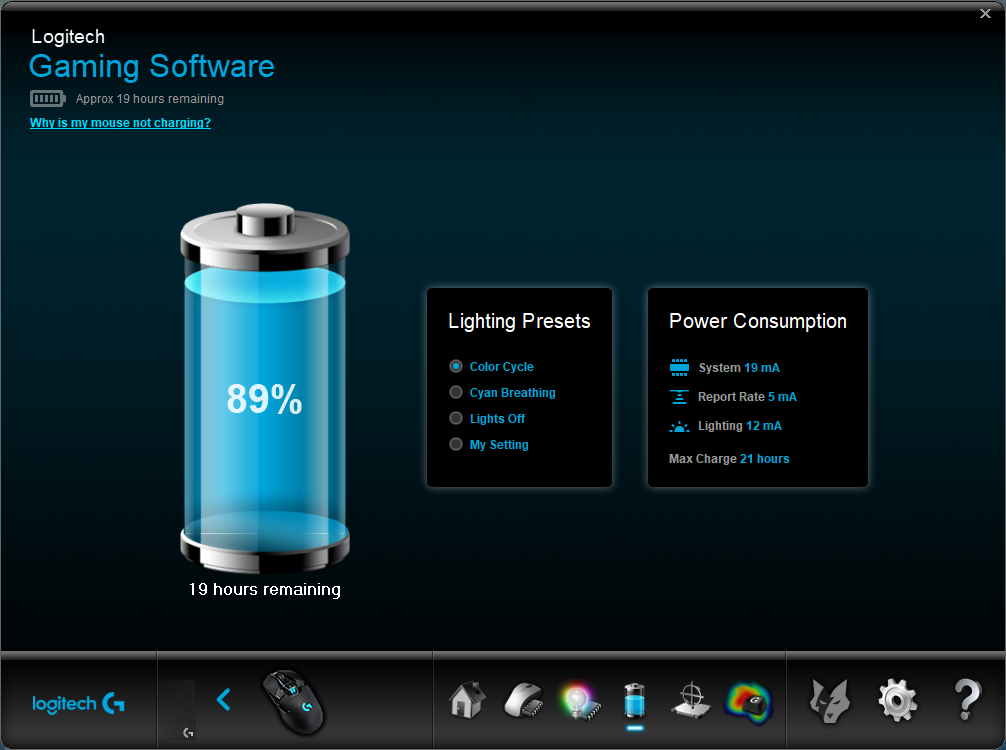
The Logitech software provides detailed feedback on current power draw, even being as granular as noting the usage from the system, wireless and RGB lighting.
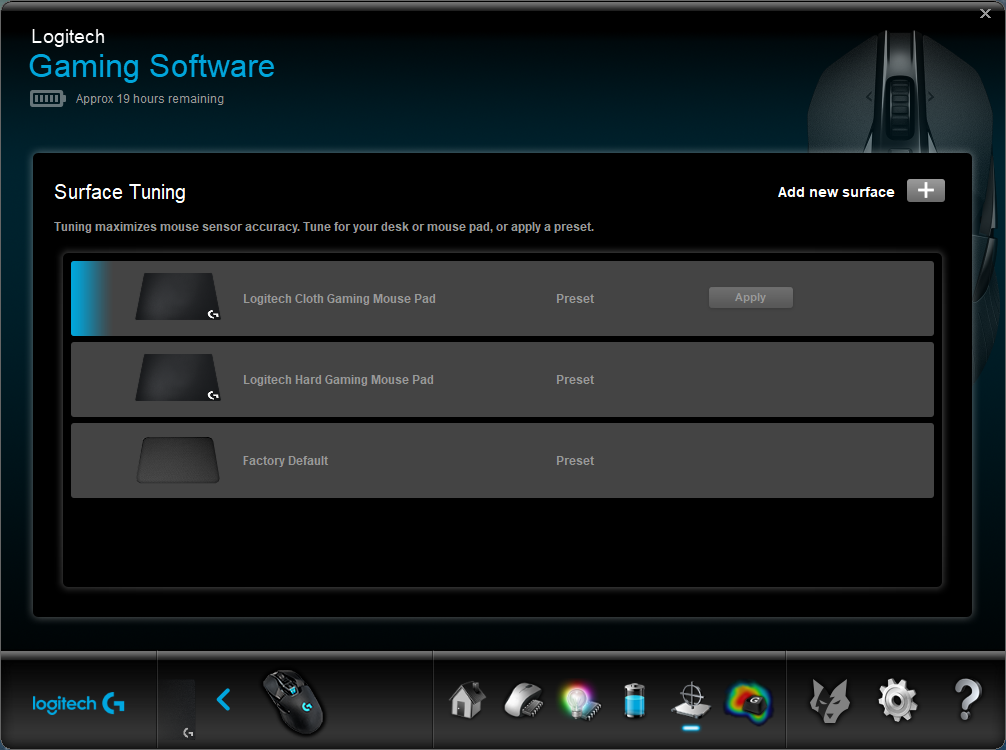
Due to the PixArt PWM3366 sensor being so incredibly sensitive, it’s possible to tune the mouse to your specific surface, or choose from the Logitech presets.
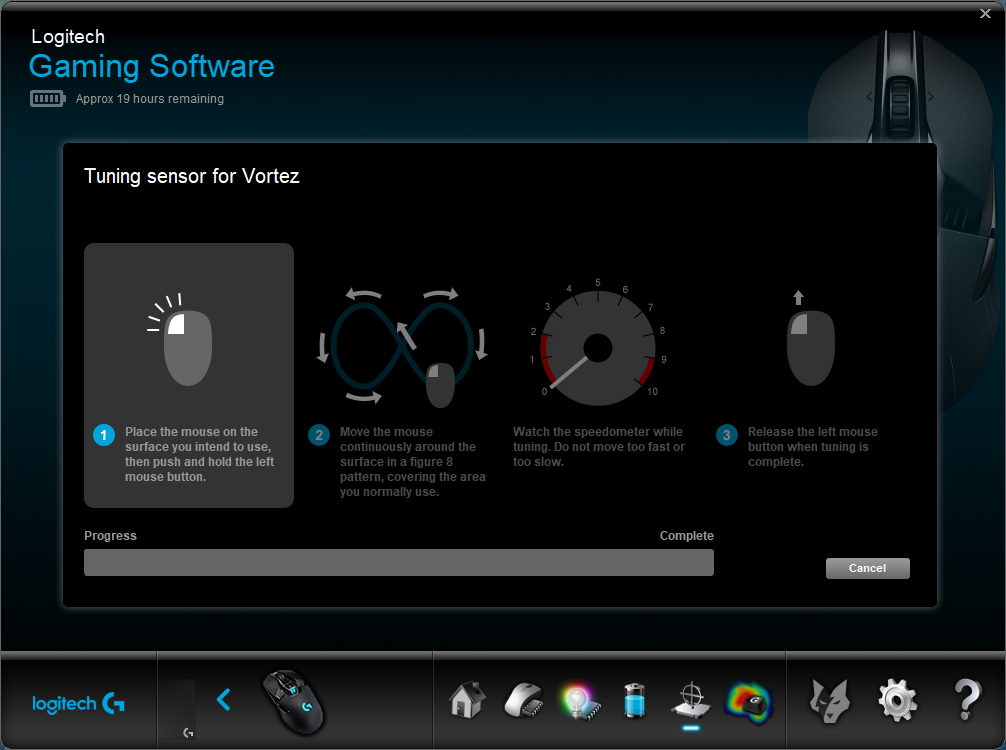
Tuning the mouse is a simple process, taking around 60 seconds.
Finally, if you need to keep track of how many times you click specific buttons on the mouse, Logitech have provided the ability to get a heatmap-style readout.
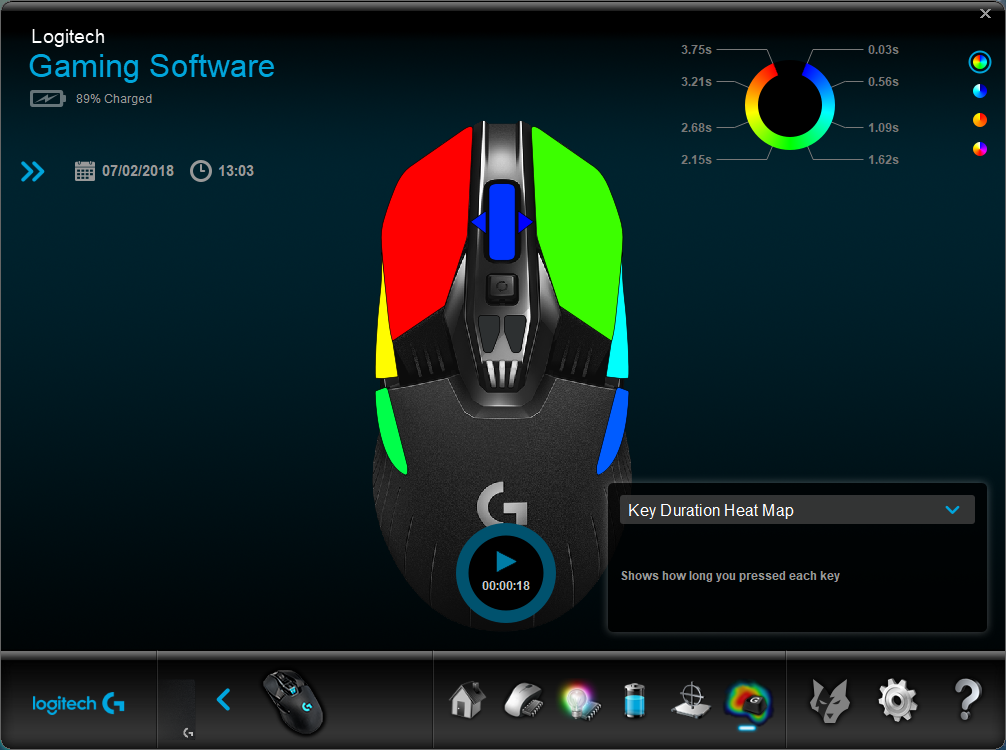
One thing we did note was missing was any kind of macro support; hopefully Logitech will add this at some point in the future.
Performance Testing
Generally, ambidextrous mice compromise between comfort and compatibility, to achieve a mouse that’s useable with either hand. The Logitech G903 has achieved this design while also remaining incredibly comfortable. Steps have been taken to reduce the overall weight, including a hollow “spoked” scroll wheel and thin wall moulding, all of which adds up to remove precious micrograms. Of course, you can completely undo all of Logitech’s hard work and place the 10g weight in the bottom. The right and left mouse buttons have been designed around a mechanical pivot design to improve click feedback and reduce the pre-travel distance between the buttons and switches. This also reduces bounce back. All of these aspects enable faster and and more predictable clicks, hopefully delivering better performance in your game of choice.Infinity scroll wheels aren’t a new addition, especially to Logitech mice, but they certainly have their uses, especially on long webpages. The button being directly behind the wheel makes switching between the two a breeze, but worry not about accidental clicks; the button requires a reasonable amount of force to switch between the two settings.
No gaming mouse is complete without RGB lighting. Logitech haven’t gone crazy and plastered every square inch of the thing, instead only using lighting on the shell of the mouse, and as a DPI display through the three RGB zones behind the DPI selection buttons. The lighting can be synced to other Logitech RGB peripherals, including the PowerPlay mousemat.
The PMW3366 optical sensor, developed by PixArt, is nothing short of astounding. Gaming performance is incredible with no noticeable jitter, dropouts or problems of any kind. The ability to also tune the sensor to your surface further helps.
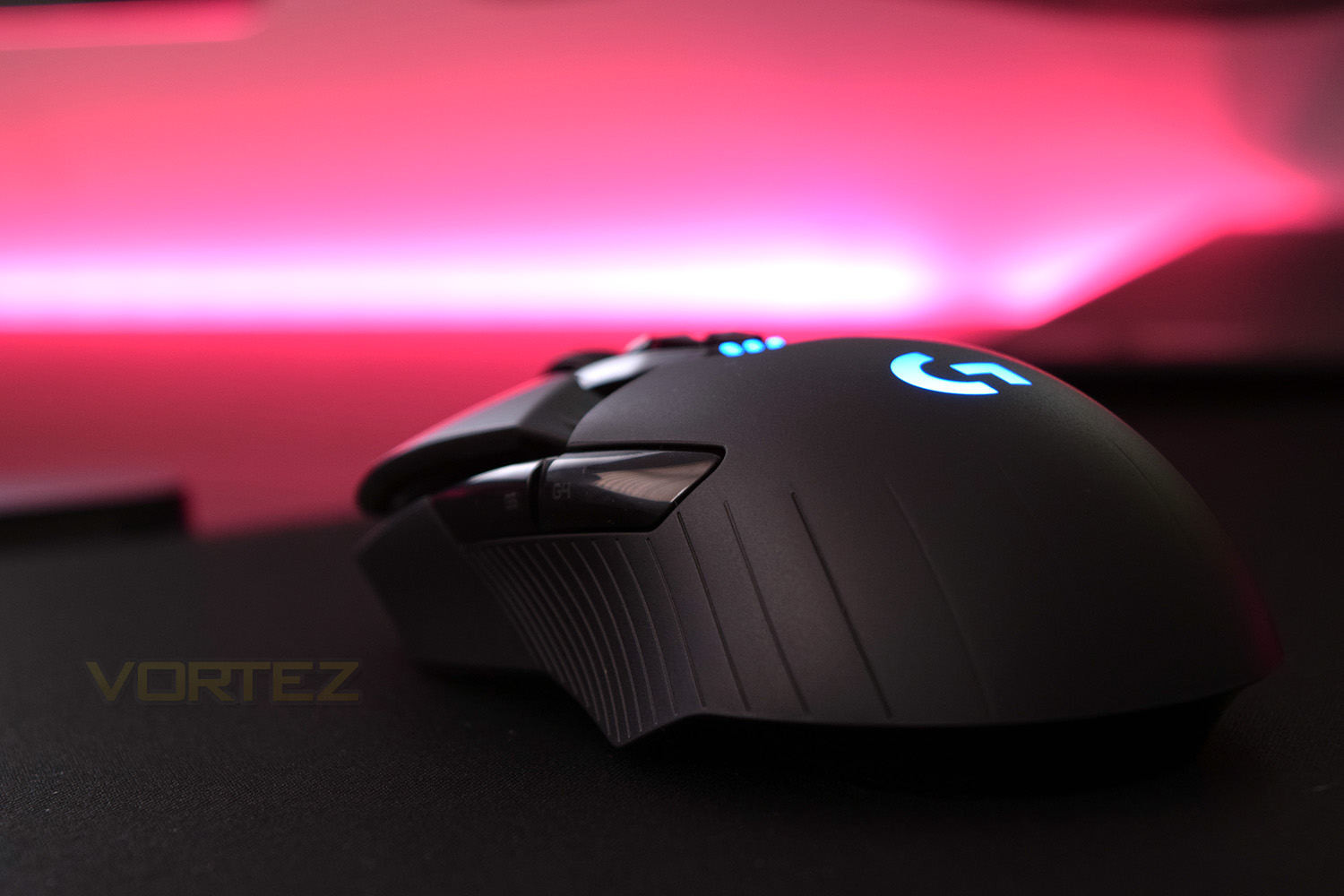
LIGHTSPEED, Logitech’s wireless connection standard, is the standout feature of the device. Any and all attempts to corrupt the signal, either by increasing distance to the sensor or running several wireless devices in close proximity were all completely futile. No lag or missed transmissions were recorded. What’s even more impressive is the 25 hour battery life on a single charge, despite running the RGB lighting and a 1000Hz wireless polling rate.
During our testing, we used the G903 on Logitech’s PowerPlay mousemat. This removes the largest annoyance of wireless gaming peripherals – charging. Not only that, but the USB block on the mousemat also doubles as the USB receiver, decreasing the transmission distance and therefore reducing any chance of interference or lag issues. To really extract everything from the G903, the PowerPlay mousemat should definitely be considered as a purchase alongside the mouse itself. Perhaps Logitech could offer the pair in some sort of bundle at a reduced price, with the typical RRP being just short of £260.
Conclusion
Featuring an almost impenetrable wireless connection, lightweight construction, mechanical pivot buttons, a 12,000 DPI PixArt sensor, ambidextrous design, an infinite scroll wheel, interchangeable side buttons, optional wireless charging and RGB lighting, there’s plenty of features to discuss.The LIGHTSPEED wireless connection is as good it gets right now. Logitech have nailed this technology, especially considering the battery life available and the tiny wireless adaptor required.
Shining the spotlight on the PixArt PMW3366 sensor, with its zero acceleration, smoothing or filtering, it provides a completely unadulterated, natural way of using the mouse that very few mice manage to achieve. The only mice with a similar feel were the SteelSeries Rival 300 and Sensei 300 with the PMW3310 sensor.
As mentioned on the previous page, to get the most out of the Logitech G903, it’s almost necessary to purchase the PowerPlay mousemat. This takes away any and all problems due to charging or lack of power. It’s all of the plus points of wireless play with none of the downsides. These two individual units RRP at almost £260 together, but can be found for under £180 (£99.99 for the G903, £79.99 for the mousemat) at a major UK retailer; at that price, we would thoroughly recommend the pair.
When considering a mouse, there’s generally three important factors; cost, comfort and performance. The Logitech delivers incredibly well on the comfort and performance factors, with cost being purely subjective.
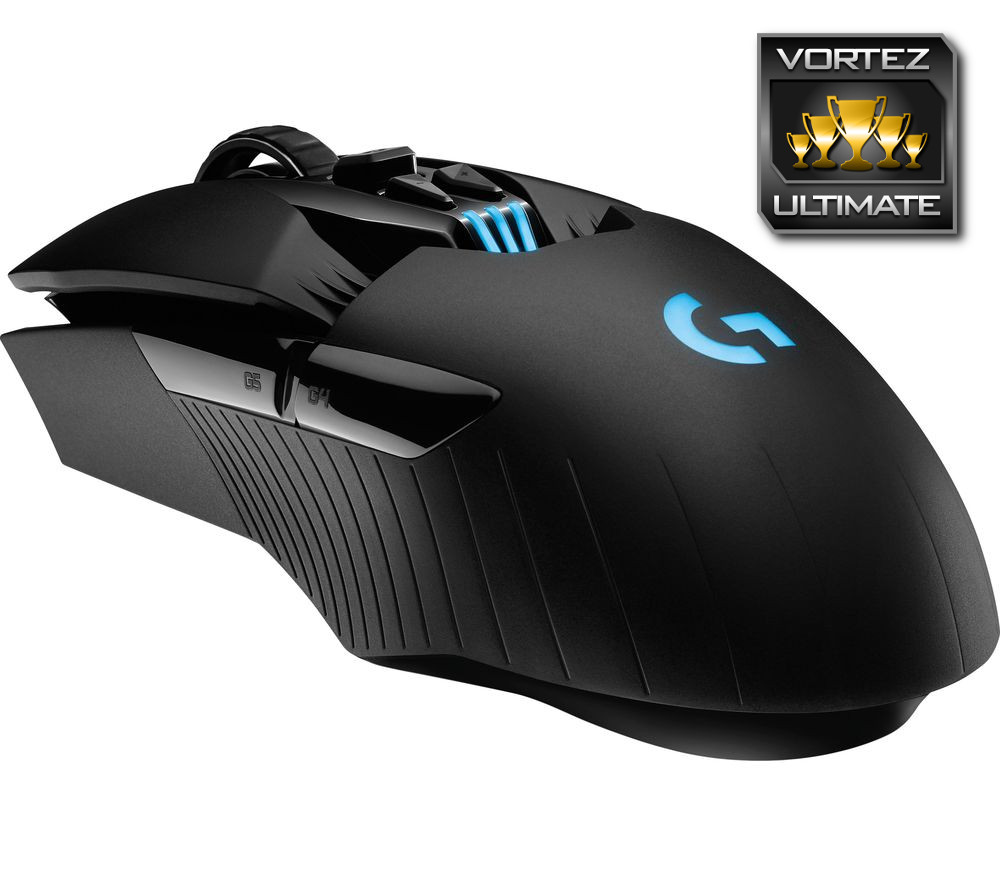
This is truly the pinnacle of wireless performance right now, which when paired with the PowerPlay is everything you can ask for. Look around for a good deal and you’ll be blown away!
Pros
+ LIGHTSPEED wireless connection
+ Solid build quality
+ RGB lighting
+ PMW3366 Sensor is epic
+ Mechanical pivot buttons
+ Infinite scroll wheel
+ Ambidextrous shape
+ PowerPlay compatibility
+ Great battery life
+ Adjustable weight
+ 1.8M braided charging cable with excellent connection
Cons
– Pricey at RRP (substantial discounts available from various retailers, however)
+ LIGHTSPEED wireless connection
+ Solid build quality
+ RGB lighting
+ PMW3366 Sensor is epic
+ Mechanical pivot buttons
+ Infinite scroll wheel
+ Ambidextrous shape
+ PowerPlay compatibility
+ Great battery life
+ Adjustable weight
+ 1.8M braided charging cable with excellent connection
Cons
– Pricey at RRP (substantial discounts available from various retailers, however)
Click here for an explanation of our awards at Vortez.net.
Stay connected with the Vortez Social Media pages:
Join in with the discussions on Discord