







Today we look at Logitech’s latest offering from the G series of gaming laser mice. Lets take a look at the Logitech G9x…
Product on Review: Logitech G9x Laser Gaming Mouse
Manufacturer and Sponsor: Logitech
MSRP: £95
Logitech have been in the business for a very long time and should be easily recognizable to all as the peripheral king of the computing world. They have furnished the modern gamer with some brilliant products in the two decades they have been in existence. Today we have the pleasure of studying one of their newest laser gaming mice the G9x taken from the G series.
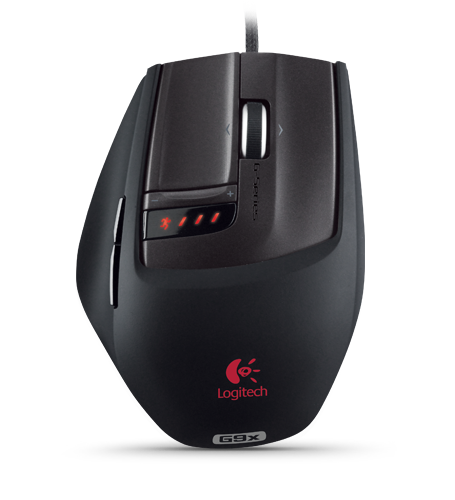
Logitech have the following to say about the G9x:
Tuned for the way you play
Developed with personalization in mind, the G9x Laser Mouse is the most customizable mouse Logitech has ever built. With an unprecedented number of adjustable features, gamers can tune their mouse settings for better performance, fit, feel and looks.
Providing precision at any hand speed (up to 150 inches per second on most popular gaming-mousepad surfaces), the G9x extends the promise of the award-winning Logitech G9 Laser Mouse with its next-generation laser sensor. Featuring on-the-fly adjustable dpi from 200 to 5000 dpi, the G9x makes it easy to go from pixel-precise targeting to lightning-fast manoeuvres without pausing the action.
Get the gear to suit your gameplay. Play with the best.
A very interesting blurb, and surely foretells of a very attractive product indeed. Over the page we will begin looking at this exciting new release.
Features and specifications
Interchangeable grips
The satin texture and fuller shape of the Wide Load grip add extra comfort. The DryGrip technology and compact shape of the Precision grip give you unmatched control.
Next-generation gaming laser
You get game-changing precision at any hand speed.*
Onboard memory
You can program up to five profiles (keyboard macros, dpi settings, and LED colors), so you can play your way on other PCs**—without software installation.***
Weight-tuning system
Prefer a heavier or lighter mouse? You simply use the weight cartridge and up to 28 grams of metal weights to customize your G9x for just the right feel.
Custom-color LEDs
You can choose the color of your LEDs from a wide color spectrum to match your mouse to your PC, game, or style. LEDs show your mouse dpi and profile settings.
On-the-fly adjustable dpi
You get the right level of precision for whatever game you’re playing—from pixel-precise targeting (200 dpi) to lightning-fast manoeuvres (up to 5700 dpi).**** Curious about cursor control?
Two scroll modes
Precise click-to-click scrolling is perfect for weapon selection when you’re gaming. Frictionless, hyper-fast scrolling lets you fly through long Web pages.
Polytetrafluoroethylene feet
Super-slick feet glide effortlessly across almost any surface.
Up to 4.19 m (165 inches) per second on most popular gaming-mousepad surfaces.
** Logitech® SetPoint™ software required for initial setup.
*** Some profile settings require SetPoint to be enabled and are not supported on Mac, Linux, and earlier Windows-based operating systems.
****To get your G9x Mouse to move at 5700 dpi, please download the latest software.
Technical Specification
Tracking
o Resolution: 200 – 5700 dpi
o Image processing: 12megapixels/second
o Max. acceleration: 30G
o Max. speed: Up to 165 inches (4.19 m)/second*
Responsiveness
o USB data format: 16 bits/axis
o USB report rate: Up to 1000 reports/second
o Sleep mode: Disabled
Glide
o Dynamic coefficient of friction – Mu (k): 0,09**
o Static coefficient of friction – Mu (s): 0,14**
o Tuning weight: Up to 28 grams
Durability
o Buttons (Left/Right): 8 million clicks
o Feet: 250 kilometers
Packaging
If you have purchased a Logitech peripheral in the past you will be familiar with their branding. The Logitech G9x comes dressed in a colourful box, in the very centre the G9x mouse is revealed so that you can have a first glimpse of the shape and size of this gaming mouse. Around it are various feature specifications. Opening the box out further reveals the additional precision grip cover and some more in depth features are considered.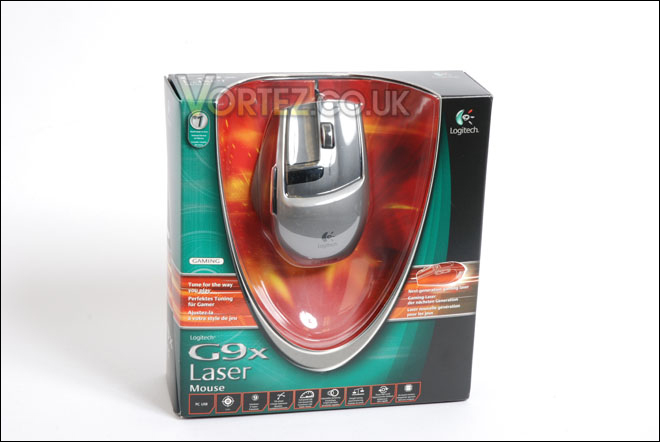
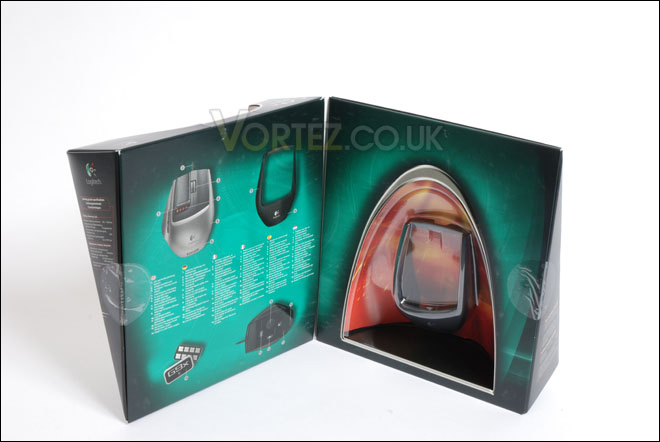
Taking all of the items out of the box we have the following:
• Logitech® G9x Laser Mouse
• Wide Load and Precision grips
• Weight cartridge
• Tuning weights and case
• User Manual
• Drivers CD
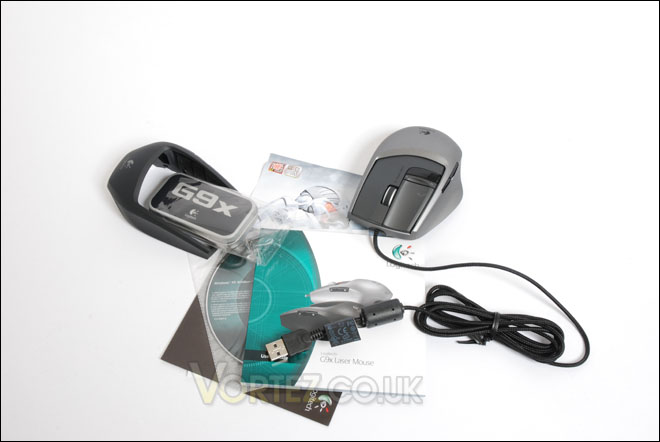
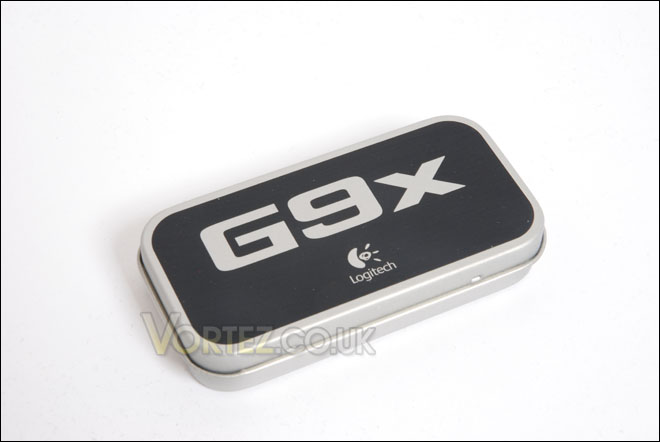
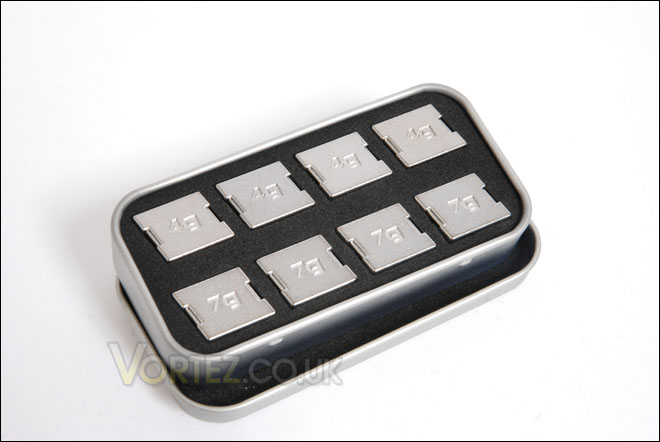
Before we take a proper look at the G9x we will take a quick look at the tuning weights that Logitech have included in the package. The tuning weights come in a dainty little metal box. Taking the lid off exposes 8 little weights. There are 4x4g and 4x7g. These weights are inserted into a small tray inside the G9x, allowing the user to customize the weight of the mouse to their desired mass. It’s helpful that Logitech have put the tuning weights into this little box as it will prevent misplacing them when not required. We will later see the weights installed inside the G9x.
Logitech G9x
It’s now time to look a bit more closely at the G9x. On first look, the G9x is unlike most gaming mice for its shape and size. Most gaming mice follow a similar style concept and what I like especially about the G9x is that it breaks out of this concept giving a fresh new approach to the peripheral mouse genre.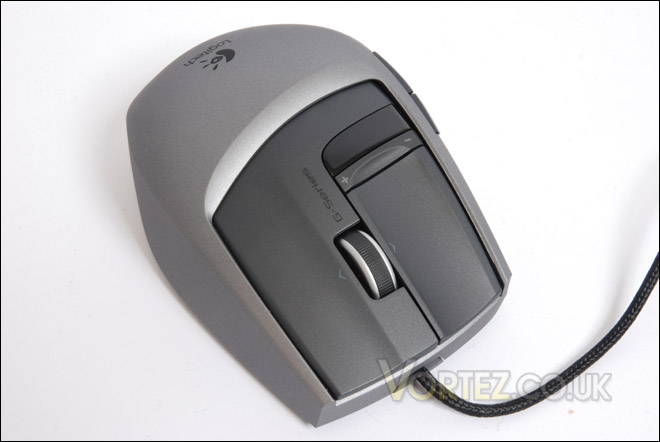
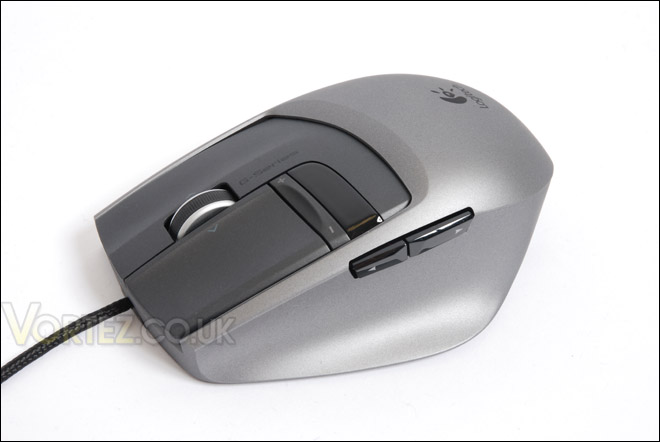
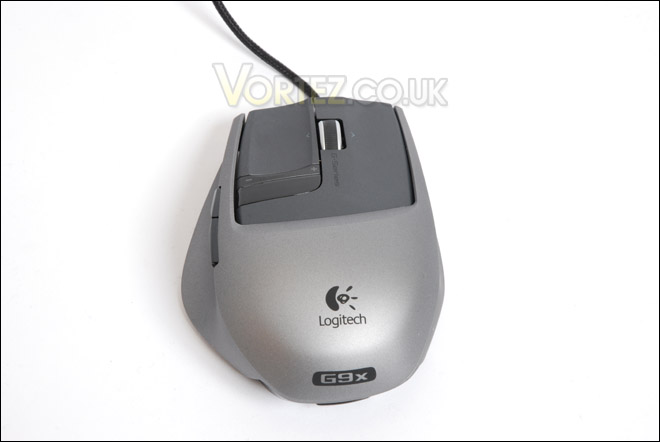
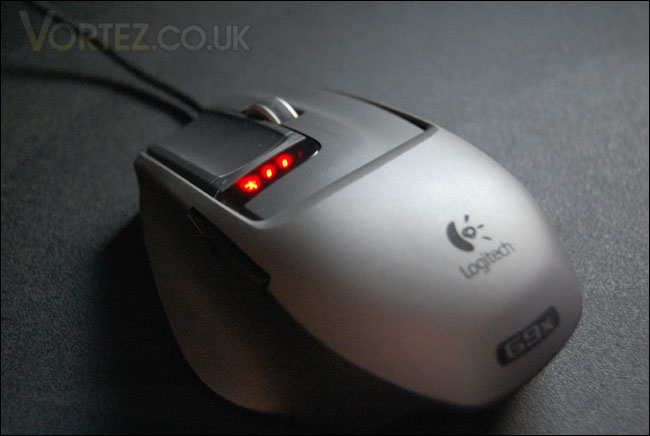
The thing that stands out about the G9x is the sheer amount of features included with this mouse. In total we have 7 full customizable buttons that allow the user to perform everyday operations as well as be at the top of their game. The buttons you can see in the image with the plus (+) and minus (-) characters are the controls that manage the DPI setting on the mouse. The DPI on the G9x can be managed between 200-5000, giving a great deal of flexibility for the type of gamer you are. The scroll wheel can be set in two different modes – precise and hyper. Precise scrolling is ideal for gaming sessions were you need to switch through weapons in your inventory whilst the hyper scrolling mode is suited to website navigation, especially useful if the page you are viewing is rather long to scroll up and down.
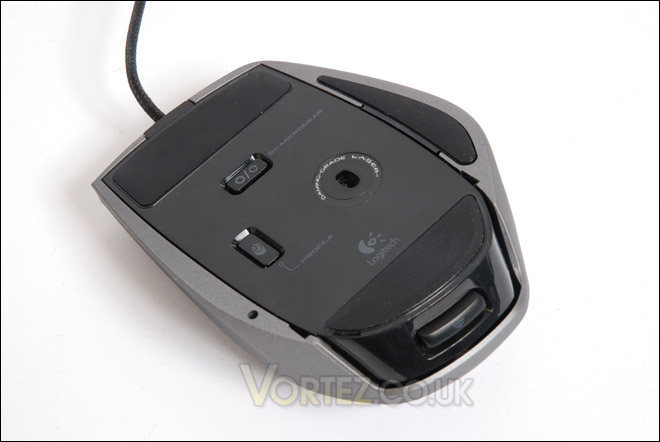
On the underside of the mouse we have some more buttons – ‘Microgear’ and ‘Profile’. The Microgear button manages the scroll wheel modes that I mentioned above, whilst the profile button allows you to change to a preset profile whilst in game. The LED’s will change so that you can identify which profile setting you are on. This is a neat idea, as it allows you to jump in and out of games whilst changing to different profiles on the fly.
When we took a look at the packaging earlier you will have noticed that I mentioned there is an additional precision grip. To change the default ‘smooth’ feel cover we just have to press the ‘eject’ styled button on the back of the mouse and the cover clips out revealing a smaller barebones version of the G9x. The precision grip cover is installed by simply clipping the cover in. All of this takes less than 20 seconds to do. What I like about this feature is that the default ‘wide load’ cover and ‘precision gip’ cover can suit the needs of users with different sized hands. For me, both grips feel great but I do prefer the precision grip because the texture of this cover just feels so much better. This cover uses DryGrip technology and is designed to prevent the mouse from getting slippery with sweat from the users palm.
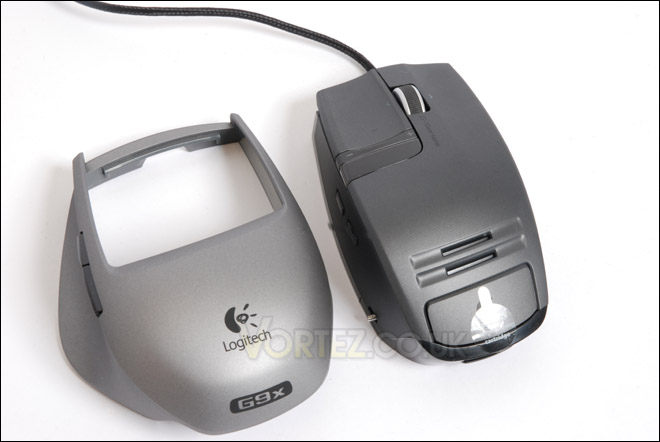
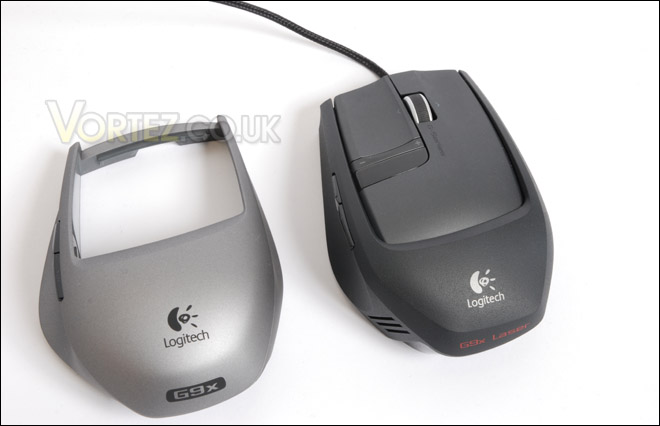
To customize the weight of the G9x all we need to do is take the cover off so that the mouse is naked, and press the rectangular area of the Logitech logo to cause the tuning weight tray to slide out. We can then install as many weights as we desire to give the G9x more stability whilst on the surface. We can install up to 28g inside the G9x. As soon as we are finished, just slide the tray back in until it clicks into place and pop the cover back on.
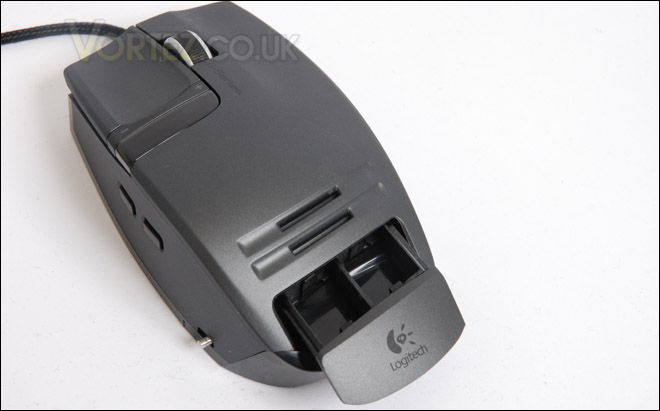
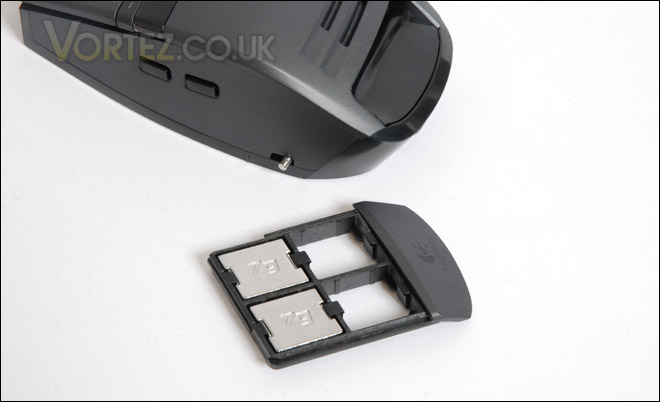
So as an overview, the G9x doesn’t differ very much from the popular G9 gaming mouse. The only upgrade noticeable is the increase in the laser sensor, from 3200DPI to 5000DPI.
Software and Testing
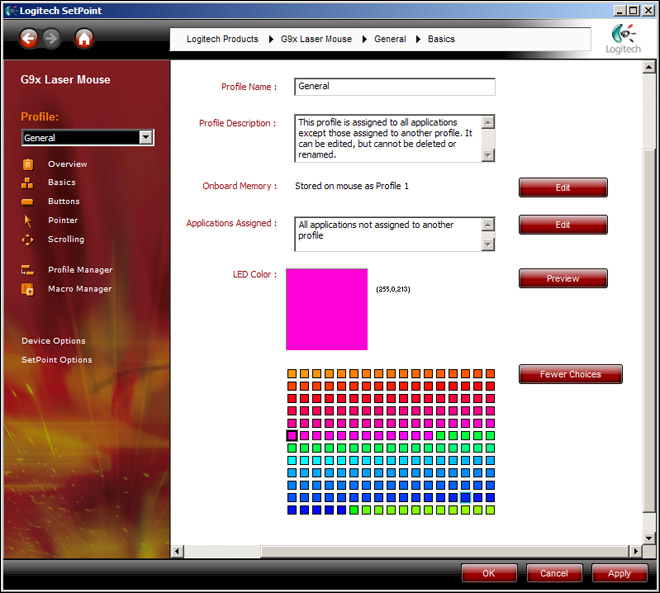
Bundled with the Logitech G9x mouse is a software CD containing SetPoint 5.1A which is compatible with Windows XP and Vista. Accessing this application will allow us to fully customize the G9x.The installation only takes a few minutes and upon installing its very easy to start controlling the G9x a bit more. It isn’t my intention to show you screenshots of every single page inside this program. First off, by clicking the ‘basic’ tab this allows us to choose a colour for each profile that is set. There are some basic colours but there is also an option to choose a much wider range. As soon as you hit apply, the colour will change. It’s great that not only can you change the colour but you can change to different shades too.
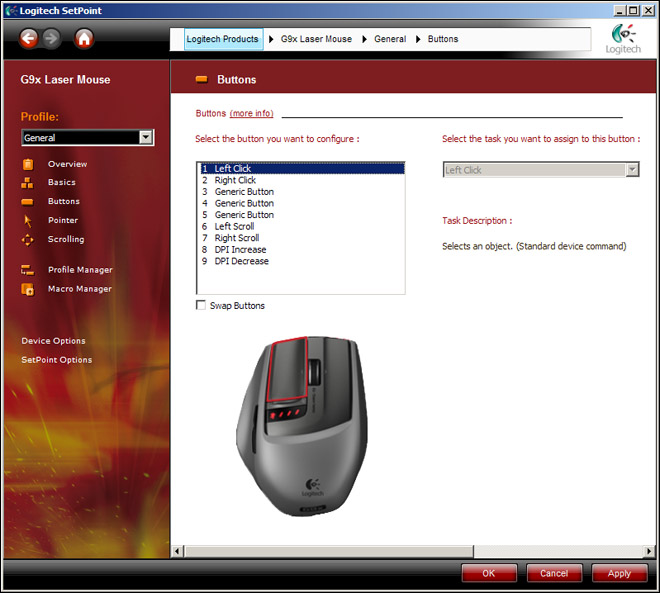
The next tab is the button configuration. Inside here we can choose from any of the 7 buttons and assign various commands or operations. Again this allows us to have greater control over each of the buttons on the G9x.
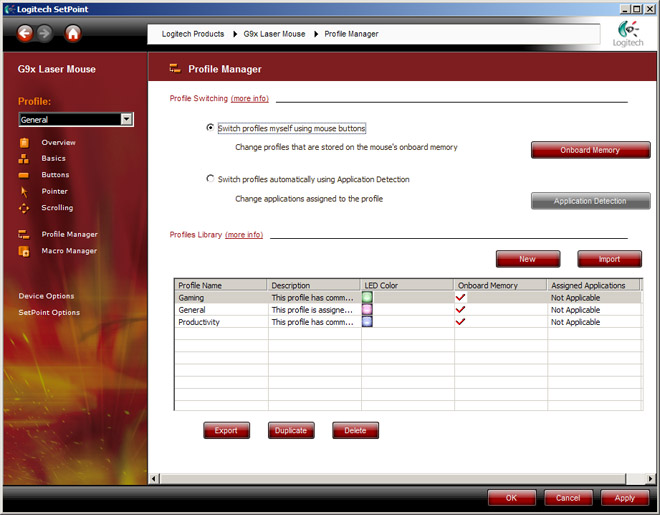
The next window I want to show you is the Profile Manager. Inside here we can set as many profiles as we desire, there are three default profiles setup already but we can for example have a profile for FPS and then a profile for RTS style games. Or even further we can have a profile for Unreal Tournament 3 and then another profile for Crysis. It just depends whether or not you have different DPI and other settings for each title. Inside this section you can also allow the application to take precedence in choosing the profile or whether you would like to by hitting the button the underside of the G9x.
Testing
For the testing of the Logitech G9x, I will proceed in testing two main areas. Number 1 I will spend an hour browsing the internet and editing some images in Photoshop and Number 2 I will play the two gaming titles for an hour (mentioned above). Crysis and UnrealTournament 3. These short tests should give us a good indication as to whether the G9x is a comfortable mouse to engage with. In both tests I will use both the wide-load and precision grip covers.
General usage – Internet and Photo editing
The G9x handles general usage with no problems at all. Depending on your hand size will determine which cover you go for. The forward and back buttons are very handy for web browsing as is the scrolling wheel. I do prefer using the scroll wheel in precise mode, purely because I am used to this on other mice.
Gaming
Similar to the other test, the G9x is well equipped for gaming, especially because it can be so widely customized. The custom profiles are a very handy option to have, due to the fact you can change the colour for each mode you will never mistakenly find yourself in the wrong profile for a certain style of game. Some fantastic features can be had with this mouse and it makes gaming a very fun activity. For gaming I would suggest using the precision grip rather than the wide-load as the HyperDry technology does keep the surface clear of any moisture from your palm, and because the surface isn’t smooth it provides a comfortable grip for hours of play.
Conclusion
The Logitech G9x is an exceptional piece of kit. Logitech have worked hard to produce a mouse that sets new standards bringing innovative ideas to the table. You only have to list the features involved in this amazing product. 7 customizable buttons, 2 changeable covers, custom profile setting on the fly, up to 5000DPI and more! There isn’t much you can fault with that catalogue of attributes.There is, unfortunately one downfall though. The cost. The G9 is priced at around £40, whilst the G9x is priced at a whopping £96 yet the only difference between the two G series mice is the jump in maximum DPI setting from 3200DPI to 5000DPI. I can’t understand how Logitech can justify setting the G9x at over double the price of its predecessor when the two mice are almost identical.
Yes, the Logitech G9x is an impressive gaming mouse with a multitude of features that will enhance both your gaming sessions and normal computer use, but whether it is worth spending over the odds when you can simply buy the G9 and it will do exactly the same job just without the higher DPI setting is up to you. If it was left down to me, I would go for the G9.
Pros
+ Plenty of buttons
+ Changeable covers
+ Custom profiles with LED settings for on the fly adjustment
+ Tuning weight system
Cons
– Very expensive
The Logitech G9x comes with an impressive array of features and is a brilliant mouse but due to the disappointing price that the G9x comes in at I award this product the Bronze Award. Discuss this review on our forums.

