Today we have the Wireless Entertainment Desktop 7000 from Microsoft! Take a look to see how this Bluetooth keyboard and mouse combo performs.
Product on Review: Microsoft Wireless Entertainment Desktop 7000
Manufacturer: Microsoft
Street Price: Around £60

Microsoft need absolutely no introduction here. A massive corporation we can thank for much of the software and hardware we use on a daily basis.
Not only have they coded the most popular and widely used operating system on the planet the company has also brought us two excellent generations of XBOX consoles and high quality peripherals for both gaming systems and computers.
| Here’s a little about the company: Founded in 1975, Microsoft (Nasdaq “MSFT”) is the worldwide leader in software, services and solutions that help people and businesses realize their full potential. For more than two decades, the Hardware Group has employed innovative engineering, cutting-edge industrial design and extensive usability testing to create products of exceptional quality and durability that enhance the software experience and strengthen the connection between consumers and their PC. Microsoft Hardware leads the industry in ergonomic engineering, industrial design, and hardware/software compatibility, offering consumers an easier, more convenient and more enjoyable computing experience. Microsoft IntelliMouse® Explorer, which was launched in 1999, earned a place on PCWorld.com’s December 2005 list of “The 50 Greatest Gadgets of the Past 50 Years” as the first mainstream optical mouse that “brought gunk-free pointing devices” to a broad consumer base. |
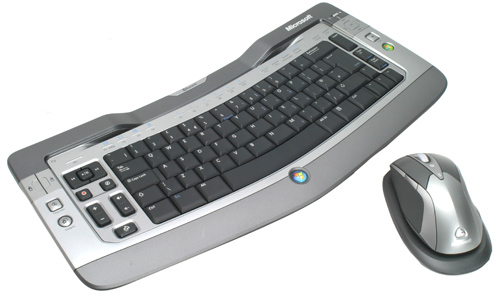
Today we have one of their newest generations of wireless keyboard and mouse sets in the form of the Wireless Entertainment Desktop 7000. This consists of a Bluetooth wireless keyboard and their first Bluetooth wireless rechargeable mouse.
Specifications
The Microsoft Wireless Entertainment Desktop 7000 is designed to work seamlessly with Windows and Media Center.
Its IntelliPoint and IntelliType software should add useful additional features to the keyboard and mouse combo allowing you full control of the system you have it connected to.
| Wireless Entertainment Keyboard 7000 features: • Amazingly sleek, compact design • Windows Vista button to launch shortcuts • MCE (Media Center Edition) Button • Windows Live Call Button • Capacitive Touch Keys • 2.4 GHz Bluetooth technology with First Connect Technology • Battery Life Indicator • Curved keyboard design delivers more comfort • True wireless freedom with up to 30-feet of range • Customizable Performance Slider Wireless Laser Mouse 8000 features: • Horizontal charging station • Customizable Performance Slider • Battery Life Indicator • Microsoft’s 2.4 GHz Bluetooth technology • First Connect technology • True wireless freedom with up to 30 feet of range • Proprietary High Definition Laser Technology • Instant Viewer tool • Magnifier tool • Real metal accents Software: • IntelliPoint and IntelliType Pro programs allow total control. |
Packaging and contents
The Wireless Entertainment Desktop 7000 comes in very attractive packaging. Deciding which is the front and which is the rear is somewhat difficult as you’ll see from the following images.
The front (my own executive decision) is a plain and simple affair showing the keyboard and mouse and the Vista compatibility the desktop set offers.
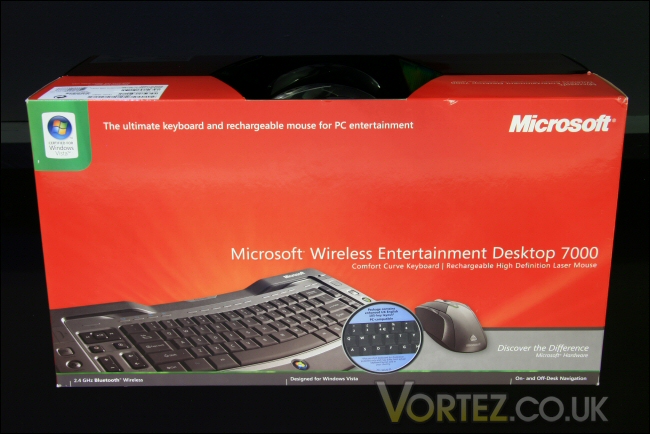
Box front.
The rear is unusual in that it actually has some of the product on display. The mouse takes the podium position at the top of the box protected by a moulded plastic cover. The remaining portion of the packaging includes detailed information covering the main features of the desktop set as well as images showing all the hardware contained in the products packaging.
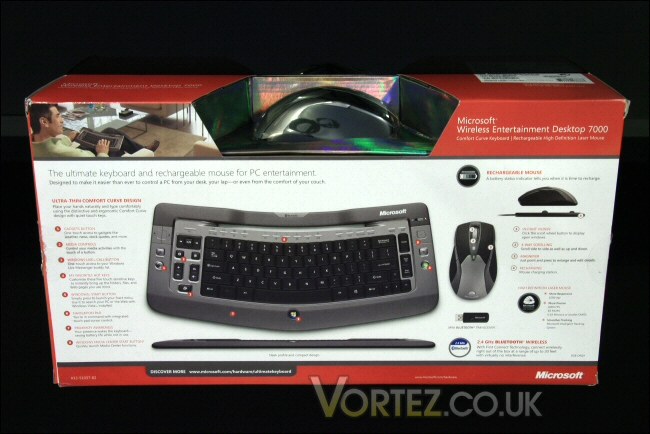
Box rear.
Upon opening we find all the bundled accessories provided with the desktop set. These include the IntelliPoint and IntelliType Pro software disk, an instruction manual, the 2.4GHz Bluetooth dongle, the mouse charging cradle and its associated power supply.
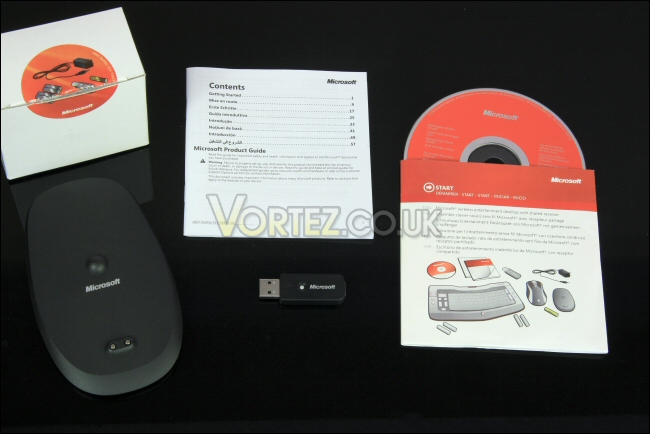
Accessories.
The Wireless Laser Mouse 8000 was next out of the box. A cool titanium and black finish looks neat and understated.
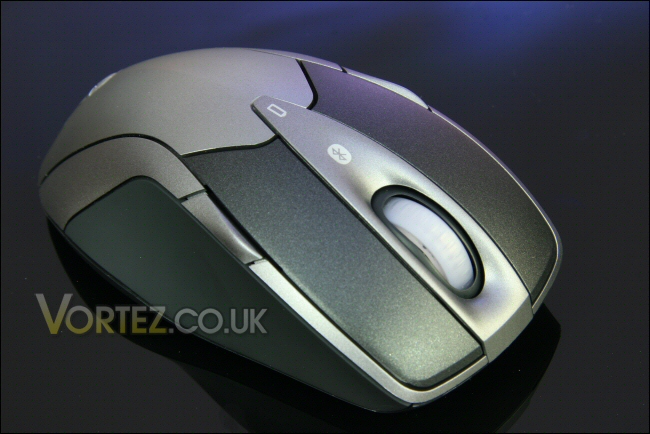
The Wireless Laser Mouse 8000.
And last but not least the Wireless Entertainment Keyboard 7000 in the same matching titanium and black livery. It’s a UK qwerty board but isn’t full sized meaning the numeric pad is integrated into the right hand letter portion of the keyboard itself.
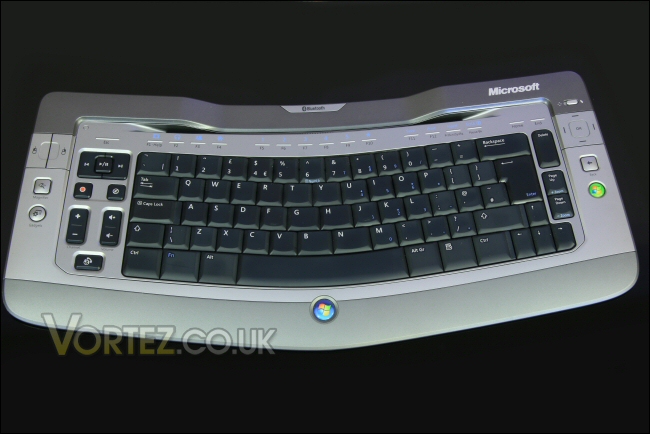
The Wireless Entertainment Keyboard 7000.
Let’s take a closer look at the hardware.
Laser Mouse 8000
First up we have a view of the mouse head on. It’s a standard layout with the two main control buttons straddling the scroll wheel. The scroll wheel here is one of Microsoft’s patented ‘Tilt Wheel’ models – this allows horizontal as well as vertical page scrolling for easier web and document browsing.
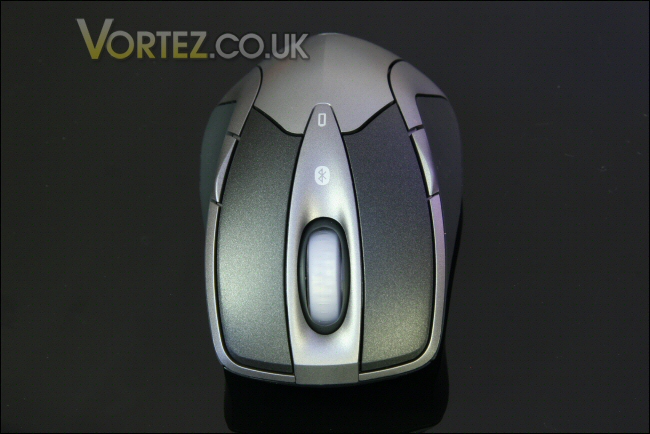
Mouse front.
There are also back and forward buttons although this mouse has one of each situated on each side of the mouse. The general layout is one placed ahead of the other on one or both sides of the mouse.
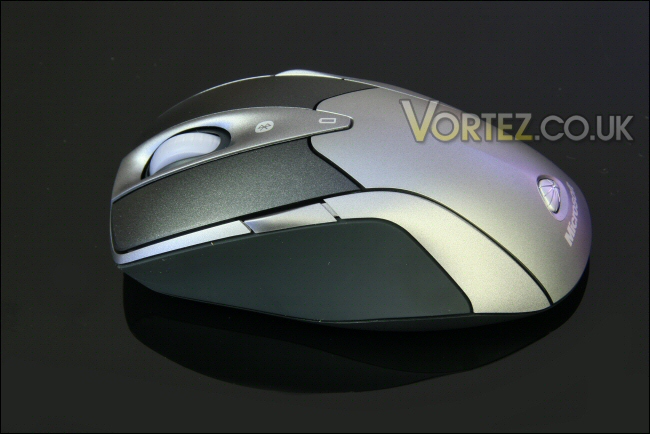
Left side.
The side profiles of the mouse are sleek and tidy with the side buttons integrated into a sweeping metallic curve. Each side mirrors the other – it’s a symmetrical design meaning the Laser Mouse 8000 will suit both left and right handed use.
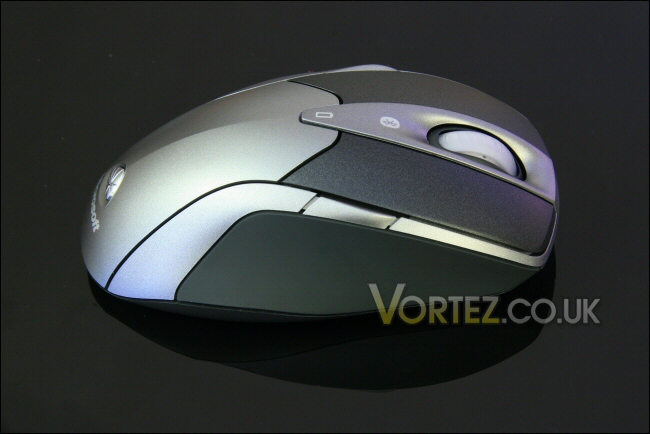
Right side.
The rear of the Laser Mouse 8000 sports a Microsoft label and badge with the ‘Laser’ icon.
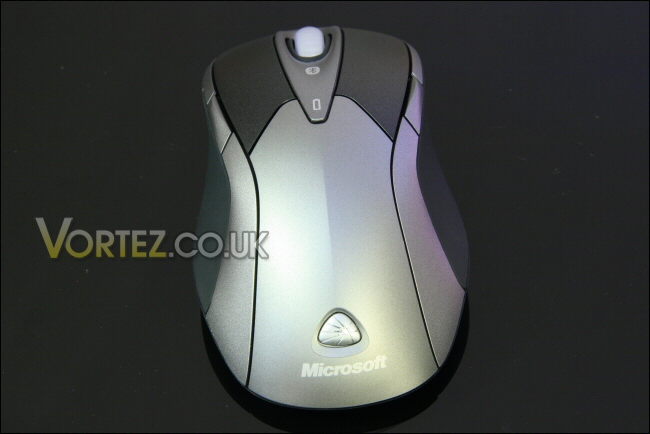
Mouse rear.
The underside has a good deal more going on. Four teflon pads, the laser optic hole, power switch and Bluetooth syncronisation button are the main features here. Within the mouse we find a single rechargeable AA battery, and near the back of the mouse the contacts for the docking station. Just ahead of the laser optic is a domed indentation – this is part of the docking station and allows the mouse to sit easily in the cradle for charging.
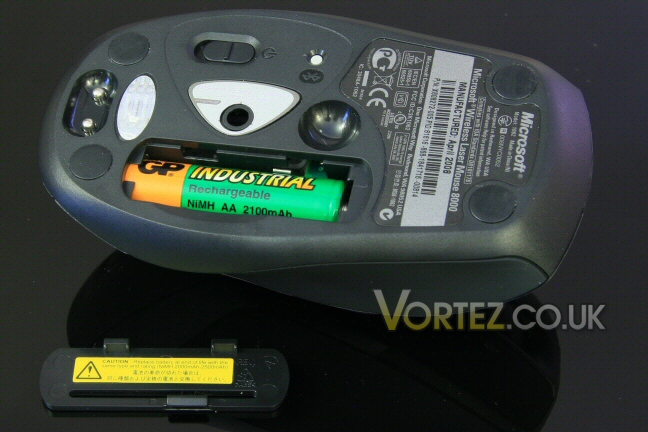
Features on the underside.
On first power up you are greeted by a green power light showing that the mouse has sufficient power and is good to go. This flashes during charging and changes to a constant ‘on’ state when fully charged.
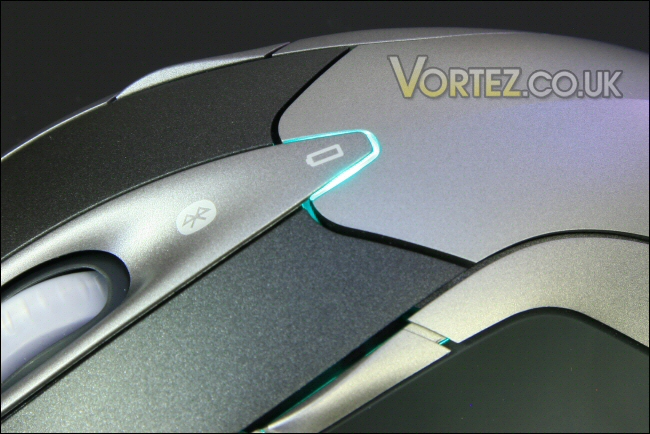
Green and you’re good to go.
In the event the mouse begins to run low the indicator light on the mouse will turn red like you can see below.
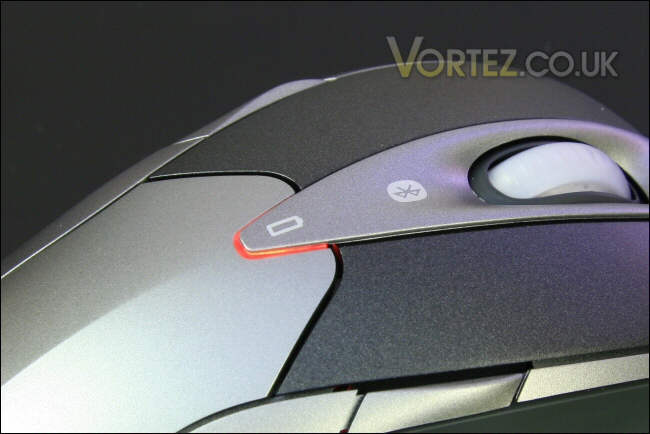
The red LED battery warning light.
Entertainment Keyboard 7000
The Wireless Entertainment Keyboard 7000 is another sleek looking item that perfectly complements the Laser Mouse 8000. Its distinct Microsoft curved ergonomic keyboard is aesthetically pleasing and should be nice to use too.
The curved ergonomic keyboard design.
Like the Laser Mouse 8000 the Wireless Entertainment Keyboard 7000 has a power status light that illuminates upon first powering up. This should once again light up red when the batteries need changing.
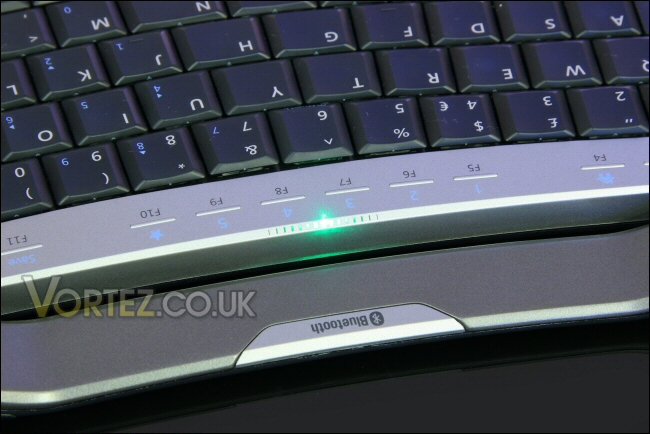
Power LED.
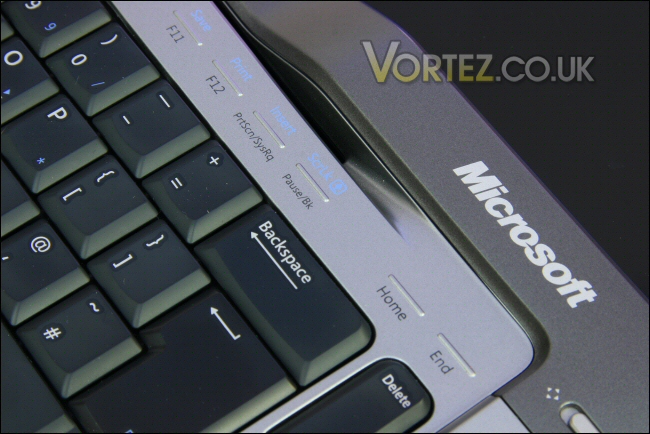
Beginning at the top of the keyboard we find the ‘F’ keys. These in no way resemble your run of the mill board keys and are actually a capacitive touch sensitive design. This means that unlike the normal button press you’d apply even the slightest and lightest contact will activate them.
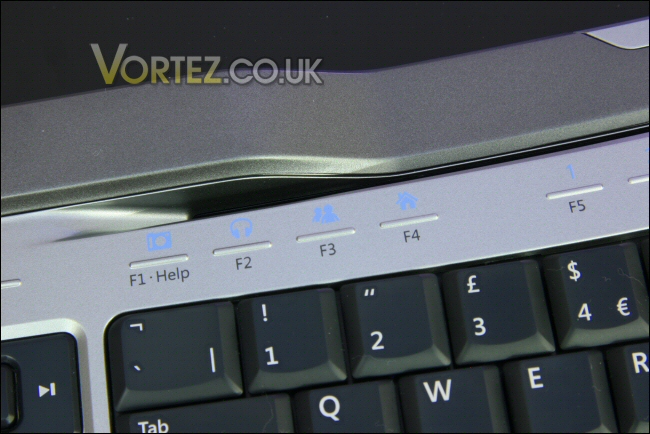
The capacitive keys at the top of the keyboard.
Either side of the qwerty portion of the keyboard we find some of the mouse and media specific functions. The far left side incorporates the left and right mouse buttons, a handy magnifier and gadget button. Inside these we then see a group of media based keys including play/pause, skip forward/back, record, channel +/- and volume +/-. The last key at the base of the image is the Windows Live Call Button – this is tied into your Windows Live Messenger account and when pressed will launch the Buddy Picker which will start up a video call or chat.
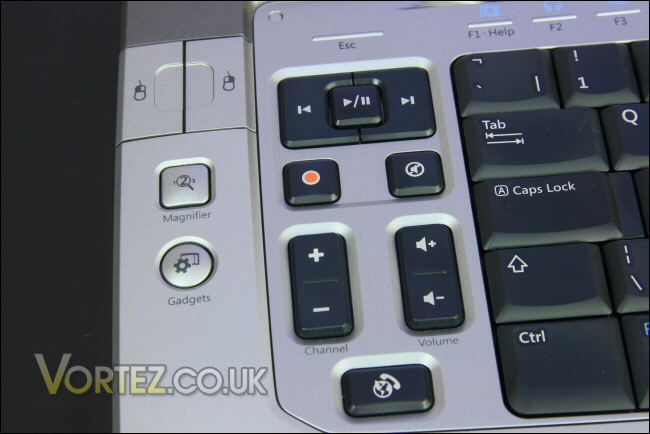
Mouse, gadget and media buttons.
On the right side of the keyboard we have the Media Center button which quite obviously activates its namesake. Above that is the back button that integrates well into Media Center and above that is a four way pad. This is a very interesting little piece of kit that allows both four way scrolling control or full mouse cursor control depending on the position of the toggle switch above the pad.
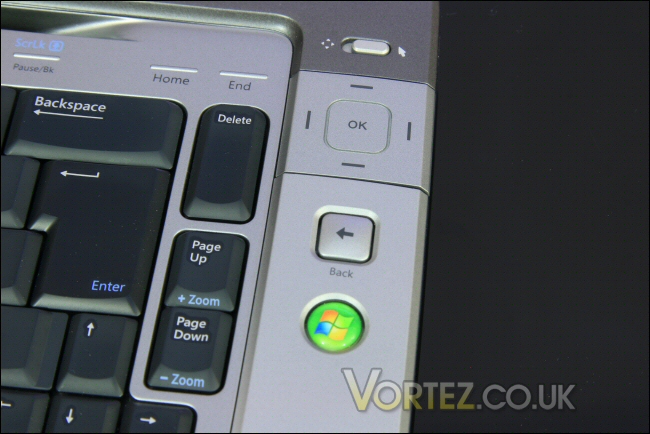
The compact but effective track pad!
The most impressive aspect of this pad (and something that wasn’t clearly stated in many of the reviews I’ve seen) is that this tiny four way pad actually works like a mini laptop style mouse track pad. Slide your finger over the surface of this small square pad and the mouse moves accurately and smoothly.
I must say i was very impressed when I discovered this since i was expecting a simple but far less effective four way push button affair where a left button press would send the cursor left at a possibly depressingly slow set speed – this was obviously not the case! Thumbs up!!!
Entertainment Keyboard 7000 continued
At the wrist rest portion of the keyboard we find the Windows Button. Like the Windows button on a standard keyboard this key activates the desktop Windows button to allow access to recently used programs, documents and many of the system control level features.
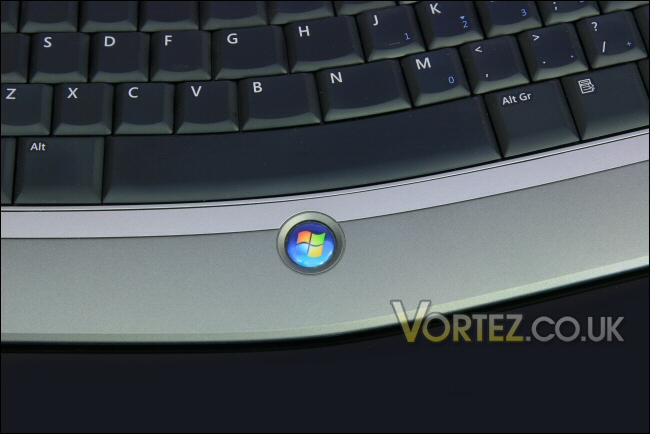
The ‘Windows’ key.
Moving to the rear of the board we see model and serial number info including the Bluetooth capability of the Wireless Entertainment Keyboard 7000.
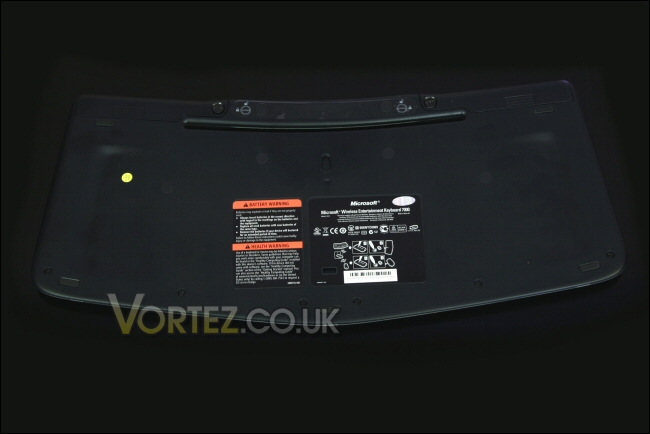
Keyboard rear.
In the central portion of the base we find the power switch and Bluetooth syncronisation button. I do like the robust and sizeable nature of the power button. Far too often these switches are small, somewhat delicate and quite difficult to get to.
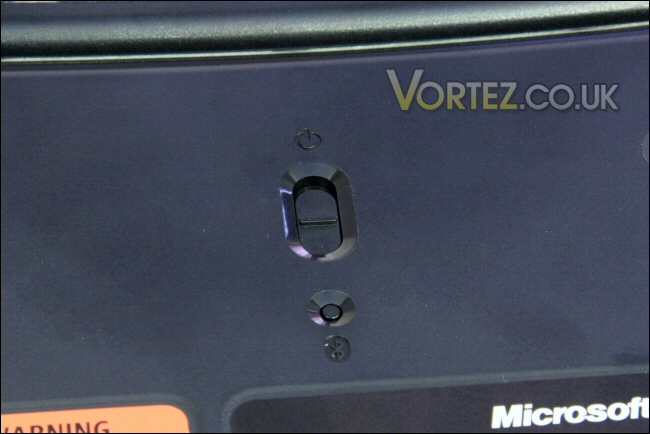
Bluetooth sync and power switch.
At the top or the keyboard rear and either side of the battery indicator section with the Bluetooth logo we find space for four AA batteries. These are one shot items but in my experience should last quite well. Microsoft have nicely designed a metal latch mechanism to secure the battery bay doors in place. These should hopefully be more robust than standard all plastic designs which may fatigue and fail.
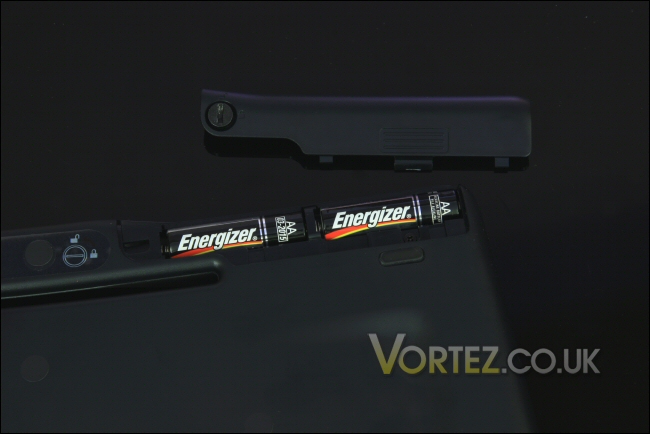
4x AA batteries.
Mouse software
Onto the software side of the bundle and up first is the IntelliPoint 7.1 suite which will be used with the Wireless Laser Mouse 8000. I must say that the software is very comprehensive in that it encompasses a raft of Microsoft’s mice from fairly distant past up to present.
The first screen that greets us is the button assignment screen. Here you can assign any function to any of the buttons on the unit.
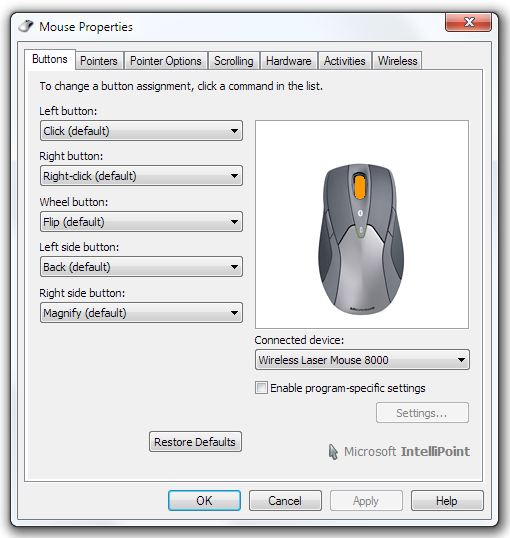
Button assignment.
The next tab gives a selection of customisable pointer settings so you can assign the pointer any look you desire – even the drop shadow can be removed.
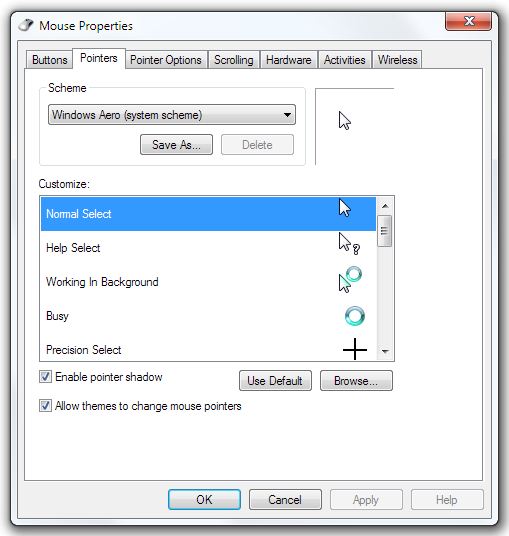
Pointer settings.
Pointer options are the name of the game on the following tab. Pointer speed, precision, snap to functions and visibility settings are all alterable here!
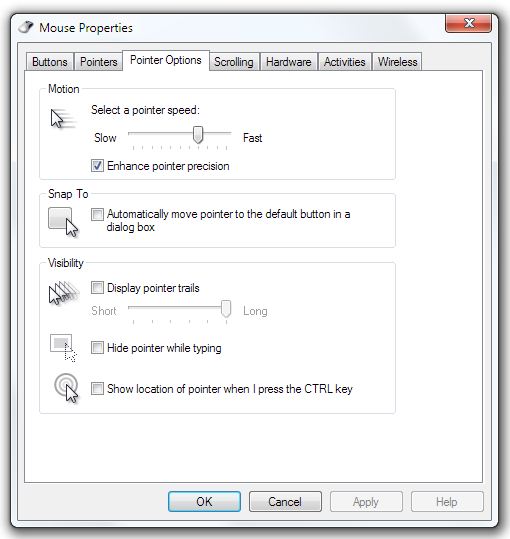
Pointer options.
Scrolling setup is also controlled within the suite. Standard vertical scrolling with speed and acceleration control is here as too is the horizontal setup afforded by the useful tilt wheel.
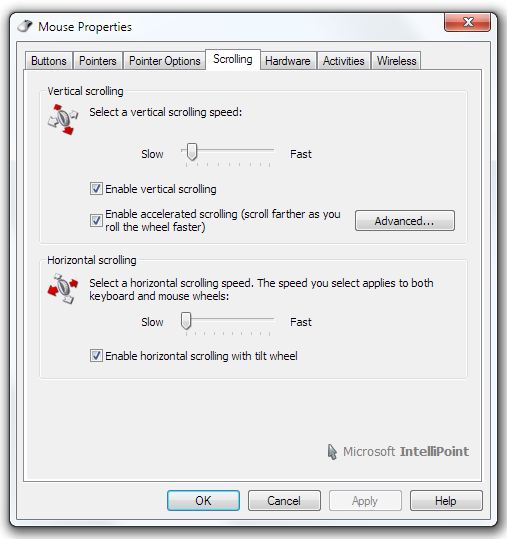
Scroll options.
A hardware tab is also included just so you can be sure the software has correctly identified the mouse and that it’s up and running and functioning correctly.
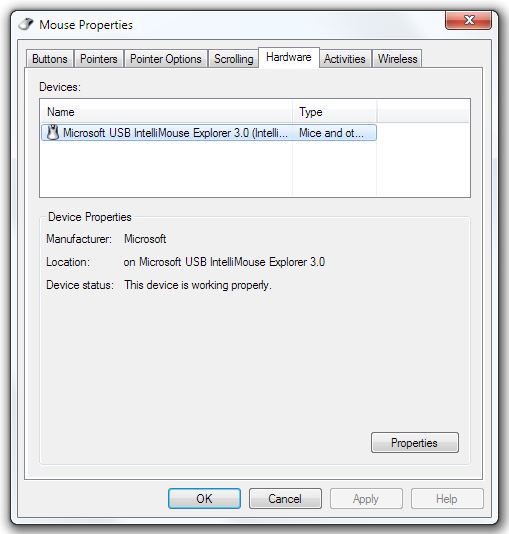
The hardware tab.
Double click speed for object selection and click lock to move objects with a single button press and hold is accessed through the ‘activities’ tab. Double clock speed is a fairly personal thing to a lot of users so it’s good to see it’s not been left out.
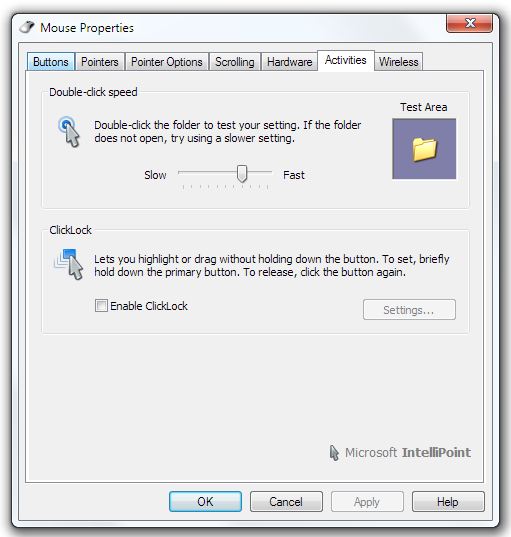
Activities section.
Finally we get to the last page offered by the IntelliPoint software – the wireless control suite allows the user to choose whether they want performance and accuracy or longer battery life. To be honest I think this is a very useful feature that I certainly wasn’t expecting to see.
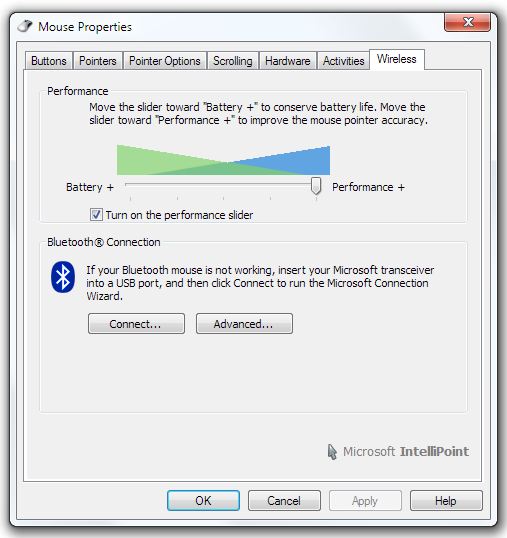
Wireless options.
Keyboard software
Last but not least we come to the IntelliType Pro 7.1 software for the Wireless Entertainment Keyboard 7000.
First up is the ‘Speed’ page which allows the user to control character repeat rate and delay. It also allows adjustment of the cursor’s blink rate too.
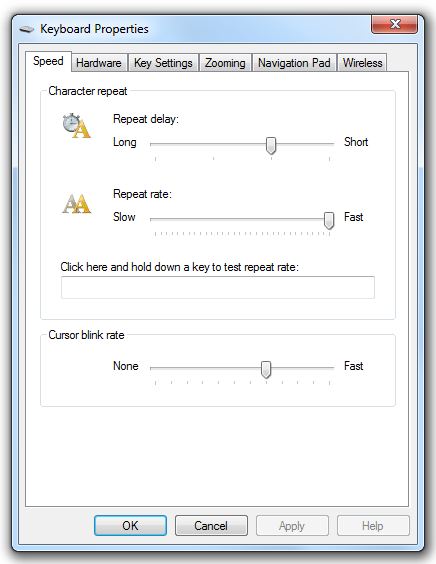
Speed tab.
Link in the Laser Mouse 8000 suite a ‘Hardware’ tab is also present in the IntelliType Pro suite. Here it shows the keyboard functioning correctly. There are two as the controller identifies the Wireless Entertainment Keyboard 7000 as both a Bluetooth and USB device.
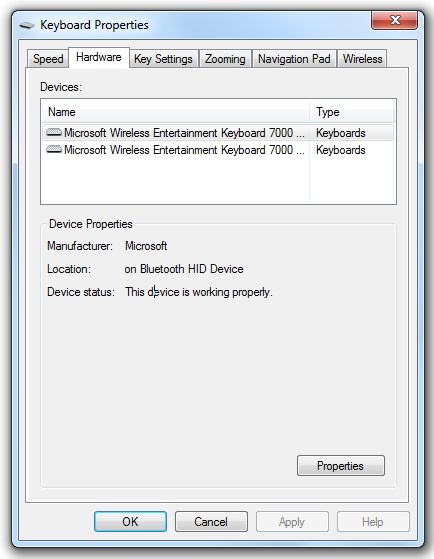
The hardware section.
Now onto the meat of the IntelliType Pro software – in the ‘Key Settings’ area we have full control over all of the additional keys including the capacitive F keys sitting along the top of the keyboard.
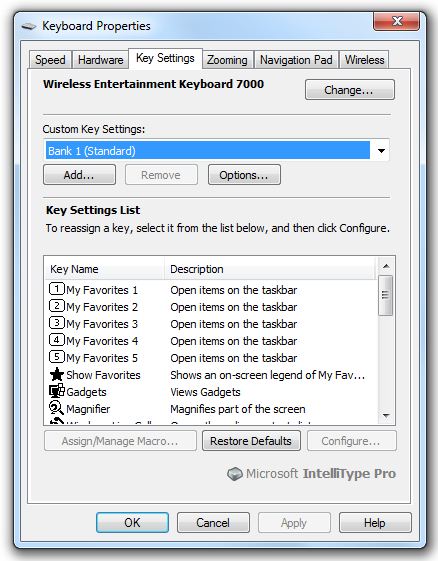
The useful key settings.
As well as multiple options for key assignment changes you can also set up multiple banks of ‘Custom Key Settings’. So, as can be seen in the image below, you could create a key set specific to certain games or programs and save them for use as and when you need them. Very comprehensive indeed!
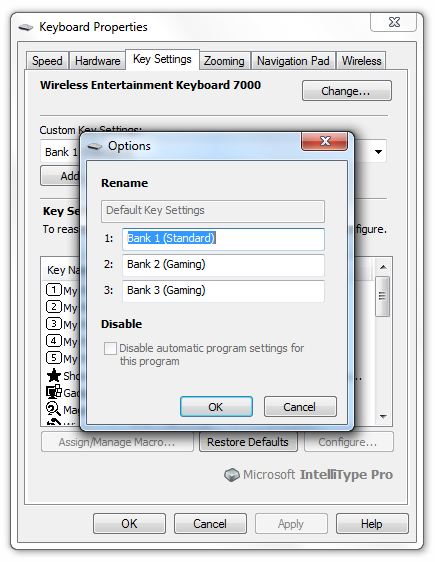
Custom key setting options.
The ‘Zooming’ control provided by the Wireless Entertainment Keyboard 7000 is a very useful feature which is catered for in this tabbed area. Speed and acceleration can be controlled here. For a HTPC orientated keyboard this is a very effective feature. Imagine using the HTPC from across the room. Media Center isn’t an issue since it’s designed with large viewing distances in mind with large icons and easy to read text. When you move back into windows the text, icons and control interfaces can seem somewhat tiny – an easy to use magnifying system at this point is worth its weight in gold!
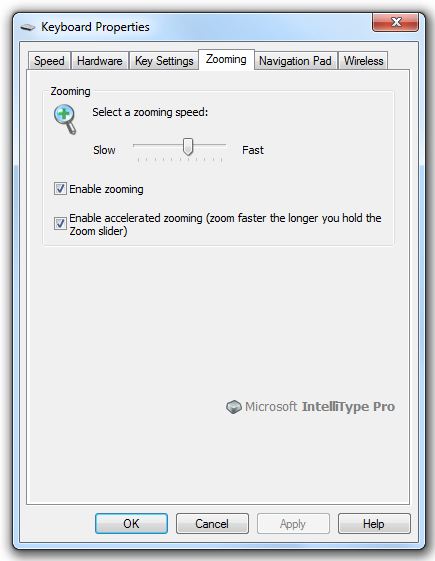
Zoom control.
The tiny navigation pad is catered for in its own tab. Options are limited but perfectly acceptable for what you’d need. There’s pad speed control, tap activation and drag activation.
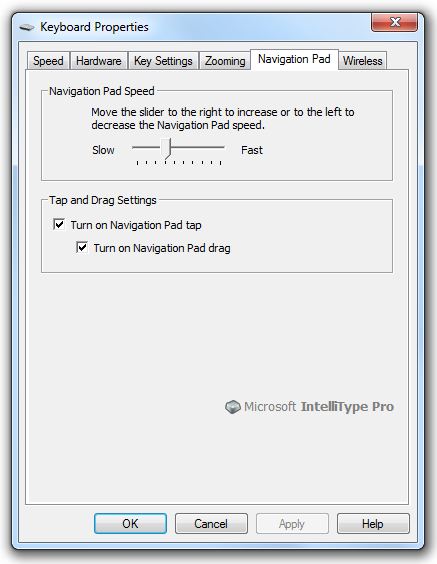
Adjustment for the navigation track pad.
Lastly we have the ‘Wireless’ tab which as the name suggests allows the connectivity of wireless devices. Due to the keyboard and mouse combo being Bluetooth the dongle that is supplied with the kit will also happily communicate with other Bluletooth devices. Headsets, phones or your PDA – you choose!
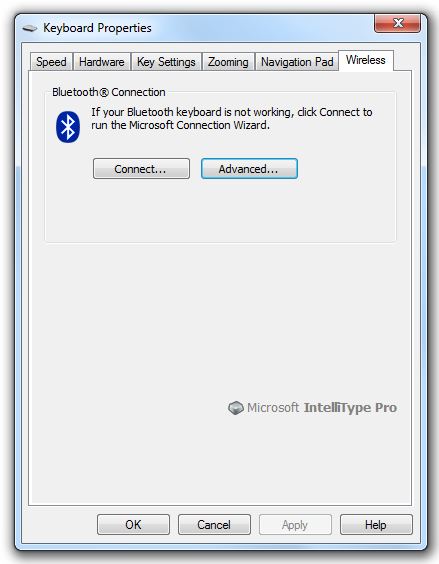
Wireless control area.
Setup and testing
Test setup:
| CPU: Intel E6600 dual core @ 2.4GHz Motherboard: Gigabyte G33 matx RAM: 4GB Kingston PC6400 DDR2 operating System: Windows 7 64bit SYSTEM HDD: 60gb Samsung Laptop SATA HDD Graphics: Radeon HD 4670 512MB Optical drive: LG Bluray/HDDVD /DVDRW SATA CPU cooler: Zalman Reserator 2 PSU: Nexus RX8500 |
Testing:
I tested the Wireless Entertainment Keyboard 7000 and Wireless Laser Mouse 8000 over a couple of weeks worth of general usage. This ranged from Media Center navigation, general office tasks including image manipulation, publishing and word processing. I also navigated online and gamed with the devices to assess performance.
I started with Media Center in Windows 7 – here the Wireless Entertainment Keyboard 7000 comes into its own. No need for the Laser Mouse 8000 here since navigation can be controlled by exclusively using the keys on the keyboard. The Media Center button fires the program up immediately and then either the cursor keys or the directional pad can be used to navigate to your desired media outlet!
Word, publisher and excel were used on various occasions during testing. The ergonomically curved keyboard was comfortable and easy to use. Here I obviously had an opportunity to use the Laser Mouse 8000 which proved itself smooth, accurate and easy to use. I didn’t have any tracking issues on any surface i used – from fabric and foam mouse mats to shiny table surfaces. I must also mention that the keyboards own track pad was perfectly usable for the majority of tasks – of course if I were expecting an hour long session in office I’d use the Laser Mouse 8000 for the added flexibility and comfort value.
Casual web browsing is also a pleasure both with or without the Laser Mouse 8000. Again, for extended browsing the separate mouse is the better choice however for quick access to simply check mail or something else online the onboard trackpad is more than acceptable.
Finally we come to gaming performance. The desktop set certainly doesn’t embarrass itself with a reliable and accurate performance. The mouse tracking was good although not quite the level of decent gaming mice from the likes of Razer and Steelseries. Keyboard wise I found the keys easy to strike and responsive – also, that centralised ‘Windows’ button meant that unlike most normal sized keyboards there’s little chance of it being accidentally pressed when using the standard WASD keys during a gaming session.
Battery life during the test period has been excellent. Neither the mouse nor the keyboard has needed either a recharge or battery replacement. I’d say that the average usage over the two weeks has been in the region of an hour or so per night for the mouse and around 2 hours for the keyboard.
The range of both the mouse and keyboard was also quite impressive. You’d certainly need a large lounge to start effecting the sets ability to communicate with the Bluetooth dongle!
Conclusion
So there we have it – the Microsoft Wireless Entertainment Keyboard 7000 and Wireless Laser Mouse 8000 are an exceptional team.
The price seems exceptionally reasonable to me for what you get. Two excellent peripherals that if bought separately would almost certainly cost more than the asking price.
The software supplied with the desktop set is stable, excellently designed and incredibly flexible. The installation process associated with this is also trouble free and very quick – something that a lot of users appreciate since they want to play with their new toy ASAP!
Battery life is also excellent with the rechargeable mouse and docking station being a particular bonus!
Pros
+ Rechargeable mouse with neat docking station
+ Both mouse and keyboard are easy to use and react accurately
+ Decent range using Bluetooth
+ Bluetooth dongle will work with many other Bluetooth items
+ Keyboard is a great one shot solution with mouse keys and track pad
+ Media functionality of keyboard is excellent with many great features
+ Battery life is good and the life indicators are useful
+ IntelliPoint and IntelliType Pro software is excellent
+ Great value
+ Well built with some nice design touches
+ Excellent 5 year warranty
Cons
– None that I can think of
+ Rechargeable mouse with neat docking station
+ Both mouse and keyboard are easy to use and react accurately
+ Decent range using Bluetooth
+ Bluetooth dongle will work with many other Bluetooth items
+ Keyboard is a great one shot solution with mouse keys and track pad
+ Media functionality of keyboard is excellent with many great features
+ Battery life is good and the life indicators are useful
+ IntelliPoint and IntelliType Pro software is excellent
+ Great value
+ Well built with some nice design touches
+ Excellent 5 year warranty
Cons
– None that I can think of
In conclusion the Microsoft Wireless Entertainment Keyboard 7000 and Wireless Laser Mouse 8000 have impressed me greatly! Good value, impressive compatibility and customisation options, well built and nicely designed. The pair make a very strong case for themselves. Indeed the fact that they succeed at virtually everything I could think to try is a major commendation in itself!
As a result I wholeheartedly give them the Vortez Hardware Gold award – well done!