







A new mouse from Mionix reminiscent of the Naos 5000. This time with some subtle differences making it more affordable.
Product on Review: Mionix Naos 3200
Manufacturer and Sponsor: Mionix
MSRP: £49.99

It has to be said that Mionix have been fairly quiet this year. In fact they haven’t released anything since late 2009. The last product to be launched was the Naos 5000 which was reviewed by Simon earlier in the year. But today we have a new product, well – partly new. It has strong similarities to the Naos 5000 because its the smaller brother so to speak. The Naos 3200 follows the same curvatures, design and visual appearance. What’s different is the sensor which is now optical rather than laser, lack of weight system and of course the price-tag.
The idea behind the Naos 3200 is that it will carry across the same strengths as the Naos 5000 but without certain features, thus placing it at a more affordable price. Not everyone needs the intense DPI and weight customisation features the 5000 endorsed.

Mionix Take:
The unique shape of Mionix Naos 3200 supports the whole hand without compromising ergonomics or a steady grip. Mionix Naos 3200 is equipped with only carefully selected high-end components paired up with reliable LED-optical sensor technology which offers durability, performance and accuracy. Save your settings and macros in the built-in memory. No additional software or driver installation is needed. Wherever you go, just plug in the mouse and get started. Mionix Naos 3200 also features customizable LED-light system and dpi-step color indicator, allowing you to customize it to your liking.
Features
• Truly ergonomic design
Truly ergonomic design with support for all five fingers
• Plug n Play
Completely Plug n Play, software needed only for configuration
• Maximum grip
The rubber coating ensures a maximum grip
• 3200 dpi LED-optical sensor
Reliable and accurate LED-optical sensor technology
• Built-in memory
Bring your settings and recorded macros with you
• Customizable LED light system
Personalize your mouse with your favourite color
• 3 steps customizable dpi in-game adjustment
Choose from 3 dpi steps and switch between them in-game
• 7 programmable buttons
The buttons can be assigned to any key, mouse command or macro
• Adjustable polling rate
Tune it all the way up to 1000Hz through the software
Specifications
DIMENSIONS & WEIGHT
130.84×84.72×38.67 mm / 5.15×3.33×1.52 in
Netto (w/o cable): 99 gr
Netto (cable incl.): 152.2 gr
SENSOR SPECIFICATION
• 3200 dpi gaming LED-optical sensor
• 3.5mm lift distance
• 1 ms response time
• 6469 frames/sec
• Tracking speed: 1 m/sec (40 ips)
• 5.8 megapixels/sec image processing
• Acceleration: 15 g
• True 16-bit data path
Closer Look
Since first reviewing Mionix products last year, I’ve always had a liking towards the colour-scheme they have adapted to their brand. The Naos 3200 comes in a very tidy looking box, it has the Mionix logo stamped on it along with an impression of the mouse itself directly in the centre. On the back of the box are further listings of the features.
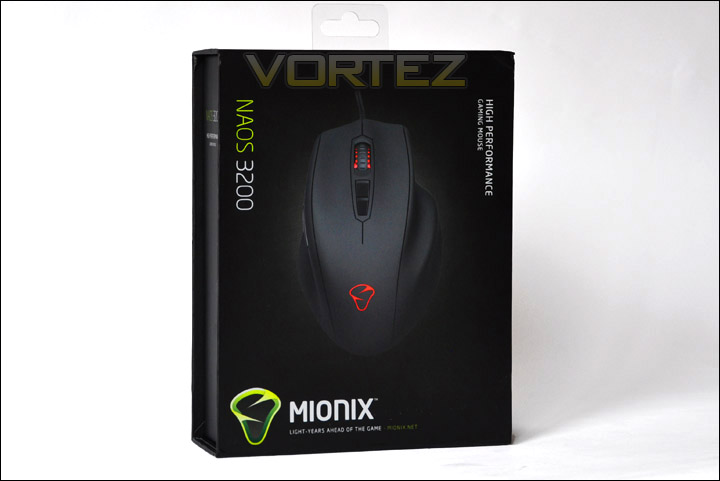
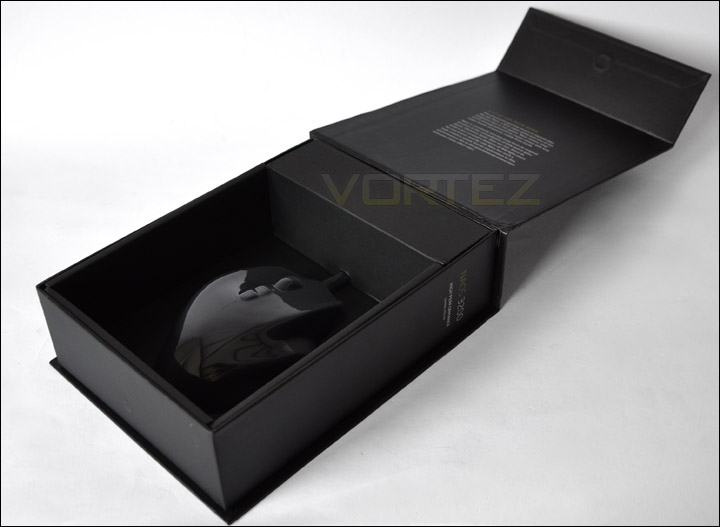
The box the Naos 3200 comes seated in, unfolds allowing you to get a first glimpse of the mouse. Care has been taken to present this mouse in as best a way as possible. Opening the box up and removing the mouse, reveals that the bundle is scarce of any extras. Just a small instructions manual.
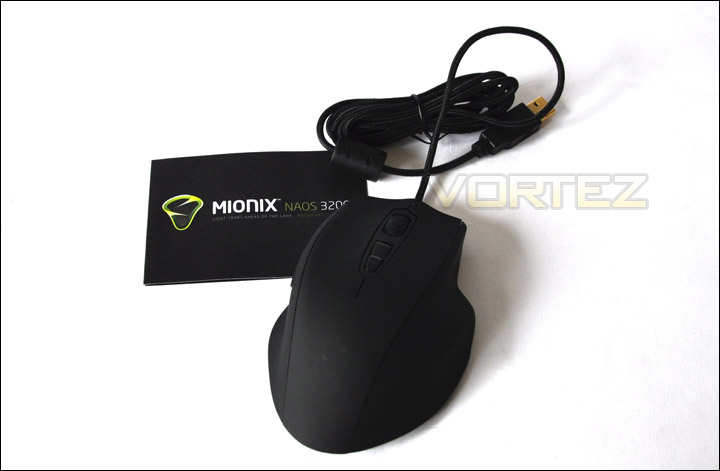
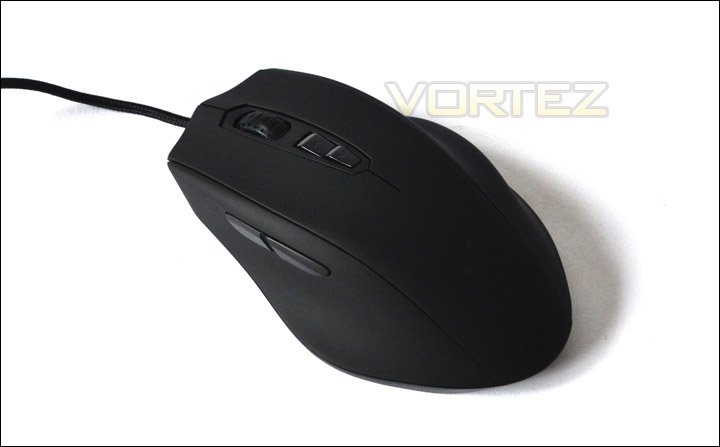
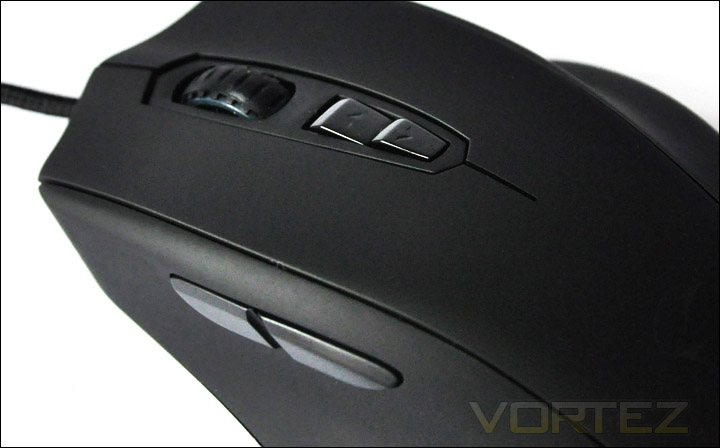
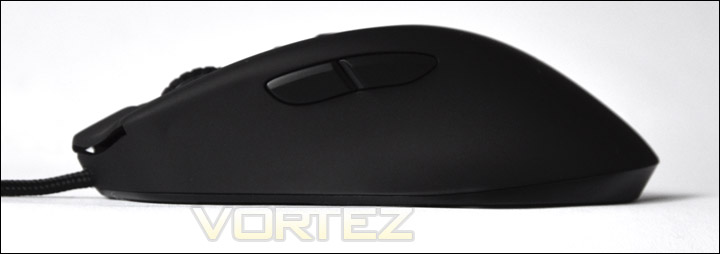
The Naos 3200 like the 5000 is quite a wide mouse. Wider than the mice I typically use – CM Storm Sentinel and Logitech MX-518. This mouse is designed with right-handed users in mind, so unsurprisingly the navigating buttons that operate forward and backward within the operating system are beside the natural thumb placement. With our attention moving over the mouse there is a scrolling wheel that has LED properties and two buttons that control the DPI management on the fly. Beside this there are the standard left and right click mouse buttons. Where the palm would rest is the Mionix emblem which illuminates when connected via USB (will see later).
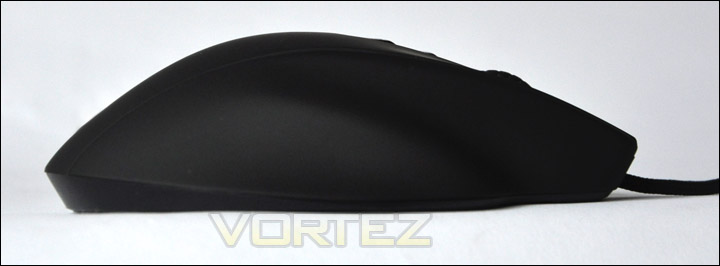
The Naos 3200 isn’t particularly very tall but as I have said its significantly wider than other mice I have used in the past this is due the right hand side of the mouse having a shelf for the third finger to rest on.
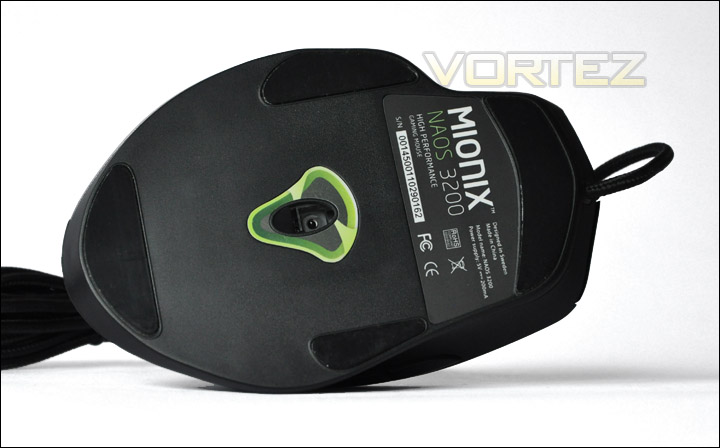
On the underside of the Naos 3200 there is four pressure pads, serial number and the 3200 DPI optical sensor that is enclosed within the Mionix logo. This sensor offers up to 3200 DPI and with the DPI controls on the surface of the mouse can be altered accordingly between three presets – 800, 1600 and 3200. There are many more options and customisation available within the software Mionix provide. The Naos 3200 is powered via USB2 and has a gold-plated USB connector.
Mouse Comparison
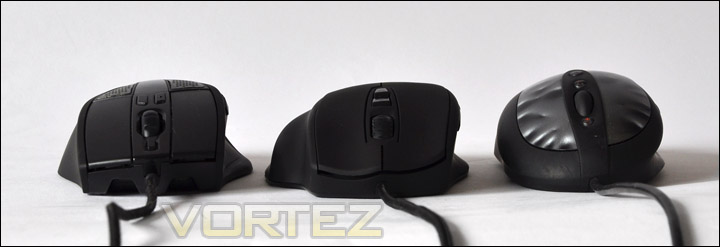
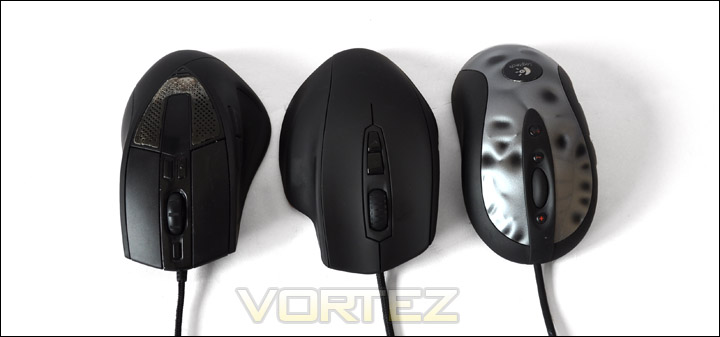
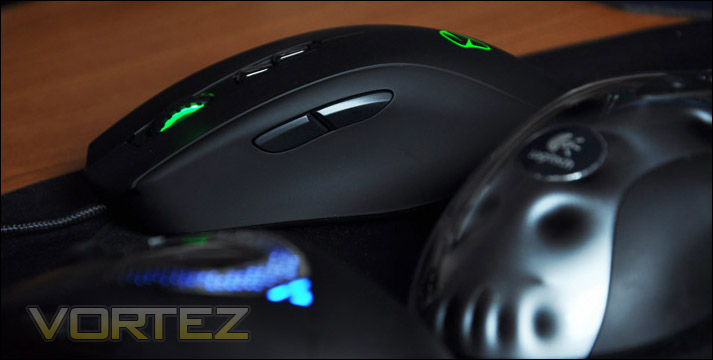
In order to illustrate the height and width difference on the Naos 3200 I thought it would be useful for reference to compare versus two other popular mice on the market. The CM Storm Sentinel (left) and Logitech MX-518 (right). Below are images showing the height and width difference between each model. As you can make out, the Naos 3200 (centre) is slightly shorter than the other two mice but is a lot wider.
Software and Testing
Within the packaging there is no software included, only an instruction within the manual to download the software from the Mionix website. I have no problem with this at all, in
fact cutting down on the included accessories – the particulars that are unnecessary is a good thing. Latest versions are always going to require a web update anyway.
A quick trip to the Mionix website and we have the software downloaded and installation within minutes.
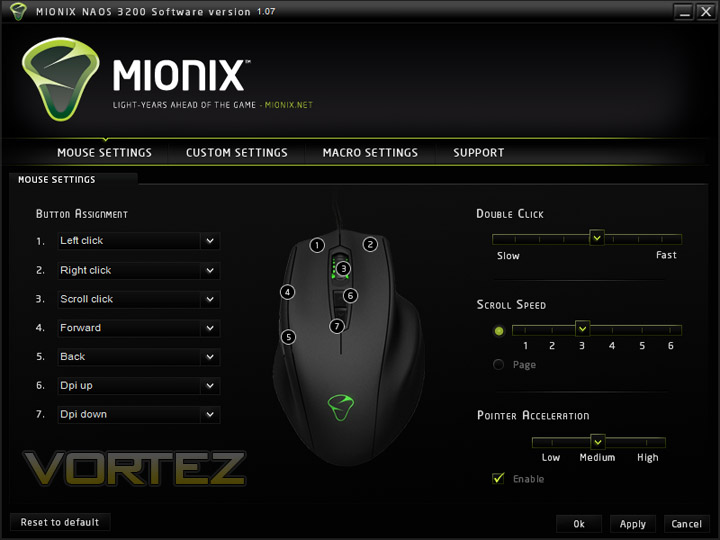
The software that Mionix have developed for us with the Naos 3200 provides some impressive customisation. On the first page there is the ability to assign different controls to each of the 7 buttons. Double click speed, scroll speed and pointer acceleration are all able to be modified.
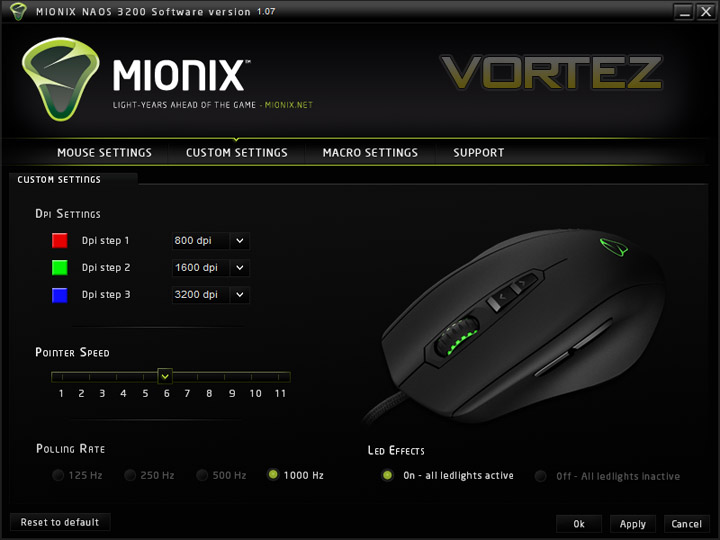
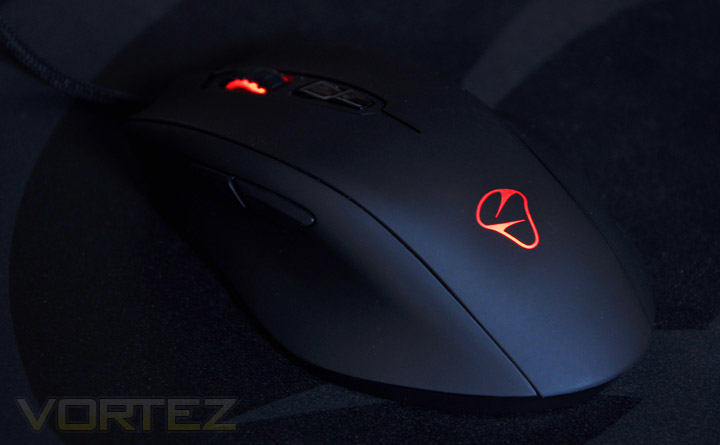
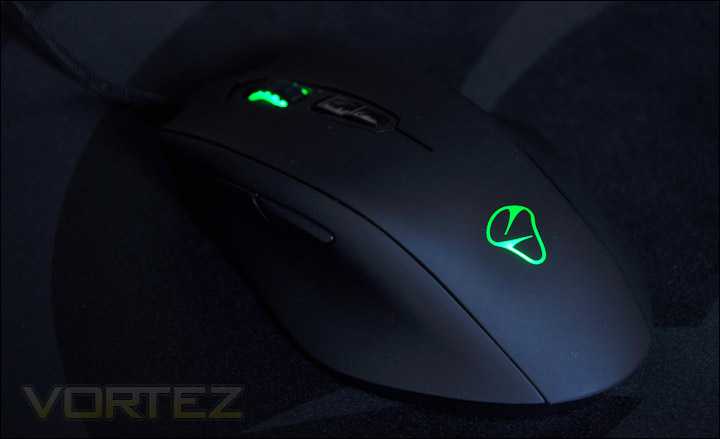
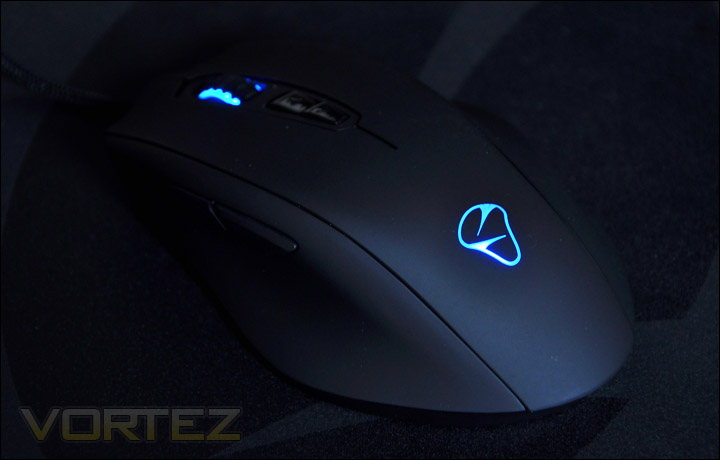
Over on the next screen the colour settings can be altered according to dpi. When the Naos 3200 is plugged in, the Mionix logo on the palm area lights up as well as the scrolling wheel. Changing the dpi on the fly via the buttons on the top of the mouse causes the colours to change on the mouse. 3 colours are available. Red, green and blue. (see below) On this screen, pointer speed and polling rate can be changed too. Quite a nice set of features, polling rates aren’t usually this open to modification. On the next page you have the ability to create macros too.
Testing Performance
Commenting on the testing performance of a mouse can become subjective due to personal preferences. I can comment on the feel and durability of the mouse though. With mouse reviews, the particular product is used over a period of 4 hours of solid gaming and general usage within a graphics package and operating system.
The Naos 3200 has some neat features, the dpi on the fly is particularly useful as I found when playing across different genres. Button placement is superb, but being used to a slimmer mouse I found it quite awkward at first getting to grips with the shape and size of the Naos 3200. I have medium sized hands, so the Naos 3200 is quite big. Ideally it would be better suited to a bigger sized hand. Those with small hands should look elsewhere, this mouse will feel too big. The sensor can be classed as overly sensitive – when flicking the mouse after using the mouse to look the sensor even though the mouse is off the pad detects the movement. This can sometimes be quite annoying. But other than that, the mouse is comfortable, and performs great both in game and within the windows environment. It’s a very accurate mouse, you can’t tell there is no weight system installed.
Conclusion
The Naos 3200 has been designed as a cheaper alternative to the Naos 5000. It doesn’t have the extremely high dpi or weight system and therefore appeals to those wanting to spend less.
It’s a great looking mouse, with a lot of customisation available such as the on the fly dpi management. By downloading the software from the Mionix website you have wide open to you a big selection of control. You can change just about anything on the Naos 3200, including all 7 buttons. When Mionix claim this has an Ergonomic design, they aren’t telling any lies. The curvatures and contours are well balanced and make it not only a great looking mouse but a great feeling mouse.
Where it may fall foul is that it’s designed specifically for right handed individuals, and I found the size and shape to be suited better to those with bigger hands. The sensor at times picked up movement when I’m not sure it should have – hovering the mouse above the pad approx 8mm’s causes the sensor to register movement. So quick mouse swipes are detected unlike the other mice I was comparing the Naos 3200 to.
The Naos 3200 has an MSRP of £49.99 ($77/€59). You can pick up a Naos 5000 for around this price so I think if retailers price this around the £40 mark its likely to do well and offer gamers a lower price alternative to the 5000.
Pros
+ Looks fantastic
+ Very affordable
+ Highly customisable
Cons
– Right handed only
– Wide and so suited to bigger hands
– Optical sensor is too sensitive
+ Looks fantastic
+ Very affordable
+ Highly customisable
Cons
– Right handed only
– Wide and so suited to bigger hands
– Optical sensor is too sensitive
The Naos 3200 has impressed me but based upon some slight niggles I feel it warrants the Bronze award.
We would like to thank Mionix for the sample. Discuss this review on our forums.
