







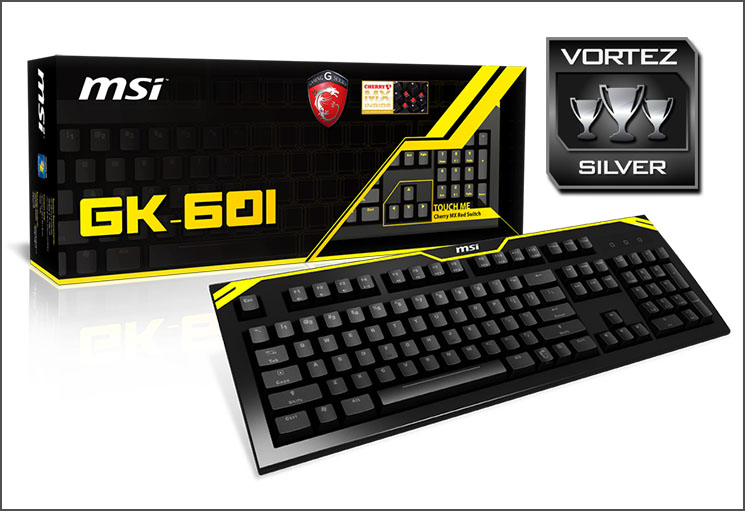
MSI’s first mechanical gaming keyboard featuring Cherry MX Red switches and plenty of features such as LED backlight and full NKRO support.

Product on Review: GK-601 Mechanical Keyboard
Manufacturer and Sponsor: MSI
Street Price: £70 GBP / $120 USD
MSI are responsible for the production of many varying components and devices ranging from the trusty motherboard right through to all-in-one PCs, but enthusiasts will be interested to discover that MSI are now moving into new territories.
Back in May of last year MSI announced their first mechanical keyboards and chose to launch them over in the US to begin with. Over in the UK and EU these new keyboards will soon be available and we are to put one such offering under the spotlight today.
GK-601 is MSI’s first attempt at producing a mechanical keyboard and it features the Cherry MX Red switch and an assortment of other useful features such as full NKRO functionality, yellow LED backlight, and the ability to disable the windows key on the fly. But, can these and other features ensure a good entry into the peripherals market for MSI?
About MSI
Micro-Star International Co., Ltd (MSI) was established in August 1986 by 5 founders, one of the world’s largest information technology manufacturers.
MSI started from the motherboard and graphics card industries and extended into consumer and commerical electronics including notebooks, All-in-One PCs, servers, workstations, industrial PCs, household appliances, car infotainment products, barebone systems, multimedia, communication devices, and others.
MSI holds itself responsible not only to its clients, employees and stockholders, but also to the society and environment as a whole to consistently fulfill its corporate commitment.
With innovation and style as its core value, customer satisfaction and premium service as its goal, MSI will definitely be the most brilliant star in the global brands!
MSI started from the motherboard and graphics card industries and extended into consumer and commerical electronics including notebooks, All-in-One PCs, servers, workstations, industrial PCs, household appliances, car infotainment products, barebone systems, multimedia, communication devices, and others.
MSI holds itself responsible not only to its clients, employees and stockholders, but also to the society and environment as a whole to consistently fulfill its corporate commitment.
With innovation and style as its core value, customer satisfaction and premium service as its goal, MSI will definitely be the most brilliant star in the global brands!
Technical Specifications
• Backlit: Yellow with 4 level adjustment
• Switch: Cherry MX Red
• Keystroke life:50 Million
• USB interface
• Dimensions:460(L) x 162(W) x 30(H)mm
• Weight:1300g
• Switch: Cherry MX Red
• Keystroke life:50 Million
• USB interface
• Dimensions:460(L) x 162(W) x 30(H)mm
• Weight:1300g
Packaging Bundle
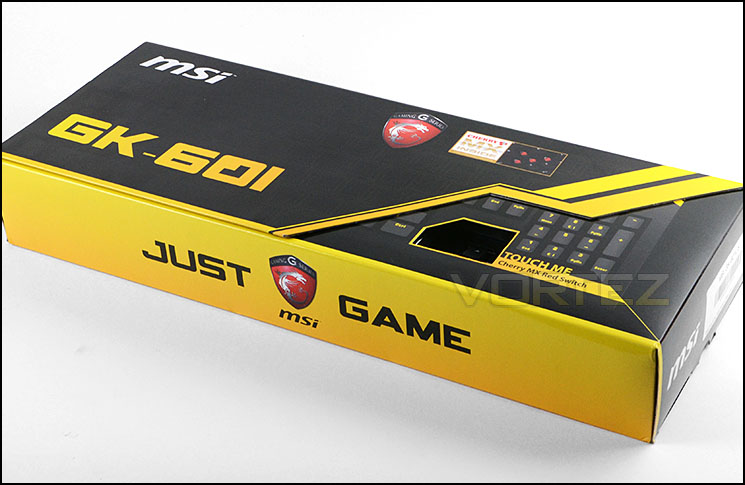
Packaging for GK-601 is certainly eye-catching
GK-601 is presented in a very well-designed package which has a folding lid containing additional information for those who are interested. The packaging is vibrant and eye-catching and even features a cut-out to allow those purchasing this keyboard in a store the option of pressing the keys to experience the Cherry MX switch feedback.
Inside the box, the GK-601 keyboard is protected with a plastic shield and polystyrene blocks. Along with the motherboard, there are also a selection of items which make up the bundle. These are as follows:
• Software CD
• User manual
• Key Puller
• Additional Keycap (4 pcs)
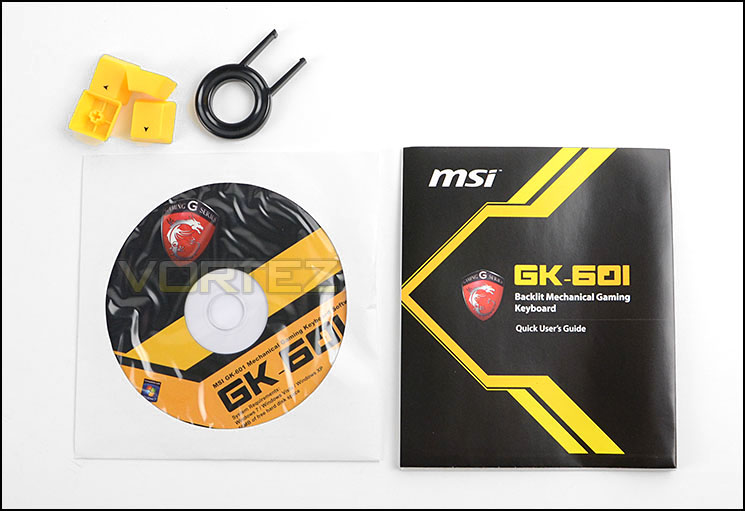
Assortment of included extras
Closer Look
GK-601 is MSI’s first venture into the world of mechanical gaming keyboards and to start with they are offering this keyboard with just Cherry MX Red Switches. Red switches ensure up to 50 Million Key presses in the lifespan and actuation force of 45g
GK-601 uses a standard QWERTY layout and has additional buttons for multimedia functionality. Designated keys double up to offer control over volume and other such media and the F buttons which run along the top can be assigned to specific profiles.
MSI has laser engraved each character on the keys to prolong the durability. Pressing the dragon (fn) key and F12/G/PC key allows you to disable the windows key for gaming sessions – accidently pressing the windows key can often be an issue, especially when playing at competitive level so it’s handy to be able to switch this on and off in a single-step.
NOTE: Our sample is US layout, the return key is condensed and as such can be tricky to get used to. The UK layout will use a full-sized return key.
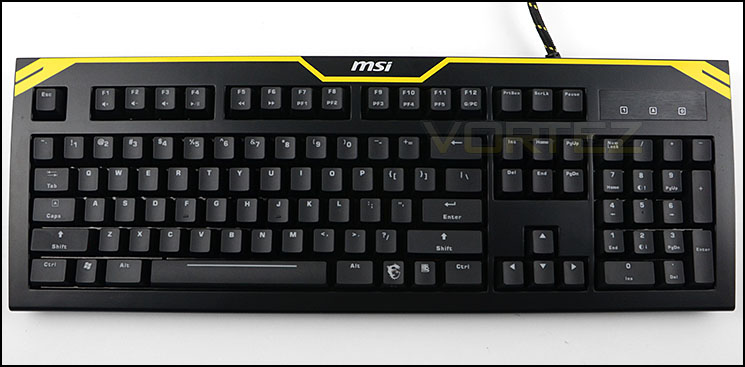
An overview of GK-601
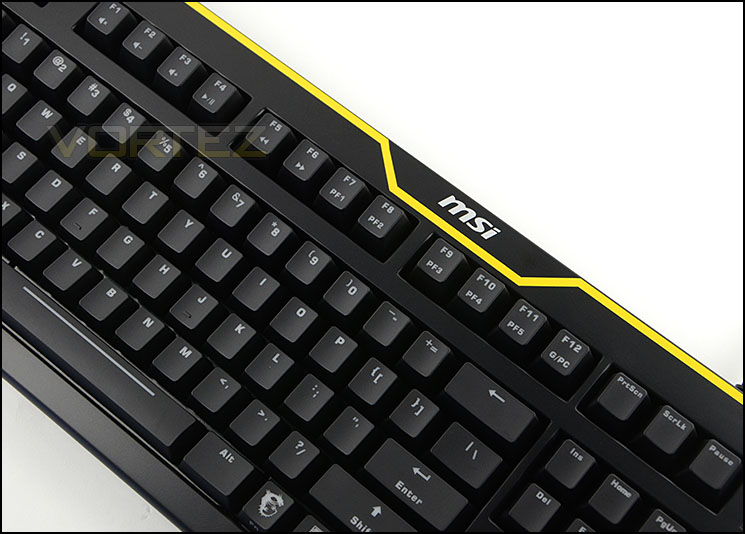
Usual QWERTY layout with added media functionality
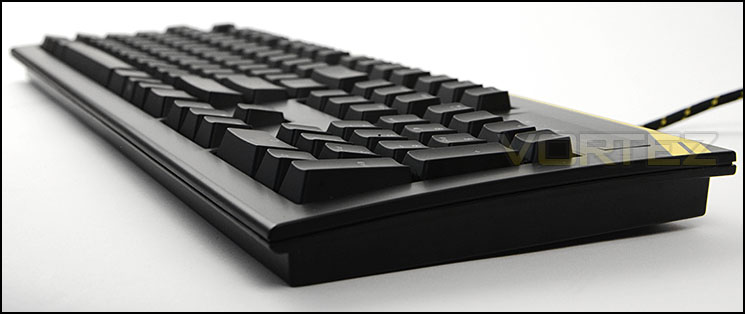
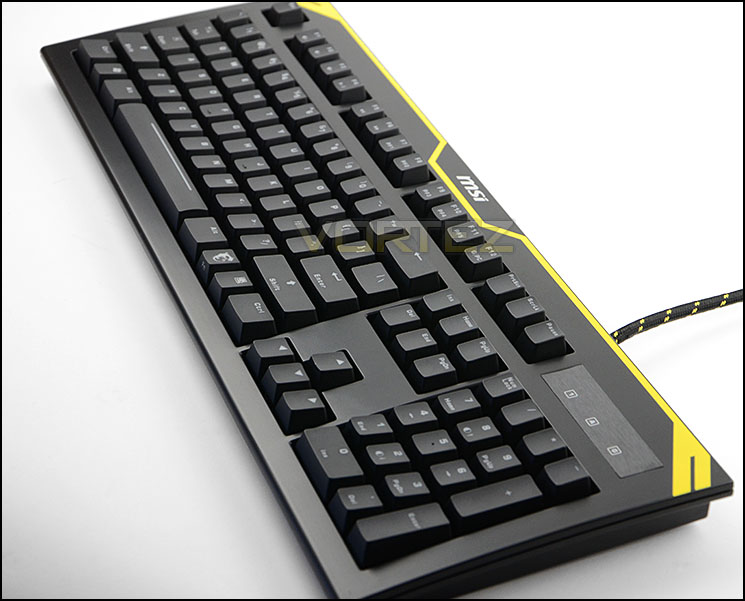
A sleek and ergonomic keyboard
On the reverse of the keyboard, there is a specifications label detailing the serial number should you need to get in touch with MSI technical support and there are two rubber feet plus folding legs to change the height of GK-601.
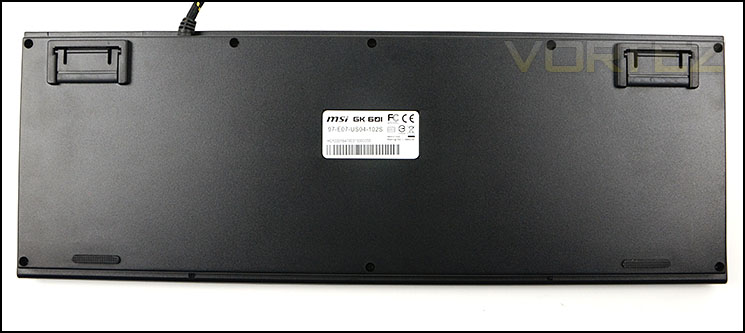
Rubber feet and extension legs for adjusting height
Above the numpad area MSI has engineered a brushed steel plate which highlights whether numlock, capslock or gaming mode is enabled. Each of the icons will illuminate if they are enabled. On the other side of this panel there are two USB 2.0 ports and audio jacks for additional functionality, having these ports can deliver some extra efficiency – making it easier to access devices and use headphones.
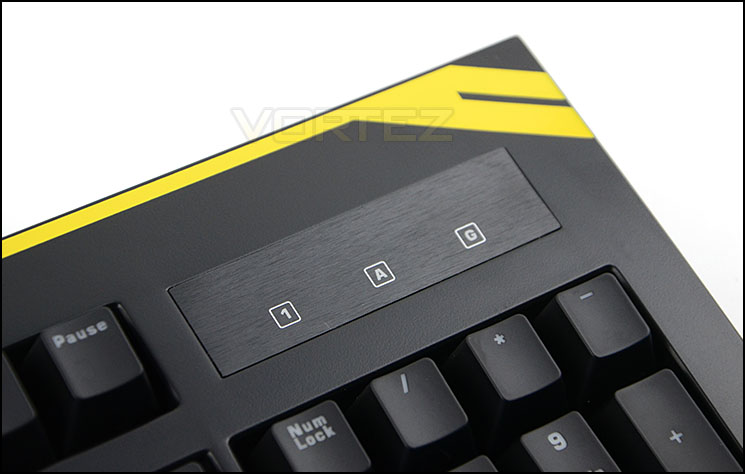
Key mode indicator
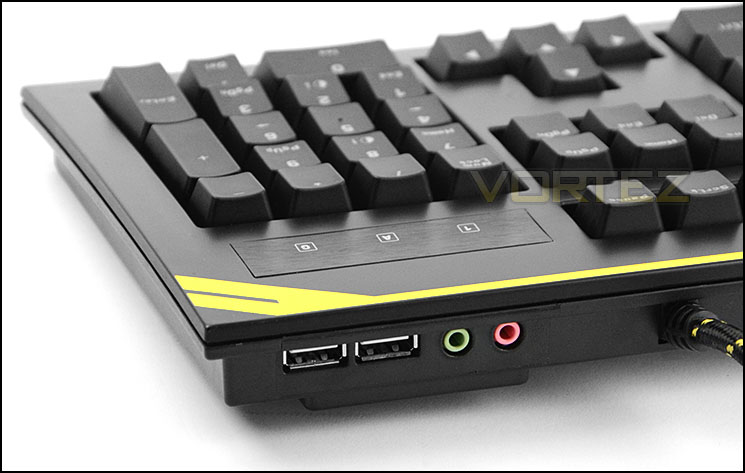
USB ports and audio jacks are helpful
Lastly, MSI has given GK-601 a thick braided cable to ensure utmost durability. Furthermore, the cable branches off into three extra cables from the plastic hub. A standard USB connection is required to power the keyboard and if you want to take advantage of the audio jacks, these cables need to be connected to your PC too.
All of the connectors are gold plated for durability and to ensure latency isn’t affected.
Lighting, Customisation & Performance
GK-601 is LED backlit and users can choose whether to have this backlight on or off, and even at varying levels of brightness and a pulsating mode. The colour isn’t customisable but rather coincides with the styling already found on the keyboard and that is consistent with MSI’s gaming division. At its brightest setting (as pictured below) the lighting is subtle and we really like the overall look – although we are probably biased with the black and yellow theme!
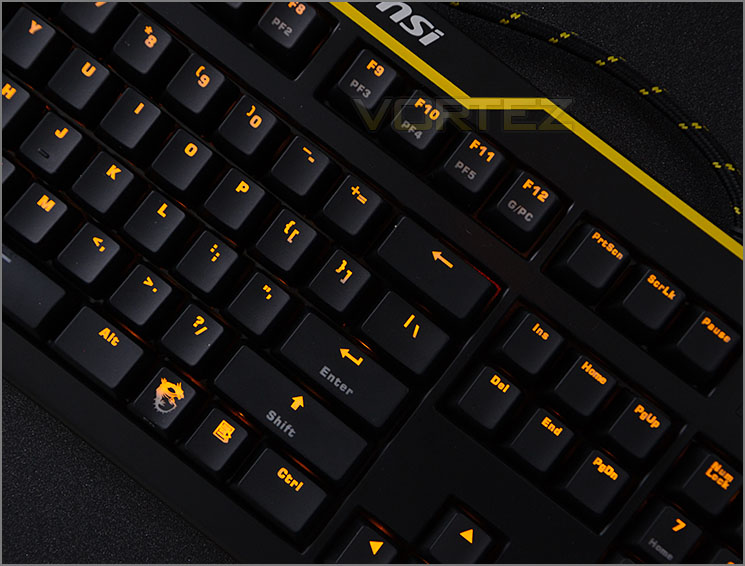
LED backlit keys
Software
MSI provide a software CD with GK-601 which contains an application for tweaking the keyboard. Configurations can be imported and exported and macros can be assigned to certain keys, unfortunately the dropdown menu within this software would not respond and therefore we weren’t able to perform macro assignment.
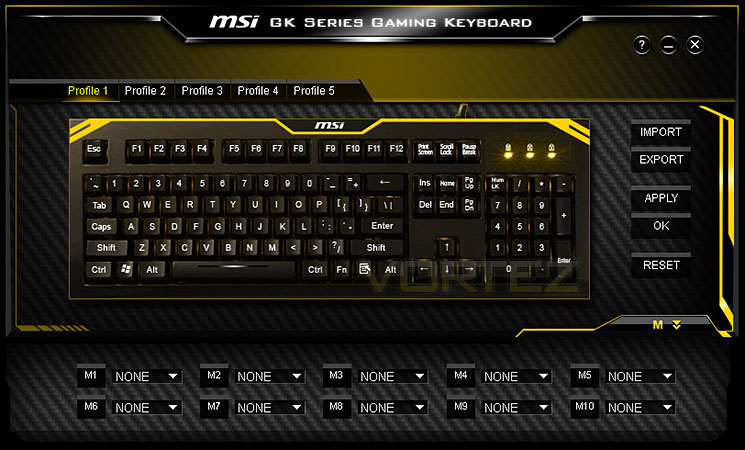
GK-601 is bundled with software
Performance
GK-601 comes equipped with full NKRO (N-Key Rollover). We tested whether this claim stood true and sure enough with Aqua’S KeyTest there were no problems with multiple presses on the keyboard.
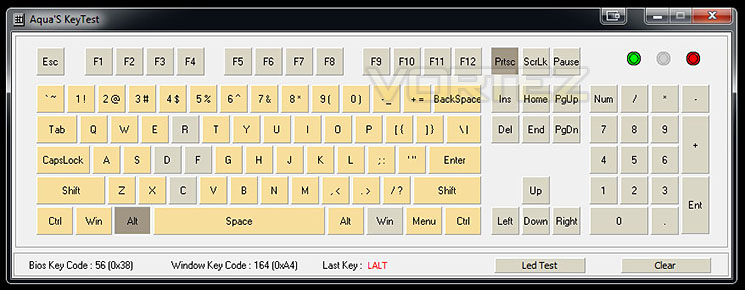
Testing NKRO using Aqua’S KeyTest
Moving from a standard membrane to a mechanical keyboard and one which uses Cherry MX Red switches will feel a little strange at first and as always will take some getting used to. This type of switch is generally more suited to gaming but for general usage within windows, typing up documents and web browsing GK-601 still does a good job. Keys aren’t placed in obscure locations but there are some subtle alterations compared to a standard keyboard such as the condensed return key (half size), the smaller ESC key and windows keys. This can be a little off putting at first and there is a learning curve if you are a touch typer.
For both general use and gaming we found the GK-601 a good keyboard to use and we encountered no problems when performing such tasks. The ability to disable the windows key on-the-fly is a great feature to have on the board and is really helpful in avoiding the annoyance of accidentally hitting this key and switching to Windows.
Conclusion
Jumping into a new market brings with it many challenges and for MSI it’s certainly a brave move considering the fierce competition in this sector.
But for their first attempt at bringing to a market a mechanical keyboard, we have to say they’ve done a good job. GK-601 is tailored to the MSI MPower branding with the illustrious black and yellow theme and although we are probably biased in this area, we really like the aesthetics and styling.
GK-601 comes with some handy features which are quickly becoming customary for mechanical keyboards. Our offering has full NKRO support, has the option to disable the Windows key on-the-fly and is LED backlit. Including these features is a very wise decision because these attributes are key selling points.
On the downside, we had trouble getting the software to effectively work. Its primary use is to assign macros to the keyboard within profiles and this unfortunately would not work – the dropdown menus within the application refused to respond. We’re quite certain MSI will have resolve this issue and it doesn’t really deflect from the great product that GK-601 is.
GK-601 can be had for £70 GBP / $120 USD which is a fair price for a keyboard of this calibre. Entry level mechanical keyboards begin at this price and so MSI have made a good decision in starting at this pricepoint.
GK-601 has all the hallmarks for a decent mechanical keyboard with full NKRO, LED backlight and more. MSI MPower fans will also be pleased to see such a peripheral hitting the market.
Pros
+ Pleasant to the eye
+ A step away from usual red/blue
+ Good build quality
+ Full NKRO
+ Disable Windows key on-the-fly
+ LED backlit
Cons
– Buggy software
– Only available with Cherry MX Red switches
+ Pleasant to the eye
+ A step away from usual red/blue
+ Good build quality
+ Full NKRO
+ Disable Windows key on-the-fly
+ LED backlit
Cons
– Buggy software
– Only available with Cherry MX Red switches

Click here for an explanation of our awards at Vortez.net.


