How overkill can a laptop possibly be? Well, the MSI GT75 Titan 8RG fancies its chances at showing you exactly that.

Product on Review: MSI GT75 Titan 8RG
Manufacturer: MSI
Street Price: £3,499
MSI have dropped off the GT75 Titan 8RG, this laptop is their most powerful 17” offering currently available, with a whopping £3500 price tag.
For your £3500 you receive a sizeable laptop packed to the rafters; with components including a 6 core, 12 thread Intel Core i9 CPU, 32GB of DDR4 RAM, an NVIDIA® GeForce® GTX 1080, RAID0 NVMe SSDs and a 120Hz G-Sync 1080p panel.
With Intel’s latest CPU refresh, MSI have shoehorned an Intel Core i9 8950HK CPU, with a boost clock of 4.8GHz and 12mb of L3 cache included. The 6core/12thread CPU should be capable of some insane horsepower, if the chassis can remain cool. That feat may not seem too challenging when you consider the size of the Titan, but do remember that there’s also NVIDIA’s fastest mobile GPU wedged in there, the NVIDIA® GeForce® GTX 1080.
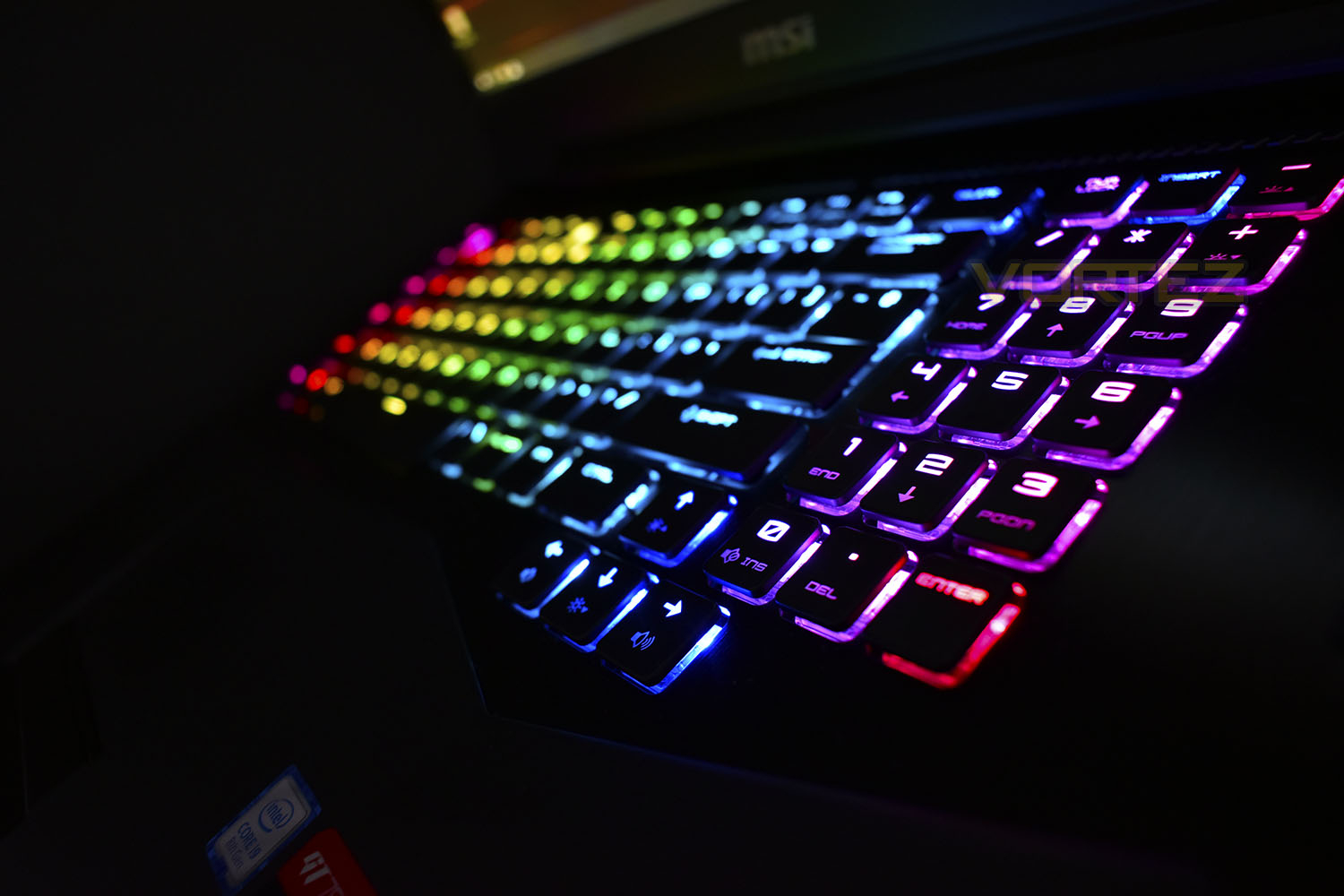
Amongst the eye-watering price and the outrageous specification, we also get a powerful speaker system, as well as a Steelseries-produced mechanical keyboard and 120Hz G-Sync monitor for spending gaming potential.
Tipping the scales at 4.5kg, plus another 1.5kg for the power supplies, (yes, plural), the GT75 8RG’s portability will be questionable, though definitely possible.
The hexa-core CPU paired with an NVIDIA® GeForce® GTX 1080 should allow gaming and productivity in equal measure, so lets put this thing through its paces and see what its made of.
MSI on the GT75 Titan 8RG
Witness the world’s 1st Core i9 processors on gaming laptops. With 6 fully-unlocked cores and the latest exclusive Cooler Boost Titan cooling design, MSI pushes performance to the limit with extreme overclock capabilities.
Technical Specifications
CPU:
Up to 8th Gen. Intel® Core™ i9 Processor
OS:
Windows 10 Home
Windows 10 Pro
STORAGE:
SSD
1x M.2 SSD slot (NVMe PCIe Gen3)
2x M.2 SSD Combo (NVMe PCIe Gen3 / SATA )
HDD
1x 2.5″ SATA HDD
COMMUNICATION:
Aquantia Multi-Gig LAN with Killer software
Killer ac Wi-Fi + Bluetooth v5
AC ADAPTER:
330W adapter / 2x 230W adapter (for i9 CPU)
DIMENSION (WXDXH):
428 x 314 x 31~58 mm
DISPLAY:
17.3″ UHD (3840×2160), IPS-Level
17.3″ FHD (1920×1080), 120Hz, 3ms, Wide-View
CHIPSET:
Intel® CM246
GRAPHICS:
GeForce® GTX 1080 with 8GB GDDR5X
MEMORY:
DDR4-2400 speed up to 4 slots
DDR4-2666 speed up to 2 slots, 4 Slots, Max 64GB
WEBCAM:
FHD type (30fps@1080p)
KEYBOARD:
Mechanical Backlight Keyboard (Full-Color)
WEIGHT (W/ BATTERY):
4.56kg
AUDIO:
2x 3W Speaker
1x 5W Woofer
BATTERY:
8-Cell , 90 Whr
AUDIO JACK:
1x Mic-in
1x Headphone-out (HiFi / SPDIF)
1x Line-in
1x Line-out
I/O PORTS:
1x Type-C (USB3.1 Gen2 / DP / Thunderbolt™3)
5x Type-A USB3.1 Gen2
1x RJ45
1x SD (XC/HC)
1x (4K @ 60Hz) HDMI
1x Mini-DisplayPort
Up to 8th Gen. Intel® Core™ i9 Processor
OS:
Windows 10 Home
Windows 10 Pro
STORAGE:
SSD
1x M.2 SSD slot (NVMe PCIe Gen3)
2x M.2 SSD Combo (NVMe PCIe Gen3 / SATA )
HDD
1x 2.5″ SATA HDD
COMMUNICATION:
Aquantia Multi-Gig LAN with Killer software
Killer ac Wi-Fi + Bluetooth v5
AC ADAPTER:
330W adapter / 2x 230W adapter (for i9 CPU)
DIMENSION (WXDXH):
428 x 314 x 31~58 mm
DISPLAY:
17.3″ UHD (3840×2160), IPS-Level
17.3″ FHD (1920×1080), 120Hz, 3ms, Wide-View
CHIPSET:
Intel® CM246
GRAPHICS:
GeForce® GTX 1080 with 8GB GDDR5X
MEMORY:
DDR4-2400 speed up to 4 slots
DDR4-2666 speed up to 2 slots, 4 Slots, Max 64GB
WEBCAM:
FHD type (30fps@1080p)
KEYBOARD:
Mechanical Backlight Keyboard (Full-Color)
WEIGHT (W/ BATTERY):
4.56kg
AUDIO:
2x 3W Speaker
1x 5W Woofer
BATTERY:
8-Cell , 90 Whr
AUDIO JACK:
1x Mic-in
1x Headphone-out (HiFi / SPDIF)
1x Line-in
1x Line-out
I/O PORTS:
1x Type-C (USB3.1 Gen2 / DP / Thunderbolt™3)
5x Type-A USB3.1 Gen2
1x RJ45
1x SD (XC/HC)
1x (4K @ 60Hz) HDMI
1x Mini-DisplayPort
Video Review
To give you, the viewer, a truly in-depth look at the MSI GT75 Titan 8RG and help supplement this review, Tim produced the following video for you to feast your eyes upon.This will be best enjoyed full screen and in 4K where possible.
Packaging & Bundle
The MSI GT75 Titan 8RG lands in a rather appealing black and red box with a carry handle. The laptop is encased inside by plenty of foam and soft cloth packaging. If you hang onto the box, this will be perfect for carting the device around to LAN parties and other such events.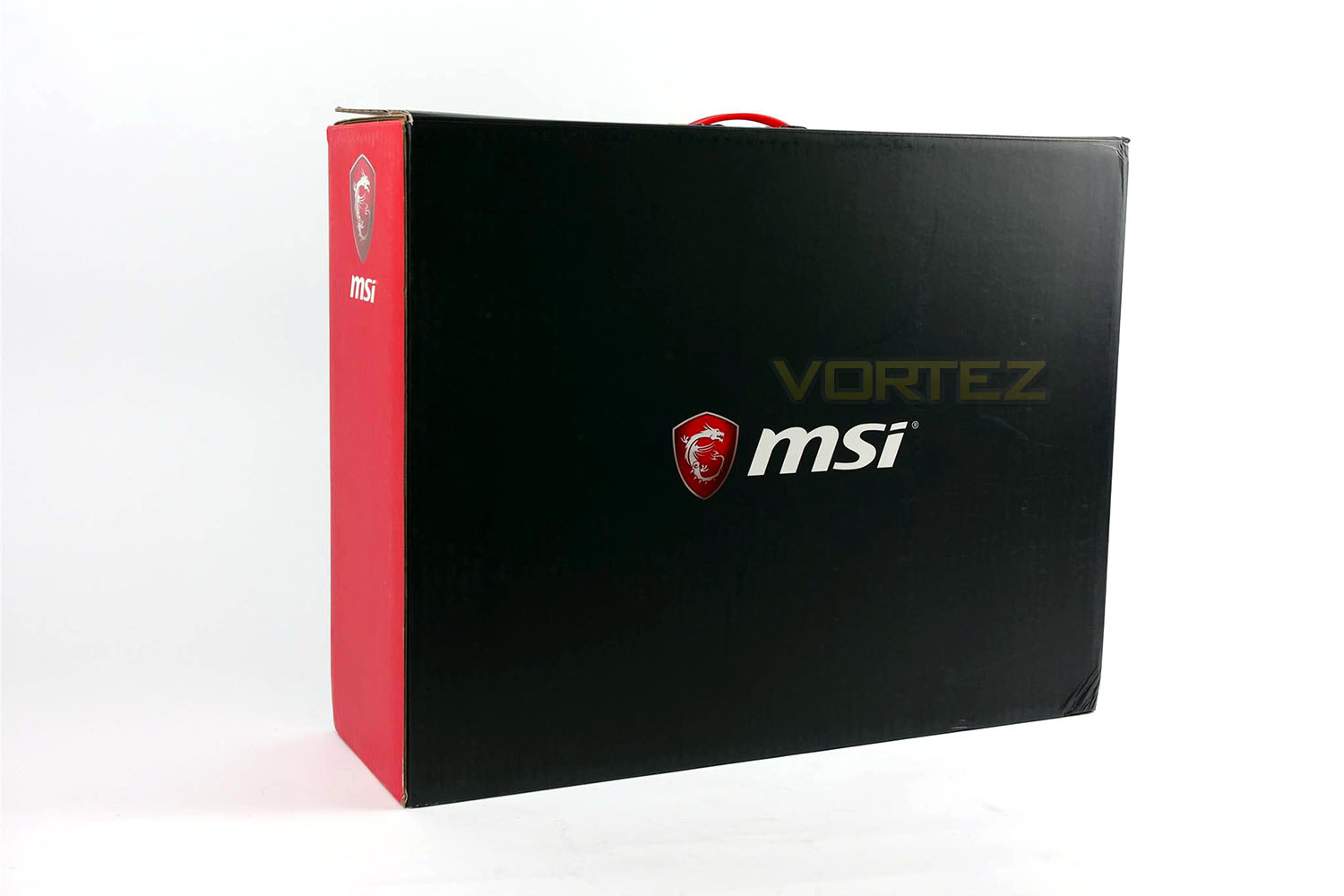
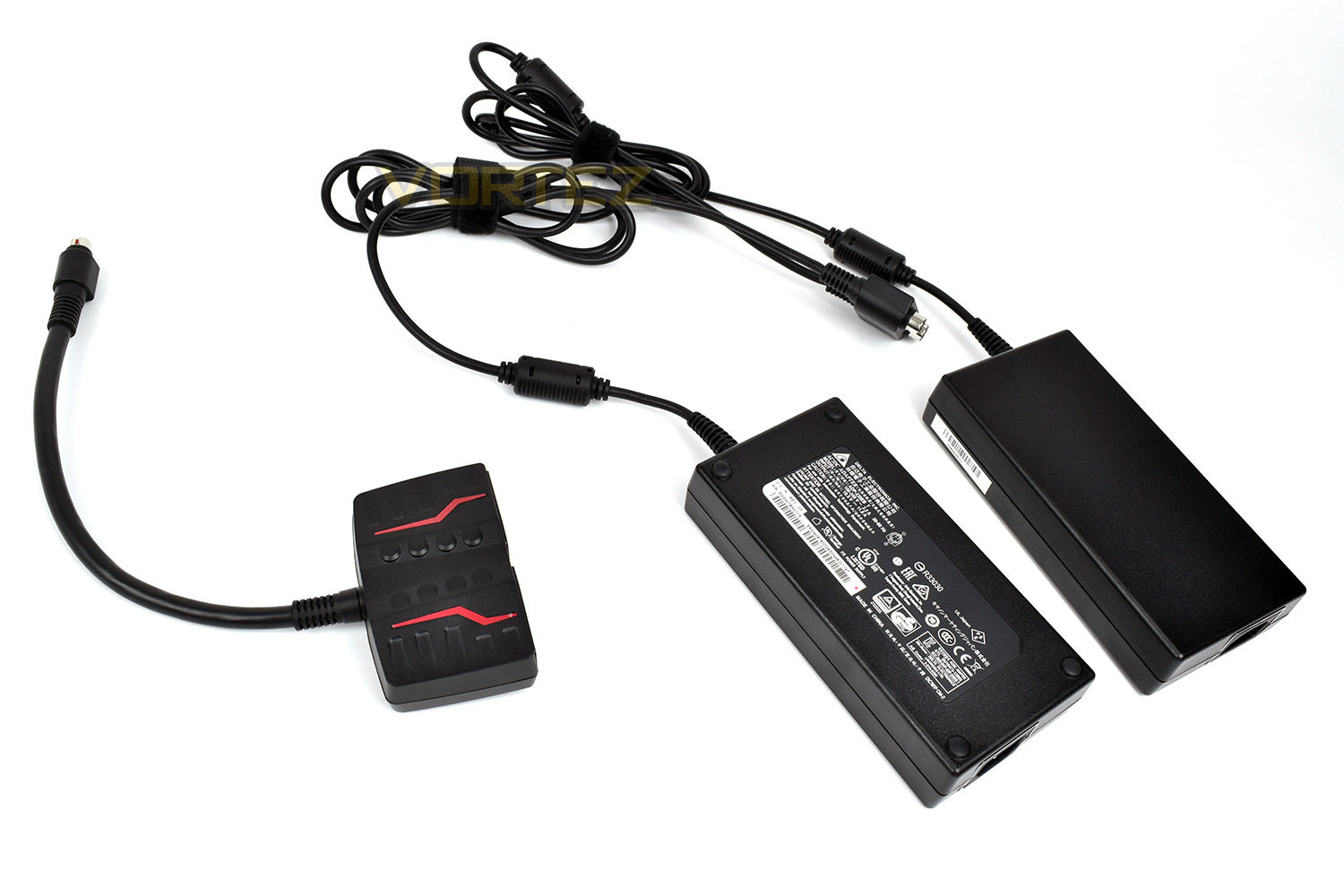
Due to the incredible power demands of a Core-i9 CPU and a GTX 1080 GPU along with the other components, two power supplies are required. Unfortunately MSI have made no effort to merge the two together like we’ve seen from the likes of ASUS; this makes organising the two power bricks quite tricky and untidy.
The shorter piece visible on the left connects the two power supplies together, to plug into one port on the rear of the laptop.
Closer Look
The lid of the laptop ensures you won’t fly under the radar un-noticed. The red accents and large MSI badge fit the styling of the laptop rather well. Let’s face it, if you’re spending £3500 on a laptop, you’re going to demand it stands out from the crowd.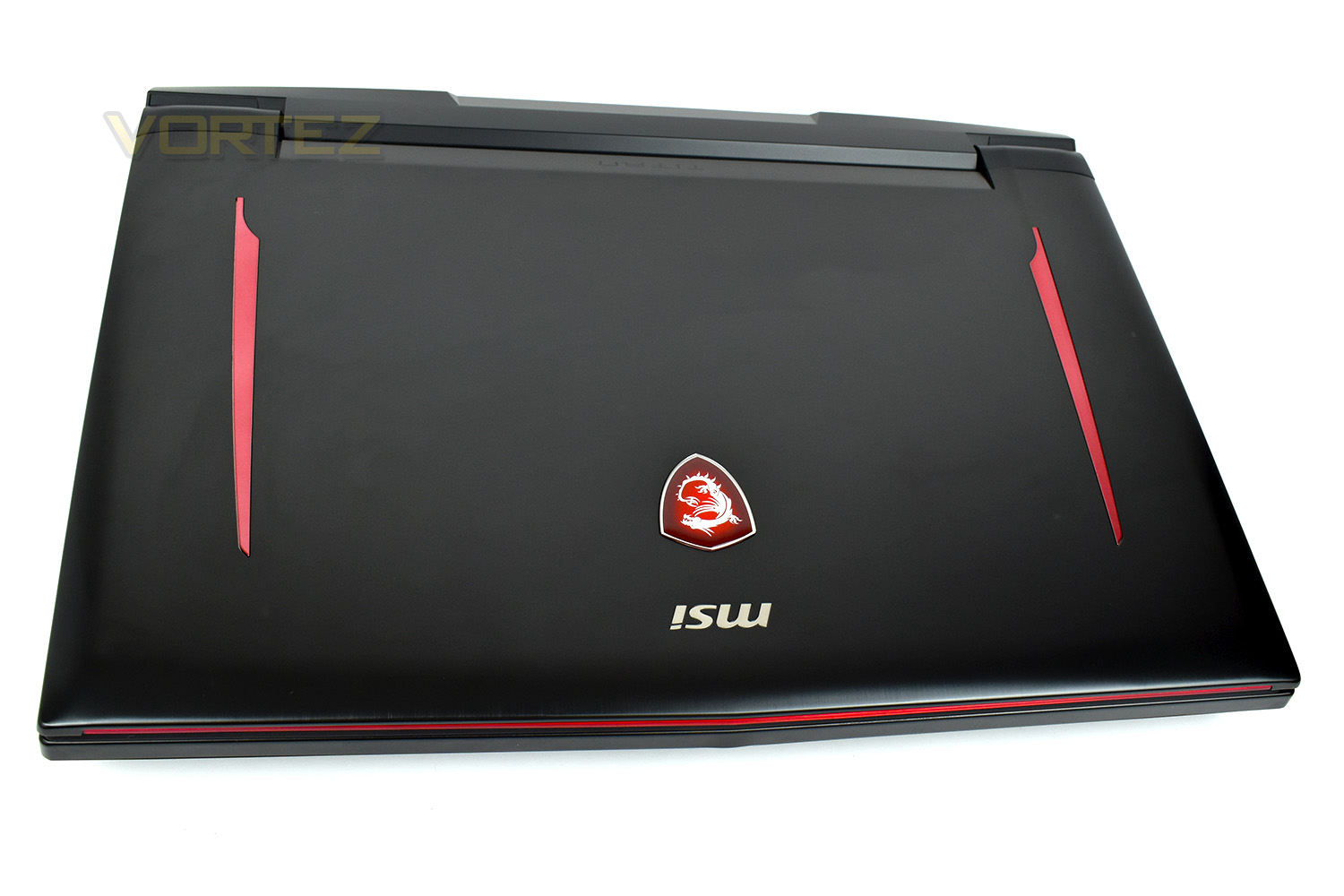
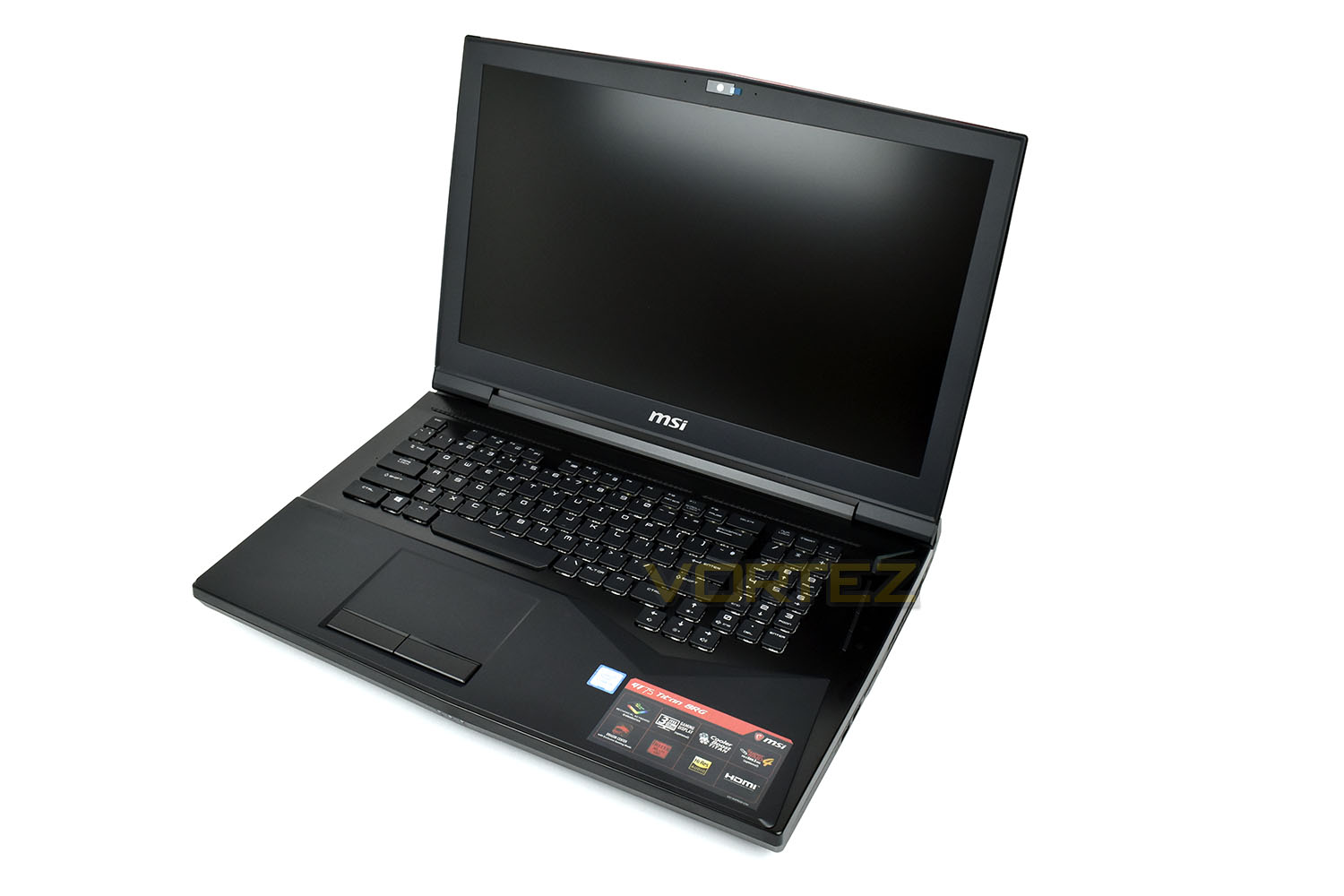
Opening the lid, the laptop oozes a premium look. Brushed aluminium all-round with a Steelseries-designed keyboard. The 1080p 120Hz monitor looks great, even when turned off; the matte coating reduces glare and shine.
Above the monitor is a 1080p30 webcam, with build in microphones for video calling.
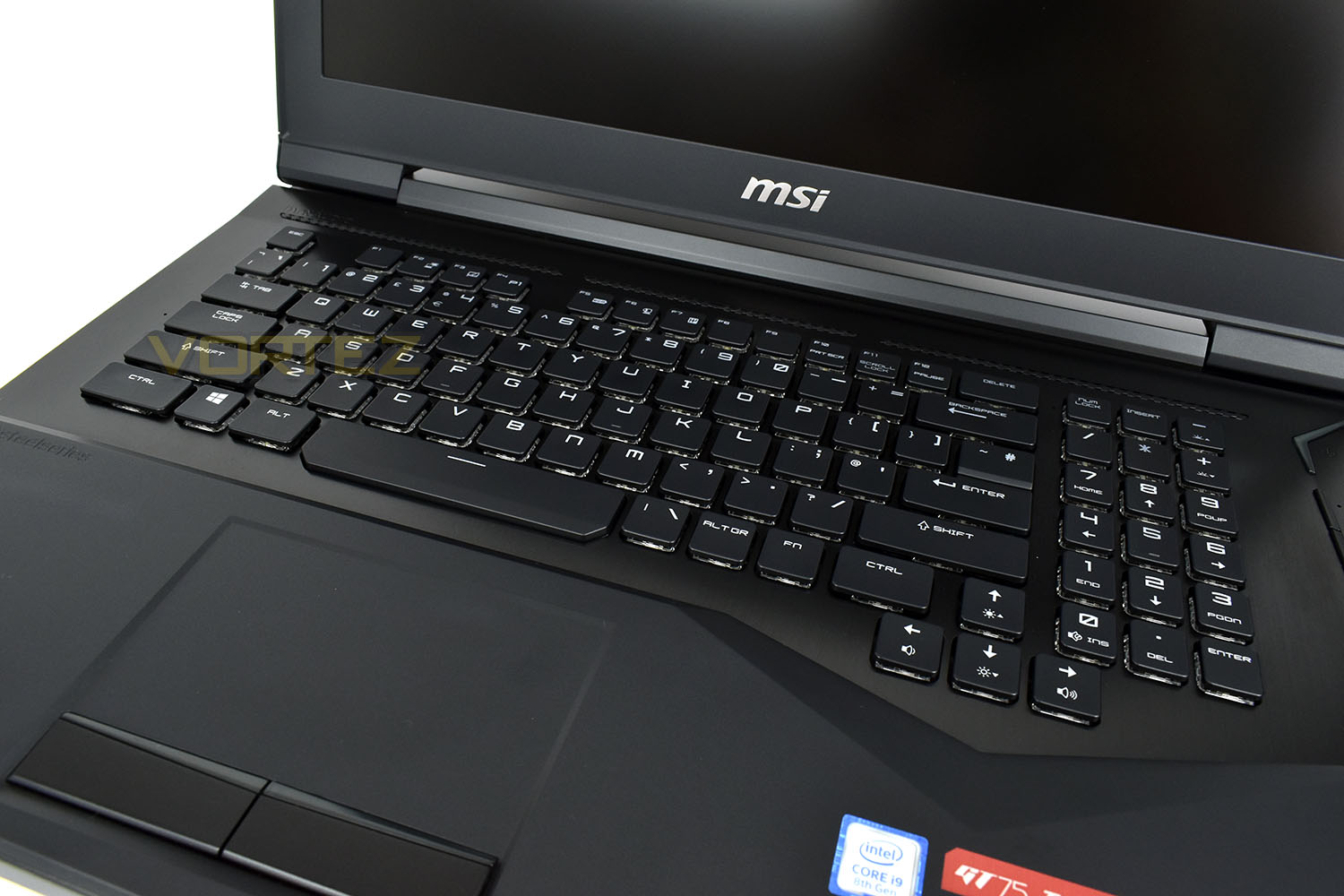
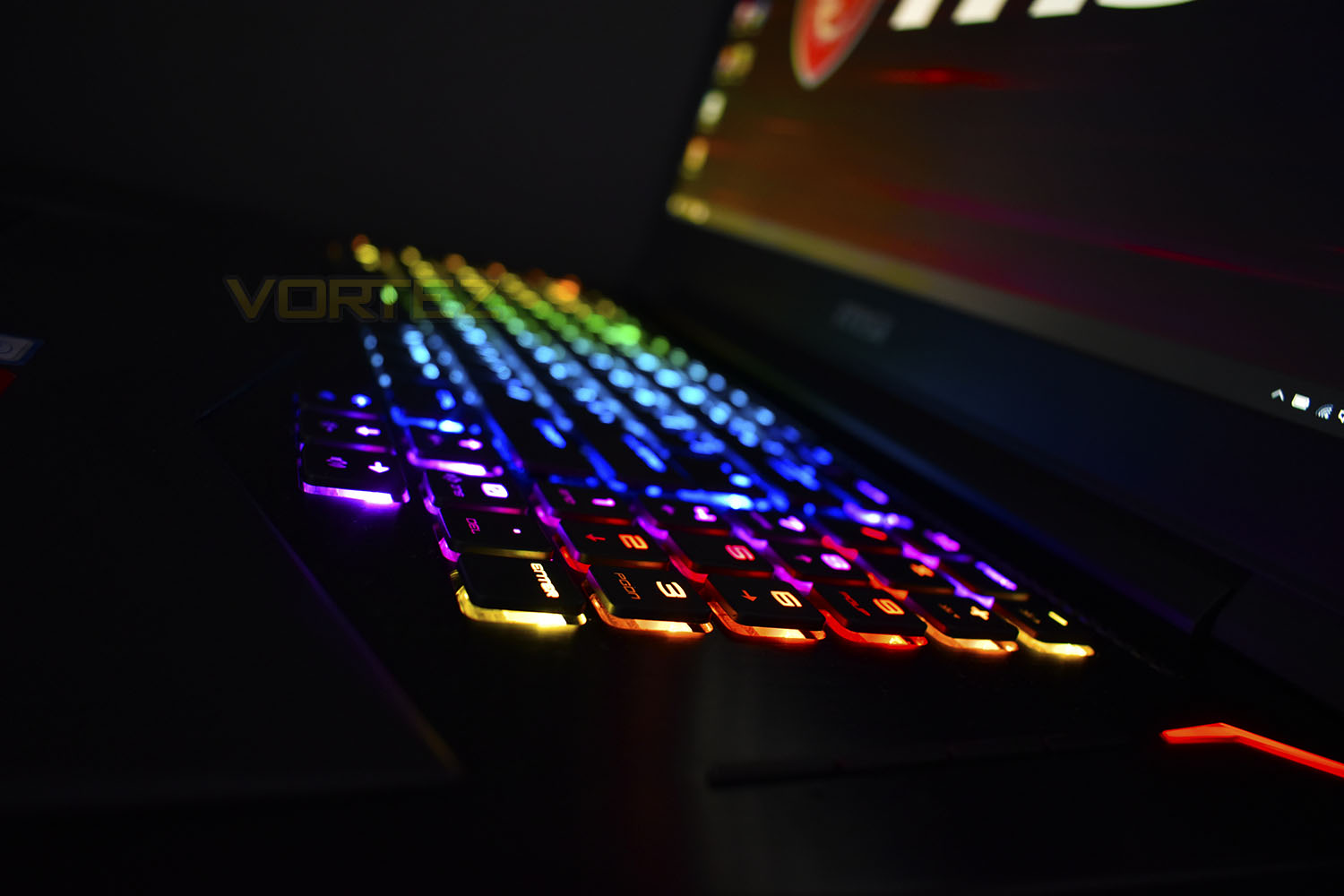
Concentrating on that Steelseries keyboard, the switches feel incredibly similar to a “blue” style, with a little less travel. However, fitting anything even vaguely reminiscent of a mechanical keyswitch into a laptop is impressive, especially one tuned quite as well as this. The spacing between the keys was also just-about perfect too. Oh, and did we mention the full 16.7m colours you can choose from?
The trackpad is moulded directly into the chassis, with no huge crevices for hair and dust to become stuck in, other than the right and left-click buttons. The coating on the trackpad surface is silky-smooth, giving very little resistance when in use.
Closer Look (Continued)
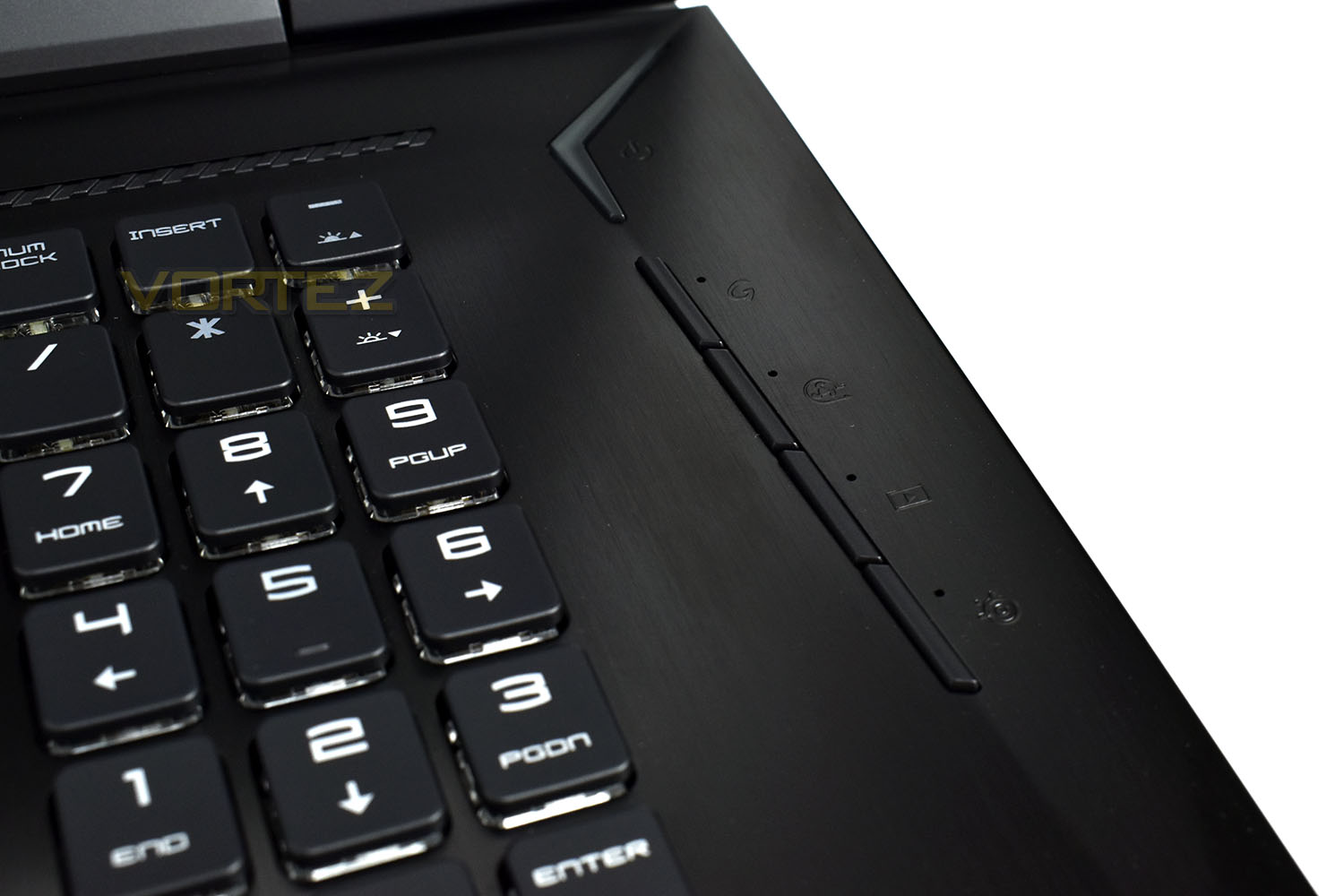
The right-hand edge features the power button, which lights up red when turned on, along with 4 dedicated buttons.The 1st button switches between the Intel GPU and NVIDIA GPU, the 2nd button turns the Fans up to 100% (caution, loud), the 3rd button launches X-Split and the 4th toggles through different keyboard lighting configurations.
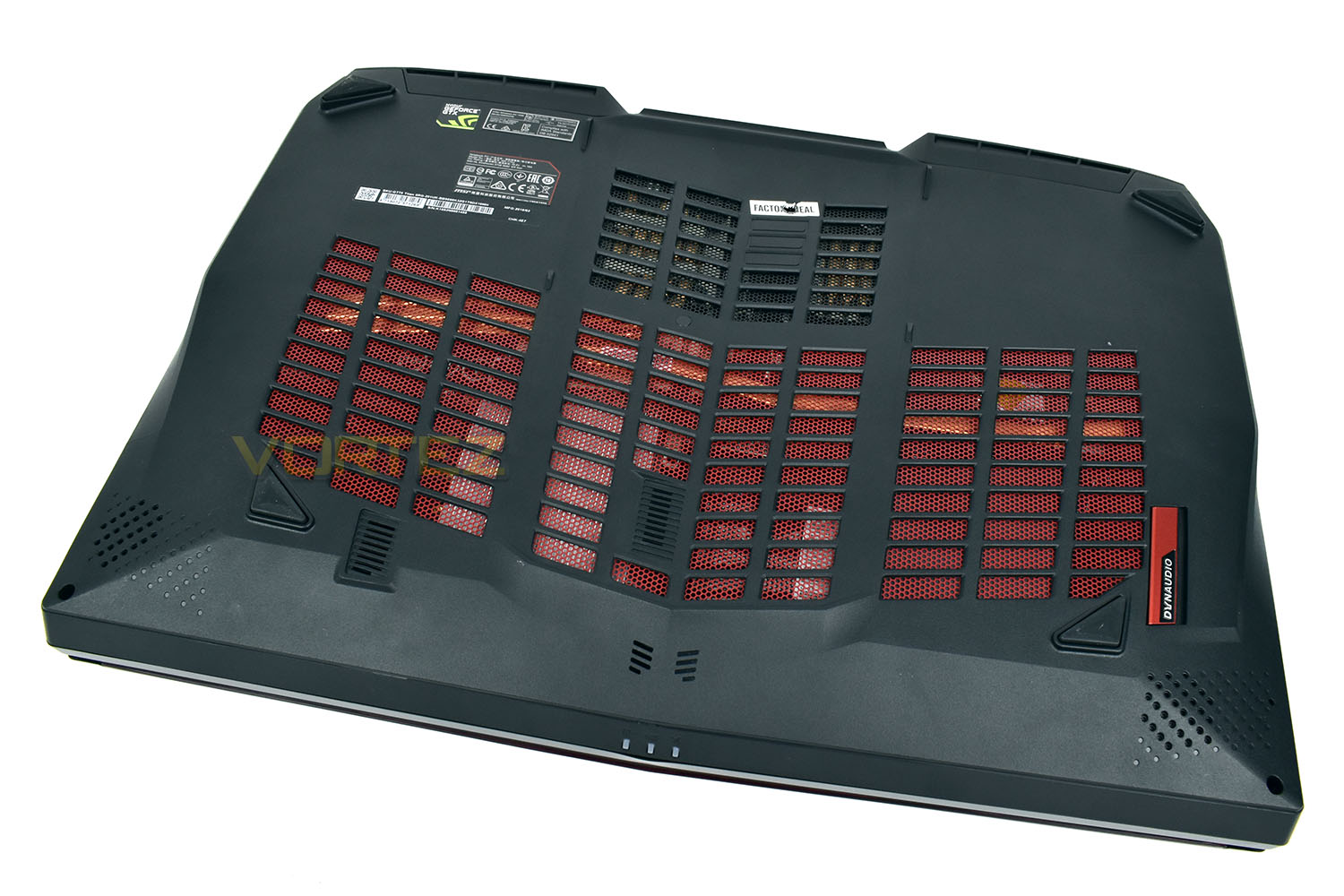
The underside is roughly a 50:50 ratio of a tough plastic chassis and venting for the immense cooling required. The heatsinks inside feature 9 copper heatpipes to help dissipate the heat produced by the i9 CPU and GTX 1080 GPU, both of which are capable of pushing out around 150w of heat, each.
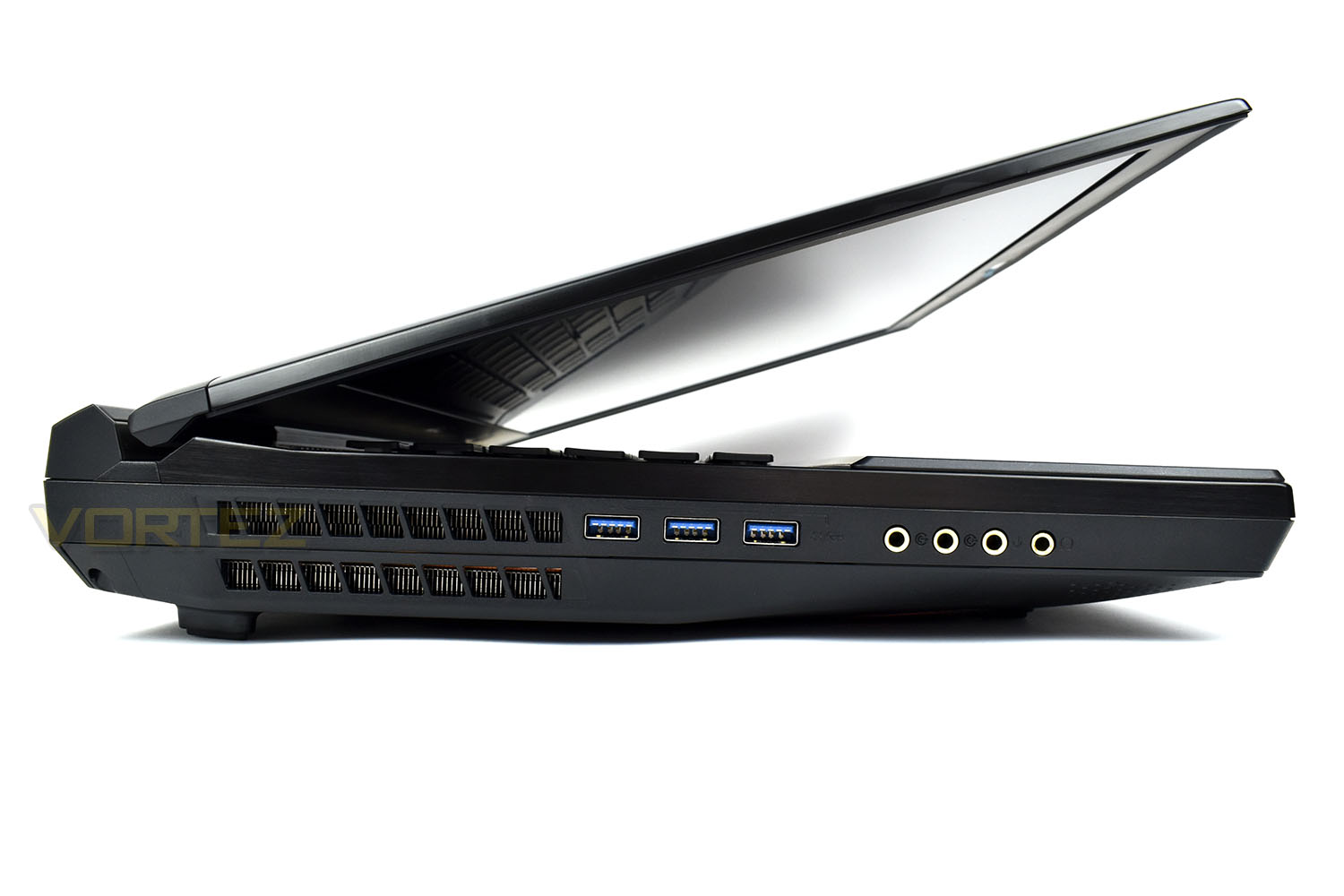
The left edge is dominated by a massive heat vent, which is a bit of a theme with the GT75, to ensure heat build up isn’t a problem. There’s also three USB 3.1 Gen. 2 ports and four 3.5mm audio jacks.
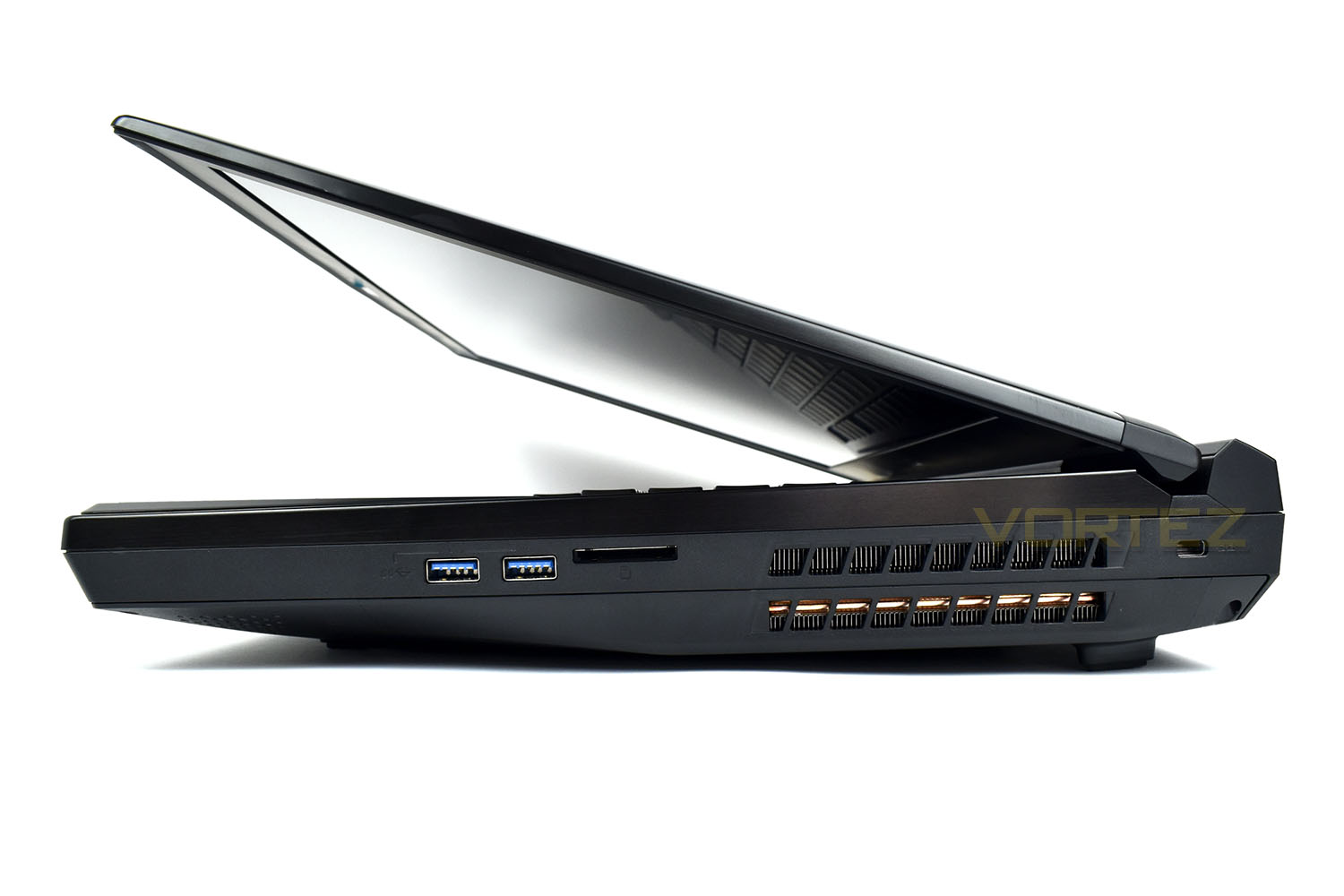
The right is pretty similar, with another two USB 3.1 Gen. 2 ports, an SD card reader and a Kensington Lock, which will be vital if taking this to any kind of public event.
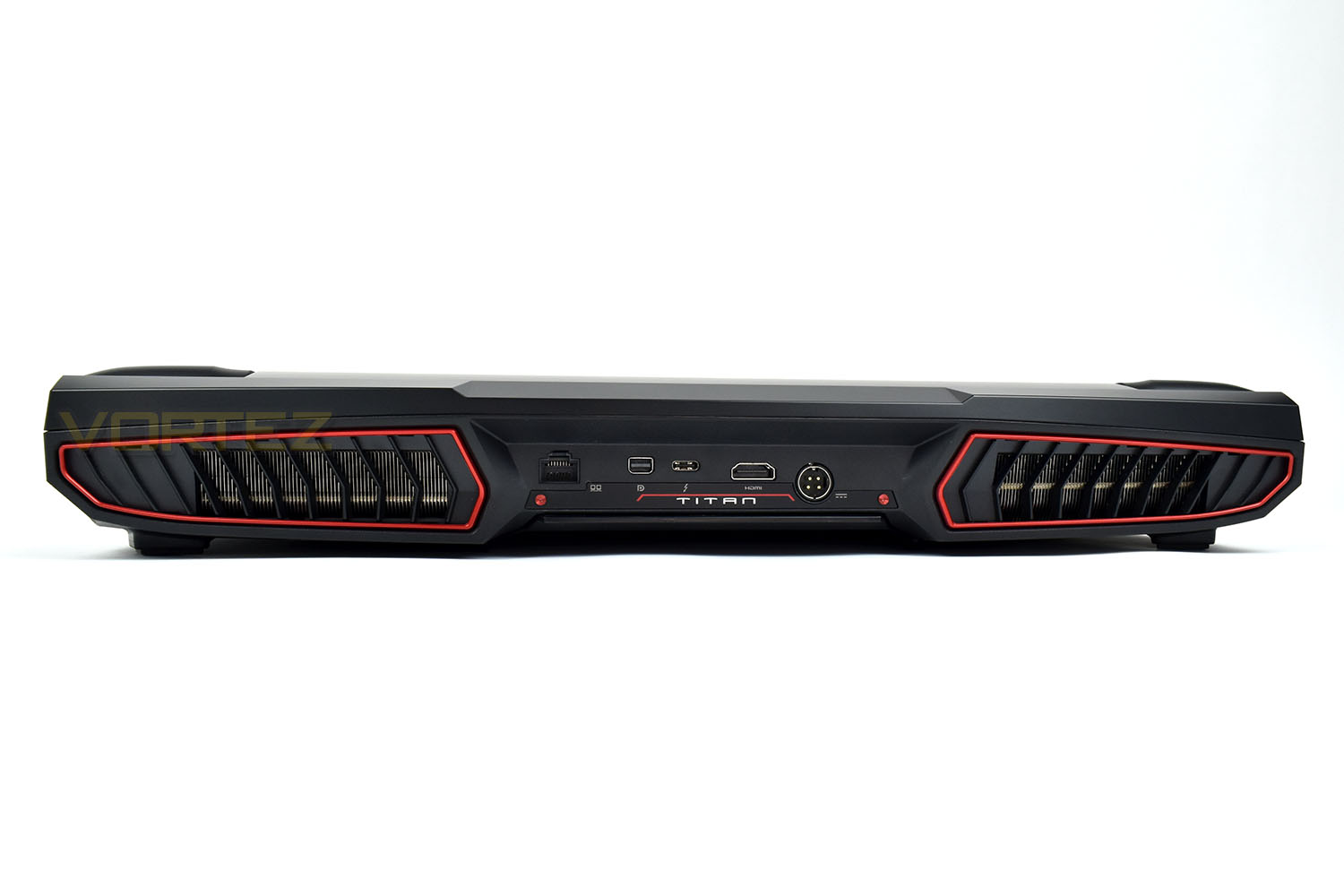
The rear unfortunately doesn’t house any USB Type-A ports; even one would have done in this instance, for a mouse or pointing device. However, we do get an HDMI 2.0 port, capable of 4K60. A USB 3.1 Gen. 2 Type-C (Thunderbolt), Mini Display Port and Gigabit Ethernet. The round socket with four pins is the power connection from the two power supplies.
Benchmarks: Temperatures, Up Time & Boot Time
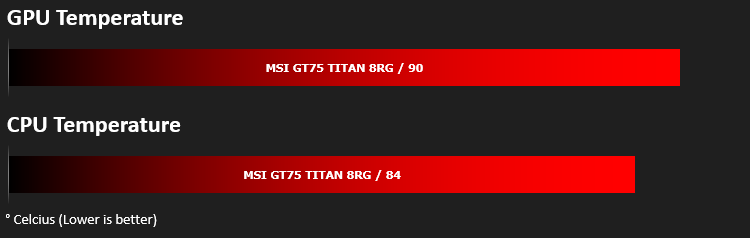
For our first benchmark test we observe the max. CPU/GPU temperatures of the system while allowing Unigine Heaven 4.0 to run on a 30-minute loop. To report back on the temperatures we use RealTemp and GPU-Z which provide the peak figures.
In this test we observe how fast the boot into Windows 10 is by using a digital stopwatch.

Battery uptime is another important observation, for this, we charge the notebook up to 100% and then disconnect the charging unit and leave Heaven 4.0 running on a continuous loop until the notebook loses all power.

Benchmarks: Cinebench R15 & Handbrake
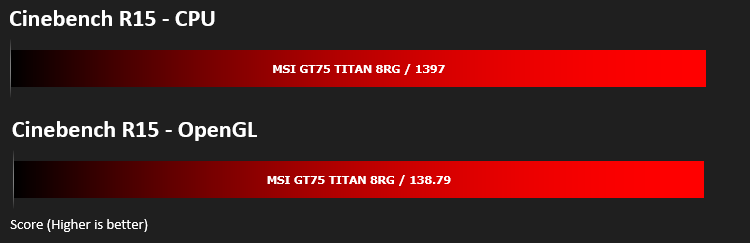
CINEBENCH can measure systems with up to 64 processor threads. This test scene contains approximately 2,000 objects which in turn contain more than 300,000 polygons in total, and uses sharp and blurred reflections, area lights, shadows, procedural shaders, antialiasing, and much more. The result is displayed in points (pts). The higher the number, the faster your processor is.
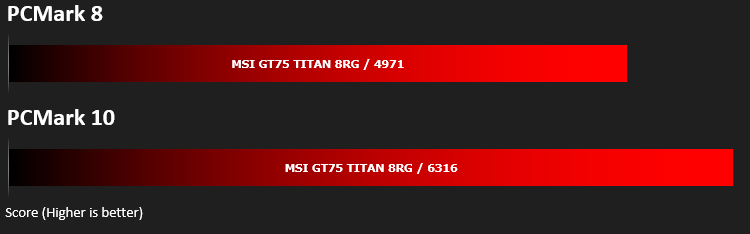
Benchmarks: PCMark 8 & 10
PCMark 10 combines performance benchmarking with battery life measurement and includes tests based on popular Adobe and Microsoft applications. Whether you are looking for long battery life, or maximum power, PCMark 10 will help you find the devices that offer the perfect combination of efficiency and performance for your needs. It’s the complete PC performance benchmark for home and business.
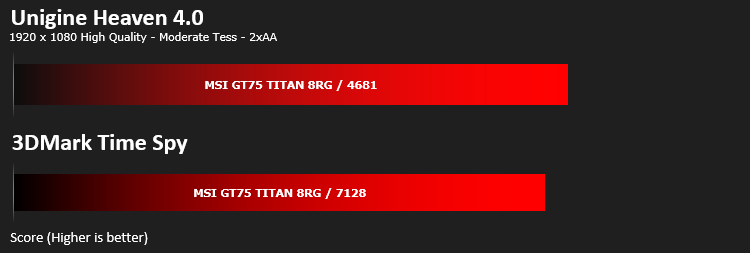
Benchmarks: 3DMark & Heaven 4.0
Time Spy is a DirectX 12 benchmark test for gaming PCs running Windows 10. With its pure DirectX 12 engine, built from the ground up to support new API features like asynchronous compute, explicit multi-adapter, and multi-threading, Time Spy is the ideal benchmark for testing the DirectX 12 performance of the latest graphics cards.
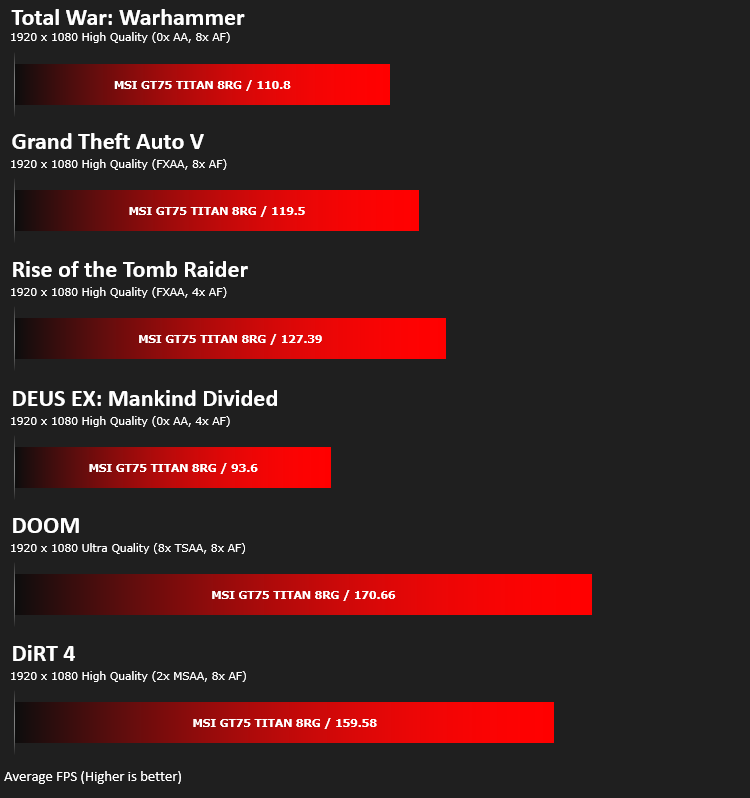
Benchmarks: Gaming (1080p)
The GT75 Titan 8RG uses the NVIDIA GeForce GTX 1080 for graphics delivery, in this section we test the latest gaming titles to see how effective the 3D capabilities are. We report on the average framerate using FRAPS.
Performance Testing
Inspired by the GT83, MSI’s focus on ergonomics and comfort as well as aesthetics will have proved to be an immense task, however, we feel they’ve pretty much nailed it on all aspects. The Steelseries mechanical keyboard is lovely to type on, with a genuinely positive clicky feel, as well as gaming with its distinguished actuation point. The only issue we faced was the sheer bulk of the chassis, causing the wrists to be too highly raised for continuous use.Staying with the chassis, the considerable bezel surrounding the screen is slightly distracting from the overall premium feel; though, on the other hand, it can be forgiven when considering the glorious panel tucked inside. The 1080p TN panel is capable of 120Hz with only a 3ms delay, giving this machine some proper gaming potential, even in the fastest paced games. The MSI software preinstalled offers several different screen modes, useful for making the colours pop in vibrant titles like Fortnite or Rocket League. Viewing angles were also reasonable considering the TN panel; it’s unlikely you’ll be sharing the one screen amongst several people so we don’t see this is an issue anyway.
Of course, if you’re using the GT75 for gaming, you’ll almost certainly be purchasing a mouse, but for daily usage of web browsing or just getting stuff done, the trackpad is great. The silky-smooth feel and recessed location on the front plastic area is excellent.
Connectivity, now that’s something MSI have put a serious amount of effort into, with a proper 5 USB ports, utilising the latest USB 3.1 Gen. 2 standard, HDMI 2.0 for 2160p60, four 3.5mm audio inputs/outputs and Gigabit ethernet. If you plan to use this as a serious desktop replacement, the connectivity will be vital.
Now, when it comes to noise, unfortunately the MSI Titan doesn’t fare all that well. We used a set of Razer Tiamat 2.2 V2 headphones, featuring a closed back, however we were still able to hear the fans whirring away despite the volume being at 100%. If you’re not using headphones, the laptop is easily audible several rooms away. Now, bearing in mind the insane specification of the laptop, as well as the considerable overclock applied to that i9 CPU, it’s acceptable to allow such noise levels, but we also found the CPU reaching very nearly 100°C as well as making a total racket; that’s not good enough, frankly. Longevity and stability rapidly become of great concern at those temperatures.
Thanks to the large speakers, sound quality was perfectly decent, easily good enough to watch a film or play games without headphones, but you may find the fan noise to be a little too distraction otherwise. The subwoofer was surprisingly punchy too, for a laptop.
Finally, portability; that’s not really a word you can use to describe the GT75 Titan 8RG. It’s over 6kg with the included power packs, which is almost a necessity for any kind of usage, you will also require a pair of wall sockets to power the CPU and GPU, that rules out using it on almost any train or bus where a single power socket is usually the norm.
Conclusion
As a technical exercise, the GT75 8RG is incredible. Simply being able to fit that much power into a semi-portable form factor is impressive, especially when considering the inclusion of a mechanical keyboard, RAID0 SSDs, an HDD, subwoofer and speakers, plenty of connectivity and a 120Hz 1080p panel.Unfortunately, however, the appeal kinda fizzles out at that point. The £3499 pricetag is sizeable and therefore requires a lot of thought to be applied to such a purchase.
Shoehorning such a vast amount of computational power into a relatively small chassis has implications, mainly in terms of heat or noise, or in this case, both. The i9 can show up most desktop CPUs, while the NVIDIA GeForce GTX1080 is currently the fastest mobile GPU but the noise the machine generates is intolerable.
120Hz and 3ms response times makes the 1080p panel a joy to use, the colours were incredibly bright and vibrant, making cartoony games a pleasure, but for actual image work or anything of that calibre, you may wish to configure the IPS 4K panel instead, but we can’t guarantee the quality of that display having not tested it.
All things considered, the GT75 Titan 8RG offers genuine desktop performance that is, technically, portable, but there’s a few too many trade-offs to consider this as a viable machine for day to day use.
The £3,499 price tag does seem reasonable for a machine of this calibre, but it’s still a lot of money.
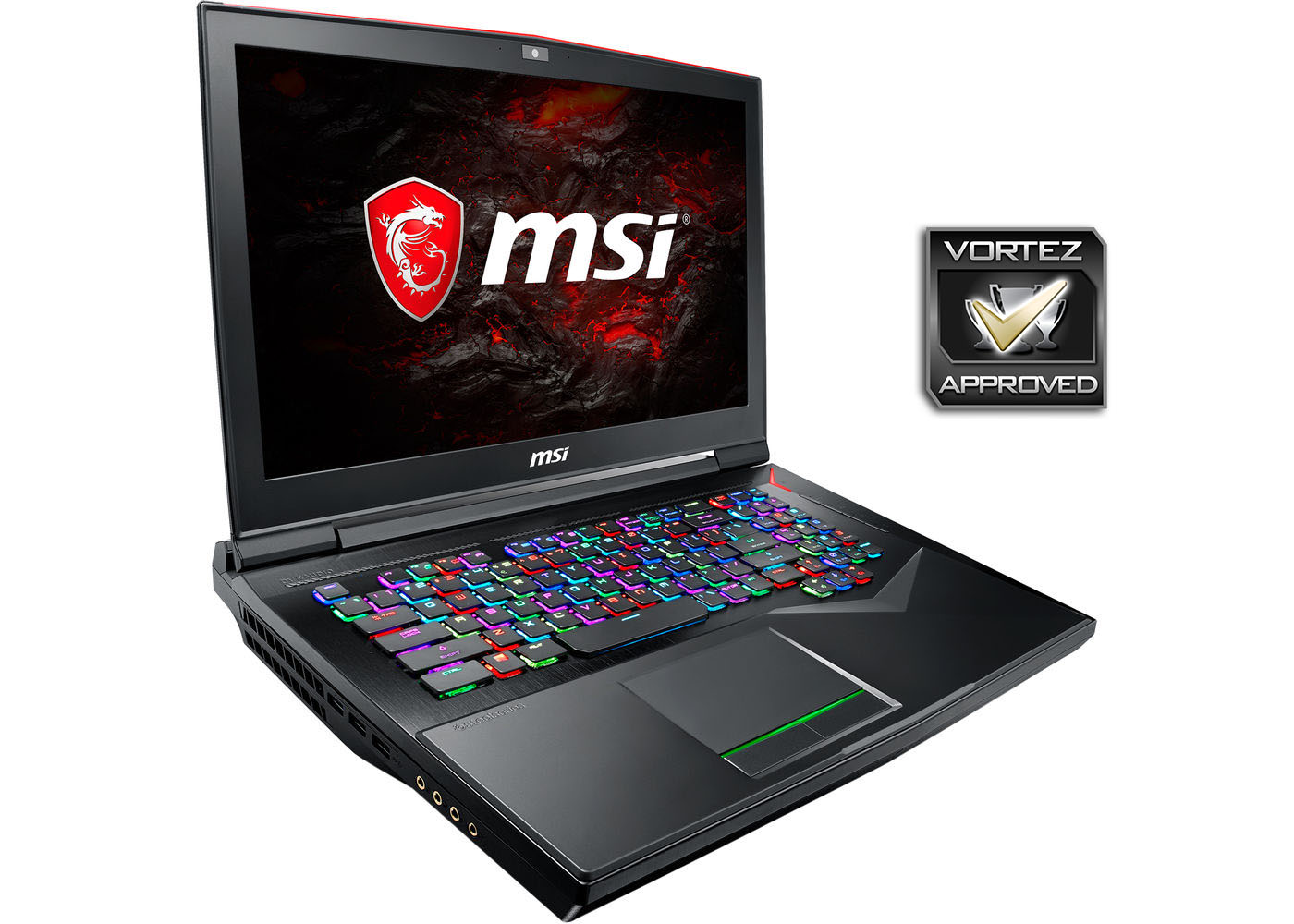
Insane levels of speed, a beautiful 1080p panel, a solid chassis and the SteelSeries mechanical keyboard are all amazing, but the heat and noise levels ruin the experience sadly.
Pros
+ PERFORMANCE
+ Awesome trackpad
+ Lovely mechanical keyboard
+ Solid build quality
+ Gorgeous TN 1080p panel
+ Plenty of connectivity
Neutral
+- Pricey
Cons
– Hot
– Loud
– Heavy
– Two power supplies required
+ PERFORMANCE
+ Awesome trackpad
+ Lovely mechanical keyboard
+ Solid build quality
+ Gorgeous TN 1080p panel
+ Plenty of connectivity
Neutral
+- Pricey
Cons
– Hot
– Loud
– Heavy
– Two power supplies required