Sporting the all-new B550 chipset from AMD, here’s MSI’s take on the chipset with extended heatsinks, premium power delivery and a mechanical appeal to the appearance.

Product on Review: MSI MAG B550 Tomahawk
Manufacturer: MSI
Street Price: GBP $179.99 / USD $179 / AUS $309
Following on from the launch of 3rd-Gen Ryzen and the X570 chipset in July of last year, which saw the introduction of a chiplet design within the CPUs, 7nm architecture and the PCI-E 4.0 specification. Today we’re going to examine MSI’s take on the B550 chipset with the MAG B550 Tomahawk.
As a quick introduction to B550, it’s essentially a chipset aimed more towards the budget end of the market, for those who still wish to take advantage of new and exciting features but are willing to make some sacrifices to save a buck. One of the biggest compromises is the lack of support for Zen and Zen+ CPUs, with only Zen2 (and future CPUs) supported. In regards to system connectivity, the B550 offers up to eight SATA III connections, with support for RAID 0, 1 and 10. We also see PCI-E specifications upgraded from the previous-gen flagship, the X470 chipset, with four PCI-E 3.0 lanes and eight PCI-E 2.0 lanes, while the X470 offered only eight PCI-E 2.0 and the B450 and B350 chipsets had to make do with only six PCI-E 2.0 lanes. We also get up to two USB 3.2 Gen. 2 ports, six USB 3.1 ports, six USB 2.0 ports and native overclocking support right out of the box.
Aside from the B550 chipset, the Zen2 Ryzen CPUs give native support for PCI-E 4.0, to the upper-most M.2 and PCI-E x16 port for GPU and NVMe support.
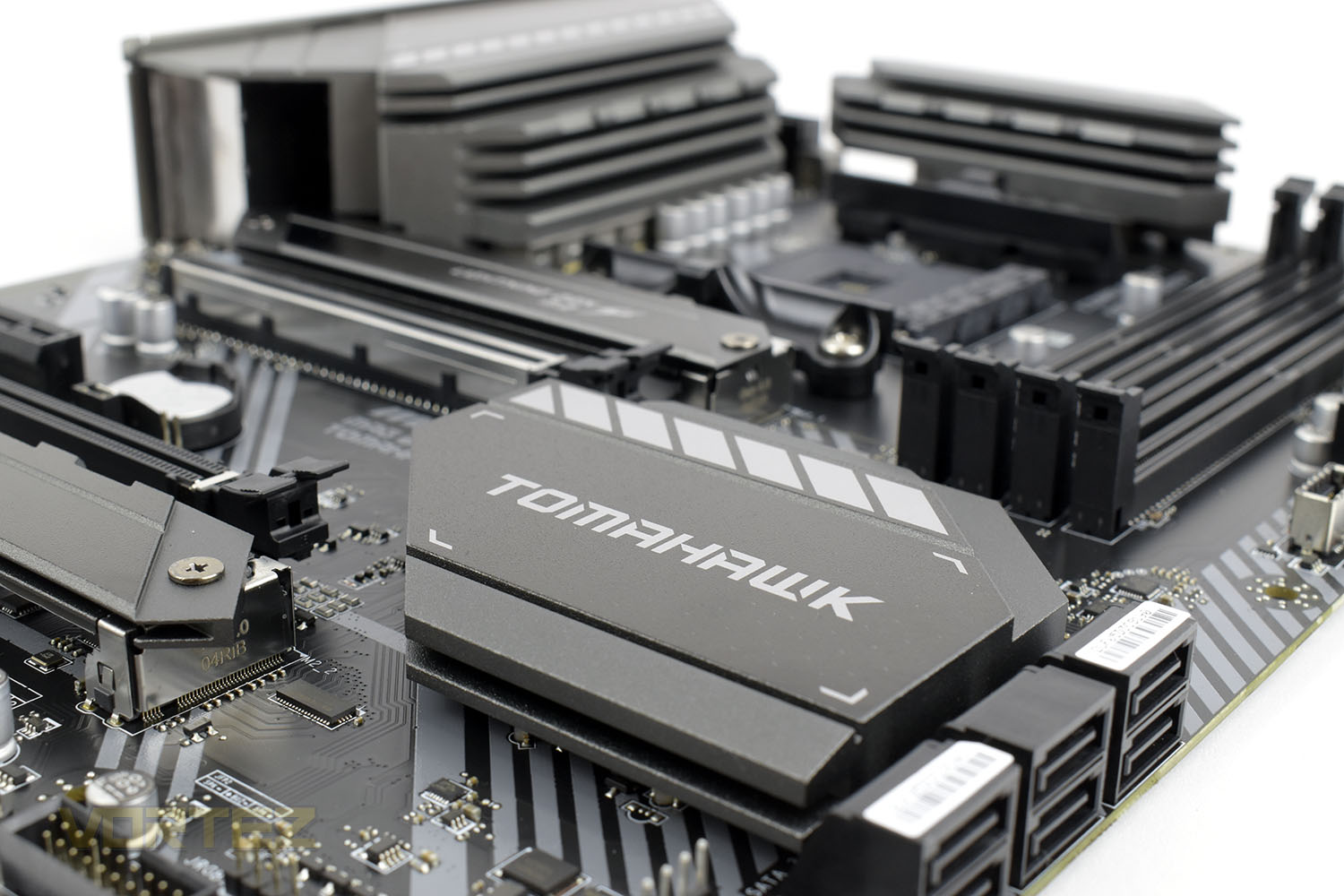
The MSI MAG B550 Tomahawk finds itself in the middle to top of MSI’s B550 roster, sporting an extended PWM heatsink to support AMD’s range of high core count CPUs, alongside a 10+2+1 Dual Rail Power System, Gen. 4 NVMe support, 1G and 2.5G ethernet and a dedicated high-definition audio processor equipped with high-quality audio capacitors with support for 7.1 output.
Priced at £179.99 ($179 US, $309 Aus), the Tomahawk is close to some of the low-end X570 motherboards available on the market, so performance and features will need to be plentiful to compete. Let’s take a look.
MSI on the MAG B550 Tomahawk:
The MAG series was born through rigorous quality testing and designed to be a symbol of sturdiness and durability. Focused on providing the best user experience, the MAG series has a simple installation process coupled with a friendly user interface making it the best choice for entry level gamers.
Technical Specifications
Model Name: MAG B550 TOMAHAWK
CPU Support: 3rd Gen AMD Ryzen™ processors and future AMD Ryzen™ processors with BIOS update
CPU Socket: AMD Socket AM4
Chipset: AMD B550 Chipset
Graphics Interface:
1x PCI-E 4.0 x16 slot
1x PCI-E 3.0 x16 slot
Support 2-way AMD CrossFire™ Technology
Display Interface: DisplayPort, HDMI – Requires Processor Graphics
Memory Support: 4 DIMMs, Dual Channel DDR4-4866+(OC)Mhz
Expansion Slots: 2x PCI-E 3.0 x1 slots
Storage: 2x M.2 slots, 6x SATA 6Gb/s
SATA RAID: Supports RAID 0, RAID 1 and RAID 10 for SATA storage devices
USB Ports:
2x USB 3.2 Gen 2 10Gbps (1 Type-C + 1 Type-A)
5x USB 3.2 Gen 1 5Gbps (1 Type-C + 4 Type-A)
6x USB 2.0
LAN:
Realtek® RTL8125B 2.5G LAN
Realtek® RTL8111H Gigabit LAN
Audio: 8-Channel(7.1) HD Audio with Audio Boost(ALC1200)
CPU Support: 3rd Gen AMD Ryzen™ processors and future AMD Ryzen™ processors with BIOS update
CPU Socket: AMD Socket AM4
Chipset: AMD B550 Chipset
Graphics Interface:
1x PCI-E 4.0 x16 slot
1x PCI-E 3.0 x16 slot
Support 2-way AMD CrossFire™ Technology
Display Interface: DisplayPort, HDMI – Requires Processor Graphics
Memory Support: 4 DIMMs, Dual Channel DDR4-4866+(OC)Mhz
Expansion Slots: 2x PCI-E 3.0 x1 slots
Storage: 2x M.2 slots, 6x SATA 6Gb/s
SATA RAID: Supports RAID 0, RAID 1 and RAID 10 for SATA storage devices
USB Ports:
2x USB 3.2 Gen 2 10Gbps (1 Type-C + 1 Type-A)
5x USB 3.2 Gen 1 5Gbps (1 Type-C + 4 Type-A)
6x USB 2.0
LAN:
Realtek® RTL8125B 2.5G LAN
Realtek® RTL8111H Gigabit LAN
Audio: 8-Channel(7.1) HD Audio with Audio Boost(ALC1200)
Packaging & Bundle
Sporting a Tomahawk missile in the centre, unlike most other motherboard boxes which will show an image of the board itself, the box looks very rugged and military styled. There’s a spattering of information plastered around the edges of the box.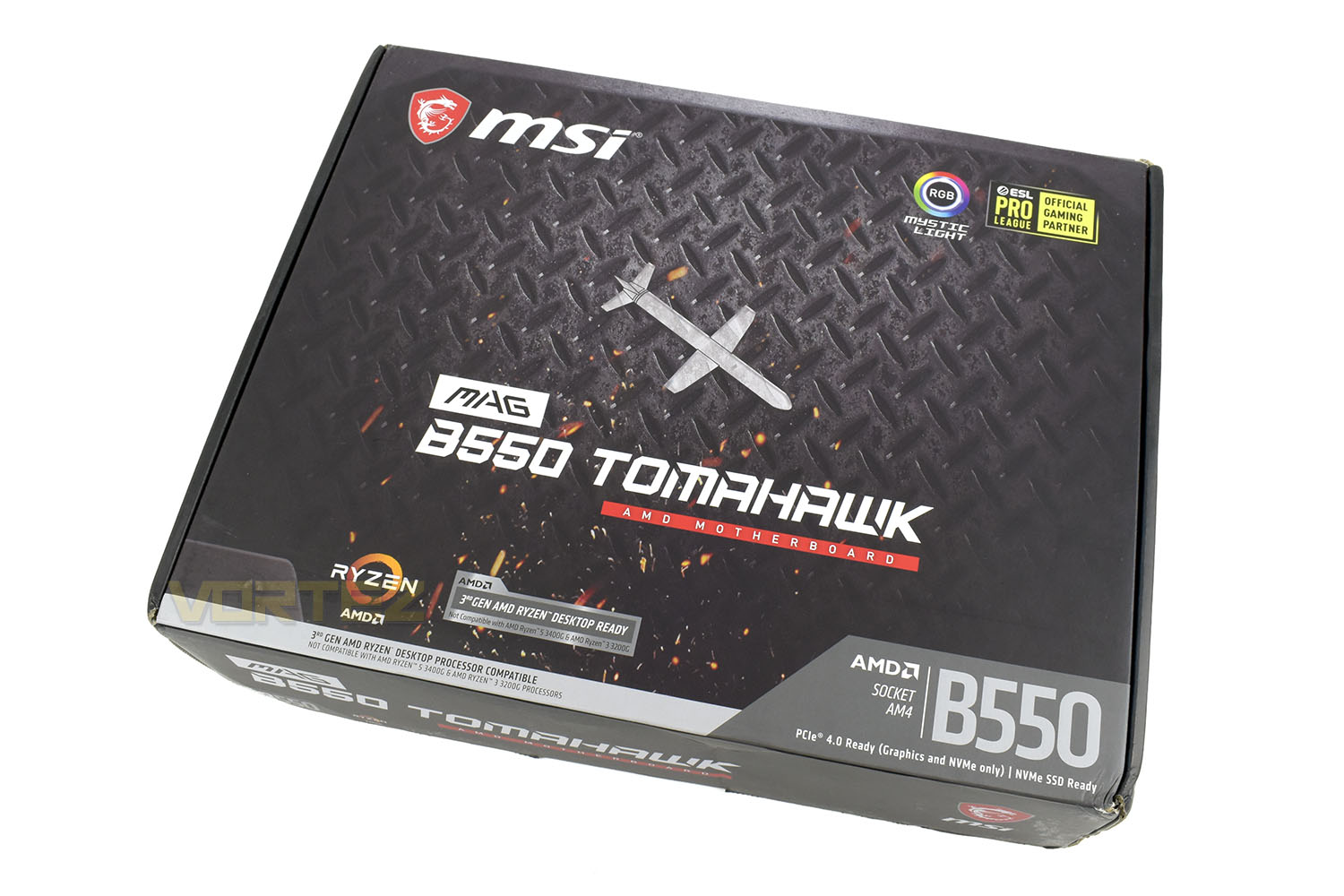
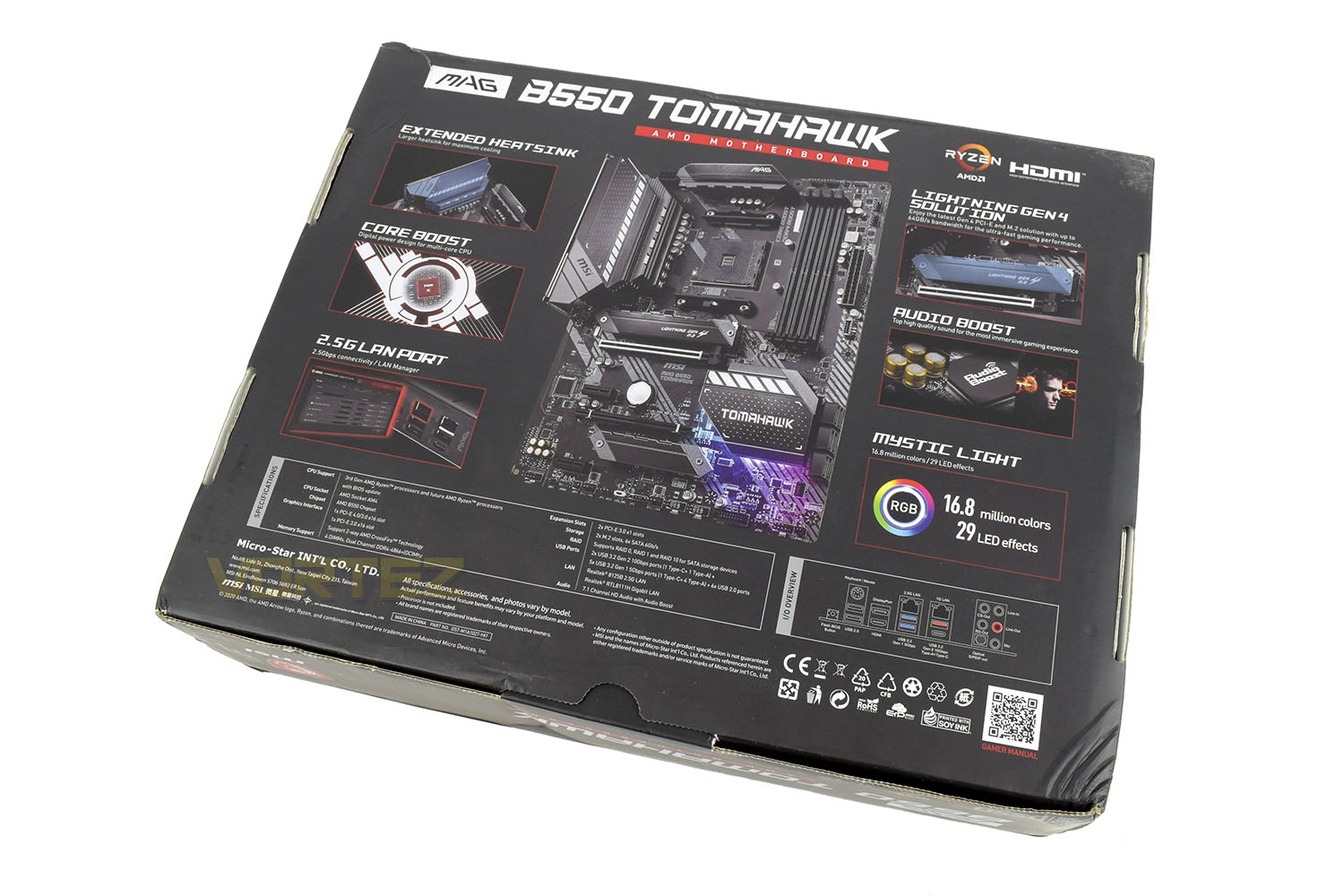
Flipping the box over, you get an overview of the motherboard that’s flanked on both sides by information about the key features. There’s specifications and ports listed at the bottom.
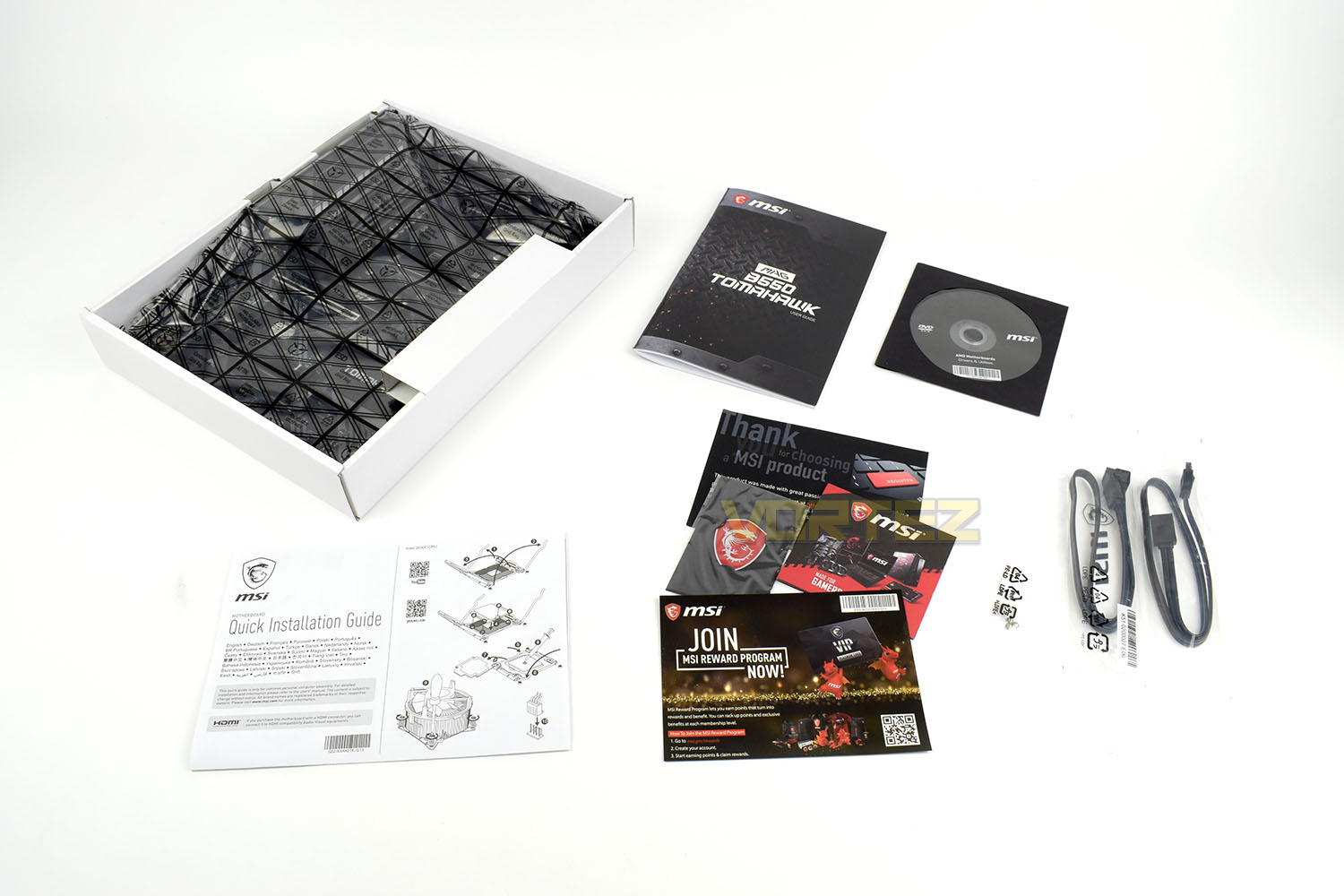
Keeping things somewhat simple, the Tomahawk is bundled with a couple of SATA cables, an MSI case badge, driver disc, instruction manual and some product cards. In the grand scheme of things, there’s not a lot included here.
Closer Look
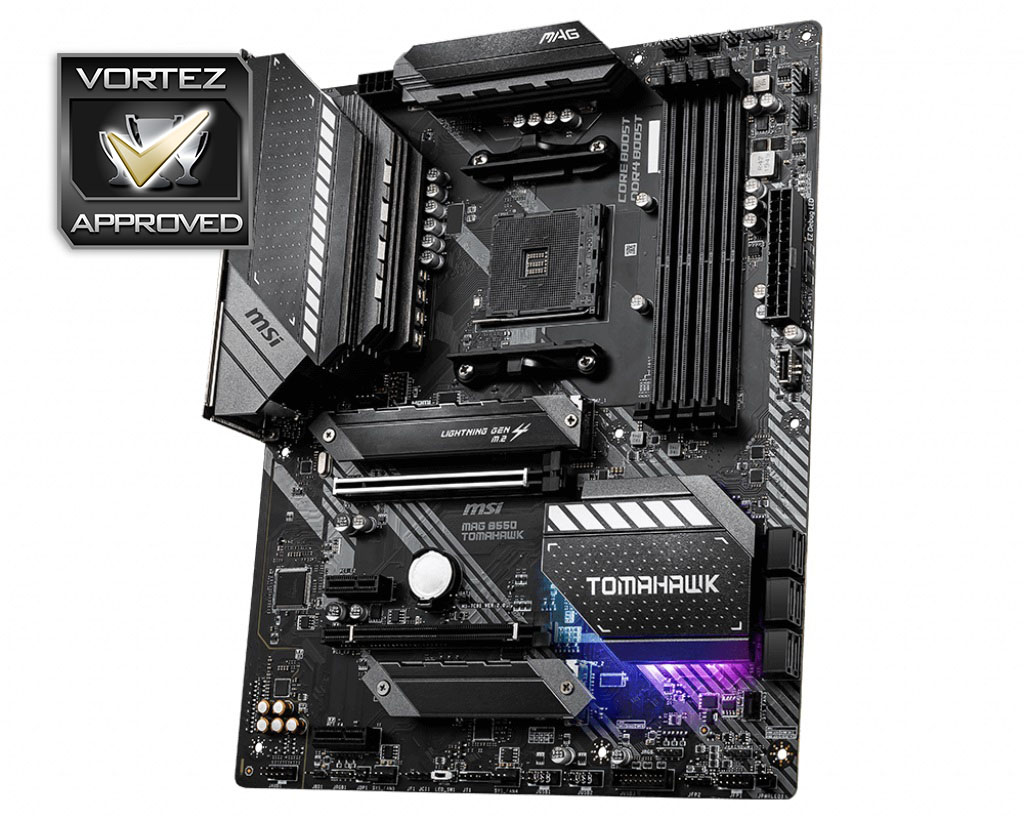
Conforming to the ATX standard, the MSI MAG B550 Tomahawk features a dark style throughout, with gunmetal grey and silver accents strategically placed. MSI have constructed the board upon a 6-layer PCB with 2oz of thickened copper for improved stability.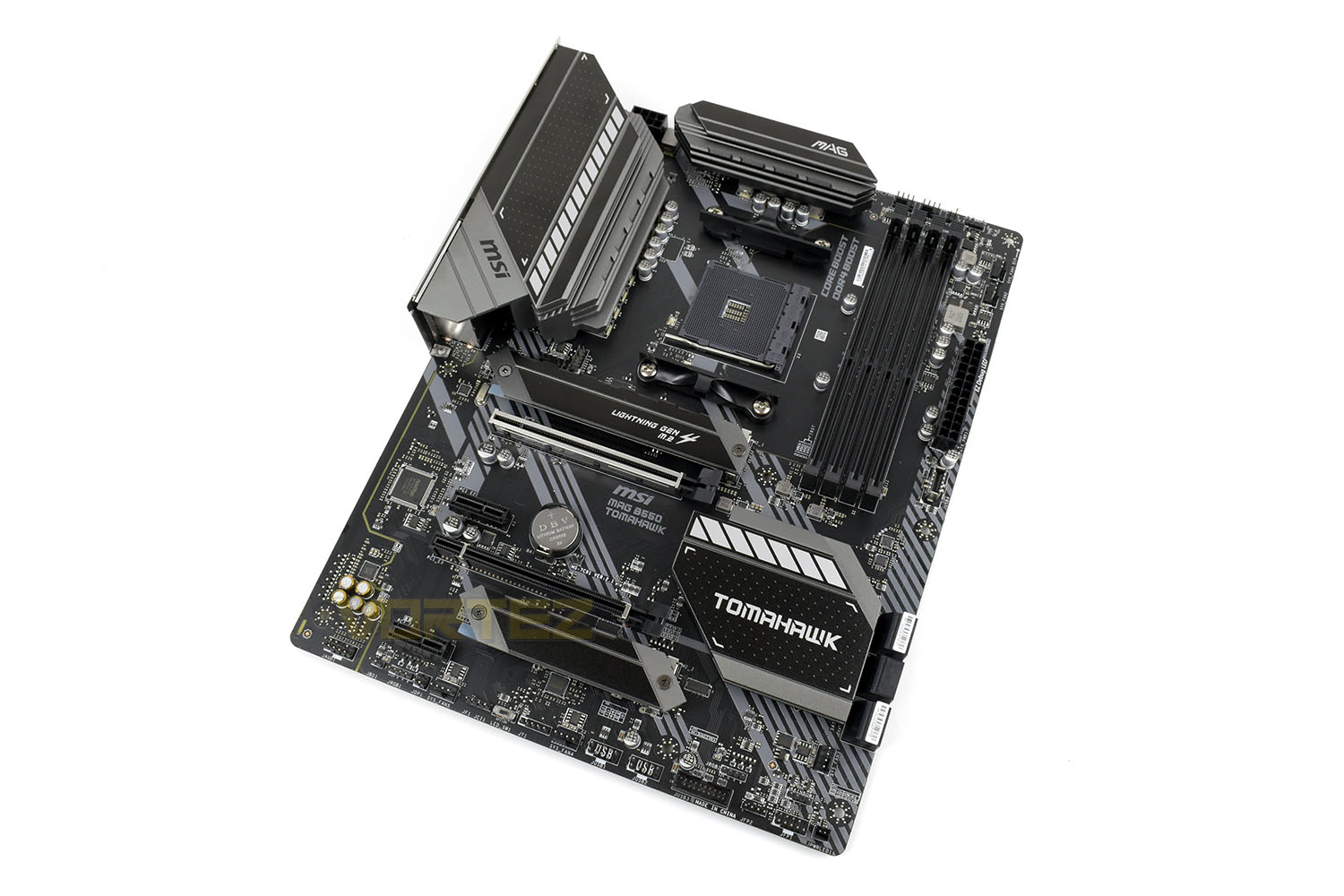
Around the AM4 CPU socket, compatible with AMD 3000-series CPUs only, is a 10+2+1 power phase with digitally controlled power ICs to ensure your system runs smoothly and efficiently.
Above the VRMs are two large metal heatsinks to help with dissipating away heat, particularly handy if you plan to deploy one of AMD’s 12 or 16-core CPUs which can draw well in excess of 150W of power.
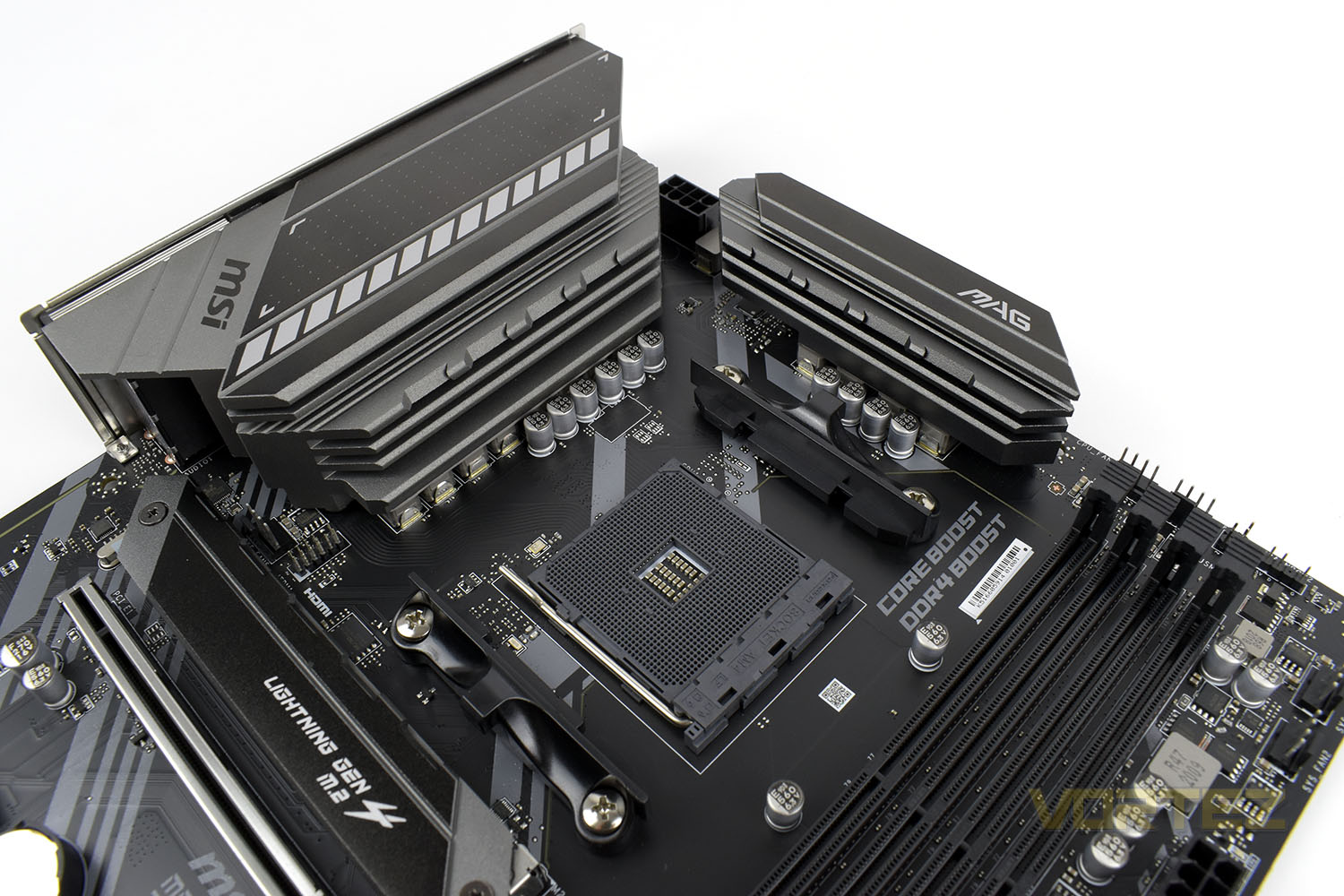
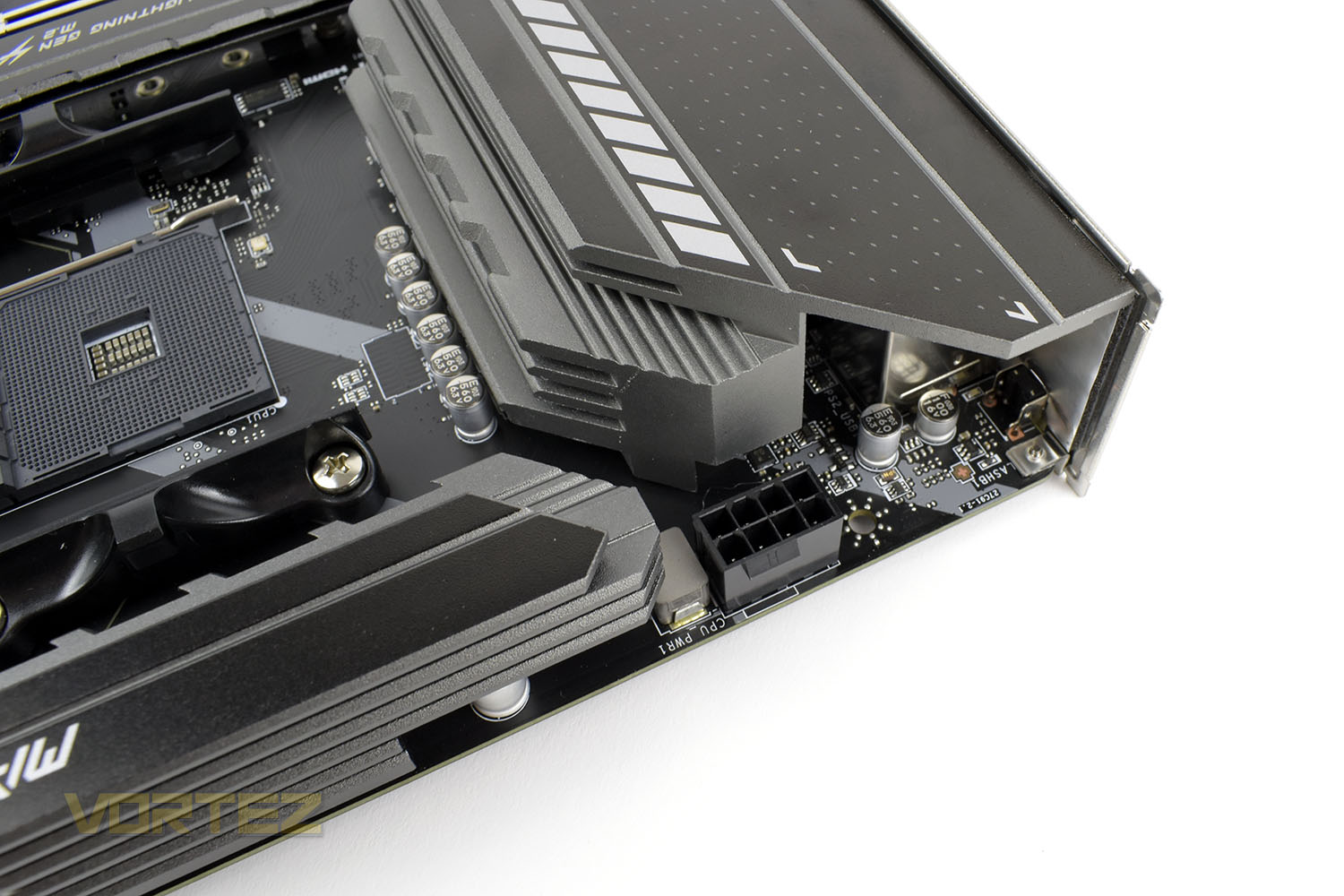
Keeping things modest, MSI have equipped the Tomahawk with only a single CPU 8-pin, but that’s still capable of up to 235W so should be ample for all of AMD’s CPUs as well as giving overclocking headroom on all but the most power-hungry.
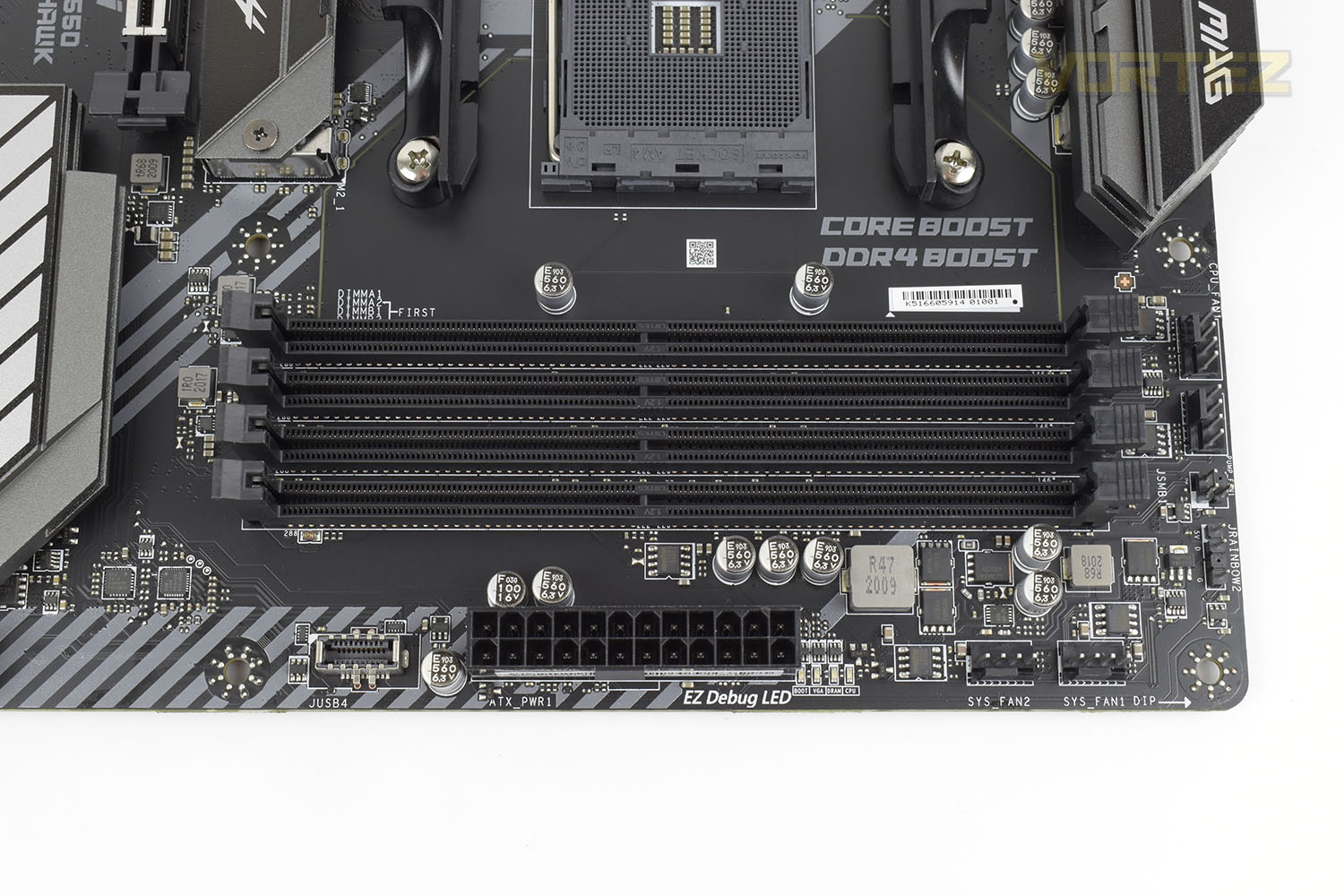
MSI conducts thorough DDR4 testing, under extreme conditions, with memory partners including CORSAIR, Crucial, Kingston, G.Skill and more to ensure your modules are stable and operate as advertised.
There’s also clever DDR4 circuitry isolation to deliver the purest signals for the best overclocking and gaming performance.
Through the 4 four DIMMs, the MAG B550 Tomahawk can handle memory kits up to 5100MHz and in capacities up to 128GB with 32GB modules now appearing on the market.
Looking into the bottom-right corner you can also see there are two CPU 4-pin connections for a pump and fan as well as a couple of system fans on the bottom edge. The bottom edge also houses a front USB 3.1 header.
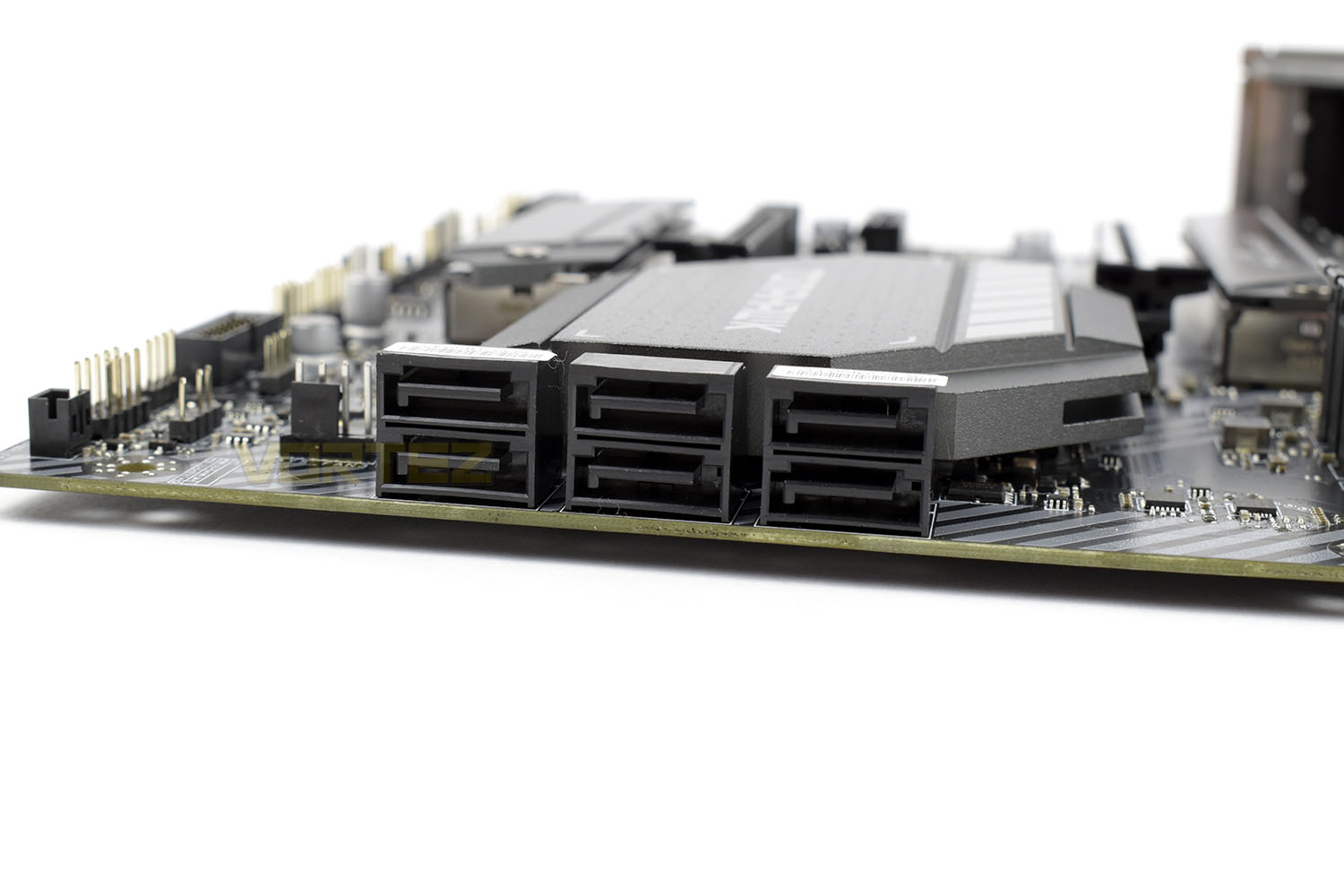
Moving down the board we find there are six 90° SATA III connections for more traditional storage options including large capacity HDDs.
Closer Look (Continued)
Unlike the X570 motherboards with their incredibly power-hungry chipsets, the B550 can benefit from more reserved power requirements, which in turn reduces heat output significantly. One major positive from this is a lack of chipset fan, in turn helping to keep system noise to a minimum.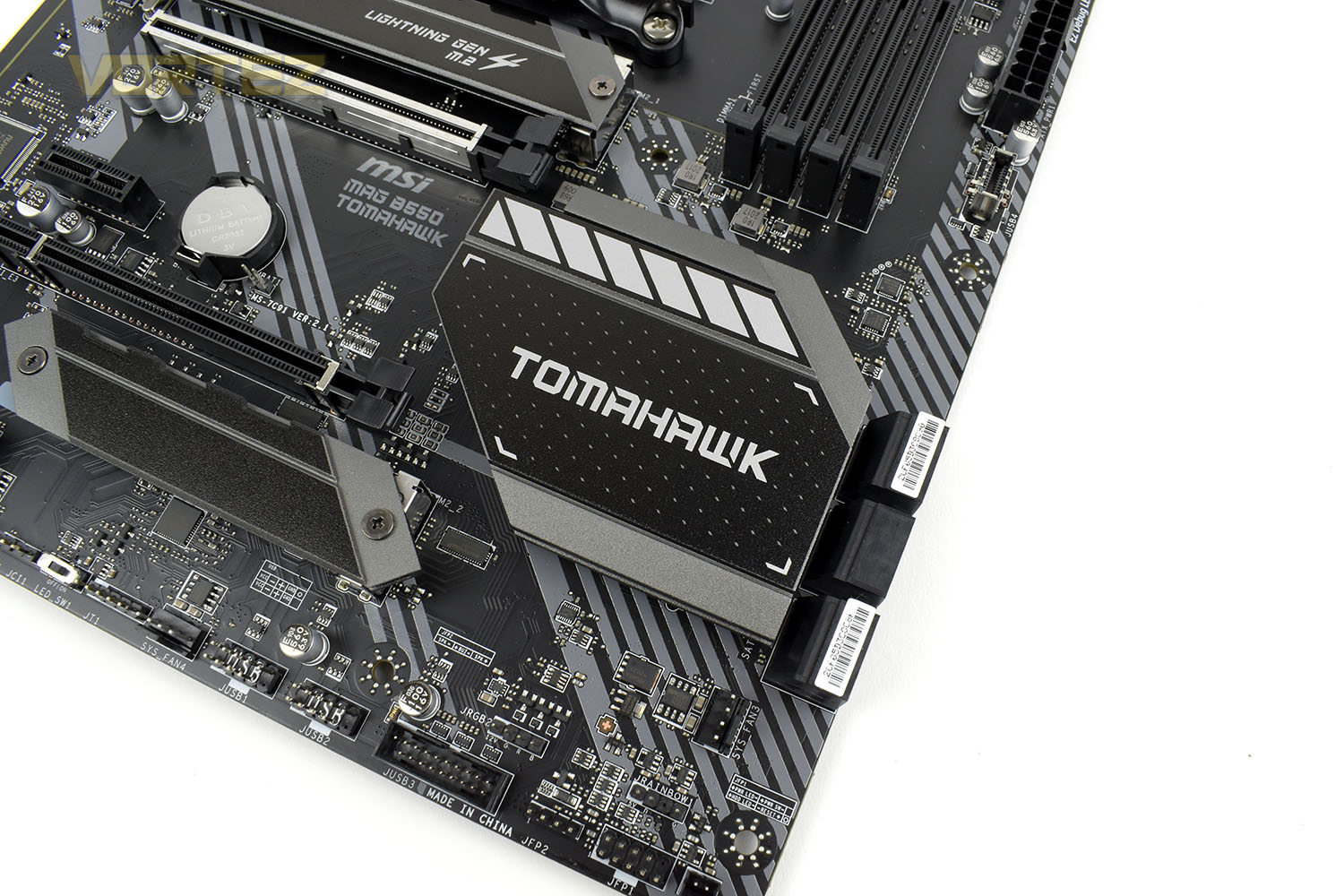
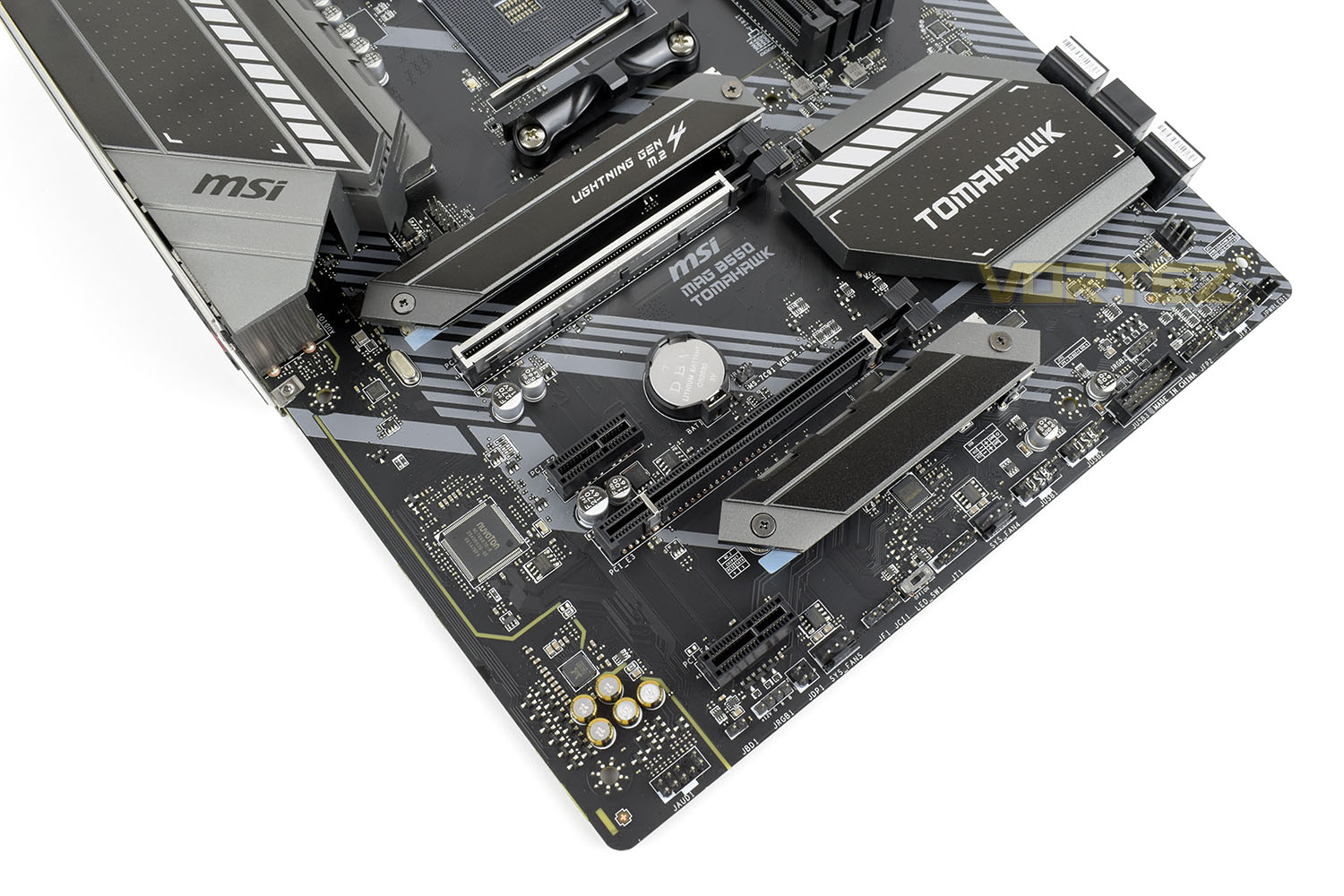
The upper most M.2 slot, with room for 2242, 2260, 2280 and 22110 M.2 modules, is plumbed directly into the AMD CPU above, offering full support for PCI-E 4.0 NVMe drives, with backwards compatibility for 3.0 also. Below that is a PCI-E x16 slot that’s also connected to the AMD CPU for PCI-E 4.0 and 3.0 functionality. Below that are two x1 and a single x16 slot, as well as an M.2 NVMe connection, all of which are controlled by the chipset nearby. These do not offer PCI-E 4.0 functionality, to be clear.
Along the left-edge, behind the yellow isolation trace, is the onboard audio solution. This features a separate left and right audio channel, in layers, as well as using high-quality components for clear, high-definition sound.
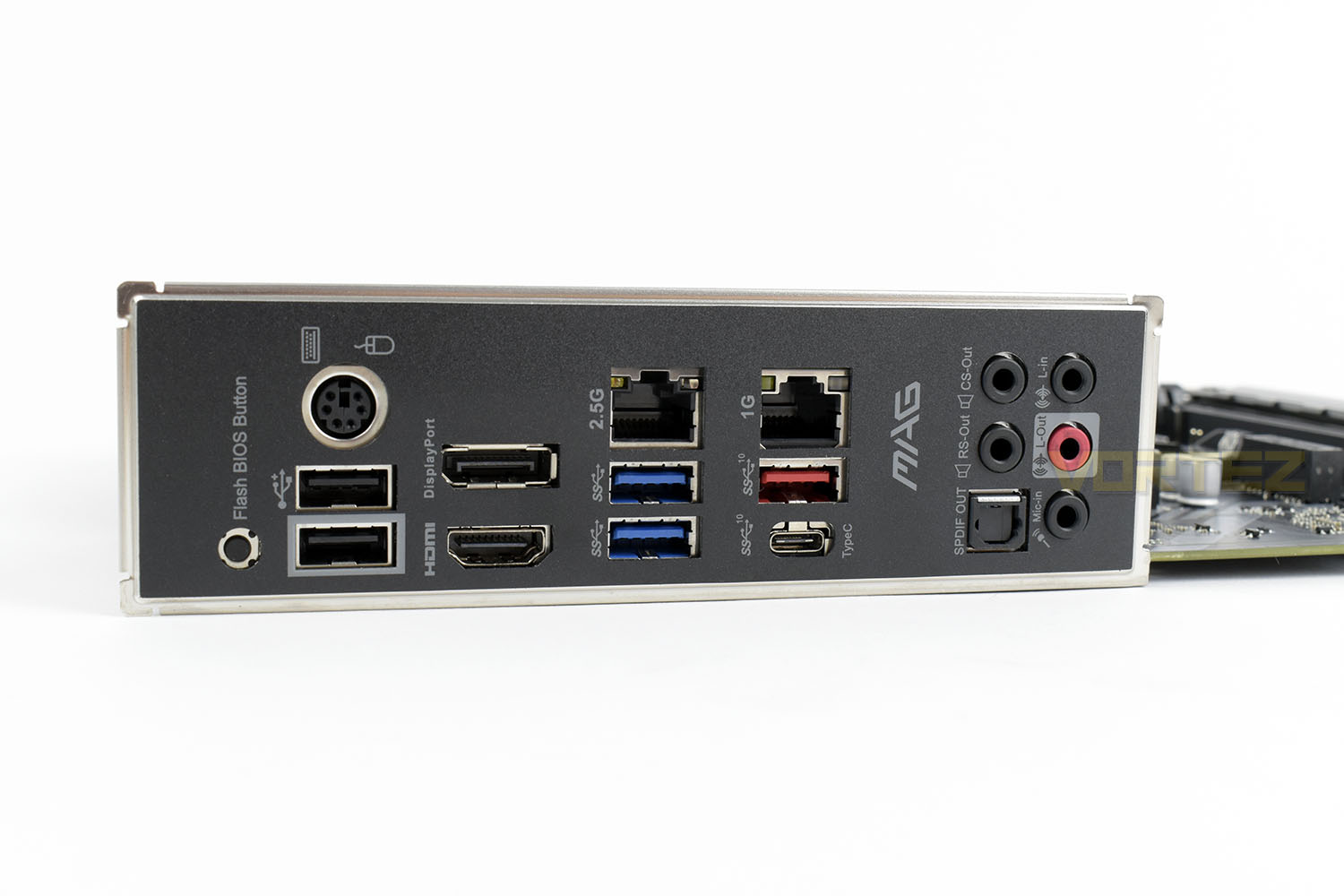
Finally, looking to the rear I/O. This features a pre-attached I/O shield that removes that awkward moment of installing a motherboard only to remember you didn’t put the shield in first.
Starting from the left we have the following:
1x BIOS Flash button
1x PS/2 combo port
2x USB 2.0 ports
1x DisplayPort
1x HDMI Port
1x 2.5G LAN Port
2x USB 3.2 Gen. 1 Ports
1x 1G LAN Port
1x USB 3.2 Gen. 2 Port (Type A)
1x USB 3.2 Gen. 2 Port (Type C)
5x 3.5mm 7.1 audio connections
1x S/PDIF Out
BIOS
Most motherboard manufacturers have a few BIOS layouts pretty well sorted out by now, MSI being no exception.When booting straight into the BIOS you’re met with the overview page, on easy mode, with a few simple settings that you can toggle on and off and view some basic system parameters.
In the top-left you can see your CPU speed and DDR speed, toplright is where you’ll see that all of your components are detected correctly with certain voltages and temperatures reported.
Game Boost can be enabled in the top-left, as well as enabling your XMP profile on your RAM. Typically, we only mess about in the BIOS to turn on the XMP and then leave it, unless you feel like overclocking your system but that’s become less relevant in recent years.
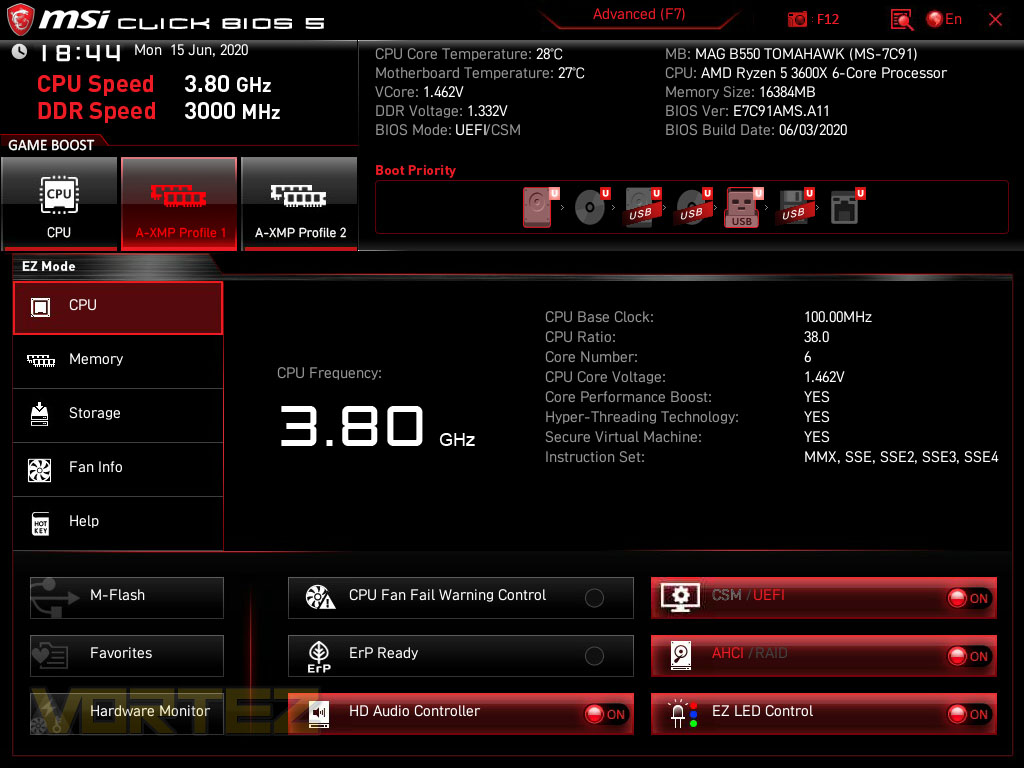
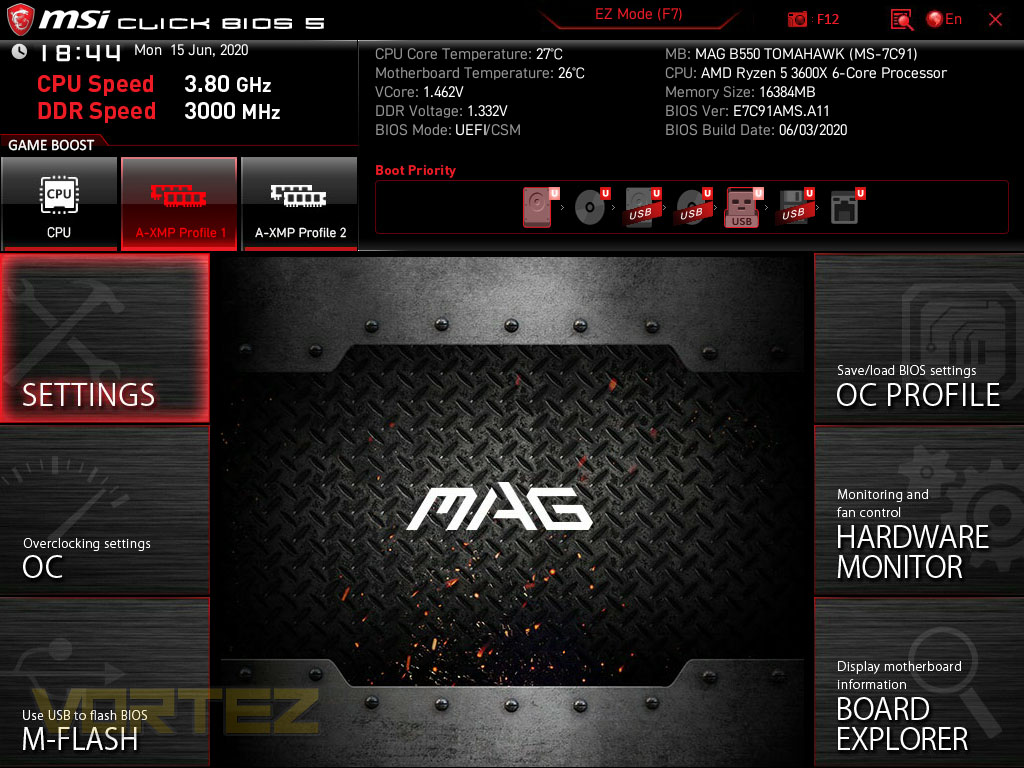
If you hit F7 you can swap to an advanced mode, with overclocking settings, boot settings, overclocking profiles and other settings available. M-Flash is also here, where you can update your BIOS to the latest version for new hardware support, better system stability and other improvements from time to time.
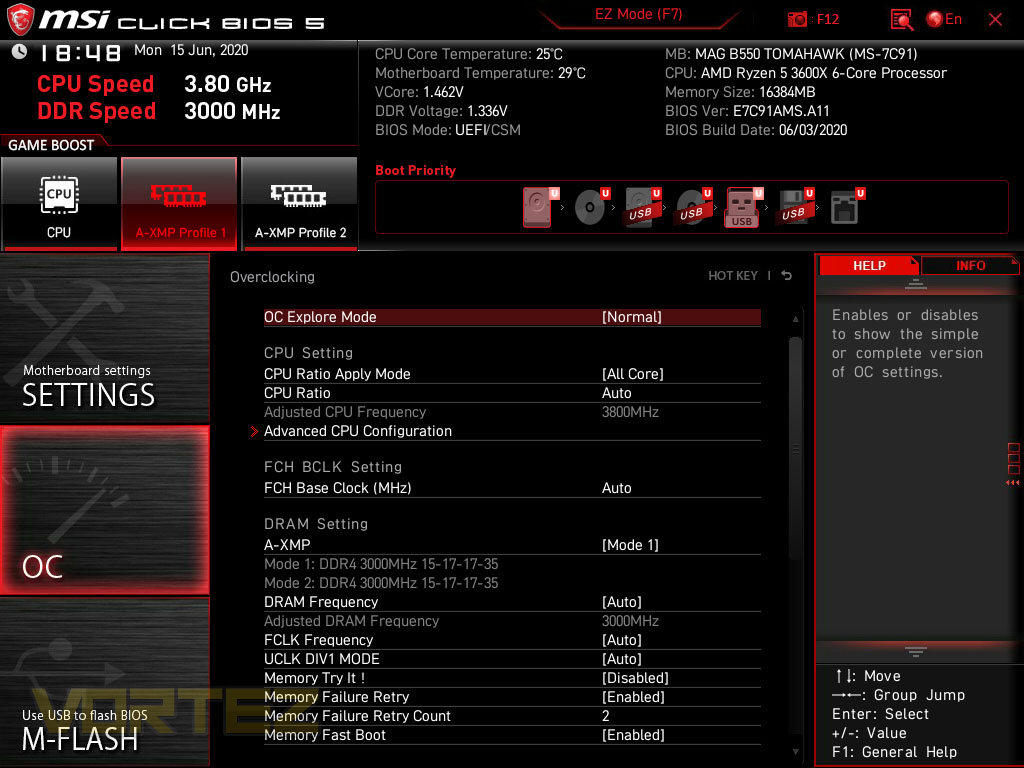
We don’t tend to go too in-depth with our BIOS overclocking feature overview but we can confirm that the B550 Tomahawk is well equipped for overclocking your CPU and/or RAM, if you feel like trying to extract every last drop from your system.
Test Setup & Methodology
Notes: We’ve revamped our benchmark regime by removing a number of tests which reveal little, to no difference between each motherboard model. Gaming performance is one such area which has been removed due to the inability for each motherboard to offer any advantage over another. Instead, we have focussed on meaningful/tangible analysis which examines the VRM/chipset design, and the storage performance which will be far more informative to the end user.TEST SETUP
CPU AMD Ryzen 5 3600XCooling: Corsair Hydro Series H150i
Motherboard: As tested
Memory: 16GB Corsair Vengeance LPX 3000MHz
Graphics: AMD Radeon RX 480
Storage: Intel S3500 128GB SATA SSD + Western Digital SN750 EKWB 1TB
PSU: Corsair HX1050 80 Plus Gold Certified PSU
Monitor: AOC U2879VF
BENCHMARKS
PCMark 10 – Overall Extended ScoreSiSoftware SANDRA – SATA/PCIe Storage Tests
SiSoftware SANDRA – Processor Image Processing
OTHER SOFTWARE
Temperature Analysis: HWMonitorStress Testing Software: AIDA64 Stability Test
CPU Specification Monitoring: CPU-Z
Benchmarks: Power Consumption
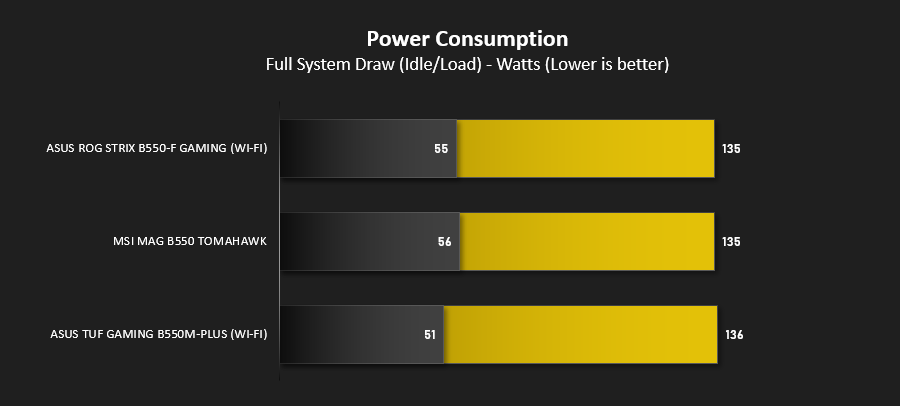
It’s interesting to note the power consumption across all motherboards. Although they are using the B550 chipset, energy results can fluctuate between manufacturers due to the features and specifications that are integrated. First of all, for the idle tests the system is cold booted into Windows and no additional applications are executed – the watts are noted on the external energy monitor we use and then the system is loaded with 3DMark FireStrike – watts are again monitored for the duration of the test and the highest rated wattage result is then noted down. Below are the results of this energy test.
Benchmarks: VRM & Chipset Cooling
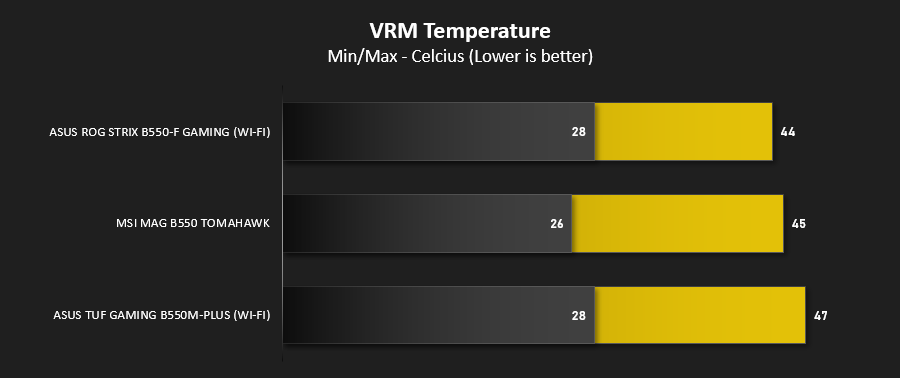
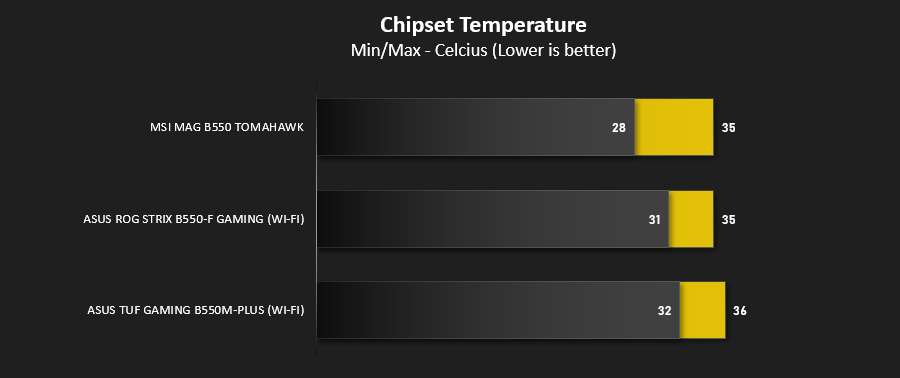
Each motherboard manufacturer designs their board with a unique set of heatsinks to cover key areas like the VRM/mosfets and the chipset itself. In these test we use HWMonitor to identify the minimum values for VRM and chipset and then we load up Aida64 stability test again and perform a 20 minute run, recording the maximum value for both attributes.
Benchmarks: PCMark 10
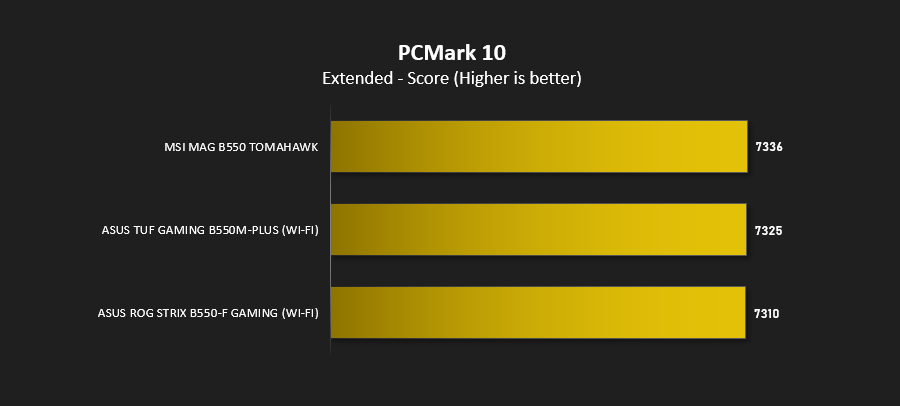
PCMark 10 features a comprehensive set of tests that cover the wide variety of tasks performed in the modern workplace. With a range of performance tests, custom run options, and the new Battery Life Profile, PCMark 10 is the complete PC benchmark for the modern office.
Benchmarks: SATA Performance
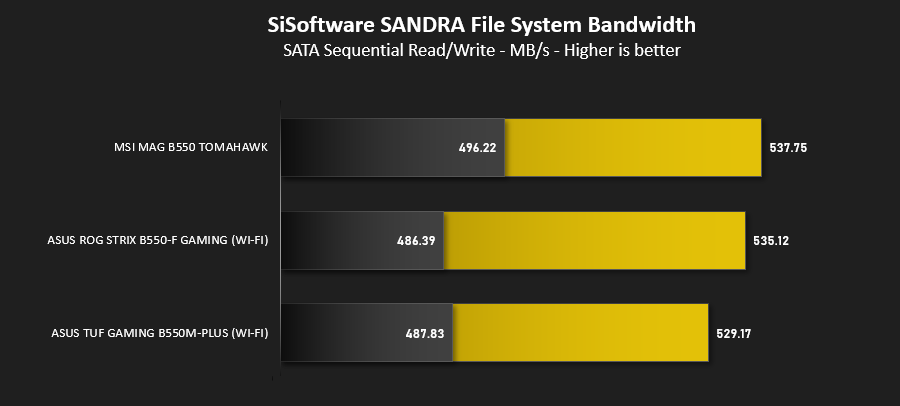
In order to ascertain the SATA performance for our motherboards we use SiSoftware SANDRA and the File System Bandwidth performance test. This allows us to obtain the sequential read/write transfer rates for the drive being tested – Intel S3500 128GB SSD.
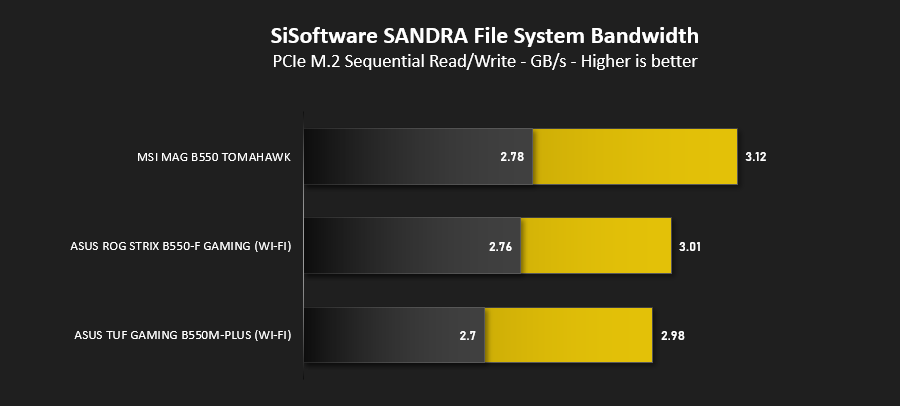
Benchmarks: PCIe M.2 Performance
In order to ascertain the PCIe M.2 performance for our motherboards we use SiSoftware SANDRA and the File System Bandwidth performance test. This allows us to obtain the sequential read/write transfer rates for the drive being tested – Western Digital SN750 EKWB 1TB.
Conclusion
MSI are a mammoth within the PC gaming industry, particularly well known for their GPUs and motherboards. Their MSI MAG B550 Tomahawk is a cracking first look at the B550 range of motherboards but it could do with shaving a few pounds, and we don’t mean weight.Kicking off with appearance, the board looks good, it’s not overdone with RGB lighting with only 3 or 4 RGB LEDs illuminating the underside of the chipset heatsink, so you end up with quite an understated and functional-looking motherboard that’s set out to the task at hand.
The Tomahawk arrives to market with a solid assortment of features, largely aimed towards offering the best possible stability with overclocking performance thrown in for bonus. 2.5G ethernet will boost intet-network transfers of large files, while a couple of USB 3.2 Gen. 2 ports, one Type A and one Type C, as well as USB 3.2 Gen. 1 on the front panel, will enable high-speed device connectivity. The NVMe 4.0 and PCI-E 4.0 x16 slot will also help with futureproofing your system when everyone gets up and running on the latest specification.
The chipset and VRM temperatures were of absolutely no concern, at all, with our 3600X equipped, even after 20 minutes in a powerful stress test the temperatures were more than in control. There’s also the large heatsinks strapped onto the M.2 slots, these have been proven to help extend M.2 performance by preventing thermal throttling.
There’s a few omissions that aren’t here, one of which is WiFi connectivity, the other being SLI support, with only 2-way AMD CrossFire being present. We feel these won’t be deal-breakers for most people, but it’s also a £180 motherboard that doesn’t have WiFi.
The MSI MAG B550 Tomahawk features very capable heatsinks, looks classy and is fairly well future proofed. We reckon it’s definitely worthy of consideration within the B550 market, but there are X570 motherboards at this price point.
Pros
+ Understated military-style appearance
+ Performs well
+ USB 3.2 Gen. 2 connectivity
+ 2.5G and 1G LAN connectivity
+ USB 3.2 Gen. 1 front panel connectivity
Cons
– No WiFi connectivity
– No SLI
– Gets awfully close in price to some of the X570 options out there
+ Understated military-style appearance
+ Performs well
+ USB 3.2 Gen. 2 connectivity
+ 2.5G and 1G LAN connectivity
+ USB 3.2 Gen. 1 front panel connectivity
Cons
– No WiFi connectivity
– No SLI
– Gets awfully close in price to some of the X570 options out there
Click here for an explanation of our awards at Vortez.net.
Stay connected with the Vortez Social Media pages:
Join in with the discussions on Discord