Today sees the reveal of the Intel Z390 chipset. May we present to you the MSI MPG Z390 Gaming Pro Carbon, a mid-high tier offering promising support for the upcoming next-gen Intel CPUs.

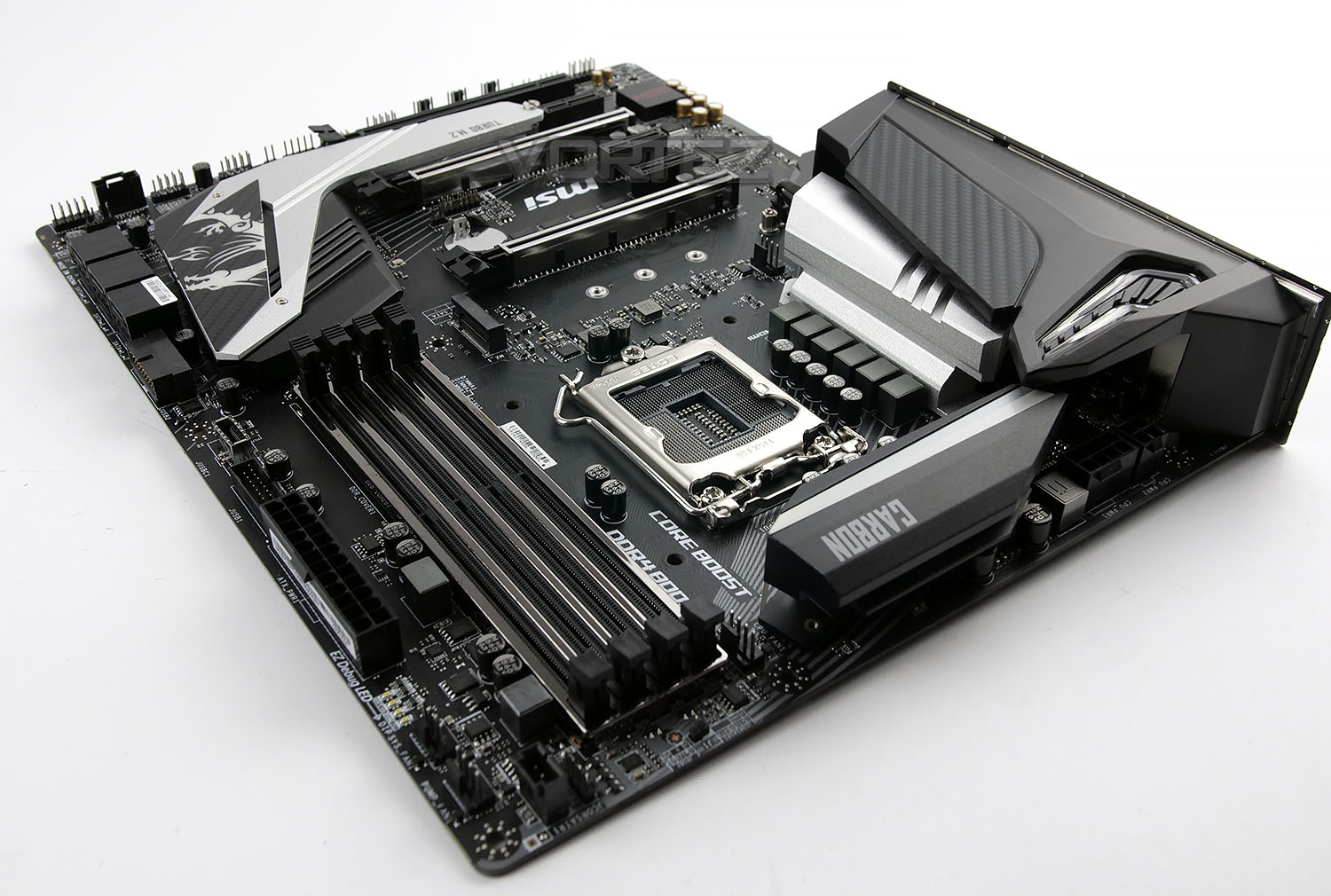
Today we introduce you to the MSI MPG Z390 Gaming Pro Carbon; this board pads out the mid-high end of MSIs lineup with several impressive features. Following the typical styling of the Carbon lineup, the Z390 Gaming Pro Carbon is no different, with the black and white colour scheme. The dragon also makes an appearance on the Southbridge.
Not only does this board utilise Intel’s latest Z390 chipset, which offers compatability with 8th Gen Intel Core CPUs, as well as the next-gen CPUs. We also see a pre-installed rear IO shield, substantial VRM power delivery for the CPU, SLI and CrossfireX support, M.2 NVMe storage and Audio Boost 4 sound output.
The MPG nomenclature is derived from a design language seeking a Modish outlook and high Performance for the best Gaming experience. So you can expect good things from this range.
MSI on the MPG Z390 Gaming Pro Carbon
Designed with Modish outlook and high Performance for the best Gaming experience. The MPG motherboards always feature unique look & feel, unlimited customisation options and packed with more exclusive gaming weapons.
Inherited curves and shape of concept cars, the unique and powerful design offers unlimited customisation options by using MSI Mystic Light RGB and also tuned for great performance. With plenty of features, the CARBON series tailored to given gamers the best gaming experiences.
Inherited curves and shape of concept cars, the unique and powerful design offers unlimited customisation options by using MSI Mystic Light RGB and also tuned for great performance. With plenty of features, the CARBON series tailored to given gamers the best gaming experiences.
Technical Specifications
Model Name: MPG Z390 GAMING PRO CARBON
CPU Support: 9th / 8th Gen Intel Core / Pentium Gold / Celeron Processors
CPU Socket: LGA1151
Chipset: Intel Z390 Chipset
Graphics Interface: 3x PCI-E 3.0 x16 Slots
Supports 2-way SLI/3-way CrossFire
Memory Support: 4 DIMMs, Dual Channel DDR4-4400(OC)
Expansion Slots: 3x PCI-E x1 Slots
Storage: 2x M.2 slots, support Intel Optane Technology, 6x SATA 6Gb/s
USB Ports: 5x USB 3.1 (Gen2, A+C) + 4x USB 3.1 (Gen1) + 6x USB 2.0
LAN: Intel I219-V Gigabit LAN
Audio: 8-Channel (7.1) HD Audio with Audio Boost 4
Form Factor: ATX
Box, Bundle & First Look
Traditionally, MSIs colour scheme has always been black and red, though recently we’ve seen a shift towards different styles and colours. The MSI MPG Z390 Gaming Pro Carbon uses a blue and purple theme. The front of the box gives very little information other than mention of the Z390 chipset as well as MSI’s Mystic Light and a pre-installed rear IO shield.
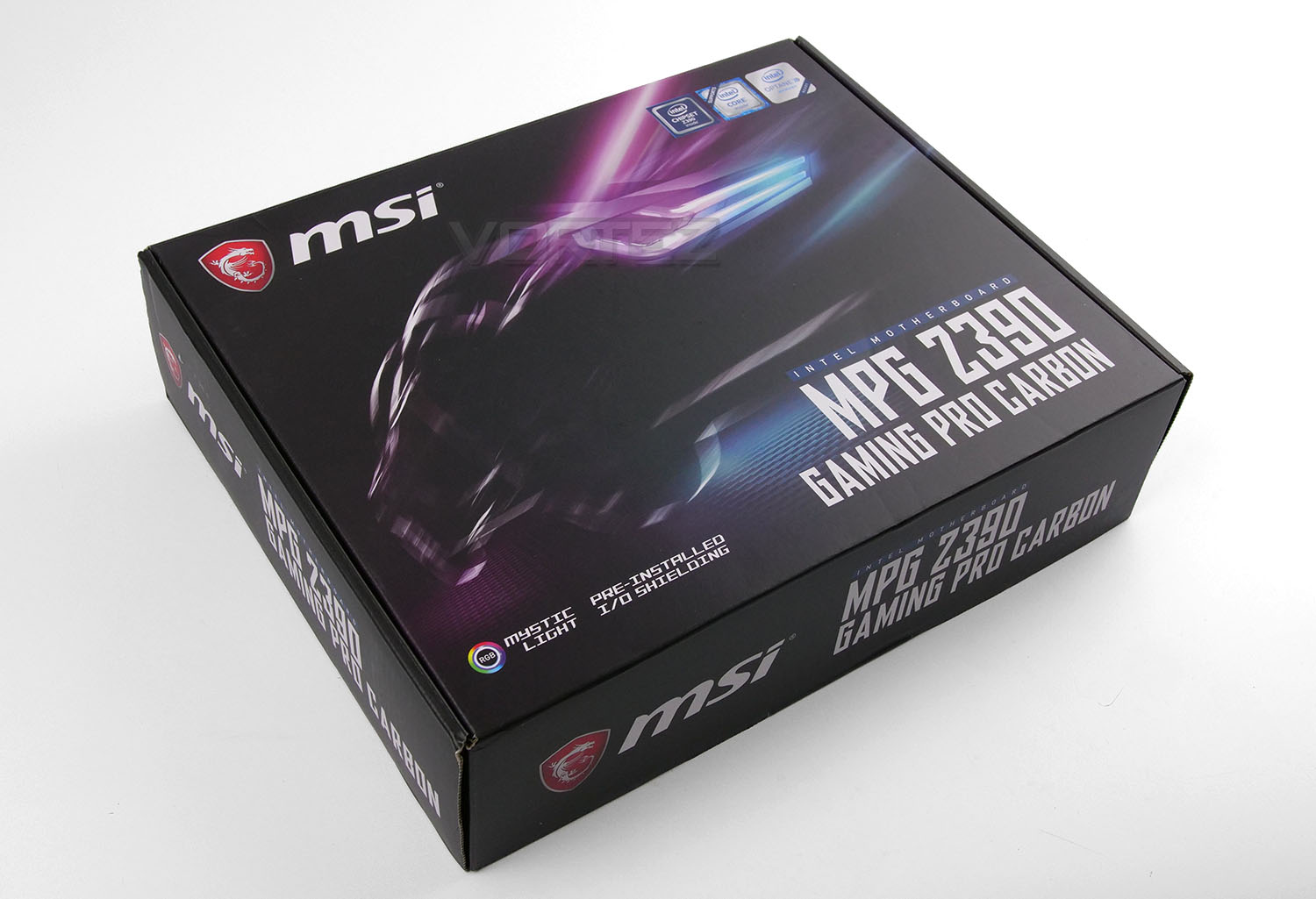
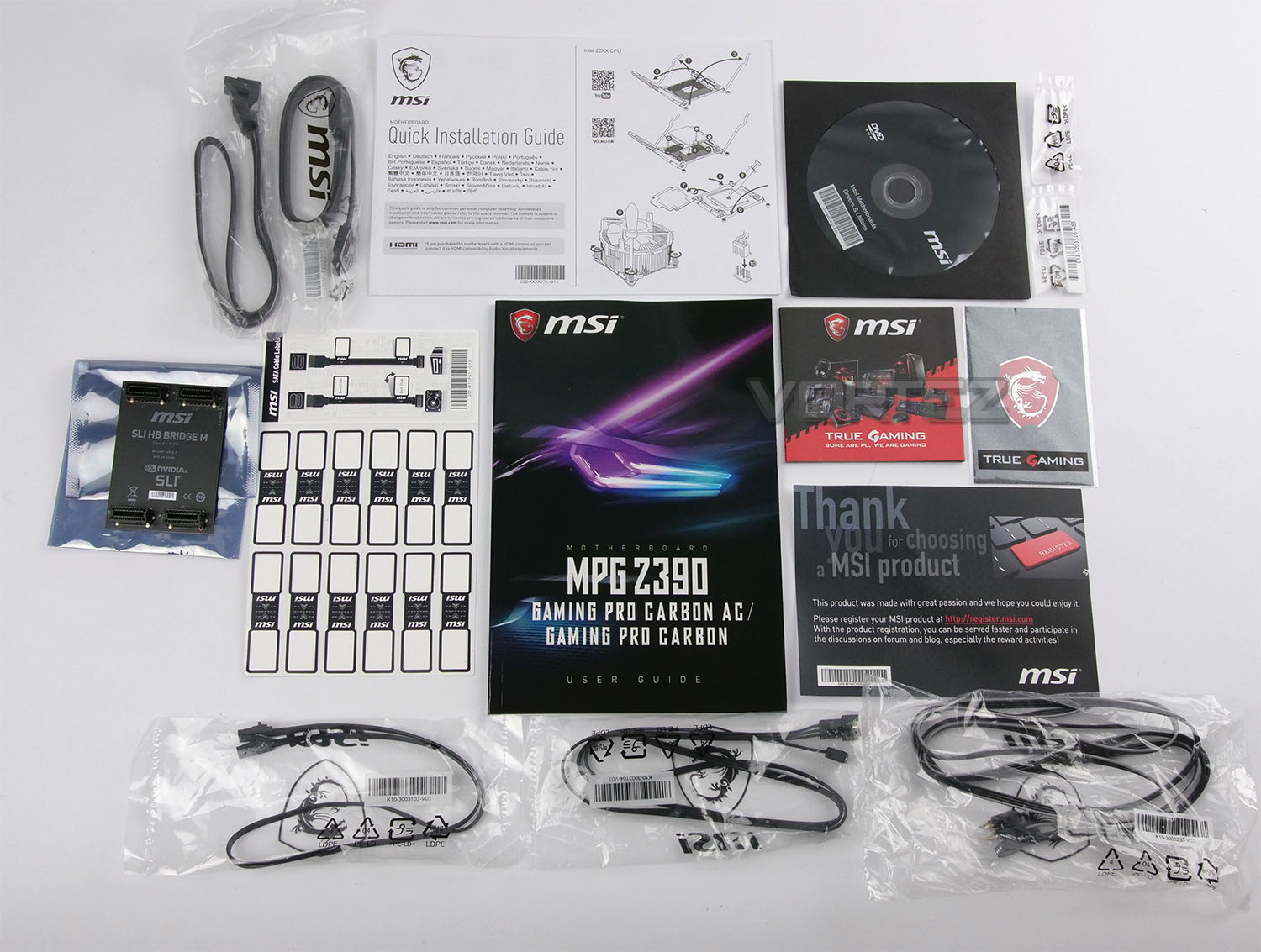
Within the box there are a large number of bundled accessories which include the following:
– MSI User Guide
– Quick Installation Guide
– Software/Driver DVD
– 2 x SATA Data Cables
– 1 x MSI SLI HB Bridge M
– 1 x Cable Label Sticker Sheet
– 2 x M.2 Screws
– 1 x MSI Case Badge
Various RGB Extension Cables
Please remember that the rear IO shield is pre-attached, so is obviously missing from this section. A large portion of the PC building enthusiast community have forgotten to install this crucial piece, only to find it’s impossible to add in later, so we like to see these arrive pre-installed.
The MSI SLI Bridge included with the motherboard is compatible with the NVIDIA GEFORCE 10-Series GPUs, though is not compatible with the latest Turing GPUs, such as the RTX 2080 and RTX 2080Ti, which use the new NVLINK interconnect.
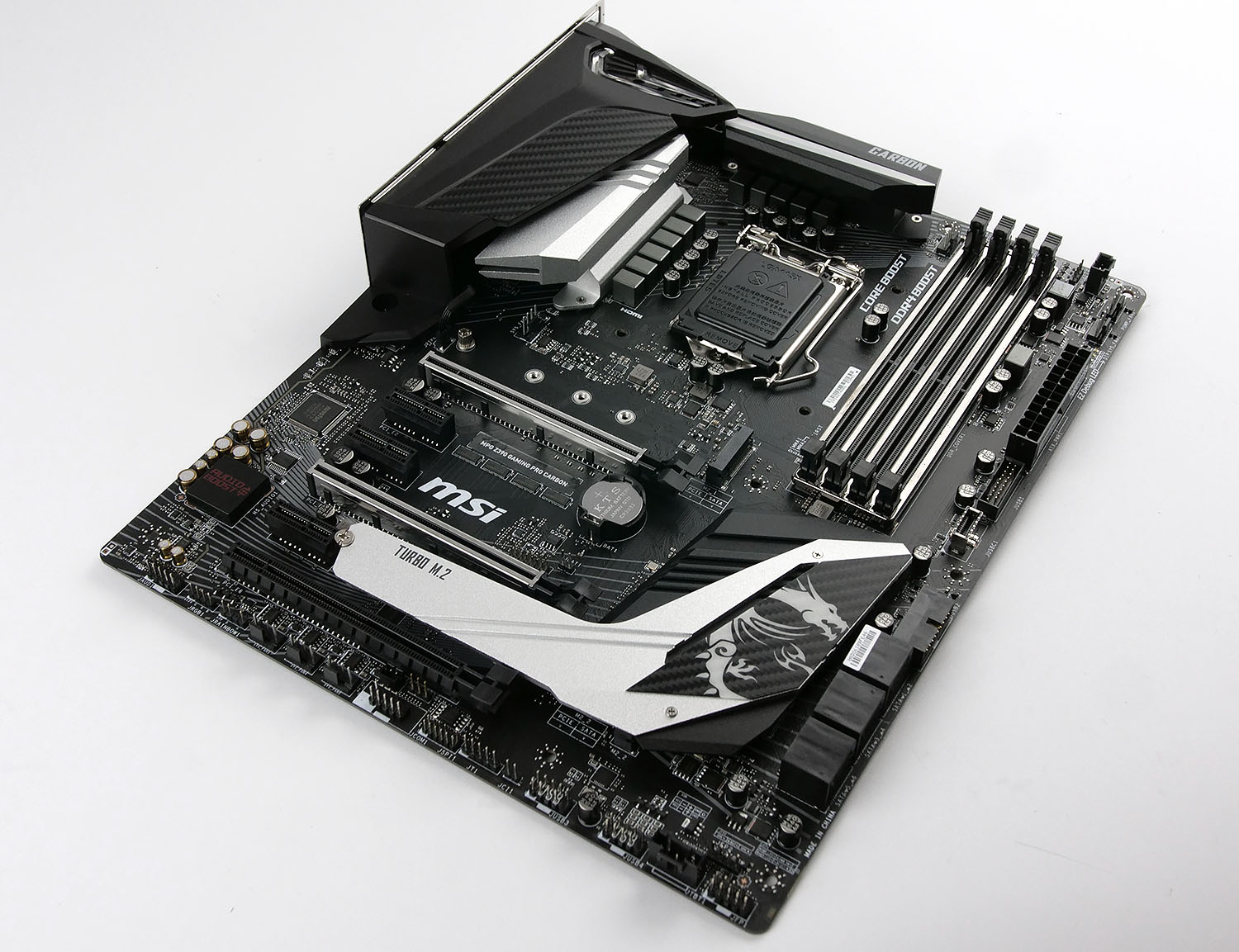
As is generally the case with MSIs Gaming Pro Carbon series, there’s very little in the way of colour, focussing on the Carbon scheme of black, grey and silver. This should coordinate with other components easily, and help to show off any RGB lighting effects that you may employ.
The ATX motherboard, measuring in at 305mm x 244mm, packs a pair of M.2 connections, both supporting NVMe and SATA storage; the lower one is equipped with a thermal heatsink connected to the Southbridge, helping to minimise any thermal throttling from some of the hotter NVMe disk drives on the market. Reinforced DIMM and PCI-E slots also help round out the rugged feature set on this board, helping longevity and stability by shielding these sensitive connections from interference.
MSI’s Mystic Light RGB lighting is equipped along the rear-right edge of the motherboard, as well as the very top-left above the VRM heatsinks.
Closer Look
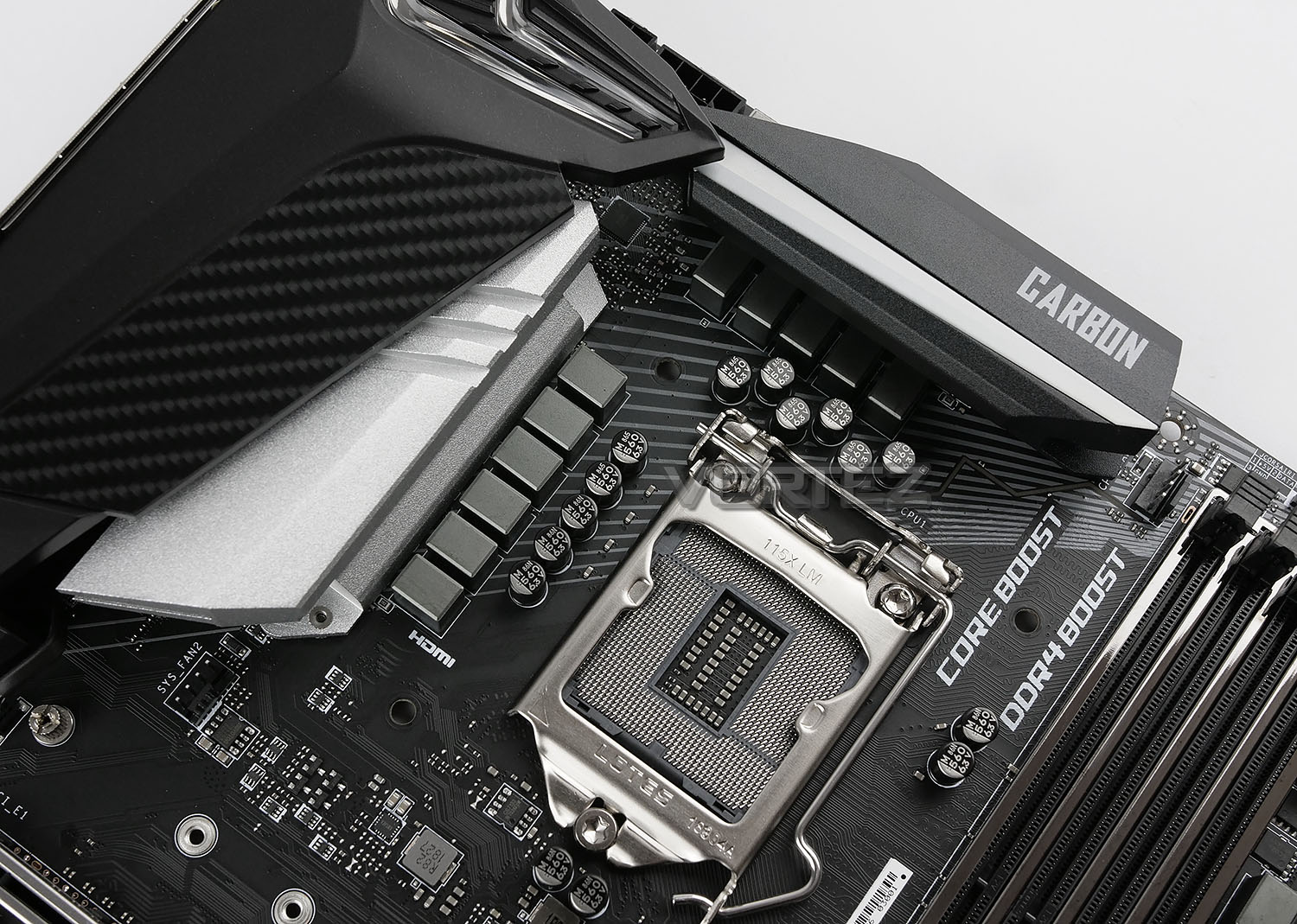
Thanks to the latest Z390 chipset, the LGA1151 socket is capable of supporting next-gen Intel CPUs as well as the current Intel 8th Gen Core CPUs. Surrounding the CPU socket is 10+1+1 all-digital power phase, ensuring optimal operating conditions for your CPU, as well as providing the best possible power delivery for overclocking. To allow cool and stable operation of the power phase, there’s a pair of independent heatsinks dissipating heat as well as providing a stylish appearance.
Tucked away behind the heatsinks is an 8pin + 4pin power connection for the CPU. This suggests the motherboard is capable of supporting some higher-power CPUs, perhaps with a TDP surpassing the 100W mark.
Located nearby to the CPU socket is only a single 4-pin PWM fan header, no water-pump headers here.
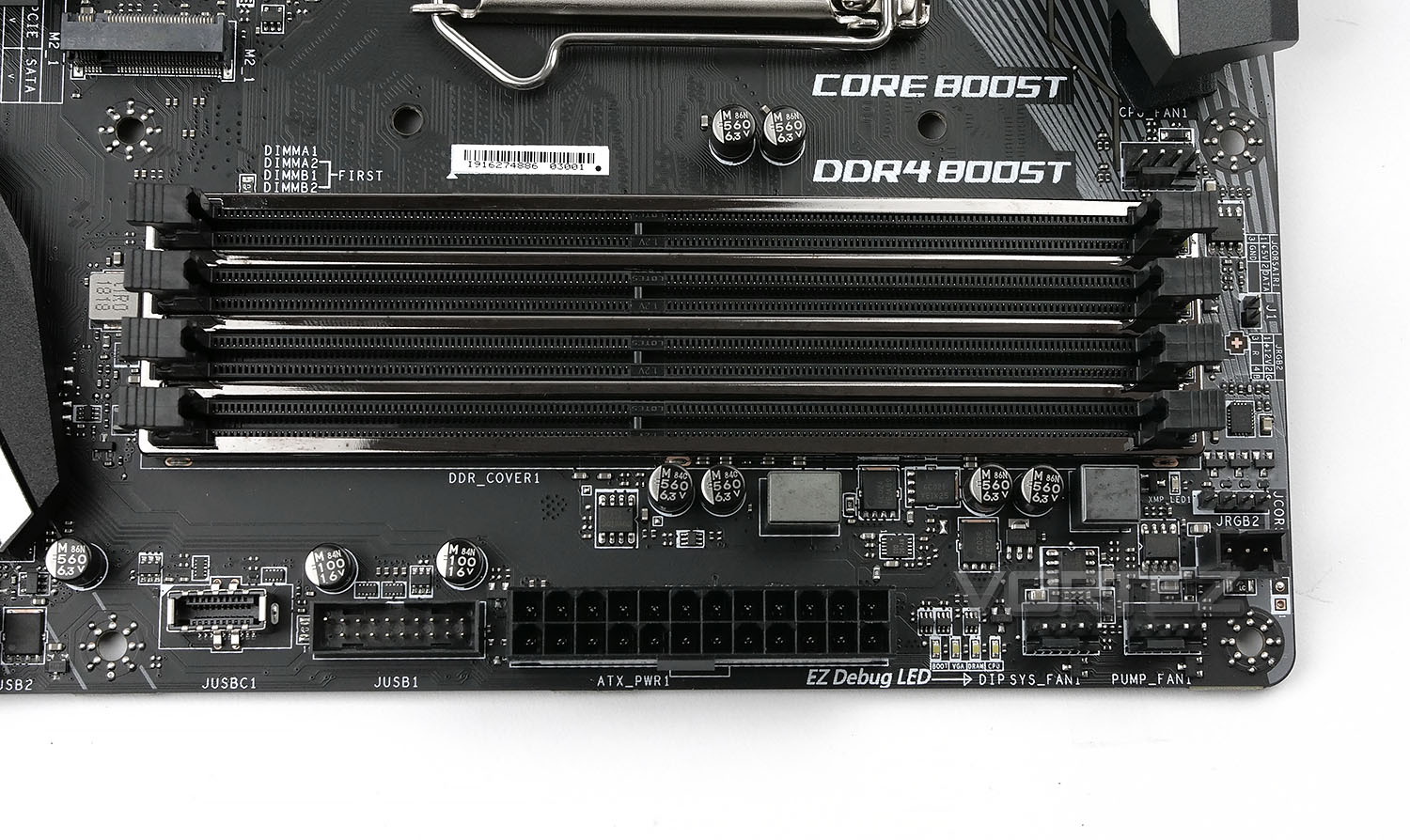
The Z390 chipset doesn’t change anything in the memory department, still utilising dual-channel memory. MSI’s MPG Z390 Gaming Pro Carbon is capable of 4400MHz (OC) and up to 64GB of addressable RAM. The shielding surrounding the DIMM slots helps to reduce interference from surrounding components, increasing stability.
Alongside the DIMM slots are a pair of 4-pin PWM connections, one of which is specifically for watercooling pumps; these are generally located a little closer to the CPU socket for all-in-one solutions. We also see a JRGB header as well as the JCORSAIR standard for Corsair-specific lighting. Front USB 3.1 and 3.0 is catered for to the left of the 24-pin ATX power connection.
Finally, as EZ Debug LED layout is tucked in between the fan headers and ATX power connection. This enables the user a quick and easy indication of any problems that may occur when booting the system; sometimes something as simple as a bad mount on a RAM stick or the GPUs auxiliary power isn’t connected can be the culprit, which these LEDs would help to indicate.
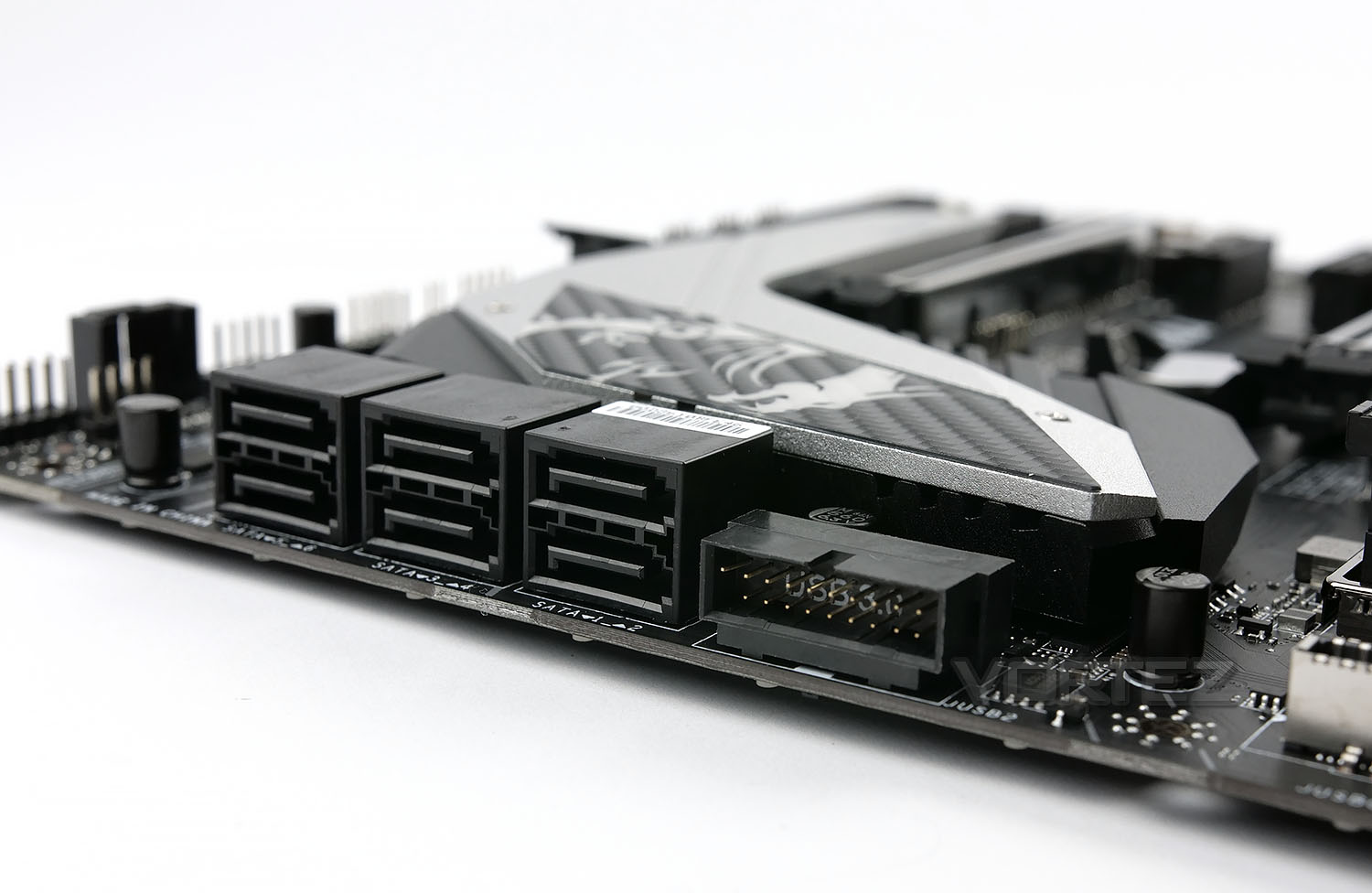
While we’re seeing a gradual shift towards more and more users opting for the extra speed and responsiveness of an NVMe SSD, SATA will still be present for years to come thanks to the price-per-gigabyte that hard disk drives can offer. This particular board offers a total of six SATA 3.0 ports, arranged in a right-angle from the board.
The port to the right is a secondary front USB 3.0 port, again at a right-angle, to aid with cable management in some cases.
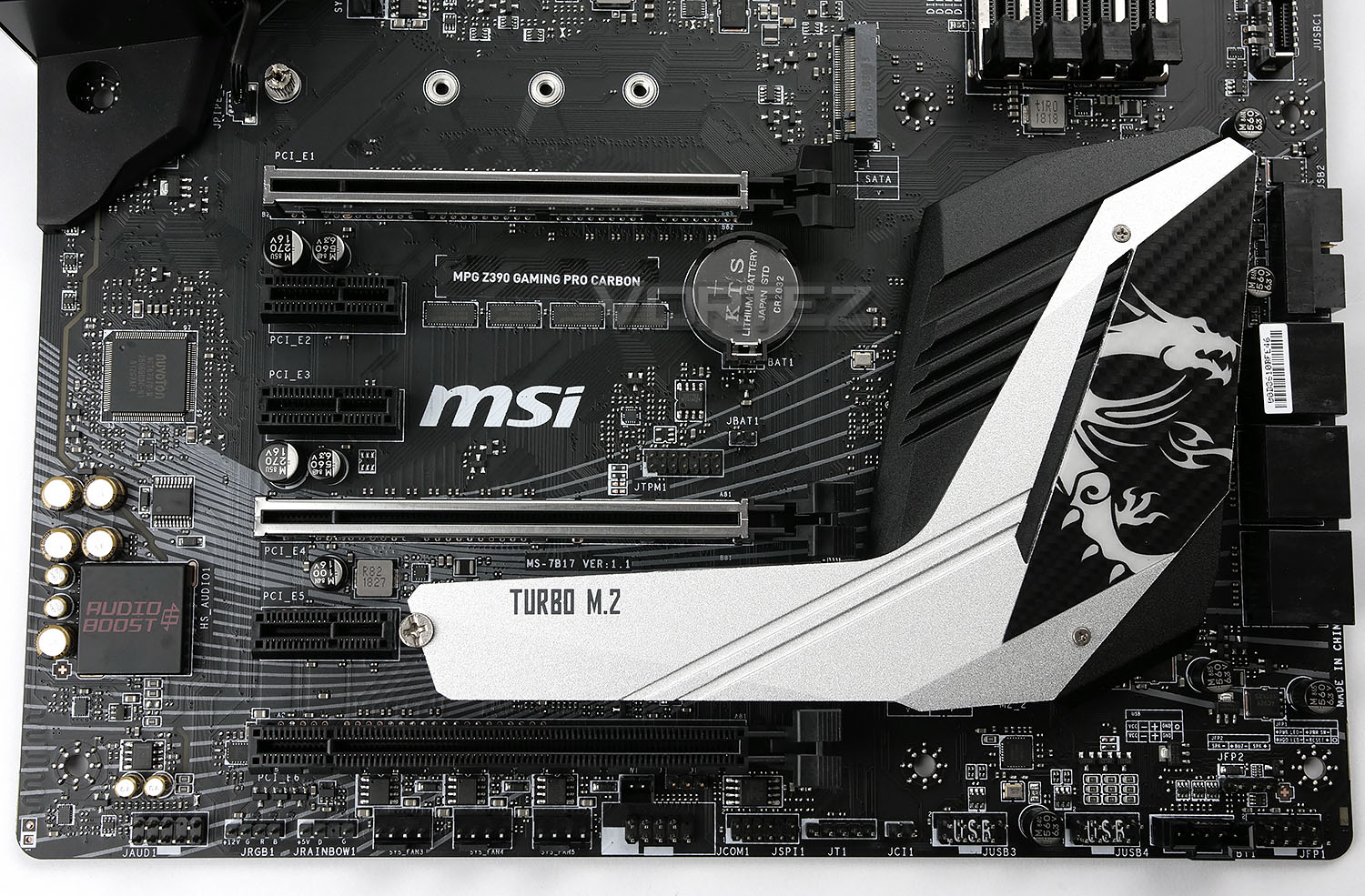
Looking at the motherboard from above, you can clearly see the full outfit of PCI-E slots. Functionality consists of the following:
• 3x PCI-e 3.0 x16 slots (Modes: 16, 8, 4)
• 4x PCI-e 3.0 x1 slots
AMD CrossfireX and NVIDIA SLI and NVIDIA NVLink is supported on the MSI Z390 board, allowing up to three AMD cards or a pair of NVIDIA. NVLink requires the purchase of a separate NVLink connector.
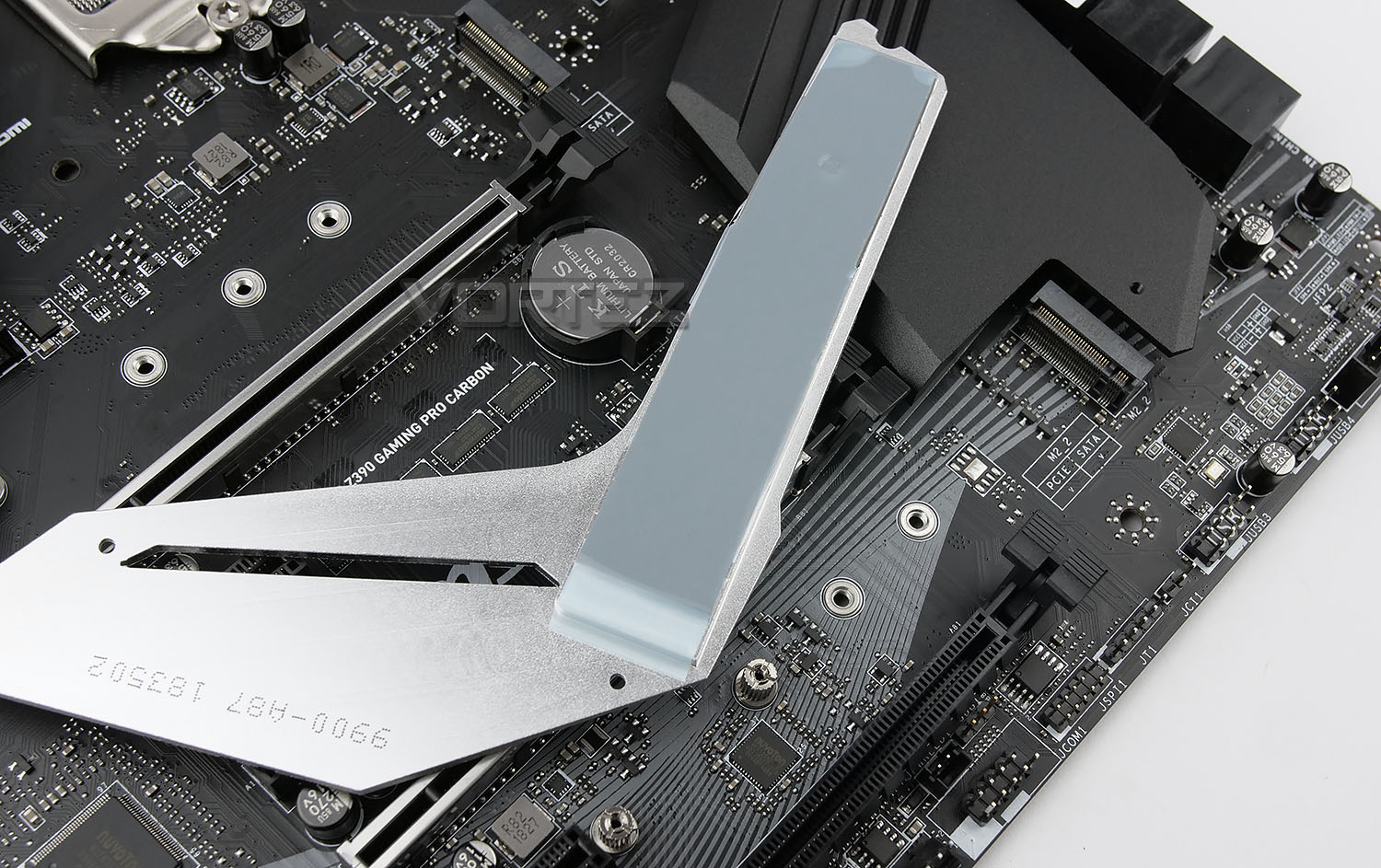
At the top of the image is the first M.2 connector, supporting all four of the common form factors: 22/42, 22/60, 22/80 and 22/110. The 2nd M.2 connector is located under the large silver heatsink, labelled TURBO M.2. This supports the same four form factors. Both ports are capable of PCI-E x4 NVMe connectivity for incredible throughput.
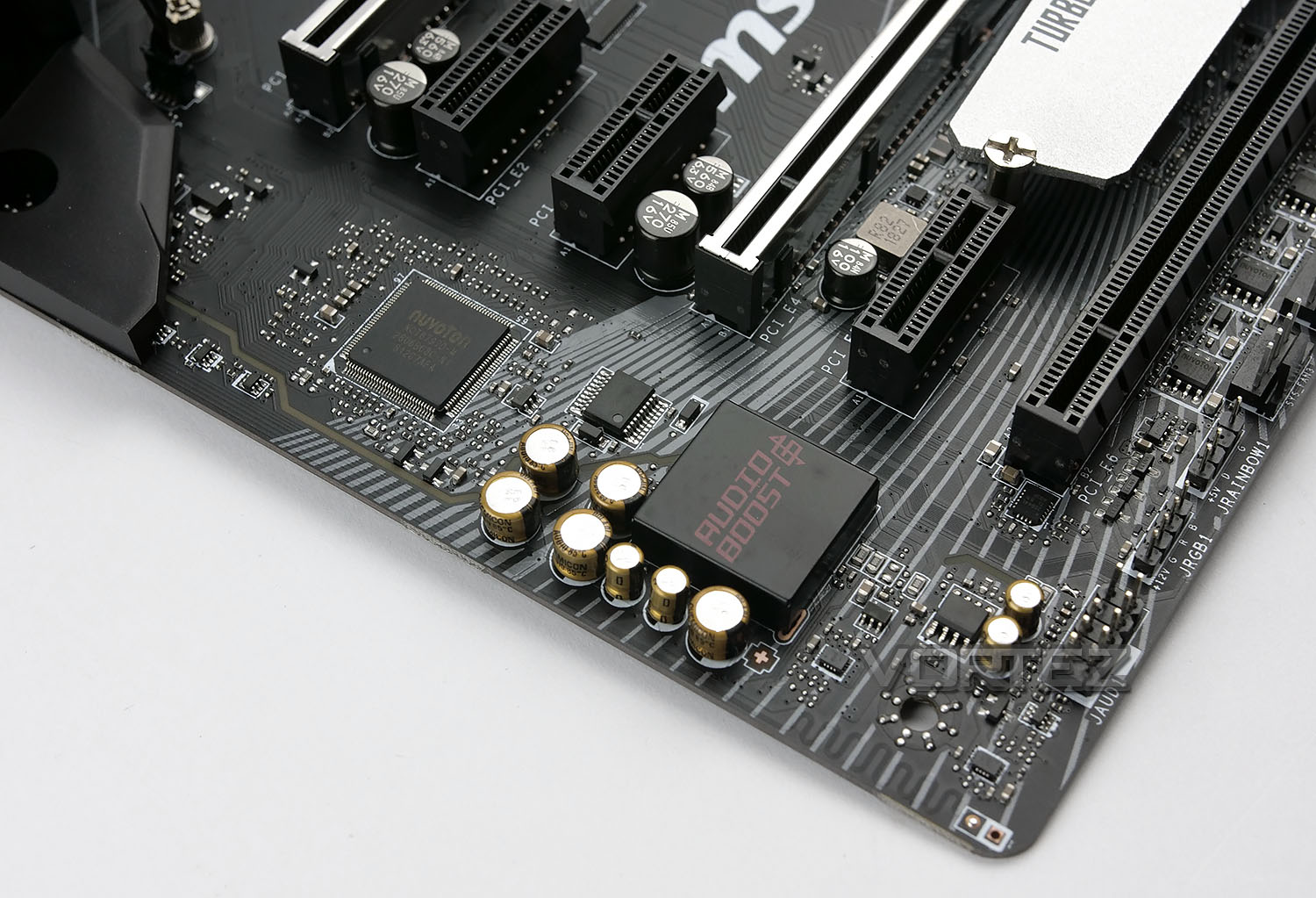
The bottom left corner of the board is isolated from the rest via a physical trace through the motherboard, this prevents any unwanted interference which audio components are particularly susceptible to. The Audio Boost 4 audio processor uses the ALC1220 Realtek codec and passes the audio output via audio caps which are tuned for a warm sound.
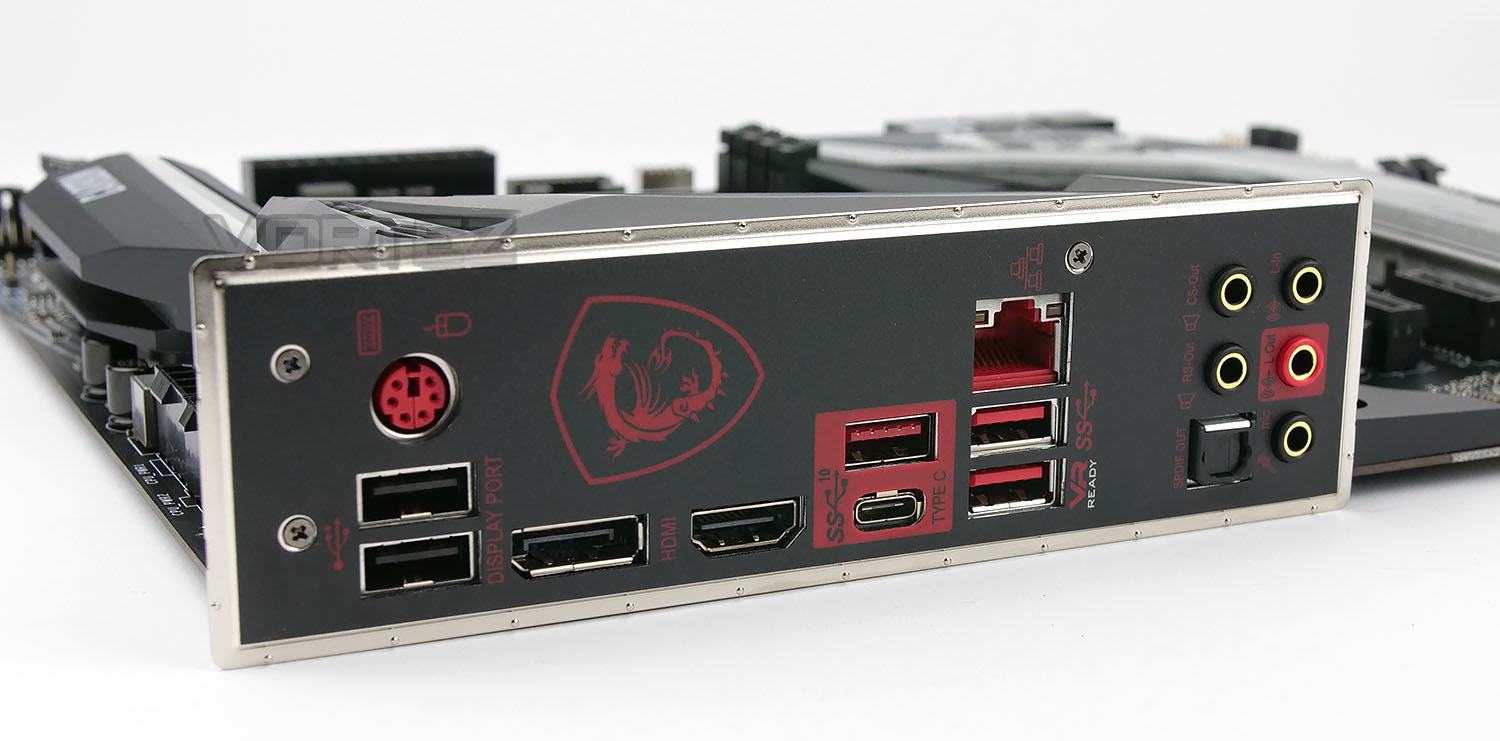
Last, but not least, is the rear IO. As we’ve previously mentioned, the IO Shield is pre-attached, saving you the bother of forgetting to install it before the motherboard.
Starting at the left and working towards the right, we have:
– 1x PS/2 Mouse/Keyboard port
– 2x USB 3.0
– 1x DisplayPort
– 1x HDMI port
– 1x USB 3.1 Gen. 2 Type-A
– 1x USB 3.1 Gen. 2 Type-C
– 1x Intel® I219-V Gigabit LAN
– 2x USB 3.1
– 5x 3.5mm audio in/out (Rear Speaker / Central / Bass / Line in / Front Speaker / Microphone)
– 1x SPDIF out
CLOSING WORDS
Unfortunately, due to strict NDA guidelines which we must follow, that is all we can bring you right now. Performance figures aren’t allowed until a later date.However, what we can tell you is that we look forward to seeing what the MSI MPG Z390 Gaming Pro Carbon is capable of. Watch this space.