MSI looks to bolster their peripherals lineup with the Vigor GK70, it has some strong features, but does it do enough to justify its asking price?

Product on Review: MSI Vigor GK70
Manufacturer: MSI
Street Price: £109.99 GBP / $116.78 US / $159.00 AU
MSI have a long-standing foothold in the computer industry and are one of the go-to companies for laptops, graphics cards, motherboards and much more, but they aren’t quite as big a name in the field of peripherals, however, is that set to change with the Vigor series of keyboards?
Today we’ll be taking a look at their Vigor GK70 with Cherry’s MX Red mechanical switches – it can also be purchased with Speed Silver too. The mechanical switch choice isn’t the only standout feature of the GK70, and one such element is how it integrates with other MSI products. For example, if you own an MSI graphics or motherboard you can adjust the profiles on-the-fly. There are three different modes to choose from; you can opt for the silent mode, gaming mode or OC mode, this is a highly welcomed addition for those that use MSI hardware.
Other notable features include customisable RGB lighting, full N-Key rollover, a 1000Hz polling rate, a removable cable and replaceable keycaps. These are all features that are quite common at the GK70s £100 price point, but the replaceable keycaps are something that are not, especially how MSI has opted to approach it. Instead of just the WASD keys or in some cases the number keys, MSI has chosen to include a WASD set of Zinc Alloy tipped caps as well a set of rubber coated ones. There are a total of twelve rubber coated ones, eight are standard for WASD etc, two are for Shift and CTRL, there is also one for the space bar and the final one can replace the backspace key.
As a whole, the MSI Vigor GK70 seems like a well-thought out package but does it have the chops where it really counts and does it do enough to warrant its price tag?
MSI on the Vigor GK70:
Crafted around a strong aluminium base, the Vigor GK70 Gaming Keyboard provides gamers with a solid platform for years of intensive gaming. The long USB cable is braided and the connector is gold-plated for extraordinary durability.
Technical Specifications
Keyboard
Format – Tenkeyless
Switches – Cherry MX
Variant – Red
Key life – 50 million keystrokes
Polling rate – 1000Hz
Interface – Wired USB 2.0
N-key rollover (gaming mode) 6-key rollover (standard mode)
MSI Mystic Light compatible
Dimensions & Weight
Dimensions – 354mm x 137mm x 46mm
Weight – 900g
Cable – Removable 1.8m braided
System requirements
Windows 10 / 8.1 / 8 / 7 / Vista / XP
Mac OS X (supported in normal mode)
Spare USB port
Internet connection to download software
Format – Tenkeyless
Switches – Cherry MX
Variant – Red
Key life – 50 million keystrokes
Polling rate – 1000Hz
Interface – Wired USB 2.0
N-key rollover (gaming mode) 6-key rollover (standard mode)
MSI Mystic Light compatible
Dimensions & Weight
Dimensions – 354mm x 137mm x 46mm
Weight – 900g
Cable – Removable 1.8m braided
System requirements
Windows 10 / 8.1 / 8 / 7 / Vista / XP
Mac OS X (supported in normal mode)
Spare USB port
Internet connection to download software
Packaging & First Look
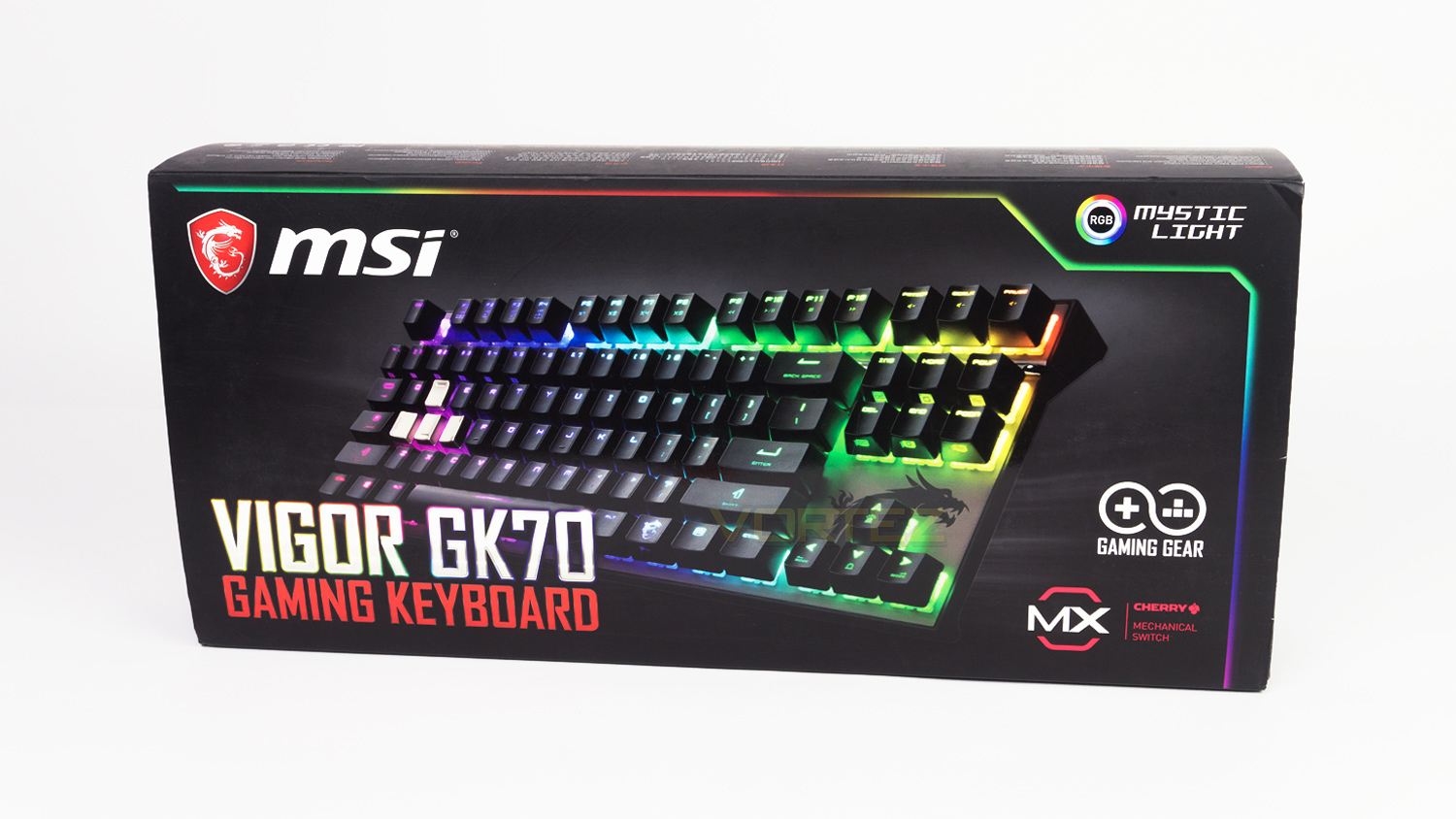
The MSI Vigor GK70 arrives in a black box that is styled to fit the MSI brand. The front features an image of the keyboard as well as the relevant branding and information related to the keyboard.
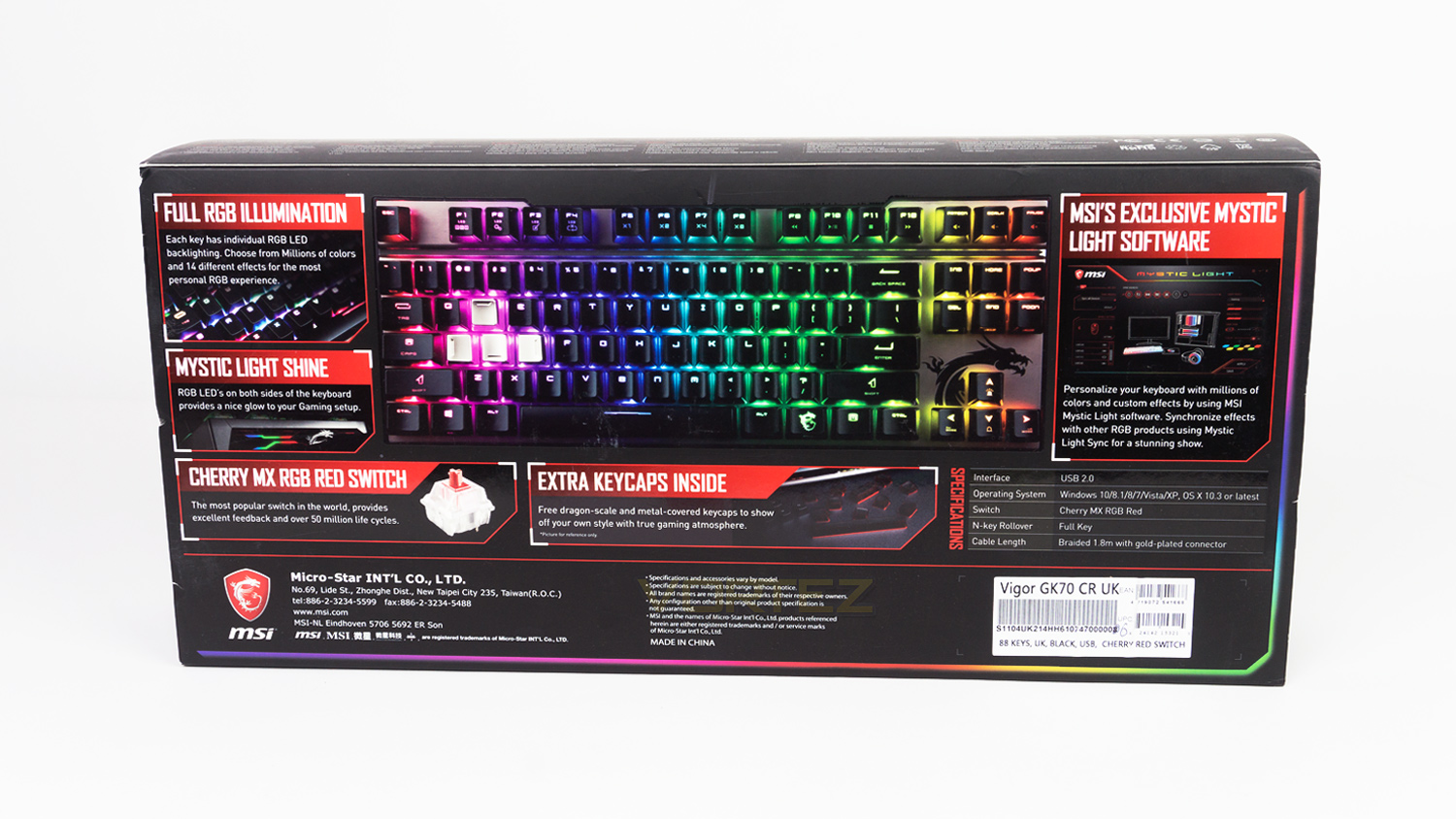
Turning the box to the back and there is a substantial amount of information about the GK70 along with an image displaying the keyboard with the RGB illumination switched on.
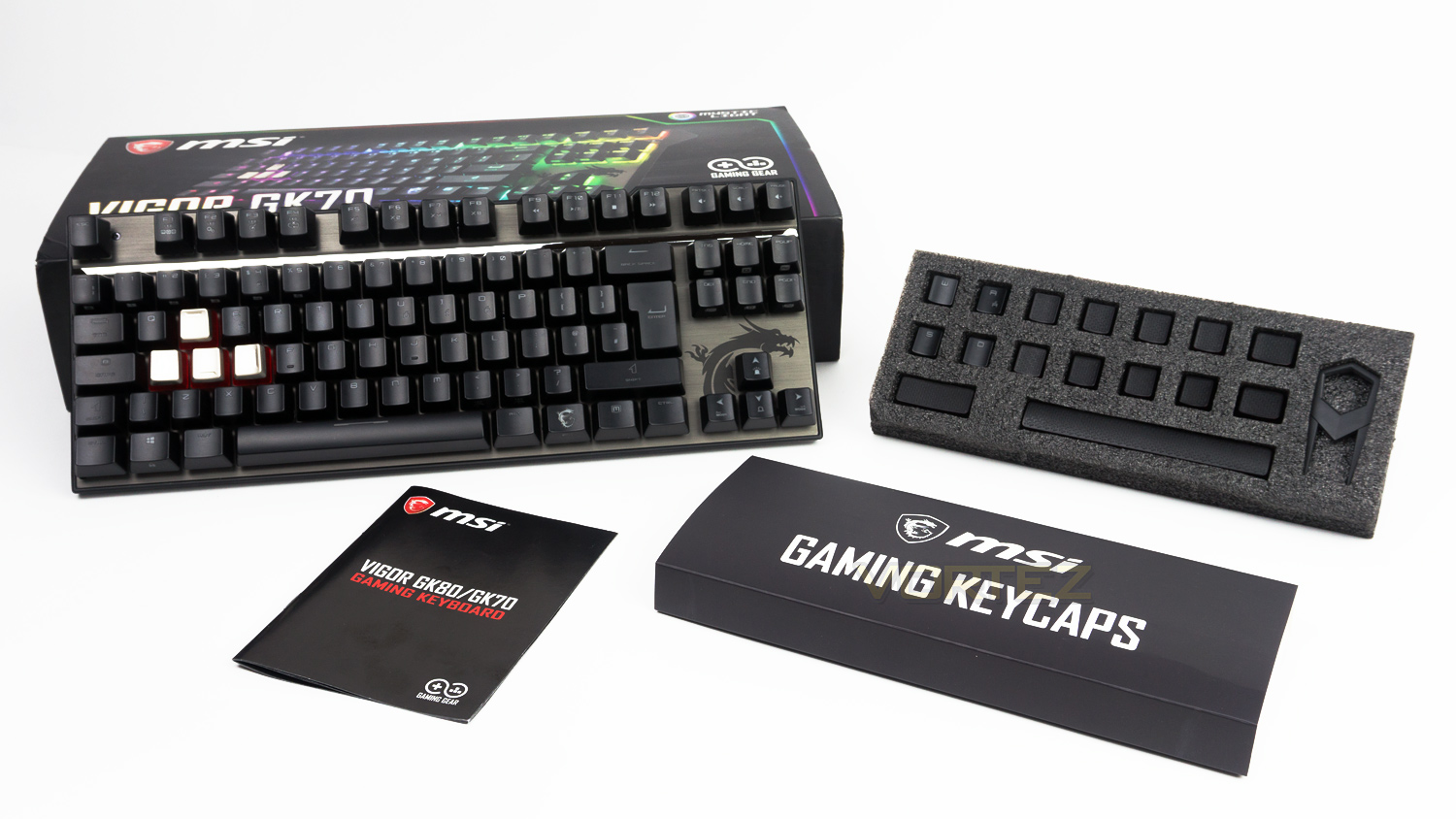
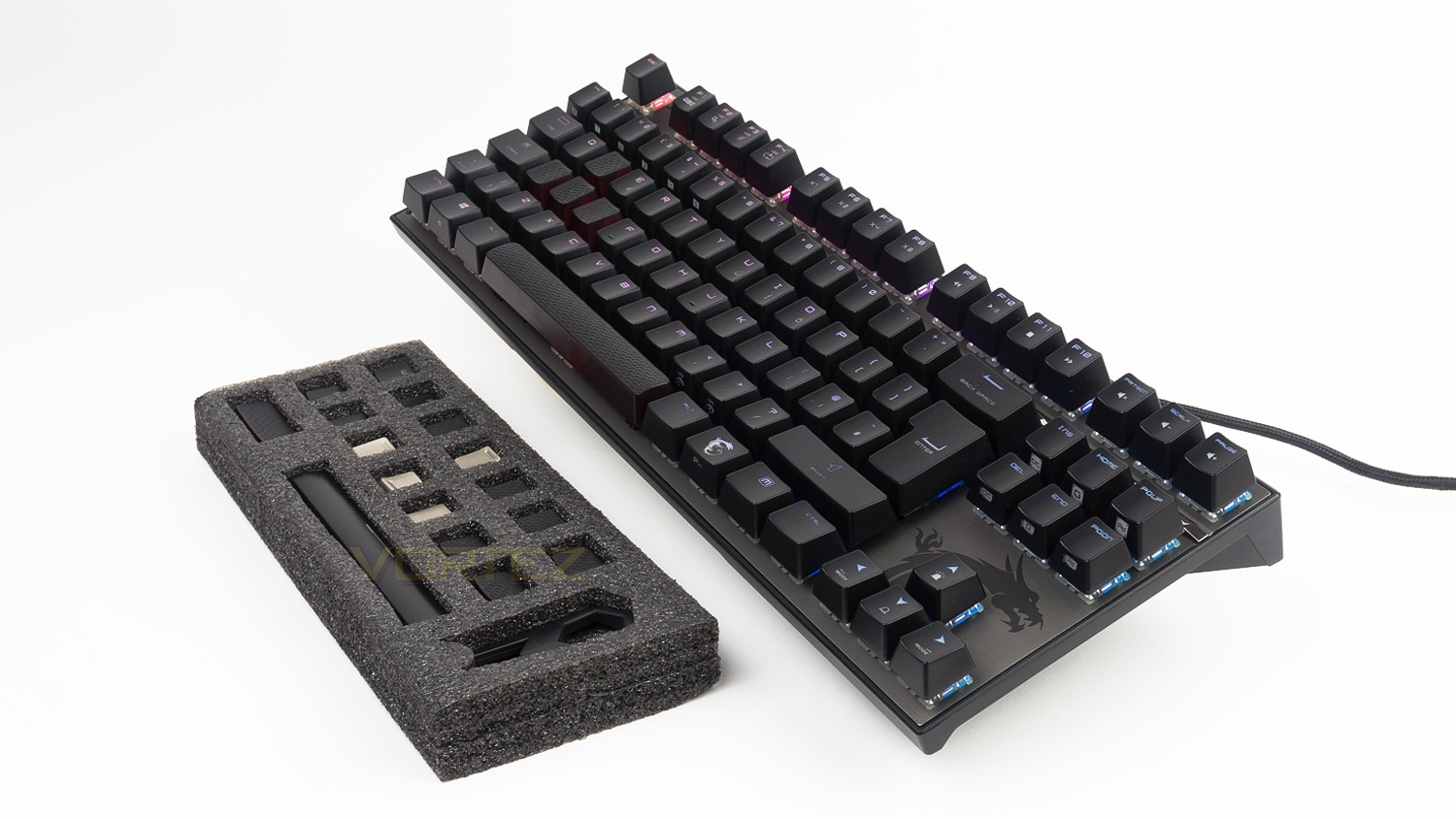
Within the box there is the keyboard itself along with a set of Zinc alloy keycaps, twelve further keycaps with an anti-slip surface that MSI has dubbed “Dragon Scale texture” and also a keycap puller and the documentation. What is nice is how the accessories are presented, they come in a foam block with cutouts to keep the keycaps and puller safe, this is a great addition as they are less likely to get lost.
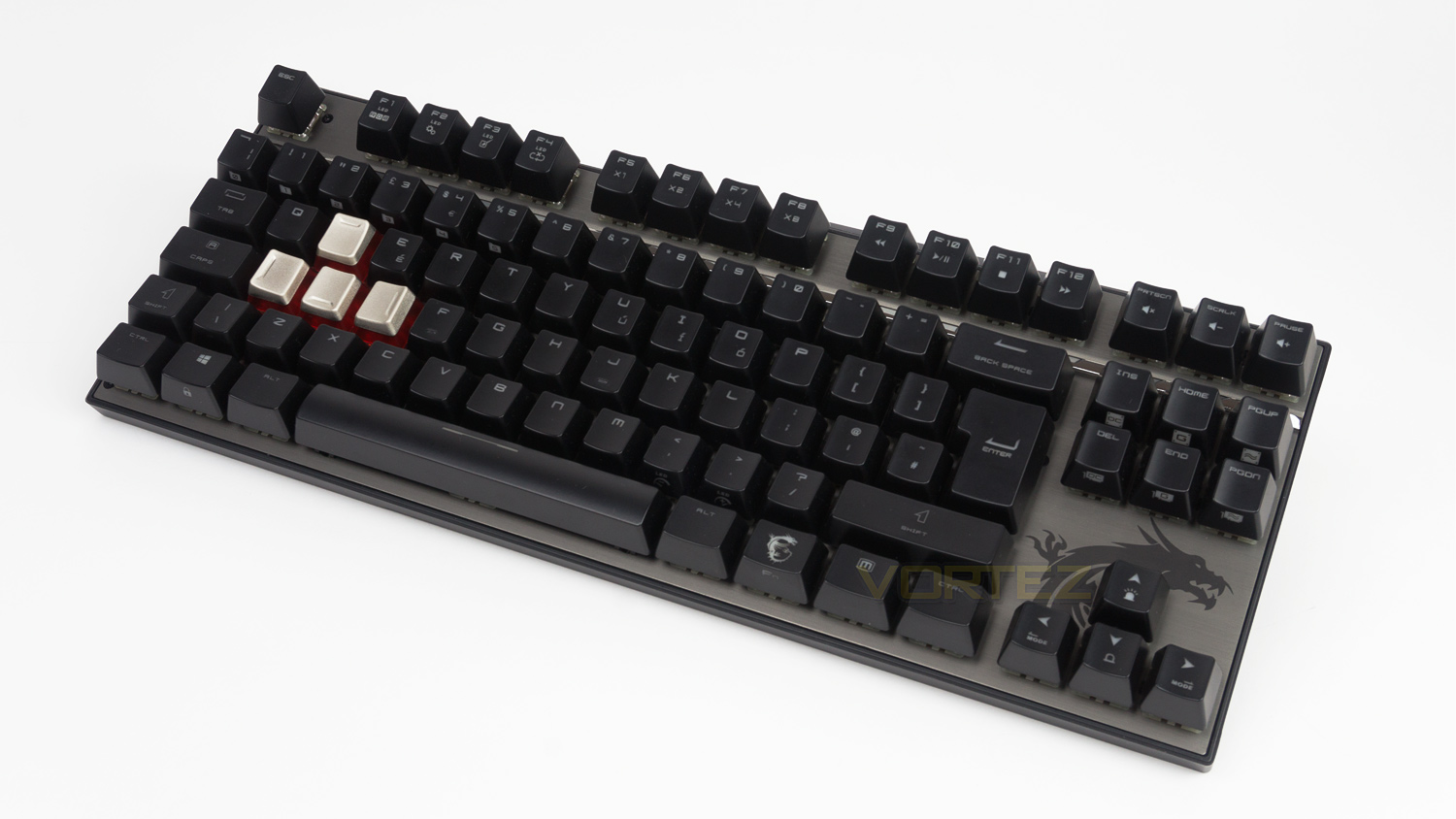
MSI has opted for a more subdued colour neutral palate which works well, the top deck is aluminium, and the only real nod you get that it is a gamers keyboard is the MSI dragon logo.
Closer Look
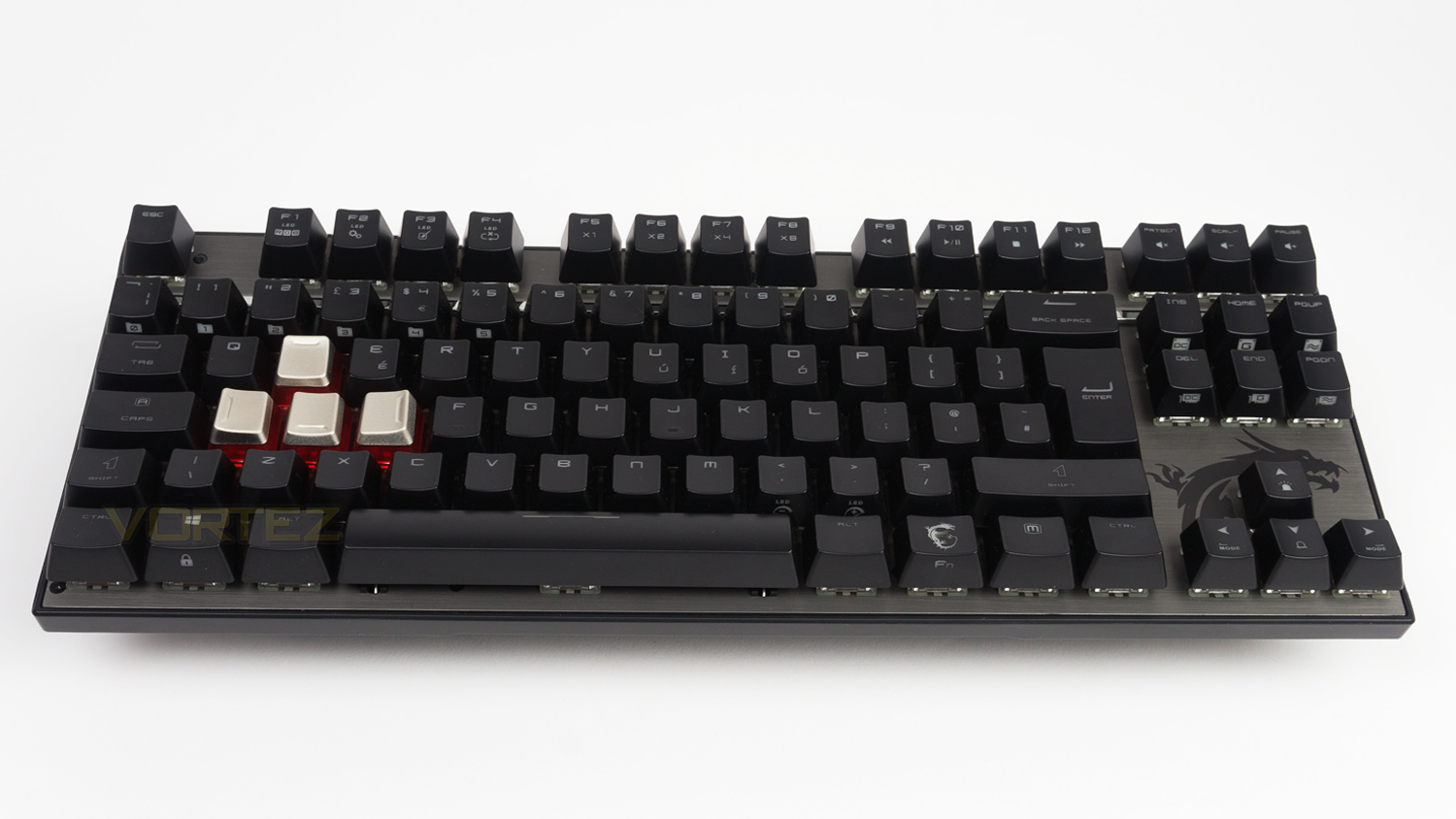
The Vigor GK70 has a very slim frame making it very compact (354mm x 137mm) and great if you’re confined to a smaller desk. When compared to the competition it is smaller than pretty much all similarly priced rivals.
Fnatic miniSTREAK – 360mm x 142mm
Corsair K65 LUX RGB – 355mm x 165mm
Steelseries MK750 – 370mm x 160mm
Cooler Master MasterKeys Pro S – 359mm x 130.8mm
Logitech Pro Tenkeyless – 360mm x 153mm
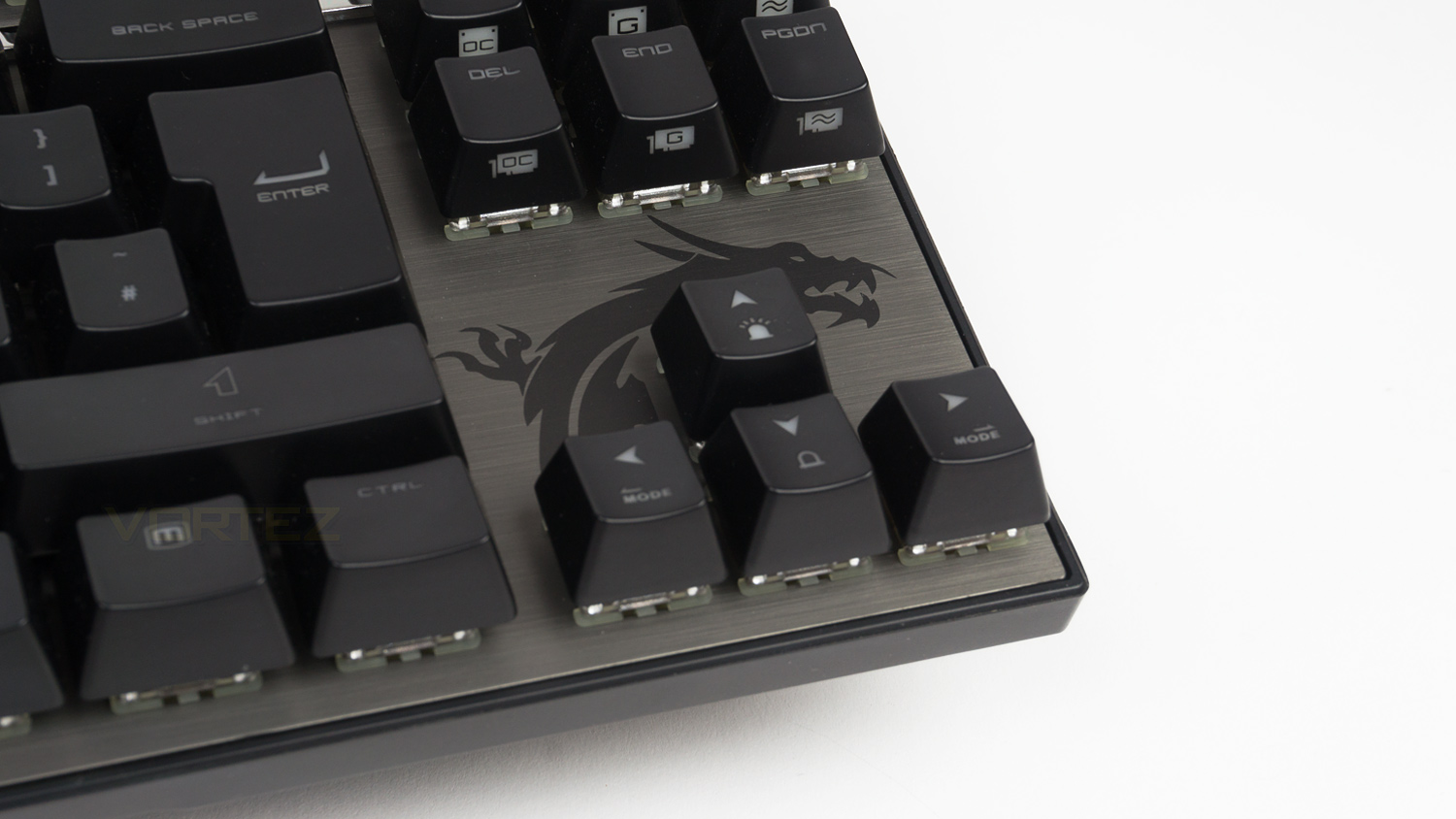
Style wise the GK70 is fairly toned down and features an aluminium top deck with the only design flare coming in the form of their famous dragon logo. Other than that there is no other major form of branding on the top.
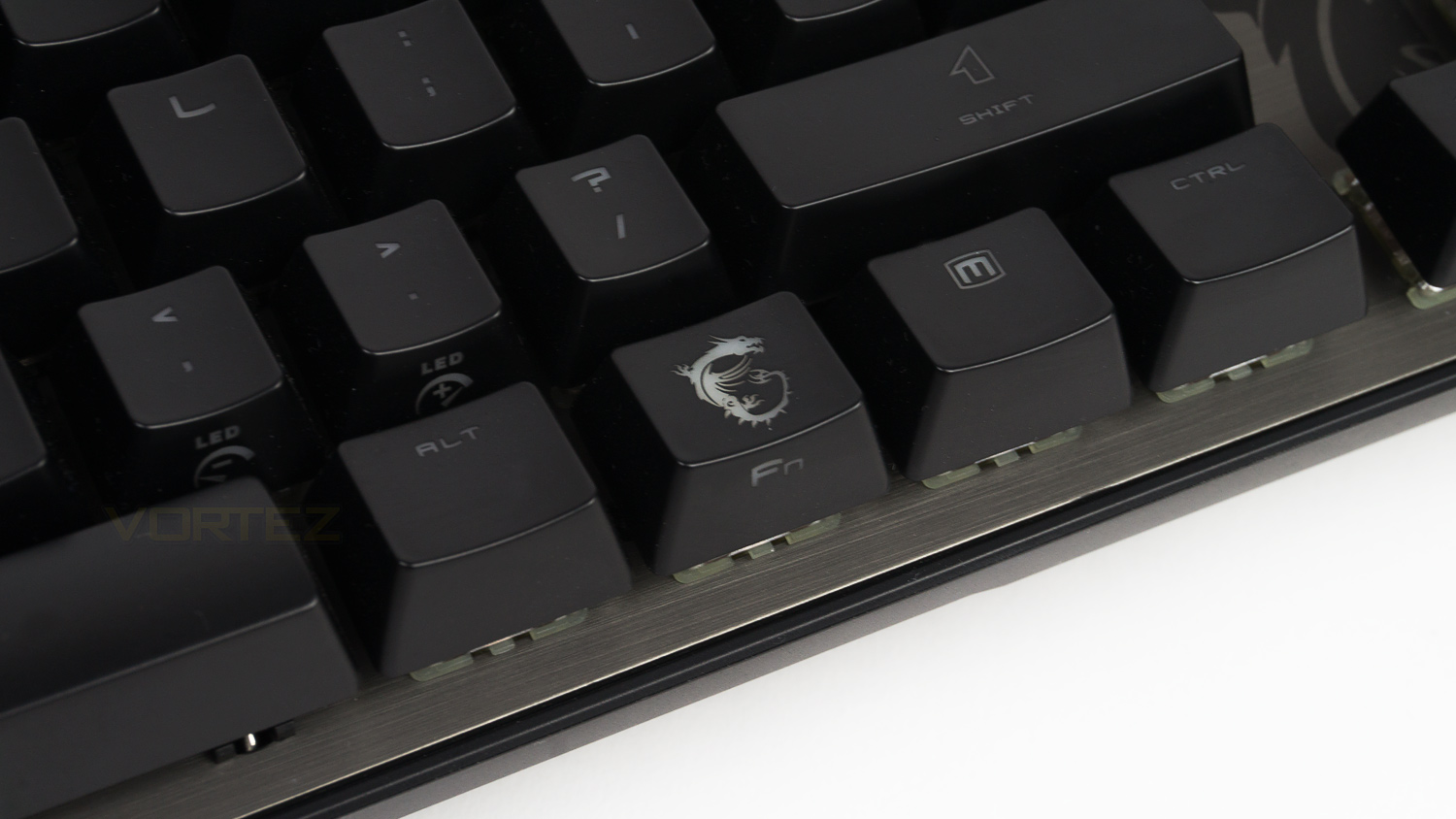
Okay so we sort of fibbed above and there is another MSI dragon logo on the FN key, but it is very subtle and doesn’t stand out too much.
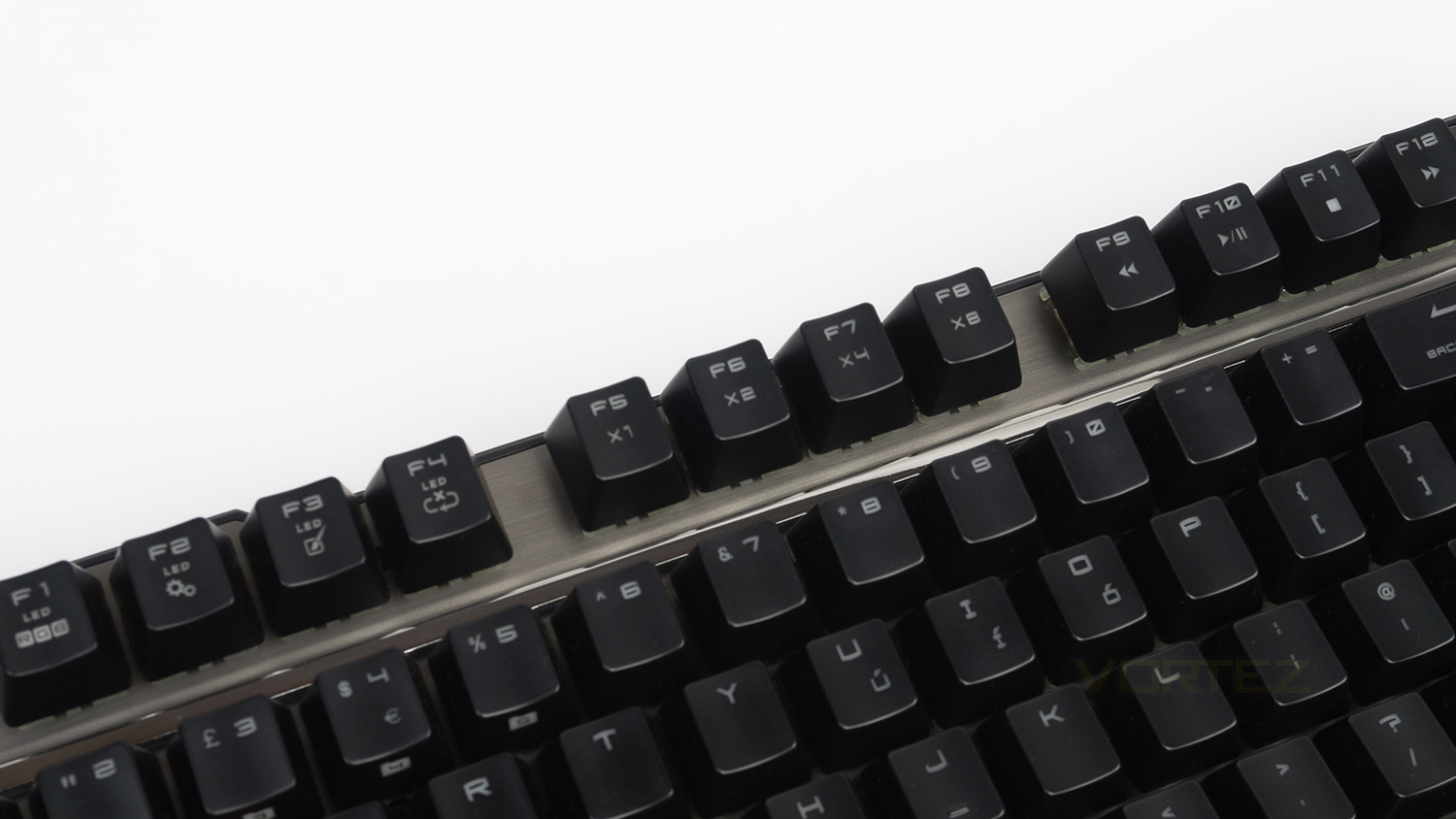
To save space on the GK70 MSI have opted to add dual functionality to the top row of keys, this keeps the footprint small and honestly its a decision that works as tenkeyless are supposed to be compact. The F keys are used to control the RGB, media and profiles.
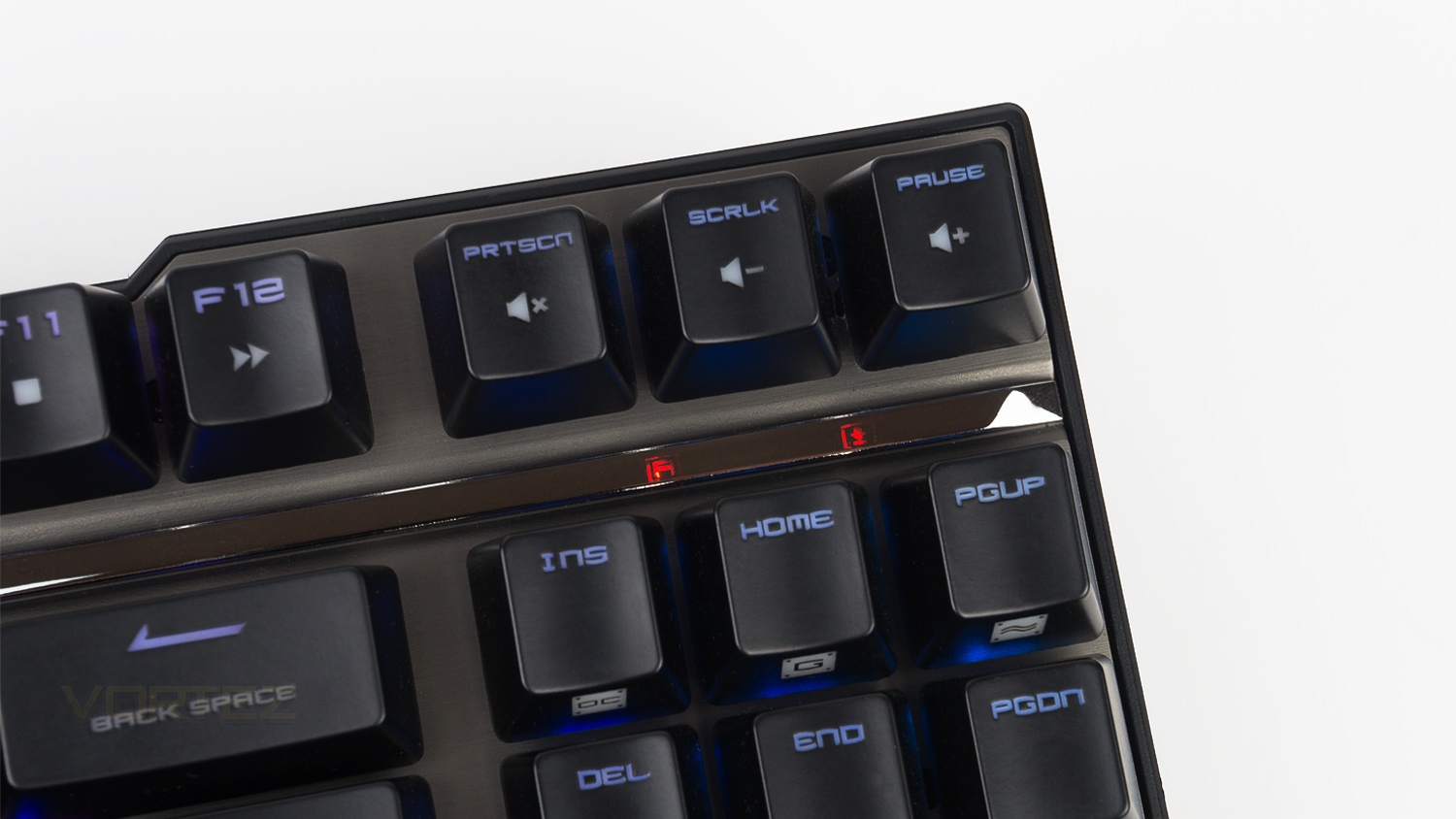
MSI has added a feature that we haven’t come across before, and that is a mirrored metallic strip, this doesn’t sound like much, but it does hide away the caps lock and scroll lock indicator as well as act as a nice design element. The only downside to this is that is when the indicators are illuminated they are obstructed by the INS, HOME and PGUP keys which does make them difficult to see when in a normal typing position.
Closer Look (Continued)
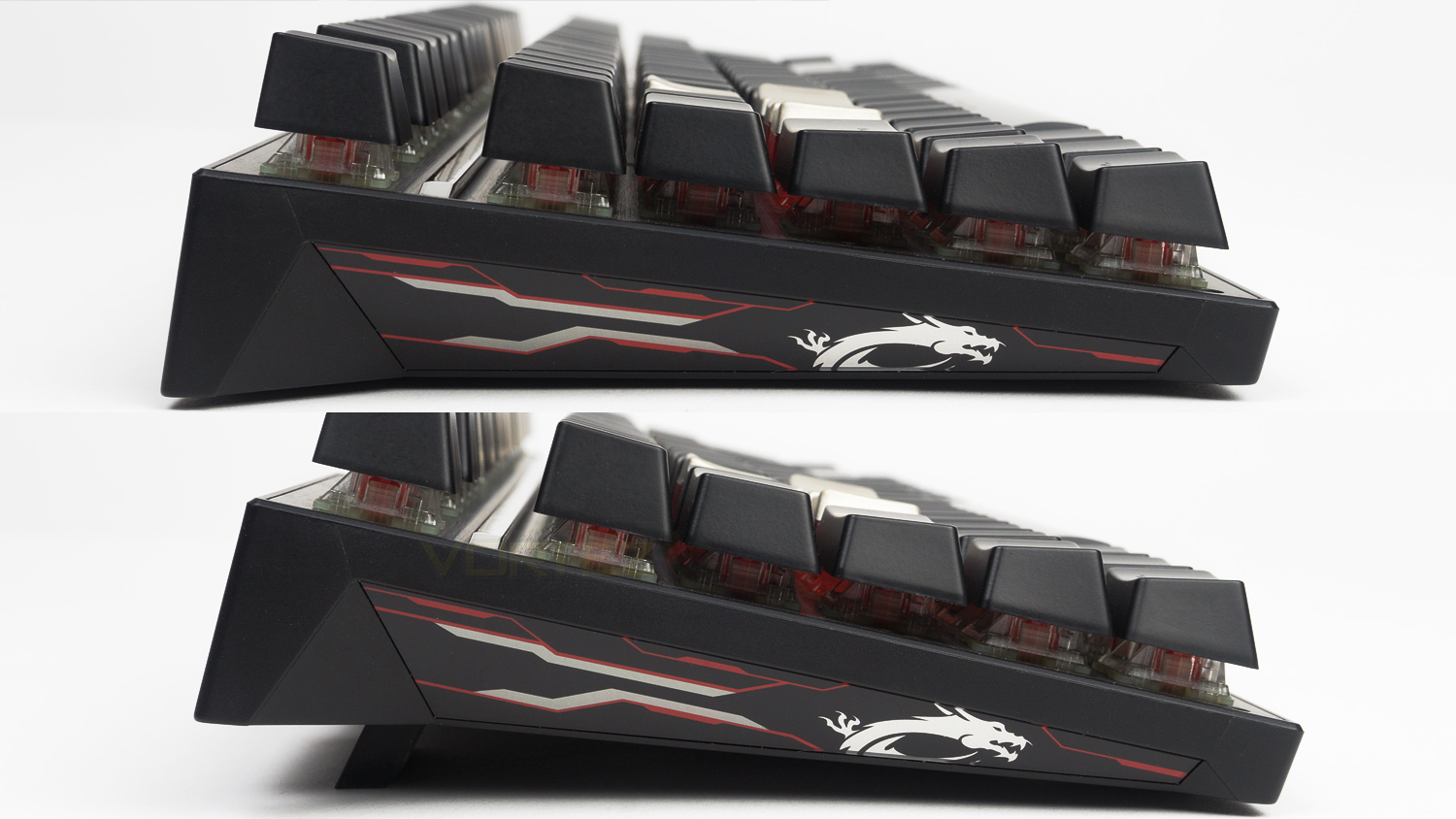
On the outer edges, MSI has added some more design flourishes in the form of some RGB illumination which syncs with the main RGB effect set, also here there is another MSI dragon logo which adds some gamer flare. This side also presents a look to see how steep the angle is set without the riser feet. This angle is actually quite well judged and means you shouldn’t need to utilise the feet when typing or gaming.
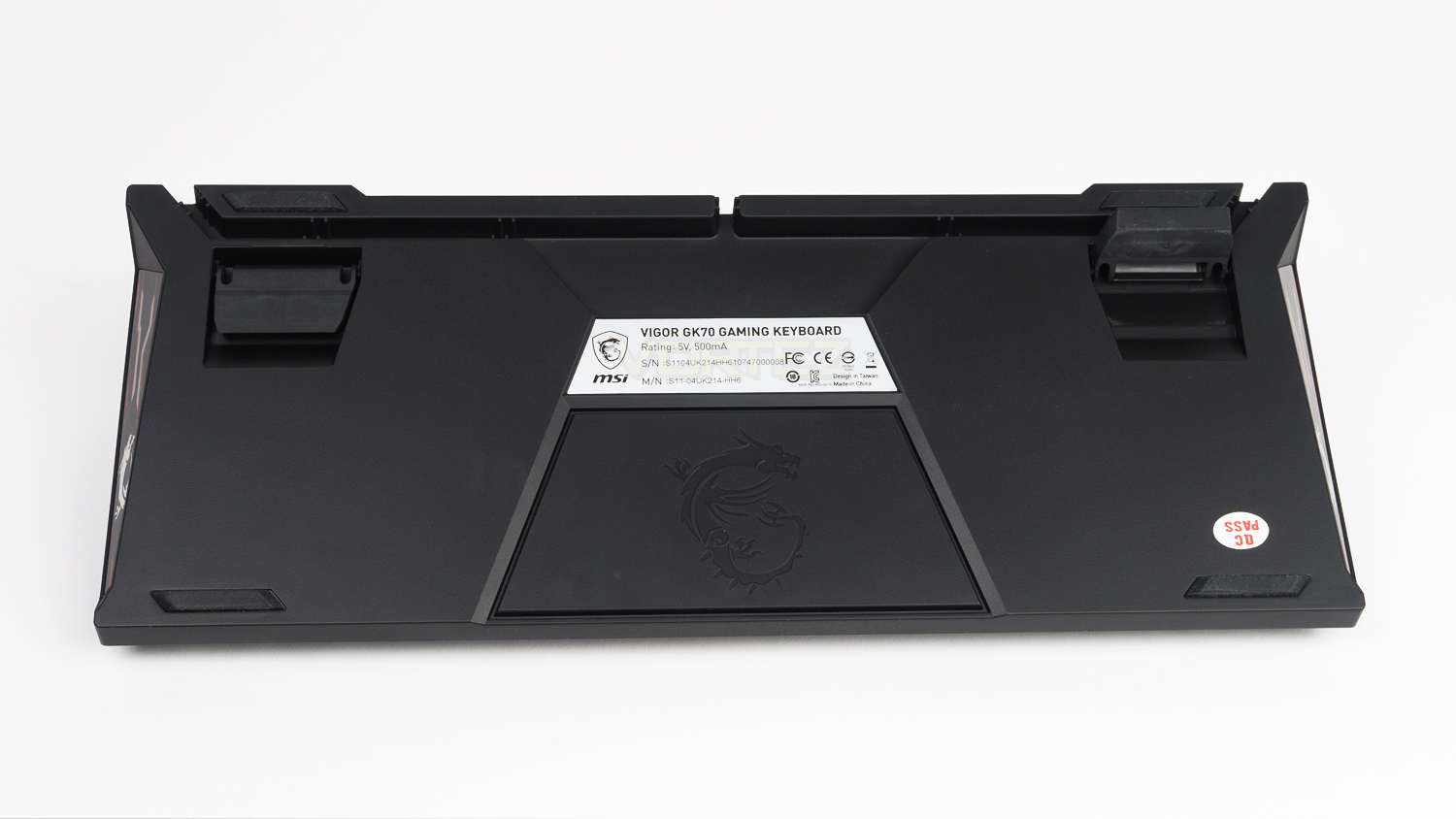
The underside of the GK70 is quite plain in its design but does feature a handy cable routing cut out to help with cable management. Also under is the port for the removable cable and rubber feet, there are six feet in total, yet only four make contact with the surface at any one time.
Software
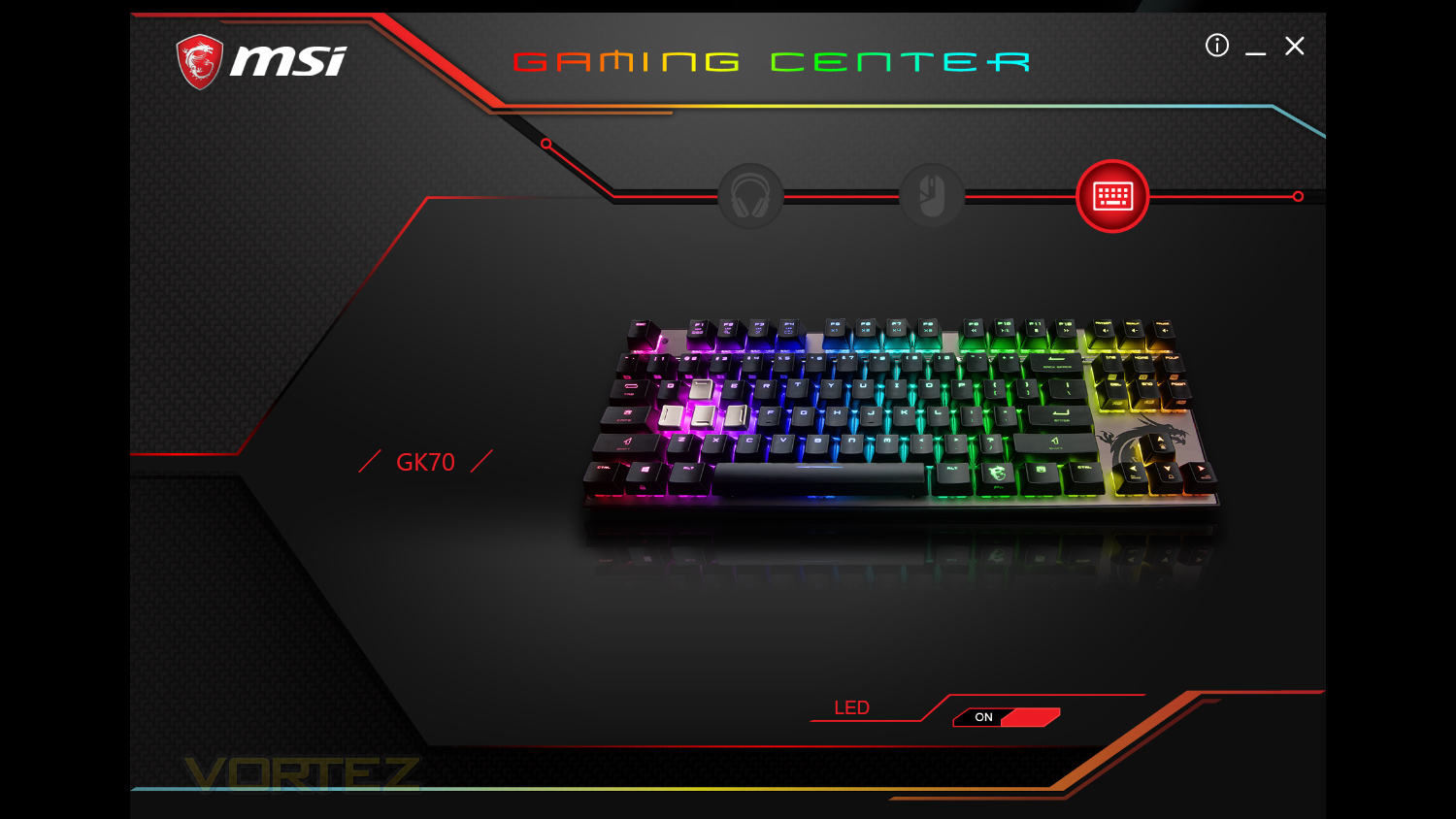
MSI’s Gaming centre is fairly basic when compared to other software suites, but sometimes that isn’t such a bad thing. The design is in keeping with their brand and utilises a lot of darker colours that are accented with RGB.
Although the software does look basic, it functions very well. On occasion, the loading times for the software would be a bit slow, but it performs its tasks very well and in a timely manner once its up and running. The LED effects are plentiful and implemented well, macros aren’t the easiest to set, but the addition of the extra functions are great – if you own MSI products. We understand why MSI has done this as they want to keep you in their own ecosystem, and to be fair to them that makes sense on a business front. Plus adding this functionality and getting it right for each OEM would be a mammoth task and wouldn’t be worth undertaking. It does limit its appeal from a consumer standpoint, but we can’t single MSI out for doing this as each brand does it to some degree.
Below is a quick demo of the software, it is also worth noting that MSI does offer their Mystic Light software which can be used if you wish to sync this with any other MSI hardware you may have.
Performance Testing
Setup & Observations
The only setup required for the Vigor GK70 is to find a spare USB port and plug the keyboard in. You can then opt to go one stage further and download the relevant software and choose from the supplied selection of keycaps of which there are three different types. The first is the standard keycaps which are very smooth and quite slippery; quality wise they feel decent though even if they are lacking a soft touch matte finish. The next is the Zinc alloy ones, these are very premium feeling and create a unique experience when in use as they are cold to the touch. Again these are a bit slick, however, they aren’t as bad as the standard ones. Finally, we get to the rubber coated keycaps, and with them, you get a selection of twelve to choose from, this is great as you can place them on all the keys you have bound. For example, we opted to swap out WASD, the space bar and the shift key. As there are twelve supplied you can swap out the ones to suit you best or for the games you play the most. Also, these feel great and provide a very nice surface to use, they are plenty grippy without being rough, and they really did help when locating the bound keys when gaming.
As the majority of us type more than game, we need a keyboard that can do both to a good standard and in this regard, the GK70 performs adequately. The GK70 it isn’t the most comfortable to type on as the lack of a wrist rest means your palms rest on the surface and end up in a position that increases the resting angle and can cause some fatigue. If there were a wrist rest included this would help alleviate this issue. As the border around the keyboard is so slim, you don’t have to overstretch to reach to the top row of keys which is a big plus. The GK70’s layout is very familiar and easy to get typing on straight away, the key spacing is solid, and it doesn’t feel cramped at all. MSI has also added a few unique touches to the keyboard that you’d often have to set via a complex macro to carry out and that is the ability to change the various aspects of the hardware inside your PC. With this addition, you can change the profile of your motherboard and GPU. There are three different modes you can swap to with a simple press of two buttons rather than having to fire up some software and manually change it. The modes are as follows, there is a silent mode, gaming mode and OC mode, each of which changes the performance aspect of your hardware. Unfortunately, at the time of writing this review, we don’t have an MSI GPU on hand so we can’t test that functionality, but we do have an MSI motherboard which we tested.
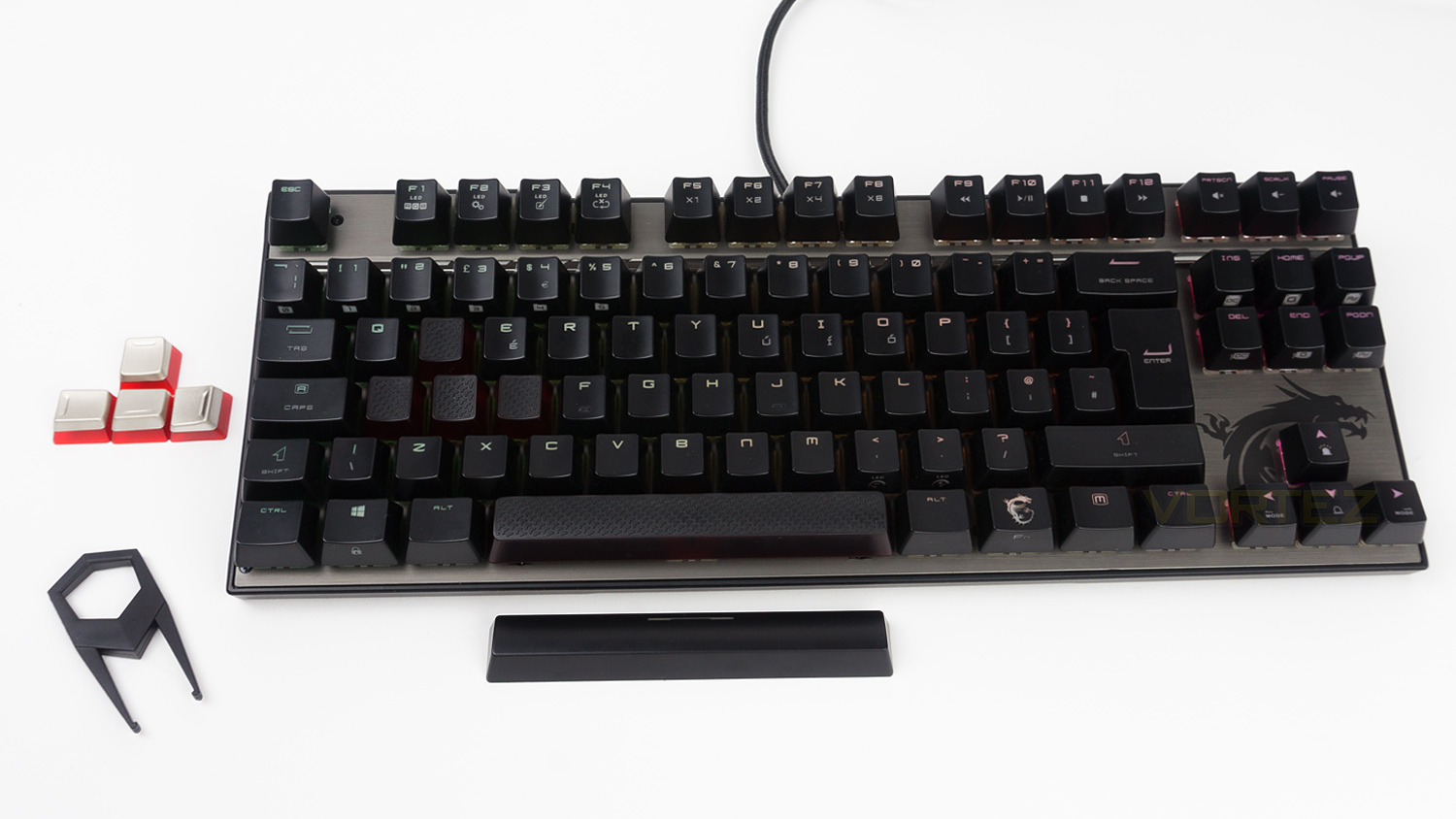
To use this feature – for the motherboard you’ll need to press FN + either the INS, HOME or PGUP key, for GPU’s it’s the same FN key but this time with either the DEL, END or PGDN key. This then switches the mode for you and fully removes the need to go into your software to change the profile, however, when applying the OC mode your system will need to restart meaning you can’t apply that in game, but both Silent and Gaming mode work fine without needing to reboot your system. Another noteworthy point is that you’ll need MSI’s gaming app installed for it work most effectively. So how does it actually function? Well, our testing shows that it works great and it does change the profile as soon as you press the relevant keys meaning you can boost your MSI GPU or CPU that is installed in an MSI motherboard without the need to delve into any settings or even launch any software. So it does work as advertised and honestly is a welcome feature if you have a system that contains the relevant MSI hardware.
Onto the design and build and the Vigor GK70 does score well, the chassis feels very solid and there is no flex to it at all, the top fascia is brushed and metal which again adds to the solidity of the GK70. The keycaps feel good for the price and are planted with minimal amounts of play in them. The design is nice, modern and much more toned down from previous MSI peripherals, you’ll also note that the black and red colour scheme is gone and replaced with a pallet more colour neutral meaning it will fit in with a wider range of setups. Although more muted, MSI hasn’t quite left all the gamery flourishes off the table as the sides feature some more aggressive styling with RGB accents; so you still get the gamer design, but in a less potent manner as it isn’t right in your face. So in this department, MSI has stepped up their game, and it does show.
Performance
Now to the gaming experience and the Vigor GK70 utilises Cherry MX Reds, and if you’ve had past experiences with them, you’ll know exactly what you’re going to get. If you haven’t, then the MX Red switches are known for being fast, fluid, responsive and for having a linear travel. The actuation force of the Cherry MX Red is 45g and input is registered at 2mm, and as usual we fired up some games to test them out. The games on test were Fortnite, Overwatch, PLAYERUNKNOWN’S BATTLEGROUNDS and Rise of the Tomb Raider.
As you’d expect from Cherry, their switches deliver a brilliant performance and we can’t fault them for gaming at all, especially when combined with the 1000Hz polling rate. The experience from the switch is agile, precise, quick to react and very effortless. These attributes do lend itself to a great time when playing most of the titles mentioned above and honestly for the sake of repeating what has been said already, the switches are great. They easily keep pace with all the fast pace titles can throw at you, yet they also manage to be controlled enough for titles that aren’t as vigorous. In terms of audible output, they are far quieter than Cherry’s MX Blues which would make the GK70 ideal for streamers that would appreciate the switches lower noise level when live streaming. Also, as previously mentioned, the GK70 is only (currently) available with either MX Reds or MX Silvers – though both these switches are great the choices do fall behind rivals that often offer three or more variants to select from. It does also have one other downside which we touched on earlier and that is the comfort, as is, the Vigor GK70 isn’t the best to type on and that does, unfortunately, translate to gaming as well. When in the middle of a gaming session we noted that we suffered some fatigue in the wrist area which was worse the longer we gamed for. The only real solution would be to purchase a rest but that would add an additional cost to the overall purchase. It is worth noting though that this is just in our experience and you may not even have this issue at all.
RGB illumination
MSI’s Gaming Centre isn’t the most full-featured out there, and some rival suites do offer much more, yet it is not the most lacking we’ve come across either. There are a total of fourteen different effects to choose from including some for DOTA, FPS titles and for MMORPG games. Each of the effects has differing levels of customisation with some that can have their direction changed and others you can alter the speed only. It is easy to use though which is a big plus.
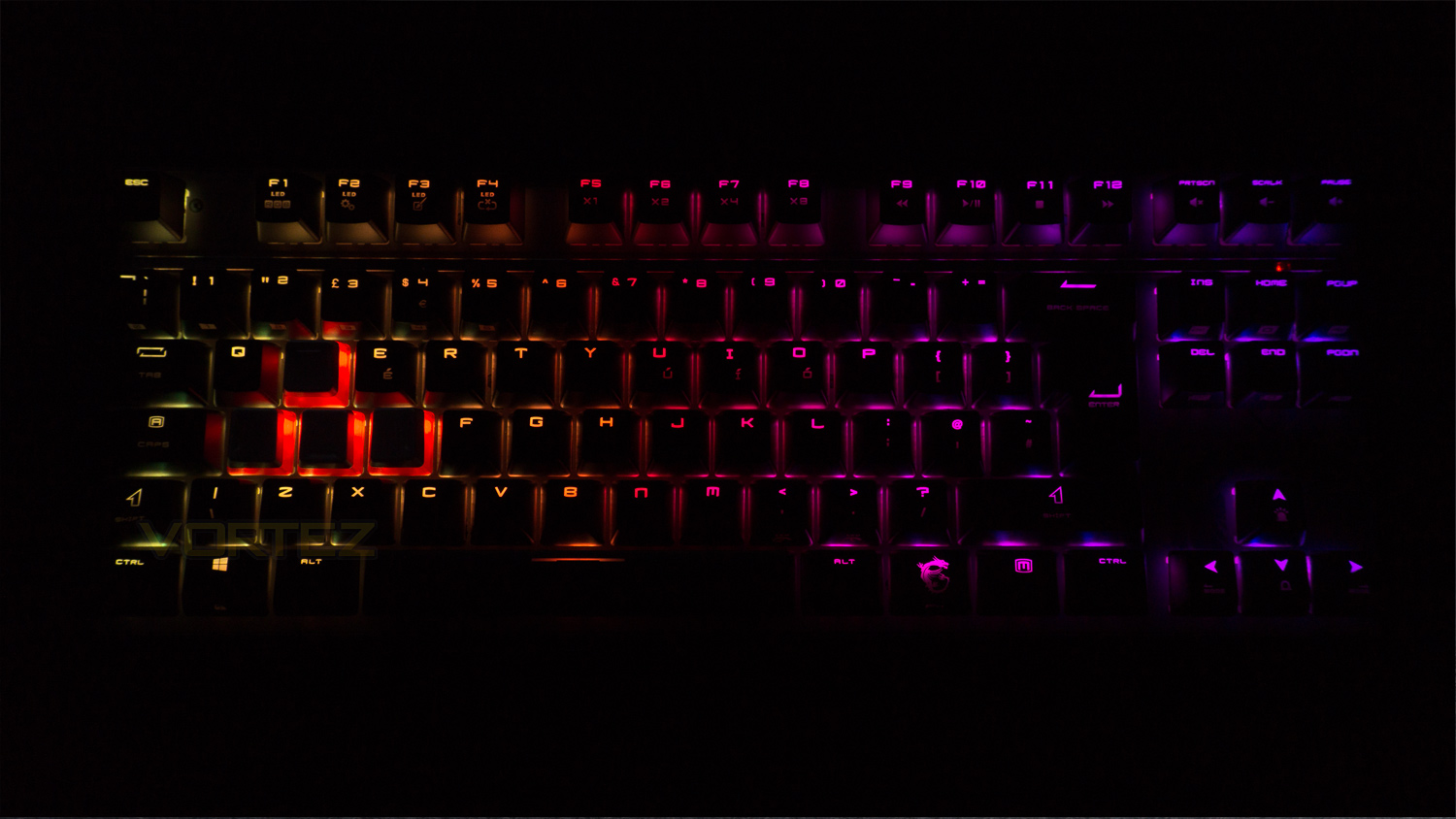
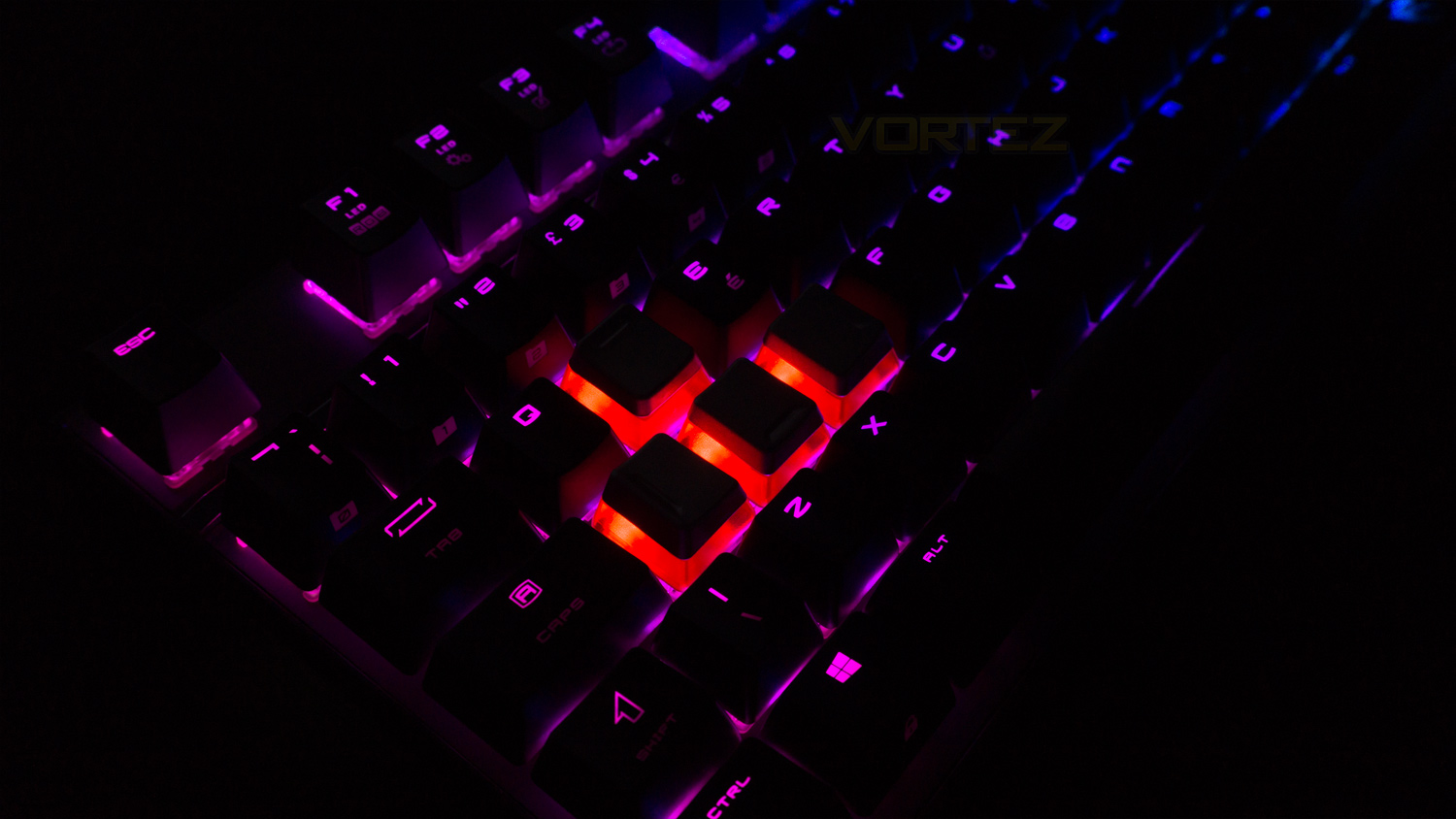
The actual lighting effects are decent, though the illumination isn’t the most vibrant out there and the text fill is a bit spotty in places – the FN key for example. The effects do transition reasonably well, and the colour spill is nice, yet it remains within the borders of the frame. Colours are nice and saturated but again are just lacking brightness; especially when under any bright window or artificial light. Whites are only slightly tinged with a hint of orange making them a touch warm, but there is one thing that is a real bugbear, and that is the with the rubberised and metal keycaps. Instead of the sides being solid black they are a red and translucent meaning that they illuminate red when certain colours pass underneath them, this creates a glow that does somewhat spoil the effect you’re using. In some cases – like with a white colour scheme they do look nice, but red doesn’t go with everything, and sometimes it looks odd. Of course, you could avoid using them, but they actually feel better than the standard caps installed and you’d miss out on that experience by not using them.
Conclusion
Compared to MSI peripherals of old, the Vigor GK70 is a real step in the right direction, but it does still have a few traits that are not as desirable. What MSI have got right though is the design and build. The design is toned down yet it still has a few ‘gamery’ touches that let you know who its intended for. The build quality also sees a big leap forward as more premium materials have been utilised, this makes the GK70 feel very solid and well put together, the keycaps are missing a soft touch finish, but they still feel decent. On the plus side, the GK70 comes with twelve replacement keycaps which means you can really tailor how the keyboard feels and looks.
Also impressive are the Cherry switches as they live up to their reputation and deliver a brilliant gaming experience. However, for typing and for those longer gaming sessions, the experience is marred. The switches still perform great, there is one other issue though and that is the comfort. As we mentioned the GK70 isn’t the most comfortable for lengthy typing or gaming sessions and it really would benefit from a wrist rest, although for shorter sessions, it is more manageable. So if you do need to type a lot or game for longer, it would be best advised to take regular breaks to avoid any strain. Keep in mind that this is just in our experience and this issue may not affect you at all.
As for the RGB, it is not the best we’ve ever seen nor is it the worse, but it has the benefit of being customisable which is nice. The issue we have is with the replacement keycaps, the sides of them are red and translucent meaning whenever colours pass under them they glow red which can throw off certain effects. On the plus side MSI’s profile switching feature does work great and makes changing the settings for your motherboard and GPU that much easier, this does come with its own drawback though as it is exclusive to MSI hardware and won’t work with anything outside the MSI GPU or Motherboard lineup.
Taking everything into account for its price point of £109.99 in the UK, $116.78 in the US and $159.00 AUD, the Vigor GK70 is a great keyboard and even though it does have a few issues, it does just about justify its asking price. If it were bundled with a wrist rest then that would sweeten the deal and increase the value proposition, but as is, the asking price is just about acceptable for the package you get.
The MSI Vigor GK70 performs superbly in most areas, but it does have a few quirks that upset the balance.
Pros
+ Subdued styling
+ Great overall build quality
+ Very compact
+ Superb Cherry switches
+ Full N-key rollover
+ 1000Hz polling rate
+ Twelve replacement keycaps and keycap puller
+ Removable braided cable
Neutral
+- Not the most comfortable
+- A touch pricey
Cons
– Only two switch variants available
– No wrist rest
+ Subdued styling
+ Great overall build quality
+ Very compact
+ Superb Cherry switches
+ Full N-key rollover
+ 1000Hz polling rate
+ Twelve replacement keycaps and keycap puller
+ Removable braided cable
Neutral
+- Not the most comfortable
+- A touch pricey
Cons
– Only two switch variants available
– No wrist rest
Click here for an explanation of our awards at Vortez.net.
Stay connected with the Vortez Social Media pages:
Join in with the discussions on Discord