NACON, a relatively new player to the gaming peripherals scene, offered us the REVOLUTION UNLIMITED, their best controller yet with extensive customisability, and wired and wireless use-modes for the PS4 and PC.

Product on Review: NACON REVOLUTION UNLIMITED
Manufacturer: NACON
Street Price: GBP £169.99 / AUS $299.99
High end peripherals have been around for years on the PC, but the console market would “make do” with the official controllers or perhaps go for a cheaper model as a spare, however, that doesn’t mean there wasn’t a market for controllers costing upwards of 3 or 4 times as much as the official controllers, with many weird and wonderful features that you didn’t even know you needed.
Established in 2014, NACON set about the difficult task of producing a range of PC accessories for gamers, then after some success, decided to extend their efforts into a fully customisable eSports controller. 6 years on, we’re now looking at their best controller yet, the NACON REVOLUTION UNLIMITED.
The REVOLUTION UNLIMITED is based loosely upon the PlayStation 4’s Dualshock controller design with many adaptations chucked into the mix to create, what NACON claim, to be the ultimate controller. Included in those improvements are an adjustable weight system, customisable thumbsticks and interchangeable heads, smart LED indicators, rear-mounted assignable buttons and adjustable vibration motors, amongst many other things.
The controller can be used in wireless or wired form, with audio & chat supported in both modes, and boasts a 1300mAh battery for lengthy play sessions with full support for the PlayStation 4 and Windows.
Priced at £119.99/$ the REVOLUTION UNLIMITED seems to offer plenty for a hardcore PC/PS4 gamer who prefers to use a controller, but are the features thoroughly worked out or are you better off elsewhere? Let’s have a look.
NACON on the REVOLUTION UNLIMITED:
Take control of the game with the Nacon Revolution Unlimited Pro Controller.
This control pad has a range of features to keep you ahead of the competition, whether you’re taking on all comers in e-sports tournaments or just playing with your friends.
From customisable sticks to changeable shortcut buttons, there are a host of options to truly make this pad your own. You can even add weight to get the ideal feel.
This control pad has a range of features to keep you ahead of the competition, whether you’re taking on all comers in e-sports tournaments or just playing with your friends.
From customisable sticks to changeable shortcut buttons, there are a host of options to truly make this pad your own. You can even add weight to get the ideal feel.
Technical Specifications
Wireless use (up to 7m):
• Works with a Bluetooth® receiver offering high performance gameplay with the audio chat feature
• Includes a rechargeable Li-Polymer 1300 mAh battery (autonomy 7h)
Key features
• Wireless and Wired connections
• Audio & Chat support in wireless and wired modes
• Dual customisable sticks with 30°/38°/46° amplitude
• Interchangeable stick heads
• Smart LED indicators
• 3.5mm headset jack (headset not included)
• On board headset microphone and volume controls
• 3m Braided USB-C detachable cable, transfer data + charge
• 4x configurable shortcut buttons
• 4* or 8-way directional pad
• LED player status indicator
• 2x customisable* vibration motors
• Internal weight compartments (2x10g, 2x14g, 2x16g)
• Hard storage case
PS4™ Mode
• Plug & Play functionality with integrated DUALSHOCK®4 controls
• Enhanced dual stick control with 46° amplitude
• Manually customise the 4x shortcuts buttons
PS4™ Advanced Mode
• Instantly switch between 4x pre-loaded custom profiles to suit a range of games
• Modify or replace those profiles with 4x of your own (via the upgraded PC/Mac companion app*):
• Adjust the response curve of each stick
• Reverse Y-axis of your sticks
• Reverse your left and right sticks
• Adjust the sensitivity and dead-band of each trigger
• Independently adjust the vibration intensity on the left and right hand grips
• Change the right stick light for a custom look
PC Advanced Mode
• PC Compatible
• Works with a Bluetooth® receiver offering high performance gameplay with the audio chat feature
• Includes a rechargeable Li-Polymer 1300 mAh battery (autonomy 7h)
Key features
• Wireless and Wired connections
• Audio & Chat support in wireless and wired modes
• Dual customisable sticks with 30°/38°/46° amplitude
• Interchangeable stick heads
• Smart LED indicators
• 3.5mm headset jack (headset not included)
• On board headset microphone and volume controls
• 3m Braided USB-C detachable cable, transfer data + charge
• 4x configurable shortcut buttons
• 4* or 8-way directional pad
• LED player status indicator
• 2x customisable* vibration motors
• Internal weight compartments (2x10g, 2x14g, 2x16g)
• Hard storage case
PS4™ Mode
• Plug & Play functionality with integrated DUALSHOCK®4 controls
• Enhanced dual stick control with 46° amplitude
• Manually customise the 4x shortcuts buttons
PS4™ Advanced Mode
• Instantly switch between 4x pre-loaded custom profiles to suit a range of games
• Modify or replace those profiles with 4x of your own (via the upgraded PC/Mac companion app*):
• Adjust the response curve of each stick
• Reverse Y-axis of your sticks
• Reverse your left and right sticks
• Adjust the sensitivity and dead-band of each trigger
• Independently adjust the vibration intensity on the left and right hand grips
• Change the right stick light for a custom look
PC Advanced Mode
• PC Compatible
Packaging & Bundle
Using Sony’s trademark “PlayStation Blue”, the top of the box clearly shows the PS4 support, but the rest of the box is a little void of information, at least on the front anyway.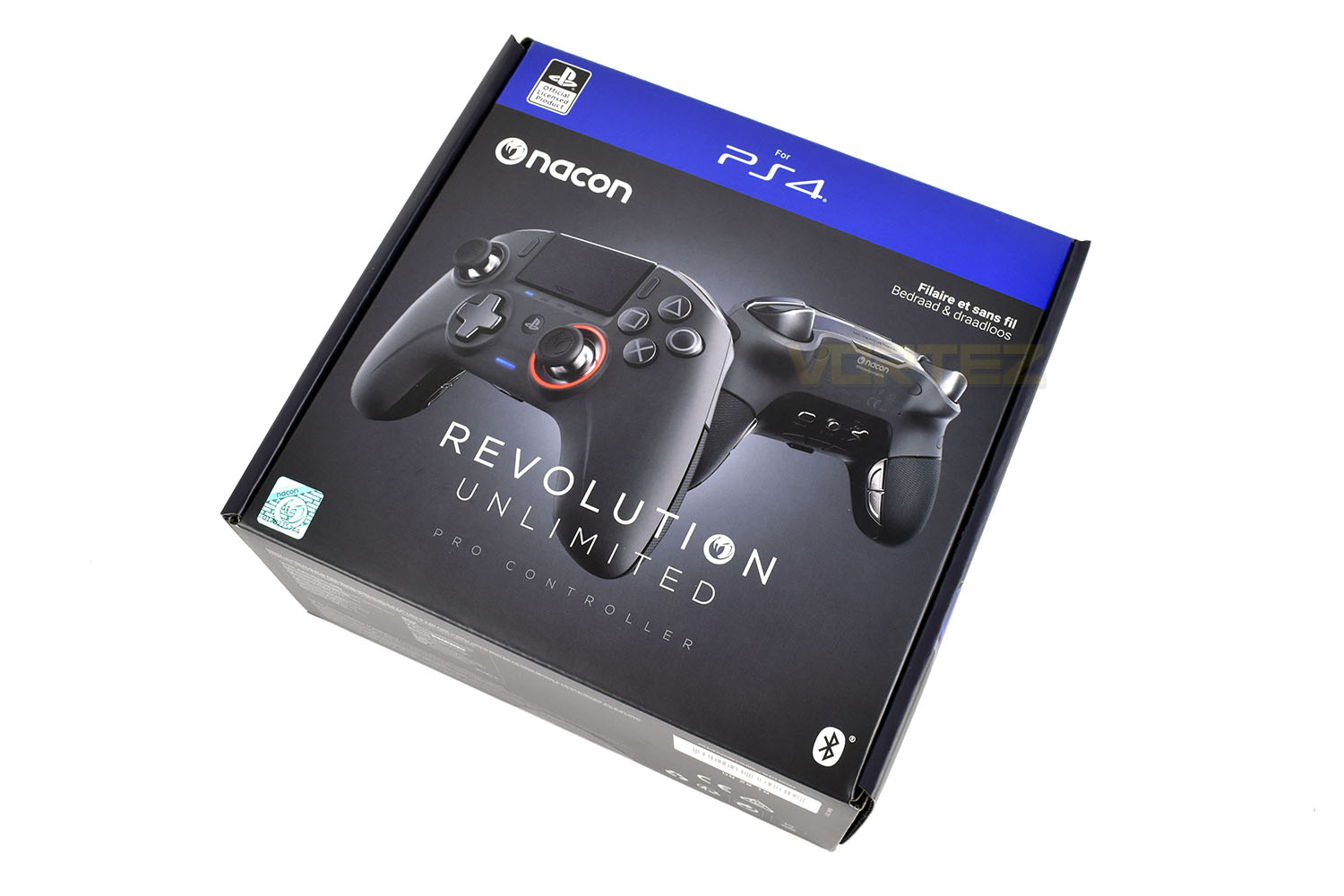
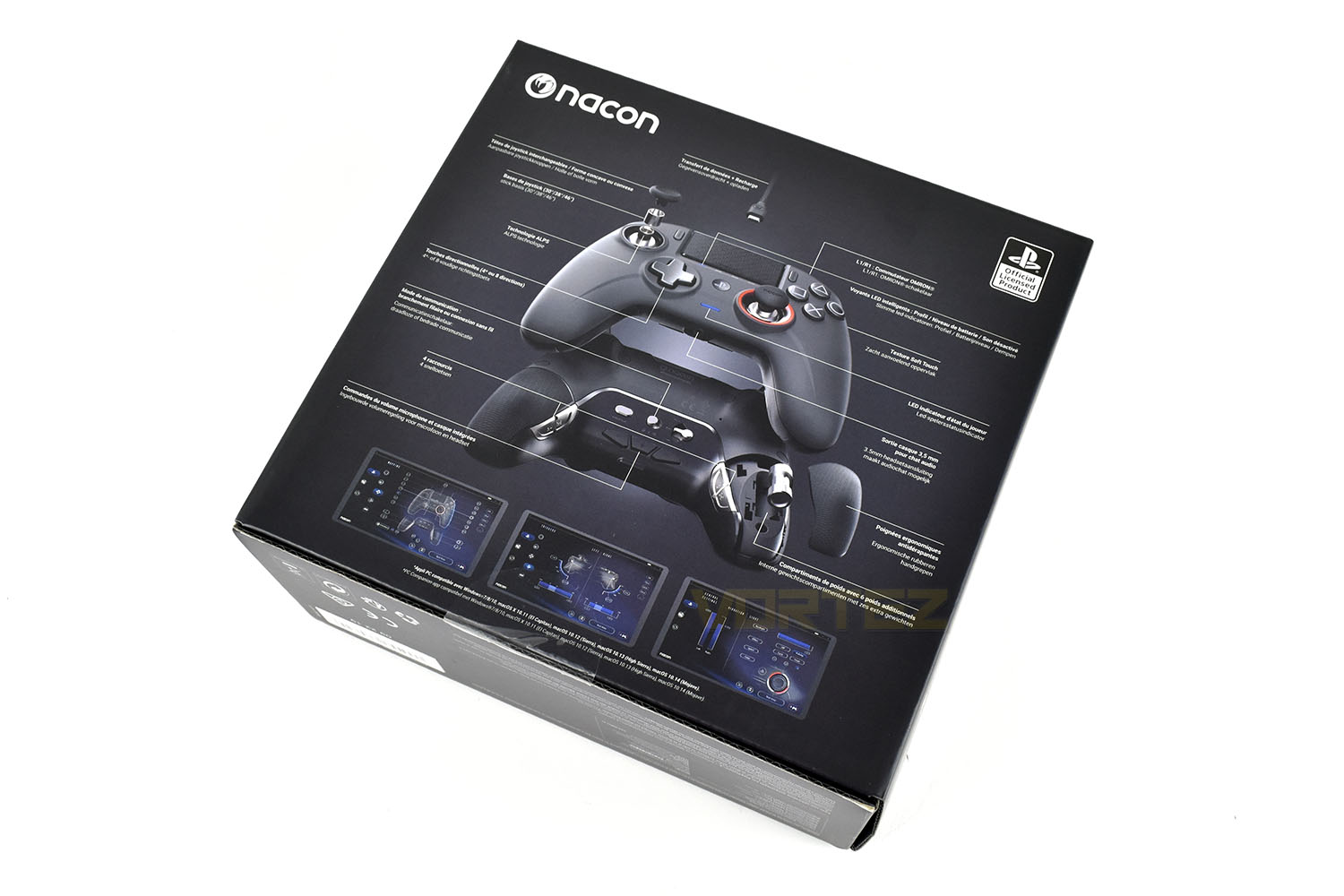
The reverse of the box shows an image of the controller with detailed annotations. Our box isn’t in English but we’re told they’re on the market now.
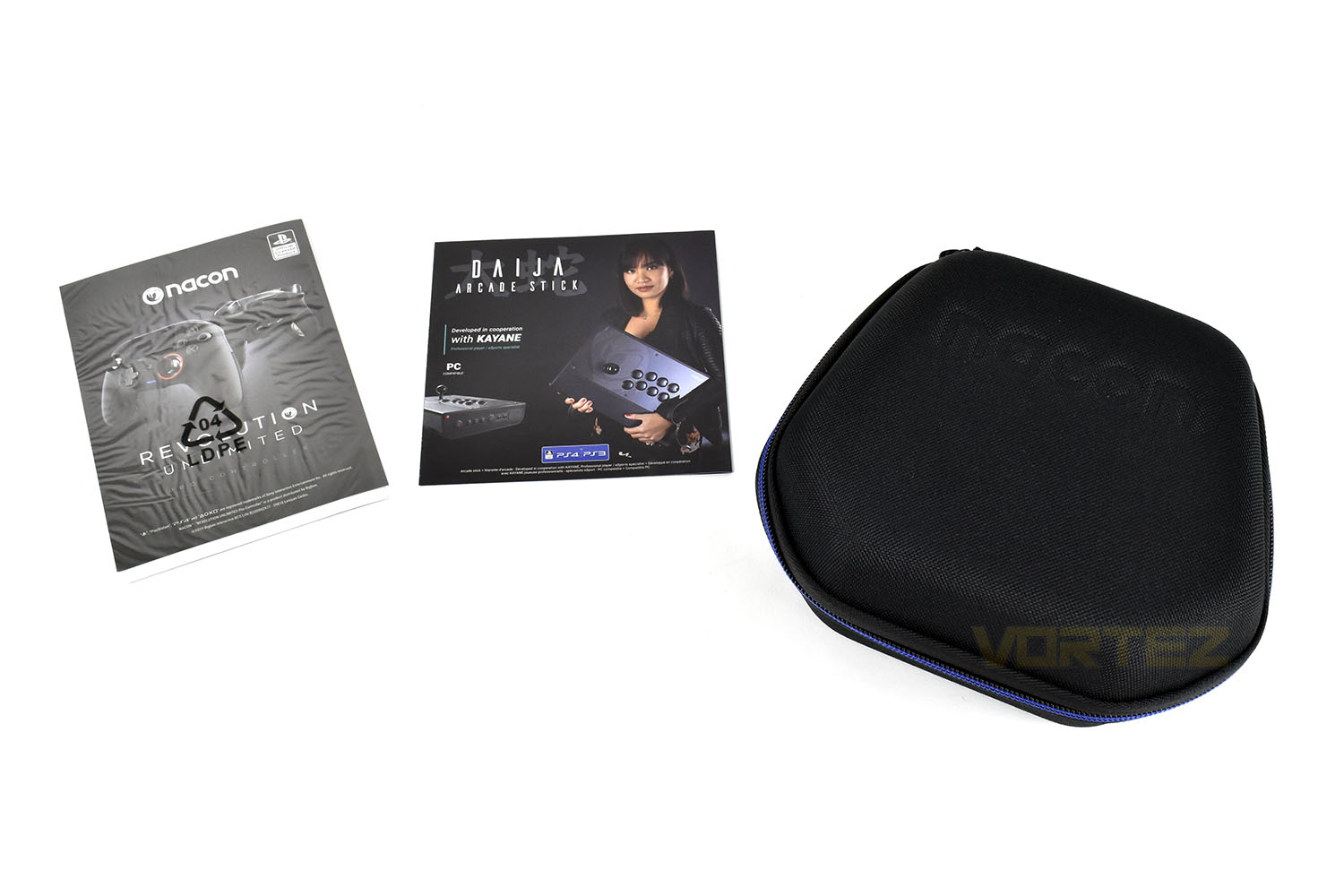
Included with the controller are the manual booklets and the protective carry case.
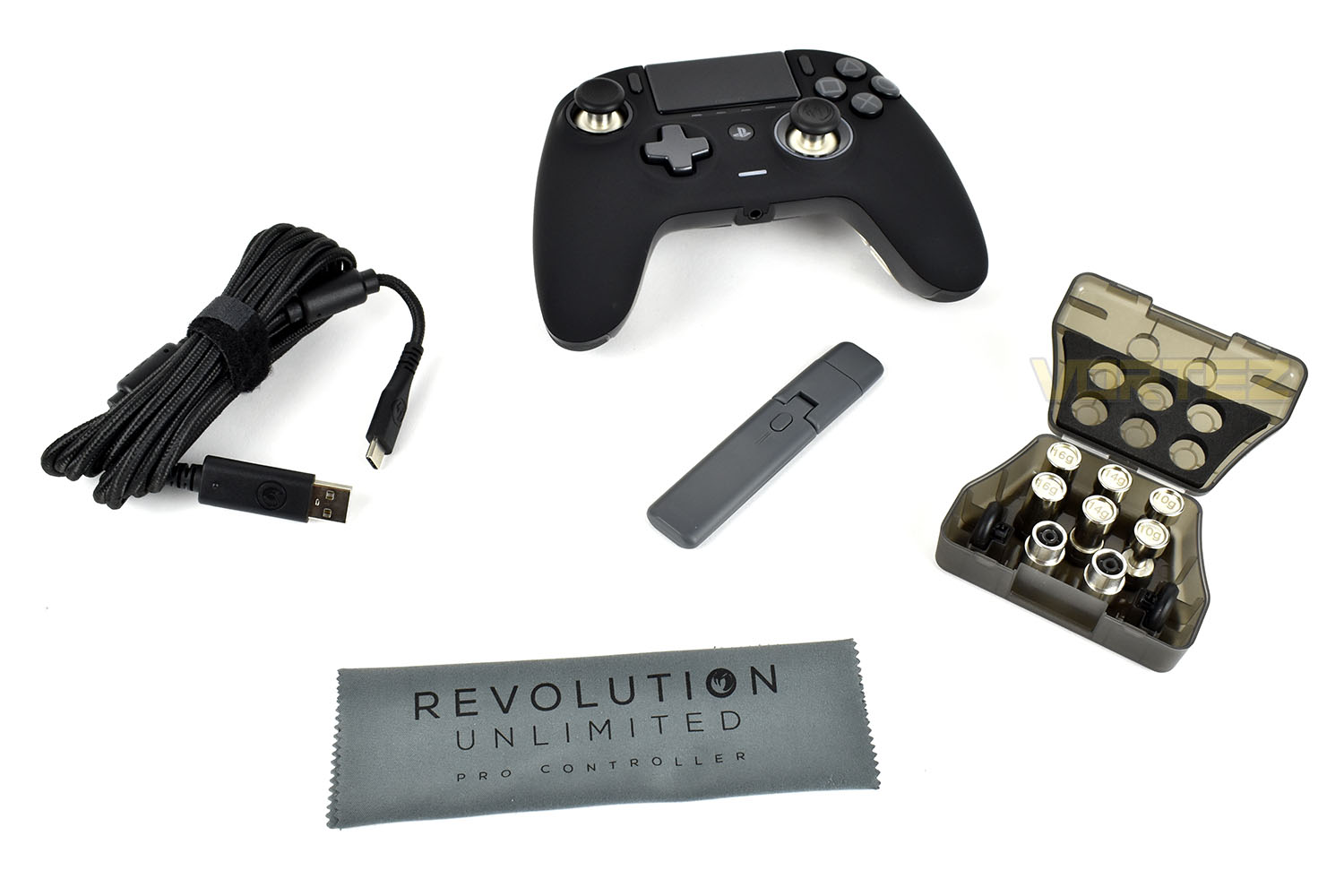
And then inside that carry case you’ll find the controller, the 3 metre braided USB Type-A to USB Type-C cable, a wireless USB dongle, a soft microfibre cloth and a plastic case which includes weights and thumbstick pieces.
Closer Look
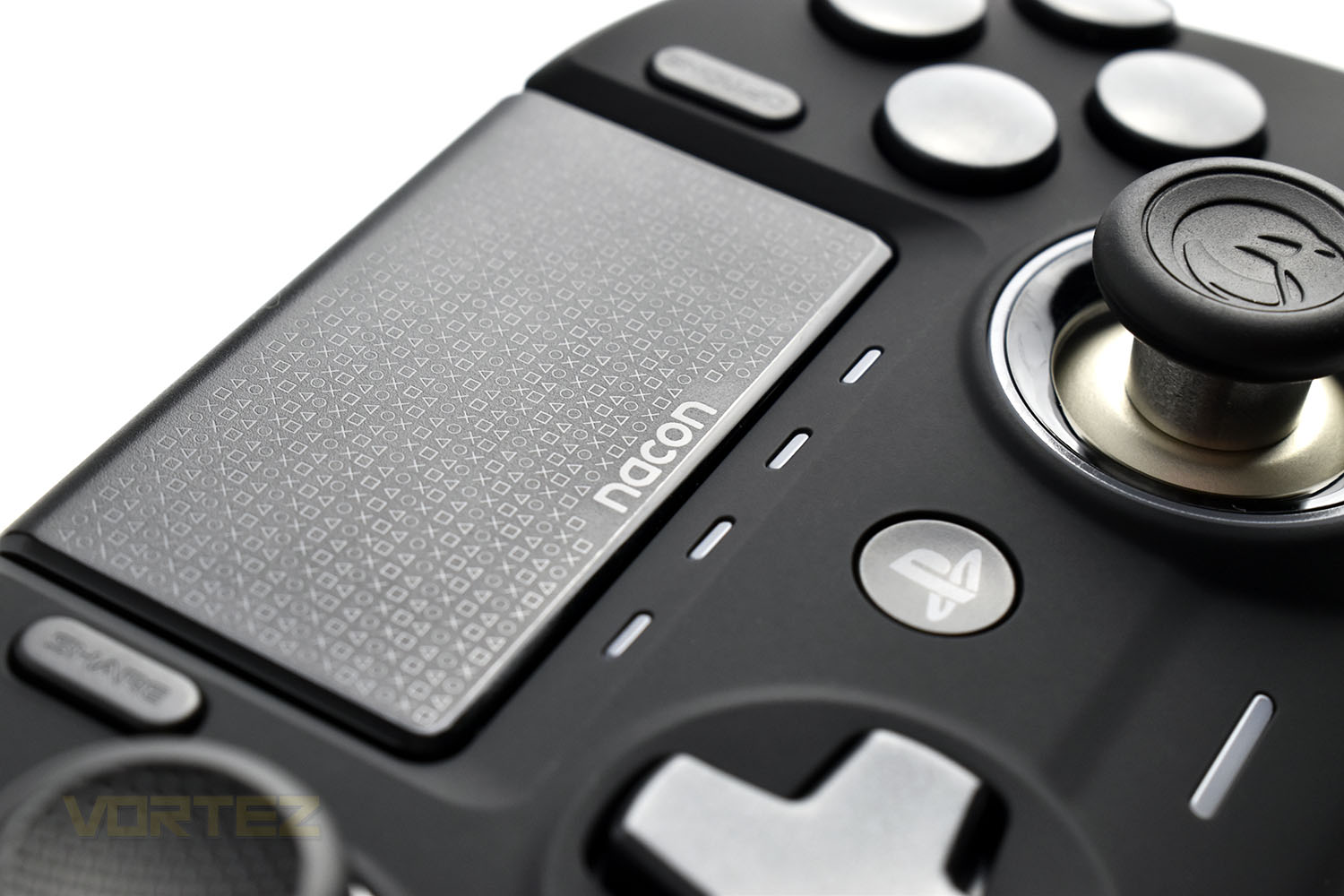
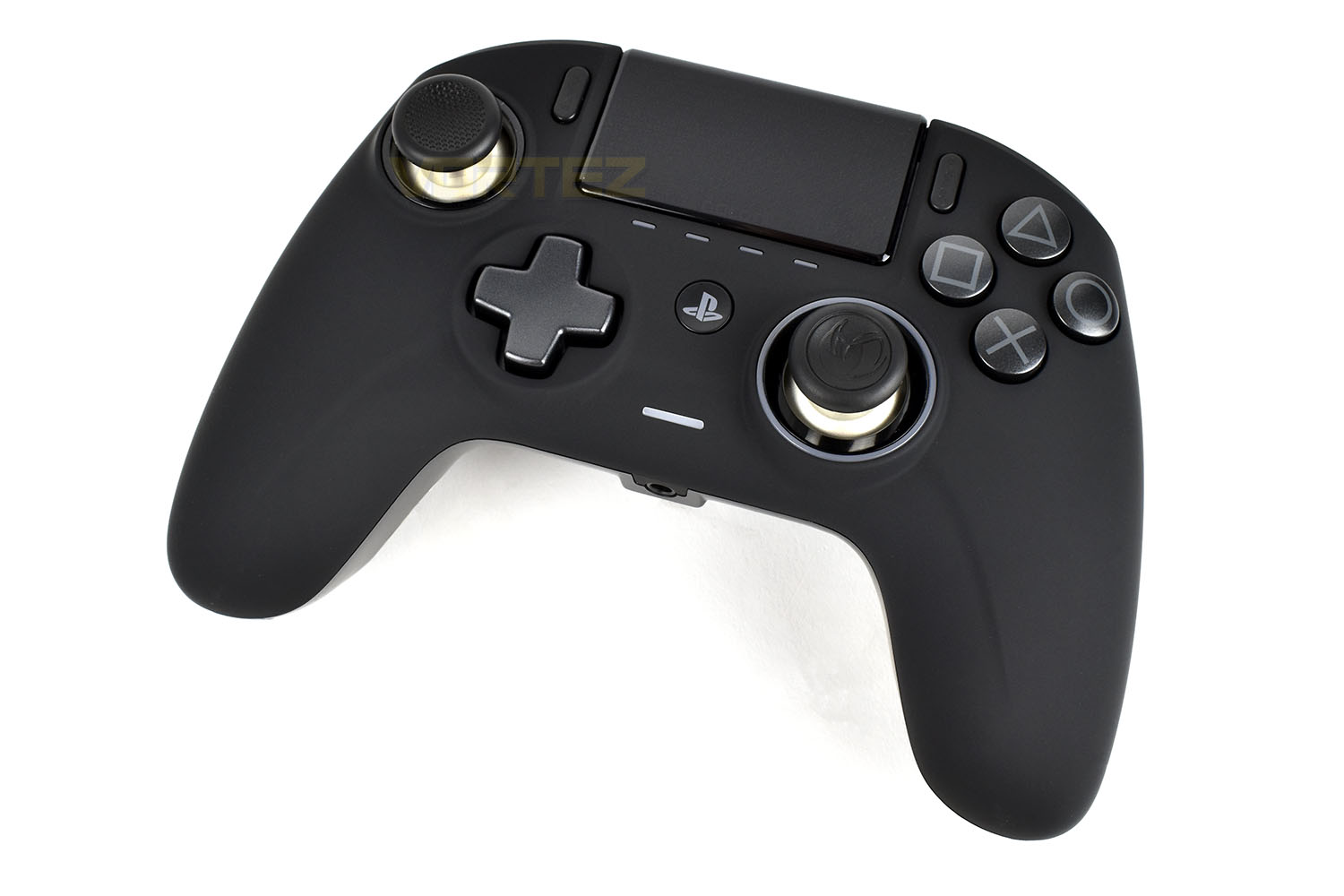
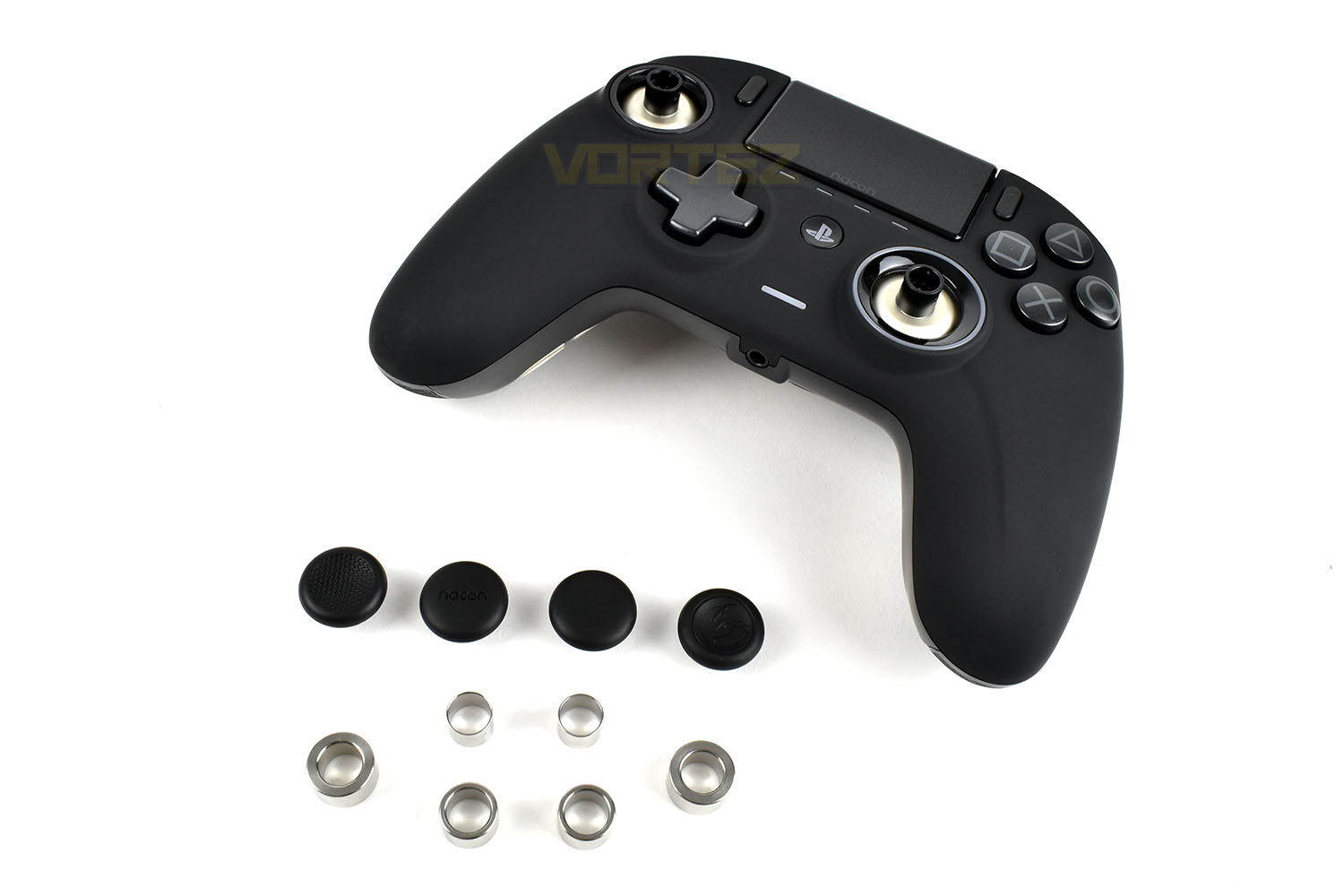
The controller, sporting a layout somewhere between an Xbox One and PlayStation 4 controller, is coated in a soft-touch material that should aid traction if you tend to get sweaty hands when playing for a while.The action buttons (Cross, Square, Triangle and Circle) are a bit larger and sit slightly more proud than you’d find on a PS4 controller, as does the D-pad, which can be used as both a 4-way or 8-way depending on the way you press it.
Top and centre is the “trackpad” which can be useful on the PS4 for typing. Just below that are 4 LED indicator LEDs to show which profile you’re on.
On the bottom of the controller is a 4-pole 3.5mm adaptor for your headset.
On the top end of the controller are two large triggers and shoulder buttons with a USB Type-C connection in the centre.
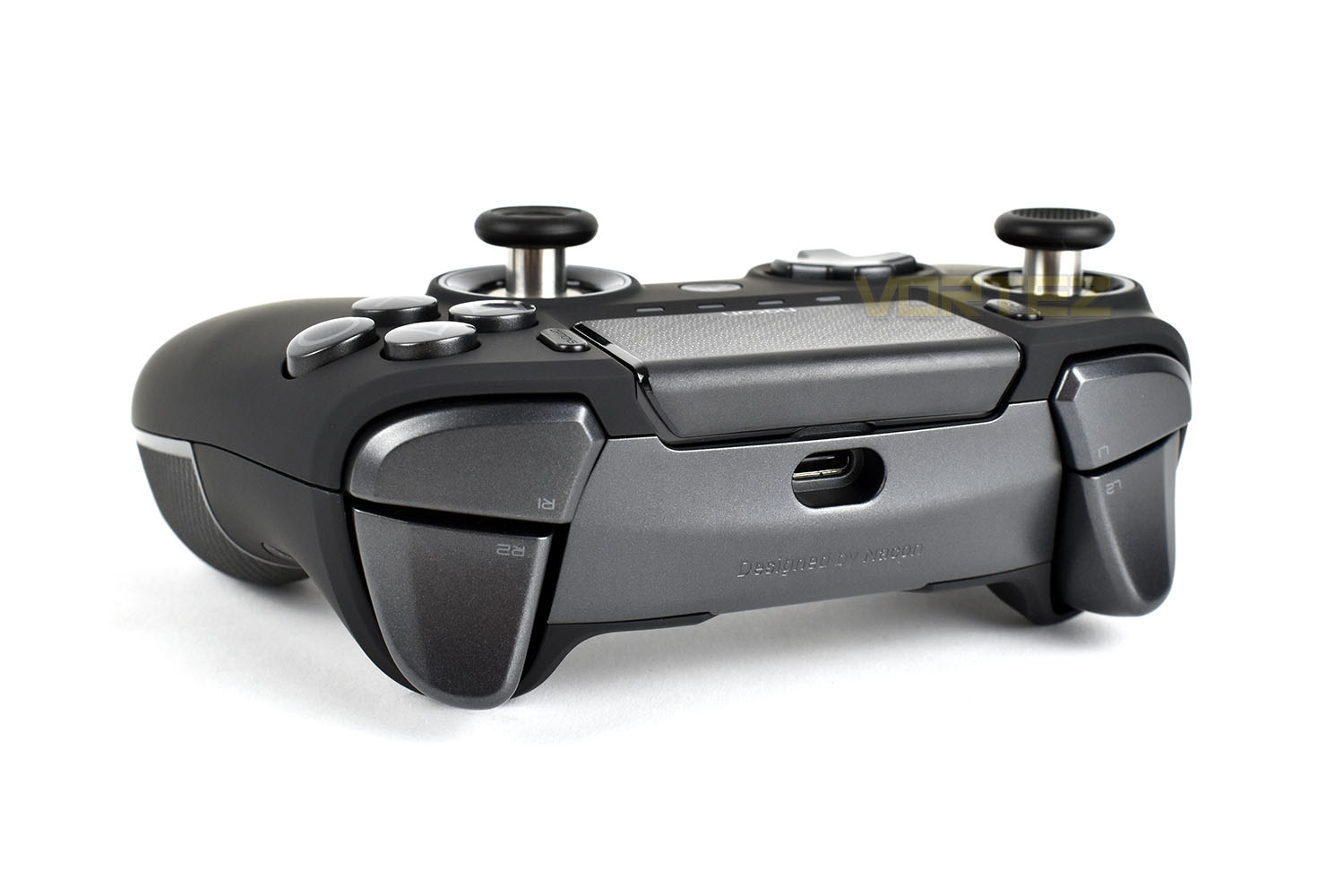
As we mentioned in the introduction, the thumbsticks are highly configurable. The angle that they can be leaned to is adjustable by swapping out the collars around the shaft, from 30° to 38° and 46°. This can be handy for racing games, as one example, where you would typically gain an advantage by limiting your steering inputs by preventing tyre scrubbing.
The thumbstick heads can also be changed out for concave or convex heads, depending on which you prefer. There’s two of each included and any of the four can fit on either of the thumbsticks.
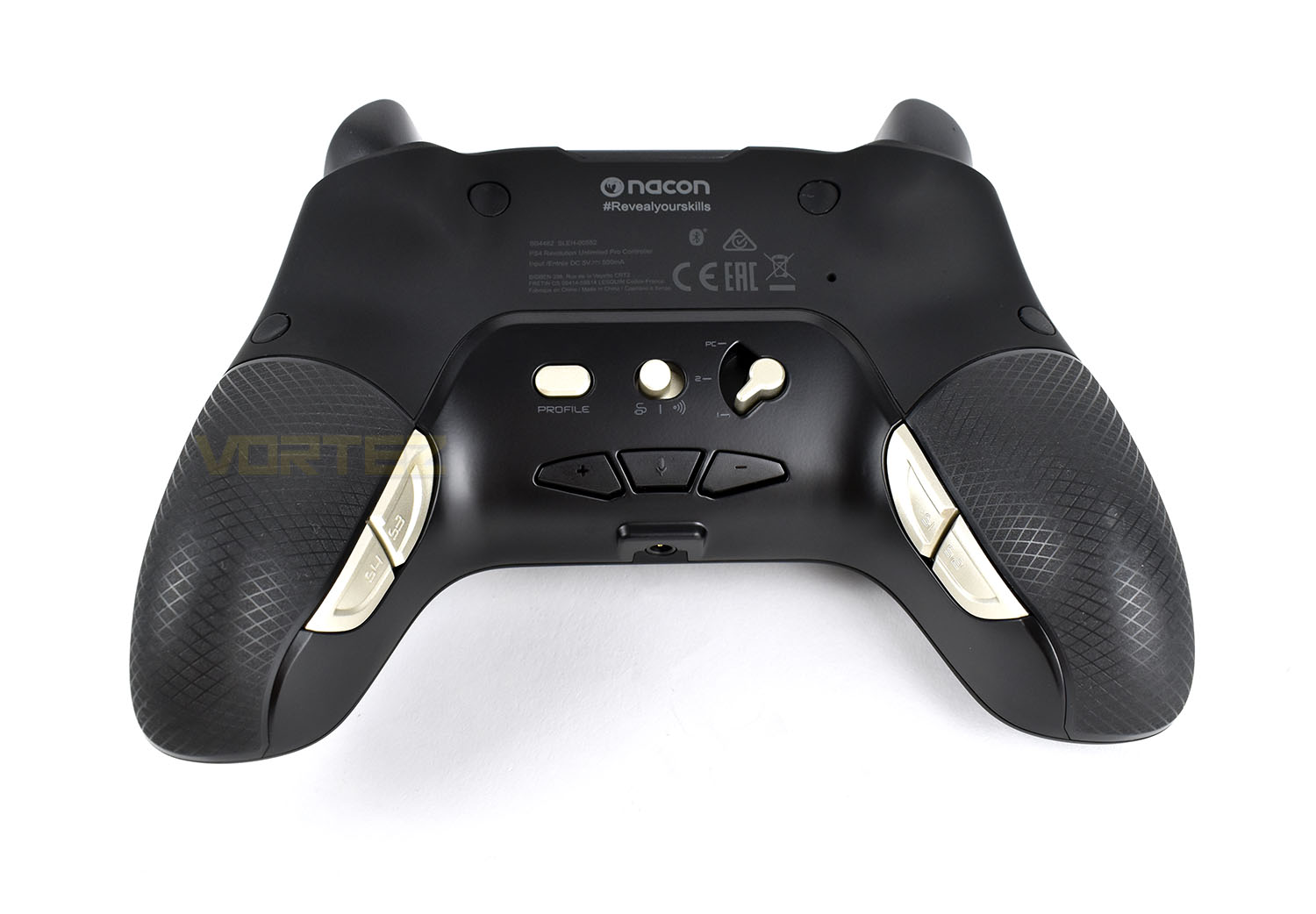
Flipping the controller over, there’s a raft of buttons to fiddle with. In the centre (from right to left) is a mode selection switch (PS4 Normal, PS4 Advanced and PC), a communication switch (Wired or Wireless) and a profile toggle button.
Under those are volume controls and a microphone mute toggle (with a battery indicator built in if you press and hold).
On the handles on either side are two programmable buttons, these can be assigned to whatever you fancy on the PC software and saved into the controller’s profiles for use on the PS4.
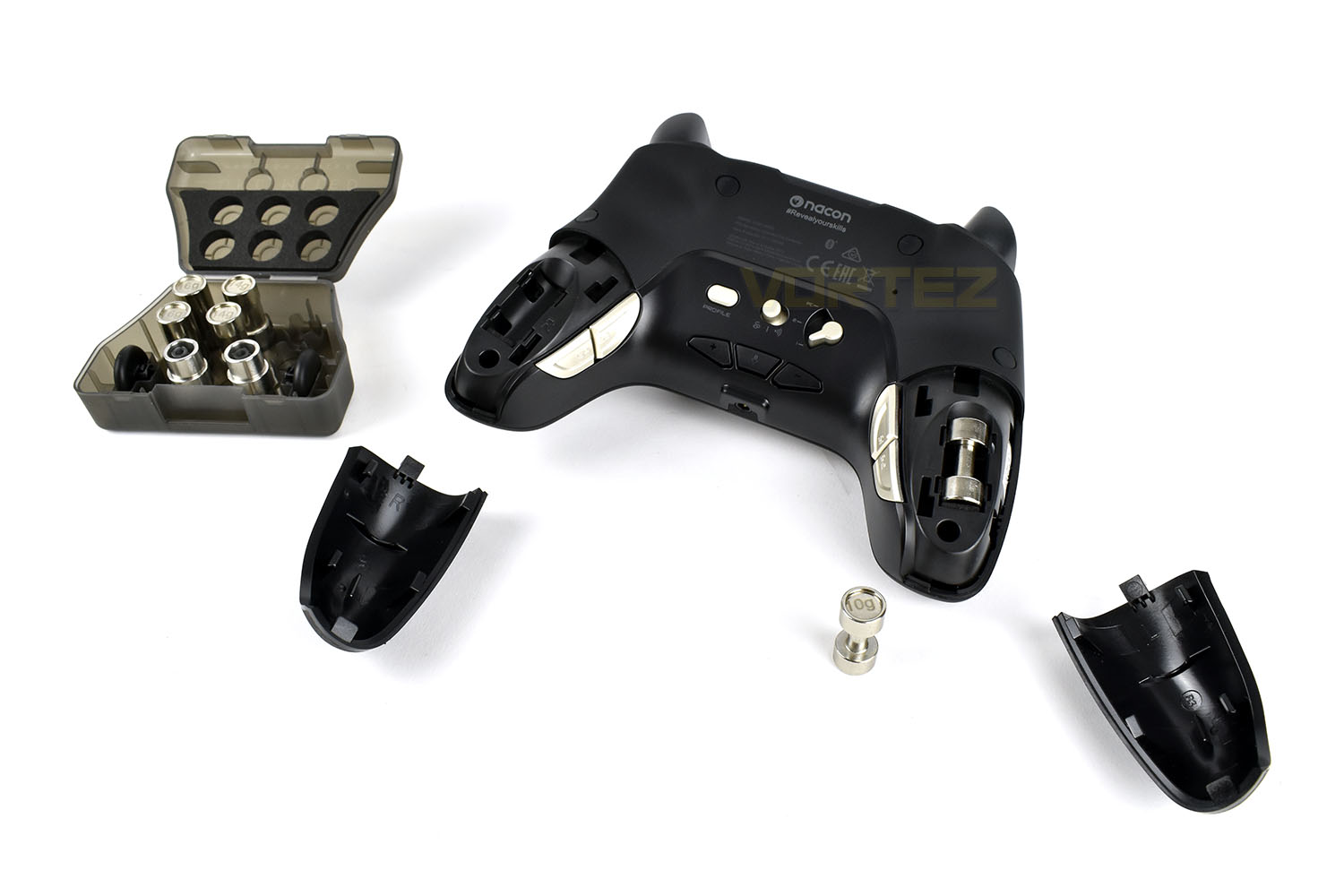
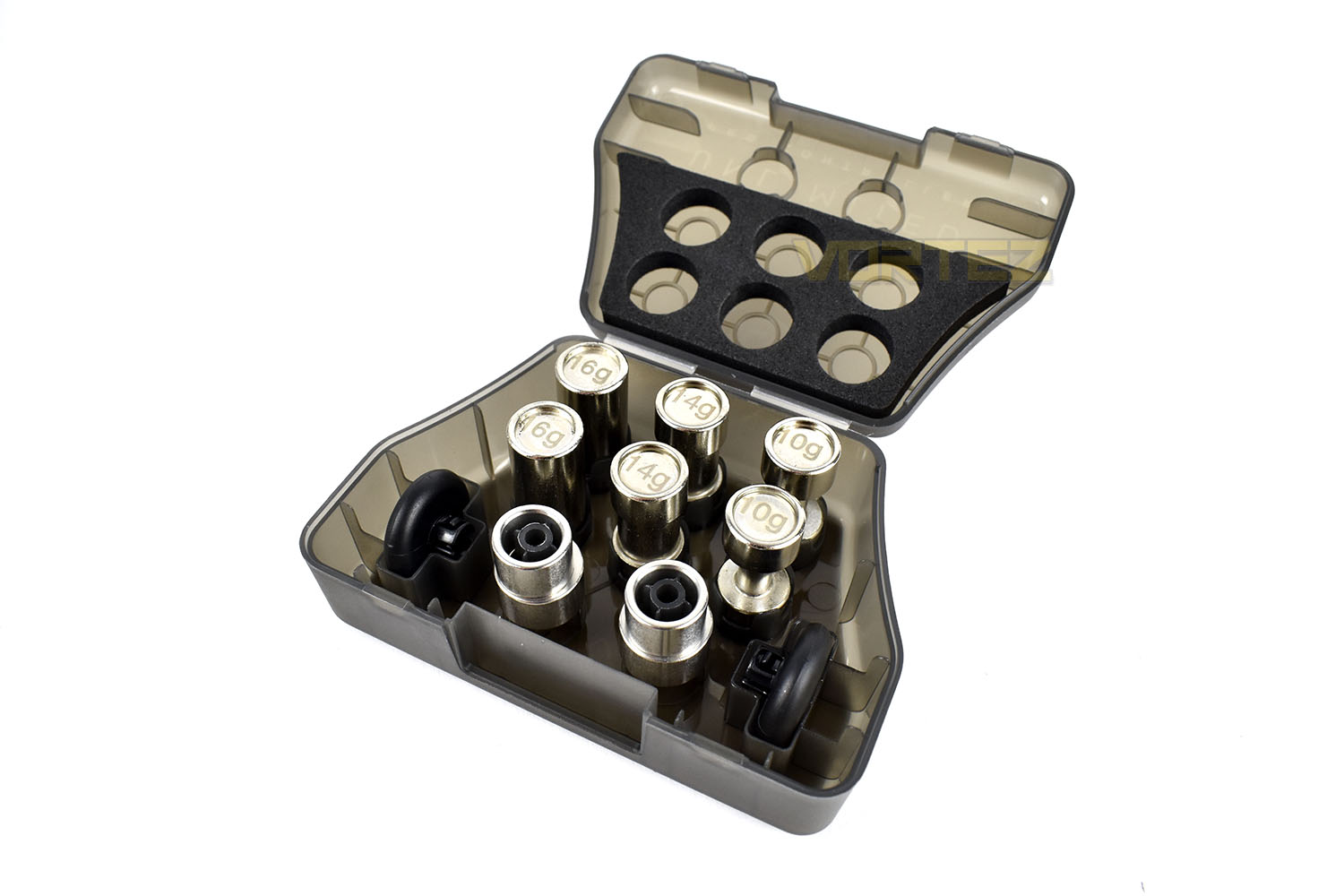
Sliding off the grippy handles, you reveal the weights recesses. You can choose to weight one side of the controller more than the other, if you want to, or go without altogether. You get a pair of 10g, 14g and 16g weights to use however you like. They also have the added bonus of looking like really tiny dumbbells.
Closer Look (Continued)
With the wire installed, the controller doesn’t look like a wireless controller at all, which is exactly how it should be. The fit is snug and secure and, thanks to the strength of the USB Type-C connection, isn’t likely to fail any time soon; especially when compared to the much flimsier Micro-USB connection used on most controllers. The 3-metre braided cable is also great if you need to charge and play at the same time.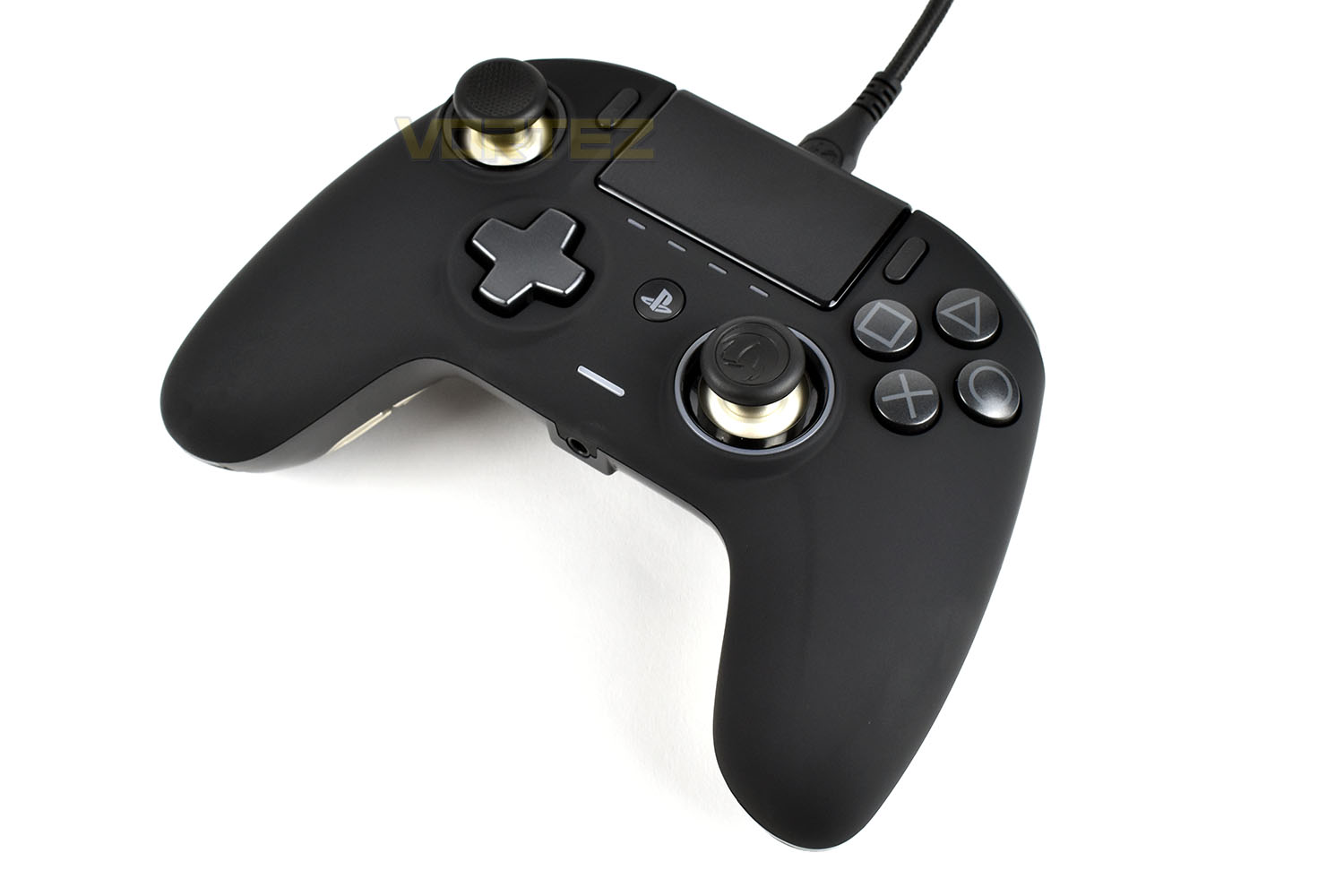
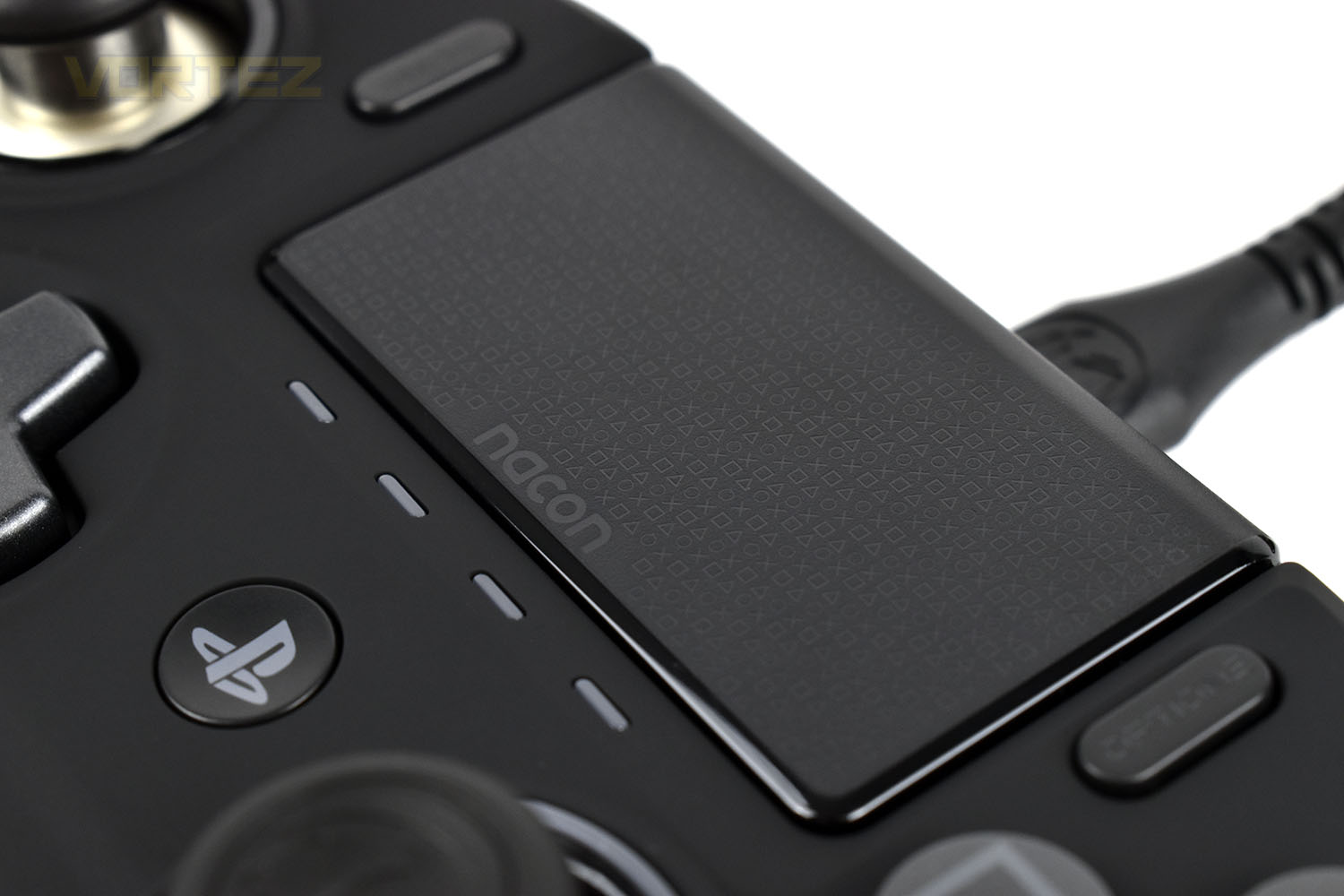
One fancy feature that we particularly like is the PlayStation action buttons lightly moulded into the trackpad, it’s almost invisible at arm’s length, or in the dark, but close up it’s a really good example of finishing touches that complete a product.
The weights/thumbstick box is made from a firm, hard plastic and houses all of the pieces inside.
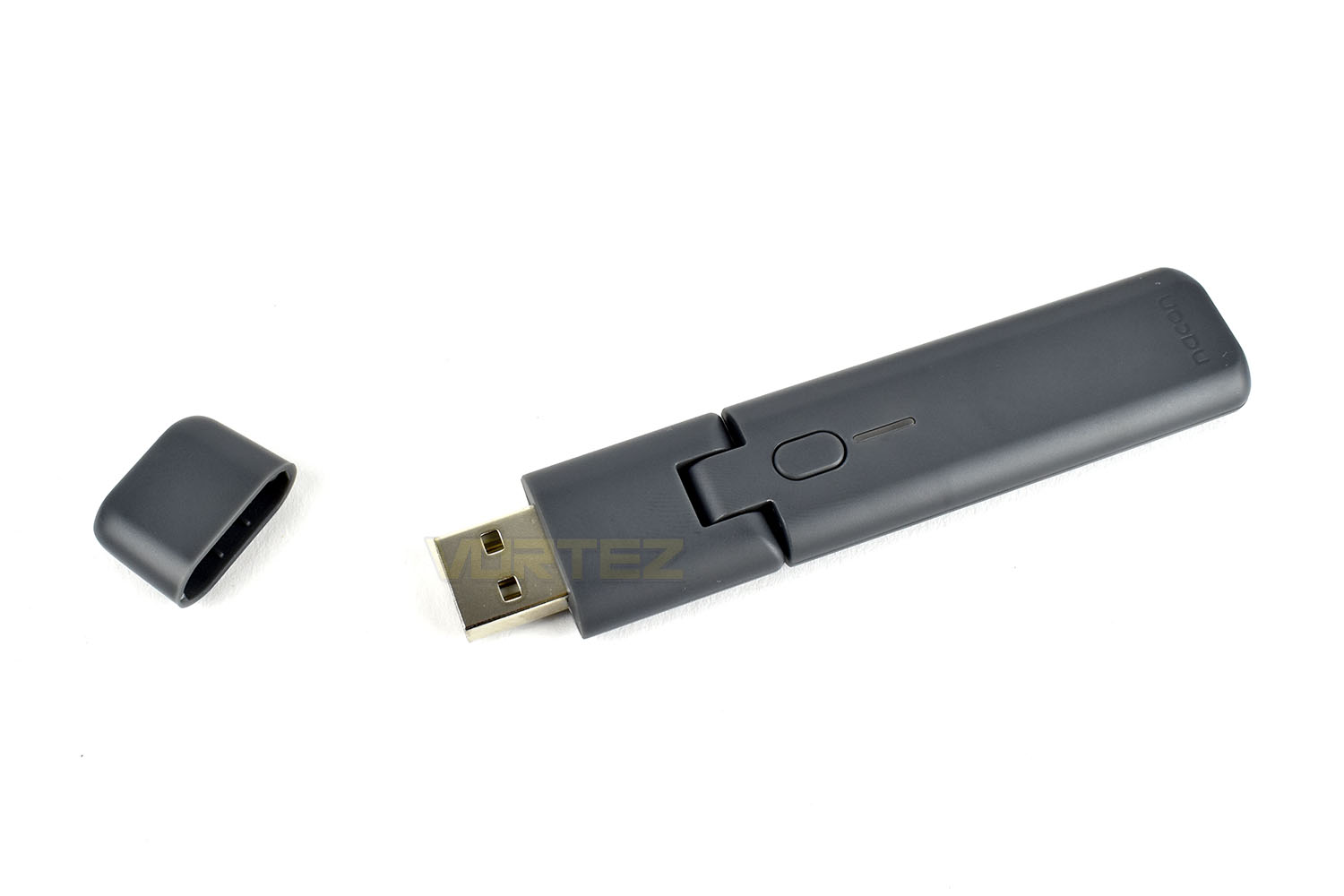
The USB wireless dongle measures roughly 100mm in length and is hinged towards the USB connection for better reception. There’s a sync indicator and sync button just next to the hinge.
Software
First things first, NACON desperately need to sort out their website. It’s quite frankly a terrible piece of design that isn’t intuitive, doesn’t load correctly, won’t auto-translate the entire page in several web browsers and, worst of all, requires your date of birth, along with other information to allow you to download the software that is required for the operation of the controller on the PC. Unfortunately, this is slowly becoming par for the course, typically as a way of marketing further products towards you via email, but the NACON experience was far from ideal.Not only do you need to fill in a lot of information that I deem as entirely unrelated to a gaming controller, the form doesn’t actually function properly and will deny you any progress unless you select the “Votre BB Code” option, which defaults to “BB462”. I also wasn’t allowed to choose “Casual gamer” in the bottom left and had to swap to “Competitive” to sign up.
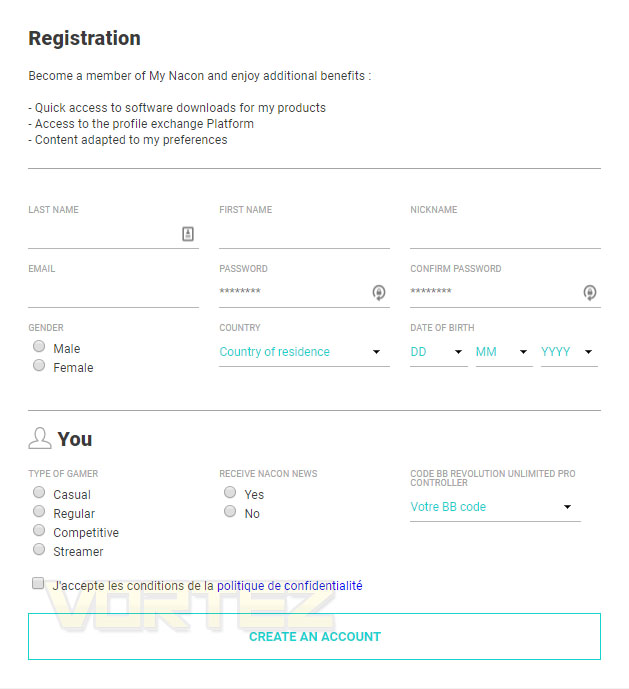
Overall, a truly ugly and unnecessary process to download an installation file that should be freely available.
Further to that, the download link for the software is reasonably well hidden within their website, instead of being hugely obvious like it should be. Overall, finding and installing the software was already frustrating and we hadn’t even begun to connect up the controller. Not a good start, at all.
To configure the controller for use on your PS4, unless you want to use it in its default state, you need to plug the controller into a computer with the Type-C cable and save profiles to it. There’s no smartphone application nor any configuration options on the PS4 itself.
That’s the same story for configuring it for PC use, it must be connected up with the cable. Profile adjustments can’t be made in the wireless mode. You must also have the controller, oddly, in the “PS4 Advanced Mode” and not in “PC Mode”, using the toggle on the back of the controller.
Once your controller is connected up, you launch the REVOLUTION UNLIMITED software, below is a short demo:
All things said, the software is decent and relatively easy to use but it still needs a bit of spit and polish before it’s up to scratch for a £169.99/$299.99 controller.
Performance Testing
After spending what felt like an eternity finding, downloading, installing and configuring the software and controller, we finally got to the fun bit: gaming.The first thing we did was fire up a fast-paced game, Rocket League, to see how it felt for latency and overall usefulness. Immediately, it was noticed how positive everything felt, action buttons, the triggers on the back, the shoulder buttons, everything felt meaty and well-engineered, a stark contrast to our experience on the previous page. Before we knew what was going on, we found ourselves several games deep, throwing the virtual car about like never before, the gamepad is a dream to use in its standard form. But then, it gets better, being able to swap the collars on the thumbsticks, as well as the heads, can give the controller a vastly different feel in particular situations. Much more so than other “customisable” controller that we’ve used in the past.
For example, putting the thickest collar onto the right analog stick in Rocket League limited the turn speed of the camera making it far more usable. This could be done in software, of course, but something about the hardware limitation just felt better. Installing that same collar onto the left analog stick made racing games, particularly track-based simulation ones, just nicer. Assetto Corsa Competizione was our game of choice for this, a racing-sim that requires quite a lot of finesse and smooth inputs to really excel with a controller and let me tell you, that thicker collar made things vastly easier, almost to the point where I’d leave the steering wheel in the corner and use a controller. It made an unbelievable difference.
We then played about with the weight tweaking system, allowing you to put 10g, 14g or 16g in each side, or leave it empty. Honestly, this feels like a total gimmick – it’s a nice idea but it doesn’t really adjust how the pad sits in your hands or how it feels, unlike a weighted mouse.
The soft-touch rubber coating on the front and grippy handles round the back were excellent for long stints of use, giving actual genuine traction even with sweaty hands (which I suffer from a lot when gaming). It’s comfortable to use for long periods thanks to it’s large size but the best part of the design is the additional buttons on the back. On other controllers, these can often get in the way and prevent you from holding the controller “properly”, thanks to NACON’s clever thinking, they’ve made these buttons flush with the overall structure.
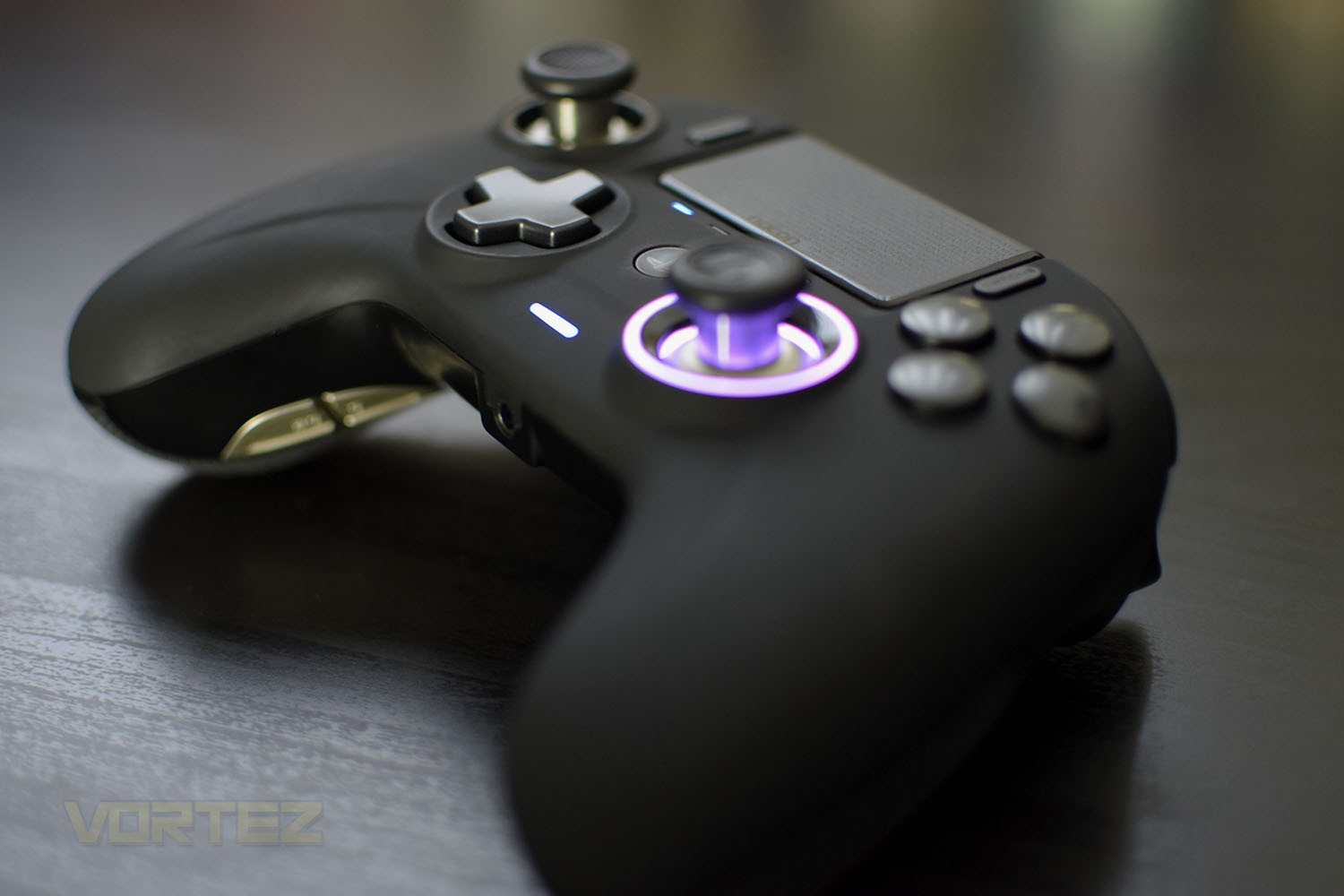
Now for the RGB lighting around the right analog stick; this is a bit of an odd one for us. It doesn’t really add anything to the controller, particularly with it only illuminating one thumbstick and not both, and the LEDs colours are far too washed out and pale to really give the controller any appeal. The effects also aren’t smooth and don’t blend together nicely, due to there only being 4 LEDs. All things considered; we can’t help but think the controller would’ve been better off without them instead of a half-baked attempt.
Battery life, while using the device with vibration set at 50% and with the RGB LEDs turned on, we got about 17-20 hours from one charge. We’ve been testing the pad for a while so have had chance to go through a few cycles now.
Overall, in all other aspects, aside from a mushy d-pad, the controller feels nothing short of fantastic.
When it comes to using the controller on the PS4, as we mentioned, you need a PC to sort out your profiles but then you can crack on and enjoy your games. The 3-metre braided cable means you can sit a decent distance away from your console while charging the controller, if you need to, however with up to 20 hours of battery life you should be good for even the most hardcore of gaming sessions.
The controller isn’t perfect on the PlayStation though, it’s not possible to turn the PS4 on remotely with the controller set up wirelessly, and if you don’t have a PS4 Pro with a USB port on the back, you need to plug in the ugly USB adaptor into the front of your console which is far from ideal but it does get around the issue with third party wireless controllers not being able to send/receive a headset/microphone signal on the PS4’s built-in wireless module.
Conclusion
To wrap things up, the REVOLUTION UNLIMITED is a very mixed bag with some great positives but some features which cripple the overall experience.The build quality of the device is impeccable, it feels rock solid, everything is finished to a beautiful degree that feels like someone has genuinely thought out every inch of the controller. Being able to adjust the thumbsticks angles, as well as the heads, is excellent; it really does change how games feel with the analog sticks being one of the main methods of input. The triggers are well-sprung, the shoulder buttons feel meaty, the action buttons on the front are large and easy to press. It’s just a properly well-sorted out piece of design. The Cross, Square, Triangle and Circle design on the trackpad is lovely, to add more praise.
The current trend, at least on these expensive, feature-laden “pro” controllers, is to add buttons/paddles/triggers onto the back where your fingers would typically be doing nothing. In theory it’s a very good idea and, once you’re used to it and have the muscle memory dialled in, they can work really well, but in practice, they can get in the way. The Xbox One Elite controller and the Razer Raiju Ultimate both suffer from this, where they prevent you being able to grip the pad properly. NACON have nailed the placement, in our opinion. The buttons are plenty large enough that you can rest your fingers on them and press with ease, but you can still grip the controller properly.
The USB dongle isn’t exactly ideal, particularly for PS4 users who don’t have a USB slot on the back of the console, but it works well and provides plenty of coverage for a large room, but why does it need to be so ugly? It’s such a boring, bland, ugly piece of design. It does negate the wireless limitations of the PS4 however, allowing you to use your headset with the controller.
Battery life, at 7 hours isn’t exactly ideal, but it’s good enough for most lengthy gaming sessions. You might find yourself using the pad in the wired mode more often than you’d like but the sturdy Type-C connection and premium-quality braided cable are nice enough that you probably won’t mind.
Then there’s the website and software. The website is a really terrible piece of web design with an awful form for signing up for the required software. It took far too long to fathom out and was ridiculously frustrating. If I’d paid £170 for this controller and was met with that, I might’ve been pushed into returning it and asking for a refund. That might sound like a massive over-reaction but navigating the website, in a mix of French and English, to find I need to provide my date of birth along with plenty of other unrelated information, to download the necessary software, was beyond a joke. NACON really need to look at their policy on that and think about changing it.
The software, while it serves its purpose, needs some optimisations and the ability to adjust profiles wirelessly would be nice.
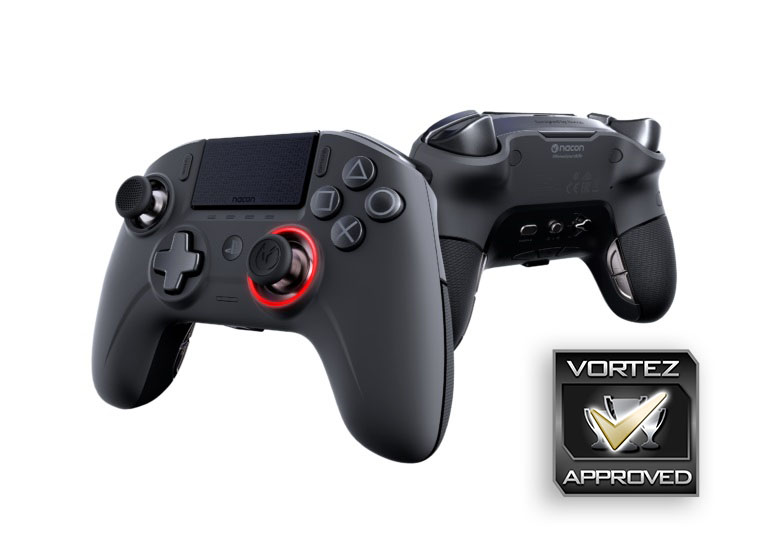
The NACON REVOLUTION UNLIMITED is a fantastic controller, once you’ve got past the frustration of the website and software. A longer battery life would bump up the score though.
Pros
+ Impeccable design and build quality
+ Looks great
+ PS4 and PC support
+ Lovely braided Type-C cable
+ Customisable in the right ways
+ Grippy coating, front and back
+ Decent wireless range
+ Can use a headset in wired and wireless modes, on PC and PS4
+ Carry case and weights system are a nice addition
Neutral
+- Price
Cons
– Not great battery life
– One of the worst websites I’ve used in a long time
– Software needs a lot of work
– RGB lighting feels pointless and half-baked
– Mushy D-Pad
– Ugly USB dongle
+ Impeccable design and build quality
+ Looks great
+ PS4 and PC support
+ Lovely braided Type-C cable
+ Customisable in the right ways
+ Grippy coating, front and back
+ Decent wireless range
+ Can use a headset in wired and wireless modes, on PC and PS4
+ Carry case and weights system are a nice addition
Neutral
+- Price
Cons
– Not great battery life
– One of the worst websites I’ve used in a long time
– Software needs a lot of work
– RGB lighting feels pointless and half-baked
– Mushy D-Pad
– Ugly USB dongle
Click here for an explanation of our awards at Vortez.net.
Stay connected with the Vortez Social Media pages:
Join in with the discussions on Discord