The router provided by your internet provider usually isn’t up to much, handling traffic badly and impacting your online gaming experience – Netgear claims to have the solution to this problem with the XR500 Gaming Router.

Product on Review: Netgear XR500
Manufacturer: Netgear
Street Price: £239.99 GBP / $249.99 USD / $399 AUD
Once upon a time, the main limiting factor for your gaming latency was your internet service provider, generally relying on copper cabling the entire way to your local cabinet, sometimes presenting upwards of 100ms (milliseconds), or worse, to your favourite game servers. However, in recent years, this has begun to change, with the introduction of mainstream fibre obtic internet, bringing some internet connections down to less than 10ms (milliseconds) for the lucky few in the best locations. This shift in the balance of latency has put increased pressure on networking manufacturers to improve their products, reducing internal latencies down to microseconds (millionths of a second.)
Netgear have designed their latest XR500 Nighthawk Pro Gaming router from the ground up to provide the optimum gaming experience; packing features like a dual-core 1.7GHz CPU, 512MB of RAM, 256MB of flash memory and four antennas for extended wireless range. We also see things like an advanced QoS system, optimising your gaming traffic, and a Geo-Filter which blocks hosts and game servers outside of a specified region.
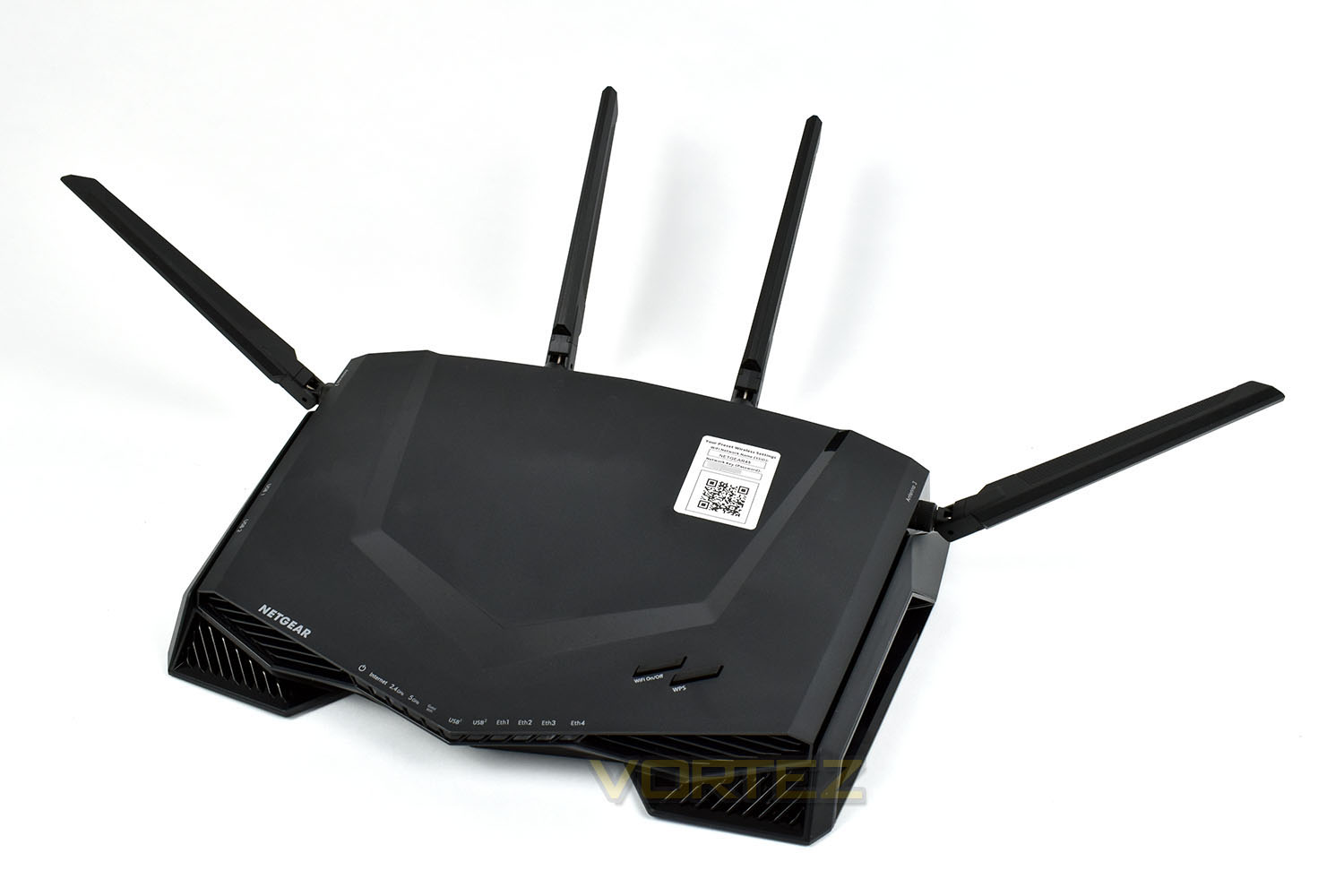
Seemingly styled after an alien spaceship, fitted with a row of LEDs along the front and cooling vents placed everywhere, and not to mention the plentiful antennas protruding from the top, the XR500 is certainly appealing to gamers.
Arriving on the shelves with a price tag nearing £250, the Nighthawk needs to give your network a massive boost to warrant such an outlay. We’ll throw some benchmarks at the XR500 and also check out the day to day features and give our verdict at the end.
Netgear on the XR500:
Technical Specifications
• XR500 Nighthawk Pro Gaming Router
• 4 detachable antennas
• Ethernet cable
• Quick start guide
• Power adapter
Physical Specifications
• Dimensions: 12.7 x 9.6 x 2.2 in (321.9 x 243.7 x 55.0 mm)
• Weight: 1.77lb (801g)
Standards
• Two (2) USB 3.0 ports
• IEEE® 802.11 b/g/n 2.4GHz + 256 QAM support
• IEEE® 802.11 a/n/ac 5.0GHz
• Five (5) 10/100/1000 Mbps—(1 WAN & 4 LAN) Gigabit Ethernet ports
Technical Specifications
• AC2600 (800Mbps @2.4GHz—256QAM support +1733Mbps @5GHz 11ac)†
• Simultaneous Dual Band WiFi
– Tx/Rx 4×4 (2.4GHz)+ 4×4 (5GHz)
• 4×4 11ac 80MHz + 2×2-160/80+80MHz
• Multi-User MIMO (MU-MIMO)
• Powerful dual core 1.7GHz processor
• Four (4) high-performance external antennas
• Memory: 256MB flash and 512MB RAM
• IPv6 support (Internet Protocol Version 6)
• On/Off LED light switch
Key Features
• Gaming Dashboard—Customizable view of real-time bandwidth utilization by device, ping, etc.
• Geo-Filter—Control your lag by limiting distance to game servers or other players
• Gaming VPN Client Support—Protect your network identity and prevent DoS attacks
• Network Monitor—Check bandwidth hogging devices and identify what causes lag
• Quad Stream & 160MHz for faster speeds
• MU-MIMO support for simultaneous streaming
• Quality of Service—Prioritize gaming devices and allocate bandwidth by device
• Beamforming+ for more reliable connections
• ReadySHARE® USB to share your USB hard drive & printer
• ReadySHARE® Vault—PC software for automatic backup to USB hard drive connected to the router
Support
• 90-day complimentary technical support following purchase from a NETGEAR authorized reseller.
• Join the NETGEAR Community Forum. Visit http://community.netgear.com
System Requirements
• Microsoft® Windows 7, 8, 10, Vista®, XP®, 2000, Mac OS®, UNIX®, or Linux®
• Microsoft® Internet Explorer 11 or higher, Microsoft Edge, Google Chrome™ 55 or higher, Firefox® 45 or higher, Safari® 10 or higher
Security
• VPN support—secure remote access
• WiFi Protected Access® (WPA/WPA2—PSK)
• Double firewall protection (SPI and NAT)
• Denial-of-service (DoS) attack prevention
Packaging & Bundle
Almost synonymous with gaming, the black and red theme is obvious on the front of the box, with a stylish view of the router and some very basic information.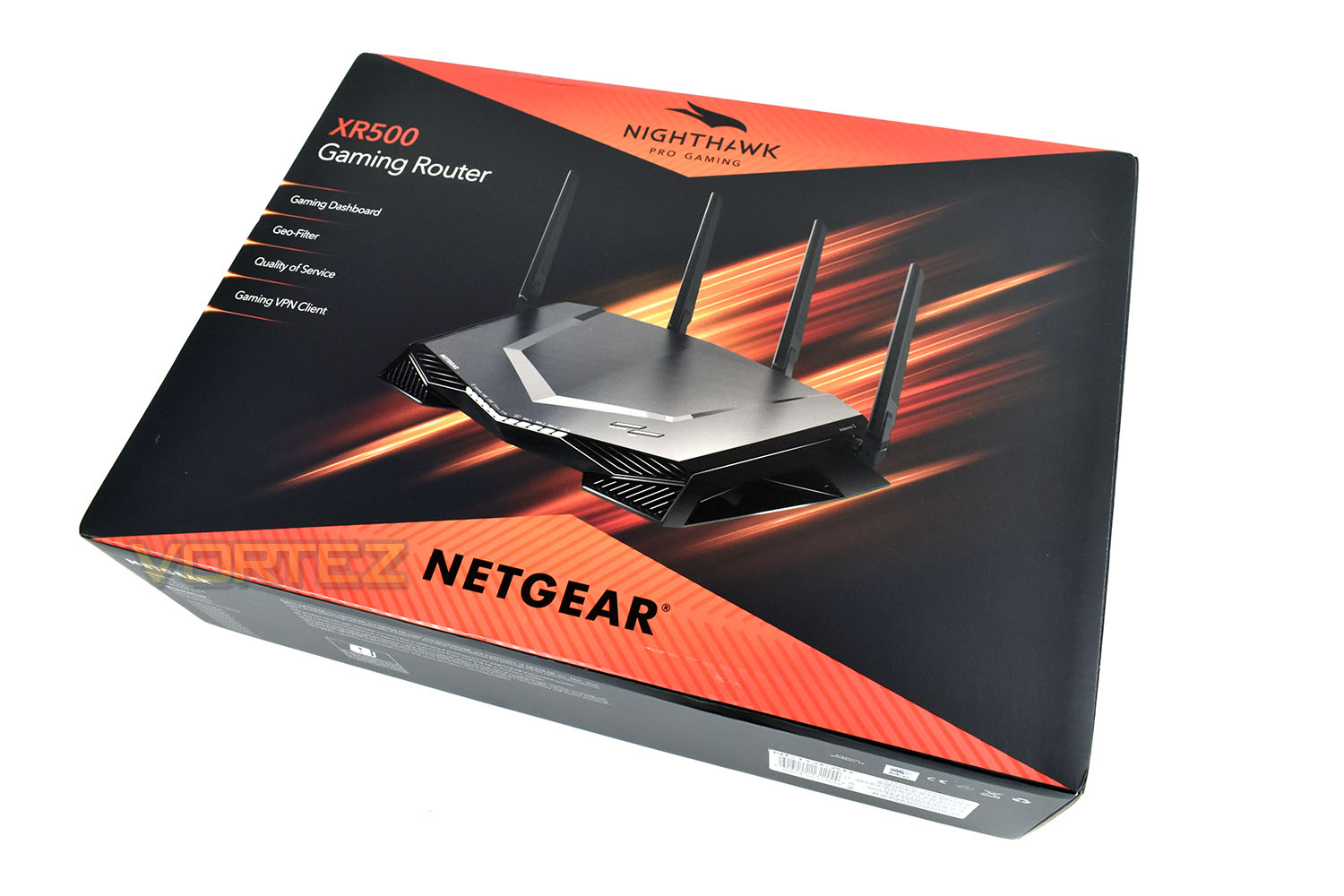
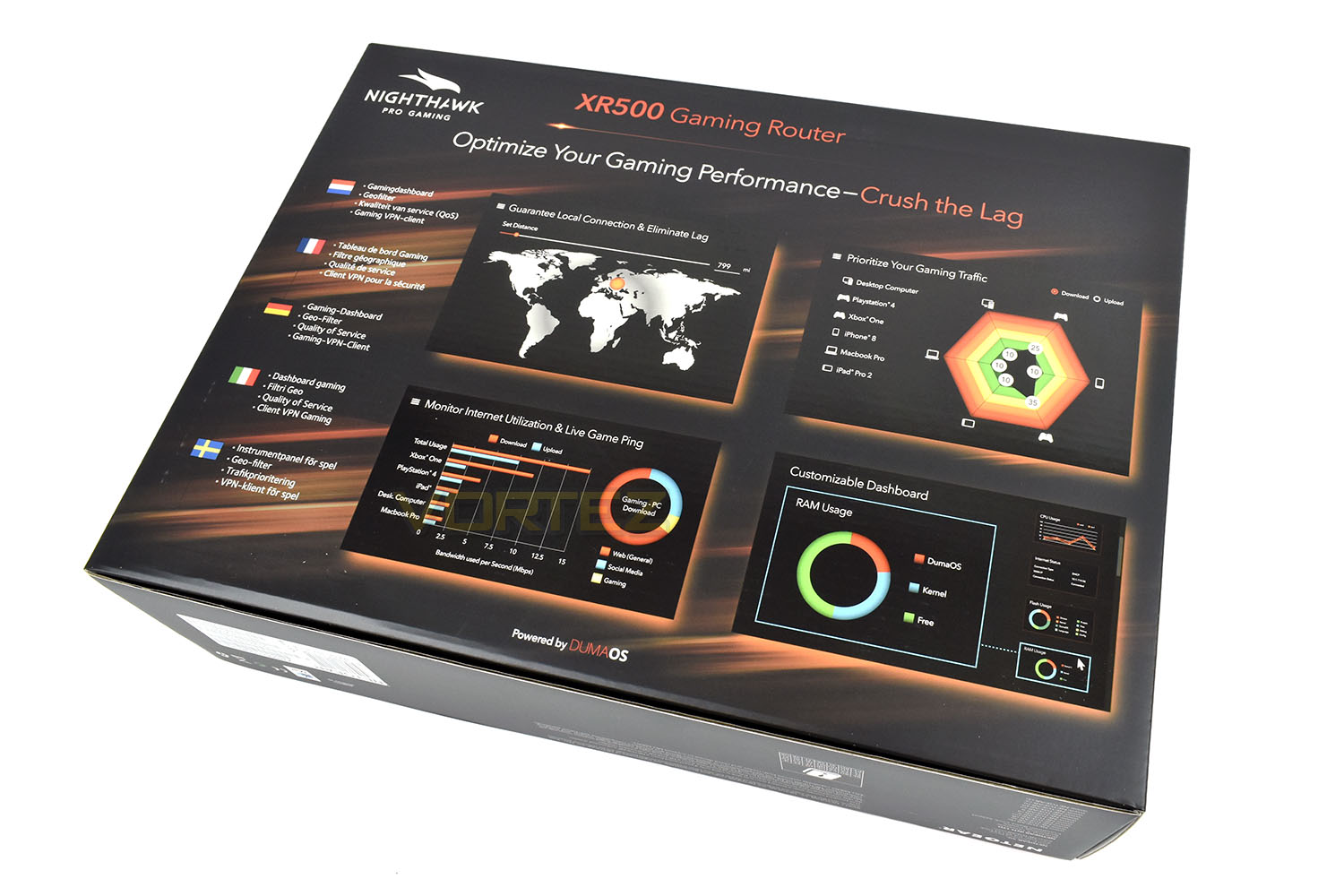
The reverse side gives some further details, showing off screenshots of the DumaOS internal software.
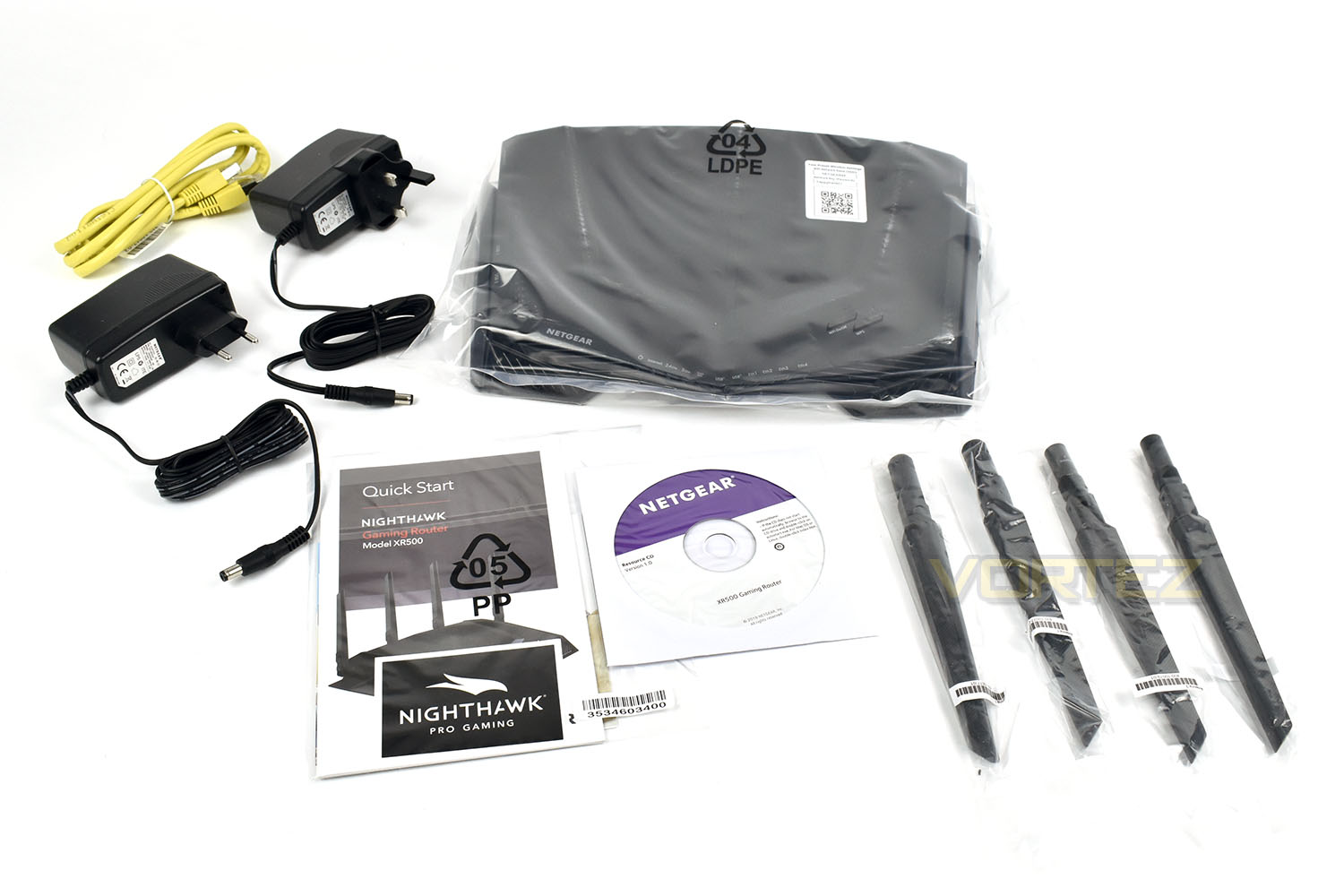
Bundled with the XR500 is a pair of AC adaptors, one for use in the EU, the other in the UK. There’s a yellow ethernet cable, quick start guides to help you get set up, a resource CD and 4 individual antennas (the antenna are numbered, ensure they’re connected to the correct ports for optimal performance.)
Closer Look
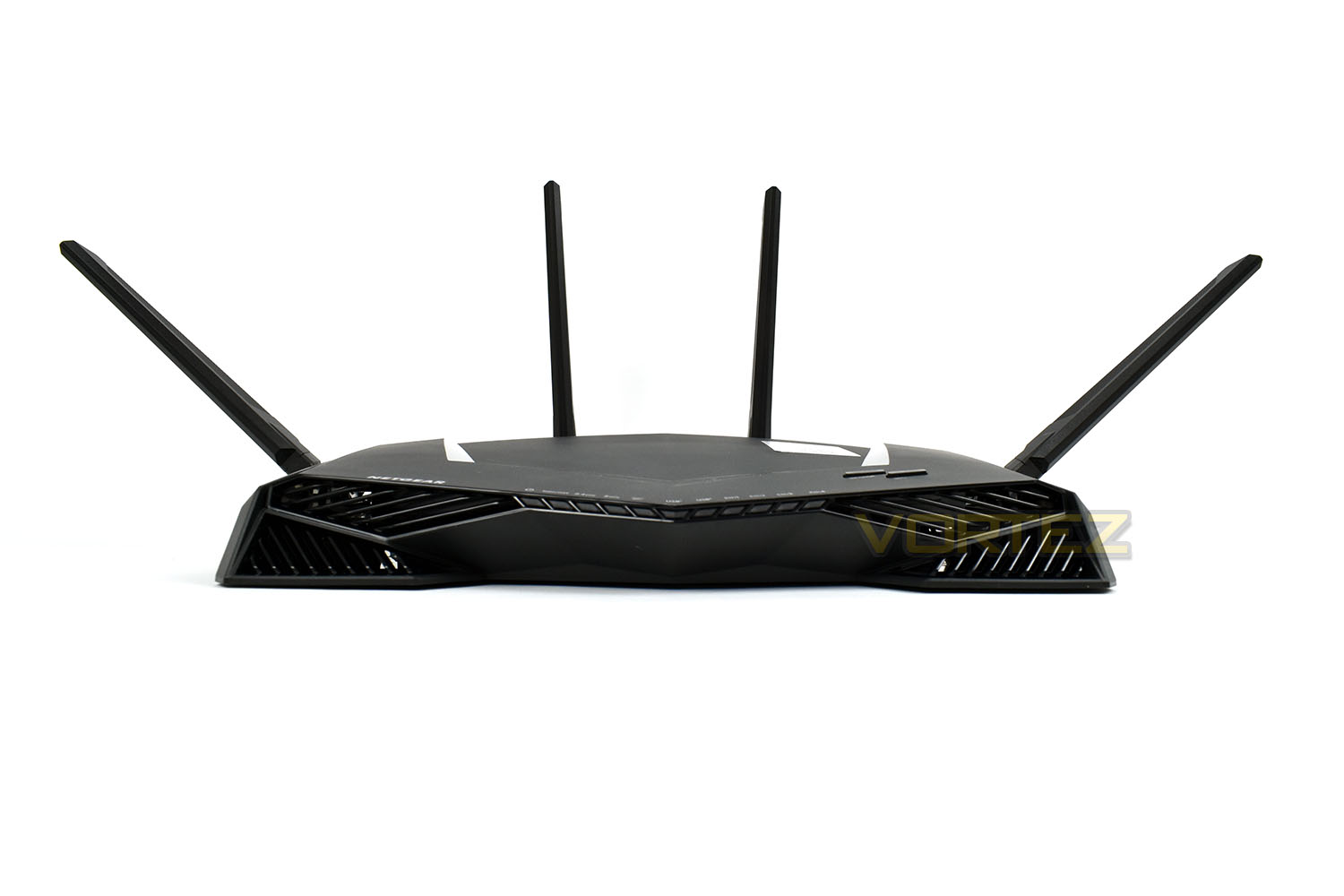
The Netgear Nighthawk XR500 gaming router is certainly on the larger side, when considering you’ll also require a modem of some kind from your ISP, measuring in at 320mm wide, 250mm deep and 55mm tall; you’d assume the device would be heavy too, due to the size, but it doesn’t even get close to a kilogram, tipping the scales at 801g without any power adaptors or cables attached.The entire enclosure is made from matt plastic with a, sadly, cheap and inexpensive feel; we’d expect something a little more premium for the £250, perhaps even a metal enclosure that could work to dissipate the heat that will inevitably be generated by the dual core CPU inside. While the XR500 might look the part, unfortunately it doesn’t feel it.
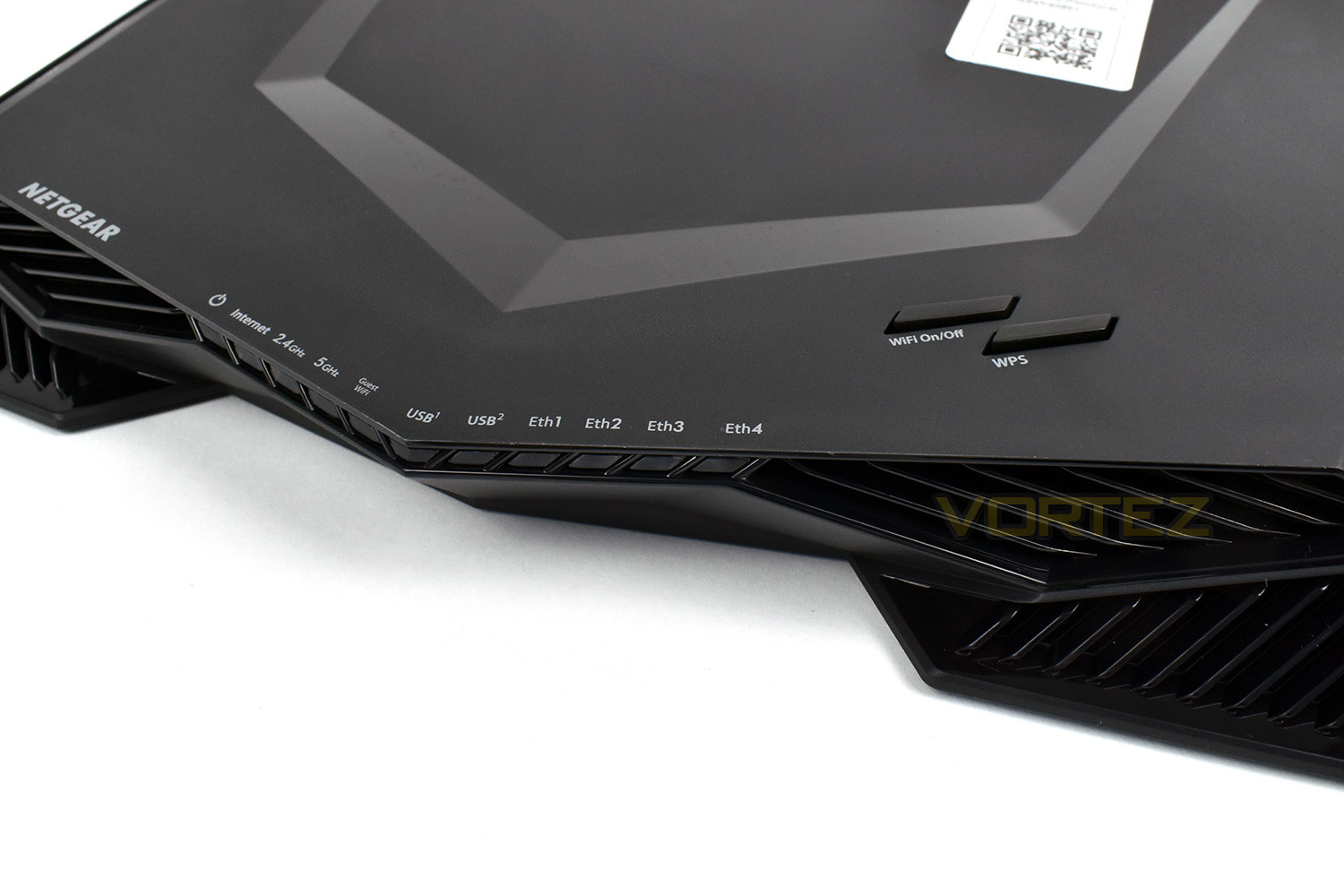
The front of the XR500 houses a total of 11 white indicator LEDs, flanked by imitation cooling vents for that sporty, alien-ship style. As you can see from this angle, the antennas make up a vast portion of the overall size, accounting for the empty space required.
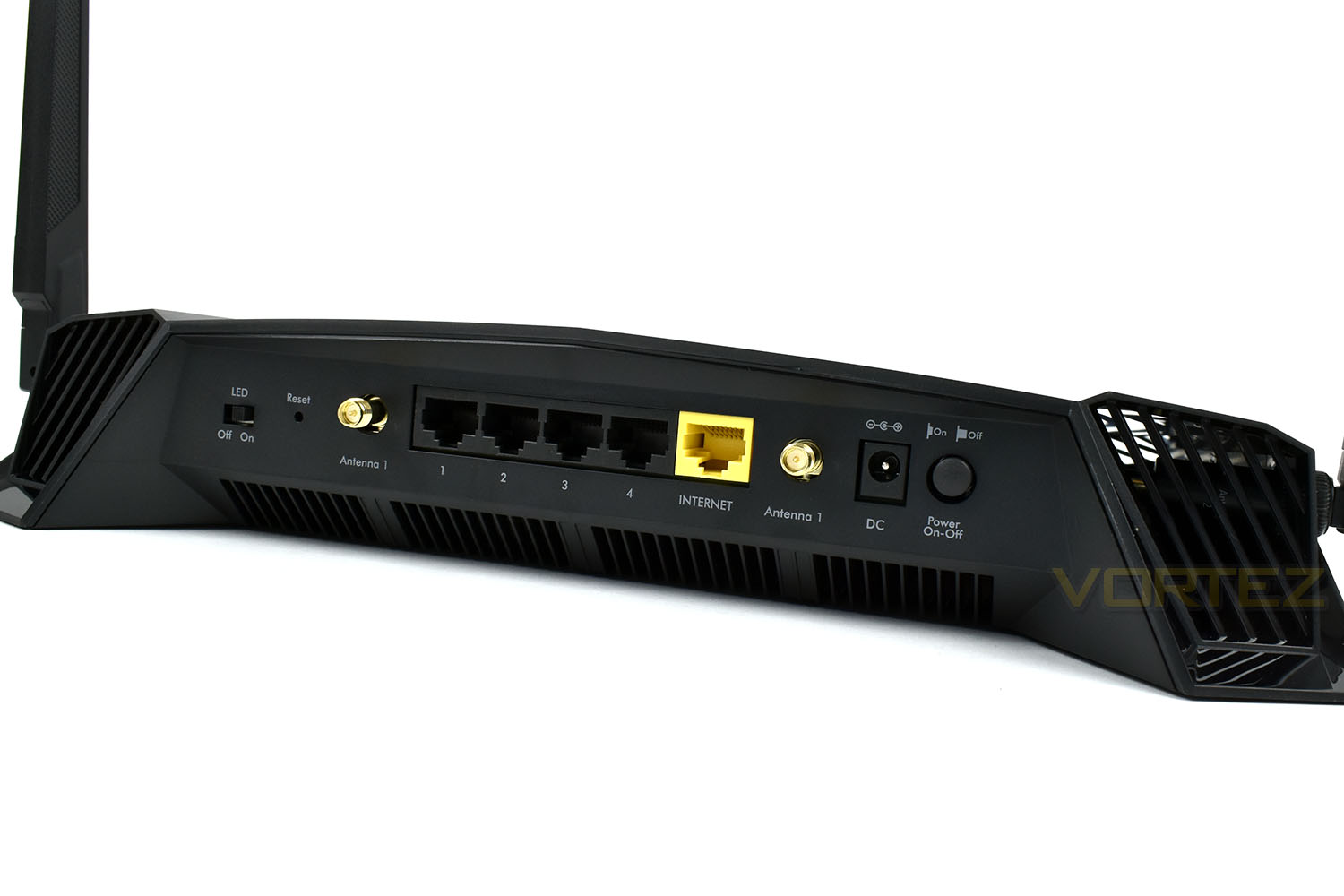
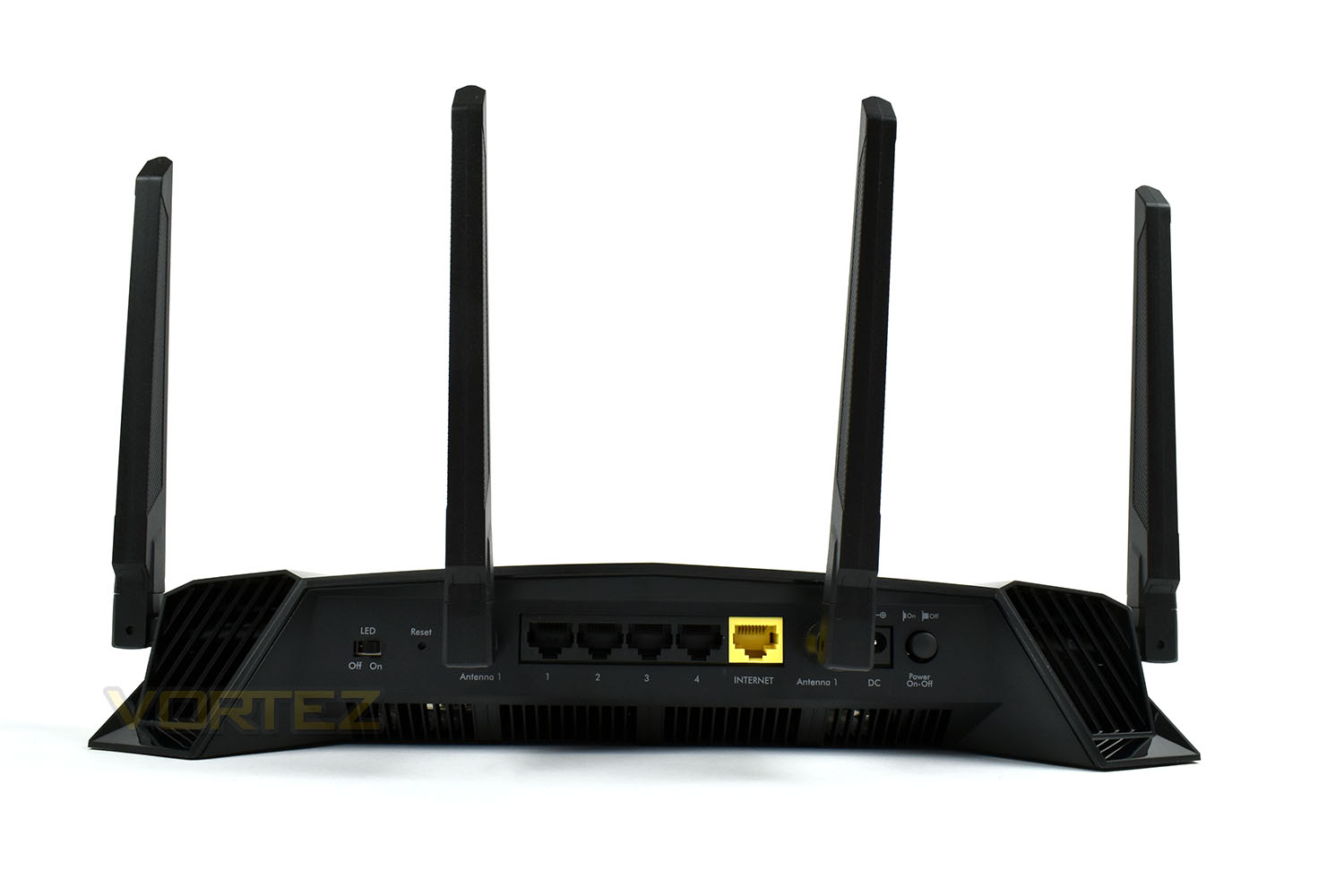
On the rear, starting from the left, there’s an LED toggle switch; this switch disables the front lighting so it can be used under the TV without becoming annoying, for instance. Next along is a recessed Reset switch. We then have an antenna connection and four Gigabit RJ45 ethernet connections. The fifth yellow port is then to connect your router and ISPs model. Moving right, there’s a second antenna connection, then a power port and power on/off switch.
On top of the router, towards the front for easy access, is a WiFi toggle switch – handy if your children spend too much time absorbed by their mobile devices or if you’re concerned about Wireless internet safety. There’s a WPS button alongside this, dangerously close to the WiFi toggle, but this enables trouble-free connection of devices that support the WPS standard.
The front LEDs are clearly labelled in this image, indicating which ports and networks are active. They can be made to flash to indicate activity or set to a solid LED within the DumaOS software. Or switched off entirely with the toggle switch on the rear.
Closer Look (Continued)
The left-hand side of the XR500 packs a pair of USB 3.0 ports, these can be configured to share a USB drive throughout the network, or even allow access remotely anywhere in the world; there’s a Windows Backup facility which can be automatically setup via this feature, too. They can also be used to attach USB printers to share throughout your network users.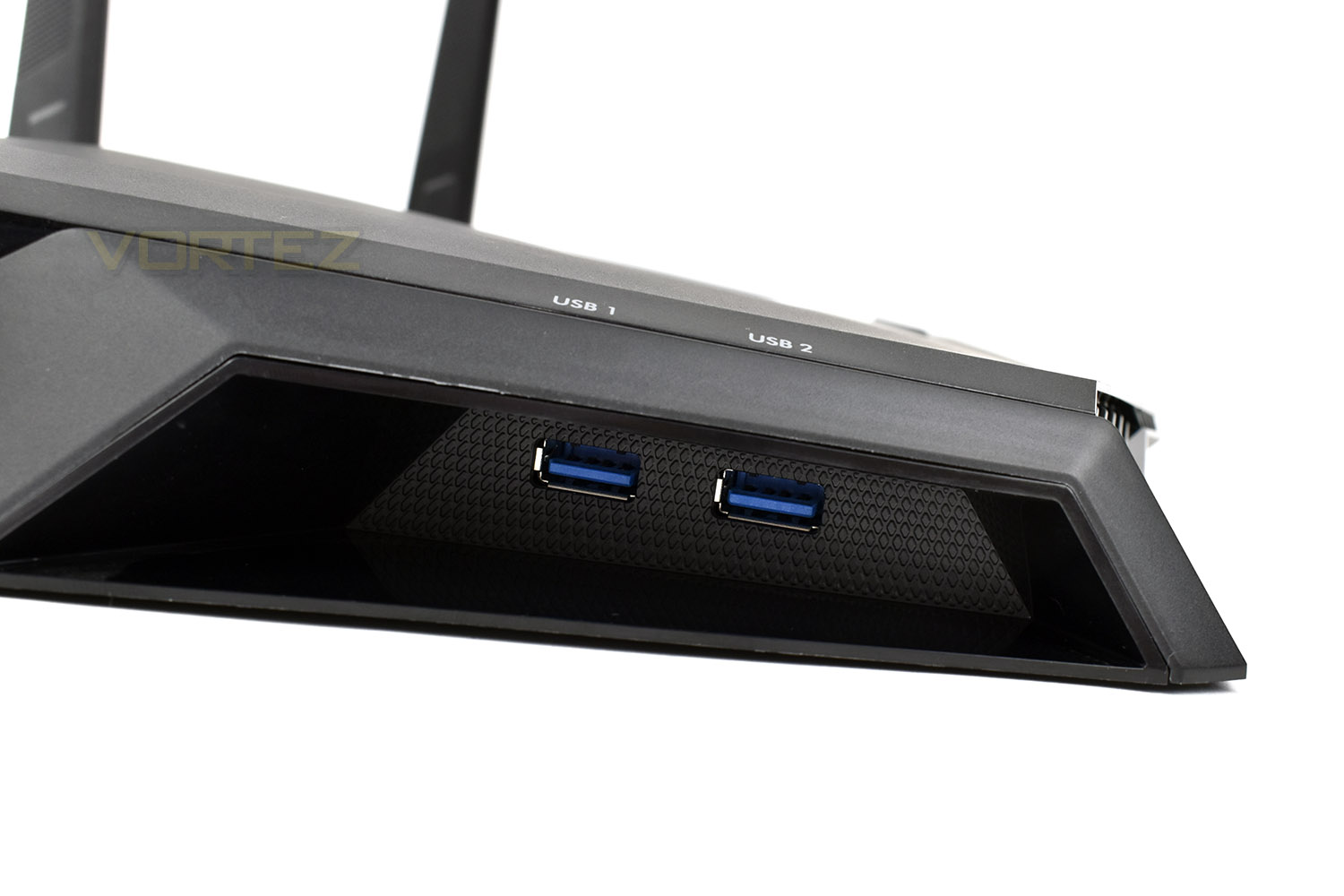
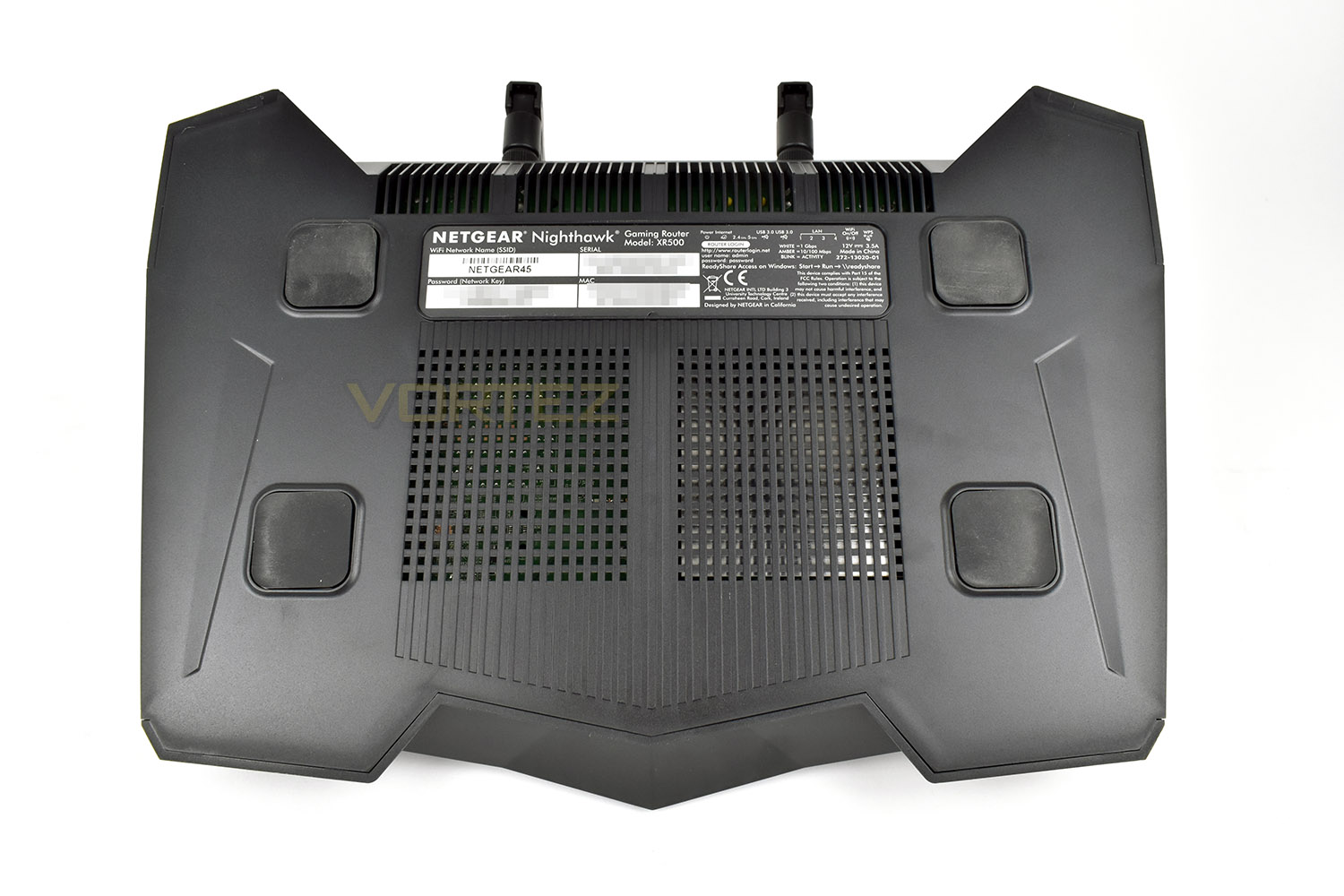
Flipping the router onto its lid, the base is lacking a very important feature – any kind of mounting hardware. Many users prefer to mount their routers up high, away from sources of interference, giving a broader, less obstructed wireless reception. Surely Netgear can afford three or four small “keyhole” mounting slots within that £250 budget? Perhaps the router is designed to only be placed on a flat surface
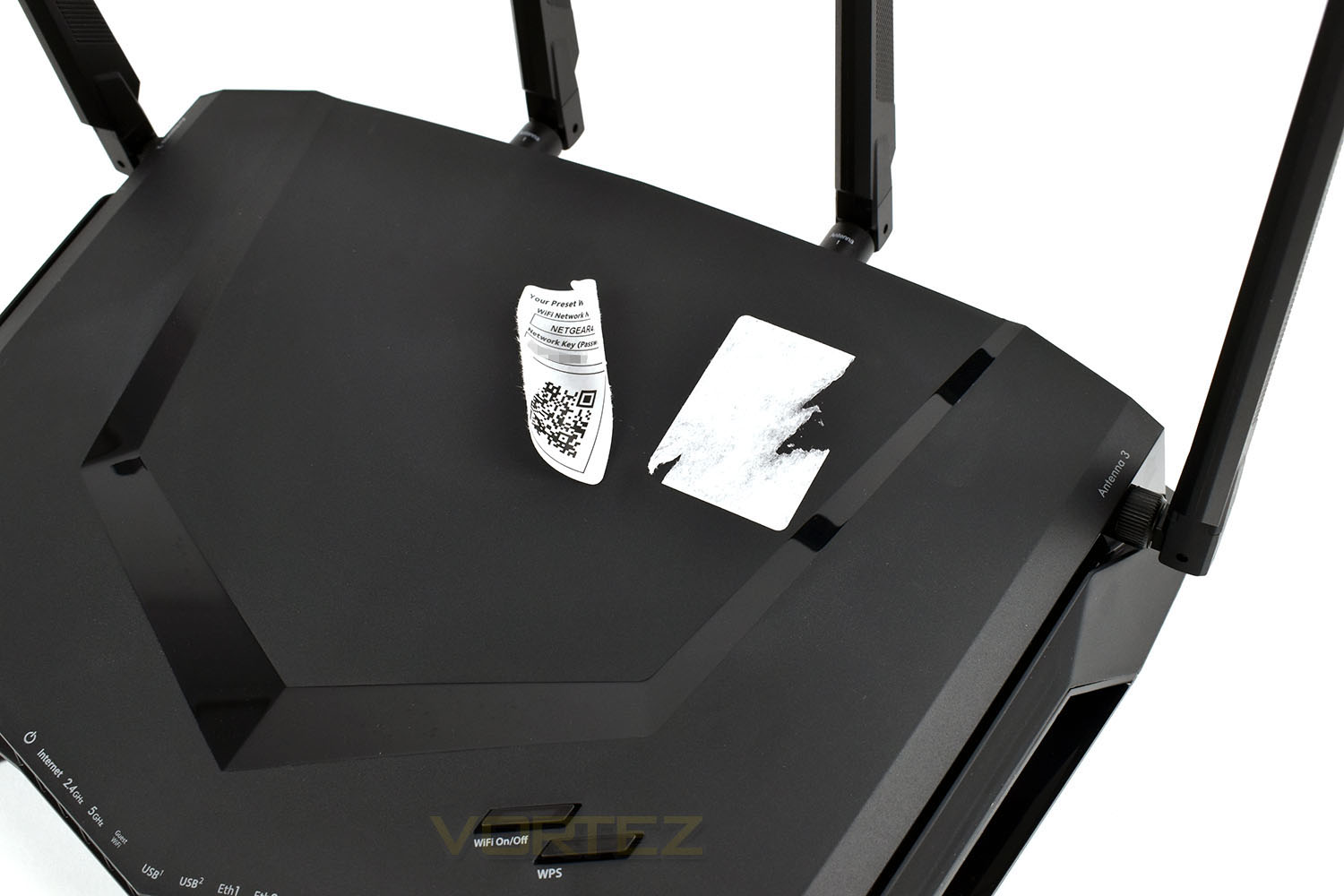
Last but not least, the sticker placed on top of the router in the factory, while being handy to obtain the network name and wireless access password, removing it was very difficult. We used a specialised sticky-stuff-remover and still struggled to remove the residue left behind, mainly because of the matt plastic used by Netgear. Easy-peel stickers aren’t anything new, perhaps Netgear could invest in some of those; or even better, use a small piece of plastic which can be docked into the front of the router with the wireless credentials printed upon.
Test Setup & Methodology
Testing a router of any kind, especially the wireless performance, can be regarded as somewhat of a minefield. Fluctuations due to overheads and other nearby devices can drastically effect performance from one minute to the next, therefore we kindly ask that you regard the results here in as a rough guide and they likely won’t mirror your personal experience exactly. However, having said that, we do attempt to reduce the amount of interference in anyway possible, such as shutting off any devices not currently being used and limiting the host and client PC to the core applications only.
Our wireless tests are performed via a series of file transfers from a host PC to a client PC. The host PC uses a Killer E2500 Gigabit controller and the files are contained on a Samsung 970 EVO NVMe drive, helping to prevent any file-access bottlenecks. Our client PC utilises an Intel Wireless-AC 9560 network card for wireless communication, capable of both 2.4GHz and 5.0GHz transmission; while relying on a Realtek Gigabit ethernet adaptor for wired transfers. The client PC also uses a Samsung 970 EVO, again, reducing the chance of storage bottlenecks.
Wireless tests are performed at two different locations within a 2 bedroom house, to more accurately reflect a real world scenario. The first location is around 3 metres from the router, in the same room, to represent a user browsing the internet in their living room where their router is also located. The second location is at the far corner of the property, roughly 12 metres away, and through three walls. We position the router underneath a TV, between a TV set top box and a games console.
Wired performance is measured by plugging both the host PC and client PC into the router.
To test two different use cases, we obtained a copy of Bastion from the Steam servers, this game is 1.23GB in size, containing 1,203 files within 35 folders. The second usage scenario is a 1GB .bin file, downloaded from Speed.Hetzner. The file is exactly 1024MB and can be repeatedly transferred incredibly quickly, to measure the theoretical top speed of the router.
We provide our results as an average transfer speed in Mbps (Megabits per second, divide this result by 8 for MB/s).
Each test is conducted three times with an average result then deduced from those.
Software GUI & Performance
SoftwareSetup isn’t included in our software video, but we feel it requires very little mention. It was quick and easy to follow.
Netgear have installed the latest version of DumaOS onto their XR500 Gaming Router with full optimisation and configurability in mind. The OS is in its infancy and is still developing, with some features yet to surface, such as the ability to install R-Apps; we have no word on whether or not there will be any kind of application store or if these will be homebrewed but it’s an exciting prospect. However, having said that, we do hope that the 256MB of flash storage doesn’t become a tight constraint on what is possible; perhaps Netgear can configure one of those USB ports to be upgradeable flash.
Below is a video, roughly four and a half minutes in length, briefly showing the features and how responsive the OS is. Overall we’re very impressed by the operation and options available, while still remaining very accessible to people with limited networking knowledge.
To prevent the video from being too lengthy, we’ve only briefly shown some pages. Please pause the video at your preferred points to view specific pages.
Performance
We test both the WiFi and ethernet performance of the router below, at both 2.4GHz and 5.0GHz on the WiFi tests. Please check the Test Setup & Methodology page for details.
Bastian
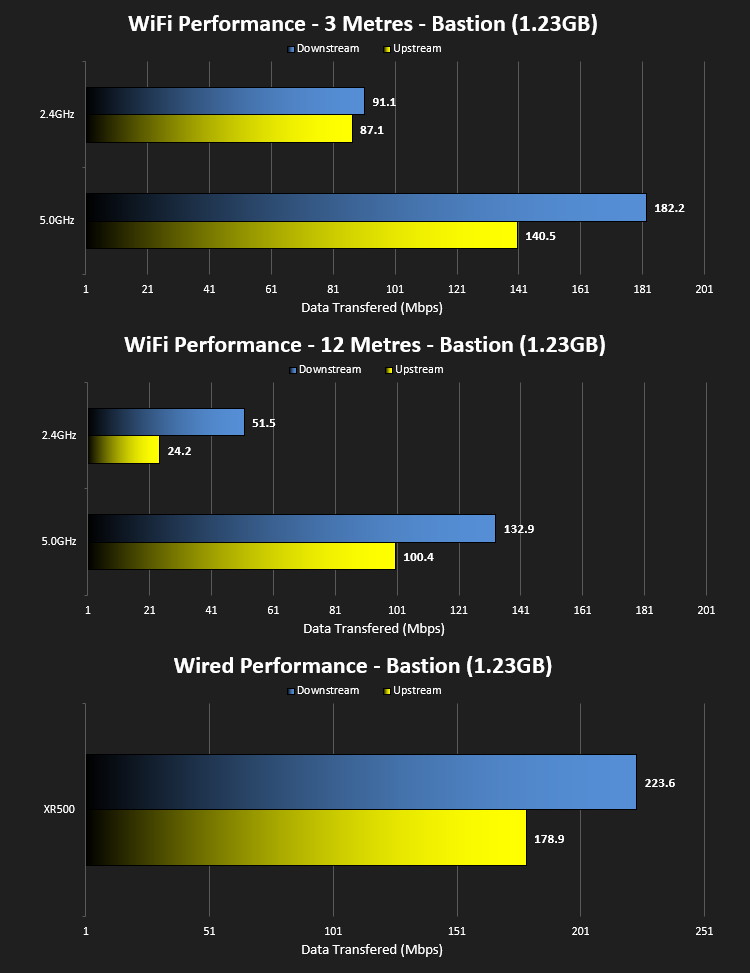
These tests are designed to be particularly hard work to transfer, comprising of many small files. The router still handles them very well.
.BIN
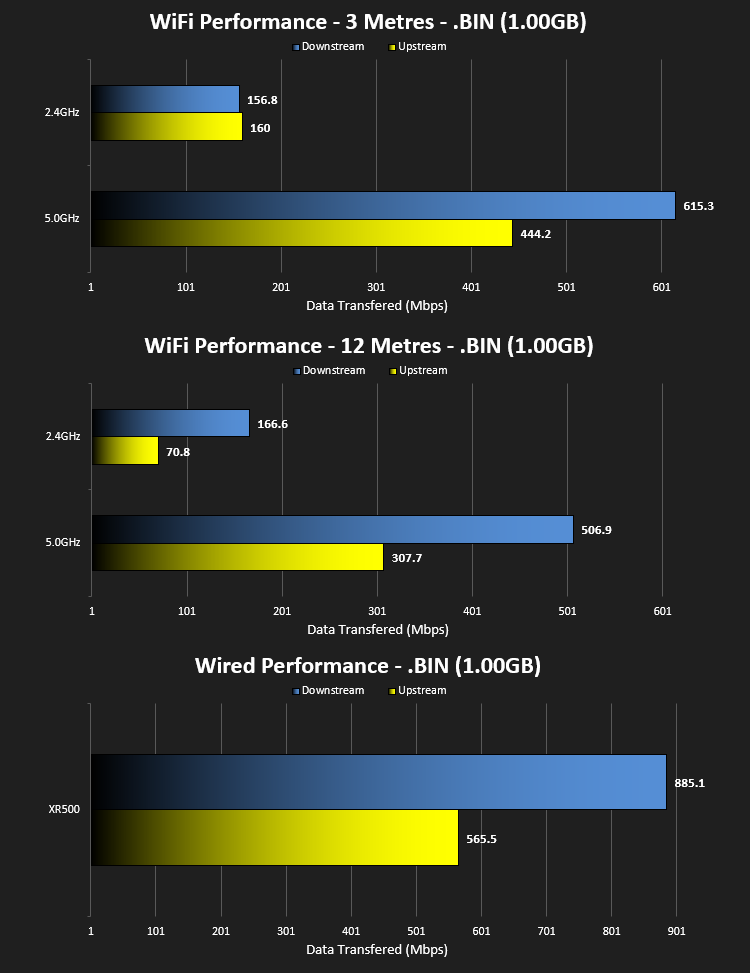
These tests, conversely to the Bastian transfer, are to test the theoretical maximum that the network is capable of. We see some incredibly fast transfers, far above what would reasonably be required in a home environment.
Conclusion
In today’s world, the importance of having a permanent, stable internet connection is almost priceless; making the choice of the correct network hardware all the more crucial. The Netgear XR500 would make an excellent choice for anyone who takes their gaming seriously, offering an awesome high-throughput, low-latency experience which is configurable via the DumaOS software.Netgear’s XR500 asks a lot from your wallet, almost £250 to be exact, and while that’s a lot of money, the bleeding edge of technology always arrives with a premium; however, having said that, we feel as though the budget could’ve been better distributed throughout the device. The plastic enclosure, for instance, feels cheap. Very cheap. A metal enclosure wouldn’t cost a lot to produce and would give the Nighthawk a certain premium feel. Some may say that “it’s what inside that counts”, and they may be right, but as an overall package, it fails on this front. We also want some mounting hardware on the bottom of the router.
The styling is also something of a Marmite situation. It’s quite garish and in your face, and also isn’t small in any sense, occupying a lot of shelf space. Netgear have definitely designed this to sit on your desk, looking angry and meaningful. Those that don’t like the styling may want to hide it away, which is another argument towards the mounting holes.
DumaOS on the XR500 is in its infancy, and is the first consumer device from Netgear that uses this feature-packed OS, but We love the intuitive feel and the colour scheme. We also see a lot of potential that may well come in the near future via firmware updates. Remaining on the DumaOS for a second, the Geo-Filter is useful for console gamers, preventing servers from connecting outside of a specified radius and those in a busy household may find the QoS to be a life-saver when their gaming latency takes a tumble.
If gaming is your bread and butter, the XR500 should be given some serious consideration. The Nighthawk provides a suitable net connection for all of the family.
+ Easy setup
+ Gaming appearance
+ Removeable antennas
+ Good range
+ Great speeds
+ DumaOS is fantastic
+ Gaming specific features
+ Can turn off the LEDs
+ USB Connectivity
Neutral
+- Expensive
Cons
– Plastic body feels cheap
– No mounting hardware
– Sticker almost impossible to remove
Click here for an explanation of our awards at Vortez.net.
Stay connected with the Vortez Social Media pages:
Join in with the discussions on Discord