A new 120mm CPU cooler which has a shorter height than most heatsinks at just 145mm. Will this new CPU cooler be able to tame the Intel i9-12900K?

Product on Review: NH-D12L CPU Cooler
Manufacturer: Noctua
Street Price: GBP £85 | USD $89 | AUD $169
Do Noctua really need any introduction? They are pioneers in the world of cooling solution and are known the world over for designing and producing some of the quietest, best performing coolers on the market. They have a product for every scenario imaginable, whether you’re building SFF or going big with E-ATX, Noctua has a product for every situation.
Today we’ll be taking a look at Noctua’s latest addition to their 120mm CPU cooler lineup. Some weeks back they announced the NH-D12L, a shorter version their usual 120mm coolers – providing a heigh of just 145mm. The provision of a smaller CPU cooler will open up opportunities for those with smaller sized cases that still want to tap into the excellent performance of a 120mm CPU cooler.
Can this new cooler perform just as well with a shorter design? Let’s find out!
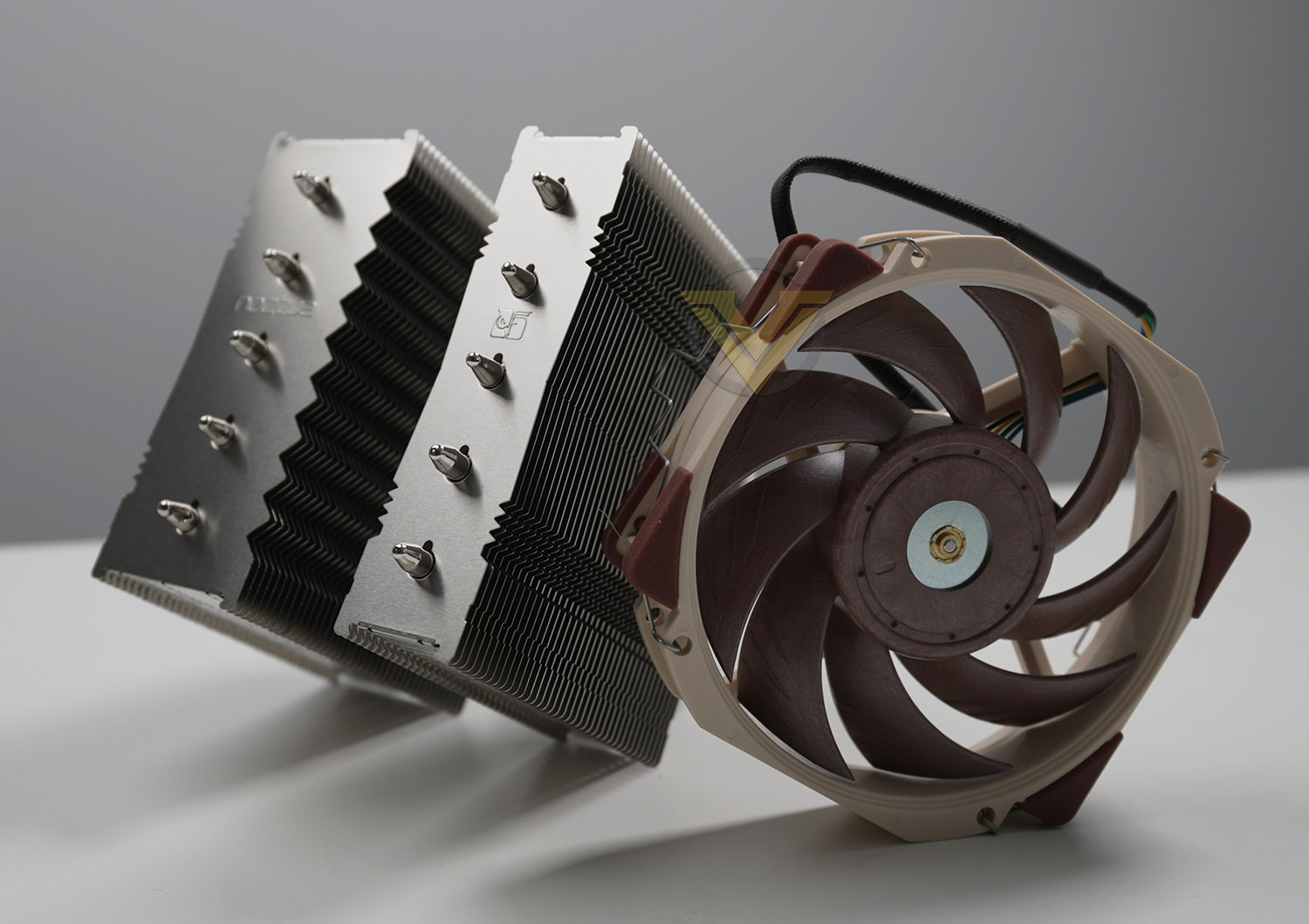
Noctua on the NH-D12L:
The NH-D12L is a low-height 120mm class CPU cooler that has been conceived to combine outstanding quiet cooling performance with superior case compatibility. At a height of only 145mm (13mm lower than Noctua’s regular 120mm models), it fits many 4U enclosures as well as narrower tower cases that have been previously limited to solutions with 92mm fans.
Technical Specifications
Below are the technical specifications surrounding the NH-D12L:
Socket compatibility
Intel LGA1700, LGA1200, LGA1156, LGA1155, LGA1151, LGA1150, LGA2011, LGA2066
AMD AM5, AM4
Height (without fan)
145 mm
Width (without fan)
125 mm
Depth (without fan)
113 mm
Weight (without fan)
700 g
Height (with fan)
145 mm
Width (with fan)
125 mm
Depth (with fan)
113 mm
Weight (with fan)
890 g
Material
Copper (base and heat-pipes), aluminium (cooling fins), soldered joints & nickel plating
Fan compatibility
NF-A12x25r (square-frame 120mm fans not supported)
Scope of delivery
NF-A12x25r PWM premium fan
NA-RC14 Low-Noise Adaptor (L.N.A)
NT-H1 high-grade thermal compound
Fan-clips for second NF-A12x25r
SecuFirm2™ mounting kit
Noctua metal case-badge
Warranty
6 Years
Intel LGA1700, LGA1200, LGA1156, LGA1155, LGA1151, LGA1150, LGA2011, LGA2066
AMD AM5, AM4
Height (without fan)
145 mm
Width (without fan)
125 mm
Depth (without fan)
113 mm
Weight (without fan)
700 g
Height (with fan)
145 mm
Width (with fan)
125 mm
Depth (with fan)
113 mm
Weight (with fan)
890 g
Material
Copper (base and heat-pipes), aluminium (cooling fins), soldered joints & nickel plating
Fan compatibility
NF-A12x25r (square-frame 120mm fans not supported)
Scope of delivery
NF-A12x25r PWM premium fan
NA-RC14 Low-Noise Adaptor (L.N.A)
NT-H1 high-grade thermal compound
Fan-clips for second NF-A12x25r
SecuFirm2™ mounting kit
Noctua metal case-badge
Warranty
6 Years
Packaging & Bundle
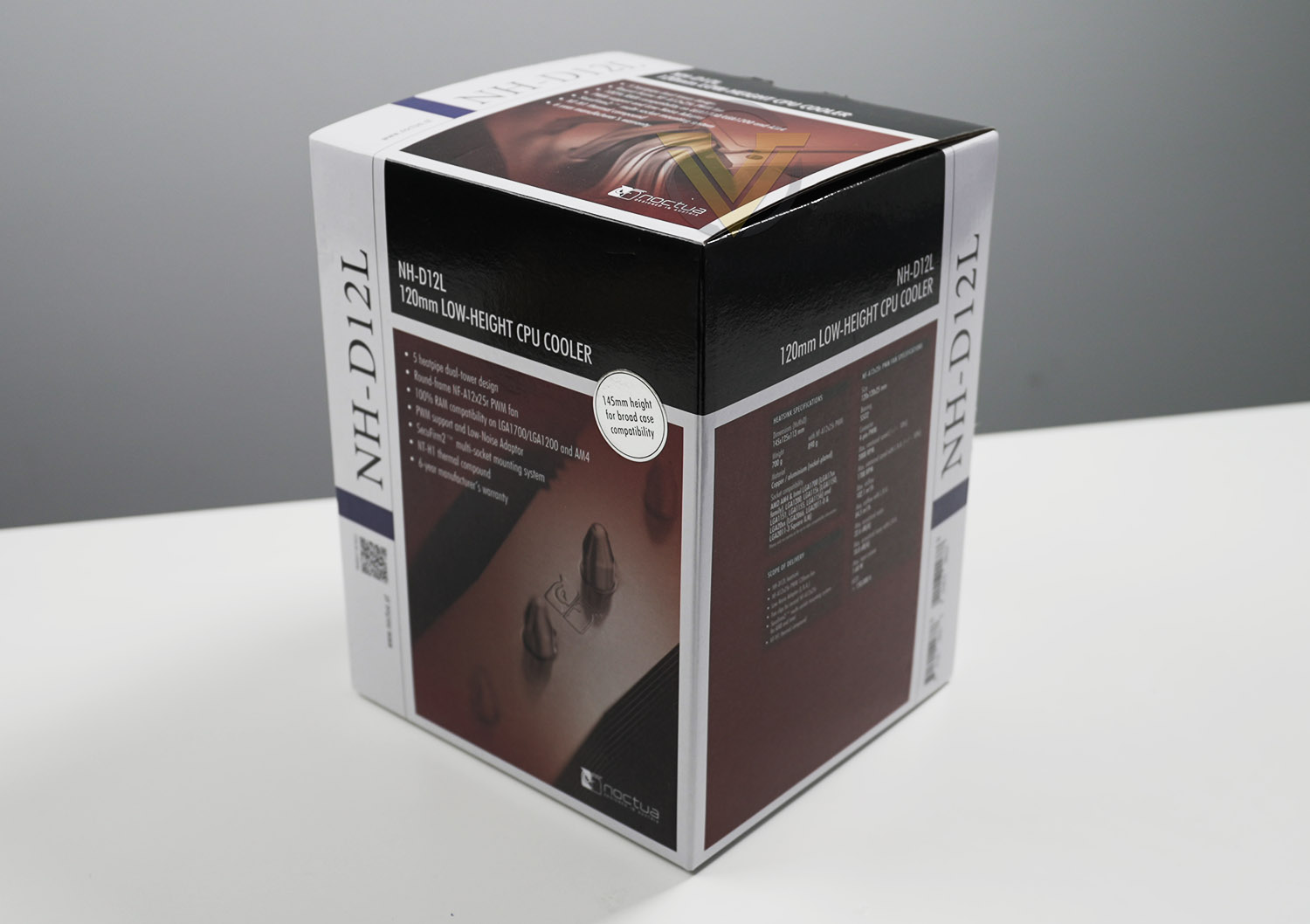
Noctua’s NH-D12L arrives in an attractive, well-designed box. Features and technical specifications can be found on the sides, and within as per usual from Noctua, all of the included parts are very well packaged.
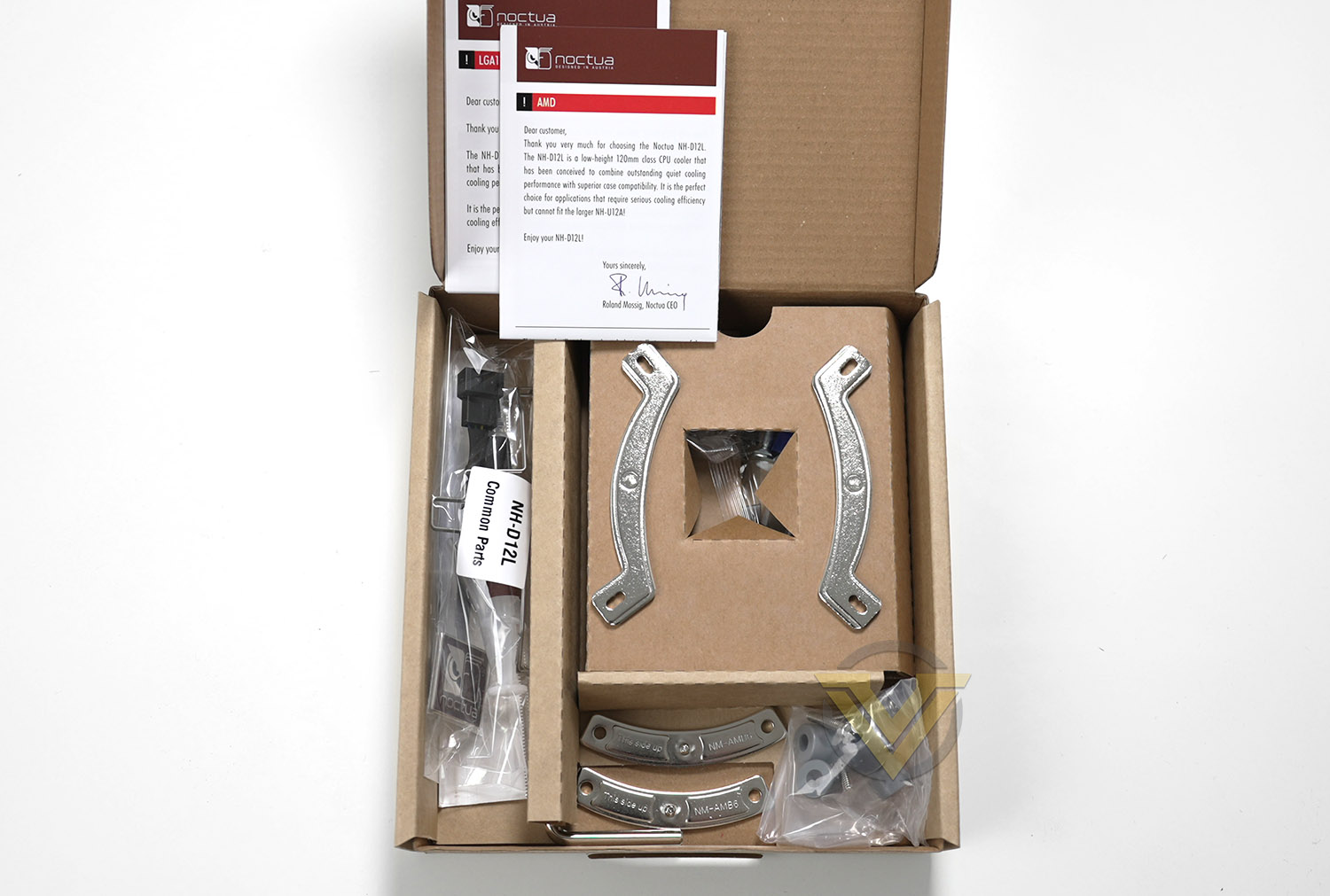
The NH-D12L is comaptatible with a plethora of different sockets and even has support for the new Intel LGA 1700 and upcoming AMD AM5. The bundle consists of:
• Mounting kit for Intel + AMD sockets
• NA-RC14 Low-Noise Adaptor (L.N.A)
• NT-H1 high-grade thermal compound
• Fan-clips for second NF-A12x25r
• SecuFirm2™ mounting kit
• Noctua metal case-badge
Closer Look
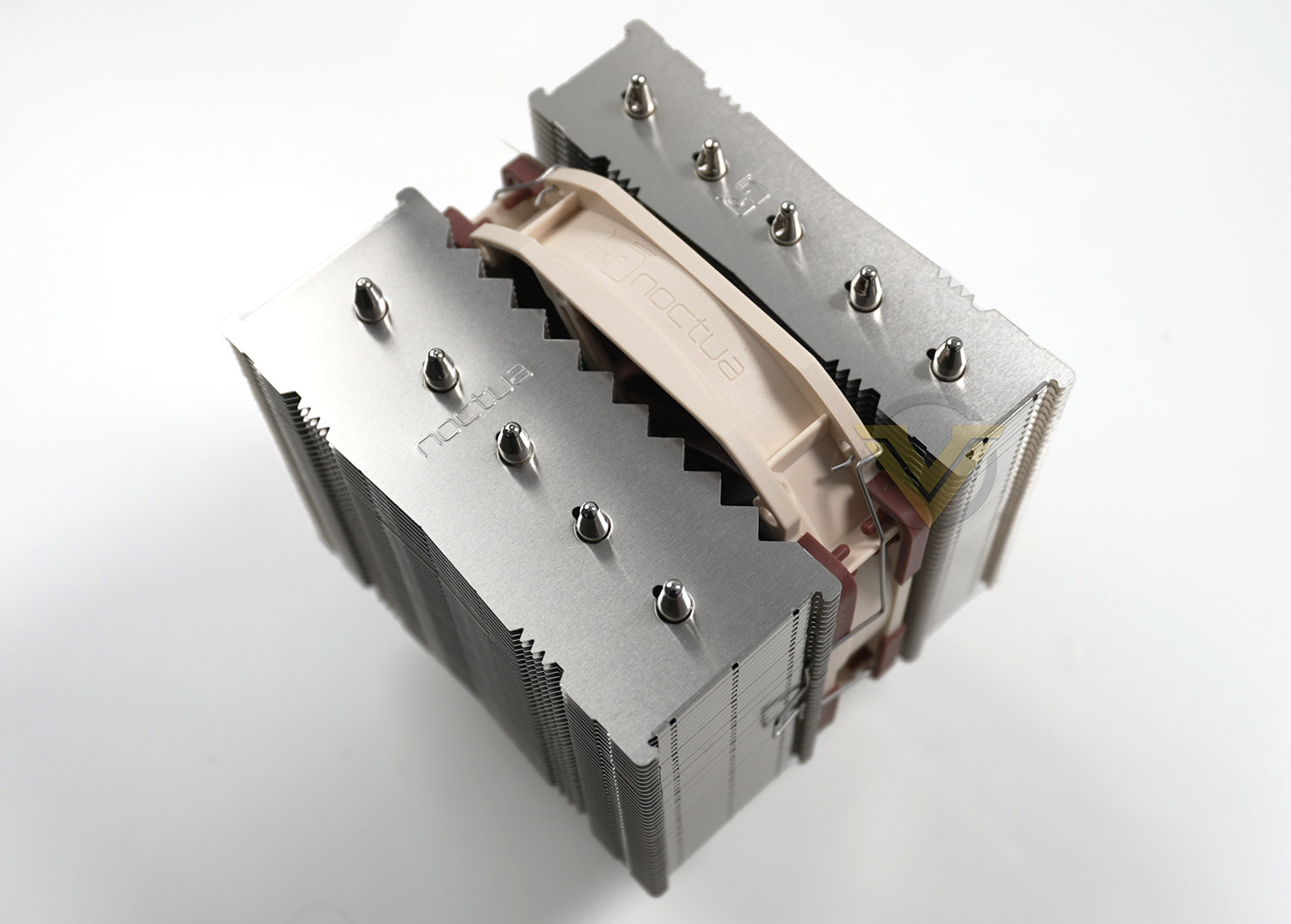
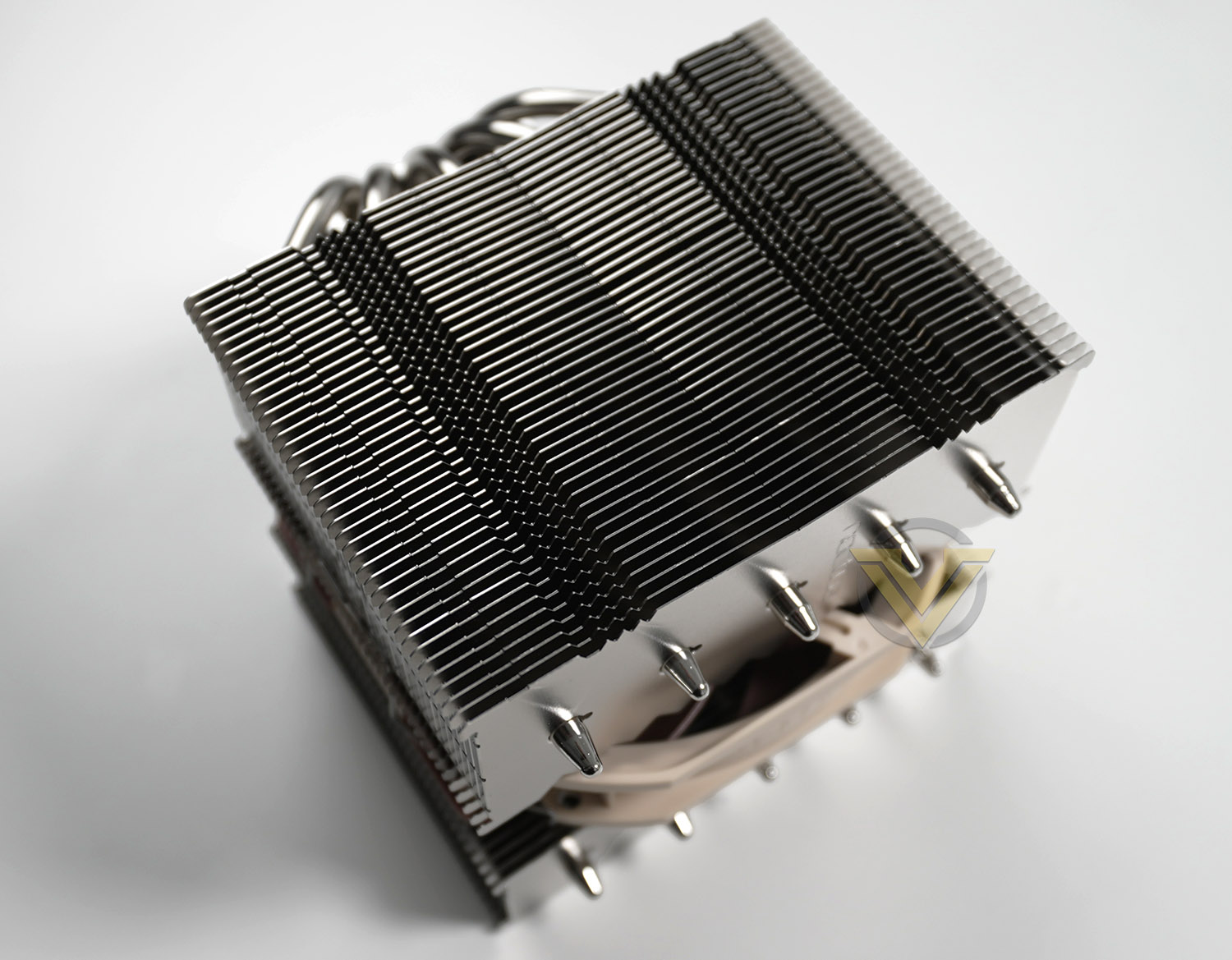
The top section of NH-D12L (which will be the angle most visible in the chassis) is designed like other Noctua coolers, with the top of the heatpipes popping out through the uppermost fin on the heatsink. The Noctua insignia is small, but nice touch.
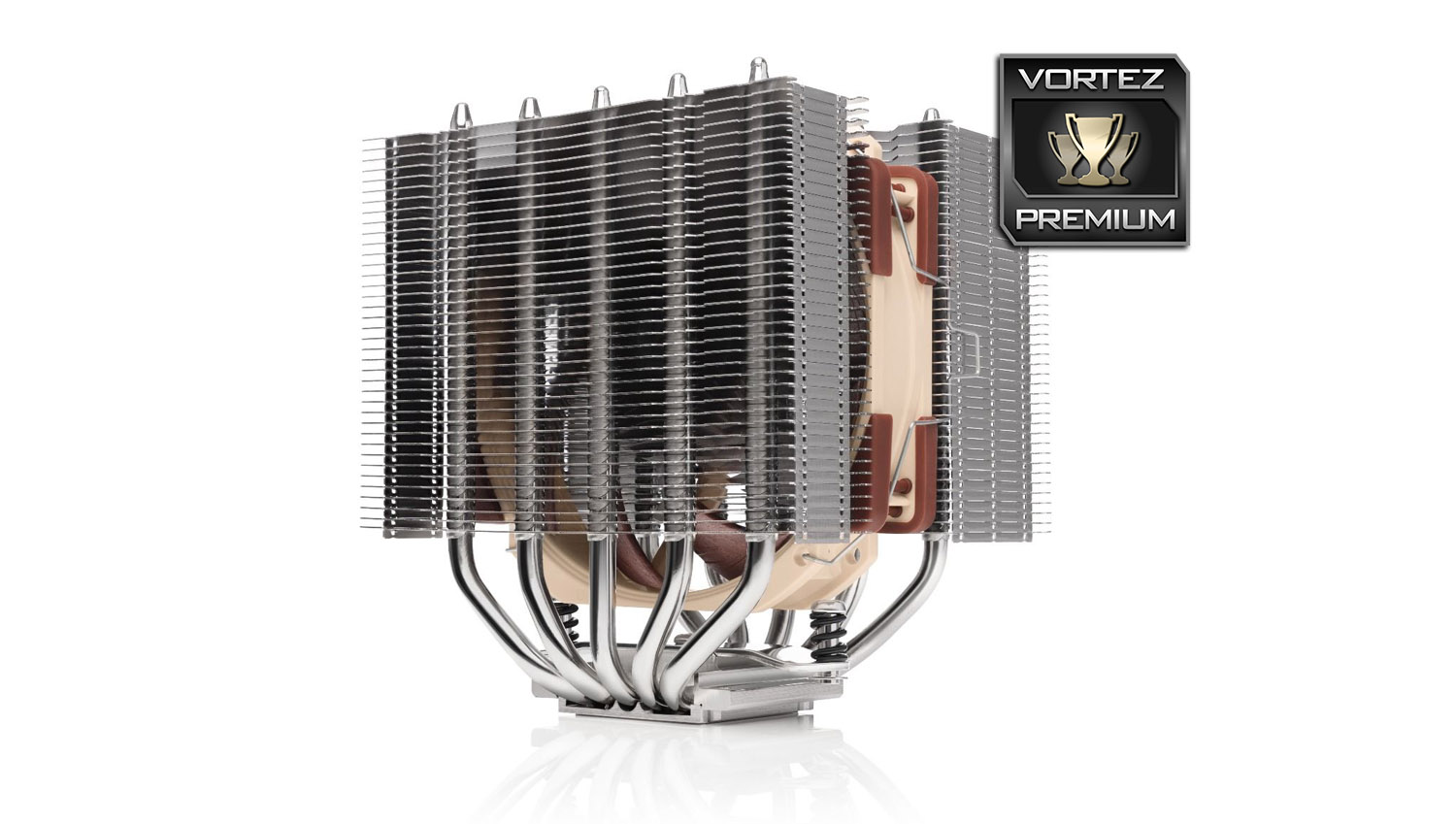
NH-D12L is a twin tower heatsink and as you can see the thickness and fin design is different between the two stacks, the thicker of the two has teeth shaped fins to coincide with the direction of airflow from the fan which is mounted in the middle. The fan should always have its airflow directed towards the thicker tower.
Noctua are keen to emphasise that the fins are soldered to the heatpipes in a bid to ensure greater thermal longevity and it should also be noted that NH-D12L’s headline feature is that it is just 145mm in height, whereas other CPU coolers in Noctua’s lineup, which are 120mm in spec are 158mm. This will obviously provide better case compatibility.
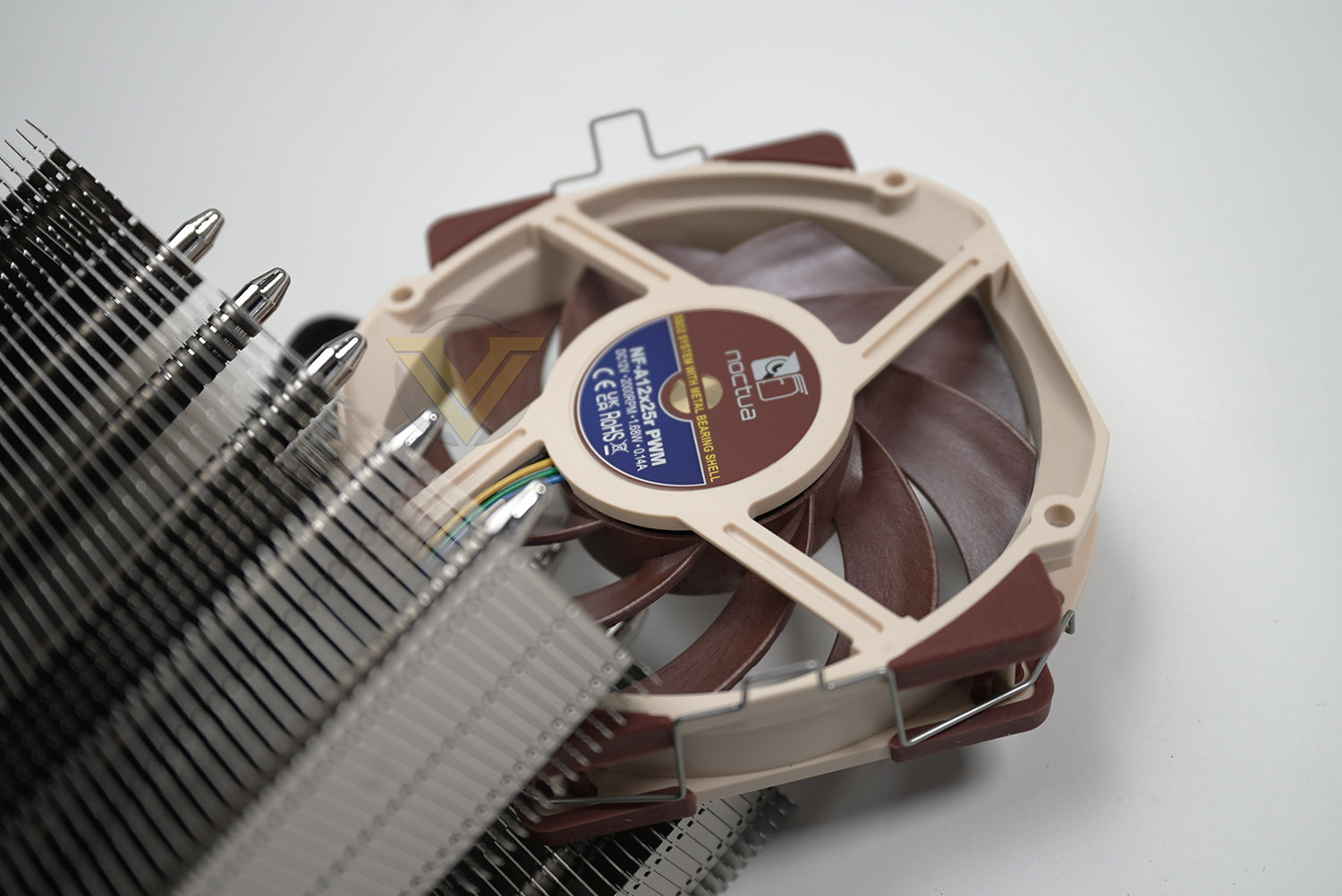
Supplied with NH-D12L, we have a Noctua Round-frame NF-A12x25r PWM fan. This is one of Noctua’s renowned 120mm fans which is optimised for CPU cooling – it is well-known for offering great performance and low-noise.
It can spin at up to 2000 RPM.
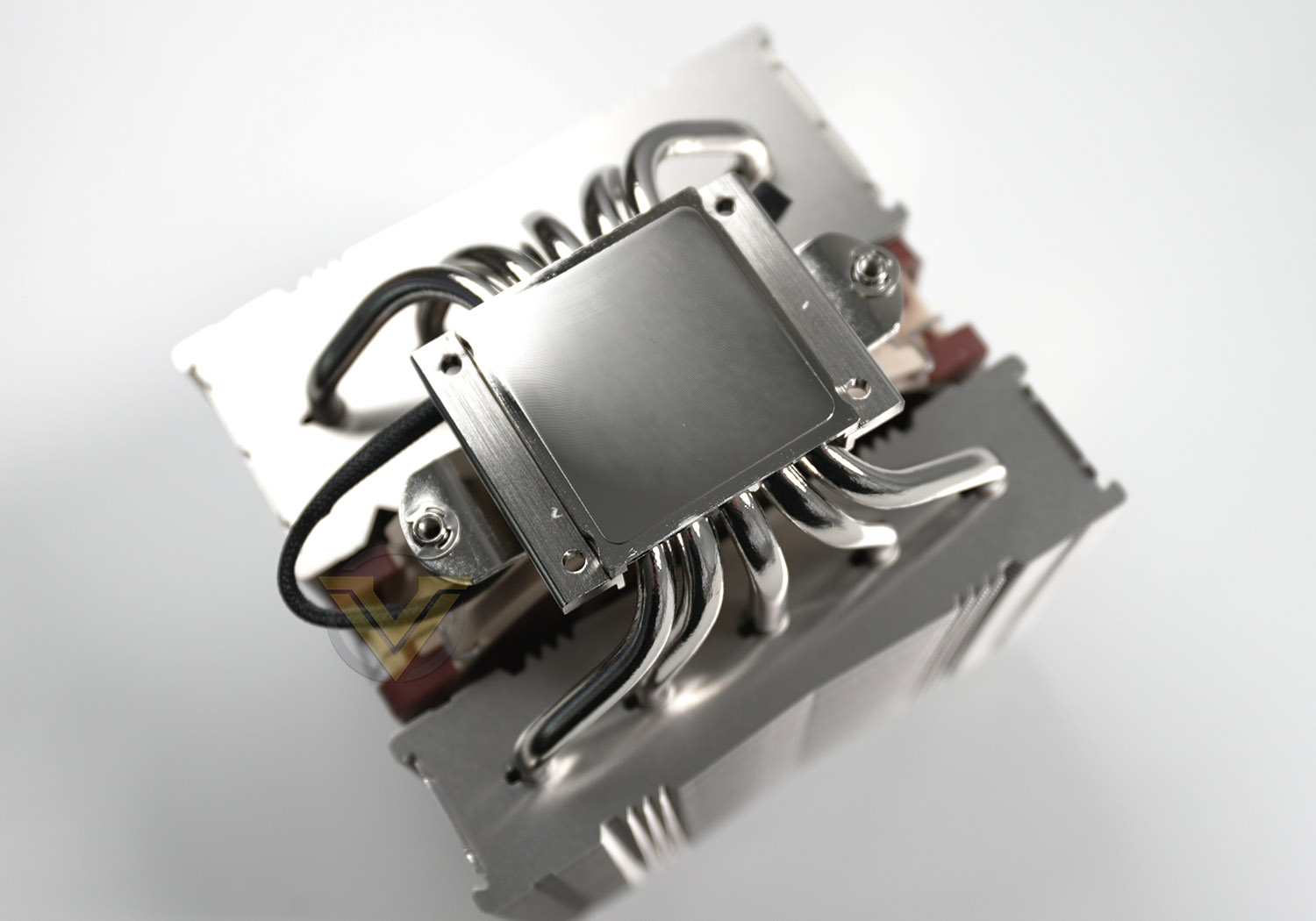
The baseplate is copper and does not offer direct touch (with the heatpipes) which we see a lot of CPU coolers providing, nor does the baseplate feature any pre-applied thermal paste. Noctua has supplied a tube of NT-H1 within the bundle though and this can be applied to the CPU when installing.
Installation Process
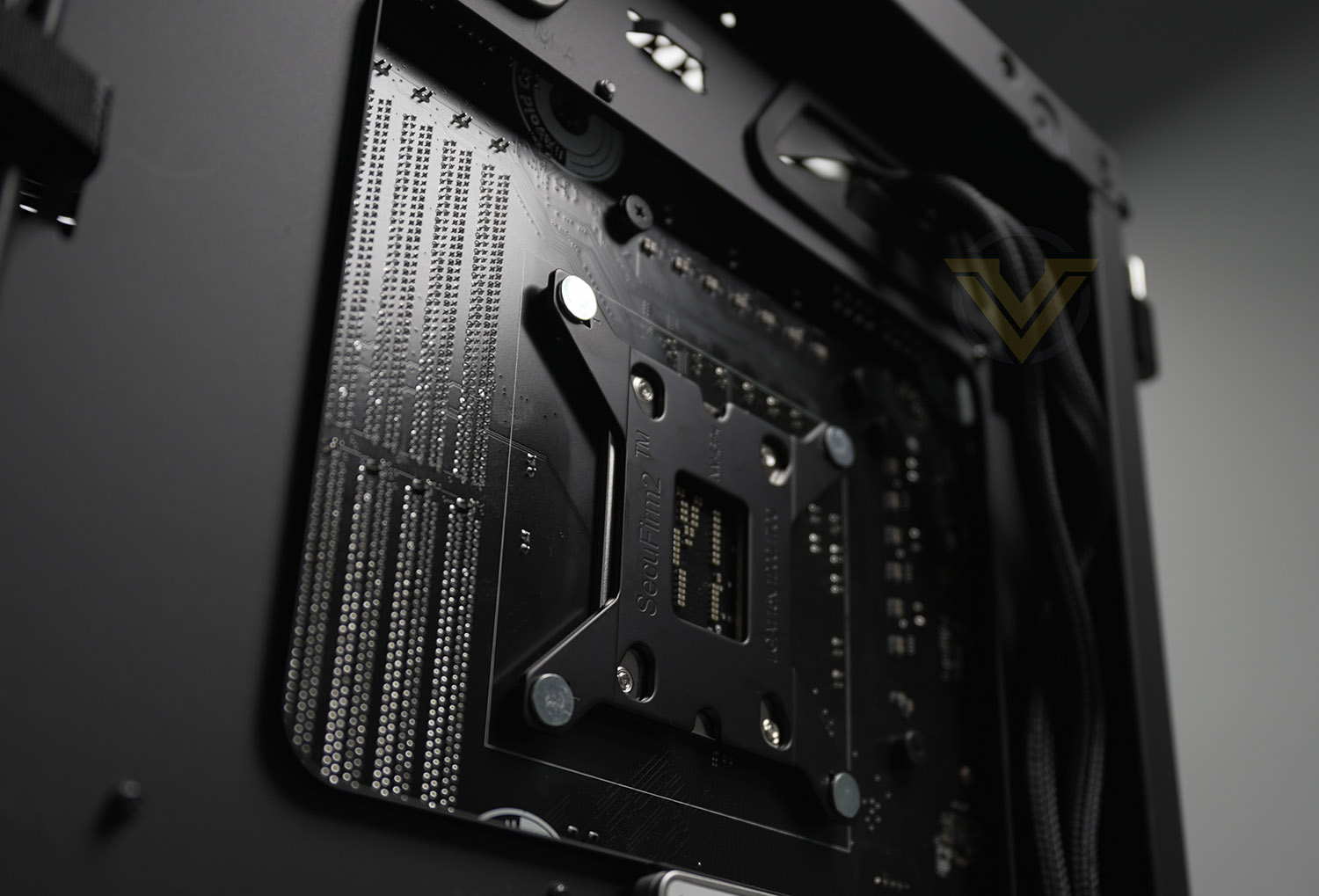
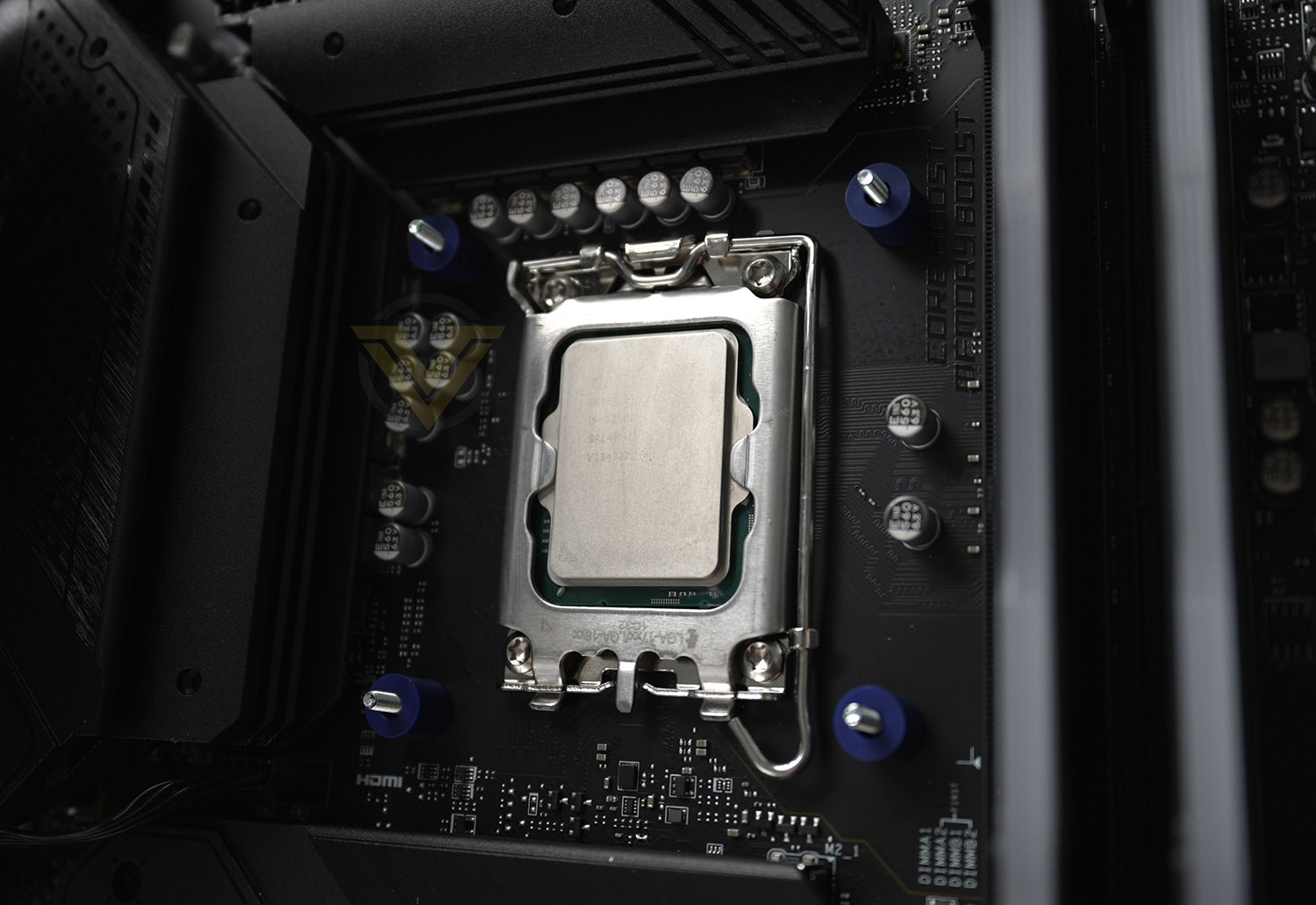
For the installation we’ve chosen to use LGA 1700 since this is new and NH-D12L has compatibility for it.
So, for the first step, it’s necessary to attach the provided backplate and then install the plastic standoffs as shown. It should be noted that these blue standoffs are specifically designed for LGA 1700, the black standoffs in the pack should be used for other sockets.
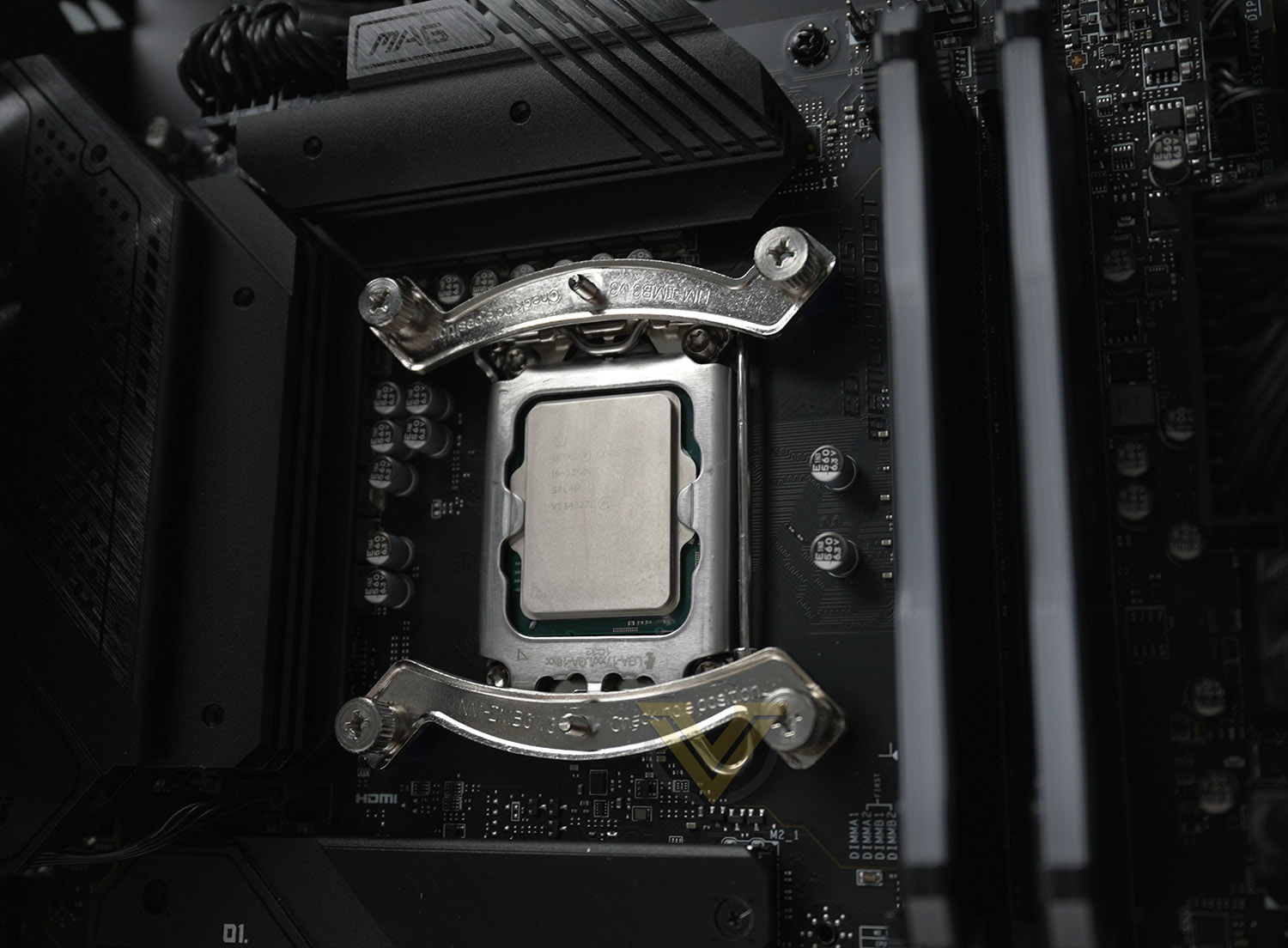
Next, it is necessary to take the two brackets and place them over the threads which are poking through and apply the screws. Depending on the orientation you desire, you’ll want them aligned top and bottom (like us) if you want the heatsink and fan facing the rear exhaust, which is generally regarded as the best option.
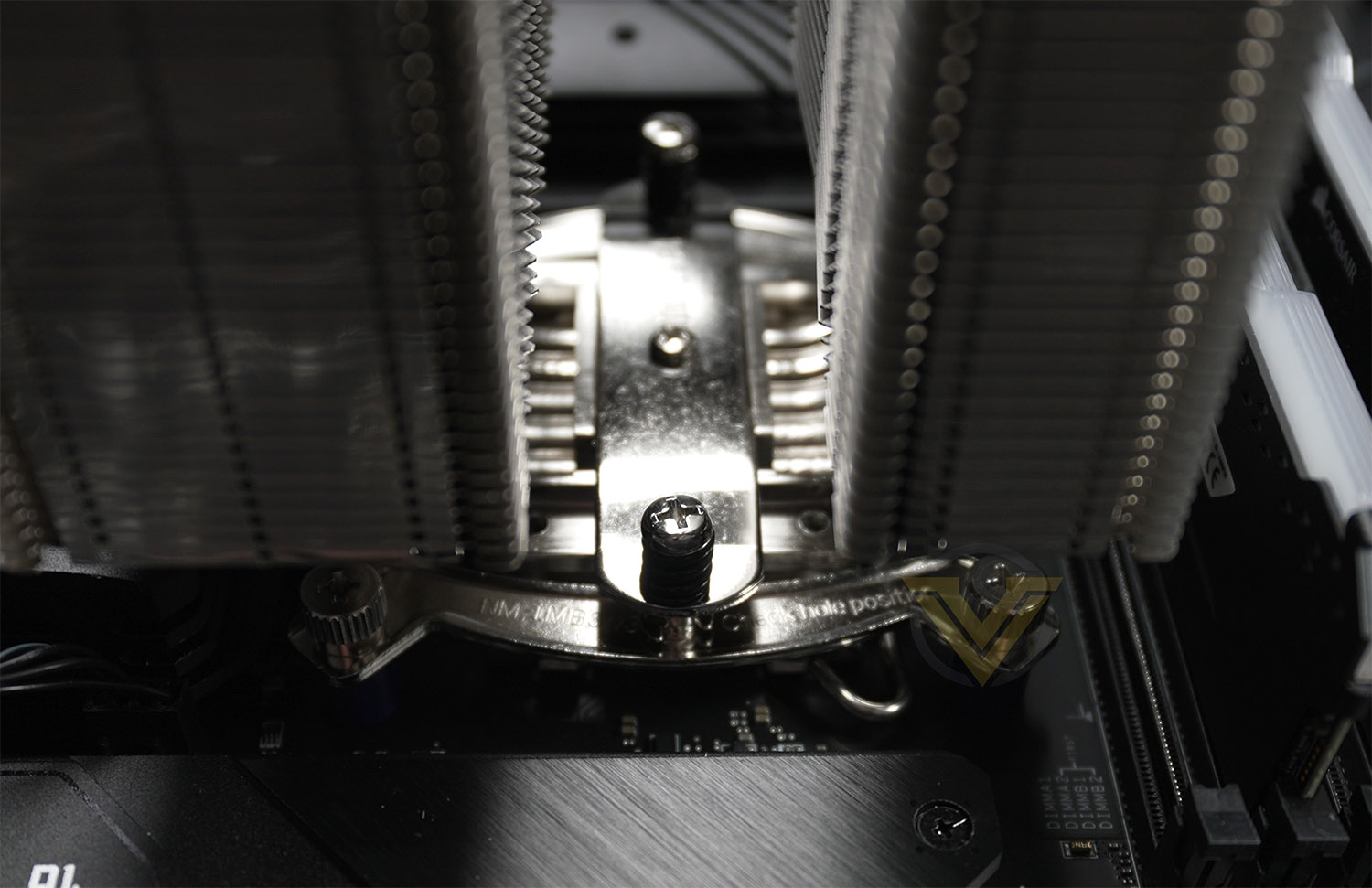
The last step in the process is to apply thermal paste to the CPU and place the baseplate of the cooler over the CPU, lining up the screws to the pins and then one full rotation of each screw to apply even pressure. Once both screws are tight, and the PWM fan connector is attached to the CPU fan header on the motherboard, the job is done!
It is necessary to remove the middle cooling fan in order to be able to reach the screws, as shown in the picture above.
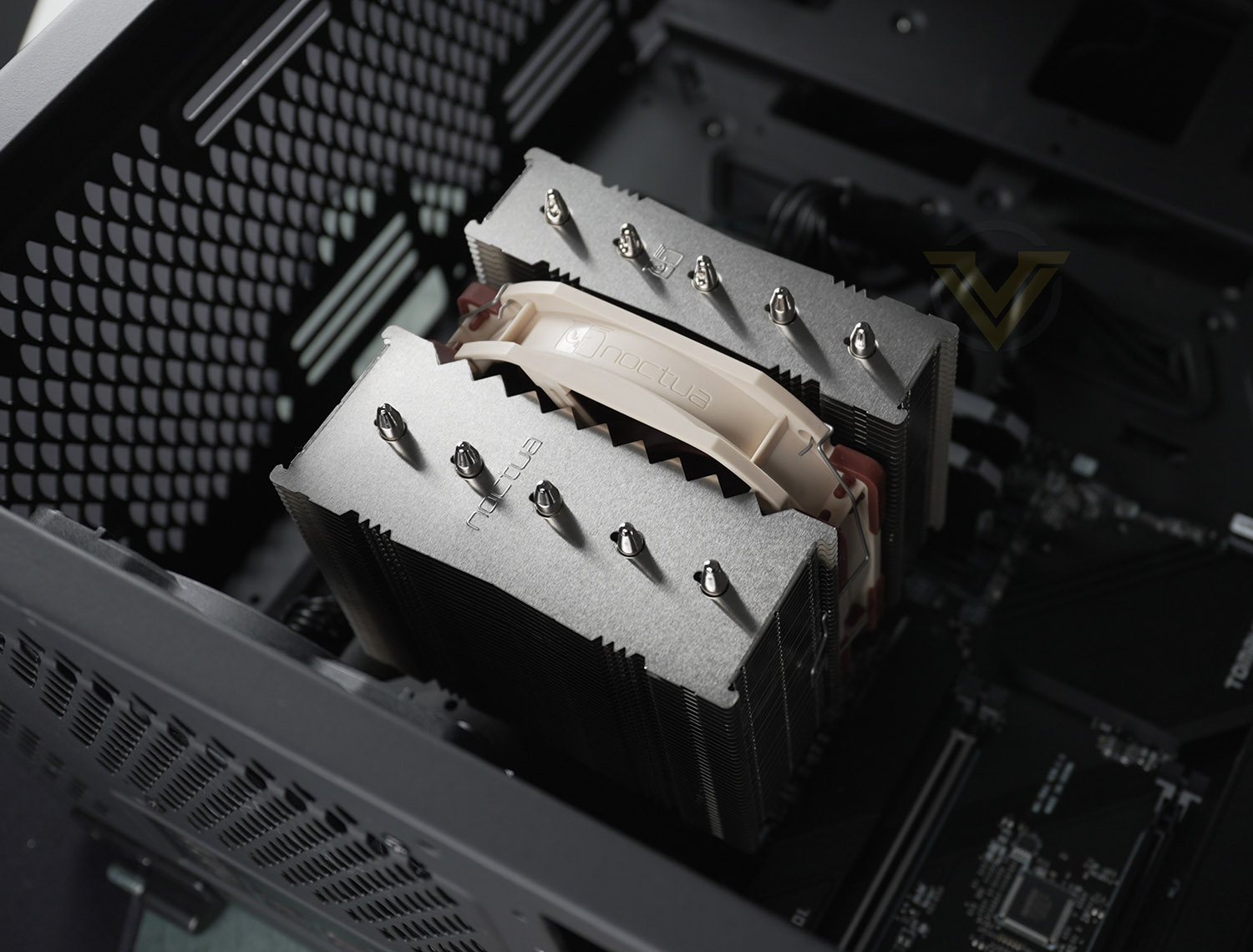
Here is the finished look.
In true Noctua style, this cooler looks stunning in our chassis and compliments it very well. All in all, a very easy installation – something we always expect from Noctua.
Test Setup & Methodology
HARDWARE
Rather than analyse CPU coolers on a test bench, we prefer to simulate a real-world configuration where all of the components are housed within a computer case. By doing this, our readers are able to see the CPU cooler in a real-world scenario.Special thanks go to Intel, MSI, Corsair, Noctua and AverMedia for providing the hardware configuration for our CPU cooler reviews:
Motherboard:
CPU – Intel Core i9-12900K
Board – MSI MAG B660 Tomahawk WiFi DDR4
RAM – Corsair Vengeance RGB PRO SL (16GB)
Power Supply – Corsair RMx850
Hard Drive – Intel S3500 128GB
Case – MSI SEKIRA 500G
CPU – Intel Core i9-12900K
Board – MSI MAG B660 Tomahawk WiFi DDR4
RAM – Corsair Vengeance RGB PRO SL (16GB)
Power Supply – Corsair RMx850
Hard Drive – Intel S3500 128GB
Case – MSI SEKIRA 500G
BENCHMARKS
In order to perform our thermal and acoustics tests we use AIDA64 Stability test. The 12900K CPU is left in its default stock state with EIST, Turbo enabled.For the moment, the comparison results highlight only a small number of CPU coolers, this is because we’ve updated our hardware configuration. The number of tested coolers will increase.
To reflect the most accurate user experience we always test our coolers in their out-of-the-box state, with the cooling fans/components they are sold with. However, we do not use the supplied thermal paste as this would skew results – for our thermal paste we use Noctua NT-H2 which provides us with that level playing field and consistency.
To record the idle temperatures result, our system is booted into Windows and left to idle for 20 minutes. The average core temperatures are recorded (Using Core Temp), and then we following this we apply the AIDA64 Stability test to apply an intensive load on the CPU. After 20 minutes have elapsed, we then record the average core temperatures.
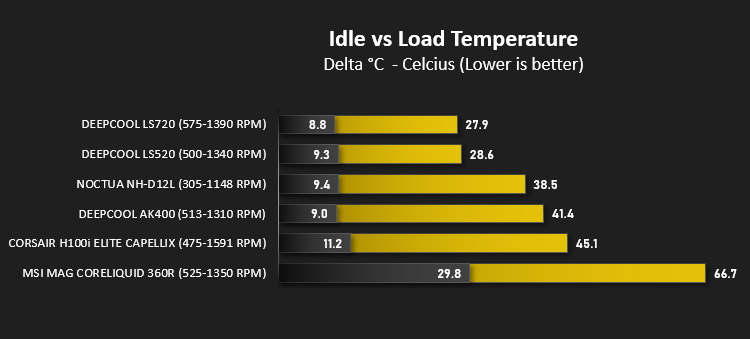
All temperature results are delta, this is calculated by subtracting the ambient from the average core temperature. Ambient temperature is recorded using a digital thermometer placed near the front intake of the case.
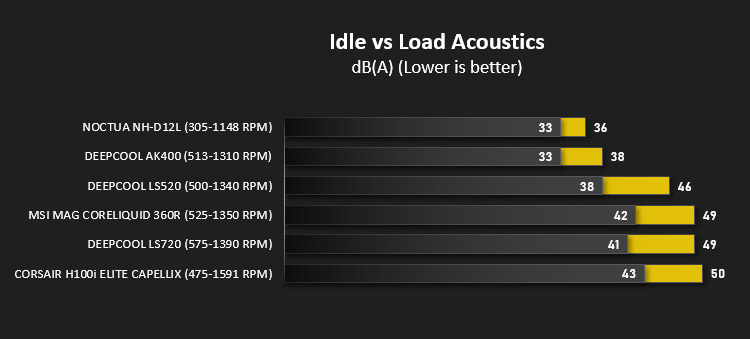
In regards to acoustics we use the exact methodology above except all case system fans are disabled. This isolates the CPU cooler fans and allows us to accurately report on the decibel readings. We record acoustics using the NDI KC-330D Sound Level Meter at a distance of approximately 30cm.
Thermal Results
Below are the results for our thermal test. We record both the idle and load temperatures – stress is applied to the CPU using AIDA64’s stability test.
Acoustic Results
In terms of the acoustics test, we disable all case fans and place our sound level meter approximately 30cm away from the cooling fans and the result is then obtained.
Conclusion
As on previous occasions, we’ve been impressed by what Noctua has to offer in their latest product, the NH-D12L.
The NH-D12L retains the signature design that Noctua are well-known for. Just one look at this cooler and you instantly know who the manufacturer is. The build quality and attention to detail is outstanding, something we’ve come to love over the years of reviewing Noctua’s products.
Cooling and acoustic performance are fundamental to a CPU cooler and the most obvious traits that the end user is seeking from such a product. We’re pleased to report that in both aspects, the NH-D12L exceeds expectations. In the thermal performance it delivered excellent results while maintaining reasonably low RPM, and even at the peak fan speed of 1148 RPM, we recorded just 36 dBa – the lowest figure from all the coolers we have tested lately.
The installation process is an area which is important – not all CPU coolers are easy to attach to CPU/system and problems can be encountered. With Noctua this has never been the case, the SecuFirm 2 mounting system is exceptional and we were up and running in next to no time. Our cooling test system uses LGA 1700 – which is Intel’s latest socket and platform. The process for installing this cooler on the new socket is still plain sailing and just requires slightly different standoff mounts.
This cooler isn’t cheap by any means, it comes in at GBP £85 | USD $89 | AUD $169. On offer though is something which goes above and beyond with regards to thermals and acoustics. The included items within the bundle and lengthy 6-year warranty are all reasons to justify the cost.
If you’re on the hunt for an outstanding 120mm CPU cooler which has the added bonus of being shorter for better case compatibility then the NH-D12L is the perfect candidate.
Pros
+ Solid build quality
+ Excellent thermal performance
+ Low-noise operation
+ Well-rounded bundle
+ Excellent RAM compatibility
+ Easy to install
+ Impressive 6 years warranty
Cons
– None!
+ Solid build quality
+ Excellent thermal performance
+ Low-noise operation
+ Well-rounded bundle
+ Excellent RAM compatibility
+ Easy to install
+ Impressive 6 years warranty
Cons
– None!
Click here for an explanation of our awards at Vortez.net.
Stay connected with the Vortez Social Media pages:
Join in with the discussions on Discord